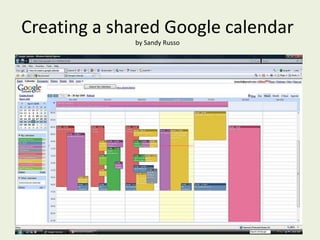
Creating a shared Google calendarby Sandy Russo
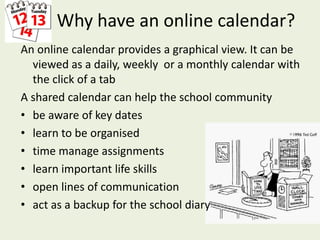
Why have an online calendar?An online calendar provides a graphical view. It can be viewed as a daily, weekly  or a monthly calendar with the click of a tabA shared calendar can help the school communitybe aware of key dateslearn to be organisedtime manage assignmentslearn important life skillsopen lines of communicationact as a backup for the school diary
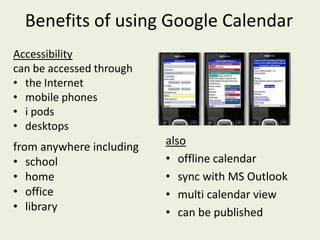
Benefits of using Google CalendarAccessibility can be accessed through the Internet
mobile phones
i pods
desktops alsooffline calendar
sync with MS Outlook
multi calendar view
can be publishedfrom anywhere includingschool
home
office
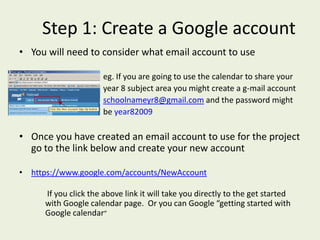
libraryStep 1: Create a Google accountYou will need to consider what email account to use eg. If you are going to use the calendar to share your                                   year 8 subject area you might create a g-mail accountschoolnameyr8@gmail.com and the password might                                  be year82009Once you have created an email account to use for the project go to the link below and create your new accounthttps://www.google.com/accounts/NewAccount     If you click the above link it will take you directly to the get started with Google calendar page.  Or you can Google “getting started with Google calendar”
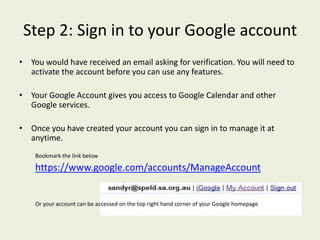
Step 2: Sign in to your Google accountYou would have received an email asking for verification. You will need to activate the account before you can use any features.Your Google Account gives you access to Google Calendar and other Google services. Once you have created your account you can sign in to manage it at anytime. Bookmark the link belowhttps://www.google.com/accounts/ManageAccountOr your account can be accessed on the top right hand corner of your Google homepage

Google calendar

  • 1.
    Creating a sharedGoogle calendarby Sandy Russo
  • 2.
    Why have anonline calendar?An online calendar provides a graphical view. It can be viewed as a daily, weekly or a monthly calendar with the click of a tabA shared calendar can help the school communitybe aware of key dateslearn to be organisedtime manage assignmentslearn important life skillsopen lines of communicationact as a backup for the school diary
  • 3.
    Benefits of usingGoogle CalendarAccessibility can be accessed through the Internet
  • 4.
  • 5.
  • 6.
  • 7.
  • 8.
  • 9.
    can be publishedfromanywhere includingschool
  • 10.
  • 11.
  • 12.
    libraryStep 1: Createa Google accountYou will need to consider what email account to use eg. If you are going to use the calendar to share your year 8 subject area you might create a g-mail accountschoolnameyr8@gmail.com and the password might be year82009Once you have created an email account to use for the project go to the link below and create your new accounthttps://www.google.com/accounts/NewAccount If you click the above link it will take you directly to the get started with Google calendar page. Or you can Google “getting started with Google calendar”
  • 13.
    Step 2: Signin to your Google accountYou would have received an email asking for verification. You will need to activate the account before you can use any features.Your Google Account gives you access to Google Calendar and other Google services. Once you have created your account you can sign in to manage it at anytime. Bookmark the link belowhttps://www.google.com/accounts/ManageAccountOr your account can be accessed on the top right hand corner of your Google homepage