HOW TO IMPLEMENT
RPA
924/11/2020
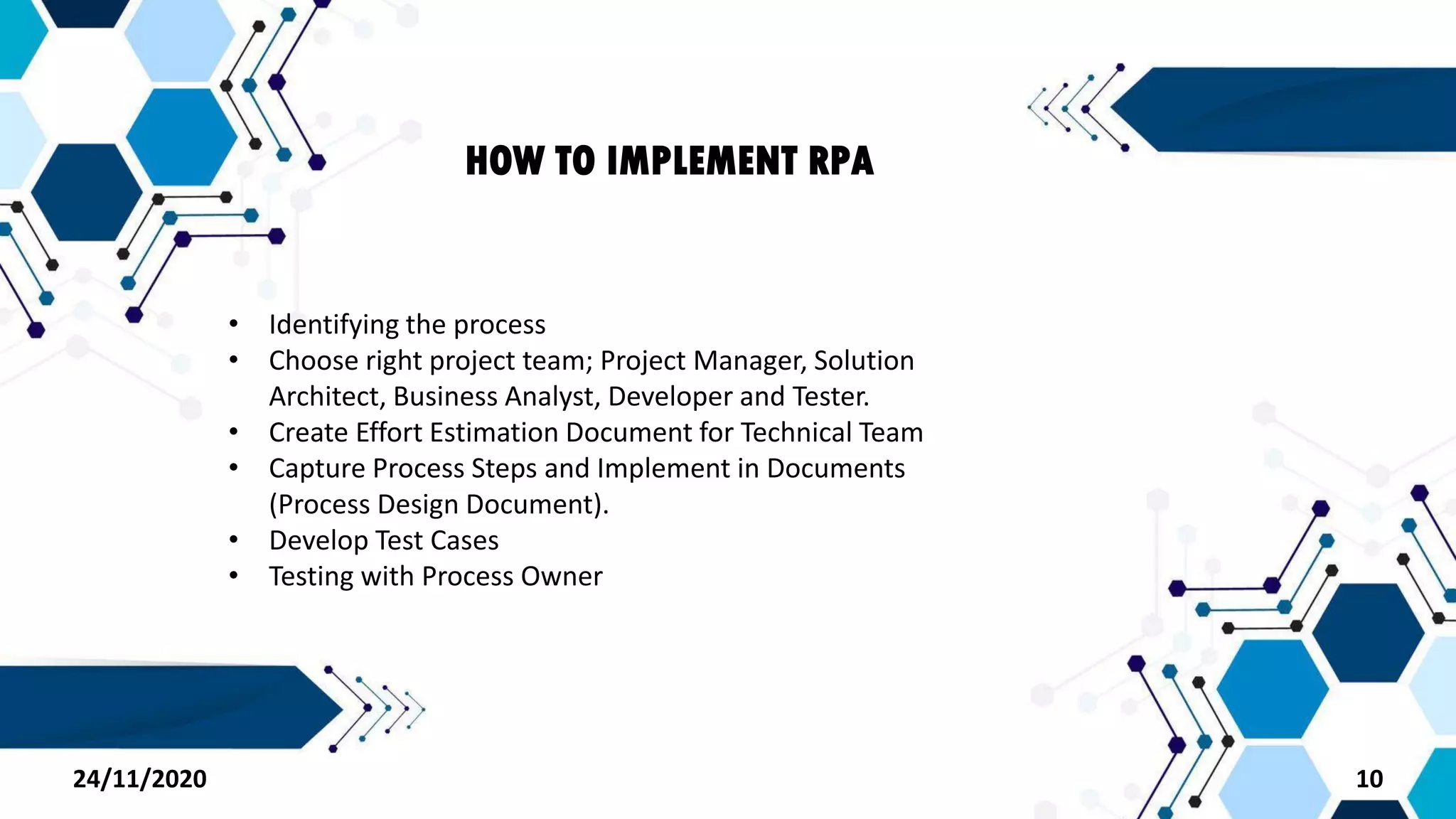
• Identifying the process
• Choose right project team; Project Manager, Solution
Architect, Business Analyst, Developer and Tester.
• Create Effort Estimation Document for Technical Team
• Capture Process Steps and Implement in Documents
(Process Design Document).
• Develop Test Cases
• Testing with Process Owner
HOW TO IMPLEMENT RPA
1024/11/2020
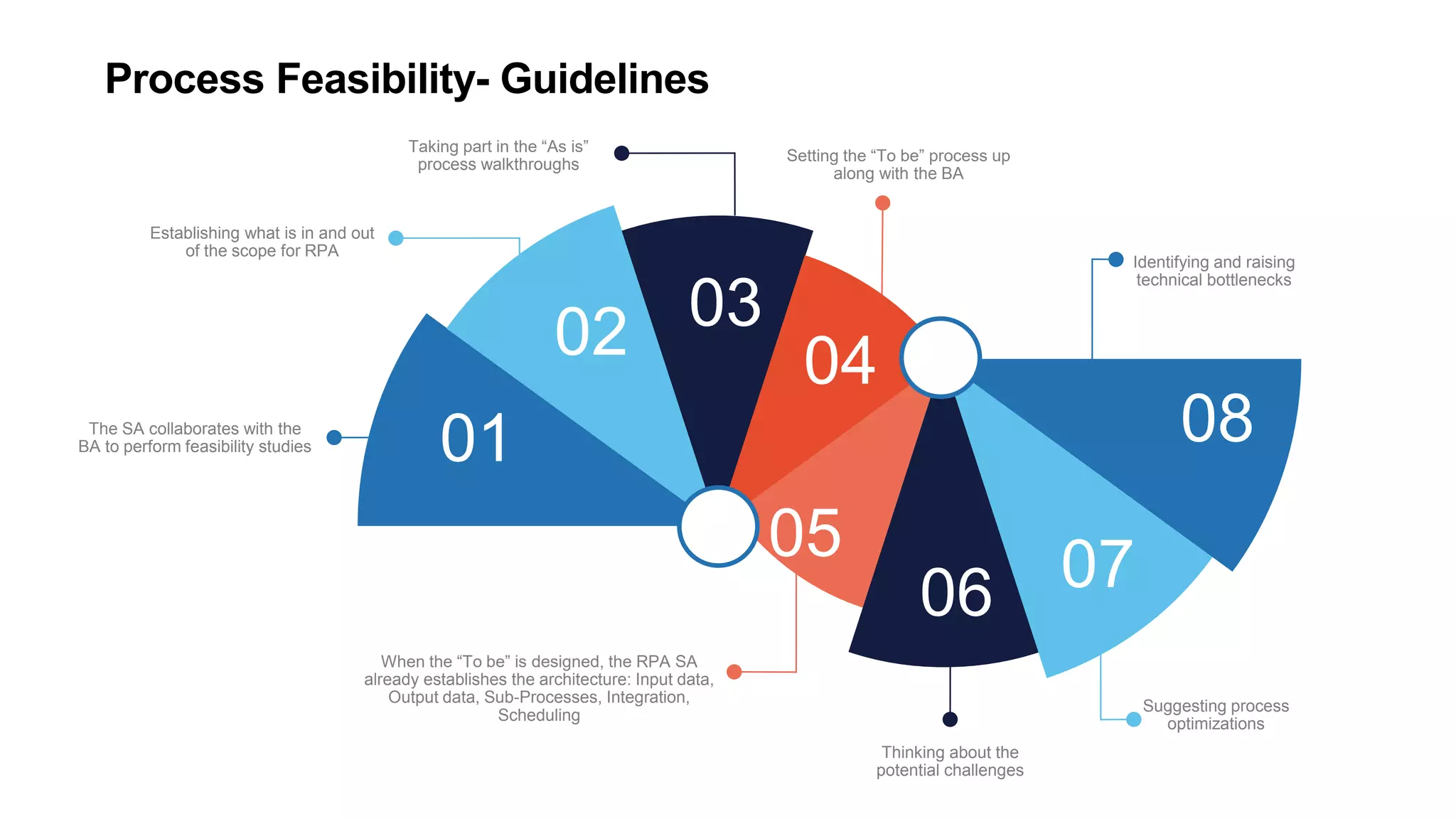
Process Feasibility- Guidelines
01
02 03
04
The SA collaborates with the
BA to perform feasibility studies
Establishing what is in and out
of the scope for RPA
Taking part in the “As is”
process walkthroughs
Setting the “To be” process up
along with the BA
When the “To be” is designed, the RPA SA
already establishes the architecture: Input data,
Output data, Sub-Processes, Integration,
Scheduling
08
079005
Thinking about the
potential challenges
Identifying and raising
technical bottlenecks
Suggesting process
optimizations
24/11/2020 12
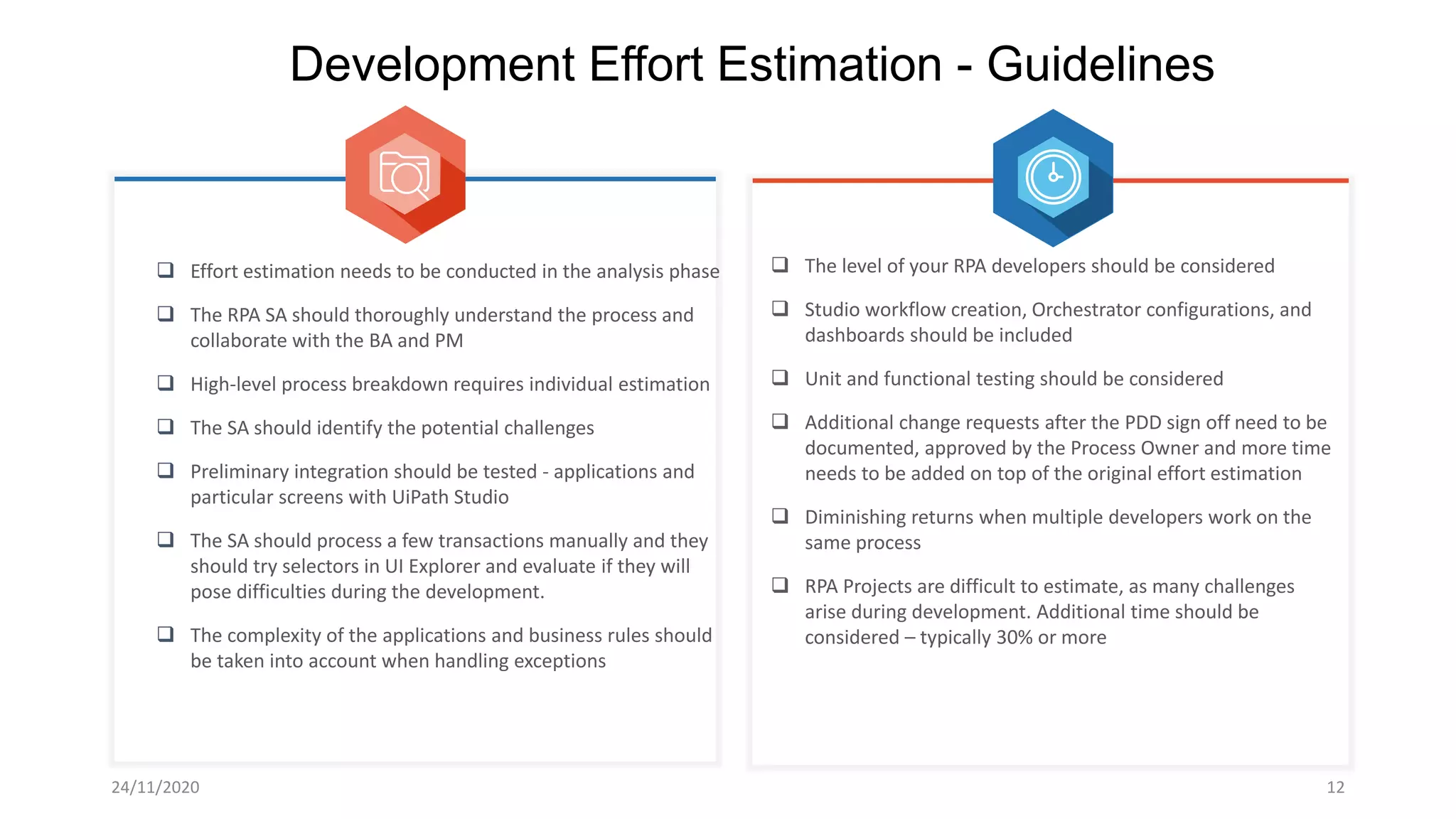
Development Effort Estimation - Guidelines
 Effort estimation needs to be conducted in the analysis phase
 The RPA SA should thoroughly understand the process and
collaborate with the BA and PM
 High-level process breakdown requires individual estimation
 The SA should identify the potential challenges
 Preliminary integration should be tested - applications and
particular screens with UiPath Studio
 The SA should process a few transactions manually and they
should try selectors in UI Explorer and evaluate if they will
pose difficulties during the development.
 The complexity of the applications and business rules should
be taken into account when handling exceptions
 The level of your RPA developers should be considered
 Studio workflow creation, Orchestrator configurations, and
dashboards should be included
 Unit and functional testing should be considered
 Additional change requests after the PDD sign off need to be
documented, approved by the Process Owner and more time
needs to be added on top of the original effort estimation
 Diminishing returns when multiple developers work on the
same process
 RPA Projects are difficult to estimate, as many challenges
arise during development. Additional time should be
considered – typically 30% or more
24/11/2020 13
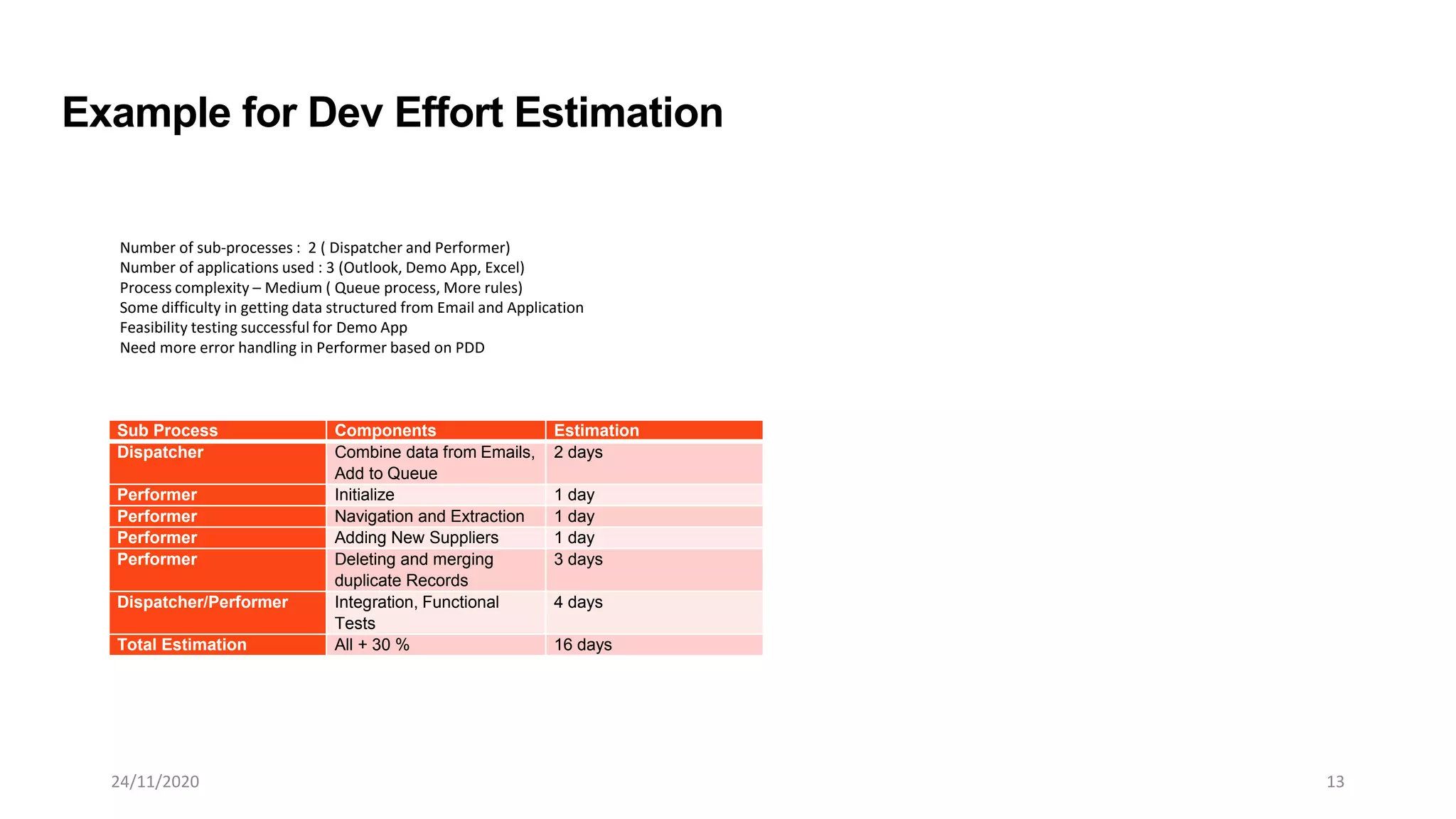
Sub Process Components Estimation
Dispatcher Combine data from Emails,
Add to Queue
2 days
Performer Initialize 1 day
Performer Navigation and Extraction 1 day
Performer Adding New Suppliers 1 day
Performer Deleting and merging
duplicate Records
3 days
Dispatcher/Performer Integration, Functional
Tests
4 days
Total Estimation All + 30 % 16 days
Example for Dev Effort Estimation
Number of sub-processes : 2 ( Dispatcher and Performer)
Number of applications used : 3 (Outlook, Demo App, Excel)
Process complexity – Medium ( Queue process, More rules)
Some difficulty in getting data structured from Email and Application
Feasibility testing successful for Demo App
Need more error handling in Performer based on PDD
24/11/2020 14
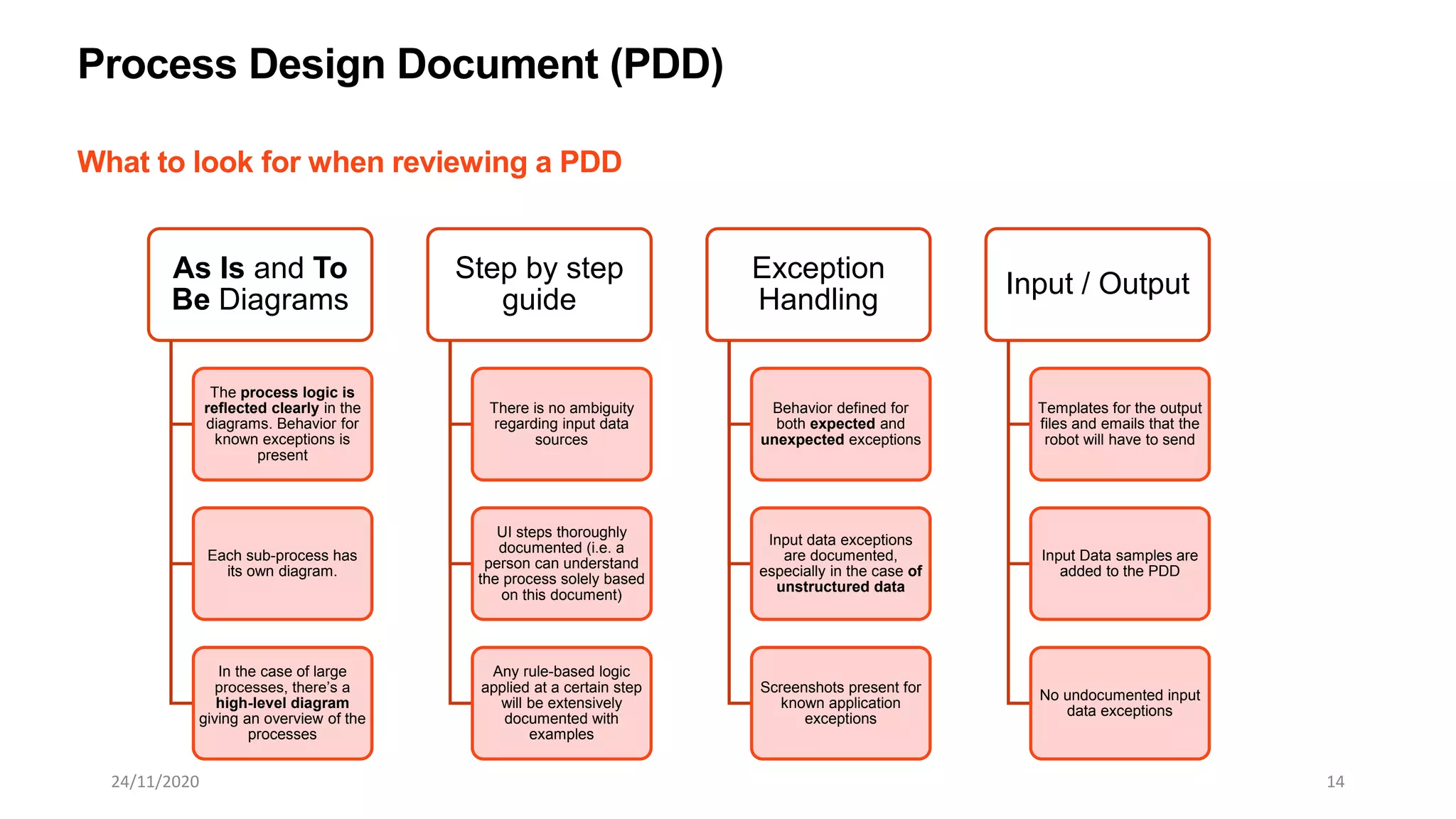
What to look for when reviewing a PDD
Process Design Document (PDD)
As Is and To
Be Diagrams
The process logic is
reflected clearly in the
diagrams. Behavior for
known exceptions is
present
Each sub-process has
its own diagram.
In the case of large
processes, there’s a
high-level diagram
giving an overview of the
processes
Step by step
guide
There is no ambiguity
regarding input data
sources
UI steps thoroughly
documented (i.e. a
person can understand
the process solely based
on this document)
Any rule-based logic
applied at a certain step
will be extensively
documented with
examples
Exception
Handling
Behavior defined for
both expected and
unexpected exceptions
Input data exceptions
are documented,
especially in the case of
unstructured data
Screenshots present for
known application
exceptions
Input / Output
Templates for the output
files and emails that the
robot will have to send
Input Data samples are
added to the PDD
No undocumented input
data exceptions
24/11/2020 15
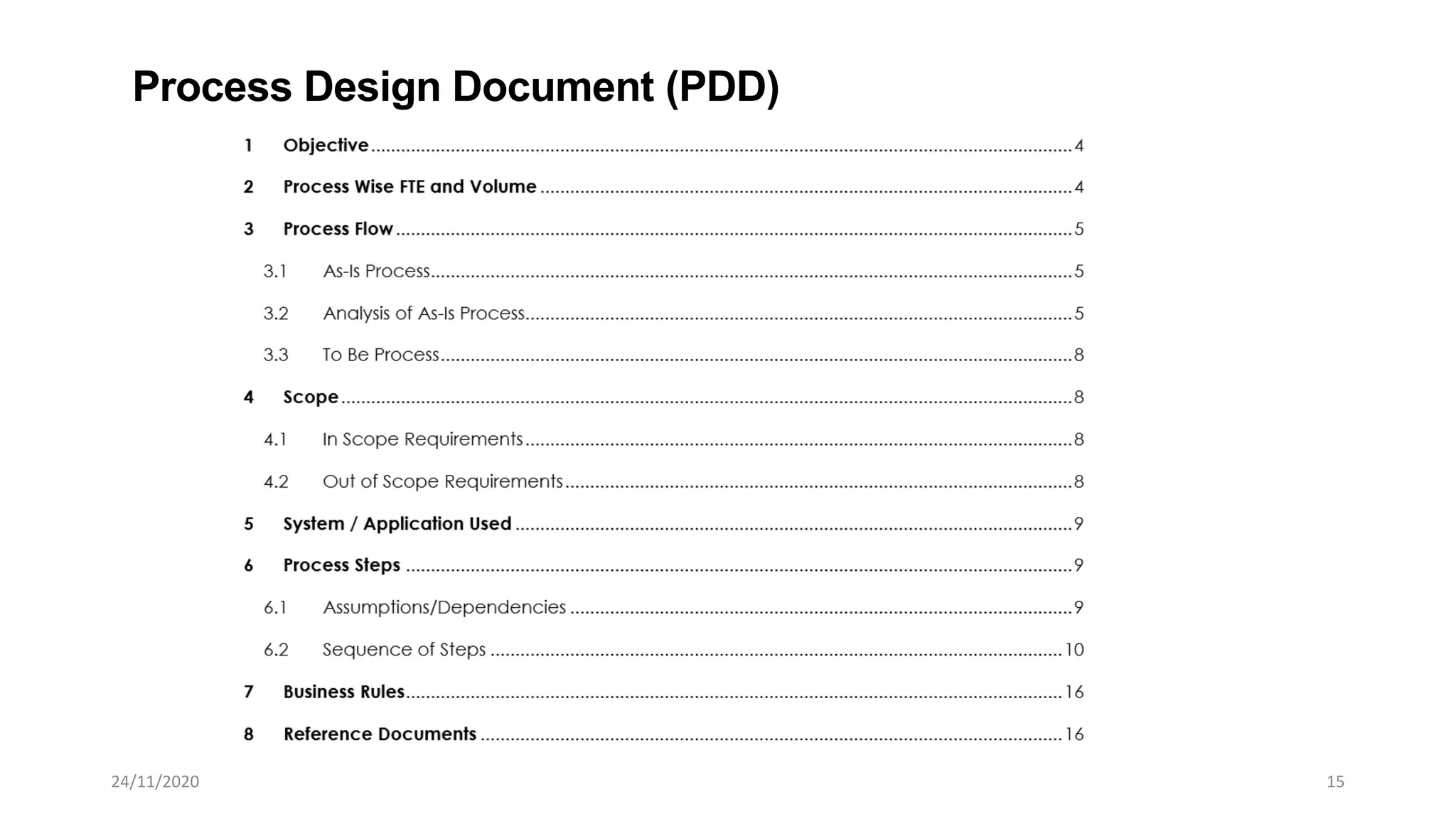
Process Design Document (PDD)
24/11/2020 16
• General tips for designing optimal test case
Test Cases Guidelines
 Simple and Specific – each test case should clearly cover a test scenario in as few
words as possible
 Clearly defined input and expected results
 Each testcase should be non-redundant with other testcases
 The testcases should cover all possible scenarios, including Application Exceptions,
Business Exceptions and all cases of Successful Transactions
 Defined in such a way that the isolation and identification of bugs is facilitated

rpaimplement

  • 1.
  • 2.
    • Identifying theprocess • Choose right project team; Project Manager, Solution Architect, Business Analyst, Developer and Tester. • Create Effort Estimation Document for Technical Team • Capture Process Steps and Implement in Documents (Process Design Document). • Develop Test Cases • Testing with Process Owner HOW TO IMPLEMENT RPA 1024/11/2020
  • 3.
    Process Feasibility- Guidelines 01 0203 04 The SA collaborates with the BA to perform feasibility studies Establishing what is in and out of the scope for RPA Taking part in the “As is” process walkthroughs Setting the “To be” process up along with the BA When the “To be” is designed, the RPA SA already establishes the architecture: Input data, Output data, Sub-Processes, Integration, Scheduling 08 079005 Thinking about the potential challenges Identifying and raising technical bottlenecks Suggesting process optimizations
  • 4.
    24/11/2020 12 Development EffortEstimation - Guidelines  Effort estimation needs to be conducted in the analysis phase  The RPA SA should thoroughly understand the process and collaborate with the BA and PM  High-level process breakdown requires individual estimation  The SA should identify the potential challenges  Preliminary integration should be tested - applications and particular screens with UiPath Studio  The SA should process a few transactions manually and they should try selectors in UI Explorer and evaluate if they will pose difficulties during the development.  The complexity of the applications and business rules should be taken into account when handling exceptions  The level of your RPA developers should be considered  Studio workflow creation, Orchestrator configurations, and dashboards should be included  Unit and functional testing should be considered  Additional change requests after the PDD sign off need to be documented, approved by the Process Owner and more time needs to be added on top of the original effort estimation  Diminishing returns when multiple developers work on the same process  RPA Projects are difficult to estimate, as many challenges arise during development. Additional time should be considered – typically 30% or more
  • 5.
    24/11/2020 13 Sub ProcessComponents Estimation Dispatcher Combine data from Emails, Add to Queue 2 days Performer Initialize 1 day Performer Navigation and Extraction 1 day Performer Adding New Suppliers 1 day Performer Deleting and merging duplicate Records 3 days Dispatcher/Performer Integration, Functional Tests 4 days Total Estimation All + 30 % 16 days Example for Dev Effort Estimation Number of sub-processes : 2 ( Dispatcher and Performer) Number of applications used : 3 (Outlook, Demo App, Excel) Process complexity – Medium ( Queue process, More rules) Some difficulty in getting data structured from Email and Application Feasibility testing successful for Demo App Need more error handling in Performer based on PDD
  • 6.
    24/11/2020 14 What tolook for when reviewing a PDD Process Design Document (PDD) As Is and To Be Diagrams The process logic is reflected clearly in the diagrams. Behavior for known exceptions is present Each sub-process has its own diagram. In the case of large processes, there’s a high-level diagram giving an overview of the processes Step by step guide There is no ambiguity regarding input data sources UI steps thoroughly documented (i.e. a person can understand the process solely based on this document) Any rule-based logic applied at a certain step will be extensively documented with examples Exception Handling Behavior defined for both expected and unexpected exceptions Input data exceptions are documented, especially in the case of unstructured data Screenshots present for known application exceptions Input / Output Templates for the output files and emails that the robot will have to send Input Data samples are added to the PDD No undocumented input data exceptions
  • 7.
  • 8.
    24/11/2020 16 • Generaltips for designing optimal test case Test Cases Guidelines  Simple and Specific – each test case should clearly cover a test scenario in as few words as possible  Clearly defined input and expected results  Each testcase should be non-redundant with other testcases  The testcases should cover all possible scenarios, including Application Exceptions, Business Exceptions and all cases of Successful Transactions  Defined in such a way that the isolation and identification of bugs is facilitated