Best Practices in the Cloud: Auto Scaling October 30, 2008 Watch the video of this webinar
Your Panel Today Michael Crandell - CEO Josh Fraser – VP, Business Development Martin Rhoads  –  Sr. Integration Engineer Eugene Gimelberg – Sr. Software Engineer
Agenda Welcome to RightScale Auto Scaling Demonstration Q&A  –  Getting Started Please use chat to ask questions anytime!
On-demand Pay-as-you-go Virtual infinite Surpasses traditional hosting Multiple server sizes: ½ core to 8 cores Reassign IPs / VIPs Multiple failure zones and geographies Disk Volumes Cloud interoperability Cloud Computing
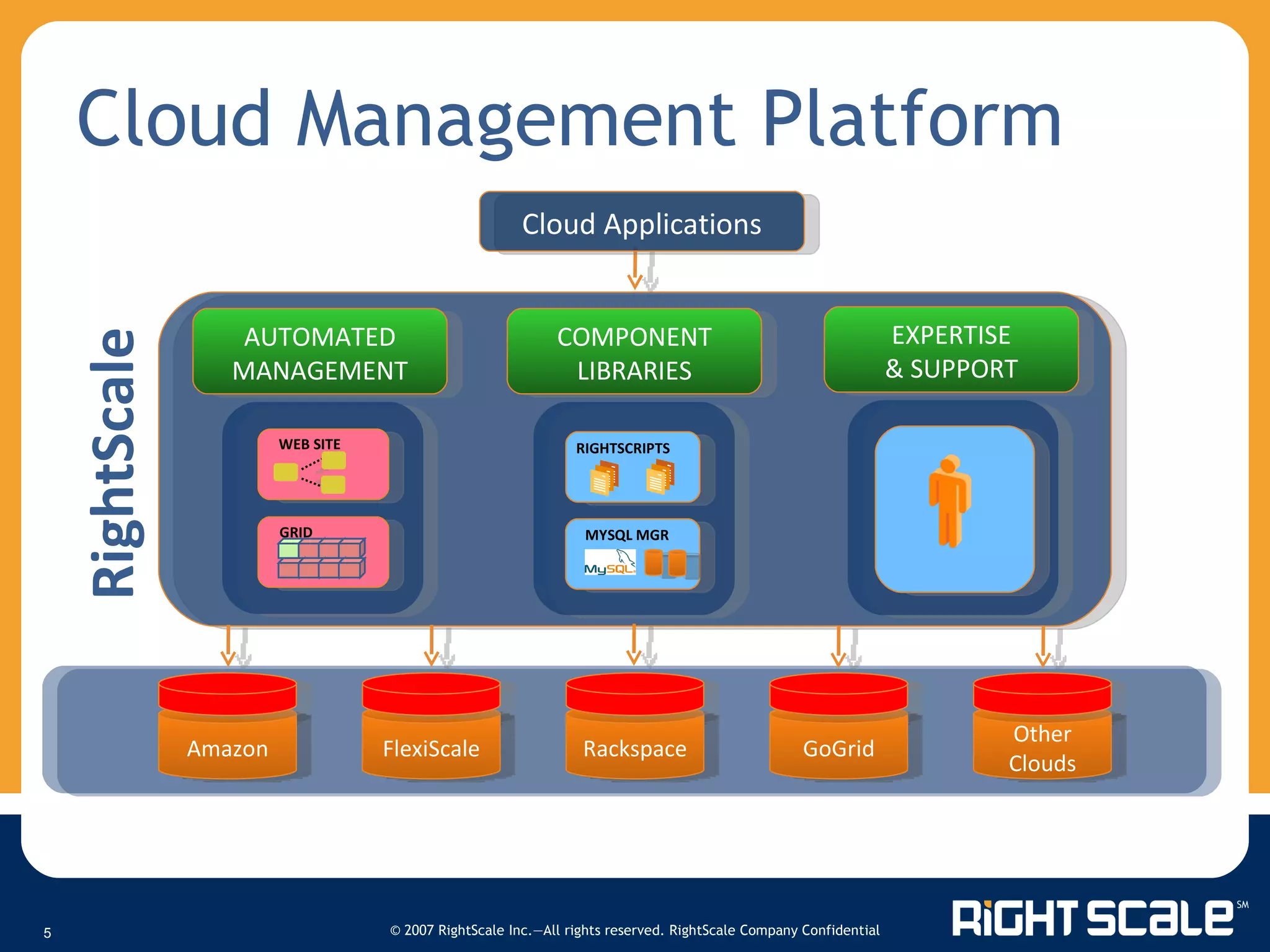
Cloud Management Platform AUTOMATED MANAGEMENT COMPONENT LIBRARIES EXPERTISE & SUPPORT Cloud Applications Amazon FlexiScale Rackspace GoGrid Other Clouds RightScale EXPERTISE RIGHTSCRIPTS MYSQL MGR WEB SITE GRID
Agile = automate and benefit! From boot to production on auto-pilot Across different stacks & different clouds Auto-failover, auto-restart, auto-scale “ Deploy faster, better, and cheaper than your competitors”  Agile Deployment
Auto Scaling Rules-based system More than just launching an instance Complete system architecture Auto configuration into cohesive resilient cluster Support for workflow and lifecycle management Addressing multiple business cases Load: Highly elastic web applications (e.g., Facebook app) Schedule: Event-based content sites Queue: Size and time in queue for batch processing needs
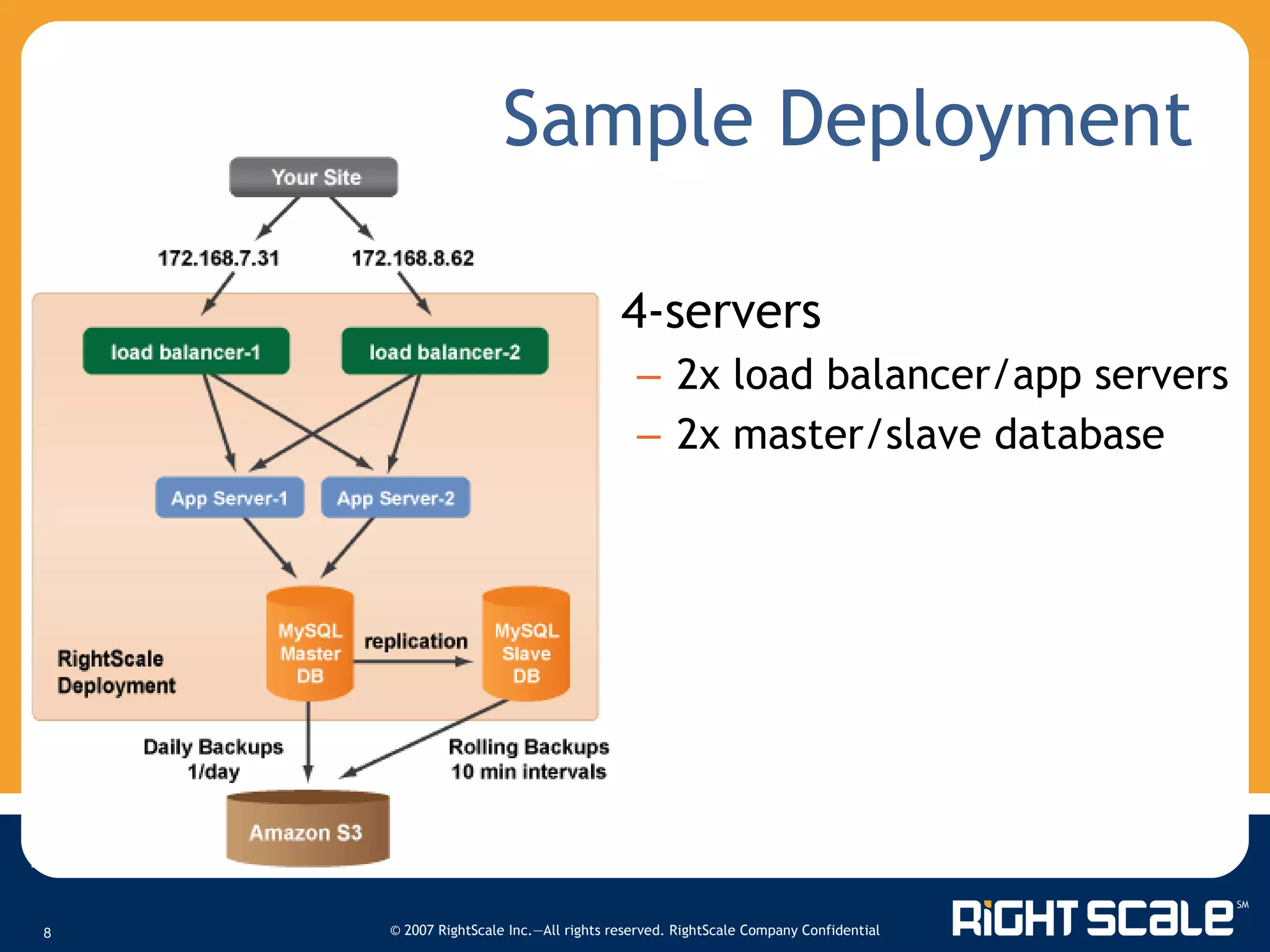
Sample Deployment 4-servers 2x load balancer/app servers 2x master/slave database
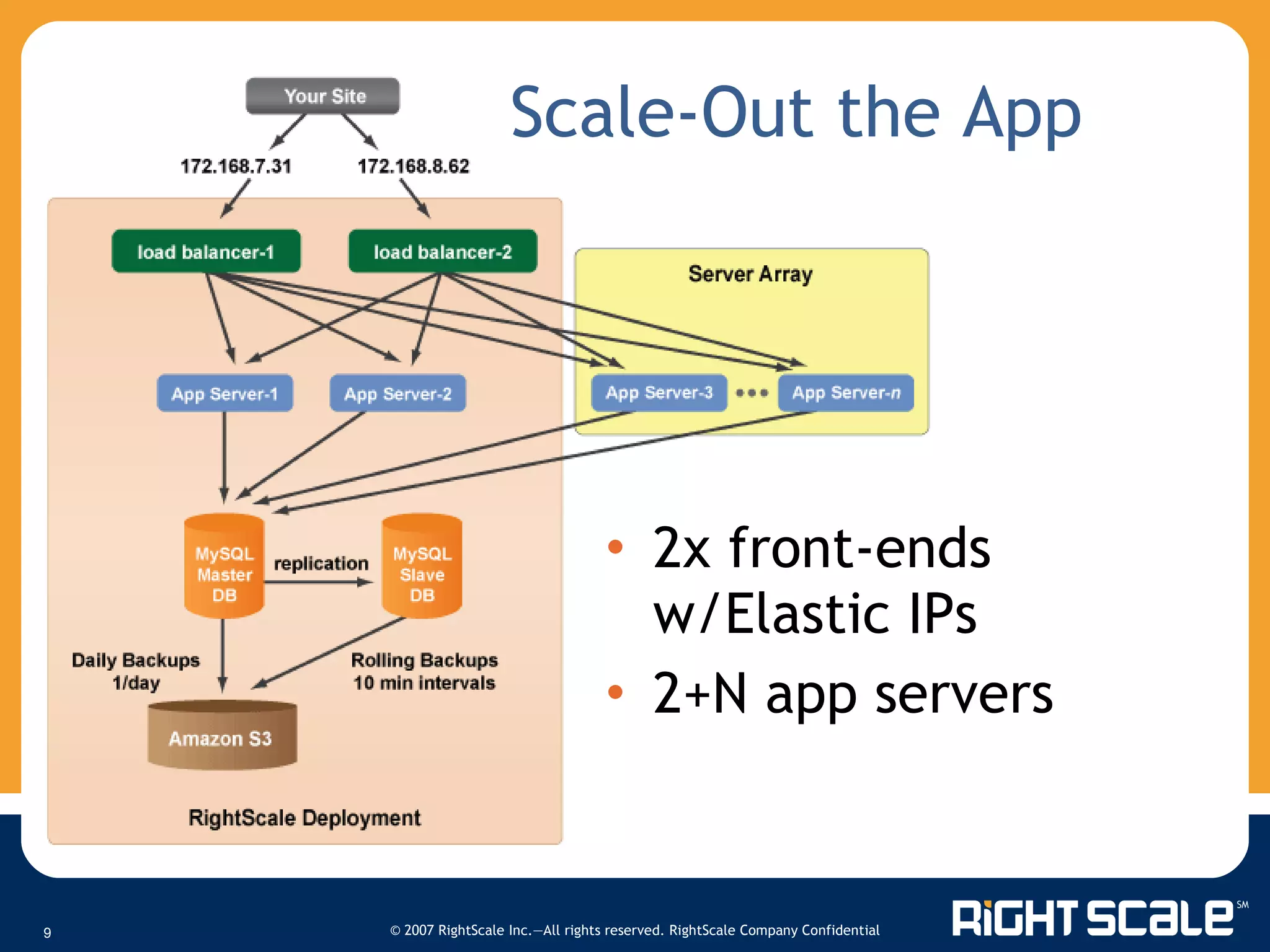
Scale-Out the App 2x front-ends w/Elastic IPs 2+N app servers
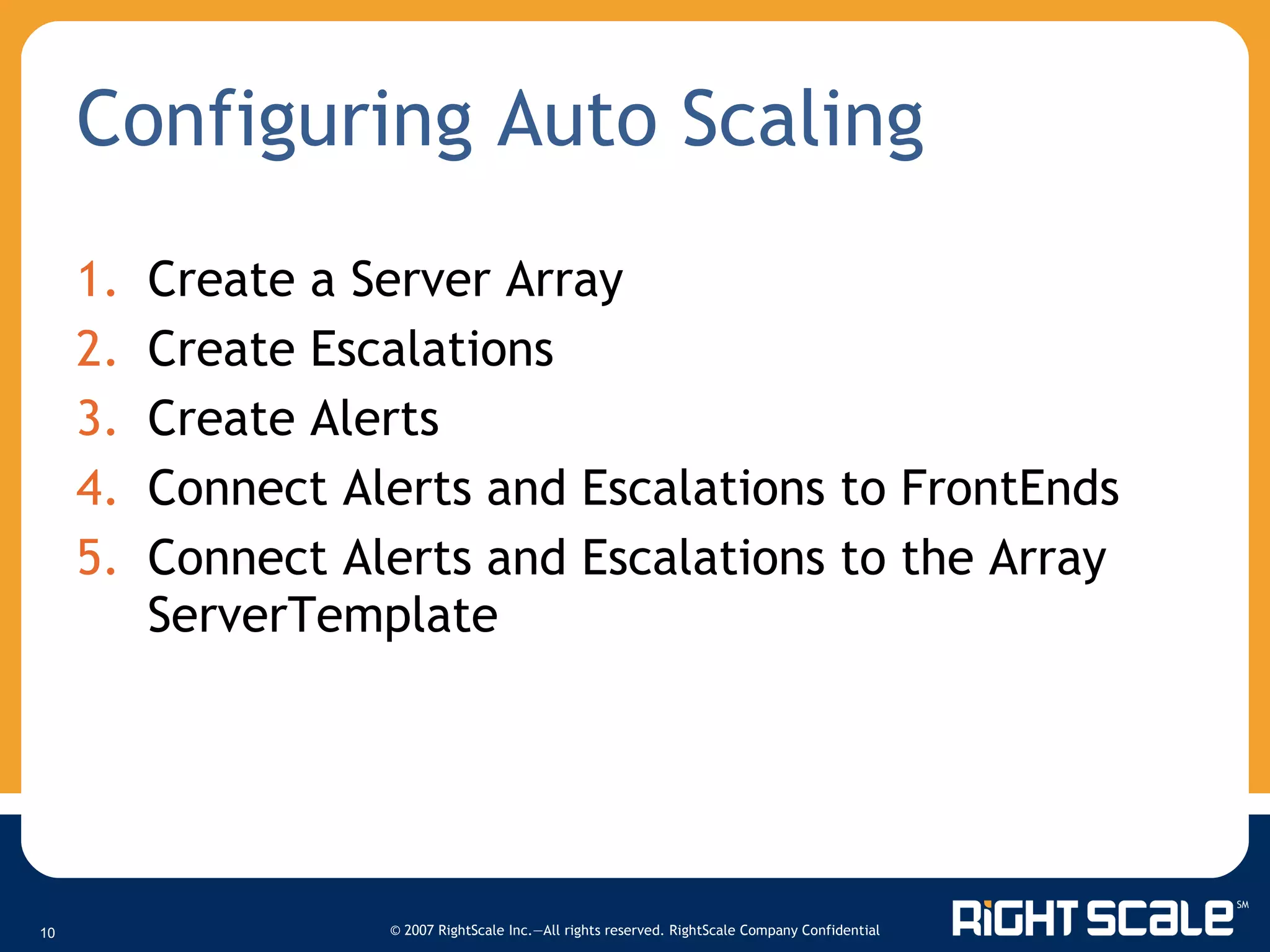
Configuring Auto Scaling Create a Server Array Create Escalations Create Alerts Connect Alerts and Escalations to FrontEnds Connect Alerts and Escalations to the Array ServerTemplate
Demonstration
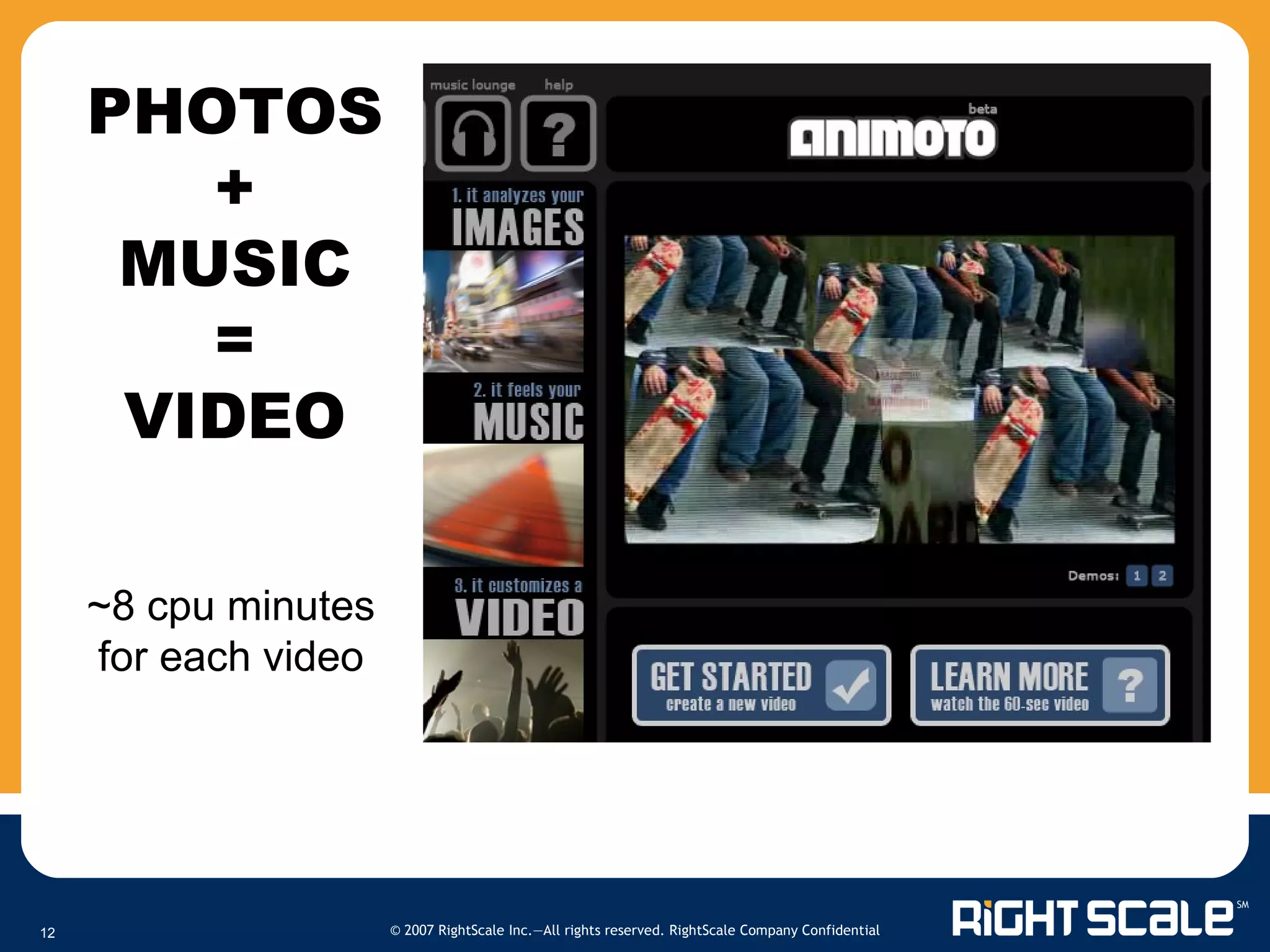
PHOTOS + MUSIC = VIDEO ~8 cpu minutes for each video
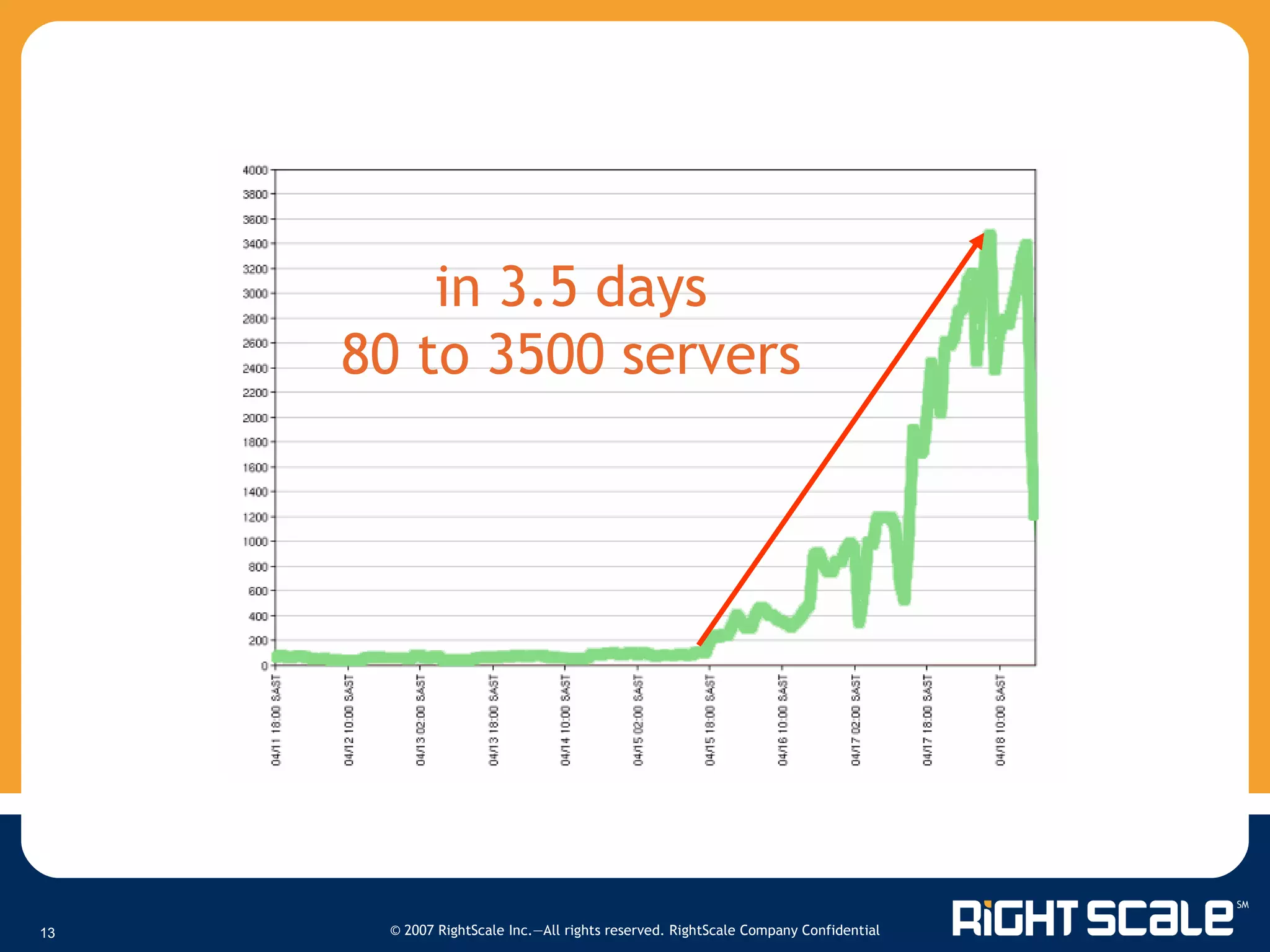
in 3.5 days 80 to 3500 servers
Q&A - Getting Started Contact a RightScale representative for a live demonstration or to request presentation slides at:  [email_address] (866) 720 – 0208 $500 off RightScale Premium Editions through 11/15 Sign up for a free developer account at:  RightScale.com/FreeTrial   Follow one of our Tutorials Wiki.RightScale.com   Thank you for listening!
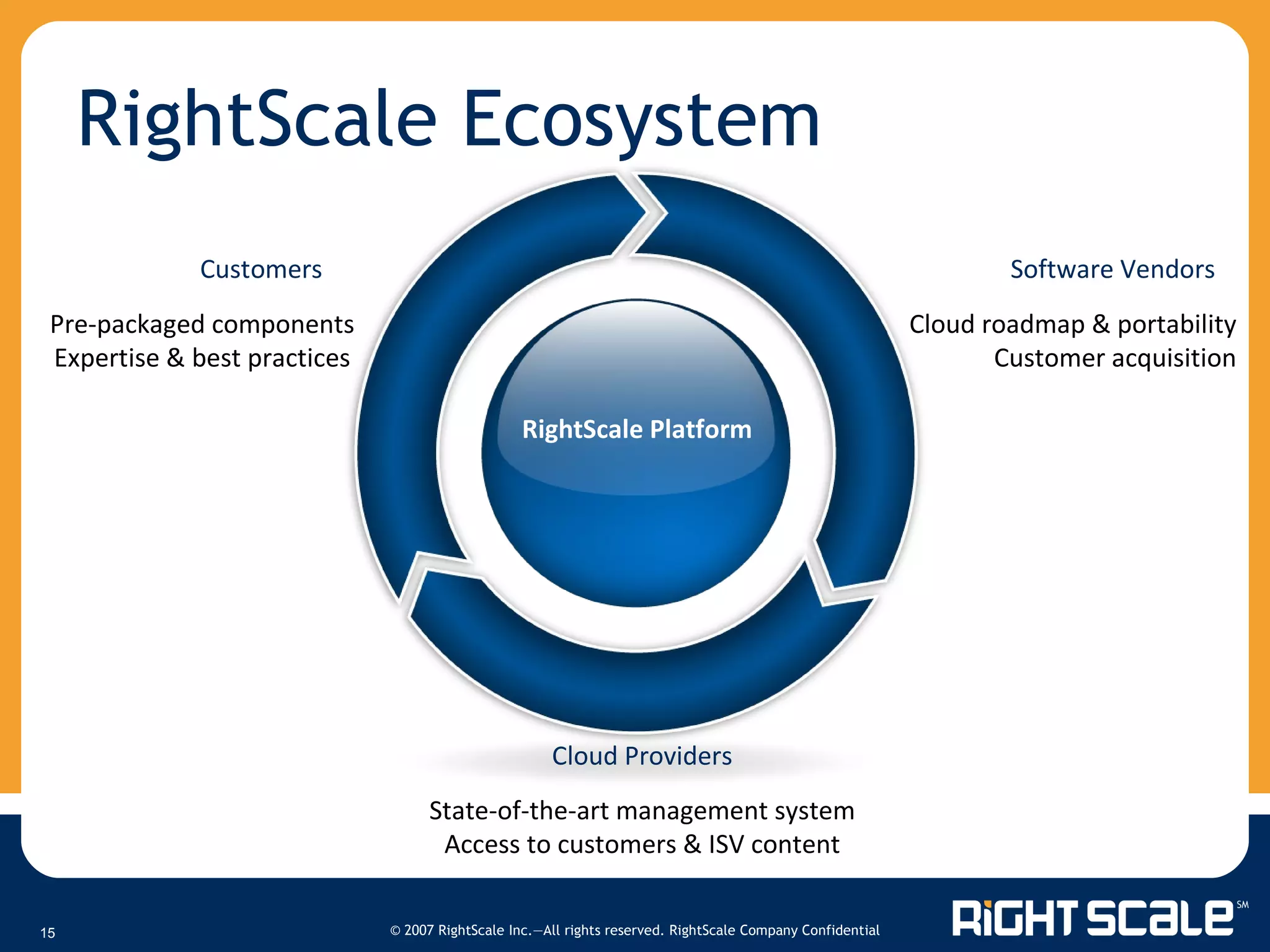
RightScale Ecosystem Customers Software Vendors Pre-packaged components Expertise & best practices Cloud roadmap & portability Customer acquisition RightScale Platform Cloud Providers State-of-the-art management system Access to customers & ISV content
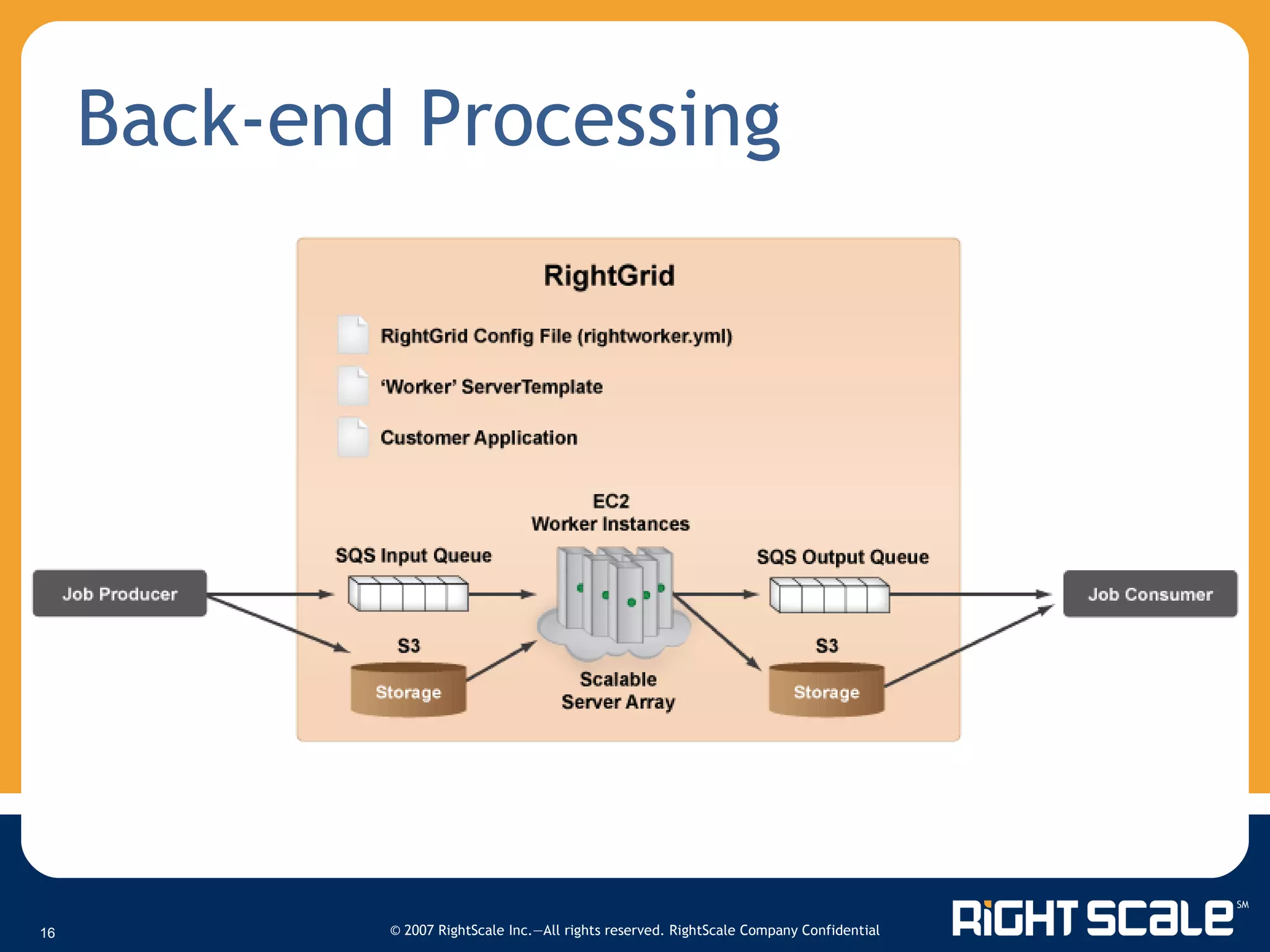
Back-end Processing

Autoscaling Server Arrays

  • 1.
    Best Practices inthe Cloud: Auto Scaling October 30, 2008 Watch the video of this webinar
  • 2.
    Your Panel TodayMichael Crandell - CEO Josh Fraser – VP, Business Development Martin Rhoads – Sr. Integration Engineer Eugene Gimelberg – Sr. Software Engineer
  • 3.
    Agenda Welcome toRightScale Auto Scaling Demonstration Q&A – Getting Started Please use chat to ask questions anytime!
  • 4.
    On-demand Pay-as-you-go Virtualinfinite Surpasses traditional hosting Multiple server sizes: ½ core to 8 cores Reassign IPs / VIPs Multiple failure zones and geographies Disk Volumes Cloud interoperability Cloud Computing
  • 5.
    Cloud Management PlatformAUTOMATED MANAGEMENT COMPONENT LIBRARIES EXPERTISE & SUPPORT Cloud Applications Amazon FlexiScale Rackspace GoGrid Other Clouds RightScale EXPERTISE RIGHTSCRIPTS MYSQL MGR WEB SITE GRID
  • 6.
    Agile = automateand benefit! From boot to production on auto-pilot Across different stacks & different clouds Auto-failover, auto-restart, auto-scale “ Deploy faster, better, and cheaper than your competitors” Agile Deployment
  • 7.
    Auto Scaling Rules-basedsystem More than just launching an instance Complete system architecture Auto configuration into cohesive resilient cluster Support for workflow and lifecycle management Addressing multiple business cases Load: Highly elastic web applications (e.g., Facebook app) Schedule: Event-based content sites Queue: Size and time in queue for batch processing needs
  • 8.
    Sample Deployment 4-servers2x load balancer/app servers 2x master/slave database
  • 9.
    Scale-Out the App2x front-ends w/Elastic IPs 2+N app servers
  • 10.
    Configuring Auto ScalingCreate a Server Array Create Escalations Create Alerts Connect Alerts and Escalations to FrontEnds Connect Alerts and Escalations to the Array ServerTemplate
  • 11.
  • 12.
    PHOTOS + MUSIC= VIDEO ~8 cpu minutes for each video
  • 13.
    in 3.5 days80 to 3500 servers
  • 14.
    Q&A - GettingStarted Contact a RightScale representative for a live demonstration or to request presentation slides at: [email_address] (866) 720 – 0208 $500 off RightScale Premium Editions through 11/15 Sign up for a free developer account at: RightScale.com/FreeTrial Follow one of our Tutorials Wiki.RightScale.com Thank you for listening!
  • 15.
    RightScale Ecosystem CustomersSoftware Vendors Pre-packaged components Expertise & best practices Cloud roadmap & portability Customer acquisition RightScale Platform Cloud Providers State-of-the-art management system Access to customers & ISV content
  • 16.

Editor's Notes

  • #2 08/14/08
  • #4 08/14/08 eliminate
  • #6 Key benefits of the cloud: Infinite computing resources Available on-demand Pay per use Access via the Internet In many ways surpassing traditional hosting: Multiple server sizes: ½ core to 8 cores Reassign IPs / VIPs Multiple failure zones Disk Volumes Cloud interoperability Multiple geographies RightScale automation tying it all together
  • #8 08/14/08 - Business driven
  • #9 Fully –redundant web2.0 like website with redundant are
  • #15 08/14/08