Classification: Controlled. Copyright ©2024 Version 1. All rights reserved.
Version 1 SPSS Team
Tech Tips -
Restructuring Data
in IBM SPSS Statistics
Classification: Controlled. Copyright ©2024 Version 1. All rights reserved.
Tech Tips - Restructuring Data
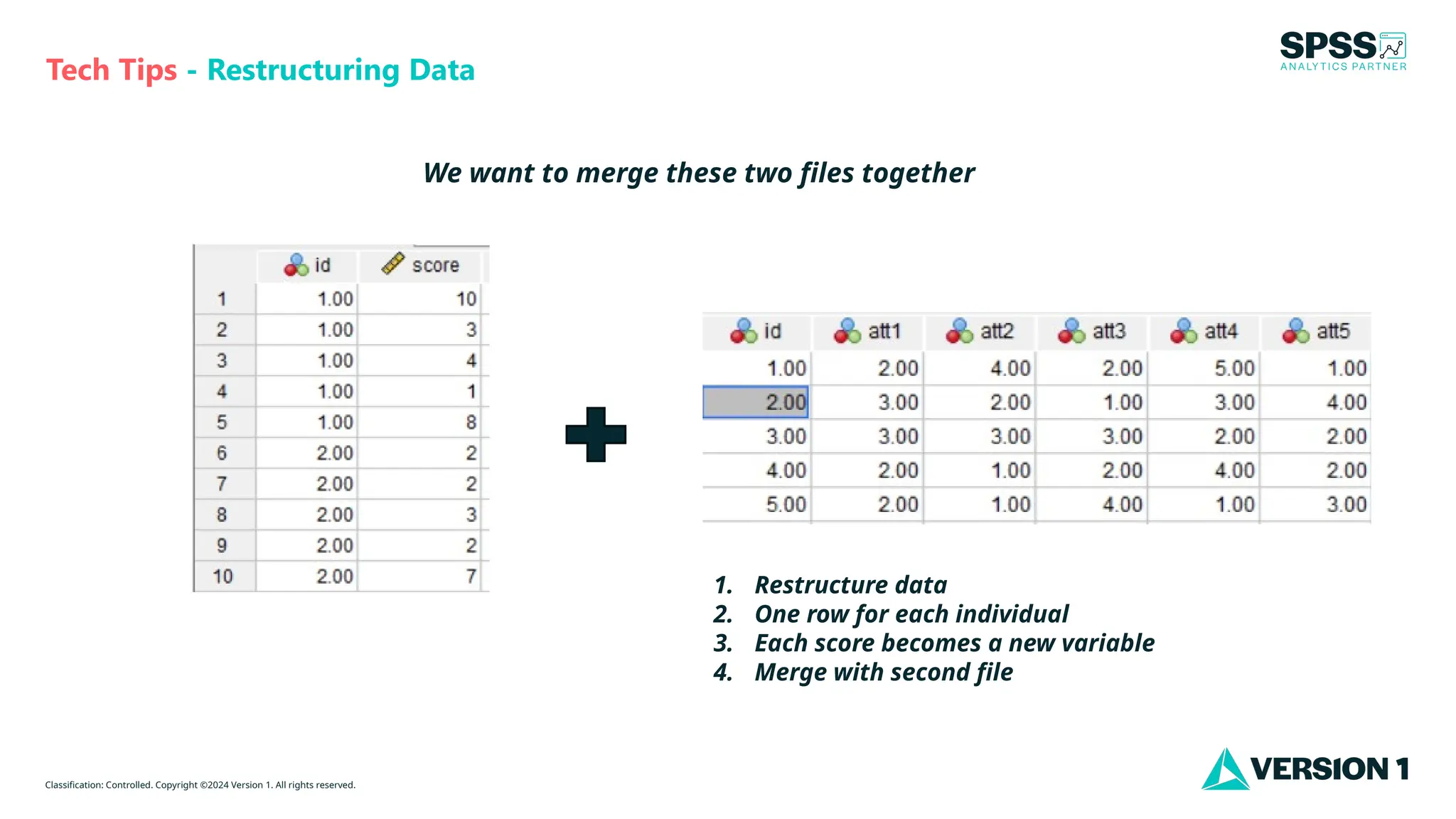
We want to merge these two files together
1. Restructure data
2. One row for each individual
3. Each score becomes a new variable
4. Merge with second file
Classification: Controlled. Copyright ©2024 Version 1. All rights reserved.
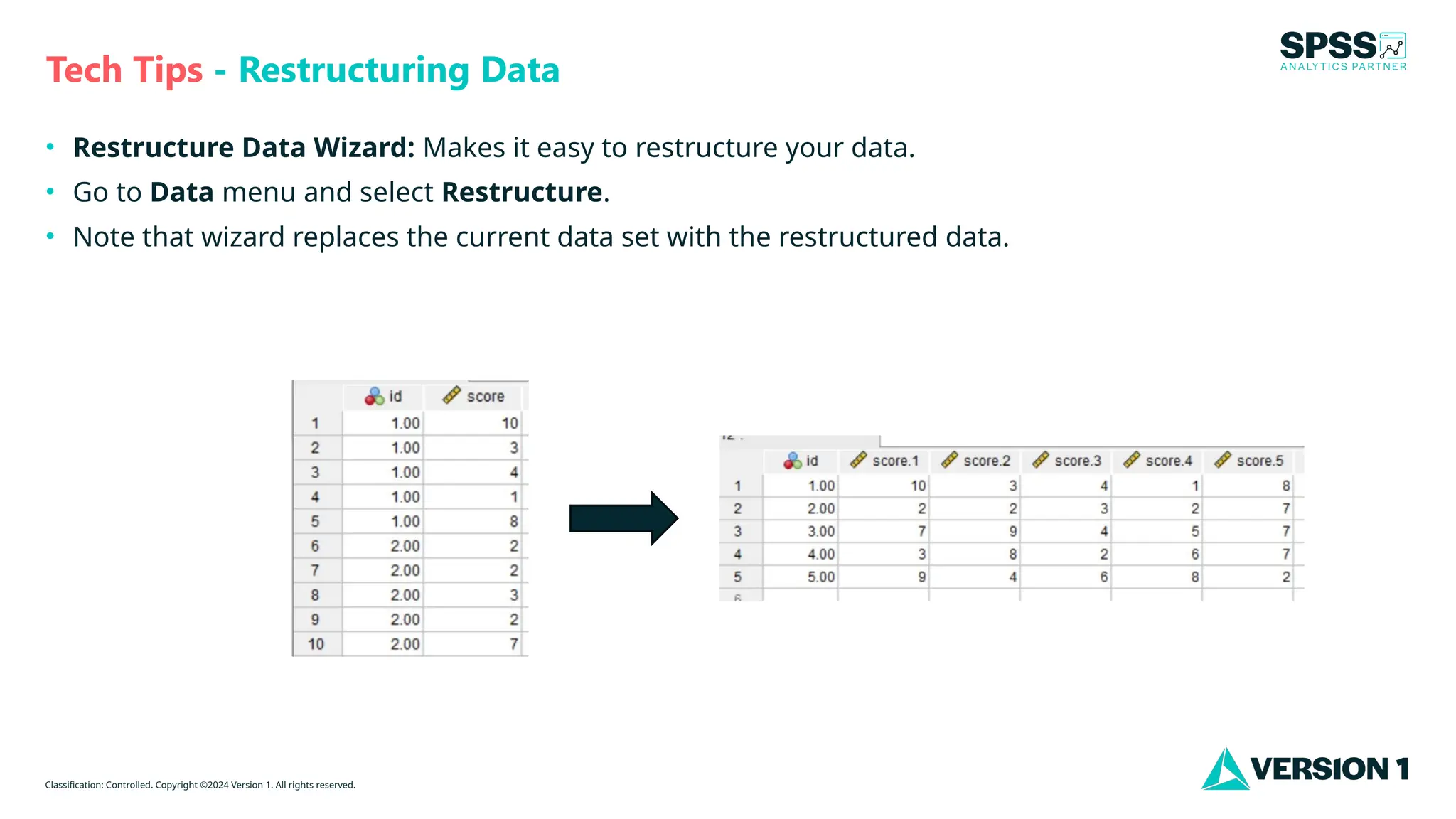
• Restructure Data Wizard: Makes it easy to restructure your data.
• Go to Data menu and select Restructure.
• Note that wizard replaces the current data set with the restructured data.
Tech Tips - Restructuring Data
Classification: Controlled. Copyright ©2024 Version 1. All rights reserved.
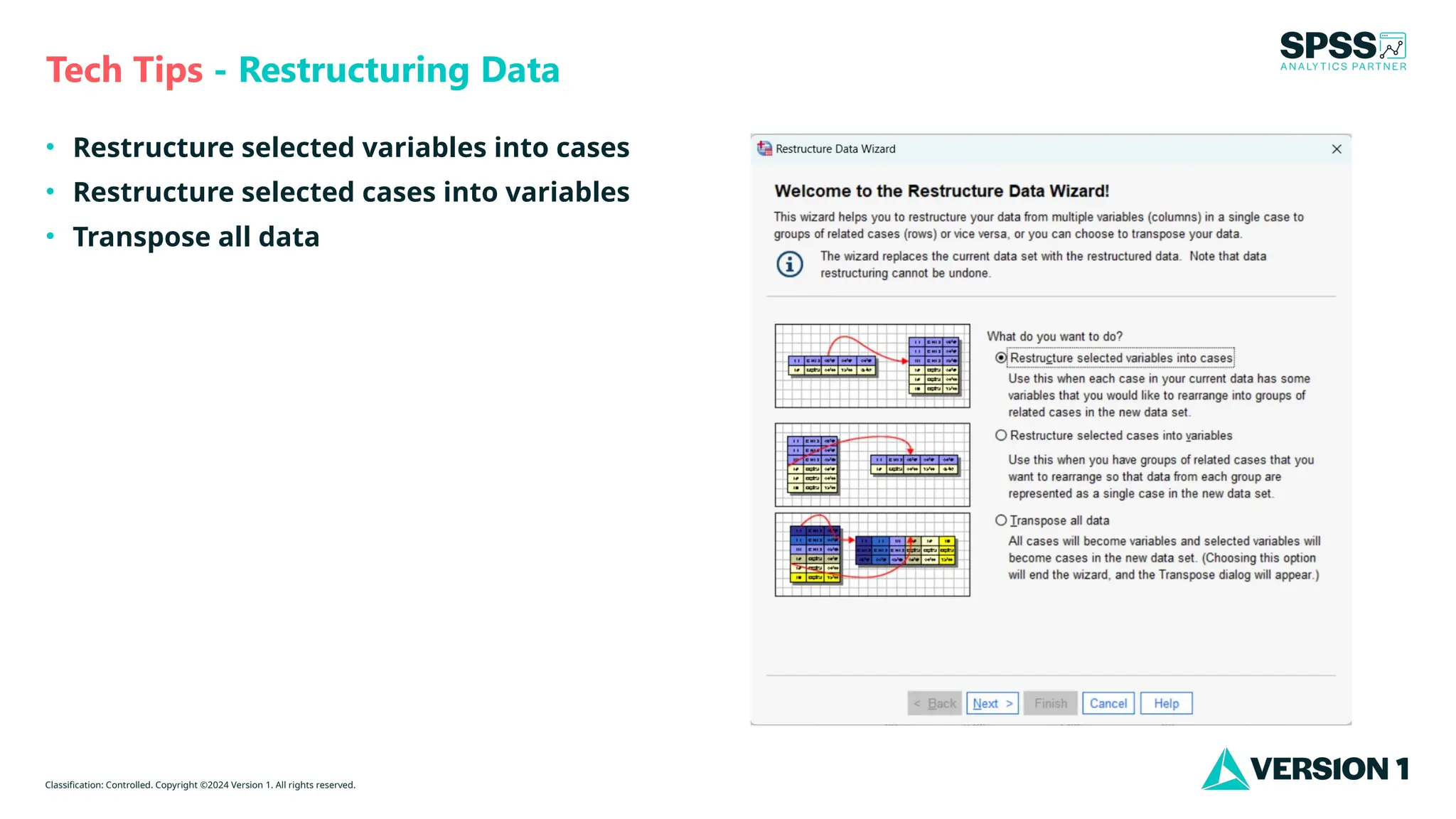
• Restructure selected variables into cases
• Restructure selected cases into variables
• Transpose all data
Tech Tips - Restructuring Data
Classification: Controlled. Copyright ©2024 Version 1. All rights reserved.
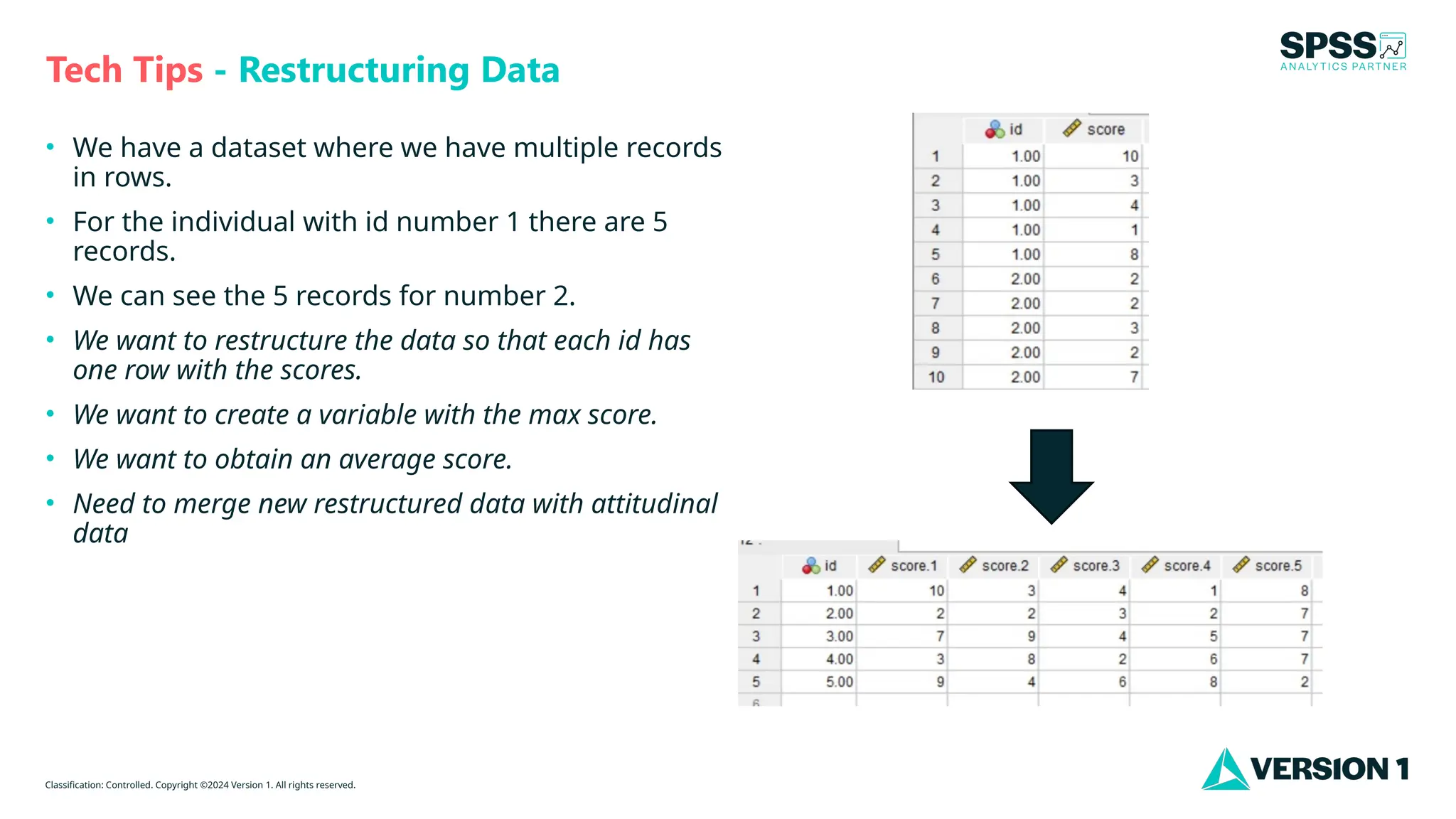
• We have a dataset where we have multiple records
in rows.
• For the individual with id number 1 there are 5
records.
• We can see the 5 records for number 2.
• We want to restructure the data so that each id has
one row with the scores.
• We want to create a variable with the max score.
• We want to obtain an average score.
• Need to merge new restructured data with attitudinal
data
Tech Tips - Restructuring Data
Classification: Controlled. Copyright ©2024 Version 1. All rights reserved.
For more information
please visit spssanalyticspartner.com
Thank You

Restructuring Data in IBM SPSS Statistics.pptx

  • 1.
    Classification: Controlled. Copyright©2024 Version 1. All rights reserved. Version 1 SPSS Team Tech Tips - Restructuring Data in IBM SPSS Statistics
  • 2.
    Classification: Controlled. Copyright©2024 Version 1. All rights reserved. Tech Tips - Restructuring Data We want to merge these two files together 1. Restructure data 2. One row for each individual 3. Each score becomes a new variable 4. Merge with second file
  • 3.
    Classification: Controlled. Copyright©2024 Version 1. All rights reserved. • Restructure Data Wizard: Makes it easy to restructure your data. • Go to Data menu and select Restructure. • Note that wizard replaces the current data set with the restructured data. Tech Tips - Restructuring Data
  • 4.
    Classification: Controlled. Copyright©2024 Version 1. All rights reserved. • Restructure selected variables into cases • Restructure selected cases into variables • Transpose all data Tech Tips - Restructuring Data
  • 5.
    Classification: Controlled. Copyright©2024 Version 1. All rights reserved. • We have a dataset where we have multiple records in rows. • For the individual with id number 1 there are 5 records. • We can see the 5 records for number 2. • We want to restructure the data so that each id has one row with the scores. • We want to create a variable with the max score. • We want to obtain an average score. • Need to merge new restructured data with attitudinal data Tech Tips - Restructuring Data
  • 6.
    Classification: Controlled. Copyright©2024 Version 1. All rights reserved. For more information please visit spssanalyticspartner.com Thank You