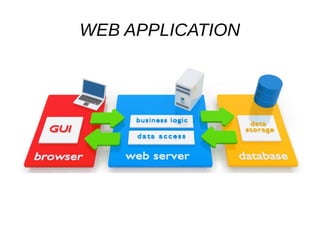
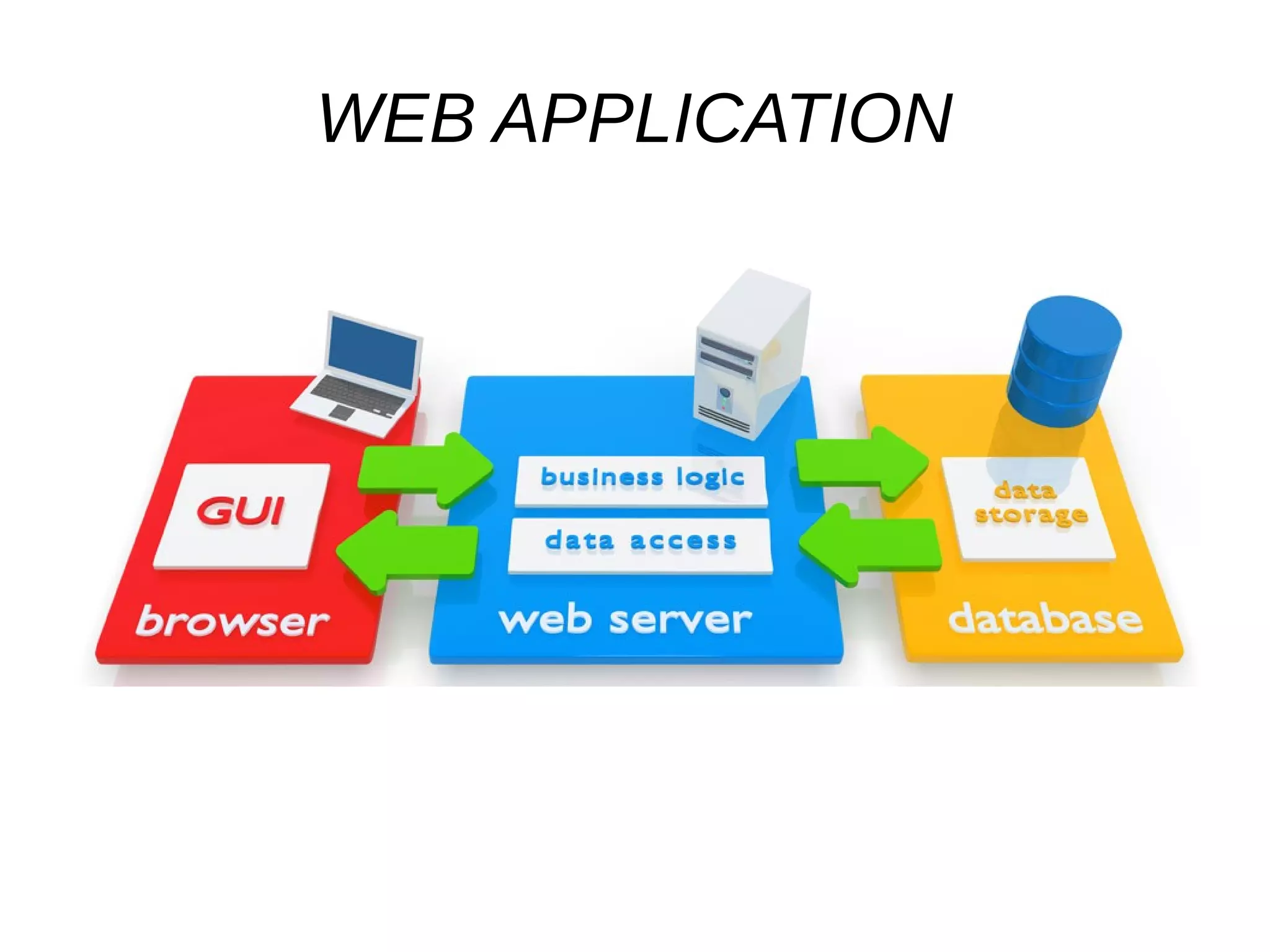
WEB APPLICATION
Technologies
● Spring Boot
● Spring MVC
● Spring Data
● Spring Security
● Liquibase
● Maven
● Swagger
● Junit 4
● Mockito
● RestAssured
● Postgresql
● H2 – embeded for test
Create project
● http://start.spring.io/
or
● IDEA!!!
First launch
● Security
- user = user
- password – in launch log
Rest main principals
● Client-Server with one API. Client and Server
are two separated applications!!!
● Stateless – session on client side, all required
info in url.
● Client can put to cash information from server
Main rest request
● GET – doesn't change resource
● PUT – (create, replace, update)you can make it
many times without creating duplicates
● POST - (The POST operation is very generic
and no specific meaning can be attached to it)
create something new
● Delete – simple delete
First properties
● security.user.password=qwerty
●
● #DB connection properties
● spring.datasource.url=jdbc:postgresql://localhost:5432/test
● spring.datasource.username=postgres
● spring.datasource.password=qwerty
● spring.datasource.driverClassName=org.postgresql.Driver
● spring.jpa.database-platform=org.hibernate.dialect.PostgreSQLDialect
● spring.jpa.show-sql=true
● spring.jpa.hibernate.ddl-auto=none
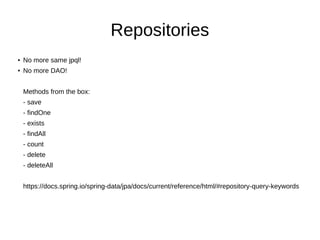
Repositories
● No more same jpql!
● No more DAO!
Methods from the box:
- save
- findOne
- exists
- findAll
- count
- delete
- deleteAll
https://docs.spring.io/spring-data/jpa/docs/current/reference/html/#repository-query-keywords
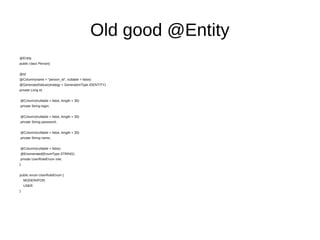
Old good @Entity
@Entity
public class Person{
@Id
@Column(name = "person_id", nullable = false)
@GeneratedValue(strategy = GenerationType.IDENTITY)
private Long id;
@Column(nullable = false, length = 30)
private String login;
@Column(nullable = false, length = 30)
private String password;
@Column(nullable = false, length = 30)
private String name;
@Column(nullable = false)
@Enumerated(EnumType.STRING)
private UserRoleEnum role;
}
public enum UserRoleEnum {
MODERATOR,
USER
}
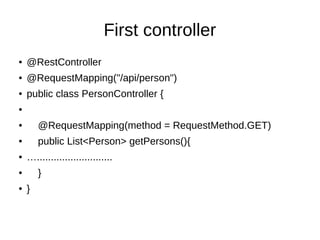
First controller
● @RestController
● @RequestMapping("/api/person")
● public class PersonController {
●
● @RequestMapping(method = RequestMethod.GET)
● public List<Person> getPersons(){
● …...........................
● }
● }
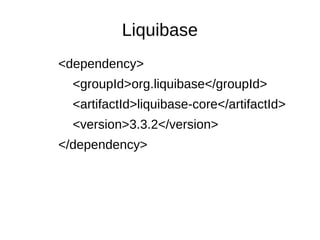
Liquibase
<dependency>
<groupId>org.liquibase</groupId>
<artifactId>liquibase-core</artifactId>
<version>3.3.2</version>
</dependency>
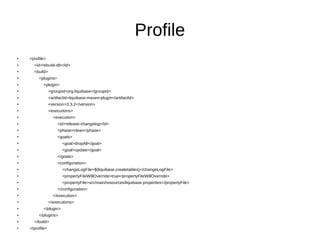
Profile
● <profile>
● <id>rebuild-db</id>
● <build>
● <plugins>
● <plugin>
● <groupId>org.liquibase</groupId>
● <artifactId>liquibase-maven-plugin</artifactId>
● <version>3.3.2</version>
● <executions>
● <execution>
● <id>release-changelog</id>
● <phase>clean</phase>
● <goals>
● <goal>dropAll</goal>
●
<goal>update</goal>
● </goals>
● <configuration>
● <changeLogFile>${liquibase.createtables}</changeLogFile>
● <propertyFileWillOverride>true</propertyFileWillOverride>
● <propertyFile>src/main/resources/liquibase.properties</propertyFile>
● </configuration>
●
</execution>
● </executions>
● </plugin>
● </plugins>
● </build>
● </profile>
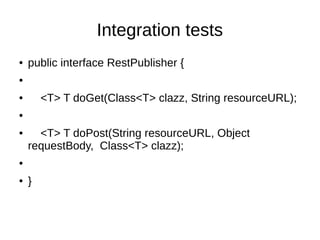
Integration tests
● public interface RestPublisher {
●
● <T> T doGet(Class<T> clazz, String resourceURL);
●
● <T> T doPost(String resourceURL, Object
requestBody, Class<T> clazz);
●
● }
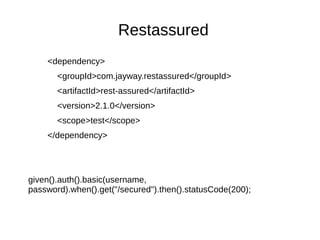
Restassured
<dependency>
<groupId>com.jayway.restassured</groupId>
<artifactId>rest-assured</artifactId>
<version>2.1.0</version>
<scope>test</scope>
</dependency>
given().auth().basic(username,
password).when().get("/secured").then().statusCode(200);
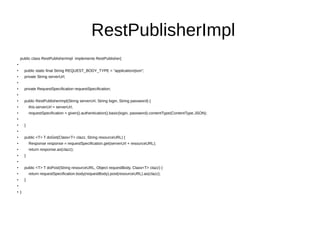
RestPublisherImpl
public class RestPublisherImpl implements RestPublisher{
●
●
public static final String REQUEST_BODY_TYPE = "application/json";
●
private String serverUrl;
●
●
private RequestSpecification requestSpecification;
●
●
public RestPublisherImpl(String serverUrl, String login, String password) {
●
this.serverUrl = serverUrl;
●
requestSpecification = given().authentication().basic(login, password).contentType(ContentType.JSON);
●
●
}
●
●
public <T> T doGet(Class<T> clazz, String resourceURL) {
●
Response response = requestSpecification.get(serverUrl + resourceURL);
●
return response.as(clazz);
●
}
●
●
public <T> T doPost(String resourceURL, Object requestBody, Class<T> clazz) {
●
return requestSpecification.body(requestBody).post(resourceURL).as(clazz);
●
}
●
●
}
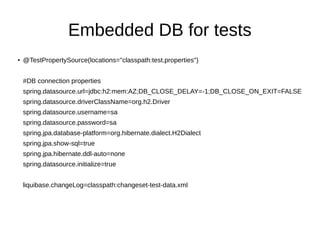
Embedded DB for tests
●
@TestPropertySource(locations="classpath:test.properties")
#DB connection properties
spring.datasource.url=jdbc:h2:mem:AZ;DB_CLOSE_DELAY=-1;DB_CLOSE_ON_EXIT=FALSE
spring.datasource.driverClassName=org.h2.Driver
spring.datasource.username=sa
spring.datasource.password=sa
spring.jpa.database-platform=org.hibernate.dialect.H2Dialect
spring.jpa.show-sql=true
spring.jpa.hibernate.ddl-auto=none
spring.datasource.initialize=true
liquibase.changeLog=classpath:changeset-test-data.xml
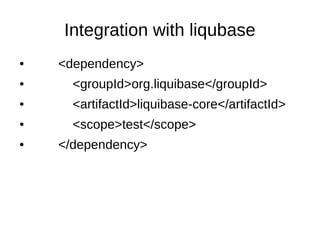
Integration with liqubase
● <dependency>
● <groupId>org.liquibase</groupId>
● <artifactId>liquibase-core</artifactId>
● <scope>test</scope>
● </dependency>
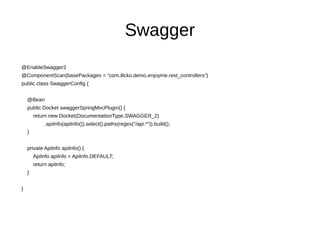
Swagger
@EnableSwagger2
@ComponentScan(basePackages = "com.illcko.demo.enjoyme.rest_controllers")
public class SwaggerConfig {
@Bean
public Docket swaggerSpringMvcPlugin() {
return new Docket(DocumentationType.SWAGGER_2)
.apiInfo(apiInfo()).select().paths(regex("/api.*")).build();
}
private ApiInfo apiInfo() {
ApiInfo apiInfo = ApiInfo.DEFAULT;
return apiInfo;
}
}
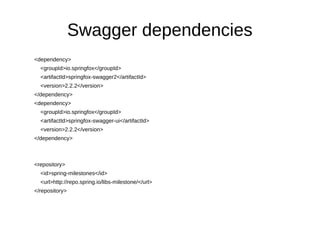
Swagger dependencies
<dependency>
<groupId>io.springfox</groupId>
<artifactId>springfox-swagger2</artifactId>
<version>2.2.2</version>
</dependency>
<dependency>
<groupId>io.springfox</groupId>
<artifactId>springfox-swagger-ui</artifactId>
<version>2.2.2</version>
</dependency>
<repository>
<id>spring-milestones</id>
<url>http://repo.spring.io/libs-milestone/</url>
</repository>
Quick Annotation Overview
@Api Marks a class as a Swagger resource.
● @ApiImplicitParam Represents a single parameter in an API Operation.
● @ApiImplicitParams A wrapper to allow a list of multiple ApiImplicitParam objects.
● @ApiModel Provides additional information about Swagger models.
● @ApiModelPropertyAdds and manipulates data of a model property.
● @ApiOperation Describes an operation or typically a HTTP method against a specific path.
● @ApiParam Adds additional meta-data for operation parameters.
● @ApiResponse Describes a possible response of an operation.
● @ApiResponses A wrapper to allow a list of multiple ApiResponse objects.
● @Authorization Declares an authorization scheme to be used on a resource or an operation.
● @AuthorizationScope Describes an OAuth2 authorization scope.
● @ResponseHeader Represents a header that can be provided as part of the response.
Unit tests - Mockito
● <dependency>
● <groupId>org.mockito</groupId>
● <artifactId>mockito-all</artifactId>
● <version>1.9.5</version>
● </dependency>
Use mocks and RestTest Utils
● @RunWith(MockitoJUnitRunner.class)
@Mock
● private PersonRepository personRepository;
●
ReflectionTestUtils.setField(personController,
"personRepository", personRepository);

Rest application

  • 1.
  • 2.
    Technologies ● Spring Boot ●Spring MVC ● Spring Data ● Spring Security ● Liquibase ● Maven ● Swagger ● Junit 4 ● Mockito ● RestAssured ● Postgresql ● H2 – embeded for test
  • 3.
  • 4.
    First launch ● Security -user = user - password – in launch log
  • 5.
    Rest main principals ●Client-Server with one API. Client and Server are two separated applications!!! ● Stateless – session on client side, all required info in url. ● Client can put to cash information from server
  • 6.
    Main rest request ●GET – doesn't change resource ● PUT – (create, replace, update)you can make it many times without creating duplicates ● POST - (The POST operation is very generic and no specific meaning can be attached to it) create something new ● Delete – simple delete
  • 7.
    First properties ● security.user.password=qwerty ● ●#DB connection properties ● spring.datasource.url=jdbc:postgresql://localhost:5432/test ● spring.datasource.username=postgres ● spring.datasource.password=qwerty ● spring.datasource.driverClassName=org.postgresql.Driver ● spring.jpa.database-platform=org.hibernate.dialect.PostgreSQLDialect ● spring.jpa.show-sql=true ● spring.jpa.hibernate.ddl-auto=none
  • 8.
    Repositories ● No moresame jpql! ● No more DAO! Methods from the box: - save - findOne - exists - findAll - count - delete - deleteAll https://docs.spring.io/spring-data/jpa/docs/current/reference/html/#repository-query-keywords
  • 9.
    Old good @Entity @Entity publicclass Person{ @Id @Column(name = "person_id", nullable = false) @GeneratedValue(strategy = GenerationType.IDENTITY) private Long id; @Column(nullable = false, length = 30) private String login; @Column(nullable = false, length = 30) private String password; @Column(nullable = false, length = 30) private String name; @Column(nullable = false) @Enumerated(EnumType.STRING) private UserRoleEnum role; } public enum UserRoleEnum { MODERATOR, USER }
  • 10.
    First controller ● @RestController ●@RequestMapping("/api/person") ● public class PersonController { ● ● @RequestMapping(method = RequestMethod.GET) ● public List<Person> getPersons(){ ● …........................... ● } ● }
  • 11.
  • 12.
    Profile ● <profile> ● <id>rebuild-db</id> ●<build> ● <plugins> ● <plugin> ● <groupId>org.liquibase</groupId> ● <artifactId>liquibase-maven-plugin</artifactId> ● <version>3.3.2</version> ● <executions> ● <execution> ● <id>release-changelog</id> ● <phase>clean</phase> ● <goals> ● <goal>dropAll</goal> ● <goal>update</goal> ● </goals> ● <configuration> ● <changeLogFile>${liquibase.createtables}</changeLogFile> ● <propertyFileWillOverride>true</propertyFileWillOverride> ● <propertyFile>src/main/resources/liquibase.properties</propertyFile> ● </configuration> ● </execution> ● </executions> ● </plugin> ● </plugins> ● </build> ● </profile>
  • 13.
    Integration tests ● publicinterface RestPublisher { ● ● <T> T doGet(Class<T> clazz, String resourceURL); ● ● <T> T doPost(String resourceURL, Object requestBody, Class<T> clazz); ● ● }
  • 14.
  • 15.
    RestPublisherImpl public class RestPublisherImplimplements RestPublisher{ ● ● public static final String REQUEST_BODY_TYPE = "application/json"; ● private String serverUrl; ● ● private RequestSpecification requestSpecification; ● ● public RestPublisherImpl(String serverUrl, String login, String password) { ● this.serverUrl = serverUrl; ● requestSpecification = given().authentication().basic(login, password).contentType(ContentType.JSON); ● ● } ● ● public <T> T doGet(Class<T> clazz, String resourceURL) { ● Response response = requestSpecification.get(serverUrl + resourceURL); ● return response.as(clazz); ● } ● ● public <T> T doPost(String resourceURL, Object requestBody, Class<T> clazz) { ● return requestSpecification.body(requestBody).post(resourceURL).as(clazz); ● } ● ● }
  • 16.
    Embedded DB fortests ● @TestPropertySource(locations="classpath:test.properties") #DB connection properties spring.datasource.url=jdbc:h2:mem:AZ;DB_CLOSE_DELAY=-1;DB_CLOSE_ON_EXIT=FALSE spring.datasource.driverClassName=org.h2.Driver spring.datasource.username=sa spring.datasource.password=sa spring.jpa.database-platform=org.hibernate.dialect.H2Dialect spring.jpa.show-sql=true spring.jpa.hibernate.ddl-auto=none spring.datasource.initialize=true liquibase.changeLog=classpath:changeset-test-data.xml
  • 17.
    Integration with liqubase ●<dependency> ● <groupId>org.liquibase</groupId> ● <artifactId>liquibase-core</artifactId> ● <scope>test</scope> ● </dependency>
  • 18.
    Swagger @EnableSwagger2 @ComponentScan(basePackages = "com.illcko.demo.enjoyme.rest_controllers") publicclass SwaggerConfig { @Bean public Docket swaggerSpringMvcPlugin() { return new Docket(DocumentationType.SWAGGER_2) .apiInfo(apiInfo()).select().paths(regex("/api.*")).build(); } private ApiInfo apiInfo() { ApiInfo apiInfo = ApiInfo.DEFAULT; return apiInfo; } }
  • 19.
  • 20.
    Quick Annotation Overview @ApiMarks a class as a Swagger resource. ● @ApiImplicitParam Represents a single parameter in an API Operation. ● @ApiImplicitParams A wrapper to allow a list of multiple ApiImplicitParam objects. ● @ApiModel Provides additional information about Swagger models. ● @ApiModelPropertyAdds and manipulates data of a model property. ● @ApiOperation Describes an operation or typically a HTTP method against a specific path. ● @ApiParam Adds additional meta-data for operation parameters. ● @ApiResponse Describes a possible response of an operation. ● @ApiResponses A wrapper to allow a list of multiple ApiResponse objects. ● @Authorization Declares an authorization scheme to be used on a resource or an operation. ● @AuthorizationScope Describes an OAuth2 authorization scope. ● @ResponseHeader Represents a header that can be provided as part of the response.
  • 21.
    Unit tests -Mockito ● <dependency> ● <groupId>org.mockito</groupId> ● <artifactId>mockito-all</artifactId> ● <version>1.9.5</version> ● </dependency>
  • 22.
    Use mocks andRestTest Utils ● @RunWith(MockitoJUnitRunner.class) @Mock ● private PersonRepository personRepository; ● ReflectionTestUtils.setField(personController, "personRepository", personRepository);