1
Design
Responsively
2
Design
Responsively
Adaptive Design
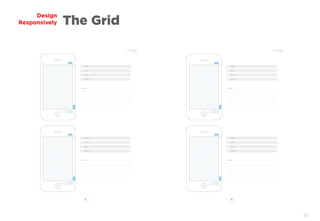
The Grid
Media Queries
Device Widths
Bootstrap Framework
Responsive Media
Icons & Fonts
Resources
3
Adaptive
Design
4
Design
Responsively
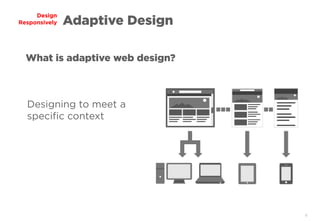
Designing to meet a
specific context
What is adaptive web design?
Adaptive Design
5
Design
Responsively
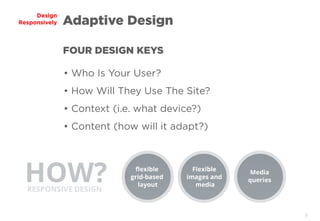
• Who Is Your User?
• How Will They Use The Site?
• Context (i.e. what device?)
• Content (how will it adapt?)
FOUR DESIGN KEYS
Adaptive Design
6
Design
Responsively Adaptive Design
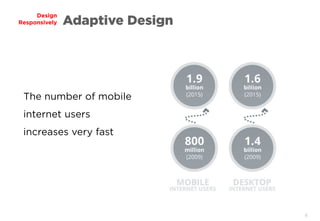
The number of mobile
internet users
increases very fast
7
Design
Responsively Adaptive Design
There is no Mobile Web / “Jeremy Keith”
Every device has a browser and this browser
makes http requests, it fetches html, css,
javascript and images.
It processes them, it still reacts to clicks and
selections.
8
Design
Responsively Adaptive Design
In general there are three instruments which
we can use to achieve responsiveness.
9
Design
Responsively Adaptive Design
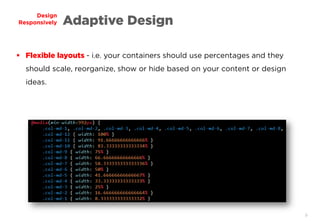
 Flexible layouts - i.e. your containers should use percentages and they
should scale, reorganize, show or hide based on your content or design
ideas.
10
Design
Responsively Adaptive Design
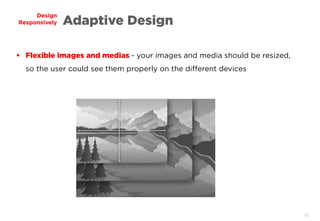
 Flexible images and medias - your images and media should be resized,
so the user could see them properly on the different devices
11
Design
Responsively Adaptive Design
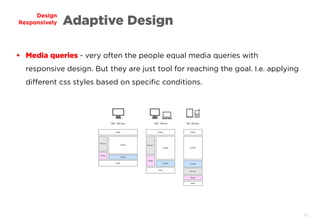
 Media queries - very often the people equal media queries with
responsive design. But they are just tool for reaching the goal. I.e. applying
different css styles based on specific conditions.
12
Design
Responsively Adaptive Design
13
Design
Responsively Adaptive Design
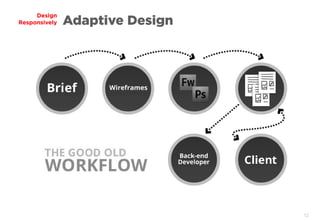
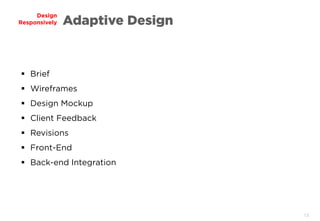
 Brief
 Wireframes
 Design Mockup
 Client Feedback
 Revisions
 Front-End
 Back-end Integration
14
Design
Responsively Adaptive Design
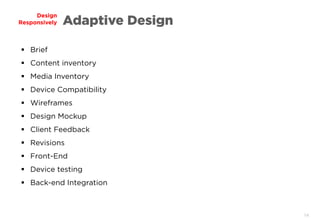
 Brief
 Content inventory
 Media Inventory
 Device Compatibility
 Wireframes
 Design Mockup
 Client Feedback
 Revisions
 Front-End
 Device testing
 Back-end Integration
15
Design
Responsively Adaptive Design
Mobile first Mindset
Mobile first concept brings the idea to start designing
from lower resolution to higher.
Maybe it looks strange, but once we start working like
that we realize how many benefits it has.
16
Design
Responsively Adaptive Design
Mobile first should be called content first, focus first or
performance first.
Responsive design is not device related. It's something
that we do to make your application/site work
everywhere.
We start thinking about priorities, what is more
important or less.
17
Design
Responsively
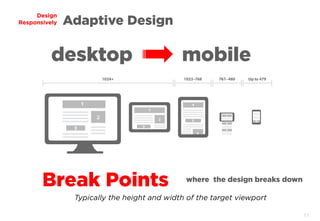
desktop mobile
Adaptive Design
Break Points where the design breaks down
Typically the height and width of the target viewport
18
The
Grid
19
Design
Responsively
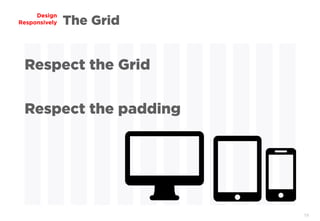
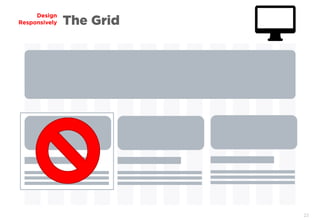
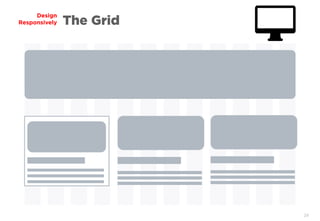
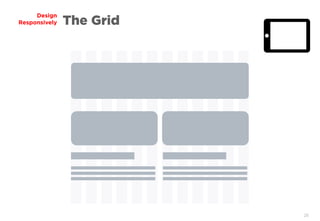
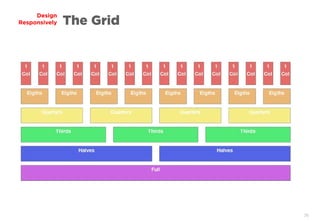
Respect the Grid
Respect the padding
The Grid
20
Design
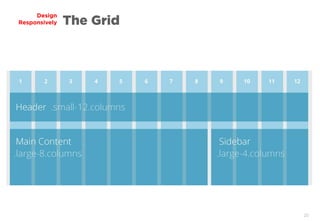
Responsively The Grid
21
Design
Responsively The Grid
22
Design
Responsively The Grid
23
Design
Responsively The Grid
24
Design
Responsively The Grid
25
Design
Responsively The Grid
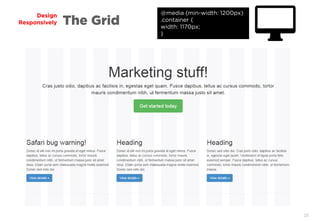
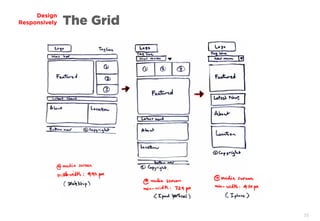
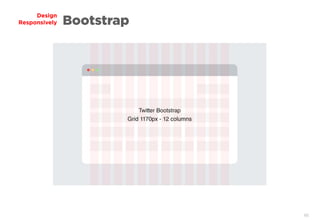
@media (min-width: 1200px)
.container {
width: 1170px;
}
26
Design
Responsively The Grid
27
Design
Responsively The Grid
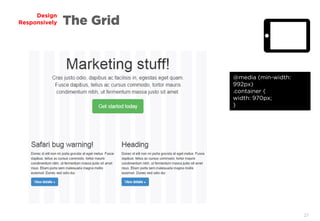
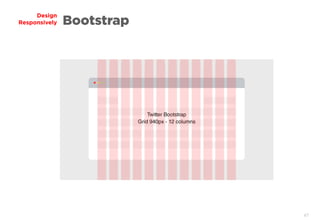
@media (min-width:
992px)
.container {
width: 970px;
}
28
Design
Responsively The Grid
29
Design
Responsively The Grid
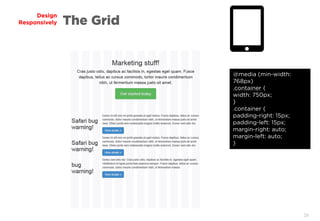
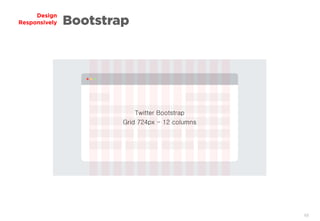
@media (min-width:
768px)
.container {
width: 750px;
}
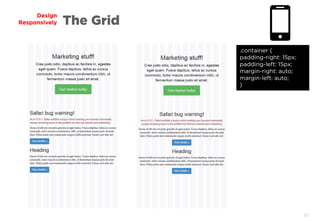
.container {
padding-right: 15px;
padding-left: 15px;
margin-right: auto;
margin-left: auto;
}
30
Design
Responsively The Grid
31
Design
Responsively The Grid
.container {
padding-right: 15px;
padding-left: 15px;
margin-right: auto;
margin-left: auto;
}
32
Design
Responsively The Grid
33
Design
Responsively The Grid
34
Design
Responsively The Grid
35
Design
Responsively The Grid
36
Design
Responsively The Grid
37
Media
Queries
38
Design
Responsively Media Queries
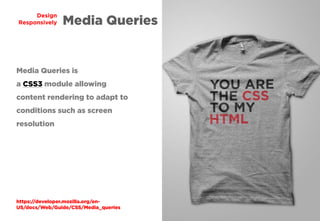
Media Queries is
a CSS3 module allowing
content rendering to adapt to
conditions such as screen
resolution
https://developer.mozilla.org/en-
US/docs/Web/Guide/CSS/Media_queries
39
Design
Responsively Media Queries
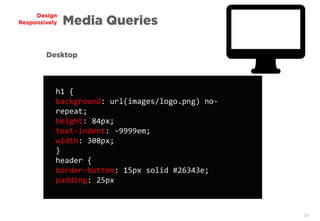
h1 {
background: url(images/logo.png) no-
repeat;
height: 84px;
text-indent: -9999em;
width: 308px;
}
header {
border-bottom: 15px solid #26343e;
padding: 25px
Desktop
40
Design
Responsively Media Queries
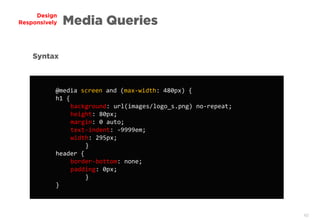
@media screen and (max-width: 480px) {
h1 {
background: url(images/logo_s.png) no-repeat;
height: 80px;
margin: 0 auto;
text-indent: -9999em;
width: 295px;
}
header {
border-bottom: none;
padding: 0px;
}
}
Syntax
41
Design
Responsively Media Queries
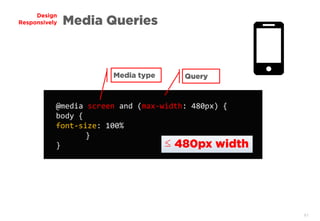
@media screen and (max-width: 480px) {
body {
font-size: 100%
}
}
Media type Query
≤ 480px width
42
Design
Responsively Media Queries
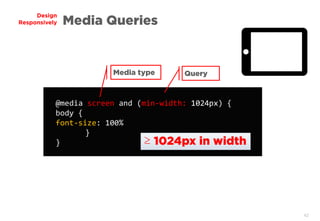
@media screen and (min-width: 1024px) {
body {
font-size: 100%
}
}
Media type Query
≥ 1024px in width
43
Design
Responsively Device Widths
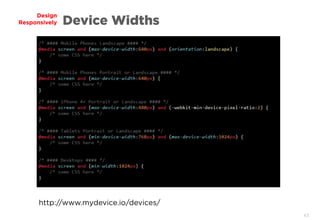
http://www.mydevice.io/devices/
44
Bootstrap
Framework
45
Design
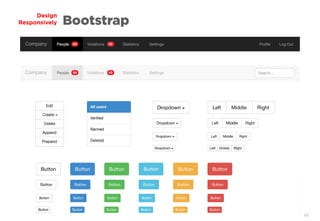
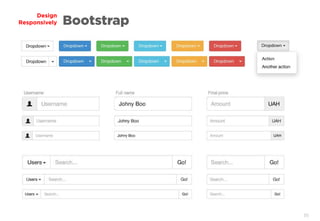
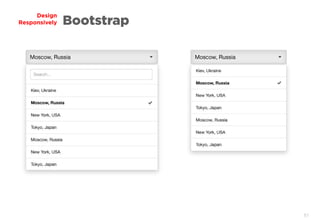
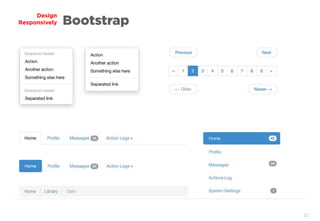
Responsively Bootstrap
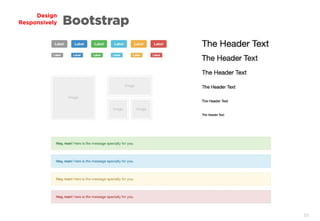
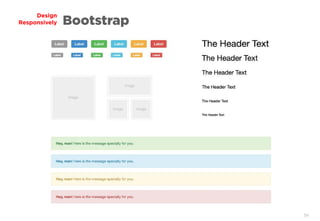
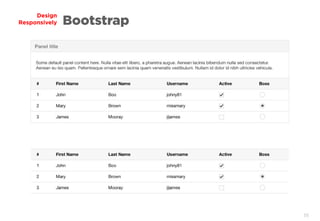
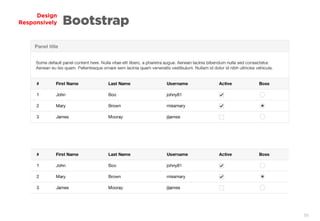
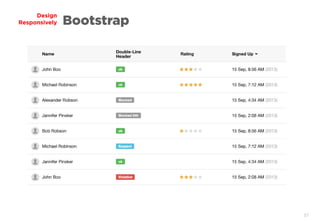
HTML / CSS Framework
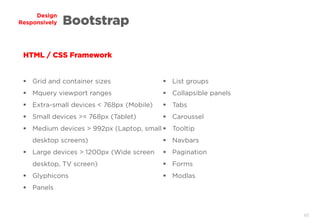
 Grid and container sizes
 Mquery viewport ranges
 Extra-small devices < 768px (Mobile)
 Small devices >= 768px (Tablet)
 Medium devices > 992px (Laptop, small
desktop screens)
 Large devices > 1200px (Wide screen
desktop, TV screen)
 Glyphicons
 Panels
 List groups
 Collapsible panels
 Tabs
 Caroussel
 Tooltip
 Navbars
 Pagination
 Forms
 Modlas
46
Design
Responsively Bootstrap
47
Design
Responsively Bootstrap
48
Design
Responsively Bootstrap
49
Design
Responsively Bootstrap
50
Design
Responsively Bootstrap
51
Design
Responsively Bootstrap
52
Design
Responsively Bootstrap
53
Design
Responsively Bootstrap
54
Design
Responsively Bootstrap
55
Design
Responsively Bootstrap
56
Design
Responsively Bootstrap
57
Design
Responsively Bootstrap
Grid Exercises
Design
Responsively
59
Design
Responsively The Grid
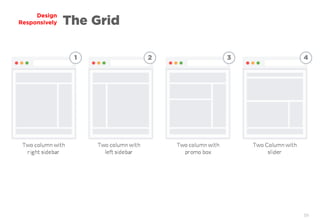
1 2 3 4
60
Design
Responsively The Grid
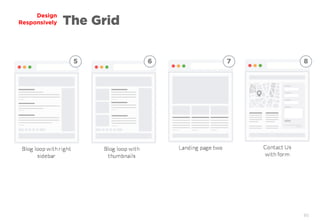
5 6 7 8
61
Design
Responsively The Grid
62
Responsive
Media
63
Design
Responsively Responsive Media
Simple Fluid Images
Web page text is fluid by default
Images are not naturally fluid
One way around this is to size images in relative units, rather than
absolute pixel dimensions.
The most common relative solution is to set the max-width of the
image at 100%:
64
Design
Responsively Responsive Media
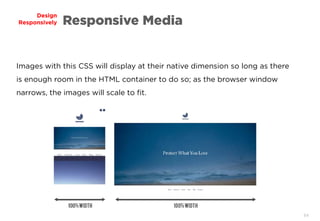
Images with this CSS will display at their native dimension so long as there
is enough room in the HTML container to do so; as the browser window
narrows, the images will scale to fit.
65
Design
Responsively Responsive Media
Responsive Media on Windows
Prior to Windows 7, poor max-width support
Note that max-width is not supported in IE, but a good use of
width: 100% would solve the problem neatly in an IE-specific style
sheet.
66
Design
Responsively Responsive Media
Retina Images = 1.5x - 2x the pixel density
Double the image size!
Use Media Queries!
67
Design
Responsively Responsive Media
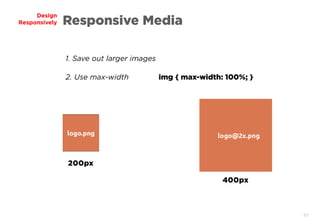
1. Save out larger images
2. Use max-width img { max-width: 100%; }
200px
400px
68
Icons &
Fonts
69
Design
Responsively Icons & Fonts
SVG for icons
As the acronym suggests, SVG is a vector format. Vector images
consist of lines, strokes, and areas filled with color: think of maps,
most logos, diagrams, illustrations, and the like. SVG can also be
used for fonts.
http://demosthenes.info/blog/428/Using-SVG-In-Web-Pages
70
Design
Responsively Icons & Fonts
The primary advantages of SVG are:
 SVG images are infinitely scalable, without losing quality or resolution.
 SVG is created using XML, so it is free and open
 Because it is vector, the file size tends to be small. (SVG can be
compressed even further using gzip).
71
Design
Responsively Icons & Fonts
The primary advantages of SVG are:
 As XML, SVG can be read and manipulated by JavaScript and other
languages, so it can be used for animation, interactivity, and in many other
contexts (masking video, as paths for CSS animation, etc).
 You can display an SVG file by linking to it with an <img /> tag, just as you
would a JPEG, GIF or PNG.
72
Design
Responsively Icons & Fonts
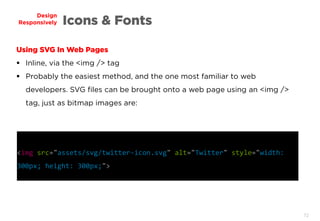
Using SVG In Web Pages
 Inline, via the <img /> tag
 Probably the easiest method, and the one most familiar to web
developers. SVG files can be brought onto a web page using an <img />
tag, just as bitmap images are:
<img src="assets/svg/twitter-icon.svg" alt="Twitter" style="width:
300px; height: 300px;">
73
Design
Responsively Icons & Fonts
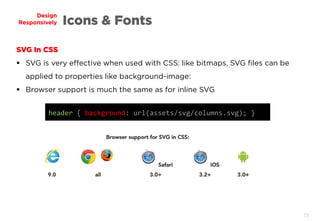
SVG In CSS
 SVG is very effective when used with CSS: like bitmaps, SVG files can be
applied to properties like background-image:
 Browser support is much the same as for inline SVG
header { background: url(assets/svg/columns.svg); }
74
Design
Responsively Icons & Fonts
http://www.themaninblue.com/experiment/Blobular/
SVG experiments
http://demosthenes.info/blog/744/Make-SVG-Responsive
http://www.smashingmagazine.com/2014/03/05/rethinking-responsive-svg/
http://tympanus.net/Development/AnimatedCheckboxes/
http://design.tutsplus.com/tutorials/svg-files-from-illustrator-to-the-web--vector-20899
75
Design
Responsively Icons & Fonts
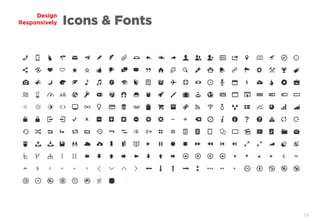
Responsive Webfont Icons
One of the major problems we face in responsive design is how to create
icons that scale to the interface, not just for physical dimensions, but based
on screen size and number of pixels per inch.
Generally, images are used to add the icon inline using the img tag.
76
Design
Responsively Icons & Fonts
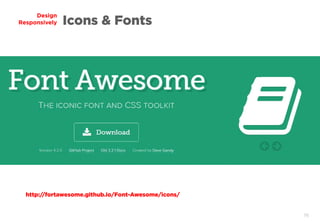
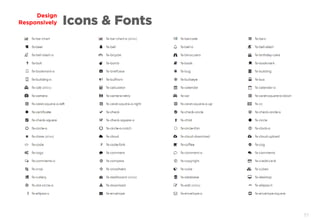
http://fortawesome.github.io/Font-Awesome/icons/
77
Design
Responsively Icons & Fonts
78
Design
Responsively Icons & Fonts
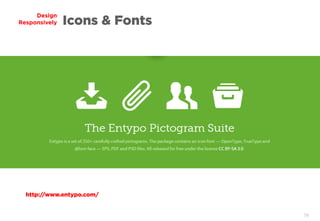
http://www.entypo.com/
79
Design
Responsively Icons & Fonts
80
Design
Responsively Sources
https://unsplash.com/
http://davidwalsh.name/design-responsively
http://www.radius180.com/the-responsive-web-series-part-2-responsive-grids/
http://www.vanseodesign.com/css/flexible-images/
https://developer.mozilla.org/en-US/docs/Web/Guide/CSS/Media_queries
https://creativemarket.com/firetuts/26812-Tiles-for-Wireframes-Flowcharts-V2
http://sneakpeekit.com/pad-sketchsheets/
Please,
Design Responsively
Thanks!

Design responsively