RDBMS
Relational Database Model
 E.F. Codd proposed the relational Model to model data in the form of relations or
tables
 Developed in 1970 by E.F. Codd, it became commercial
in the 80s.
 After designing the conceptual model of the Database using
ER diagram, we need to convert the conceptual model into a
relational model
 The relational data model is a foundational concept in
database management that organizes data into one or more
tables (or "relations") of rows and columns,
Cont..
 Data elements are stored in different tables made up of
rows and columns.
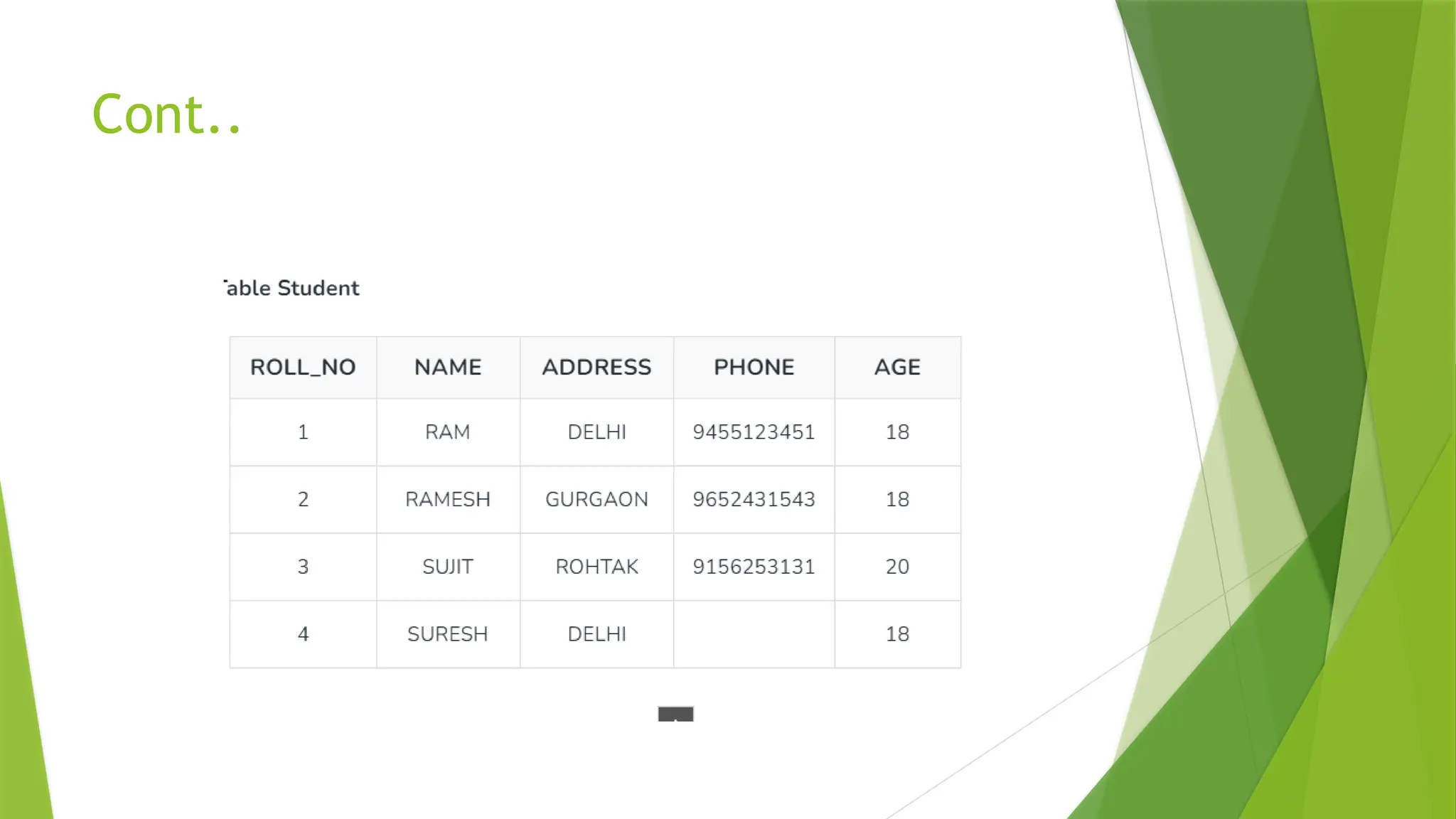
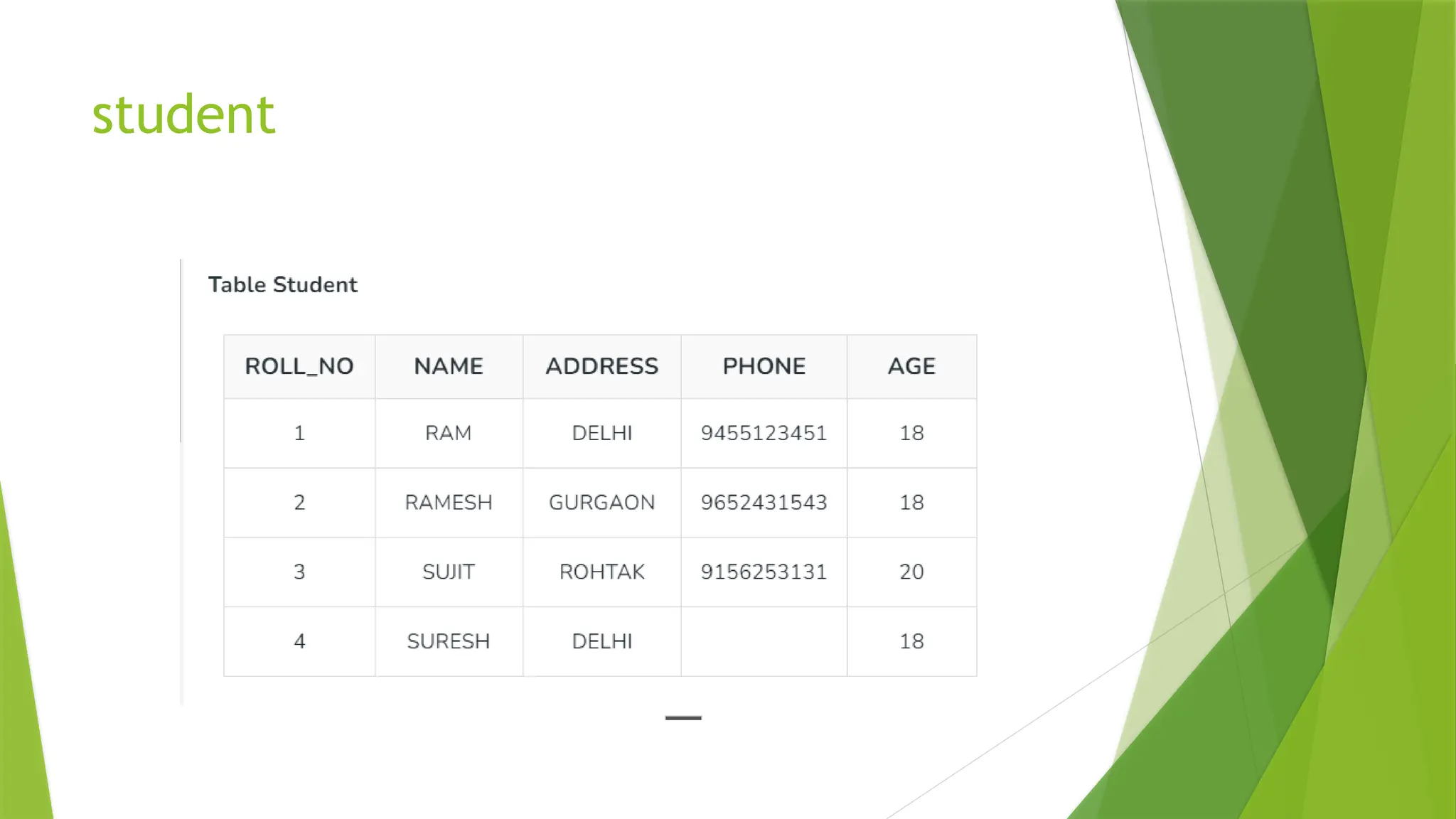
 A relational database consists of a collection of tables,
each of which is assigned a unique name. Consider a
relation STUDENT with attributes ROLL_NO, NAME,
ADDRESS, PHONE, and AGE
Cont..
Important Terminologies
 Attribute: Attributes are the properties that define an
entity.
 Relation Schema: A relation schema defines the structure of the
relation and represents the name of the relation with its attributes.
e.g.; STUDENT (ROLL_NO, NAME, ADDRESS, PHONE, and AGE) is the
relation schema for STUDENT. If a schema has more than 1 relation, it
is called Relational Schema.
 Tuple: Each row in the relation is known as a tuple.
 Relation Instance: The set of tuples of a relation at a particular
instance of time is called a relation instance.
 Degree: The number of attributes in the relation is known as the degree of
the relation. The STUDENT relation defined above has degree 5.
 Cardinality: The number of tuples in a relation is known as cardinality.
The STUDENT relation defined above has cardinality 4.
 Column: The column represents the set of values for a particular attribute.
The column ROLL_NO is extracted from the relation STUDENT.
 NULL Values: The value which is not known or unavailable is called a NULL
value. It is represented by blank space. e.g.; PHONE of STUDENT having
ROLL_NO 4 is NULL
Relation Key:
 These are basically the keys that are used to identify the rows uniquely or
also help in identifying tables. These are of the following types.
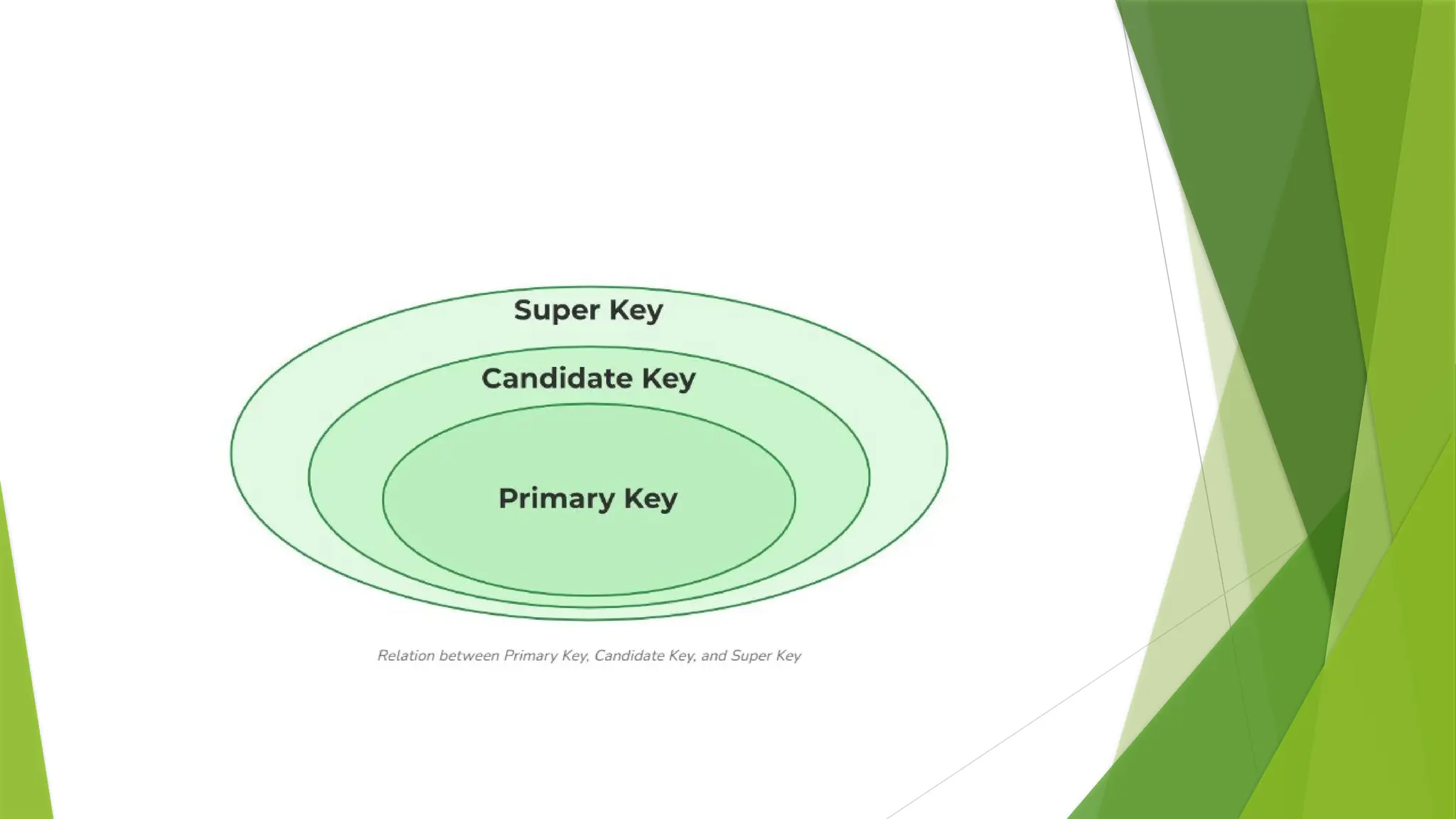
 Primary Key
 Candidate Key
 Super Key
 Foreign Key
 Alternate Key
 Composite Key
Candidate Key
 The minimal set of attributes that can uniquely identify a tuple is known as a
candidate key. For Example, STUD_NO in STUDENT relation.
 It is a minimal super key.
 It is a super key with no repeated data is called a candidate key.
 The minimal set of attributes that can uniquely identify a record.
 It must contain unique values.
 It can contain NULL values.
 Every table must have at least a single candidate key.
 A table can have multiple candidate keys but only one primary key.
 The value of the Candidate Key is unique and may be null for a tuple.
 There can be more than one candidate key in a relationship.
 The candidate key can be simple (having only one attribute) or composite as well.
student
Primary Key
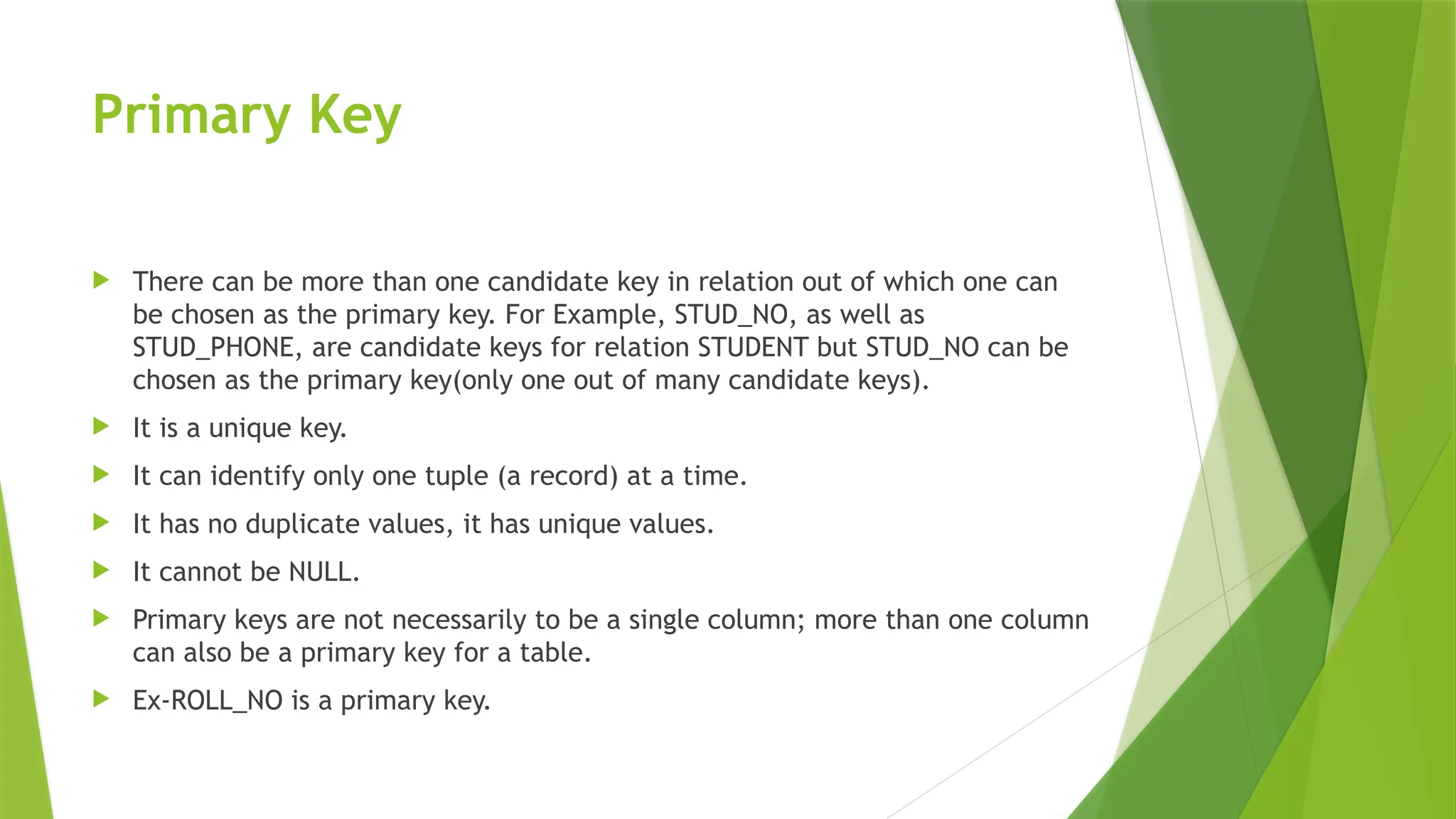
 There can be more than one candidate key in relation out of which one can
be chosen as the primary key. For Example, STUD_NO, as well as
STUD_PHONE, are candidate keys for relation STUDENT but STUD_NO can be
chosen as the primary key(only one out of many candidate keys).
 It is a unique key.
 It can identify only one tuple (a record) at a time.
 It has no duplicate values, it has unique values.
 It cannot be NULL.
 Primary keys are not necessarily to be a single column; more than one column
can also be a primary key for a table.
 Ex-ROLL_NO is a primary key.
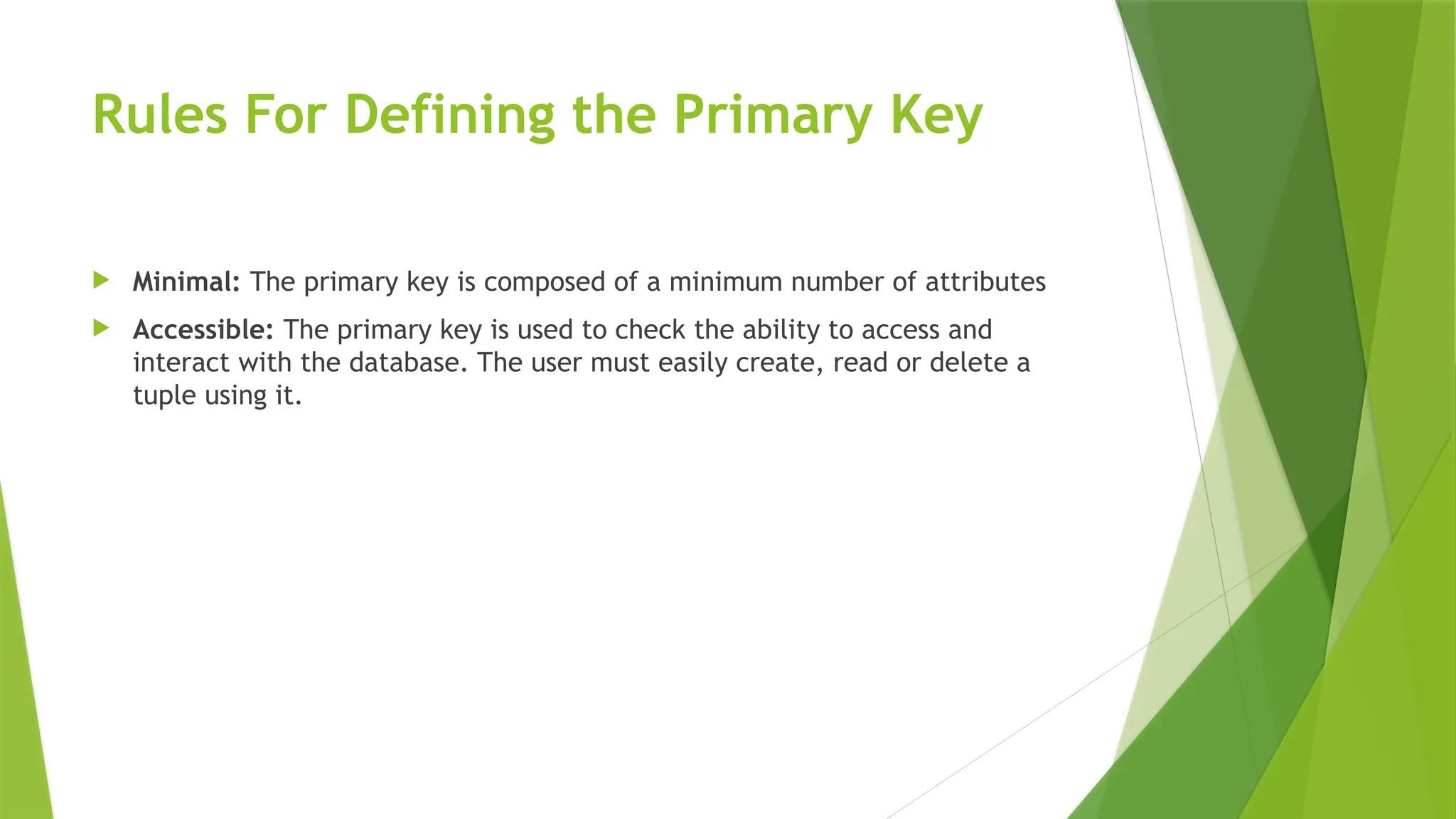
Rules For Defining the Primary Key
 Minimal: The primary key is composed of a minimum number of attributes
 Accessible: The primary key is used to check the ability to access and
interact with the database. The user must easily create, read or delete a
tuple using it.
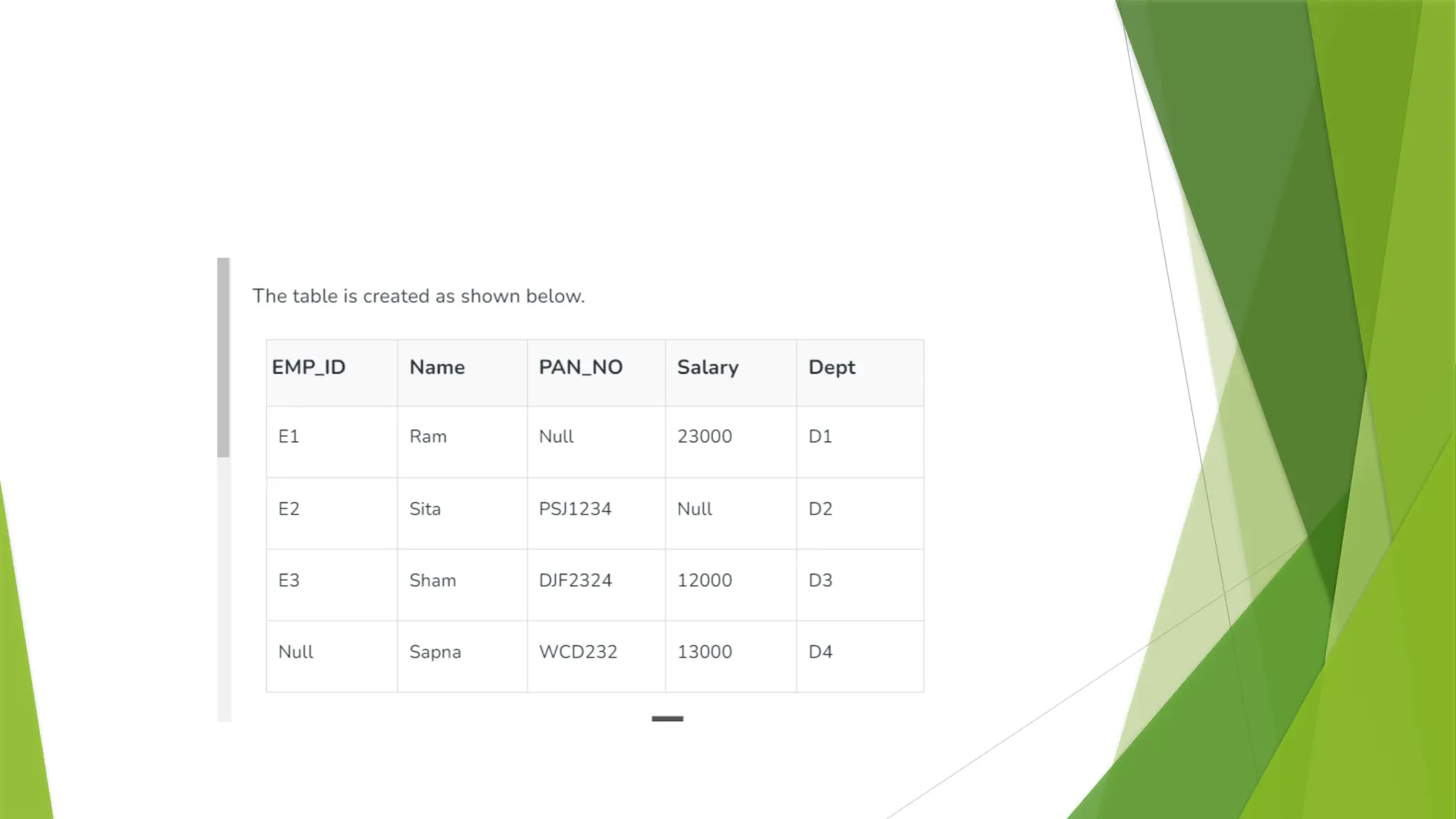
syntax for creating the Primary Key
 CREATE TABLE EMPLOYEE (
 Employee_Id int NOT NULL PRIMARY KEY,
 Name varchar (200) NOT NULL,
 PAN_NO int NOT NULL
 Salary int NOT NULL
 Dept varchar (200) NOT NULL
 );
Super Key
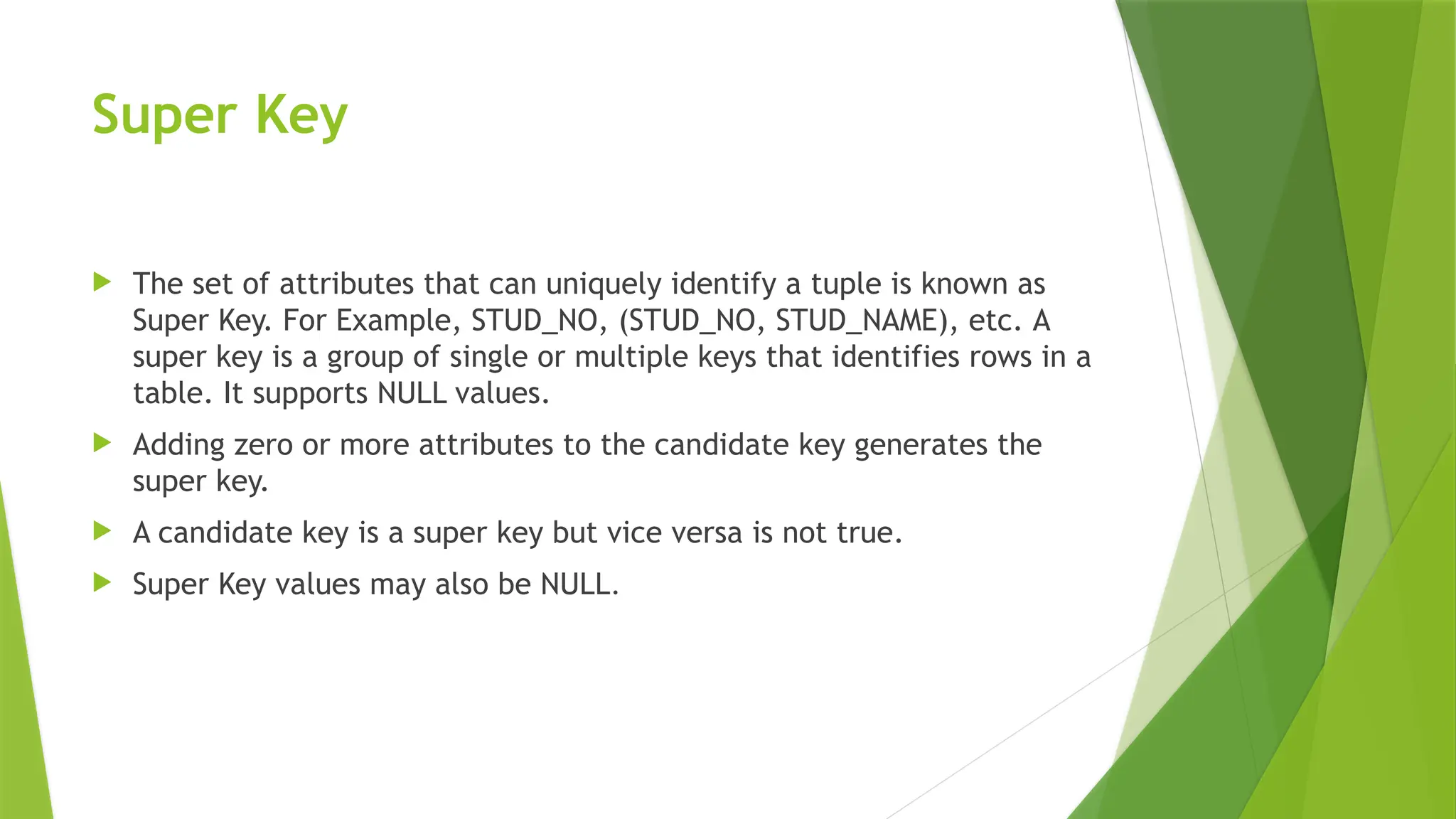
 The set of attributes that can uniquely identify a tuple is known as
Super Key. For Example, STUD_NO, (STUD_NO, STUD_NAME), etc. A
super key is a group of single or multiple keys that identifies rows in a
table. It supports NULL values.
 Adding zero or more attributes to the candidate key generates the
super key.
 A candidate key is a super key but vice versa is not true.
 Super Key values may also be NULL.
Alternate Key
 The candidate key other than the primary key is called an alternate key
 All the keys which are not primary keys are called alternate keys.
 It is a secondary key.
 It contains two or more fields to identify two or more records.
Foreign Key
 If an attribute can only take the values which are present as values of some
other attribute, it will be a foreign key to the attribute to which it refers.
 It is a key it acts as a primary key in one table and it acts as
secondary key in another table.
 It combines two or more relations (tables) at a time.
 They act as a cross-reference between the tables.
 For example, DNO is a primary key in the DEPT table and a non-key in EMP
 It is maintaining refrential integrity.
 A foreign key is a column or a combination of columns in a table that
establishes a link between two tables in a relational database. It refers to the
primary key in another table
 The table with a foreign key is called a foreign table/child table/referencing
table
 The table with a primary key that is referenced by a foreign key is called
a primary table/parent table /referenced Table.
 A foreign key can be created during table creation using CREATE TABLE or it
can be added to a table later using ALTER TABLE statement
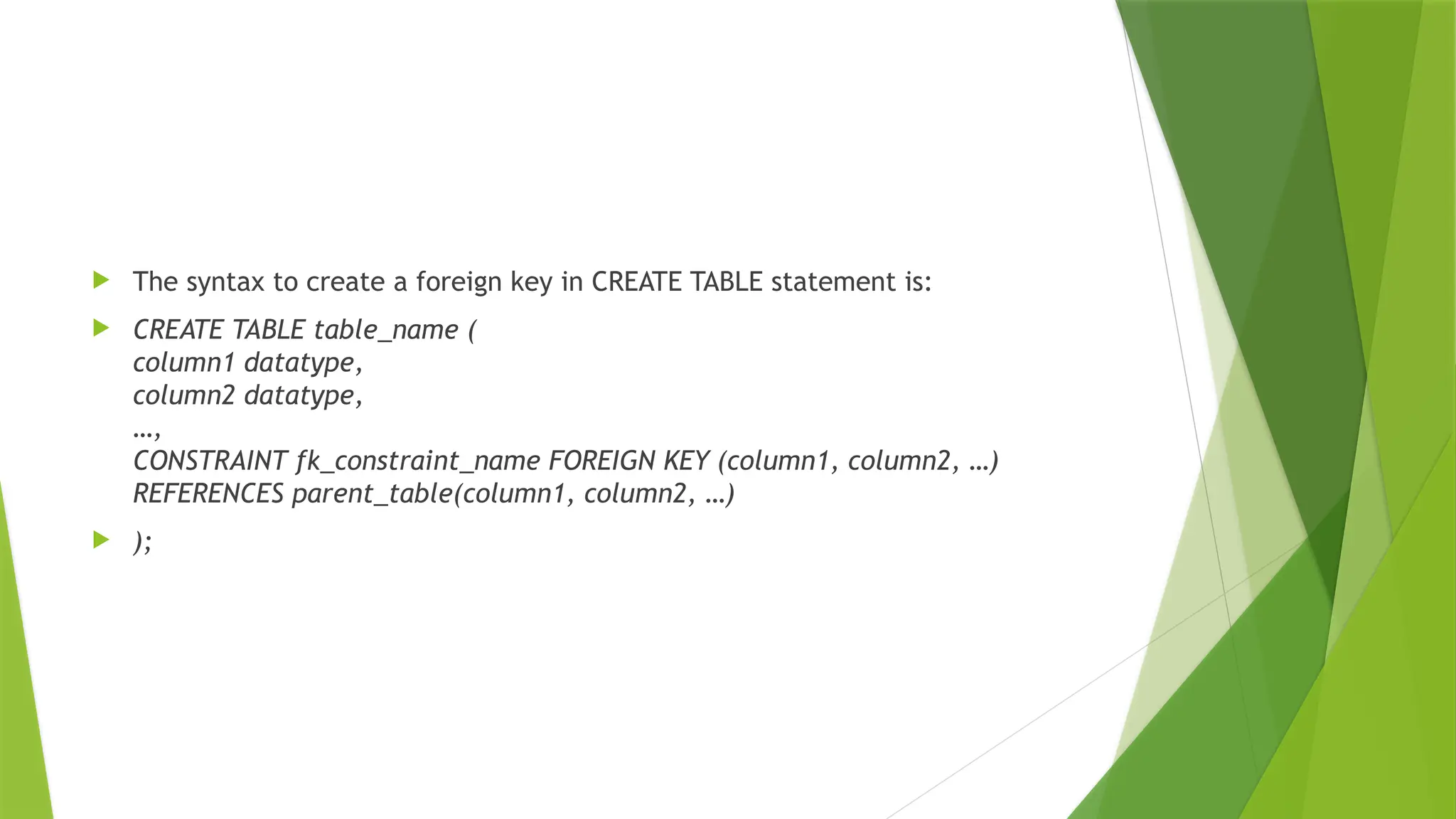
 The syntax to create a foreign key in CREATE TABLE statement is:
 CREATE TABLE table_name (
column1 datatype,
column2 datatype,
…,
CONSTRAINT fk_constraint_name FOREIGN KEY (column1, column2, …)
REFERENCES parent_table(column1, column2, …)
 );
Composite Key
 A table might not have a single column/attribute that uniquely identifies all
the records of a table. To uniquely identify rows of a table, a combination of
two or more columns/attributes can be used. It still can give duplicate values
in rare cases. So, we need to find the optimal set of attributes that can
uniquely identify rows in a table.
 It acts as a primary key if there is no primary key in a table
 Two or more attributes are used together to make a composite key .
 A composite key cannot be null.
SYNTAX
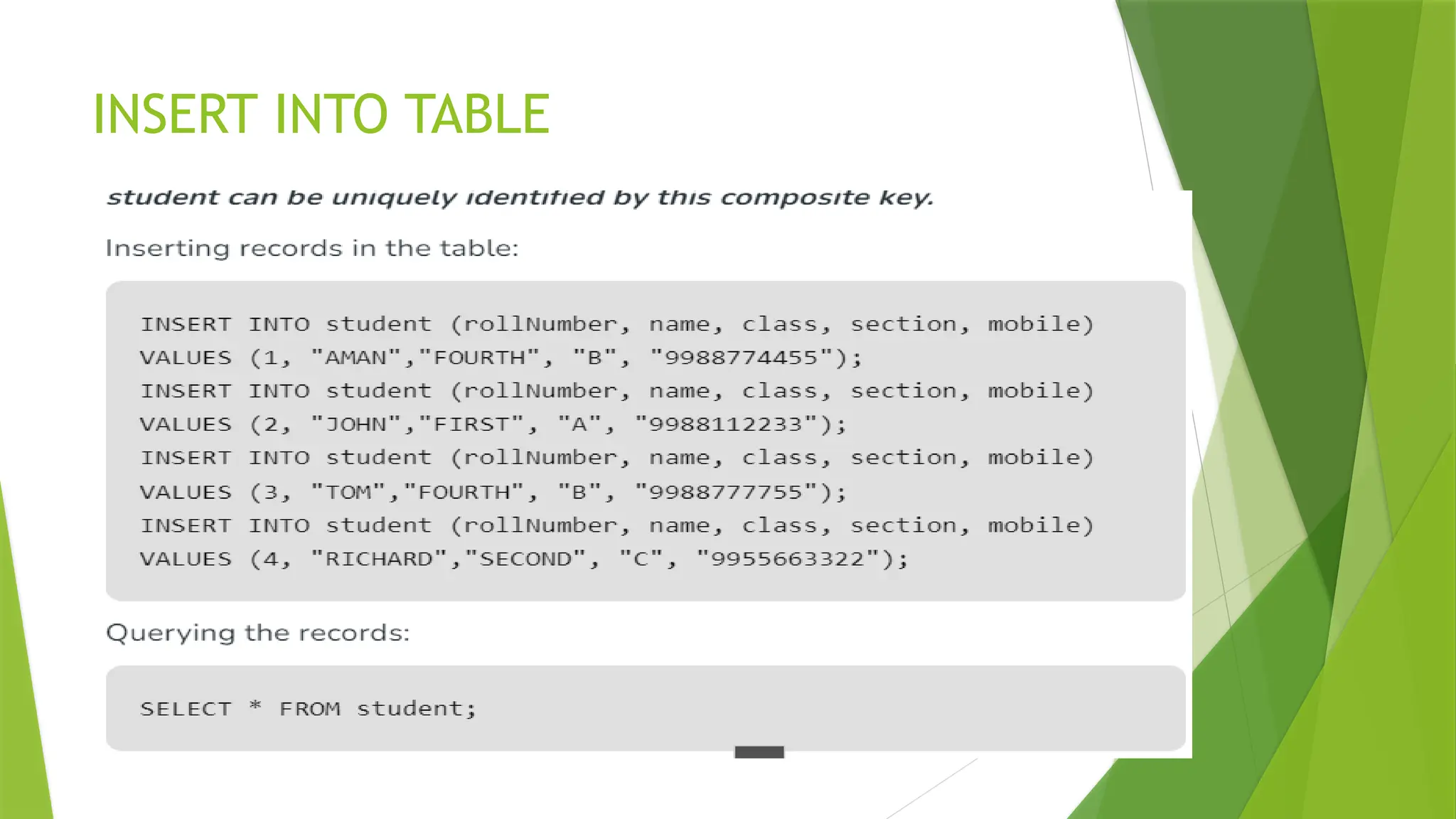
INSERT INTO TABLE
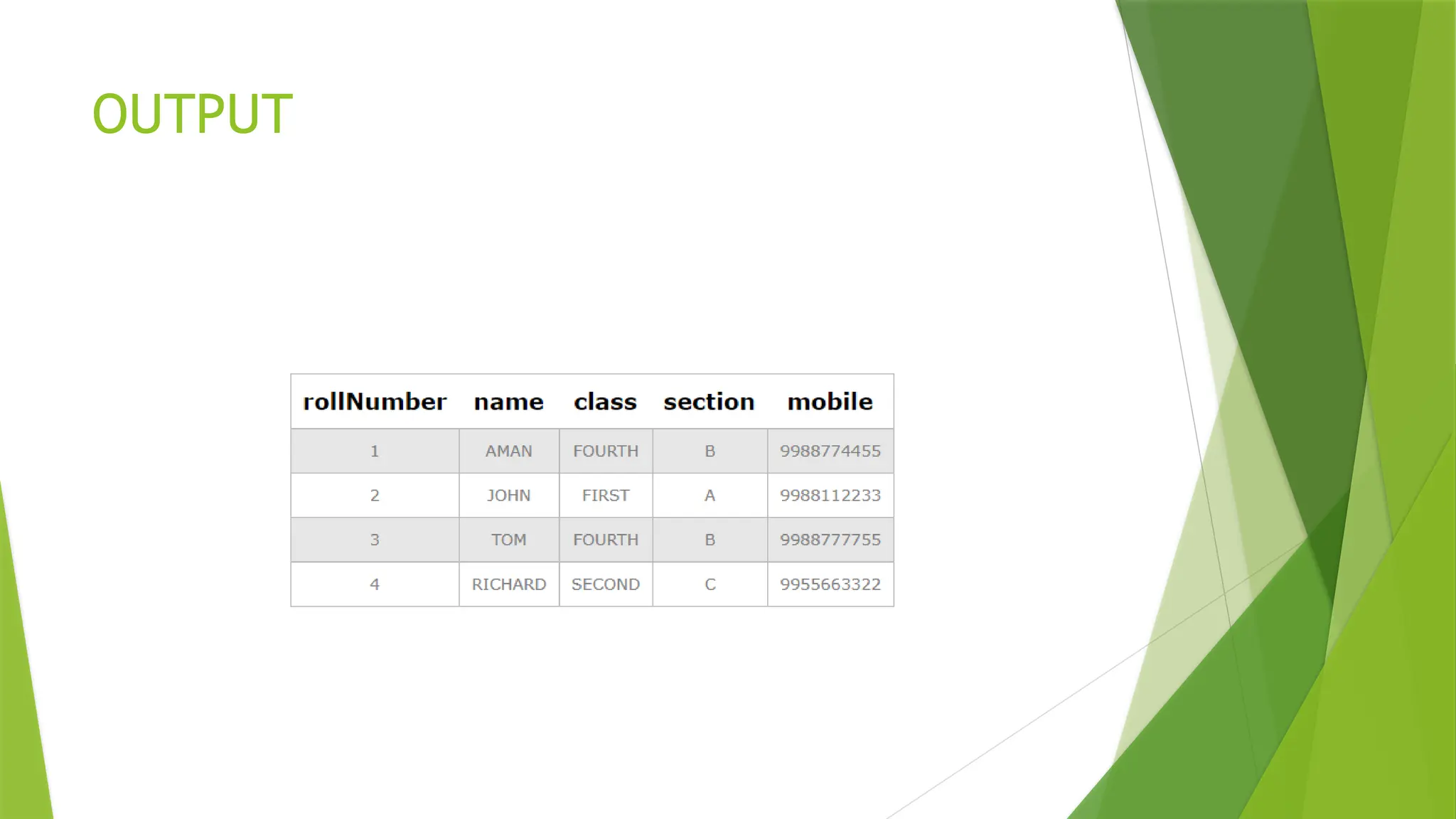
OUTPUT

relational data model In rdbms keys.pptx

  • 1.
  • 2.
    Relational Database Model E.F. Codd proposed the relational Model to model data in the form of relations or tables  Developed in 1970 by E.F. Codd, it became commercial in the 80s.  After designing the conceptual model of the Database using ER diagram, we need to convert the conceptual model into a relational model  The relational data model is a foundational concept in database management that organizes data into one or more tables (or "relations") of rows and columns,
  • 3.
    Cont..  Data elementsare stored in different tables made up of rows and columns.  A relational database consists of a collection of tables, each of which is assigned a unique name. Consider a relation STUDENT with attributes ROLL_NO, NAME, ADDRESS, PHONE, and AGE
  • 4.
  • 5.
    Important Terminologies  Attribute:Attributes are the properties that define an entity.  Relation Schema: A relation schema defines the structure of the relation and represents the name of the relation with its attributes. e.g.; STUDENT (ROLL_NO, NAME, ADDRESS, PHONE, and AGE) is the relation schema for STUDENT. If a schema has more than 1 relation, it is called Relational Schema.  Tuple: Each row in the relation is known as a tuple.  Relation Instance: The set of tuples of a relation at a particular instance of time is called a relation instance.
  • 6.
     Degree: Thenumber of attributes in the relation is known as the degree of the relation. The STUDENT relation defined above has degree 5.  Cardinality: The number of tuples in a relation is known as cardinality. The STUDENT relation defined above has cardinality 4.  Column: The column represents the set of values for a particular attribute. The column ROLL_NO is extracted from the relation STUDENT.  NULL Values: The value which is not known or unavailable is called a NULL value. It is represented by blank space. e.g.; PHONE of STUDENT having ROLL_NO 4 is NULL
  • 7.
    Relation Key:  Theseare basically the keys that are used to identify the rows uniquely or also help in identifying tables. These are of the following types.  Primary Key  Candidate Key  Super Key  Foreign Key  Alternate Key  Composite Key
  • 8.
    Candidate Key  Theminimal set of attributes that can uniquely identify a tuple is known as a candidate key. For Example, STUD_NO in STUDENT relation.  It is a minimal super key.  It is a super key with no repeated data is called a candidate key.  The minimal set of attributes that can uniquely identify a record.  It must contain unique values.  It can contain NULL values.  Every table must have at least a single candidate key.  A table can have multiple candidate keys but only one primary key.  The value of the Candidate Key is unique and may be null for a tuple.  There can be more than one candidate key in a relationship.  The candidate key can be simple (having only one attribute) or composite as well.
  • 9.
  • 10.
    Primary Key  Therecan be more than one candidate key in relation out of which one can be chosen as the primary key. For Example, STUD_NO, as well as STUD_PHONE, are candidate keys for relation STUDENT but STUD_NO can be chosen as the primary key(only one out of many candidate keys).  It is a unique key.  It can identify only one tuple (a record) at a time.  It has no duplicate values, it has unique values.  It cannot be NULL.  Primary keys are not necessarily to be a single column; more than one column can also be a primary key for a table.  Ex-ROLL_NO is a primary key.
  • 11.
    Rules For Definingthe Primary Key  Minimal: The primary key is composed of a minimum number of attributes  Accessible: The primary key is used to check the ability to access and interact with the database. The user must easily create, read or delete a tuple using it.
  • 12.
    syntax for creatingthe Primary Key  CREATE TABLE EMPLOYEE (  Employee_Id int NOT NULL PRIMARY KEY,  Name varchar (200) NOT NULL,  PAN_NO int NOT NULL  Salary int NOT NULL  Dept varchar (200) NOT NULL  );
  • 14.
    Super Key  Theset of attributes that can uniquely identify a tuple is known as Super Key. For Example, STUD_NO, (STUD_NO, STUD_NAME), etc. A super key is a group of single or multiple keys that identifies rows in a table. It supports NULL values.  Adding zero or more attributes to the candidate key generates the super key.  A candidate key is a super key but vice versa is not true.  Super Key values may also be NULL.
  • 16.
    Alternate Key  Thecandidate key other than the primary key is called an alternate key  All the keys which are not primary keys are called alternate keys.  It is a secondary key.  It contains two or more fields to identify two or more records.
  • 17.
    Foreign Key  Ifan attribute can only take the values which are present as values of some other attribute, it will be a foreign key to the attribute to which it refers.  It is a key it acts as a primary key in one table and it acts as secondary key in another table.  It combines two or more relations (tables) at a time.  They act as a cross-reference between the tables.  For example, DNO is a primary key in the DEPT table and a non-key in EMP  It is maintaining refrential integrity.
  • 18.
     A foreignkey is a column or a combination of columns in a table that establishes a link between two tables in a relational database. It refers to the primary key in another table  The table with a foreign key is called a foreign table/child table/referencing table  The table with a primary key that is referenced by a foreign key is called a primary table/parent table /referenced Table.  A foreign key can be created during table creation using CREATE TABLE or it can be added to a table later using ALTER TABLE statement
  • 19.
     The syntaxto create a foreign key in CREATE TABLE statement is:  CREATE TABLE table_name ( column1 datatype, column2 datatype, …, CONSTRAINT fk_constraint_name FOREIGN KEY (column1, column2, …) REFERENCES parent_table(column1, column2, …)  );
  • 20.
    Composite Key  Atable might not have a single column/attribute that uniquely identifies all the records of a table. To uniquely identify rows of a table, a combination of two or more columns/attributes can be used. It still can give duplicate values in rare cases. So, we need to find the optimal set of attributes that can uniquely identify rows in a table.  It acts as a primary key if there is no primary key in a table  Two or more attributes are used together to make a composite key .  A composite key cannot be null.
  • 21.
  • 22.
  • 23.