Regression Testing with Symfony
Tools and techniques for building your test suite
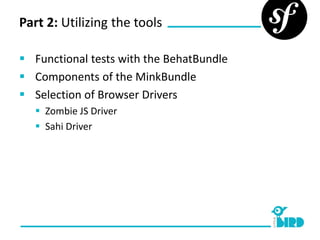
Part 2: Utilizing the tools

 Functional tests with the BehatBundle
 Components of the MinkBundle
 Selection of Browser Drivers
    Zombie JS Driver
    Sahi Driver
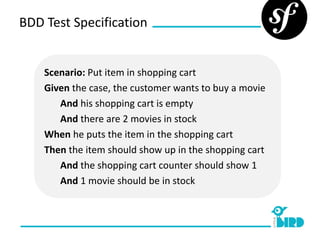
BDD Test Specification


    Scenario: Put item in shopping cart
    Given the case, the customer wants to buy a movie
       And his shopping cart is empty
       And there are 2 movies in stock
    When he puts the item in the shopping cart
    Then the item should show up in the shopping cart
       And the shopping cart counter should show 1
       And 1 movie should be in stock
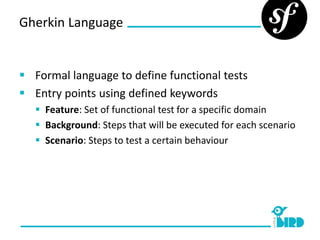
Gherkin Language


 Formal language to define functional tests
 Entry points using defined keywords
    Feature: Set of functional test for a specific domain
    Background: Steps that will be executed for each scenario
    Scenario: Steps to test a certain behaviour
Gherkin Language


 Keywords for step definitions
      Given: Pre-condition for the scenario
      When: Action/Operation to perform
      Then: Test for expected result
      And: Chaining of step definitions
Behat + Bundle

   BehatBundle integrates Behat in Symfony
   Setup of kernel
   Access to DIC
   Mapping of Gherkin
   Located in own directory structure
     .feature file to define step definitions
     FeatureContext to match the steps
Mink + Bundle

 MinkBundle integrates Mink into Symfony
 Encapsulation of various browser drives
     GoutteDriver: headless pure-php driver
     SahiDriver: JS browser driver with GUI installer
     ZombieDriver: Bridge for Zombie.js browser emulator
     SeleniumDriver: Bridge to Selenium
 FeatureContext for common browser operations
 Setup of application kernel
Thank you for your attiontion!

Regression Tests with Symfony - Example

  • 1.
    Regression Testing withSymfony Tools and techniques for building your test suite
  • 2.
    Part 2: Utilizingthe tools  Functional tests with the BehatBundle  Components of the MinkBundle  Selection of Browser Drivers  Zombie JS Driver  Sahi Driver
  • 3.
    BDD Test Specification Scenario: Put item in shopping cart Given the case, the customer wants to buy a movie And his shopping cart is empty And there are 2 movies in stock When he puts the item in the shopping cart Then the item should show up in the shopping cart And the shopping cart counter should show 1 And 1 movie should be in stock
  • 4.
    Gherkin Language  Formallanguage to define functional tests  Entry points using defined keywords  Feature: Set of functional test for a specific domain  Background: Steps that will be executed for each scenario  Scenario: Steps to test a certain behaviour
  • 5.
    Gherkin Language  Keywordsfor step definitions  Given: Pre-condition for the scenario  When: Action/Operation to perform  Then: Test for expected result  And: Chaining of step definitions
  • 6.
    Behat + Bundle  BehatBundle integrates Behat in Symfony  Setup of kernel  Access to DIC  Mapping of Gherkin  Located in own directory structure  .feature file to define step definitions  FeatureContext to match the steps
  • 7.
    Mink + Bundle MinkBundle integrates Mink into Symfony  Encapsulation of various browser drives  GoutteDriver: headless pure-php driver  SahiDriver: JS browser driver with GUI installer  ZombieDriver: Bridge for Zombie.js browser emulator  SeleniumDriver: Bridge to Selenium  FeatureContext for common browser operations  Setup of application kernel
  • 8.
    Thank you foryour attiontion!