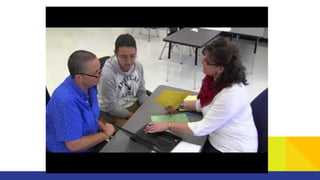
LCHS Course Registration
Spring 2018
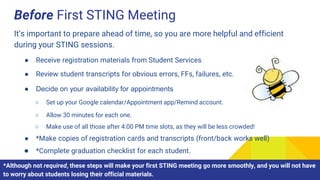
Before First STING Meeting
It’s important to prepare ahead of time, so you are more helpful and efficient
during your STING sessions.
● Receive registration materials from Student Services
● Review student transcripts for obvious errors, FFs, failures, etc.
● Decide on your availability for appointments
● *Make copies of registration cards and transcripts (front/back works well)
● *Complete graduation checklist for each student.
○ Set up your Google calendar/Appointment app/Remind account.
○ Allow 30 minutes for each one.
○ Make use of all those after 4:00 PM time slots, as they will be less crowded!
*Although not required, these steps will make your first STING meeting go more smoothly, and you will not have
to worry about students losing their official materials.
STING Meeting #1
Get registration started on the right foot!
STING Meeting #1
● Disseminate registration materials
● Have students check their materials for
accuracy/completion
o If you did not complete the graduation checklist beforehand, have students do so now.
o If you did complete the graduation checklist, they need to review it.
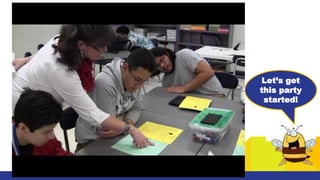
Let’s get
this party
started!
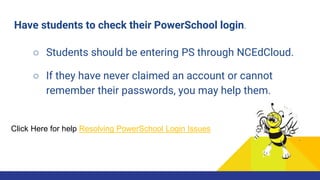
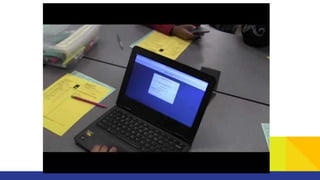
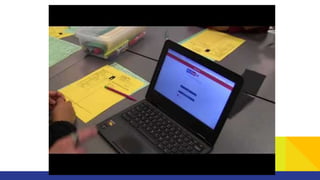
Have students to check their PowerSchool login.
○ Students should be entering PS through NCEdCloud.
Click Here for help Resolving PowerSchool Login Issues
○ If they have never claimed an account or cannot
remember their passwords, you may help them.
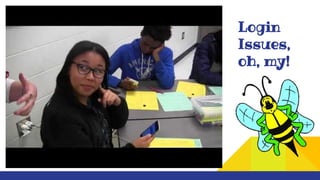
Login
Issues,
oh, my!
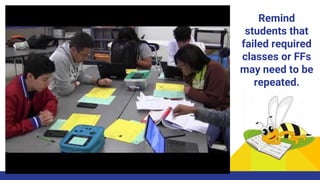
Remind
students that
failed required
classes or FFs
may need to be
repeated.
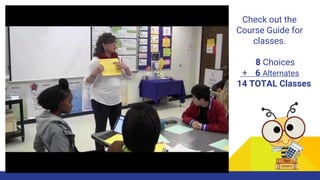
Check out the
Course Guide for
classes.
8 Choices
+ 6 Alternates
14 TOTAL Classes
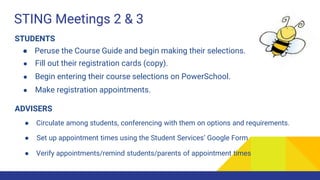
STING Meetings 2 & 3
STUDENTS
● Peruse the Course Guide and begin making their selections.
● Fill out their registration cards (copy).
● Begin entering their course selections on PowerSchool.
● Make registration appointments.
ADVISERS
● Circulate among students, conferencing with them on options and requirements.
● Set up appointment times using the Student Services’ Google Form
● Verify appointments/remind students/parents of appointment times
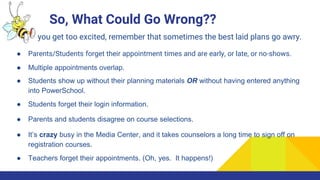
So, What Could Go Wrong??
Before you get too excited, remember that sometimes the best laid plans go awry.
● Parents/Students forget their appointment times and are early, or late, or no-shows.
● Multiple appointments overlap.
● Students show up without their planning materials OR without having entered anything
into PowerSchool.
● Students forget their login information.
● Parents and students disagree on course selections.
● It’s crazy busy in the Media Center, and it takes counselors a long time to sign off on
registration courses.
● Teachers forget their appointments. (Oh, yes. It happens!)
Registration Appointment Fails
Oh, the humanity!
Registration Appointment Wins
It could be just this easy...
Rock Your Registration, Folks!

Registration process with videos 2018

  • 1.
  • 2.
    Before First STINGMeeting It’s important to prepare ahead of time, so you are more helpful and efficient during your STING sessions. ● Receive registration materials from Student Services ● Review student transcripts for obvious errors, FFs, failures, etc. ● Decide on your availability for appointments ● *Make copies of registration cards and transcripts (front/back works well) ● *Complete graduation checklist for each student. ○ Set up your Google calendar/Appointment app/Remind account. ○ Allow 30 minutes for each one. ○ Make use of all those after 4:00 PM time slots, as they will be less crowded! *Although not required, these steps will make your first STING meeting go more smoothly, and you will not have to worry about students losing their official materials.
  • 3.
    STING Meeting #1 Getregistration started on the right foot!
  • 4.
    STING Meeting #1 ●Disseminate registration materials ● Have students check their materials for accuracy/completion o If you did not complete the graduation checklist beforehand, have students do so now. o If you did complete the graduation checklist, they need to review it.
  • 5.
  • 6.
    Have students tocheck their PowerSchool login. ○ Students should be entering PS through NCEdCloud. Click Here for help Resolving PowerSchool Login Issues ○ If they have never claimed an account or cannot remember their passwords, you may help them.
  • 7.
  • 10.
    Remind students that failed required classesor FFs may need to be repeated.
  • 11.
    Check out the CourseGuide for classes. 8 Choices + 6 Alternates 14 TOTAL Classes
  • 12.
    STING Meetings 2& 3 STUDENTS ● Peruse the Course Guide and begin making their selections. ● Fill out their registration cards (copy). ● Begin entering their course selections on PowerSchool. ● Make registration appointments. ADVISERS ● Circulate among students, conferencing with them on options and requirements. ● Set up appointment times using the Student Services’ Google Form ● Verify appointments/remind students/parents of appointment times
  • 13.
    So, What CouldGo Wrong?? Before you get too excited, remember that sometimes the best laid plans go awry. ● Parents/Students forget their appointment times and are early, or late, or no-shows. ● Multiple appointments overlap. ● Students show up without their planning materials OR without having entered anything into PowerSchool. ● Students forget their login information. ● Parents and students disagree on course selections. ● It’s crazy busy in the Media Center, and it takes counselors a long time to sign off on registration courses. ● Teachers forget their appointments. (Oh, yes. It happens!)
  • 14.
  • 16.
    Registration Appointment Wins Itcould be just this easy...
  • 18.