Refreshing your app in
iOS 7
Michael Vitrano
@michaelvitrano
Going iOS 7+
● Impressive adoption rate: ~60% in less
than a week
● Older versions of apps are available on
iTunes
● Users expect their apps to be native to
the iOS 7 ecosystem
● Awesome new APIs
New APIs
● Text Kit
● UIKit Dynamics
● Multitasking
● Custom View Controller Transitions
Custom View Controller Transitions
● Pre iOS 7, you could have implemented
this functionality yourself
● Required hacks, manually managing
the process
● Using the new API, these types of
transitions require much less code and
effort
iOS 7 as an Engineering Refresh
● You’re going to be rethinking and
revamping almost every part of your
app’s experience
● Given this, an iOS 7 update is the
perfect opportunity to rethink your
app’s architecture and organization.
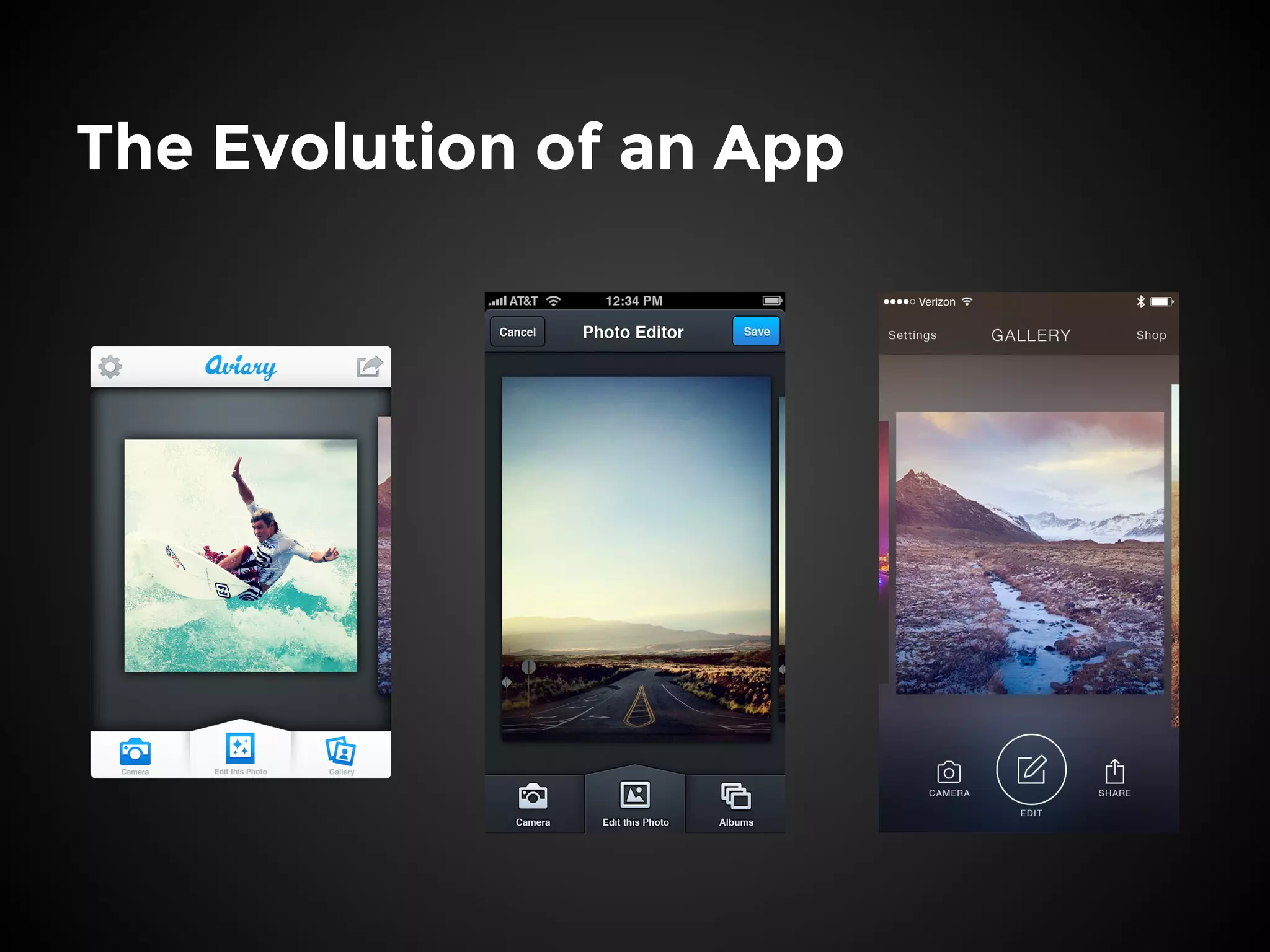
The Evolution of an App
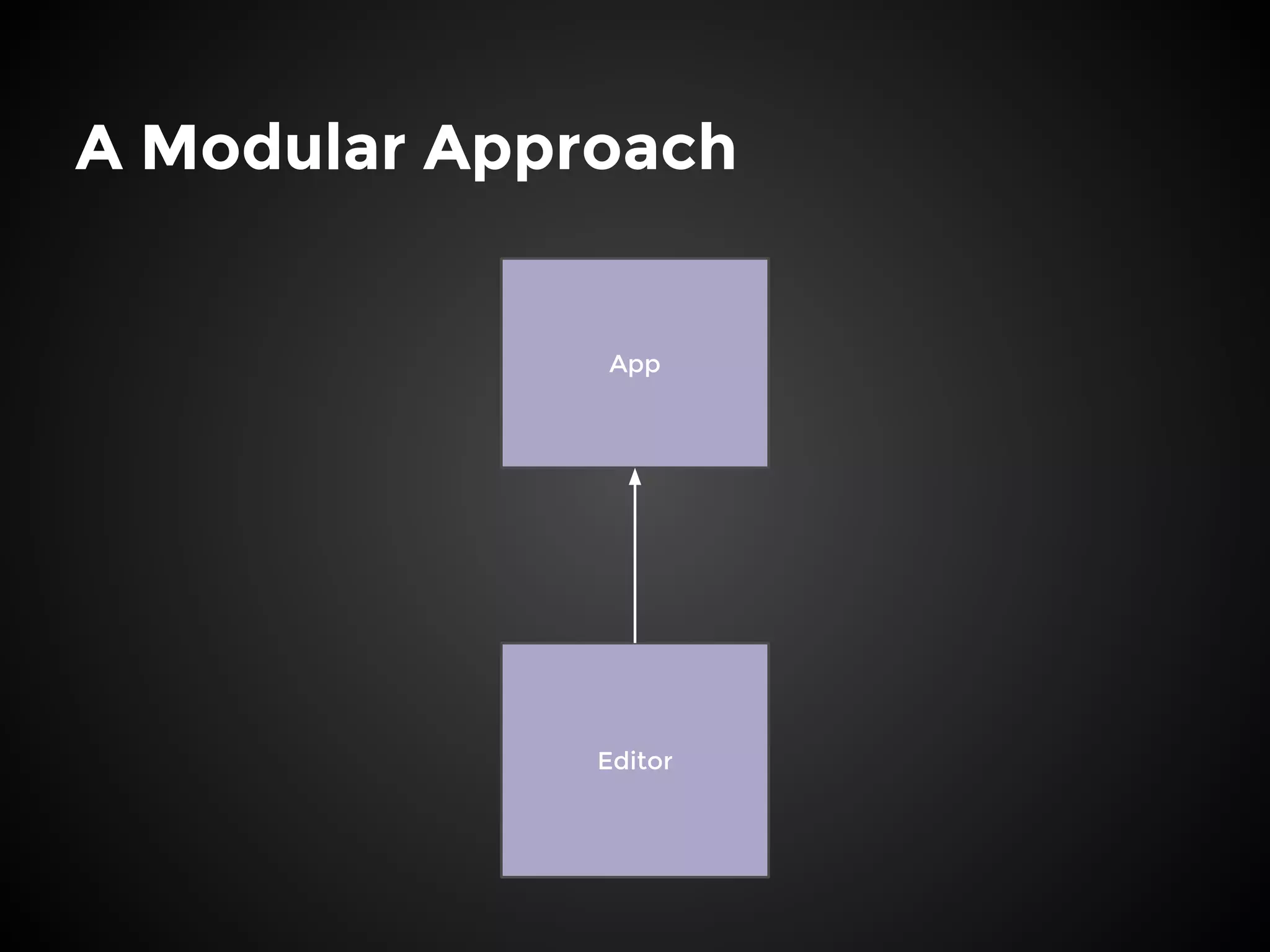
A Modular Approach
Editor
App
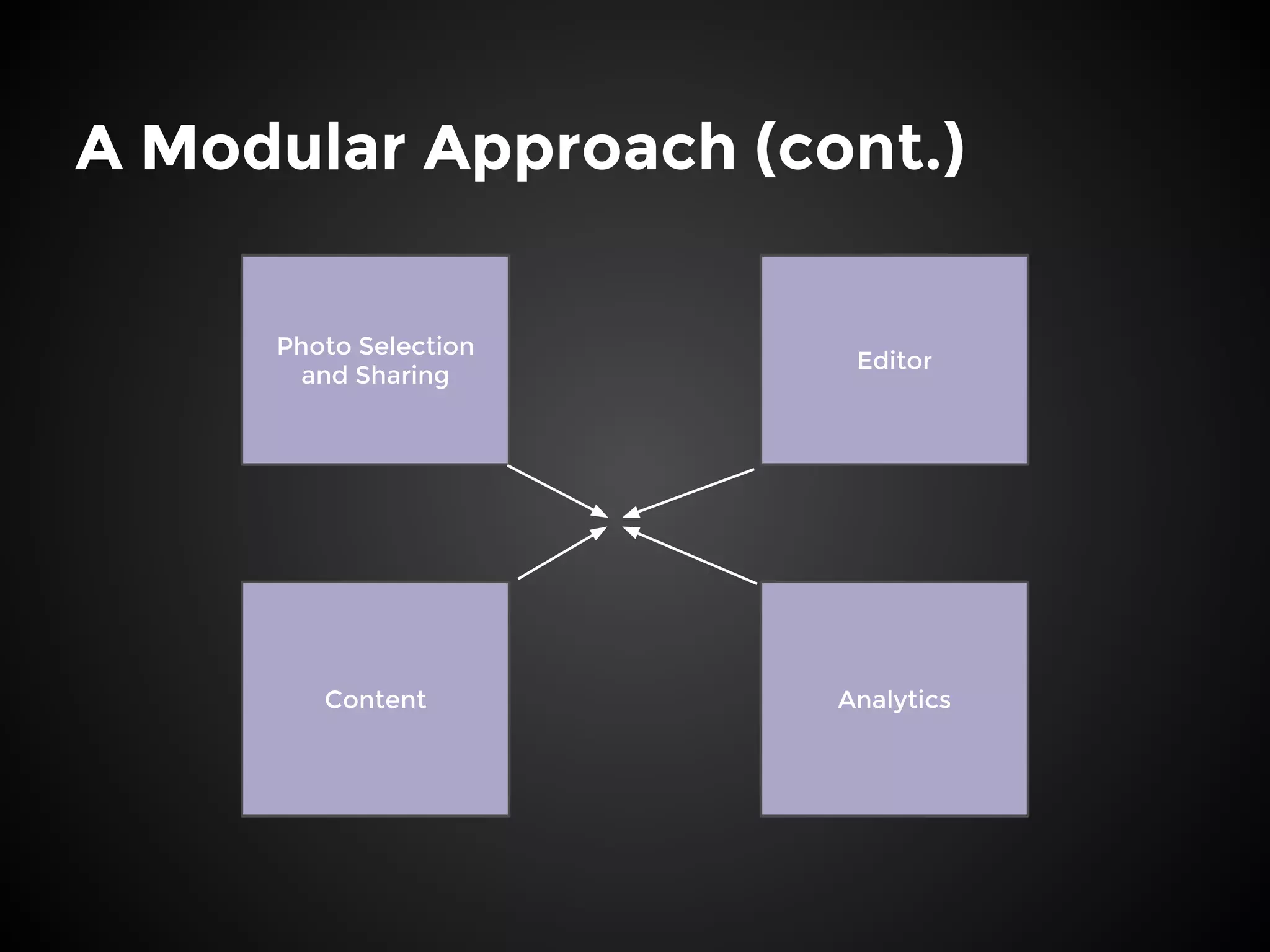
A Modular Approach (cont.)
Editor
Photo Selection
and Sharing
Content Analytics
Thin View Controllers
● One of the biggest problems was
bloated View Controllers
● Four Techniques:
○ Using modern APIs
○ Splitting View Controllers into categories
○ Composition over Subclassing
○ Data aware views
Modern APIs
● Previously, we were supporting iOS 5
● UICollectionView
● AutoLayout
Categorizing View Controllers
● View controllers can have many
different roles at once
● Group different aspects of the
Controller’s functionality into
categories
● Reduces the number of lines per file,
improves organization and code clarity
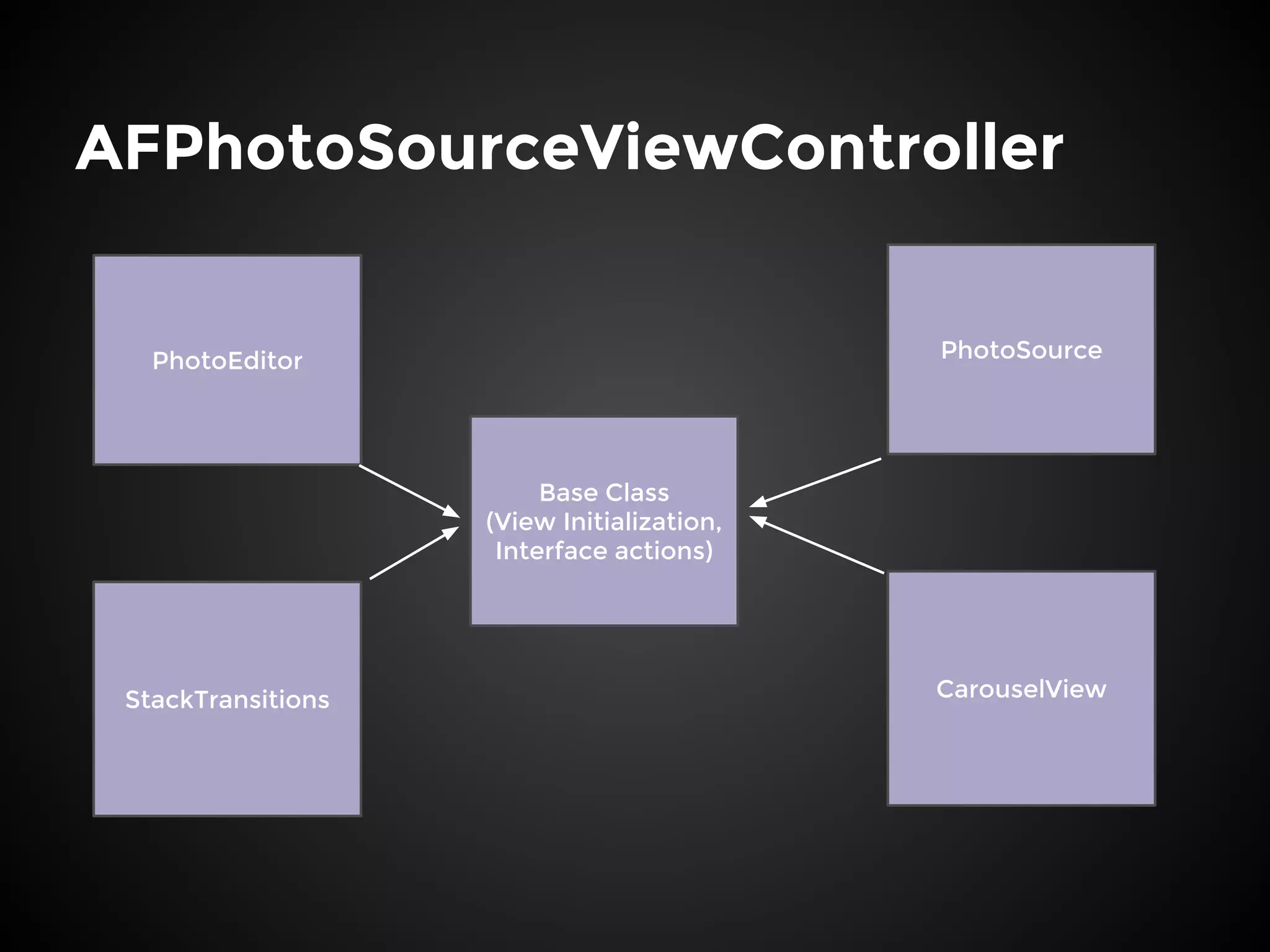
AFPhotoSourceViewController
PhotoSourcePhotoEditor
StackTransitions CarouselView
Base Class
(View Initialization,
Interface actions)
Composition over Subclassing
● Organize frequently used design
patterns into template objects
● Allows for code reuse for slices of
common functionality in objects that
do not share an inheritance chain
Collection View Data Source
● AFCollectionViewDataSource
● Takes an array of data objects and
UICollectionViewCell subclass
implementing the
AFCollectionViewDataSourceView
protocol
● Multi-Section versions too!
Selection Controller
● Creates a Collection View, initializes
the Layout and the Data Source
● Provides a common interface for View
Controllers to receive selection events
● Everything is centered around data
objects
Data Aware Views
● Certain views are designed solely to
represent a piece of data, i.e. an Effect
pack
● These views should be able to
configure themselves to represent a
particular data object
● Removes the configuration from the
View Controller
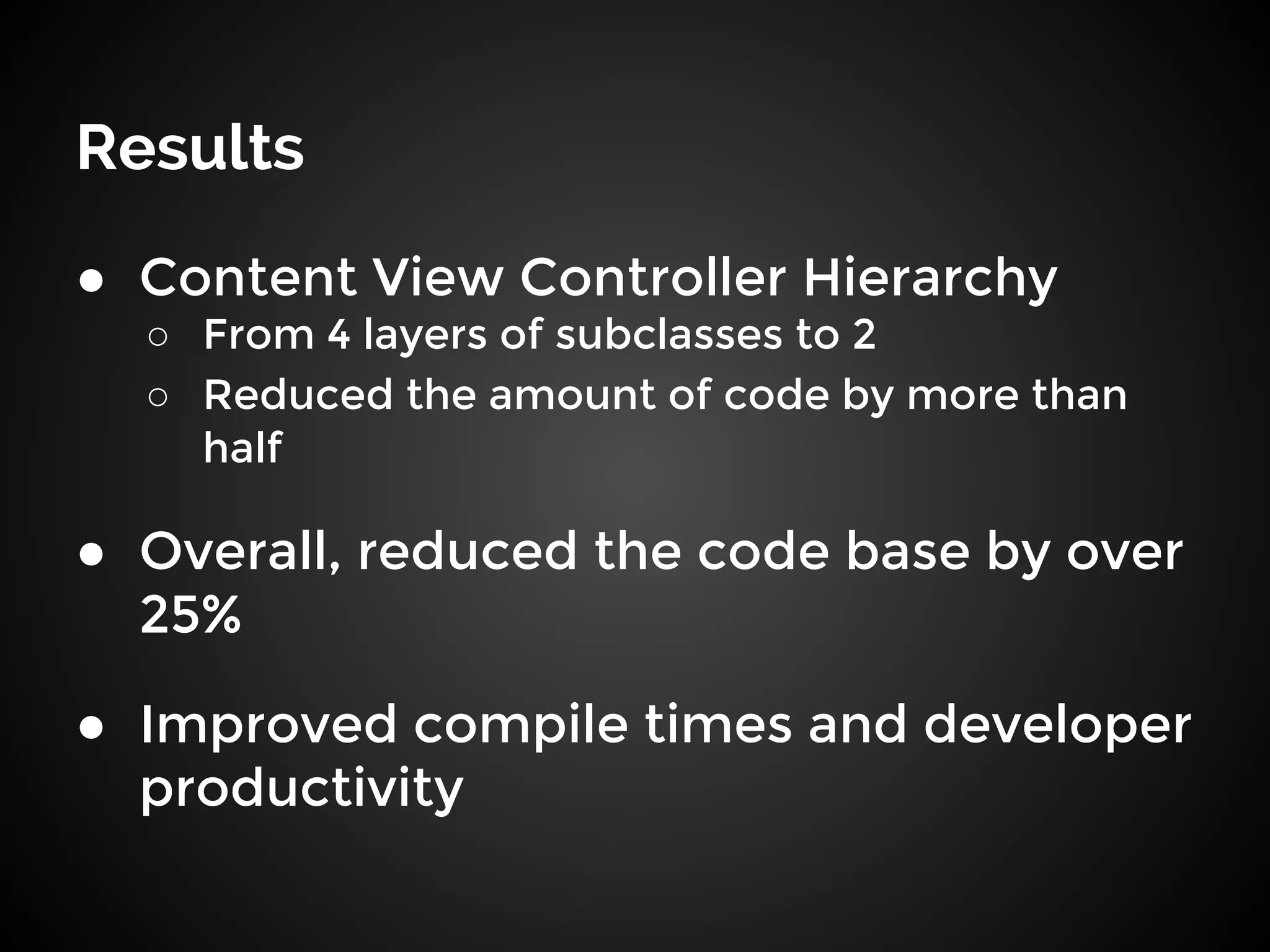
Results
● Content View Controller Hierarchy
○ From 4 layers of subclasses to 2
○ Reduced the amount of code by more than
half
● Overall, reduced the code base by over
25%
● Improved compile times and developer
productivity

Refreshing Your App in iOS 7

  • 1.
    Refreshing your appin iOS 7 Michael Vitrano @michaelvitrano
  • 2.
    Going iOS 7+ ●Impressive adoption rate: ~60% in less than a week ● Older versions of apps are available on iTunes ● Users expect their apps to be native to the iOS 7 ecosystem ● Awesome new APIs
  • 3.
    New APIs ● TextKit ● UIKit Dynamics ● Multitasking ● Custom View Controller Transitions
  • 4.
    Custom View ControllerTransitions ● Pre iOS 7, you could have implemented this functionality yourself ● Required hacks, manually managing the process ● Using the new API, these types of transitions require much less code and effort
  • 5.
    iOS 7 asan Engineering Refresh ● You’re going to be rethinking and revamping almost every part of your app’s experience ● Given this, an iOS 7 update is the perfect opportunity to rethink your app’s architecture and organization.
  • 6.
  • 7.
  • 8.
    A Modular Approach(cont.) Editor Photo Selection and Sharing Content Analytics
  • 9.
    Thin View Controllers ●One of the biggest problems was bloated View Controllers ● Four Techniques: ○ Using modern APIs ○ Splitting View Controllers into categories ○ Composition over Subclassing ○ Data aware views
  • 10.
    Modern APIs ● Previously,we were supporting iOS 5 ● UICollectionView ● AutoLayout
  • 11.
    Categorizing View Controllers ●View controllers can have many different roles at once ● Group different aspects of the Controller’s functionality into categories ● Reduces the number of lines per file, improves organization and code clarity
  • 12.
  • 13.
    Composition over Subclassing ●Organize frequently used design patterns into template objects ● Allows for code reuse for slices of common functionality in objects that do not share an inheritance chain
  • 14.
    Collection View DataSource ● AFCollectionViewDataSource ● Takes an array of data objects and UICollectionViewCell subclass implementing the AFCollectionViewDataSourceView protocol ● Multi-Section versions too!
  • 15.
    Selection Controller ● Createsa Collection View, initializes the Layout and the Data Source ● Provides a common interface for View Controllers to receive selection events ● Everything is centered around data objects
  • 16.
    Data Aware Views ●Certain views are designed solely to represent a piece of data, i.e. an Effect pack ● These views should be able to configure themselves to represent a particular data object ● Removes the configuration from the View Controller
  • 17.
    Results ● Content ViewController Hierarchy ○ From 4 layers of subclasses to 2 ○ Reduced the amount of code by more than half ● Overall, reduced the code base by over 25% ● Improved compile times and developer productivity