Refresh: Augme Mobile

Editor's Notes

  • #2 I want to talk to you today about Augme Mobile, which is the company I co-founded and am working on full time these days.
  • #3  So the idea behind Augme is to allow ad agencies, packaging companies and individual brands to make their traditional media such as packaging, billboards, etc interactive using mobile technology. Usually, when you are in a store and you see a product package, you get whatever information the brand could fit onto the packaging, and that’s it. Our goal is to make it easier for you (as a mobile phone user and a consumer) to get more information about a product when you see it in store, reduce the effort required to get this information, and hopefully allow the kind of interaction with the brand that might lead to a relationship.
  • #4  So what we’ve done is create a web portal that allows interested parties to come in and make their packaging, advertising material, etc interactive. We can divide the services we offer roughly into four categories. The first category is “Mobile Response”, and it deals with how the target audience begins the interaction. We let our users create QR codes, text messaging campaigns and more.
  • #5  We also help our users with the content of the interaction. Different mobile phones support different media formats, have different screen sizes, etc, so content needs to be adapted to different mobile devices. We also help source media that might be useful in campaigns.
  • #6  Finally, we help our clients track the interactions that come from their traditional media.
  • #7  So the first thing I want to talk about is the mobile response part. This will take up the bulk of my presentation.
  • #8  On this slide you see a bunch of different- what we call “tags”. First up are 2D barcodes, which can be read using a mobile phone camera and appropriate software. We typically put a web address into these and use them to initiate a web session, although they can be used to hold plain text, phone numbers, etc. There are two popular kinds that we support- QR codes and datamatrix. Most barcode readers available for phones support both of these.
  • #9  We also allow clients to create text messaging responses, like the one shown here. I’m sure you’ve seen these before. We typically use these to return a web address to a phone user so that they can initiate a web session.
  • #10  So those are the two kinds of tag we currently support, but we’re soon going to support two more kinds. Users will be able to upload images such as logos that can then be recognised by popular image recognition systems like Snaptell and Spyderlink.
  • #11  Users will also be able to upload audio files that can be recognised by software like Shazam.
  • #12  In future, as other kinds of mobile interaction become available and practical, we will add these to our arsenal.
  • #13  We actually recommend that all of our clients use text messaging in their mobile campaigns. That’s because just about every phone supports it. You can try out the text messaging by texting “Refresh” to 87415.
  • #14  In that particular example, you should receive a link back to your phone that you can click to get to RefreshMiami.org. We can also return plain text, media like ringtones, wallpapers, etc.
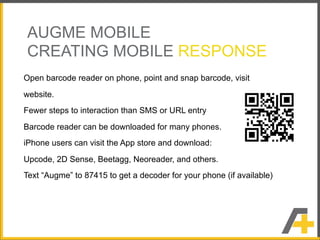
  • #15  QR codes and datamatrix codes are a more exciting type of response than text messaging and lots of people want to use them in campaigns because it’s a new technology. You need to have barcode reading software on your phone to decode the barcodes. On some phones like the Nokia N95 and others, there is a built-in barcode reader, but with most phones you have to download one. We have a mobile site from which anyone can download the appropriate reader for their phone. Actually, we don’t provide the decoders, but we have done some testing to determine which readers work best with which phones and we make recommendations on the site. You can get to the site by texting AUGME to 87415.
  • #17  iPhone users can download any of a number of available decoders from the App store. I recommend Upcode and Beetagg.