Refactoring Database Perficient China Lancelot Zhu [email_address]
Agenda Evolutionary Database Development The Process of Database Refactoring Database Refactoring Strategies Database Refactoring Patterns
Evolutionary Database Development
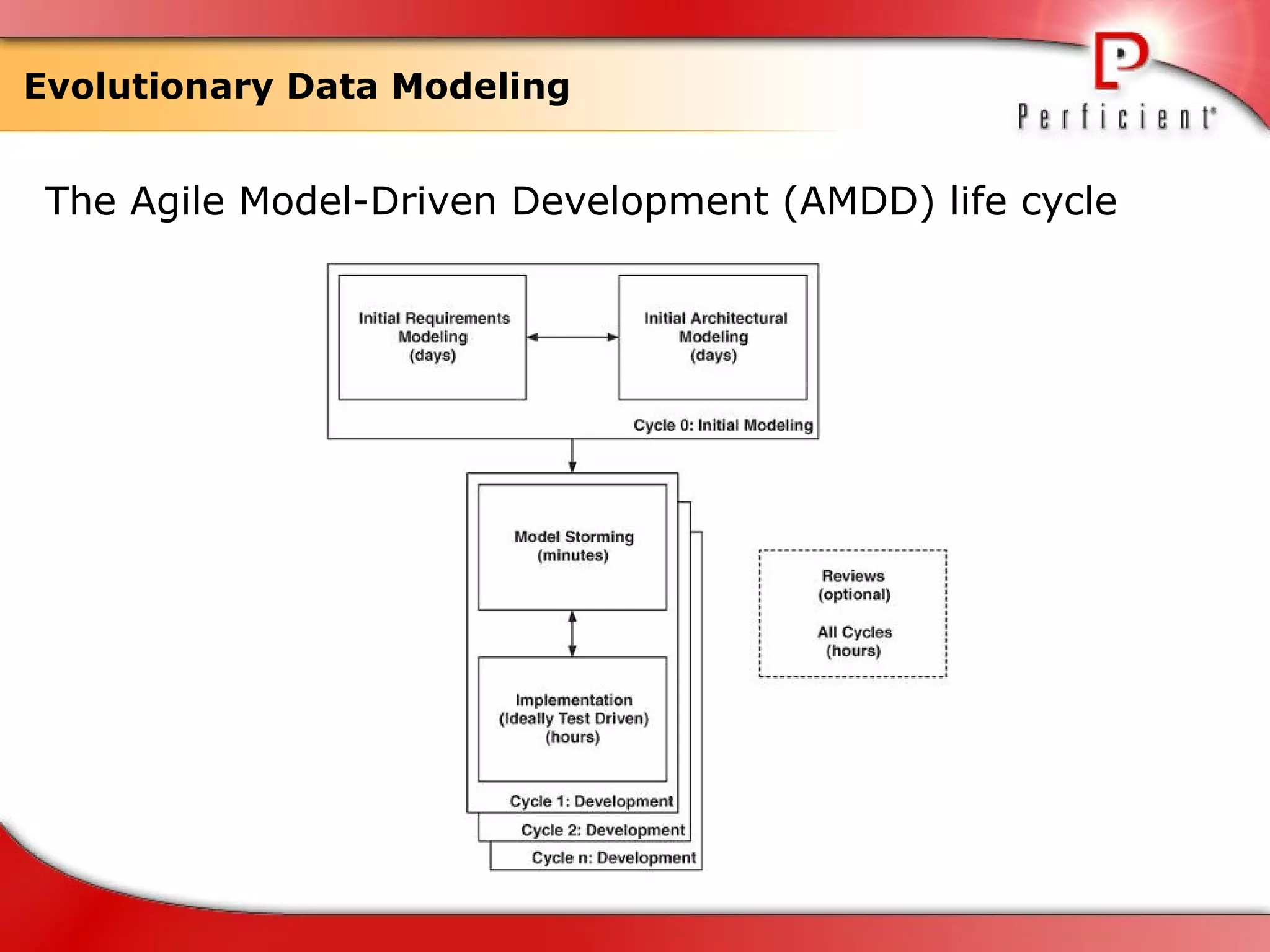
Evolutionary Data Modeling The Agile Model-Driven Development (AMDD) life cycle
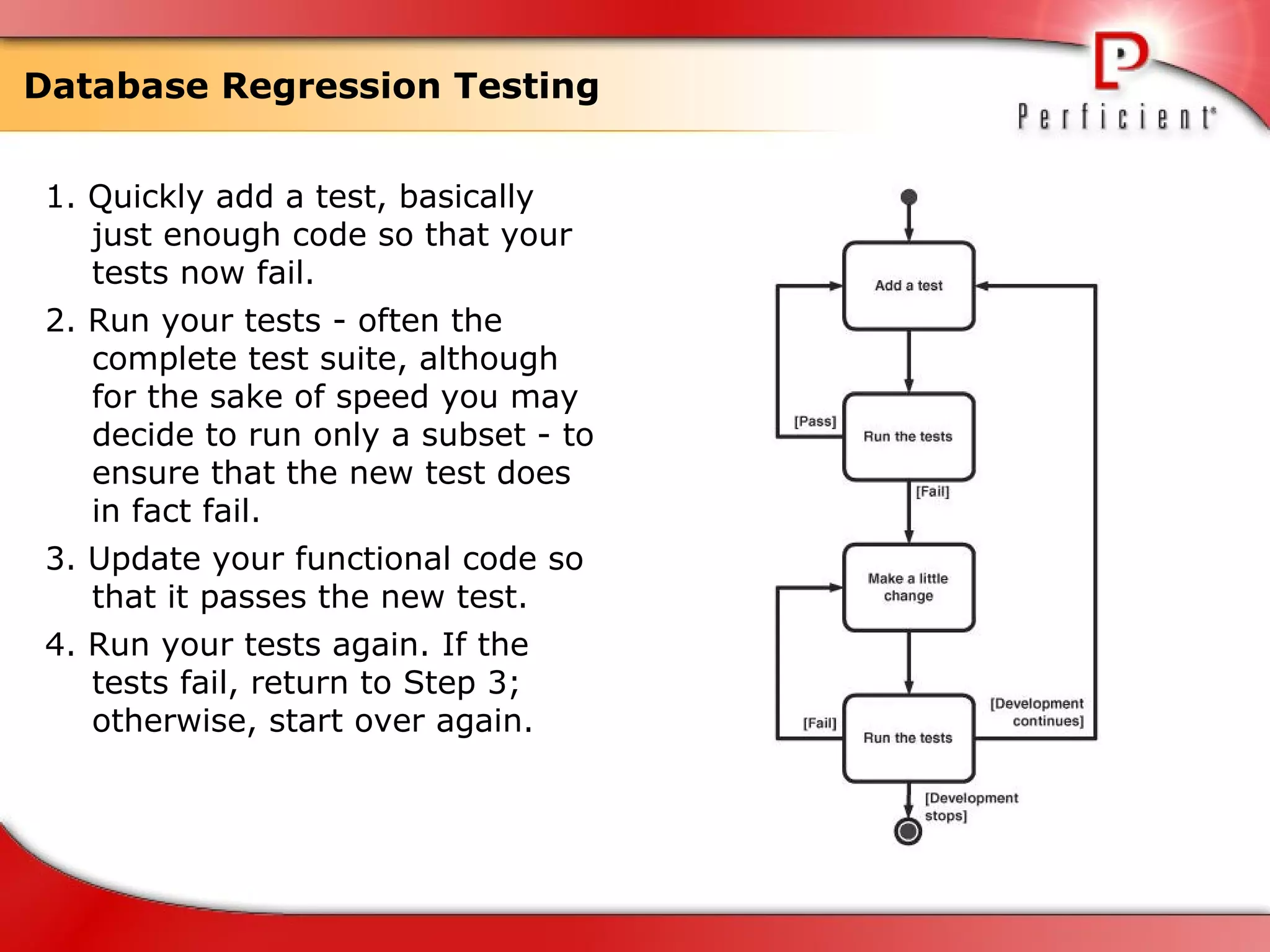
Database Regression Testing 1. Quickly add a test, basically just enough code so that your tests now fail. 2. Run your tests - often the complete test suite, although for the sake of speed you may decide to run only a subset - to ensure that the new test does in fact fail. 3. Update your functional code so that it passes the new test. 4. Run your tests again. If the tests fail, return to Step 3; otherwise, start over again.
Configuration Management of Database Artifacts  Data definition language (DDL) scripts to create the database schema Data load/extract/migration scripts Data model files Object/relational mapping meta data Reference data Stored procedure and trigger definitions View definitions Referential integrity constraints Other database objects like sequences, indexes, and so on Test data Test data generation scripts Test scripts
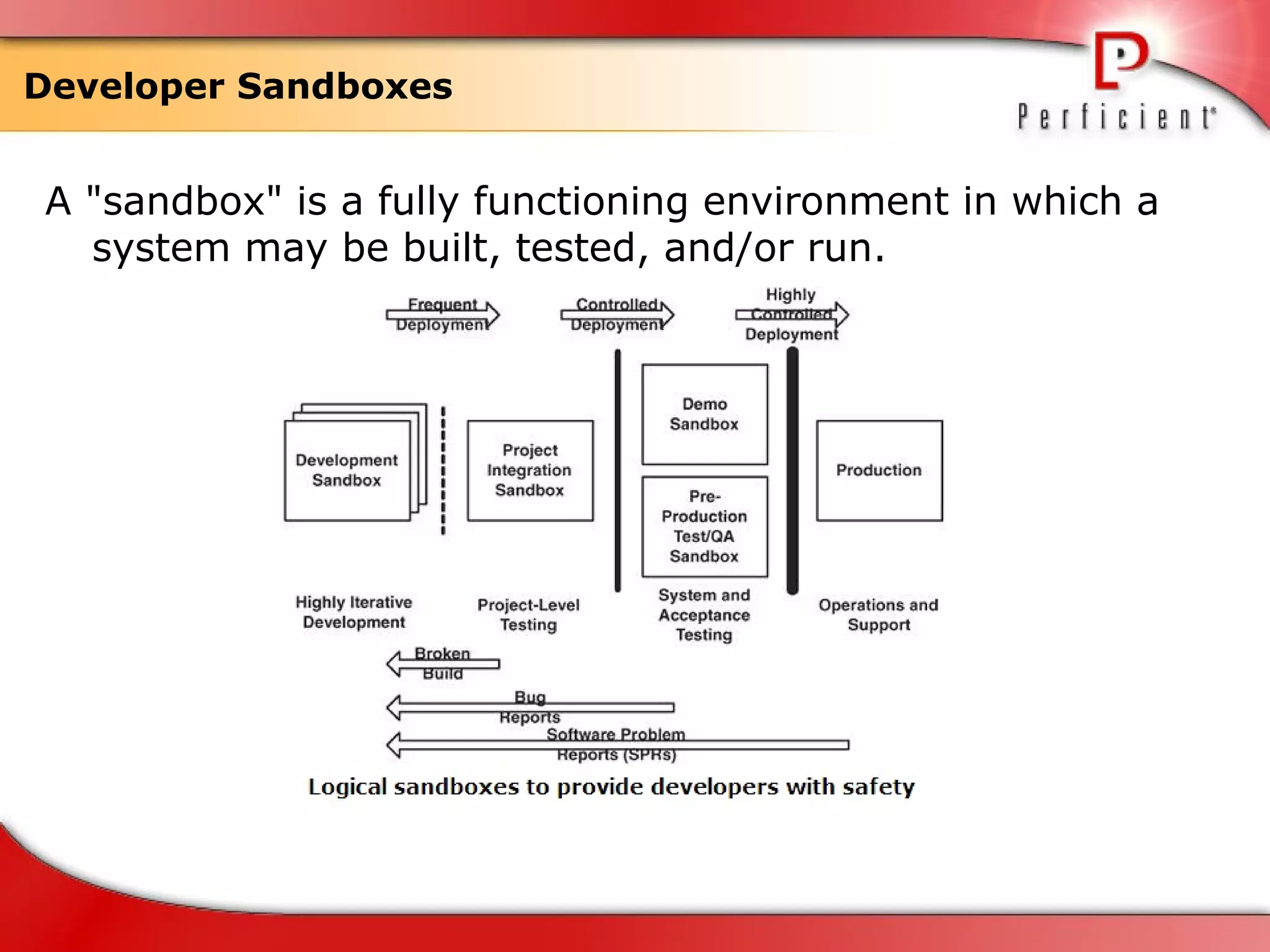
Developer Sandboxes  A "sandbox" is a fully functioning environment in which a system may be built, tested, and/or run.
The Process of Database Refactoring
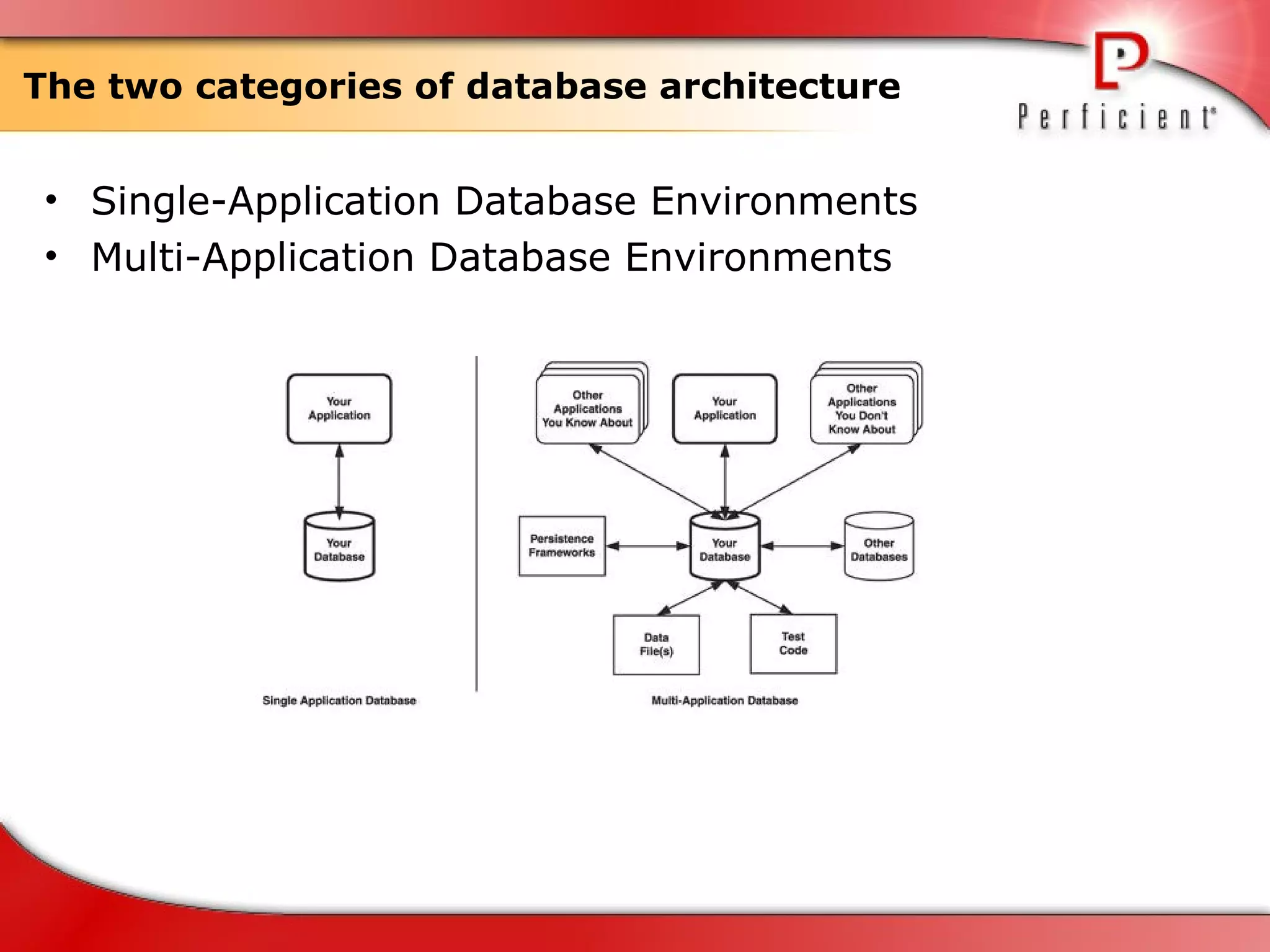
The two categories of database architecture Single-Application Database Environments Multi-Application Database Environments
Database Smells Multipurpose column Multipurpose table Redundant data Tables with too many columns Tables with too many rows "Smart" columns Fear of change
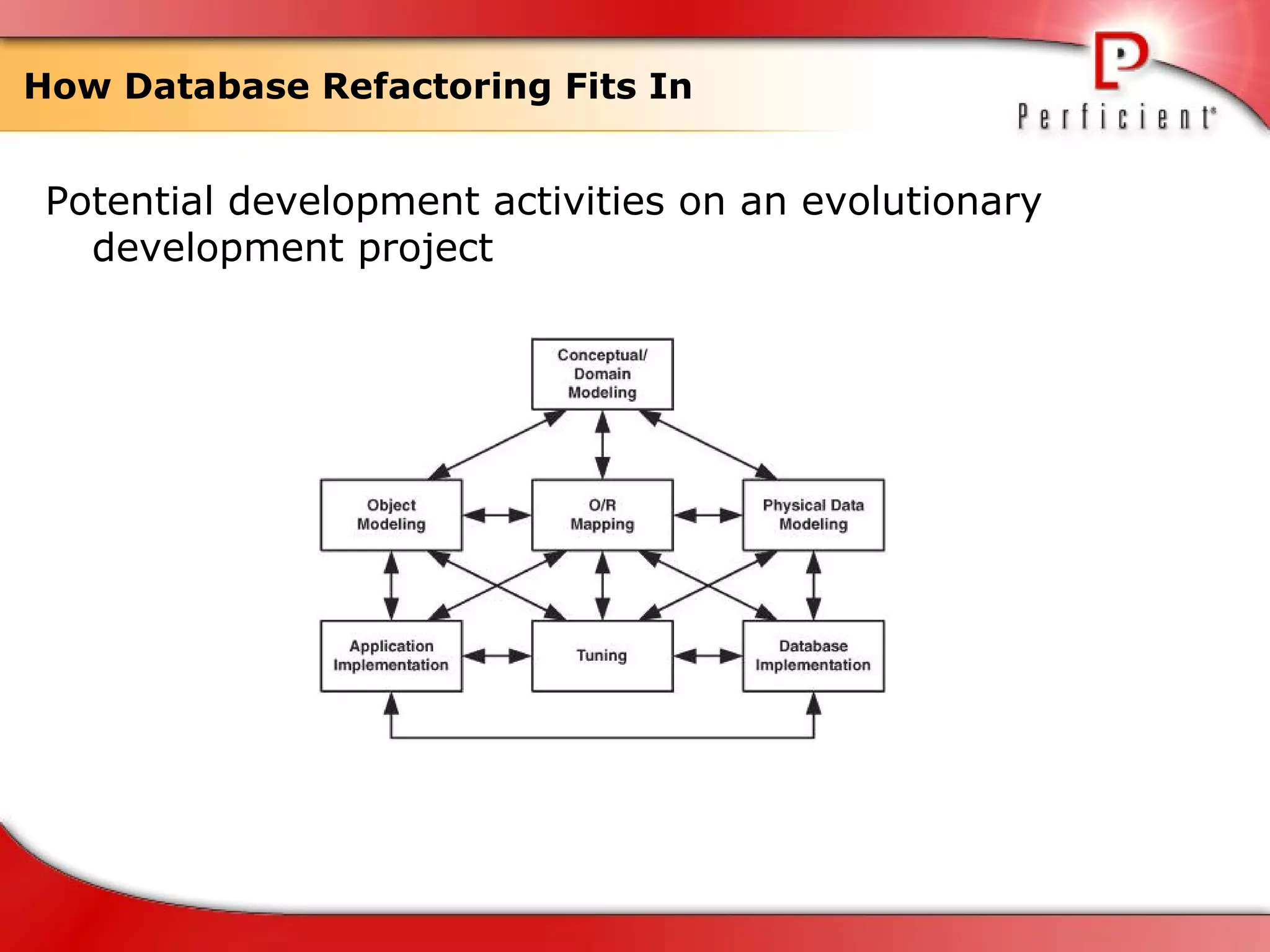
How Database Refactoring Fits In  Potential development activities on an evolutionary development project
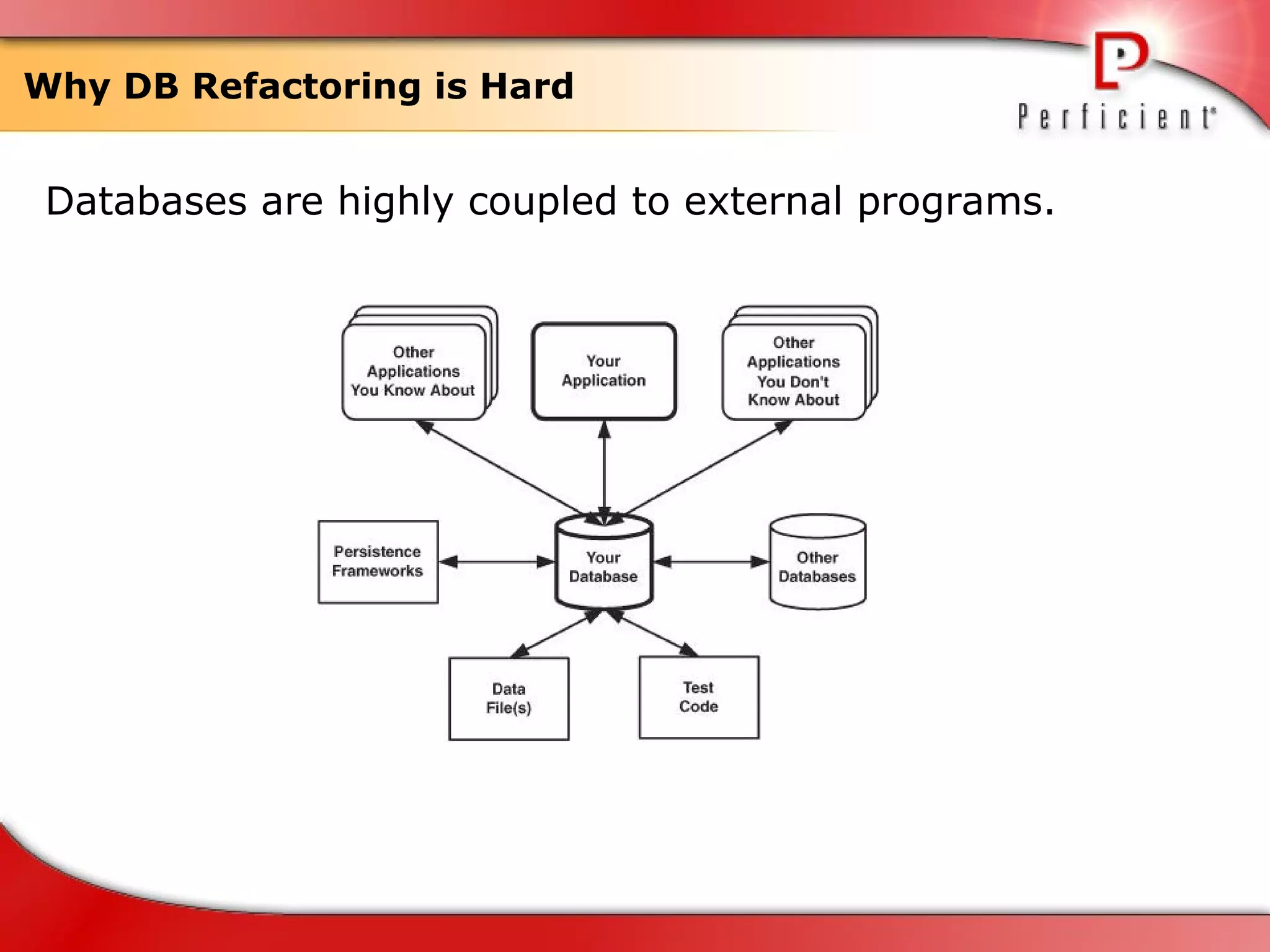
Why DB Refactoring is Hard Databases are highly coupled to external programs.
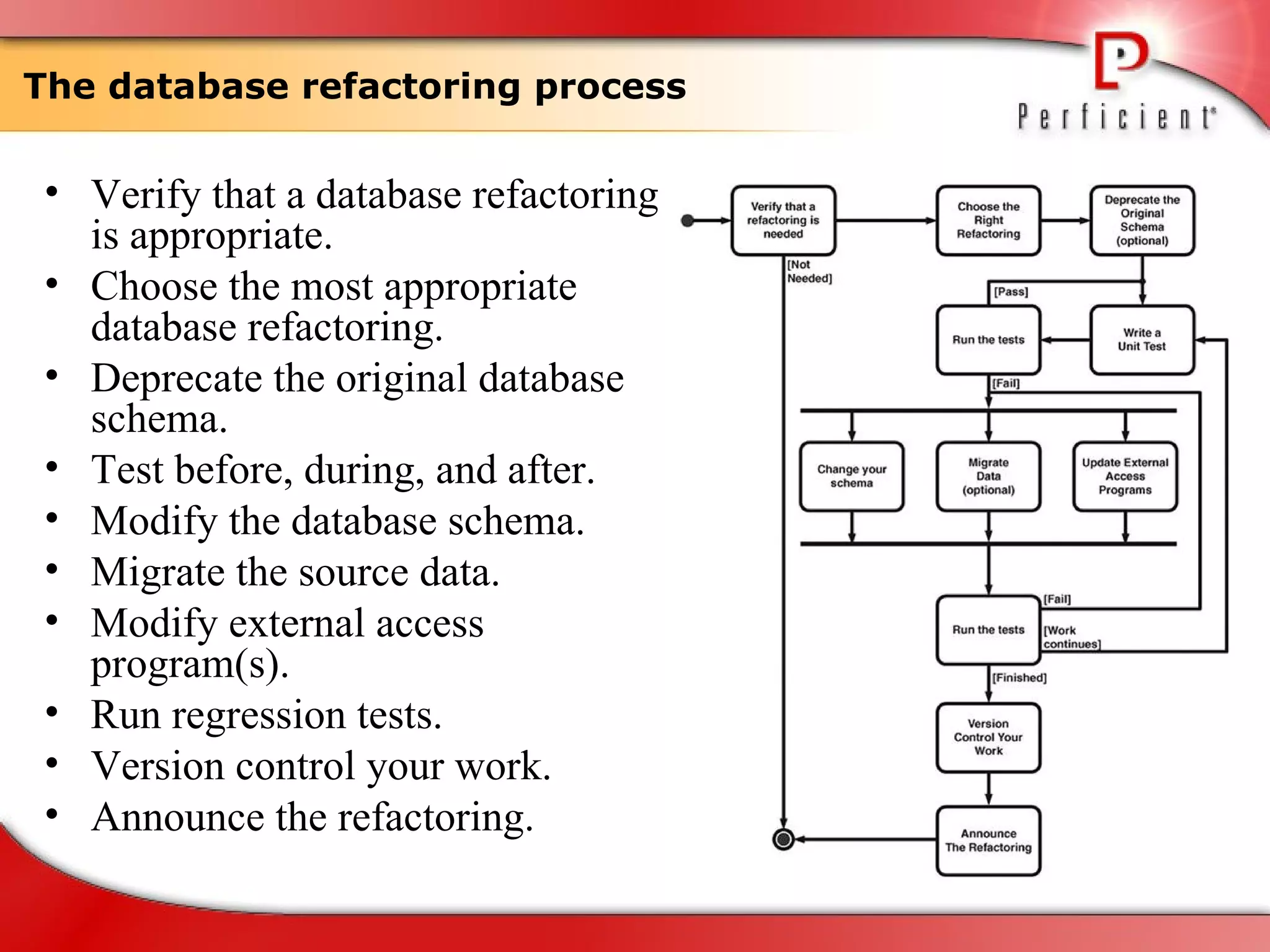
The database refactoring process  Verify that a database refactoring is appropriate. Choose the most appropriate database refactoring. Deprecate the original database schema. Test before, during, and after. Modify the database schema. Migrate the source data. Modify external access program(s). Run regression tests. Version control your work. Announce the refactoring.
Database Refactoring Strategies
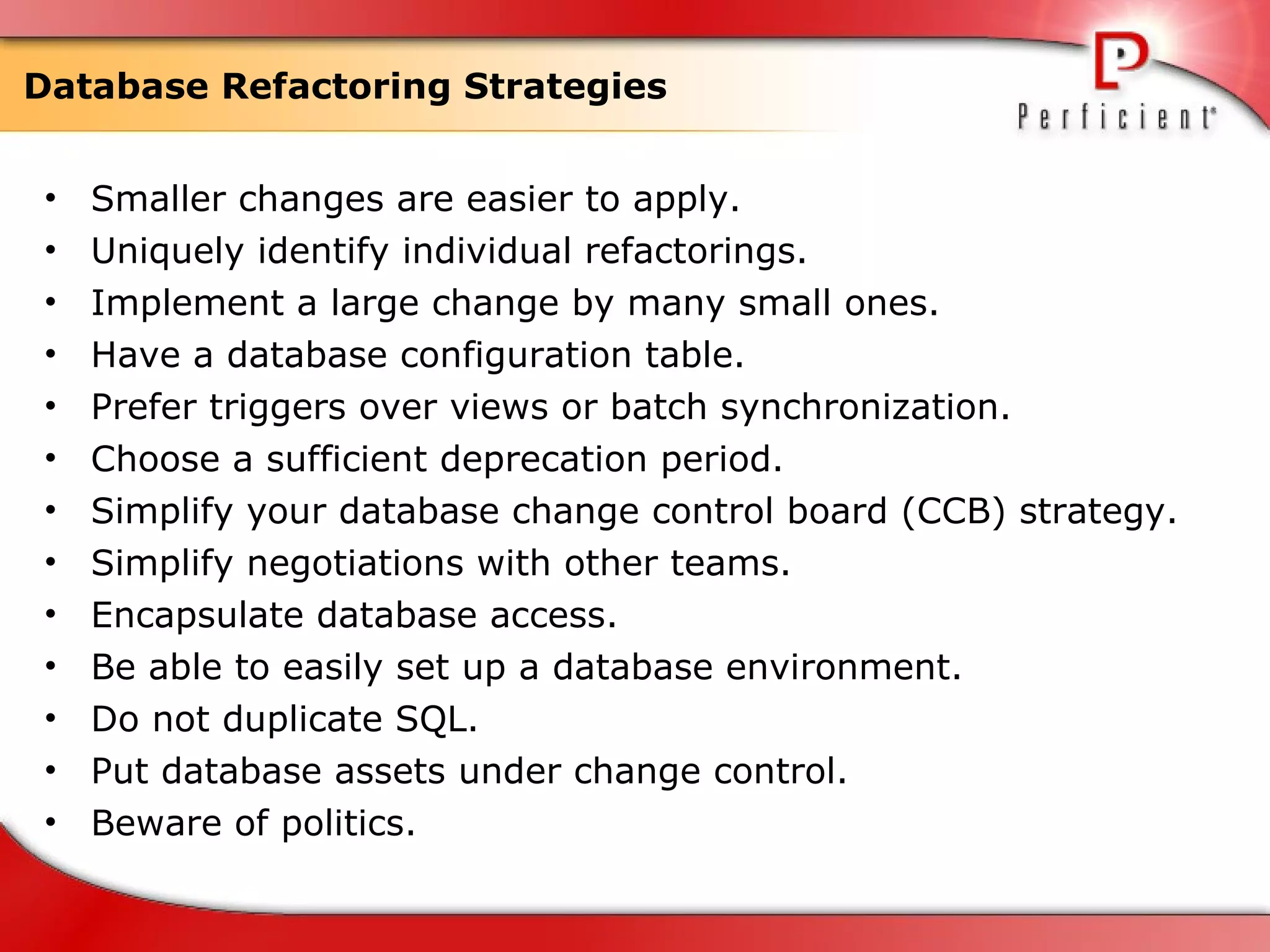
Database Refactoring Strategies Smaller changes are easier to apply. Uniquely identify individual refactorings. Implement a large change by many small ones. Have a database configuration table. Prefer triggers over views or batch synchronization. Choose a sufficient deprecation period. Simplify your database change control board (CCB) strategy. Simplify negotiations with other teams. Encapsulate database access. Be able to easily set up a database environment. Do not duplicate SQL. Put database assets under change control. Beware of politics.
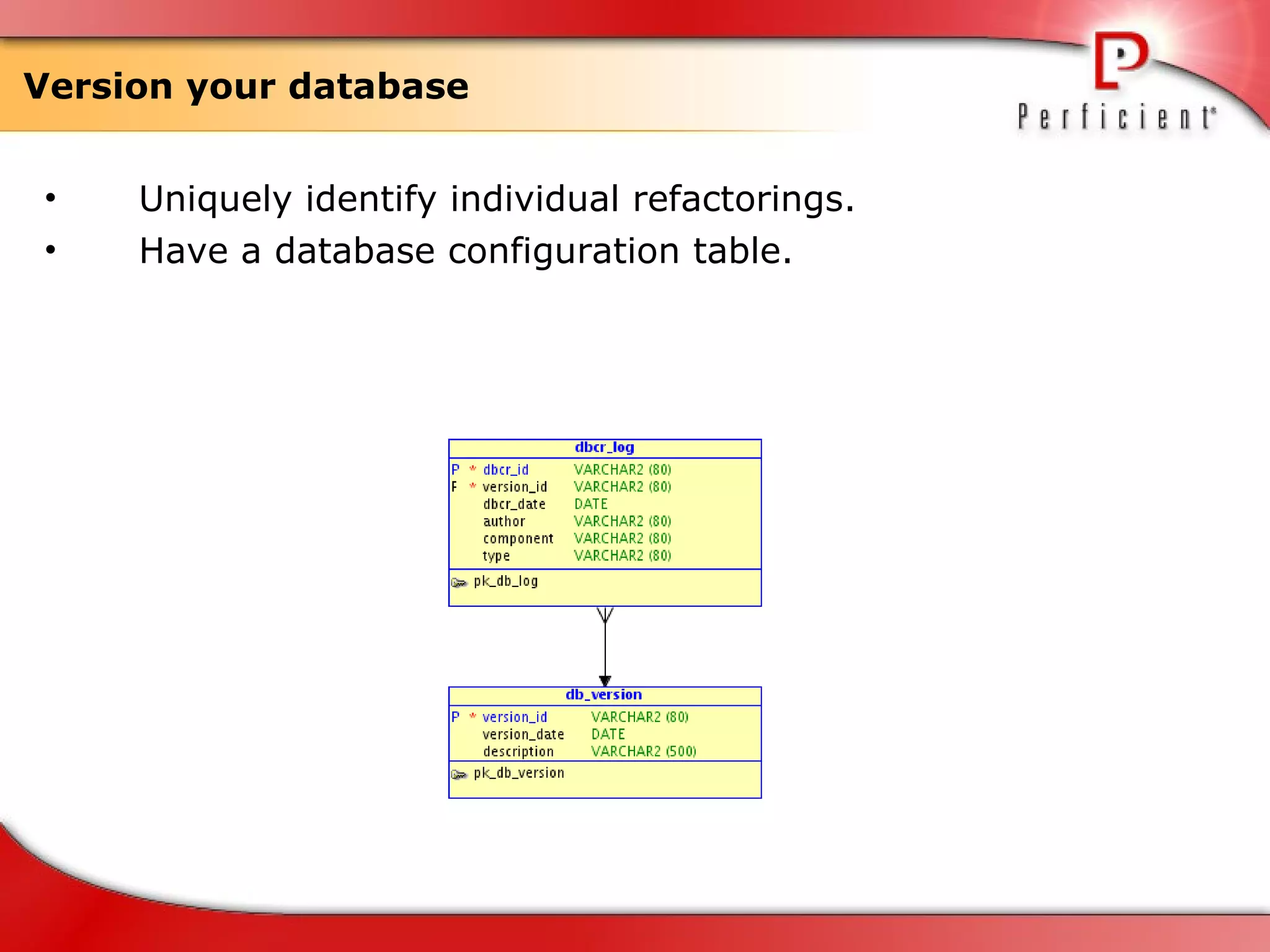
Version your database Uniquely identify individual refactorings. Have a database configuration table.
Database Refactoring Patterns
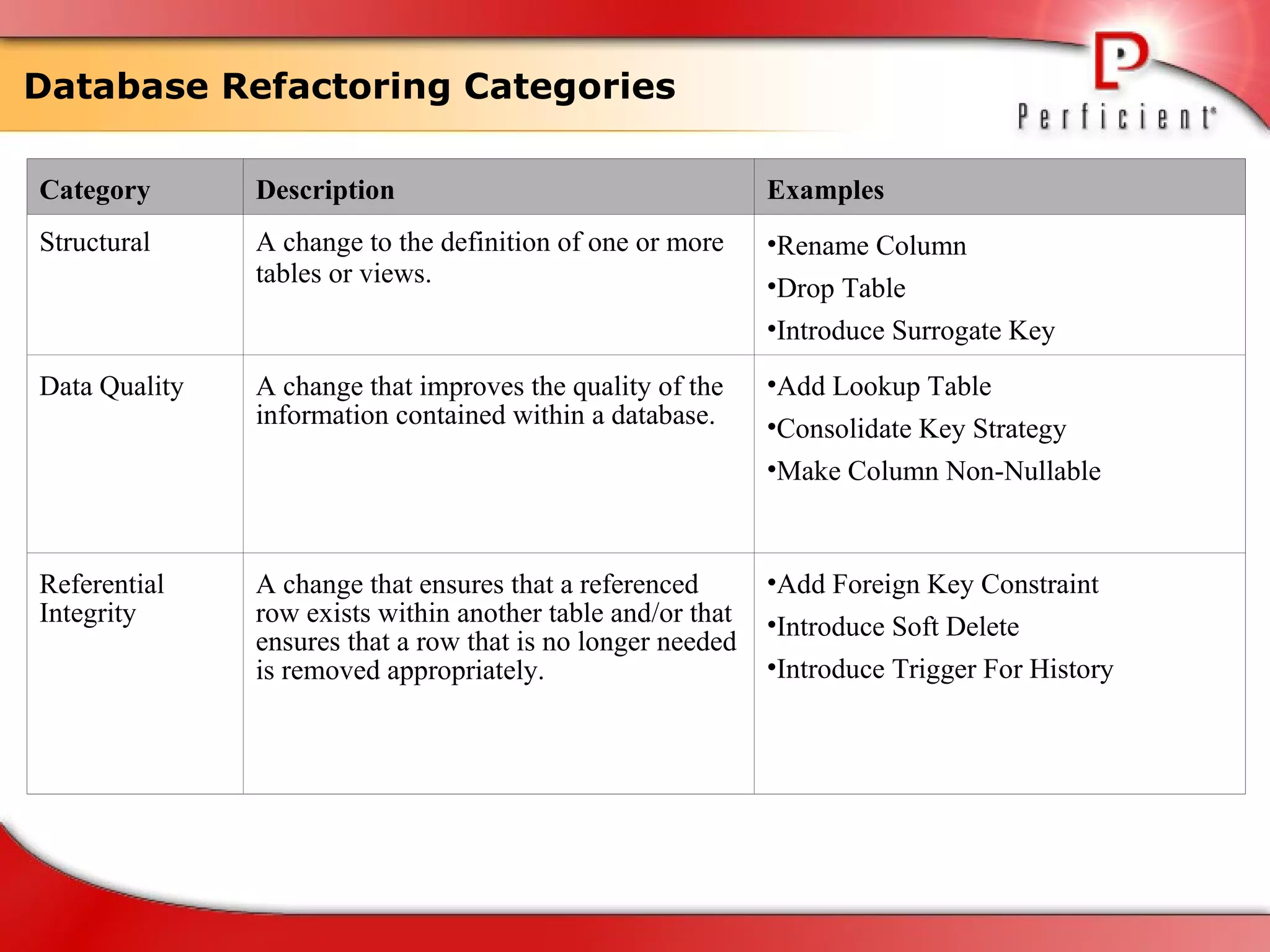
Database Refactoring Categories Category Description Examples Structural A change to the definition of one or more tables or views. Rename Column Drop Table Introduce Surrogate Key Data Quality A change that improves the quality of the information contained within a database. Add Lookup Table Consolidate Key Strategy Make Column Non-Nullable Referential Integrity A change that ensures that a referenced row exists within another table and/or that ensures that a row that is no longer needed is removed appropriately. Add Foreign Key Constraint Introduce Soft Delete Introduce Trigger For History
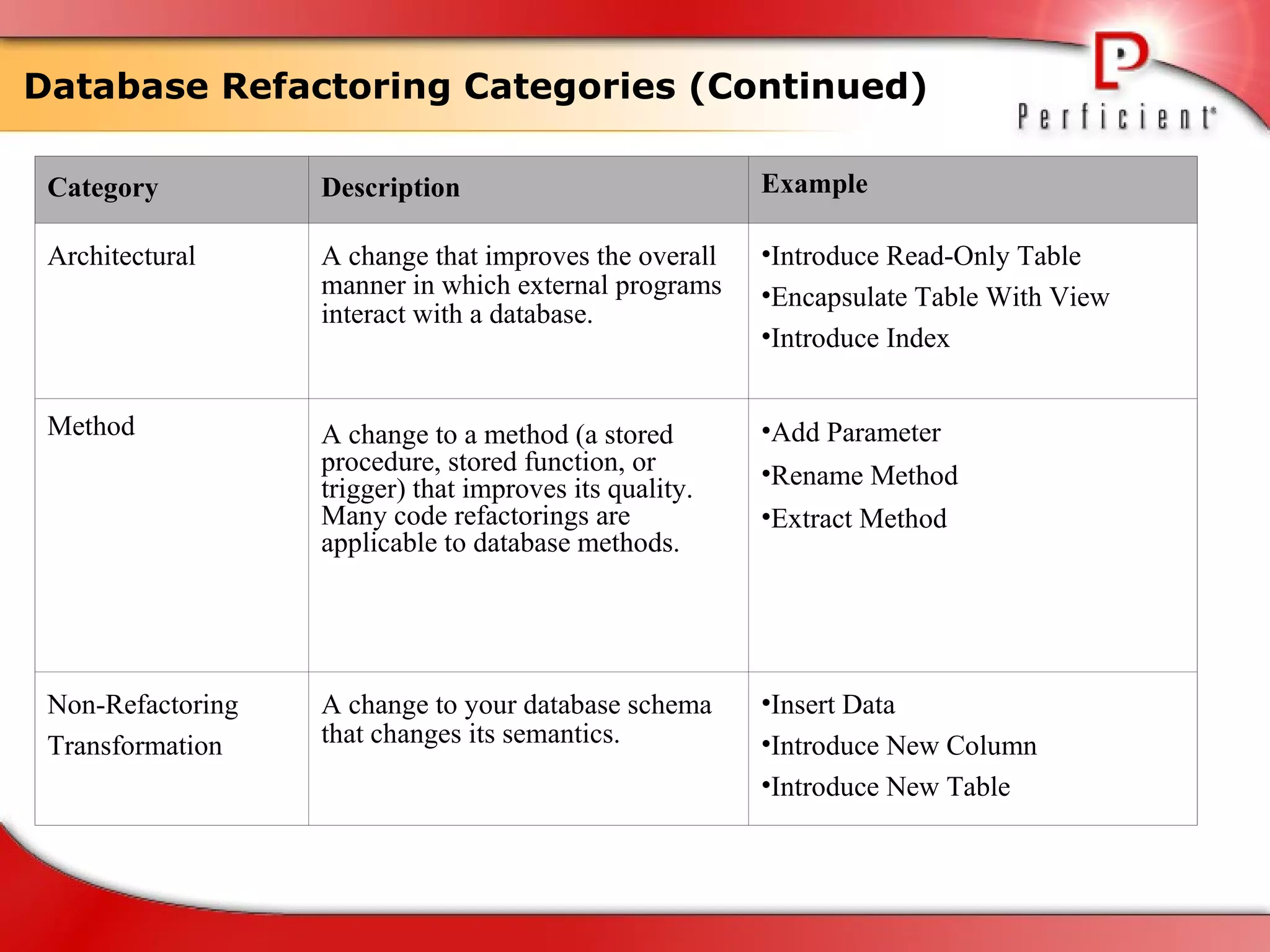
Database Refactoring Categories (Continued) Category Description Example Architectural A change that improves the overall manner in which external programs interact with a database. Introduce Read-Only Table Encapsulate Table With View Introduce Index Method A change to a method (a stored procedure, stored function, or trigger) that improves its quality. Many code refactorings are applicable to database methods. Add Parameter Rename Method Extract Method Non-Refactoring Transformation  A change to your database schema that changes its semantics. Insert Data Introduce New Column Introduce New Table
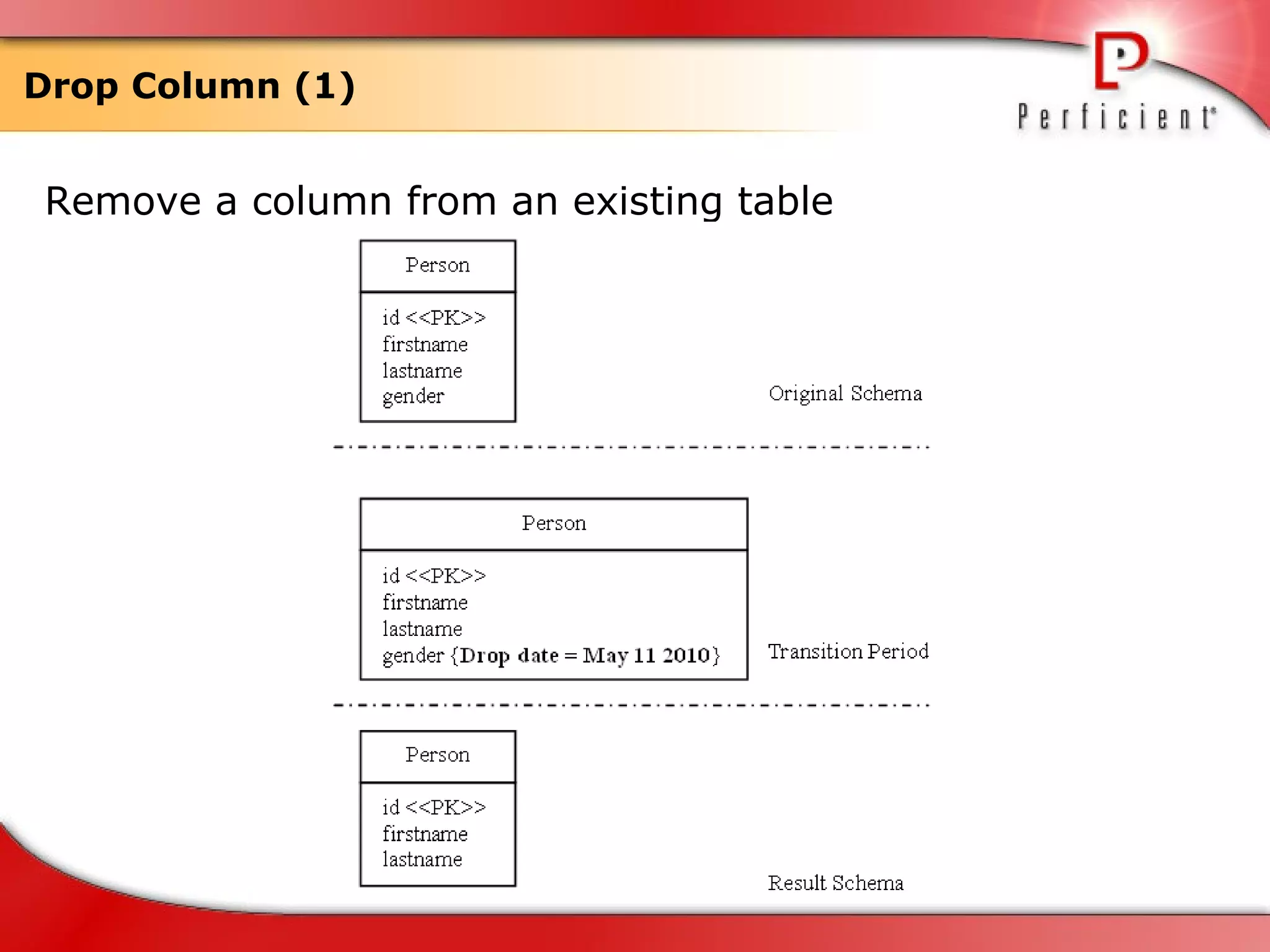
Drop Column (1) Remove a column from an existing table
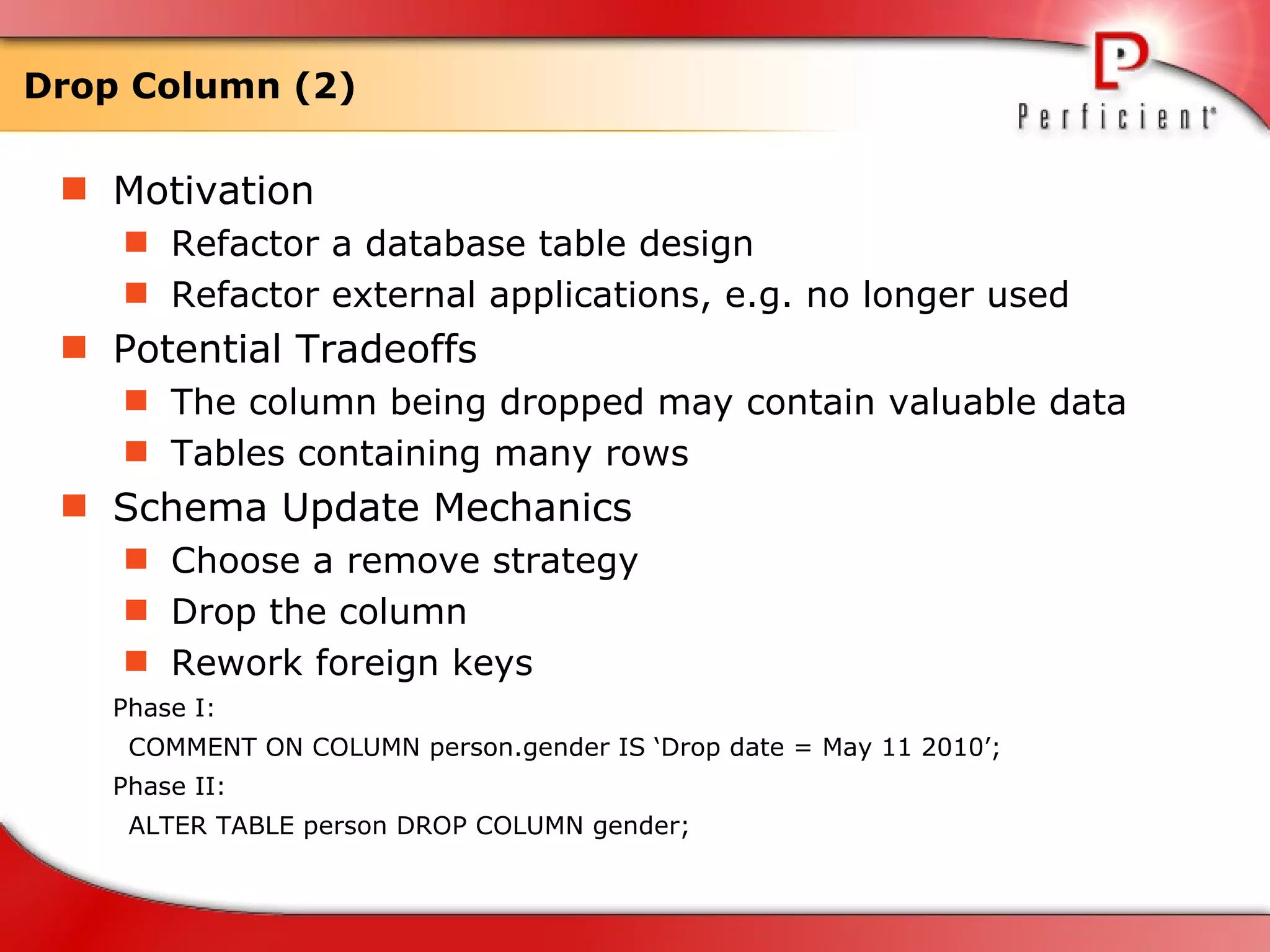
Drop Column (2) Motivation Refactor a database table design  Refactor external applications, e.g. no longer used  Potential Tradeoffs The column being dropped may contain valuable data  Tables containing many rows Schema Update Mechanics Choose a remove strategy Drop the column Rework foreign keys Phase I: COMMENT ON COLUMN person.gender IS ‘Drop date = May 11 2010’; Phase II: ALTER TABLE person DROP COLUMN gender;
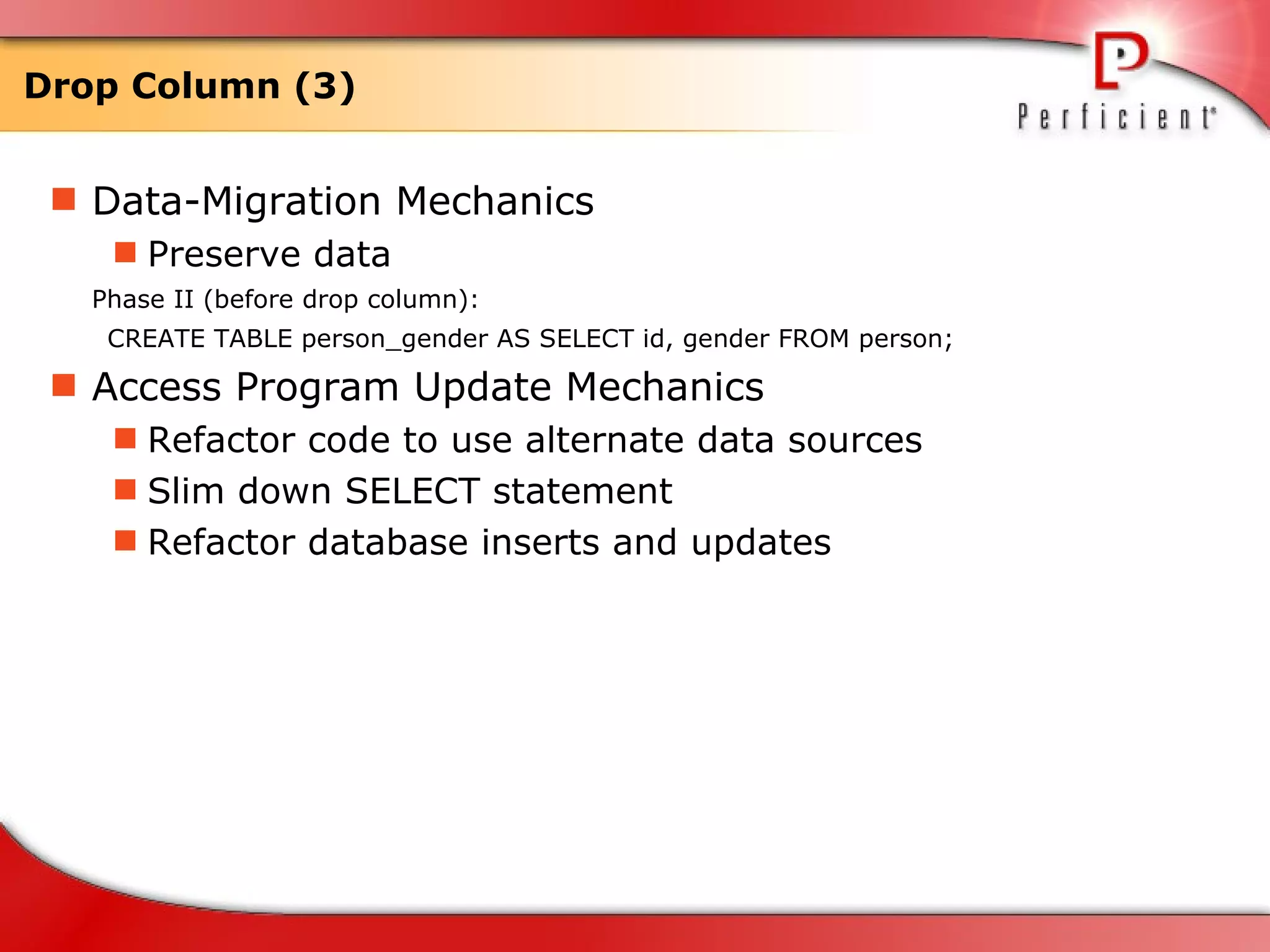
Drop Column (3) Data-Migration Mechanics Preserve data Phase II (before drop column): CREATE TABLE person_gender AS SELECT id, gender FROM person; Access Program Update Mechanics Refactor code to use alternate data sources Slim down SELECT statement Refactor database inserts and updates
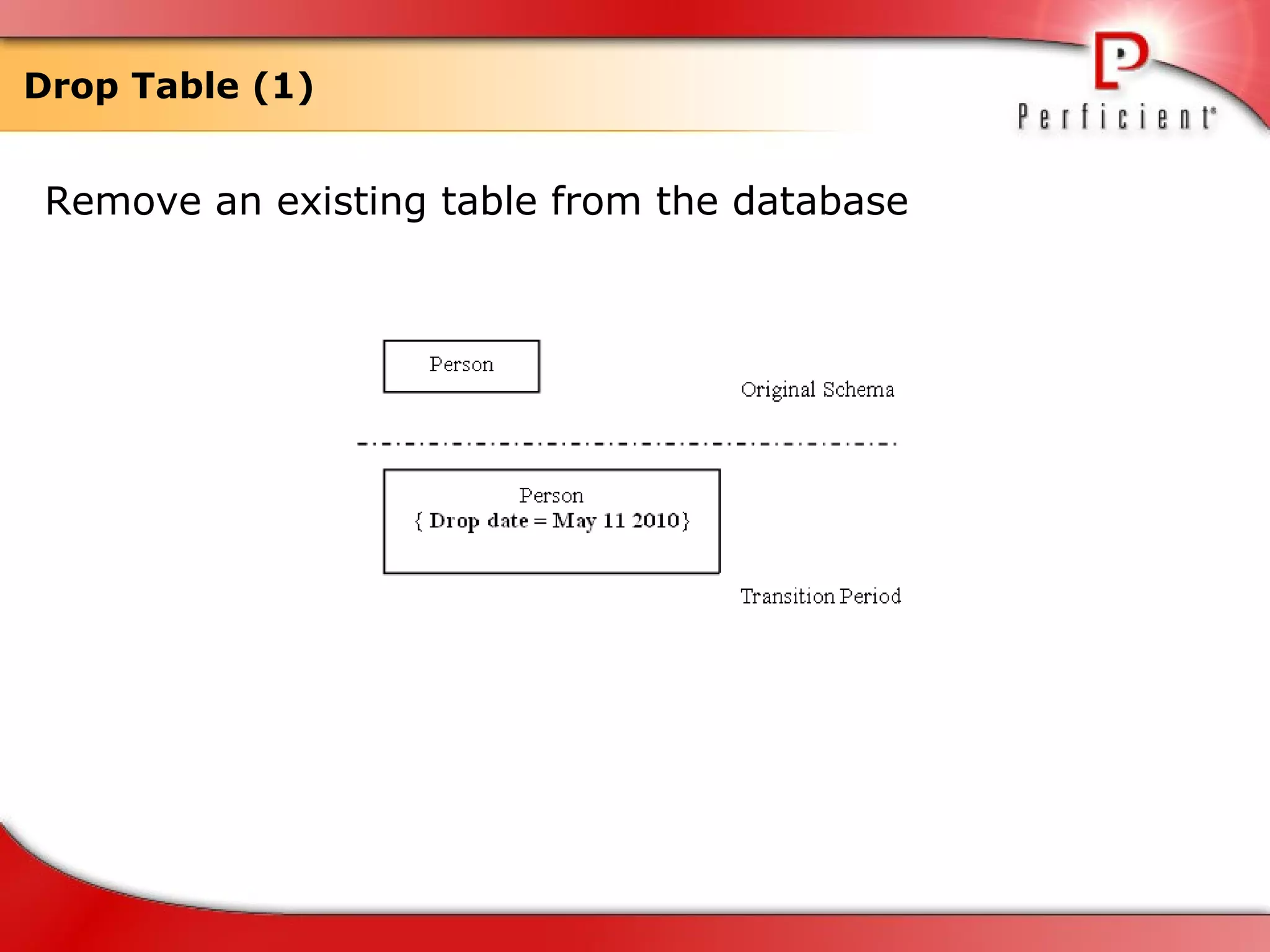
Drop Table (1) Remove an existing table from the database
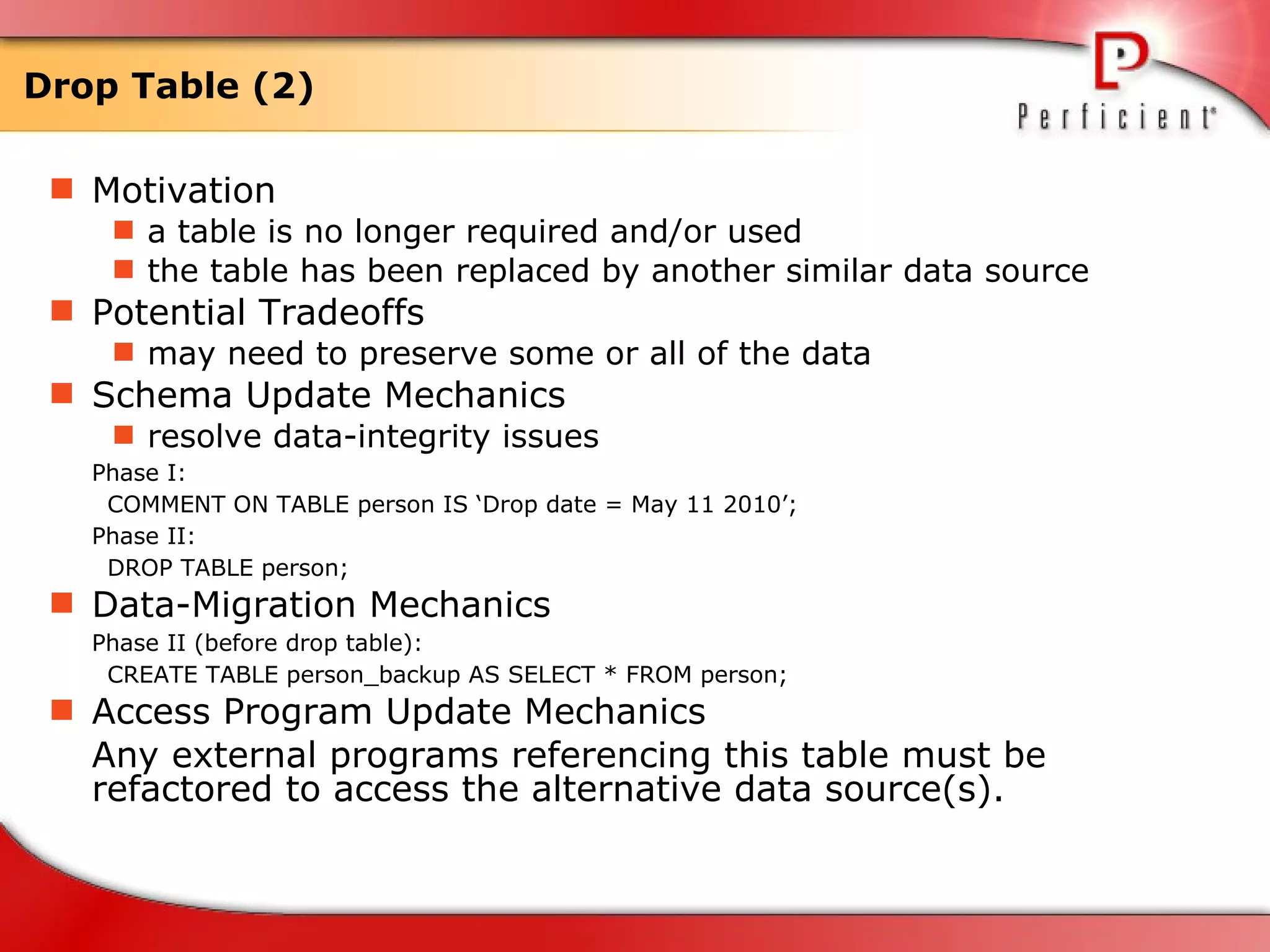
Drop Table (2) Motivation a table is no longer required and/or used  the table has been replaced by another similar data source  Potential Tradeoffs may need to preserve some or all of the data Schema Update Mechanics resolve data-integrity issues  Phase I: COMMENT ON TABLE person IS ‘Drop date = May 11 2010’; Phase II: DROP TABLE person; Data-Migration Mechanics Phase II (before drop table): CREATE TABLE person_backup AS SELECT * FROM person; Access Program Update Mechanics Any external programs referencing this table must be refactored to access the alternative data source(s).
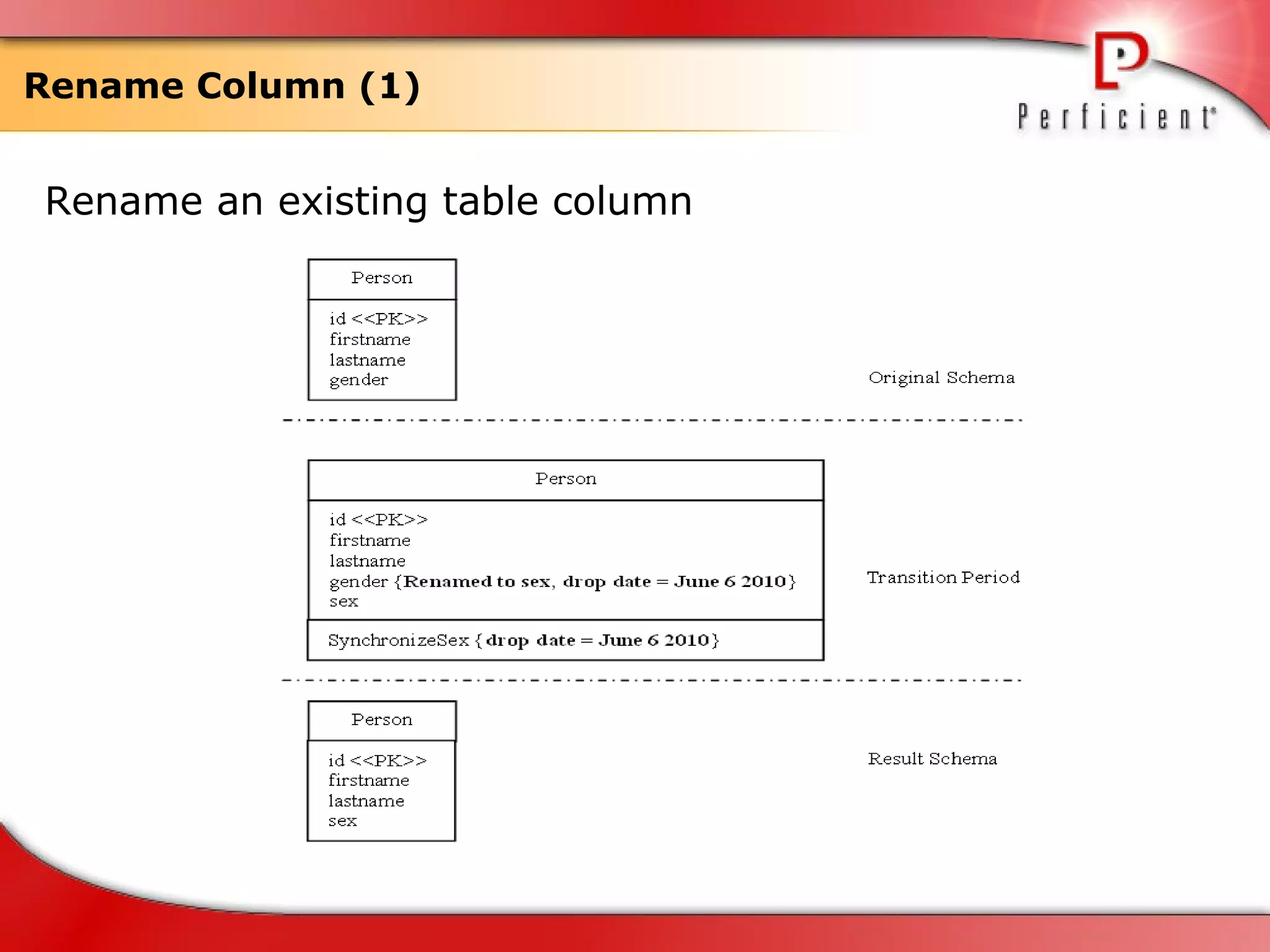
Rename Column (1) Rename an existing table column
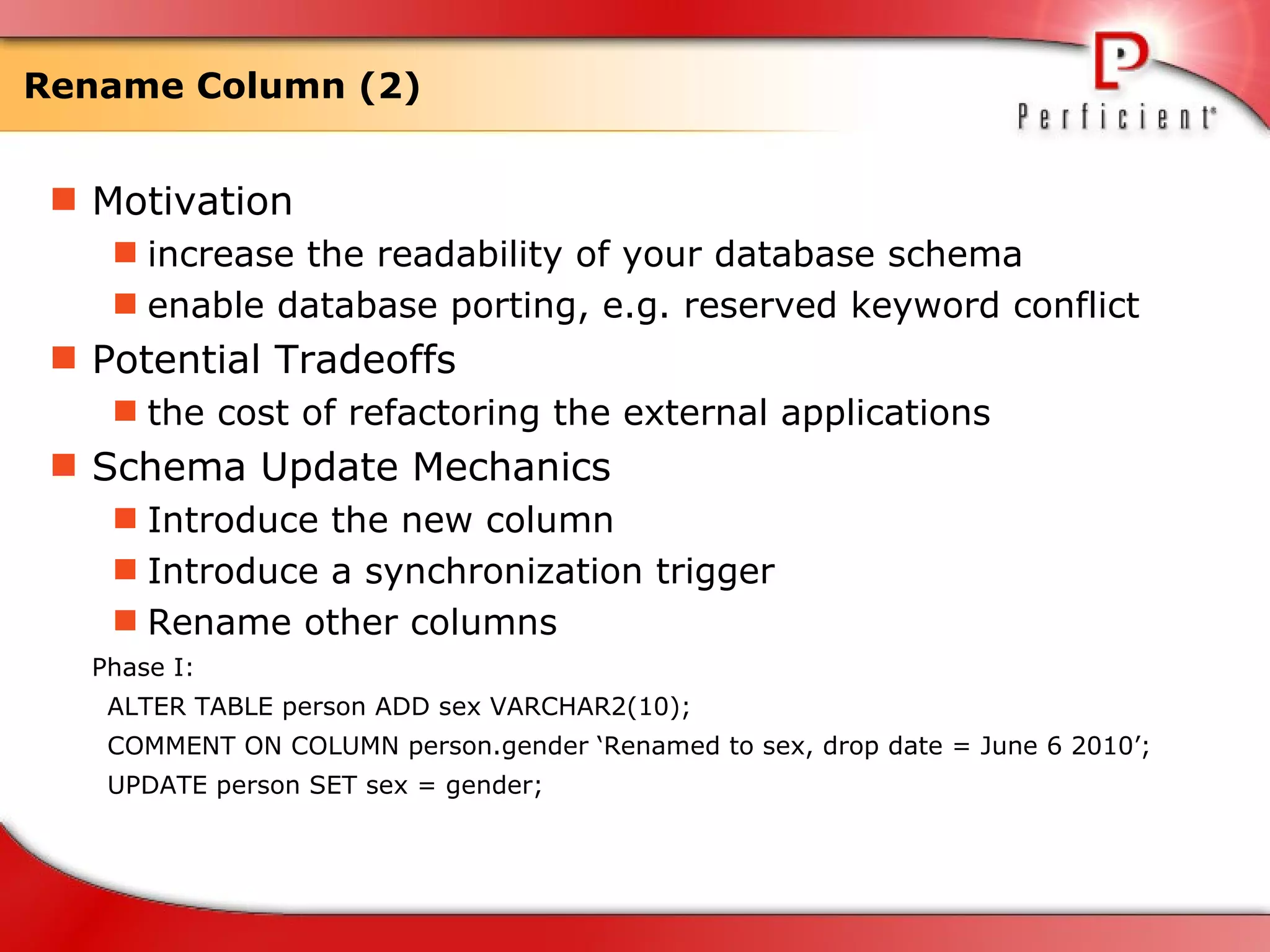
Rename Column (2) Motivation increase the readability of your database schema enable database porting, e.g. reserved keyword conflict Potential Tradeoffs the cost of refactoring the external applications  Schema Update Mechanics Introduce the new column  Introduce a synchronization trigger Rename other columns Phase I: ALTER TABLE person ADD sex VARCHAR2(10); COMMENT ON COLUMN person.gender ‘Renamed to sex, drop date = June 6 2010’; UPDATE person SET sex = gender;
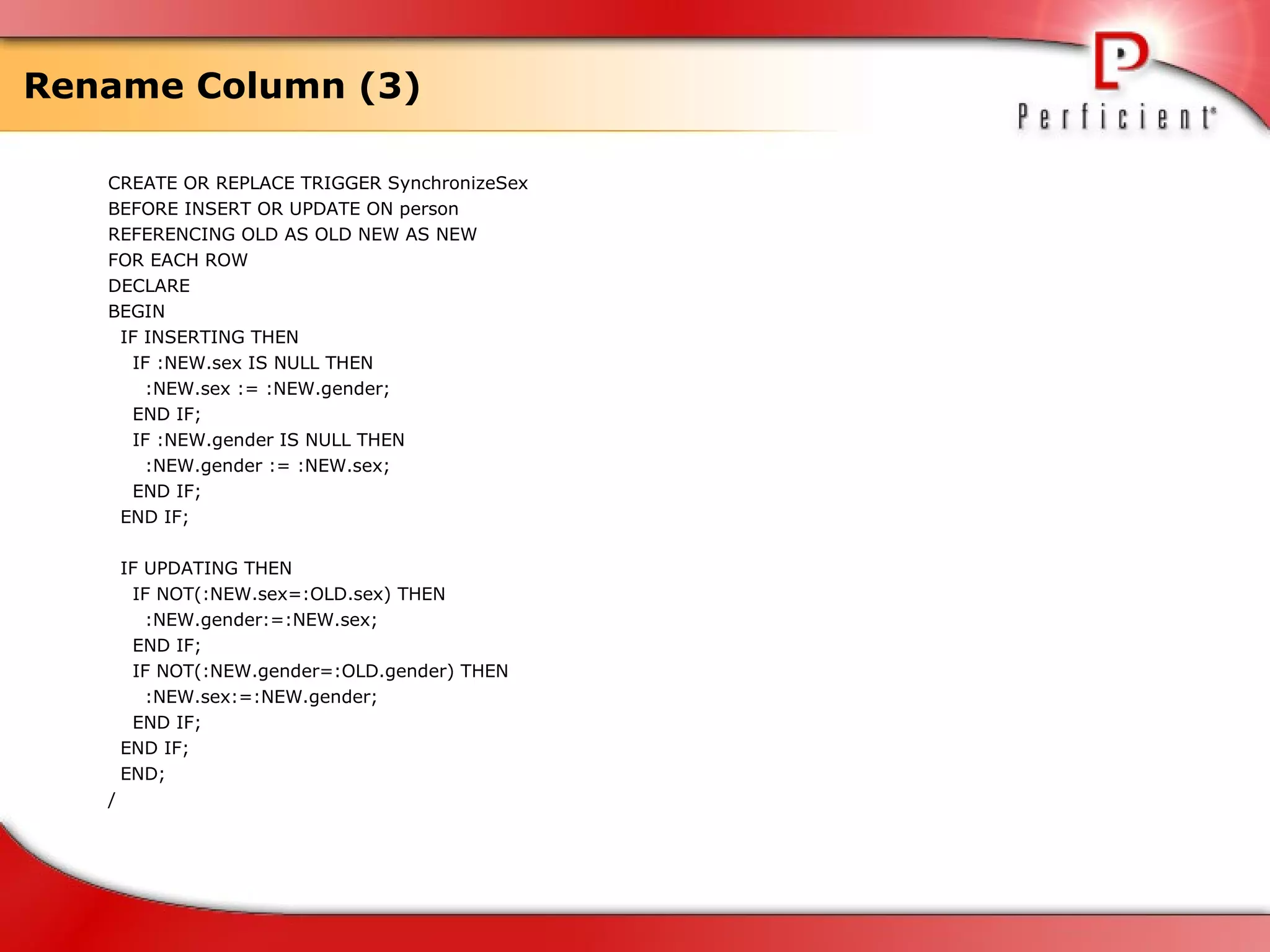
Rename Column (3) CREATE OR REPLACE TRIGGER SynchronizeSex BEFORE INSERT OR UPDATE ON person REFERENCING OLD AS OLD NEW AS NEW FOR EACH ROW DECLARE BEGIN IF INSERTING THEN IF :NEW.sex IS NULL THEN :NEW.sex := :NEW.gender; END IF; IF :NEW.gender IS NULL THEN :NEW.gender := :NEW.sex; END IF; END IF; IF UPDATING THEN IF NOT(:NEW.sex=:OLD.sex) THEN :NEW.gender:=:NEW.sex; END IF; IF NOT(:NEW.gender=:OLD.gender) THEN :NEW.sex:=:NEW.gender; END IF; END IF; END; /
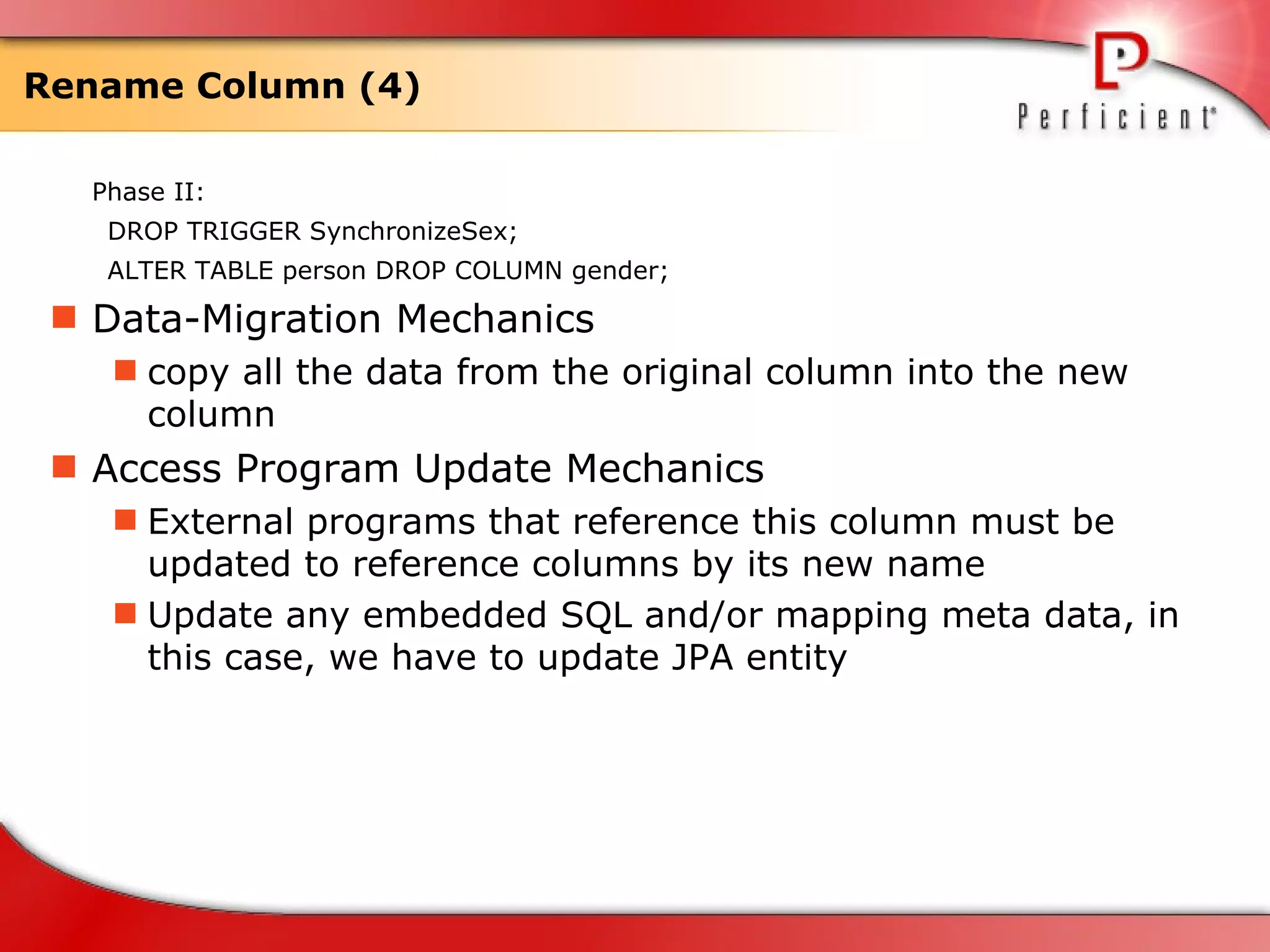
Rename Column (4) Phase II: DROP TRIGGER  SynchronizeSex; ALTER TABLE person DROP COLUMN gender; Data-Migration Mechanics copy all the data from the original column into the new column  Access Program Update Mechanics External programs that reference this column must be updated to reference columns by its new name Update any embedded SQL and/or mapping meta data, in this case, we have to update JPA entity
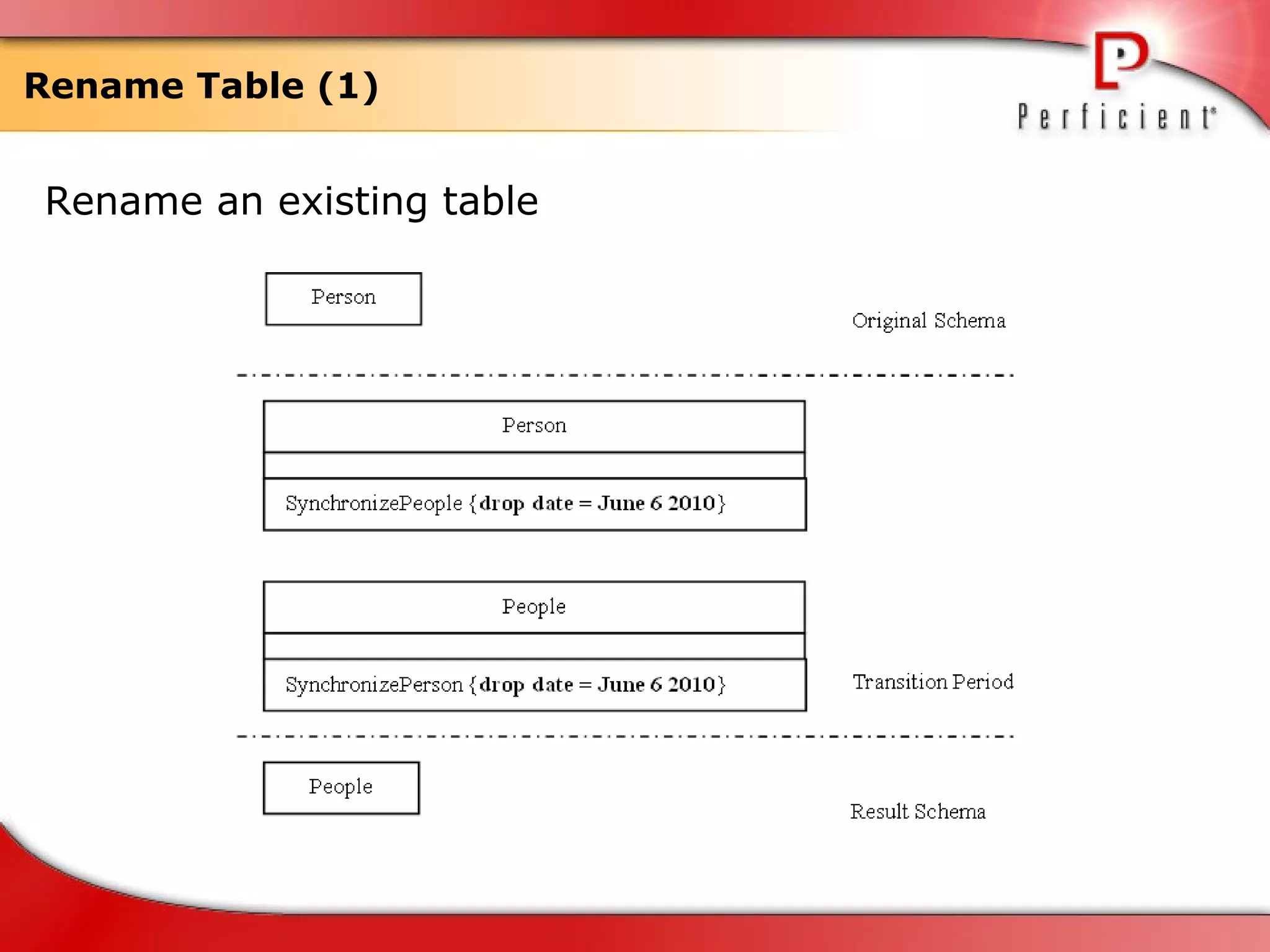
Rename Table (1) Rename an existing table
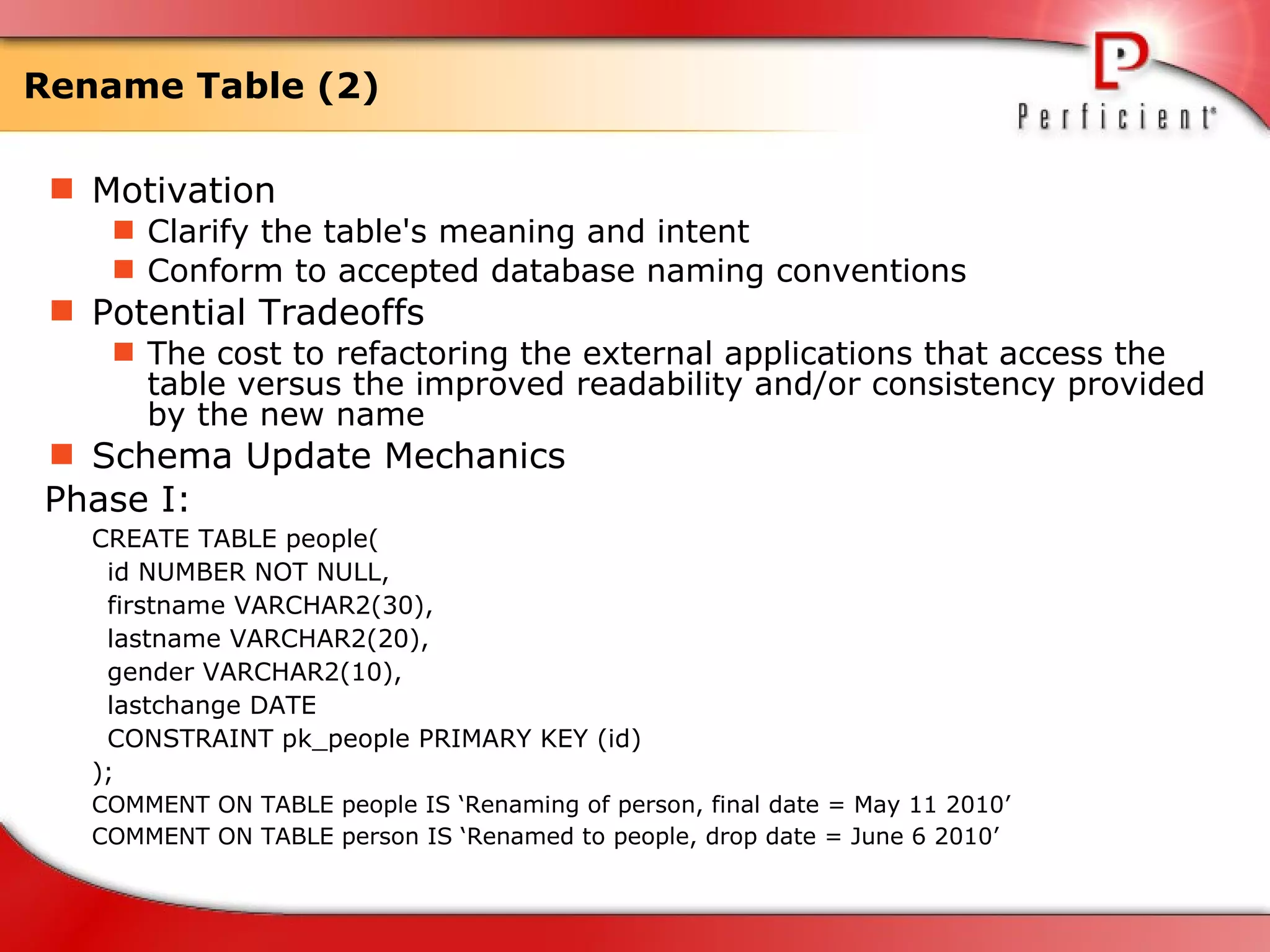
Rename Table (2) Motivation Clarify the table's meaning and intent Conform to accepted database naming conventions  Potential Tradeoffs The cost to refactoring the external applications that access the table versus the improved readability and/or consistency provided by the new name  Schema Update Mechanics Phase I: CREATE TABLE people( id NUMBER NOT NULL,  firstname VARCHAR2(30),  lastname VARCHAR2(20), gender VARCHAR2(10), lastchange DATE CONSTRAINT pk_people PRIMARY KEY (id)  );  COMMENT ON TABLE people IS ‘Renaming of person, final date = May 11 2010’ COMMENT ON TABLE person IS ‘Renamed to people, drop date = June 6 2010’
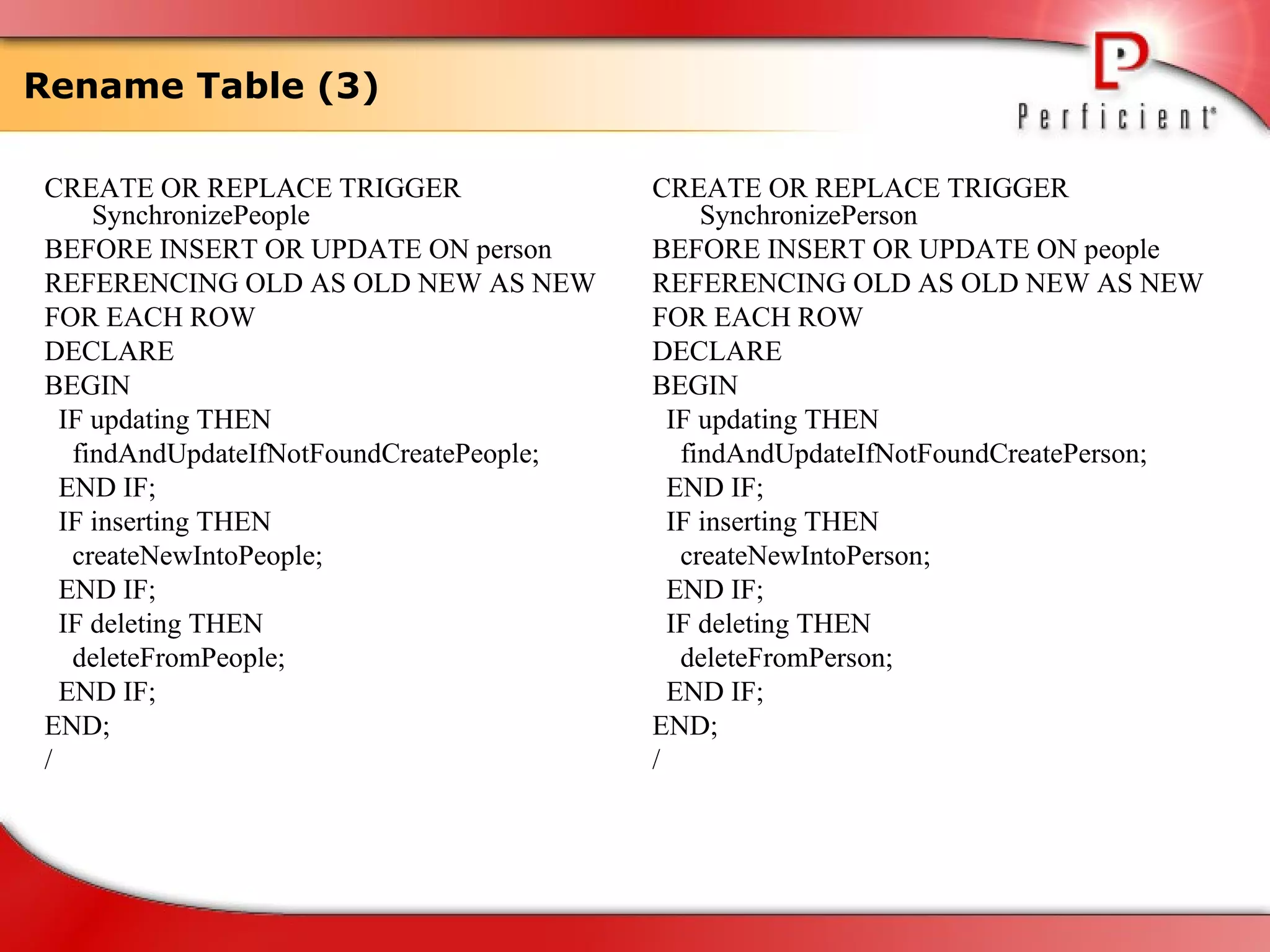
Rename Table (3) CREATE OR REPLACE TRIGGER SynchronizePeople BEFORE INSERT OR UPDATE ON person REFERENCING OLD AS OLD NEW AS NEW FOR EACH ROW DECLARE BEGIN IF updating THEN findAndUpdateIfNotFoundCreatePeople; END IF; IF inserting THEN createNewIntoPeople; END IF; IF deleting THEN deleteFromPeople; END IF; END; / CREATE OR REPLACE TRIGGER SynchronizePerson BEFORE INSERT OR UPDATE ON people REFERENCING OLD AS OLD NEW AS NEW FOR EACH ROW DECLARE BEGIN IF updating THEN findAndUpdateIfNotFoundCreatePerson; END IF; IF inserting THEN createNewIntoPerson; END IF; IF deleting THEN deleteFromPerson; END IF; END; /
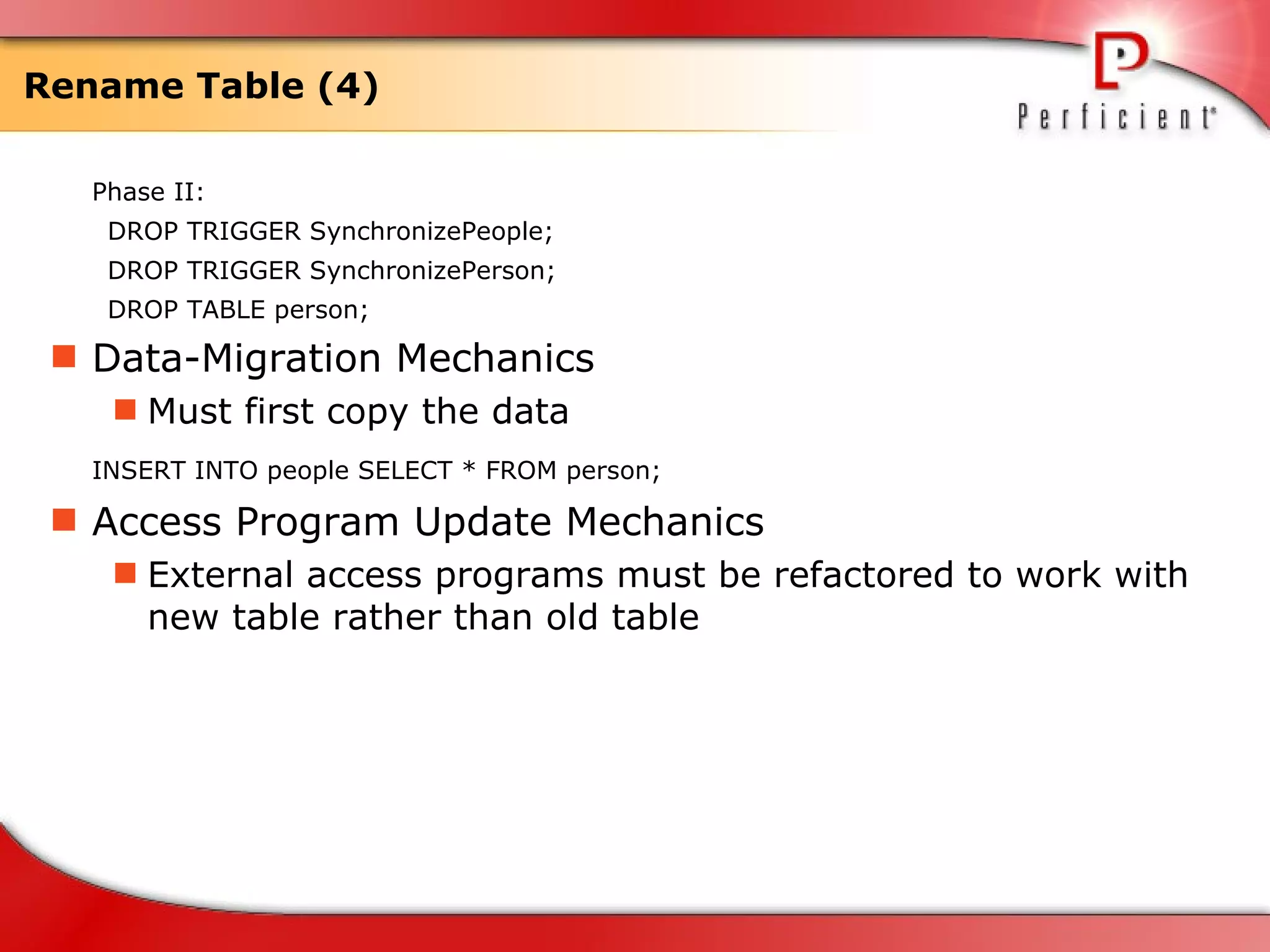
Rename Table (4) Phase II: DROP TRIGGER SynchronizePeople; DROP TRIGGER SynchronizePerson; DROP TABLE person; Data-Migration Mechanics Must first copy the data INSERT INTO people SELECT * FROM person;   Access Program Update Mechanics External access programs must be refactored to work with new table rather than old table
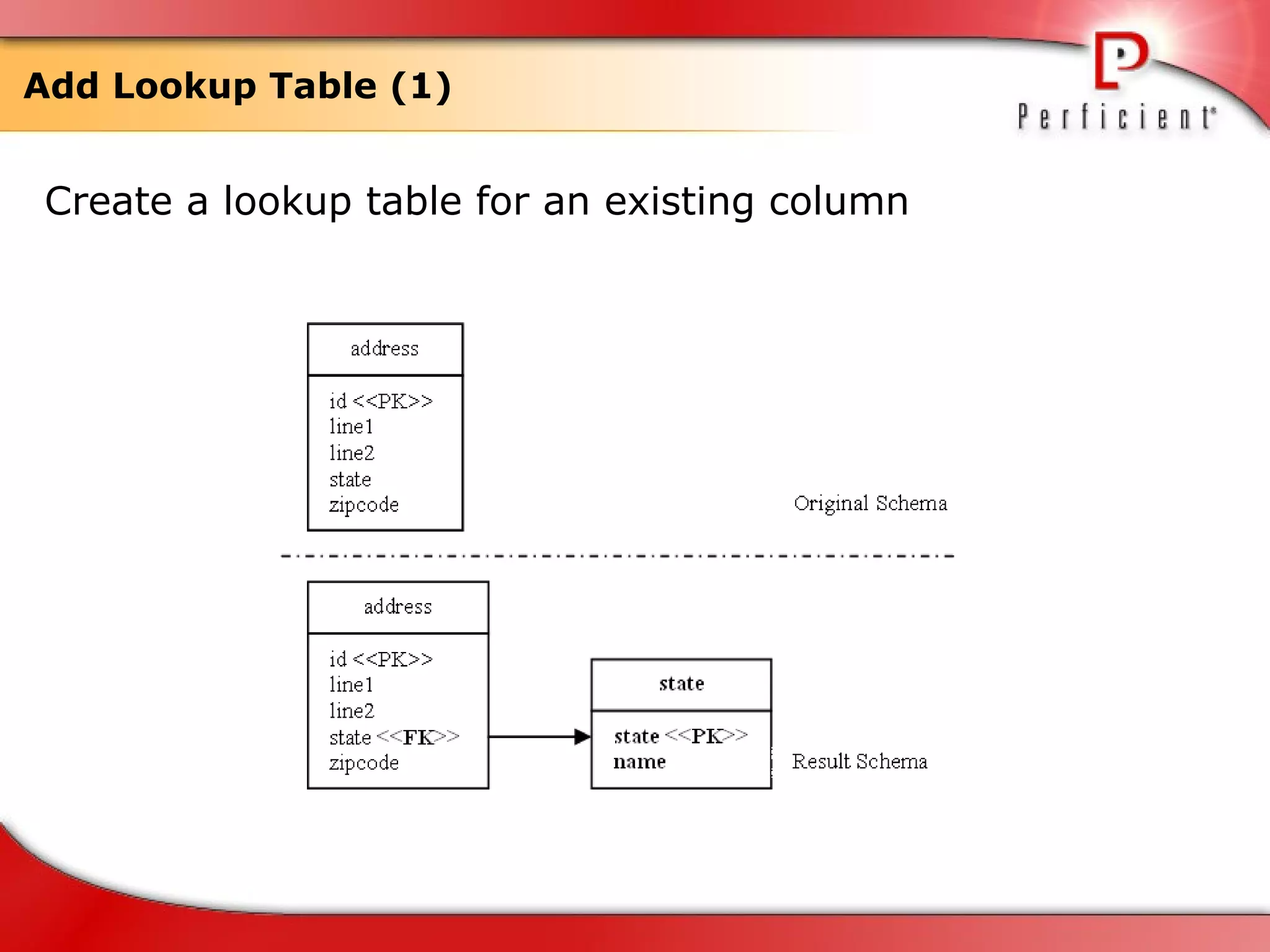
Add Lookup Table (1) Create a lookup table for an existing column
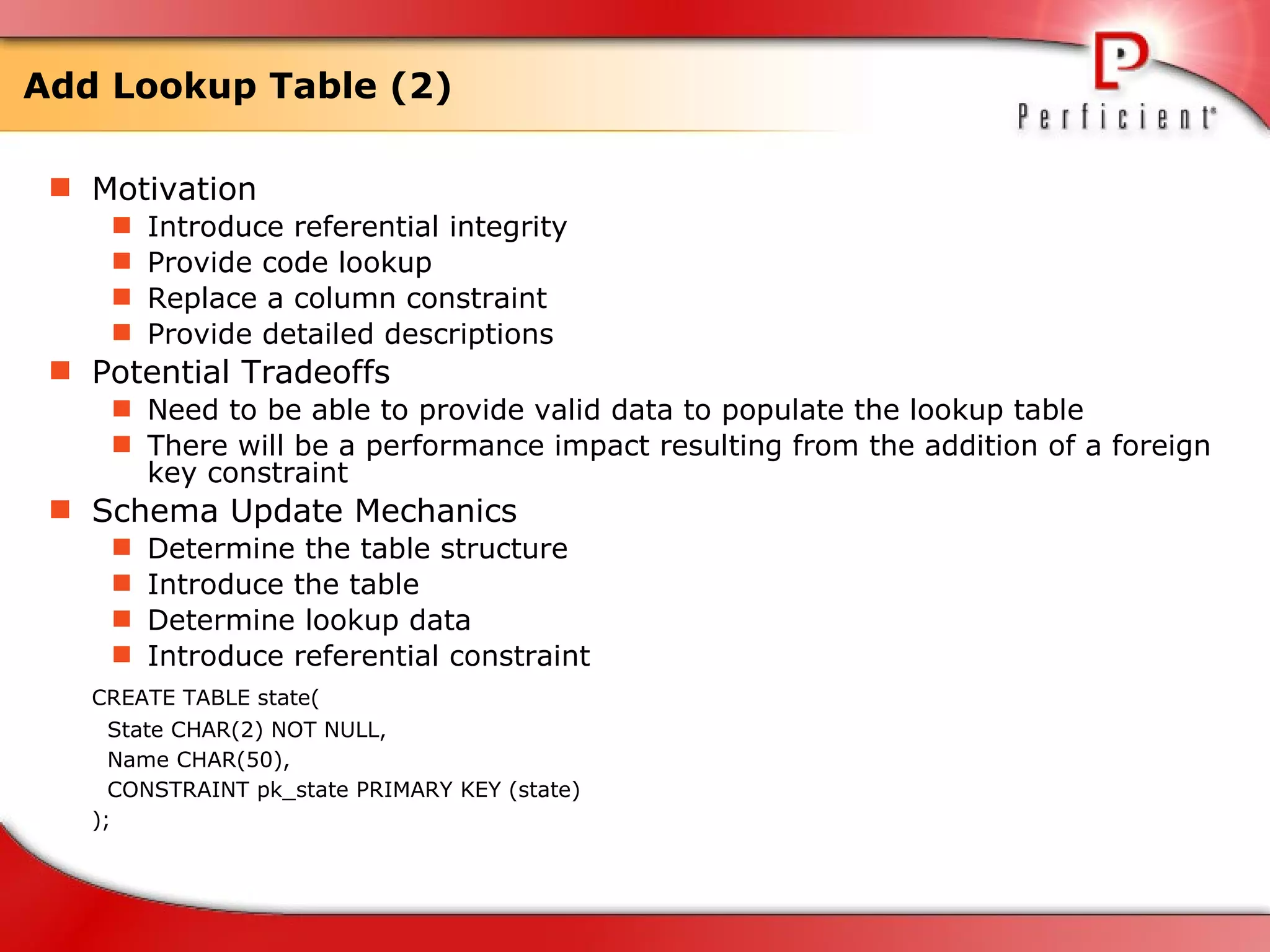
Add Lookup Table (2) Motivation Introduce referential integrity Provide code lookup Replace a column constraint Provide detailed descriptions  Potential Tradeoffs Need to be able to provide valid data to populate the lookup table  There will be a performance impact resulting from the addition of a foreign key constraint  Schema Update Mechanics Determine the table structure Introduce the table Determine lookup data Introduce referential constraint  CREATE TABLE state( State CHAR(2) NOT NULL,  Name CHAR(50),  CONSTRAINT pk_state PRIMARY KEY (state)  );
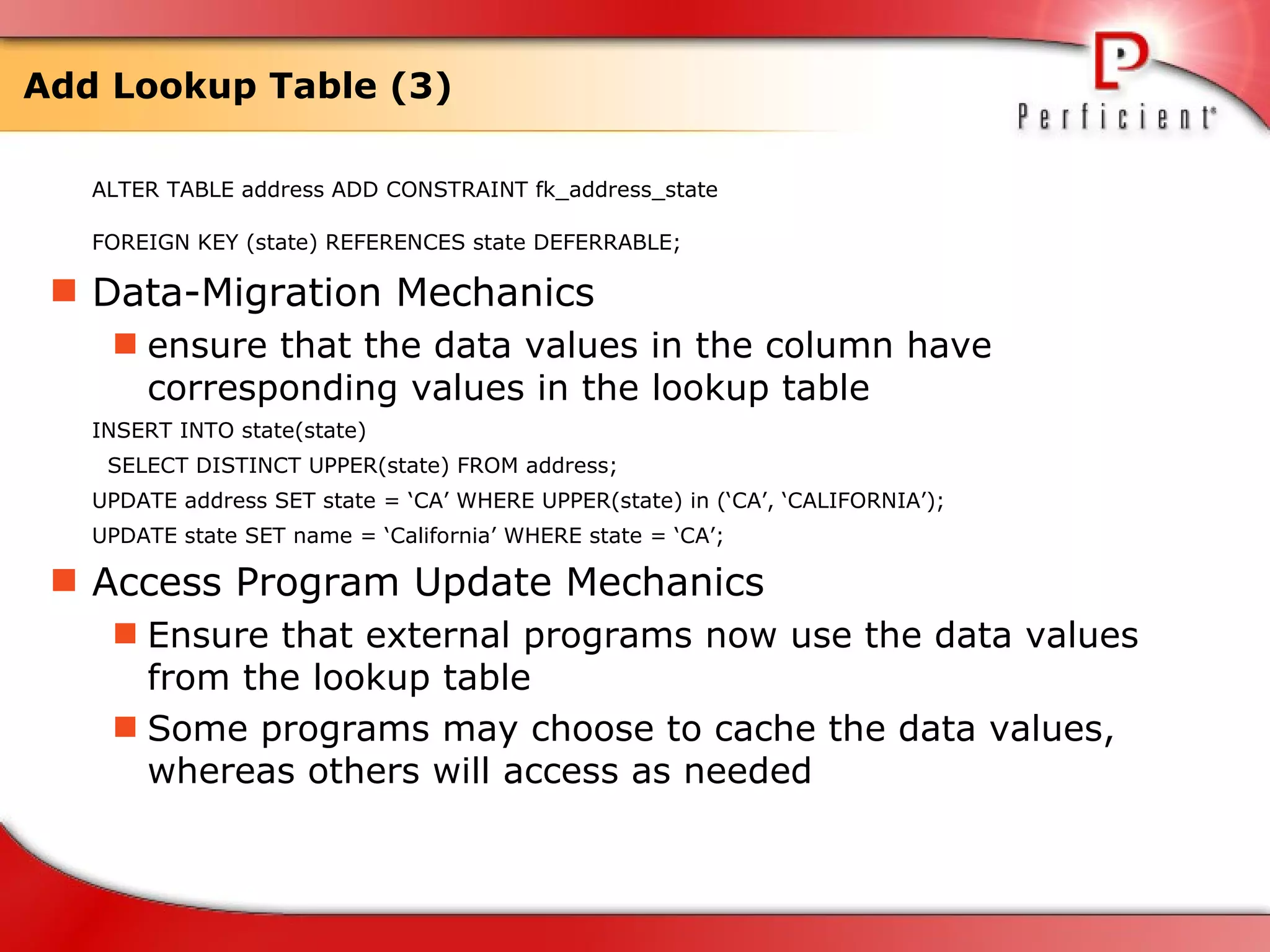
Add Lookup Table (3) ALTER TABLE address ADD CONSTRAINT fk_address_state  FOREIGN KEY (state) REFERENCES state DEFERRABLE;   Data-Migration Mechanics ensure that the data values in the column have corresponding values in the lookup table  INSERT INTO state(state) SELECT DISTINCT UPPER(state) FROM address; UPDATE address SET state = ‘CA’ WHERE UPPER(state) in (‘CA’, ‘CALIFORNIA’);  UPDATE state SET name = ‘California’ WHERE state = ‘CA’;  Access Program Update Mechanics Ensure that external programs now use the data values from the lookup table  Some programs may choose to cache the data values, whereas others will access as needed
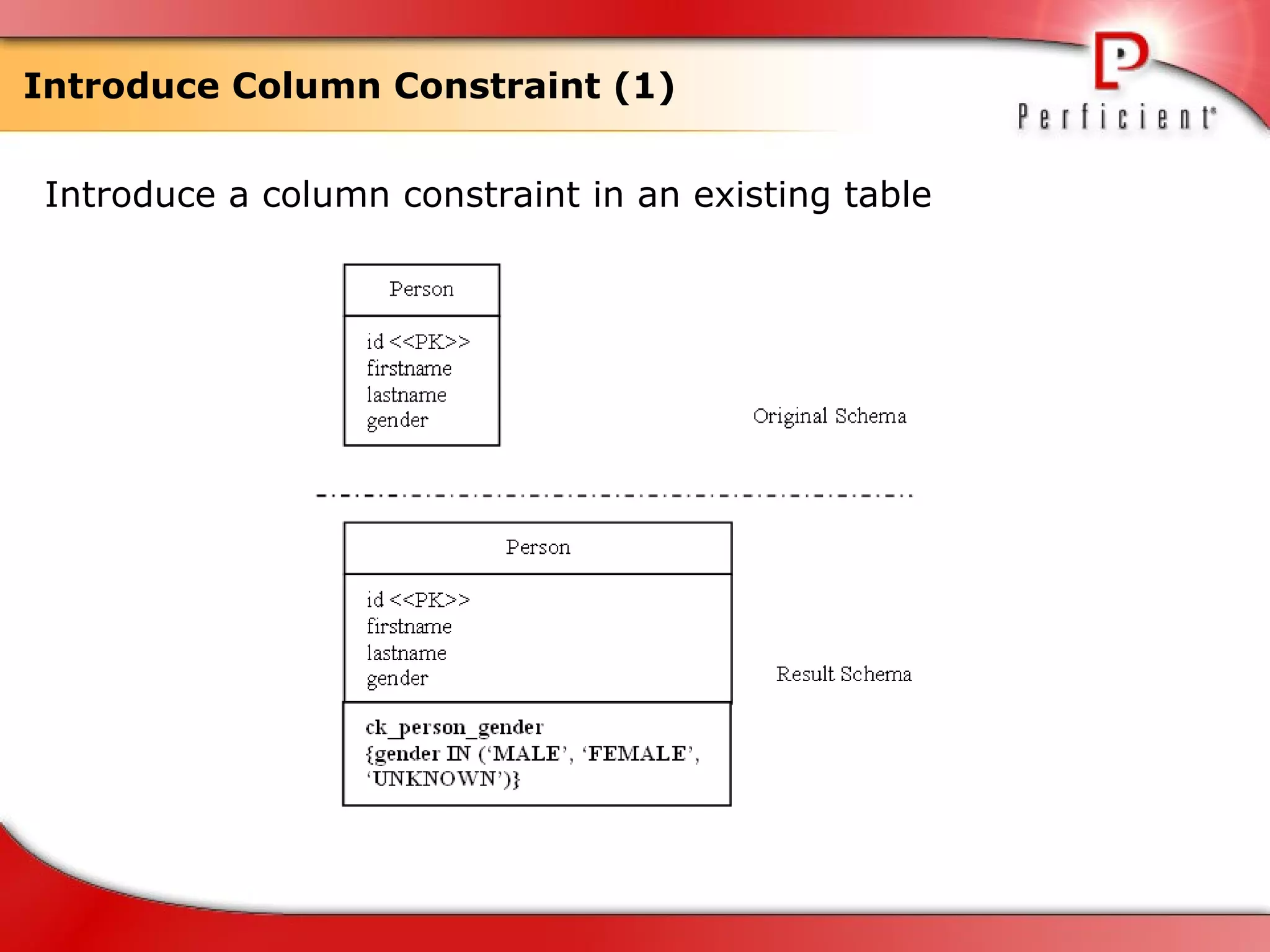
Introduce Column Constraint (1) Introduce a column constraint in an existing table
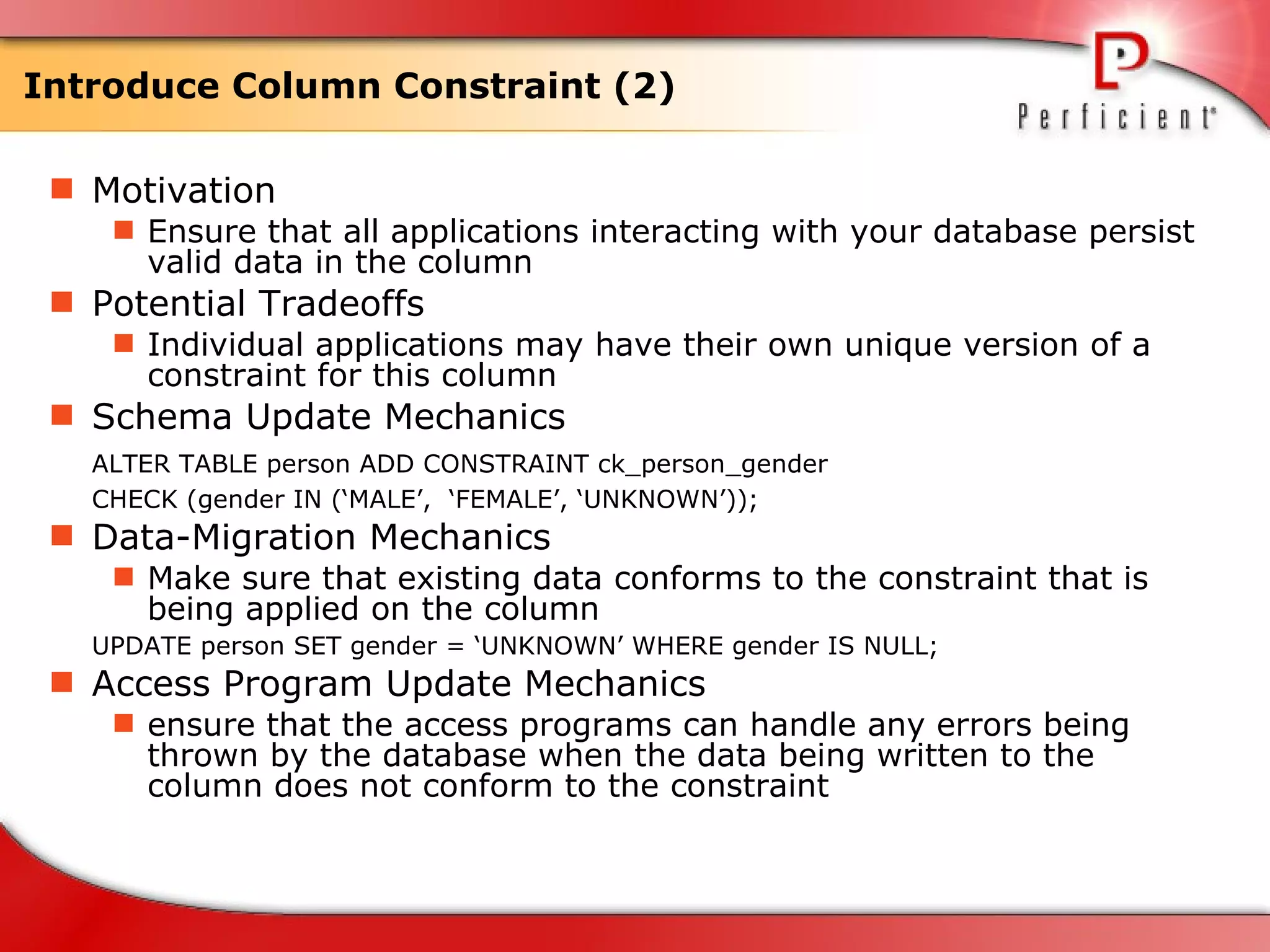
Introduce Column Constraint (2) Motivation Ensure that all applications interacting with your database persist valid data in the column Potential Tradeoffs Individual applications may have their own unique version of a constraint for this column Schema Update Mechanics ALTER TABLE person ADD CONSTRAINT ck_person_gender  CHECK (gender IN (‘MALE’,  ‘FEMALE’, ‘UNKNOWN’)); Data-Migration Mechanics Make sure that existing data conforms to the constraint that is being applied on the column UPDATE person SET gender = ‘UNKNOWN’ WHERE gender IS NULL; Access Program Update Mechanics ensure that the access programs can handle any errors being thrown by the database when the data being written to the column does not conform to the constraint
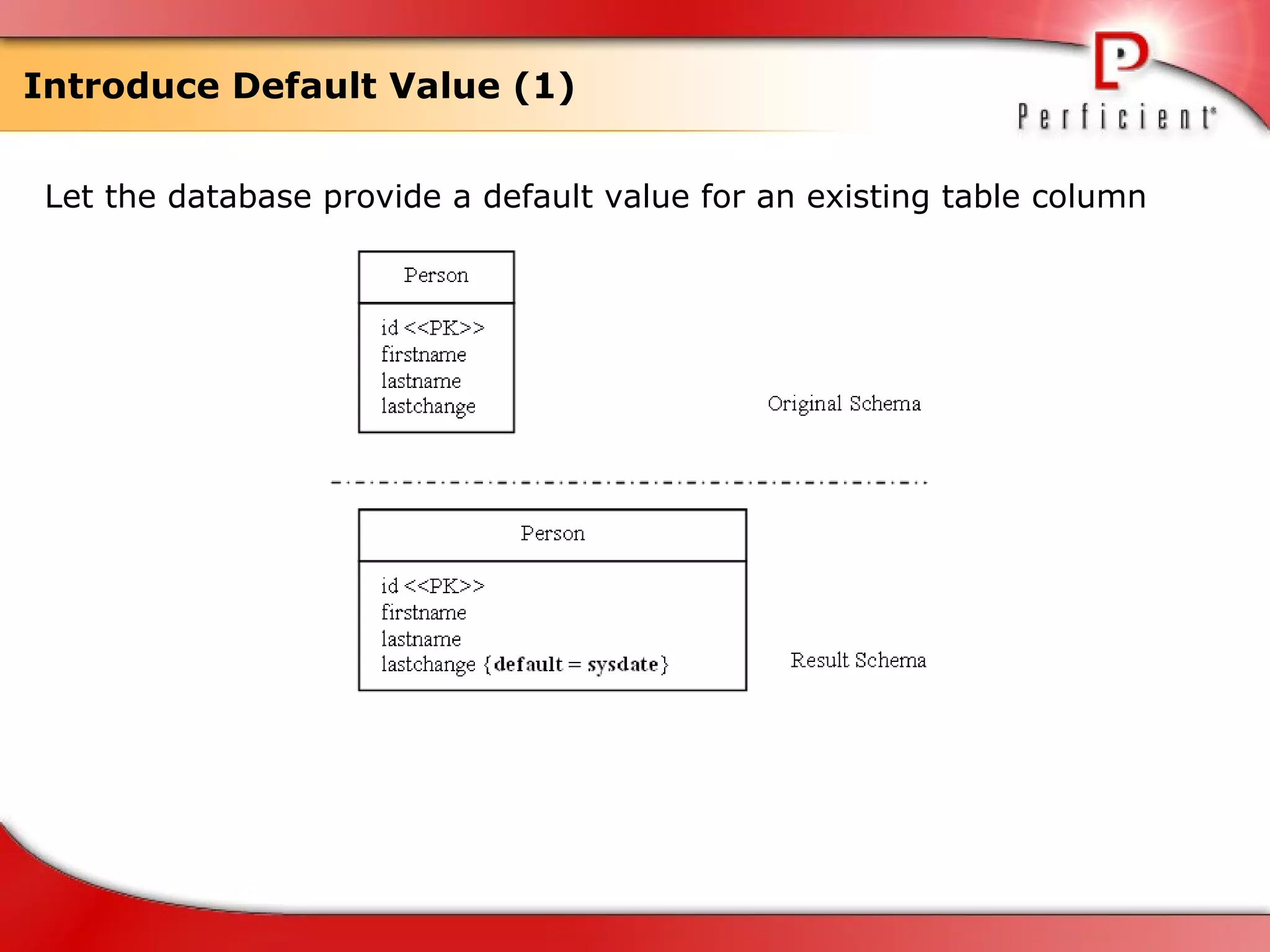
Introduce Default Value (1) Let the database provide a default value for an existing table column
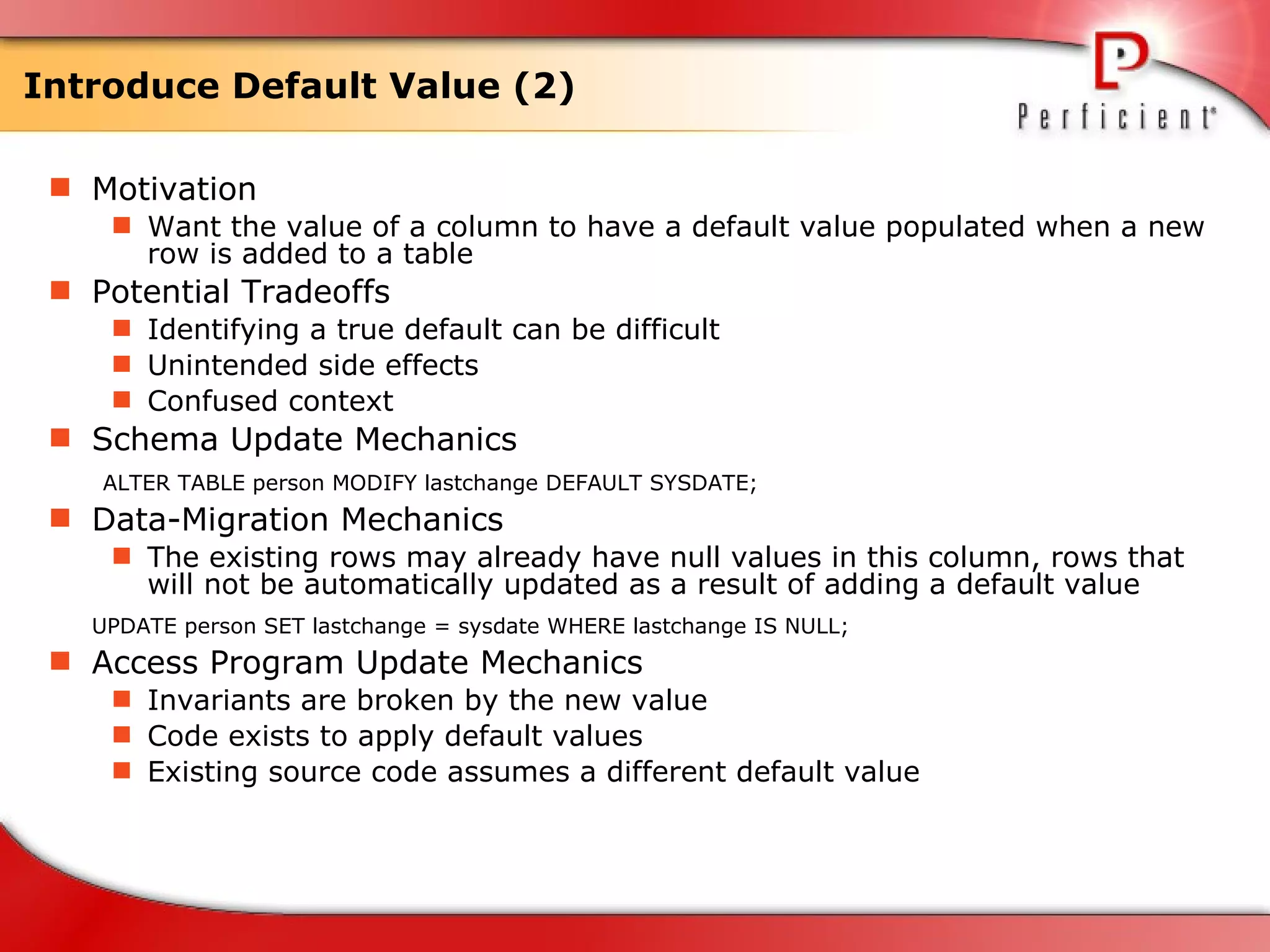
Introduce Default Value (2) Motivation Want the value of a column to have a default value populated when a new row is added to a table Potential Tradeoffs Identifying a true default can be difficult Unintended side effects  Confused context Schema Update Mechanics   ALTER TABLE person MODIFY lastchange DEFAULT SYSDATE; Data-Migration Mechanics The existing rows may already have null values in this column, rows that will not be automatically updated as a result of adding a default value UPDATE person SET lastchange = sysdate WHERE lastchange IS NULL; Access Program Update Mechanics Invariants are broken by the new value Code exists to apply default values Existing source code assumes a different default value
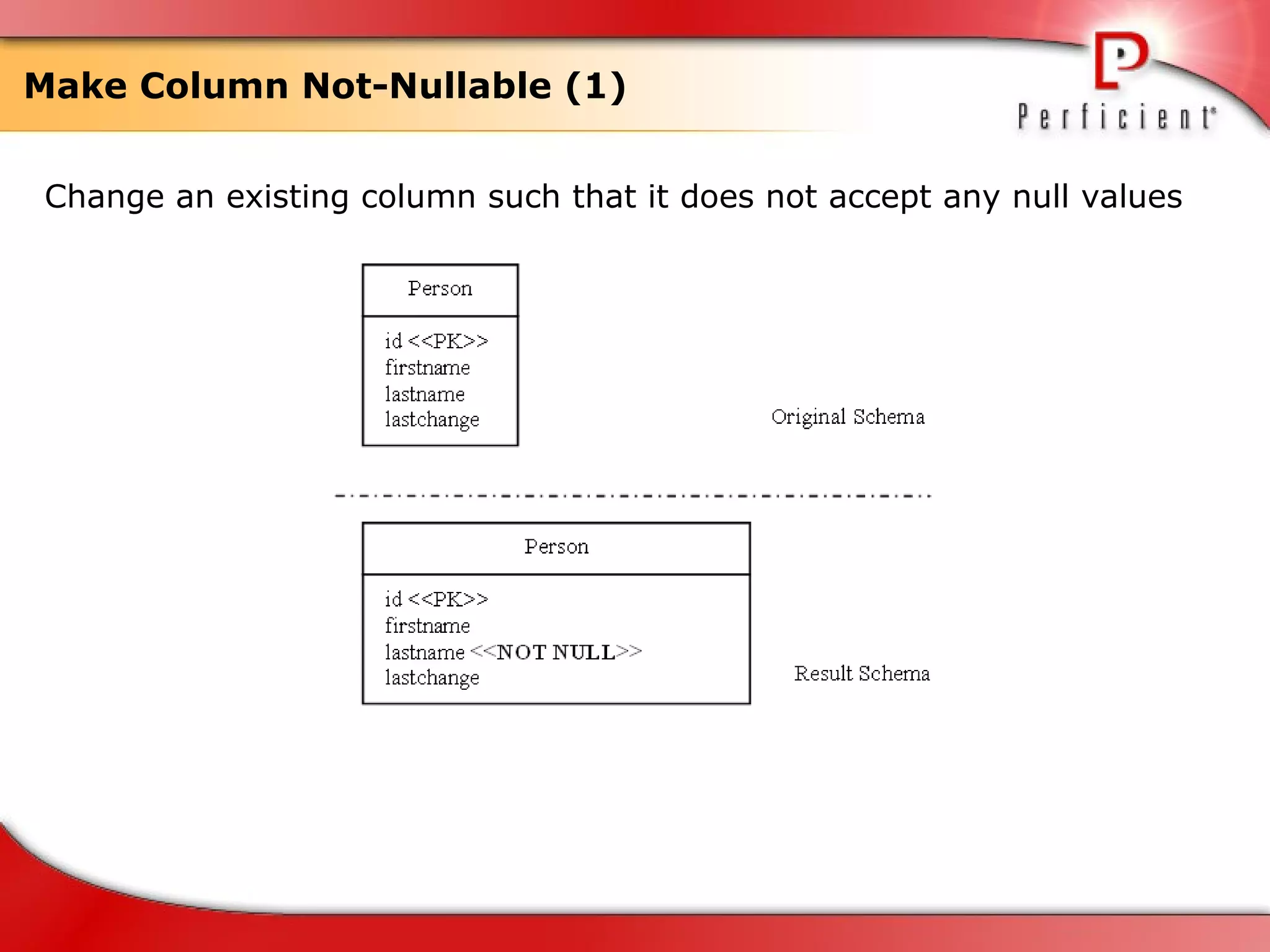
Make Column Not-Nullable (1) Change an existing column such that it does not accept any null values
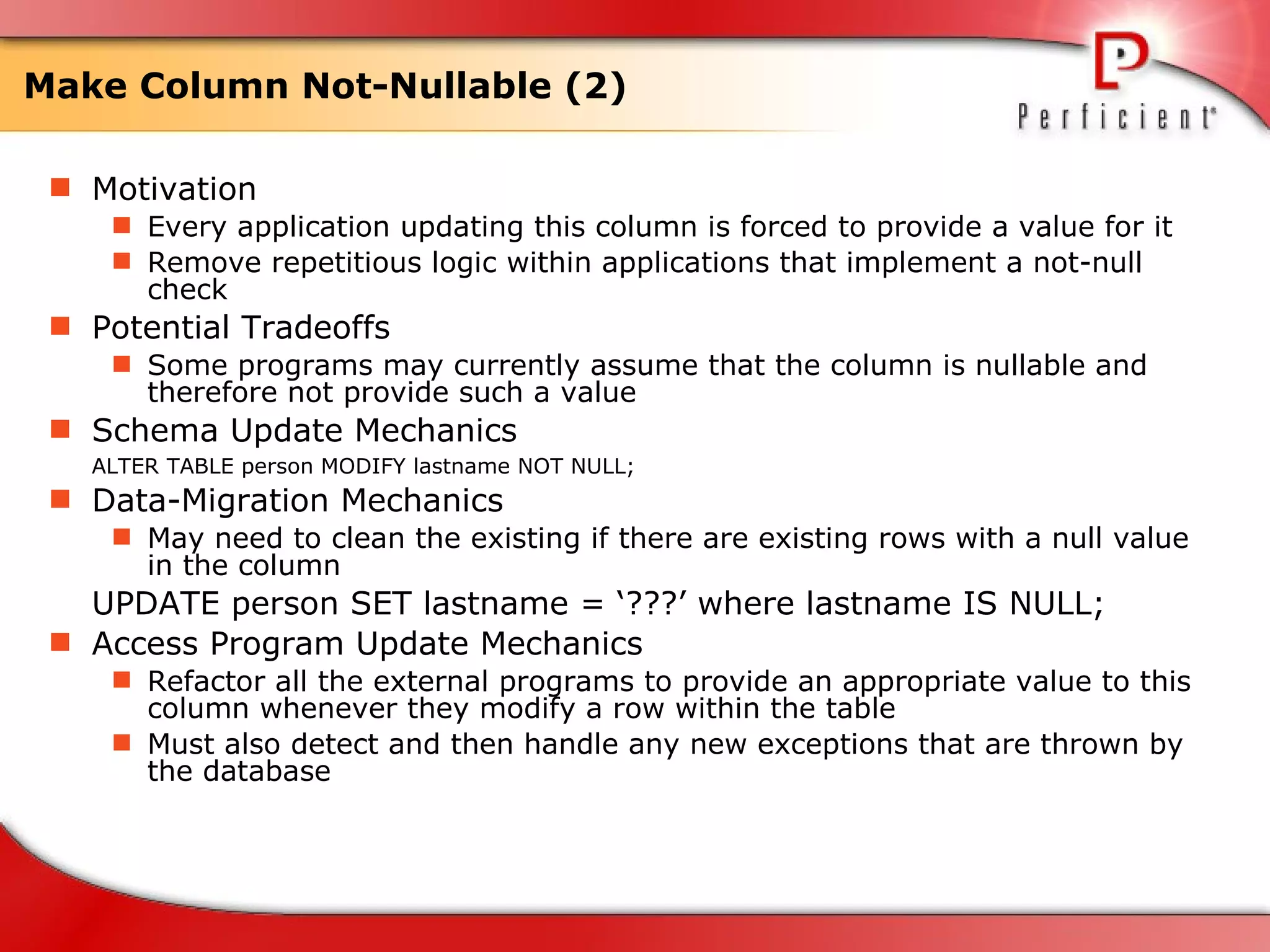
Make Column Not-Nullable (2) Motivation Every application updating this column is forced to provide a value for it Remove repetitious logic within applications that implement a not-null check  Potential Tradeoffs Some programs may currently assume that the column is nullable and therefore not provide such a value Schema Update Mechanics ALTER TABLE person MODIFY lastname NOT NULL;  Data-Migration Mechanics May need to clean the existing if there are existing rows with a null value in the column UPDATE person SET lastname = ‘???’ where lastname IS NULL; Access Program Update Mechanics Refactor all the external programs to provide an appropriate value to this column whenever they modify a row within the table Must also detect and then handle any new exceptions that are thrown by the database
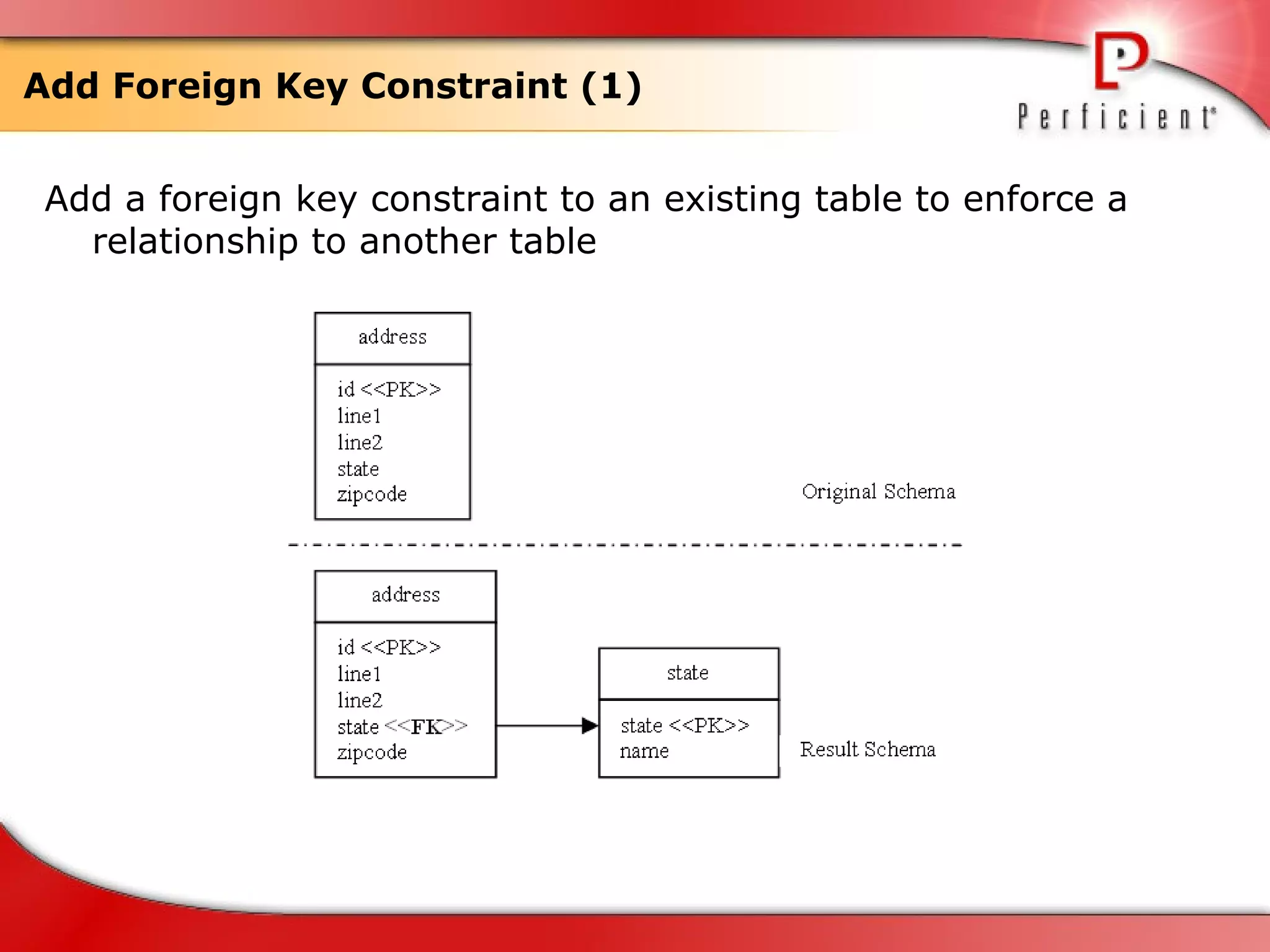
Add Foreign Key Constraint (1) Add a foreign key constraint to an existing table to enforce a relationship to another table
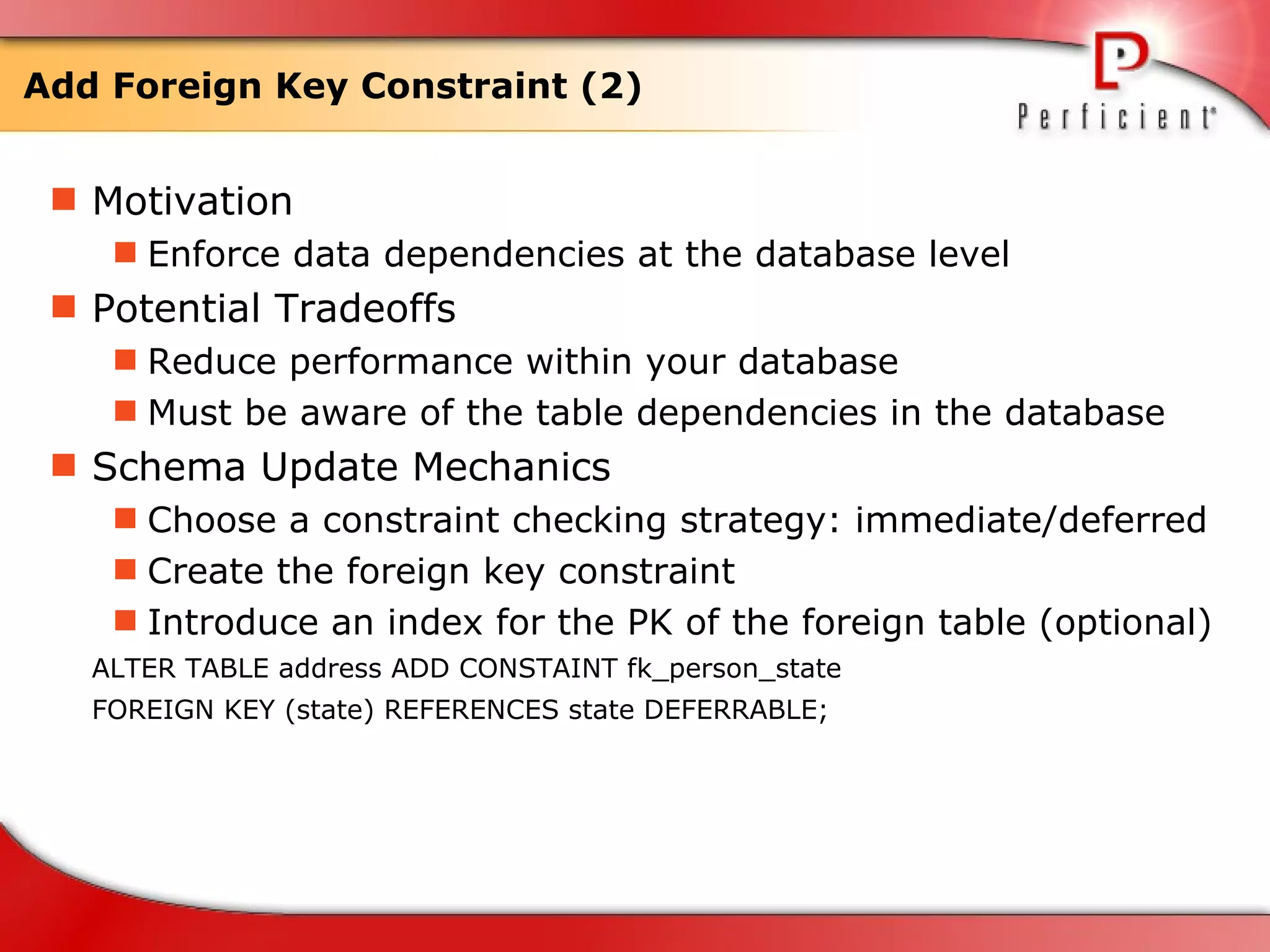
Add Foreign Key Constraint (2) Motivation Enforce data dependencies at the database level Potential Tradeoffs Reduce performance within your database Must be aware of the table dependencies in the database  Schema Update Mechanics Choose a constraint checking strategy: immediate/deferred Create the foreign key constraint Introduce an index for the PK of the foreign table (optional)  ALTER TABLE address ADD CONSTAINT fk_person_state  FOREIGN KEY (state) REFERENCES state DEFERRABLE;
Add Foreign Key Constraint (3) Data-Migration Mechanics Ensure the referenced data exists Ensure that the foreign table contains all required rows  Ensure that source table's foreign key column contains valid values Introduce a default value for the foreign key column Access Program Update Mechanics Identify and then update any external programs that modify data in the table where the foreign key constraint was added (Similar/Different/Nonexistent RI code) All external programs must be updated to handle any exception(s) thrown by the database as the result of the new foreign key constraint
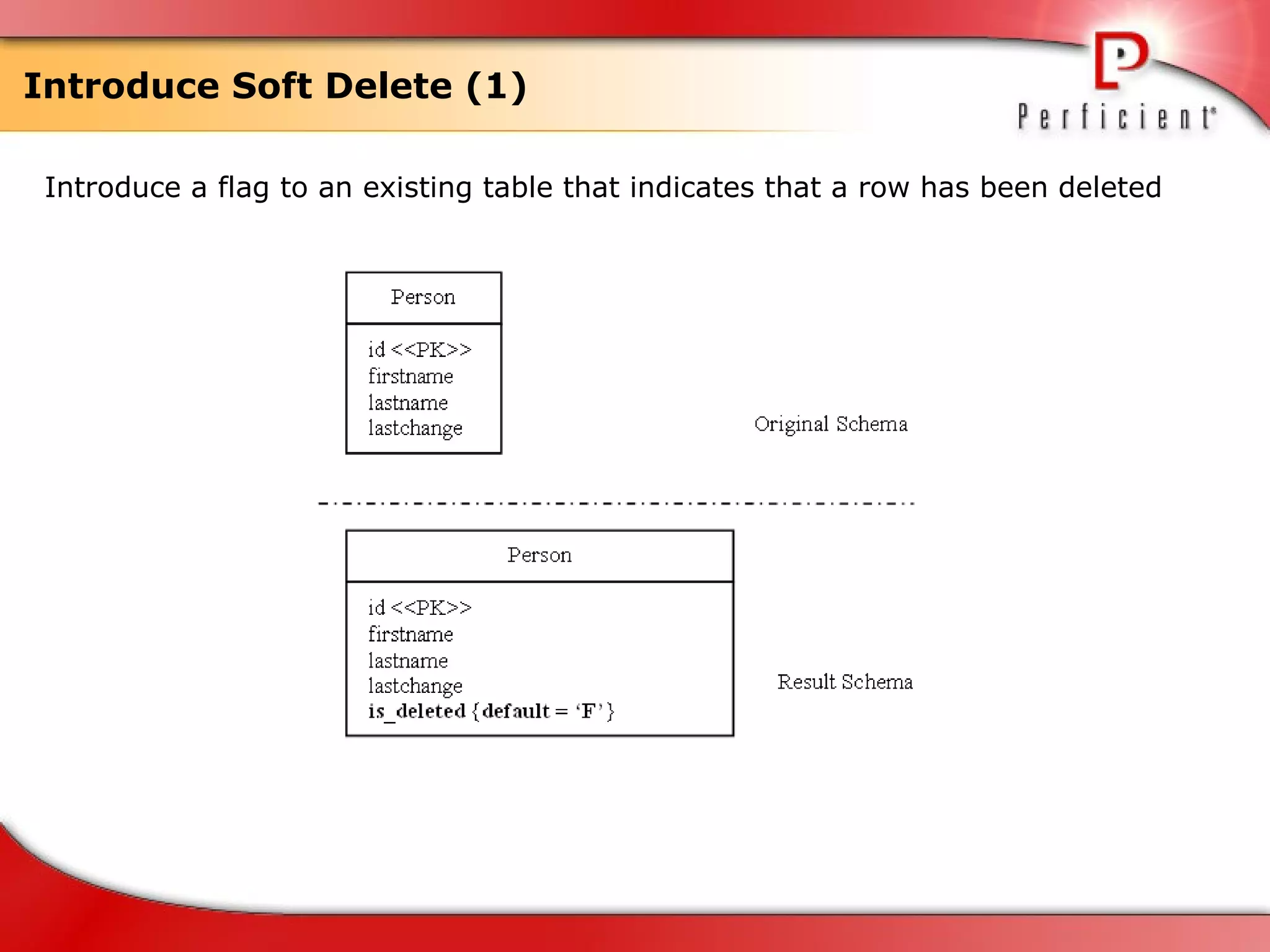
Introduce Soft Delete (1) Introduce a flag to an existing table that indicates that a row has been deleted
Introduce Soft Delete (2) Motivation preserve all application data, typically for historical means  Potential Tradeoffs Performance is potentially impacted Schema Update Mechanics Introduce the identifying column Determine how to update the flag  Develop deletion code  Develop insertion code  ALTER TABLE person ADD is_deleted BOOLEAN;  ALTER TABLE person MODIFY is_deleted DEFAULT FALSE; Data-Migration Mechanics UPDATE person SET is_deleted = FALSE; Access Program Update Mechanics change read queries to ensure that data read from the database has not been marked as deleted  all external programs must change physical deletes to updates
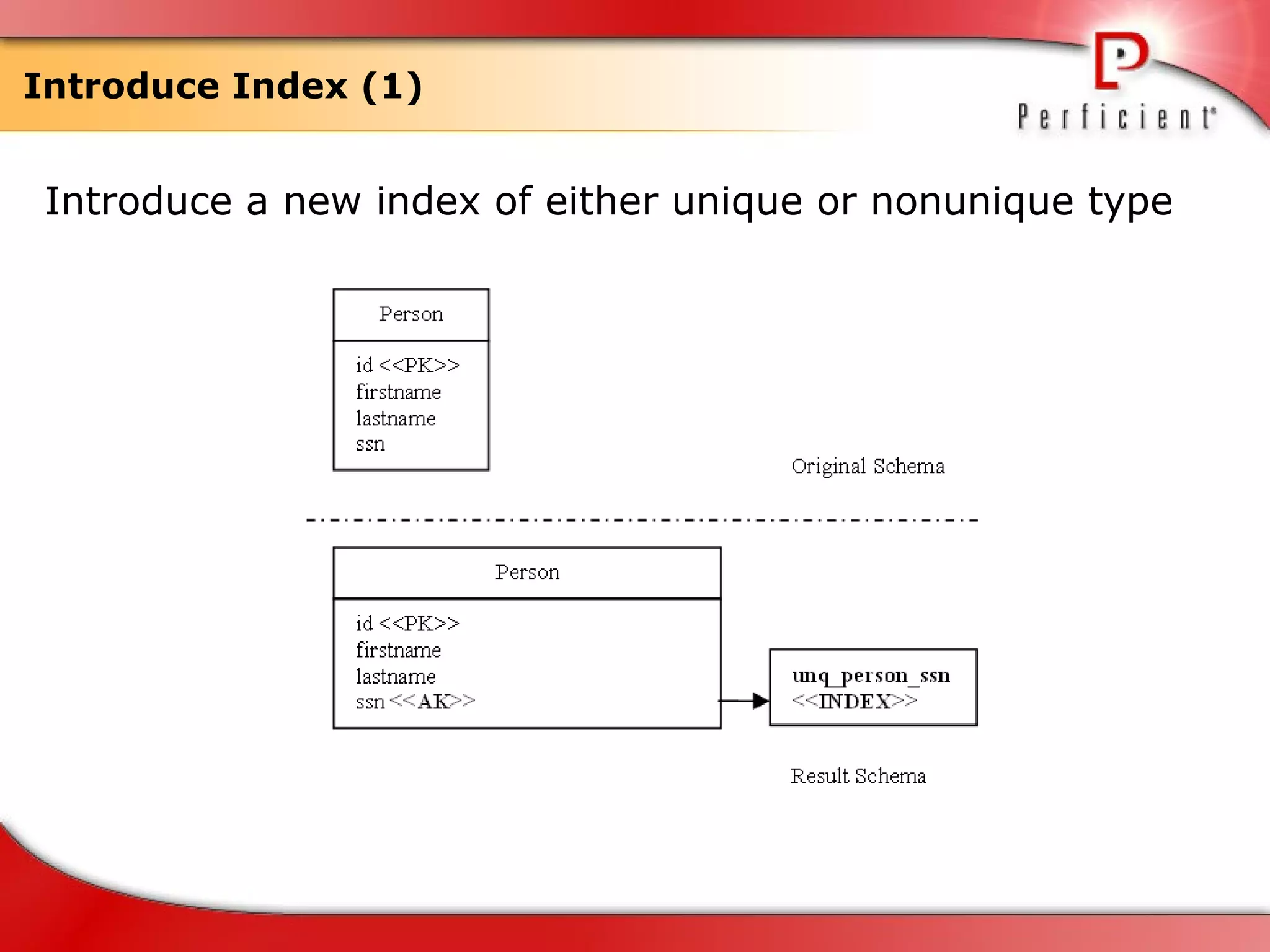
Introduce Index (1) Introduce a new index of either unique or nonunique type
Introduce Index (2) Motivation Increase query performance on your database reads Potential Tradeoffs Too many indexes on a table will degrade performance Remove the duplicates first before applying unique index Schema Update Mechanics Determine type of index  Add a new index  Provide more disk space CREATE UNIQUE INDEX unq_person_ssn ON person(ssn); Data-Migration Mechanics Check for duplicate values if introducing a unique index Duplicate values must be updated or use a nonunique index instead Access Program Update Mechanics Analyze dependencies to determine which external programs to update Change your queries to make use of this new index
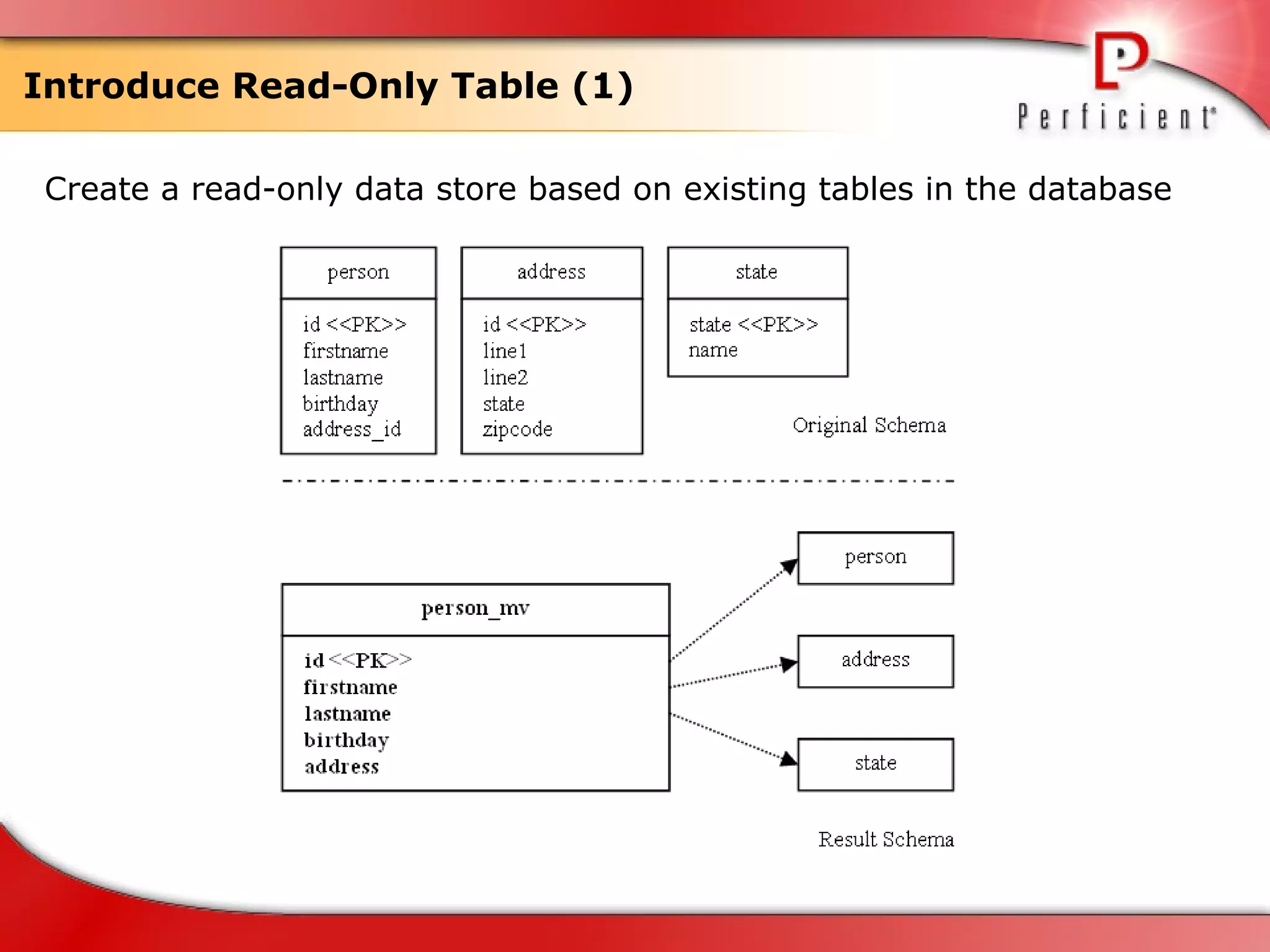
Introduce Read-Only Table (1) Create a read-only data store based on existing tables in the database
Introduce Read-Only Table (2) Motivation Improve query performance Summarize data for reporting Create redundant data Replace redundant reads Data security Improve database readability Potential Tradeoffs The users of the read-only table need to understand both the timeliness of the copied data as well as the volatility of the source data to determine whether the read-only table is acceptable Schema Update Mechanics Introduce the new table/materialized view Determine a population strategy
Introduce Read-Only Table (3) Via materialized view: CREATE MATERIALIZED VIEW person_mv  BUILD IMMEDIATE REFRESH FORCE ON COMMIT WITH PRIMARY KEY AS  SELECT p.id, p.firstname, p.lastname, p.birthday, a.line1 || a.line2 || s.name || a.zipcode FROM person p, address a, state s WHERE p.address_id = a.id  AND a.state = s.state; / Via new table: CREATE TABLE person_mv ( id NUMBER NOT NULL,   firstname VARCHAR2(30), lastname VARCHAR2(20), address VARCHAR2(255), CONSTRAINT person_mv_id PRIMARY KEY (id) ); COMMENT ON person_mv ‘read-only table’; /
Introduce Read-Only Table (4) Data-Migration Mechanics Copy all the relevant source data into the read-only table  Apply your population strategy (real-time or periodic batch) Periodic refresh Materialized views Use trigger-based synchronization Use real-time application updates  INSERT INTO person_mv(id,firstname,lastname,birthday,address) SELECT p.id, p.firstname, p.lastname, p.birthday, a.line1 || a.line2 || s.name || a.zipcode FROM person p, address a, state s WHERE p.address_id = a.id  AND a.state = s.state; Access Program Update Mechanics Make sure that the application uses this for read-only purposes Must change all the places where you currently access the source tables and rework them to use this instead
References http:// www.agiledata.org / Refactoring Databases: Evolutionary Database Design
Questions? Gossip? Rumor?
Thanks

Refactoring database

  • 1.
  • 2.
    Refactoring Database PerficientChina Lancelot Zhu [email_address]
  • 3.
    Agenda Evolutionary DatabaseDevelopment The Process of Database Refactoring Database Refactoring Strategies Database Refactoring Patterns
  • 4.
  • 5.
    Evolutionary Data ModelingThe Agile Model-Driven Development (AMDD) life cycle
  • 6.
    Database Regression Testing1. Quickly add a test, basically just enough code so that your tests now fail. 2. Run your tests - often the complete test suite, although for the sake of speed you may decide to run only a subset - to ensure that the new test does in fact fail. 3. Update your functional code so that it passes the new test. 4. Run your tests again. If the tests fail, return to Step 3; otherwise, start over again.
  • 7.
    Configuration Management ofDatabase Artifacts Data definition language (DDL) scripts to create the database schema Data load/extract/migration scripts Data model files Object/relational mapping meta data Reference data Stored procedure and trigger definitions View definitions Referential integrity constraints Other database objects like sequences, indexes, and so on Test data Test data generation scripts Test scripts
  • 8.
    Developer Sandboxes A "sandbox" is a fully functioning environment in which a system may be built, tested, and/or run.
  • 9.
    The Process ofDatabase Refactoring
  • 10.
    The two categoriesof database architecture Single-Application Database Environments Multi-Application Database Environments
  • 11.
    Database Smells Multipurposecolumn Multipurpose table Redundant data Tables with too many columns Tables with too many rows "Smart" columns Fear of change
  • 12.
    How Database RefactoringFits In Potential development activities on an evolutionary development project
  • 13.
    Why DB Refactoringis Hard Databases are highly coupled to external programs.
  • 14.
    The database refactoringprocess Verify that a database refactoring is appropriate. Choose the most appropriate database refactoring. Deprecate the original database schema. Test before, during, and after. Modify the database schema. Migrate the source data. Modify external access program(s). Run regression tests. Version control your work. Announce the refactoring.
  • 15.
  • 16.
    Database Refactoring StrategiesSmaller changes are easier to apply. Uniquely identify individual refactorings. Implement a large change by many small ones. Have a database configuration table. Prefer triggers over views or batch synchronization. Choose a sufficient deprecation period. Simplify your database change control board (CCB) strategy. Simplify negotiations with other teams. Encapsulate database access. Be able to easily set up a database environment. Do not duplicate SQL. Put database assets under change control. Beware of politics.
  • 17.
    Version your databaseUniquely identify individual refactorings. Have a database configuration table.
  • 18.
  • 19.
    Database Refactoring CategoriesCategory Description Examples Structural A change to the definition of one or more tables or views. Rename Column Drop Table Introduce Surrogate Key Data Quality A change that improves the quality of the information contained within a database. Add Lookup Table Consolidate Key Strategy Make Column Non-Nullable Referential Integrity A change that ensures that a referenced row exists within another table and/or that ensures that a row that is no longer needed is removed appropriately. Add Foreign Key Constraint Introduce Soft Delete Introduce Trigger For History
  • 20.
    Database Refactoring Categories(Continued) Category Description Example Architectural A change that improves the overall manner in which external programs interact with a database. Introduce Read-Only Table Encapsulate Table With View Introduce Index Method A change to a method (a stored procedure, stored function, or trigger) that improves its quality. Many code refactorings are applicable to database methods. Add Parameter Rename Method Extract Method Non-Refactoring Transformation A change to your database schema that changes its semantics. Insert Data Introduce New Column Introduce New Table
  • 21.
    Drop Column (1)Remove a column from an existing table
  • 22.
    Drop Column (2)Motivation Refactor a database table design Refactor external applications, e.g. no longer used Potential Tradeoffs The column being dropped may contain valuable data Tables containing many rows Schema Update Mechanics Choose a remove strategy Drop the column Rework foreign keys Phase I: COMMENT ON COLUMN person.gender IS ‘Drop date = May 11 2010’; Phase II: ALTER TABLE person DROP COLUMN gender;
  • 23.
    Drop Column (3)Data-Migration Mechanics Preserve data Phase II (before drop column): CREATE TABLE person_gender AS SELECT id, gender FROM person; Access Program Update Mechanics Refactor code to use alternate data sources Slim down SELECT statement Refactor database inserts and updates
  • 24.
    Drop Table (1)Remove an existing table from the database
  • 25.
    Drop Table (2)Motivation a table is no longer required and/or used the table has been replaced by another similar data source Potential Tradeoffs may need to preserve some or all of the data Schema Update Mechanics resolve data-integrity issues Phase I: COMMENT ON TABLE person IS ‘Drop date = May 11 2010’; Phase II: DROP TABLE person; Data-Migration Mechanics Phase II (before drop table): CREATE TABLE person_backup AS SELECT * FROM person; Access Program Update Mechanics Any external programs referencing this table must be refactored to access the alternative data source(s).
  • 26.
    Rename Column (1)Rename an existing table column
  • 27.
    Rename Column (2)Motivation increase the readability of your database schema enable database porting, e.g. reserved keyword conflict Potential Tradeoffs the cost of refactoring the external applications Schema Update Mechanics Introduce the new column Introduce a synchronization trigger Rename other columns Phase I: ALTER TABLE person ADD sex VARCHAR2(10); COMMENT ON COLUMN person.gender ‘Renamed to sex, drop date = June 6 2010’; UPDATE person SET sex = gender;
  • 28.
    Rename Column (3)CREATE OR REPLACE TRIGGER SynchronizeSex BEFORE INSERT OR UPDATE ON person REFERENCING OLD AS OLD NEW AS NEW FOR EACH ROW DECLARE BEGIN IF INSERTING THEN IF :NEW.sex IS NULL THEN :NEW.sex := :NEW.gender; END IF; IF :NEW.gender IS NULL THEN :NEW.gender := :NEW.sex; END IF; END IF; IF UPDATING THEN IF NOT(:NEW.sex=:OLD.sex) THEN :NEW.gender:=:NEW.sex; END IF; IF NOT(:NEW.gender=:OLD.gender) THEN :NEW.sex:=:NEW.gender; END IF; END IF; END; /
  • 29.
    Rename Column (4)Phase II: DROP TRIGGER SynchronizeSex; ALTER TABLE person DROP COLUMN gender; Data-Migration Mechanics copy all the data from the original column into the new column Access Program Update Mechanics External programs that reference this column must be updated to reference columns by its new name Update any embedded SQL and/or mapping meta data, in this case, we have to update JPA entity
  • 30.
    Rename Table (1)Rename an existing table
  • 31.
    Rename Table (2)Motivation Clarify the table's meaning and intent Conform to accepted database naming conventions Potential Tradeoffs The cost to refactoring the external applications that access the table versus the improved readability and/or consistency provided by the new name Schema Update Mechanics Phase I: CREATE TABLE people( id NUMBER NOT NULL, firstname VARCHAR2(30), lastname VARCHAR2(20), gender VARCHAR2(10), lastchange DATE CONSTRAINT pk_people PRIMARY KEY (id) ); COMMENT ON TABLE people IS ‘Renaming of person, final date = May 11 2010’ COMMENT ON TABLE person IS ‘Renamed to people, drop date = June 6 2010’
  • 32.
    Rename Table (3)CREATE OR REPLACE TRIGGER SynchronizePeople BEFORE INSERT OR UPDATE ON person REFERENCING OLD AS OLD NEW AS NEW FOR EACH ROW DECLARE BEGIN IF updating THEN findAndUpdateIfNotFoundCreatePeople; END IF; IF inserting THEN createNewIntoPeople; END IF; IF deleting THEN deleteFromPeople; END IF; END; / CREATE OR REPLACE TRIGGER SynchronizePerson BEFORE INSERT OR UPDATE ON people REFERENCING OLD AS OLD NEW AS NEW FOR EACH ROW DECLARE BEGIN IF updating THEN findAndUpdateIfNotFoundCreatePerson; END IF; IF inserting THEN createNewIntoPerson; END IF; IF deleting THEN deleteFromPerson; END IF; END; /
  • 33.
    Rename Table (4)Phase II: DROP TRIGGER SynchronizePeople; DROP TRIGGER SynchronizePerson; DROP TABLE person; Data-Migration Mechanics Must first copy the data INSERT INTO people SELECT * FROM person; Access Program Update Mechanics External access programs must be refactored to work with new table rather than old table
  • 34.
    Add Lookup Table(1) Create a lookup table for an existing column
  • 35.
    Add Lookup Table(2) Motivation Introduce referential integrity Provide code lookup Replace a column constraint Provide detailed descriptions Potential Tradeoffs Need to be able to provide valid data to populate the lookup table There will be a performance impact resulting from the addition of a foreign key constraint Schema Update Mechanics Determine the table structure Introduce the table Determine lookup data Introduce referential constraint CREATE TABLE state( State CHAR(2) NOT NULL, Name CHAR(50), CONSTRAINT pk_state PRIMARY KEY (state) );
  • 36.
    Add Lookup Table(3) ALTER TABLE address ADD CONSTRAINT fk_address_state FOREIGN KEY (state) REFERENCES state DEFERRABLE; Data-Migration Mechanics ensure that the data values in the column have corresponding values in the lookup table INSERT INTO state(state) SELECT DISTINCT UPPER(state) FROM address; UPDATE address SET state = ‘CA’ WHERE UPPER(state) in (‘CA’, ‘CALIFORNIA’); UPDATE state SET name = ‘California’ WHERE state = ‘CA’; Access Program Update Mechanics Ensure that external programs now use the data values from the lookup table Some programs may choose to cache the data values, whereas others will access as needed
  • 37.
    Introduce Column Constraint(1) Introduce a column constraint in an existing table
  • 38.
    Introduce Column Constraint(2) Motivation Ensure that all applications interacting with your database persist valid data in the column Potential Tradeoffs Individual applications may have their own unique version of a constraint for this column Schema Update Mechanics ALTER TABLE person ADD CONSTRAINT ck_person_gender CHECK (gender IN (‘MALE’, ‘FEMALE’, ‘UNKNOWN’)); Data-Migration Mechanics Make sure that existing data conforms to the constraint that is being applied on the column UPDATE person SET gender = ‘UNKNOWN’ WHERE gender IS NULL; Access Program Update Mechanics ensure that the access programs can handle any errors being thrown by the database when the data being written to the column does not conform to the constraint
  • 39.
    Introduce Default Value(1) Let the database provide a default value for an existing table column
  • 40.
    Introduce Default Value(2) Motivation Want the value of a column to have a default value populated when a new row is added to a table Potential Tradeoffs Identifying a true default can be difficult Unintended side effects Confused context Schema Update Mechanics ALTER TABLE person MODIFY lastchange DEFAULT SYSDATE; Data-Migration Mechanics The existing rows may already have null values in this column, rows that will not be automatically updated as a result of adding a default value UPDATE person SET lastchange = sysdate WHERE lastchange IS NULL; Access Program Update Mechanics Invariants are broken by the new value Code exists to apply default values Existing source code assumes a different default value
  • 41.
    Make Column Not-Nullable(1) Change an existing column such that it does not accept any null values
  • 42.
    Make Column Not-Nullable(2) Motivation Every application updating this column is forced to provide a value for it Remove repetitious logic within applications that implement a not-null check Potential Tradeoffs Some programs may currently assume that the column is nullable and therefore not provide such a value Schema Update Mechanics ALTER TABLE person MODIFY lastname NOT NULL; Data-Migration Mechanics May need to clean the existing if there are existing rows with a null value in the column UPDATE person SET lastname = ‘???’ where lastname IS NULL; Access Program Update Mechanics Refactor all the external programs to provide an appropriate value to this column whenever they modify a row within the table Must also detect and then handle any new exceptions that are thrown by the database
  • 43.
    Add Foreign KeyConstraint (1) Add a foreign key constraint to an existing table to enforce a relationship to another table
  • 44.
    Add Foreign KeyConstraint (2) Motivation Enforce data dependencies at the database level Potential Tradeoffs Reduce performance within your database Must be aware of the table dependencies in the database Schema Update Mechanics Choose a constraint checking strategy: immediate/deferred Create the foreign key constraint Introduce an index for the PK of the foreign table (optional) ALTER TABLE address ADD CONSTAINT fk_person_state FOREIGN KEY (state) REFERENCES state DEFERRABLE;
  • 45.
    Add Foreign KeyConstraint (3) Data-Migration Mechanics Ensure the referenced data exists Ensure that the foreign table contains all required rows Ensure that source table's foreign key column contains valid values Introduce a default value for the foreign key column Access Program Update Mechanics Identify and then update any external programs that modify data in the table where the foreign key constraint was added (Similar/Different/Nonexistent RI code) All external programs must be updated to handle any exception(s) thrown by the database as the result of the new foreign key constraint
  • 46.
    Introduce Soft Delete(1) Introduce a flag to an existing table that indicates that a row has been deleted
  • 47.
    Introduce Soft Delete(2) Motivation preserve all application data, typically for historical means Potential Tradeoffs Performance is potentially impacted Schema Update Mechanics Introduce the identifying column Determine how to update the flag Develop deletion code Develop insertion code ALTER TABLE person ADD is_deleted BOOLEAN; ALTER TABLE person MODIFY is_deleted DEFAULT FALSE; Data-Migration Mechanics UPDATE person SET is_deleted = FALSE; Access Program Update Mechanics change read queries to ensure that data read from the database has not been marked as deleted all external programs must change physical deletes to updates
  • 48.
    Introduce Index (1)Introduce a new index of either unique or nonunique type
  • 49.
    Introduce Index (2)Motivation Increase query performance on your database reads Potential Tradeoffs Too many indexes on a table will degrade performance Remove the duplicates first before applying unique index Schema Update Mechanics Determine type of index Add a new index Provide more disk space CREATE UNIQUE INDEX unq_person_ssn ON person(ssn); Data-Migration Mechanics Check for duplicate values if introducing a unique index Duplicate values must be updated or use a nonunique index instead Access Program Update Mechanics Analyze dependencies to determine which external programs to update Change your queries to make use of this new index
  • 50.
    Introduce Read-Only Table(1) Create a read-only data store based on existing tables in the database
  • 51.
    Introduce Read-Only Table(2) Motivation Improve query performance Summarize data for reporting Create redundant data Replace redundant reads Data security Improve database readability Potential Tradeoffs The users of the read-only table need to understand both the timeliness of the copied data as well as the volatility of the source data to determine whether the read-only table is acceptable Schema Update Mechanics Introduce the new table/materialized view Determine a population strategy
  • 52.
    Introduce Read-Only Table(3) Via materialized view: CREATE MATERIALIZED VIEW person_mv BUILD IMMEDIATE REFRESH FORCE ON COMMIT WITH PRIMARY KEY AS SELECT p.id, p.firstname, p.lastname, p.birthday, a.line1 || a.line2 || s.name || a.zipcode FROM person p, address a, state s WHERE p.address_id = a.id AND a.state = s.state; / Via new table: CREATE TABLE person_mv ( id NUMBER NOT NULL, firstname VARCHAR2(30), lastname VARCHAR2(20), address VARCHAR2(255), CONSTRAINT person_mv_id PRIMARY KEY (id) ); COMMENT ON person_mv ‘read-only table’; /
  • 53.
    Introduce Read-Only Table(4) Data-Migration Mechanics Copy all the relevant source data into the read-only table Apply your population strategy (real-time or periodic batch) Periodic refresh Materialized views Use trigger-based synchronization Use real-time application updates INSERT INTO person_mv(id,firstname,lastname,birthday,address) SELECT p.id, p.firstname, p.lastname, p.birthday, a.line1 || a.line2 || s.name || a.zipcode FROM person p, address a, state s WHERE p.address_id = a.id AND a.state = s.state; Access Program Update Mechanics Make sure that the application uses this for read-only purposes Must change all the places where you currently access the source tables and rework them to use this instead
  • 54.
    References http:// www.agiledata.org/ Refactoring Databases: Evolutionary Database Design
  • 55.
  • 56.

Editor's Notes

  • #3 1
  • #4 3
  • #12 Multipurpose column. If a column is being used for several purposes, it is likely that extra code exists to ensure that the source data is being used the "right way," often by checking the values of one or more other columns. An example is a column used to store either someone's birth date if he or she is a customer or the start date if that person is an employee. Worse yet, you are likely constrained in the functionality that you can now supportfor example, how would you store the birth date of an employee? Multipurpose table. Similarly, when a table is being used to store several types of entities, there is likely a design flaw. An example is a generic Customer table that is used to store information about both people and corporations. The problem with this approach is that data structures for people and corporations differpeople have a first, middle, and last name, for example; whereas a corporation simply has a legal name. A generic Customer table would have columns that are NULL for some kinds of customers but not others. Redundant data. Redundant data is a serious problem in operational databases because when data is stored in several places, the opportunity for inconsistency occurs. For example, it is quite common to discover that customer information is stored in many different places within your organization. In fact, many companies are unable to put together an accurate list of who their customers actually are. The problem is that in one table John Smith lives at 123 Main Street, and in another table at 456 Elm Street. In this case, this is actually one person who used to live at 123 Main Street but who moved last year; unfortunately, John did not submit two change of address forms to your company, one for each application that knows about him. Tables with too many columns. When a table has many columns, it is indicative that the table lacks cohesionthat it is trying to store data from several entities. Perhaps your Customer table contains columns to store three different addresses (shipping, billing, seasonal) or several phone numbers (home, work, cell, and so on). You likely need to normalize this structure by adding Address and PhoneNumber tables. Tables with too many rows. Large tables are indicative of performance problems. For example, it is time-consuming to search a table with millions of rows. You may want to split the table vertically by moving some columns into another table, or split it horizontally by moving some rows into another table. Both strategies reduce the size of the table, potentially improving performance. "Smart" columns. A smart column is one in which different positions within the data represent different concepts. For example, if the first four digits of the client ID indicate the client's home branch, then client ID is a smart column because you can parse it to discover more granular information (for example, home branch ID). Another example includes a text column used to store XML data structures; clearly, you can parse the XML data structure for smaller data fields. Smart columns often need to be reorganized into their constituent data fields at some point so that the database can easily deal with them as separate elements. Fear of change. If you are afraid to change your database schema because you are afraid to break somethingfor example, the 50 applications that access itthat is the surest sign that you need to refactor your schema. Fear of change is a good indication that you have a serious technical risk on your hands, one that will only get worse over time.
  • #36 *Introduce referential integrity. You may want to introduce a referential integrity constraint on an existing Address.State to ensure the quality of the data. *Provide code lookup. Many times you want to provide a defined list of codes in your database instead of having an enumeration in every application. The lookup table is often cached in memory. *Replace a column constraint. When you introduced the column, you added a column constraint to ensure that a small number of correct code values persisted. But, as your application(s) evolved, you needed to introduce more code values, until you got to the point where it was easier to maintain the values in a lookup table instead of updating the column constraint. *Provide detailed descriptions. In addition to defining the allowable codes, you may also want to store descriptive information about the codes. For example, in the State table, you may want to relate the code CA to California. 1. Determine the table structure. You must identify the column(s) of the lookup table (State). 2. Introduce the table. Create State in the database via the CREATE TABLE command. 3. Determine lookup data. You have to determine what rows are going to be inserted in the State. 4. Introduce referential constraint. To enforce referential integrity constraints from the code column in the source table(s) to State, you must apply the Add Foreign Key refactoring.
  • #41 *Identifying a true default can be difficult. When many applications share the same database, they may have different default values for the same column, often for good reasons. Or it may simply be that your business stakeholders cannot agree on a single valueyou need to work closely with them to negotiate the correct value. *Unintended side effects. Some applications may assume that a null value within a column actually means something and will therefore exhibit different behavior now that columns in new rows that formerly would have been null now are not. *Confused context. When a column is not used by an application, the default value may introduce confusion over the column's usage with the application team. 1. Invariants are broken by the new value. For example, a class may assume that the value of a color column is red, green, or blue, but the default value has now been defined as yellow. 2. Code exists to apply default values. There may now be extraneous source code that checks for a null value and introduces the default value programmatically. This code should be removed. 3. Existing source code assumes a different default value. For example, existing code may look for the default value of none, which was set programmatically in the past, and if found it gives users the option to change the color. Now the default value is yellow, so this code will never be invoked.
  • #46 1. Similar RI code. Some external programs will implement the RI business rule that will now be handled via the foreign key constraint within the database. This code should be removed. 2. Different RI code. Some external programs will include code that enforces different RI business rules than what you are about to implement. This implication is that you either need to reconsider adding this foreign key constraint because there is no consensus within your organization regarding the business rule that it implements or you need to rework the code to work based on this new version (from its point of view) of the business rule. 3. Nonexistent RI code. Some external programs will not even be aware of the RI business rule pertaining to these data tables.
  • #52 *Improve query performance. Querying a given set of tables may be very slow because of the requisite joins; therefore, a prepopulated table may improve overall performance. *Summarize data for reporting. Many reports require summary data, which can be prepopulated into a read-only table and then used many times over. *Create redundant data. Many applications query data in real time from other databases. A read-only table containing this data in your local database reduces your dependency on these other database(s), providing a buffer for when they go down or are taken down for maintenance. *Replace redundant reads. Several external programs, or stored procedures for that matter, often implement the same retrieval query. These queries can be replaced by a common read-only table or a new view *Data security. A read-only table enables end users to query the data but not update it. *Improve database readability. If you have a highly normalized database, it is usually difficult for users to navigate through all the tables to get to the required information. By introducing read-only tables that capture common, denormalized data structures, you make your database schema easier to understand because people can start by focusing just on the denormalized tables.
  • #54 *Periodic refresh. Use a scheduled job that refreshes your read-only table. The job may refresh all the data in the read-only table or it may just update the changes since the last refresh. Note that the amount of time taken to refresh the data should be less than the scheduled interval time of the refresh. This technique is particularly suited for data warehouse kind of environments, where data is generally summarized and used the next day. Hence, stale data can be tolerated; also, this approach provides you with an easier way to synchronize the data. *Materialized views. Some database products provide a feature where a view is no longer just a query; instead, it is actually a table based on a query. The database keeps this materialized view current based on the options you choose when you create it. This technique enables you to use the database's built-in features to refresh the data in the materialized view, with the major downside being the complexity of the view SQL. When the view SQL gets more complicated, the database products tend not to support automated synchronization of the view. *Use trigger-based synchronization. Create triggers on the source tables so that source data changes are propagated to the read-only table. This technique enables you to custom code the data synchronization, which is desirable when you have complex data objects that need to be synchronized; however, you must write all of the triggers, which could be time consuming. *Use real-time application updates. You can change your application so that it updates the read-only table, making the data current. This can only work when you know all the applications that are writing data to your source database tables. This technique allows for the application to update the read-only table, and hence its always kept current, and you can make sure that the data is not used by the application. The downside of the technique is you must write your information twice, first to the original table and second to the denormalized read-only table; this could lead to duplication and hence bugs.
  • #55 15