Mobile accessibility
Rebecca Topps
Twitter: @beckytopps
Topps Usability
Accessibility consultant and UX Researcher
Why should we make our
mobile websites accessible?
In the UK around 81 per cent of UK
adults, and 91 per cent of 18–44 year
olds own a smartphone.
Deloitte Mobile Consumer report - https://www.deloitte.co.uk/mobileuk/assets/pdf/Deloitte-Mobile-
Consumer-2016-There-is-no-place-like-phone.pdf
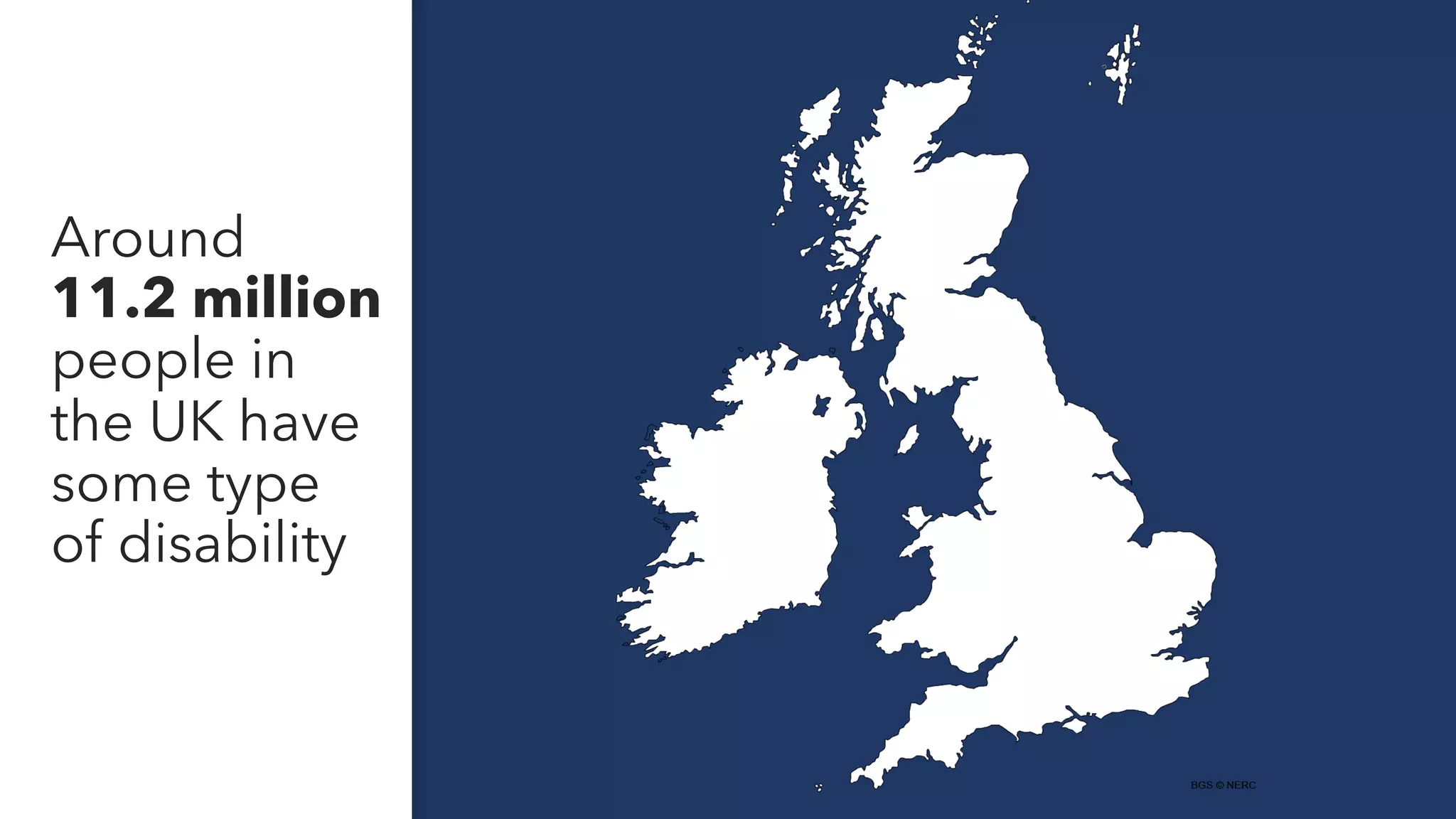
Around
11.2 million
people in
the UK have
some type
of disability
More than
1 billion
of people
worldwide
have a
long term
disability
“Digital inclusion, or rather,
reducing digital exclusion, is about
making sure that people have the
capability to use the internet to do
things that benefit them day to day.”
- Gov.uk
Mobile accessibility will
impact all of us at some point
Struggling
to view a
phone due
to sun glare
When the
website isn’t
optimised for
mobile and you
can’t zoom into
the content
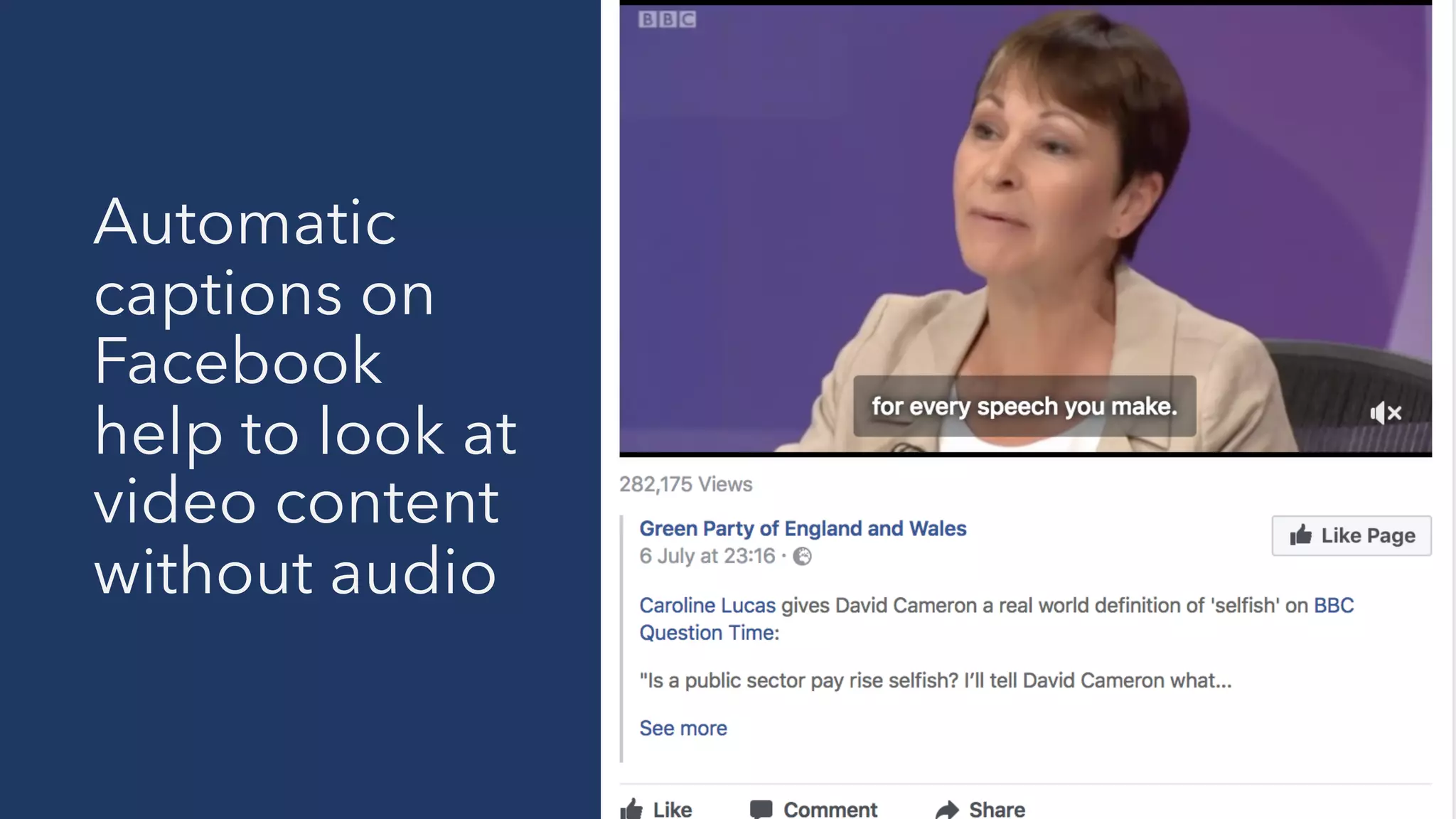
Automatic
captions on
Facebook
help to look at
video content
without audio
When your
iPhone
home button
breaks
Mobile assistive technologies
and accessibility settings
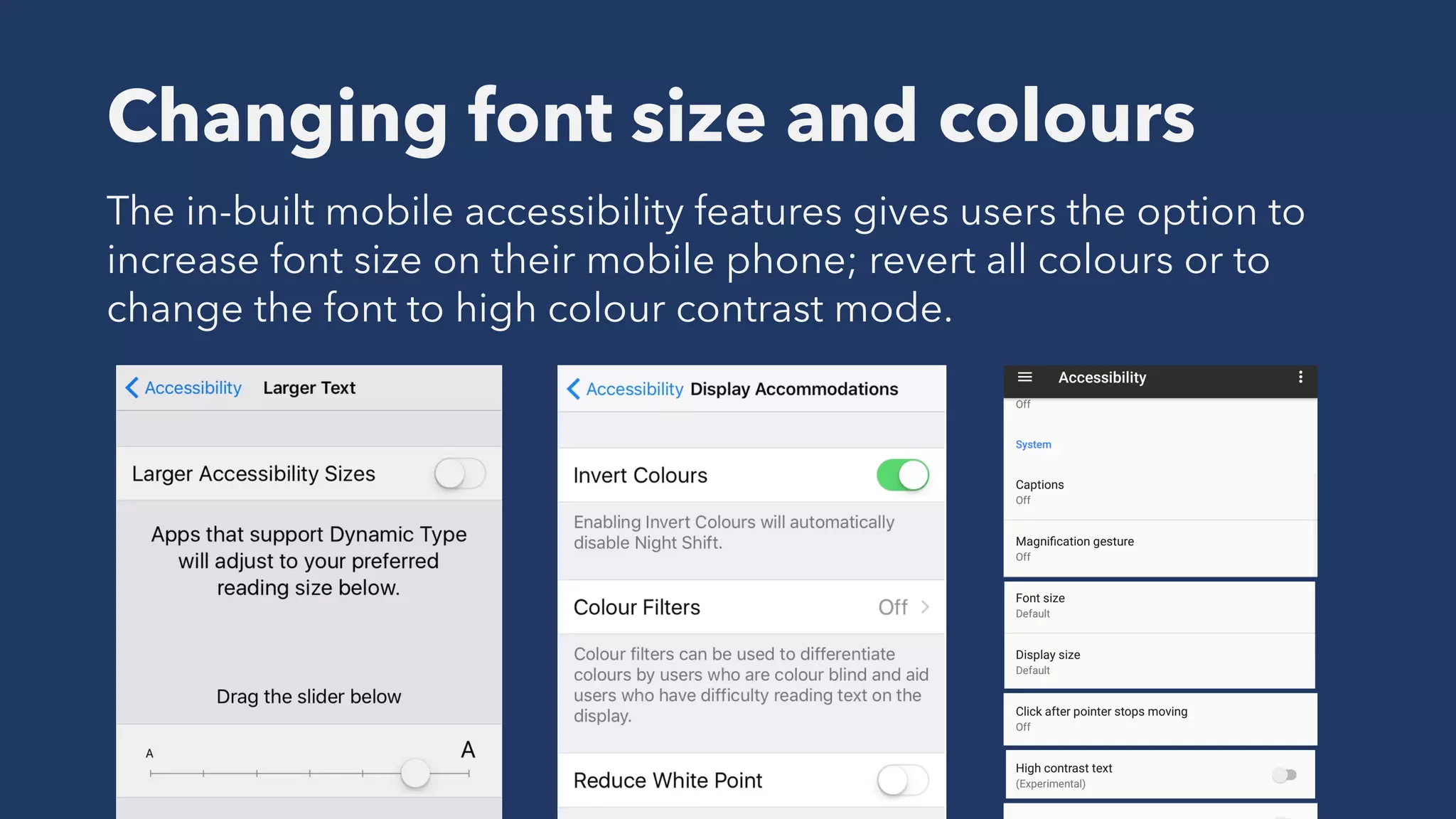
Changing font size and colours
The in-built mobile accessibility features gives users the option to
increase font size on their mobile phone; revert all colours or to
change the font to high colour contrast mode.
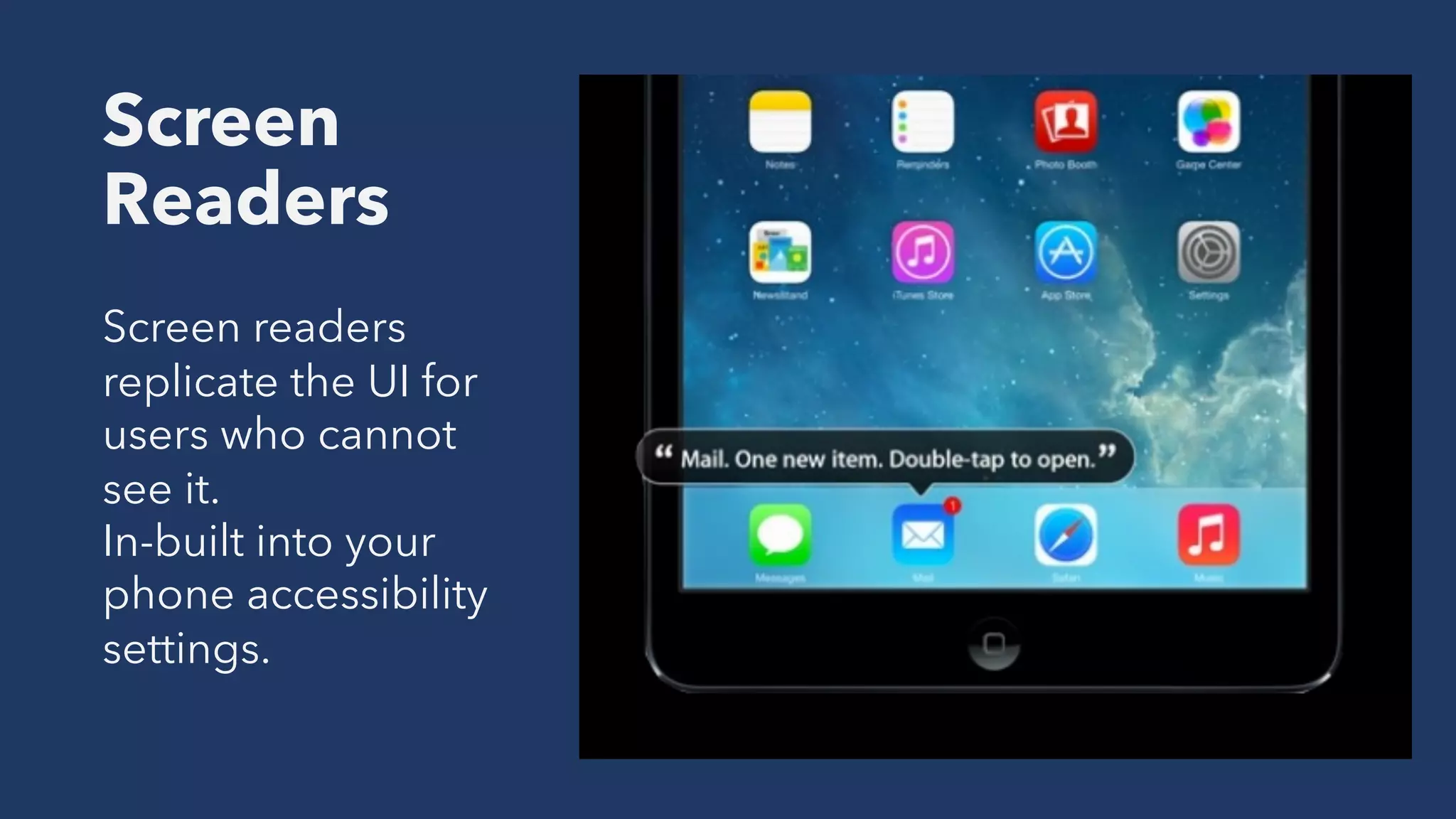
Screen
Readers
Screen readers
replicate the UI for
users who cannot
see it.
In-built into your
phone accessibility
settings.
Tommy Edison: How Blind People Use YouTube & Twitter on
the iPhone – https://youtu.be/c0nvdiRdehw
Bluetooth
keyboard
Allows users to easily
tab through and
interact with content
on a device. Can be
tested with a mobile
screen reader.
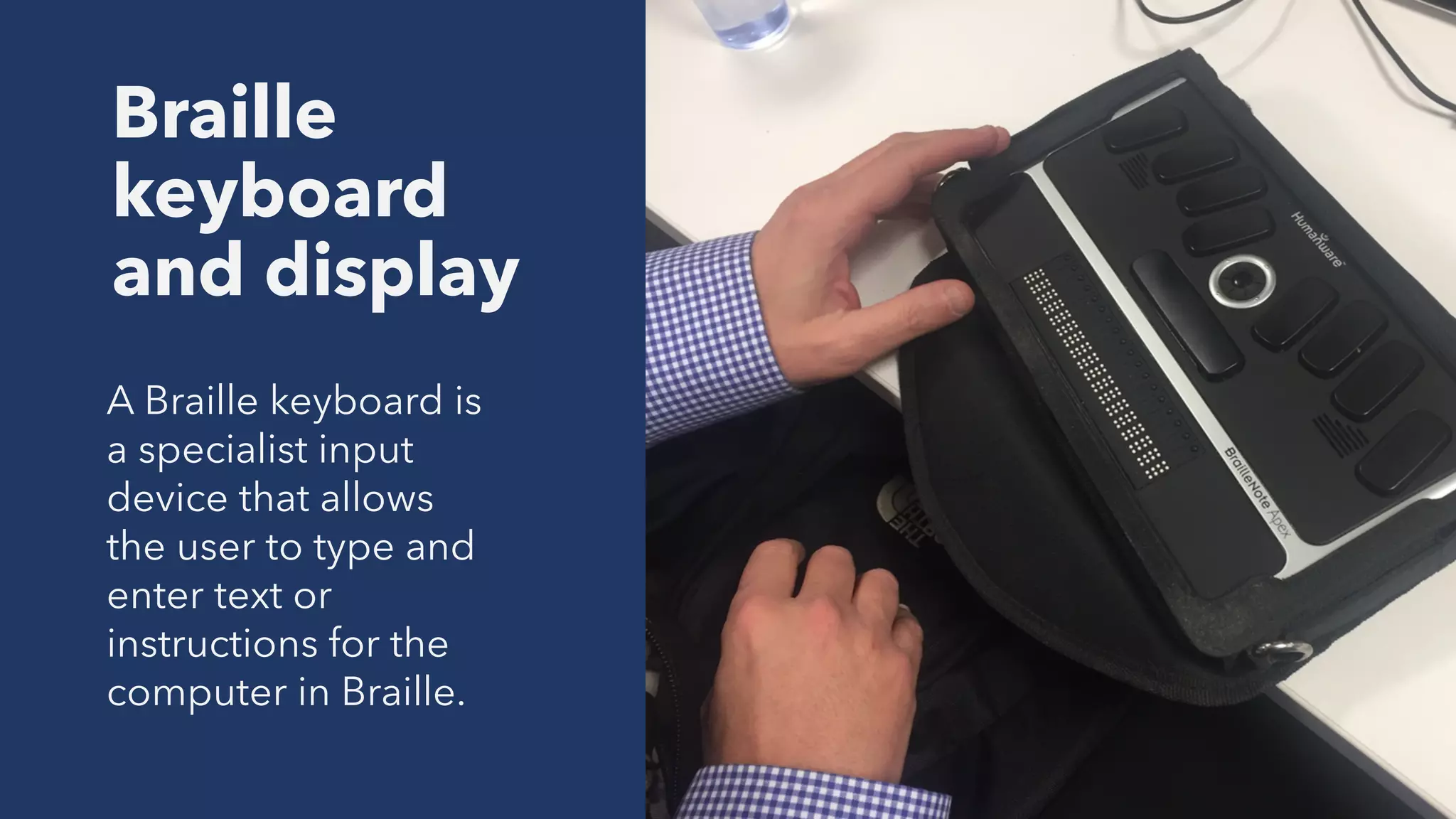
Braille
keyboard
and display
A Braille keyboard is
a specialist input
device that allows
the user to type and
enter text or
instructions for the
computer in Braille.
Switch control
/ Switch access
iOS accessibility store -
https://www.apple.com/uk/shop/accessories/all-
accessories/accessibility
The clicking action is
interpreted by
accessibility settings on
a device, allowing the
user to navigate through
the mobile device, apps
and websites.
Mobile accessibility
guidelines
There is no universal set of
accessibility guidelines for
mobile
Mobile Web Best Practices: https://www.w3.org/TR/mobile-bp/
The World Wide Web Consortium (W3C) is the main international
standards organization for the World Wide Web
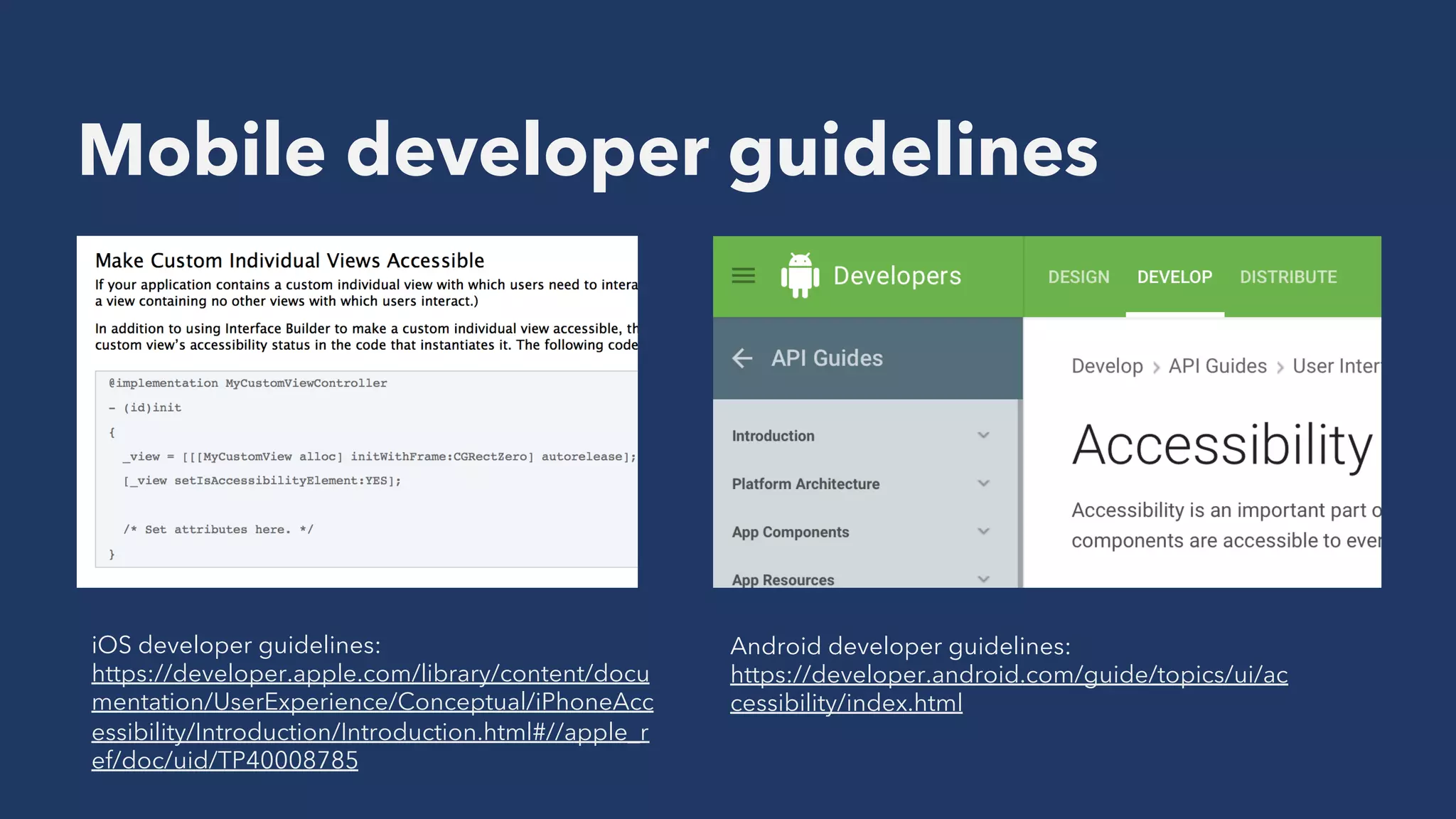
Mobile developer guidelines
Android developer guidelines:
https://developer.android.com/guide/topics/ui/ac
cessibility/index.html
iOS developer guidelines:
https://developer.apple.com/library/content/docu
mentation/UserExperience/Conceptual/iPhoneAcc
essibility/Introduction/Introduction.html#//apple_r
ef/doc/uid/TP40008785
Developer guidelines
Windows development centre - https://developer.microsoft.com/en-us/windows/accessible-apps
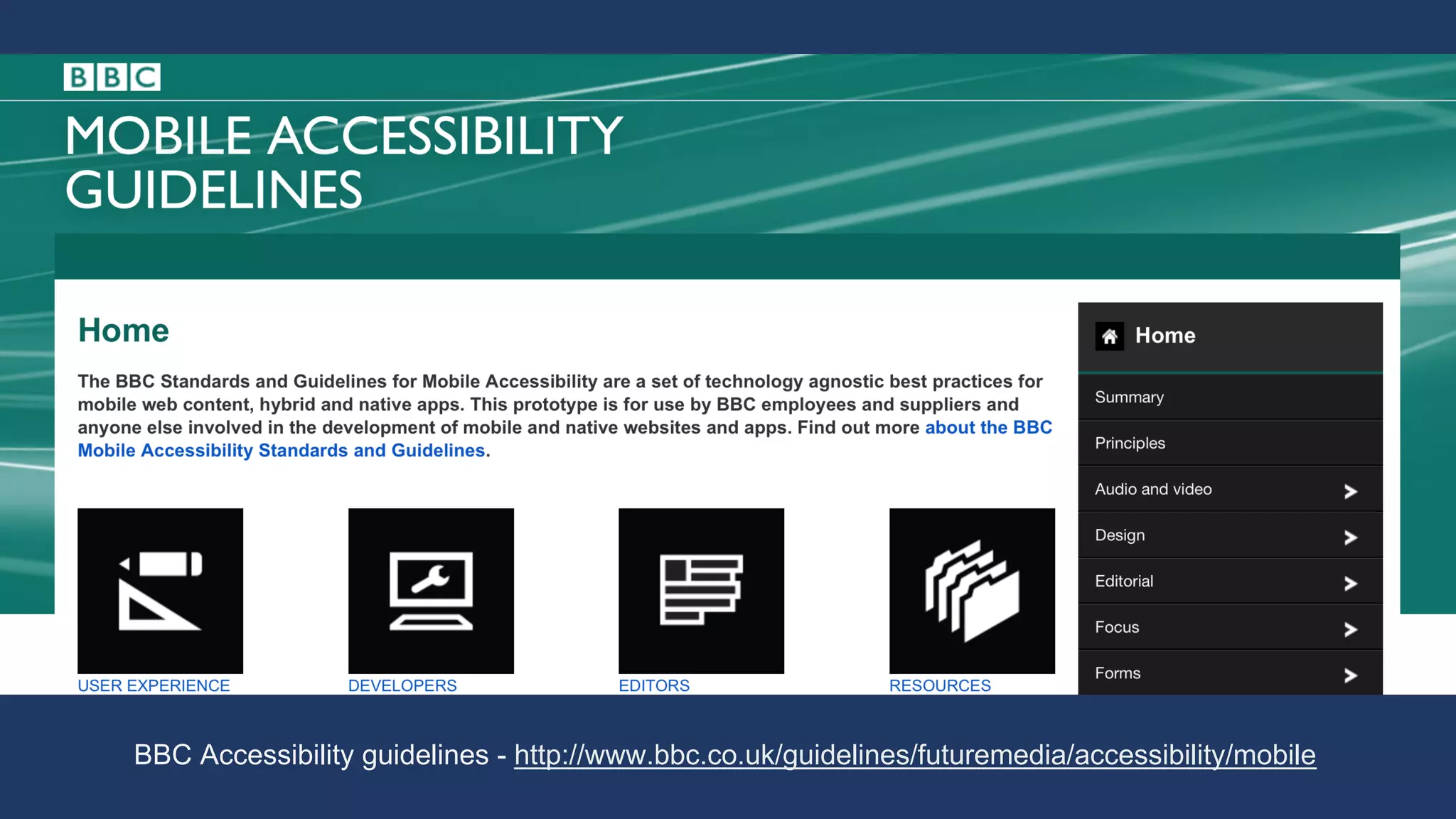
The best way to create
consistency is to build your
own set of mobile
accessibility guidelines
BBC Accessibility guidelines - http://www.bbc.co.uk/guidelines/futuremedia/accessibility/mobile
Ways to consider
accessibility for mobile
Include users
with a range of
abilities when
conducting user
research sessions
Think about
colour
§ Use high contrast so that users
can easily read all the content
provided.
§ Colour contrast analyser tool -
https://www.paciellogroup.co
m/resources/contrastanalyser/
§ Don’t use colour alone to
convey information, for
example, “click the red button
to continue”
Content structure
All structure should be marked up;
including headings (<h1> to <h6>);
lists and paragraphs of text.
On mobile the heading structure is
important for assistive technology
such as screen readers. On iOS you
can use the ‘Rotor’ to hear headings
only on that page.
Don’t disable pinch
zoom
Ensure that the browser pinch zoom is not
blocked by the page's viewport meta
element so that it can be used to zoom the
page to 200%.
<meta name=”viewport” content=”user-
scalable=YES” />
Label all form and
input controls
Input form controls
In HTML 5 the type of input can be indicated
by the type attribute, for example –
Date; Month; Text; Time.
§ Use associated labels to the form controls
§ Use title attributes when visual labels are
not possible
§ Do not rely on ARIA labels
Use native mobile
form controls
(where possible)
Using non-native input controls may confuse
users as well as cause difficulty when using
assistive technology.
Always try to use native mobile controls shown
on in-built mobile applications. If you use
custom form controls ensure they behave and
announce similar to native ones.
Inform users of any
change on screen
Any change on screen should be
notified to screen reader users.
For example, the auto-complete
shown is announced by TalkBack as –
“Show Auto fill pop-up; showing
items 1 to 2 of 2. Showing English US
keyboard.”
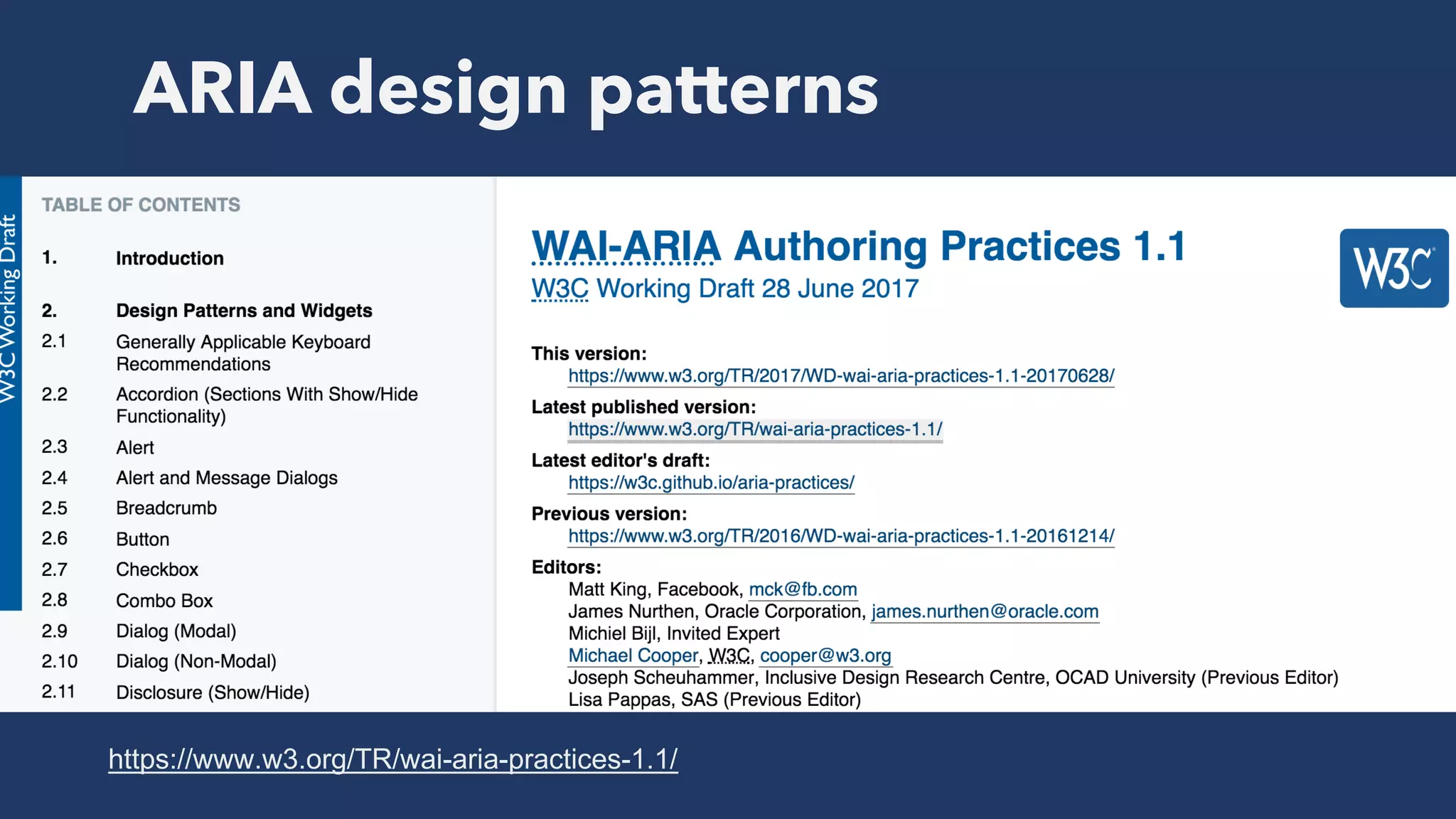
ARIA - Accessible Rich Internet
Applications
ARIA design patterns
https://www.w3.org/TR/wai-aria-practices-1.1/
Where to start with accessibility
§ Try the different accessibility settings on your mobile phone
§ Use your mobile website with a mobile screen reader
§ Download the colour contrast analyser and test your designs
§ Look at existing mobile developer guidelines
§ Discuss with your UX team or user research recruiters about
conducting user testing with disabled users
Ways to learn more about
accessibility
https://www.udacity.com/course/web-accessibility--ud891
We can all have an impact on
making our mobile websites
and applications accessible
Topps Usability
Email: rebecca@toppsusability.co.uk
Website: https://toppsusability.co.uk
Twitter: @beckytopps
Thank you!
Useful links
§ Beyond VoiceOver - https://www.slideshare.net/mostgood/beyond-voiceover-ios-devuk
§ UI Access - http://www.uiaccess.com/accessucd/ut_checklist.html
§ Design in an inclusive way - https://www.shopdirect.com/wp-content/uploads/2017/06/UX-
Cubed-Chris-Bush-Sigma.pdf
§ Mobile PDF - https://www.deloitte.co.uk/mobileuk/
§ Mobile accessibility, Henny Swan - https://www.slideshare.net/iheni/mobile-accessibility-
moba11y
§ BBC Guidelines -
http://www.bbc.co.uk/guidelines/futuremedia/accessibility/mobile/focus/alternative-input-
methods
§ ARIA Design patterns - https://www.w3.org/TR/wai-aria-practices-1.1/#button
§ BBC Switch access -
https://www.dropbox.com/s/x66yns3f7fsse94/BBC%20Switch%20Access%20Guide.pdf?dl=0
§ Creating accessible videos - https://developer.mozilla.org/en/docs/Web/HTML/Element/video
§ Article about accessible videos - http://www.washington.edu/accessibility/videos/
Useful links
§ Udacity accessibility course - https://www.udacity.com/course/web-accessibility--ud891
§ Henny Swan, resources for mobile - http://www.iheni.com/mobile-accessibility-guidelines/
§ Mobile web application best practices - https://www.w3.org/TR/mwabp/
§ List of mobile issues by W3C - https://www.w3.org/WAI/mobile/experiences#multimedia
§ Apple, switch control - https://www.apple.com/accessibility/iphone/physical-and-motor-skills/
§ Developing accessible android apps, video -
https://www.youtube.com/watch?v=ElifzykHt7U&t=86s
§ https://developer.android.com/guide/topics/ui/accessibility/index.html#developing-accessible-
apps-for-blind-and-visually-impaired-users
§ Android development - https://developer.android.com/guide/topics/ui/accessibility/apps.html
Ensure users can focus
on all elements
Ensure all elements can be focused on – a
good start is to text using a bluetooth
keyboard and the mobile phone screen
reader.
The focus should behave similar to how
the UI content order is shown on screen.
Also ensure that users can interact with all
elements on the page.
Make sure any multimedia
is accessible
§ Ensure captions, subtitles and audio
description is provided for all videos if
needed.
§ Consider showing captions automatically
similar to Facebook videos.
§ Audio transcripts should be provided.

Rebecca Topps - Mobile Accessibility

  • 1.
  • 2.
  • 5.
    Why should wemake our mobile websites accessible?
  • 6.
    In the UKaround 81 per cent of UK adults, and 91 per cent of 18–44 year olds own a smartphone. Deloitte Mobile Consumer report - https://www.deloitte.co.uk/mobileuk/assets/pdf/Deloitte-Mobile- Consumer-2016-There-is-no-place-like-phone.pdf
  • 7.
    Around 11.2 million people in theUK have some type of disability
  • 8.
    More than 1 billion ofpeople worldwide have a long term disability
  • 9.
    “Digital inclusion, orrather, reducing digital exclusion, is about making sure that people have the capability to use the internet to do things that benefit them day to day.” - Gov.uk
  • 10.
    Mobile accessibility will impactall of us at some point
  • 11.
  • 12.
    When the website isn’t optimisedfor mobile and you can’t zoom into the content
  • 13.
    Automatic captions on Facebook help tolook at video content without audio
  • 14.
  • 15.
    Mobile assistive technologies andaccessibility settings
  • 16.
    Changing font sizeand colours The in-built mobile accessibility features gives users the option to increase font size on their mobile phone; revert all colours or to change the font to high colour contrast mode.
  • 18.
    Screen Readers Screen readers replicate theUI for users who cannot see it. In-built into your phone accessibility settings.
  • 19.
    Tommy Edison: HowBlind People Use YouTube & Twitter on the iPhone – https://youtu.be/c0nvdiRdehw
  • 20.
    Bluetooth keyboard Allows users toeasily tab through and interact with content on a device. Can be tested with a mobile screen reader.
  • 21.
    Braille keyboard and display A Braillekeyboard is a specialist input device that allows the user to type and enter text or instructions for the computer in Braille.
  • 22.
    Switch control / Switchaccess iOS accessibility store - https://www.apple.com/uk/shop/accessories/all- accessories/accessibility The clicking action is interpreted by accessibility settings on a device, allowing the user to navigate through the mobile device, apps and websites.
  • 23.
  • 24.
    There is nouniversal set of accessibility guidelines for mobile
  • 25.
    Mobile Web BestPractices: https://www.w3.org/TR/mobile-bp/ The World Wide Web Consortium (W3C) is the main international standards organization for the World Wide Web
  • 26.
    Mobile developer guidelines Androiddeveloper guidelines: https://developer.android.com/guide/topics/ui/ac cessibility/index.html iOS developer guidelines: https://developer.apple.com/library/content/docu mentation/UserExperience/Conceptual/iPhoneAcc essibility/Introduction/Introduction.html#//apple_r ef/doc/uid/TP40008785
  • 27.
    Developer guidelines Windows developmentcentre - https://developer.microsoft.com/en-us/windows/accessible-apps
  • 28.
    The best wayto create consistency is to build your own set of mobile accessibility guidelines
  • 30.
    BBC Accessibility guidelines- http://www.bbc.co.uk/guidelines/futuremedia/accessibility/mobile
  • 32.
  • 33.
    Include users with arange of abilities when conducting user research sessions
  • 34.
    Think about colour § Usehigh contrast so that users can easily read all the content provided. § Colour contrast analyser tool - https://www.paciellogroup.co m/resources/contrastanalyser/ § Don’t use colour alone to convey information, for example, “click the red button to continue”
  • 35.
    Content structure All structureshould be marked up; including headings (<h1> to <h6>); lists and paragraphs of text. On mobile the heading structure is important for assistive technology such as screen readers. On iOS you can use the ‘Rotor’ to hear headings only on that page.
  • 36.
    Don’t disable pinch zoom Ensurethat the browser pinch zoom is not blocked by the page's viewport meta element so that it can be used to zoom the page to 200%. <meta name=”viewport” content=”user- scalable=YES” />
  • 37.
    Label all formand input controls Input form controls In HTML 5 the type of input can be indicated by the type attribute, for example – Date; Month; Text; Time. § Use associated labels to the form controls § Use title attributes when visual labels are not possible § Do not rely on ARIA labels
  • 38.
    Use native mobile formcontrols (where possible) Using non-native input controls may confuse users as well as cause difficulty when using assistive technology. Always try to use native mobile controls shown on in-built mobile applications. If you use custom form controls ensure they behave and announce similar to native ones.
  • 39.
    Inform users ofany change on screen Any change on screen should be notified to screen reader users. For example, the auto-complete shown is announced by TalkBack as – “Show Auto fill pop-up; showing items 1 to 2 of 2. Showing English US keyboard.”
  • 40.
    ARIA - AccessibleRich Internet Applications
  • 41.
  • 42.
    Where to startwith accessibility § Try the different accessibility settings on your mobile phone § Use your mobile website with a mobile screen reader § Download the colour contrast analyser and test your designs § Look at existing mobile developer guidelines § Discuss with your UX team or user research recruiters about conducting user testing with disabled users
  • 43.
    Ways to learnmore about accessibility https://www.udacity.com/course/web-accessibility--ud891
  • 44.
    We can allhave an impact on making our mobile websites and applications accessible
  • 46.
    Topps Usability Email: rebecca@toppsusability.co.uk Website:https://toppsusability.co.uk Twitter: @beckytopps Thank you!
  • 47.
    Useful links § BeyondVoiceOver - https://www.slideshare.net/mostgood/beyond-voiceover-ios-devuk § UI Access - http://www.uiaccess.com/accessucd/ut_checklist.html § Design in an inclusive way - https://www.shopdirect.com/wp-content/uploads/2017/06/UX- Cubed-Chris-Bush-Sigma.pdf § Mobile PDF - https://www.deloitte.co.uk/mobileuk/ § Mobile accessibility, Henny Swan - https://www.slideshare.net/iheni/mobile-accessibility- moba11y § BBC Guidelines - http://www.bbc.co.uk/guidelines/futuremedia/accessibility/mobile/focus/alternative-input- methods § ARIA Design patterns - https://www.w3.org/TR/wai-aria-practices-1.1/#button § BBC Switch access - https://www.dropbox.com/s/x66yns3f7fsse94/BBC%20Switch%20Access%20Guide.pdf?dl=0 § Creating accessible videos - https://developer.mozilla.org/en/docs/Web/HTML/Element/video § Article about accessible videos - http://www.washington.edu/accessibility/videos/
  • 48.
    Useful links § Udacityaccessibility course - https://www.udacity.com/course/web-accessibility--ud891 § Henny Swan, resources for mobile - http://www.iheni.com/mobile-accessibility-guidelines/ § Mobile web application best practices - https://www.w3.org/TR/mwabp/ § List of mobile issues by W3C - https://www.w3.org/WAI/mobile/experiences#multimedia § Apple, switch control - https://www.apple.com/accessibility/iphone/physical-and-motor-skills/ § Developing accessible android apps, video - https://www.youtube.com/watch?v=ElifzykHt7U&t=86s § https://developer.android.com/guide/topics/ui/accessibility/index.html#developing-accessible- apps-for-blind-and-visually-impaired-users § Android development - https://developer.android.com/guide/topics/ui/accessibility/apps.html
  • 49.
    Ensure users canfocus on all elements Ensure all elements can be focused on – a good start is to text using a bluetooth keyboard and the mobile phone screen reader. The focus should behave similar to how the UI content order is shown on screen. Also ensure that users can interact with all elements on the page.
  • 50.
    Make sure anymultimedia is accessible § Ensure captions, subtitles and audio description is provided for all videos if needed. § Consider showing captions automatically similar to Facebook videos. § Audio transcripts should be provided.