ERP – Expensive Reporting Programmewww.csntechnologies.co.zaColin PillayGUEST LECTURE PRESENTED DURING RABELANI DAGADA'S TECHNOLOGY & INFORMATION MANAGEMENT AT THE WITS BUSINESS SCHOOL, 17 FEBRUARY 2011
What is ERP? ERP is a packaged business software system that processes transactions on a single software platform and a single database
What does an ERP system do? (1)Integrates information across all departmentsFacilitates the flow of information among the different functions and processes of an enterprisefunctions: manufacturing, finance, HRprocesses: order entryTracks a wide range of events in the enterprise in an integrated fashionPlans future activities based on these eventsSupports analysis of trends in these events, to improve the performance of the enterprise.
2. What does an ERP system do? (2)Allows users to input data in one location, that can be processed with other data and accessed as informational reports in a real-time environmentshare common data and practices across the entire enterprisereengineer the majority of its processes
3. Drivers of an ERP investmentTechnologyBusiness processesStrategyCompetition
3. Drivers of an ERP investment3.1. TechnologyNeed for an infrastructure that will provide information across all functions and locations within the organizationDifficulty maintaining existing legacy systems Difficulty integrating acquisitionsObsolete hardware
3. Drivers of an ERP investment3.2. Business processesComplex, ineffective business processesBusiness processes are not integratedNeed for a set of tools for planning and monitoring the various functions and processes in a companyOpportunity to reengineer business processes
3. Drivers of an ERP investment3.3. StrategyGlobalizationNew products, new servicesNeed to be more responsive to customersCost structures too highPoor quality or visibility of informationFoundation for e-business
3. Drivers of an ERP investment3.4. CompetitionCompetitors have an ERP system
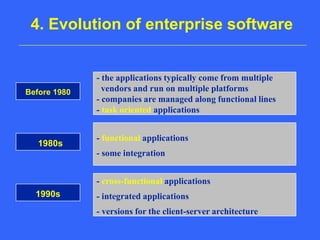
4. Evolution of enterprise software- the applications typically come from multiple   vendors and run on multiple platforms- companies are managed along functional lines- task oriented applicationsBefore 1980- functional applications- some integration1980s- cross-functional applications - integrated applications- versions for the client-server architecture1990s
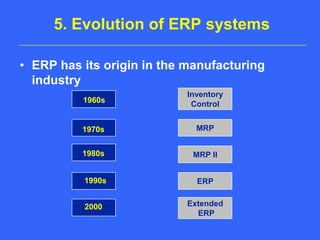
5. Evolution of ERP systemsERP has its origin in the manufacturing industryInventoryControl1960sMRP 1970sMRP II 1980sERP 1990sExtended ERP 2000
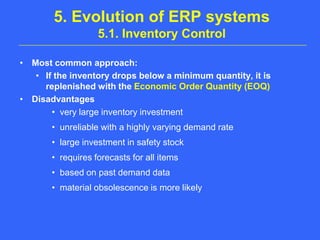
5. Evolution of ERP systems 5.1. Inventory ControlMost common approach: If the inventory drops below a minimum quantity, it is replenished with the Economic Order Quantity (EOQ)Disadvantagesvery large inventory investmentunreliable with a highly varying demand ratelarge investment in safety stockrequires forecasts for all itemsbased on past demand datamaterial obsolescence is more likely
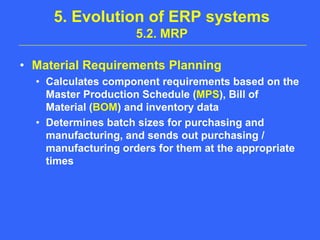
5. Evolution of ERP systems 5.2. MRPMaterial Requirements PlanningCalculates component requirements based on the Master Production Schedule (MPS), Bill of Material (BOM) and inventory dataDetermines batch sizes for purchasing and manufacturing, and sends out purchasing / manufacturing orders for them at the appropriate times
5. Evolution of ERP systems 5.3. Closed-loop MRPConsiders material and capacity requirementsPrior to releasing production orders to shopfloor, it adds the planned workload to existing workload, and compares it with the available capacityAssesses whether work should be rescheduled in order to smooth out any peaks in capacity utilization (CRP)
5. Evolution of ERP systems 5.4. MRP IIManufacturing resource planningcloses the loop with sales, financial and operations planningincludes the allocation of production equipment and laborcan manage changes in the production planincludes JIT capabilities
5. Evolution of ERP systems 5.5. ERPEnterprise resource planningERP systems go beyond the barrier of manufacturing organizationsData are generated as a result of diverse transactions and integrated to be used by multiple users, for multiple purposes and at multiple places
6. ERP componentsFinancialsHuman resourcesSales and DistributionManufacturingMaterials managementLogisticsReporting
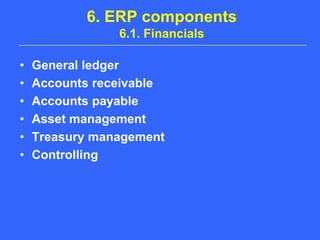
6. ERP components6.1. FinancialsGeneral ledgerAccounts receivableAccounts payableAsset managementTreasury managementControlling
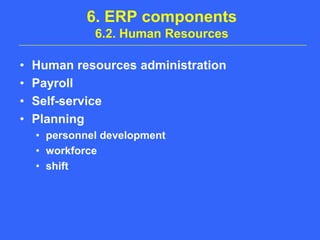
6. ERP components6.2. Human ResourcesHuman resources administrationPayrollSelf-servicePlanningpersonnel developmentworkforceshift
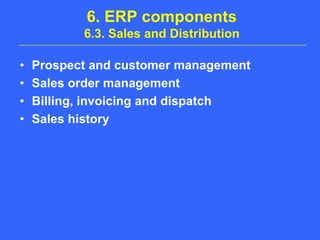
6. ERP components6.3. Sales and DistributionProspect and customer managementSales order managementBilling, invoicing and dispatchSales history
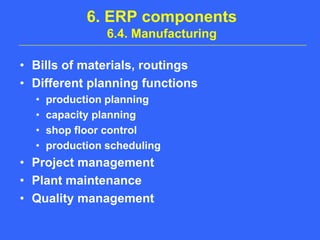
6. ERP components6.4. ManufacturingBills of materials, routingsDifferent planning functionsproduction planningcapacity planningshop floor controlproduction schedulingProject managementPlant maintenanceQuality management
6. ERP components6.4. Manufacturing (2)Multi-mode manufacturing functionalitiesmake-to-stockmake-to-orderassemble-to-orderengineer-to-orderJITIndustry-specific solutionsdiscrete manufacturing: automotive, high techprocess industries: chemicals, oil & gas services: public services, banking, insurance
6. ERP components6.5. Materials managementProcurementgenerate purchase ordersknow the pricesmeasure vendor performancereceive goods into inventorypass invoices to accounts payablesInventory managementwhere is all stockwhat is it worthstock movement tracking
6. ERP components6.6. LogisticsWarehouse managementmaintains records of warehoused goodsprocess movement of products through warehousesTransportation managementmanages delivery of products to customersproduces legal documents for tax, customs, shipping agents
6. ERP components6.7. ReportingInformation is made available to particular users in the form of specific reports. In addition, there are other approaches to generating data from the system, including database queries. Recently, ERP reporting capabilities have begun to evolve as ERP vendors have tried to increase the accessibility and ease of use of the ERP software.
7. ERP implementation7.1. ChallengeMoving away from functional silos and creating effective cross-functional processes that are truly integrated via an ERP system
7. ERP implementation7.2. Preparation (1)Develop a clear business casecosts versus benefitsoperational outcomesSet company goals and commitmentsBuild understanding and commitment, enabling continuous improvement (change management)Examine current stateReengineer business processes
7. ERP implementation7.2. Preparation (2)Make decisions about the IT infrastructure (hardware, network, telecommunications, support)Estimate project resources, costs and duration of each activityBreak the implementation effort into manageable and measurable work phasesPerform a risk assessment: proactive process to reduce uncertainty
7. ERP implementation7.3. Software selectionVendors criteriafinancial stabilitylong-term viabilityimplementation serviceslife cycle services (support, maintenance)Software criteriaindustry specificfunctionalities must meet business requirementsperformancedefault settings versus customizingCosts
7. ERP implementation7.4. Implementation steps (1)InstallationBig BangImplementing all targeted functionality at the same time.A certain efficiency and effectiveness is achieved by implementing all modules as a single project.PhasedImplementing targeted functionality in phasesby moduleby geographyby business unitCompany expects to grow into ERP
7. ERP implementation7.4. Implementation steps (2)Project managementtracking, measuring and rechecking of milestones to ensure that scheduled changes are made on time and on budgetTrainingprovide training to everyone involved in the project Go LiveImprovement
7. ERP implementation7.5. Key factors for successful implementationKeep top management involvedSelect the right project managerSet-up cross functional implementation teamsObtain a good implementation partnerEnsure that the OEM/Vendor is held accountable for QA on the project.
7. ERP implementation7.6. ReviewERP projecton time, within budget, expected scopeBusiness operationsuser performancesystem performancebusiness process performanceOrganizationcompetitive advantage/disadvantageprocess visibility and continuous improvementsound IT architecture adaptability for mergers, reorganizations
8. CostsAcquisition costsImplementation costsLife cycle costsTraining Costs
8. Costs8.1. Acquisition costsAcquisition costsselecting the ERP systemeducationconsultingsoftware licensesIT infrastructurehardwaretelecommunications
8. Costs8.2. Implementation costsImplementation costspeople: consultants, project team, trainerstraveladministrative: support, supplies, office spaceintegration with other applications
8. Costs8.3. Life cycle costsLife cycle costsmaximizing the value of the ERP system ownershipmaintenance supportUpgradesOngoing Training
9. BenefitsImproved integrationImproved efficiencyImproved information qualityImproved worldwide communicationImproved customer service
9. Benefits (1)Improved integrationSeamless integration of all the information flowing through a companyfinancial and accounting informationhuman resource informationsupply chain informationcustomer informationSingle databaseCorporate functions are linked togetherelimination of functional silos
9. Benefits (2)Improved efficiencyQuickly entering and retrieving of informationInformation entered once into the systemImproved information qualityGreater accuracy of informationImproved access to informationImproved worldwide communicationMulti lingual and multi currency capacity
9. Benefits (3)Improved customer serviceReduced errors in ordering, billing, shippingDecreased lead timeIncreased qualityImproved on-time delivery performance
10. The Future of ERP (1)Move from client/server applications to Internet-basedapplications (cloud computing)Enterprise systems will connect to suppliers and customers.supply chain managementcustomer relationship managementE-Businessself-service applications (ex. Order entry)Information will increasingly be seen and managed as an asset
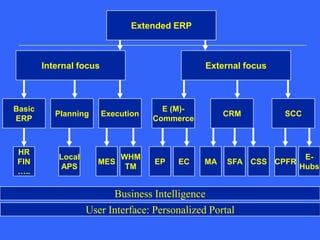
Extended ERPInternal focusExternal focusE (M)-CommerceCRMSCCBasicERPPlanningExecutionMASFACSSCPFRE-HubsECEPHRFIN…..LocalAPSMESWHMTMBusiness IntelligenceUser Interface: Personalized Portal
10. The Future of ERPExtended ERP abbreviationsCRM: Customer Relationship ManagementMA: Marketing automationSFA: Sales Force AutomationCSS: Customer Service and SupportSCC: Supply Chain CollaborationCPFR: Collaborative Planning, Forecasting, ReplenishmentAPS: Advanced Planning and SchedulingMES: Manufacturing Execution SystemsWHM: Warehouse Management SystemsTM: Transportation Management SystemsEP: E-ProcurementEC:E-Commerce
11. Summary (1)ERP systems are fast replacing legacy systemsERP can integrate all of your business unitsProper implementation will help the business function betterERP affects many key business processes and employees profoundly: change management and training are importantMove to mid-size companies and internet-based collaborative applications
11. Summary (2)Necessary actions before acquiring an ERP systemIn-depth study of existing systems and processesDevelopment of a clear business casecosts versus benefitsoperational outcomesrisks
The endPlease feel free to give any comments tocolin@csntechnologies.co.za

Rabelani dagada wbs erp

  • 1.
    ERP – ExpensiveReporting Programmewww.csntechnologies.co.zaColin PillayGUEST LECTURE PRESENTED DURING RABELANI DAGADA'S TECHNOLOGY & INFORMATION MANAGEMENT AT THE WITS BUSINESS SCHOOL, 17 FEBRUARY 2011
  • 2.
    What is ERP?ERP is a packaged business software system that processes transactions on a single software platform and a single database
  • 3.
    What does anERP system do? (1)Integrates information across all departmentsFacilitates the flow of information among the different functions and processes of an enterprisefunctions: manufacturing, finance, HRprocesses: order entryTracks a wide range of events in the enterprise in an integrated fashionPlans future activities based on these eventsSupports analysis of trends in these events, to improve the performance of the enterprise.
  • 4.
    2. What doesan ERP system do? (2)Allows users to input data in one location, that can be processed with other data and accessed as informational reports in a real-time environmentshare common data and practices across the entire enterprisereengineer the majority of its processes
  • 5.
    3. Drivers ofan ERP investmentTechnologyBusiness processesStrategyCompetition
  • 6.
    3. Drivers ofan ERP investment3.1. TechnologyNeed for an infrastructure that will provide information across all functions and locations within the organizationDifficulty maintaining existing legacy systems Difficulty integrating acquisitionsObsolete hardware
  • 7.
    3. Drivers ofan ERP investment3.2. Business processesComplex, ineffective business processesBusiness processes are not integratedNeed for a set of tools for planning and monitoring the various functions and processes in a companyOpportunity to reengineer business processes
  • 8.
    3. Drivers ofan ERP investment3.3. StrategyGlobalizationNew products, new servicesNeed to be more responsive to customersCost structures too highPoor quality or visibility of informationFoundation for e-business
  • 9.
    3. Drivers ofan ERP investment3.4. CompetitionCompetitors have an ERP system
  • 10.
    4. Evolution ofenterprise software- the applications typically come from multiple vendors and run on multiple platforms- companies are managed along functional lines- task oriented applicationsBefore 1980- functional applications- some integration1980s- cross-functional applications - integrated applications- versions for the client-server architecture1990s
  • 11.
    5. Evolution ofERP systemsERP has its origin in the manufacturing industryInventoryControl1960sMRP 1970sMRP II 1980sERP 1990sExtended ERP 2000
  • 12.
    5. Evolution ofERP systems 5.1. Inventory ControlMost common approach: If the inventory drops below a minimum quantity, it is replenished with the Economic Order Quantity (EOQ)Disadvantagesvery large inventory investmentunreliable with a highly varying demand ratelarge investment in safety stockrequires forecasts for all itemsbased on past demand datamaterial obsolescence is more likely
  • 13.
    5. Evolution ofERP systems 5.2. MRPMaterial Requirements PlanningCalculates component requirements based on the Master Production Schedule (MPS), Bill of Material (BOM) and inventory dataDetermines batch sizes for purchasing and manufacturing, and sends out purchasing / manufacturing orders for them at the appropriate times
  • 14.
    5. Evolution ofERP systems 5.3. Closed-loop MRPConsiders material and capacity requirementsPrior to releasing production orders to shopfloor, it adds the planned workload to existing workload, and compares it with the available capacityAssesses whether work should be rescheduled in order to smooth out any peaks in capacity utilization (CRP)
  • 15.
    5. Evolution ofERP systems 5.4. MRP IIManufacturing resource planningcloses the loop with sales, financial and operations planningincludes the allocation of production equipment and laborcan manage changes in the production planincludes JIT capabilities
  • 16.
    5. Evolution ofERP systems 5.5. ERPEnterprise resource planningERP systems go beyond the barrier of manufacturing organizationsData are generated as a result of diverse transactions and integrated to be used by multiple users, for multiple purposes and at multiple places
  • 17.
    6. ERP componentsFinancialsHumanresourcesSales and DistributionManufacturingMaterials managementLogisticsReporting
  • 18.
    6. ERP components6.1.FinancialsGeneral ledgerAccounts receivableAccounts payableAsset managementTreasury managementControlling
  • 19.
    6. ERP components6.2.Human ResourcesHuman resources administrationPayrollSelf-servicePlanningpersonnel developmentworkforceshift
  • 20.
    6. ERP components6.3.Sales and DistributionProspect and customer managementSales order managementBilling, invoicing and dispatchSales history
  • 21.
    6. ERP components6.4.ManufacturingBills of materials, routingsDifferent planning functionsproduction planningcapacity planningshop floor controlproduction schedulingProject managementPlant maintenanceQuality management
  • 22.
    6. ERP components6.4.Manufacturing (2)Multi-mode manufacturing functionalitiesmake-to-stockmake-to-orderassemble-to-orderengineer-to-orderJITIndustry-specific solutionsdiscrete manufacturing: automotive, high techprocess industries: chemicals, oil & gas services: public services, banking, insurance
  • 23.
    6. ERP components6.5.Materials managementProcurementgenerate purchase ordersknow the pricesmeasure vendor performancereceive goods into inventorypass invoices to accounts payablesInventory managementwhere is all stockwhat is it worthstock movement tracking
  • 24.
    6. ERP components6.6.LogisticsWarehouse managementmaintains records of warehoused goodsprocess movement of products through warehousesTransportation managementmanages delivery of products to customersproduces legal documents for tax, customs, shipping agents
  • 25.
    6. ERP components6.7.ReportingInformation is made available to particular users in the form of specific reports. In addition, there are other approaches to generating data from the system, including database queries. Recently, ERP reporting capabilities have begun to evolve as ERP vendors have tried to increase the accessibility and ease of use of the ERP software.
  • 26.
    7. ERP implementation7.1.ChallengeMoving away from functional silos and creating effective cross-functional processes that are truly integrated via an ERP system
  • 27.
    7. ERP implementation7.2.Preparation (1)Develop a clear business casecosts versus benefitsoperational outcomesSet company goals and commitmentsBuild understanding and commitment, enabling continuous improvement (change management)Examine current stateReengineer business processes
  • 28.
    7. ERP implementation7.2.Preparation (2)Make decisions about the IT infrastructure (hardware, network, telecommunications, support)Estimate project resources, costs and duration of each activityBreak the implementation effort into manageable and measurable work phasesPerform a risk assessment: proactive process to reduce uncertainty
  • 29.
    7. ERP implementation7.3.Software selectionVendors criteriafinancial stabilitylong-term viabilityimplementation serviceslife cycle services (support, maintenance)Software criteriaindustry specificfunctionalities must meet business requirementsperformancedefault settings versus customizingCosts
  • 30.
    7. ERP implementation7.4.Implementation steps (1)InstallationBig BangImplementing all targeted functionality at the same time.A certain efficiency and effectiveness is achieved by implementing all modules as a single project.PhasedImplementing targeted functionality in phasesby moduleby geographyby business unitCompany expects to grow into ERP
  • 31.
    7. ERP implementation7.4.Implementation steps (2)Project managementtracking, measuring and rechecking of milestones to ensure that scheduled changes are made on time and on budgetTrainingprovide training to everyone involved in the project Go LiveImprovement
  • 32.
    7. ERP implementation7.5.Key factors for successful implementationKeep top management involvedSelect the right project managerSet-up cross functional implementation teamsObtain a good implementation partnerEnsure that the OEM/Vendor is held accountable for QA on the project.
  • 33.
    7. ERP implementation7.6.ReviewERP projecton time, within budget, expected scopeBusiness operationsuser performancesystem performancebusiness process performanceOrganizationcompetitive advantage/disadvantageprocess visibility and continuous improvementsound IT architecture adaptability for mergers, reorganizations
  • 34.
    8. CostsAcquisition costsImplementationcostsLife cycle costsTraining Costs
  • 35.
    8. Costs8.1. AcquisitioncostsAcquisition costsselecting the ERP systemeducationconsultingsoftware licensesIT infrastructurehardwaretelecommunications
  • 36.
    8. Costs8.2. ImplementationcostsImplementation costspeople: consultants, project team, trainerstraveladministrative: support, supplies, office spaceintegration with other applications
  • 37.
    8. Costs8.3. Lifecycle costsLife cycle costsmaximizing the value of the ERP system ownershipmaintenance supportUpgradesOngoing Training
  • 38.
    9. BenefitsImproved integrationImprovedefficiencyImproved information qualityImproved worldwide communicationImproved customer service
  • 39.
    9. Benefits (1)ImprovedintegrationSeamless integration of all the information flowing through a companyfinancial and accounting informationhuman resource informationsupply chain informationcustomer informationSingle databaseCorporate functions are linked togetherelimination of functional silos
  • 40.
    9. Benefits (2)ImprovedefficiencyQuickly entering and retrieving of informationInformation entered once into the systemImproved information qualityGreater accuracy of informationImproved access to informationImproved worldwide communicationMulti lingual and multi currency capacity
  • 41.
    9. Benefits (3)Improvedcustomer serviceReduced errors in ordering, billing, shippingDecreased lead timeIncreased qualityImproved on-time delivery performance
  • 42.
    10. The Futureof ERP (1)Move from client/server applications to Internet-basedapplications (cloud computing)Enterprise systems will connect to suppliers and customers.supply chain managementcustomer relationship managementE-Businessself-service applications (ex. Order entry)Information will increasingly be seen and managed as an asset
  • 43.
    Extended ERPInternal focusExternalfocusE (M)-CommerceCRMSCCBasicERPPlanningExecutionMASFACSSCPFRE-HubsECEPHRFIN…..LocalAPSMESWHMTMBusiness IntelligenceUser Interface: Personalized Portal
  • 44.
    10. The Futureof ERPExtended ERP abbreviationsCRM: Customer Relationship ManagementMA: Marketing automationSFA: Sales Force AutomationCSS: Customer Service and SupportSCC: Supply Chain CollaborationCPFR: Collaborative Planning, Forecasting, ReplenishmentAPS: Advanced Planning and SchedulingMES: Manufacturing Execution SystemsWHM: Warehouse Management SystemsTM: Transportation Management SystemsEP: E-ProcurementEC:E-Commerce
  • 45.
    11. Summary (1)ERPsystems are fast replacing legacy systemsERP can integrate all of your business unitsProper implementation will help the business function betterERP affects many key business processes and employees profoundly: change management and training are importantMove to mid-size companies and internet-based collaborative applications
  • 46.
    11. Summary (2)Necessaryactions before acquiring an ERP systemIn-depth study of existing systems and processesDevelopment of a clear business casecosts versus benefitsoperational outcomesrisks
  • 47.
    The endPlease feelfree to give any comments tocolin@csntechnologies.co.za