Android Layouts
SOURABH SAHU
Layouts
- Linear Layout
- Relative Layout
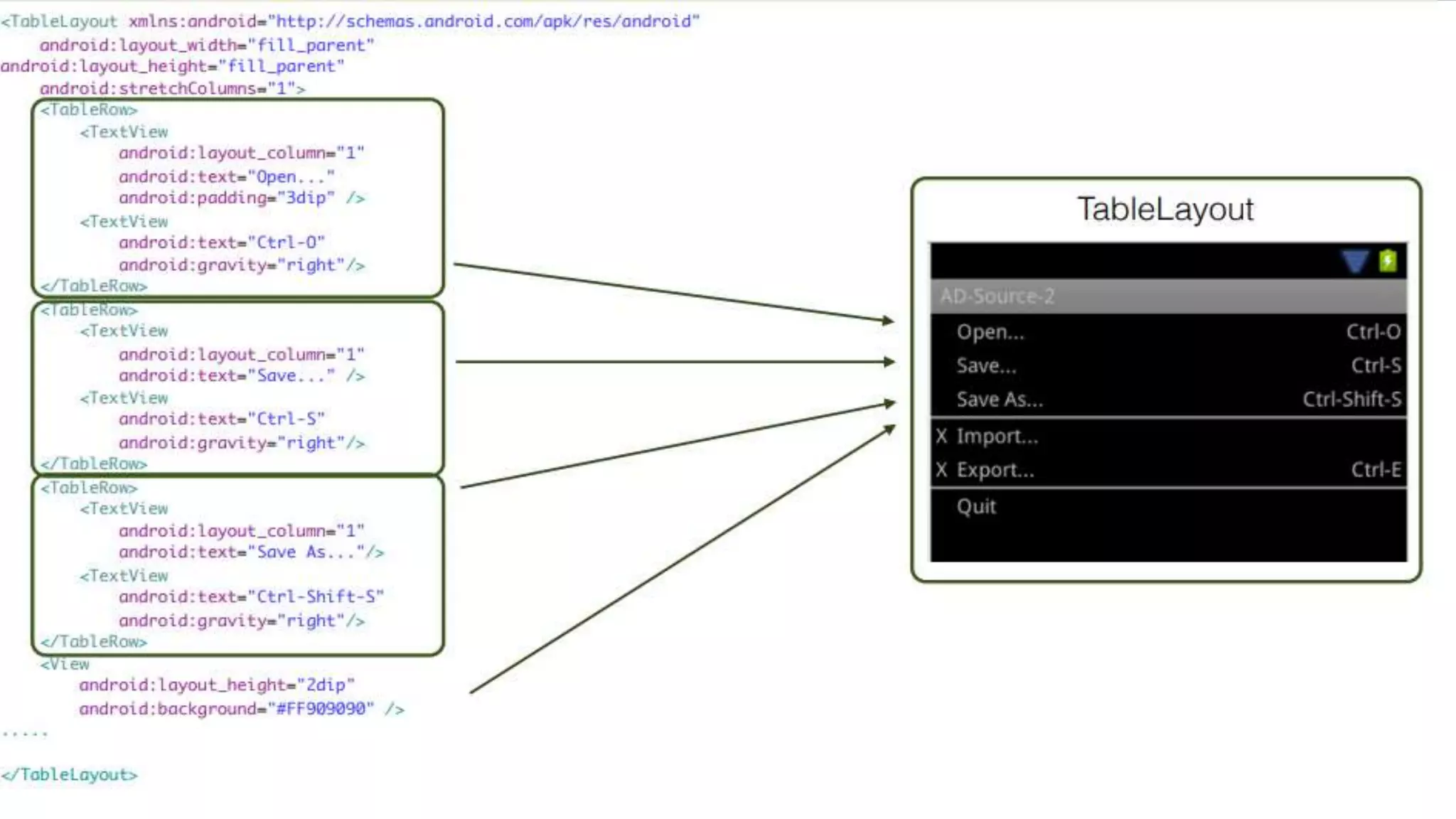
- Table Layout
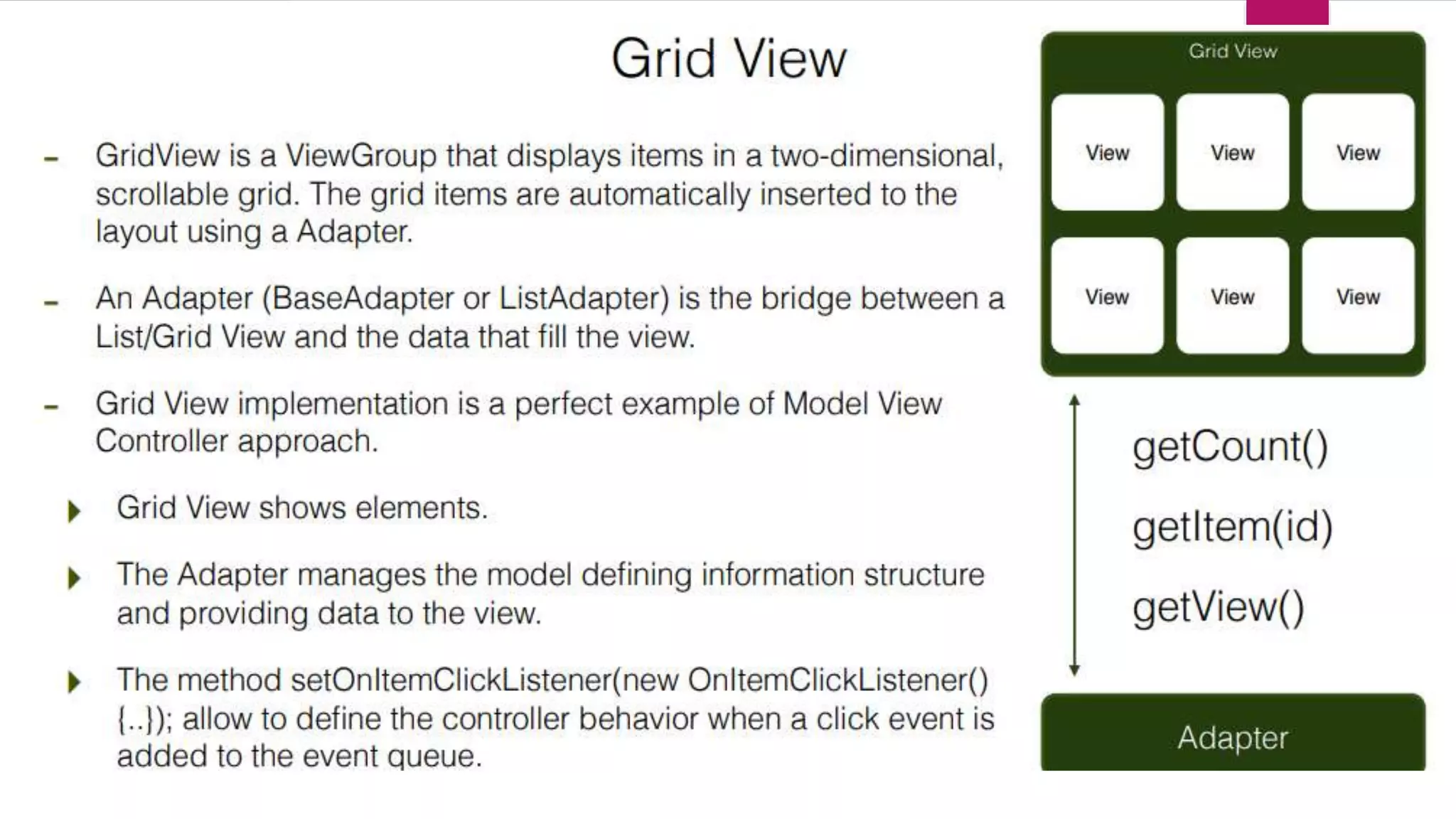
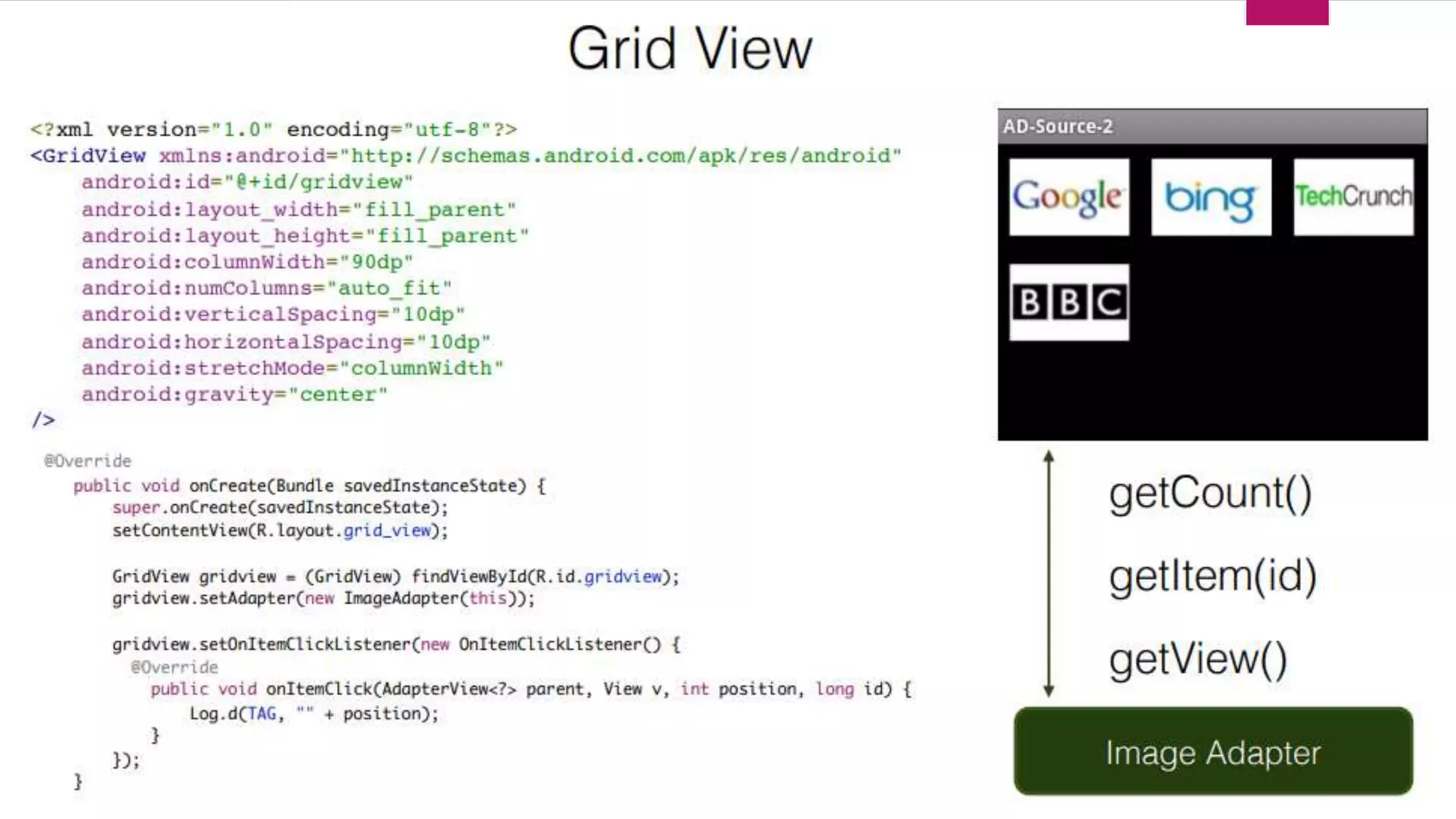
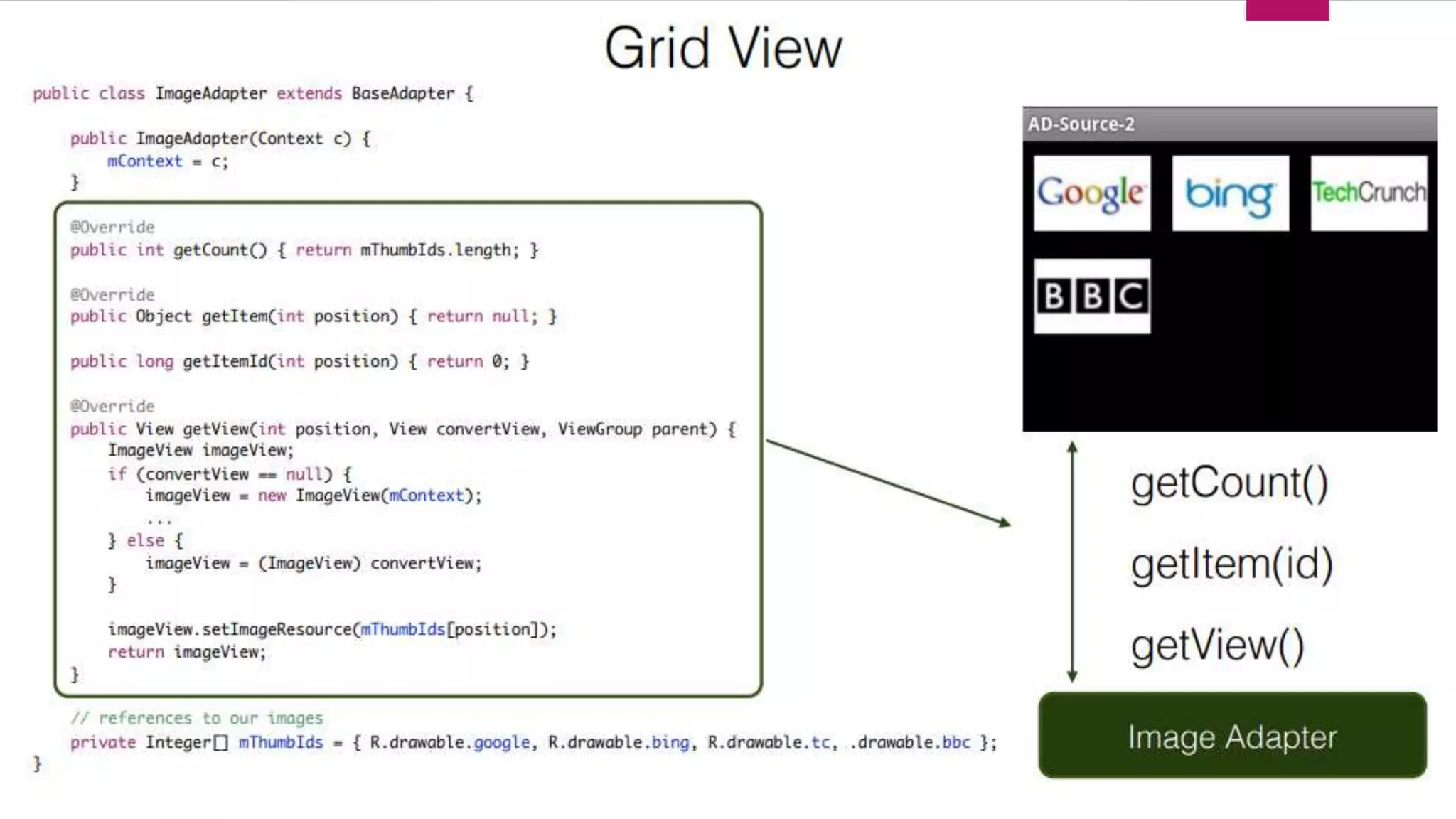
- Grid View
- Tab Layout
-List View
-Custom List View Element
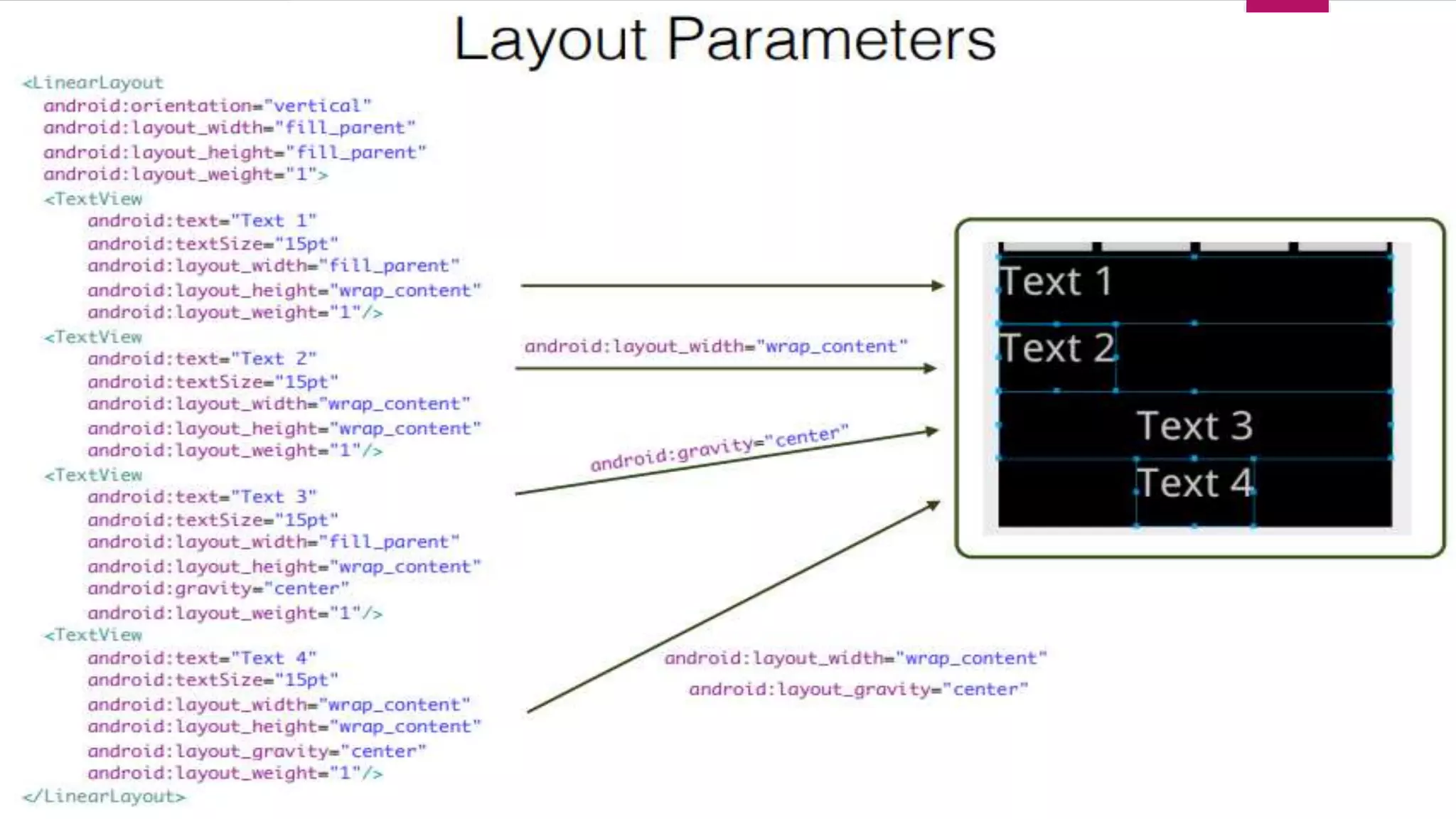
 Linear Layout
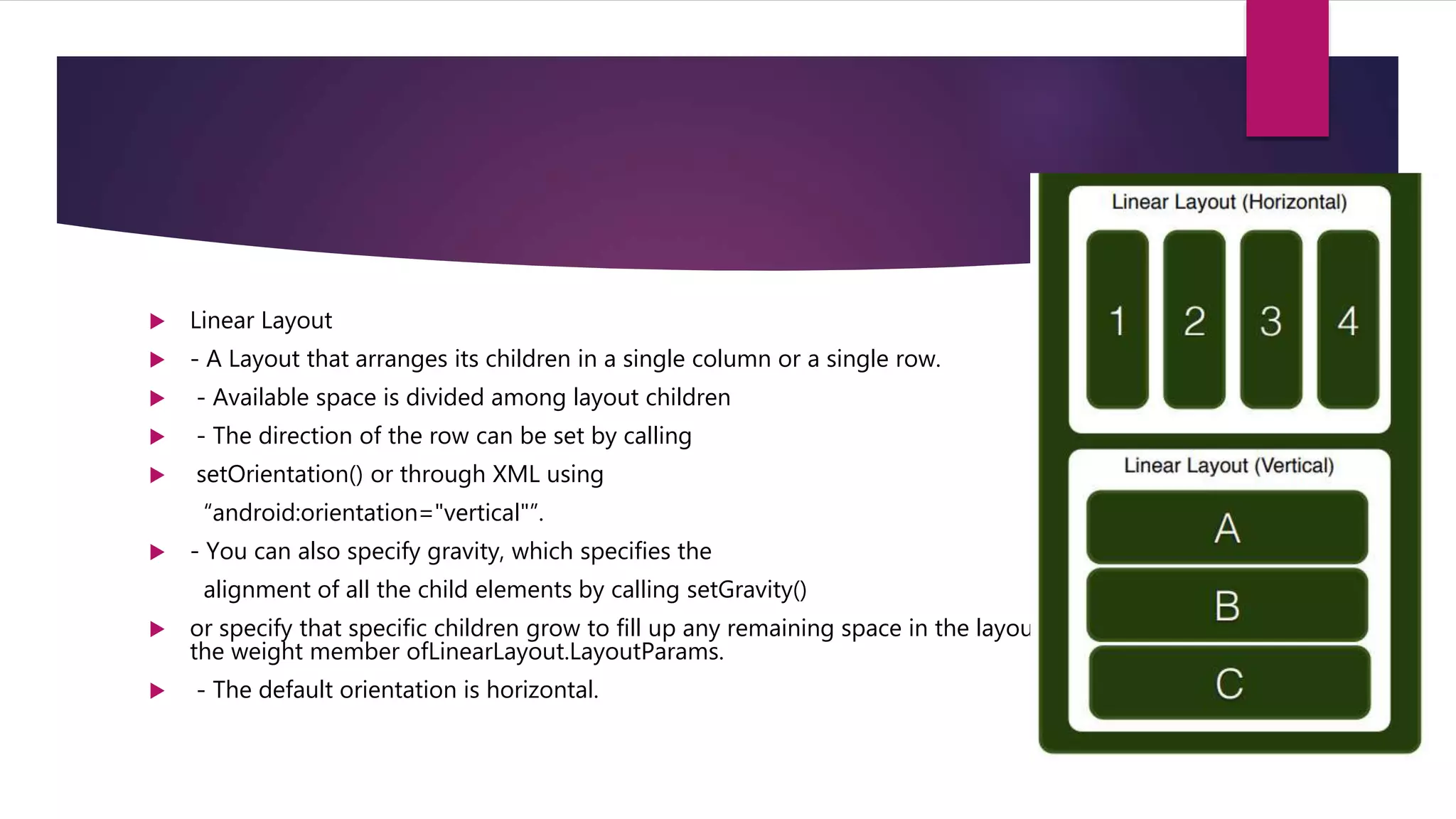
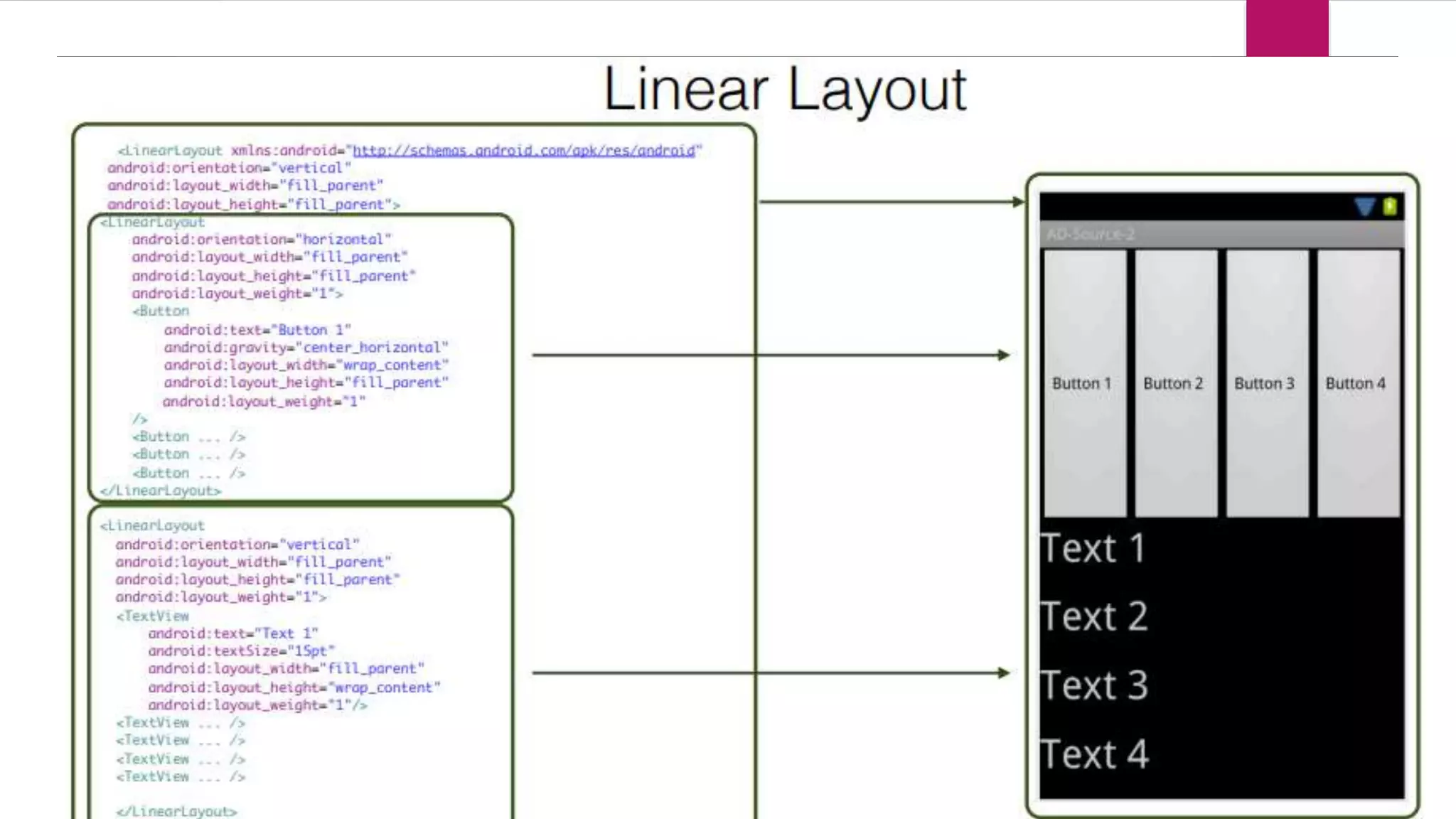
 - A Layout that arranges its children in a single column or a single row.
 - Available space is divided among layout children
 - The direction of the row can be set by calling
 setOrientation() or through XML using
“android:orientation="vertical"”.
 - You can also specify gravity, which specifies the
alignment of all the child elements by calling setGravity()
 or specify that specific children grow to fill up any remaining space in the layout by setting
the weight member ofLinearLayout.LayoutParams.
 - The default orientation is horizontal.
Android layouts
Android layouts
Android layouts
Android layouts
Android layouts
Android layouts
Android layouts
Android layouts
Android layouts
Android layouts
Android layouts
Android layouts
Android layouts

Android layouts

  • 1.
  • 2.
    Layouts - Linear Layout -Relative Layout - Table Layout - Grid View - Tab Layout -List View -Custom List View Element
  • 3.
     Linear Layout - A Layout that arranges its children in a single column or a single row.  - Available space is divided among layout children  - The direction of the row can be set by calling  setOrientation() or through XML using “android:orientation="vertical"”.  - You can also specify gravity, which specifies the alignment of all the child elements by calling setGravity()  or specify that specific children grow to fill up any remaining space in the layout by setting the weight member ofLinearLayout.LayoutParams.  - The default orientation is horizontal.