Content Providers
1
Sourabh Sahu
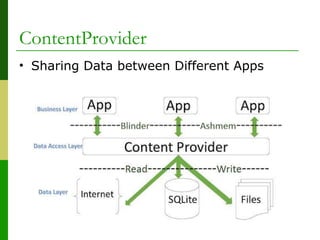
ContentProvider
• Sharing Data between Different Apps
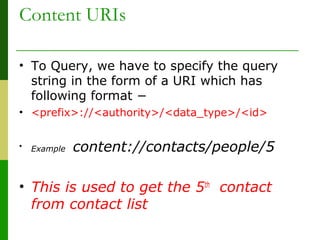
Content URIs
• To Query, we have to specify the query
string in the form of a URI which has
following format −
• <prefix>://<authority>/<data_type>/<id>
• Example content://contacts/people/5
• This is used to get the 5th
contact
from contact list
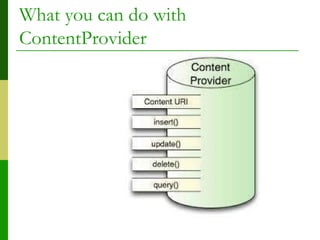
What you can do with
ContentProvider
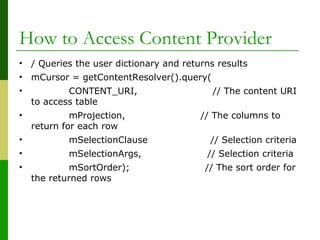
How to Access Content Provider
• / Queries the user dictionary and returns results
• mCursor = getContentResolver().query(
• CONTENT_URI, // The content URI
to access table
• mProjection, // The columns to
return for each row
• mSelectionClause // Selection criteria
• mSelectionArgs, // Selection criteria
• mSortOrder); // The sort order for
the returned rows
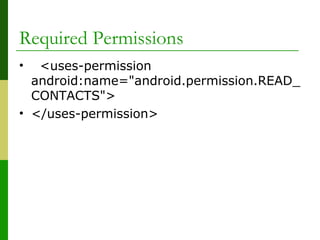
Required Permissions
•   <uses-permission 
android:name="android.permission.READ_
CONTACTS">
• </uses-permission>
• // A "projection" defines the columns that will be 
returned for each row
•  String[] mProjection =
•  {
•      // ContactsContract data table data1 column 
name
•      ContactsContract.CommonDataKinds.Phone.N
UMBER        
•  };
•  
Example
•   /*
•   * This defines a one-element String array 
to contain the selection argument.
•   */
•  String[] mSelectionArgs = {""};
•   
•   
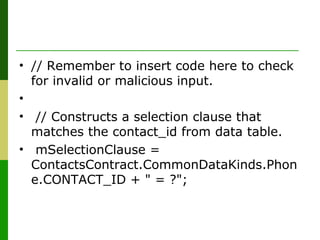
• // Remember to insert code here to check 
for invalid or malicious input.
•   
•  // Constructs a selection clause that 
matches the contact_id from data table.
•  mSelectionClause = 
ContactsContract.CommonDataKinds.Phon
e.CONTACT_ID + " = ?";
• // Get data for 1st record
•  mSelectionArgs[0] = 1;
•  // Does a query against the table and returns a Cursor 
object
•  mCursor = getContentResolver().query( 
•      ContactsContract.CommonDataKinds.Phone.CONTENT_
URI, // URI
•      mProjection,                 // The columns to return for 
each row
•      mSelectionClause             // Data for first contact
•      mSelectionArgs,              // first contact
•      mSortOrder                   // The sort order for the 
returned rows
•            );                 
•   
•  
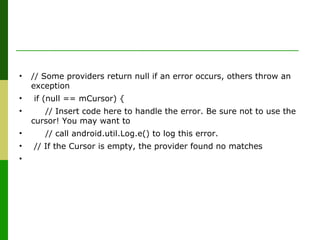
• // Some providers return null if an error occurs, others throw an
exception
• if (null == mCursor) {
• // Insert code here to handle the error. Be sure not to use the
cursor! You may want to
• // call android.util.Log.e() to log this error.
• // If the Cursor is empty, the provider found no matches
•
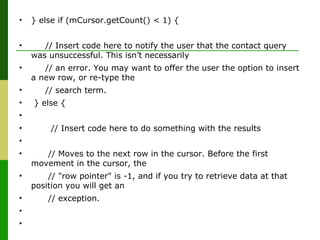
• } else if (mCursor.getCount() < 1) {
• // Insert code here to notify the user that the contact query
was unsuccessful. This isn’t necessarily
• // an error. You may want to offer the user the option to insert
a new row, or re-type the
• // search term.
• } else {
•
• // Insert code here to do something with the results
•
• // Moves to the next row in the cursor. Before the first
movement in the cursor, the
• // "row pointer" is -1, and if you try to retrieve data at that
position you will get an
• // exception.
•
•
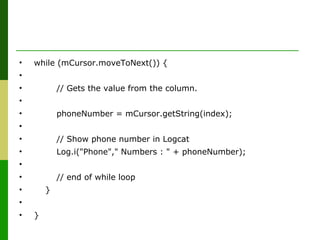
• while (mCursor.moveToNext()) {
•
• // Gets the value from the column.
•
• phoneNumber = mCursor.getString(index);
•
• // Show phone number in Logcat
• Log.i("Phone"," Numbers : " + phoneNumber);
•
• // end of while loop
• }
•
• }
PERMISSION
• This will not work in android 6.0 and
above
• You have to explicitly request for
permissions
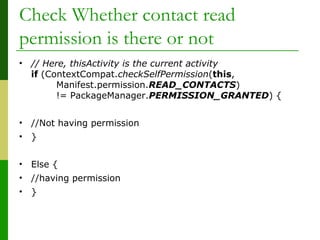
Check Whether contact read
permission is there or not
• // Here, thisActivity is the current activity
if (ContextCompat.checkSelfPermission(this,
Manifest.permission.READ_CONTACTS)
!= PackageManager.PERMISSION_GRANTED) {
• //Not having permission
• }
• Else {
• //having permission
• }
If Not Requestion Permission
• ActivityCompat.requestPermissions(this,
new String[]
{Manifest.permission.READ_CONTACTS}
,
MY_PERMISSIONS_REQUEST_READ_C
ONTACTS);
Handle permission
• @Override
public void onRequestPermissionsResult(int requestCode,
String permissions[], int[]
grantResults) {
switch (requestCode) {
case MY_PERMISSIONS_REQUEST_READ_CONTACTS:
{
// If request is cancelled, the result arrays are empty.
if (grantResults.length > 0
&& grantResults[0] ==
PackageManager.PERMISSION_GRANTED) {
• //Read Cursor Now
• }
• }
Thank You
18

Content Providers in Android

  • 1.
  • 2.
    ContentProvider • Sharing Databetween Different Apps
  • 3.
    Content URIs • ToQuery, we have to specify the query string in the form of a URI which has following format − • <prefix>://<authority>/<data_type>/<id> • Example content://contacts/people/5 • This is used to get the 5th contact from contact list
  • 4.
    What you cando with ContentProvider
  • 5.
    How to AccessContent Provider • / Queries the user dictionary and returns results • mCursor = getContentResolver().query( • CONTENT_URI, // The content URI to access table • mProjection, // The columns to return for each row • mSelectionClause // Selection criteria • mSelectionArgs, // Selection criteria • mSortOrder); // The sort order for the returned rows
  • 6.
  • 7.
    • // A "projection" defines the columns that will be  returned for each row •  String[] mProjection = • { •      // ContactsContract data table data1 column  name •      ContactsContract.CommonDataKinds.Phone.N UMBER         •  }; •   Example
  • 8.
  • 9.
    • // Remember to insert code here to check  for invalid or malicious input. •    • // Constructs a selection clause that  matches the contact_id from data table. •  mSelectionClause =  ContactsContract.CommonDataKinds.Phon e.CONTACT_ID + " = ?";
  • 10.
    • // Get data for 1st record •  mSelectionArgs[0] = 1; • // Does a query against the table and returns a Cursor  object •  mCursor = getContentResolver().query(  •      ContactsContract.CommonDataKinds.Phone.CONTENT_ URI, // URI •      mProjection,                 // The columns to return for  each row •      mSelectionClause             // Data for first contact •      mSelectionArgs,              // first contact •      mSortOrder                   // The sort order for the  returned rows •            );                  •    •  
  • 11.
    • // Someproviders return null if an error occurs, others throw an exception • if (null == mCursor) { • // Insert code here to handle the error. Be sure not to use the cursor! You may want to • // call android.util.Log.e() to log this error. • // If the Cursor is empty, the provider found no matches •
  • 12.
    • } elseif (mCursor.getCount() < 1) { • // Insert code here to notify the user that the contact query was unsuccessful. This isn’t necessarily • // an error. You may want to offer the user the option to insert a new row, or re-type the • // search term. • } else { • • // Insert code here to do something with the results • • // Moves to the next row in the cursor. Before the first movement in the cursor, the • // "row pointer" is -1, and if you try to retrieve data at that position you will get an • // exception. • •
  • 13.
    • while (mCursor.moveToNext()){ • • // Gets the value from the column. • • phoneNumber = mCursor.getString(index); • • // Show phone number in Logcat • Log.i("Phone"," Numbers : " + phoneNumber); • • // end of while loop • } • • }
  • 14.
    PERMISSION • This willnot work in android 6.0 and above • You have to explicitly request for permissions
  • 15.
    Check Whether contactread permission is there or not • // Here, thisActivity is the current activity if (ContextCompat.checkSelfPermission(this, Manifest.permission.READ_CONTACTS) != PackageManager.PERMISSION_GRANTED) { • //Not having permission • } • Else { • //having permission • }
  • 16.
    If Not RequestionPermission • ActivityCompat.requestPermissions(this, new String[] {Manifest.permission.READ_CONTACTS} , MY_PERMISSIONS_REQUEST_READ_C ONTACTS);
  • 17.
    Handle permission • @Override publicvoid onRequestPermissionsResult(int requestCode, String permissions[], int[] grantResults) { switch (requestCode) { case MY_PERMISSIONS_REQUEST_READ_CONTACTS: { // If request is cancelled, the result arrays are empty. if (grantResults.length > 0 && grantResults[0] == PackageManager.PERMISSION_GRANTED) { • //Read Cursor Now • } • }
  • 18.