A journey from HTTP
to gRPC
Tati Al-Chueyr
@tati_alchueyr
PyCon UK 2018
15 September 2018, Cardiff
tati_alchueyr.__doc__
● computer engineer by Unicamp
● senior data engineer at BBC
(previously engineer at EF, globo.com &
Ministry of Science and Technology of Brazil)
● open source enthusiast
● pythonist since 2003
● Amanda’s mummy
bbc.datalab.mission
“Bring the BBC’s data together accessible
through a common platform, along with flexible
and scalable tools to support machine learning
to enable content enrichment and deeper
personalization”
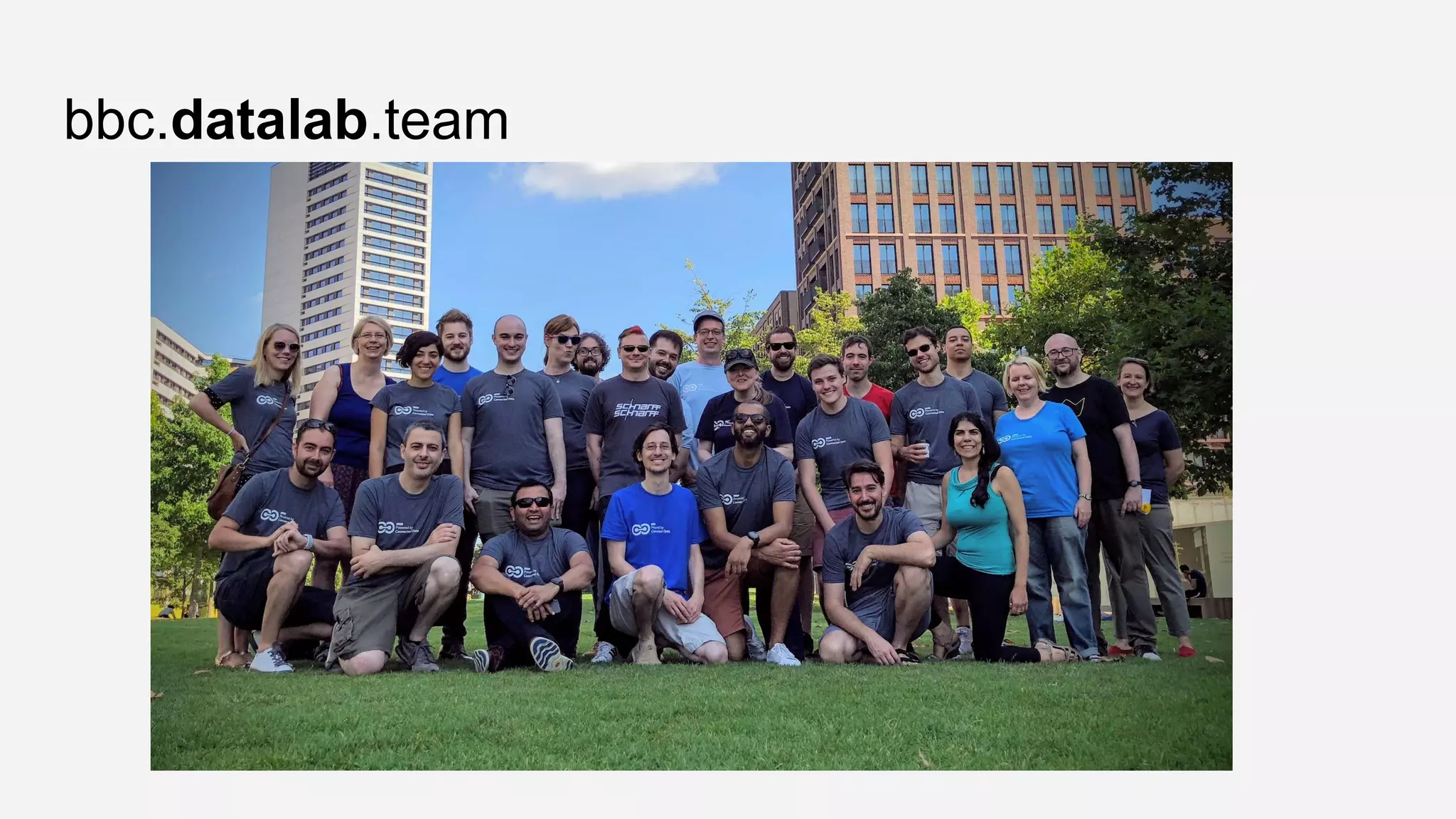
bbc.datalab.team
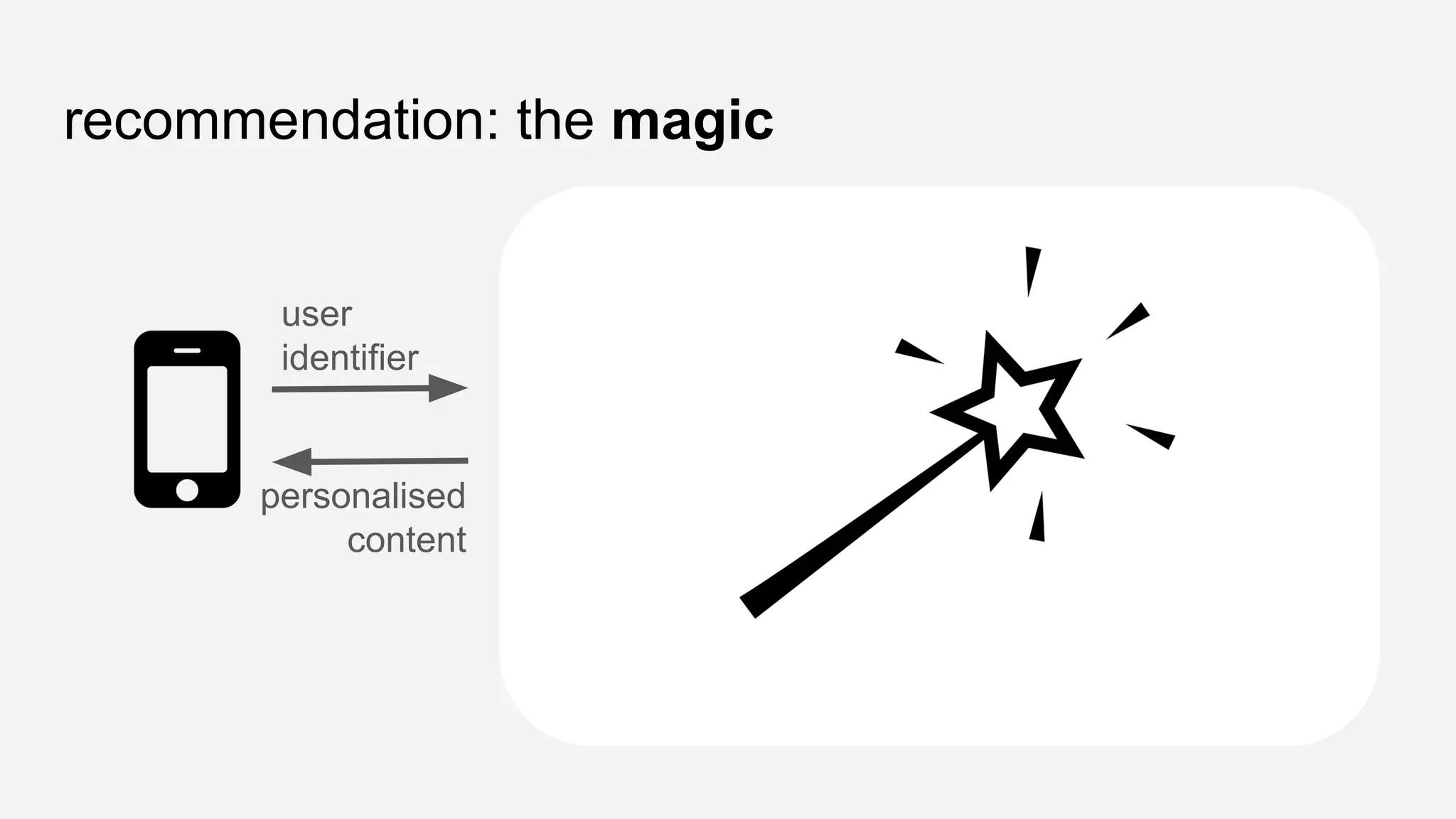
recommendation: the magic
user
identifier
personalised
content
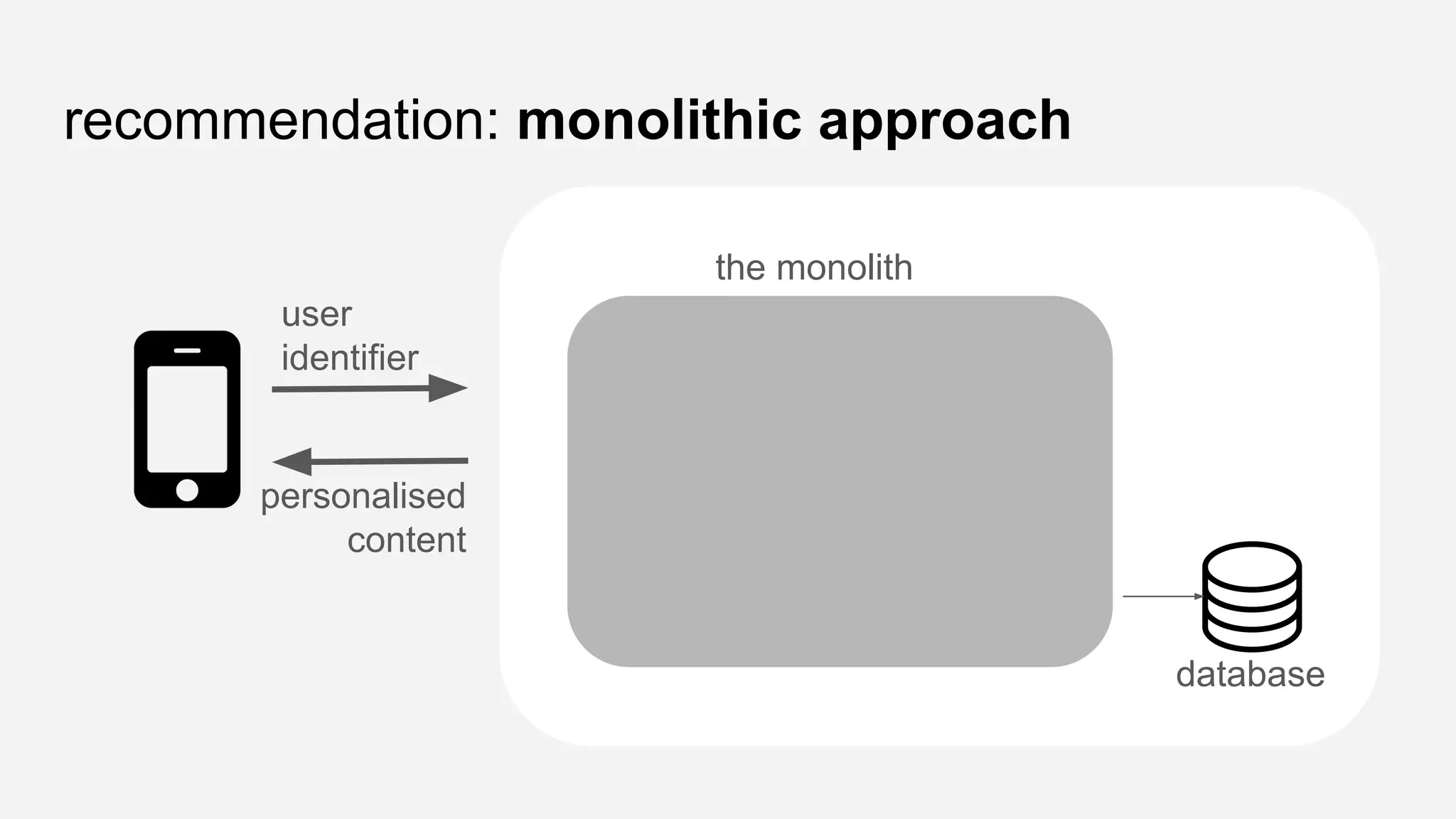
recommendation: monolithic approach
user
identifier
personalised
content
the monolith
database
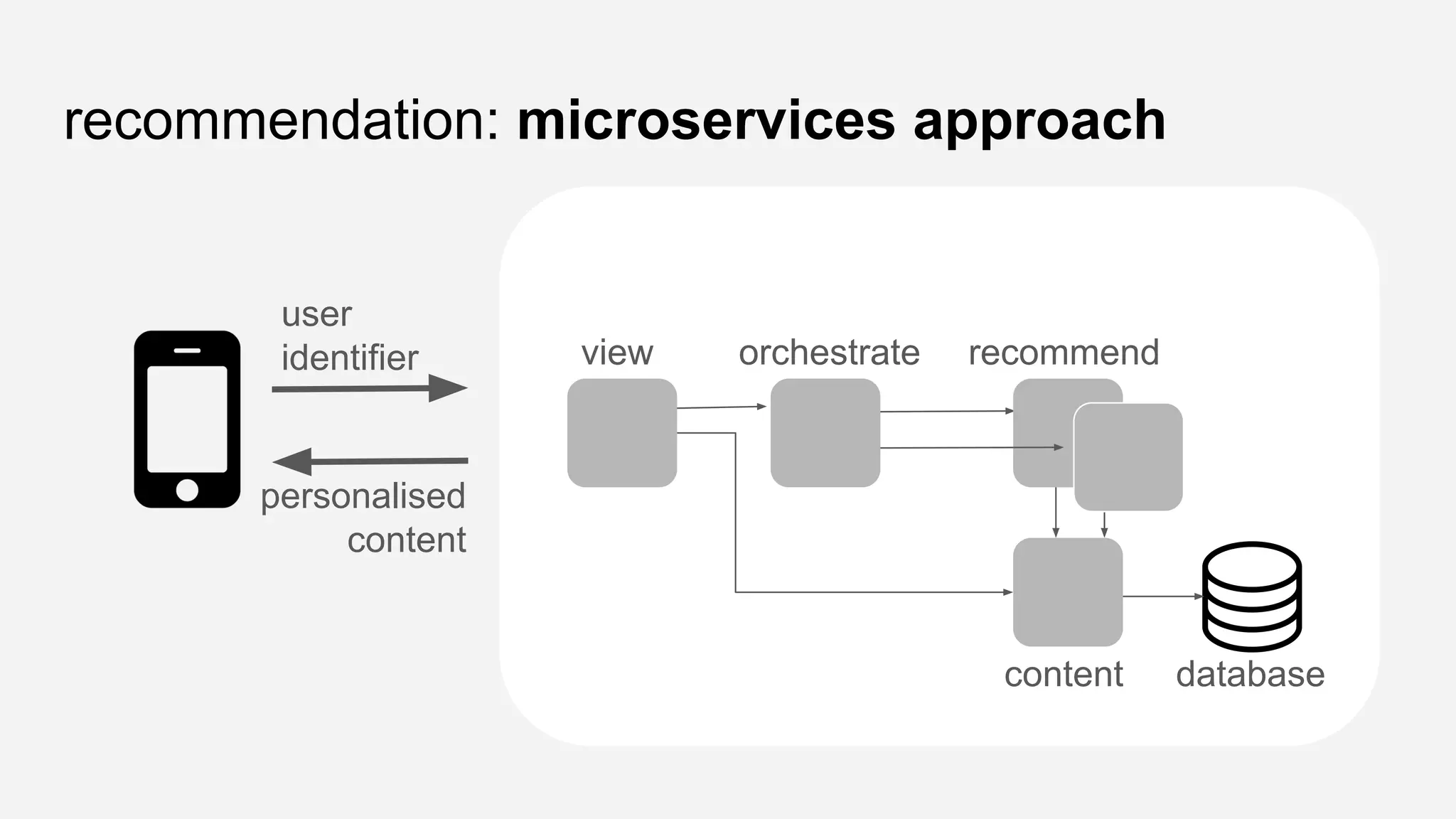
recommendation: microservices approach
user
identifier
personalised
content
view orchestrate recommend
content database
once upon a time,
in a not far away land...
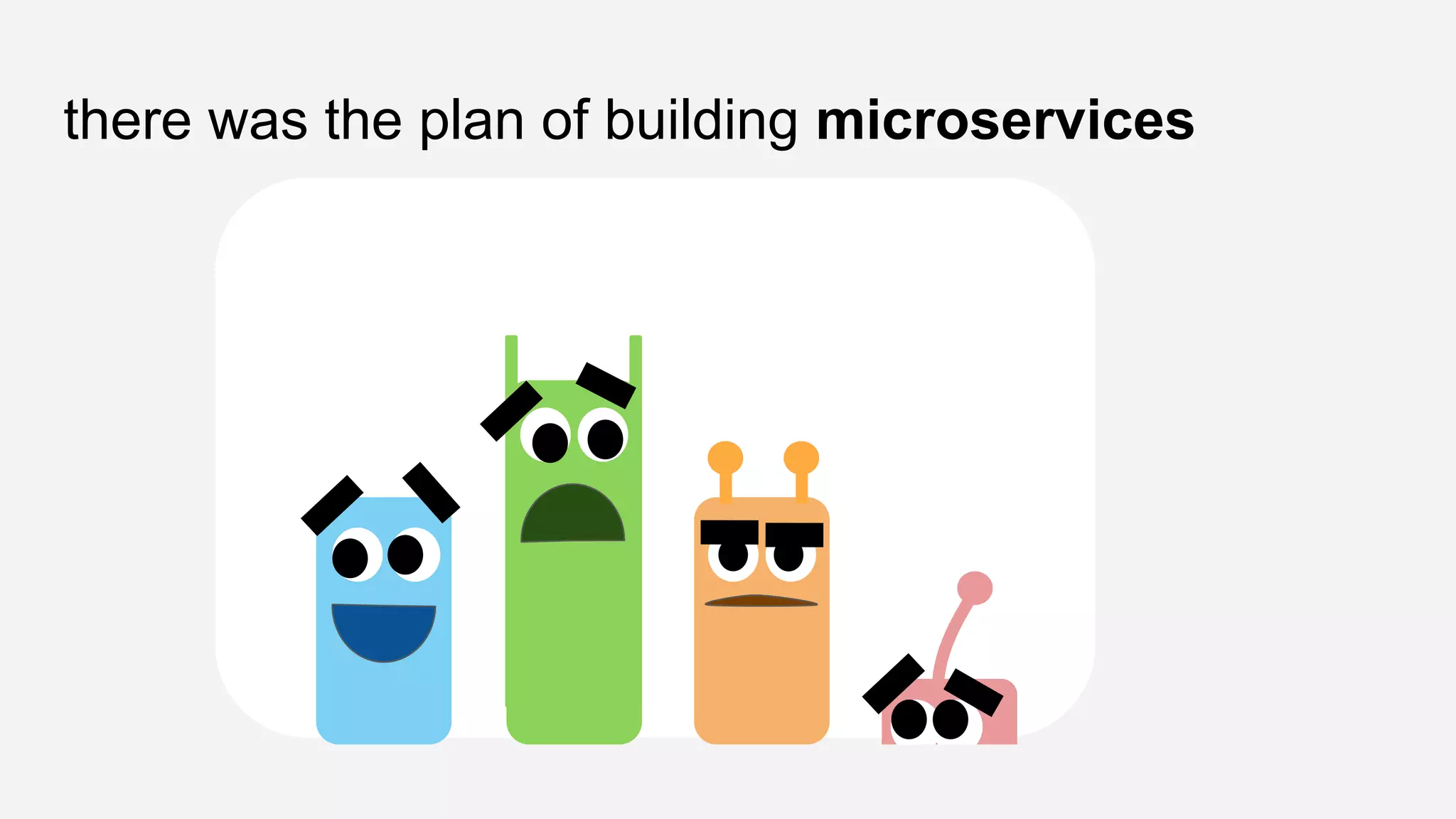
there was the plan of building microservices
even before birth, each microservice is
entitled a personality
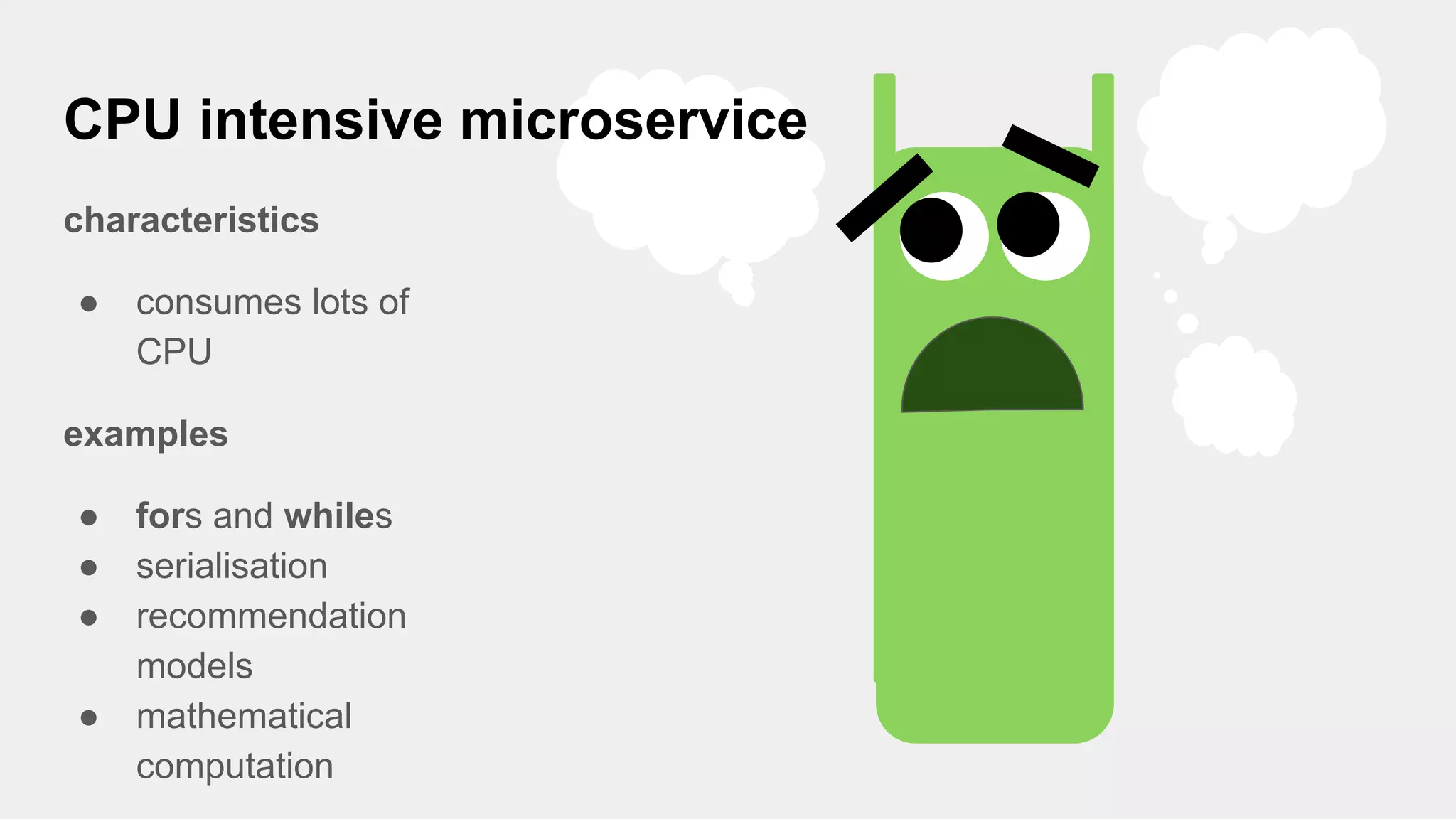
CPU intensive microservice
characteristics
● consumes lots of
CPU
examples
● fors and whiles
● serialisation
● recommendation
models
● mathematical
computation
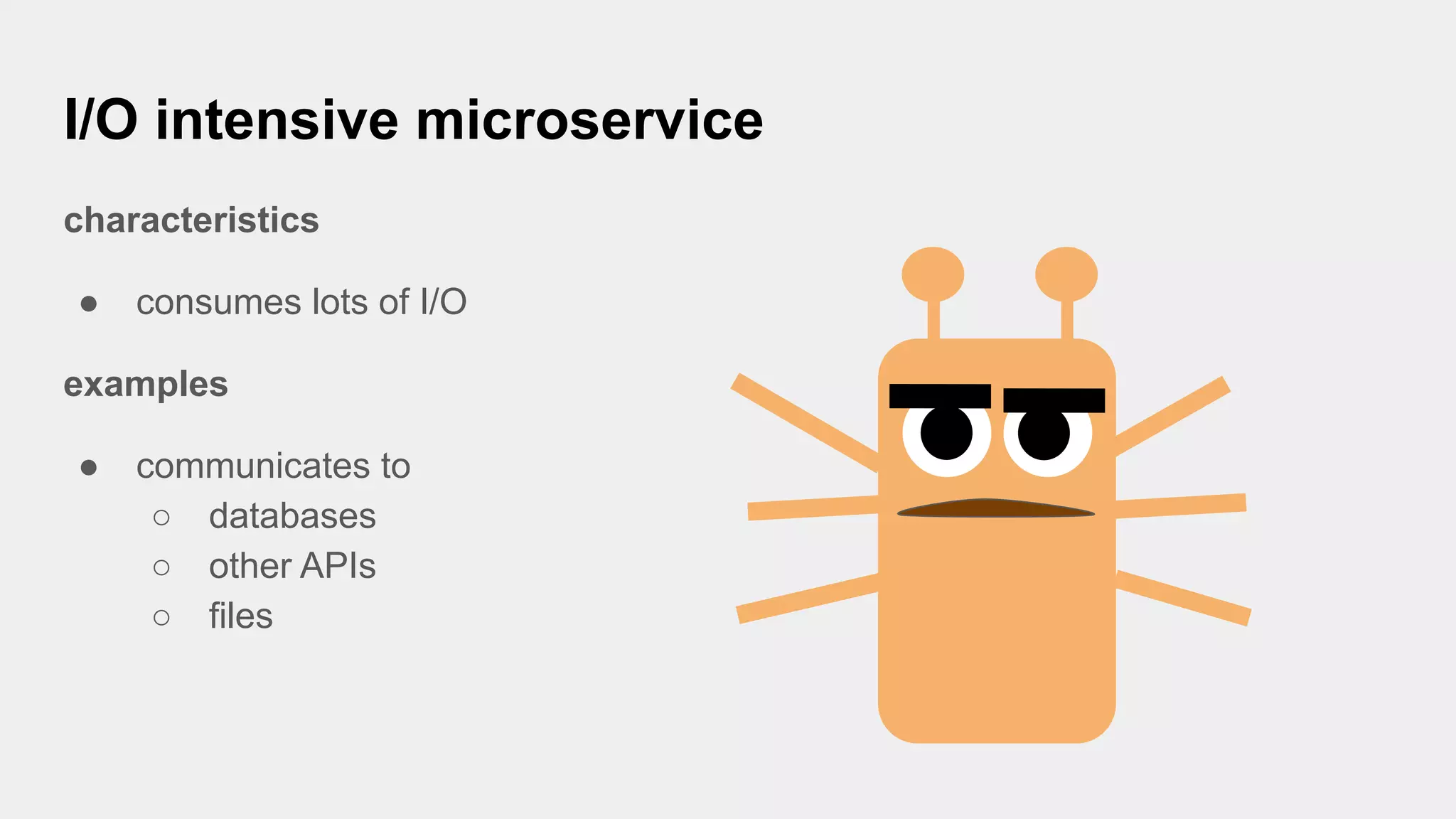
I/O intensive microservice
characteristics
● consumes lots of I/O
examples
● communicates to
○ databases
○ other APIs
○ files
there was a dream...
all the
microservices
will be built with
the same
technology
and with this dream...
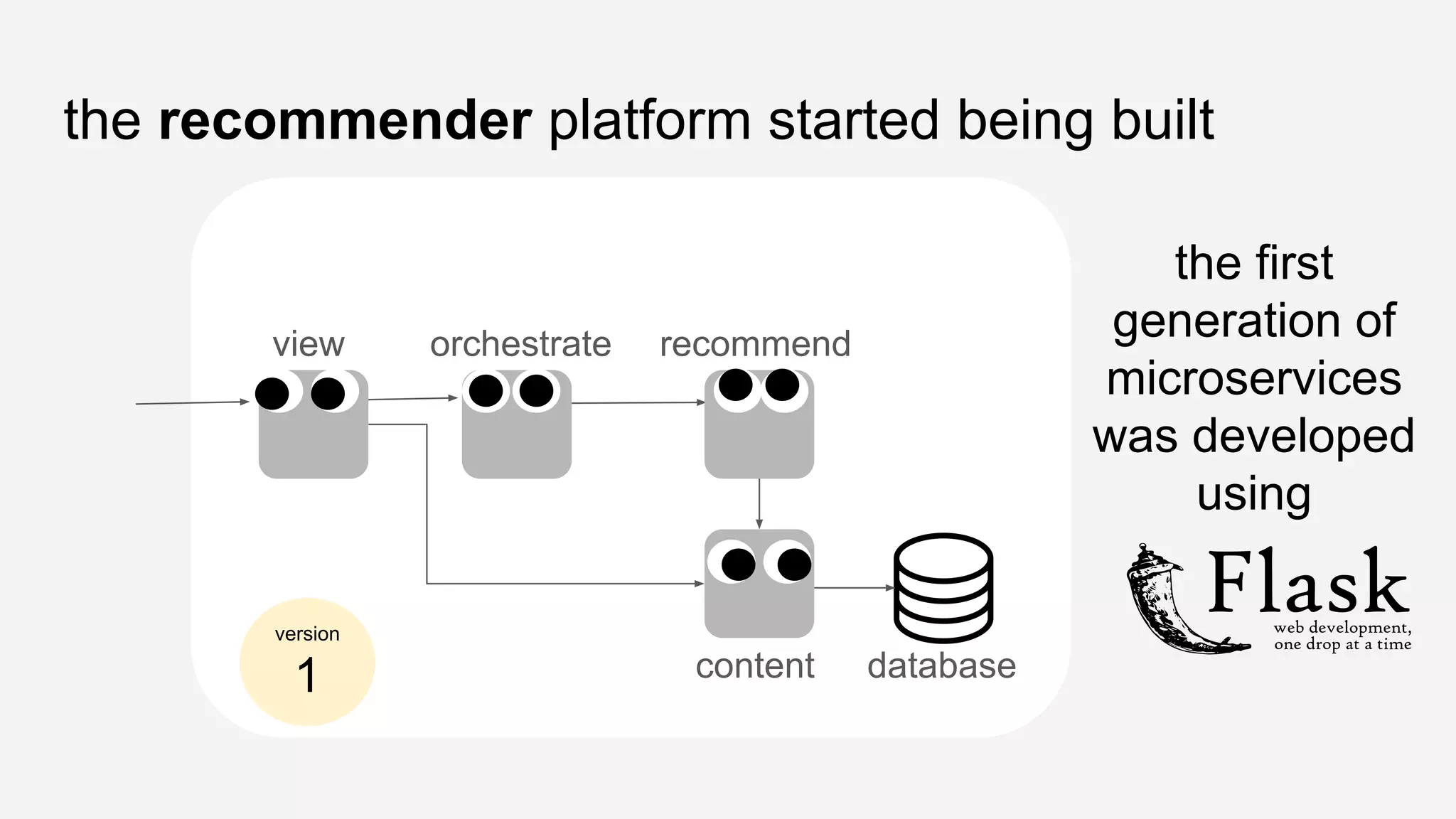
the recommender platform started being built
view orchestrate recommend
content database
the first
generation of
microservices
was developed
using
version
1
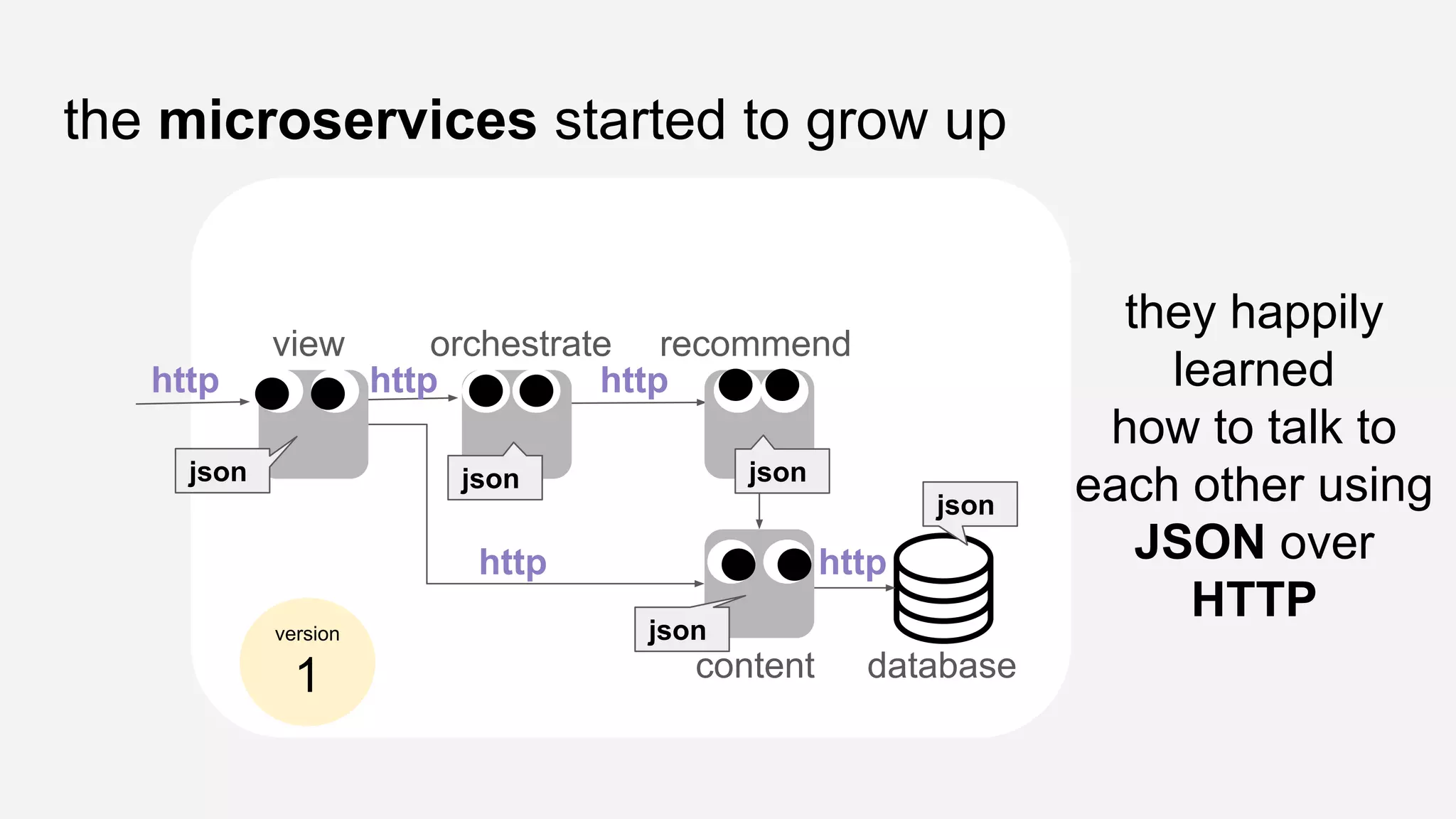
the microservices started to grow up
view orchestrate recommend
content database
they happily
learned
how to talk to
each other using
JSON over
HTTP
http http http
http http
json json json
json
json
version
1
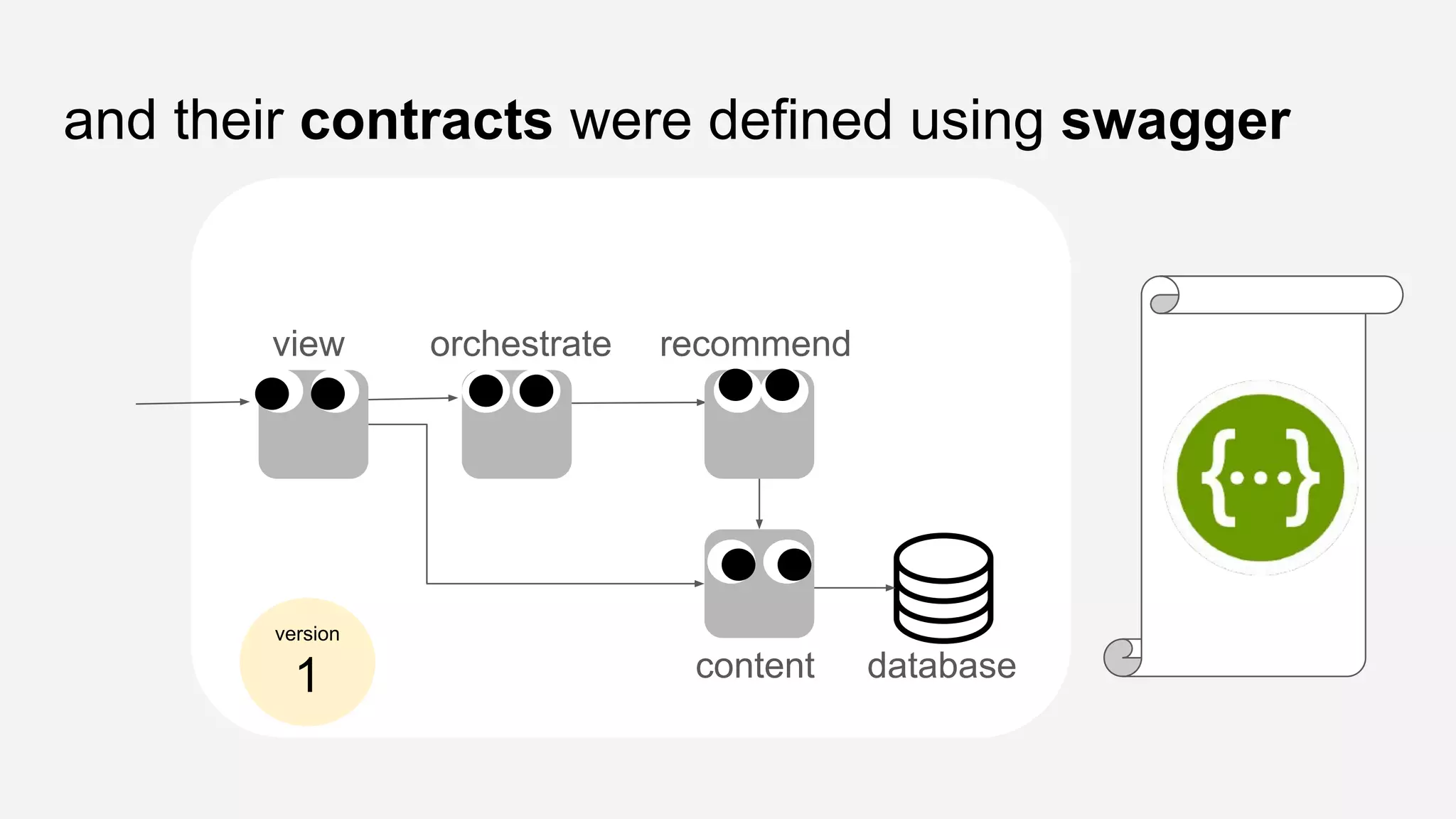
and their contracts were defined using swagger
view orchestrate recommend
content database
version
1
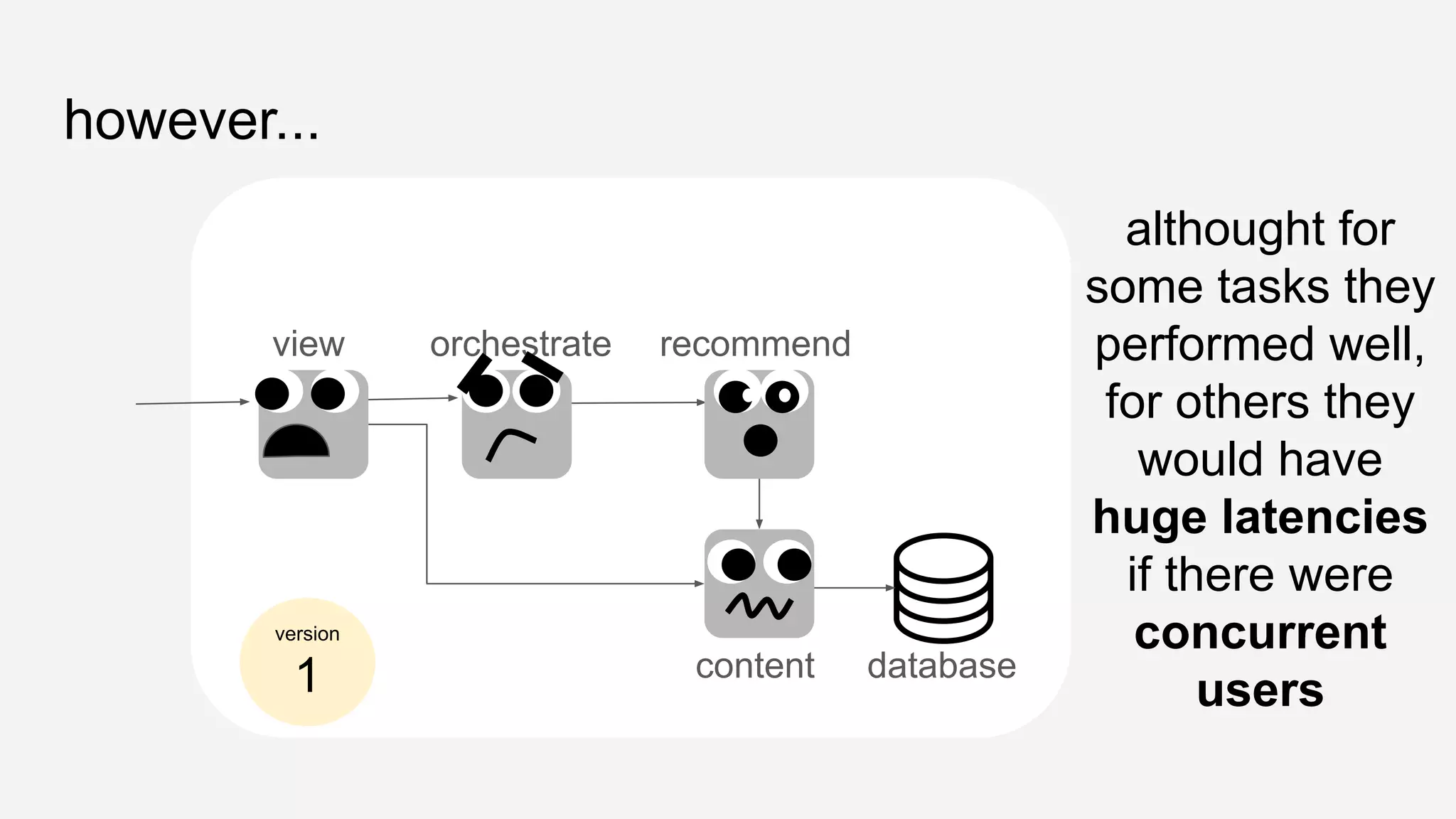
however...
view orchestrate recommend
content database
althought for
some tasks they
performed well,
for others they
would have
huge latencies
if there were
concurrent
users
version
1
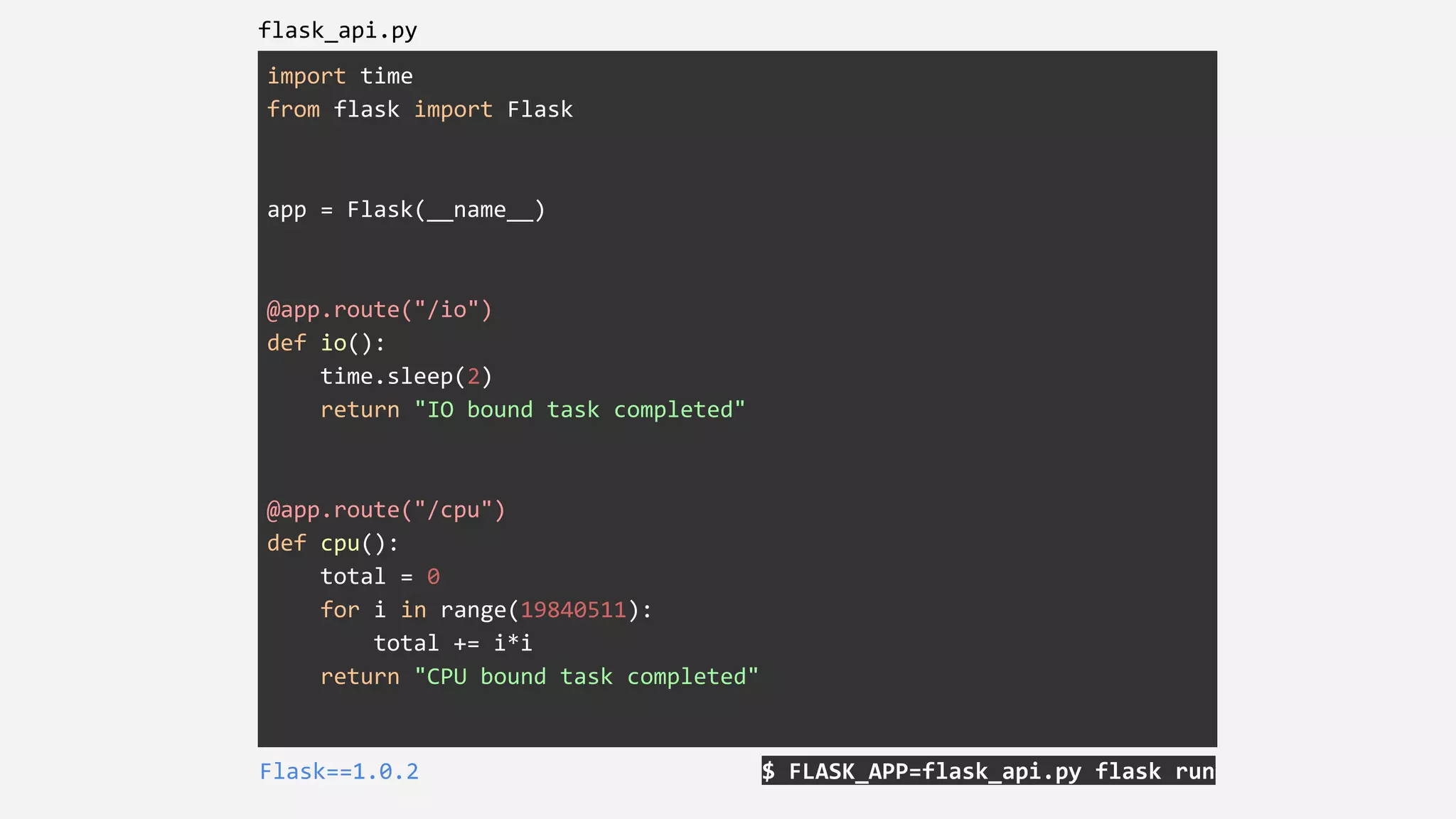
import time
from flask import Flask
app = Flask(__name__)
@app.route("/io")
def io():
time.sleep(2)
return "IO bound task completed"
@app.route("/cpu")
def cpu():
total = 0
for i in range(19840511):
total += i*i
return "CPU bound task completed"
$ FLASK_APP=flask_api.py flask runFlask==1.0.2
flask_api.py
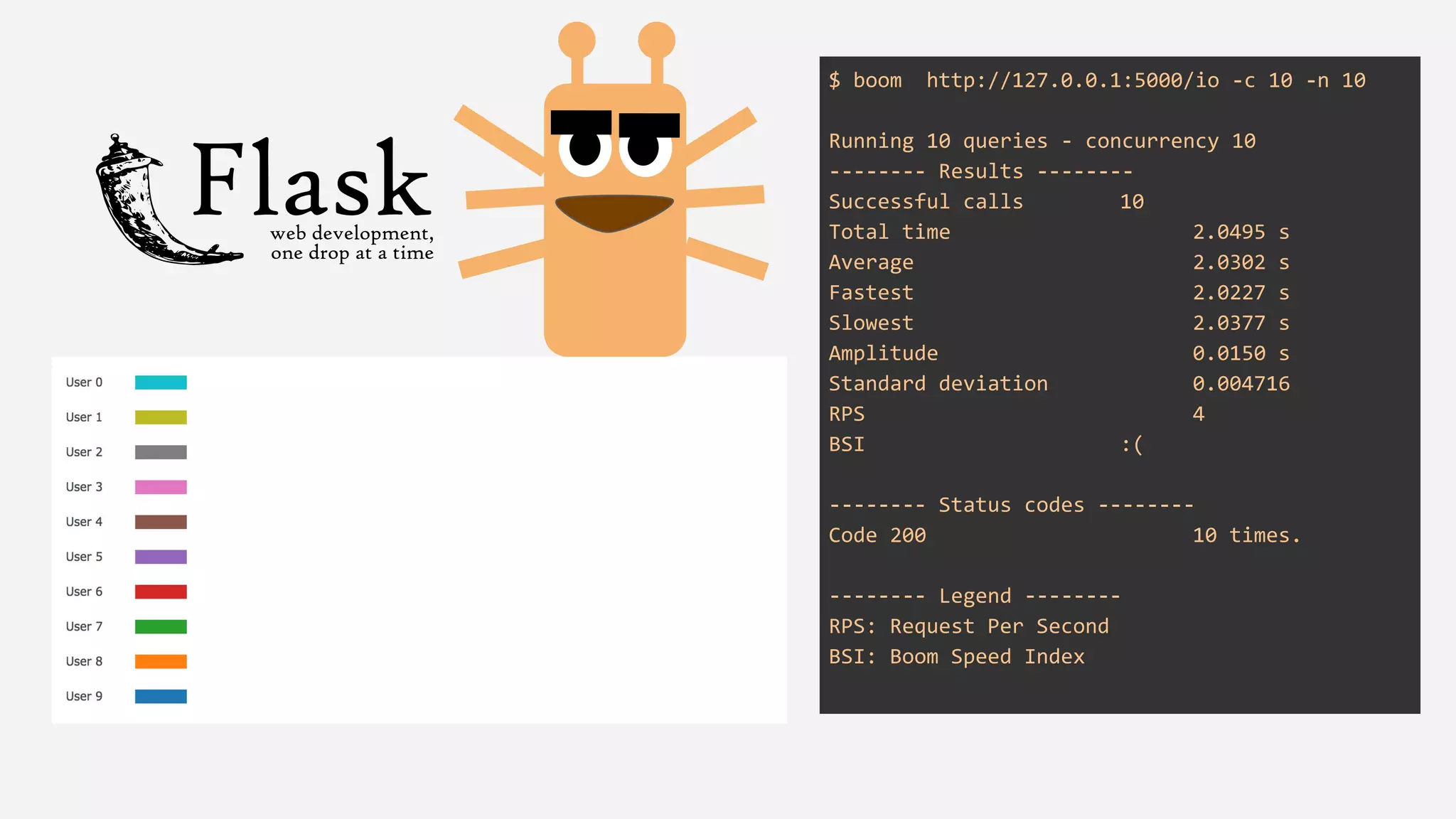
$ boom http://127.0.0.1:5000/io -c 10 -n 10
Running 10 queries - concurrency 10
-------- Results --------
Successful calls 10
Total time 2.0495 s
Average 2.0302 s
Fastest 2.0227 s
Slowest 2.0377 s
Amplitude 0.0150 s
Standard deviation 0.004716
RPS 4
BSI :(
-------- Status codes --------
Code 200 10 times.
-------- Legend --------
RPS: Request Per Second
BSI: Boom Speed Index
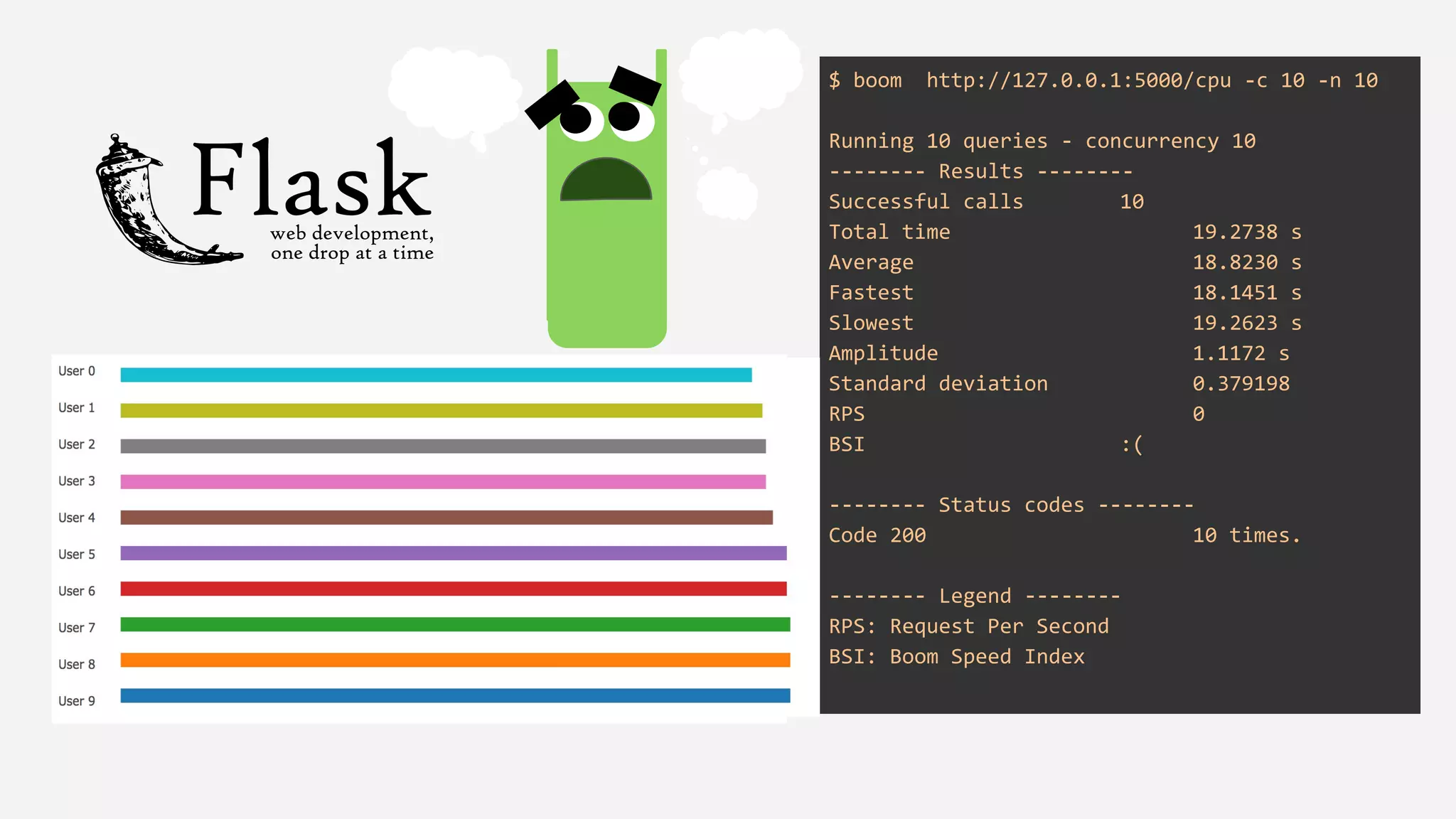
$ boom http://127.0.0.1:5000/cpu -c 10 -n 10
Running 10 queries - concurrency 10
-------- Results --------
Successful calls 10
Total time 19.2738 s
Average 18.8230 s
Fastest 18.1451 s
Slowest 19.2623 s
Amplitude 1.1172 s
Standard deviation 0.379198
RPS 0
BSI :(
-------- Status codes --------
Code 200 10 times.
-------- Legend --------
RPS: Request Per Second
BSI: Boom Speed Index
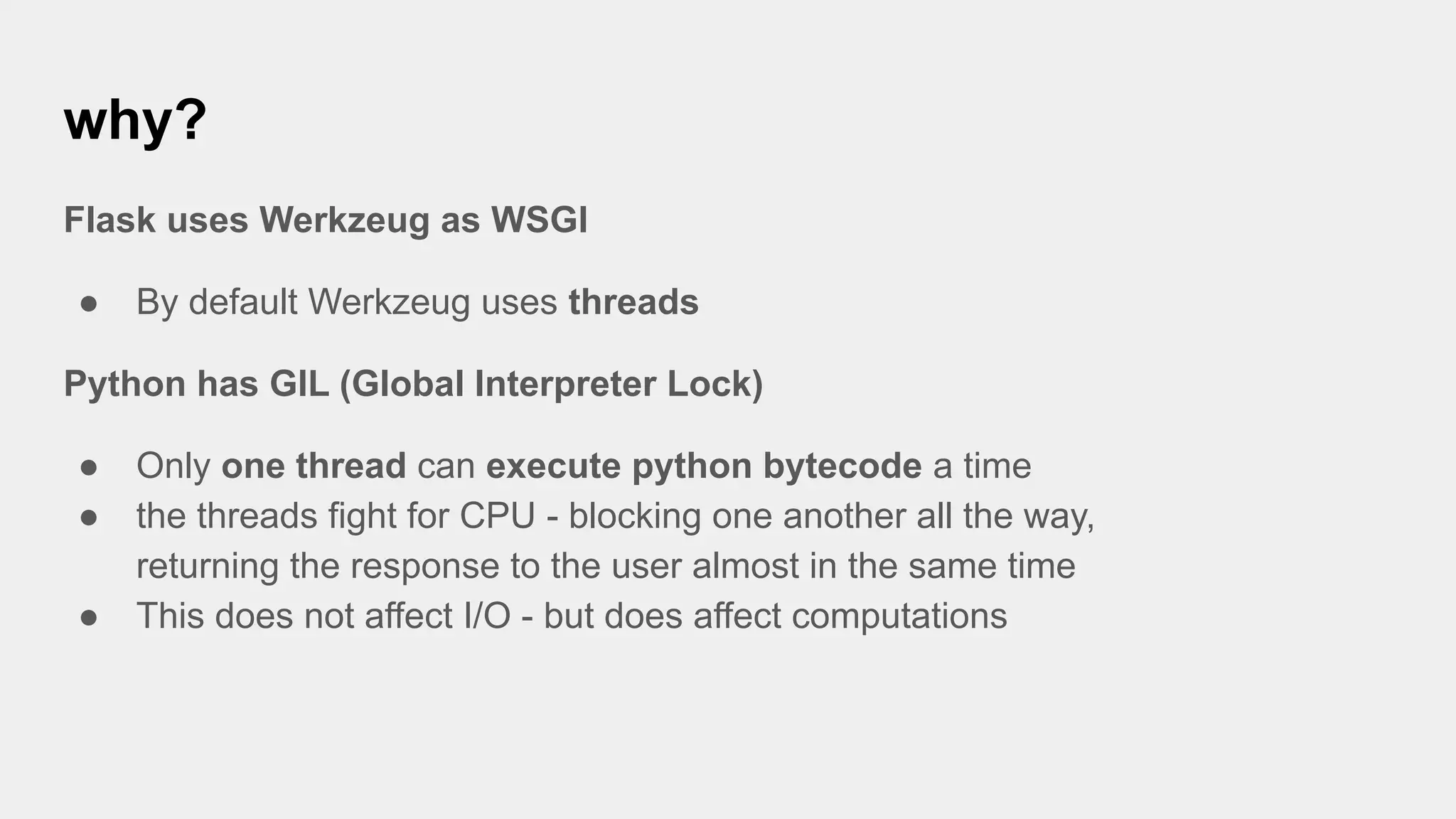
why?
Flask uses Werkzeug as WSGI
● By default Werkzeug uses threads
Python has GIL (Global Interpreter Lock)
● Only one thread can execute python bytecode a time
● the threads fight for CPU - blocking one another all the way,
returning the response to the user almost in the same time
● This does not affect I/O - but does affect computations
the flask microservices were in crisis...
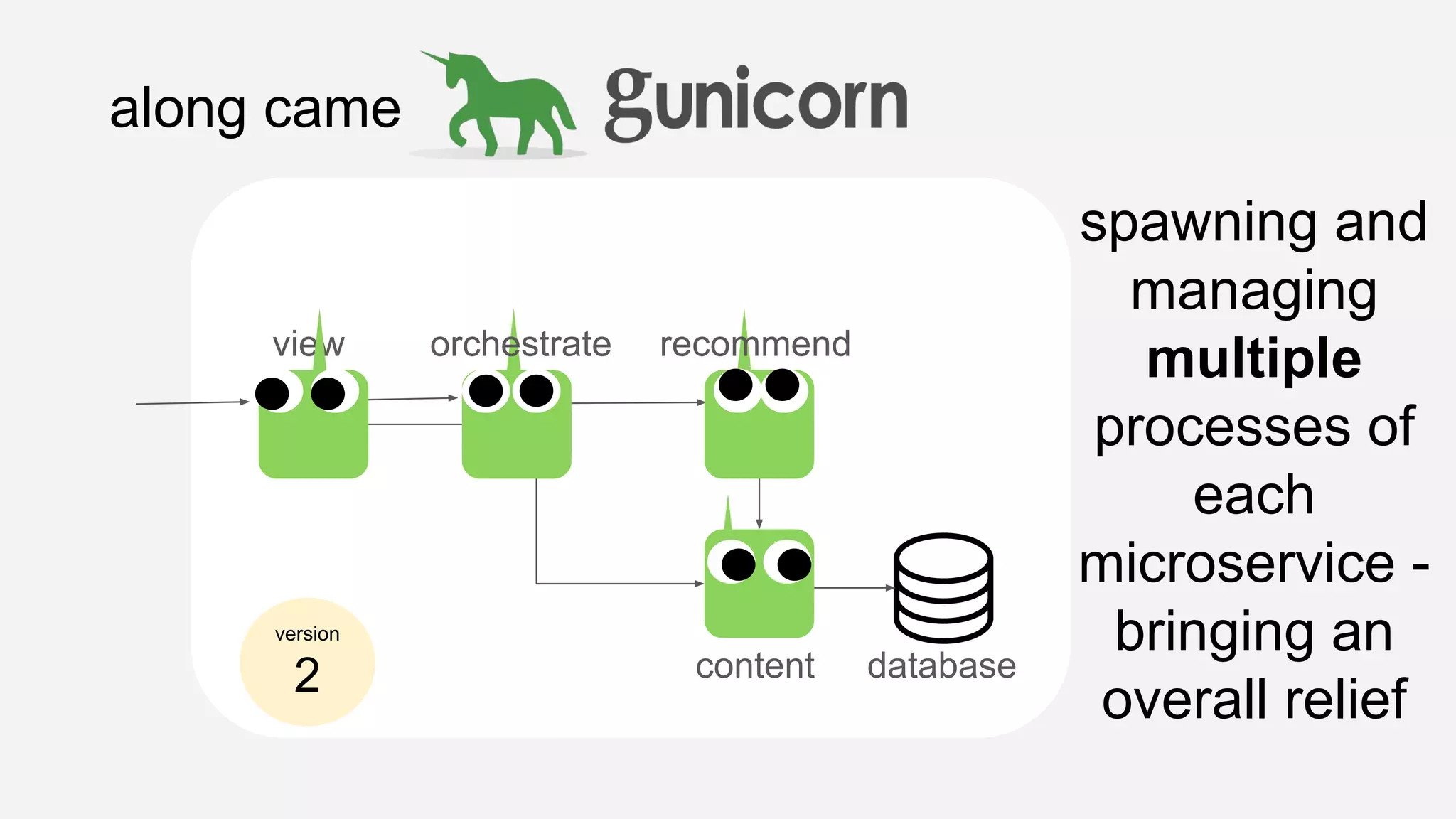
along came
recommend
content database
spawning and
managing
multiple
processes of
each
microservice -
bringing an
overall relief
version
2
view orchestrate
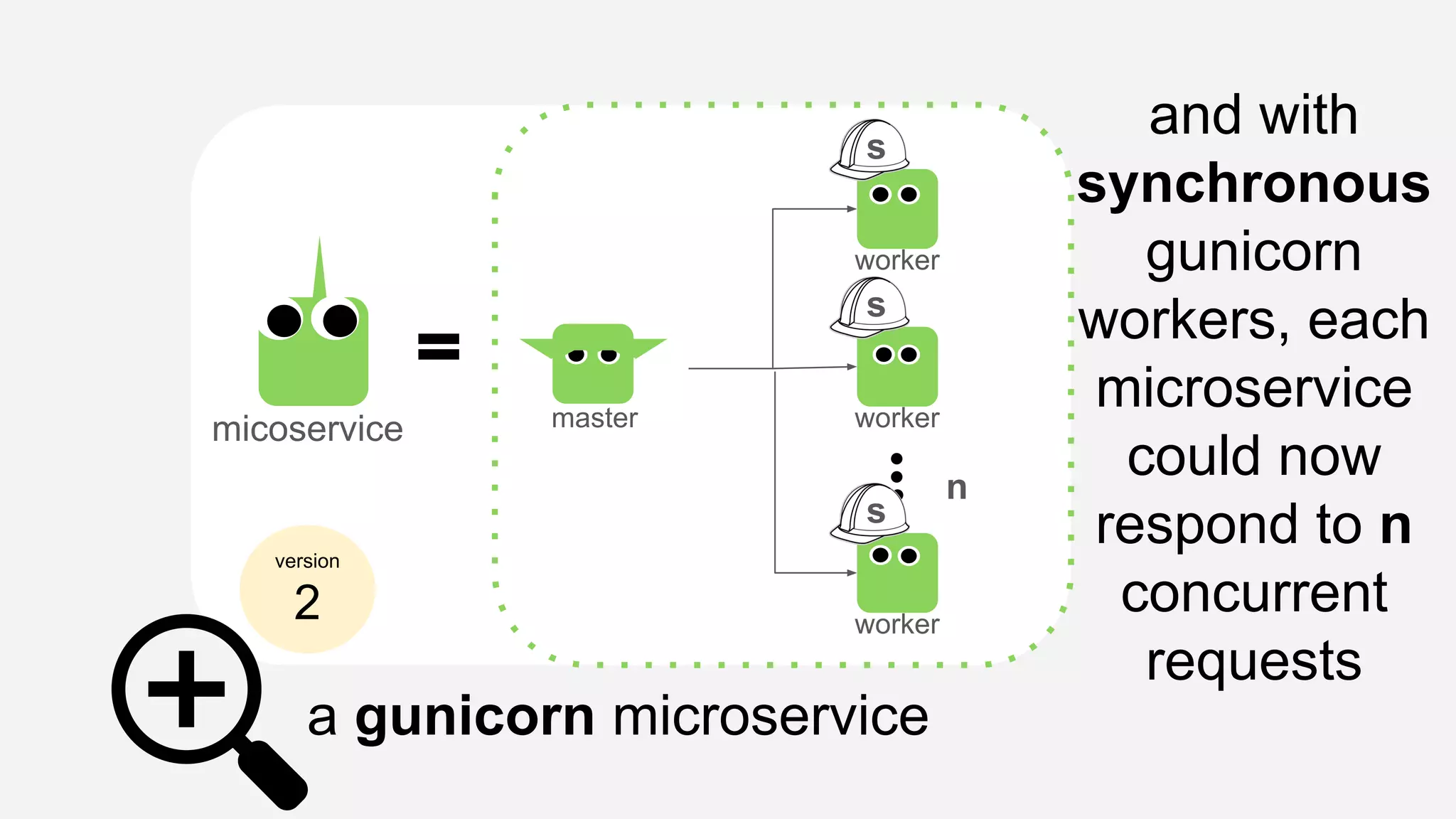
a gunicorn microservice
version
2
micoservice master
worker
worker
worker
n
and with
synchronous
gunicorn
workers, each
microservice
could now
respond to n
concurrent
requests
s
s
s
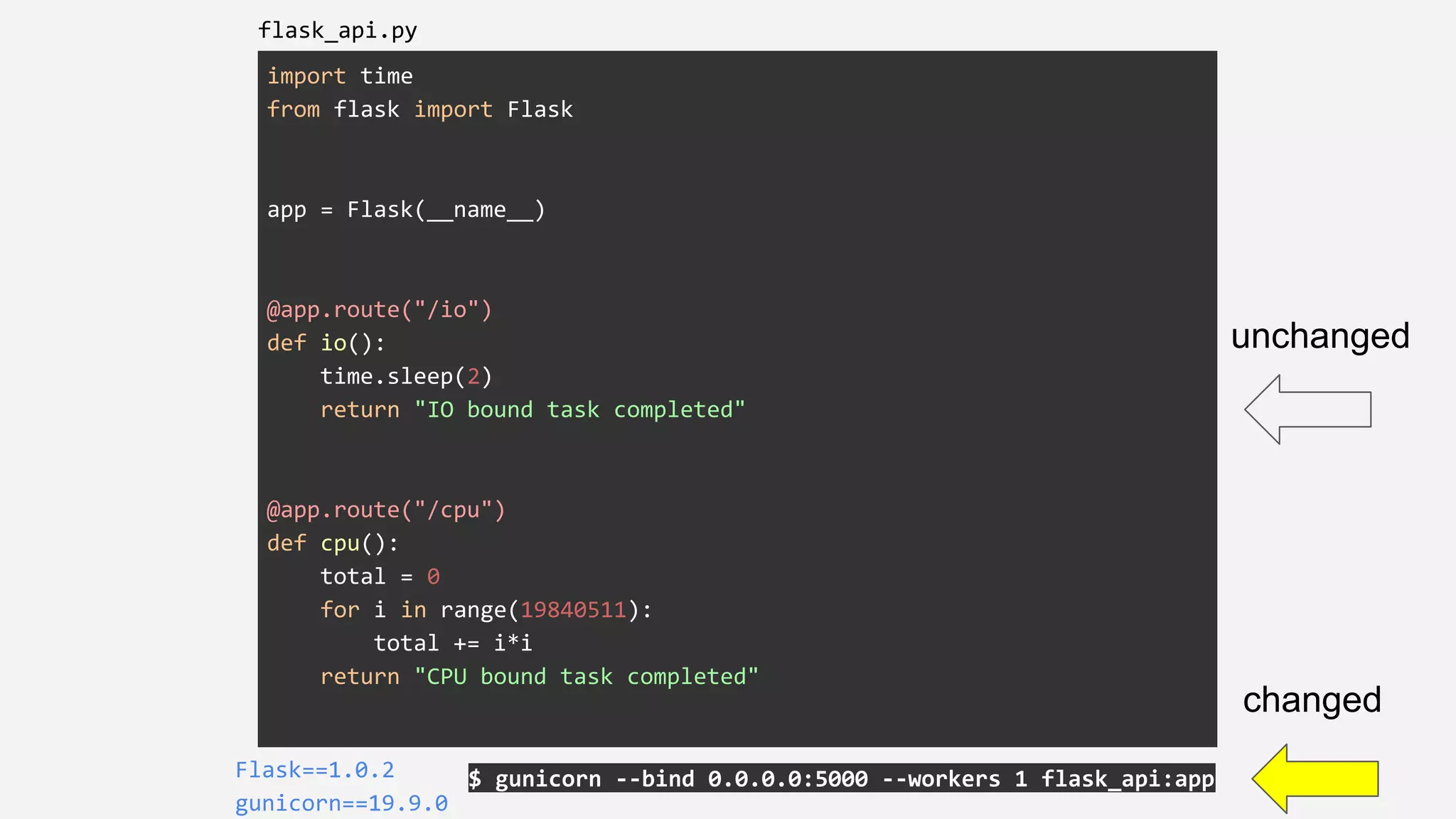
import time
from flask import Flask
app = Flask(__name__)
@app.route("/io")
def io():
time.sleep(2)
return "IO bound task completed"
@app.route("/cpu")
def cpu():
total = 0
for i in range(19840511):
total += i*i
return "CPU bound task completed"
$ gunicorn --bind 0.0.0.0:5000 --workers 1 flask_api:appFlask==1.0.2
gunicorn==19.9.0
flask_api.py
unchanged
changed
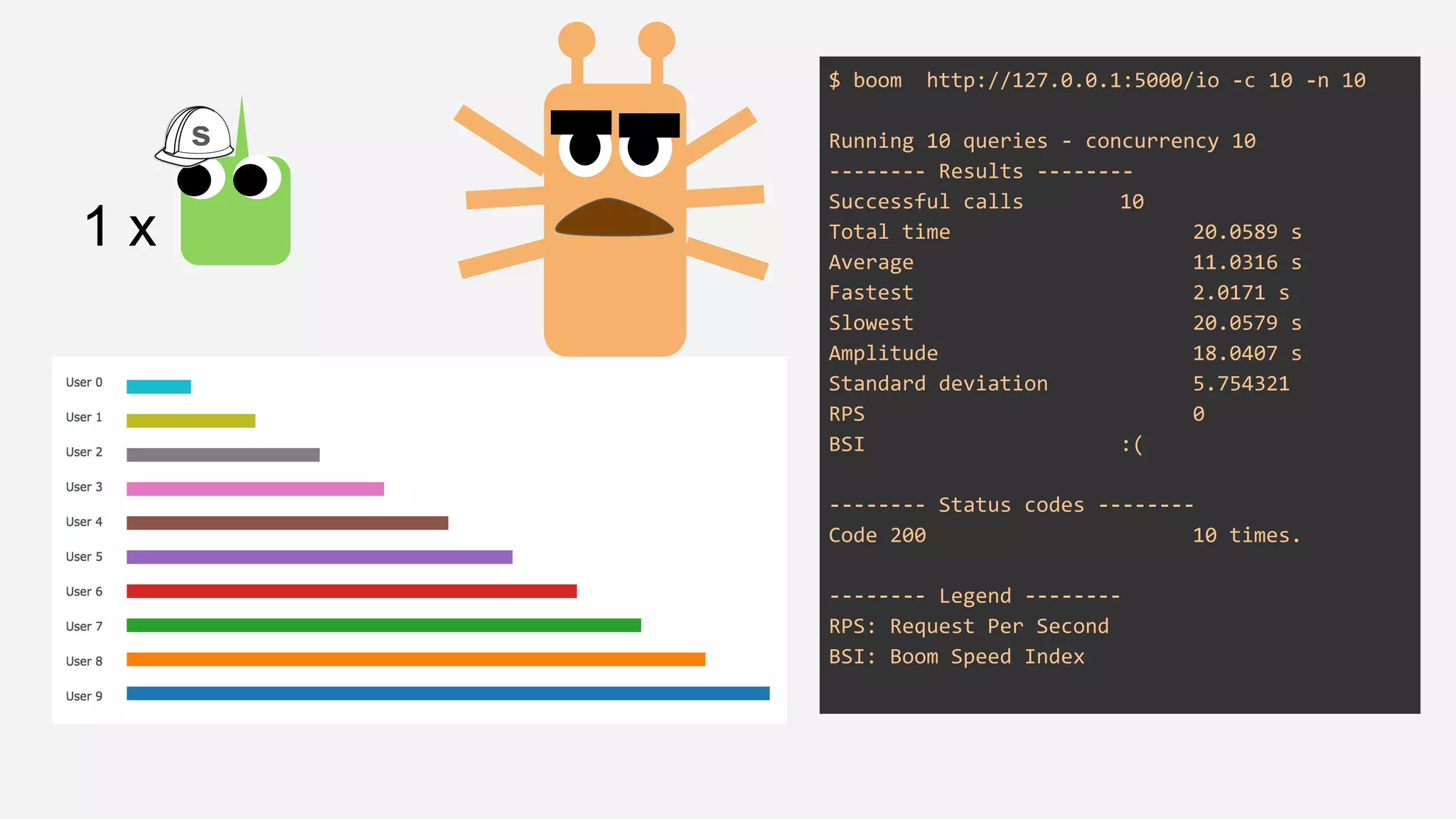
$ boom http://127.0.0.1:5000/io -c 10 -n 10
Running 10 queries - concurrency 10
-------- Results --------
Successful calls 10
Total time 20.0589 s
Average 11.0316 s
Fastest 2.0171 s
Slowest 20.0579 s
Amplitude 18.0407 s
Standard deviation 5.754321
RPS 0
BSI :(
-------- Status codes --------
Code 200 10 times.
-------- Legend --------
RPS: Request Per Second
BSI: Boom Speed Index
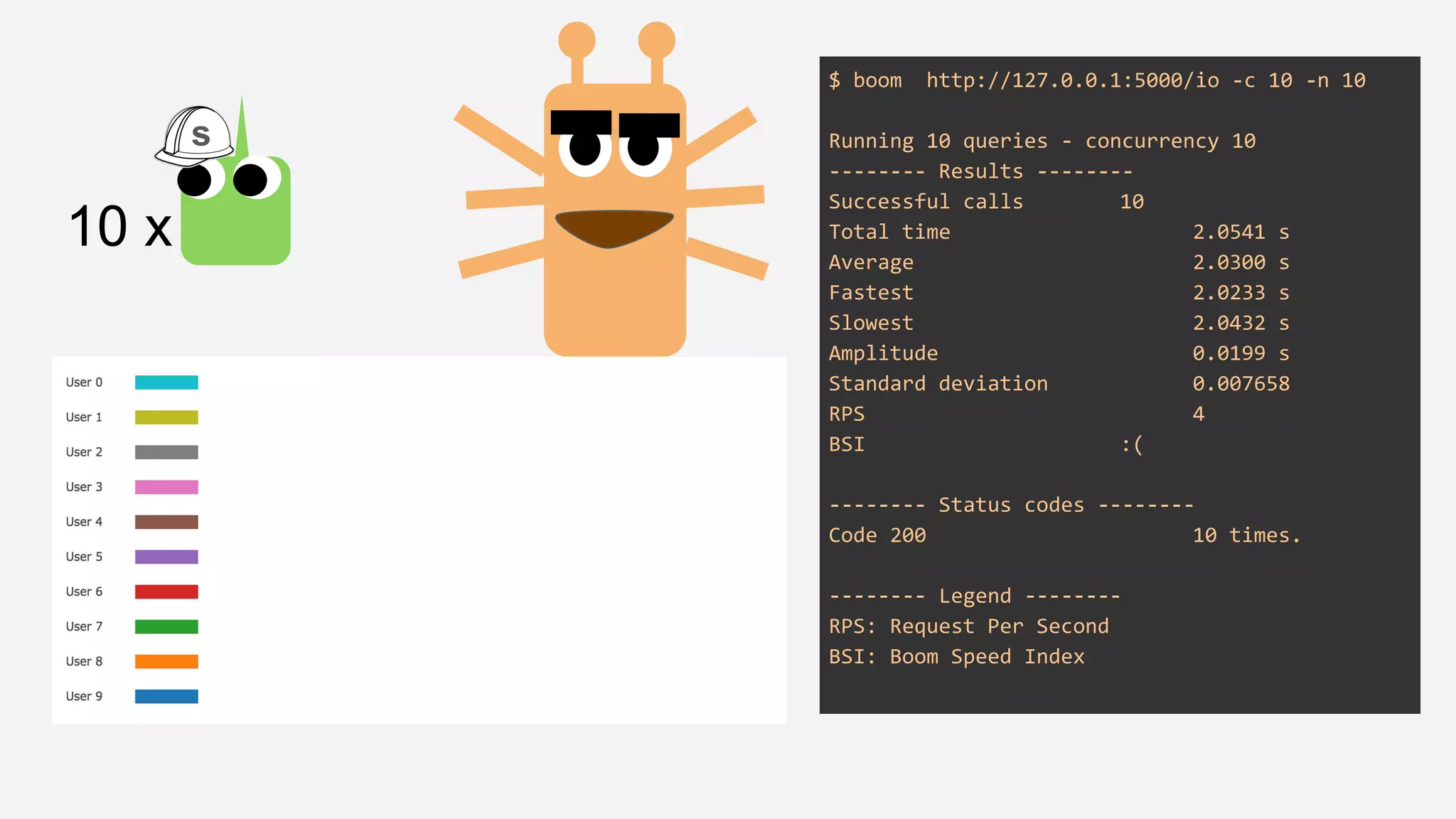
1 x
s
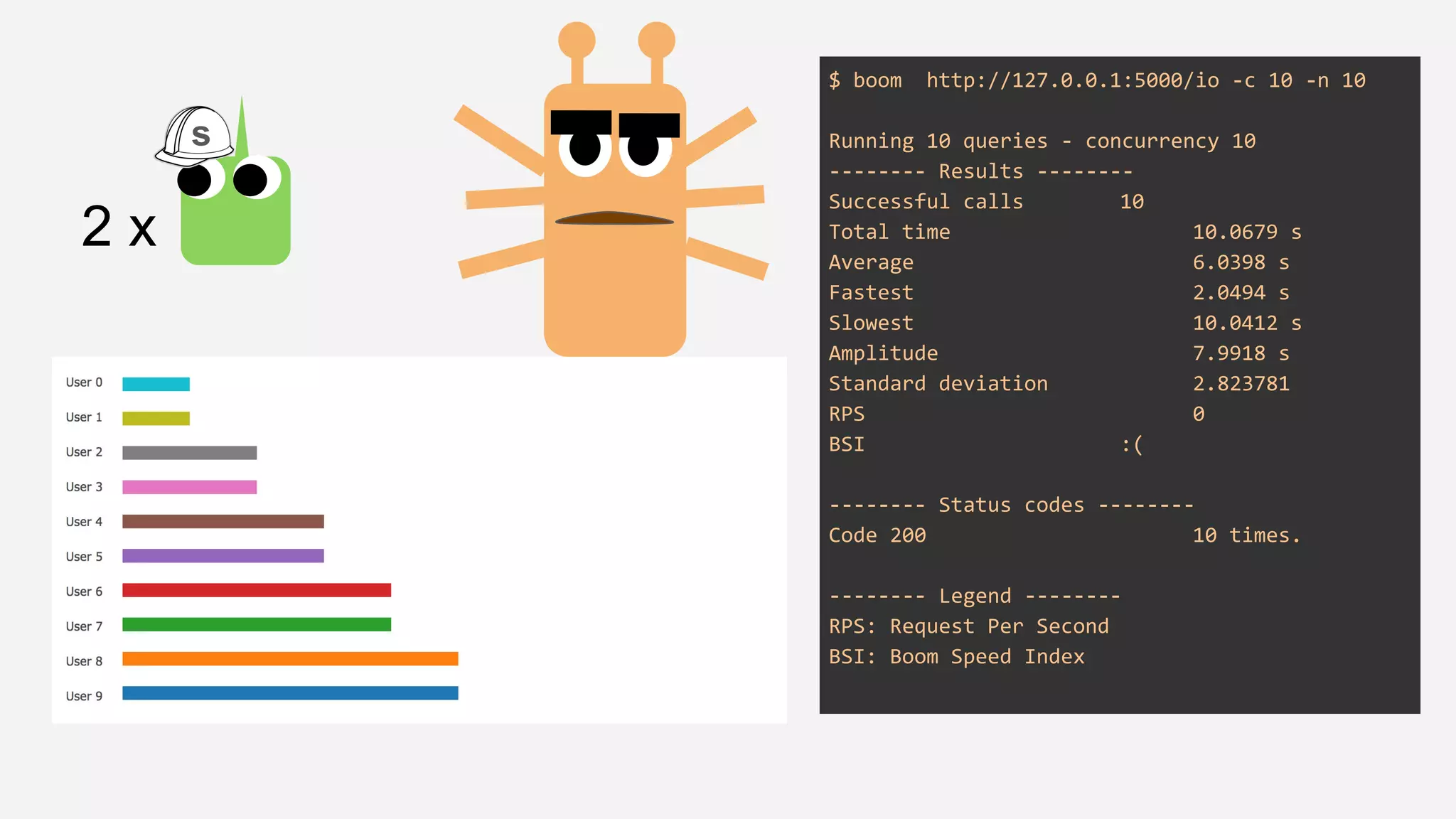
$ boom http://127.0.0.1:5000/io -c 10 -n 10
Running 10 queries - concurrency 10
-------- Results --------
Successful calls 10
Total time 10.0679 s
Average 6.0398 s
Fastest 2.0494 s
Slowest 10.0412 s
Amplitude 7.9918 s
Standard deviation 2.823781
RPS 0
BSI :(
-------- Status codes --------
Code 200 10 times.
-------- Legend --------
RPS: Request Per Second
BSI: Boom Speed Index
2 x
s
$ boom http://127.0.0.1:5000/io -c 10 -n 10
Running 10 queries - concurrency 10
-------- Results --------
Successful calls 10
Total time 2.0541 s
Average 2.0300 s
Fastest 2.0233 s
Slowest 2.0432 s
Amplitude 0.0199 s
Standard deviation 0.007658
RPS 4
BSI :(
-------- Status codes --------
Code 200 10 times.
-------- Legend --------
RPS: Request Per Second
BSI: Boom Speed Index
10 x
s
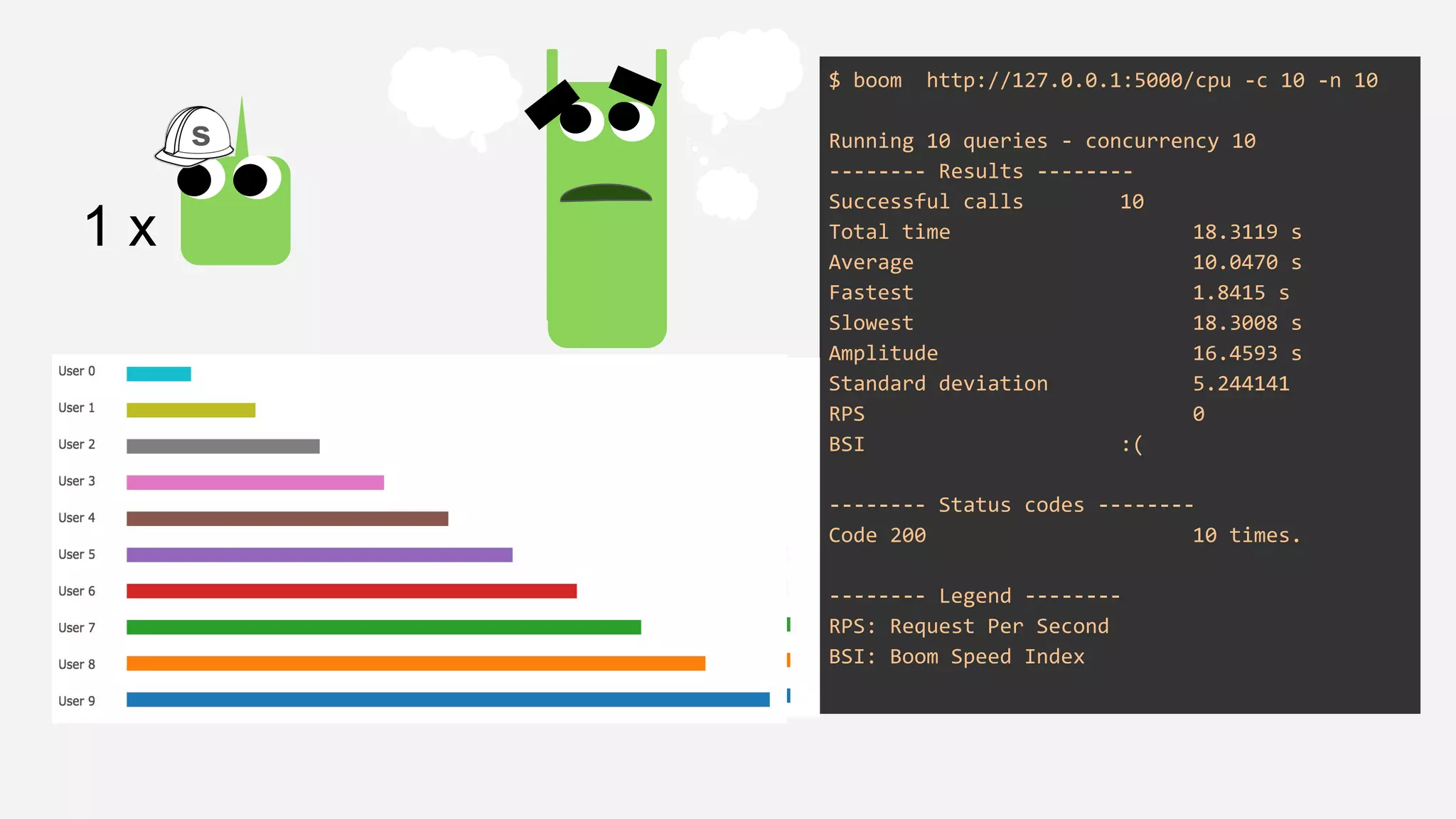
$ boom http://127.0.0.1:5000/cpu -c 10 -n 10
Running 10 queries - concurrency 10
-------- Results --------
Successful calls 10
Total time 18.3119 s
Average 10.0470 s
Fastest 1.8415 s
Slowest 18.3008 s
Amplitude 16.4593 s
Standard deviation 5.244141
RPS 0
BSI :(
-------- Status codes --------
Code 200 10 times.
-------- Legend --------
RPS: Request Per Second
BSI: Boom Speed Index
1 x
s
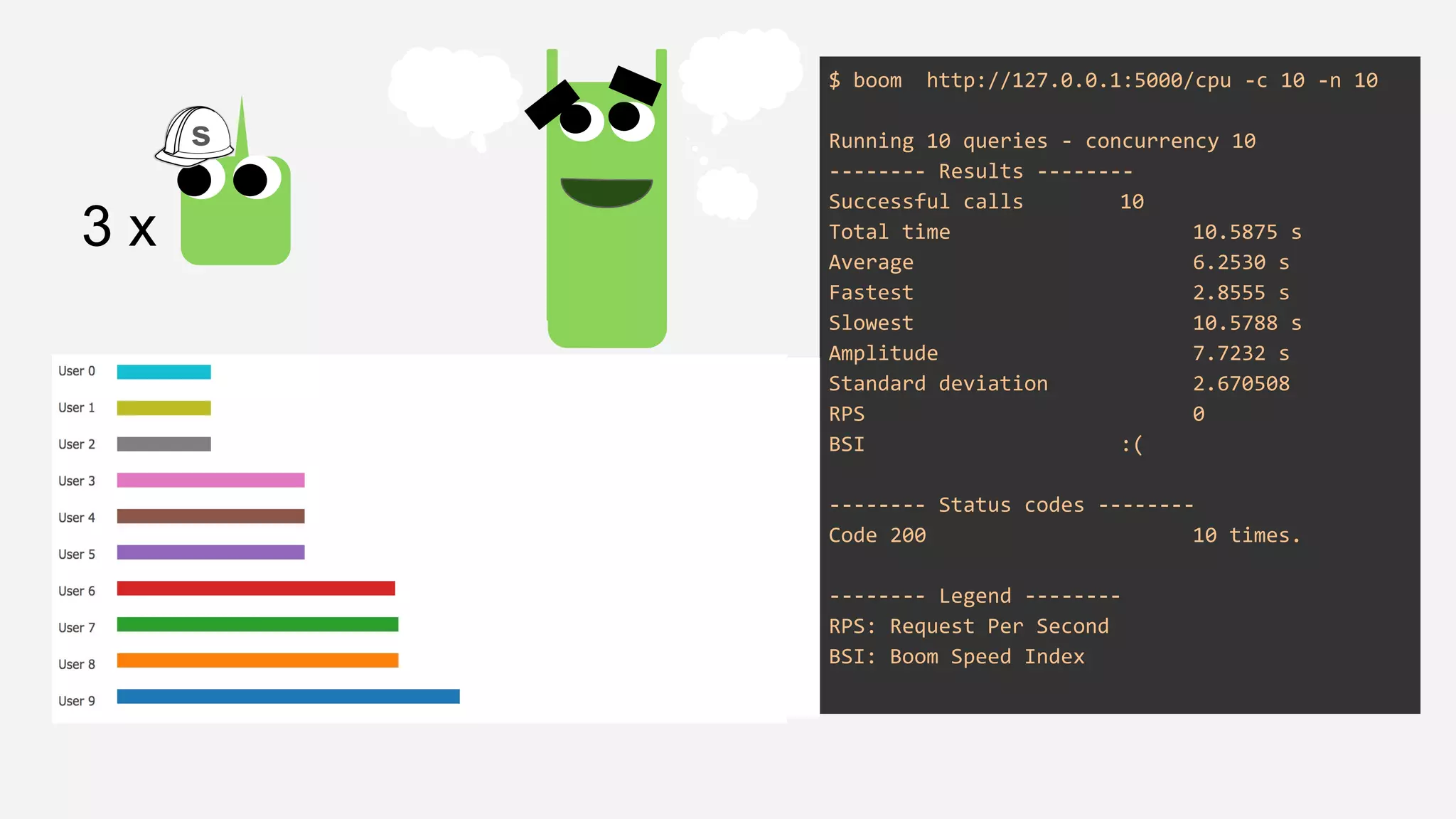
$ boom http://127.0.0.1:5000/cpu -c 10 -n 10
Running 10 queries - concurrency 10
-------- Results --------
Successful calls 10
Total time 10.5875 s
Average 6.2530 s
Fastest 2.8555 s
Slowest 10.5788 s
Amplitude 7.7232 s
Standard deviation 2.670508
RPS 0
BSI :(
-------- Status codes --------
Code 200 10 times.
-------- Legend --------
RPS: Request Per Second
BSI: Boom Speed Index
3 x
s
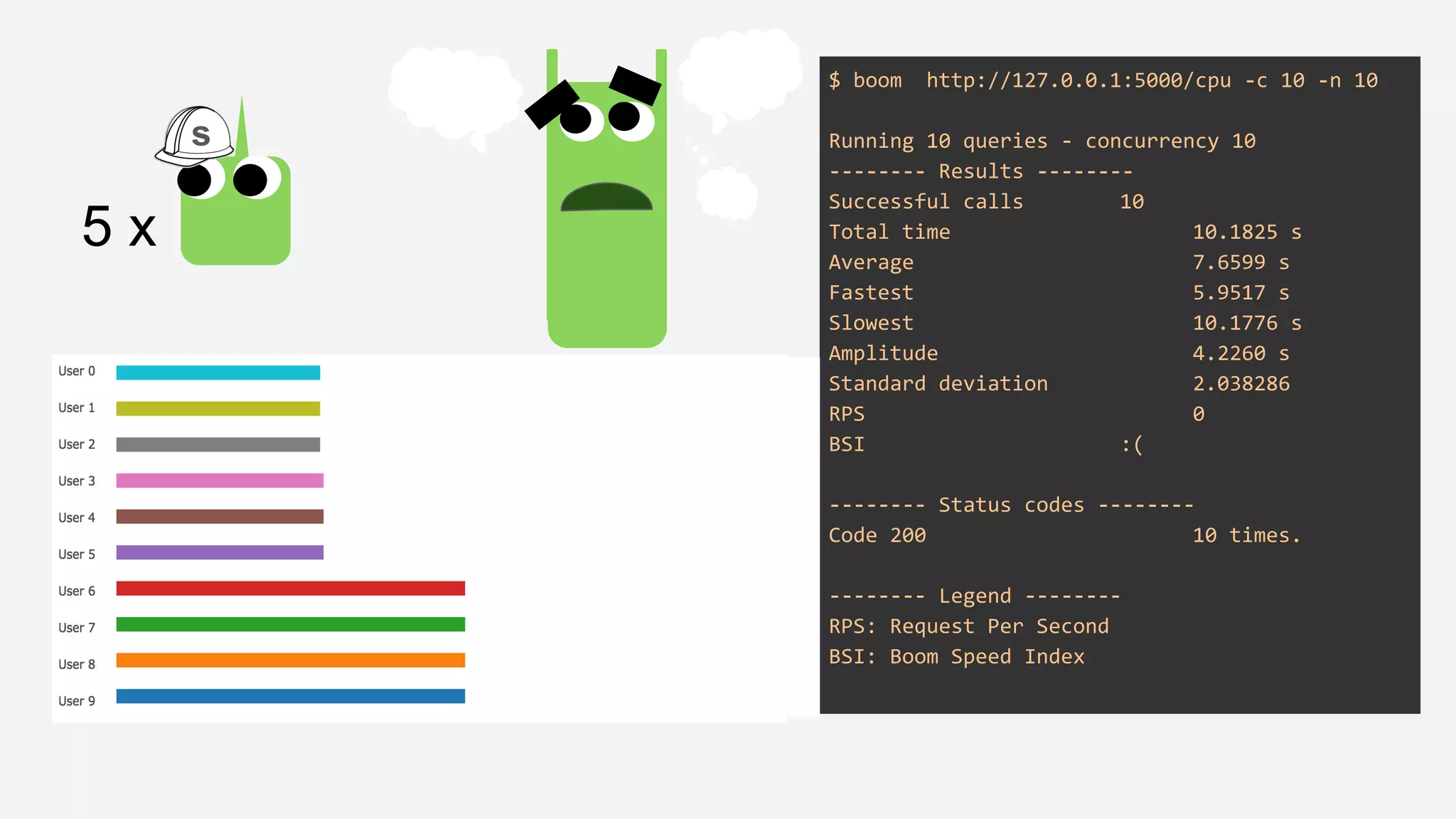
$ boom http://127.0.0.1:5000/cpu -c 10 -n 10
Running 10 queries - concurrency 10
-------- Results --------
Successful calls 10
Total time 10.1825 s
Average 7.6599 s
Fastest 5.9517 s
Slowest 10.1776 s
Amplitude 4.2260 s
Standard deviation 2.038286
RPS 0
BSI :(
-------- Status codes --------
Code 200 10 times.
-------- Legend --------
RPS: Request Per Second
BSI: Boom Speed Index
5 x
s
why?
Gunicorn, by default, spawns synchronous processes for each
worker
● the number of workers limits the amount of concurrent requests, for
this reason I/O was affected in a negative way (compared to
previous “no limit”)
● for CPU, there is a significant improvement to pure Flask/Werkzeug,
since the service can now handle requests concurrently without
having to wait for all of them to finish
● There is a limit of the # workers (suggested: (2 x $num_cores) + 1).
After a point they will start thrashing system resources decreasing
the throughput of the entire system
the microservices were doing their
work, until...
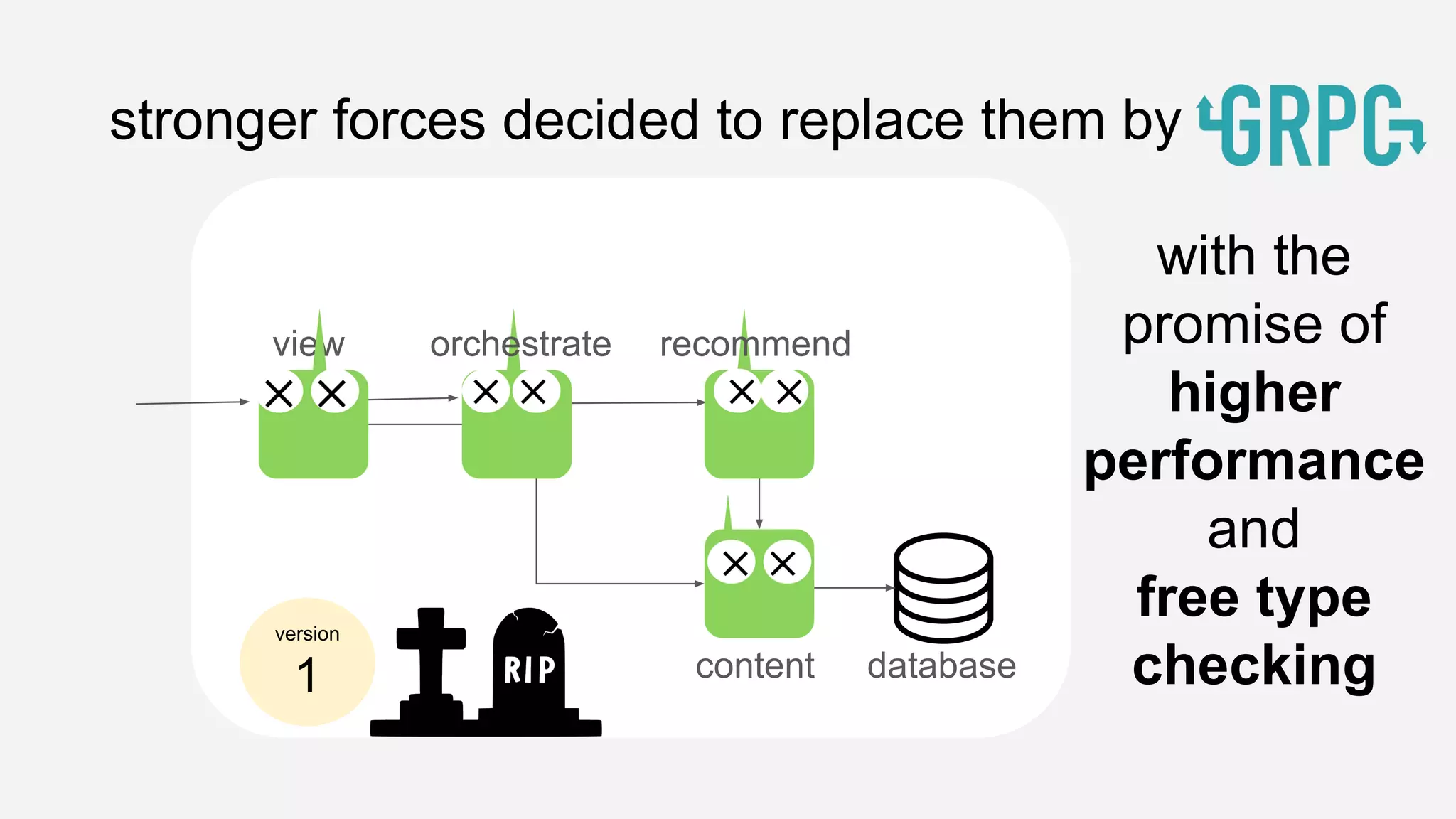
stronger forces decided to replace them by
recommend
content database
version
1
view orchestrate
with the
promise of
higher
performance
and
free type
checking
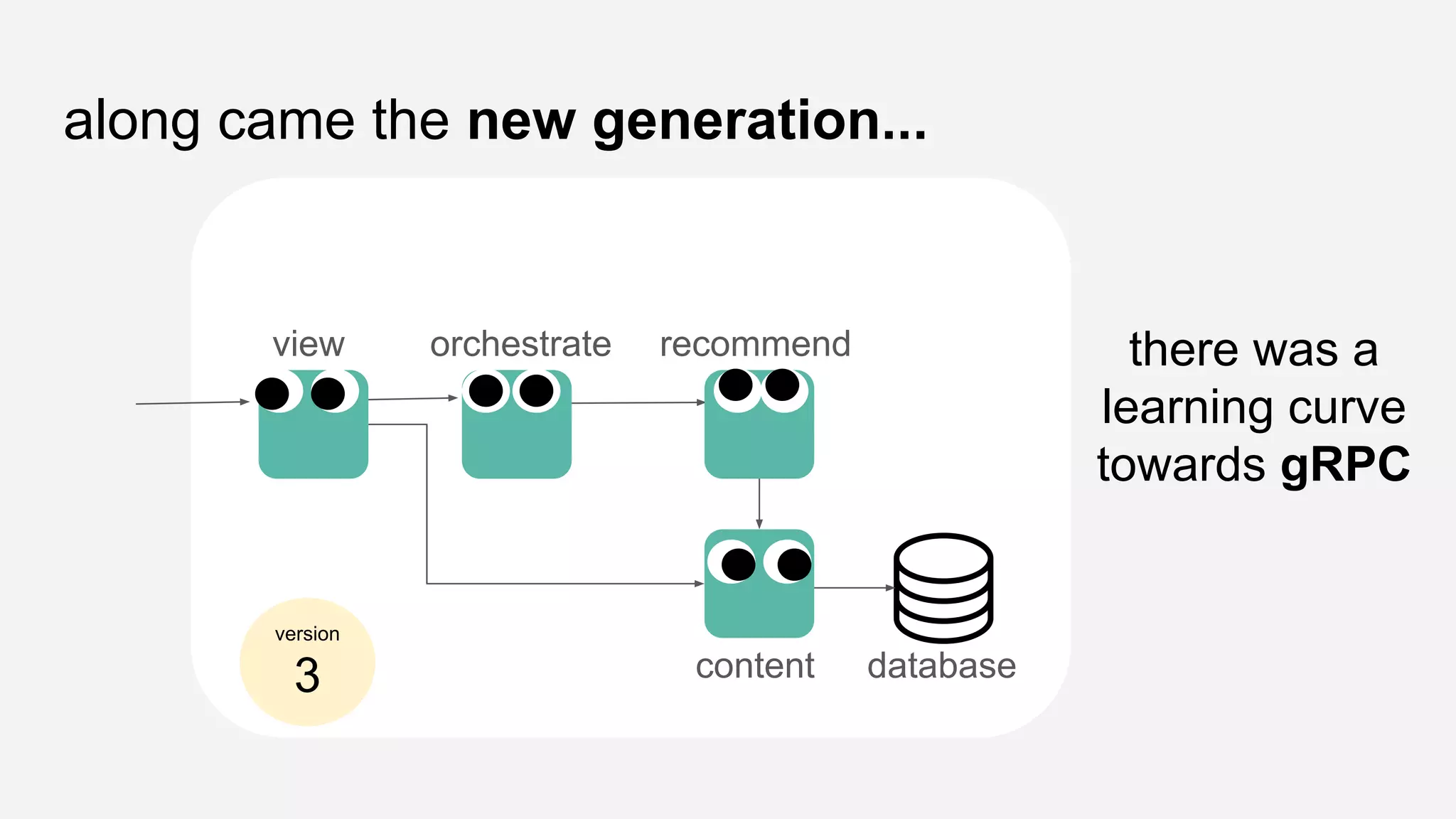
along came the new generation...
view orchestrate recommend
content database
there was a
learning curve
towards gRPC
version
3
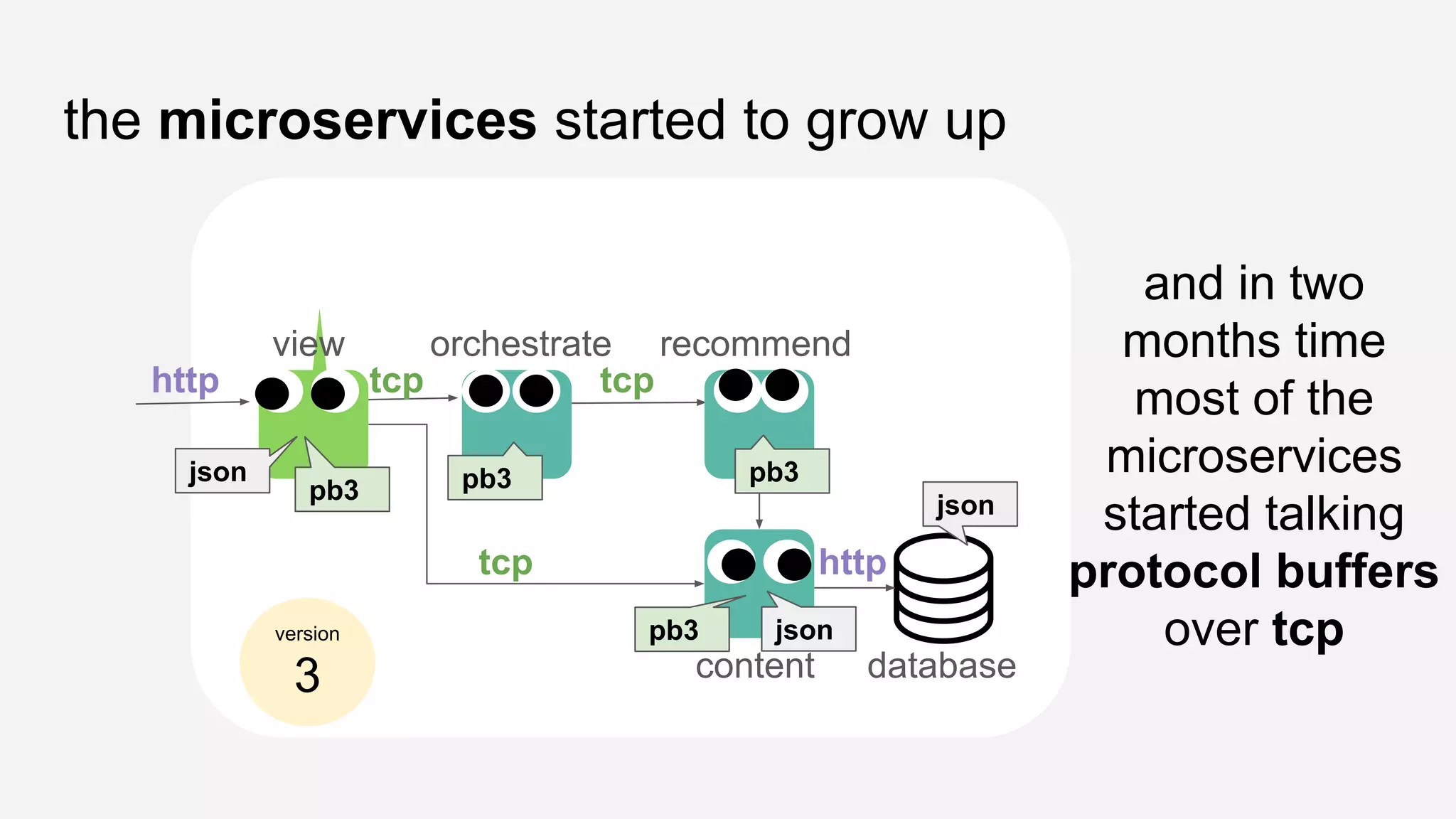
the microservices started to grow up
view orchestrate recommend
content database
and in two
months time
most of the
microservices
started talking
protocol buffers
over tcp
http tcp tcp
tcp http
json pb3 pb3
pb3
json
version
3
pb3
json
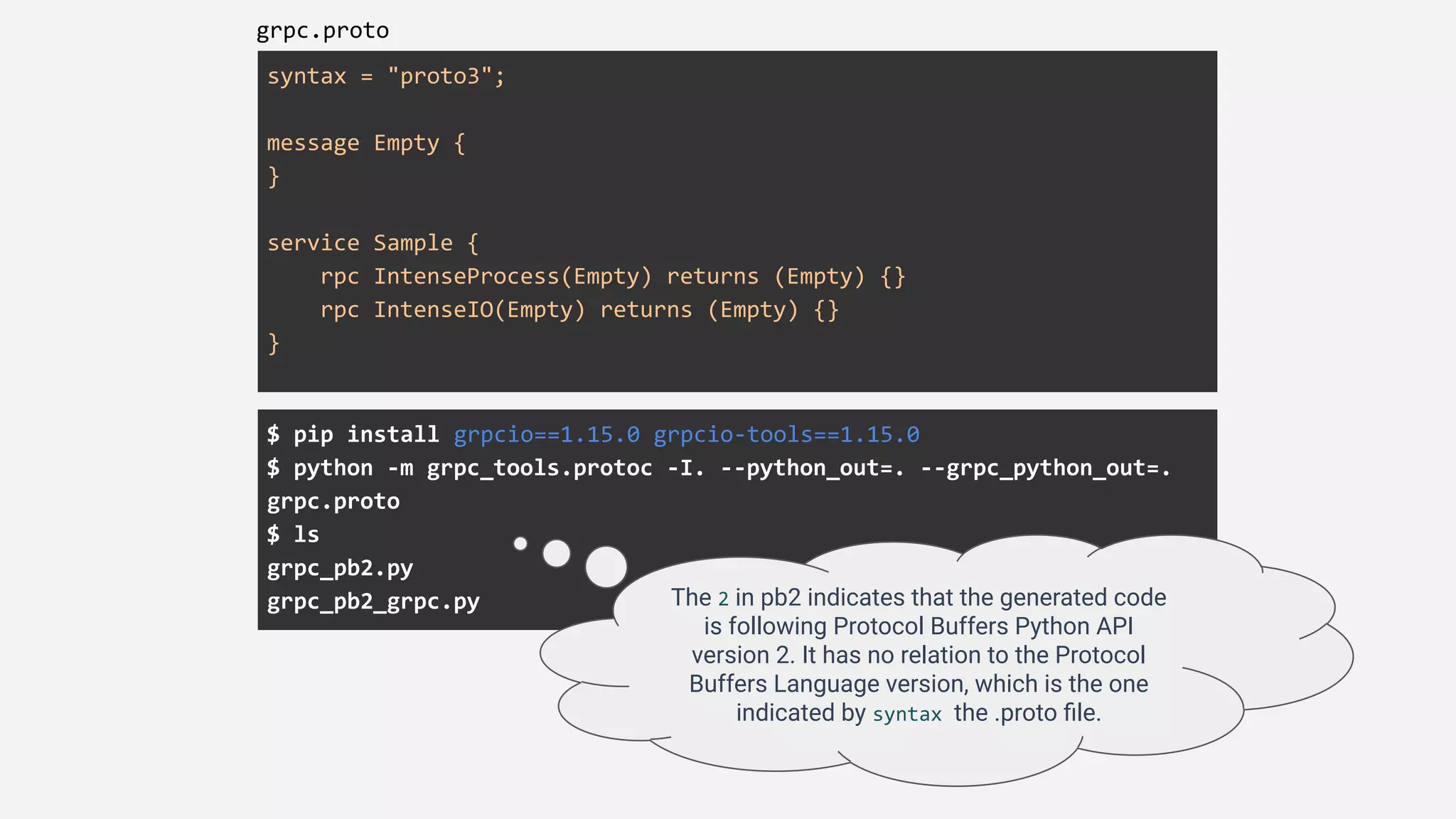
syntax = "proto3";
message Empty {
}
service Sample {
rpc IntenseProcess(Empty) returns (Empty) {}
rpc IntenseIO(Empty) returns (Empty) {}
}
grpc.proto
$ pip install grpcio==1.15.0 grpcio-tools==1.15.0
$ python -m grpc_tools.protoc -I. --python_out=. --grpc_python_out=.
grpc.proto
$ ls
grpc_pb2.py
grpc_pb2_grpc.py The 2 in pb2 indicates that the generated code
is following Protocol Buffers Python API
version 2. It has no relation to the Protocol
Buffers Language version, which is the one
indicated by syntax the .proto file.
grpc_server.py
$ python grpc_server.py
grpcio==1.15.0
grpcio-tools==1.15.0
import time
from concurrent import futures
import grpc
import grpc_pb2
import grpc_pb2_grpc
class SampleServicer(grpc_pb2_grpc.SampleServicer):
def IntenseProcess(self, request, context):
total = 0
for i in range(19840511):
total += i*i
return grpc_pb2.Empty()
def IntenseIO(self, request, context):
time.sleep(2)
return grpc_pb2.Empty()
server = grpc.server(futures.ThreadPoolExecutor(max_workers=10))
grpc_pb2_grpc.add_SampleServicer_to_server(SampleServicer(), server)
print('Starting server. Listening on port 5001.')
server.add_insecure_port('[::]:50051')
server.start()
try:
while True:
time.sleep(86400)
except KeyboardInterrupt:
server.stop(0)
<very messy code, to be cleaned and added here>
not the end
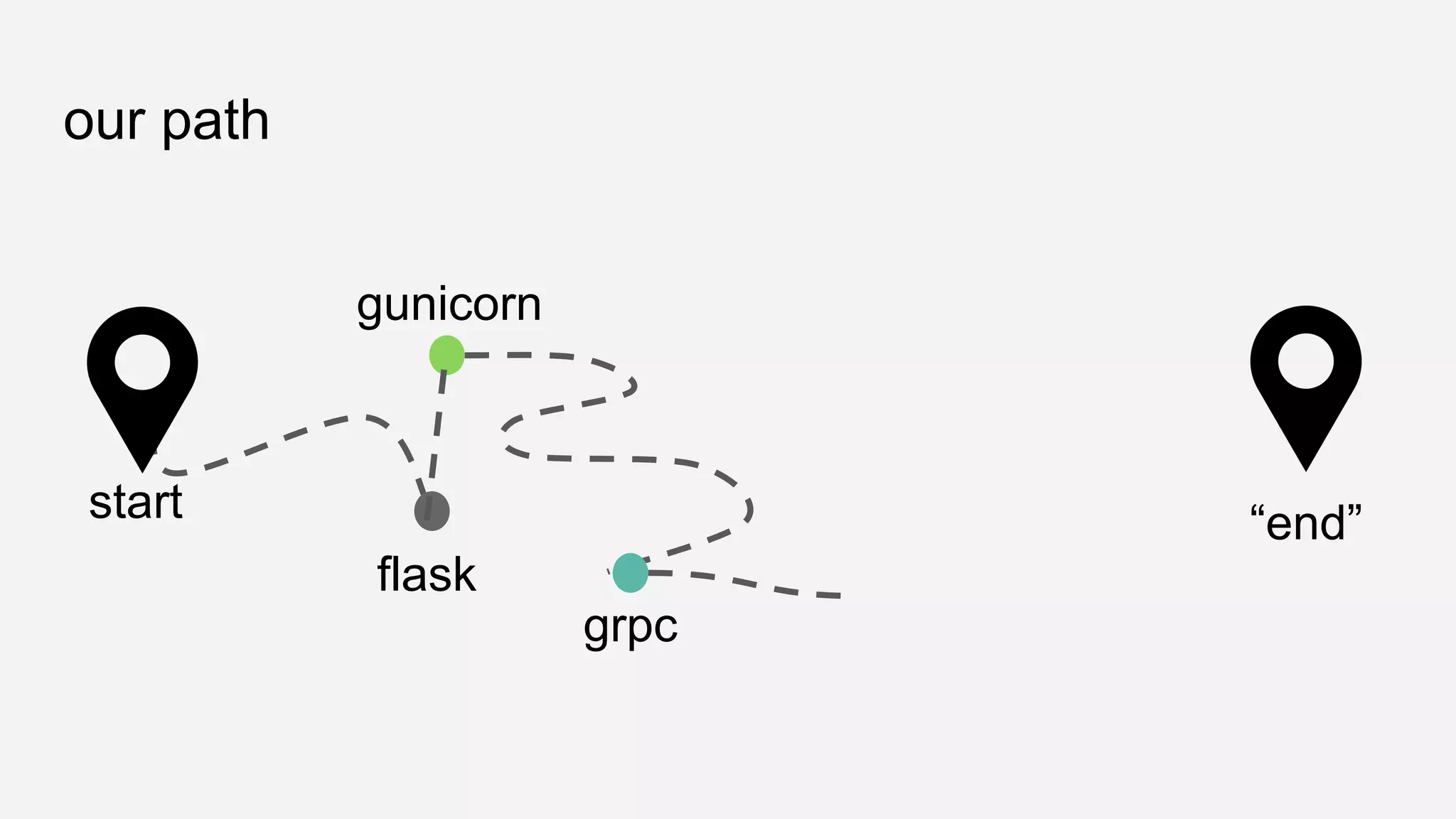
our path
flask
gunicorn
grpc
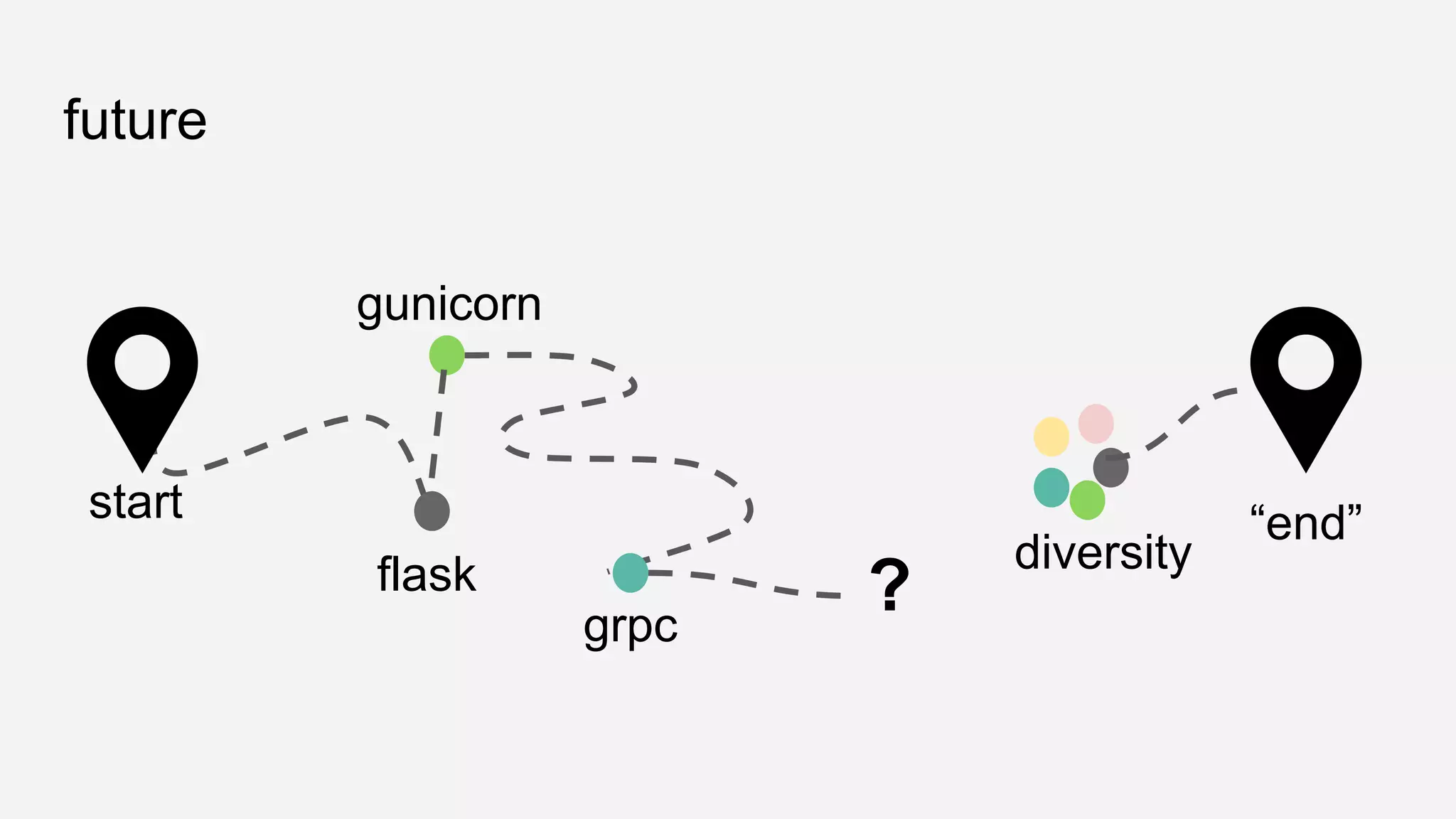
start “end”
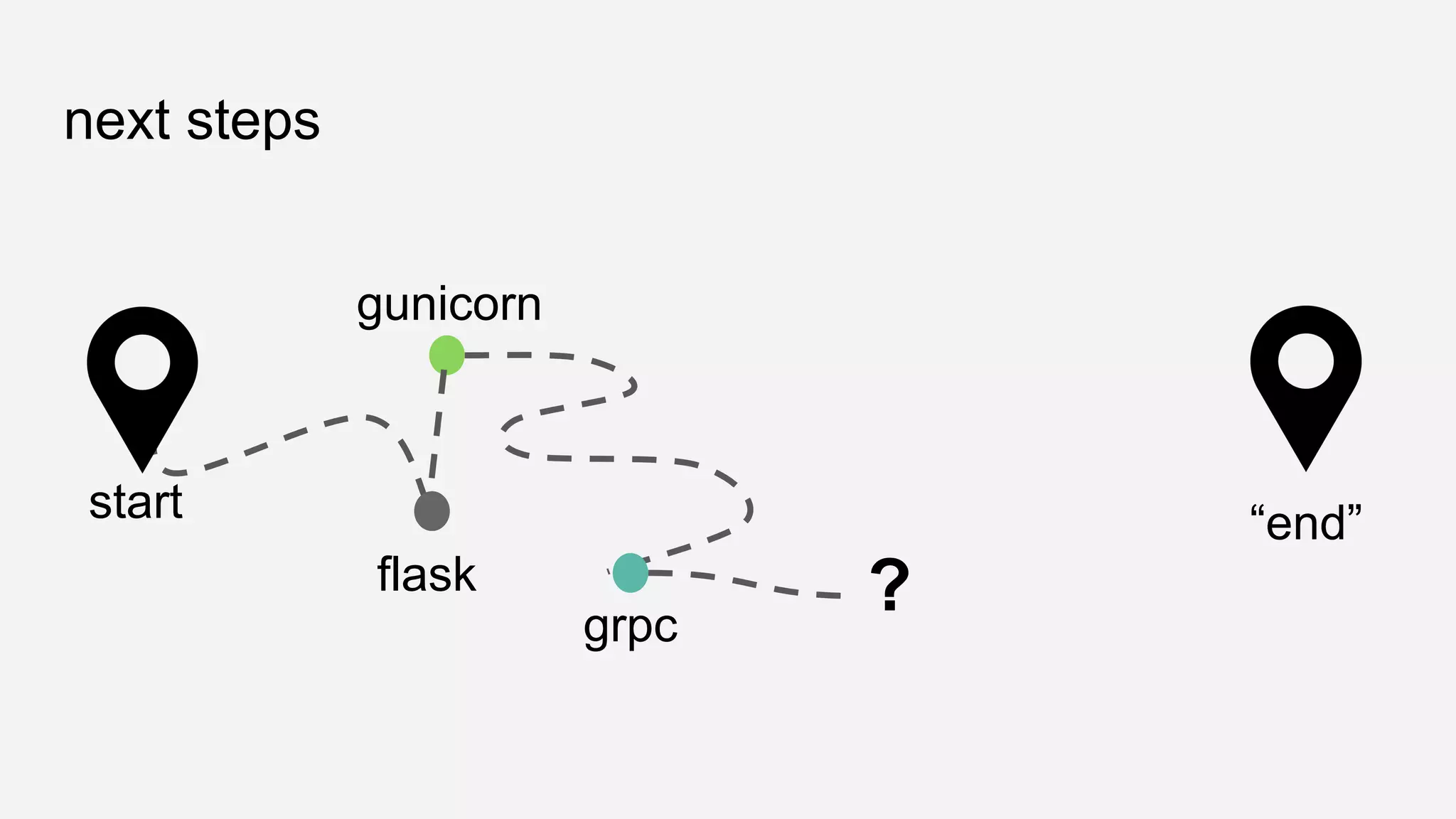
next steps
flask
gunicorn
grpc
start “end”
?
lots of possibilities
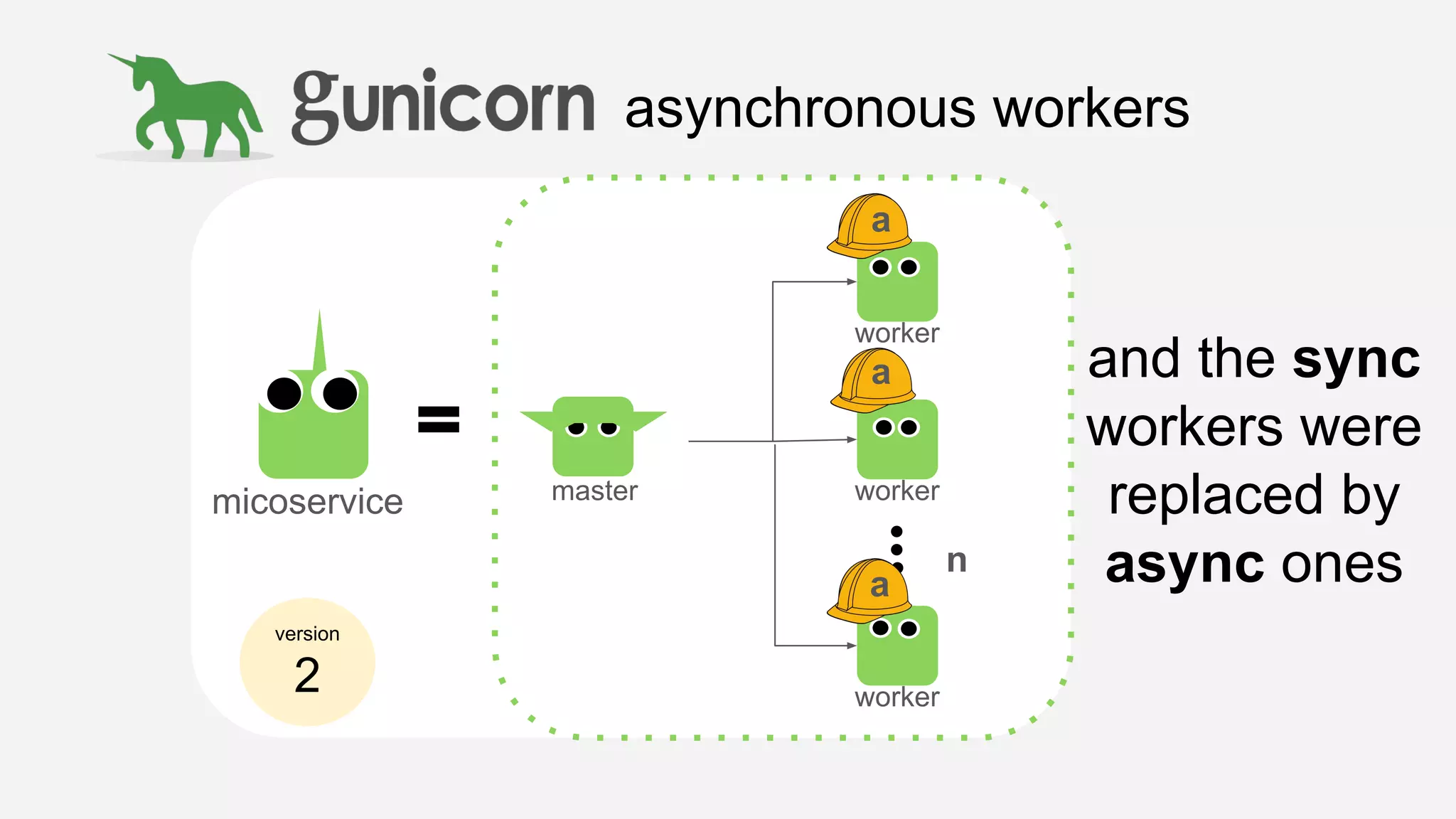
asynchronous workers
version
2
micoservice master
worker
worker
worker
n
and the sync
workers were
replaced by
async ones
a
a
a
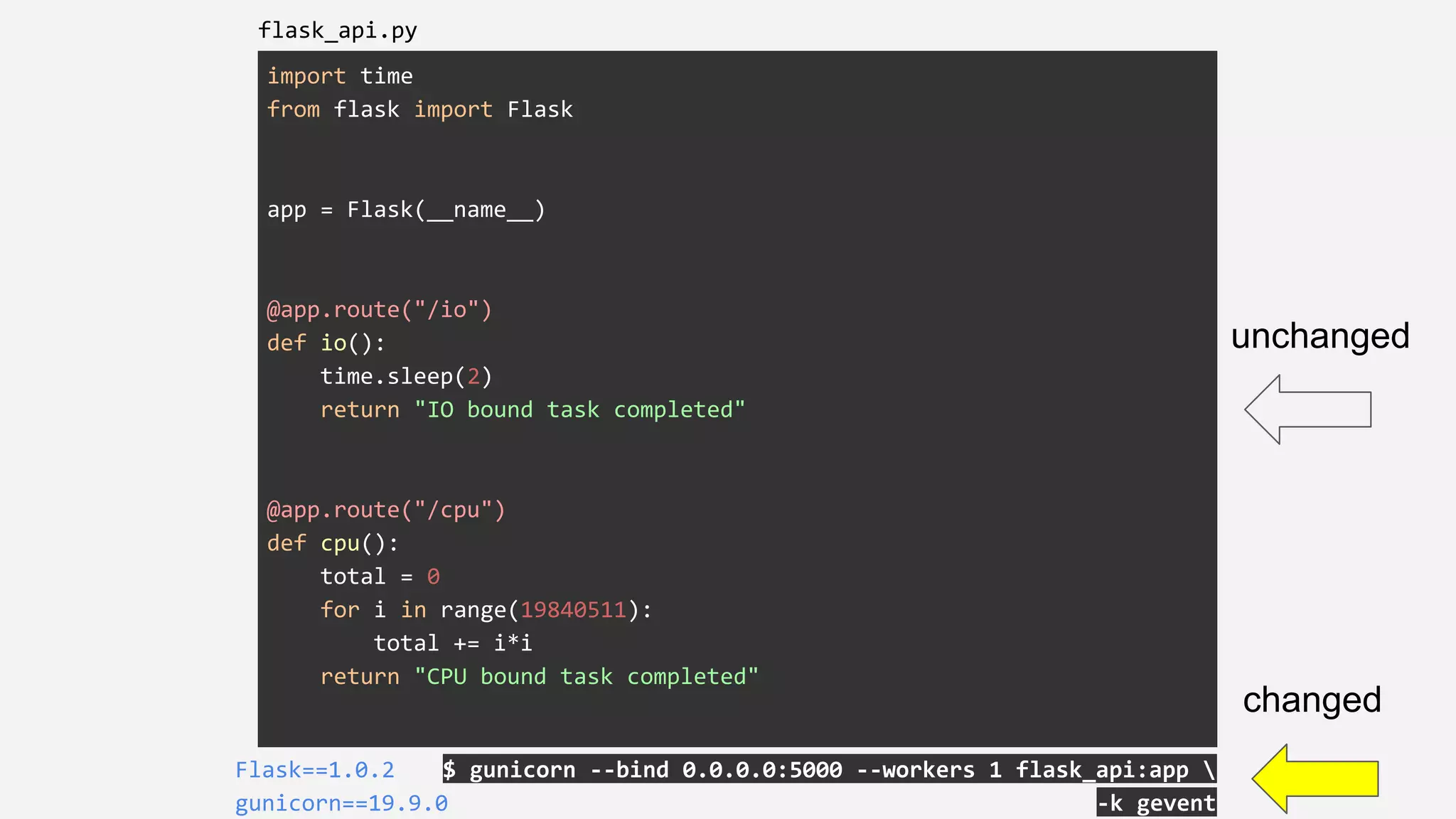
import time
from flask import Flask
app = Flask(__name__)
@app.route("/io")
def io():
time.sleep(2)
return "IO bound task completed"
@app.route("/cpu")
def cpu():
total = 0
for i in range(19840511):
total += i*i
return "CPU bound task completed"
$ gunicorn --bind 0.0.0.0:5000 --workers 1 flask_api:app 
-k gevent
Flask==1.0.2
gunicorn==19.9.0
flask_api.py
unchanged
changed
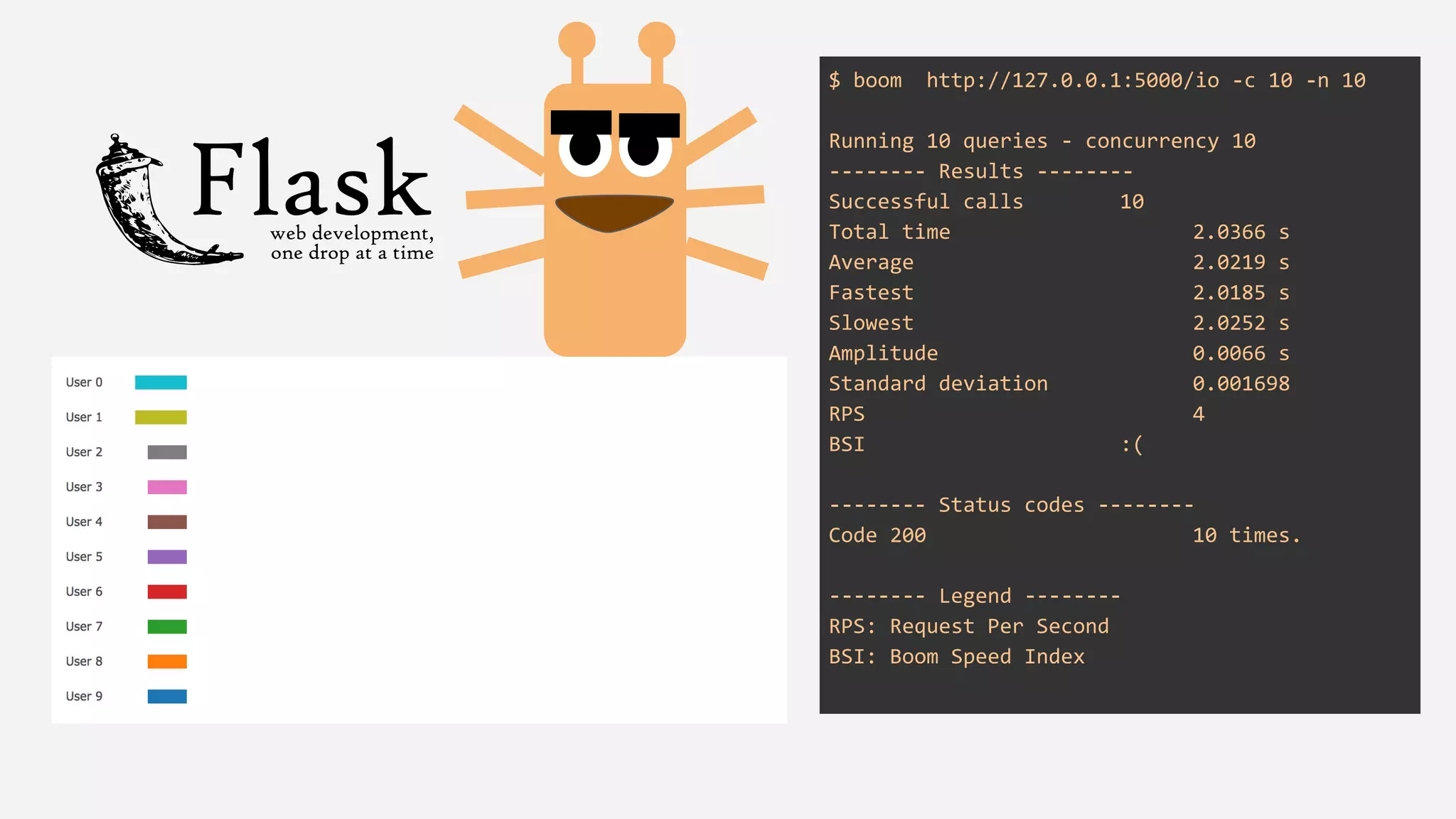
$ boom http://127.0.0.1:5000/io -c 10 -n 10
Running 10 queries - concurrency 10
-------- Results --------
Successful calls 10
Total time 2.0366 s
Average 2.0219 s
Fastest 2.0185 s
Slowest 2.0252 s
Amplitude 0.0066 s
Standard deviation 0.001698
RPS 4
BSI :(
-------- Status codes --------
Code 200 10 times.
-------- Legend --------
RPS: Request Per Second
BSI: Boom Speed Index
with processes and not threads
I/O loop
future
future
flask
gunicorn
grpc
start “end”
?
diversity
lessons learned
credits
images attribution
Creative Commons Attribution:
● Mobile phone: https://commons.wikimedia.org/wiki/File:Mobile_phone_font_awesome.svg
● Database: https://commons.wikimedia.org/wiki/File:Noun_project_database_1276526_cc.svg
● Cute monsters inspiration: https://all-free-download.com/free-vector/download/cute-colorful-monsters_6816778.html
● Hats: http://www.clker.com/clipart-white-hard-hat-9.html
● Zoom in: https://icons8.com/icon/714/zoom-in
https://findouthow.datalab.rocks
join us:
thank you! diolch!
questions?
Tati Al-Chueyr
@tati_alchueyr
PyCon UK 2018
15 September 2018, Cardiff

PyConUK 2018 - Journey from HTTP to gRPC

  • 1.
    A journey fromHTTP to gRPC Tati Al-Chueyr @tati_alchueyr PyCon UK 2018 15 September 2018, Cardiff
  • 2.
    tati_alchueyr.__doc__ ● computer engineerby Unicamp ● senior data engineer at BBC (previously engineer at EF, globo.com & Ministry of Science and Technology of Brazil) ● open source enthusiast ● pythonist since 2003 ● Amanda’s mummy
  • 3.
    bbc.datalab.mission “Bring the BBC’sdata together accessible through a common platform, along with flexible and scalable tools to support machine learning to enable content enrichment and deeper personalization”
  • 4.
  • 5.
  • 6.
  • 7.
  • 8.
    once upon atime, in a not far away land...
  • 9.
    there was theplan of building microservices
  • 10.
    even before birth,each microservice is entitled a personality
  • 11.
    CPU intensive microservice characteristics ●consumes lots of CPU examples ● fors and whiles ● serialisation ● recommendation models ● mathematical computation
  • 12.
    I/O intensive microservice characteristics ●consumes lots of I/O examples ● communicates to ○ databases ○ other APIs ○ files
  • 13.
    there was adream...
  • 14.
    all the microservices will bebuilt with the same technology
  • 15.
    and with thisdream...
  • 16.
    the recommender platformstarted being built view orchestrate recommend content database the first generation of microservices was developed using version 1
  • 17.
    the microservices startedto grow up view orchestrate recommend content database they happily learned how to talk to each other using JSON over HTTP http http http http http json json json json json version 1
  • 18.
    and their contractswere defined using swagger view orchestrate recommend content database version 1
  • 19.
    however... view orchestrate recommend contentdatabase althought for some tasks they performed well, for others they would have huge latencies if there were concurrent users version 1
  • 20.
    import time from flaskimport Flask app = Flask(__name__) @app.route("/io") def io(): time.sleep(2) return "IO bound task completed" @app.route("/cpu") def cpu(): total = 0 for i in range(19840511): total += i*i return "CPU bound task completed" $ FLASK_APP=flask_api.py flask runFlask==1.0.2 flask_api.py
  • 21.
    $ boom http://127.0.0.1:5000/io-c 10 -n 10 Running 10 queries - concurrency 10 -------- Results -------- Successful calls 10 Total time 2.0495 s Average 2.0302 s Fastest 2.0227 s Slowest 2.0377 s Amplitude 0.0150 s Standard deviation 0.004716 RPS 4 BSI :( -------- Status codes -------- Code 200 10 times. -------- Legend -------- RPS: Request Per Second BSI: Boom Speed Index
  • 22.
    $ boom http://127.0.0.1:5000/cpu-c 10 -n 10 Running 10 queries - concurrency 10 -------- Results -------- Successful calls 10 Total time 19.2738 s Average 18.8230 s Fastest 18.1451 s Slowest 19.2623 s Amplitude 1.1172 s Standard deviation 0.379198 RPS 0 BSI :( -------- Status codes -------- Code 200 10 times. -------- Legend -------- RPS: Request Per Second BSI: Boom Speed Index
  • 23.
    why? Flask uses Werkzeugas WSGI ● By default Werkzeug uses threads Python has GIL (Global Interpreter Lock) ● Only one thread can execute python bytecode a time ● the threads fight for CPU - blocking one another all the way, returning the response to the user almost in the same time ● This does not affect I/O - but does affect computations
  • 24.
    the flask microserviceswere in crisis...
  • 25.
    along came recommend content database spawningand managing multiple processes of each microservice - bringing an overall relief version 2 view orchestrate
  • 26.
    a gunicorn microservice version 2 micoservicemaster worker worker worker n and with synchronous gunicorn workers, each microservice could now respond to n concurrent requests s s s
  • 27.
    import time from flaskimport Flask app = Flask(__name__) @app.route("/io") def io(): time.sleep(2) return "IO bound task completed" @app.route("/cpu") def cpu(): total = 0 for i in range(19840511): total += i*i return "CPU bound task completed" $ gunicorn --bind 0.0.0.0:5000 --workers 1 flask_api:appFlask==1.0.2 gunicorn==19.9.0 flask_api.py unchanged changed
  • 28.
    $ boom http://127.0.0.1:5000/io-c 10 -n 10 Running 10 queries - concurrency 10 -------- Results -------- Successful calls 10 Total time 20.0589 s Average 11.0316 s Fastest 2.0171 s Slowest 20.0579 s Amplitude 18.0407 s Standard deviation 5.754321 RPS 0 BSI :( -------- Status codes -------- Code 200 10 times. -------- Legend -------- RPS: Request Per Second BSI: Boom Speed Index 1 x s
  • 29.
    $ boom http://127.0.0.1:5000/io-c 10 -n 10 Running 10 queries - concurrency 10 -------- Results -------- Successful calls 10 Total time 10.0679 s Average 6.0398 s Fastest 2.0494 s Slowest 10.0412 s Amplitude 7.9918 s Standard deviation 2.823781 RPS 0 BSI :( -------- Status codes -------- Code 200 10 times. -------- Legend -------- RPS: Request Per Second BSI: Boom Speed Index 2 x s
  • 30.
    $ boom http://127.0.0.1:5000/io-c 10 -n 10 Running 10 queries - concurrency 10 -------- Results -------- Successful calls 10 Total time 2.0541 s Average 2.0300 s Fastest 2.0233 s Slowest 2.0432 s Amplitude 0.0199 s Standard deviation 0.007658 RPS 4 BSI :( -------- Status codes -------- Code 200 10 times. -------- Legend -------- RPS: Request Per Second BSI: Boom Speed Index 10 x s
  • 31.
    $ boom http://127.0.0.1:5000/cpu-c 10 -n 10 Running 10 queries - concurrency 10 -------- Results -------- Successful calls 10 Total time 18.3119 s Average 10.0470 s Fastest 1.8415 s Slowest 18.3008 s Amplitude 16.4593 s Standard deviation 5.244141 RPS 0 BSI :( -------- Status codes -------- Code 200 10 times. -------- Legend -------- RPS: Request Per Second BSI: Boom Speed Index 1 x s
  • 32.
    $ boom http://127.0.0.1:5000/cpu-c 10 -n 10 Running 10 queries - concurrency 10 -------- Results -------- Successful calls 10 Total time 10.5875 s Average 6.2530 s Fastest 2.8555 s Slowest 10.5788 s Amplitude 7.7232 s Standard deviation 2.670508 RPS 0 BSI :( -------- Status codes -------- Code 200 10 times. -------- Legend -------- RPS: Request Per Second BSI: Boom Speed Index 3 x s
  • 33.
    $ boom http://127.0.0.1:5000/cpu-c 10 -n 10 Running 10 queries - concurrency 10 -------- Results -------- Successful calls 10 Total time 10.1825 s Average 7.6599 s Fastest 5.9517 s Slowest 10.1776 s Amplitude 4.2260 s Standard deviation 2.038286 RPS 0 BSI :( -------- Status codes -------- Code 200 10 times. -------- Legend -------- RPS: Request Per Second BSI: Boom Speed Index 5 x s
  • 34.
    why? Gunicorn, by default,spawns synchronous processes for each worker ● the number of workers limits the amount of concurrent requests, for this reason I/O was affected in a negative way (compared to previous “no limit”) ● for CPU, there is a significant improvement to pure Flask/Werkzeug, since the service can now handle requests concurrently without having to wait for all of them to finish ● There is a limit of the # workers (suggested: (2 x $num_cores) + 1). After a point they will start thrashing system resources decreasing the throughput of the entire system
  • 35.
    the microservices weredoing their work, until...
  • 36.
    stronger forces decidedto replace them by recommend content database version 1 view orchestrate with the promise of higher performance and free type checking
  • 37.
    along came thenew generation... view orchestrate recommend content database there was a learning curve towards gRPC version 3
  • 38.
    the microservices startedto grow up view orchestrate recommend content database and in two months time most of the microservices started talking protocol buffers over tcp http tcp tcp tcp http json pb3 pb3 pb3 json version 3 pb3 json
  • 39.
    syntax = "proto3"; messageEmpty { } service Sample { rpc IntenseProcess(Empty) returns (Empty) {} rpc IntenseIO(Empty) returns (Empty) {} } grpc.proto $ pip install grpcio==1.15.0 grpcio-tools==1.15.0 $ python -m grpc_tools.protoc -I. --python_out=. --grpc_python_out=. grpc.proto $ ls grpc_pb2.py grpc_pb2_grpc.py The 2 in pb2 indicates that the generated code is following Protocol Buffers Python API version 2. It has no relation to the Protocol Buffers Language version, which is the one indicated by syntax the .proto file.
  • 40.
    grpc_server.py $ python grpc_server.py grpcio==1.15.0 grpcio-tools==1.15.0 importtime from concurrent import futures import grpc import grpc_pb2 import grpc_pb2_grpc class SampleServicer(grpc_pb2_grpc.SampleServicer): def IntenseProcess(self, request, context): total = 0 for i in range(19840511): total += i*i return grpc_pb2.Empty() def IntenseIO(self, request, context): time.sleep(2) return grpc_pb2.Empty() server = grpc.server(futures.ThreadPoolExecutor(max_workers=10)) grpc_pb2_grpc.add_SampleServicer_to_server(SampleServicer(), server) print('Starting server. Listening on port 5001.') server.add_insecure_port('[::]:50051') server.start() try: while True: time.sleep(86400) except KeyboardInterrupt: server.stop(0)
  • 41.
    <very messy code,to be cleaned and added here>
  • 42.
    <very messy code,to be cleaned and added here>
  • 43.
  • 44.
  • 45.
  • 46.
  • 47.
    asynchronous workers version 2 micoservice master worker worker worker n andthe sync workers were replaced by async ones a a a
  • 48.
    import time from flaskimport Flask app = Flask(__name__) @app.route("/io") def io(): time.sleep(2) return "IO bound task completed" @app.route("/cpu") def cpu(): total = 0 for i in range(19840511): total += i*i return "CPU bound task completed" $ gunicorn --bind 0.0.0.0:5000 --workers 1 flask_api:app -k gevent Flask==1.0.2 gunicorn==19.9.0 flask_api.py unchanged changed
  • 49.
    $ boom http://127.0.0.1:5000/io-c 10 -n 10 Running 10 queries - concurrency 10 -------- Results -------- Successful calls 10 Total time 2.0366 s Average 2.0219 s Fastest 2.0185 s Slowest 2.0252 s Amplitude 0.0066 s Standard deviation 0.001698 RPS 4 BSI :( -------- Status codes -------- Code 200 10 times. -------- Legend -------- RPS: Request Per Second BSI: Boom Speed Index
  • 50.
    with processes andnot threads
  • 51.
  • 52.
  • 53.
  • 54.
  • 55.
  • 56.
    images attribution Creative CommonsAttribution: ● Mobile phone: https://commons.wikimedia.org/wiki/File:Mobile_phone_font_awesome.svg ● Database: https://commons.wikimedia.org/wiki/File:Noun_project_database_1276526_cc.svg ● Cute monsters inspiration: https://all-free-download.com/free-vector/download/cute-colorful-monsters_6816778.html ● Hats: http://www.clker.com/clipart-white-hard-hat-9.html ● Zoom in: https://icons8.com/icon/714/zoom-in
  • 57.
  • 58.
    thank you! diolch! questions? TatiAl-Chueyr @tati_alchueyr PyCon UK 2018 15 September 2018, Cardiff