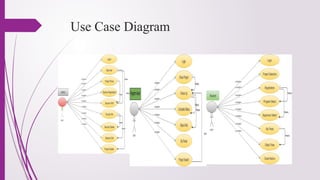
INTRODUCTION
This presentation introducesa new Project Module System designed specifically for
the college. The system is designed to improve project Module efficiency and
collaboration for all stakeholders.
3.
Problem Definition
Till datethere are many universities and colleges which manually allocate and
trace all the projects assigned to students. It means that a college allocates a
student group id, project details and a supervisor who supervised student’s
progress. A supervisor may have to monitor more than one group’s progress.
in the manual system we face different problem like time consuming
data security, needs large space, need of effort, need of several people.
4.
Aim of theProject
To Make paperless project proposals submission.
To Make paperless assessment in different phases of the project.
To create virtual communication among Team, Committee, Supervisor.
To Reduce the physical communication with supervisor.
To manages the activity of “Student Project allocation and Management”.
To manage the database and maintain a list of all student groups that have
registered on this site.
Online submission form and shortlist those students who have passed the eligibility
criteria as set by the professors.
5.
Features of theSystem
1.Task Module
Create, assign, and track tasks for each project, ensuring clear accountability and
progress visibility.
2.Team Collaboration
Facilitate real-time communication and collaboration between team members,
allowing for efficient project execution.
6.
3.File Sharing
Store andshare project-related documents securely, providing a centralized location
for all project materials.
4.Reporting and Analytics
Gain insights into project progress and performance through comprehensive reports
and visualizations.
7.
Project Tracking andMonitoring
• Project Initiation
Define project scope, goals, and resources, ensuring alignment with college
objectives.
• Project Execution
Monitor project progress, track task completion, and address any emerging
challenges.
• Project Closure
Document project deliverables, evaluate outcomes, and capture lessons learned for
future improvement.
8.
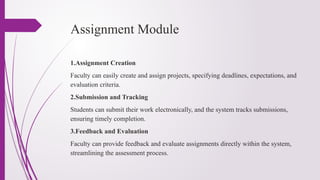
Assignment Module
1.Assignment Creation
Facultycan easily create and assign projects, specifying deadlines, expectations, and
evaluation criteria.
2.Submission and Tracking
Students can submit their work electronically, and the system tracks submissions,
ensuring timely completion.
3.Feedback and Evaluation
Faculty can provide feedback and evaluate assignments directly within the system,
streamlining the assessment process.
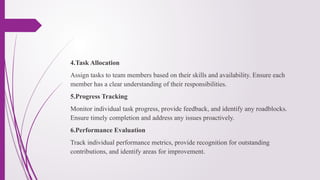
9.
4.Task Allocation
Assign tasksto team members based on their skills and availability. Ensure each
member has a clear understanding of their responsibilities.
5.Progress Tracking
Monitor individual task progress, provide feedback, and identify any roadblocks.
Ensure timely completion and address any issues proactively.
6.Performance Evaluation
Track individual performance metrics, provide recognition for outstanding
contributions, and identify areas for improvement.
10.
Collaboration and Communication
1.DiscussionForums
Create dedicated discussion forums for each project, fostering collaboration and
knowledge sharing among students and faculty.
2.Chat and Messaging
Enable real-time communication between team members, facilitating efficient
problem-solving and collaboration.
3.Notifications and Alerts
Receive timely updates and notifications regarding project milestones, deadlines, and
task assignments.
11.
Reporting and Analytics
1.ProjectStatus Reports
Track project progress, identify bottlenecks, and ensure timely completion.
2.Resource Allocation Reports
Analyze resource utilization, identify potential overloads, and optimize resource
allocation.
3.Performance Metrics
Monitor key performance indicators (KPIs) to assess project success and identify
areas for improvement.
12.
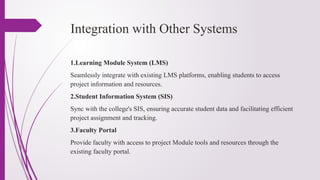
Integration with OtherSystems
1.Learning Module System (LMS)
Seamlessly integrate with existing LMS platforms, enabling students to access
project information and resources.
2.Student Information System (SIS)
Sync with the college's SIS, ensuring accurate student data and facilitating efficient
project assignment and tracking.
3.Faculty Portal
Provide faculty with access to project Module tools and resources through the
existing faculty portal.
13.
Functional and NonFunctional
Requirements
Functional Requirements
Describe the system's features and functionalities. Define the tasks and actions the
system must perform to achieve project goals.
Non-Functional Requirements
Specify system qualities and constraints. These relate to performance, security,
usability, and maintainability.
Example Requirements
Functional: "The system must track task dependencies." Non-functional: "The
system must be accessible 24/7."
Implementation
Implementation is thestage of the project when the theoretical design is
turned out into a working system. Implementation is the realization of an
application, or execution of a plan, idea, model, design, specification,
standard, algorithm, or policy.
18.
Limitation
On theother hand, every system has its own limitation. So in this project,
Students do not get project result, and in the admin site project committee don’t
submit mark during defense time.
19.
Conclusion
A proper useof the software would signif icantly reduce the drawback of
paperwork. According to the specifications, it is necessary to satisfy user requests.
The success of this system will depend on the acceptance of the system by the
concerned users. This system is developed with a very friendly interface so
that adoption is very much easier.
20.
Future Work
Infuture work, the project will be extended to add student project result and
represent re sult status for every s e m e s t e r in graphically by data
mining.