CDOE-ODL BSc(CS) SEMESTERIV Unit III
40
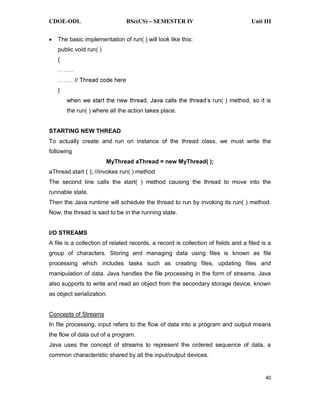
The basic implementation of run( ) will look like this:
public void run( )
{
}
the run( ) where all the action takes place.
STARTING NEW THREAD
To actually create and run on instance of the thread class, we must write the
following
MyThread aThread = new MyThread( );
aThread.start ( ); //invokes run( ) method
The second line calls the start( ) method causing the thread to move into the
runnable state.
Then the Java runtime will schedule the thread to run by invoking its run( ) method.
Now, the thread is said to be in the running state.
I/O STREAMS
A file is a collection of related records, a record is collection of fields and a filed is a
group of characters. Storing and managing data using files is known as file
processing which includes tasks such as creating files, updating files and
manipulation of data. Java handles the file processing in the form of streams. Java
also supports to write and read an object from the secondary storage device, known
as object serialization.
Concepts of Streams
In file processing, input refers to the flow of data into a program and output means
the flow of data out of a program.
Java uses the concept of streams to represent the ordered sequence of data, a
common characteristic shared by all the input/output devices.
2.
CDOE-ODL BSc(CS) SEMESTERIV Unit III
41
A stream persent a uniform, easy-to-use, object-oriented interface between the
program and the input/output devices.
A stream has a source and a destination, which may he physical devices or
programs or other streams in the same program.
Java streams are classified into two basic types are input stream and output stream.
An input stream extracts data from the source and sends it to the program. An output
stream takes data from the program and sends it to the destination.
Stream Classes
The java.io package contains a large number of stream classes that provide
capabilities for processing all types of data. These classes are classified into two
categories based on the type of data they can process.
1. Byte stream classes that provide support for handling I/O operations on bytes.
2. Character stream classes that provide support for managing I/O operations on
characters.
Byte stream and character stream classes contain specialized classes to deal with
input and output operations independently on various types of devices.
Java Stream
classes
Byte Stream
classes
Character
Stream classes
Input Stream
classes
Output Stream
classes
Reader
classes
Writer
classes
Memory File Pipe Memory File Pipe
3.
CDOE-ODL BSc(CS) SEMESTERIV Unit III
42
Byte Stream Classes
Byte stream classes provide functional features for creating and manipulating
streams and files for reading and writing bytes. Java provides two kinds of byte
stream classes input stream and output stream classes.
Input stream classes: Input stream classes are used to read bytes, include a super
class known as InputStream and various subclasses for supporting various input-
related functions.
The super class InputStream is an abstract class. The InputStream class defines
methods for performing input functions such as
Reading bytes
Closing streams
Marking positions in streams
Skipping ahead in a stream
Finding the number of bytes in a stream
Some of the InputStream methods are
1. read( ) Reads a byte from the input stream
2. read(byte b[ ]) Reads an array of bytes into b
3. read(byte b[ ], int n, int m) Reads m bytes into b starting from nth byte.
4. available( ) Gives number of bytes available in the input
5. skip(n) Skips over n bytes from the input stream
6. reset( ) Goes back to the beginning of the stream
7. close( ) Close the input stream
The DataInputStream class extends FilterInputStream and implements the interface
DataInput. The DataInput interface contains the following methods:
readShort( ) readDouble( ) readInt( )
readLine( ) readLong( ) readChar( )
readFloat( ) readBoolean( ) readUTF( )
Output Stream Classes: Output stream classes are derived from the base clas
OutputStream. The OutputStream is an abstract class. The subclasses of the
OutputStream can be used for performing the output operations.
4.
CDOE-ODL BSc(CS) SEMESTERIV Unit III
43
The OutputStream includes methods to perform the following operations
1. Writing bytes
2. Closing streams
3. Flusing streams
Some of the methods defined in the OutputStream class.
Method Description
1. write( ) Writes a byte to the output stream
2. write(byte[ ] b) Writes all bytes in the array b to the output stream
3. write(byte b[ ], int n, int m) Writes m bytes from array b starting from nth byte
4. close( ) Closes the output stream
5. flush( ) Flushes the output stream
The DataOutputStream implements the interface DataOutput. The DataOutput
interface consist the following methods.
writeShort( ) writeDouble( ) writeInt( )
writeLine( ) writeLong( ) writeChar( )
writeFloat( ) writeBoolean( ) writeUTF( )
Character Stream classes
Character streams can be used to read and write 16-bit unicode characters. There
are two kinds of character stream classes,
1. reader stream classes and
2. writer stream classes.
Reader Stream classes: Reader stream classes are designed to read character from
the files. The Reader class is an abstract class and it is the base class for all other
classes in this group. The Reader class contains methods to handle various input
operations based on characters.
Writer Stream classes: The writer stream classes are designed to perform all output
operations on files. These classes do the task based on characters. The Writer class
is an abstract class and it is the base for all the classes in this group.
5.
CDOE-ODL BSc(CS) SEMESTERIV Unit IV
65
EVENT HANDLING
Event and Listener (Java Event Handling)
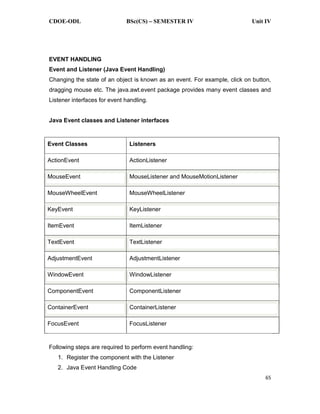
Changing the state of an object is known as an event. For example, click on button,
dragging mouse etc. The java.awt.event package provides many event classes and
Listener interfaces for event handling.
Java Event classes and Listener interfaces
Event Classes Listeners
ActionEvent ActionListener
MouseEvent MouseListener and MouseMotionListener
MouseWheelEvent MouseWheelListener
KeyEvent KeyListener
ItemEvent ItemListener
TextEvent TextListener
AdjustmentEvent AdjustmentListener
WindowEvent WindowListener
ComponentEvent ComponentListener
ContainerEvent ContainerListener
FocusEvent FocusListener
Following steps are required to perform event handling:
1. Register the component with the Listener
2. Java Event Handling Code
6.
CDOE-ODL BSc(CS) SEMESTERIV Unit IV
66
We can put the event handling code into one of the following places:
Within class
Other class
Anonymous class
EVENT DELEGATION MODEL
The Delegation Event Model in Java is based on a hierarchy of objects, with one
object acting as the source of the event and other objects acting as listeners that
respond to those events. When an event occurs, the source object generates an
event object and passes it to all the registered listeners. Each listener then has the
opportunity to process the event and respond accordingly.
One of the key benefits of the Delegation Event Model in Java is that it allows for a
high level of modularity in Java applications. By separating the event source from the
event listener, you can create more flexible and scalable code. This model also
allows for easy customization, as different event listeners can be created to handle
different types of events.
The Delegation Event Model in Java consists of three main components: event
source, event object, and event listener.
Event source: This is the object that generates the event. When an event occurs,
the event source creates an event object and passes it to all registered event
listeners. Examples of event sources can be a button, a text field, or any other
component of the user interface.
Event object: This is a Java object that encapsulates information about the event
that occurred. It contains details such as the type of event, the source of the event,
and any additional data that may be relevant to the event. The event object is
passed to all registered event listeners, allowing them to respond to the event
appropriately.
Event listener: This is an interface that defines methods for responding to events.
To handle an event, an object must implement the appropriate event listener
interface and register itself with the event source. When the event occurs, the event
7.
CDOE-ODL BSc(CS) SEMESTERIV Unit IV
67
source calls the appropriate method on each registered event listener, passing in the
event object.
HANDLING MOUSE AND KEYBOARD EVENTS
Mouse Events
MouseListener and MouseMotionListener is an interface in java.awt.event package .
Mouse events are of two types. MouseListener handles the events when the mouse
is not in motion. While MouseMotionListener handles the events when mouse is in
motion.
There are five types of events that MouseListener can generate.
There are five abstract functions that represent these five events.
The abstract functions are:
1. void mouseReleased(MouseEvent e) : Mouse key is released
2. void mouseClicked(MouseEvent e) : Mouse key is pressed/released
3. void mouseExited(MouseEvent e) : Mouse exited the component
4. void mouseEntered(MouseEvent e) : Mouse entered the component
5. void mousepressed(MouseEvent e) : Mouse key is pressed
There are two types of events that MouseMotionListener can generate. There are
two abstract functions that represent these five events. The abstract functions are:
1. void mouseDragged(MouseEvent e) : Invoked when a mouse button is pressed
in the component and dragged. Events are passed until the user releases the
mouse button.
2. void mouseMoved(MouseEvent e) : invoked when the mouse cursor is moved
from one point to another within the component, without pressing any mouse
buttons.
Keyboard Events
The Java KeyListener is notified whenever you change the state of key. It is notified
against KeyEvent. The KeyListener interface is found in java.awt.event package, and
it has three methods.
Interface declaration
8.
CDOE-ODL BSc(CS) SEMESTERIV Unit IV
68
Following is the declaration for java.awt.event.KeyListener interface:
1. public interface KeyListener extends EventListener
Methods of KeyListener interface
The signature of 3 methods found in KeyListener interface are given below:
public abstract void keyPressed (KeyEvent
e);
It is invoked when a key has been
pressed.
public abstract void keyReleased
(KeyEvent e);
It is invoked when a key has been
released.
public abstract void keyTyped (KeyEvent
e);
It is invoked when a key has been typed.
ADAPTER CLASSES
In Java's event handling mechanism, adapter classes are abstract classes provided
by the Java AWT (Abstract Window Toolkit) package for receiving various events.
These classes contain empty implementations of the methods in an event listener
interface, providing a convenience for creating listener objects.
The adapter classes in Java are
WindowAdapter
KeyAdapter
MouseAdapter
FocusAdapter
ContainerAdapter
ComponentAdapter
These adapter classes implement interfaces like WindowListener, KeyListener,
MouseListener, FocusListener, ContainerListener, and ComponentListener
respectively, which contain methods related to specific events.
INNER CLASSES
A Java inner class is a class that is defined inside another class. The concept of
inner class works with nested Java classes where outer and inner classes are used.
9.
CDOE-ODL BSc(CS) SEMESTERIV Unit IV
69
The main class in which inner classes are defined is known as the outer class and all
other classes which are inside the outer class are known as Java inner classes.
SUMMARY
Implement AWT and Event handling.
ACTIVITIES
o Represents an object with graphical representation.
SELF ASSESSMENT QUESTIONS
1. What is AWT, and how does it differ from Swing?
2. What are the primary components provided by AWT?
3. What is the purpose of the `Frame` class in AWT?
4. What are layout managers in AWT? Name and explain a few common ones.
5. How do you set a layout manager for a container in AWT?
6. How do you perform custom painting in AWT?
7. What is the role of the `Graphics` class in AWT?
8. What is Swing, and how does it enhance AWT?
9. Explain the concept of "lightweight" components in Swing.
10. What is the "look and feel" of a Swing application, and how can it be changed?
11. How do you set a custom look and feel for a Swing application?
12. Discuss the advantages and disadvantages of using Swing over AWT.
13. Can you use AWT components in a Swing application? If so, how?
14. What is event handling in Java?
15. What is an event listener, and how do you implement one in Java?
16. How do you use ActionListener, MouseListener, and KeyListener in your
applications?
17. How do you register an event listener with a component?
18. What is the Event Dispatch Thread, and why is it important in Swing?
19. How do you create and handle custom events in Java?
20. What is the difference between using built-in events and custom events?
![CDOE-ODL BSc(CS) SEMESTER IV Unit III
42
Byte Stream Classes
Byte stream classes provide functional features for creating and manipulating
streams and files for reading and writing bytes. Java provides two kinds of byte
stream classes input stream and output stream classes.
Input stream classes: Input stream classes are used to read bytes, include a super
class known as InputStream and various subclasses for supporting various input-
related functions.
The super class InputStream is an abstract class. The InputStream class defines
methods for performing input functions such as
Reading bytes
Closing streams
Marking positions in streams
Skipping ahead in a stream
Finding the number of bytes in a stream
Some of the InputStream methods are
1. read( ) Reads a byte from the input stream
2. read(byte b[ ]) Reads an array of bytes into b
3. read(byte b[ ], int n, int m) Reads m bytes into b starting from nth byte.
4. available( ) Gives number of bytes available in the input
5. skip(n) Skips over n bytes from the input stream
6. reset( ) Goes back to the beginning of the stream
7. close( ) Close the input stream
The DataInputStream class extends FilterInputStream and implements the interface
DataInput. The DataInput interface contains the following methods:
readShort( ) readDouble( ) readInt( )
readLine( ) readLong( ) readChar( )
readFloat( ) readBoolean( ) readUTF( )
Output Stream Classes: Output stream classes are derived from the base clas
OutputStream. The OutputStream is an abstract class. The subclasses of the
OutputStream can be used for performing the output operations.](https://image.slidesharecdn.com/javaunit-04-250712125013-aa84c52b/85/Programming-in-Java-Unit-1-lesson-Notes-for-Java-3-320.jpg)
![CDOE-ODL BSc(CS) SEMESTER IV Unit III
43
The OutputStream includes methods to perform the following operations
1. Writing bytes
2. Closing streams
3. Flusing streams
Some of the methods defined in the OutputStream class.
Method Description
1. write( ) Writes a byte to the output stream
2. write(byte[ ] b) Writes all bytes in the array b to the output stream
3. write(byte b[ ], int n, int m) Writes m bytes from array b starting from nth byte
4. close( ) Closes the output stream
5. flush( ) Flushes the output stream
The DataOutputStream implements the interface DataOutput. The DataOutput
interface consist the following methods.
writeShort( ) writeDouble( ) writeInt( )
writeLine( ) writeLong( ) writeChar( )
writeFloat( ) writeBoolean( ) writeUTF( )
Character Stream classes
Character streams can be used to read and write 16-bit unicode characters. There
are two kinds of character stream classes,
1. reader stream classes and
2. writer stream classes.
Reader Stream classes: Reader stream classes are designed to read character from
the files. The Reader class is an abstract class and it is the base class for all other
classes in this group. The Reader class contains methods to handle various input
operations based on characters.
Writer Stream classes: The writer stream classes are designed to perform all output
operations on files. These classes do the task based on characters. The Writer class
is an abstract class and it is the base for all the classes in this group.](https://image.slidesharecdn.com/javaunit-04-250712125013-aa84c52b/85/Programming-in-Java-Unit-1-lesson-Notes-for-Java-4-320.jpg)