Outline
Concepts ofData Streams
Streams and Files
File class
Text file
Text file
Binary file (primitive data, object)
Readings:
GT, Ch. 12
I/O Streams 2
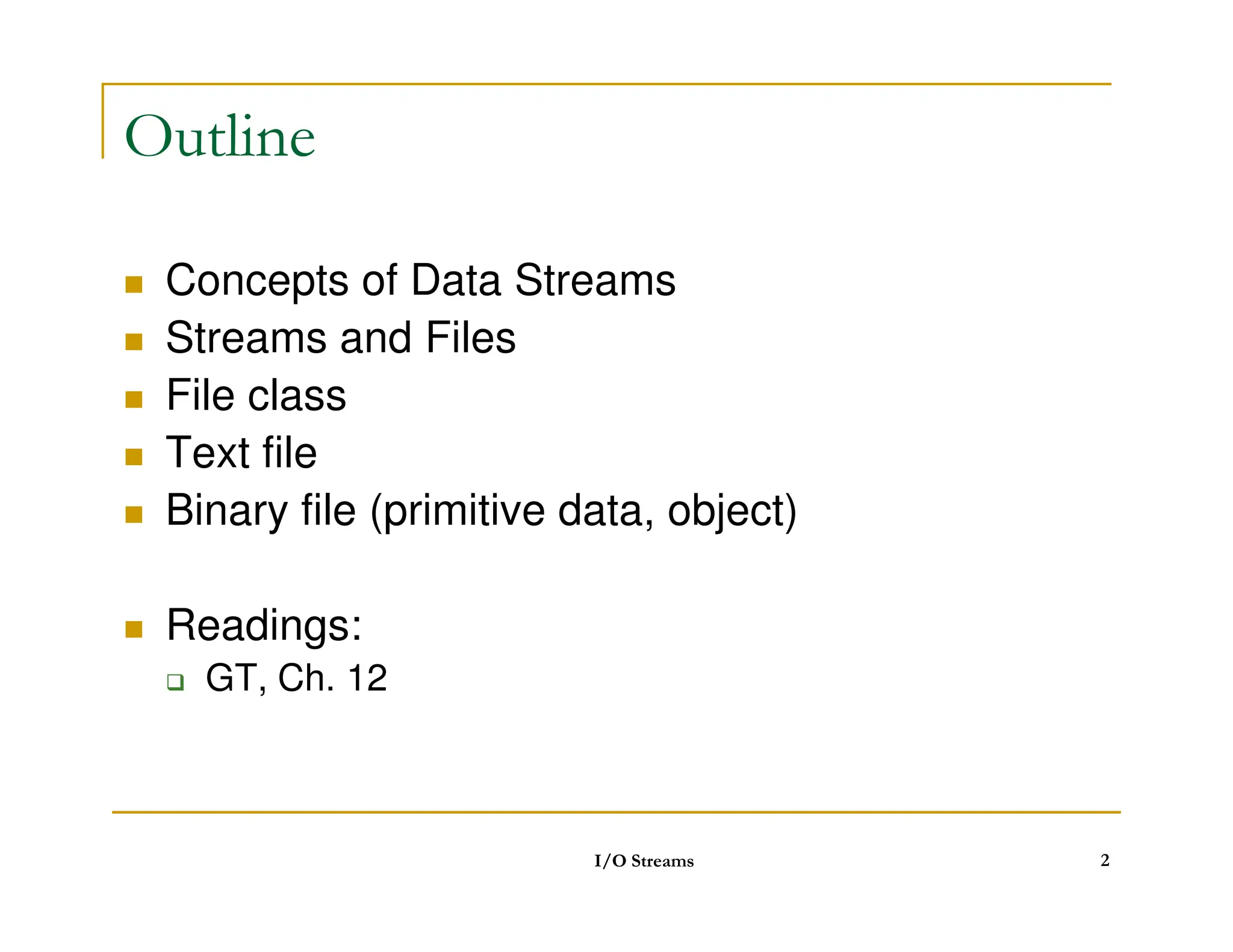
3.
Data streams
Ultimately,data are always stored as a sequence of
bytes
But, it is often more convenient to think of data as having some
higher-level structure such as being a sequence of characters or
objects
Stream: a sequence of data that is read from a source or
written to sink
Source: file, memory, keyboard, network connection, ….
Sink: file, memory, screen, network connection, ….
Java programs send and receive data via objects of
some data stream type.
I/O Streams 3
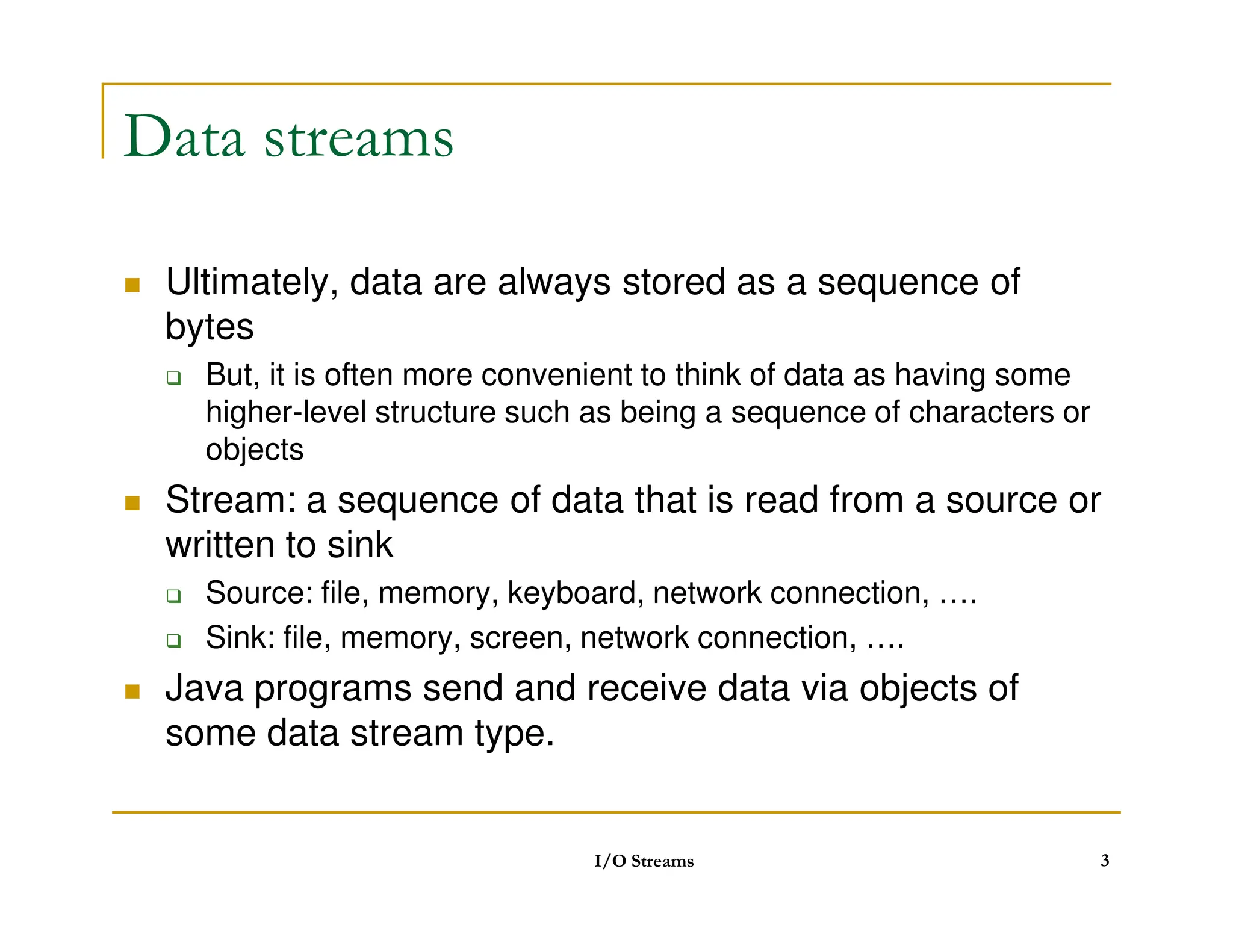
4.
Streams
Water analogy
Think of streams as pipes for water
Do you know whether the water that comes out of your tap is
coming from? the ocean? some river? a water tank?
Idea:
Idea:
The stream may be connected to a file on a floppy, a file on a
hard disk, a network connection or may even just be in memory!
You abstract away what the stream is connected to and perform
all your I/O operations on the stream
I/O Streams 4
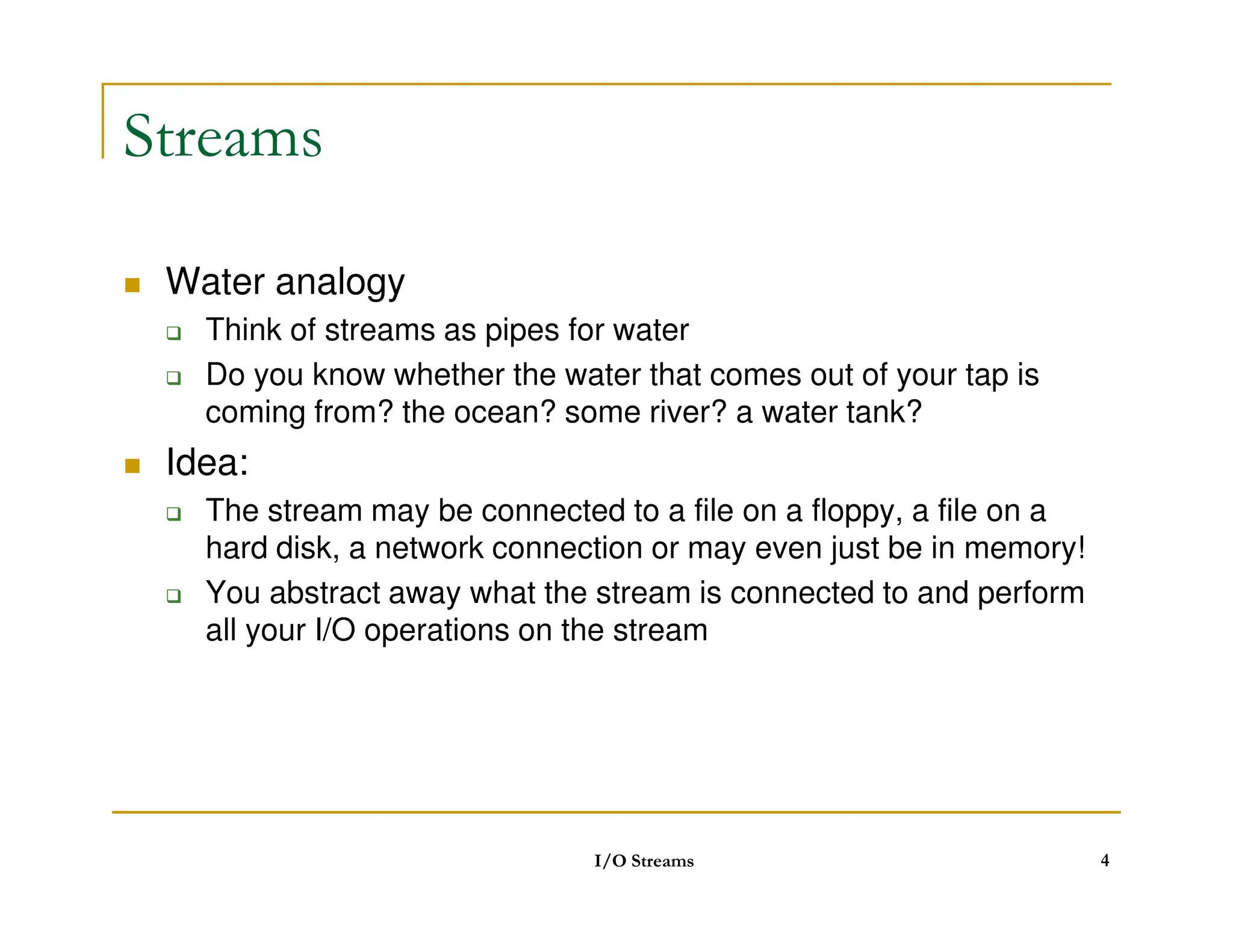
5.
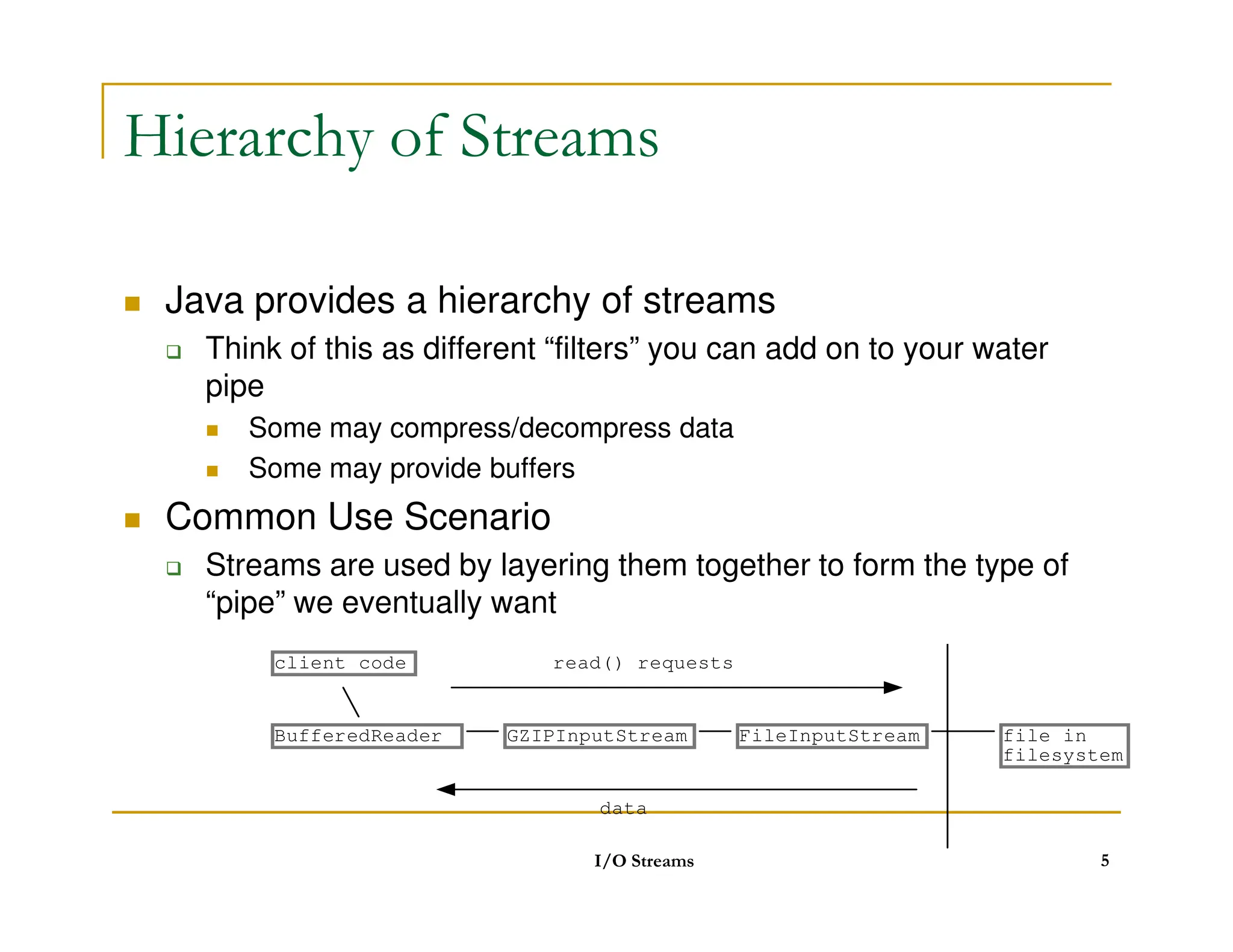
Hierarchy of Streams
Java provides a hierarchy of streams
Think of this as different “filters” you can add on to your water
pipe
Some may compress/decompress data
Some may provide buffers
Some may provide buffers
Common Use Scenario
Streams are used by layering them together to form the type of
“pipe” we eventually want
I/O Streams 5
file in
filesystem
FileInputStream
BufferedReader
client code read() requests
data
GZIPInputStream
6.
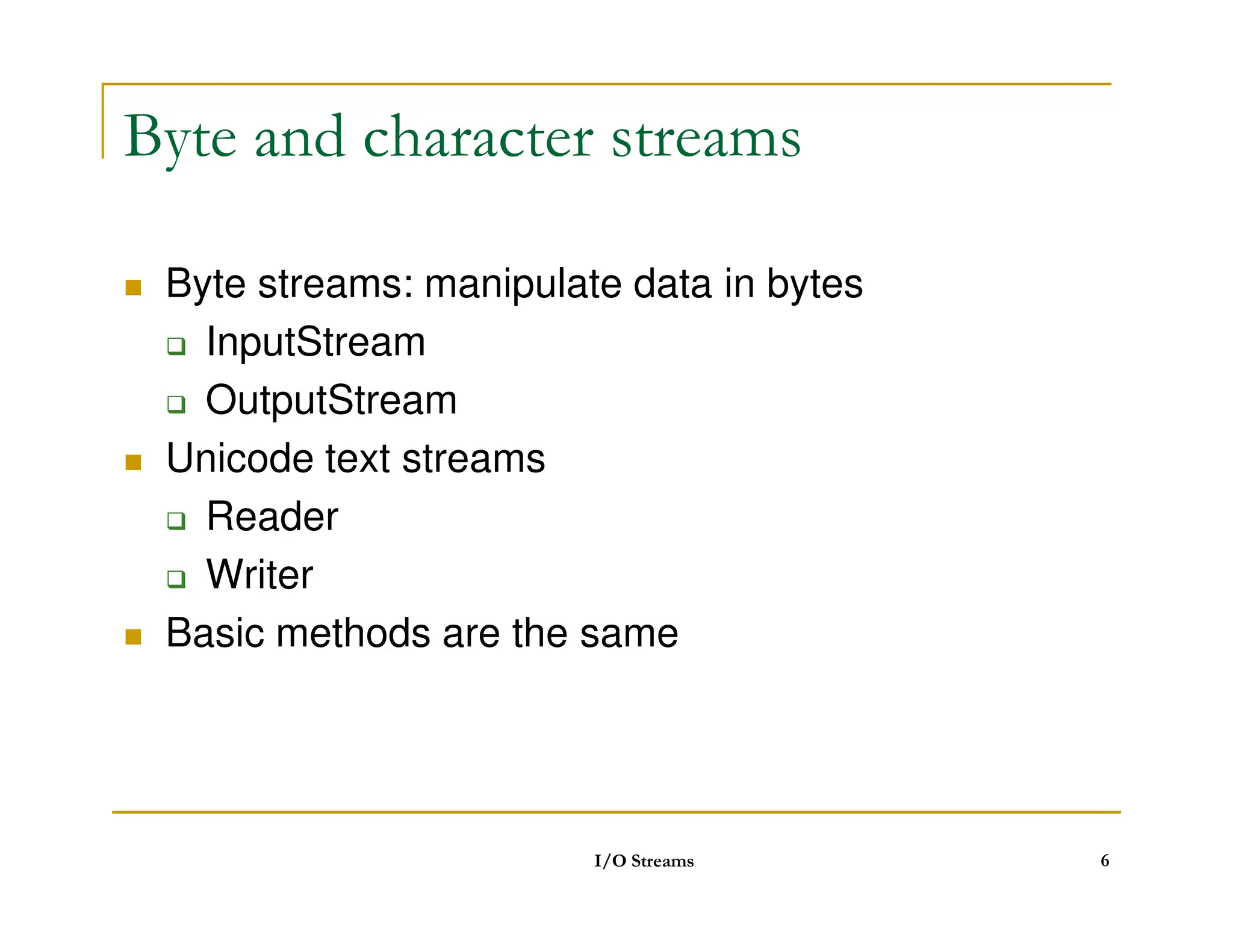
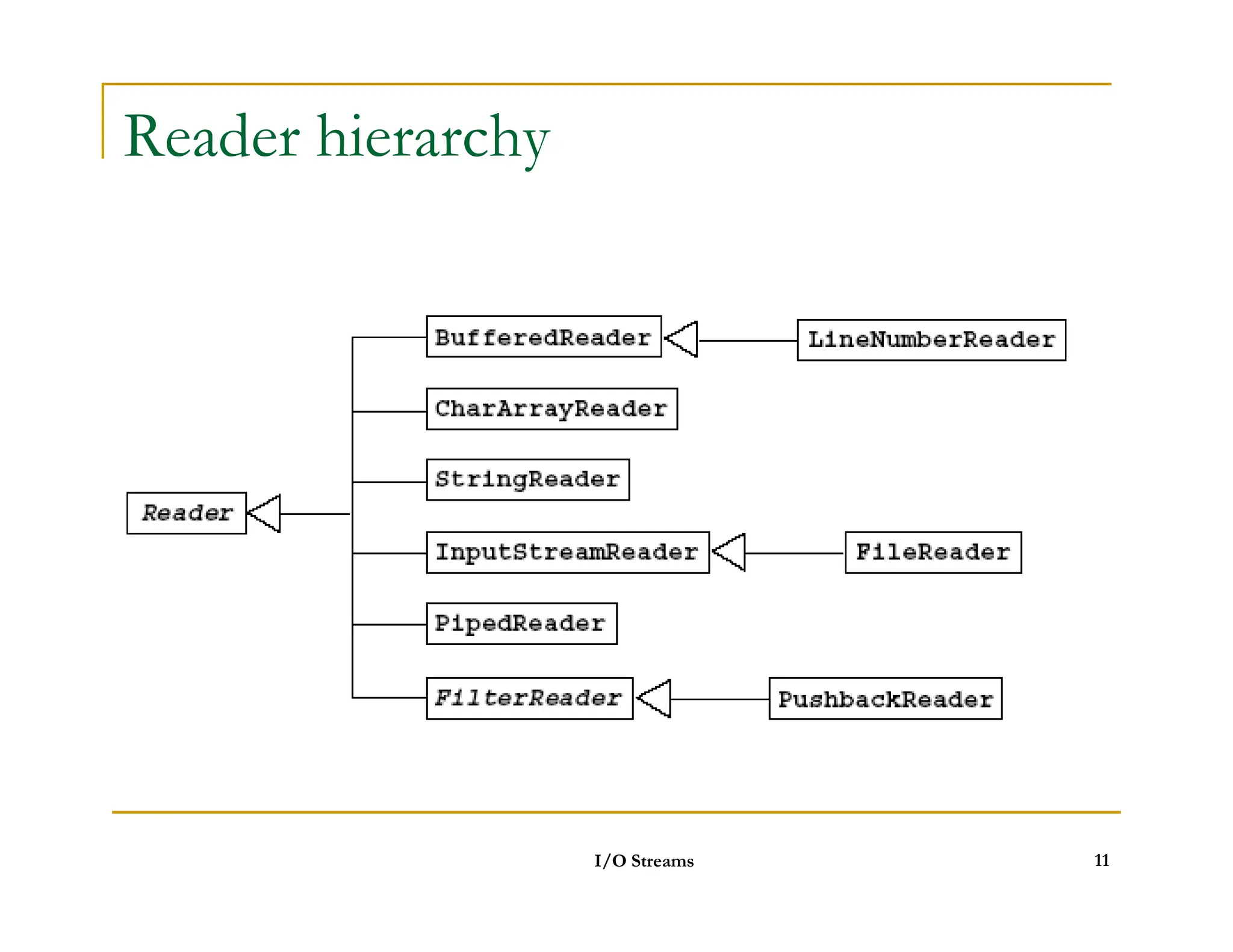
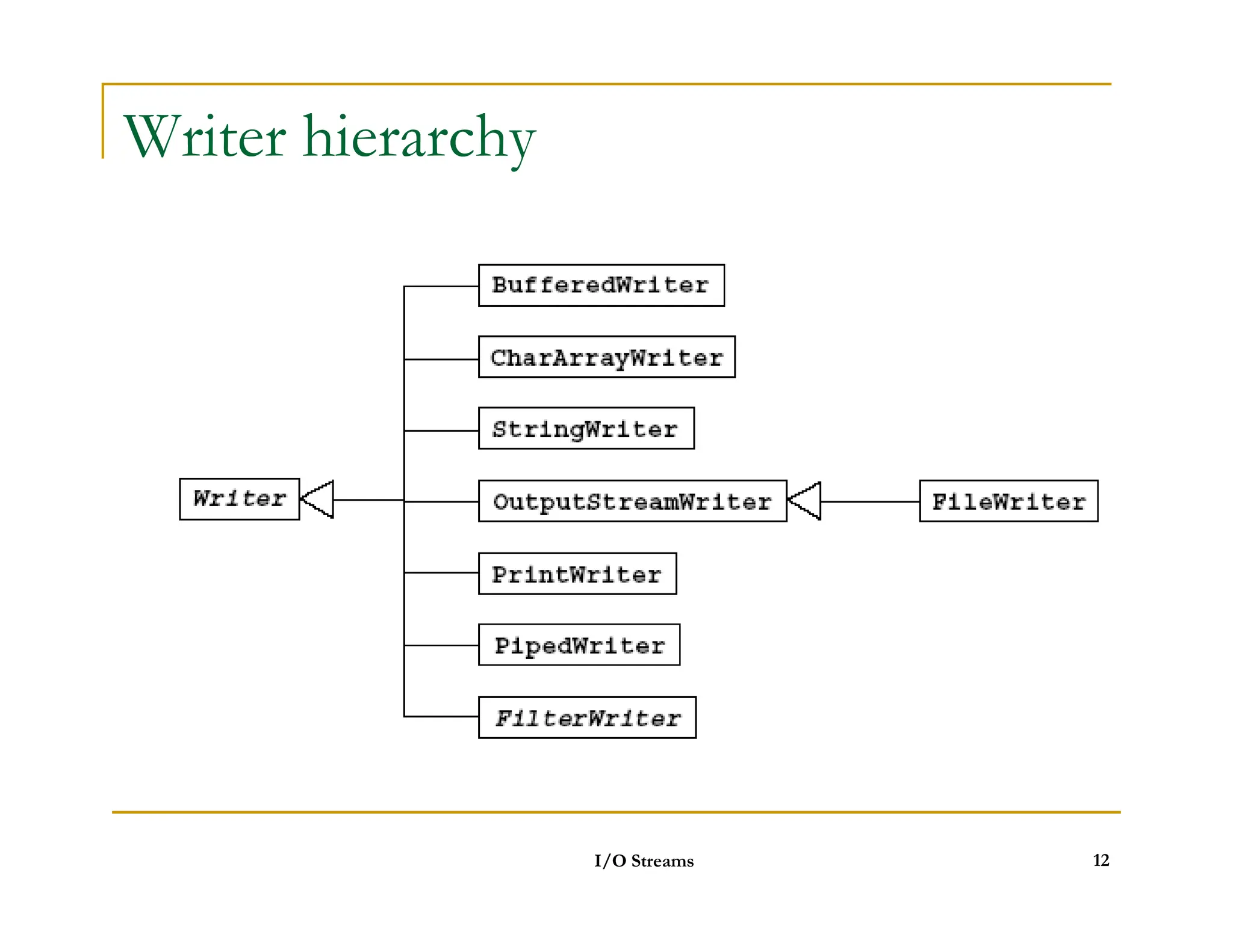
Byte and characterstreams
Byte streams: manipulate data in bytes
InputStream
OutputStream
Unicode text streams
Unicode text streams
Reader
Writer
Basic methods are the same
I/O Streams 6
7.
InputStream / OutputStream
int read()
int read(byte buf[])
int read(byte buf[], int offset, int length)
void close()
int write(int c)
int write(byte buf[])
int write(byte buf[])
int write(byte buf[], int offset, int length)
void close()
void flush()
I/O Streams 7
8.
Reader / Writer
int read()
int read(char buf[])
int read(char buf[], int offset, int length)
void close()
int write(int c)
int write(char buf[])
int write(char buf[])
int write(char buf[], int offset, int length)
void close()
void flush()
I/O Streams 8
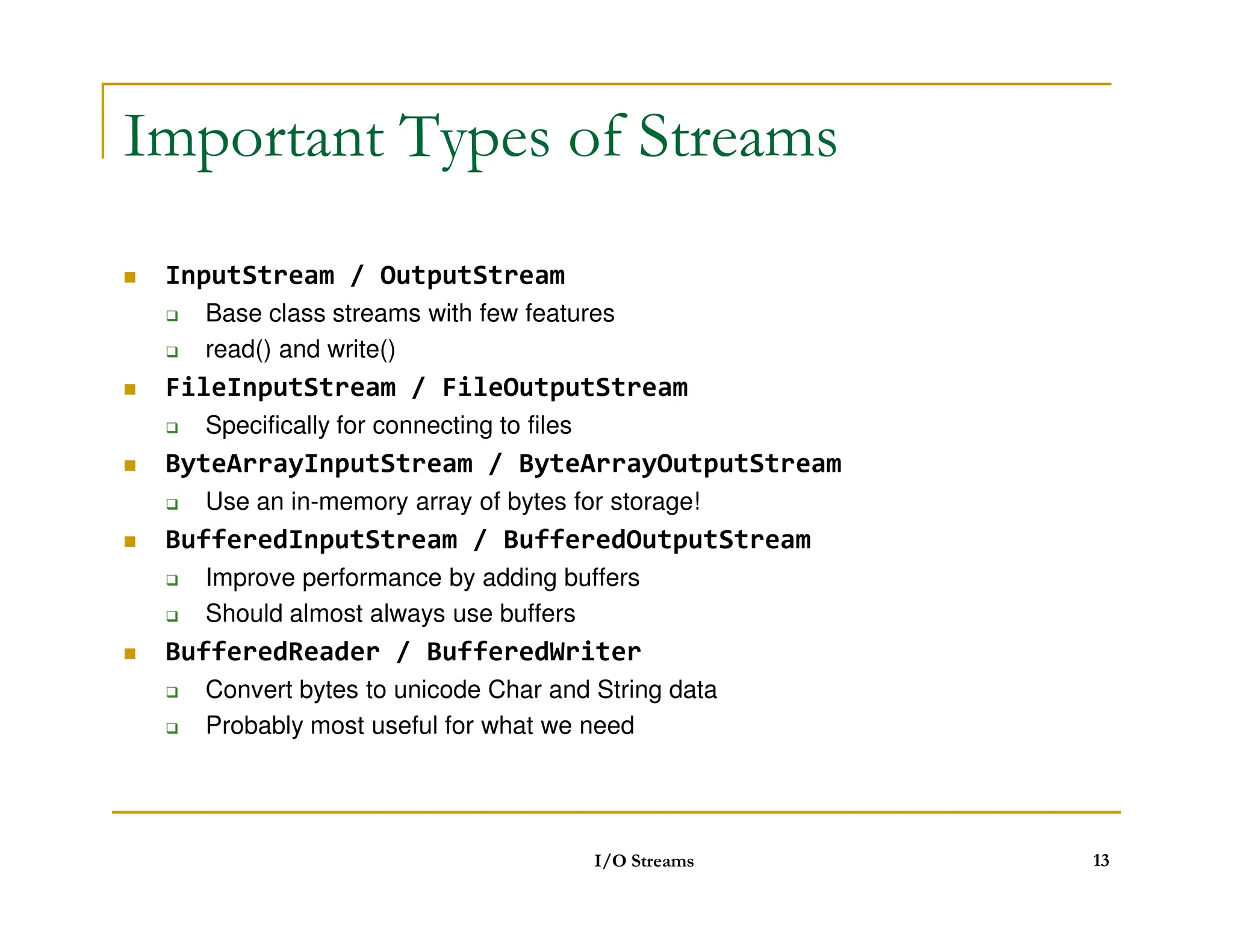
Important Types ofStreams
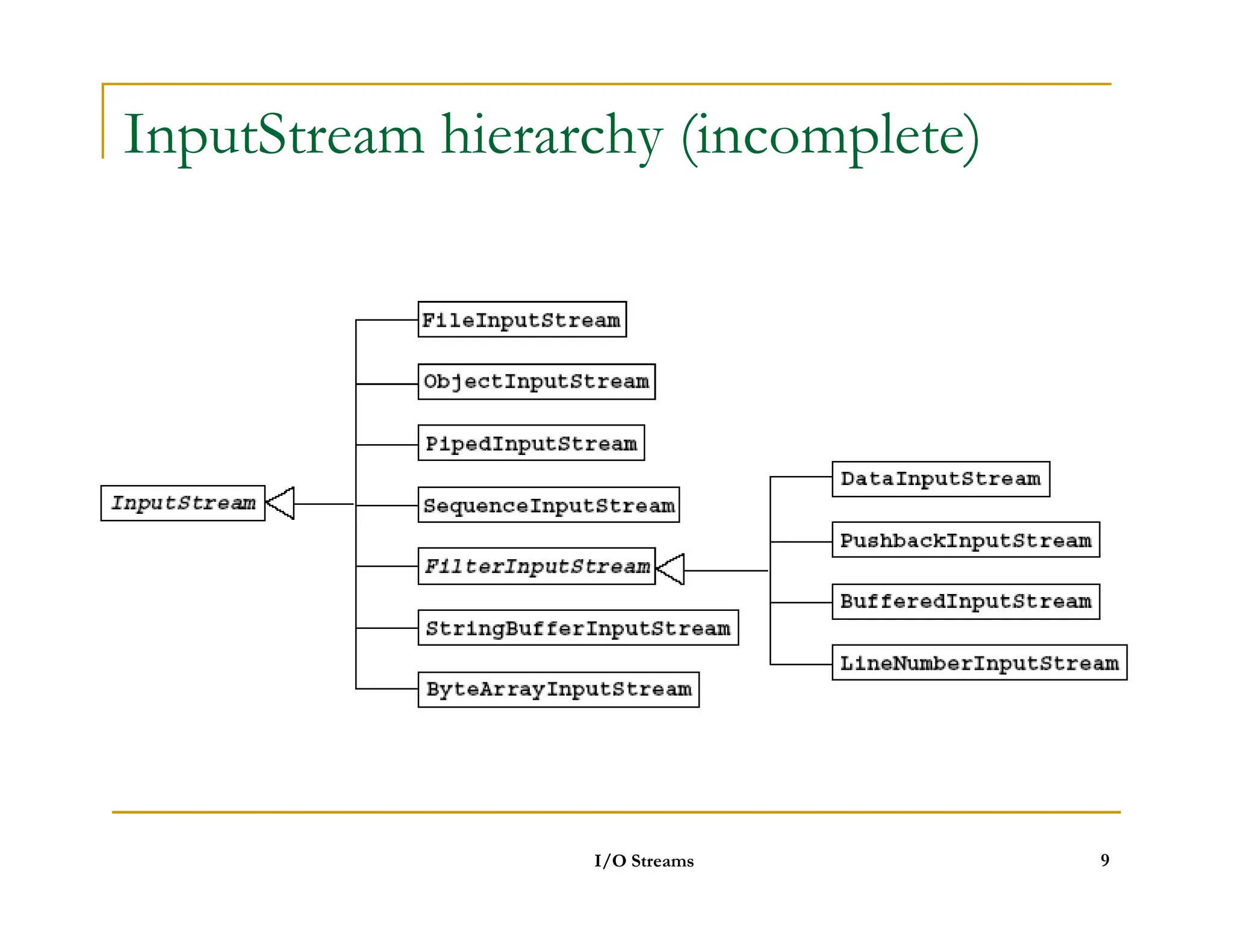
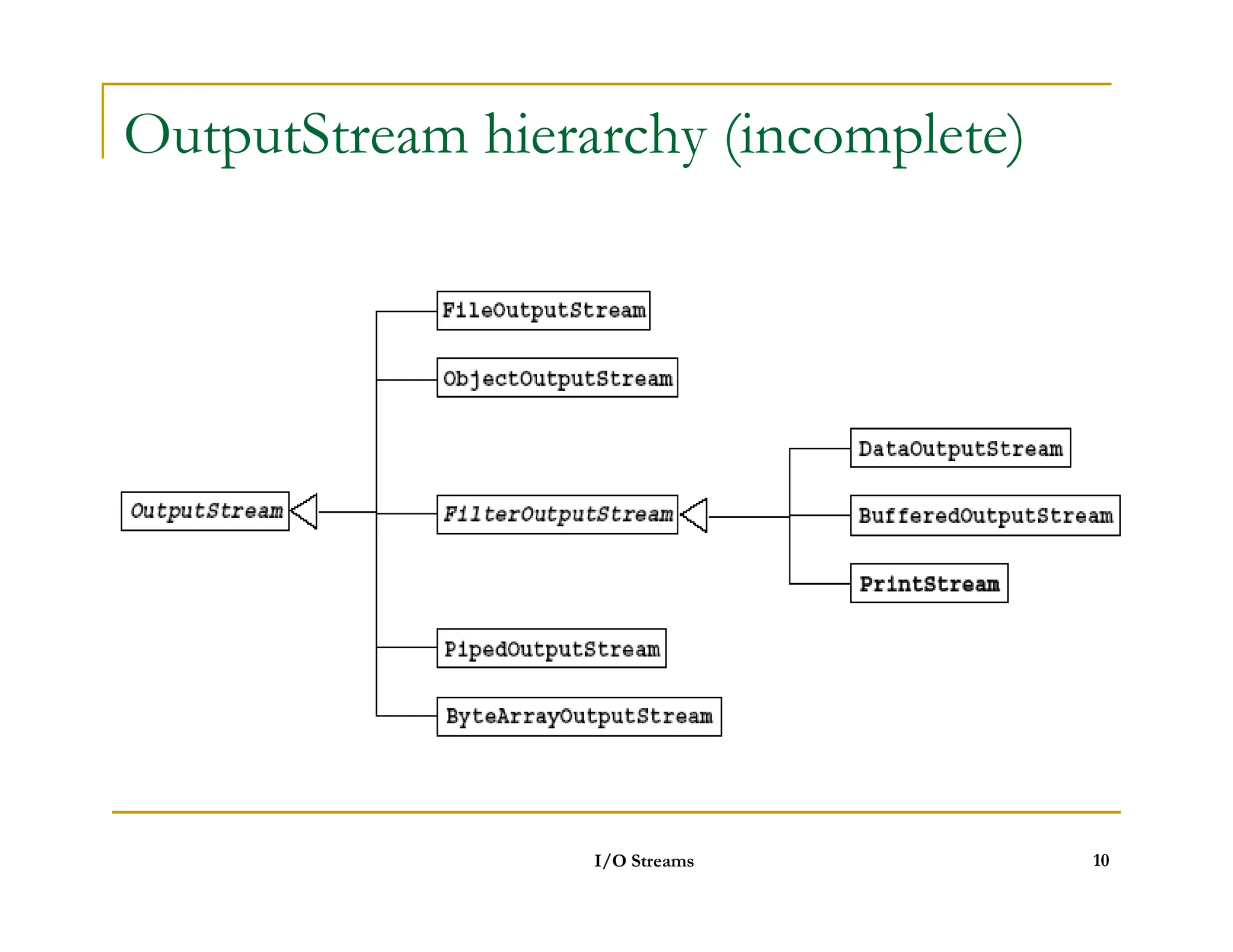
InputStream / OutputStream
Base class streams with few features
read() and write()
FileInputStream / FileOutputStream
Specifically for connecting to files
ByteArrayInputStream / ByteArrayOutputStream
ByteArrayInputStream / ByteArrayOutputStream
Use an in-memory array of bytes for storage!
BufferedInputStream / BufferedOutputStream
Improve performance by adding buffers
Should almost always use buffers
BufferedReader / BufferedWriter
Convert bytes to unicode Char and String data
Probably most useful for what we need
I/O Streams 13
14.
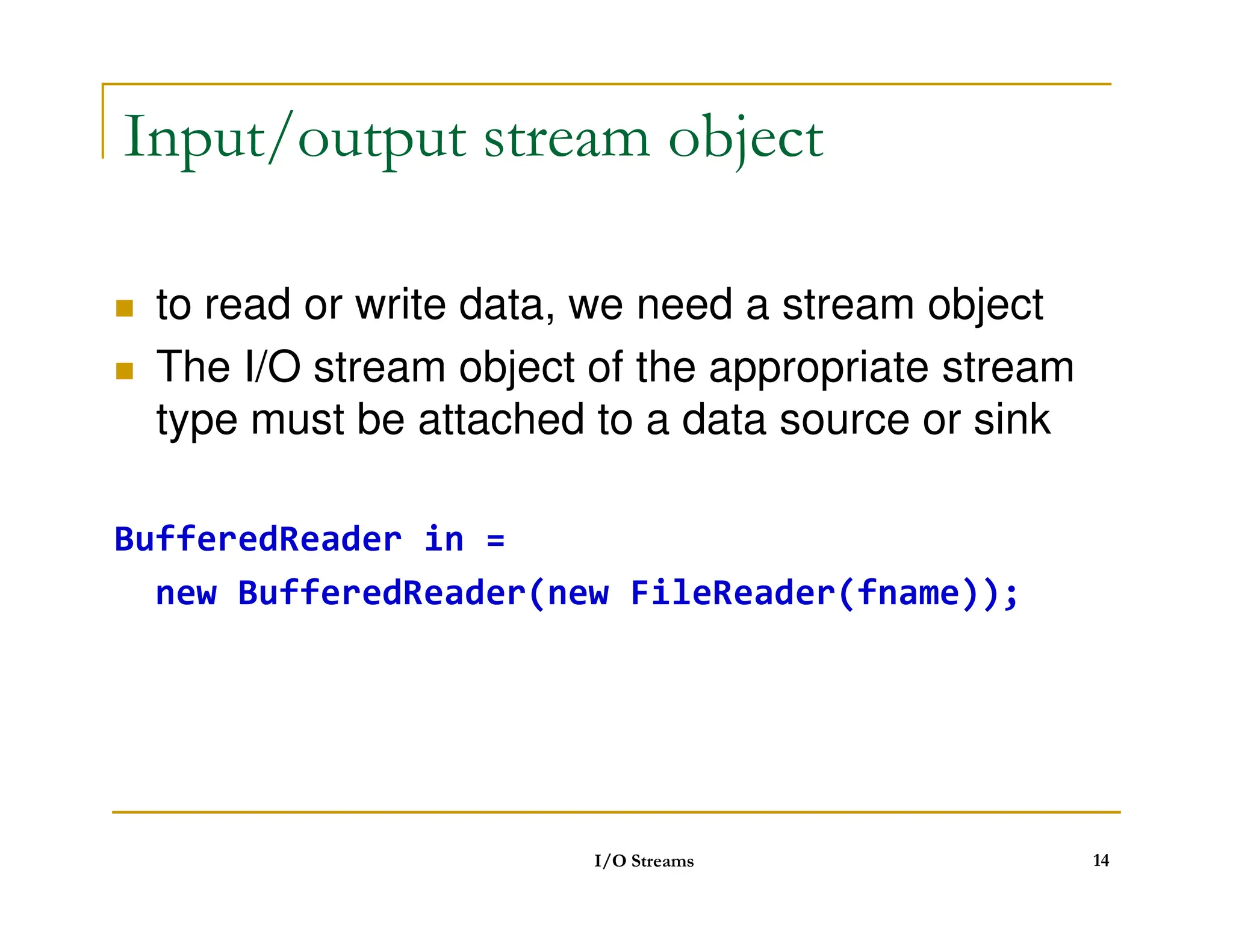
Input/output stream object
to read or write data, we need a stream object
The I/O stream object of the appropriate stream
type must be attached to a data source or sink
BufferedReader in =
new BufferedReader(new FileReader(fname));
I/O Streams 14
15.
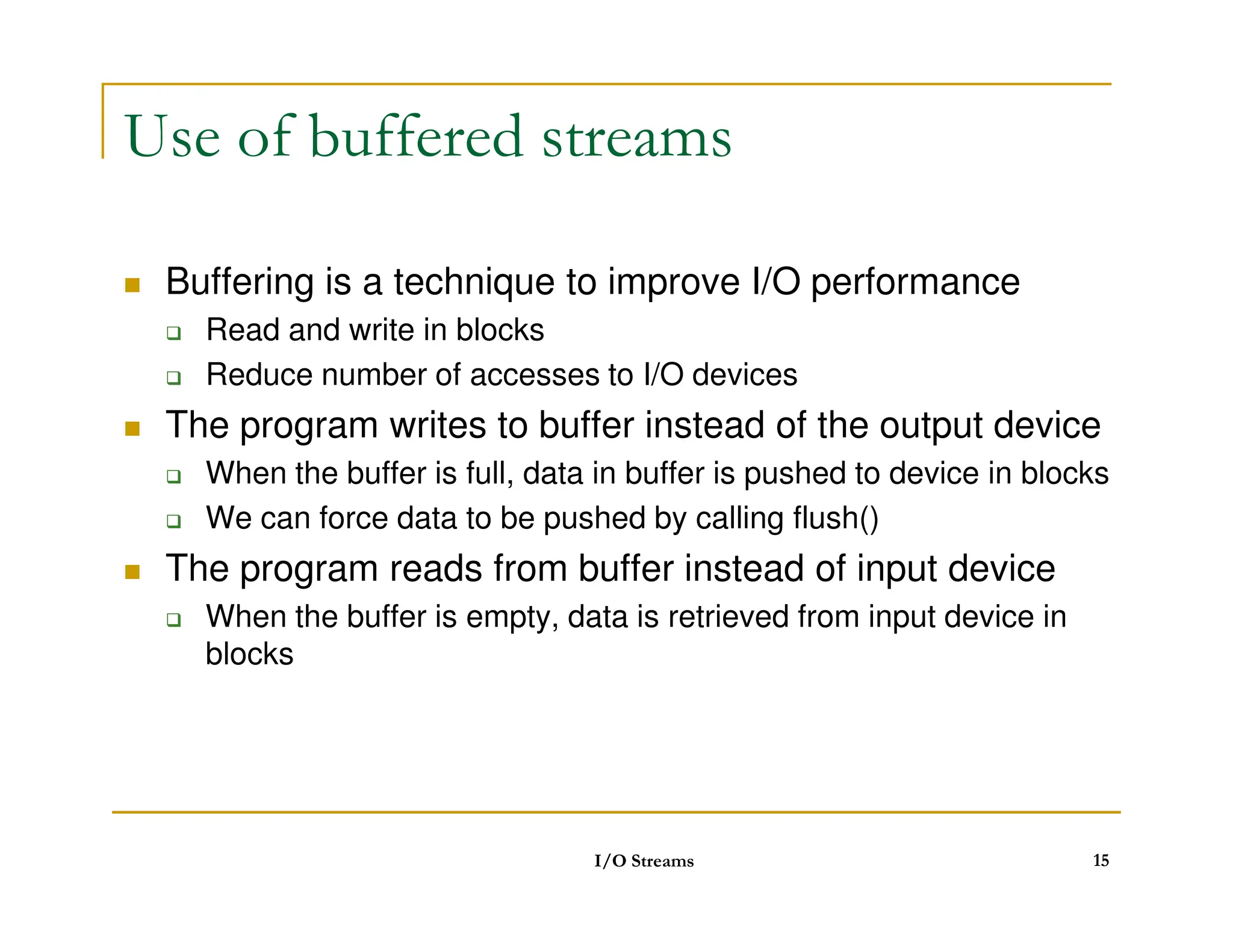
Use of bufferedstreams
Buffering is a technique to improve I/O performance
Read and write in blocks
Reduce number of accesses to I/O devices
The program writes to buffer instead of the output device
When the buffer is full, data in buffer is pushed to device in blocks
When the buffer is full, data in buffer is pushed to device in blocks
We can force data to be pushed by calling flush()
The program reads from buffer instead of input device
When the buffer is empty, data is retrieved from input device in
blocks
I/O Streams 15
16.
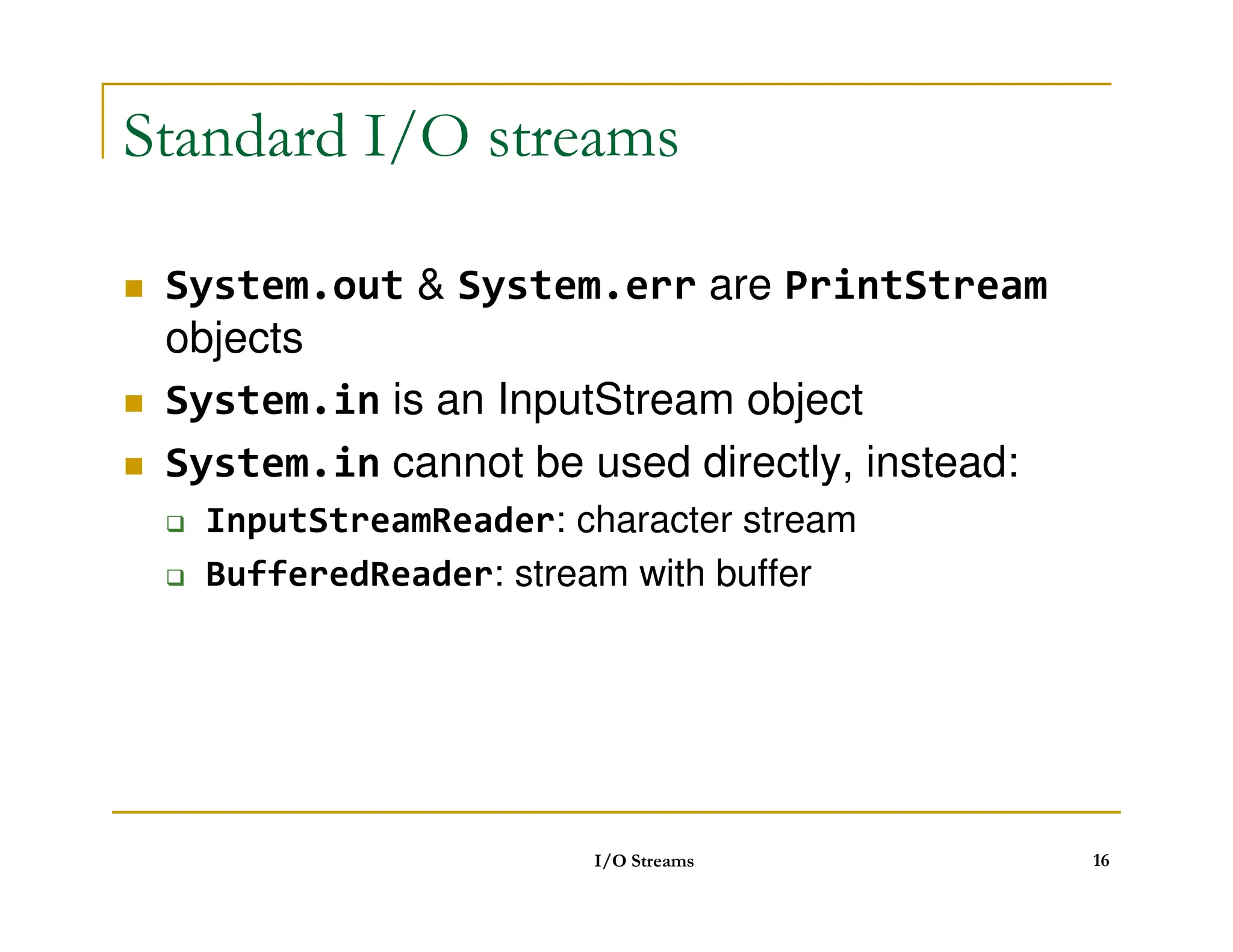
Standard I/O streams
System.out System.err are PrintStream
objects
System.in is an InputStream object
System.in cannot be used directly, instead:
System.in cannot be used directly, instead:
InputStreamReader: character stream
BufferedReader: stream with buffer
I/O Streams 16
17.
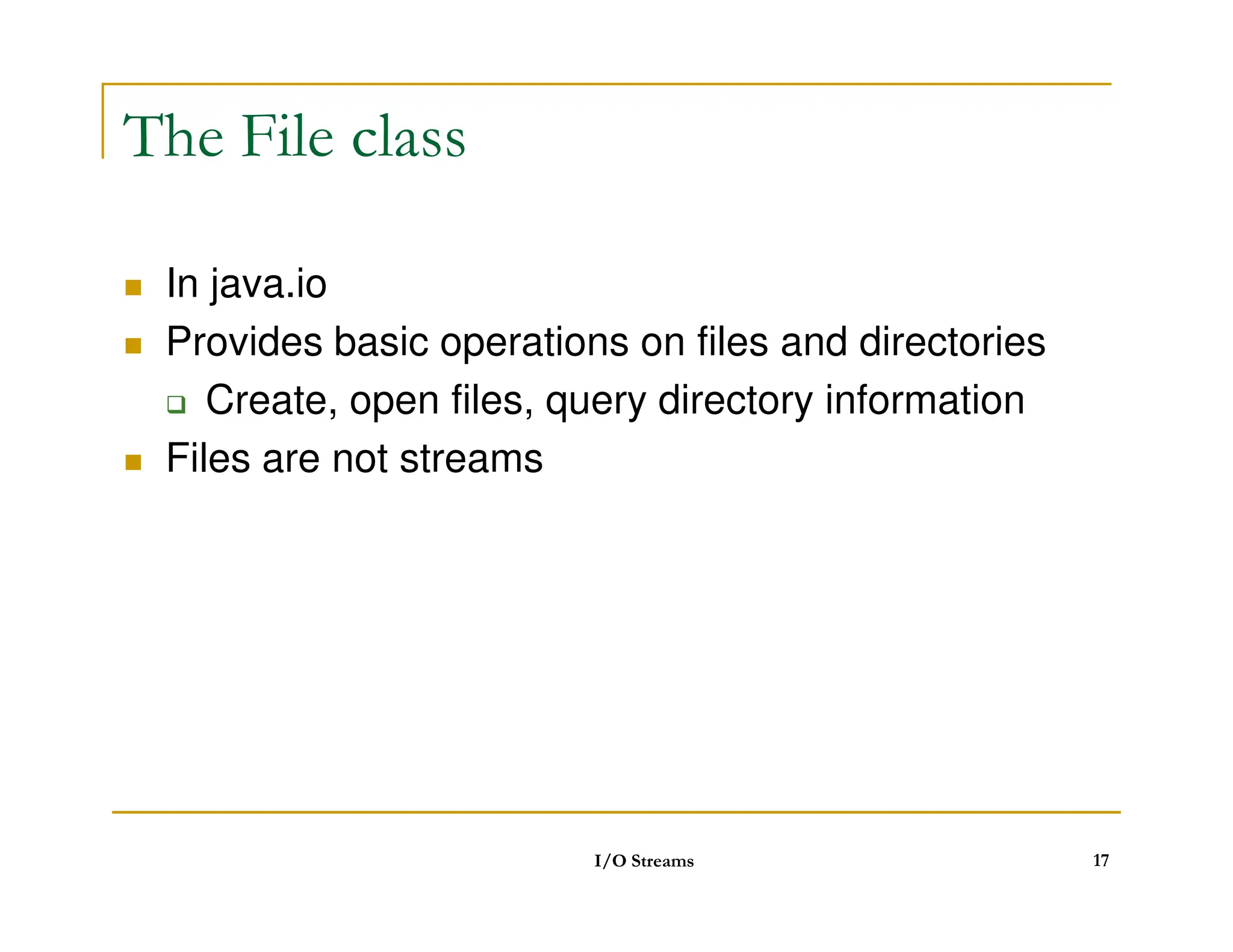
The File class
In java.io
Provides basic operations on files and directories
Create, open files, query directory information
Files are not streams
Files are not streams
I/O Streams 17
18.
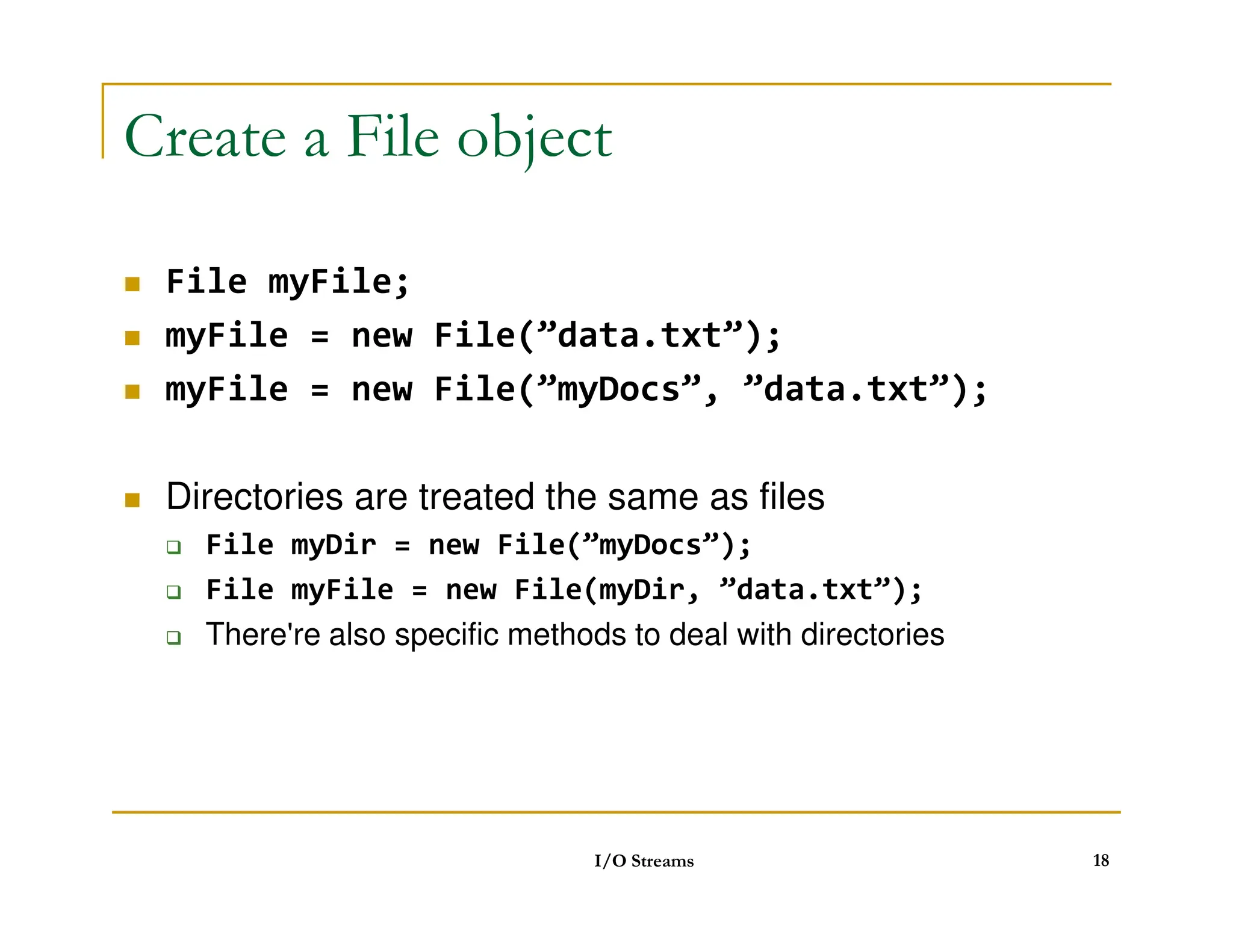
Create a Fileobject
File myFile;
myFile = new File(”data.txt”);
myFile = new File(”myDocs”, ”data.txt”);
Directories are treated the same as files
Directories are treated the same as files
File myDir = new File(”myDocs”);
File myFile = new File(myDir, ”data.txt”);
There're also specific methods to deal with directories
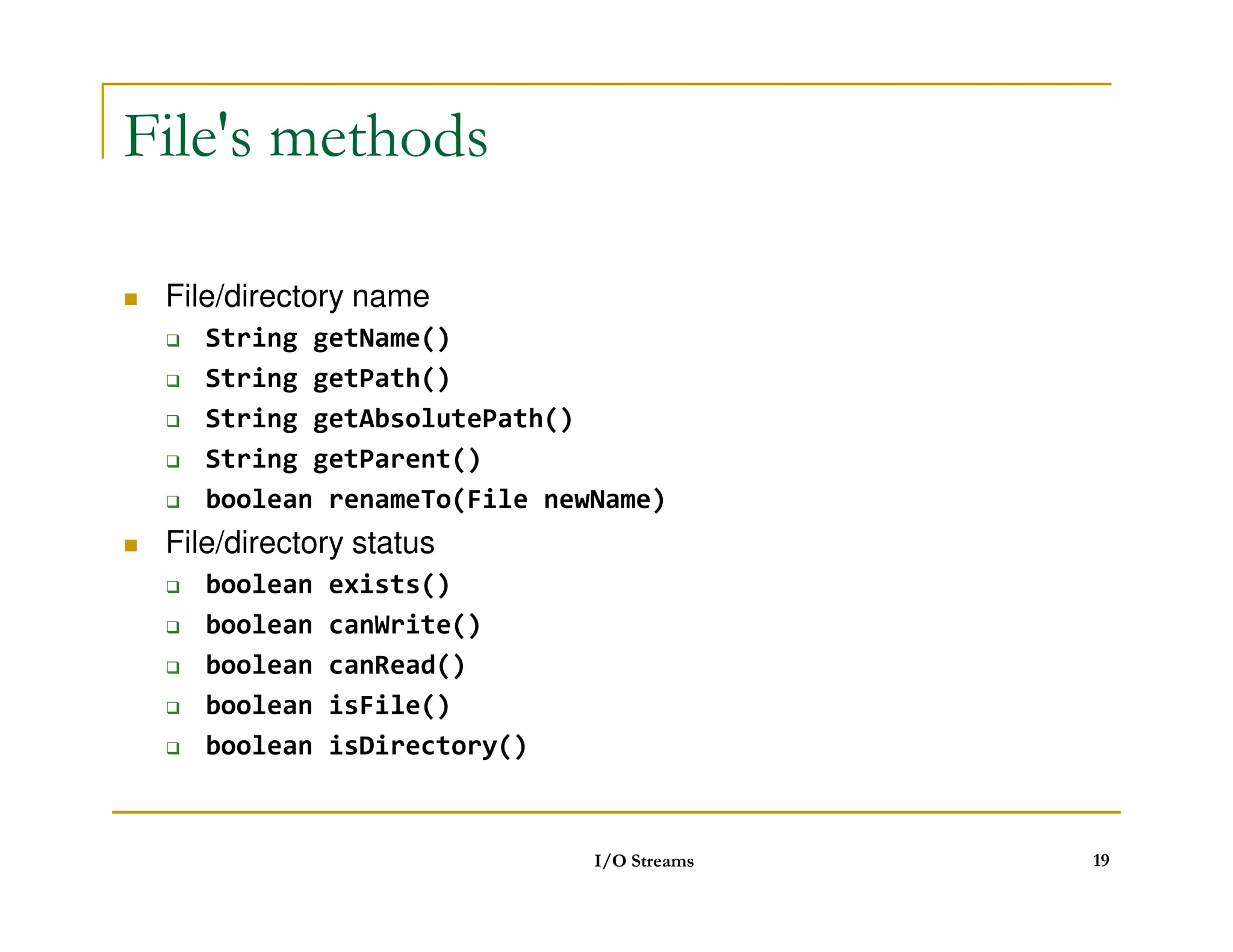
I/O Streams 18
File's methods (continued)
status
long lastModified()
long length()
boolean delete()
boolean delete()
directory
boolean mkdir()
String[] list()
I/O Streams 20
21.
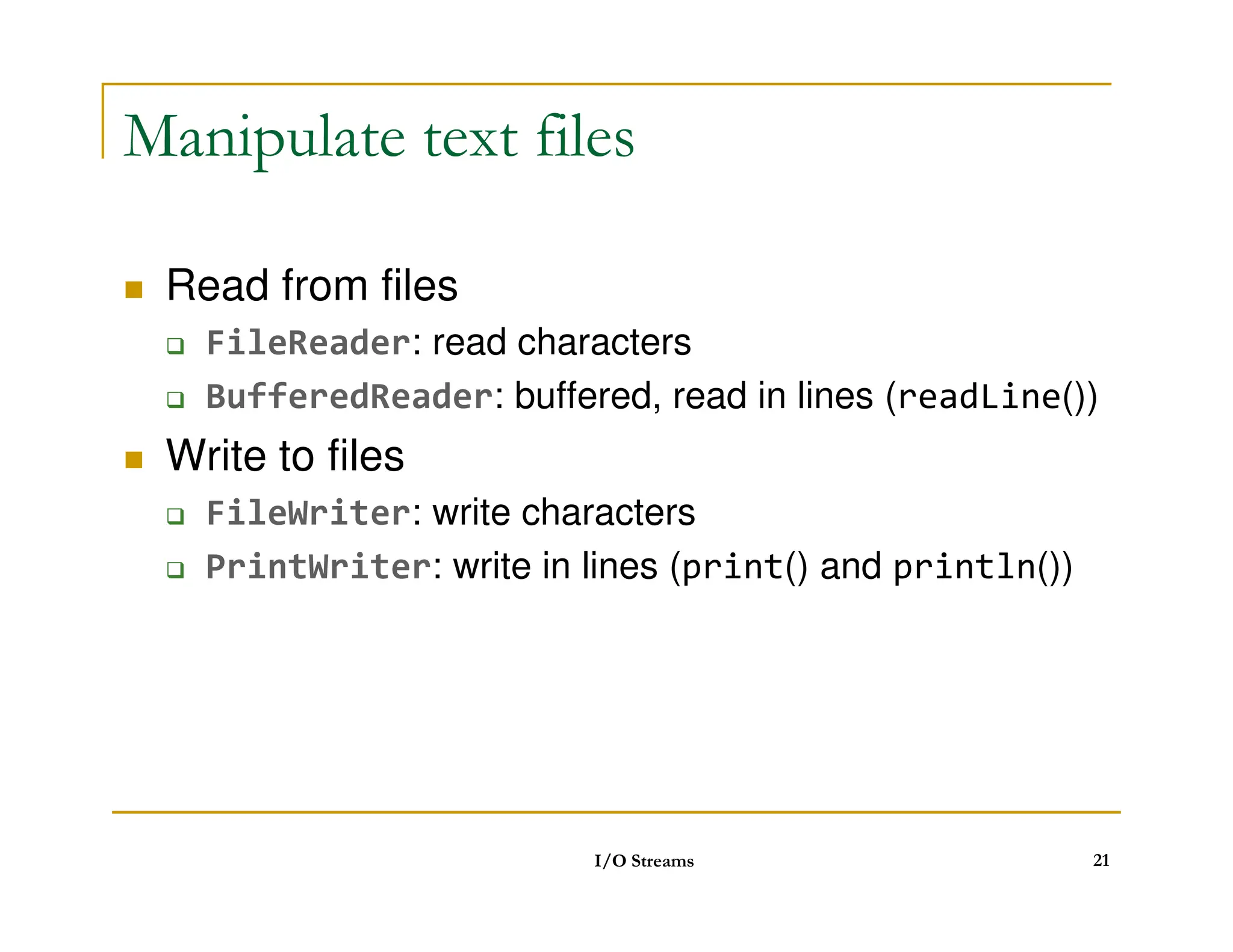
Manipulate text files
Read from files
FileReader: read characters
BufferedReader: buffered, read in lines (readLine())
Write to files
Write to files
FileWriter: write characters
PrintWriter: write in lines (print() and println())
I/O Streams 21
22.
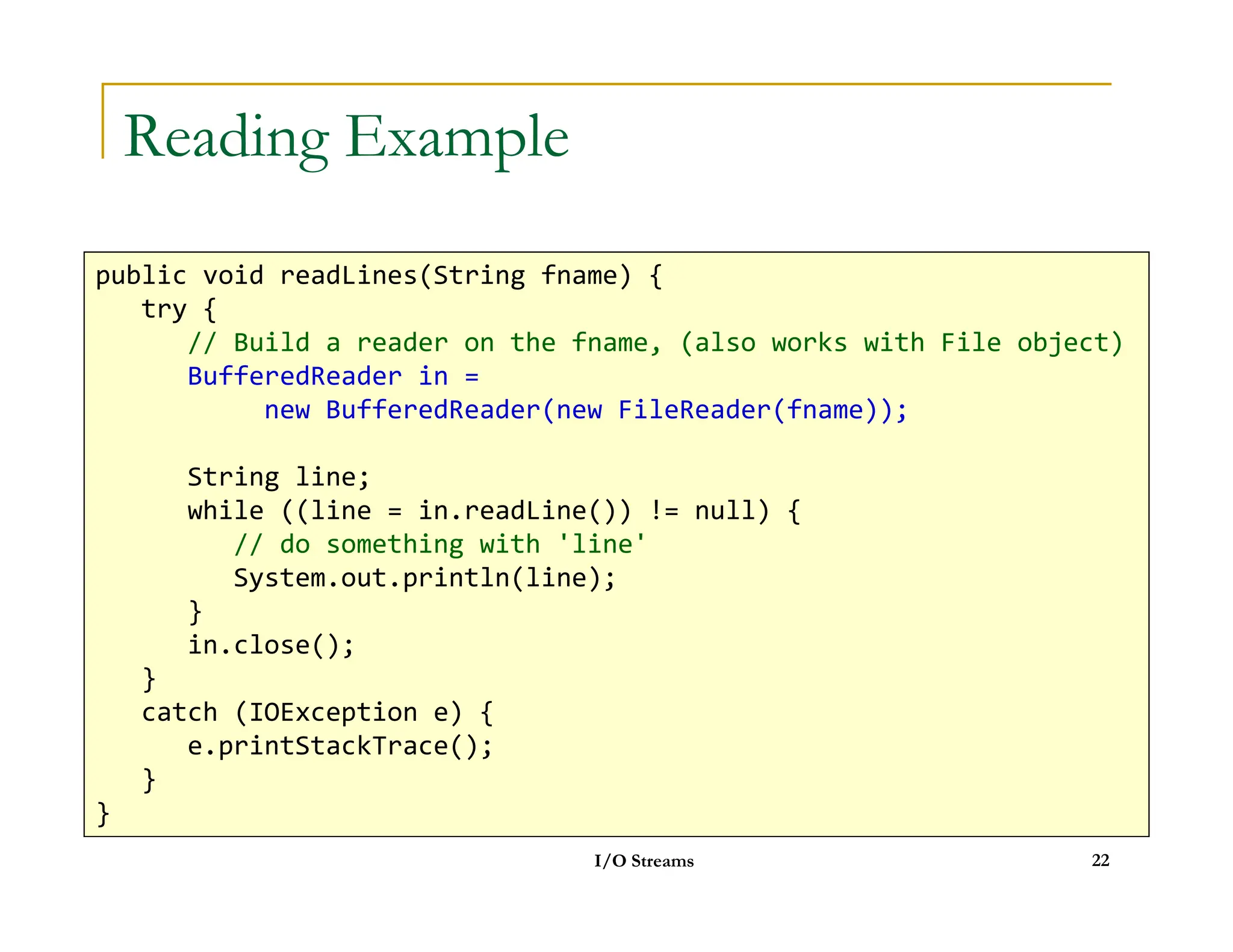
Reading Example
public voidreadLines(String fname) {
try {
// Build a reader on the fname, (also works with File object)
BufferedReader in =
new BufferedReader(new FileReader(fname));
String line;
I/O Streams 22
String line;
while ((line = in.readLine()) != null) {
// do something with 'line'
System.out.println(line);
}
in.close();
}
catch (IOException e) {
e.printStackTrace();
}
}
23.
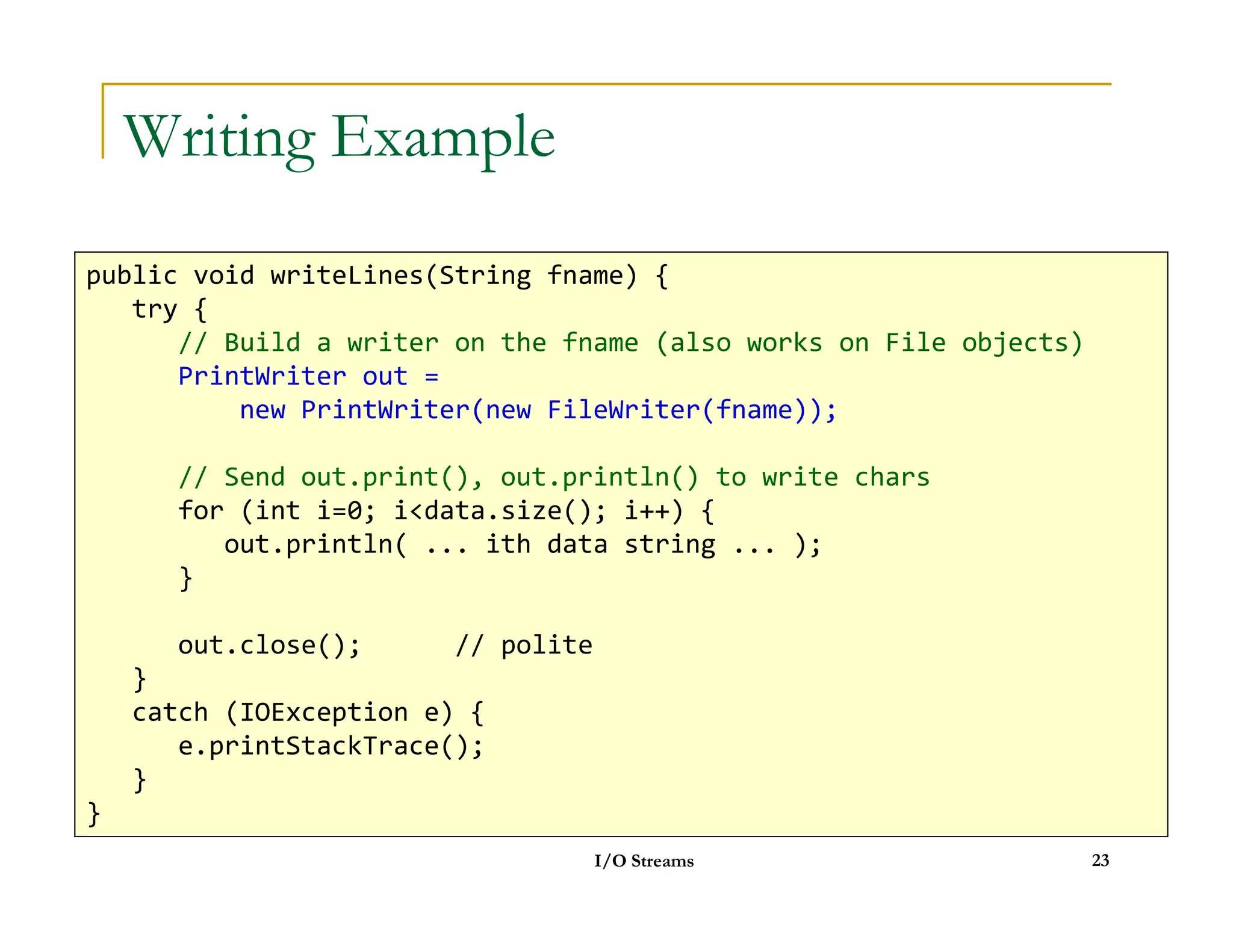
Writing Example
public voidwriteLines(String fname) {
try {
// Build a writer on the fname (also works on File objects)
PrintWriter out =
new PrintWriter(new FileWriter(fname));
// Send out.print(), out.println() to write chars
I/O Streams 23
// Send out.print(), out.println() to write chars
for (int i=0; idata.size(); i++) {
out.println( ... ith data string ... );
}
out.close(); // polite
}
catch (IOException e) {
e.printStackTrace();
}
}
24.
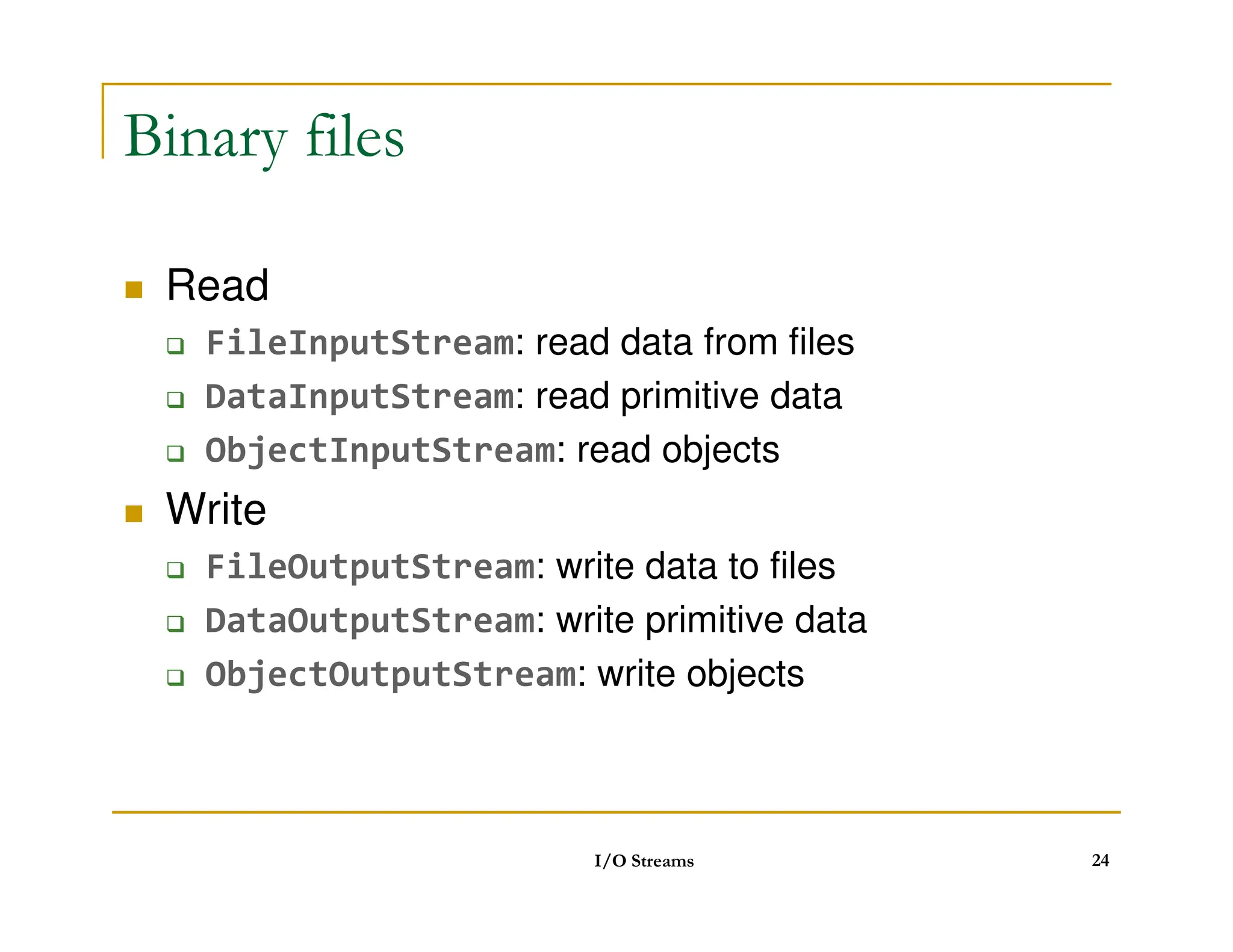
Binary files
Read
FileInputStream: read data from files
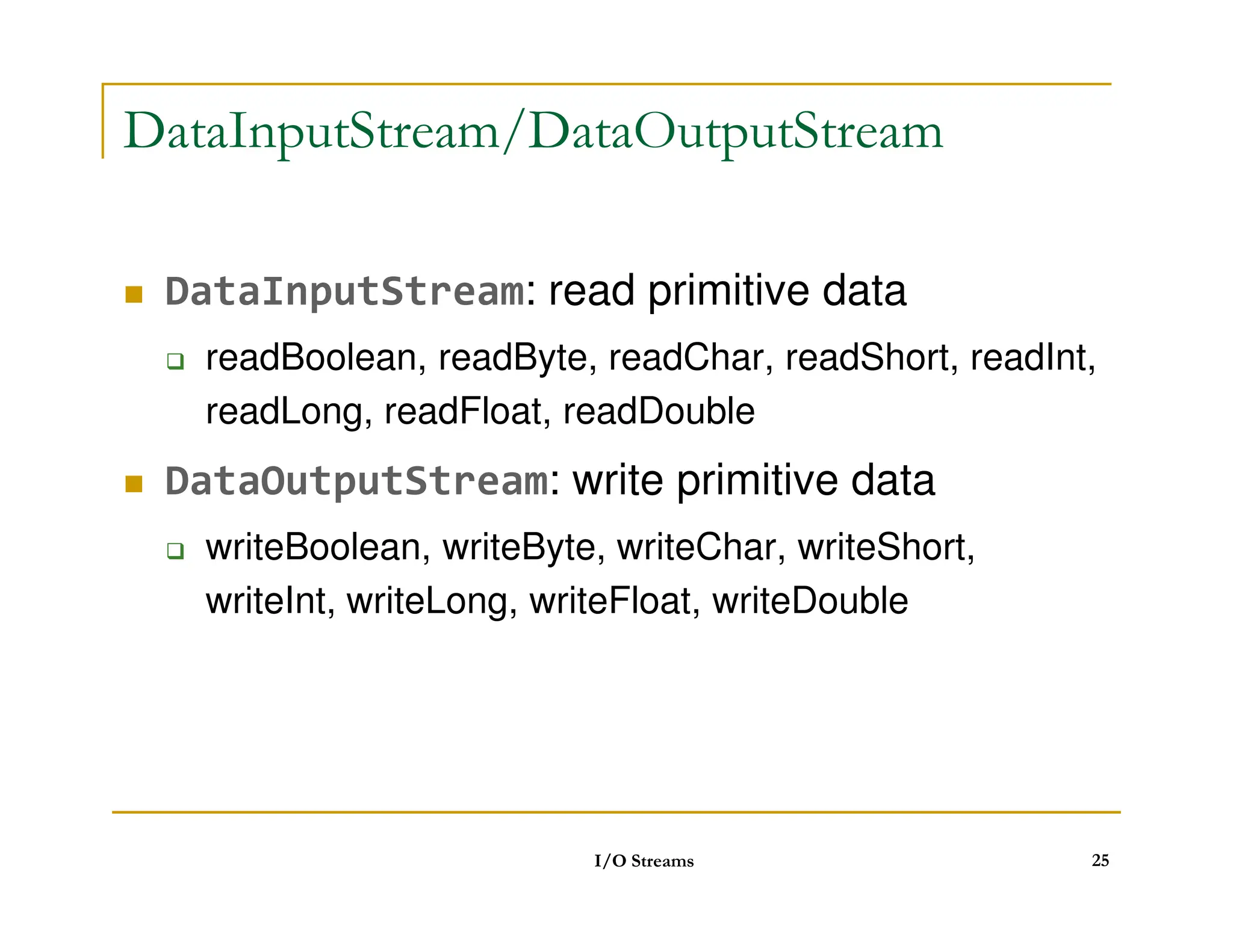
DataInputStream: read primitive data
ObjectInputStream: read objects
Write
FileOutputStream: write data to files
DataOutputStream: write primitive data
ObjectOutputStream: write objects
I/O Streams 24
Write primitive data
importjava.io.*;
public class TestDataOutputStream {
public static void main(String args[]) {
int a[] = {2, 3, 5, 7, 11};
try {
FileOutputStream fout = new FileOutputStream(args[0]);
I/O Streams 26
FileOutputStream fout = new FileOutputStream(args[0]);
DataOutputStream dout = new DataOutputStream(fout);
for (int i=0; ia.length; i++)
dout.writeInt(a[i]);
dout.close();
}
catch (IOException e) {
e.printStackTrace();
}
}
}
27.
Read primitive data
importjava.io.*;
public class TestDataInputStream {
public static void main(String args[]) {
try {
FileInputStream fin = new FileInputStream(args[0]);
DataInputStream din = new DataInputStream(fin);
while (true) {
I/O Streams 27
while (true) {
System.out.println(din.readInt());
}
}
catch (EOFException e) {
}
catch (IOException e) {
e.printStackTrace();
}
}
}
28.
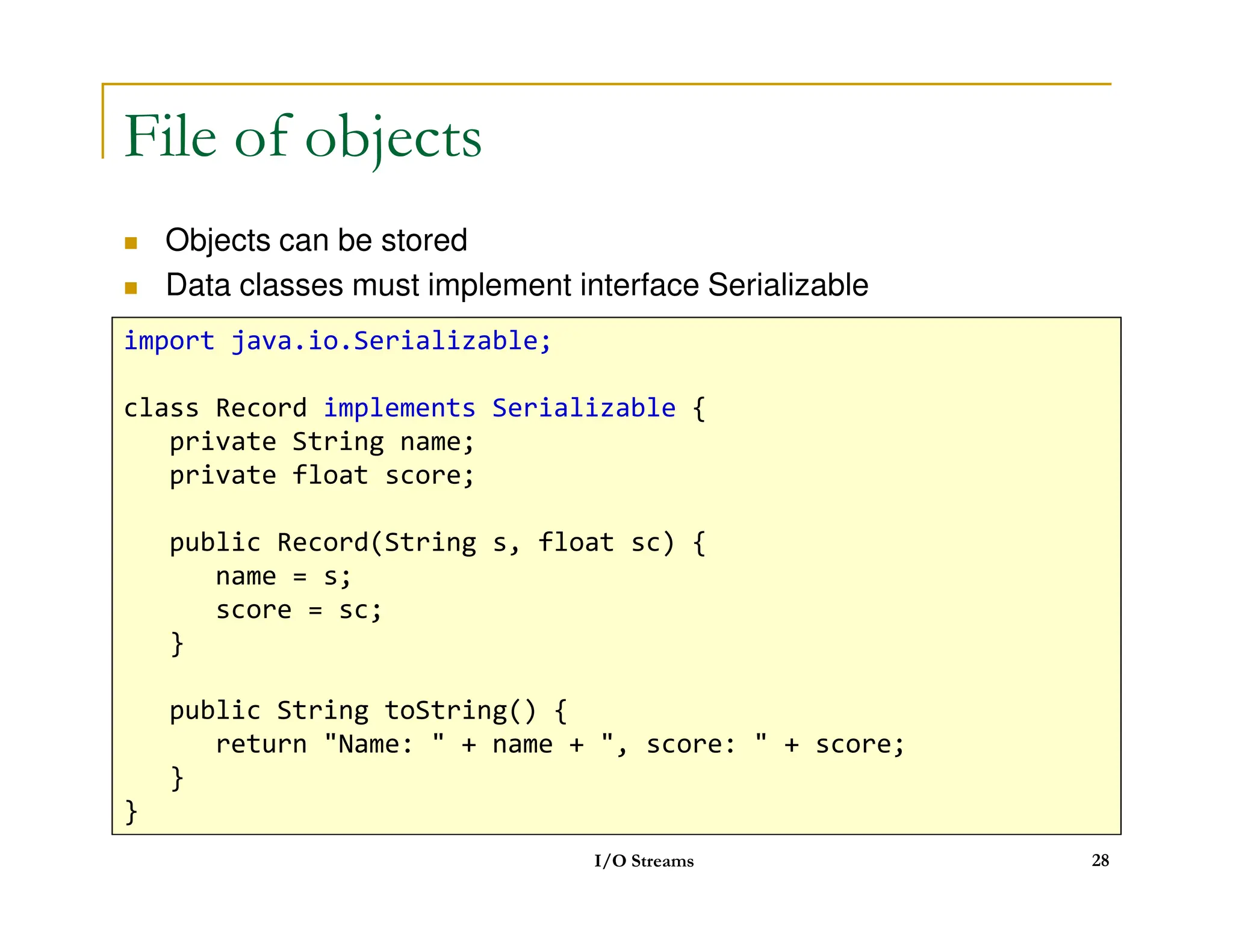
File of objects
Objects can be stored
Data classes must implement interface Serializable
import java.io.Serializable;
class Record implements Serializable {
private String name;
private float score;
I/O Streams 28
private float score;
public Record(String s, float sc) {
name = s;
score = sc;
}
public String toString() {
return Name: + name + , score: + score;
}
}
29.
File of objects
Objects can be stored
Data classes must implement imterface Serializable
import java.io.*;
public class TestObjectOutputStream {
public static void main(String args[]) {
Record r[] = { new Record(john, 5.0F),
new Record(mary, 5.5F),
new Record(bob, 4.5F) };
try {
FileOutputStream fout = new FileOutputStream(args[0]);
ObjectOutputStream out = new ObjectOutputStream(fout);
I/O Streams 29
for (int i=0; ir.length; i++)
out.writeObject(r[i]);
out.close();
}
catch (IOException e) {
e.printStackTrace();
}
}
}
30.
public class TestObjectInputStream{
public static void main(String args[]) {
Record r;
try {
FileInputStream fin = new FileInputStream(args[0]);
ObjectInputStream in = new ObjectInputStream(fin);
while (true) {
r = (Record) in.readObject();
System.out.println(r);
}
}
I/O Streams 30
}
catch (EOFException e) {
System.out.println(No more records);
}
catch (ClassNotFoundException e) {
System.out.println(Unable to create object);
}
catch (IOException e) {
e.printStackTrace();
}
}
}
31.
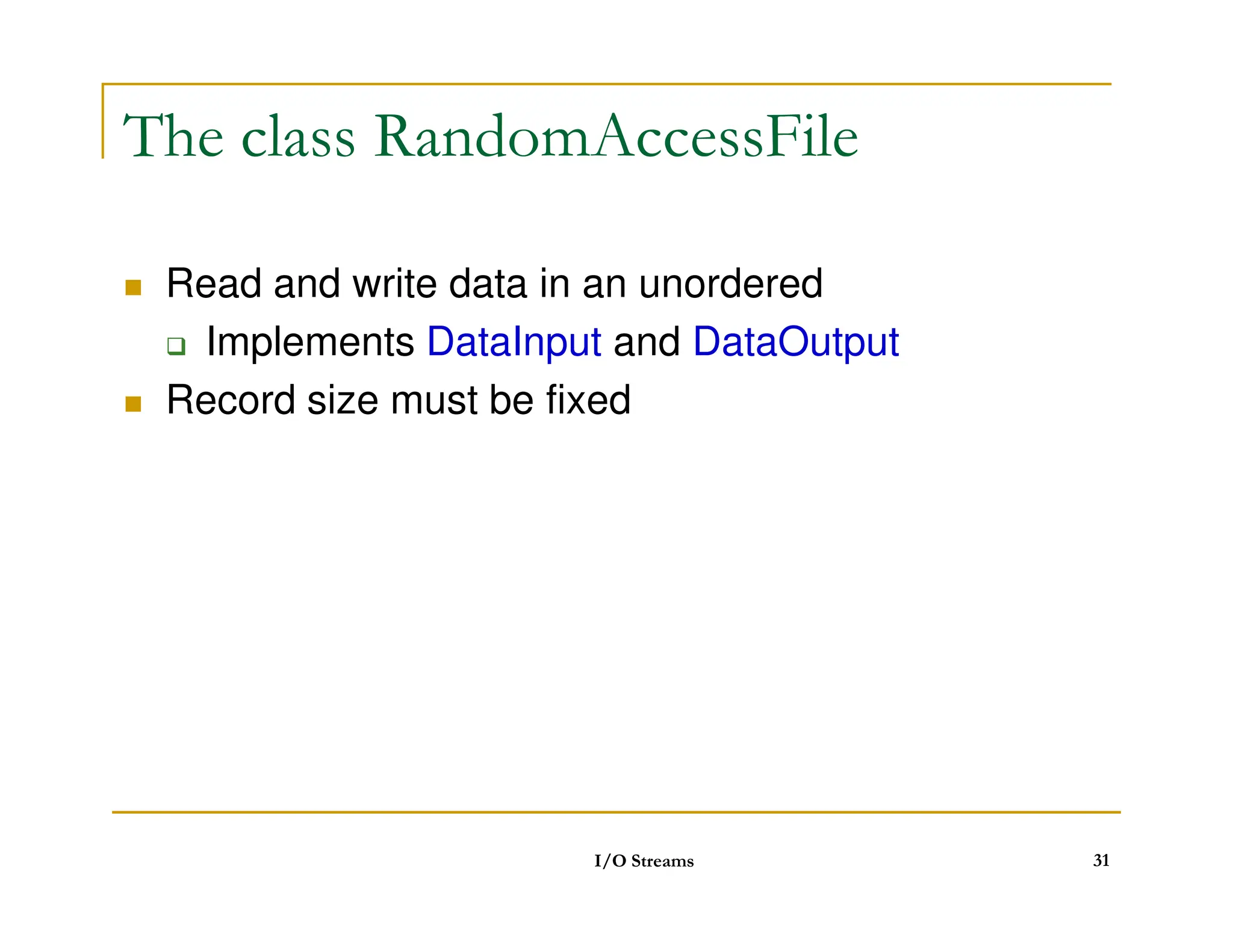
The class RandomAccessFile
Read and write data in an unordered
Implements DataInput and DataOutput
Record size must be fixed
I/O Streams 31
32.
Objects can bestored
Data classes must implement imterface Serializable
import java.io.*;
public class WriteRandomFile {
public static void main(String args[]) {
int a[] = { 2, 3, 5, 7, 11, 13 };
try {
File fout = new File(args[0]);
RandomAccessFile out;
out = new RandomAccessFile(fout, rw);
I/O Streams 32
for (int i=0; ia.length; i++)
out.writeInt(a[i]);
out.close();
}
catch (IOException e) {
e.printStackTrace();
}
}
}
33.
Objects can bestored
Data classes must implement imterface Serializable
import java.io.*;
public class ReadRandomFile {
public static void main(String args[]) {
try {
File fin = new File(args[0]);
RandomAccessFile in = new RandomAccessFile(fin, r);
int recordNum = (int) (in.length() / 4);
for (int i=recordNum-1; i=0; i--) {
I/O Streams 33
for (int i=recordNum-1; i=0; i--) {
in.seek(i*4);
System.out.println(in.readInt());
}
}
catch (IOException e) {
e.printStackTrace();
}
}
}
34.
Networking as streamsof data
Client/server stream sockets
Reading from http network connections
example
I/O Streams 34
35.
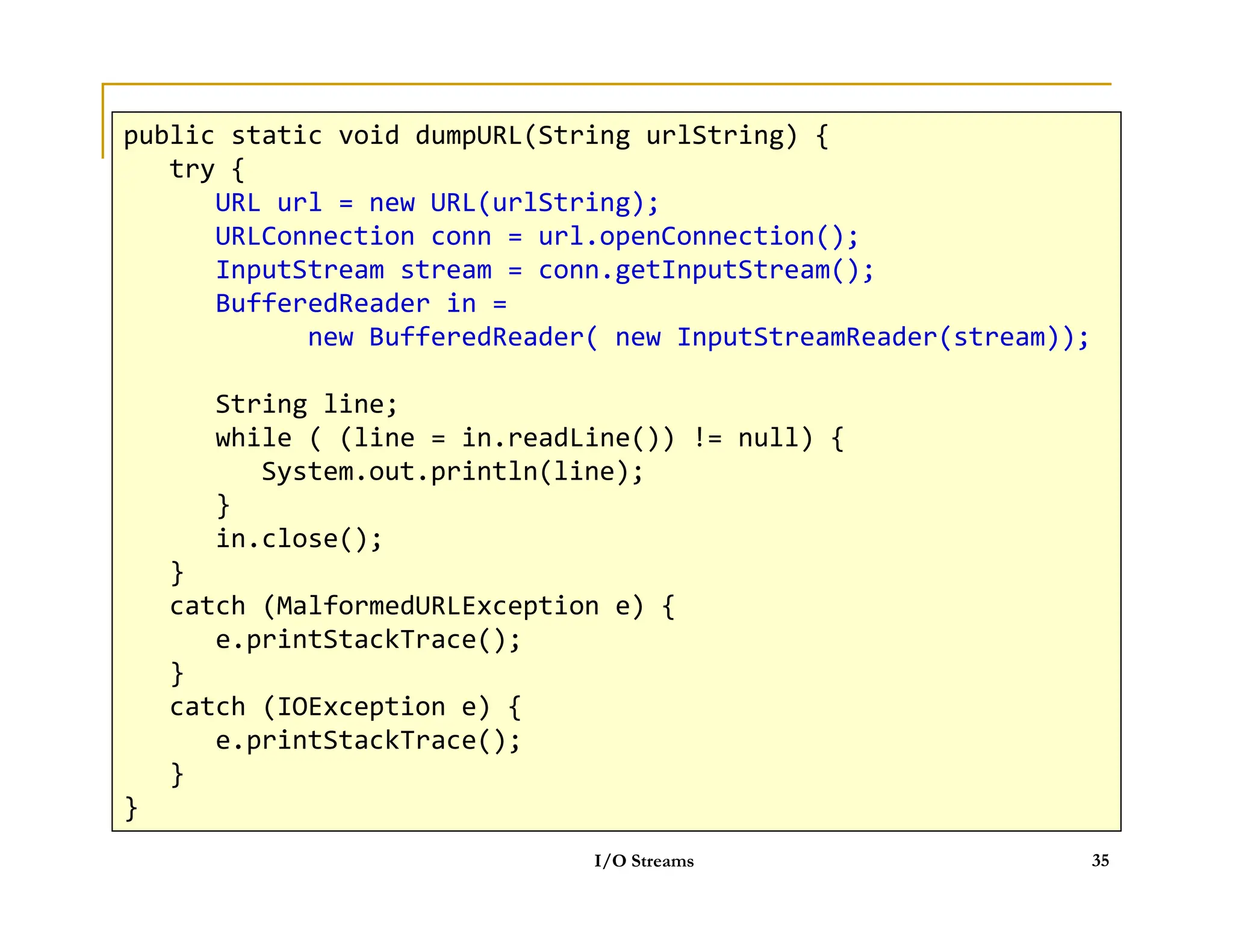
HTTP
public static voiddumpURL(String urlString) {
try {
URL url = new URL(urlString);
URLConnection conn = url.openConnection();
InputStream stream = conn.getInputStream();
BufferedReader in = new BufferedReader( new InputStreamReader(stream));
String line;
while ( (line = in.readLine()) != null) {
System.out.println(line);
public static void dumpURL(String urlString) {
try {
URL url = new URL(urlString);
URLConnection conn = url.openConnection();
InputStream stream = conn.getInputStream();
BufferedReader in =
new BufferedReader( new InputStreamReader(stream));
String line;
while ( (line = in.readLine()) != null) {
System.out.println(line);
System.out.println(line);
}
in.close();
}
catch (MalformedURLException e) {
e.printStackTrace();
}
catch (IOException e) {
e.printStackTrace();
}
}
I/O Streams 35
System.out.println(line);
}
in.close();
}
catch (MalformedURLException e) {
e.printStackTrace();
}
catch (IOException e) {
e.printStackTrace();
}
}
![InputStream / OutputStream
int read()
int read(byte buf[])
int read(byte buf[], int offset, int length)
void close()
int write(int c)
int write(byte buf[])
int write(byte buf[])
int write(byte buf[], int offset, int length)
void close()
void flush()
I/O Streams 7](https://image.slidesharecdn.com/11streams-250224081638-039d2c19/75/11_Str11_Streams-11_Streams-11_Streams-11_Streams-11_Streams-11_Streams-eams-pdf-7-2048.jpg)
![Reader / Writer
int read()
int read(char buf[])
int read(char buf[], int offset, int length)
void close()
int write(int c)
int write(char buf[])
int write(char buf[])
int write(char buf[], int offset, int length)
void close()
void flush()
I/O Streams 8](https://image.slidesharecdn.com/11streams-250224081638-039d2c19/75/11_Str11_Streams-11_Streams-11_Streams-11_Streams-11_Streams-11_Streams-eams-pdf-8-2048.jpg)
![File's methods (continued)
status
long lastModified()
long length()
boolean delete()
boolean delete()
directory
boolean mkdir()
String[] list()
I/O Streams 20](https://image.slidesharecdn.com/11streams-250224081638-039d2c19/75/11_Str11_Streams-11_Streams-11_Streams-11_Streams-11_Streams-11_Streams-eams-pdf-20-2048.jpg)
![Write primitive data
import java.io.*;
public class TestDataOutputStream {
public static void main(String args[]) {
int a[] = {2, 3, 5, 7, 11};
try {
FileOutputStream fout = new FileOutputStream(args[0]);
I/O Streams 26
FileOutputStream fout = new FileOutputStream(args[0]);
DataOutputStream dout = new DataOutputStream(fout);
for (int i=0; ia.length; i++)
dout.writeInt(a[i]);
dout.close();
}
catch (IOException e) {
e.printStackTrace();
}
}
}](https://image.slidesharecdn.com/11streams-250224081638-039d2c19/75/11_Str11_Streams-11_Streams-11_Streams-11_Streams-11_Streams-11_Streams-eams-pdf-26-2048.jpg)
![Read primitive data
import java.io.*;
public class TestDataInputStream {
public static void main(String args[]) {
try {
FileInputStream fin = new FileInputStream(args[0]);
DataInputStream din = new DataInputStream(fin);
while (true) {
I/O Streams 27
while (true) {
System.out.println(din.readInt());
}
}
catch (EOFException e) {
}
catch (IOException e) {
e.printStackTrace();
}
}
}](https://image.slidesharecdn.com/11streams-250224081638-039d2c19/75/11_Str11_Streams-11_Streams-11_Streams-11_Streams-11_Streams-11_Streams-eams-pdf-27-2048.jpg)
![File of objects
Objects can be stored
Data classes must implement imterface Serializable
import java.io.*;
public class TestObjectOutputStream {
public static void main(String args[]) {
Record r[] = { new Record(john, 5.0F),
new Record(mary, 5.5F),
new Record(bob, 4.5F) };
try {
FileOutputStream fout = new FileOutputStream(args[0]);
ObjectOutputStream out = new ObjectOutputStream(fout);
I/O Streams 29
for (int i=0; ir.length; i++)
out.writeObject(r[i]);
out.close();
}
catch (IOException e) {
e.printStackTrace();
}
}
}](https://image.slidesharecdn.com/11streams-250224081638-039d2c19/75/11_Str11_Streams-11_Streams-11_Streams-11_Streams-11_Streams-11_Streams-eams-pdf-29-2048.jpg)
![public class TestObjectInputStream {
public static void main(String args[]) {
Record r;
try {
FileInputStream fin = new FileInputStream(args[0]);
ObjectInputStream in = new ObjectInputStream(fin);
while (true) {
r = (Record) in.readObject();
System.out.println(r);
}
}
I/O Streams 30
}
catch (EOFException e) {
System.out.println(No more records);
}
catch (ClassNotFoundException e) {
System.out.println(Unable to create object);
}
catch (IOException e) {
e.printStackTrace();
}
}
}](https://image.slidesharecdn.com/11streams-250224081638-039d2c19/75/11_Str11_Streams-11_Streams-11_Streams-11_Streams-11_Streams-11_Streams-eams-pdf-30-2048.jpg)
![Objects can be stored
Data classes must implement imterface Serializable
import java.io.*;
public class WriteRandomFile {
public static void main(String args[]) {
int a[] = { 2, 3, 5, 7, 11, 13 };
try {
File fout = new File(args[0]);
RandomAccessFile out;
out = new RandomAccessFile(fout, rw);
I/O Streams 32
for (int i=0; ia.length; i++)
out.writeInt(a[i]);
out.close();
}
catch (IOException e) {
e.printStackTrace();
}
}
}](https://image.slidesharecdn.com/11streams-250224081638-039d2c19/75/11_Str11_Streams-11_Streams-11_Streams-11_Streams-11_Streams-11_Streams-eams-pdf-32-2048.jpg)
![Objects can be stored
Data classes must implement imterface Serializable
import java.io.*;
public class ReadRandomFile {
public static void main(String args[]) {
try {
File fin = new File(args[0]);
RandomAccessFile in = new RandomAccessFile(fin, r);
int recordNum = (int) (in.length() / 4);
for (int i=recordNum-1; i=0; i--) {
I/O Streams 33
for (int i=recordNum-1; i=0; i--) {
in.seek(i*4);
System.out.println(in.readInt());
}
}
catch (IOException e) {
e.printStackTrace();
}
}
}](https://image.slidesharecdn.com/11streams-250224081638-039d2c19/75/11_Str11_Streams-11_Streams-11_Streams-11_Streams-11_Streams-11_Streams-eams-pdf-33-2048.jpg)


![Coded Agents – with UiPath SDK + LangGraph [Virtual Hands-on Workshop]](https://cdn.slidesharecdn.com/ss_thumbnails/codedagentsdeck-251215155422-5497c599-thumbnail.jpg?width=640&height=640&fit=bounds)


