Productivity Acceleration Tools for SOA Testers


             Evanthika Amarasiri   : Technical Lead - QA
             Nirodha Gallage       : Senior Software Engineer - QA


                                                       April 2013
About WSO2
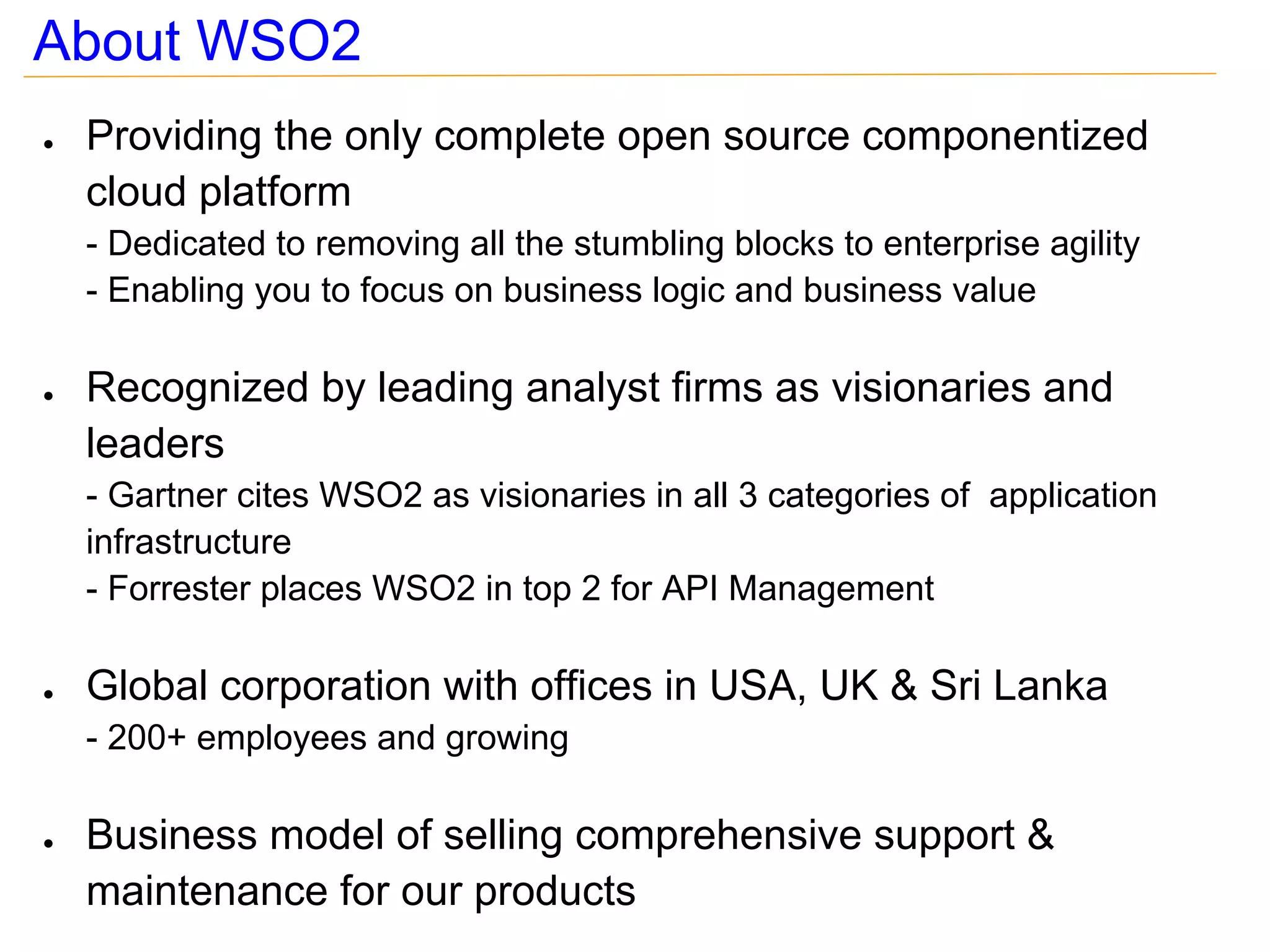
●   Providing the only complete open source componentized
    cloud platform
    - Dedicated to removing all the stumbling blocks to enterprise agility
    - Enabling you to focus on business logic and business value

●   Recognized by leading analyst firms as visionaries and
    leaders
    - Gartner cites WSO2 as visionaries in all 3 categories of application
    infrastructure
    - Forrester places WSO2 in top 2 for API Management

●   Global corporation with offices in USA, UK & Sri Lanka
    - 200+ employees and growing

●   Business model of selling comprehensive support &
    maintenance for our products
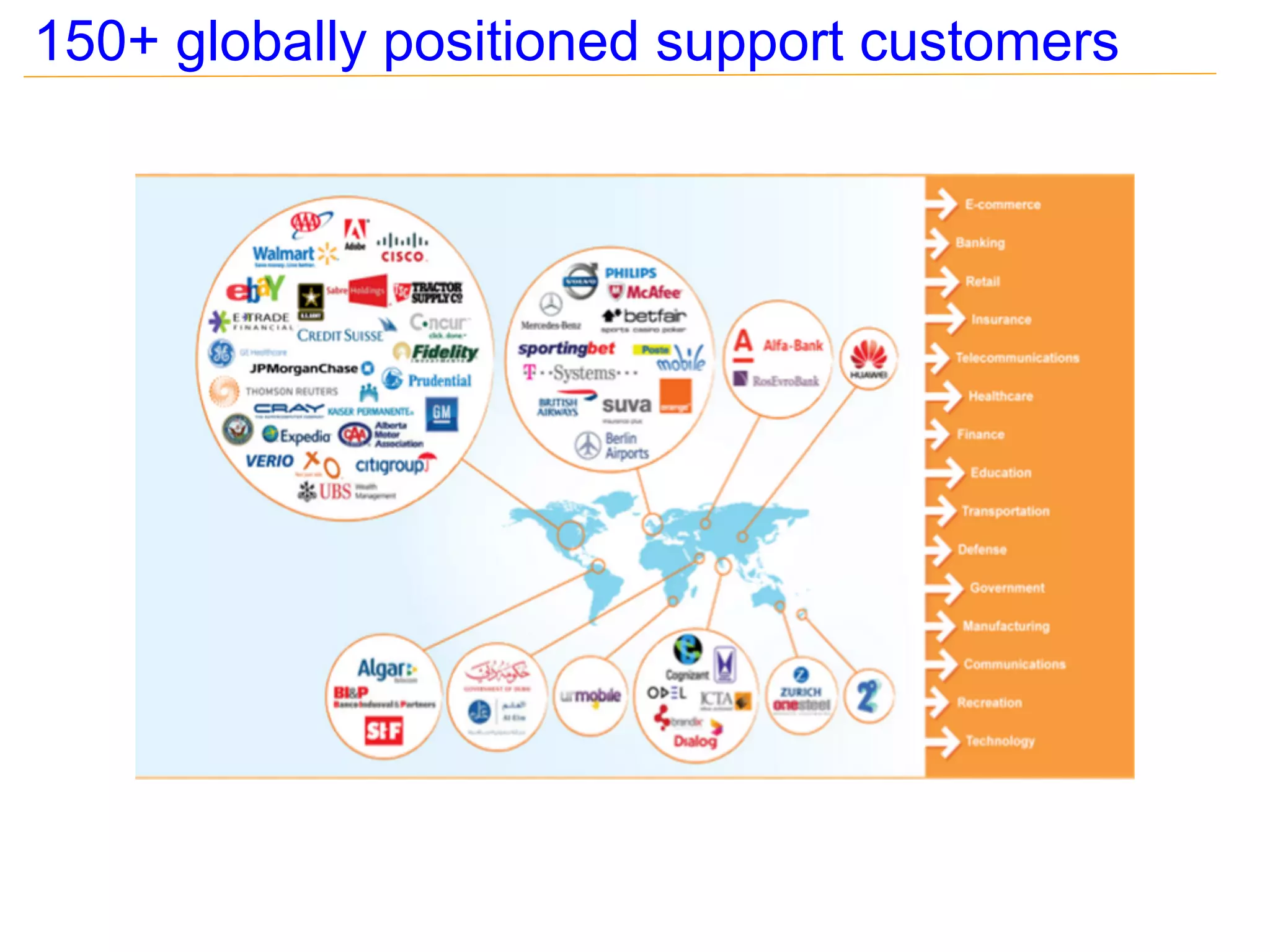
150+ globally positioned support customers
Agenda

●   Advantages of using tools for SOA testing
●   Choosing the right tool that matches your requirement
●   Test Scenarios
    - soapUI
    - Apache JMeter
●   Tips on tools
Advantages of using tools & automation for testing
 ●   No need to re-invent the wheel : Reduce time of writing
     client programs from scratch
 ●   Reduces time on frequent recursive testing
 ●   Saves time to utilize the specialized knowledge effectively;
     i.e. to do exploratory testing
 ●   Reduces test execution time : Takes more time if done
     manually
 ●   Helps to release early & release often
 ●   Reduces the possibility of missing test scenarios
 ●   Ability to do dynamic data driven testing
Advantages of using tools & automation for testing
Contd...
●   Ability to do load/performance testing
●   Can generate result summaries and reports easily
●   Ability to integrate test suites in build systems and trigger
    automatically
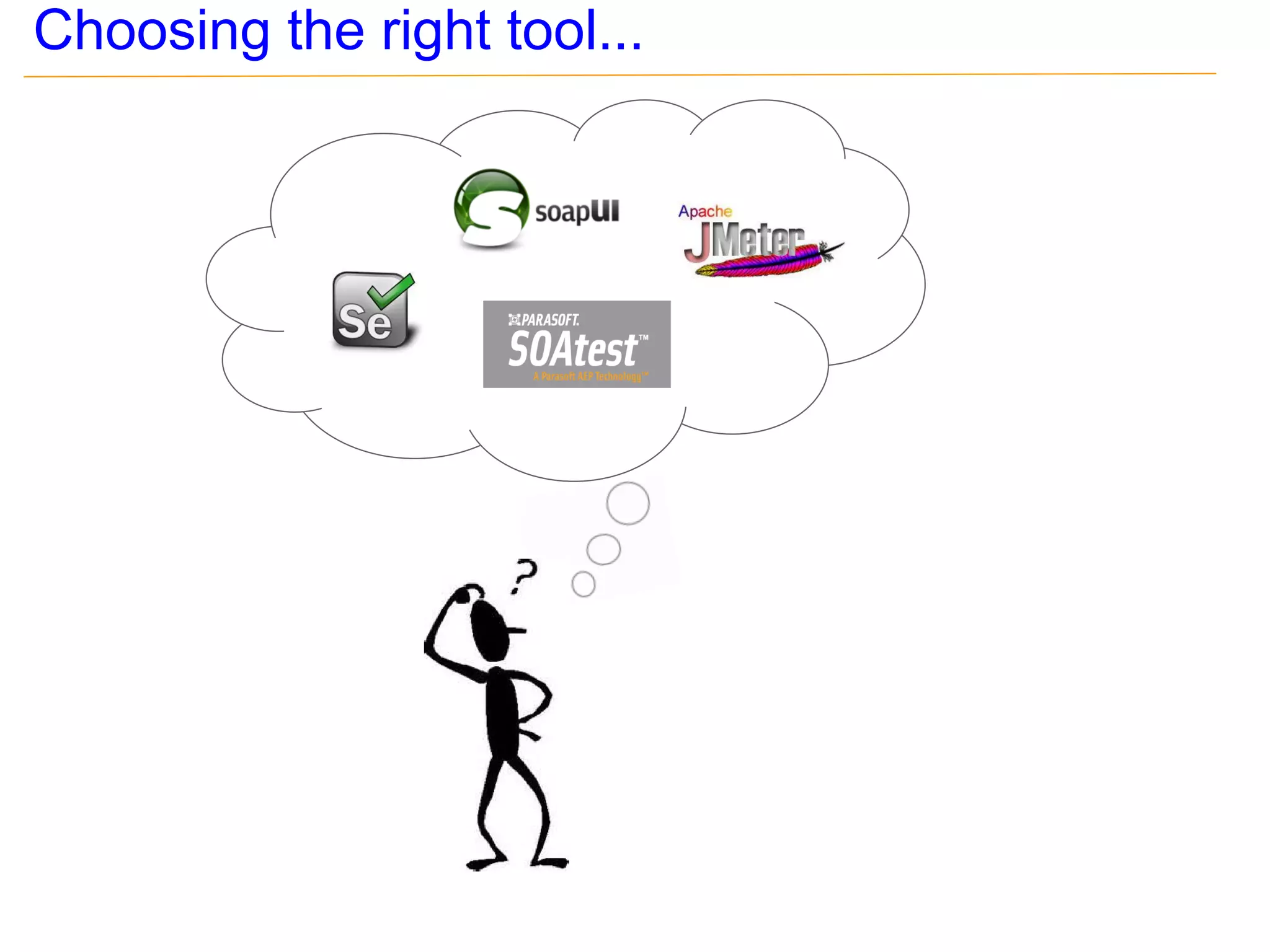
Choosing the right tool...
soapUI - What does it support?
●   Automated request generation : i.e. Generate SOAP
    request messages when WSDL is provided
●   Ability to validate responses : i.e. assertions
●   Support for QoS : i.e. Security, MTOM
●   Ability to simulate service providers; i.e. mock services
●   Ability to do performance testing
●   Supports multiple protocols & message types : i.e. HTTP,
    HTTPS, REST, JMS, JSON
Examples with soapUI
●   Web Testcase support
●   Invoking secured web services with HTTP basic
    authentication
●   Invoking a web services secured with asymmetric binding
    policy
●   Assertions for responses
●   Sending HTTP chunk encoded messages
●   Executing soapUI test suites/test cases in headless mode
●   Testing RESTful APIs
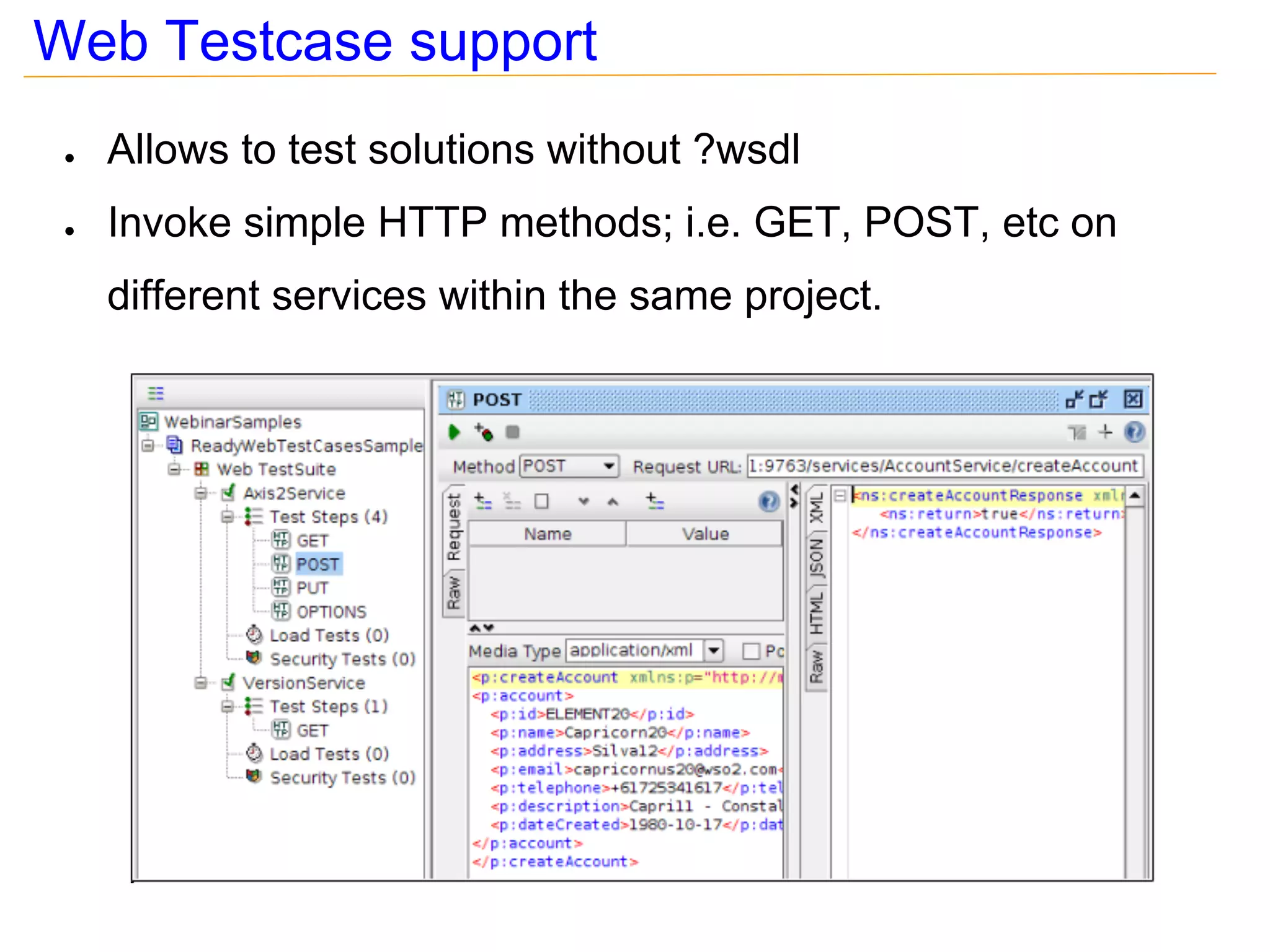
Web Testcase support
 ●   Allows to test solutions without ?wsdl
 ●   Invoke simple HTTP methods; i.e. GET, POST, etc on
     different services within the same project.
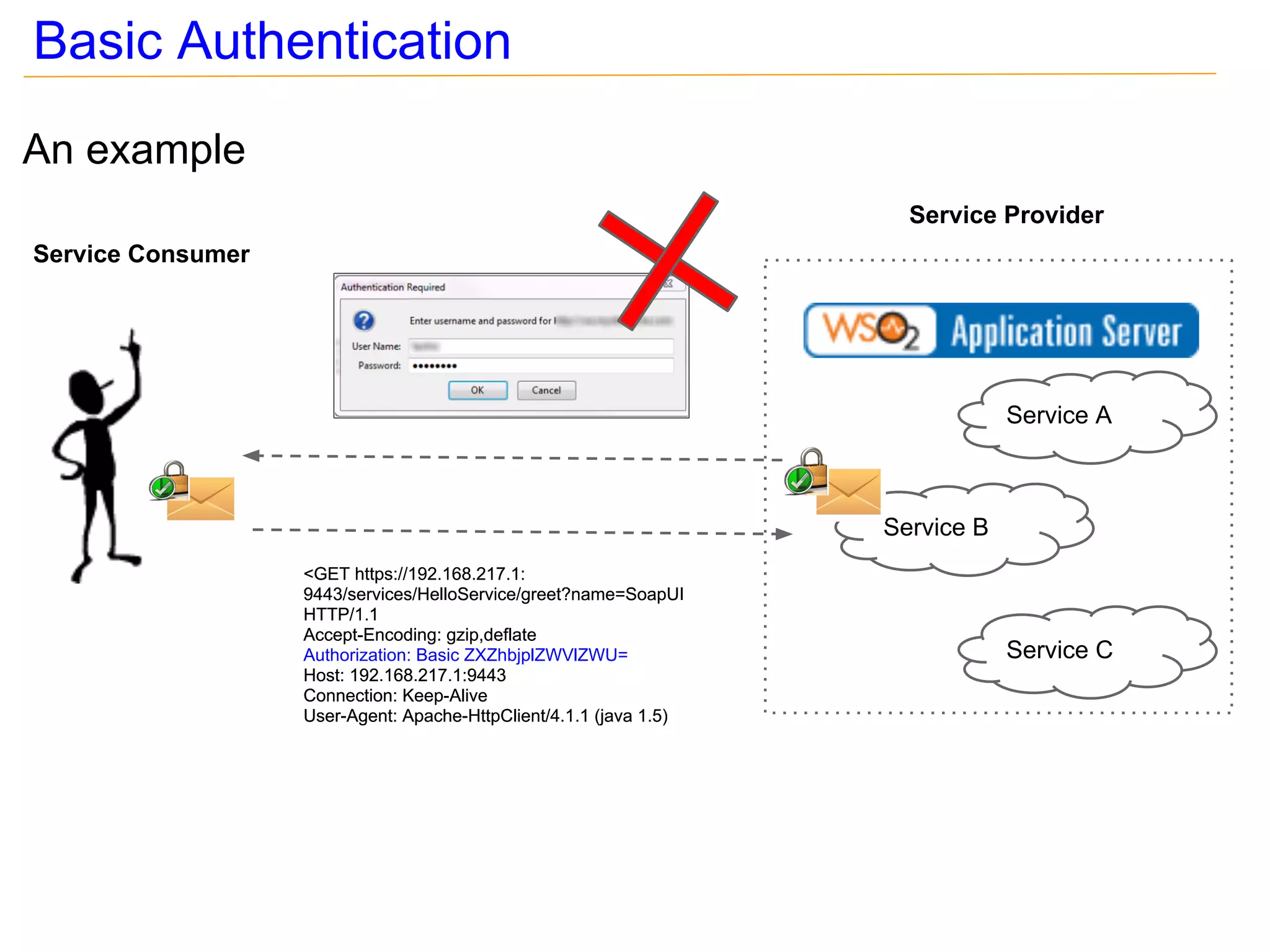
Basic Authentication
An example
                                                                      Service Provider
Service Consumer


                                                                                Service A


                                                                    Service B
                   <GET https://192.168.217.1:
                   9443/services/HelloService/greet?name=SoapUI
                   HTTP/1.1
                   Accept-Encoding: gzip,deflate
                   Authorization: Basic ZXZhbjplZWVlZWU=                        Service C
                   Host: 192.168.217.1:9443
                   Connection: Keep-Alive
                   User-Agent: Apache-HttpClient/4.1.1 (java 1.5)
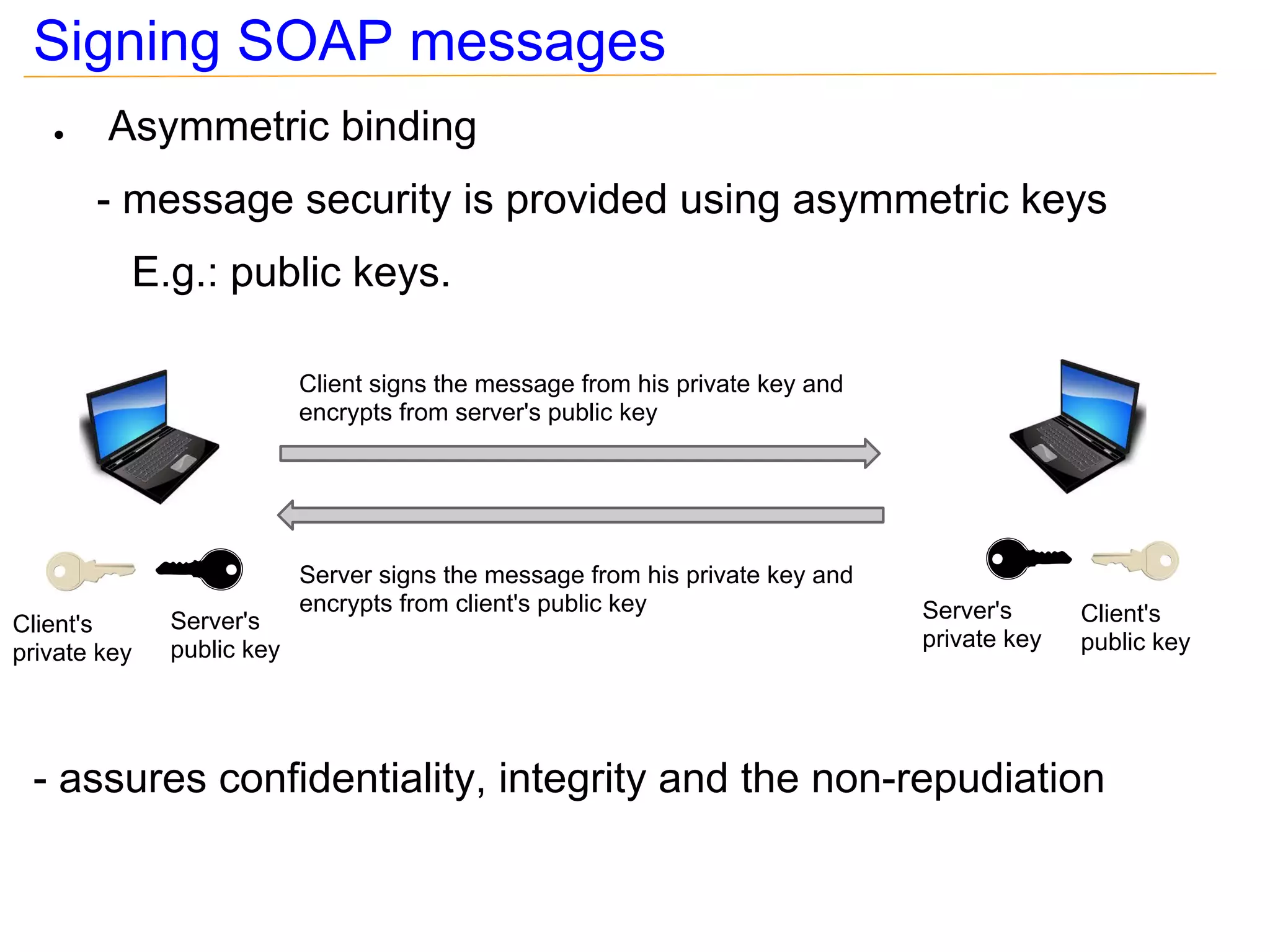
Signing SOAP messages
   ●    Asymmetric binding
       - message security is provided using asymmetric keys
          E.g.: public keys.

                           Client signs the message from his private key and
                           encrypts from server's public key


                           Server signs the message from his private key and
                           encrypts from client's public key                   Server's      Client's
Client's      Server's
              public key                                                       private key   public key
private key


 - assures confidentiality, integrity and the non-repudiation
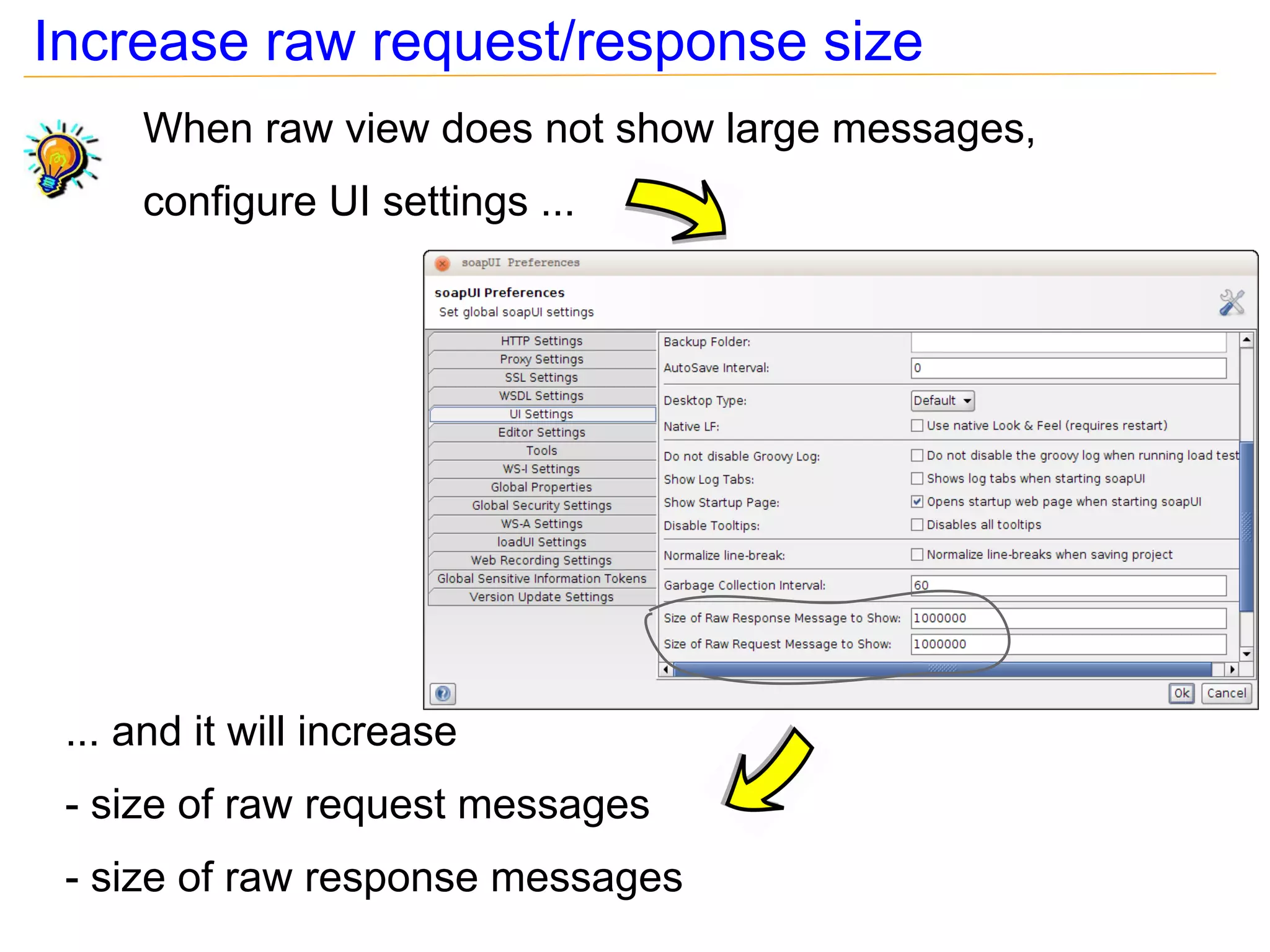
Increase raw request/response size
     When raw view does not show large messages,
     configure UI settings ...


 ... and it will increase
 - size of raw request messages
 - size of raw response messages
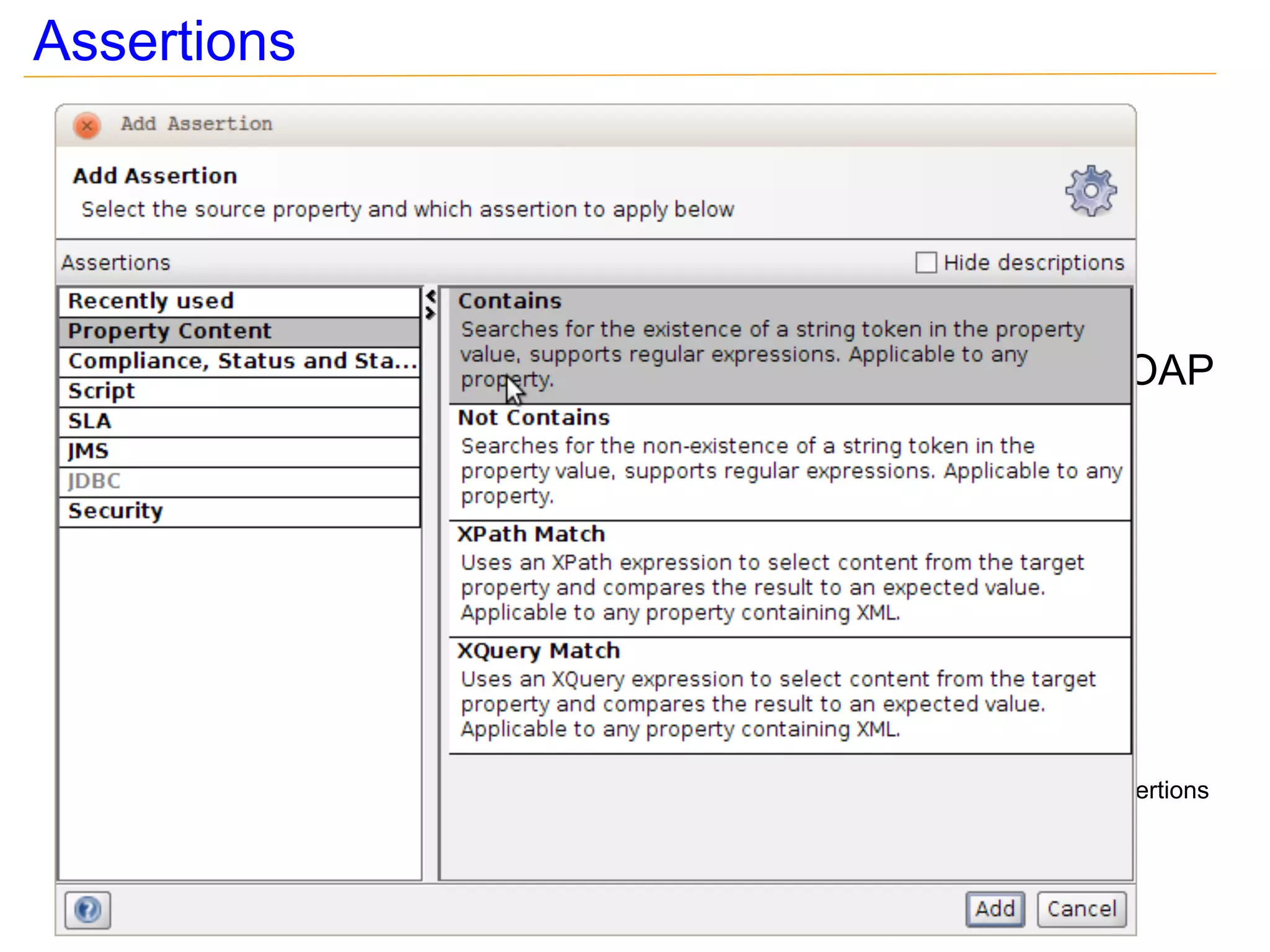
Assertions
 ●   Validates responses
 ●   Added to test steps
 ●   Provides different types of assertions; assertions to be
     done on response message, for HTTP status codes, SOAP
     faults


                                                        Add Assertions
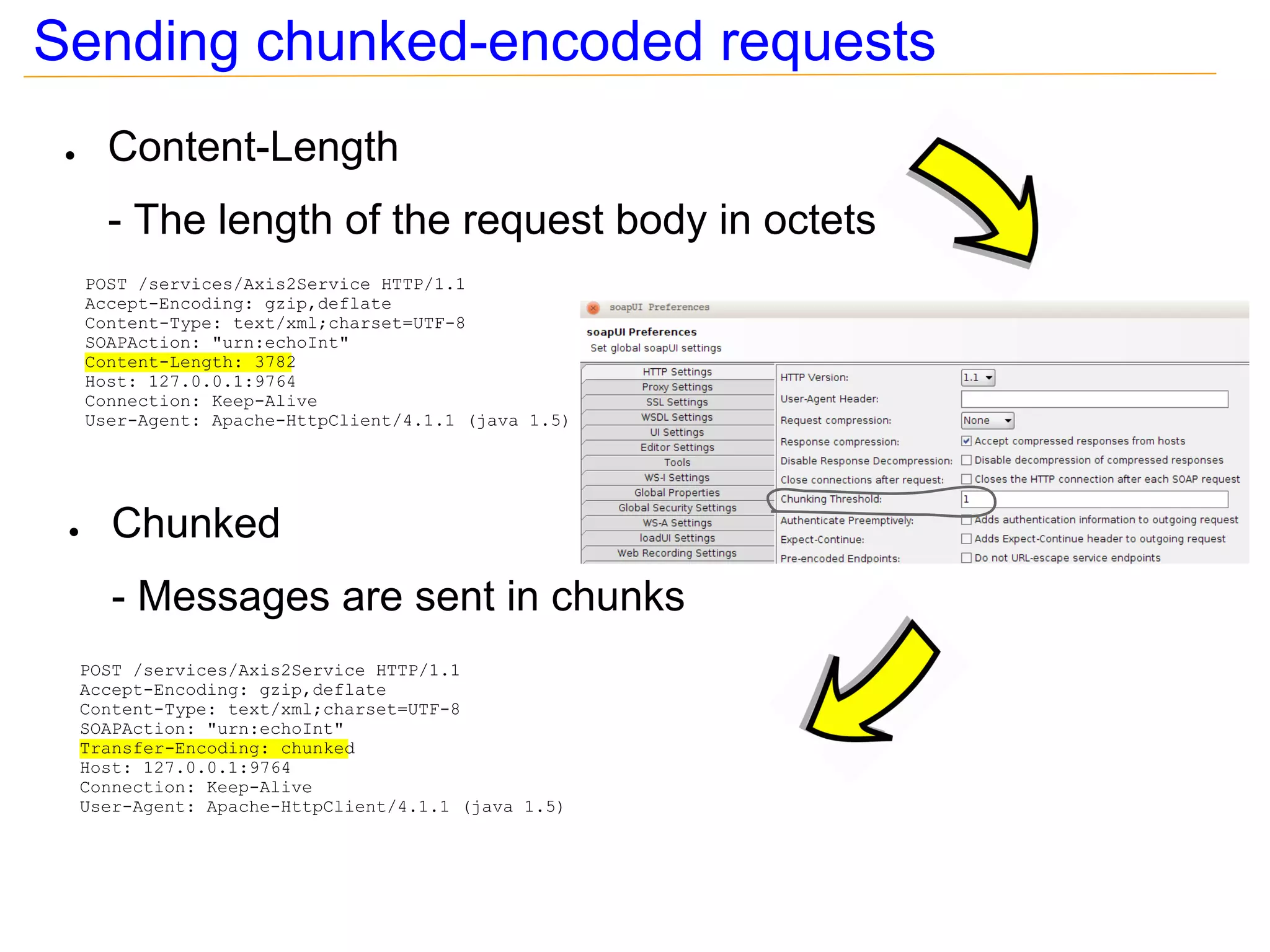
Sending chunked-encoded requests
 ●     Content-Length
       - The length of the request body in octets
     POST /services/Axis2Service HTTP/1.1
     Accept-Encoding: gzip,deflate
     Content-Type: text/xml;charset=UTF-8
     SOAPAction: "urn:echoInt"
     Content-Length: 3782
     Host: 127.0.0.1:9764
     Connection: Keep-Alive
     User-Agent: Apache-HttpClient/4.1.1 (java 1.5)


 ●      Chunked
        - Messages are sent in chunks
     POST /services/Axis2Service HTTP/1.1
     Accept-Encoding: gzip,deflate
     Content-Type: text/xml;charset=UTF-8
     SOAPAction: "urn:echoInt"
     Transfer-Encoding: chunked
     Host: 127.0.0.1:9764
     Connection: Keep-Alive
     User-Agent: Apache-HttpClient/4.1.1 (java 1.5)
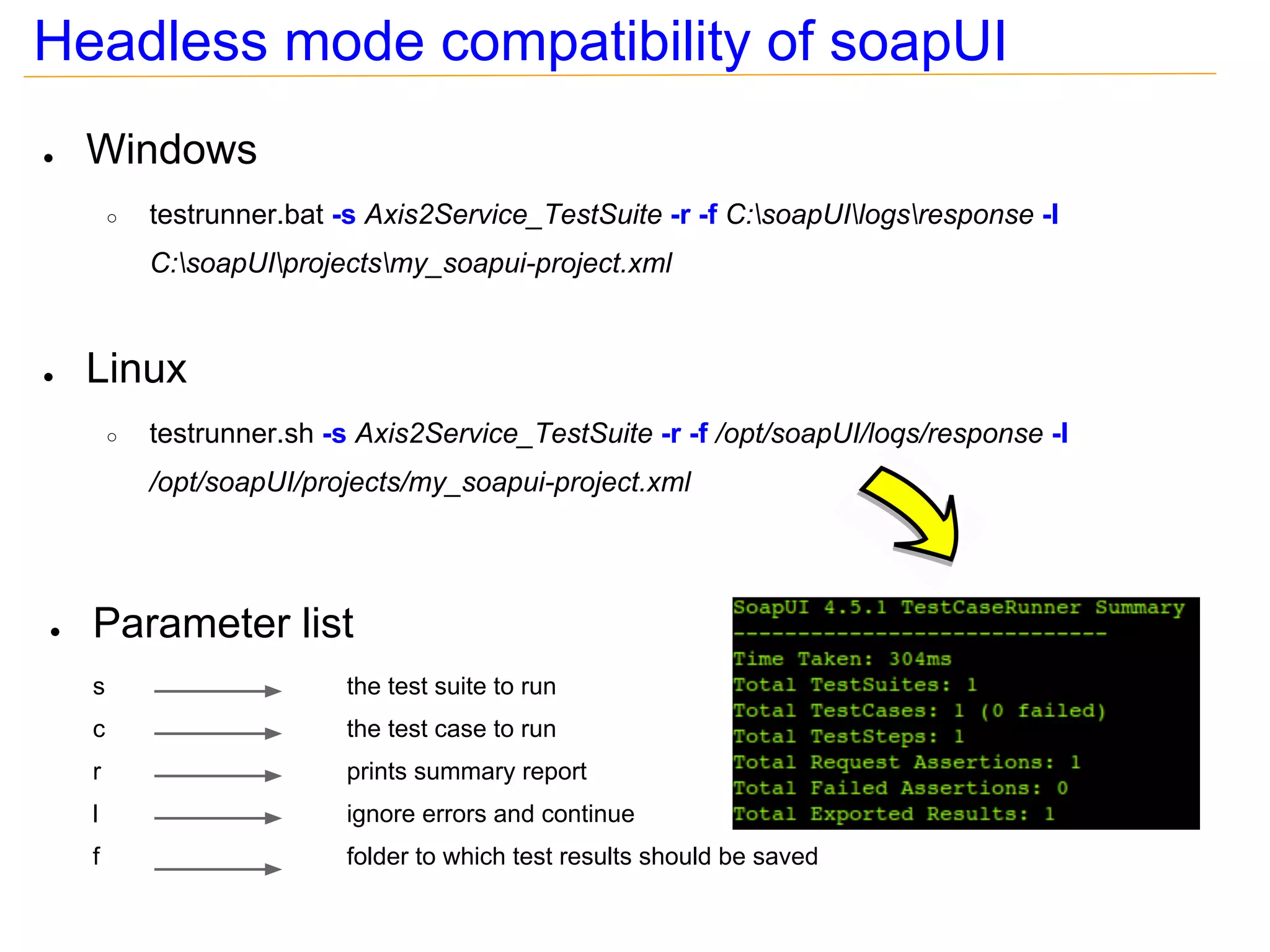
Headless mode compatibility of soapUI
●   Windows
        ○   testrunner.bat -s Axis2Service_TestSuite -r -f C:soapUIlogsresponse -I
            C:soapUIprojectsmy_soapui-project.xml


●   Linux
        ○   testrunner.sh -s Axis2Service_TestSuite -r -f /opt/soapUI/logs/response -I
            /opt/soapUI/projects/my_soapui-project.xml


●   Parameter list
    s                      the test suite to run
    c                      the test case to run
    r                      prints summary report
    l                      ignore errors and continue
    f                      folder to which test results should be saved
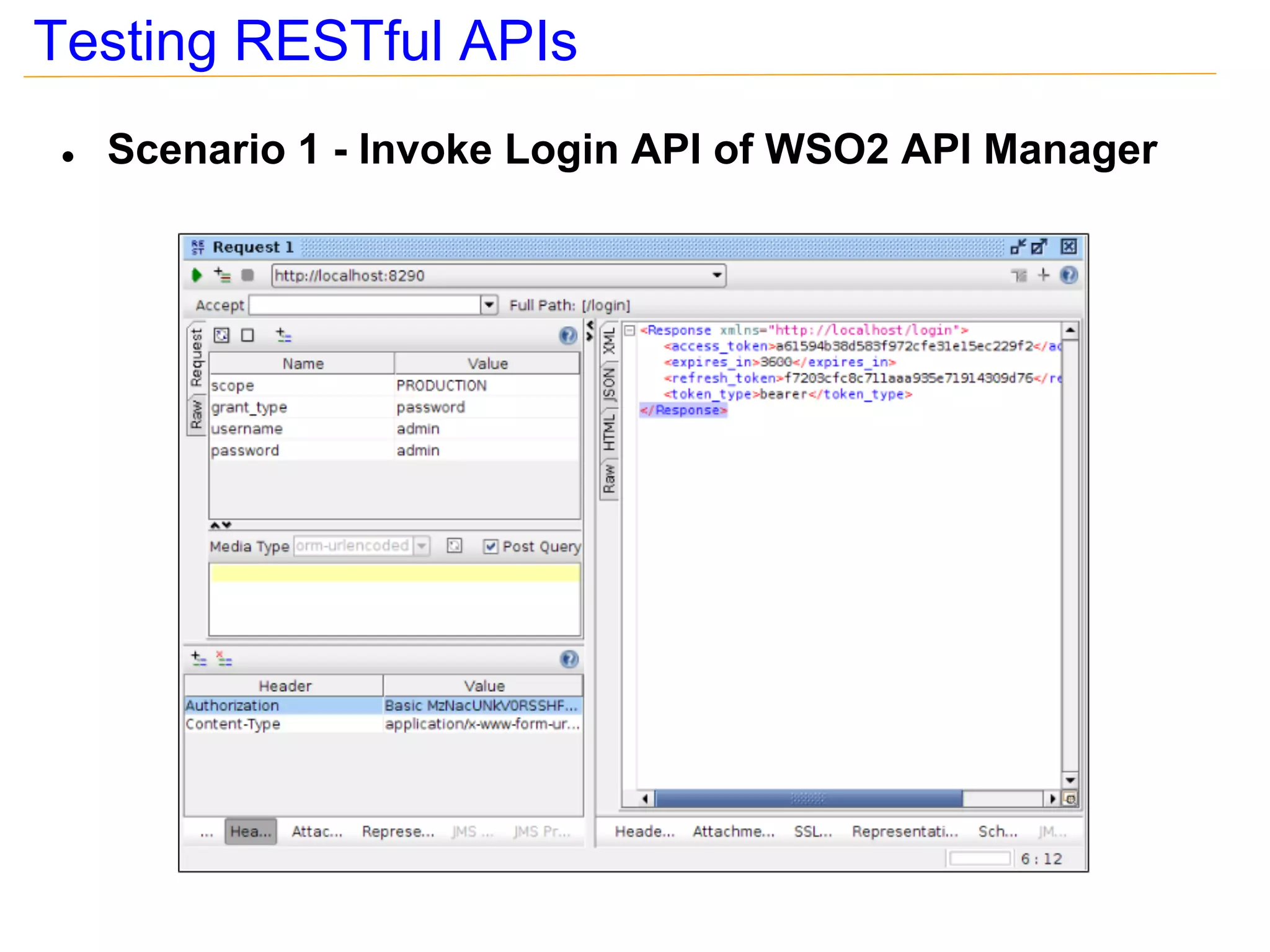
Testing RESTful APIs
 ●   Scenario 1 - Invoke Login API of WSO2 API Manager
In which situations we can use JMeter?
●   To simulate multiple user access/ load tests
●   For data driven testing
●   To analyze & measure performance of services
●   To validate responses; i.e. assertions
●   To create test suites with real world scenarios which involves
    executing multiple services sequentially or in parallel
●   Support for different transport protocols; i.e. HTTP, HTTPS,
    JMS, MAIL, FTP, JDBC, LDAP etc
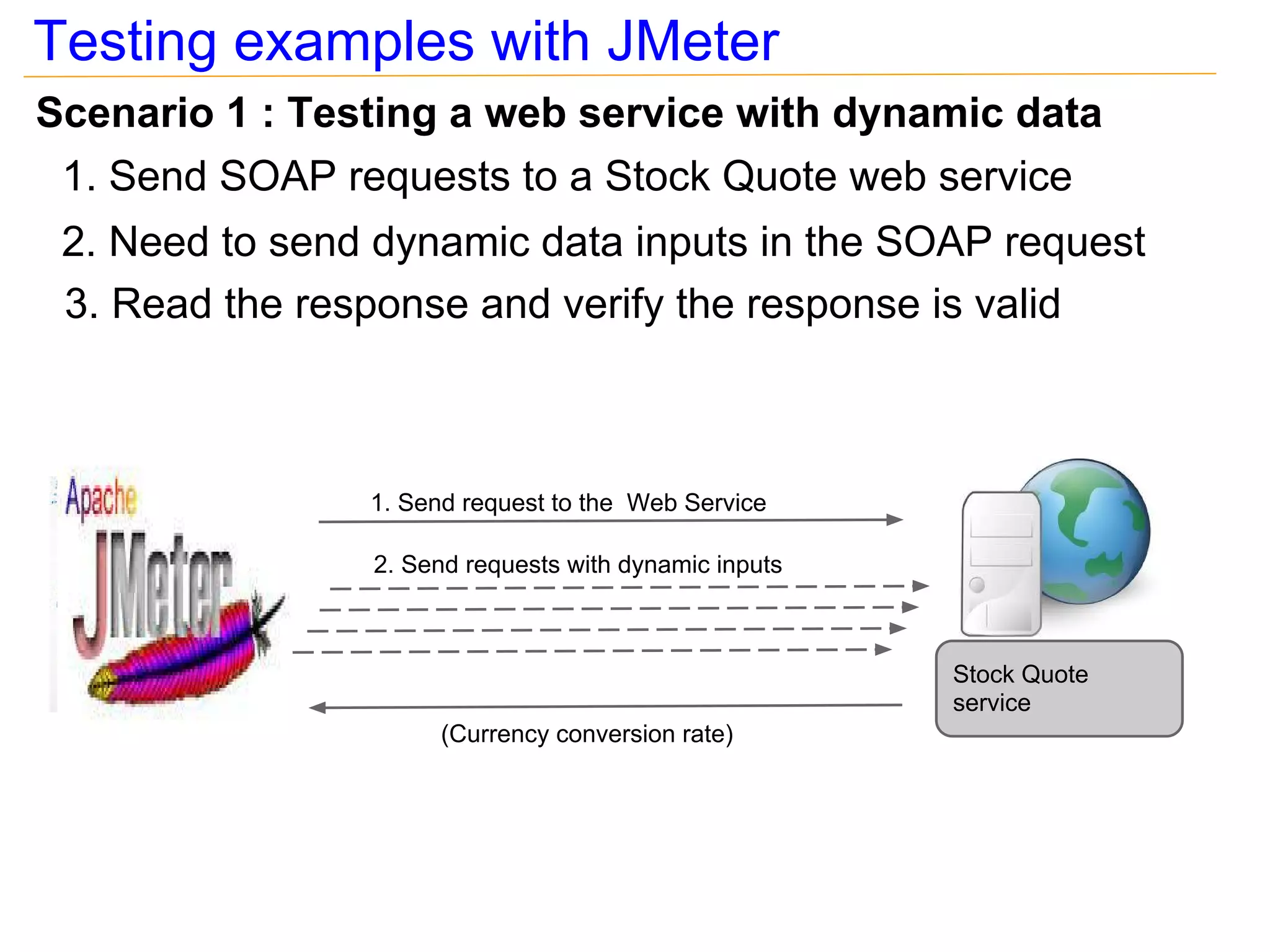
Testing examples with JMeter
Scenario 1 : Testing a web service with dynamic data
 1. Send SOAP requests to a Stock Quote web service
 2. Need to send dynamic data inputs in the SOAP request
 3. Read the response and verify the response is valid


                1. Send request to the Web Service

                2. Send requests with dynamic inputs


                                                       Stock Quote
                                                       service
                      (Currency conversion rate)
Testing examples with JMeter
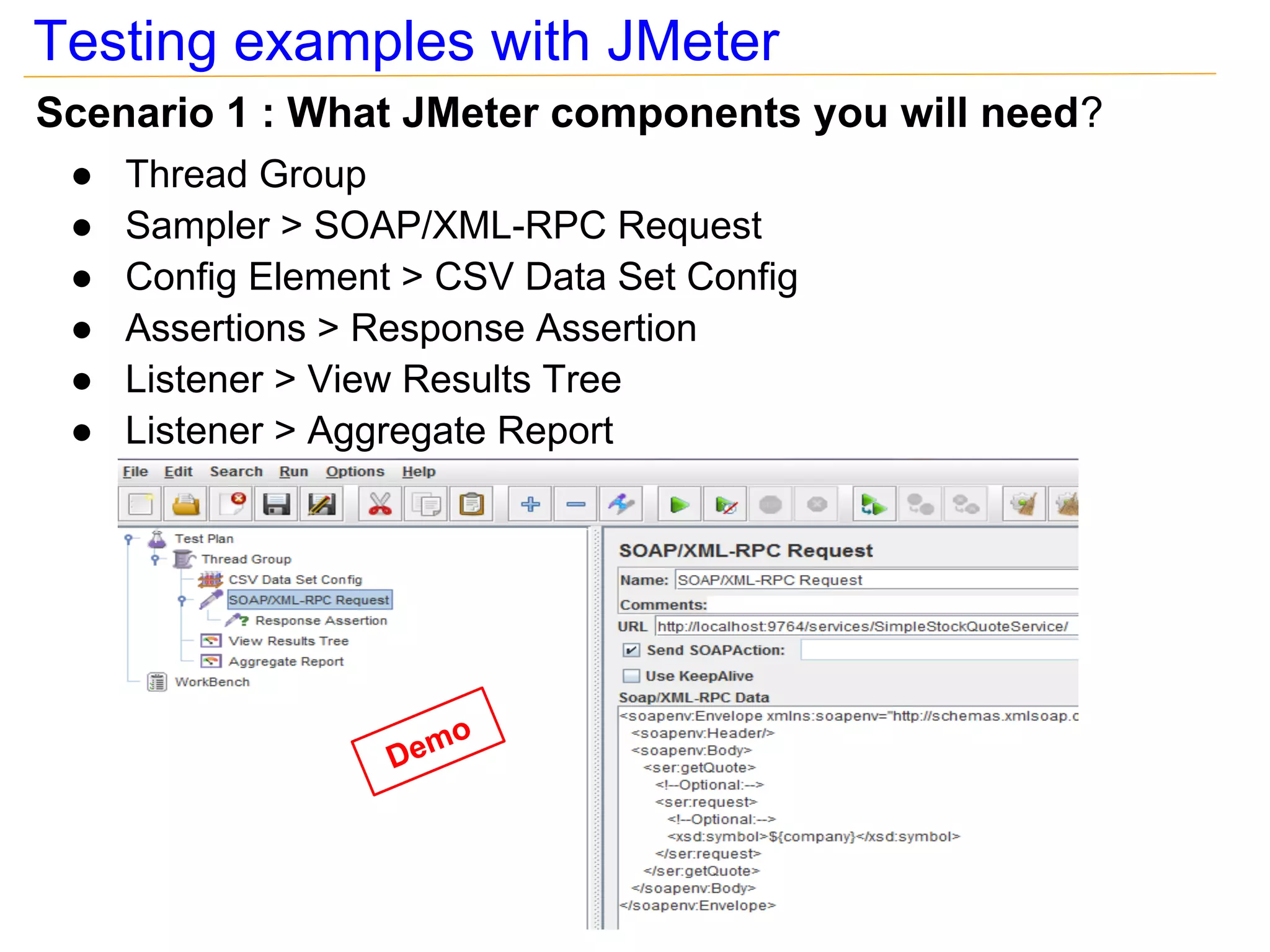
Scenario 1 : What JMeter components you will need?
 ●   Thread Group
 ●   Sampler > SOAP/XML-RPC Request
 ●   Config Element > CSV Data Set Config
 ●   Assertions > Response Assertion
 ●   Listener > View Results Tree
 ●   Listener > Aggregate Report


                         o
                   Dem
Testing examples with JMeter
Scenario 2 : Testing API's with WSO2 API Manager
 1. Call the login API [REST] and acquire an access token
 2. Use that access token to invoke the API
 3. Read the response and verify the response is correct


                         1. Invoke Login API

                                                                Login API
                           (Access Token)


            2. Invoke Stock Quote API with the Access Token
                                                              Stock Quote
                                                              API
                             (Response)
Testing examples with JMeter
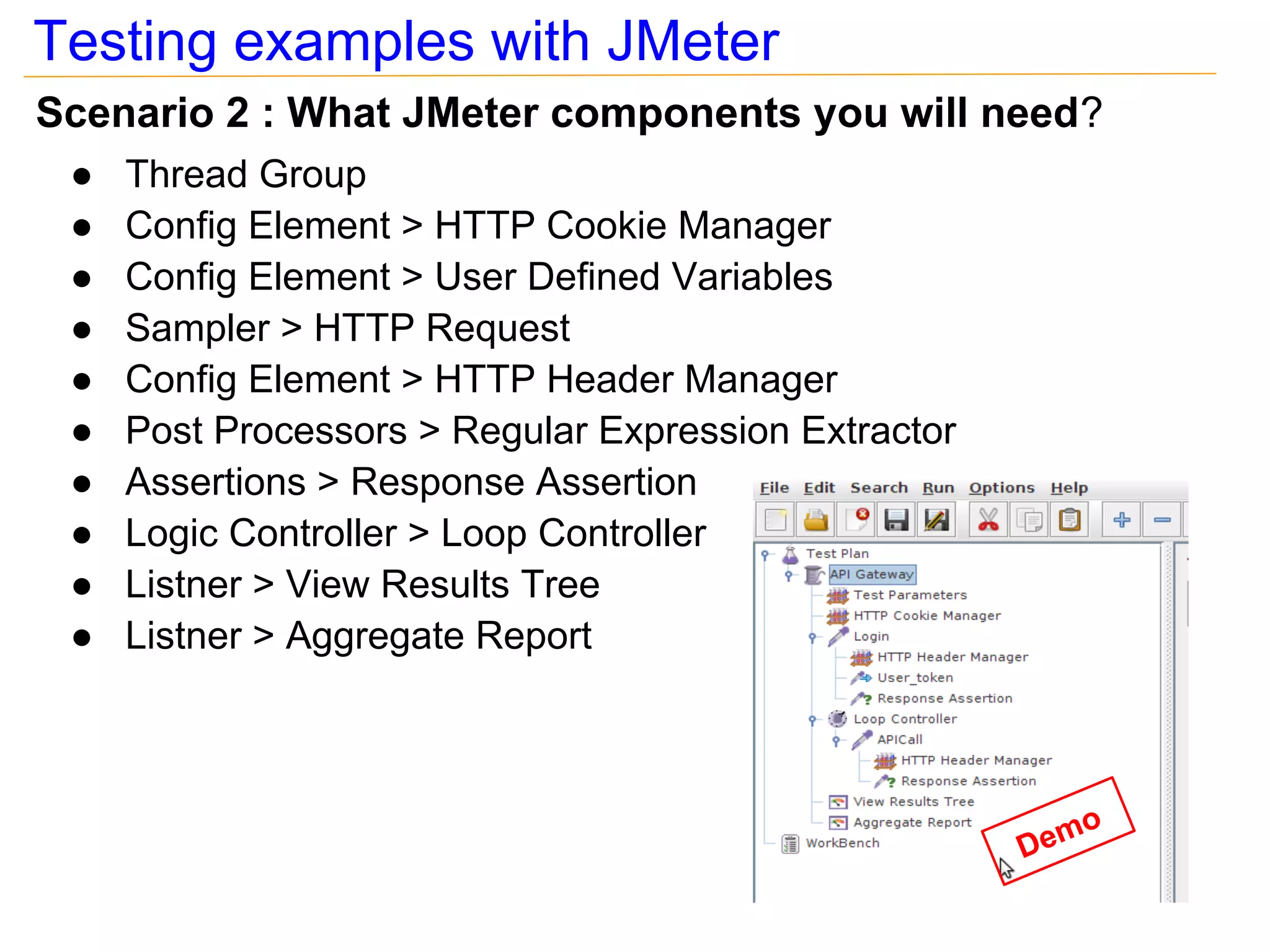
Scenario 2 : What JMeter components you will need?
 ●   Thread Group
 ●   Config Element > HTTP Cookie Manager
 ●   Config Element > User Defined Variables
 ●   Sampler > HTTP Request
 ●   Config Element > HTTP Header Manager
 ●   Post Processors > Regular Expression Extractor
 ●   Assertions > Response Assertion
 ●   Logic Controller > Loop Controller
 ●   Listner > View Results Tree
 ●   Listner > Aggregate Report


                                                         o
                                                      Dem
Testing examples with JMeter
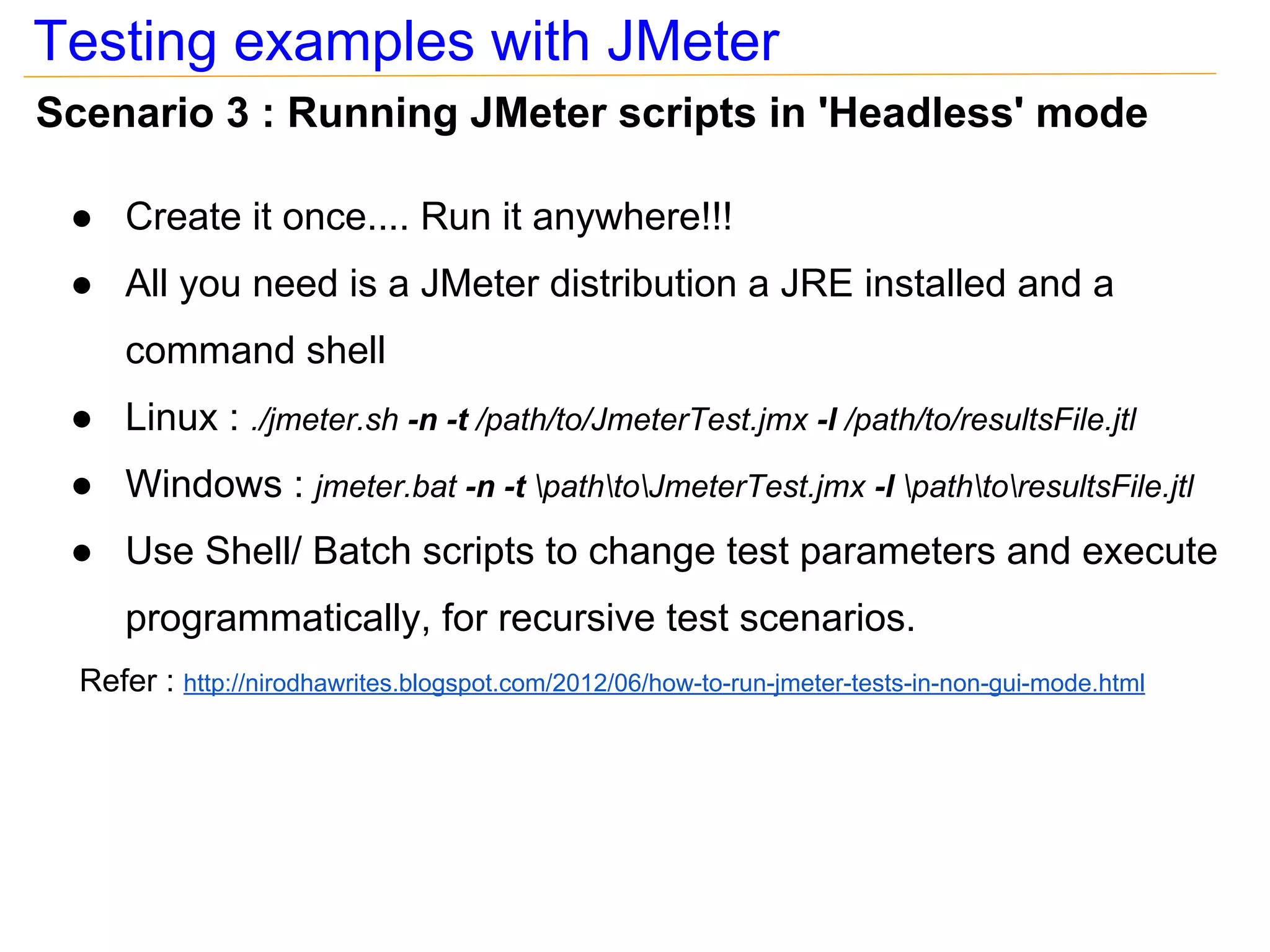
Scenario 3 : Running JMeter scripts in 'Headless' mode

 ● Create it once.... Run it anywhere!!!
 ● All you need is a JMeter distribution a JRE installed and a
      command shell
 ● Linux : ./jmeter.sh -n -t /path/to/JmeterTest.jmx -l /path/to/resultsFile.jtl
 ● Windows : jmeter.bat -n -t pathtoJmeterTest.jmx -l pathtoresultsFile.jtl
 ● Use Shell/ Batch scripts to change test parameters and execute
      programmatically, for recursive test scenarios.
  Refer : http://nirodhawrites.blogspot.com/2012/06/how-to-run-jmeter-tests-in-non-gui-mode.html
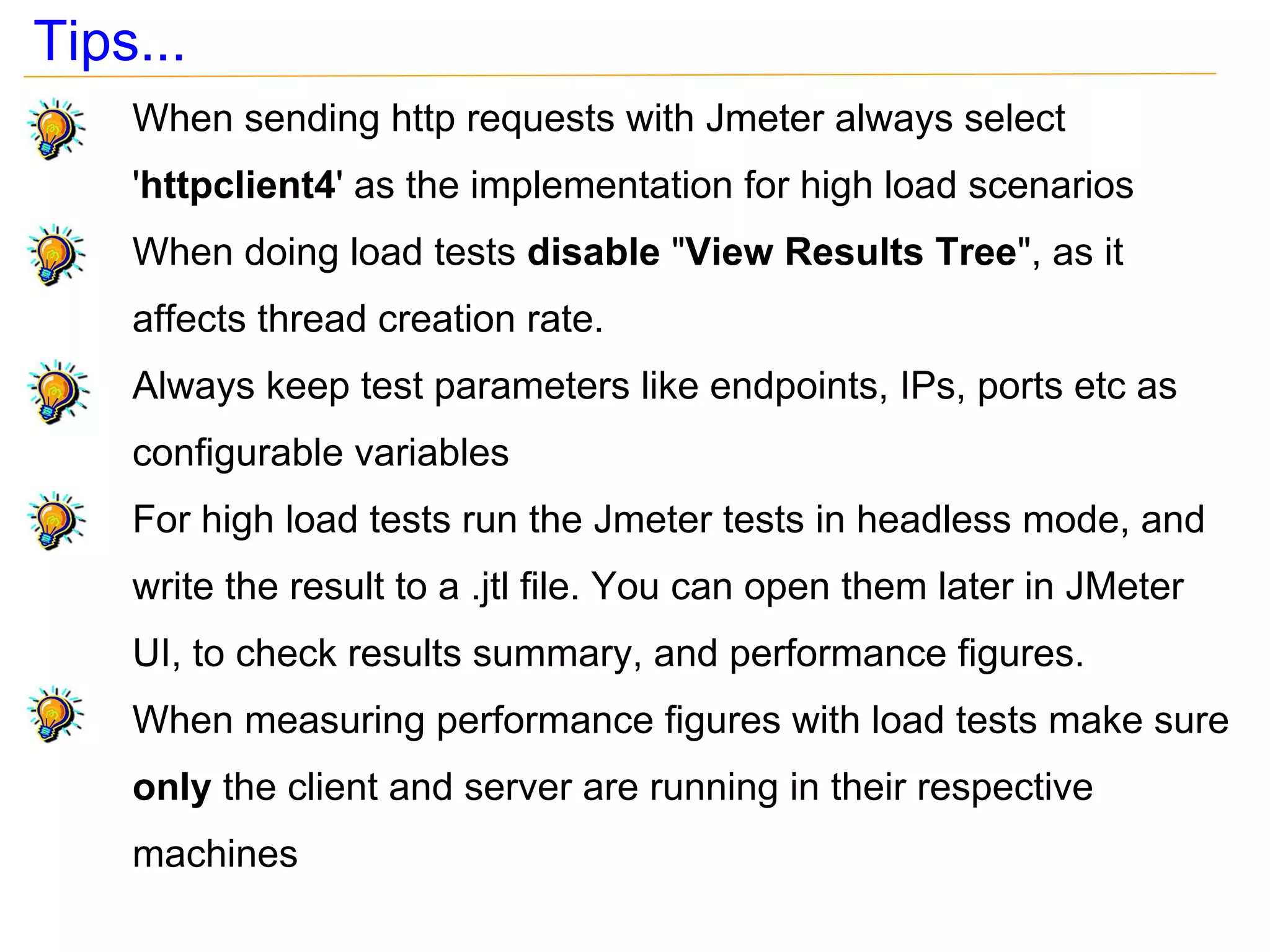
Tips...
    When sending http requests with Jmeter always select
    'httpclient4' as the implementation for high load scenarios
    When doing load tests disable "View Results Tree", as it
    affects thread creation rate.
    Always keep test parameters like endpoints, IPs, ports etc as
    configurable variables
    For high load tests run the Jmeter tests in headless mode, and
    write the result to a .jtl file. You can open them later in JMeter
    UI, to check results summary, and performance figures.
    When measuring performance figures with load tests make sure
    only the client and server are running in their respective
    machines
Tips...
   Other free external plugins are available for Jmeter
    ● Ant plugin   http://www.programmerplanet.org/pages/projects/jmeter-ant-task.php

      Allows you to run JMeter script as an ANT task
      Creates reports
    ● Google plugin       http://code.google.com/p/jmeter-plugins/

      Generates new set of graphs for performance test
      Have some new throughput controlling components
Q&A
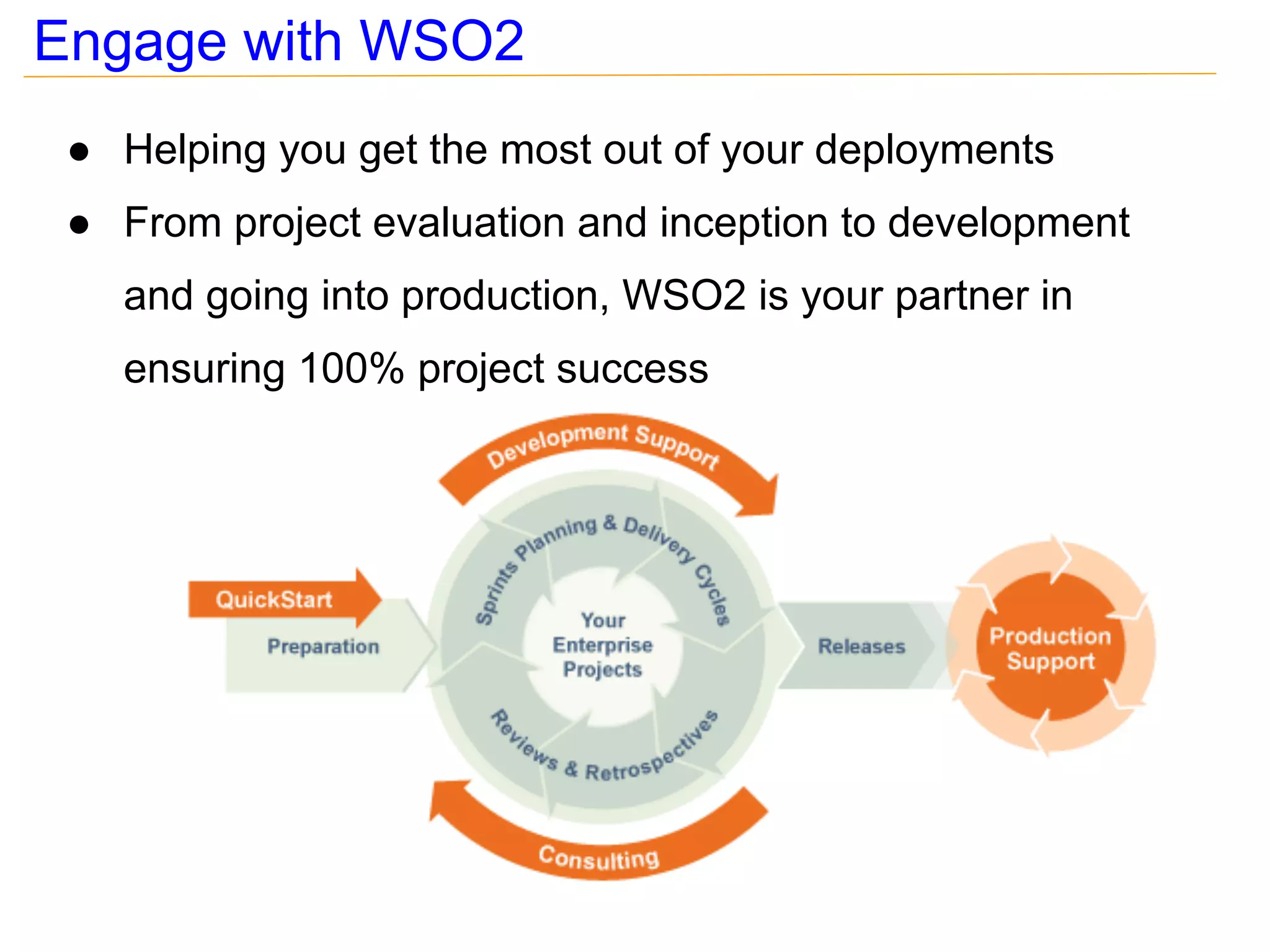
Engage with WSO2
 ● Helping you get the most out of your deployments
 ● From project evaluation and inception to development
   and going into production, WSO2 is your partner in
   ensuring 100% project success
Engage with WSO2
Productivity Acceleration Tools for SOA Testers

Productivity Acceleration Tools for SOA Testers

  • 1.
    Productivity Acceleration Toolsfor SOA Testers Evanthika Amarasiri : Technical Lead - QA Nirodha Gallage : Senior Software Engineer - QA April 2013
  • 2.
    About WSO2 ● Providing the only complete open source componentized cloud platform - Dedicated to removing all the stumbling blocks to enterprise agility - Enabling you to focus on business logic and business value ● Recognized by leading analyst firms as visionaries and leaders - Gartner cites WSO2 as visionaries in all 3 categories of application infrastructure - Forrester places WSO2 in top 2 for API Management ● Global corporation with offices in USA, UK & Sri Lanka - 200+ employees and growing ● Business model of selling comprehensive support & maintenance for our products
  • 3.
    150+ globally positionedsupport customers
  • 4.
    Agenda ● Advantages of using tools for SOA testing ● Choosing the right tool that matches your requirement ● Test Scenarios - soapUI - Apache JMeter ● Tips on tools
  • 5.
    Advantages of usingtools & automation for testing ● No need to re-invent the wheel : Reduce time of writing client programs from scratch ● Reduces time on frequent recursive testing ● Saves time to utilize the specialized knowledge effectively; i.e. to do exploratory testing ● Reduces test execution time : Takes more time if done manually ● Helps to release early & release often ● Reduces the possibility of missing test scenarios ● Ability to do dynamic data driven testing
  • 6.
    Advantages of usingtools & automation for testing Contd... ● Ability to do load/performance testing ● Can generate result summaries and reports easily ● Ability to integrate test suites in build systems and trigger automatically
  • 7.
  • 8.
    soapUI - Whatdoes it support? ● Automated request generation : i.e. Generate SOAP request messages when WSDL is provided ● Ability to validate responses : i.e. assertions ● Support for QoS : i.e. Security, MTOM ● Ability to simulate service providers; i.e. mock services ● Ability to do performance testing ● Supports multiple protocols & message types : i.e. HTTP, HTTPS, REST, JMS, JSON
  • 9.
    Examples with soapUI ● Web Testcase support ● Invoking secured web services with HTTP basic authentication ● Invoking a web services secured with asymmetric binding policy ● Assertions for responses ● Sending HTTP chunk encoded messages ● Executing soapUI test suites/test cases in headless mode ● Testing RESTful APIs
  • 10.
    Web Testcase support ● Allows to test solutions without ?wsdl ● Invoke simple HTTP methods; i.e. GET, POST, etc on different services within the same project.
  • 11.
    Basic Authentication An example Service Provider Service Consumer Service A Service B <GET https://192.168.217.1: 9443/services/HelloService/greet?name=SoapUI HTTP/1.1 Accept-Encoding: gzip,deflate Authorization: Basic ZXZhbjplZWVlZWU= Service C Host: 192.168.217.1:9443 Connection: Keep-Alive User-Agent: Apache-HttpClient/4.1.1 (java 1.5)
  • 12.
    Signing SOAP messages ● Asymmetric binding - message security is provided using asymmetric keys E.g.: public keys. Client signs the message from his private key and encrypts from server's public key Server signs the message from his private key and encrypts from client's public key Server's Client's Client's Server's public key private key public key private key - assures confidentiality, integrity and the non-repudiation
  • 13.
    Increase raw request/responsesize When raw view does not show large messages, configure UI settings ... ... and it will increase - size of raw request messages - size of raw response messages
  • 14.
    Assertions ● Validates responses ● Added to test steps ● Provides different types of assertions; assertions to be done on response message, for HTTP status codes, SOAP faults Add Assertions
  • 15.
    Sending chunked-encoded requests ● Content-Length - The length of the request body in octets POST /services/Axis2Service HTTP/1.1 Accept-Encoding: gzip,deflate Content-Type: text/xml;charset=UTF-8 SOAPAction: "urn:echoInt" Content-Length: 3782 Host: 127.0.0.1:9764 Connection: Keep-Alive User-Agent: Apache-HttpClient/4.1.1 (java 1.5) ● Chunked - Messages are sent in chunks POST /services/Axis2Service HTTP/1.1 Accept-Encoding: gzip,deflate Content-Type: text/xml;charset=UTF-8 SOAPAction: "urn:echoInt" Transfer-Encoding: chunked Host: 127.0.0.1:9764 Connection: Keep-Alive User-Agent: Apache-HttpClient/4.1.1 (java 1.5)
  • 16.
    Headless mode compatibilityof soapUI ● Windows ○ testrunner.bat -s Axis2Service_TestSuite -r -f C:soapUIlogsresponse -I C:soapUIprojectsmy_soapui-project.xml ● Linux ○ testrunner.sh -s Axis2Service_TestSuite -r -f /opt/soapUI/logs/response -I /opt/soapUI/projects/my_soapui-project.xml ● Parameter list s the test suite to run c the test case to run r prints summary report l ignore errors and continue f folder to which test results should be saved
  • 17.
    Testing RESTful APIs ● Scenario 1 - Invoke Login API of WSO2 API Manager
  • 18.
    In which situationswe can use JMeter? ● To simulate multiple user access/ load tests ● For data driven testing ● To analyze & measure performance of services ● To validate responses; i.e. assertions ● To create test suites with real world scenarios which involves executing multiple services sequentially or in parallel ● Support for different transport protocols; i.e. HTTP, HTTPS, JMS, MAIL, FTP, JDBC, LDAP etc
  • 19.
    Testing examples withJMeter Scenario 1 : Testing a web service with dynamic data 1. Send SOAP requests to a Stock Quote web service 2. Need to send dynamic data inputs in the SOAP request 3. Read the response and verify the response is valid 1. Send request to the Web Service 2. Send requests with dynamic inputs Stock Quote service (Currency conversion rate)
  • 20.
    Testing examples withJMeter Scenario 1 : What JMeter components you will need? ● Thread Group ● Sampler > SOAP/XML-RPC Request ● Config Element > CSV Data Set Config ● Assertions > Response Assertion ● Listener > View Results Tree ● Listener > Aggregate Report o Dem
  • 21.
    Testing examples withJMeter Scenario 2 : Testing API's with WSO2 API Manager 1. Call the login API [REST] and acquire an access token 2. Use that access token to invoke the API 3. Read the response and verify the response is correct 1. Invoke Login API Login API (Access Token) 2. Invoke Stock Quote API with the Access Token Stock Quote API (Response)
  • 22.
    Testing examples withJMeter Scenario 2 : What JMeter components you will need? ● Thread Group ● Config Element > HTTP Cookie Manager ● Config Element > User Defined Variables ● Sampler > HTTP Request ● Config Element > HTTP Header Manager ● Post Processors > Regular Expression Extractor ● Assertions > Response Assertion ● Logic Controller > Loop Controller ● Listner > View Results Tree ● Listner > Aggregate Report o Dem
  • 23.
    Testing examples withJMeter Scenario 3 : Running JMeter scripts in 'Headless' mode ● Create it once.... Run it anywhere!!! ● All you need is a JMeter distribution a JRE installed and a command shell ● Linux : ./jmeter.sh -n -t /path/to/JmeterTest.jmx -l /path/to/resultsFile.jtl ● Windows : jmeter.bat -n -t pathtoJmeterTest.jmx -l pathtoresultsFile.jtl ● Use Shell/ Batch scripts to change test parameters and execute programmatically, for recursive test scenarios. Refer : http://nirodhawrites.blogspot.com/2012/06/how-to-run-jmeter-tests-in-non-gui-mode.html
  • 24.
    Tips... When sending http requests with Jmeter always select 'httpclient4' as the implementation for high load scenarios When doing load tests disable "View Results Tree", as it affects thread creation rate. Always keep test parameters like endpoints, IPs, ports etc as configurable variables For high load tests run the Jmeter tests in headless mode, and write the result to a .jtl file. You can open them later in JMeter UI, to check results summary, and performance figures. When measuring performance figures with load tests make sure only the client and server are running in their respective machines
  • 25.
    Tips... Other free external plugins are available for Jmeter ● Ant plugin http://www.programmerplanet.org/pages/projects/jmeter-ant-task.php Allows you to run JMeter script as an ANT task Creates reports ● Google plugin http://code.google.com/p/jmeter-plugins/ Generates new set of graphs for performance test Have some new throughput controlling components
  • 26.
  • 27.
    Engage with WSO2 ● Helping you get the most out of your deployments ● From project evaluation and inception to development and going into production, WSO2 is your partner in ensuring 100% project success
  • 28.