




Production-ready
Next.js App with Cursor
AI
Maurice de Beijer
@mauricedb
© ABL - The Problem Solver 3
 Maurice de Beijer
 The Problem Solver
 Freelance developer/instructor
 Twitter: @mauricedb
 Web: https://www.theproblemsolver.dev/
 E-mail: maurice.de.beijer@gmail.com
What We'll
Build Today
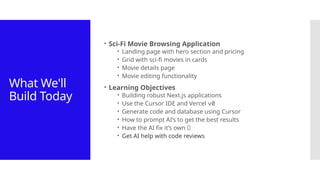
 Sci-Fi Movie Browsing Application
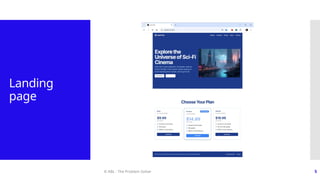
 Landing page with hero section and pricing
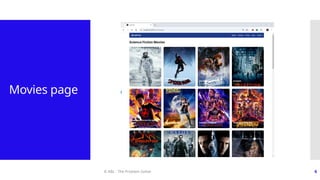
 Grid with sci-fi movies in cards
 Movie details page
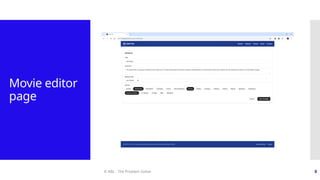
 Movie editing functionality
 Learning Objectives
 Building robust Next.js applications
 Use the Cursor IDE and Vercel v0
 Generate code and database using Cursor
 How to prompt AI’s to get the best results
 Have the AI fix it’s own 🐛
 Get AI help with code reviews
© ABL - The Problem Solver 5
Landing
page
© ABL - The Problem Solver 6
Movies page
© ABL - The Problem Solver 7
Movie details
page
© ABL - The Problem Solver 8
Movie editor
page
© ABL - The Problem Solver 9
Prerequisites
Install Node & NPM
Install the GitHub repository
© ABL - The Problem Solver 10
Install
Node.js &
NPM
© ABL - The Problem Solver 11
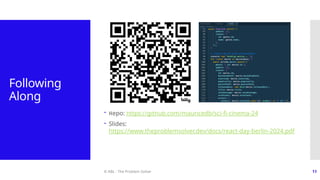
Following
Along
 Repo: https://github.com/mauricedb/sci-fi-cinema-24
 Slides:
https://www.theproblemsolver.dev/docs/react-day-berlin-2024.pdf
© ABL - The Problem Solver 12
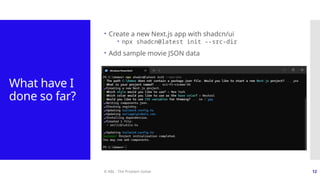
What have I
done so far?
 Create a new Next.js app with shadcn/ui
 npx shadcn@latest init --src-dir
 Add sample movie JSON data
© ABL - The Problem Solver 13
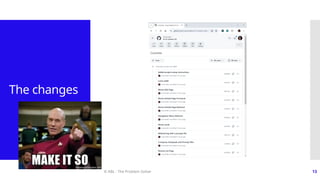
The changes
© ABL - The Problem Solver 14
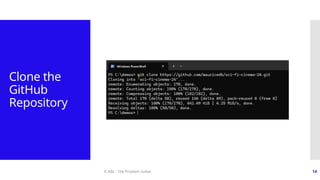
Clone the
GitHub
Repository
© ABL - The Problem Solver 15
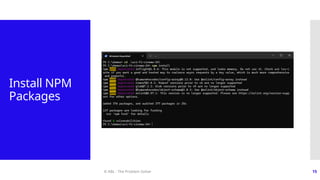
Install NPM
Packages
© ABL - The Problem Solver 16
Start branch  Start with the 00-start branch
 git checkout --track origin/00-start
© ABL - The Problem Solver 17
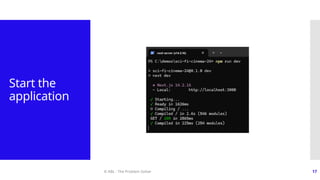
Start the
application
© ABL - The Problem Solver 18
The
application
© ABL - The Problem Solver 19
What is AI-Driven
App Development?
© ABL - The Problem Solver 20
What is AI-
Driven App
Developmen
t?
 Leveraging AI capabilities to streamline and enhance the
app development process
 Focus on creativity, innovation, and higher-level
problem-solving over manual coding
© ABL - The Problem Solver 21
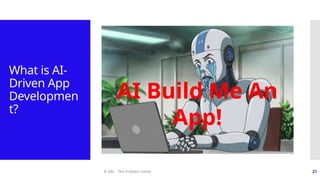
What is AI-
Driven App
Developmen
t?
AI Build Me An
App!
© ABL - The Problem Solver 22
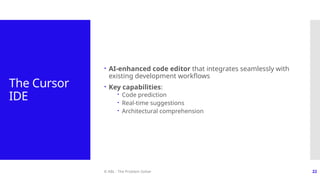
The Cursor
IDE
 AI-enhanced code editor that integrates seamlessly with
existing development workflows
 Key capabilities:
 Code prediction
 Real-time suggestions
 Architectural comprehension
© ABL - The Problem Solver 23
Alternatives
 Visual Studio Code plug-ins
 GitHub Copilot
 Cline
 Editors
 Aider
 Bolt
 Windsurf Editor
© ABL - The Problem Solver 24
Benefits of
AI-Driven
App
Developmen
t
 Reduced coding effort and repetitive tasks
 Faster prototyping and iteration
 Improved developer productivity and creativity
 Consistent, high-quality code generation
© ABL - The Problem Solver 25
Installing Cursor IDE
© ABL - The Problem Solver 26
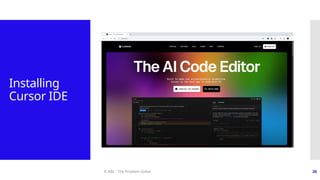
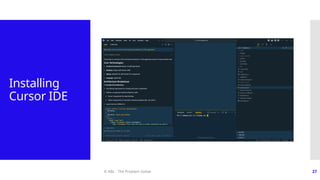
Installing
Cursor IDE
© ABL - The Problem Solver 27
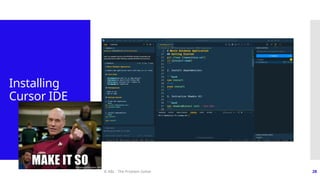
Installing
Cursor IDE
© ABL - The Problem Solver 28
Installing
Cursor IDE
© ABL - The Problem Solver 29
Adding a landing
page
With https://v0.dev/
© ABL - The Problem Solver 30
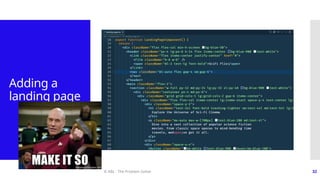
Adding a
landing page
 Vercel https://v0.dev/ is great at generating more
complex UI’s
 Has a preference for Tailwind and Shadcn components
© ABL - The Problem Solver 31
The prompt
Can you create me an appealing landing page for an
application to view popular science fiction movies.
Include the following:
 Header with a nav menu
 Hero section with an image
 Section where the user can choose the wanted subscription
with three appropriate prices.
 Make the middle price stand out as most popular
 Footer with info that the movie data comes from
https://www.themoviedb.org/
 Use a blue theme
© ABL - The Problem Solver 32
Adding a
landing page
© ABL - The Problem Solver 33
The Cursor AI Tools
© ABL - The Problem Solver 34
The Cursor
AI
Tools/Panels
 Cursor Tab
 Cursor Prompt Bar (Command K)
 Cursor Chat (Command L)
 Cursor Composer (Command I)
© ABL - The Problem Solver 35
Cursor Tab
• Cursor Tab enhances coding with AI-powered
autocomplete
• Like GitHub Copilot but multi line, code changes and
predictions
• Key Features:
• Predicts your next edit, allowing you to breeze through
changes
• Lets you tab through suggested code completions
• Provides intelligent autocomplete functionality
• When to Use:
• During active coding sessions
• When you want to speed up your coding process
• For quick code completions and predictions
© ABL - The Problem Solver 36
Cursor
Prompt Bar
• The Prompt Bar is for quick AI-assisted code generation
and editing
• Key Features:
• Allows inline code generation and editing
• Provides context-aware suggestions
• Supports follow-up instructions for refinement
• Enables quick questions about selected code
• When to Use:
• For rapid code generation without switching context
• To make AI-assisted edits to existing code
• When you need quick answers about specific code sections
• To generate terminal commands in plain English
© ABL - The Problem Solver 37
Cursor Chat
• The Chat panel in Cursor serves as an AI-powered
coding assistant
• Key Features:
• Allows you to get answers from your codebase
• Enables you to refer to files or documentation
• Offers the ability to use the model's code suggestions with
one click
• When to Use:
• When you need clarification on your codebase
• To quickly access relevant documentation
• For getting AI-generated code suggestions
© ABL - The Problem Solver 38
Cursor
Composer
• The Composer panel in Cursor empowers you to write
and modify code using natural language instructions
• Key Features:
• Lets you write code using simple prompts or instructions
• Enables updating entire classes or functions with a single
prompt
• Understands your codebase context
• When to Use:
• When you want to make broad changes to your code
• For generating new code sections based on descriptions
• To refactor or update existing code structures quickly
© ABL - The Problem Solver 39
🔥Pro tip
 Break large tasks up into smaller ones
 Just like you divide an epic into more manageable user
stories
 Tell Cursor to ask you questions about what to do
 Just like you would during a refinement
 Create frequent Git commits
 Makes it easy to go back to a previous state
 Consider adding Playwright E2E test
 Sometimes the AI agent makes unintended changes
© ABL - The Problem Solver 40
Adding Prisma
© ABL - The Problem Solver 41
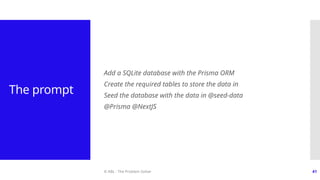
The prompt
Add a SQLite database with the Prisma ORM
Create the required tables to store the data in
Seed the database with the data in @seed-data
@Prisma @NextJS
© ABL - The Problem Solver 42
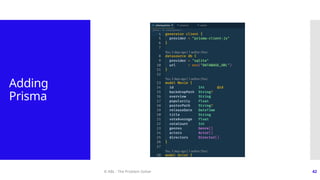
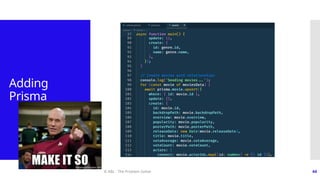
Adding
Prisma
© ABL - The Problem Solver 43
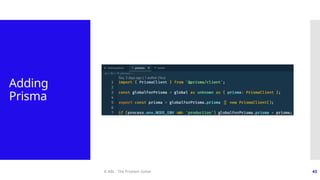
Adding
Prisma
© ABL - The Problem Solver 44
Adding
Prisma
© ABL - The Problem Solver 45
10-minute
break
© ABL - The Problem Solver 46
Using Rules for AI &
.cursorrules files
© ABL - The Problem Solver 47
Using Rules
for AI
 Rules for AI instructions are standard instructions to the
AI agent
 On a per user basis
 Add project-specific instructions to a .cursorrules file
 Committed in GitHub
 See:
 https://cursor.directory
 https://cursorlist.com
 https://dotcursorrules.com
© ABL - The Problem Solver 48
The prompt
Add a section about using Prisma and using Prisma best
practices with Next.js and SQLLite
Also add the fact that we are using the Next.js `./src` folder
@Prisma @NextJS
© ABL - The Problem Solver 49
Using Rules
for AI
© ABL - The Problem Solver 50
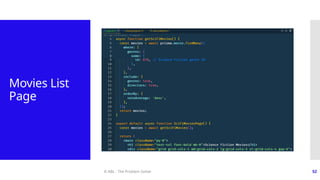
Movies List Page
© ABL - The Problem Solver 51
The prompt
Add a new movies list route `/sci-fi-movies`.
Display a list of all science fiction movies from the database.
Ask any questions you might have.
© ABL - The Problem Solver 52
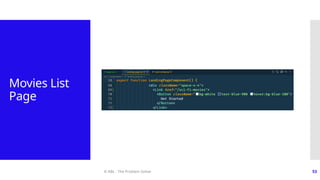
Movies List
Page
© ABL - The Problem Solver 53
Movies List
Page
© ABL - The Problem Solver 54
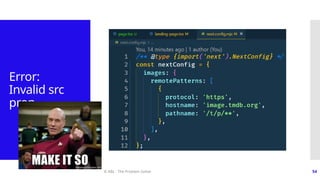
Error:
Invalid src
prop
© ABL - The Problem Solver 55
Composer Notepads
© ABL - The Problem Solver 56
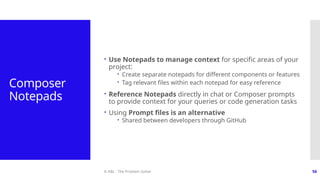
Composer
Notepads
 Use Notepads to manage context for specific areas of your
project:
 Create separate notepads for different components or features
 Tag relevant files within each notepad for easy reference
 Reference Notepads directly in chat or Composer prompts
to provide context for your queries or code generation tasks
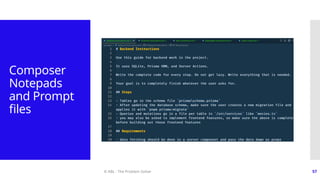
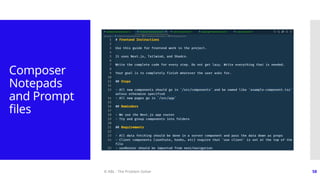
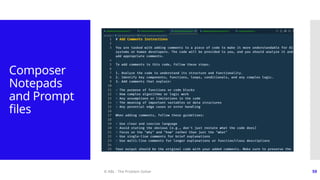
 Using Prompt files is an alternative
 Shared between developers through GitHub
© ABL - The Problem Solver 57
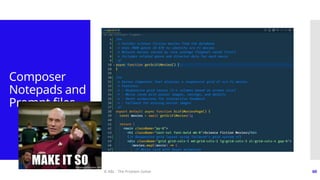
Composer
Notepads
and Prompt
files
© ABL - The Problem Solver 58
Composer
Notepads
and Prompt
files
© ABL - The Problem Solver 59
Composer
Notepads
and Prompt
files
© ABL - The Problem Solver 60
Composer
Notepads and
Prompt files
© ABL - The Problem Solver 61
Refactoring with a
prompt file
© ABL - The Problem Solver 62
The prompt
Refactor this file and move the `getSciFiMovies()` function to the
proper location.
@backend-instructions.md
© ABL - The Problem Solver 63
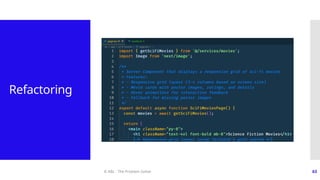
Refactoring
© ABL - The Problem Solver 64
Refactoring
© ABL - The Problem Solver 65
10-minute
break
© ABL - The Problem Solver 66
Responsive Grid &
Movie cards
© ABL - The Problem Solver 67
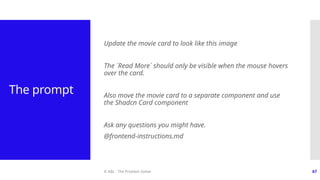
The prompt
Update the movie card to look like this image
The `Read More` should only be visible when the mouse hovers
over the card.
Also move the movie card to a separate component and use
the Shadcn Card component
Ask any questions you might have.
@frontend-instructions.md
© ABL - The Problem Solver 68
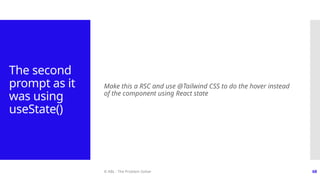
The second
prompt as it
was using
useState()
Make this a RSC and use @Tailwind CSS to do the hover instead
of the component using React state
© ABL - The Problem Solver 69
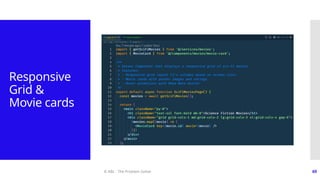
Responsive
Grid &
Movie cards
© ABL - The Problem Solver 70
Responsive
Grid & Movie
cards
© ABL - The Problem Solver 71
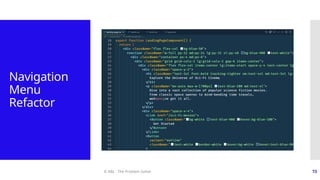
Navigation Menu
Refactor
© ABL - The Problem Solver 72
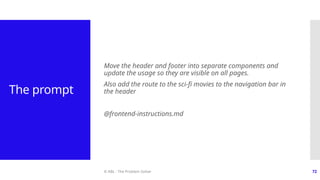
The prompt
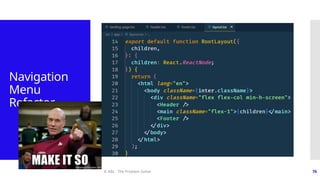
Move the header and footer into separate components and
update the usage so they are visible on all pages.
Also add the route to the sci-fi movies to the navigation bar in
the header
@frontend-instructions.md
© ABL - The Problem Solver 73
Navigation
Menu
Refactor
© ABL - The Problem Solver 74
Navigation
Menu
Refactor
75
Navigation
Menu
Refactor
© ABL - The Problem Solver
© ABL - The Problem Solver 76
Navigation
Menu
Refactor
© ABL - The Problem Solver 77
Code Reviews
© ABL - The Problem Solver 78
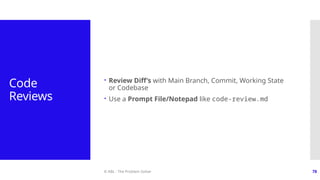
Code
Reviews
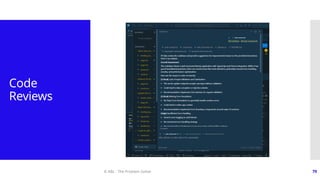
 Review Diff’s with Main Branch, Commit, Working State
or Codebase
 Use a Prompt File/Notepad like code-review.md
© ABL - The Problem Solver 79
Code
Reviews
© ABL - The Problem Solver 80
10-minute
break
© ABL - The Problem Solver 81
Movie Details Page
© ABL - The Problem Solver 82
The prompt
I want to add a route to inspect all the details available in the
database for a single movie.
Create a query I can use to load the object in page I will create
next.
@backend-instructions.md
© ABL - The Problem Solver 83
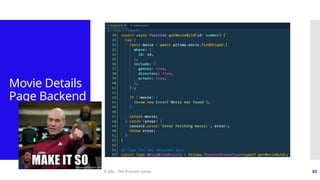
Movie Details
Page Backend
© ABL - The Problem Solver 84
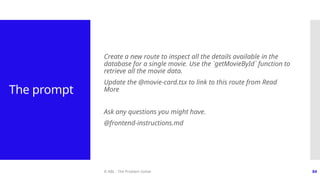
The prompt
Create a new route to inspect all the details available in the
database for a single movie. Use the `getMovieById` function to
retrieve all the movie data.
Update the @movie-card.tsx to link to this route from Read
More
Ask any questions you might have.
@frontend-instructions.md
© ABL - The Problem Solver 85
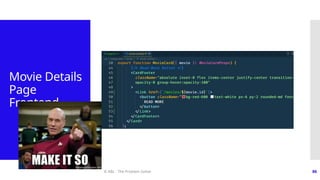
Movie
Details Page
Frontend
© ABL - The Problem Solver 86
Movie Details
Page
Frontend
© ABL - The Problem Solver 87
Movie Edit Page
© ABL - The Problem Solver 88
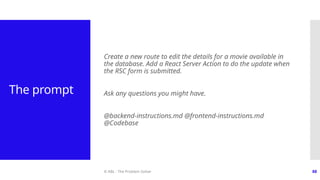
The prompt
Create a new route to edit the details for a movie available in
the database. Add a React Server Action to do the update when
the RSC form is submitted.
Ask any questions you might have.
@backend-instructions.md @frontend-instructions.md
@Codebase
© ABL - The Problem Solver 89
Movie Edit
Page
© ABL - The Problem Solver 90
But there is more 😊
© ABL - The Problem Solver 91
But there is
more 😊
 Use AI to create product requirements
 Use AI to estimate the effort
 Use AI to design the architecture
 Use AI to create a project plan
 Use AI to write user stories and acceptance criteria
 Use AI to write README files
 Use AI to draw diagrams
 👉 Use Mermaid syntax to directly embed in GitHub
Markdown
 Use AI to generate Playwright end to end tests
 Use AI to create …
© ABL - The Problem Solver 92
Recommendations with
AI-Driven App
Development
© ABL - The Problem Solver 93
Recommendatio
ns
 The AI is a junior software engineer at best
 Give it small focused steps for best results
 Give the AI as much context as possible
 Using a .cursorrules and prompt files
 Break larger steps up into small focused ones
 Let Cursor known it can ask you questions
 Commit to Git after each small step you are happy with
 Review the AI generated code like a junior developer
 But remember it doesn’t learn from a chat conversation
© ABL - The Problem Solver 94
When not to
use AI?
 Don’t treat AI as a silver bullet
 Some tasks are easier to just do manually
 Be careful with generating critical code
 An AI might not consider all implications
 When dealing with legacy system
 The AI is probably not aware about the system and will
hallucinate
© ABL - The Problem Solver 95
Conclusion
 Using AI tools will make software engineers more
productive
 But won’t replace them any time soon (if ever)
 AI tools are like a junior software engineer at the
moment
 It needs a lot of guidance and assistance
© ABL - The Problem Solver 96
Thank you for joining
Share your
thoughts

Production-ready Next.js App with Cursor AI

  • 2.
    Production-ready Next.js App withCursor AI Maurice de Beijer @mauricedb
  • 3.
    © ABL -The Problem Solver 3  Maurice de Beijer  The Problem Solver  Freelance developer/instructor  Twitter: @mauricedb  Web: https://www.theproblemsolver.dev/  E-mail: maurice.de.beijer@gmail.com
  • 4.
    What We'll Build Today Sci-Fi Movie Browsing Application  Landing page with hero section and pricing  Grid with sci-fi movies in cards  Movie details page  Movie editing functionality  Learning Objectives  Building robust Next.js applications  Use the Cursor IDE and Vercel v0  Generate code and database using Cursor  How to prompt AI’s to get the best results  Have the AI fix it’s own 🐛  Get AI help with code reviews
  • 5.
    © ABL -The Problem Solver 5 Landing page
  • 6.
    © ABL -The Problem Solver 6 Movies page
  • 7.
    © ABL -The Problem Solver 7 Movie details page
  • 8.
    © ABL -The Problem Solver 8 Movie editor page
  • 9.
    © ABL -The Problem Solver 9 Prerequisites Install Node & NPM Install the GitHub repository
  • 10.
    © ABL -The Problem Solver 10 Install Node.js & NPM
  • 11.
    © ABL -The Problem Solver 11 Following Along  Repo: https://github.com/mauricedb/sci-fi-cinema-24  Slides: https://www.theproblemsolver.dev/docs/react-day-berlin-2024.pdf
  • 12.
    © ABL -The Problem Solver 12 What have I done so far?  Create a new Next.js app with shadcn/ui  npx shadcn@latest init --src-dir  Add sample movie JSON data
  • 13.
    © ABL -The Problem Solver 13 The changes
  • 14.
    © ABL -The Problem Solver 14 Clone the GitHub Repository
  • 15.
    © ABL -The Problem Solver 15 Install NPM Packages
  • 16.
    © ABL -The Problem Solver 16 Start branch  Start with the 00-start branch  git checkout --track origin/00-start
  • 17.
    © ABL -The Problem Solver 17 Start the application
  • 18.
    © ABL -The Problem Solver 18 The application
  • 19.
    © ABL -The Problem Solver 19 What is AI-Driven App Development?
  • 20.
    © ABL -The Problem Solver 20 What is AI- Driven App Developmen t?  Leveraging AI capabilities to streamline and enhance the app development process  Focus on creativity, innovation, and higher-level problem-solving over manual coding
  • 21.
    © ABL -The Problem Solver 21 What is AI- Driven App Developmen t? AI Build Me An App!
  • 22.
    © ABL -The Problem Solver 22 The Cursor IDE  AI-enhanced code editor that integrates seamlessly with existing development workflows  Key capabilities:  Code prediction  Real-time suggestions  Architectural comprehension
  • 23.
    © ABL -The Problem Solver 23 Alternatives  Visual Studio Code plug-ins  GitHub Copilot  Cline  Editors  Aider  Bolt  Windsurf Editor
  • 24.
    © ABL -The Problem Solver 24 Benefits of AI-Driven App Developmen t  Reduced coding effort and repetitive tasks  Faster prototyping and iteration  Improved developer productivity and creativity  Consistent, high-quality code generation
  • 25.
    © ABL -The Problem Solver 25 Installing Cursor IDE
  • 26.
    © ABL -The Problem Solver 26 Installing Cursor IDE
  • 27.
    © ABL -The Problem Solver 27 Installing Cursor IDE
  • 28.
    © ABL -The Problem Solver 28 Installing Cursor IDE
  • 29.
    © ABL -The Problem Solver 29 Adding a landing page With https://v0.dev/
  • 30.
    © ABL -The Problem Solver 30 Adding a landing page  Vercel https://v0.dev/ is great at generating more complex UI’s  Has a preference for Tailwind and Shadcn components
  • 31.
    © ABL -The Problem Solver 31 The prompt Can you create me an appealing landing page for an application to view popular science fiction movies. Include the following:  Header with a nav menu  Hero section with an image  Section where the user can choose the wanted subscription with three appropriate prices.  Make the middle price stand out as most popular  Footer with info that the movie data comes from https://www.themoviedb.org/  Use a blue theme
  • 32.
    © ABL -The Problem Solver 32 Adding a landing page
  • 33.
    © ABL -The Problem Solver 33 The Cursor AI Tools
  • 34.
    © ABL -The Problem Solver 34 The Cursor AI Tools/Panels  Cursor Tab  Cursor Prompt Bar (Command K)  Cursor Chat (Command L)  Cursor Composer (Command I)
  • 35.
    © ABL -The Problem Solver 35 Cursor Tab • Cursor Tab enhances coding with AI-powered autocomplete • Like GitHub Copilot but multi line, code changes and predictions • Key Features: • Predicts your next edit, allowing you to breeze through changes • Lets you tab through suggested code completions • Provides intelligent autocomplete functionality • When to Use: • During active coding sessions • When you want to speed up your coding process • For quick code completions and predictions
  • 36.
    © ABL -The Problem Solver 36 Cursor Prompt Bar • The Prompt Bar is for quick AI-assisted code generation and editing • Key Features: • Allows inline code generation and editing • Provides context-aware suggestions • Supports follow-up instructions for refinement • Enables quick questions about selected code • When to Use: • For rapid code generation without switching context • To make AI-assisted edits to existing code • When you need quick answers about specific code sections • To generate terminal commands in plain English
  • 37.
    © ABL -The Problem Solver 37 Cursor Chat • The Chat panel in Cursor serves as an AI-powered coding assistant • Key Features: • Allows you to get answers from your codebase • Enables you to refer to files or documentation • Offers the ability to use the model's code suggestions with one click • When to Use: • When you need clarification on your codebase • To quickly access relevant documentation • For getting AI-generated code suggestions
  • 38.
    © ABL -The Problem Solver 38 Cursor Composer • The Composer panel in Cursor empowers you to write and modify code using natural language instructions • Key Features: • Lets you write code using simple prompts or instructions • Enables updating entire classes or functions with a single prompt • Understands your codebase context • When to Use: • When you want to make broad changes to your code • For generating new code sections based on descriptions • To refactor or update existing code structures quickly
  • 39.
    © ABL -The Problem Solver 39 🔥Pro tip  Break large tasks up into smaller ones  Just like you divide an epic into more manageable user stories  Tell Cursor to ask you questions about what to do  Just like you would during a refinement  Create frequent Git commits  Makes it easy to go back to a previous state  Consider adding Playwright E2E test  Sometimes the AI agent makes unintended changes
  • 40.
    © ABL -The Problem Solver 40 Adding Prisma
  • 41.
    © ABL -The Problem Solver 41 The prompt Add a SQLite database with the Prisma ORM Create the required tables to store the data in Seed the database with the data in @seed-data @Prisma @NextJS
  • 42.
    © ABL -The Problem Solver 42 Adding Prisma
  • 43.
    © ABL -The Problem Solver 43 Adding Prisma
  • 44.
    © ABL -The Problem Solver 44 Adding Prisma
  • 45.
    © ABL -The Problem Solver 45 10-minute break
  • 46.
    © ABL -The Problem Solver 46 Using Rules for AI & .cursorrules files
  • 47.
    © ABL -The Problem Solver 47 Using Rules for AI  Rules for AI instructions are standard instructions to the AI agent  On a per user basis  Add project-specific instructions to a .cursorrules file  Committed in GitHub  See:  https://cursor.directory  https://cursorlist.com  https://dotcursorrules.com
  • 48.
    © ABL -The Problem Solver 48 The prompt Add a section about using Prisma and using Prisma best practices with Next.js and SQLLite Also add the fact that we are using the Next.js `./src` folder @Prisma @NextJS
  • 49.
    © ABL -The Problem Solver 49 Using Rules for AI
  • 50.
    © ABL -The Problem Solver 50 Movies List Page
  • 51.
    © ABL -The Problem Solver 51 The prompt Add a new movies list route `/sci-fi-movies`. Display a list of all science fiction movies from the database. Ask any questions you might have.
  • 52.
    © ABL -The Problem Solver 52 Movies List Page
  • 53.
    © ABL -The Problem Solver 53 Movies List Page
  • 54.
    © ABL -The Problem Solver 54 Error: Invalid src prop
  • 55.
    © ABL -The Problem Solver 55 Composer Notepads
  • 56.
    © ABL -The Problem Solver 56 Composer Notepads  Use Notepads to manage context for specific areas of your project:  Create separate notepads for different components or features  Tag relevant files within each notepad for easy reference  Reference Notepads directly in chat or Composer prompts to provide context for your queries or code generation tasks  Using Prompt files is an alternative  Shared between developers through GitHub
  • 57.
    © ABL -The Problem Solver 57 Composer Notepads and Prompt files
  • 58.
    © ABL -The Problem Solver 58 Composer Notepads and Prompt files
  • 59.
    © ABL -The Problem Solver 59 Composer Notepads and Prompt files
  • 60.
    © ABL -The Problem Solver 60 Composer Notepads and Prompt files
  • 61.
    © ABL -The Problem Solver 61 Refactoring with a prompt file
  • 62.
    © ABL -The Problem Solver 62 The prompt Refactor this file and move the `getSciFiMovies()` function to the proper location. @backend-instructions.md
  • 63.
    © ABL -The Problem Solver 63 Refactoring
  • 64.
    © ABL -The Problem Solver 64 Refactoring
  • 65.
    © ABL -The Problem Solver 65 10-minute break
  • 66.
    © ABL -The Problem Solver 66 Responsive Grid & Movie cards
  • 67.
    © ABL -The Problem Solver 67 The prompt Update the movie card to look like this image The `Read More` should only be visible when the mouse hovers over the card. Also move the movie card to a separate component and use the Shadcn Card component Ask any questions you might have. @frontend-instructions.md
  • 68.
    © ABL -The Problem Solver 68 The second prompt as it was using useState() Make this a RSC and use @Tailwind CSS to do the hover instead of the component using React state
  • 69.
    © ABL -The Problem Solver 69 Responsive Grid & Movie cards
  • 70.
    © ABL -The Problem Solver 70 Responsive Grid & Movie cards
  • 71.
    © ABL -The Problem Solver 71 Navigation Menu Refactor
  • 72.
    © ABL -The Problem Solver 72 The prompt Move the header and footer into separate components and update the usage so they are visible on all pages. Also add the route to the sci-fi movies to the navigation bar in the header @frontend-instructions.md
  • 73.
    © ABL -The Problem Solver 73 Navigation Menu Refactor
  • 74.
    © ABL -The Problem Solver 74 Navigation Menu Refactor
  • 75.
  • 76.
    © ABL -The Problem Solver 76 Navigation Menu Refactor
  • 77.
    © ABL -The Problem Solver 77 Code Reviews
  • 78.
    © ABL -The Problem Solver 78 Code Reviews  Review Diff’s with Main Branch, Commit, Working State or Codebase  Use a Prompt File/Notepad like code-review.md
  • 79.
    © ABL -The Problem Solver 79 Code Reviews
  • 80.
    © ABL -The Problem Solver 80 10-minute break
  • 81.
    © ABL -The Problem Solver 81 Movie Details Page
  • 82.
    © ABL -The Problem Solver 82 The prompt I want to add a route to inspect all the details available in the database for a single movie. Create a query I can use to load the object in page I will create next. @backend-instructions.md
  • 83.
    © ABL -The Problem Solver 83 Movie Details Page Backend
  • 84.
    © ABL -The Problem Solver 84 The prompt Create a new route to inspect all the details available in the database for a single movie. Use the `getMovieById` function to retrieve all the movie data. Update the @movie-card.tsx to link to this route from Read More Ask any questions you might have. @frontend-instructions.md
  • 85.
    © ABL -The Problem Solver 85 Movie Details Page Frontend
  • 86.
    © ABL -The Problem Solver 86 Movie Details Page Frontend
  • 87.
    © ABL -The Problem Solver 87 Movie Edit Page
  • 88.
    © ABL -The Problem Solver 88 The prompt Create a new route to edit the details for a movie available in the database. Add a React Server Action to do the update when the RSC form is submitted. Ask any questions you might have. @backend-instructions.md @frontend-instructions.md @Codebase
  • 89.
    © ABL -The Problem Solver 89 Movie Edit Page
  • 90.
    © ABL -The Problem Solver 90 But there is more 😊
  • 91.
    © ABL -The Problem Solver 91 But there is more 😊  Use AI to create product requirements  Use AI to estimate the effort  Use AI to design the architecture  Use AI to create a project plan  Use AI to write user stories and acceptance criteria  Use AI to write README files  Use AI to draw diagrams  👉 Use Mermaid syntax to directly embed in GitHub Markdown  Use AI to generate Playwright end to end tests  Use AI to create …
  • 92.
    © ABL -The Problem Solver 92 Recommendations with AI-Driven App Development
  • 93.
    © ABL -The Problem Solver 93 Recommendatio ns  The AI is a junior software engineer at best  Give it small focused steps for best results  Give the AI as much context as possible  Using a .cursorrules and prompt files  Break larger steps up into small focused ones  Let Cursor known it can ask you questions  Commit to Git after each small step you are happy with  Review the AI generated code like a junior developer  But remember it doesn’t learn from a chat conversation
  • 94.
    © ABL -The Problem Solver 94 When not to use AI?  Don’t treat AI as a silver bullet  Some tasks are easier to just do manually  Be careful with generating critical code  An AI might not consider all implications  When dealing with legacy system  The AI is probably not aware about the system and will hallucinate
  • 95.
    © ABL -The Problem Solver 95 Conclusion  Using AI tools will make software engineers more productive  But won’t replace them any time soon (if ever)  AI tools are like a junior software engineer at the moment  It needs a lot of guidance and assistance
  • 96.
    © ABL -The Problem Solver 96 Thank you for joining Share your thoughts