Introduction to Processes
CS 537 - Intoduction to Operating Systems
Definition
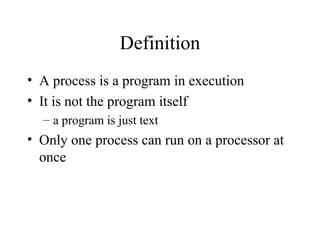
• A process is a program in execution
• It is not the program itself
– a program is just text
• Only one process can run on a processor at
once
Process Description
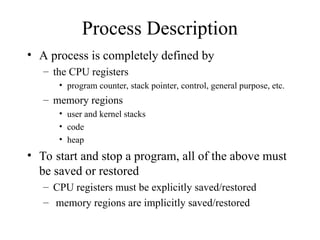
• A process is completely defined by
– the CPU registers
• program counter, stack pointer, control, general purpose, etc.
– memory regions
• user and kernel stacks
• code
• heap
• To start and stop a program, all of the above must
be saved or restored
– CPU registers must be explicitly saved/restored
– memory regions are implicitly saved/restored
Memory Regions of a Process
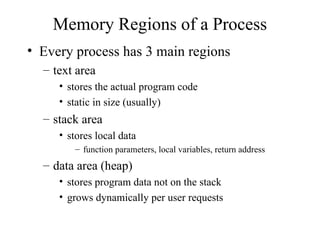
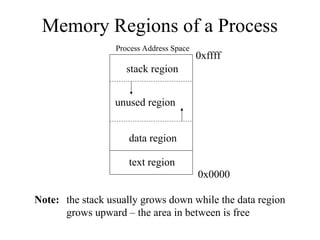
• Every process has 3 main regions
– text area
• stores the actual program code
• static in size (usually)
– stack area
• stores local data
– function parameters, local variables, return address
– data area (heap)
• stores program data not on the stack
• grows dynamically per user requests
Memory Regions of a Process
Process Address Space
0x0000
0xffff
text region
data region
stack region
unused region
Note: the stack usually grows down while the data region
grows upward – the area in between is free
User vs. Kernel Stack
• Each process gets its own user stack
– resides in user space
– manipulated by the process itself
• In Linux, each process gets its own kernel
stack
– resides in kernel space
– manipulated by the operating system
– used by the OS to handle system calls and
interrupts that occur while the process is
running
User Stack
Method: main
Return: halt
Param: command line
Local: grade[5], num
Function: check
Return: main call inst
Param: grade
Local: hi, low, avg
Function: printAvg
Return: check call inst
Param: avg
Local: none
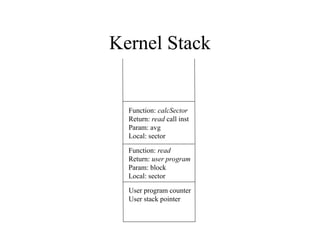
Kernel Stack
User program counter
User stack pointer
Function: read
Return: user program
Param: block
Local: sector
Function: calcSector
Return: read call inst
Param: avg
Local: sector
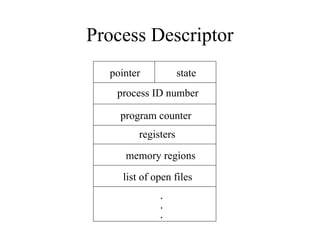
Process Descriptor
• OS data structure that holds all necessary
information for a process
– process state
– CPU registers
– memory regions
– pointers for lists (queues)
– etc.
Process Descriptor
pointer state
process ID number
program counter
registers
memory regions
list of open files
.
.
.
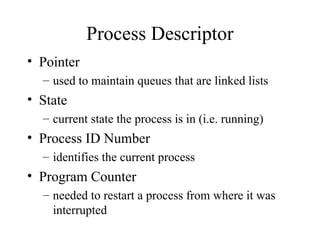
Process Descriptor
• Pointer
– used to maintain queues that are linked lists
• State
– current state the process is in (i.e. running)
• Process ID Number
– identifies the current process
• Program Counter
– needed to restart a process from where it was
interrupted
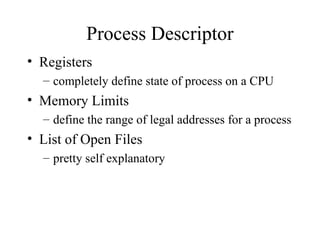
Process Descriptor
• Registers
– completely define state of process on a CPU
• Memory Limits
– define the range of legal addresses for a process
• List of Open Files
– pretty self explanatory
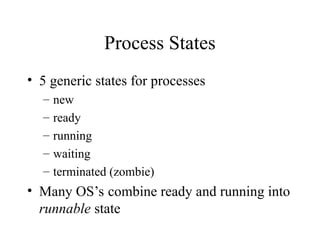
Process States
• 5 generic states for processes
– new
– ready
– running
– waiting
– terminated (zombie)
• Many OS’s combine ready and running into
runnable state
Process Queues
• Every process belongs to some queue
– implemented as linked list
– use the pointer field in the process descriptor
• Ready queue
– list of jobs that are ready to run
• Waiting queues
– any job that is not ready to run is waiting on some
event
• I/O, semaphores, communication, etc.
– each of these events gets its own queue
• Queue management and ordering can be important
– more on this later
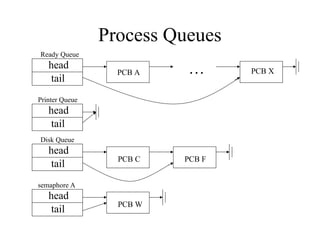
Process Queues
head
tail
head
tail
head
tail
head
tail
. . .
PCB A PCB X
PCB F
PCB C
PCB W
Ready Queue
Printer Queue
semaphore A
Disk Queue
Creating Processes
• Parent process creates a child proces
– results in a tree
• Execution options
– parent and child execute concurrently
– parent waits for child to terminate
• Address space options
– child gets its own memory
– child gets a subset of parents memory
Creating Processes in Unix
• fork() system call
– creates exact copy of parent
– only thing different is return address
• child gets 0
• parent gets child ID
– child may be a heavyweight process
• has its own address space
• runs concurrently with parent
– child may be a lightweight process
• shares address space with parent (and siblings)
• still has its own execution context and runs
concurrently with parent
Creating Processes in Unix
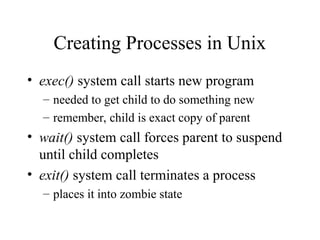
• exec() system call starts new program
– needed to get child to do something new
– remember, child is exact copy of parent
• wait() system call forces parent to suspend
until child completes
• exit() system call terminates a process
– places it into zombie state
Creating Processes in Unix
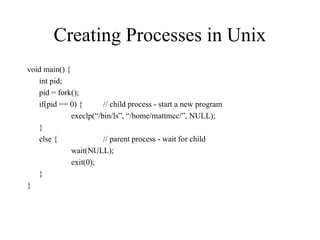
void main() {
int pid;
pid = fork();
if(pid == 0) { // child process - start a new program
execlp(“/bin/ls”, “/home/mattmcc/”, NULL);
}
else { // parent process - wait for child
wait(NULL);
exit(0);
}
}
Destroying a Process
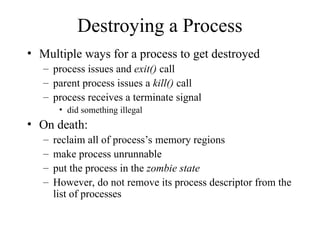
• Multiple ways for a process to get destroyed
– process issues and exit() call
– parent process issues a kill() call
– process receives a terminate signal
• did something illegal
• On death:
– reclaim all of process’s memory regions
– make process unrunnable
– put the process in the zombie state
– However, do not remove its process descriptor from the
list of processes
Zombie State
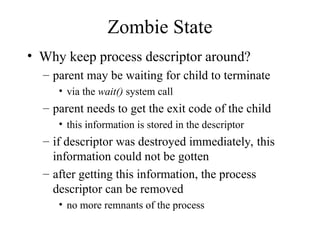
• Why keep process descriptor around?
– parent may be waiting for child to terminate
• via the wait() system call
– parent needs to get the exit code of the child
• this information is stored in the descriptor
– if descriptor was destroyed immediately, this
information could not be gotten
– after getting this information, the process
descriptor can be removed
• no more remnants of the process
init Process
• This is one of the first processes spawned
by the OS
– is an ancestor to all other processes
• Runs in the background and does clean-up
– looks for zombie’s whose parents have not
issued a wait()
• removes them from the system
– looks for processes whose parents have died
• adopts them as its own

Processes this has stuff about processes and deifntions.ppt

  • 1.
    Introduction to Processes CS537 - Intoduction to Operating Systems
  • 2.
    Definition • A processis a program in execution • It is not the program itself – a program is just text • Only one process can run on a processor at once
  • 3.
    Process Description • Aprocess is completely defined by – the CPU registers • program counter, stack pointer, control, general purpose, etc. – memory regions • user and kernel stacks • code • heap • To start and stop a program, all of the above must be saved or restored – CPU registers must be explicitly saved/restored – memory regions are implicitly saved/restored
  • 4.
    Memory Regions ofa Process • Every process has 3 main regions – text area • stores the actual program code • static in size (usually) – stack area • stores local data – function parameters, local variables, return address – data area (heap) • stores program data not on the stack • grows dynamically per user requests
  • 5.
    Memory Regions ofa Process Process Address Space 0x0000 0xffff text region data region stack region unused region Note: the stack usually grows down while the data region grows upward – the area in between is free
  • 6.
    User vs. KernelStack • Each process gets its own user stack – resides in user space – manipulated by the process itself • In Linux, each process gets its own kernel stack – resides in kernel space – manipulated by the operating system – used by the OS to handle system calls and interrupts that occur while the process is running
  • 7.
    User Stack Method: main Return:halt Param: command line Local: grade[5], num Function: check Return: main call inst Param: grade Local: hi, low, avg Function: printAvg Return: check call inst Param: avg Local: none
  • 8.
    Kernel Stack User programcounter User stack pointer Function: read Return: user program Param: block Local: sector Function: calcSector Return: read call inst Param: avg Local: sector
  • 9.
    Process Descriptor • OSdata structure that holds all necessary information for a process – process state – CPU registers – memory regions – pointers for lists (queues) – etc.
  • 10.
    Process Descriptor pointer state processID number program counter registers memory regions list of open files . . .
  • 11.
    Process Descriptor • Pointer –used to maintain queues that are linked lists • State – current state the process is in (i.e. running) • Process ID Number – identifies the current process • Program Counter – needed to restart a process from where it was interrupted
  • 12.
    Process Descriptor • Registers –completely define state of process on a CPU • Memory Limits – define the range of legal addresses for a process • List of Open Files – pretty self explanatory
  • 13.
    Process States • 5generic states for processes – new – ready – running – waiting – terminated (zombie) • Many OS’s combine ready and running into runnable state
  • 14.
    Process Queues • Everyprocess belongs to some queue – implemented as linked list – use the pointer field in the process descriptor • Ready queue – list of jobs that are ready to run • Waiting queues – any job that is not ready to run is waiting on some event • I/O, semaphores, communication, etc. – each of these events gets its own queue • Queue management and ordering can be important – more on this later
  • 15.
    Process Queues head tail head tail head tail head tail . .. PCB A PCB X PCB F PCB C PCB W Ready Queue Printer Queue semaphore A Disk Queue
  • 16.
    Creating Processes • Parentprocess creates a child proces – results in a tree • Execution options – parent and child execute concurrently – parent waits for child to terminate • Address space options – child gets its own memory – child gets a subset of parents memory
  • 17.
    Creating Processes inUnix • fork() system call – creates exact copy of parent – only thing different is return address • child gets 0 • parent gets child ID – child may be a heavyweight process • has its own address space • runs concurrently with parent – child may be a lightweight process • shares address space with parent (and siblings) • still has its own execution context and runs concurrently with parent
  • 18.
    Creating Processes inUnix • exec() system call starts new program – needed to get child to do something new – remember, child is exact copy of parent • wait() system call forces parent to suspend until child completes • exit() system call terminates a process – places it into zombie state
  • 19.
    Creating Processes inUnix void main() { int pid; pid = fork(); if(pid == 0) { // child process - start a new program execlp(“/bin/ls”, “/home/mattmcc/”, NULL); } else { // parent process - wait for child wait(NULL); exit(0); } }
  • 20.
    Destroying a Process •Multiple ways for a process to get destroyed – process issues and exit() call – parent process issues a kill() call – process receives a terminate signal • did something illegal • On death: – reclaim all of process’s memory regions – make process unrunnable – put the process in the zombie state – However, do not remove its process descriptor from the list of processes
  • 21.
    Zombie State • Whykeep process descriptor around? – parent may be waiting for child to terminate • via the wait() system call – parent needs to get the exit code of the child • this information is stored in the descriptor – if descriptor was destroyed immediately, this information could not be gotten – after getting this information, the process descriptor can be removed • no more remnants of the process
  • 22.
    init Process • Thisis one of the first processes spawned by the OS – is an ancestor to all other processes • Runs in the background and does clean-up – looks for zombie’s whose parents have not issued a wait() • removes them from the system – looks for processes whose parents have died • adopts them as its own