PRINT BARCODE USING
PURCHASE & SALES
VOUCHER
➢ This Add-on facilitates the user to print barcode by using
purchase and sales voucher.
INTRODUCTION
Important
As a best practice, it is advisable to take a backup of your company data
before installing the Add-on
BENEFITS
➢ With the help of this Add-on we will able to print barcode by
using purchase and sales vouchers.
Once you try / purchase an Add-on, follow the steps below to
configure the Add-on and use it.
SETUP GUIDE
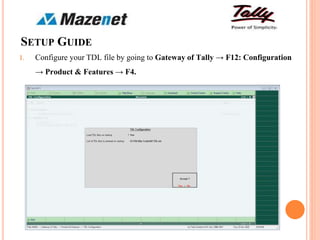
1. Configure your TDL file by going to Gateway of Tally → F12: Configuration
→ Product & Features → F4.
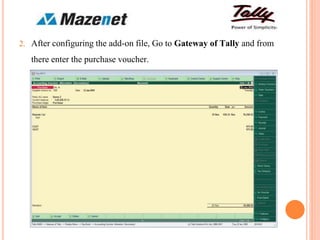
2. After configuring the add-on file, Go to Gateway of Tally and from
there enter the purchase voucher.
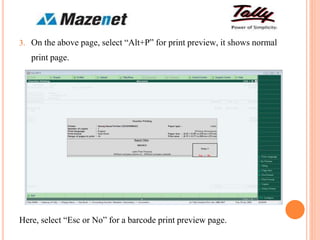
3. On the above page, select “Alt+P” for print preview, it shows normal
print page.
Here, select “Esc or No” for a barcode print preview page.
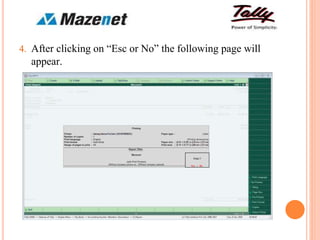
4. After clicking on “Esc or No” the following page will
appear.
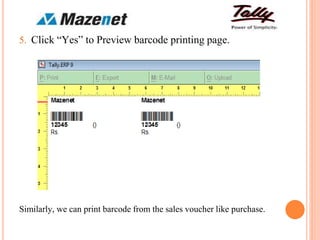
5. Click “Yes” to Preview barcode printing page.
Similarly, we can print barcode from the sales voucher like purchase.
THANK YOU

Print barcode using voucher- Mazenettechnologies

  • 1.
  • 2.
    ➢ This Add-onfacilitates the user to print barcode by using purchase and sales voucher. INTRODUCTION Important As a best practice, it is advisable to take a backup of your company data before installing the Add-on
  • 3.
    BENEFITS ➢ With thehelp of this Add-on we will able to print barcode by using purchase and sales vouchers. Once you try / purchase an Add-on, follow the steps below to configure the Add-on and use it.
  • 4.
    SETUP GUIDE 1. Configureyour TDL file by going to Gateway of Tally → F12: Configuration → Product & Features → F4.
  • 5.
    2. After configuringthe add-on file, Go to Gateway of Tally and from there enter the purchase voucher.
  • 6.
    3. On theabove page, select “Alt+P” for print preview, it shows normal print page. Here, select “Esc or No” for a barcode print preview page.
  • 7.
    4. After clickingon “Esc or No” the following page will appear.
  • 8.
    5. Click “Yes”to Preview barcode printing page. Similarly, we can print barcode from the sales voucher like purchase.
  • 9.