Primavera Integration
Possibilities:
A Technical Overview
Pete Angstadt
Principal Applied Technologist
Primavera Global Business Unit
April 2014
© 2014 Oracle Corporation
The following information is intended to outline our general
product direction.
It is intended for information purposes only, and may not be
incorporated into any contract. It is not a commitment to
deliver any material, code, or functionality, and should not be
relied upon in making purchasing decisions.
The development, release, and timing of any features or
functionality described for Oracle’s products remains at the
sole discretion of Oracle.
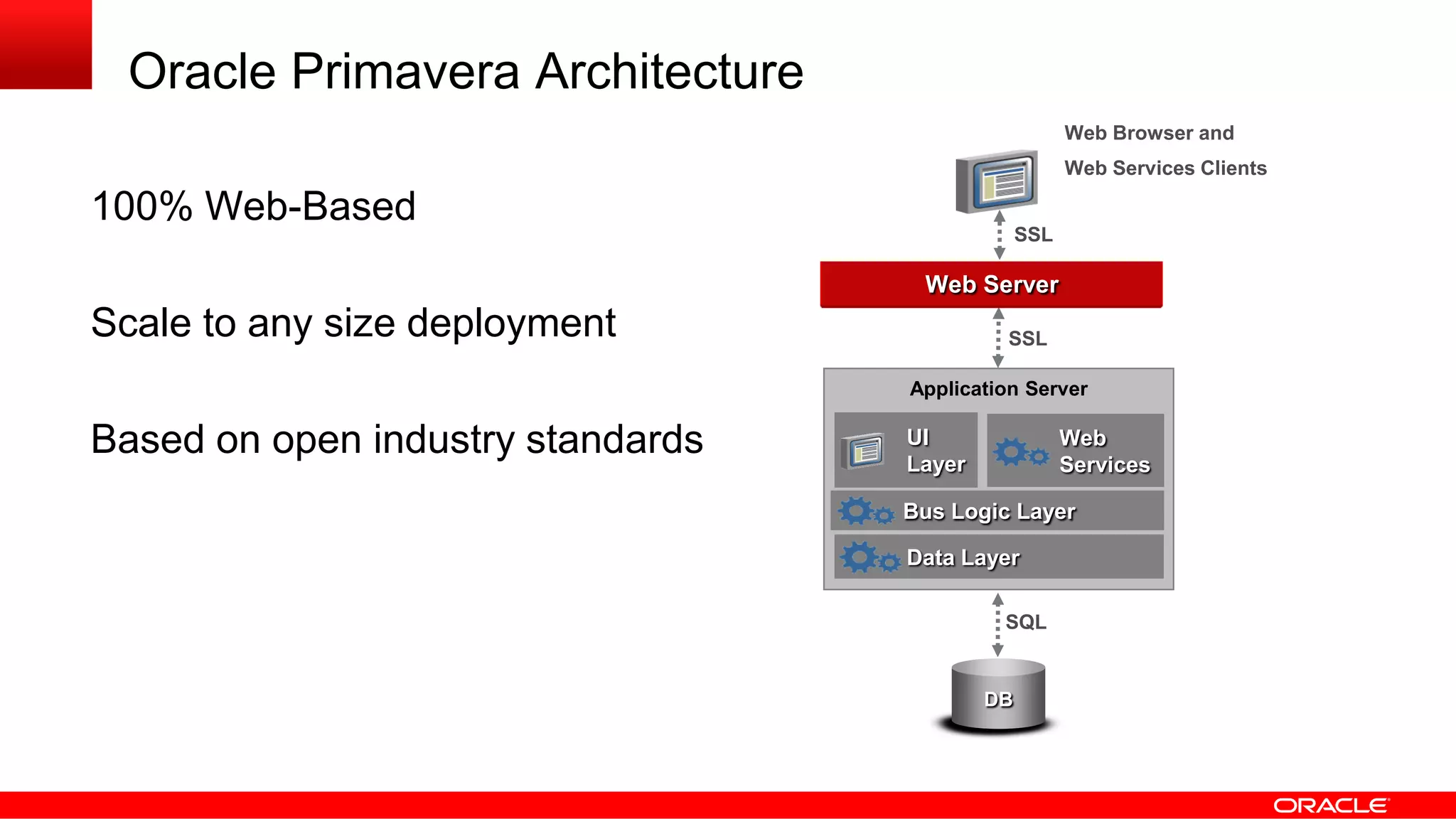
Oracle Primavera Architecture
100% Web-Based
Scale to any size deployment
Based on open industry standards
Web Server
SQL
DB
EAI
Application Server
UI
Layer
Data Layer
SSL
SSL
Bus Logic Layer
Web
Services
Web Browser and
Web Services Clients
Integration
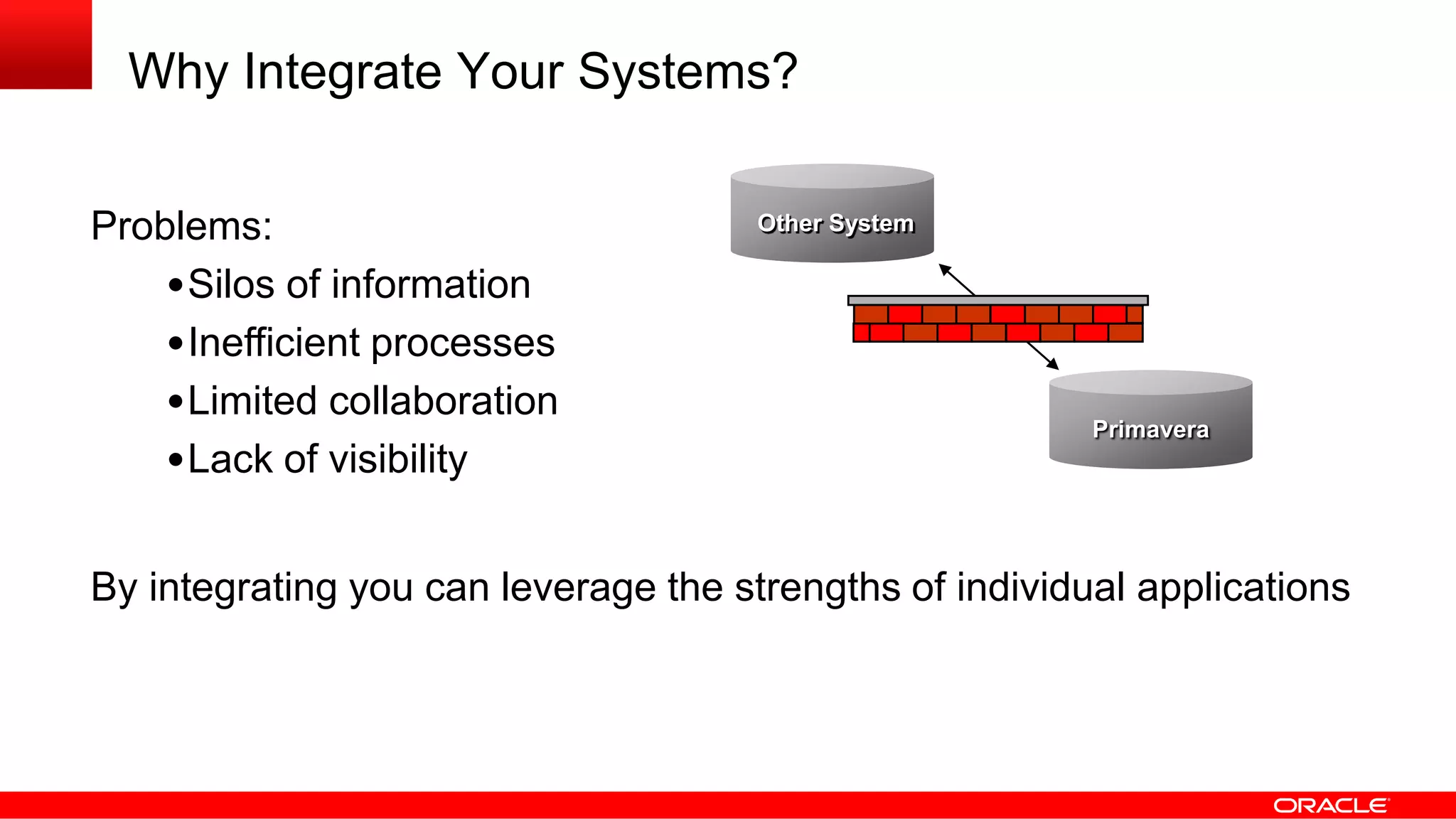
Why Integrate Your Systems?
Problems:
•Silos of information
•Inefficient processes
•Limited collaboration
•Lack of visibility
By integrating you can leverage the strengths of individual applications
Primavera
Other System
Build vs. Buy
Leverage a pre-built Oracle solution
Leverage a partner solution
Extend an existing solution
Build it yourself
Build it with consulting help
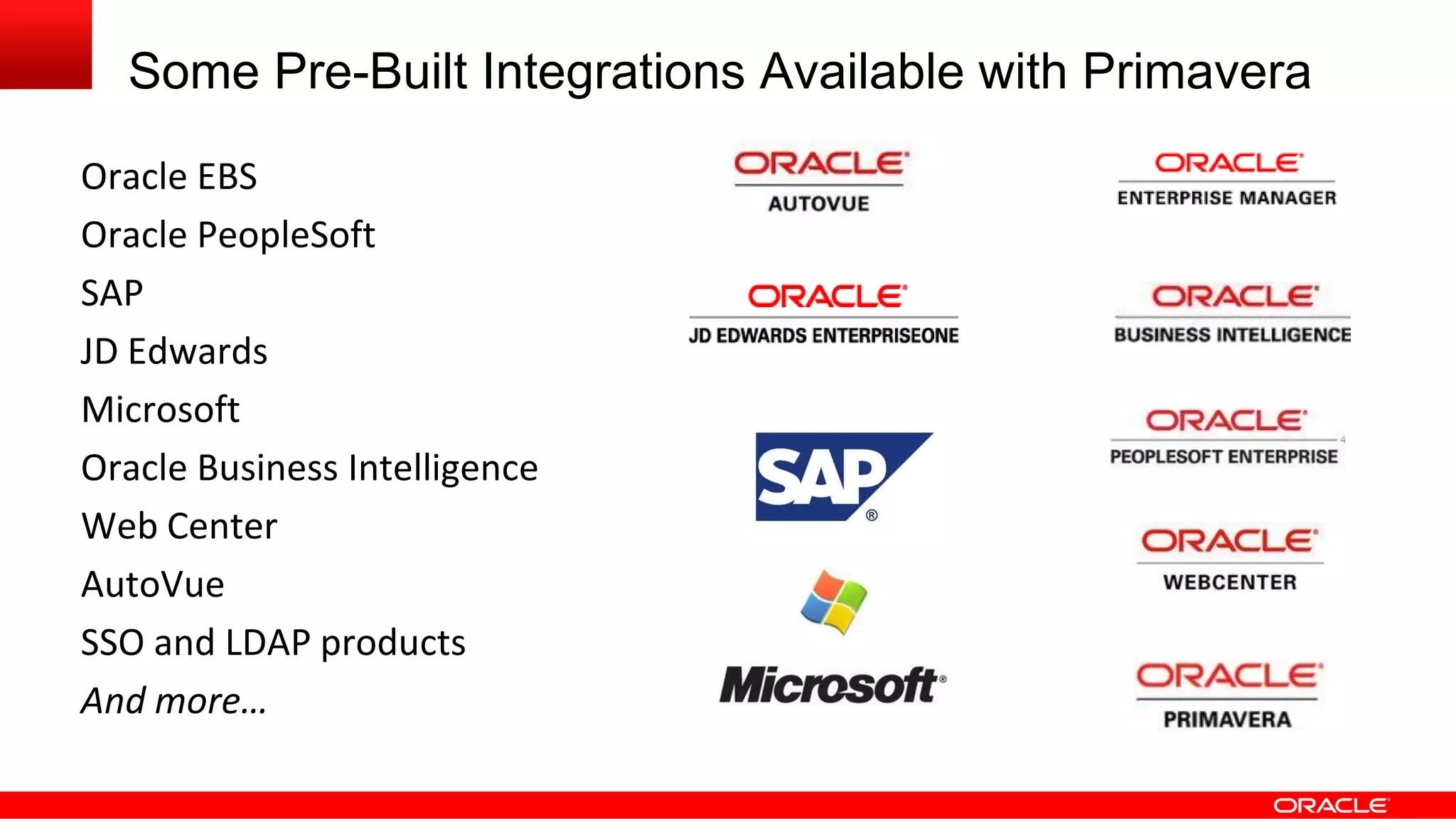
Some Pre-Built Integrations Available with Primavera
Oracle EBS
Oracle PeopleSoft
SAP
JD Edwards
Microsoft
Oracle Business Intelligence
Web Center
AutoVue
SSO and LDAP products
And more…
Why Build or Extend Your Solution?
•Maybe the integration doesn’t exist
E.g., integration to a legacy system
•Benefits outweigh the cost
•Required skill sets available
Categories of Integration
Data Integration
Business Process (or, Business Logic) Integration
User Interface Integration
Security Integration
Integration
Architecture
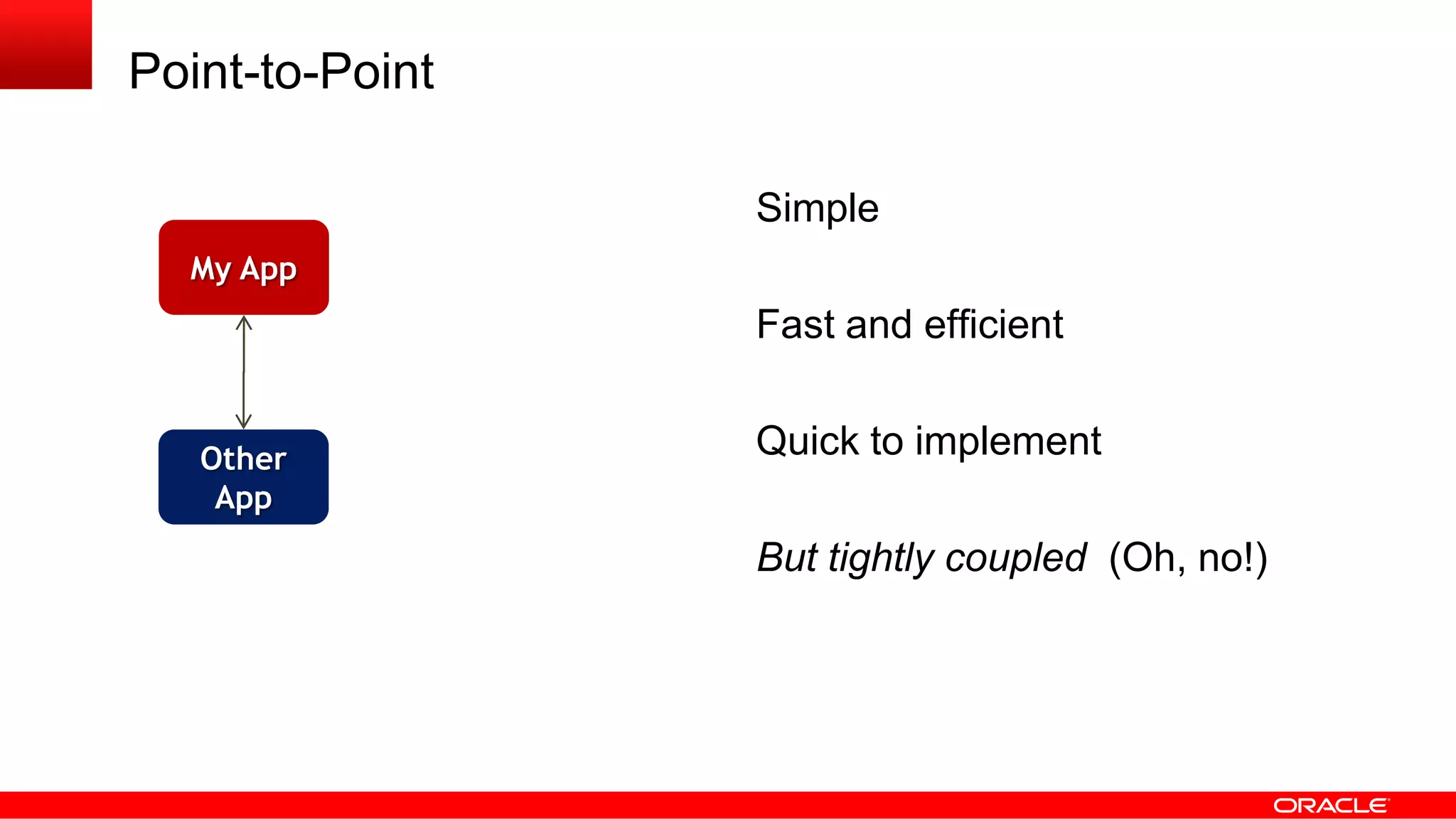
Point-to-Point
Simple
Fast and efficient
Quick to implement
But tightly coupled (Oh, no!)
My App
Other
App
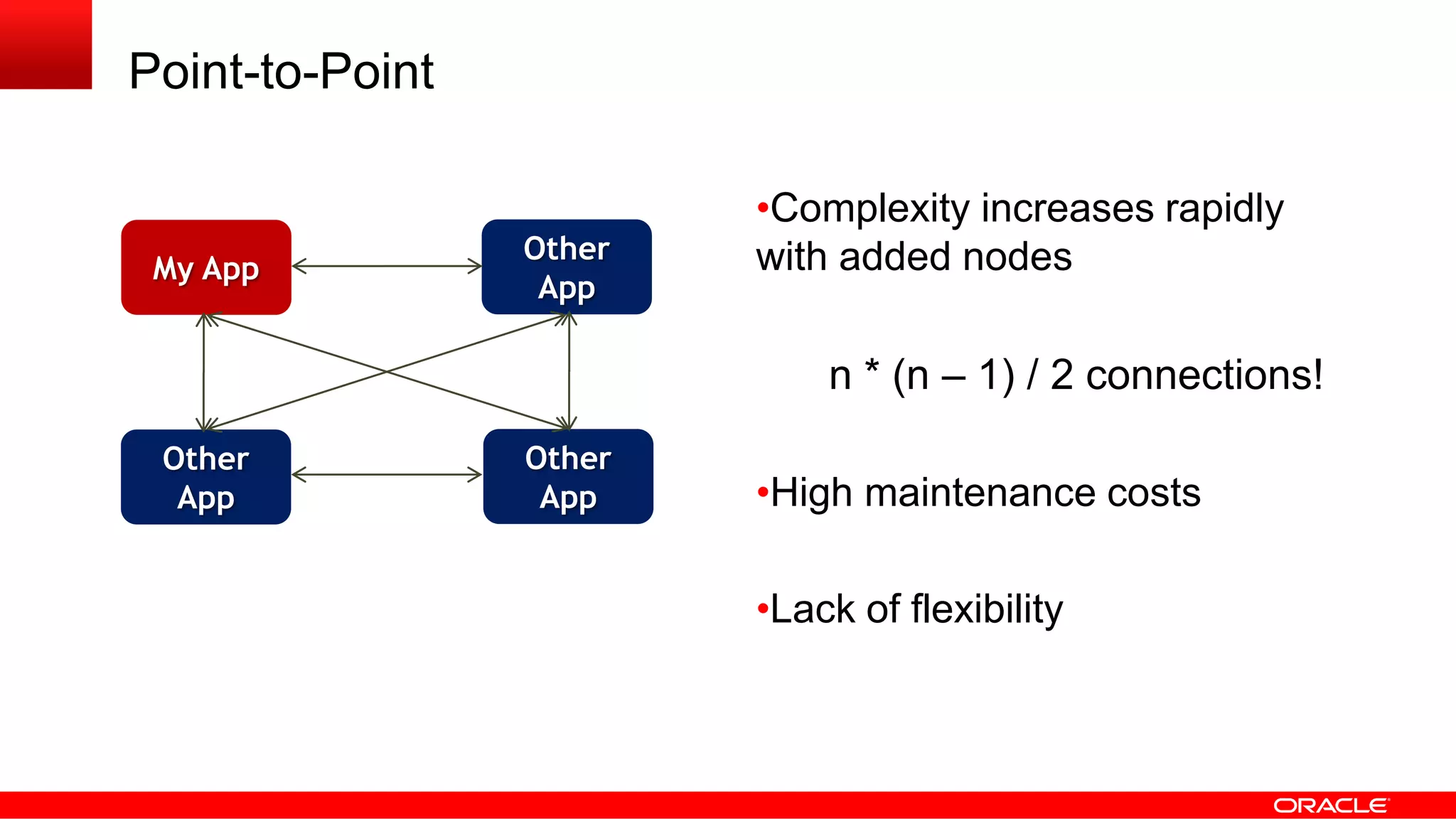
Point-to-Point
•Complexity increases rapidly
with added nodes
n * (n – 1) / 2 connections!
•High maintenance costs
•Lack of flexibility
My App
Other
App
Other
App
Other
App
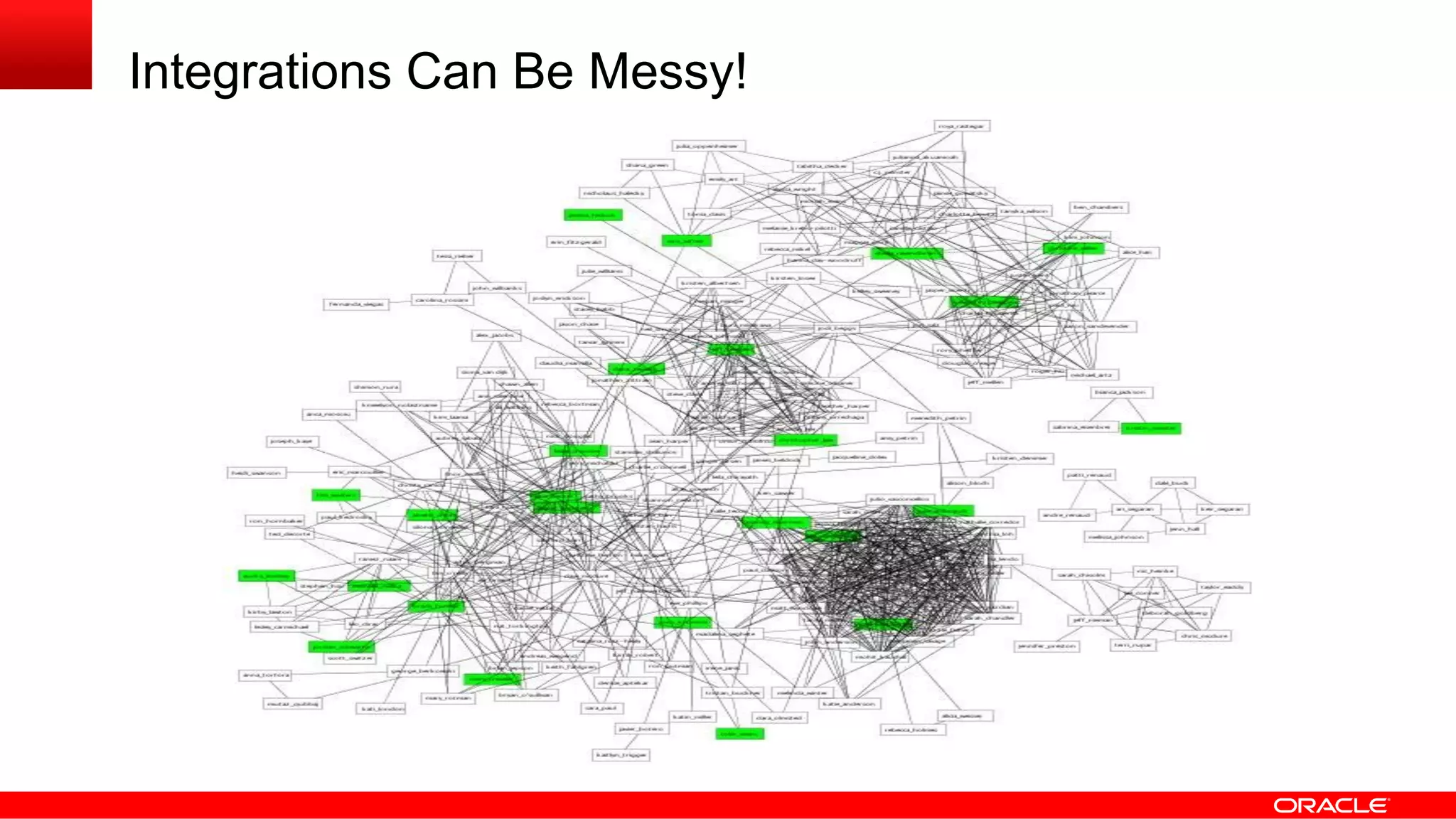
Integrations Can Be Messy!
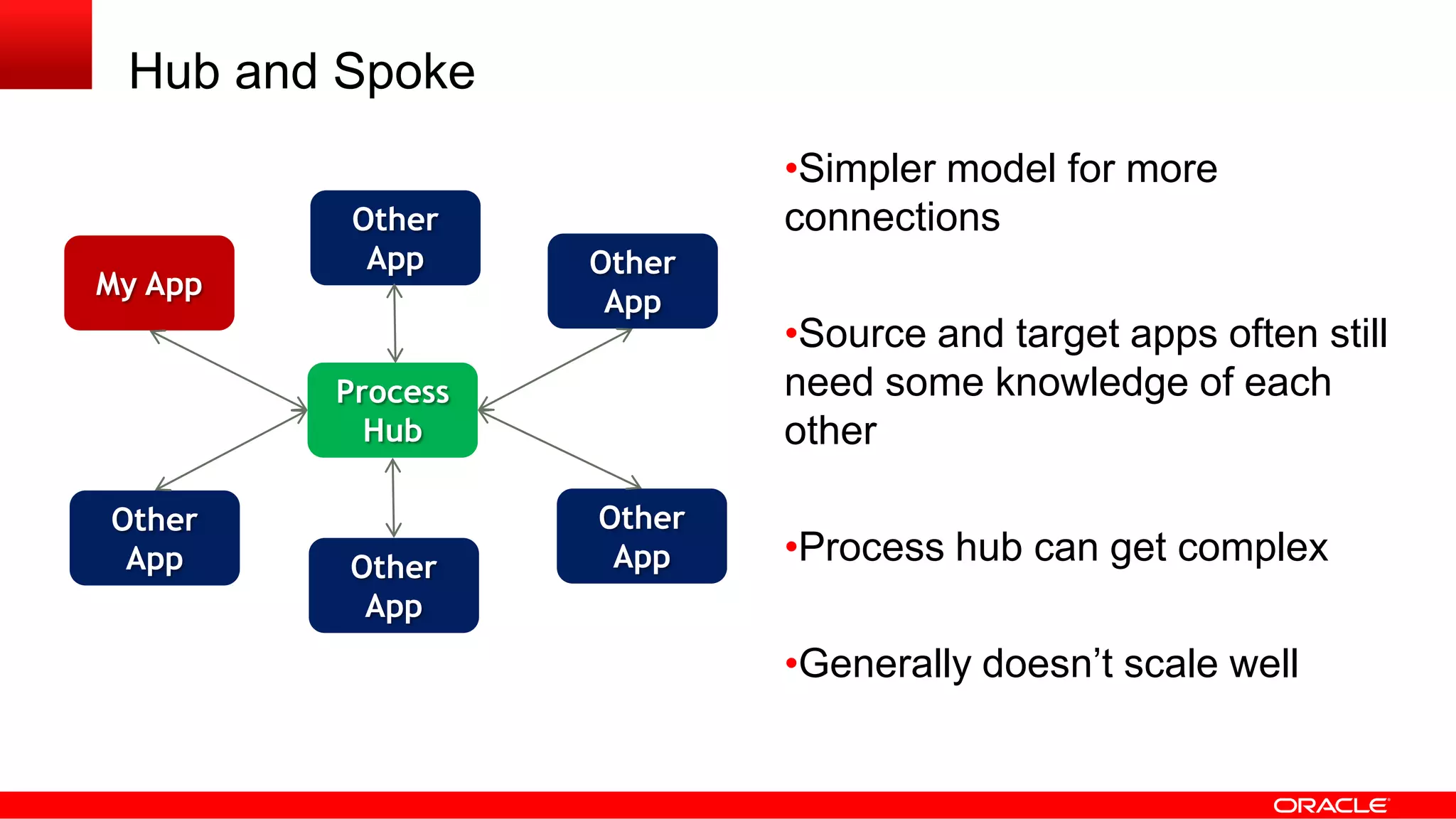
Hub and Spoke
•Simpler model for more
connections
•Source and target apps often still
need some knowledge of each
other
•Process hub can get complex
•Generally doesn’t scale well
My App
Other
App
Other
App
Other
App
Process
Hub
Other
App
Other
App
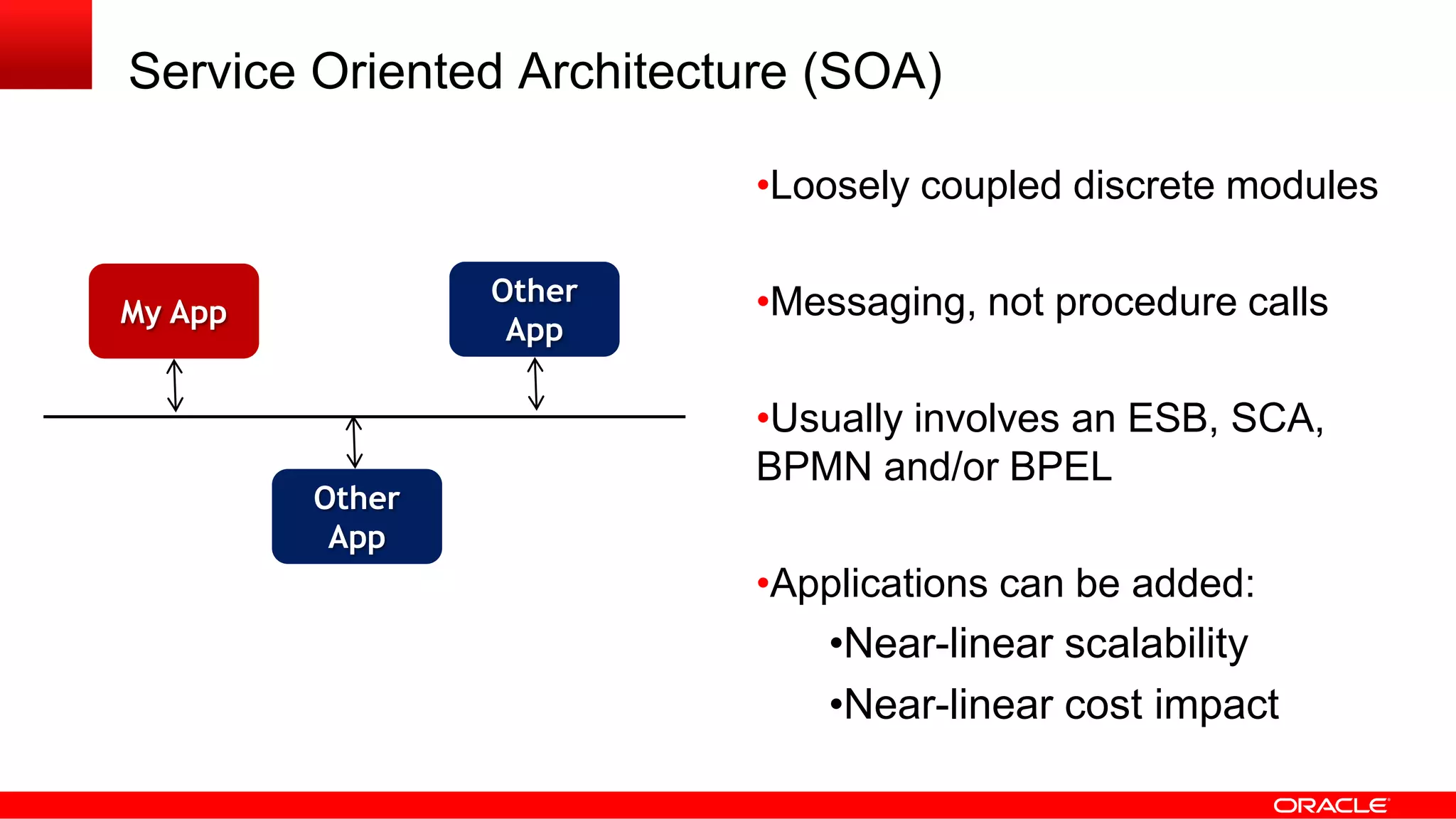
Service Oriented Architecture (SOA)
•Loosely coupled discrete modules
•Messaging, not procedure calls
•Usually involves an ESB, SCA,
BPMN and/or BPEL
•Applications can be added:
•Near-linear scalability
•Near-linear cost impact
My App
Other
App
Other
App
Primavera and Integration Architecture
Big Idea:
Primavera’s Web Services and APIs are compatible with
any integration architecture.
This includes P6, Unifier, OPPM, Contract Management, etc.
Interfaces
and
Technologies
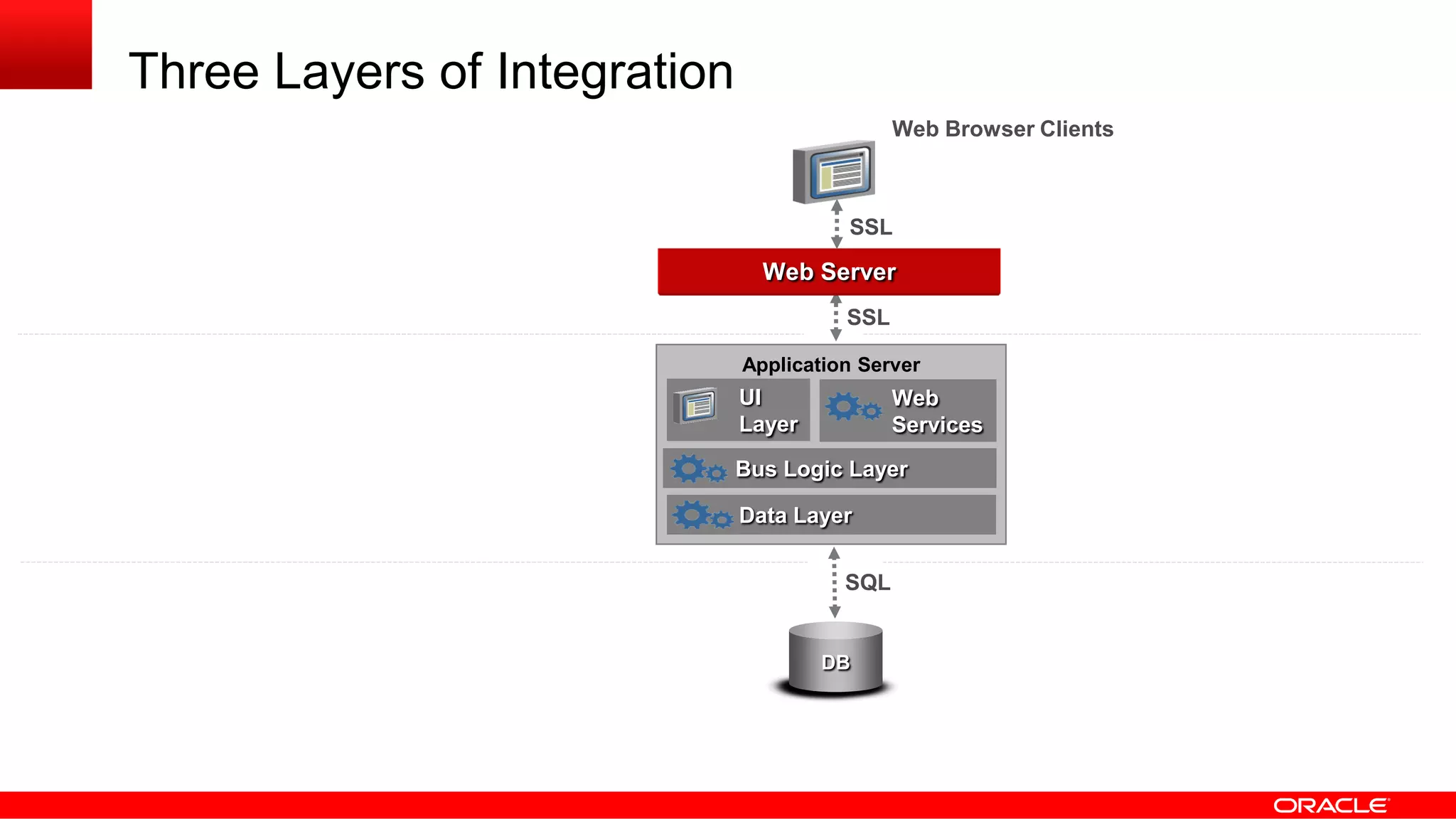
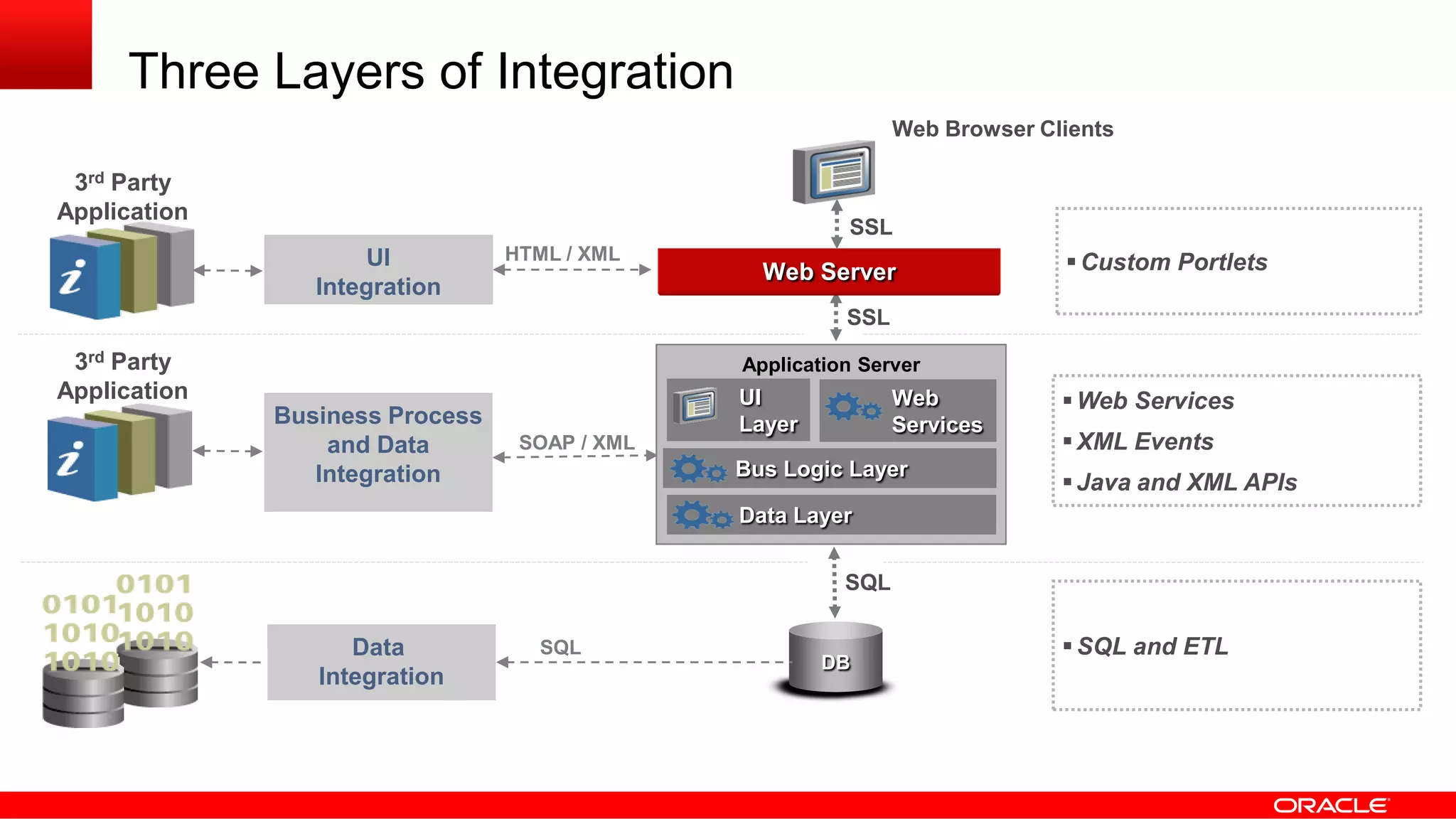
Three Layers of Integration
Web Server
SQL
DB
EAI
Application Server
UI
Layer
Data Layer
SSL
SSL
Bus Logic Layer
Web
Services
Web Browser Clients
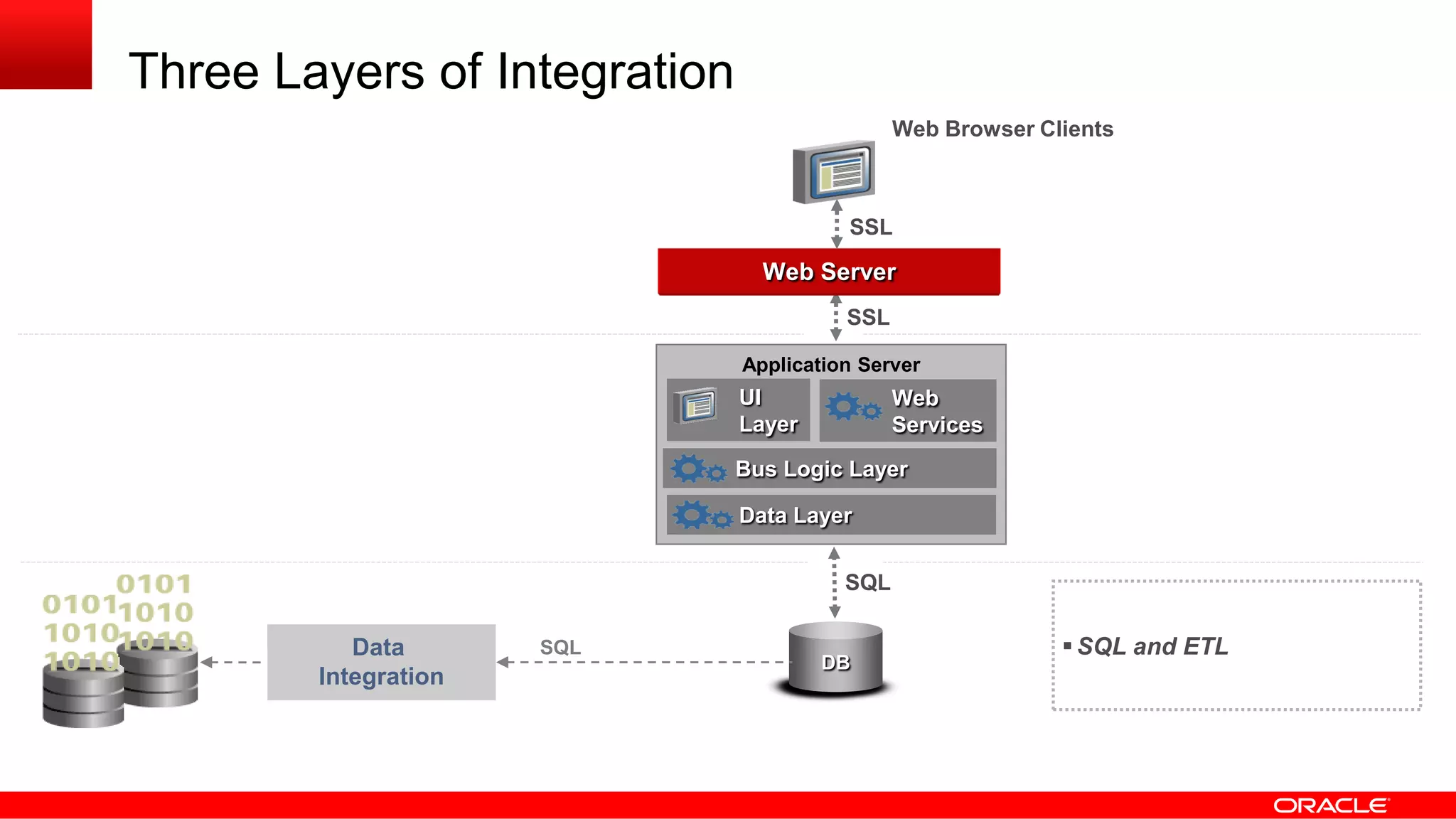
Three Layers of Integration
Web Server
SQL
DB
Data
Integration
SQL SQL and ETL
EAI
Application Server
UI
Layer
Data Layer
SSL
SSL
Bus Logic Layer
Web
Services
Web Browser Clients
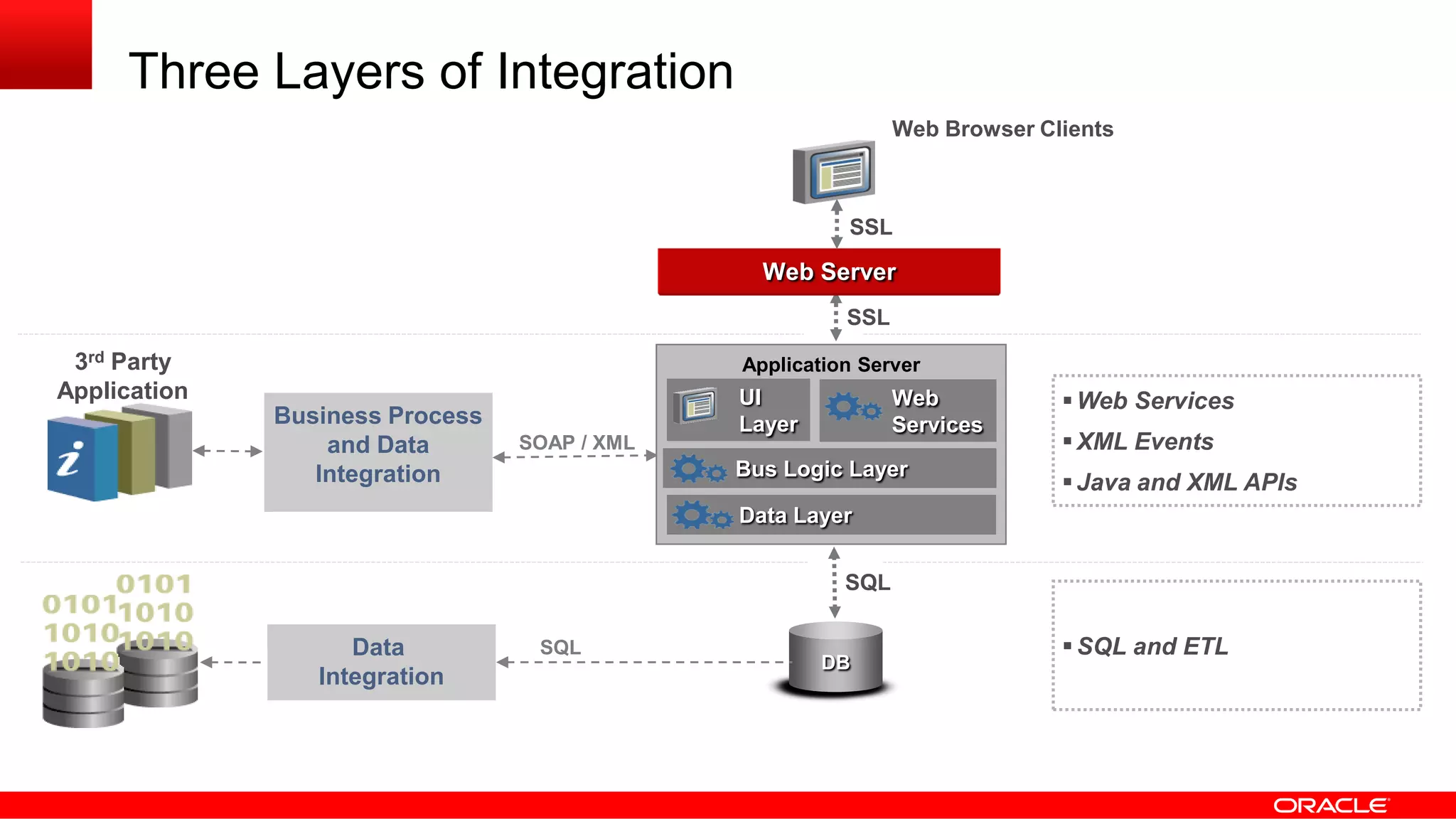
Three Layers of Integration
Web Server
SQL
DB
SOAP / XML
Web Services
XML Events
Java and XML APIs
Data
Integration
Business Process
and Data
Integration
SQL SQL and ETL
3rd Party
Application
EAI
Application Server
UI
Layer
Data Layer
SSL
SSL
Bus Logic Layer
Web
Services
Web Browser Clients
Three Layers of Integration
Web Server
SQL
DB
SOAP / XML
Web Services
XML Events
Java and XML APIs
Data
Integration
Business Process
and Data
Integration
UI
Integration
SQL
HTML / XML
SQL and ETL
Custom Portlets
3rd Party
Application
3rd Party
Application
EAI
Application Server
UI
Layer
Data Layer
SSL
SSL
Bus Logic Layer
Web
Services
Web Browser Clients
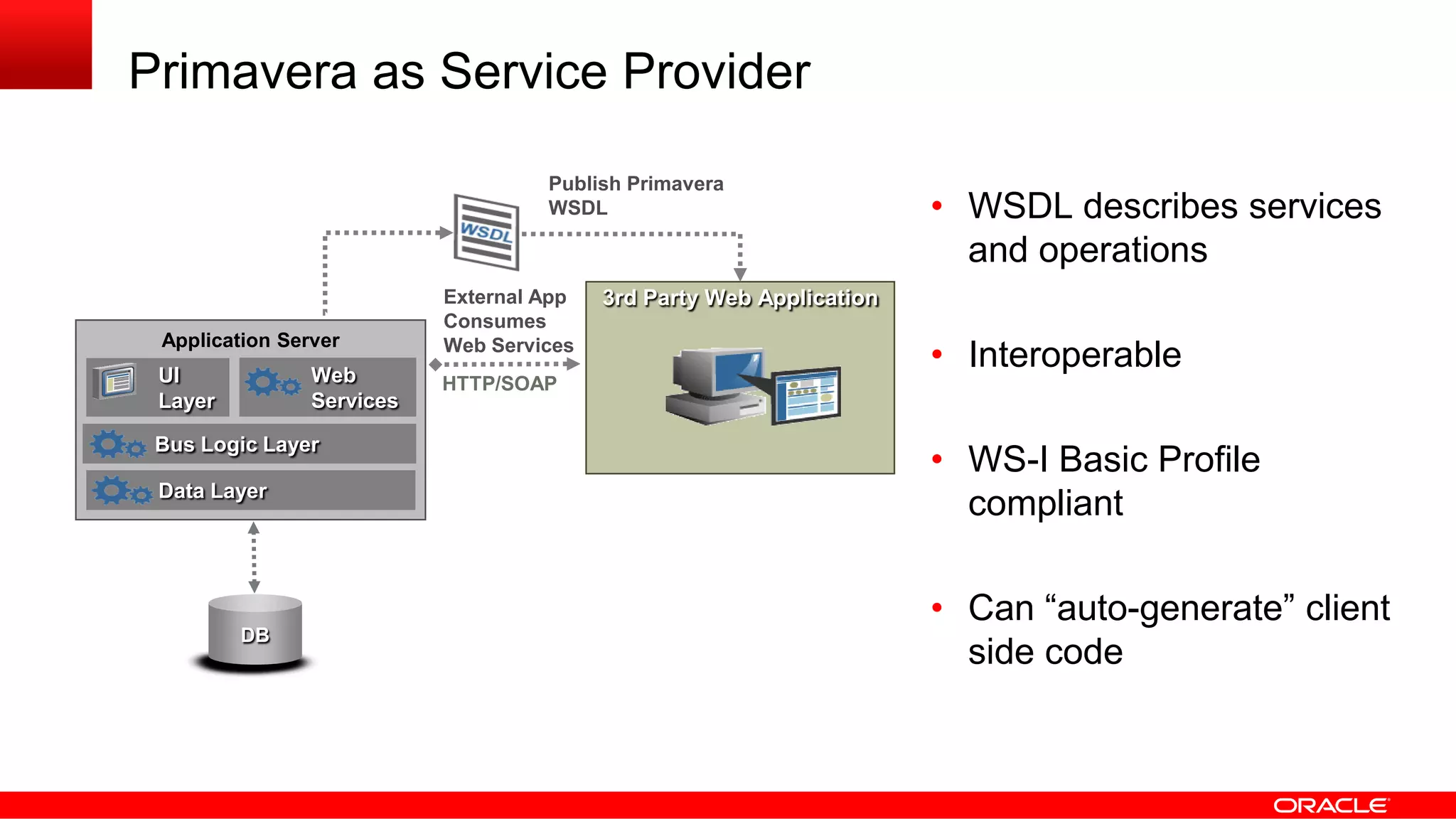
Primavera as Service Provider
Publish Primavera
WSDL
3rd Party Web ApplicationExternal App
Consumes
Web Services
HTTP/SOAP
DB
EAI
Application Server
UI
Layer
Data Layer
Bus Logic Layer
Web
Services
• WSDL describes services
and operations
• Interoperable
• WS-I Basic Profile
compliant
• Can “auto-generate” client
side code
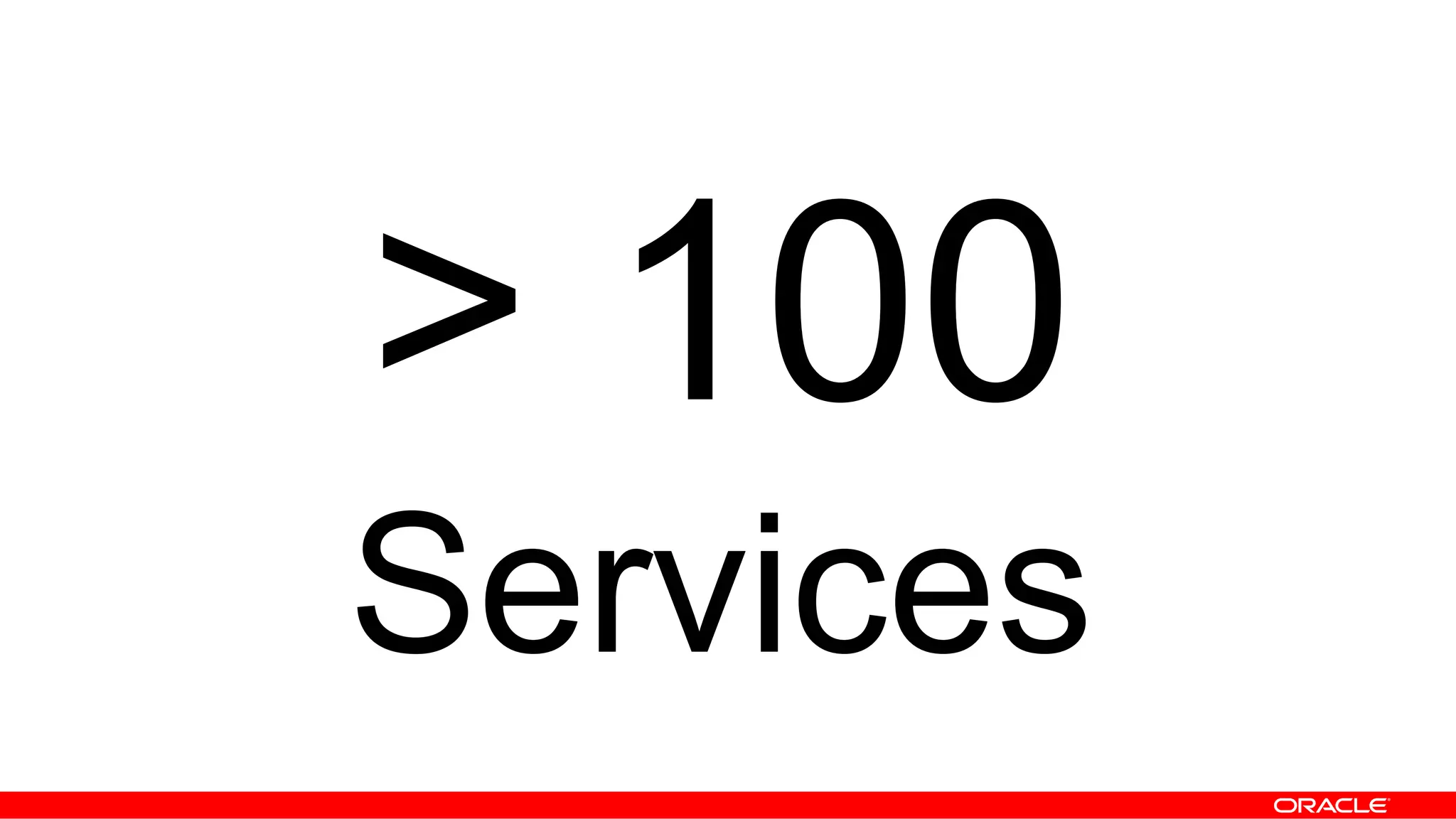
> 100
Services
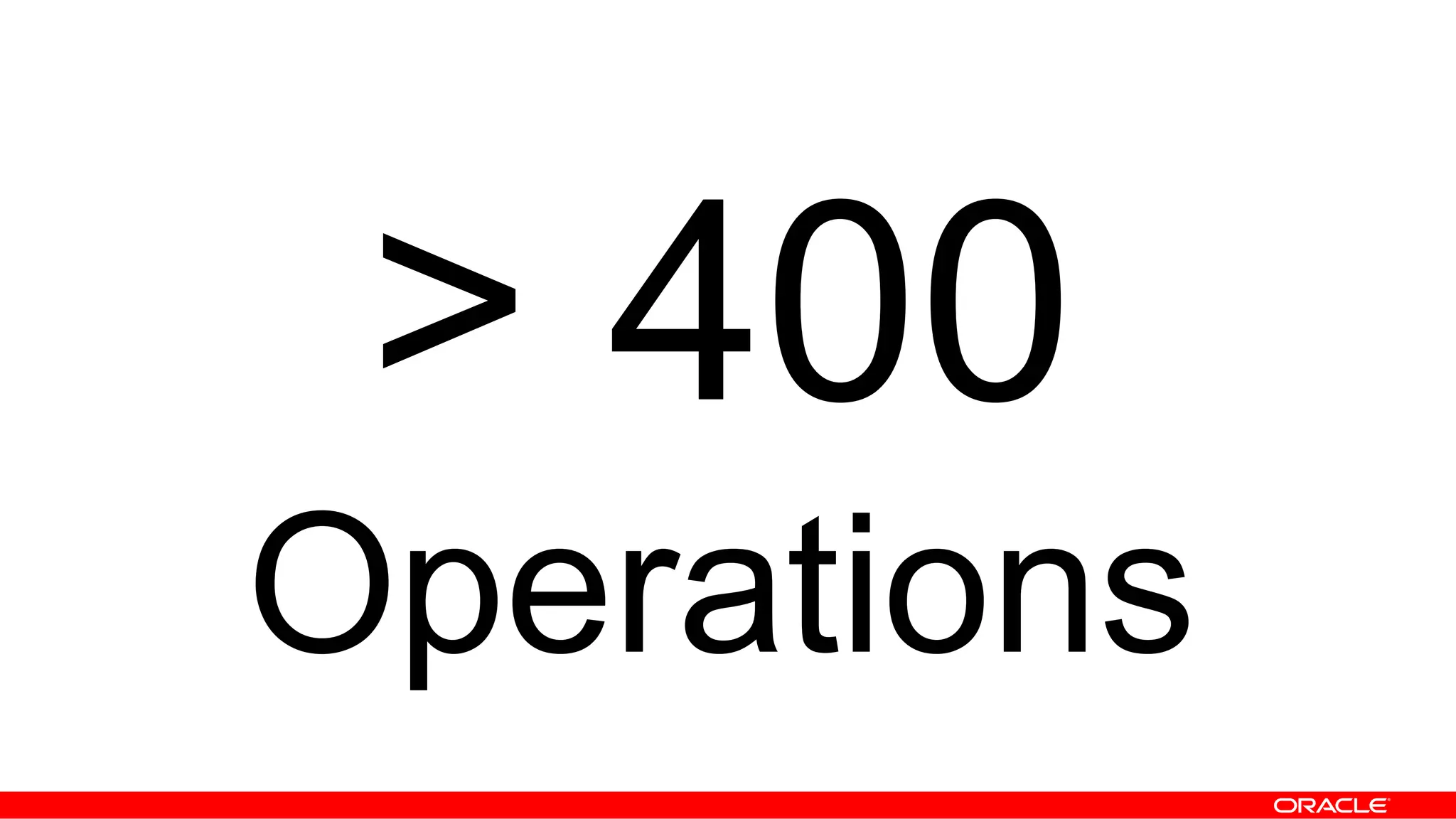
> 400
Operations
Coarse-Grained
vs.
Fine-Grained
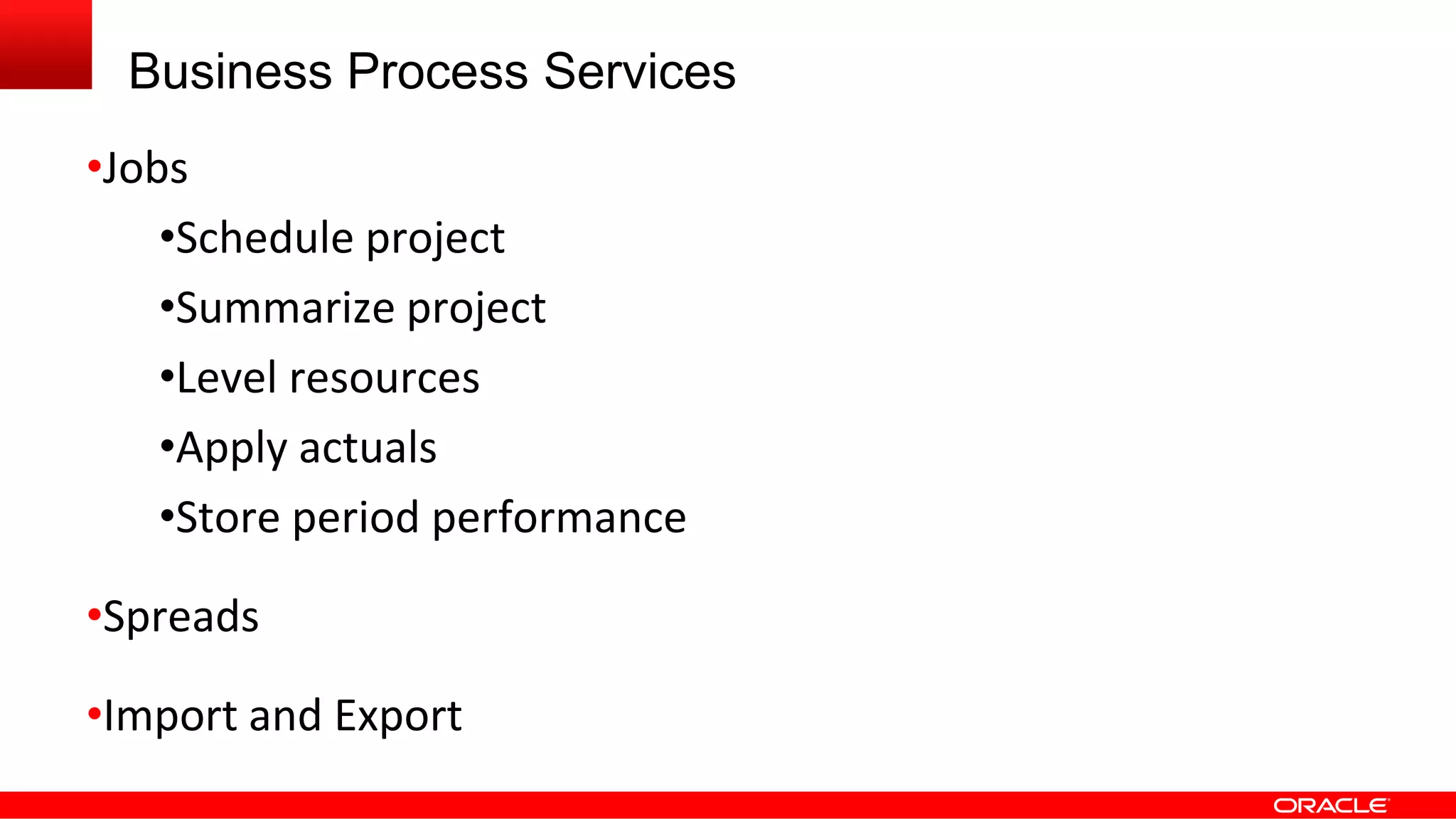
Business Process Services
•Jobs
•Schedule project
•Summarize project
•Level resources
•Apply actuals
•Store period performance
•Spreads
•Import and Export
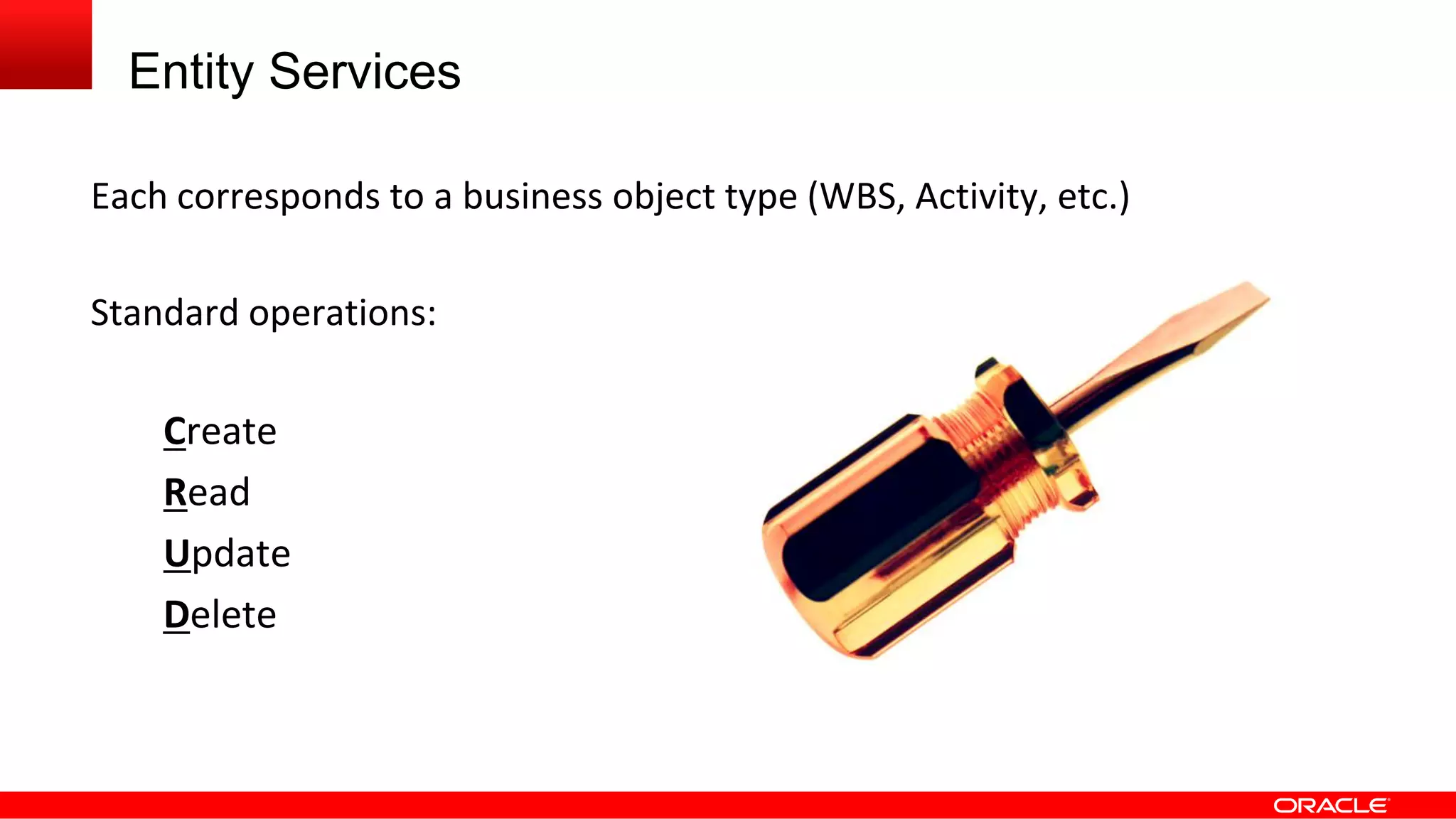
Entity Services
Each corresponds to a business object type (WBS, Activity, etc.)
Standard operations:
Create
Read
Update
Delete
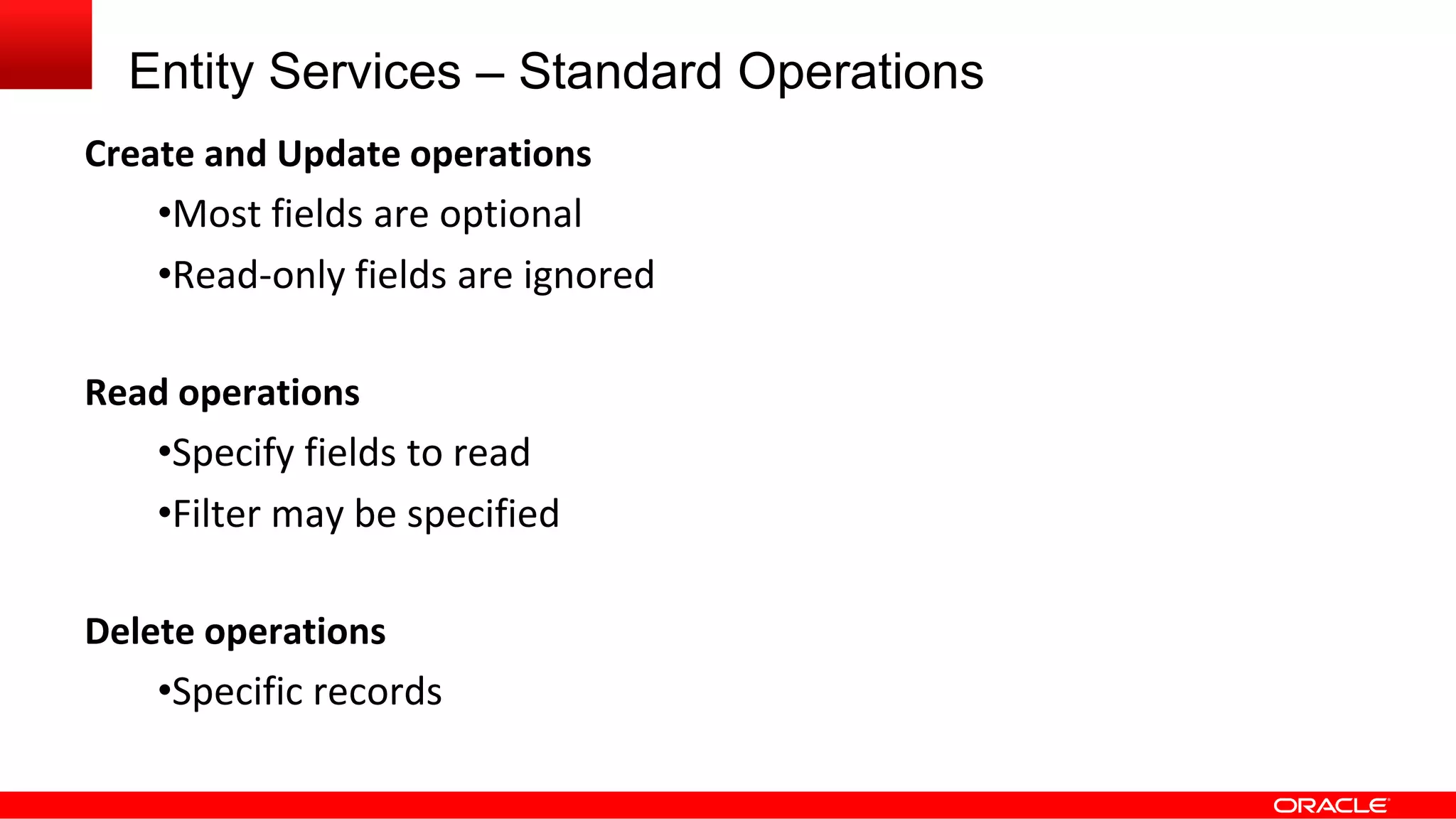
Entity Services – Standard Operations
Create and Update operations
•Most fields are optional
•Read-only fields are ignored
Read operations
•Specify fields to read
•Filter may be specified
Delete operations
•Specific records
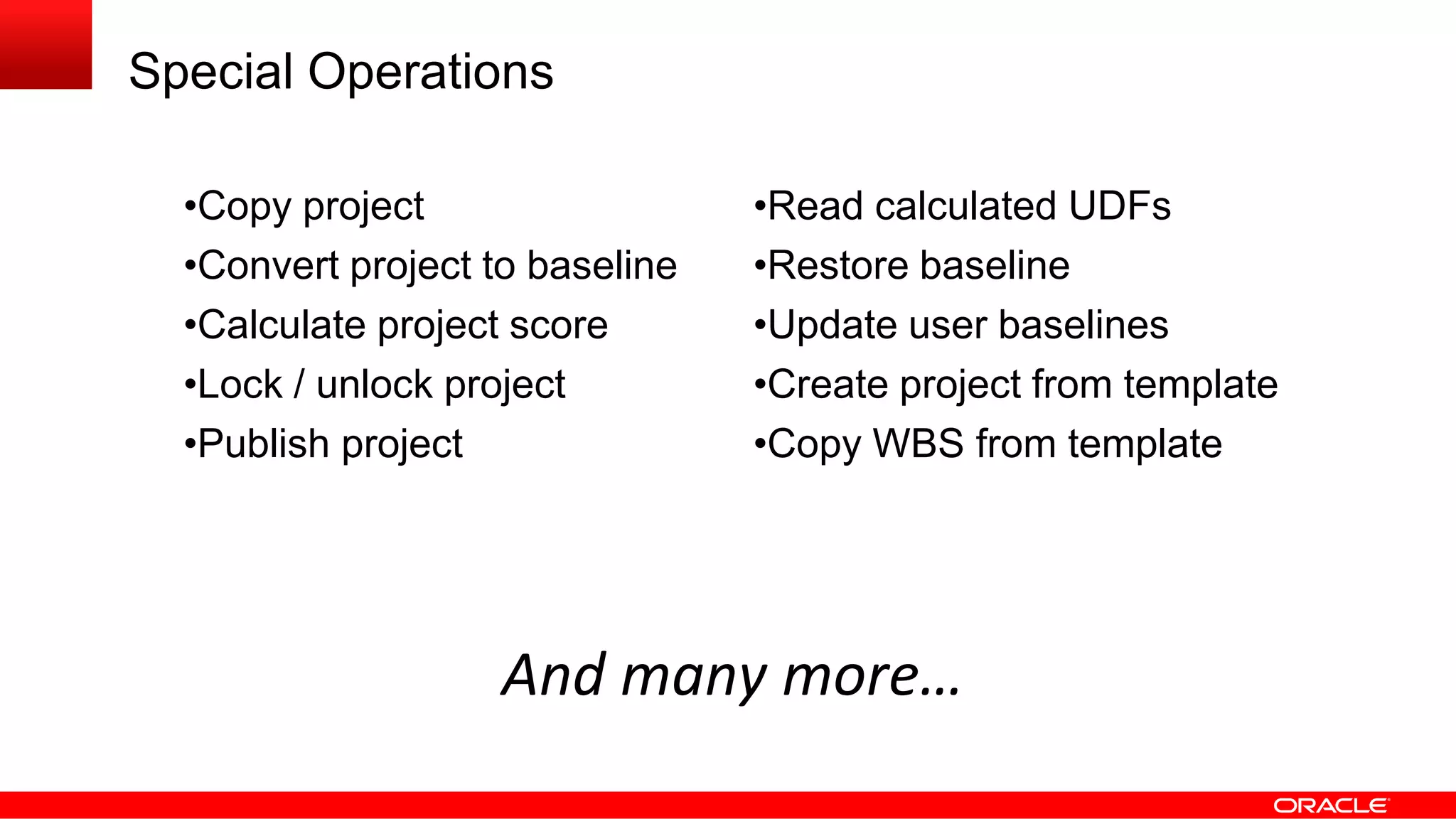
Special Operations
And many more…
•Copy project •Read calculated UDFs
•Convert project to baseline •Restore baseline
•Calculate project score •Update user baselines
•Lock / unlock project •Create project from template
•Publish project •Copy WBS from template
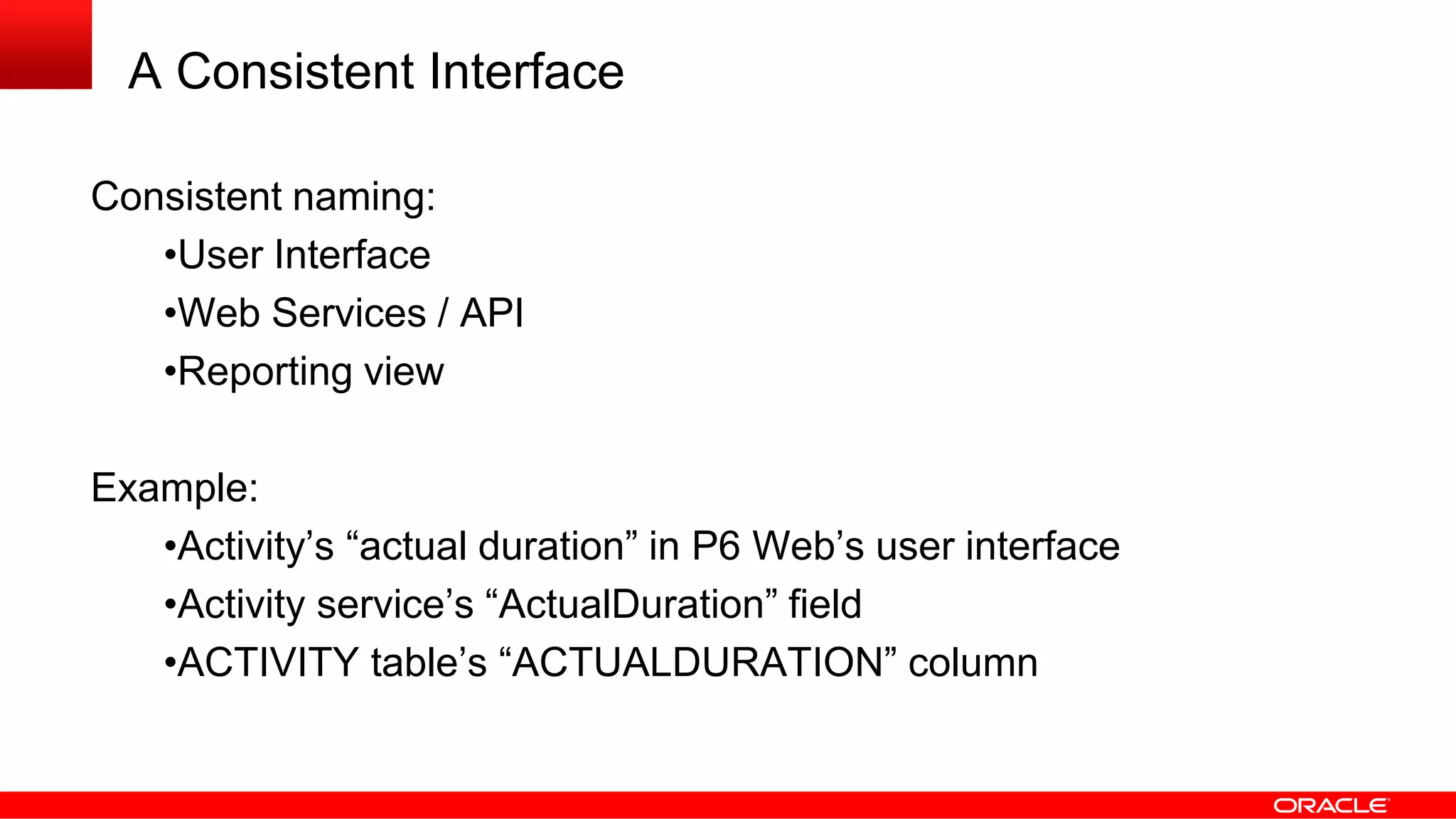
A Consistent Interface
Consistent naming:
•User Interface
•Web Services / API
•Reporting view
Example:
•Activity’s “actual duration” in P6 Web’s user interface
•Activity service’s “ActualDuration” field
•ACTIVITY table’s “ACTUALDURATION” column
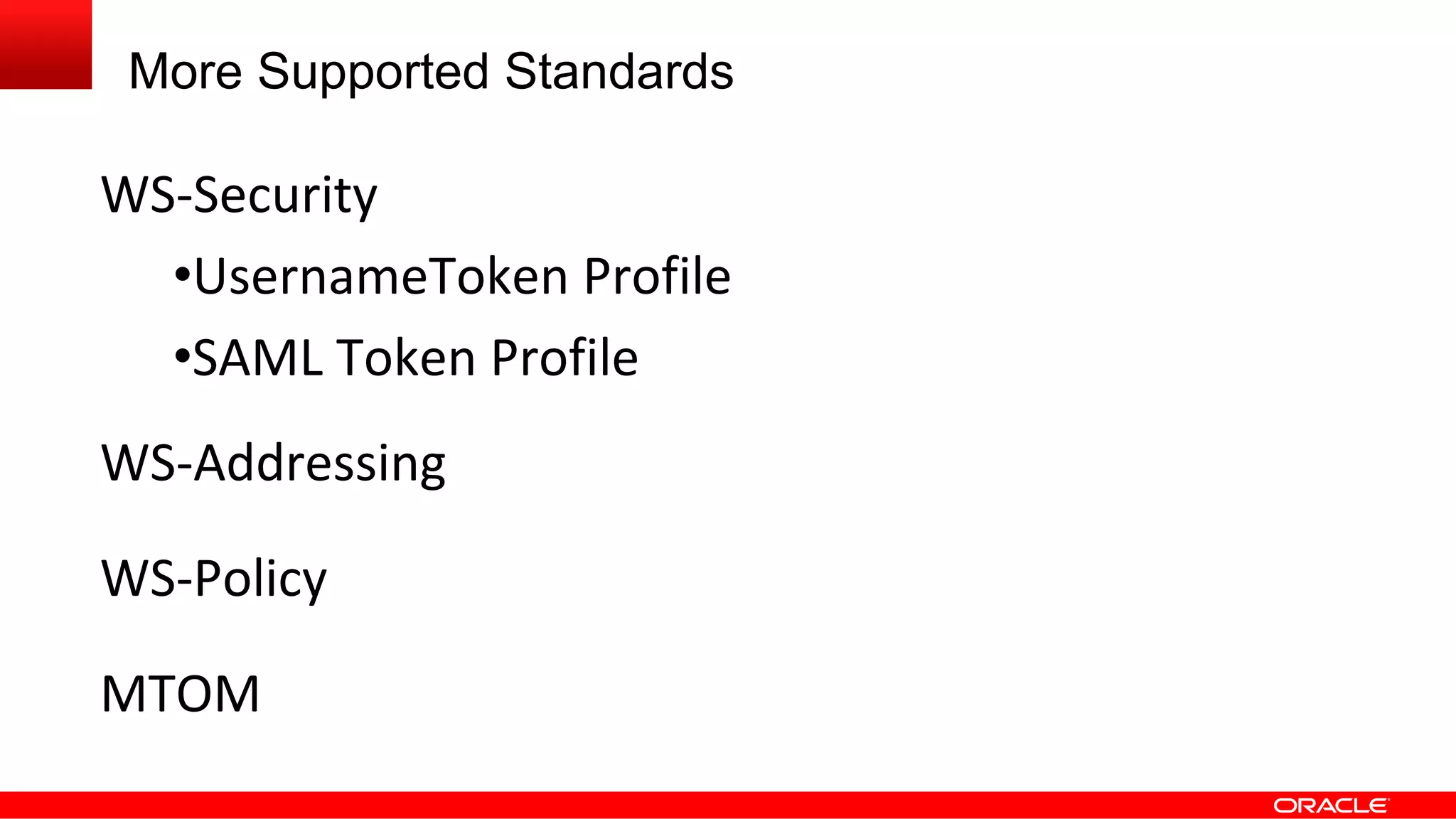
More Supported Standards
WS-Security
•UsernameToken Profile
•SAML Token Profile
WS-Addressing
WS-Policy
MTOM
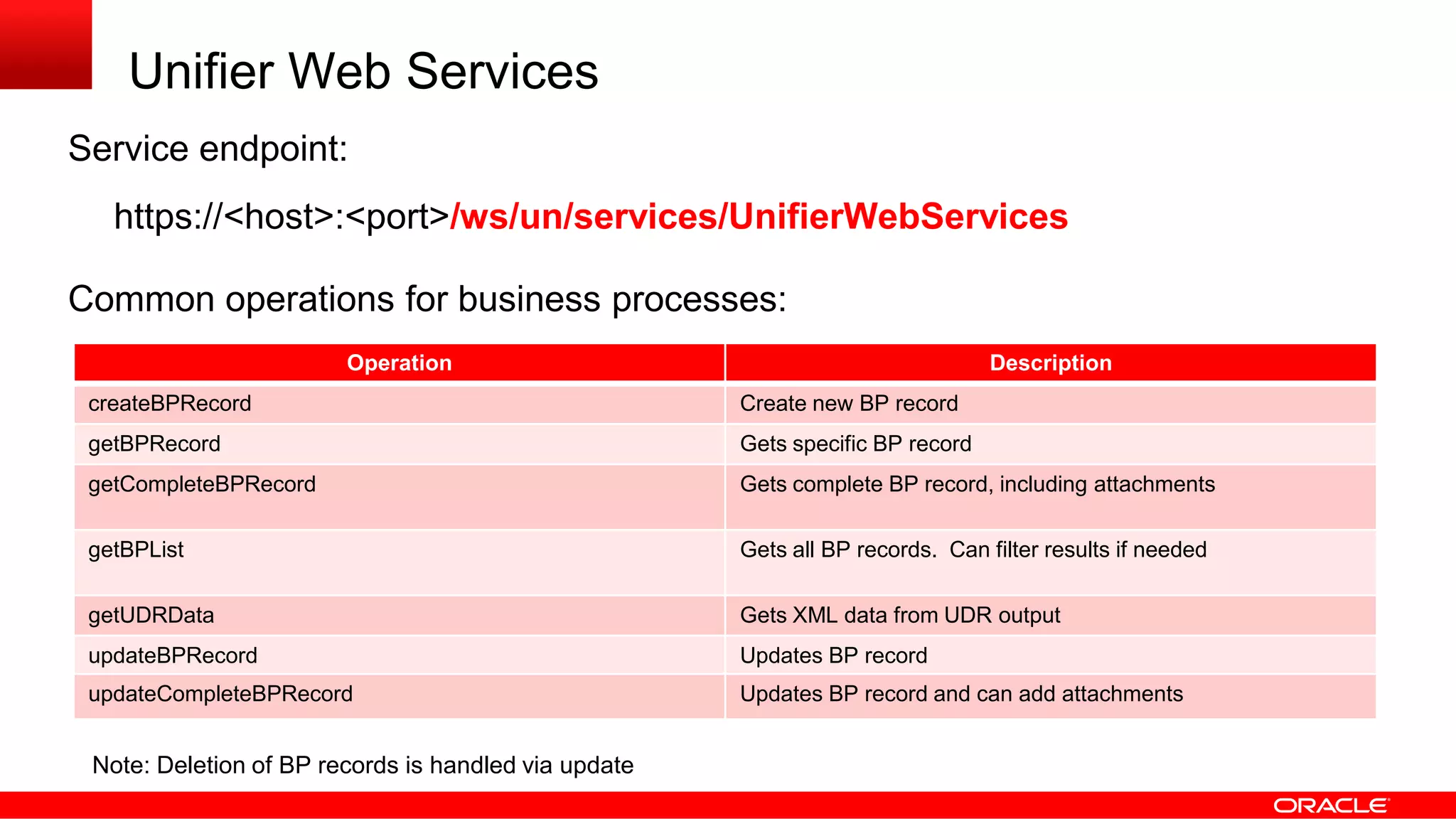
Unifier Web Services
Service endpoint:
https://<host>:<port>/ws/un/services/UnifierWebServices
Common operations for business processes:
Operation Description
createBPRecord Create new BP record
getBPRecord Gets specific BP record
getCompleteBPRecord Gets complete BP record, including attachments
getBPList Gets all BP records. Can filter results if needed
getUDRData Gets XML data from UDR output
updateBPRecord Updates BP record
updateCompleteBPRecord Updates BP record and can add attachments
Note: Deletion of BP records is handled via update
XML Payload
Payload for business processes is passed within a wrapper:
<soapenv:Envelope xmlns:soapenv="http://www.w3.org/2003/05/soap-envelope">
<soapenv:Body>
<ns1:getBPListResponse xmlns:ns1="http://general.service.webservices.skire.com">
<ns1:return ns1:type="com.skire.webservices.util.xml.XMLObject">
<ax21:statusCode xmlns:ax21="http://xml.util.webservices.skire.com/xsd">200</ax21:statusCode>
<ax21:xmlcontents xmlns:ax21="http://xml.util.webservices.skire.com/xsd">
<![CDATA[<List_Wrapper>
<_bp>
<GIS_Link></GIS_Link>
<record_no>LP-0000001</record_no>
<Resp_Mgr>Fred Smith</Resp_Mgr>
</_bp>
<_bp>
<GIS_Link>http://tinyurl.com/bq9vfob Parcel Map</GIS_Link>
<record_no>LP-0000002</record_no>
<Resp_Mgr>Jim Owen</Resp_Mgr>
</_bp>
</List_Wrapper>]]>
</ax21:xmlcontents>
</ns1:return>
</ns1:getBPListResponse>
</soapenv:Body>
</soapenv:Envelope>
Events
and
Notifications
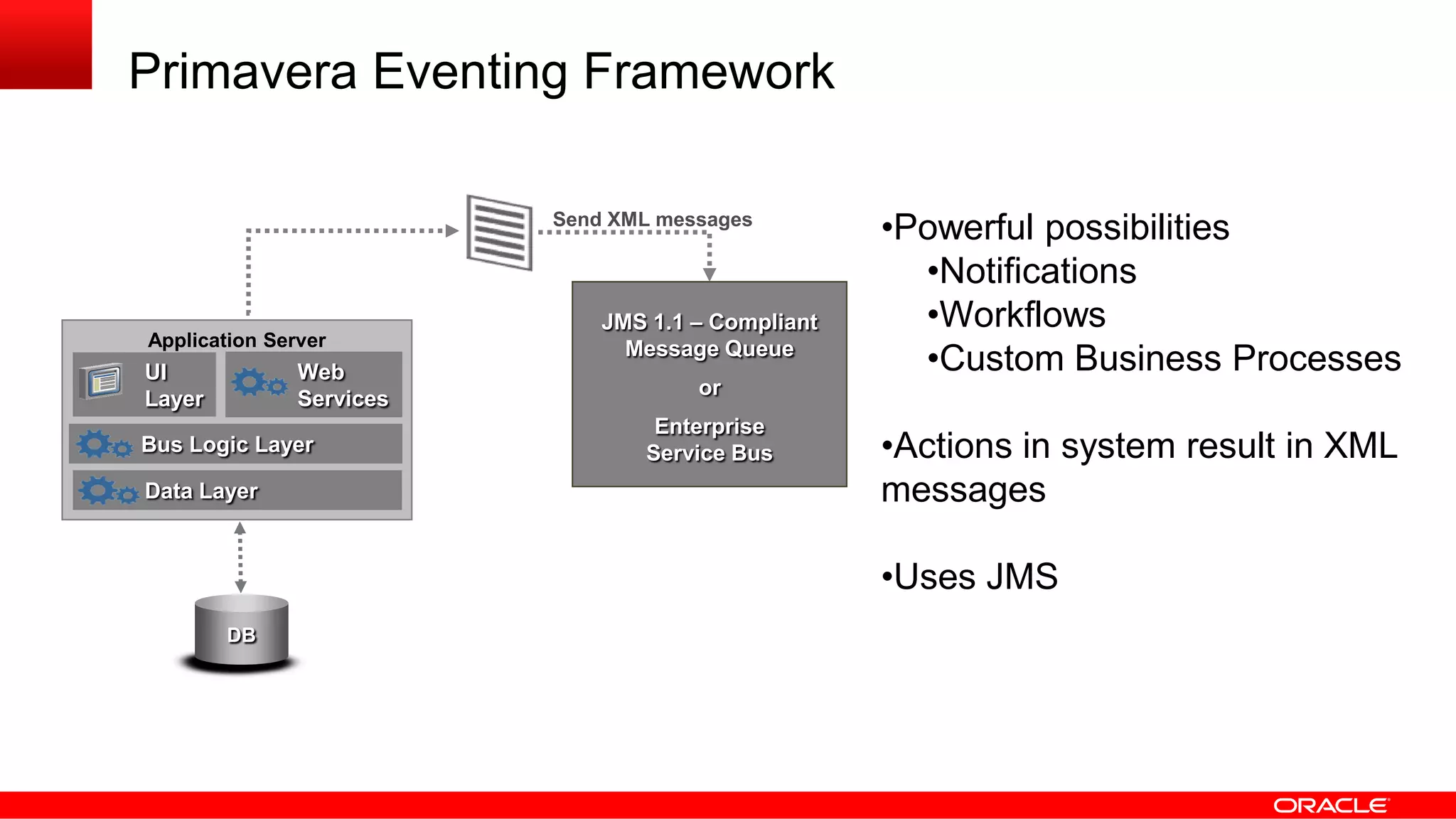
Primavera Eventing Framework
Send XML messages
JMS 1.1 – Compliant
Message Queue
or
Enterprise
Service Bus
DB
EAI
Application Server
UI
Layer
Data Layer
Bus Logic Layer
Web
Services
•Powerful possibilities
•Notifications
•Workflows
•Custom Business Processes
•Actions in system result in XML
messages
•Uses JMS
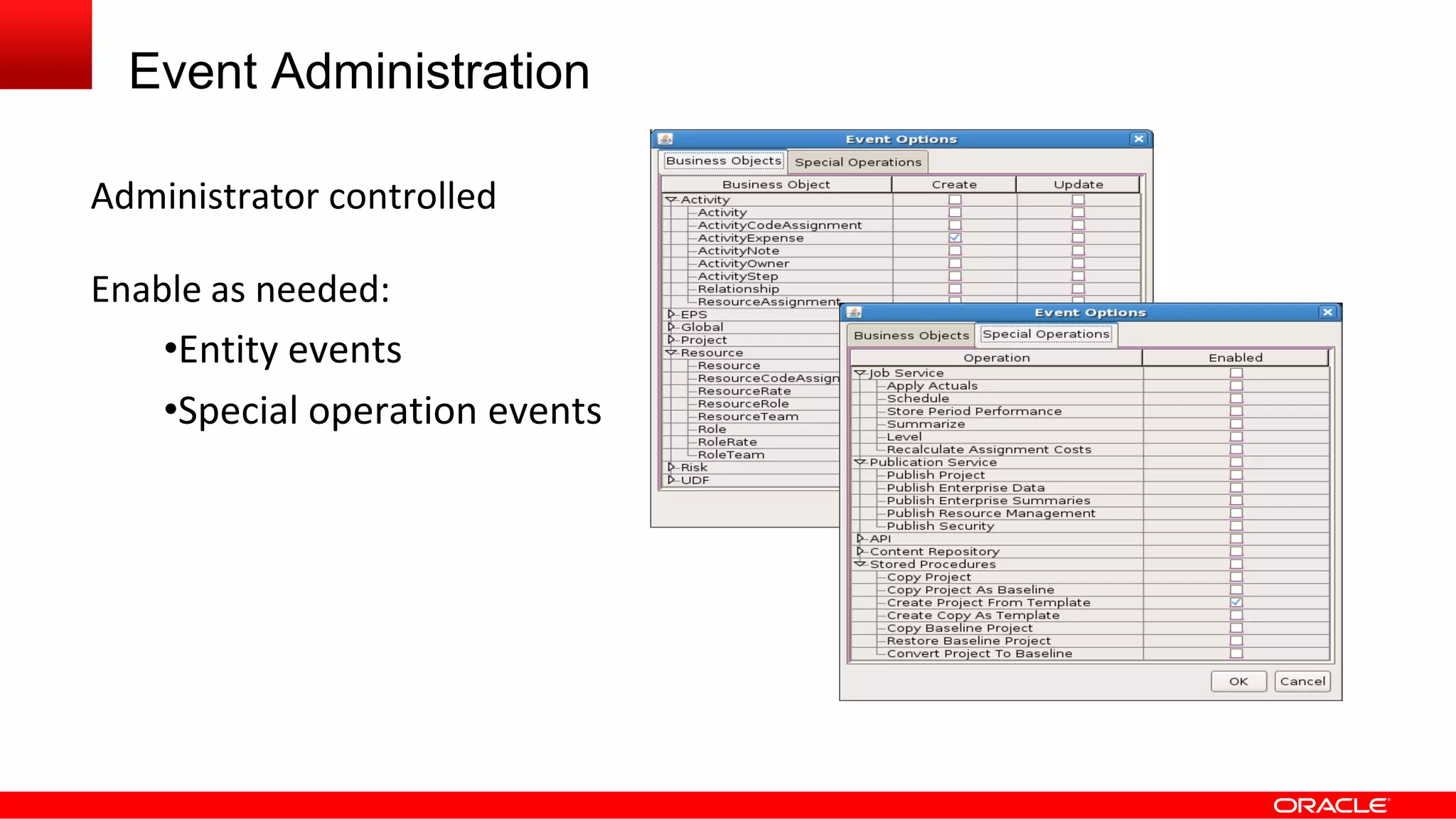
Event Administration
Administrator controlled
Enable as needed:
•Entity events
•Special operation events
> 100
Events
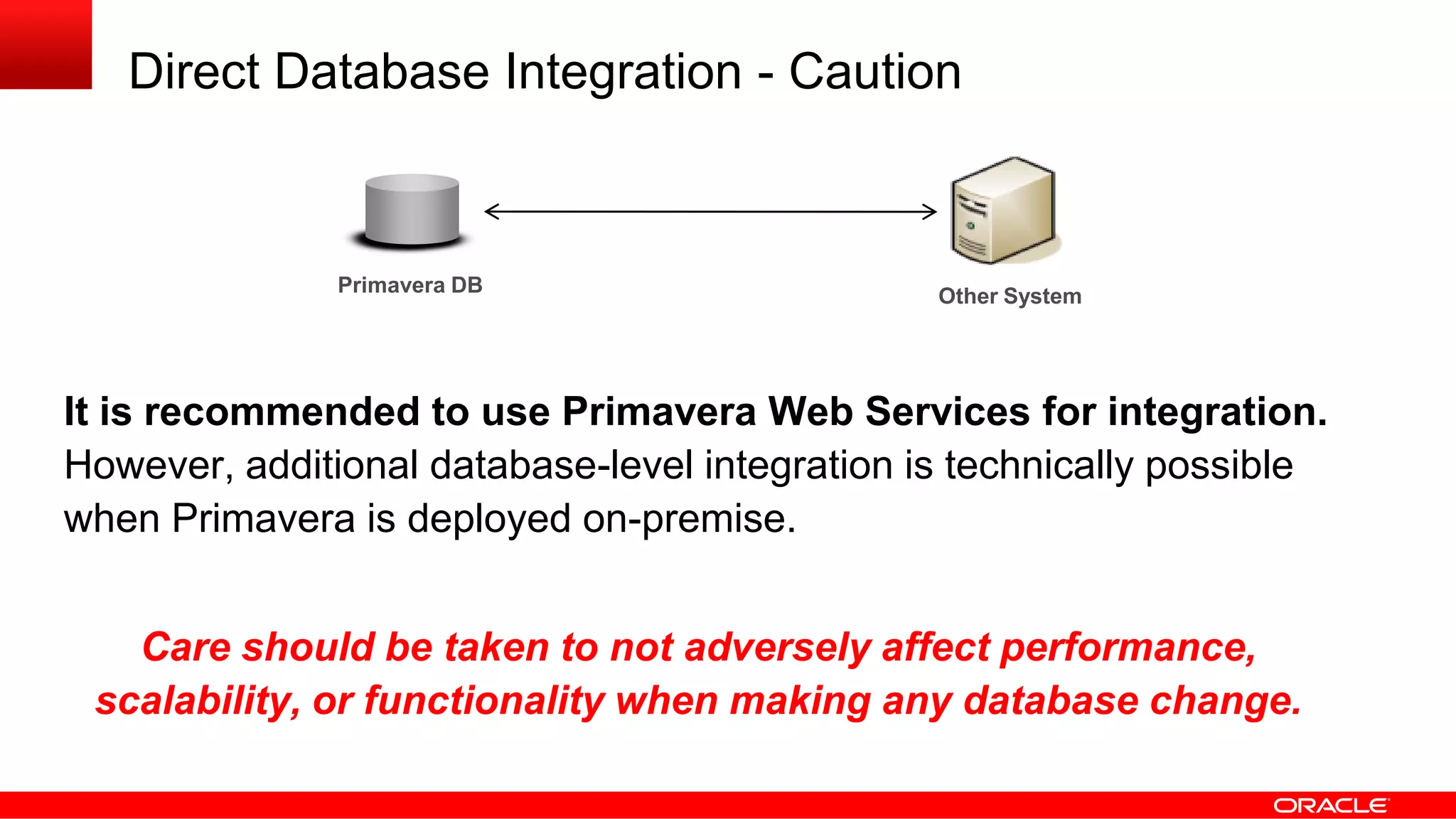
Direct Database Integration - Caution
Primavera DB Other System
It is recommended to use Primavera Web Services for integration.
However, additional database-level integration is technically possible
when Primavera is deployed on-premise.
Care should be taken to not adversely affect performance,
scalability, or functionality when making any database change.
Database Triggers
Database Triggers are procedures stored in the database that get executed
when a table is modified (insert, update, delete)
Design Best Practices
•The trigger should only do what is likely to succeed
•Communication should be asynchronous
Possible Uses of Triggers
•Copy record or specific changes to another non-production table
•Leverage Oracle Advanced Queuing (AQ)
•Enqueue a message or call stored procedure to do the same
•Payload can be XML, string, record, etc.
Business Process
Management
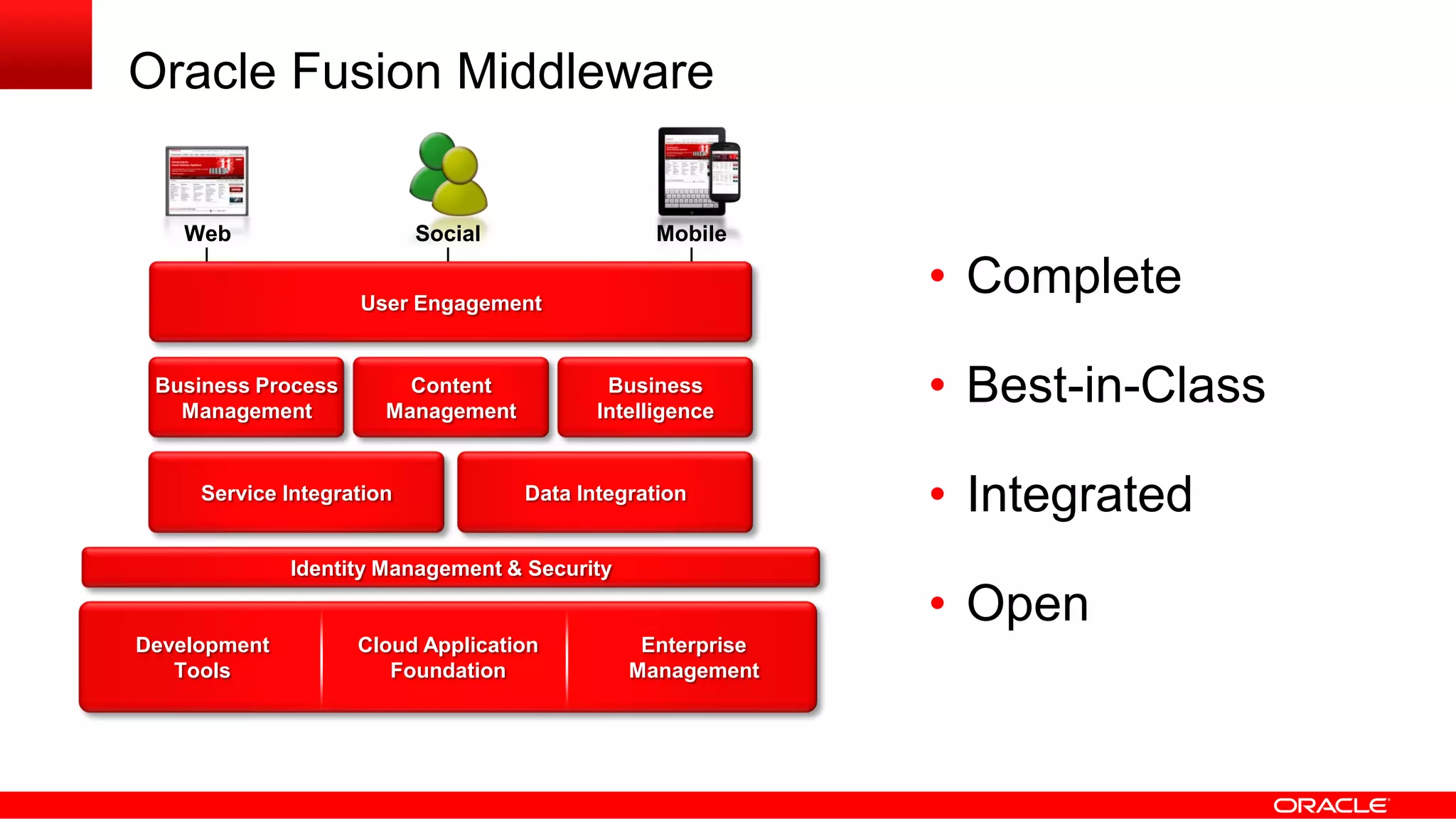
Oracle Fusion Middleware
• Complete
• Best-in-Class
• Integrated
• Open
Development
Tools
Cloud Application
Foundation
Enterprise
Management
Web Social Mobile
User Engagement
Identity Management & Security
Business Process
Management
Content
Management
Business
Intelligence
Service Integration Data Integration
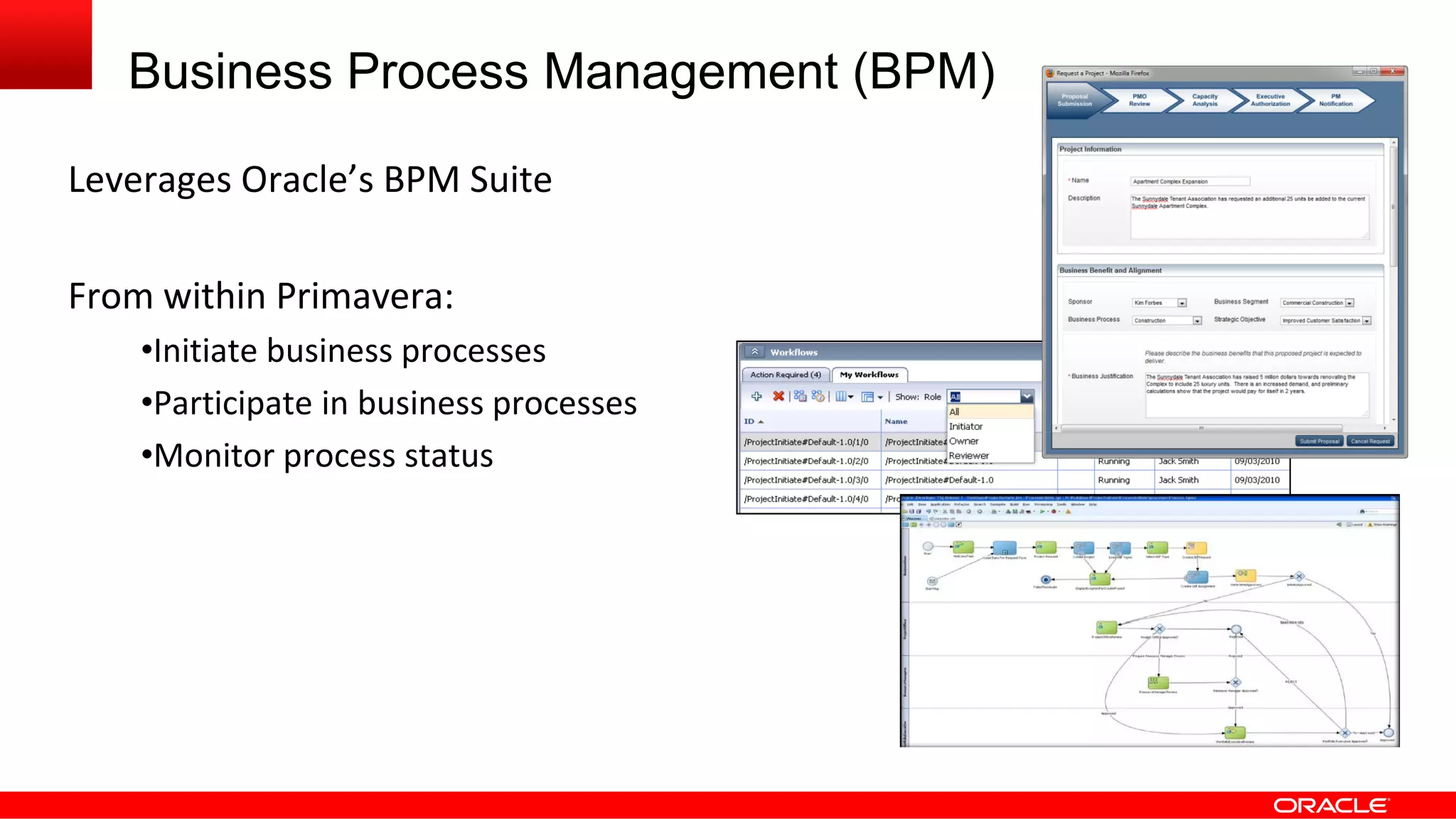
Business Process Management (BPM)
Leverages Oracle’s BPM Suite
From within Primavera:
•Initiate business processes
•Participate in business processes
•Monitor process status
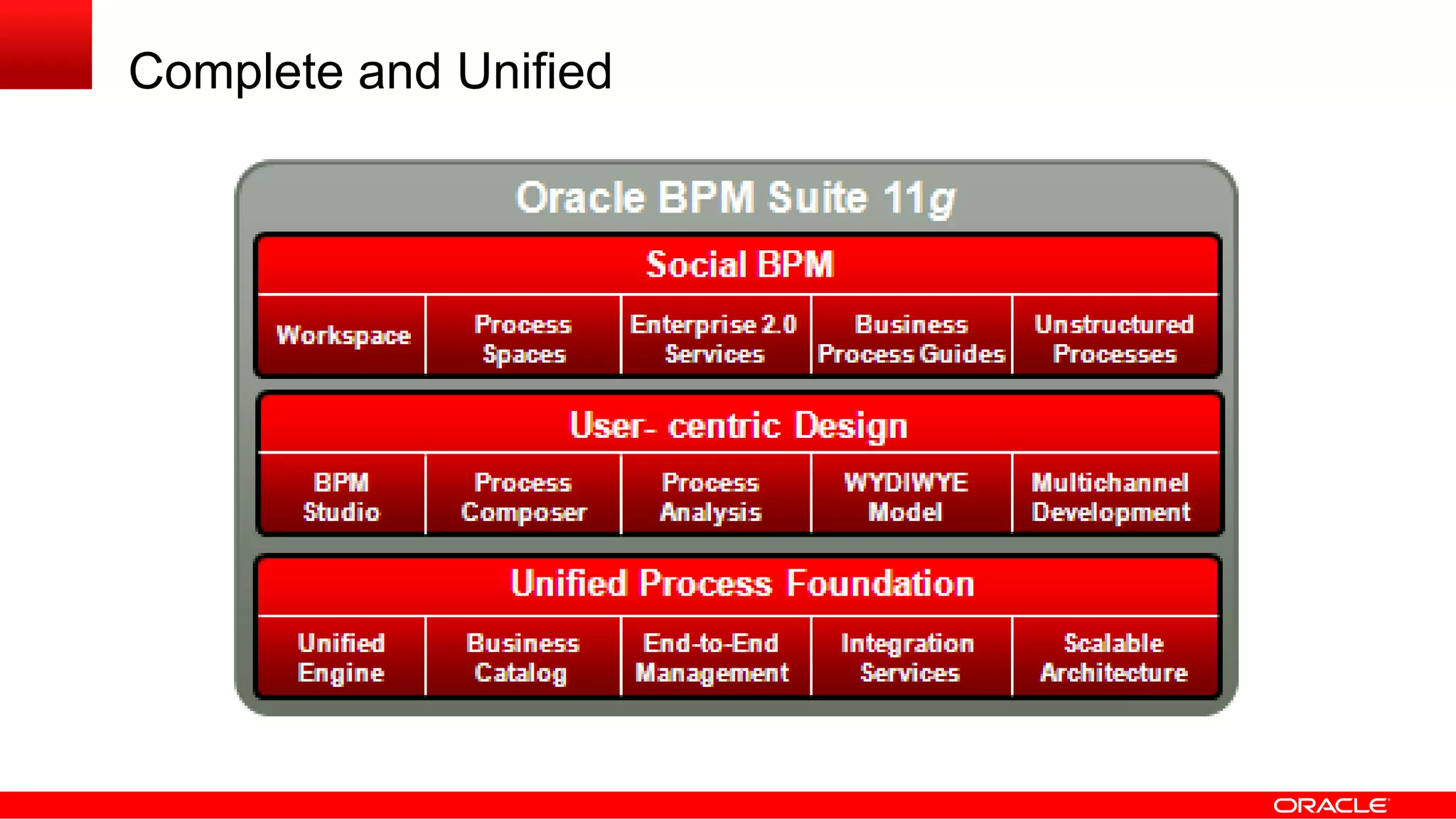
Complete and Unified
Primavera integration possibilities Technical overview - Oracle Primavera Collaborate 14

Primavera integration possibilities Technical overview - Oracle Primavera Collaborate 14

  • 1.
    Primavera Integration Possibilities: A TechnicalOverview Pete Angstadt Principal Applied Technologist Primavera Global Business Unit April 2014
  • 2.
    © 2014 OracleCorporation The following information is intended to outline our general product direction. It is intended for information purposes only, and may not be incorporated into any contract. It is not a commitment to deliver any material, code, or functionality, and should not be relied upon in making purchasing decisions. The development, release, and timing of any features or functionality described for Oracle’s products remains at the sole discretion of Oracle.
  • 3.
    Oracle Primavera Architecture 100%Web-Based Scale to any size deployment Based on open industry standards Web Server SQL DB EAI Application Server UI Layer Data Layer SSL SSL Bus Logic Layer Web Services Web Browser and Web Services Clients
  • 4.
  • 5.
    Why Integrate YourSystems? Problems: •Silos of information •Inefficient processes •Limited collaboration •Lack of visibility By integrating you can leverage the strengths of individual applications Primavera Other System
  • 6.
    Build vs. Buy Leveragea pre-built Oracle solution Leverage a partner solution Extend an existing solution Build it yourself Build it with consulting help
  • 7.
    Some Pre-Built IntegrationsAvailable with Primavera Oracle EBS Oracle PeopleSoft SAP JD Edwards Microsoft Oracle Business Intelligence Web Center AutoVue SSO and LDAP products And more…
  • 8.
    Why Build orExtend Your Solution? •Maybe the integration doesn’t exist E.g., integration to a legacy system •Benefits outweigh the cost •Required skill sets available
  • 9.
    Categories of Integration DataIntegration Business Process (or, Business Logic) Integration User Interface Integration Security Integration
  • 10.
  • 11.
    Point-to-Point Simple Fast and efficient Quickto implement But tightly coupled (Oh, no!) My App Other App
  • 12.
    Point-to-Point •Complexity increases rapidly withadded nodes n * (n – 1) / 2 connections! •High maintenance costs •Lack of flexibility My App Other App Other App Other App
  • 13.
  • 14.
    Hub and Spoke •Simplermodel for more connections •Source and target apps often still need some knowledge of each other •Process hub can get complex •Generally doesn’t scale well My App Other App Other App Other App Process Hub Other App Other App
  • 15.
    Service Oriented Architecture(SOA) •Loosely coupled discrete modules •Messaging, not procedure calls •Usually involves an ESB, SCA, BPMN and/or BPEL •Applications can be added: •Near-linear scalability •Near-linear cost impact My App Other App Other App
  • 16.
    Primavera and IntegrationArchitecture Big Idea: Primavera’s Web Services and APIs are compatible with any integration architecture. This includes P6, Unifier, OPPM, Contract Management, etc.
  • 17.
  • 18.
    Three Layers ofIntegration Web Server SQL DB EAI Application Server UI Layer Data Layer SSL SSL Bus Logic Layer Web Services Web Browser Clients
  • 19.
    Three Layers ofIntegration Web Server SQL DB Data Integration SQL SQL and ETL EAI Application Server UI Layer Data Layer SSL SSL Bus Logic Layer Web Services Web Browser Clients
  • 20.
    Three Layers ofIntegration Web Server SQL DB SOAP / XML Web Services XML Events Java and XML APIs Data Integration Business Process and Data Integration SQL SQL and ETL 3rd Party Application EAI Application Server UI Layer Data Layer SSL SSL Bus Logic Layer Web Services Web Browser Clients
  • 21.
    Three Layers ofIntegration Web Server SQL DB SOAP / XML Web Services XML Events Java and XML APIs Data Integration Business Process and Data Integration UI Integration SQL HTML / XML SQL and ETL Custom Portlets 3rd Party Application 3rd Party Application EAI Application Server UI Layer Data Layer SSL SSL Bus Logic Layer Web Services Web Browser Clients
  • 22.
    Primavera as ServiceProvider Publish Primavera WSDL 3rd Party Web ApplicationExternal App Consumes Web Services HTTP/SOAP DB EAI Application Server UI Layer Data Layer Bus Logic Layer Web Services • WSDL describes services and operations • Interoperable • WS-I Basic Profile compliant • Can “auto-generate” client side code
  • 23.
  • 24.
  • 25.
  • 26.
    Business Process Services •Jobs •Scheduleproject •Summarize project •Level resources •Apply actuals •Store period performance •Spreads •Import and Export
  • 27.
    Entity Services Each correspondsto a business object type (WBS, Activity, etc.) Standard operations: Create Read Update Delete
  • 28.
    Entity Services –Standard Operations Create and Update operations •Most fields are optional •Read-only fields are ignored Read operations •Specify fields to read •Filter may be specified Delete operations •Specific records
  • 29.
    Special Operations And manymore… •Copy project •Read calculated UDFs •Convert project to baseline •Restore baseline •Calculate project score •Update user baselines •Lock / unlock project •Create project from template •Publish project •Copy WBS from template
  • 30.
    A Consistent Interface Consistentnaming: •User Interface •Web Services / API •Reporting view Example: •Activity’s “actual duration” in P6 Web’s user interface •Activity service’s “ActualDuration” field •ACTIVITY table’s “ACTUALDURATION” column
  • 31.
    More Supported Standards WS-Security •UsernameTokenProfile •SAML Token Profile WS-Addressing WS-Policy MTOM
  • 32.
    Unifier Web Services Serviceendpoint: https://<host>:<port>/ws/un/services/UnifierWebServices Common operations for business processes: Operation Description createBPRecord Create new BP record getBPRecord Gets specific BP record getCompleteBPRecord Gets complete BP record, including attachments getBPList Gets all BP records. Can filter results if needed getUDRData Gets XML data from UDR output updateBPRecord Updates BP record updateCompleteBPRecord Updates BP record and can add attachments Note: Deletion of BP records is handled via update
  • 33.
    XML Payload Payload forbusiness processes is passed within a wrapper: <soapenv:Envelope xmlns:soapenv="http://www.w3.org/2003/05/soap-envelope"> <soapenv:Body> <ns1:getBPListResponse xmlns:ns1="http://general.service.webservices.skire.com"> <ns1:return ns1:type="com.skire.webservices.util.xml.XMLObject"> <ax21:statusCode xmlns:ax21="http://xml.util.webservices.skire.com/xsd">200</ax21:statusCode> <ax21:xmlcontents xmlns:ax21="http://xml.util.webservices.skire.com/xsd"> <![CDATA[<List_Wrapper> <_bp> <GIS_Link></GIS_Link> <record_no>LP-0000001</record_no> <Resp_Mgr>Fred Smith</Resp_Mgr> </_bp> <_bp> <GIS_Link>http://tinyurl.com/bq9vfob Parcel Map</GIS_Link> <record_no>LP-0000002</record_no> <Resp_Mgr>Jim Owen</Resp_Mgr> </_bp> </List_Wrapper>]]> </ax21:xmlcontents> </ns1:return> </ns1:getBPListResponse> </soapenv:Body> </soapenv:Envelope>
  • 34.
  • 35.
    Primavera Eventing Framework SendXML messages JMS 1.1 – Compliant Message Queue or Enterprise Service Bus DB EAI Application Server UI Layer Data Layer Bus Logic Layer Web Services •Powerful possibilities •Notifications •Workflows •Custom Business Processes •Actions in system result in XML messages •Uses JMS
  • 36.
    Event Administration Administrator controlled Enableas needed: •Entity events •Special operation events
  • 37.
  • 38.
    Direct Database Integration- Caution Primavera DB Other System It is recommended to use Primavera Web Services for integration. However, additional database-level integration is technically possible when Primavera is deployed on-premise. Care should be taken to not adversely affect performance, scalability, or functionality when making any database change.
  • 39.
    Database Triggers Database Triggersare procedures stored in the database that get executed when a table is modified (insert, update, delete) Design Best Practices •The trigger should only do what is likely to succeed •Communication should be asynchronous Possible Uses of Triggers •Copy record or specific changes to another non-production table •Leverage Oracle Advanced Queuing (AQ) •Enqueue a message or call stored procedure to do the same •Payload can be XML, string, record, etc.
  • 40.
  • 41.
    Oracle Fusion Middleware •Complete • Best-in-Class • Integrated • Open Development Tools Cloud Application Foundation Enterprise Management Web Social Mobile User Engagement Identity Management & Security Business Process Management Content Management Business Intelligence Service Integration Data Integration
  • 42.
    Business Process Management(BPM) Leverages Oracle’s BPM Suite From within Primavera: •Initiate business processes •Participate in business processes •Monitor process status
  • 43.