Modular
Programming
Presented by : Sabin Dhakal
Presented to: Roshan
Maharjan
Concept and
Introduction
01
Chapter:9
Learning Outlines
 Define modular programming and explain
the benefits offered by modular design.
 Explain the types of procedures in
QBASIC programming.
 Explain the important steps to build sub-
procedure and function procedure.
 Identify and compare the two methods
of passing arguments to the procedure.
 Explain the scope of variables in
QBASIC.
CONCEPT
1. Modular programming is breaking down the design of a program
into individual components that can be programmed and tested
independently.
2. The process of breaking a large program into small
manageable tasks and designed them independently
is called modular programming.
3. A module program consists of a main module and
one or more sub modules or procedures. A modular
program consist of main module and sub-module.
Parts of
Module
02
Two parts of Module
Module is divided into two parts:
• Main module: The top level module which is located at the top of a
procedures such SUB procedures or FUNCTION procedure is called
main module. The program entry point is a module , which is located
at the top of the order modules . The main module is the controlling
section of a modular programming.
• SUB Module: Sub module is a program, which is written under the
main module. A modular program may have one or more than one
modules or procedures under main module which also may have
other sub module.
Merits of Modular Programming
1. Code is easier to understand. Instead of pages and pages there are
small, discrete blocks of code.
2. Errors can easily be identified, as they are localized to a subroutine
or function.
3. Scooping of variables can be controlled more easily.
4. Modular programming allows many programmers to collaborate on
the same application.
5. It reduces the program code.
6. It is possible to use single module in different places.
7. It makes debugging easier.
8. It makes the maintenance of the program easier.
9. It reduces the chance of changing the value of variable accidentally.
Procedure
03
Procedure
QBASIC program consists of module-level code and a number of
procedures. Procedures are separate blocks of statements used by
the module-level code; they can be called by the module level code
any number of times. There are two types of Procedure. They are:
a. SUB procedure
b. Function procedure
1. SUB procedure: A sub procedure is a small manageable and
functional part of a program that performs specific tasks and
does not return any value to the calling module. A sub program is
written with SUB/END SUB statements.
FUNCTION PROCEDURE
Function Procedure : A function procedure is small manageable and
functional part of a program that performs the specific tasks and
returns a single value to the main program or calling module. A
function is written with FUNCTION....... END FUNCTION statement.
 SUB procedure cannot be a part of an expression and does not return any va;ue.
 SUB procedure can be recursive . They may call themselves.
 SUB procedure do not have a data type.
 The parameters can be passed by reference or by value.
 All variables and arrays are considered local to the SUB procedure unless specifically
defined as shared using the SHARED statement.
FEATURES OF SUB PROCEDURES
FEATURES OF FUNCTION PROCEDURE
i. FUNCTION procedure are used in expressions and can
directly return a single value.
ii. FUNCTION procedure can be recursive. A recursive
function is one that calls itself.
iii. FUNCTION procedure have a data type which is the return
value of the function.
iv. The parameters can be passed by reference or by value.
v. All variables within a FUNCTION are local and are initialized
to zero or null before the function begins execution.
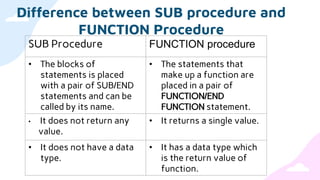
Difference between SUB procedure and
FUNCTION Procedure
SUB Procedure FUNCTION procedure
• The blocks of
statements is placed
with a pair of SUB/END
statements and can be
called by its name.
• The statements that
make up a function are
placed in a pair of
FUNCTION/END
FUNCTION statement.
• It does not return any
value.
• It returns a single value.
• It does not have a data
type.
• It has a data type which
is the return value of
function.
Concept and
Introduction
03
SUB
PROCEDURE
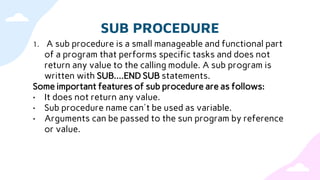
SUB PROCEDURE
1. A sub procedure is a small manageable and functional part
of a program that performs specific tasks and does not
return any value to the calling module. A sub program is
written with SUB....END SUB statements.
Some important features of sub procedure are as follows:
• It does not return any value.
• Sub procedure name can't be used as variable.
• Arguments can be passed to the sun program by reference
or value.
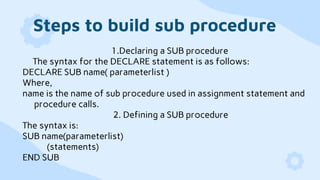
Steps to build sub procedure
1.Declaring a SUB procedure
The syntax for the DECLARE statement is as follows:
DECLARE SUB name( parameterlist )
Where,
name is the name of sub procedure used in assignment statement and
procedure calls.
2. Defining a SUB procedure
The syntax is:
SUB name(parameterlist)
(statements)
END SUB
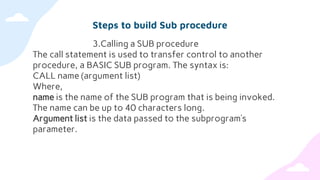
Steps to build Sub procedure
3.Calling a SUB procedure
The call statement is used to transfer control to another
procedure, a BASIC SUB program. The syntax is:
CALL name (argument list)
Where,
name is the name of the SUB program that is being invoked.
The name can be up to 40 characters long.
Argument list is the data passed to the subprogram’s
parameter.
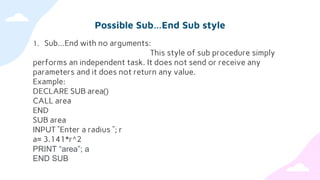
Possible Sub…End Sub style
1. Sub…End with no arguments:
This style of sub procedure simply
performs an independent task. It does not send or receive any
parameters and it does not return any value.
Example:
DECLARE SUB area()
CALL area
END
SUB area
INPUT ”Enter a radius ”; r
a= 3.141*r^2
PRINT “area”; a
END SUB
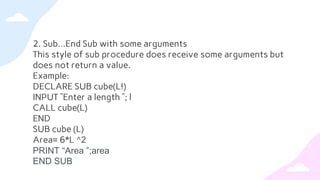
2. Sub…End Sub with some arguments
This style of sub procedure does receive some arguments but
does not return a value.
Example:
DECLARE SUB cube(L!)
INPUT ”Enter a length ”; l
CALL cube(L)
END
SUB cube (L)
Area= 6*L ^2
PRINT “Area ”;area
END SUB
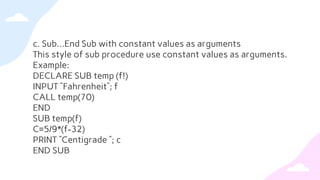
c. Sub…End Sub with constant values as arguments
This style of sub procedure use constant values as arguments.
Example:
DECLARE SUB temp (f!)
INPUT “Fahrenheit”; f
CALL temp(70)
END
SUB temp(f)
C=5/9*(f-32)
PRINT “Centigrade ”; c
END SUB
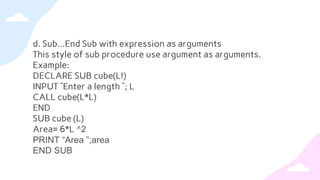
d. Sub…End Sub with expression as arguments
This style of sub procedure use argument as arguments.
Example:
DECLARE SUB cube(L!)
INPUT ”Enter a length ”; L
CALL cube(L*L)
END
SUB cube (L)
Area= 6*L ^2
PRINT “Area ”;area
END SUB
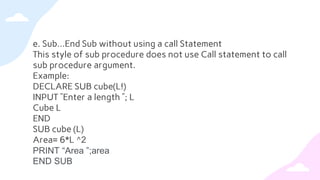
e. Sub…End Sub without using a call Statement
This style of sub procedure does not use Call statement to call
sub procedure argument.
Example:
DECLARE SUB cube(L!)
INPUT ”Enter a length ”; L
Cube L
END
SUB cube (L)
Area= 6*L ^2
PRINT “Area ”;area
END SUB
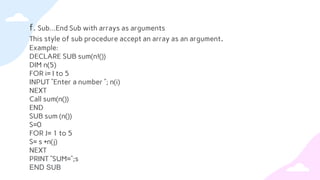
f. Sub…End Sub with arrays as arguments
This style of sub procedure accept an array as an argument.
Example:
DECLARE SUB sum(n!())
DIM n(5)
FOR i= I to 5
INPUT ”Enter a number ”; n(i)
NEXT
Call sum(n())
END
SUB sum (n())
S=0
FOR J= 1 to 5
S= s +n(j)
NEXT
PRINT “SUM=“;s
END SUB
Passing Arguments to Procedures
The calling procedure can pass arguments to the procedure in two
ways:
• By value
• By reference
Passing Arguments By value:
When arguments are passed by value, the
procedure sees only a copy of the argument. Passing argument by
value is useful when the function does not modify the values of the
original variables in the calling program done by enclosing the
argument variables in parenthesis.
Passing Arguments by reference: Passing arguments by reference
gives the procedure access to the actual variable. The calling
procedure passes the address of the variable in memory so that the
procedure can change its value permanently.
TYPES OF PARAMETERS
1. Parameters are variables that receive data (argument
values) sent to the procedures(subroutines and functions).
Parameters are of the two types:
• Formal parameters: Formal parameters are used to specify or
declare the type of data to be passed to the procedures either
by sub or function procedure. Formal parameter is always a
variable.
• Actual parameter: Actual parameters are the arguments which
are used to pass value or data to the procedures. Actual
parameters may be variables or constant values.
Parameters and Arguments
1. Parameter:
A parameter represents a value that the procedure
excepts you to pass when you call it.
2.Argument:
An argument represents the value that you pass to a
procedure parameter when you call the procedure. The calling
code supplies the arguments when it calls the procedure.
3. FUNCTION Procedure:
The FUNCTION procedure is a type of procedure
that returns a value whenever it is called.
STEPS to build function
1. Declaring a FUNCTION Procedure:
Declaring a FUNCTION Procedure refers to specifying the
FUNCTION procedure’s name, and the number and type of arguments that
will be used to call the procedure . The syntax for the DECLARE
statement is:
DECLARE FUNCTION name(parameterlist)
2. Defining a function procedure:
The FUNCTION…..END FUNCTION statement declares the name, the
parameters, and the code that form the body of a FUNCTION procedure.
The syntax is:
FUNCTION name [(parameter list)]
[statements]
Function name = expression
[statements]
END FUNCTION
1. Calling a FUNCTION:
The syntax for assigning a function to a variable is:
Variable = FunctionName (argument list)
Passing arguments to Function:
Arguments are passed to functions in the same manner as in
sub procedure . Functions also use the two modes of passing
arguments, by value and by reference.
Passing arguments by Value
When arguments are passed by value, the called function
creates a new variable of the same type as the arguments, and
copies the argument values into it.
Passing arguments by Reference
In the call by reference method , the called function accesses and
works with the original values using their references.
RECURSIVE FUNCTION
1. Recursion is a programming technique that allows the
programmer to express operations in terms of themselves.
It is very similar to a loop because it repeat the same code.
2. Scope of Variable:
Variable is a named location in the memory that is used to
store a value during program execution.
3. Local variable:
A local variable is declared inside a procedure, and is
not accessible outside the procedure.
4. Global variable: A Global variable is declared outside all
procedures and is accessible in its scope . A variable declared
in a COMMON or DM statement with the SHARED attribute is a
global variable to a module.
COMMON statement
1. The COMMON statement is a non-executable statement that
declares variables as global , so that they can be shared
between main program, subprograms and functions . The
syntax is:
COMMON[SHARED] variablelist
2. SHARED Statement:
The Shared statement is used to declare global variable in
sub module . It is used to make the variable accessible which is
declared at the module level without passing them as
parameters. Its syntax is:
SHARED variablelist
DIM SHARED Statement
1. The DIM SHARED Statement makes the variable accessible to
all the modules. It appears in the main program .The syntax
is:
DIM SHARED variable(subscript)

Presentation of computer

  • 1.
    Modular Programming Presented by :Sabin Dhakal Presented to: Roshan Maharjan
  • 2.
  • 3.
    Learning Outlines  Definemodular programming and explain the benefits offered by modular design.  Explain the types of procedures in QBASIC programming.  Explain the important steps to build sub- procedure and function procedure.  Identify and compare the two methods of passing arguments to the procedure.  Explain the scope of variables in QBASIC.
  • 4.
    CONCEPT 1. Modular programmingis breaking down the design of a program into individual components that can be programmed and tested independently. 2. The process of breaking a large program into small manageable tasks and designed them independently is called modular programming. 3. A module program consists of a main module and one or more sub modules or procedures. A modular program consist of main module and sub-module.
  • 5.
  • 6.
    Two parts ofModule Module is divided into two parts: • Main module: The top level module which is located at the top of a procedures such SUB procedures or FUNCTION procedure is called main module. The program entry point is a module , which is located at the top of the order modules . The main module is the controlling section of a modular programming. • SUB Module: Sub module is a program, which is written under the main module. A modular program may have one or more than one modules or procedures under main module which also may have other sub module.
  • 7.
    Merits of ModularProgramming 1. Code is easier to understand. Instead of pages and pages there are small, discrete blocks of code. 2. Errors can easily be identified, as they are localized to a subroutine or function. 3. Scooping of variables can be controlled more easily. 4. Modular programming allows many programmers to collaborate on the same application. 5. It reduces the program code. 6. It is possible to use single module in different places. 7. It makes debugging easier. 8. It makes the maintenance of the program easier. 9. It reduces the chance of changing the value of variable accidentally.
  • 8.
  • 9.
    Procedure QBASIC program consistsof module-level code and a number of procedures. Procedures are separate blocks of statements used by the module-level code; they can be called by the module level code any number of times. There are two types of Procedure. They are: a. SUB procedure b. Function procedure 1. SUB procedure: A sub procedure is a small manageable and functional part of a program that performs specific tasks and does not return any value to the calling module. A sub program is written with SUB/END SUB statements.
  • 10.
    FUNCTION PROCEDURE Function Procedure: A function procedure is small manageable and functional part of a program that performs the specific tasks and returns a single value to the main program or calling module. A function is written with FUNCTION....... END FUNCTION statement.  SUB procedure cannot be a part of an expression and does not return any va;ue.  SUB procedure can be recursive . They may call themselves.  SUB procedure do not have a data type.  The parameters can be passed by reference or by value.  All variables and arrays are considered local to the SUB procedure unless specifically defined as shared using the SHARED statement. FEATURES OF SUB PROCEDURES
  • 11.
    FEATURES OF FUNCTIONPROCEDURE i. FUNCTION procedure are used in expressions and can directly return a single value. ii. FUNCTION procedure can be recursive. A recursive function is one that calls itself. iii. FUNCTION procedure have a data type which is the return value of the function. iv. The parameters can be passed by reference or by value. v. All variables within a FUNCTION are local and are initialized to zero or null before the function begins execution.
  • 12.
    Difference between SUBprocedure and FUNCTION Procedure SUB Procedure FUNCTION procedure • The blocks of statements is placed with a pair of SUB/END statements and can be called by its name. • The statements that make up a function are placed in a pair of FUNCTION/END FUNCTION statement. • It does not return any value. • It returns a single value. • It does not have a data type. • It has a data type which is the return value of function.
  • 13.
  • 14.
    SUB PROCEDURE 1. Asub procedure is a small manageable and functional part of a program that performs specific tasks and does not return any value to the calling module. A sub program is written with SUB....END SUB statements. Some important features of sub procedure are as follows: • It does not return any value. • Sub procedure name can't be used as variable. • Arguments can be passed to the sun program by reference or value.
  • 15.
    Steps to buildsub procedure 1.Declaring a SUB procedure The syntax for the DECLARE statement is as follows: DECLARE SUB name( parameterlist ) Where, name is the name of sub procedure used in assignment statement and procedure calls. 2. Defining a SUB procedure The syntax is: SUB name(parameterlist) (statements) END SUB
  • 16.
    Steps to buildSub procedure 3.Calling a SUB procedure The call statement is used to transfer control to another procedure, a BASIC SUB program. The syntax is: CALL name (argument list) Where, name is the name of the SUB program that is being invoked. The name can be up to 40 characters long. Argument list is the data passed to the subprogram’s parameter.
  • 17.
    Possible Sub…End Substyle 1. Sub…End with no arguments: This style of sub procedure simply performs an independent task. It does not send or receive any parameters and it does not return any value. Example: DECLARE SUB area() CALL area END SUB area INPUT ”Enter a radius ”; r a= 3.141*r^2 PRINT “area”; a END SUB
  • 18.
    2. Sub…End Subwith some arguments This style of sub procedure does receive some arguments but does not return a value. Example: DECLARE SUB cube(L!) INPUT ”Enter a length ”; l CALL cube(L) END SUB cube (L) Area= 6*L ^2 PRINT “Area ”;area END SUB
  • 19.
    c. Sub…End Subwith constant values as arguments This style of sub procedure use constant values as arguments. Example: DECLARE SUB temp (f!) INPUT “Fahrenheit”; f CALL temp(70) END SUB temp(f) C=5/9*(f-32) PRINT “Centigrade ”; c END SUB
  • 20.
    d. Sub…End Subwith expression as arguments This style of sub procedure use argument as arguments. Example: DECLARE SUB cube(L!) INPUT ”Enter a length ”; L CALL cube(L*L) END SUB cube (L) Area= 6*L ^2 PRINT “Area ”;area END SUB
  • 21.
    e. Sub…End Subwithout using a call Statement This style of sub procedure does not use Call statement to call sub procedure argument. Example: DECLARE SUB cube(L!) INPUT ”Enter a length ”; L Cube L END SUB cube (L) Area= 6*L ^2 PRINT “Area ”;area END SUB
  • 22.
    f. Sub…End Subwith arrays as arguments This style of sub procedure accept an array as an argument. Example: DECLARE SUB sum(n!()) DIM n(5) FOR i= I to 5 INPUT ”Enter a number ”; n(i) NEXT Call sum(n()) END SUB sum (n()) S=0 FOR J= 1 to 5 S= s +n(j) NEXT PRINT “SUM=“;s END SUB
  • 23.
    Passing Arguments toProcedures The calling procedure can pass arguments to the procedure in two ways: • By value • By reference Passing Arguments By value: When arguments are passed by value, the procedure sees only a copy of the argument. Passing argument by value is useful when the function does not modify the values of the original variables in the calling program done by enclosing the argument variables in parenthesis. Passing Arguments by reference: Passing arguments by reference gives the procedure access to the actual variable. The calling procedure passes the address of the variable in memory so that the procedure can change its value permanently.
  • 24.
    TYPES OF PARAMETERS 1.Parameters are variables that receive data (argument values) sent to the procedures(subroutines and functions). Parameters are of the two types: • Formal parameters: Formal parameters are used to specify or declare the type of data to be passed to the procedures either by sub or function procedure. Formal parameter is always a variable. • Actual parameter: Actual parameters are the arguments which are used to pass value or data to the procedures. Actual parameters may be variables or constant values.
  • 25.
    Parameters and Arguments 1.Parameter: A parameter represents a value that the procedure excepts you to pass when you call it. 2.Argument: An argument represents the value that you pass to a procedure parameter when you call the procedure. The calling code supplies the arguments when it calls the procedure. 3. FUNCTION Procedure: The FUNCTION procedure is a type of procedure that returns a value whenever it is called.
  • 26.
    STEPS to buildfunction 1. Declaring a FUNCTION Procedure: Declaring a FUNCTION Procedure refers to specifying the FUNCTION procedure’s name, and the number and type of arguments that will be used to call the procedure . The syntax for the DECLARE statement is: DECLARE FUNCTION name(parameterlist) 2. Defining a function procedure: The FUNCTION…..END FUNCTION statement declares the name, the parameters, and the code that form the body of a FUNCTION procedure. The syntax is: FUNCTION name [(parameter list)] [statements] Function name = expression [statements] END FUNCTION
  • 27.
    1. Calling aFUNCTION: The syntax for assigning a function to a variable is: Variable = FunctionName (argument list) Passing arguments to Function: Arguments are passed to functions in the same manner as in sub procedure . Functions also use the two modes of passing arguments, by value and by reference. Passing arguments by Value When arguments are passed by value, the called function creates a new variable of the same type as the arguments, and copies the argument values into it. Passing arguments by Reference In the call by reference method , the called function accesses and works with the original values using their references.
  • 28.
    RECURSIVE FUNCTION 1. Recursionis a programming technique that allows the programmer to express operations in terms of themselves. It is very similar to a loop because it repeat the same code. 2. Scope of Variable: Variable is a named location in the memory that is used to store a value during program execution. 3. Local variable: A local variable is declared inside a procedure, and is not accessible outside the procedure. 4. Global variable: A Global variable is declared outside all procedures and is accessible in its scope . A variable declared in a COMMON or DM statement with the SHARED attribute is a global variable to a module.
  • 29.
    COMMON statement 1. TheCOMMON statement is a non-executable statement that declares variables as global , so that they can be shared between main program, subprograms and functions . The syntax is: COMMON[SHARED] variablelist 2. SHARED Statement: The Shared statement is used to declare global variable in sub module . It is used to make the variable accessible which is declared at the module level without passing them as parameters. Its syntax is: SHARED variablelist
  • 30.
    DIM SHARED Statement 1.The DIM SHARED Statement makes the variable accessible to all the modules. It appears in the main program .The syntax is: DIM SHARED variable(subscript)