Procedure
• A procedureis a group of statements that together perform a task when called.
• After the procedure is executed, the control returns to the statement calling the
procedure.
• A procedure is created within a class or a module.
• It can always call a procedure from the same class or module in which it is created.
• A procedure can call the procedure from different classes and modules depending
on the access modifier used while creating the procedure.
• The access modifiers determine the scope within which a procedure can be called.
3.
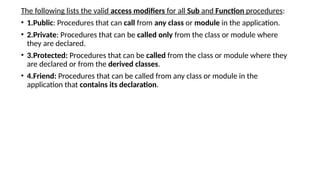
The following liststhe valid access modifiers for all Sub and Function procedures:
• 1.Public: Procedures that can call from any class or module in the application.
• 2.Private: Procedures that can be called only from the class or module where
they are declared.
• 3.Protected: Procedures that can be called from the class or module where they
are declared or from the derived classes.
• 4.Friend: Procedures that can be called from any class or module in the
application that contains its declaration.
4.
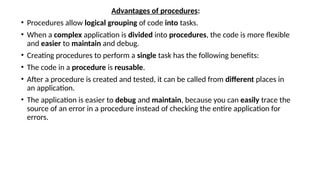
Advantages of procedures:
•Procedures allow logical grouping of code into tasks.
• When a complex application is divided into procedures, the code is more flexible
and easier to maintain and debug.
• Creating procedures to perform a single task has the following benefits:
• The code in a procedure is reusable.
• After a procedure is created and tested, it can be called from different places in
an application.
• The application is easier to debug and maintain, because you can easily trace the
source of an error in a procedure instead of checking the entire application for
errors.
5.
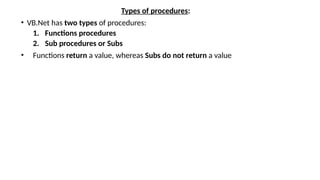
Types of procedures:
•VB.Net has two types of procedures:
1. Functions procedures
2. Sub procedures or Subs
• Functions return a value, whereas Subs do not return a value
6.
Functions procedures
• Afunction procedure is a group of VB.NET statements.
• It begins with a Function keyword and ends with an End Function keyword.
• It is generally used to perform a task and return a value back to the calling code.
• It may have multiple return points to the calling code.
• A part from return staments, End Function, or Exit function also returns control to the
calling procedure.
Syntax
[Modifiers ]Function <Function_name> [(parameter list)] As return type
statements
End Function
• Where, Modifiers: specify the access level of the function; possible values are: Public, Private, Protected,
Friend, Protected Friend and information regarding overloading, overriding, sharing, and shadowing.
• Function_name: indicates the name of the function
• Parameter list: specifies the list of the parameters
• Return Type: specifies the data type of the variable the function return
7.
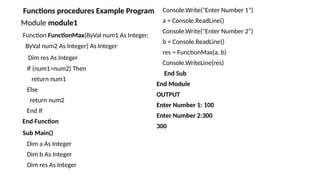
Functions procedures ExampleProgram
Module module1
Function FunctionMax(ByVal num1 As Integer,
ByVal num2 As Integer) As Integer
Dim res As Integer
If (num1>num2) Then
return num1
Else
return num2
End If
End Function
Sub Main()
Dim a As Integer
Dim b As Integer
Dim res As Integer
Console.Write("Enter Number 1")
a = Console.ReadLine()
Console.Write("Enter Number 2")
b = Console.ReadLine()
res = FunctionMax(a, b)
Console.WriteLine(res)
End Sub
End Module
OUTPUT
Enter Number 1: 100
Enter Number 2:300
300
8.
Sub Procedures
• Asub procedure is a group of VB.NET statements. It begins with a Sub keyword and ends with
End Sub keywords.
• A sub procedure is also called a subroutine.
• It is used to execute a certain block of statements consists the body of the procedure.
• It is called explicitly by its name whenever it is required to perform a certain task.
• It can be called any number of times.
• The sub procedure returns control to the calling code after performing a task.
Syntax
[Modifiers ]Sub <sub name> [(parameter list)]
statements
End Sub
• Where,
• Modifiers: specify the access level of the procedure; possible values are: Public, Private, Protected,
Friend, Protected Friend and information regarding overloading, overriding, sharing, and shadowing.
• Sub name: indicates the name of the Sub
• Parameter List: specifies the list of the parameters
9.
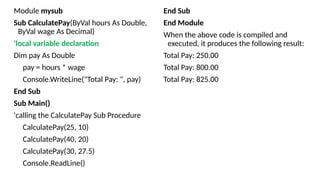
Module mysub
Sub CalculatePay(ByValhours As Double,
ByVal wage As Decimal)
'local variable declaration
Dim pay As Double
pay = hours * wage
Console.WriteLine("Total Pay: ", pay)
End Sub
Sub Main()
'calling the CalculatePay Sub Procedure
CalculatePay(25, 10)
CalculatePay(40, 20)
CalculatePay(30, 27.5)
Console.ReadLine()
End Sub
End Module
When the above code is compiled and
executed, it produces the following result:
Total Pay: 250.00
Total Pay: 800.00
Total Pay: 825.00
10.
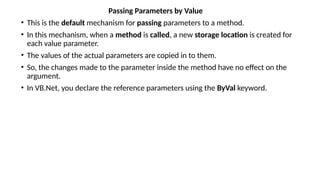
Passing Parameters byValue
• This is the default mechanism for passing parameters to a method.
• In this mechanism, when a method is called, a new storage location is created for
each value parameter.
• The values of the actual parameters are copied in to them.
• So, the changes made to the parameter inside the method have no effect on the
argument.
• In VB.Net, you declare the reference parameters using the ByVal keyword.
11.
Passing Parameters byValue
Module paramByval
Sub swap (ByVal x As Integer, ByVal y As
Integer)
Dim temp As Integer
temp = x ' save the value of x
x=y ' put y into x
y = temp 'put temp into y
End Sub
Sub Main()
' local variable definition
Dim a As Integer = 100
Dim b As Integer = 200
Console.WriteLine("Before swap, value of a : ", a)
Console.WriteLine("Before swap, value of b : ", b)
' calling a function to swap the values '
swap(a, b)
Console.WriteLine("After swap, value of a : ", a)
Console.WriteLine("After swap, value of b : ", b)
Console.ReadLine()
End Sub
End Module
When the above code is compiled and
executed, it produces the following result:
Before swap, value of a :100
Before swap, value of b :200
After swap, value of a :100
After swap, value of b :200
It shows that there is no change in the
values though they had been changed
inside the function.
12.
Passing Parameters byReference
• A reference parameter is a reference to a memory location of a variable.
• When you pass parameters by reference, unlike value parameters, a new storage
location is not created for these parameters.
• The reference parameters represent the same memory location as the actual
parameters that are supplied to the method.
• In VB.Net, you declare the reference parameters using the ByRef keyword.
• The following example demonstrates this:
13.
Passing Parameters byValue
Module paramByval
Sub swap (ByRef x As Integer, ByRef y As
Integer)
Dim temp As Integer
temp = x ' save the value of x
x=y ' put y into x
y = temp 'put temp into y
End Sub
Sub Main()
' local variable definition
Dim a As Integer = 100
Dim b As Integer = 200
Console.WriteLine("Before swap, value of a : ", a)
Console.WriteLine("Before swap, value of b : ", b)
' calling a function to swap the Ref'
swap(a, b)
Console.WriteLine("After swap, value of a : ", a)
Console.WriteLine("After swap, value of b : ", b)
Console.ReadLine()
End Sub
End Module
When the above code is compiled and
executed, it produces the following result:
Before swap, value of a :100
Before swap, value of b :200
After swap, value of a :200
After swap, value of b :100
It shows that there is changing the values

![Functions procedures
• A function procedure is a group of VB.NET statements.
• It begins with a Function keyword and ends with an End Function keyword.
• It is generally used to perform a task and return a value back to the calling code.
• It may have multiple return points to the calling code.
• A part from return staments, End Function, or Exit function also returns control to the
calling procedure.
Syntax
[Modifiers ]Function <Function_name> [(parameter list)] As return type
statements
End Function
• Where, Modifiers: specify the access level of the function; possible values are: Public, Private, Protected,
Friend, Protected Friend and information regarding overloading, overriding, sharing, and shadowing.
• Function_name: indicates the name of the function
• Parameter list: specifies the list of the parameters
• Return Type: specifies the data type of the variable the function return](https://image.slidesharecdn.com/u2t1proceduresindotnet-250826052829-2628c81e/85/procedures-and-their-types-with-example-in-VB-net-6-320.jpg)
![Sub Procedures
• A sub procedure is a group of VB.NET statements. It begins with a Sub keyword and ends with
End Sub keywords.
• A sub procedure is also called a subroutine.
• It is used to execute a certain block of statements consists the body of the procedure.
• It is called explicitly by its name whenever it is required to perform a certain task.
• It can be called any number of times.
• The sub procedure returns control to the calling code after performing a task.
Syntax
[Modifiers ]Sub <sub name> [(parameter list)]
statements
End Sub
• Where,
• Modifiers: specify the access level of the procedure; possible values are: Public, Private, Protected,
Friend, Protected Friend and information regarding overloading, overriding, sharing, and shadowing.
• Sub name: indicates the name of the Sub
• Parameter List: specifies the list of the parameters](https://image.slidesharecdn.com/u2t1proceduresindotnet-250826052829-2628c81e/85/procedures-and-their-types-with-example-in-VB-net-8-320.jpg)