DATABASE
2
1
DATA BASE
&
DBMS
Evolution
of DBMS
Hadia Kashif
M. Hussain
3
4
Integration of
AI and DBMS
Types of
Database
M. Zubair
M Abdullah
5
6
Characteristics
of Database
Keys Of
Database
Rana Hamaeel
Fatima Amir
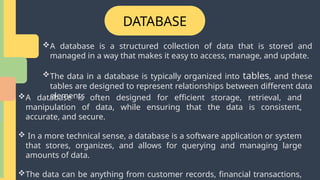
DATABASE
A database is a structured collection of data that is stored and
managed in a way that makes it easy to access, manage, and update.
The data in a database is typically organized into tables, and these
tables are designed to represent relationships between different data
elements
A database is often designed for efficient storage, retrieval, and
manipulation of data, while ensuring that the data is consistent,
accurate, and secure.
 In a more technical sense, a database is a software application or system
that stores, organizes, and allows for querying and managing large
amounts of data.
The data can be anything from customer records, financial transactions,
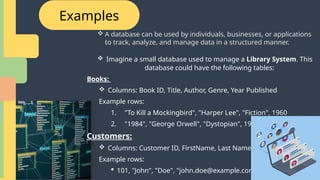
Examples
 A database can be used by individuals, businesses, or applications
to track, analyze, and manage data in a structured manner.
 Imagine a small database used to manage a Library System. This
database could have the following tables:
Books:
 Columns: Book ID, Title, Author, Genre, Year Published
Example rows:
1. "To Kill a Mockingbird", "Harper Lee", "Fiction", 1960
2. "1984", "George Orwell", "Dystopian", 1949
Customers:
 Columns: Customer ID, FirstName, Last Name, Email
Example rows:
 101, "John", "Doe", "john.doe@example.com"
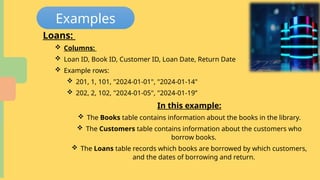
Examples
In this example:
 The Books table contains information about the books in the library.
 The Customers table contains information about the customers who
borrow books.
 The Loans table records which books are borrowed by which customers,
and the dates of borrowing and return.
Loans:
 Columns:
 Loan ID, Book ID, Customer ID, Loan Date, Return Date
 Example rows:
 201, 1, 101, "2024-01-01", "2024-01-14"
 202, 2, 102, "2024-01-05", "2024-01-19”
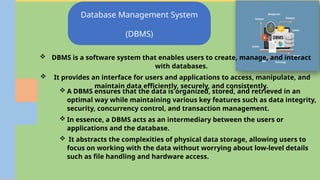
Database Management System
(DBMS)
 DBMS is a software system that enables users to create, manage, and interact
with databases.
 It provides an interface for users and applications to access, manipulate, and
maintain data efficiently, securely, and consistently.
 A DBMS ensures that the data is organized, stored, and retrieved in an
optimal way while maintaining various key features such as data integrity,
security, concurrency control, and transaction management.
 In essence, a DBMS acts as an intermediary between the users or
applications and the database.
 It abstracts the complexities of physical data storage, allowing users to
focus on working with the data without worrying about low-level details
such as file handling and hardware access.
Database Management System
(DBMS)
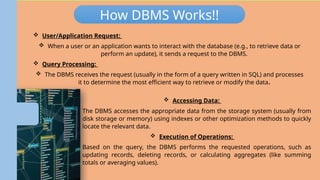
How DBMS Works!!
 User/Application Request:
 When a user or an application wants to interact with the database (e.g., to retrieve data or
perform an update), it sends a request to the DBMS.
 Query Processing:
 The DBMS receives the request (usually in the form of a query written in SQL) and processes
it to determine the most efficient way to retrieve or modify the data.
 Accessing Data:
 The DBMS accesses the appropriate data from the storage system (usually from
disk storage or memory) using indexes or other optimization methods to quickly
locate the relevant data.
 Execution of Operations:
 Based on the query, the DBMS performs the requested operations, such as
updating records, deleting records, or calculating aggregates (like summing
totals or averaging values).
Database Management System
(DBMS)
 DBMS is a software system that enables users to create, manage, and interact
with databases.
 It provides an interface for users and applications to access, manipulate, and
maintain data efficiently, securely, and consistently.
 A DBMS ensures that the data is organized, stored, and retrieved in an
optimal way while maintaining various key features such as data integrity,
security, concurrency control, and transaction management.
 In essence, a DBMS acts as an intermediary between the users or
applications and the database.
 It abstracts the complexities of physical data storage, allowing users to
focus on working with the data without worrying about low-level details
such as file handling and hardware access.
How DBMS Works!!
 User/Application Request:
 When a user or an application wants to interact with the database (e.g., to retrieve data or
perform an update), it sends a request to the DBMS.
 Query Processing:
 The DBMS receives the request (usually in the form of a query written in SQL) and processes
it to determine the most efficient way to retrieve or modify the data.
 Accessing Data:
 The DBMS accesses the appropriate data from the storage system (usually from
disk storage or memory) using indexes or other optimization methods to quickly
locate the relevant data.
 Execution of Operations:
 Based on the query, the DBMS performs the requested operations, such as
updating records, deleting records, or calculating aggregates (like summing
totals or averaging values).
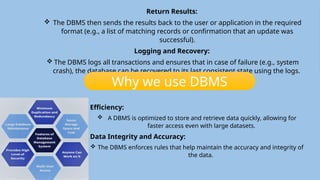
Return Results:
 The DBMS then sends the results back to the user or application in the required
format (e.g., a list of matching records or confirmation that an update was
successful).
Logging and Recovery:
 The DBMS logs all transactions and ensures that in case of failure (e.g., system
crash), the database can be recovered to its last consistent state using the logs.
Efficiency:
 A DBMS is optimized to store and retrieve data quickly, allowing for
faster access even with large datasets.
Data Integrity and Accuracy:
 The DBMS enforces rules that help maintain the accuracy and integrity of
the data.
Why we use DBMS
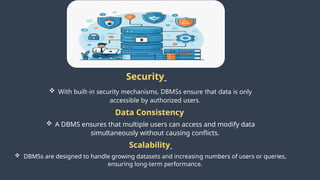
Why Use a DBMS
Security
 With built-in security mechanisms, DBMSs ensure that data is only
accessible by authorized users.
Data Consistency
 A DBMS ensures that multiple users can access and modify data
simultaneously without causing conflicts.
Scalability
 DBMSs are designed to handle growing datasets and increasing numbers of users or queries,
ensuring long-term performance.
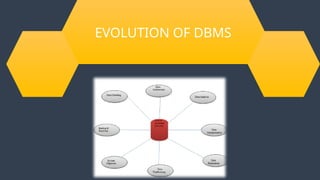
EVOLUTION OF DBMS
Evolution of
DBMS
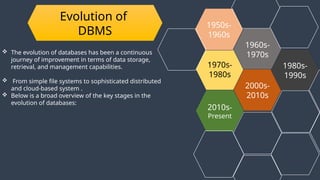
 The evolution of databases has been a continuous
journey of improvement in terms of data storage,
retrieval, and management capabilities.
 From simple file systems to sophisticated distributed
and cloud-based system .
 Below is a broad overview of the key stages in the
evolution of databases:
1970s-
1980s
1960s-
1970s
2000s-
2010s
1950s-
1960s
2010s-
Present
1980s-
1990s
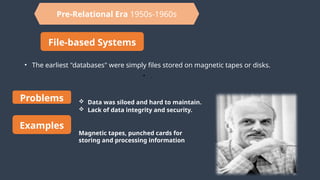
Pre-Relational Era 1950s-1960s
File-based Systems
• The earliest "databases" were simply files stored on magnetic tapes or disks.
• .
Problems  Data was siloed and hard to maintain.
 Lack of data integrity and security.
Examples
Magnetic tapes, punched cards for
storing and processing information
1960s-1970s
Hierarchical and Network Databases
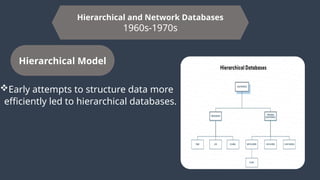
1960s-1970s
Hierarchical Model
Early attempts to structure data more
efficiently led to hierarchical databases.
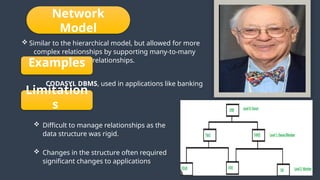
Network
Model
 Similar to the hierarchical model, but allowed for more
complex relationships by supporting many-to-many
relationships.
Examples
CODASYL DBMS, used in applications like banking
systems
Limitation
s
 Difficult to manage relationships as the
data structure was rigid.
 Changes in the structure often required
significant changes to applications.
1970s-1980s
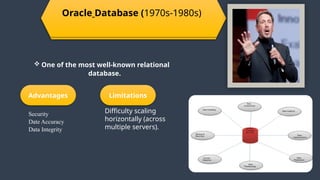
Oracle Database (1970s-1980s)
 One of the most well-known relational
database.
Advantages
Security
Date Accuracy
Data Integrity
Limitations
Difficulty scaling
horizontally (across
multiple servers).
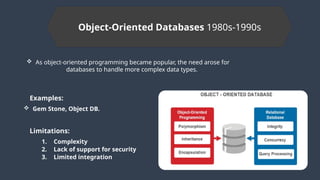
Object-Oriented Databases 1980s-1990s
 As object-oriented programming became popular, the need arose for
databases to handle more complex data types.
Examples:
 Gem Stone, Object DB.
Limitations:
1. Complexity
2. Lack of support for security
3. Limited integration
NewSQL Databases 2000s-2010s
A new generation of relational databases designed to provide the scalability of NoSQL
systems while maintaining the ACID properties of traditional RDBMSs.
Examples:
Google Spanner, Cockroach DB, TIDB
Advantages:
Scalable, distributed systems with strong
consistency. o SQL support for rich querying.
Limitations:
Relatively newer, so still evolving in terms of
adoption and use cases.
Cloud Databases 2010s-Present
With the rise of cloud computing, database systems began to be designed to run in distributed
cloud environments.
Examples
Amazon RDS (Relational Database Service), Google Cloud SQL, Azure SQL Database.
Cloud-native NoSQL: Amazon DynamoDB, Google Cloud Fire Store, and MongoDB Atlas.
Advantages
Flexibility
Security
Affordability
Limitations
Reliance on internet connectivity and cloud providers.
Potential issues with latency for geographically dispersed applications.
Integration of AI
&
Database Management Systems
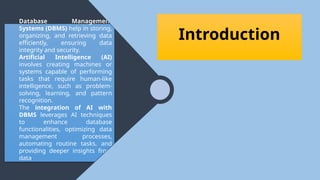
Database Management
Systems (DBMS) help in storing,
organizing, and retrieving data
efficiently, ensuring data
integrity and security.
Artificial Intelligence (AI)
involves creating machines or
systems capable of performing
tasks that require human-like
intelligence, such as problem-
solving, learning, and pattern
recognition.
The integration of AI with
DBMS leverages AI techniques
to enhance database
functionalities, optimizing data
management processes,
automating routine tasks, and
providing deeper insights from
data.
Introduction
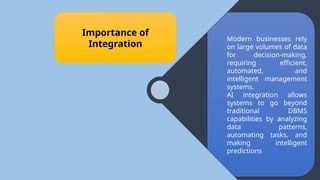
Modern businesses rely
on large volumes of data
for decision-making,
requiring efficient,
automated, and
intelligent management
systems.
AI integration allows
systems to go beyond
traditional DBMS
capabilities by analyzing
data patterns,
automating tasks, and
making intelligent
predictions.
Importance of
Integration
Introduction To
Artificial Intelligence
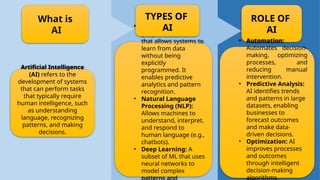
 Machine Learning
(ML): A subset of AI
that allows systems to
learn from data
without being
explicitly
programmed. It
enables predictive
analytics and pattern
recognition.
• Natural Language
Processing (NLP):
Allows machines to
understand, interpret,
and respond to
human language (e.g.,
chatbots).
• Deep Learning: A
subset of ML that uses
neural networks to
model complex
Artificial Intelligence
(AI) refers to the
development of systems
that can perform tasks
that typically require
human intelligence, such
as understanding
language, recognizing
patterns, and making
decisions.
What is
AI
TYPES OF
AI
ROLE OF
AI
• Automation:
Automates decision-
making, optimizing
processes, and
reducing manual
intervention.
• Predictive Analysis:
AI identifies trends
and patterns in large
datasets, enabling
businesses to
forecast outcomes
and make data-
driven decisions.
• Optimization: AI
improves processes
and outcomes
through intelligent
decision-making
algorithms.
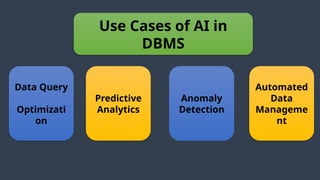
Use Cases of AI in
DBMS
Data Query
Optimizati
on
Anomaly
Detection
Predictive
Analytics
Automated
Data
Manageme
nt
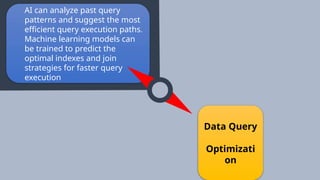
AI can analyze past query
patterns and suggest the most
efficient query execution paths.
Machine learning models can
be trained to predict the
optimal indexes and join
strategies for faster query
execution
Data Query
Optimizati
on
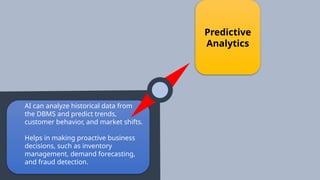
AI can analyze historical data from
the DBMS and predict trends,
customer behavior, and market shifts.
Helps in making proactive business
decisions, such as inventory
management, demand forecasting,
and fraud detection.
Predictive
Analytics
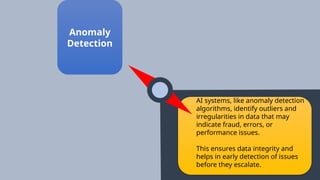
AI systems, like anomaly detection
algorithms, identify outliers and
irregularities in data that may
indicate fraud, errors, or
performance issues.
This ensures data integrity and
helps in early detection of issues
before they escalate.
Anomaly
Detection
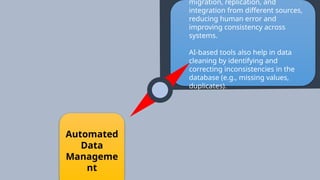
migration, replication, and
integration from different sources,
reducing human error and
improving consistency across
systems.
AI-based tools also help in data
cleaning by identifying and
correcting inconsistencies in the
database (e.g., missing values,
duplicates).
Automated
Data
Manageme
nt
Challenges Future Prospects
Data
Privacy
Concerns
Complexity in
Implementation
Data
Quality Challenges
AI-driven systems may require access
to sensitive or personal data, raising
privacy and security issues.
Data
Privacy
Concern
s
Complexity in
Implementation
Challenges
Scalabili
ty Issues
Integrating AI with existing DBMS
requires advanced technical expertise,
and may involve redesigning database
architectures.
Complexity in
Implementation
Data
Quality
Challenges
Scalabili
ty Issues
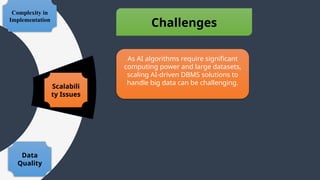
As AI algorithms require significant
computing power and large datasets,
scaling AI-driven DBMS solutions to
handle big data can be challenging.
Data
Privacy
Concern
s
Data
Quality
Challenges
Scalabili
ty Issues
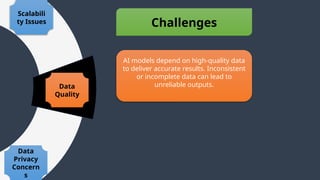
AI models depend on high-quality data
to deliver accurate results. Inconsistent
or incomplete data can lead to
unreliable outputs.
Challenges Future Prospects
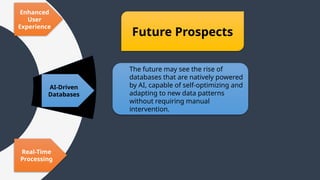
The future may see the rise of
databases that are natively powered
by AI, capable of self-optimizing and
adapting to new data patterns
without requiring manual
intervention.
AI-Driven
Databases
Real-Time
Processing
Enhanced
User
Experience
Future Prospects
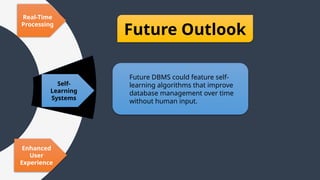
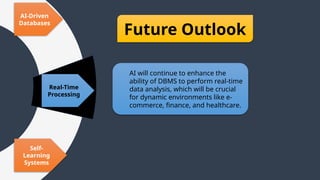
Future Outlook
AI will continue to enhance the
ability of DBMS to perform real-time
data analysis, which will be crucial
for dynamic environments like e-
commerce, finance, and healthcare.
Real-Time
Processing
Self-
Learning
Systems
AI-Driven
Databases
Future Outlook
Future DBMS could feature self-
learning algorithms that improve
database management over time
without human input.
Self-
Learning
Systems
Enhanced
User
Experience
Real-Time
Processing
Future Outlook
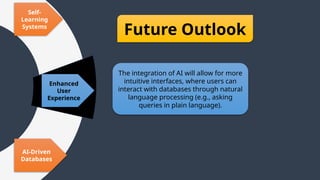
The integration of AI will allow for more
intuitive interfaces, where users can
interact with databases through natural
language processing (e.g., asking
queries in plain language).
Enhanced
User
Experience
AI-Driven
Databases
Self-
Learning
Systems
Relational
Databases
Object-
oriented
databases
Hierarchical
Databases
NoSQL
Databases
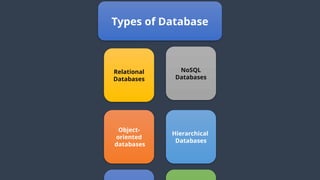
Types of Database
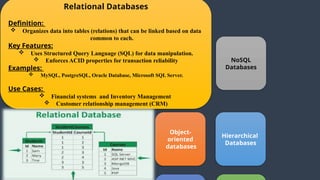
Relational Databases
Definition:
 Organizes data into tables (relations) that can be linked based on data
common to each.
Key Features:
 Uses Structured Query Language (SQL) for data manipulation.
 Enforces ACID properties for transaction reliability
Examples:
 MySQL, PostgreSQL, Oracle Database, Microsoft SQL Server.
Use Cases:
 Financial systems and Inventory Management
 Customer relationship management (CRM)
Object-
oriented
databases
Hierarchical
Databases
NoSQL
Databases
Relational
Databases
Object-
oriented
databases
Hierarchical
Databases
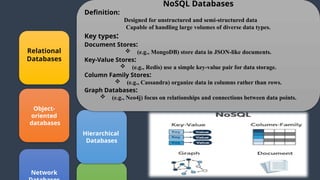
NoSQL Databases
Definition:
Designed for unstructured and semi-structured data
Capable of handling large volumes of diverse data types.
Key types:
Document Stores:
 (e.g., MongoDB) store data in JSON-like documents.
Key-Value Stores:
 (e.g., Redis) use a simple key-value pair for data storage.
Column Family Stores:
 (e.g., Cassandra) organize data in columns rather than rows.
Graph Databases:
 (e.g., Neo4j) focus on relationships and connections between data points.
Network
Cloud
Databases
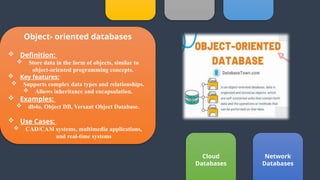
Object- oriented databases
 Definition:
 Store data in the form of objects, similar to
object-oriented programming concepts.
 Key features:
 Supports complex data types and relationships.
 Allows inheritance and encapsulation.
 Examples:
 db4o, Object DB, Versant Object Database.
 Use Cases:
 CAD/CAM systems, multimedia applications,
and real-time systems
Network
Databases
Cloud
Databases
databases
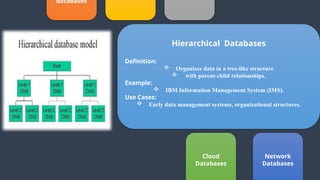
Hierarchical Databases
Definition:
 Organizes data in a tree-like structure
 with parent-child relationships.
Example:
 IBM Information Management System (IMS).
Use Cases:
 Early data management systems, organizational structures.
Network
Databases
Cloud
Databases
Object-
oriented
databases
Hierarchical
Databases
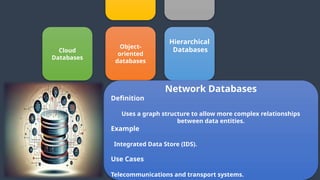
Network Databases
Definition
Uses a graph structure to allow more complex relationships
between data entities.
Example
Integrated Data Store (IDS).
Use Cases
Telecommunications and transport systems.
Cloud Databases
Definition
Hosted on cloud platforms, offering scalability, flexibility,
and accessibility from anywhere.
Key Features
Managed services that reduce the need for physical
hardware.
Support for both SQL and NoSQL databases.
Examples
Amazon RDS, Google Cloud Fire Store, Microsoft Azure SQL
Database.
Use Cases
Web applications, mobile apps, and enterprise solutions.
Object-
oriented
databases
Hierarchical
Databases Network
Databases
Data Consistency
Data Security
Data Integrity
ACID
Real-word entities
Control database
redundancy
CHARACTERISTICS
OF
DATABASE
Data Consistency
Data Security
Data Integrity
ACID
Real-word entities
Control database
redundancy
CHARACTERISTICS
OF
DATABASE
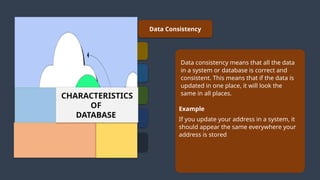
Example
If you update your address in a system, it
should appear the same everywhere your
address is stored
Data consistency means that all the data
in a system or database is correct and
consistent. This means that if the data is
updated in one place, it will look the
same in all places.
Data Consistency
Data Security
Data Integrity
ACID
Real-word entities
Control database
redundancy
CHARACTERISTICS
OF
DATABASE
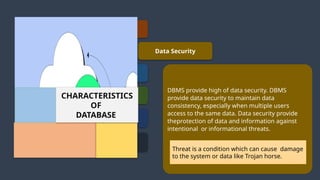
DBMS provide high of data security. DBMS
provide data security to maintain data
consistency, especially when multiple users
access to the same data. Data security provide
theprotection of data and information against
intentional or informational threats.
Threat is a condition which can cause damage
to the system or data like Trojan horse.
Data Consistency
Data Security
Data Integrity
ACID
Real-word entities
Control database
redundancy
CHARACTERISTICS
OF
DATABASE
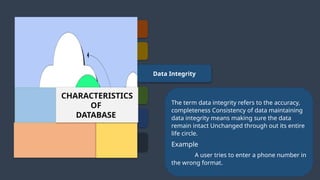
The term data integrity refers to the accuracy,
completeness Consistency of data maintaining
data integrity means making sure the data
remain intact Unchanged through out its entire
life circle.
Example
A user tries to enter a phone number in
the wrong format.
Data Consistency
Data Security
Data Integrity
ACID
Real-word entities
Control database
redundancy
CHARACTERISTICS
OF
DATABASE
DBMS follows the concepts of atomicity,
consistency, isolation, and Durability. These
concepts are applied on transactions which
manipulate data in a database. ACID
properties help the database stay healthy in
multi-transactional environments and in case
of failure
Data Consistency
Data Security
Data Integrity
ACID
Real-word entities
Control database
redundancy
CHARACTERISTICS
OF
DATABASE
A modern DBMS is more realistic and uses real-
world entities. It uses the behavior and attributes
too.
Example
A school database use students as an entity and
their age as an attribute
Data Consistency
Data Security
Data Integrity
ACID
Real-word entities
No Data
Redundancy
CHARACTERISTICS
OF
DATABASE
No data redundancy means there are no
unnecessary copies of data stored in multiple
location.
Data redundancy is when the same data is
stored in more than one place such as in
different database, folders, or software plate
forms.
Primary Key
Foreign Key
Candidate Key
Super Key
Alternate Key
Composite Key
Keys Of Database
In the context of databases keys are crucial elements used to
uniquely identify records(rows)
To establish relationships between different tables.
There are several types of keys in databases each serving a
specific purpose.
Here are the main types
1. Primary key
2. Foreign key
3. Candidate key
4. Super key
5. Alternate key
6. Composite Key
Primary Key
Foreign Key
Candidate Key
Super Key
Alternate Key
Composite Key
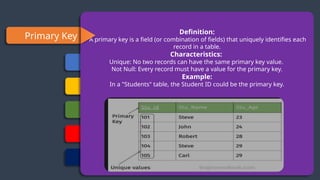
Definition:
A primary key is a field (or combination of fields) that uniquely identifies each
record in a table.
Characteristics:
Unique: No two records can have the same primary key value.
Not Null: Every record must have a value for the primary key.
Example:
In a "Students" table, the Student ID could be the primary key.
Primary Key
Foreign Key
Candidate Key
Super Key
Alternate Key
Composite Key
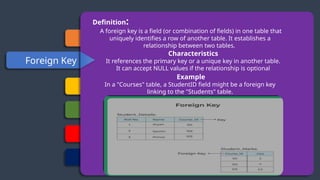
Definition:
A foreign key is a field (or combination of fields) in one table that
uniquely identifies a row of another table. It establishes a
relationship between two tables.
Characteristics
It references the primary key or a unique key in another table.
It can accept NULL values if the relationship is optional
Example
In a "Courses" table, a StudentID field might be a foreign key
linking to the "Students" table.
Primary Key
Foreign Key
Candidate Key
Super Key
Alternate Key
Composite Key
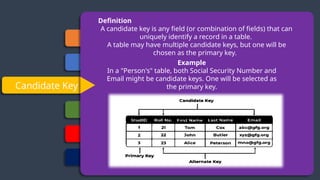
Definition
A candidate key is any field (or combination of fields) that can
uniquely identify a record in a table.
A table may have multiple candidate keys, but one will be
chosen as the primary key.
Example
In a "Person's" table, both Social Security Number and
Email might be candidate keys. One will be selected as
the primary key.
Primary Key
Foreign Key
Candidate Key
Super Key
Alternate Key
Composite Key
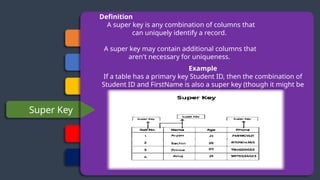
Definition
A super key is any combination of columns that
can uniquely identify a record.
A super key may contain additional columns that
aren't necessary for uniqueness.
Example
If a table has a primary key Student ID, then the combination of
Student ID and FirstName is also a super key (though it might be
redundant).
Primary Key
Foreign Key
Candidate Key
Super Key
Alternate Key
Composite Key
Definition
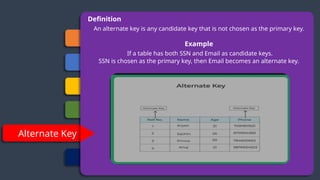
An alternate key is any candidate key that is not chosen as the primary key.
Example
If a table has both SSN and Email as candidate keys.
SSN is chosen as the primary key, then Email becomes an alternate key.
Primary Key
Foreign Key
Candidate Key
Super Key
Alternate Key
Composite Key
Definition
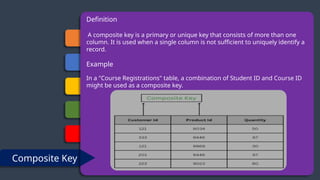
A composite key is a primary or unique key that consists of more than one
column. It is used when a single column is not sufficient to uniquely identify a
record.
Example
In a "Course Registrations" table, a combination of Student ID and Course ID
might be used as a composite key.

Presentation AICT Improved version[1].pptx

  • 1.
  • 2.
  • 3.
    3 4 Integration of AI andDBMS Types of Database M. Zubair M Abdullah
  • 4.
  • 5.
    DATABASE A database isa structured collection of data that is stored and managed in a way that makes it easy to access, manage, and update. The data in a database is typically organized into tables, and these tables are designed to represent relationships between different data elements A database is often designed for efficient storage, retrieval, and manipulation of data, while ensuring that the data is consistent, accurate, and secure.  In a more technical sense, a database is a software application or system that stores, organizes, and allows for querying and managing large amounts of data. The data can be anything from customer records, financial transactions,
  • 6.
    Examples  A databasecan be used by individuals, businesses, or applications to track, analyze, and manage data in a structured manner.  Imagine a small database used to manage a Library System. This database could have the following tables: Books:  Columns: Book ID, Title, Author, Genre, Year Published Example rows: 1. "To Kill a Mockingbird", "Harper Lee", "Fiction", 1960 2. "1984", "George Orwell", "Dystopian", 1949 Customers:  Columns: Customer ID, FirstName, Last Name, Email Example rows:  101, "John", "Doe", "john.doe@example.com"
  • 7.
    Examples In this example: The Books table contains information about the books in the library.  The Customers table contains information about the customers who borrow books.  The Loans table records which books are borrowed by which customers, and the dates of borrowing and return. Loans:  Columns:  Loan ID, Book ID, Customer ID, Loan Date, Return Date  Example rows:  201, 1, 101, "2024-01-01", "2024-01-14"  202, 2, 102, "2024-01-05", "2024-01-19”
  • 8.
    Database Management System (DBMS) DBMS is a software system that enables users to create, manage, and interact with databases.  It provides an interface for users and applications to access, manipulate, and maintain data efficiently, securely, and consistently.  A DBMS ensures that the data is organized, stored, and retrieved in an optimal way while maintaining various key features such as data integrity, security, concurrency control, and transaction management.  In essence, a DBMS acts as an intermediary between the users or applications and the database.  It abstracts the complexities of physical data storage, allowing users to focus on working with the data without worrying about low-level details such as file handling and hardware access.
  • 9.
    Database Management System (DBMS) HowDBMS Works!!  User/Application Request:  When a user or an application wants to interact with the database (e.g., to retrieve data or perform an update), it sends a request to the DBMS.  Query Processing:  The DBMS receives the request (usually in the form of a query written in SQL) and processes it to determine the most efficient way to retrieve or modify the data.  Accessing Data:  The DBMS accesses the appropriate data from the storage system (usually from disk storage or memory) using indexes or other optimization methods to quickly locate the relevant data.  Execution of Operations:  Based on the query, the DBMS performs the requested operations, such as updating records, deleting records, or calculating aggregates (like summing totals or averaging values).
  • 10.
    Database Management System (DBMS) DBMS is a software system that enables users to create, manage, and interact with databases.  It provides an interface for users and applications to access, manipulate, and maintain data efficiently, securely, and consistently.  A DBMS ensures that the data is organized, stored, and retrieved in an optimal way while maintaining various key features such as data integrity, security, concurrency control, and transaction management.  In essence, a DBMS acts as an intermediary between the users or applications and the database.  It abstracts the complexities of physical data storage, allowing users to focus on working with the data without worrying about low-level details such as file handling and hardware access. How DBMS Works!!  User/Application Request:  When a user or an application wants to interact with the database (e.g., to retrieve data or perform an update), it sends a request to the DBMS.  Query Processing:  The DBMS receives the request (usually in the form of a query written in SQL) and processes it to determine the most efficient way to retrieve or modify the data.  Accessing Data:  The DBMS accesses the appropriate data from the storage system (usually from disk storage or memory) using indexes or other optimization methods to quickly locate the relevant data.  Execution of Operations:  Based on the query, the DBMS performs the requested operations, such as updating records, deleting records, or calculating aggregates (like summing totals or averaging values). Return Results:  The DBMS then sends the results back to the user or application in the required format (e.g., a list of matching records or confirmation that an update was successful). Logging and Recovery:  The DBMS logs all transactions and ensures that in case of failure (e.g., system crash), the database can be recovered to its last consistent state using the logs. Efficiency:  A DBMS is optimized to store and retrieve data quickly, allowing for faster access even with large datasets. Data Integrity and Accuracy:  The DBMS enforces rules that help maintain the accuracy and integrity of the data. Why we use DBMS
  • 11.
    Why Use aDBMS Security  With built-in security mechanisms, DBMSs ensure that data is only accessible by authorized users. Data Consistency  A DBMS ensures that multiple users can access and modify data simultaneously without causing conflicts. Scalability  DBMSs are designed to handle growing datasets and increasing numbers of users or queries, ensuring long-term performance.
  • 12.
  • 13.
    Evolution of DBMS  Theevolution of databases has been a continuous journey of improvement in terms of data storage, retrieval, and management capabilities.  From simple file systems to sophisticated distributed and cloud-based system .  Below is a broad overview of the key stages in the evolution of databases: 1970s- 1980s 1960s- 1970s 2000s- 2010s 1950s- 1960s 2010s- Present 1980s- 1990s
  • 14.
    Pre-Relational Era 1950s-1960s File-basedSystems • The earliest "databases" were simply files stored on magnetic tapes or disks. • . Problems  Data was siloed and hard to maintain.  Lack of data integrity and security. Examples Magnetic tapes, punched cards for storing and processing information
  • 15.
    1960s-1970s Hierarchical and NetworkDatabases 1960s-1970s Hierarchical Model Early attempts to structure data more efficiently led to hierarchical databases.
  • 16.
    Network Model  Similar tothe hierarchical model, but allowed for more complex relationships by supporting many-to-many relationships. Examples CODASYL DBMS, used in applications like banking systems Limitation s  Difficult to manage relationships as the data structure was rigid.  Changes in the structure often required significant changes to applications.
  • 17.
    1970s-1980s Oracle Database (1970s-1980s) One of the most well-known relational database. Advantages Security Date Accuracy Data Integrity Limitations Difficulty scaling horizontally (across multiple servers).
  • 18.
    Object-Oriented Databases 1980s-1990s As object-oriented programming became popular, the need arose for databases to handle more complex data types. Examples:  Gem Stone, Object DB. Limitations: 1. Complexity 2. Lack of support for security 3. Limited integration
  • 19.
    NewSQL Databases 2000s-2010s Anew generation of relational databases designed to provide the scalability of NoSQL systems while maintaining the ACID properties of traditional RDBMSs. Examples: Google Spanner, Cockroach DB, TIDB Advantages: Scalable, distributed systems with strong consistency. o SQL support for rich querying. Limitations: Relatively newer, so still evolving in terms of adoption and use cases.
  • 20.
    Cloud Databases 2010s-Present Withthe rise of cloud computing, database systems began to be designed to run in distributed cloud environments. Examples Amazon RDS (Relational Database Service), Google Cloud SQL, Azure SQL Database. Cloud-native NoSQL: Amazon DynamoDB, Google Cloud Fire Store, and MongoDB Atlas. Advantages Flexibility Security Affordability Limitations Reliance on internet connectivity and cloud providers. Potential issues with latency for geographically dispersed applications.
  • 21.
    Integration of AI & DatabaseManagement Systems
  • 22.
    Database Management Systems (DBMS)help in storing, organizing, and retrieving data efficiently, ensuring data integrity and security. Artificial Intelligence (AI) involves creating machines or systems capable of performing tasks that require human-like intelligence, such as problem- solving, learning, and pattern recognition. The integration of AI with DBMS leverages AI techniques to enhance database functionalities, optimizing data management processes, automating routine tasks, and providing deeper insights from data. Introduction
  • 23.
    Modern businesses rely onlarge volumes of data for decision-making, requiring efficient, automated, and intelligent management systems. AI integration allows systems to go beyond traditional DBMS capabilities by analyzing data patterns, automating tasks, and making intelligent predictions. Importance of Integration
  • 24.
  • 25.
     Machine Learning (ML):A subset of AI that allows systems to learn from data without being explicitly programmed. It enables predictive analytics and pattern recognition. • Natural Language Processing (NLP): Allows machines to understand, interpret, and respond to human language (e.g., chatbots). • Deep Learning: A subset of ML that uses neural networks to model complex Artificial Intelligence (AI) refers to the development of systems that can perform tasks that typically require human intelligence, such as understanding language, recognizing patterns, and making decisions. What is AI TYPES OF AI ROLE OF AI • Automation: Automates decision- making, optimizing processes, and reducing manual intervention. • Predictive Analysis: AI identifies trends and patterns in large datasets, enabling businesses to forecast outcomes and make data- driven decisions. • Optimization: AI improves processes and outcomes through intelligent decision-making algorithms.
  • 26.
    Use Cases ofAI in DBMS Data Query Optimizati on Anomaly Detection Predictive Analytics Automated Data Manageme nt
  • 27.
    AI can analyzepast query patterns and suggest the most efficient query execution paths. Machine learning models can be trained to predict the optimal indexes and join strategies for faster query execution Data Query Optimizati on
  • 28.
    AI can analyzehistorical data from the DBMS and predict trends, customer behavior, and market shifts. Helps in making proactive business decisions, such as inventory management, demand forecasting, and fraud detection. Predictive Analytics
  • 29.
    AI systems, likeanomaly detection algorithms, identify outliers and irregularities in data that may indicate fraud, errors, or performance issues. This ensures data integrity and helps in early detection of issues before they escalate. Anomaly Detection
  • 30.
    migration, replication, and integrationfrom different sources, reducing human error and improving consistency across systems. AI-based tools also help in data cleaning by identifying and correcting inconsistencies in the database (e.g., missing values, duplicates). Automated Data Manageme nt
  • 31.
  • 32.
    Data Privacy Concerns Complexity in Implementation Data Quality Challenges AI-drivensystems may require access to sensitive or personal data, raising privacy and security issues.
  • 33.
    Data Privacy Concern s Complexity in Implementation Challenges Scalabili ty Issues IntegratingAI with existing DBMS requires advanced technical expertise, and may involve redesigning database architectures.
  • 34.
    Complexity in Implementation Data Quality Challenges Scalabili ty Issues AsAI algorithms require significant computing power and large datasets, scaling AI-driven DBMS solutions to handle big data can be challenging.
  • 35.
    Data Privacy Concern s Data Quality Challenges Scalabili ty Issues AI modelsdepend on high-quality data to deliver accurate results. Inconsistent or incomplete data can lead to unreliable outputs.
  • 36.
  • 37.
    The future maysee the rise of databases that are natively powered by AI, capable of self-optimizing and adapting to new data patterns without requiring manual intervention. AI-Driven Databases Real-Time Processing Enhanced User Experience Future Prospects
  • 38.
    Future Outlook AI willcontinue to enhance the ability of DBMS to perform real-time data analysis, which will be crucial for dynamic environments like e- commerce, finance, and healthcare. Real-Time Processing Self- Learning Systems AI-Driven Databases
  • 39.
    Future Outlook Future DBMScould feature self- learning algorithms that improve database management over time without human input. Self- Learning Systems Enhanced User Experience Real-Time Processing
  • 40.
    Future Outlook The integrationof AI will allow for more intuitive interfaces, where users can interact with databases through natural language processing (e.g., asking queries in plain language). Enhanced User Experience AI-Driven Databases Self- Learning Systems
  • 41.
  • 42.
    Relational Databases Definition:  Organizesdata into tables (relations) that can be linked based on data common to each. Key Features:  Uses Structured Query Language (SQL) for data manipulation.  Enforces ACID properties for transaction reliability Examples:  MySQL, PostgreSQL, Oracle Database, Microsoft SQL Server. Use Cases:  Financial systems and Inventory Management  Customer relationship management (CRM) Object- oriented databases Hierarchical Databases NoSQL Databases
  • 43.
    Relational Databases Object- oriented databases Hierarchical Databases NoSQL Databases Definition: Designed forunstructured and semi-structured data Capable of handling large volumes of diverse data types. Key types: Document Stores:  (e.g., MongoDB) store data in JSON-like documents. Key-Value Stores:  (e.g., Redis) use a simple key-value pair for data storage. Column Family Stores:  (e.g., Cassandra) organize data in columns rather than rows. Graph Databases:  (e.g., Neo4j) focus on relationships and connections between data points. Network
  • 44.
    Cloud Databases Object- oriented databases Definition:  Store data in the form of objects, similar to object-oriented programming concepts.  Key features:  Supports complex data types and relationships.  Allows inheritance and encapsulation.  Examples:  db4o, Object DB, Versant Object Database.  Use Cases:  CAD/CAM systems, multimedia applications, and real-time systems Network Databases
  • 45.
    Cloud Databases databases Hierarchical Databases Definition:  Organizesdata in a tree-like structure  with parent-child relationships. Example:  IBM Information Management System (IMS). Use Cases:  Early data management systems, organizational structures. Network Databases
  • 46.
    Cloud Databases Object- oriented databases Hierarchical Databases Network Databases Definition Uses agraph structure to allow more complex relationships between data entities. Example Integrated Data Store (IDS). Use Cases Telecommunications and transport systems.
  • 47.
    Cloud Databases Definition Hosted oncloud platforms, offering scalability, flexibility, and accessibility from anywhere. Key Features Managed services that reduce the need for physical hardware. Support for both SQL and NoSQL databases. Examples Amazon RDS, Google Cloud Fire Store, Microsoft Azure SQL Database. Use Cases Web applications, mobile apps, and enterprise solutions. Object- oriented databases Hierarchical Databases Network Databases
  • 48.
    Data Consistency Data Security DataIntegrity ACID Real-word entities Control database redundancy CHARACTERISTICS OF DATABASE
  • 49.
    Data Consistency Data Security DataIntegrity ACID Real-word entities Control database redundancy CHARACTERISTICS OF DATABASE Example If you update your address in a system, it should appear the same everywhere your address is stored Data consistency means that all the data in a system or database is correct and consistent. This means that if the data is updated in one place, it will look the same in all places.
  • 50.
    Data Consistency Data Security DataIntegrity ACID Real-word entities Control database redundancy CHARACTERISTICS OF DATABASE DBMS provide high of data security. DBMS provide data security to maintain data consistency, especially when multiple users access to the same data. Data security provide theprotection of data and information against intentional or informational threats. Threat is a condition which can cause damage to the system or data like Trojan horse.
  • 51.
    Data Consistency Data Security DataIntegrity ACID Real-word entities Control database redundancy CHARACTERISTICS OF DATABASE The term data integrity refers to the accuracy, completeness Consistency of data maintaining data integrity means making sure the data remain intact Unchanged through out its entire life circle. Example A user tries to enter a phone number in the wrong format.
  • 52.
    Data Consistency Data Security DataIntegrity ACID Real-word entities Control database redundancy CHARACTERISTICS OF DATABASE DBMS follows the concepts of atomicity, consistency, isolation, and Durability. These concepts are applied on transactions which manipulate data in a database. ACID properties help the database stay healthy in multi-transactional environments and in case of failure
  • 53.
    Data Consistency Data Security DataIntegrity ACID Real-word entities Control database redundancy CHARACTERISTICS OF DATABASE A modern DBMS is more realistic and uses real- world entities. It uses the behavior and attributes too. Example A school database use students as an entity and their age as an attribute
  • 54.
    Data Consistency Data Security DataIntegrity ACID Real-word entities No Data Redundancy CHARACTERISTICS OF DATABASE No data redundancy means there are no unnecessary copies of data stored in multiple location. Data redundancy is when the same data is stored in more than one place such as in different database, folders, or software plate forms.
  • 55.
    Primary Key Foreign Key CandidateKey Super Key Alternate Key Composite Key Keys Of Database In the context of databases keys are crucial elements used to uniquely identify records(rows) To establish relationships between different tables. There are several types of keys in databases each serving a specific purpose. Here are the main types 1. Primary key 2. Foreign key 3. Candidate key 4. Super key 5. Alternate key 6. Composite Key
  • 56.
    Primary Key Foreign Key CandidateKey Super Key Alternate Key Composite Key Definition: A primary key is a field (or combination of fields) that uniquely identifies each record in a table. Characteristics: Unique: No two records can have the same primary key value. Not Null: Every record must have a value for the primary key. Example: In a "Students" table, the Student ID could be the primary key.
  • 57.
    Primary Key Foreign Key CandidateKey Super Key Alternate Key Composite Key Definition: A foreign key is a field (or combination of fields) in one table that uniquely identifies a row of another table. It establishes a relationship between two tables. Characteristics It references the primary key or a unique key in another table. It can accept NULL values if the relationship is optional Example In a "Courses" table, a StudentID field might be a foreign key linking to the "Students" table.
  • 58.
    Primary Key Foreign Key CandidateKey Super Key Alternate Key Composite Key Definition A candidate key is any field (or combination of fields) that can uniquely identify a record in a table. A table may have multiple candidate keys, but one will be chosen as the primary key. Example In a "Person's" table, both Social Security Number and Email might be candidate keys. One will be selected as the primary key.
  • 59.
    Primary Key Foreign Key CandidateKey Super Key Alternate Key Composite Key Definition A super key is any combination of columns that can uniquely identify a record. A super key may contain additional columns that aren't necessary for uniqueness. Example If a table has a primary key Student ID, then the combination of Student ID and FirstName is also a super key (though it might be redundant).
  • 60.
    Primary Key Foreign Key CandidateKey Super Key Alternate Key Composite Key Definition An alternate key is any candidate key that is not chosen as the primary key. Example If a table has both SSN and Email as candidate keys. SSN is chosen as the primary key, then Email becomes an alternate key.
  • 61.
    Primary Key Foreign Key CandidateKey Super Key Alternate Key Composite Key Definition A composite key is a primary or unique key that consists of more than one column. It is used when a single column is not sufficient to uniquely identify a record. Example In a "Course Registrations" table, a combination of Student ID and Course ID might be used as a composite key.