CS-217
DATABASE SYSTEMS
Lecture-4
Instructor: Irfan Ahmed
Lecture Topic:
Databases and Database Users
Types of Databases and Database Applications
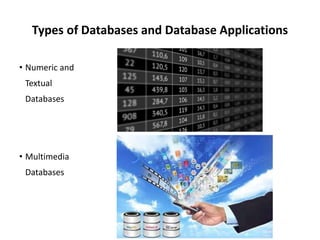
• Numeric and
Textual
Databases
• Multimedia
Databases
Types of Databases and Database Applications
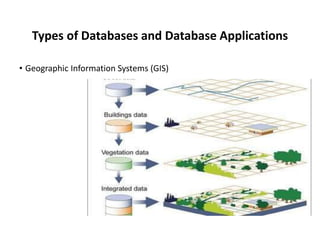
• Geographic Information Systems (GIS)
Types of Databases and Database Applications
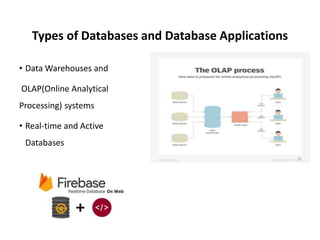
• Data Warehouses and
OLAP(Online Analytical
Processing) systems
• Real-time and Active
Databases
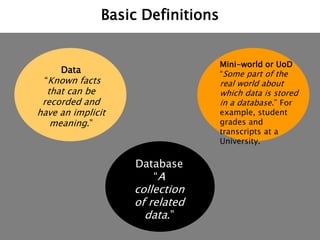
Basic Definitions
Database
“A
collection
of related
data.”
Data
“Known facts
that can be
recorded and
have an implicit
meaning.”
Mini-world or UoD
“Some part of the
real world about
which data is stored
in a database.” For
example, student
grades and
transcripts at a
University.
Basic Definitions
Database
Management
System (DBMS):
“A collection of
programs that
enables users to
create and
maintain a
database.”
Databas
e
DBMS
Databas
e
Systems
Database System
“The DBMS
software together
with the database
itself. .”
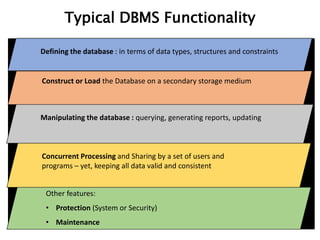
Typical DBMS Functionality
Defining the database : in terms of data types, structures and constraints
Construct or Load the Database on a secondary storage medium
Manipulating the database : querying, generating reports, updating
Concurrent Processing and Sharing by a set of users and
programs – yet, keeping all data valid and consistent
Other features:
• Protection (System or Security)
• Maintenance
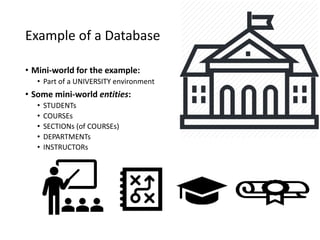
Example of a Database
• Mini-world for the example:
• Part of a UNIVERSITY environment
• Some mini-world entities:
• STUDENTs
• COURSEs
• SECTIONs (of COURSEs)
• DEPARTMENTs
• INSTRUCTORs
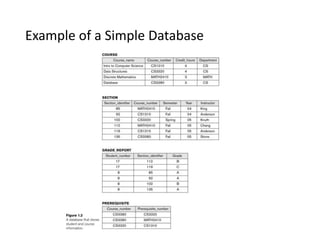
Example of a Simple Database
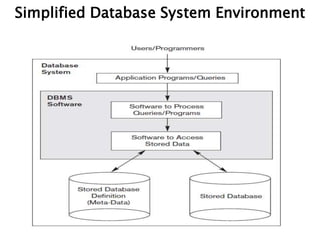
Simplified Database System Environment
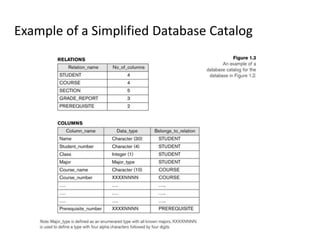
Example of a Simplified Database Catalog
Database
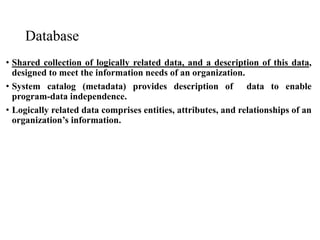
• Shared collection of logically related data, and a description of this data,
designed to meet the information needs of an organization.
• System catalog (metadata) provides description of data to enable
program-data independence.
• Logically related data comprises entities, attributes, and relationships of an
organization’s information.
Database Management System (DBMS)
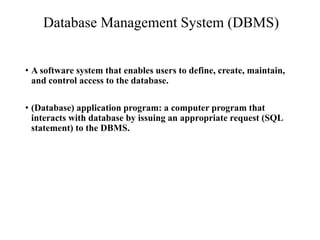
• A software system that enables users to define, create, maintain,
and control access to the database.
• (Database) application program: a computer program that
interacts with database by issuing an appropriate request (SQL
statement) to the DBMS.
Database Approach
• Data definition language (DDL).
• Permits specification of data types, structures and any
data constraints.
• All specifications are stored in the database.
• Data manipulation language (DML).
• General enquiry facility (query language) of the data.
Database Approach..
• Controlled access to database may include
• A security system
• Which prevents unauthorized users accessing the database
• An integrity system
• Which maintains the consistency of stored data
• A concurrency control system
• Which allows shared access of the database
• A recovery control system
• Which restores the database to a previous consistent state in case of
hardware or software failure
• A user-accessible catalog
• Which contains description of the data in the database
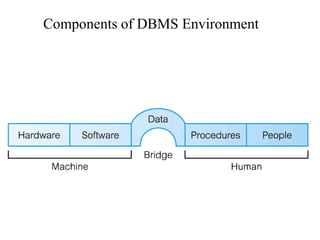
Components of DBMS Environment
Components of DBMS Environment..
• Hardware
• Can range from a PC to a network of computers.
• Software
• DBMS, operating system, network software (if
necessary) and also the application programs.
• Data
• Used by the organization and a description of this data called the schema.
Components of DBMS Environment..
• Procedures
• Instructions and rules that should be applied to
the design and use of the database and DBMS.
• People
Roles in the Database Environment
• Data Administrator (DA)
• Database planning
• Development and maintenance of standards, policies and procedures
• Database Administrator (DBA)
• Physical realization of the database
• Physical database design and implementation
• Security and integrity control
• Maintenance of the operational system
• Ensuring satisfactory performance of the applications for users
• Database Designers (Logical and Physical)
• Application Programmers
• End Users (naive and sophisticated)
History of Database Systems
• Roots of the DBMS
• Apollo moon-landing project, 1960s
• NAA (North American Aviation), prime contractor for the project
• Developed a software GUAM (Generalized Update Access Method),
hierarchical
• In mid – 1960s IBM joined NAA, result was IMS(Information
Management System)
History of Database Systems..
• IDS ( Integrated Data Store)
• By General Electric, network, mid-1960
• CODASYL ( Conference on Data Systems Languages)
• DBTG (Data Base Task Group)
History of Database Systems..
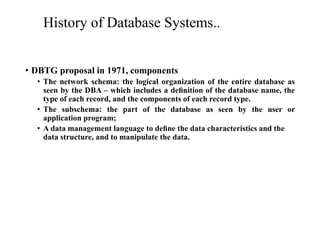
• DBTG proposal in 1971, components
• The network schema: the logical organization of the entire database as
seen by the DBA – which includes a definition of the database name, the
type of each record, and the components of each record type.
• The subschema: the part of the database as seen by the user or
application program;
• A data management language to define the data characteristics and the
data structure, and to manipulate the data.
History of Database Systems..
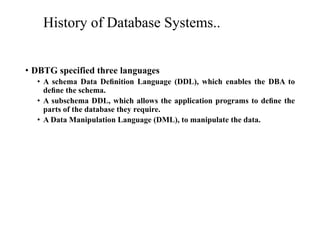
• DBTG specified three languages
• A schema Data Definition Language (DDL), which enables the DBA to
define the schema.
• A subschema DDL, which allows the application programs to define the
parts of the database they require.
• A Data Manipulation Language (DML), to manipulate the data.
History of Database Systems..
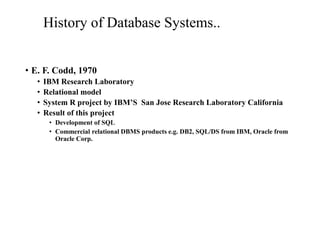
• E. F. Codd, 1970
• IBM Research Laboratory
• Relational model
• System R project by IBM’S San Jose Research Laboratory California
• Result of this project
• Development of SQL
• Commercial relational DBMS products e.g. DB2, SQL/DS from IBM, Oracle from
Oracle Corp.
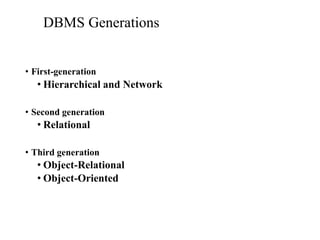
DBMS Generations
• First-generation
• Hierarchical and Network
• Second generation
• Relational
• Third generation
• Object-Relational
• Object-Oriented
Advantages of DBMSs
• Control of data redundancy
• Data consistency
• More information from the same amount of data
• Sharing of data
• Improved data integrity (constraints)
• Improved security (authentication, rights)
• Enforcement of standards (data formats, naming conventions,
documentation etc.)
Advantages of DBMSs..
• Economy of scale (economical cost)
• Balance conflicting requirements
• Improved data accessibility and responsiveness (ad hoc queries)
• Increased productivity (developer)
• Improved maintenance through data independence
• Increased concurrency
Advantages of DBMSs..
• Improved backup and recovery services
Disadvantages of DBMSs
• Complexity
• Size (disk space for DBMS)
• Cost of DBMS
• Additional hardware costs
• Cost of conversion
• Performance
• Higher impact of a failure
Thank You!
Questions?

[Lec#4]databases and database management systems.pptx

  • 1.
  • 2.
  • 3.
    Types of Databasesand Database Applications • Numeric and Textual Databases • Multimedia Databases
  • 4.
    Types of Databasesand Database Applications • Geographic Information Systems (GIS)
  • 5.
    Types of Databasesand Database Applications • Data Warehouses and OLAP(Online Analytical Processing) systems • Real-time and Active Databases
  • 6.
    Basic Definitions Database “A collection of related data.” Data “Knownfacts that can be recorded and have an implicit meaning.” Mini-world or UoD “Some part of the real world about which data is stored in a database.” For example, student grades and transcripts at a University.
  • 7.
    Basic Definitions Database Management System (DBMS): “Acollection of programs that enables users to create and maintain a database.” Databas e DBMS Databas e Systems Database System “The DBMS software together with the database itself. .”
  • 8.
    Typical DBMS Functionality Definingthe database : in terms of data types, structures and constraints Construct or Load the Database on a secondary storage medium Manipulating the database : querying, generating reports, updating Concurrent Processing and Sharing by a set of users and programs – yet, keeping all data valid and consistent Other features: • Protection (System or Security) • Maintenance
  • 9.
    Example of aDatabase • Mini-world for the example: • Part of a UNIVERSITY environment • Some mini-world entities: • STUDENTs • COURSEs • SECTIONs (of COURSEs) • DEPARTMENTs • INSTRUCTORs
  • 10.
    Example of aSimple Database
  • 11.
  • 12.
    Example of aSimplified Database Catalog
  • 13.
    Database • Shared collectionof logically related data, and a description of this data, designed to meet the information needs of an organization. • System catalog (metadata) provides description of data to enable program-data independence. • Logically related data comprises entities, attributes, and relationships of an organization’s information.
  • 14.
    Database Management System(DBMS) • A software system that enables users to define, create, maintain, and control access to the database. • (Database) application program: a computer program that interacts with database by issuing an appropriate request (SQL statement) to the DBMS.
  • 15.
    Database Approach • Datadefinition language (DDL). • Permits specification of data types, structures and any data constraints. • All specifications are stored in the database. • Data manipulation language (DML). • General enquiry facility (query language) of the data.
  • 16.
    Database Approach.. • Controlledaccess to database may include • A security system • Which prevents unauthorized users accessing the database • An integrity system • Which maintains the consistency of stored data • A concurrency control system • Which allows shared access of the database • A recovery control system • Which restores the database to a previous consistent state in case of hardware or software failure • A user-accessible catalog • Which contains description of the data in the database
  • 17.
    Components of DBMSEnvironment
  • 18.
    Components of DBMSEnvironment.. • Hardware • Can range from a PC to a network of computers. • Software • DBMS, operating system, network software (if necessary) and also the application programs. • Data • Used by the organization and a description of this data called the schema.
  • 19.
    Components of DBMSEnvironment.. • Procedures • Instructions and rules that should be applied to the design and use of the database and DBMS. • People
  • 20.
    Roles in theDatabase Environment • Data Administrator (DA) • Database planning • Development and maintenance of standards, policies and procedures • Database Administrator (DBA) • Physical realization of the database • Physical database design and implementation • Security and integrity control • Maintenance of the operational system • Ensuring satisfactory performance of the applications for users • Database Designers (Logical and Physical) • Application Programmers • End Users (naive and sophisticated)
  • 21.
    History of DatabaseSystems • Roots of the DBMS • Apollo moon-landing project, 1960s • NAA (North American Aviation), prime contractor for the project • Developed a software GUAM (Generalized Update Access Method), hierarchical • In mid – 1960s IBM joined NAA, result was IMS(Information Management System)
  • 22.
    History of DatabaseSystems.. • IDS ( Integrated Data Store) • By General Electric, network, mid-1960 • CODASYL ( Conference on Data Systems Languages) • DBTG (Data Base Task Group)
  • 23.
    History of DatabaseSystems.. • DBTG proposal in 1971, components • The network schema: the logical organization of the entire database as seen by the DBA – which includes a definition of the database name, the type of each record, and the components of each record type. • The subschema: the part of the database as seen by the user or application program; • A data management language to define the data characteristics and the data structure, and to manipulate the data.
  • 24.
    History of DatabaseSystems.. • DBTG specified three languages • A schema Data Definition Language (DDL), which enables the DBA to define the schema. • A subschema DDL, which allows the application programs to define the parts of the database they require. • A Data Manipulation Language (DML), to manipulate the data.
  • 25.
    History of DatabaseSystems.. • E. F. Codd, 1970 • IBM Research Laboratory • Relational model • System R project by IBM’S San Jose Research Laboratory California • Result of this project • Development of SQL • Commercial relational DBMS products e.g. DB2, SQL/DS from IBM, Oracle from Oracle Corp.
  • 26.
    DBMS Generations • First-generation •Hierarchical and Network • Second generation • Relational • Third generation • Object-Relational • Object-Oriented
  • 27.
    Advantages of DBMSs •Control of data redundancy • Data consistency • More information from the same amount of data • Sharing of data • Improved data integrity (constraints) • Improved security (authentication, rights) • Enforcement of standards (data formats, naming conventions, documentation etc.)
  • 28.
    Advantages of DBMSs.. •Economy of scale (economical cost) • Balance conflicting requirements • Improved data accessibility and responsiveness (ad hoc queries) • Increased productivity (developer) • Improved maintenance through data independence • Increased concurrency
  • 29.
    Advantages of DBMSs.. •Improved backup and recovery services
  • 30.
    Disadvantages of DBMSs •Complexity • Size (disk space for DBMS) • Cost of DBMS • Additional hardware costs • Cost of conversion • Performance • Higher impact of a failure
  • 31.