
HTML & CSS
James Mills - @jamesmills
Searchcamp - Saturday 8th June 2013
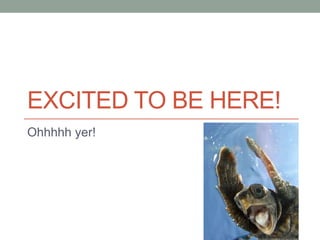
EXCITED TO BE HERE!
Ohhhhh yer!
@jamesmills (Geoff)
Teesside University - HND IT / BSc IT
Applaud Web Solutions
Koodoo Creative
Thap
James Mills Live - IFTTT
My Shopping Assistant – Tesco API
PHP North East – NE User group
Refresh Teesside – Founder
Refresh teesside is a free event for
people in the creative industry
around teesside
what
We meet on the second Thursday of
every month between 6pm & 9pm at
sassari’s in middlesbrough
when
bring together the best
and brightest creatives in
the North East to share knowledge, promote
talent and encourage collaboration.
goal
What we are going to do today
Build a simple personal homepage
• Your name
• Image gallery
• Short introduction
• List of places visited
• List of hobbies
• Contact links (Twitter, LinkedIn, Facebook)
Questions
Please interrupt with questions
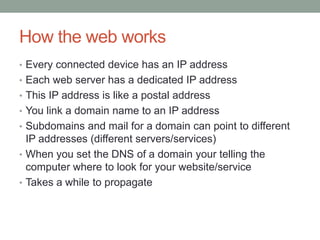
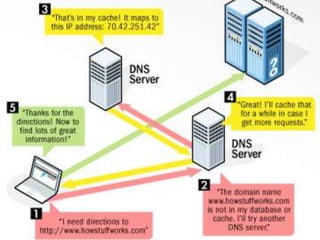
How the web works
• Every connected device has an IP address
• Each web server has a dedicated IP address
• This IP address is like a postal address
• You link a domain name to an IP address
• Subdomains and mail for a domain can point to different
IP addresses (different servers/services)
• When you set the DNS of a domain your telling the
computer where to look for your website/service
• Takes a while to propagate
Text Editors and IDE‟s
• Text Editors
• Notepad
• TextMate
• Sublime (We will use this)
• Integrated Development Environment (IDE‟s)
• Designed to maximize programmer productivity
• IDEs are dedicated to a specific programming language
• Examples (PHP Storm, Visual Studio)
Project structure
• Try and keep all projects in one folder
• Stick to a naming convention that your comfortable with
• Only keep web files in your web project folder
• Underscores not spaces
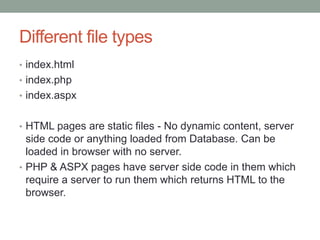
Different file types
• index.html
• index.php
• index.aspx
• HTML pages are static files - No dynamic content, server
side code or anything loaded from Database. Can be
loaded in browser with no server.
• PHP & ASPX pages have server side code in them which
require a server to run them which returns HTML to the
browser.
Hypertext Markup Language
We will look at:
• html / header / body / div
• h1, h2, p, a, table, ul, li, img
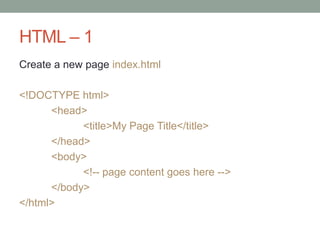
HTML – 1
Create a new page index.html
<!DOCTYPE html>
<head>
<title>My Page Title</title>
</head>
<body>
<!-- page content goes here -->
</body>
</html>
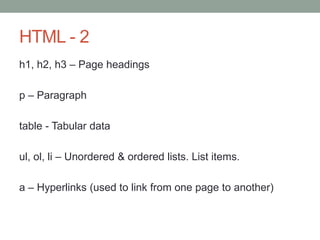
HTML - 2
h1, h2, h3 – Page headings
p – Paragraph
table - Tabular data
ul, ol, li – Unordered & ordered lists. List items.
a – Hyperlinks (used to link from one page to another)
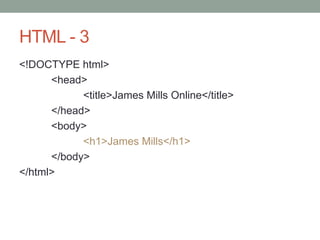
HTML - 3
<!DOCTYPE html>
<head>
<title>James Mills Online</title>
</head>
<body>
<h1>James Mills</h1>
</body>
</html>
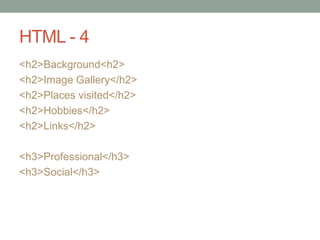
HTML - 4
<h2>Background<h2>
<h2>Image Gallery</h2>
<h2>Places visited</h2>
<h2>Hobbies</h2>
<h2>Links</h2>
<h3>Professional</h3>
<h3>Social</h3>
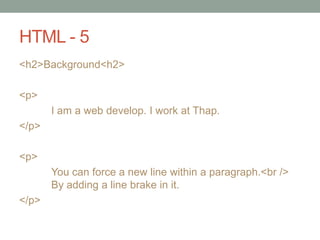
HTML - 5
<h2>Background<h2>
<p>
I am a web develop. I work at Thap.
</p>
<p>
You can force a new line within a paragraph.<br />
By adding a line brake in it.
</p>
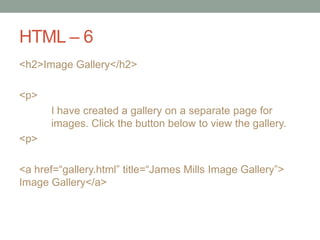
HTML – 6
<h2>Image Gallery</h2>
<p>
I have created a gallery on a separate page for
images. Click the button below to view the gallery.
<p>
<a href=“gallery.html” title=“James Mills Image Gallery”>
Image Gallery</a>
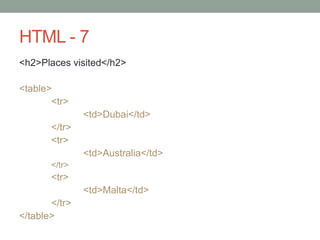
HTML - 7
<h2>Places visited</h2>
<table>
<tr>
<td>Dubai</td>
</tr>
<tr>
<td>Australia</td>
</tr>
<tr>
<td>Malta</td>
</tr>
</table>
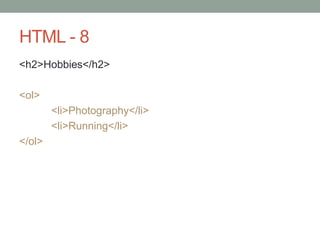
HTML - 8
<h2>Hobbies</h2>
<ol>
<li>Photography</li>
<li>Running</li>
</ol>
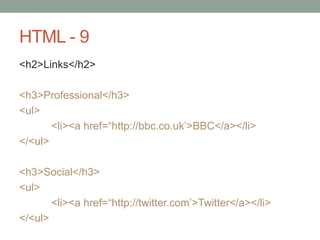
HTML - 9
<h2>Links</h2>
<h3>Professional</h3>
<ul>
<li><a href=“http://bbc.co.uk‟>BBC</a></li>
</<ul>
<h3>Social</h3>
<ul>
<li><a href=“http://twitter.com‟>Twitter</a></li>
</<ul>
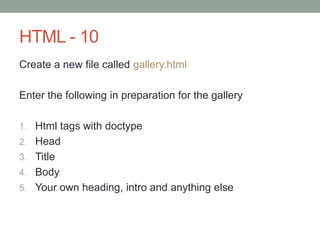
HTML - 10
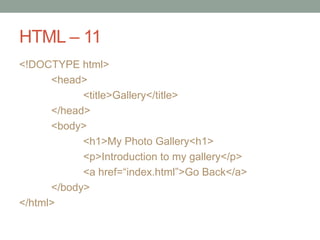
Create a new file called gallery.html
Enter the following in preparation for the gallery
1. Html tags with doctype
2. Head
3. Title
4. Body
5. Your own heading, intro and anything else
HTML – 11
<!DOCTYPE html>
<head>
<title>Gallery</title>
</head>
<body>
<h1>My Photo Gallery<h1>
<p>Introduction to my gallery</p>
<a href=“index.html”>Go Back</a>
</body>
</html>
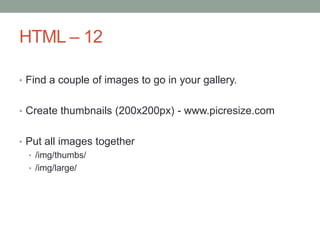
HTML – 12
• Find a couple of images to go in your gallery.
• Create thumbnails (200x200px) - www.picresize.com
• Put all images together
• /img/thumbs/
• /img/large/
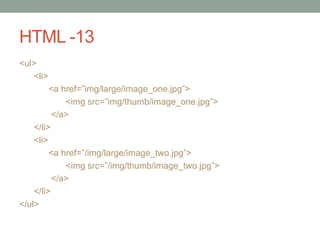
HTML -13
<ul>
<li>
<a href=”img/large/image_one.jpg”>
<img src=”img/thumb/image_one.jpg”>
</a>
</li>
<li>
<a href=”/img/large/image_two.jpg”>
<img src=”/img/thumb/image_two.jpg”>
</a>
</li>
</ul>
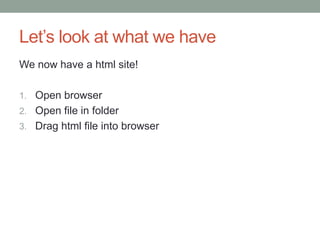
Let‟s look at what we have
We now have a html site!
1. Open browser
2. Open file in folder
3. Drag html file into browser
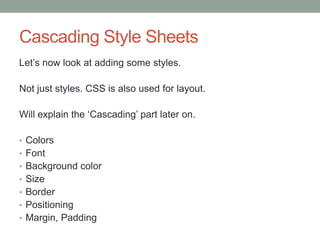
Cascading Style Sheets
Let‟s now look at adding some styles.
Not just styles. CSS is also used for layout.
Will explain the „Cascading‟ part later on.
• Colors
• Font
• Background color
• Size
• Border
• Positioning
• Margin, Padding
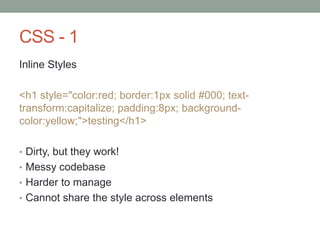
CSS - 1
Inline Styles
<h1 style="color:red; border:1px solid #000; text-
transform:capitalize; padding:8px; background-
color:yellow;">testing</h1>
• Dirty, but they work!
• Messy codebase
• Harder to manage
• Cannot share the style across elements
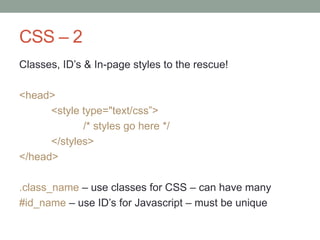
CSS – 2
Classes, ID‟s & In-page styles to the rescue!
<head>
<style type="text/css”>
/* styles go here */
</styles>
</head>
.class_name – use classes for CSS – can have many
#id_name – use ID‟s for Javascript – must be unique
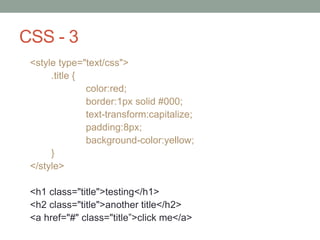
CSS - 3
<style type="text/css">
.title {
color:red;
border:1px solid #000;
text-transform:capitalize;
padding:8px;
background-color:yellow;
}
</style>
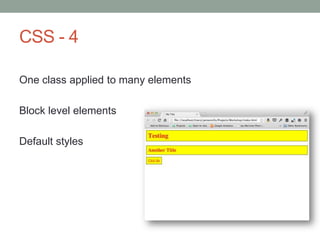
<h1 class="title">testing</h1>
<h2 class="title">another title</h2>
<a href="#" class="title”>click me</a>
CSS - 4
One class applied to many elements
Block level elements
Default styles
CSS - 5
Better example – gallery items
Let‟s move our styles to a separate file
<link href=”styles.css" rel="stylesheet" media="screen">
And reorganise our files into assets/…
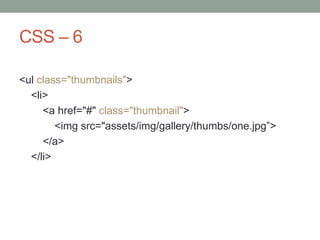
CSS – 6
<ul class="thumbnails">
<li>
<a href="#" class="thumbnail">
<img src="assets/img/gallery/thumbs/one.jpg”>
</a>
</li>
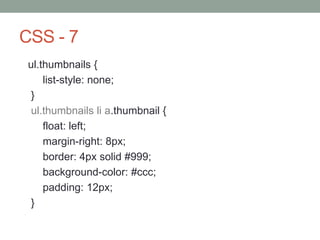
CSS - 7
ul.thumbnails {
list-style: none;
}
ul.thumbnails li a.thumbnail {
float: left;
margin-right: 8px;
border: 4px solid #999;
background-color: #ccc;
padding: 12px;
}
CSS – 8
Now we have one main CSS file
Replace in-page styles for new CSS file in index.html
Let‟s style some more content
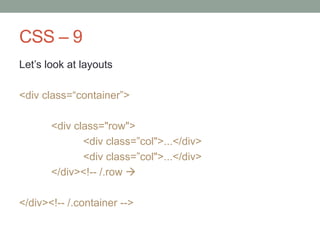
CSS – 9
Let‟s look at layouts
<div class=“container”>
<div class="row">
<div class=”col">...</div>
</div><!-- /.row 
</div><!-- /.container -->
CSS - 10
CSS Selectors
• :nth-child(2)
• :last-child
Check browser support
• http://caniuse.com
• http://www.browsersupport.net
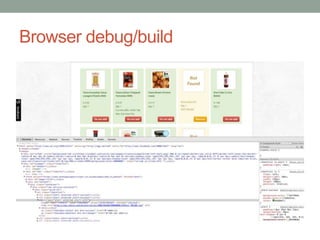
Browser debug/build
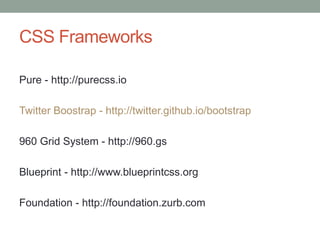
CSS Frameworks
Pure - http://purecss.io
Twitter Boostrap - http://twitter.github.io/bootstrap
960 Grid System - http://960.gs
Blueprint - http://www.blueprintcss.org
Foundation - http://foundation.zurb.com
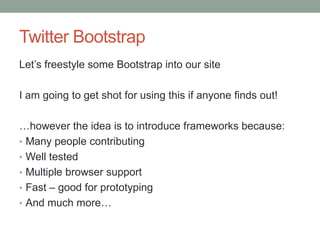
Twitter Bootstrap
Let‟s freestyle some Bootstrap into our site
I am going to get shot for using this if anyone finds out!
…however the idea is to introduce frameworks because:
• Many people contributing
• Well tested
• Multiple browser support
• Fast – good for prototyping
• And much more…

HTML/CSS Workshop @ Searchcamp

  • 1.
    HTML & CSS JamesMills - @jamesmills Searchcamp - Saturday 8th June 2013
  • 2.
    EXCITED TO BEHERE! Ohhhhh yer!
  • 3.
    @jamesmills (Geoff) Teesside University- HND IT / BSc IT Applaud Web Solutions Koodoo Creative Thap James Mills Live - IFTTT My Shopping Assistant – Tesco API PHP North East – NE User group Refresh Teesside – Founder
  • 4.
    Refresh teesside isa free event for people in the creative industry around teesside what
  • 5.
    We meet onthe second Thursday of every month between 6pm & 9pm at sassari’s in middlesbrough when
  • 6.
    bring together thebest and brightest creatives in the North East to share knowledge, promote talent and encourage collaboration. goal
  • 7.
    What we aregoing to do today Build a simple personal homepage • Your name • Image gallery • Short introduction • List of places visited • List of hobbies • Contact links (Twitter, LinkedIn, Facebook)
  • 8.
  • 9.
    How the webworks • Every connected device has an IP address • Each web server has a dedicated IP address • This IP address is like a postal address • You link a domain name to an IP address • Subdomains and mail for a domain can point to different IP addresses (different servers/services) • When you set the DNS of a domain your telling the computer where to look for your website/service • Takes a while to propagate
  • 11.
    Text Editors andIDE‟s • Text Editors • Notepad • TextMate • Sublime (We will use this) • Integrated Development Environment (IDE‟s) • Designed to maximize programmer productivity • IDEs are dedicated to a specific programming language • Examples (PHP Storm, Visual Studio)
  • 12.
    Project structure • Tryand keep all projects in one folder • Stick to a naming convention that your comfortable with • Only keep web files in your web project folder • Underscores not spaces
  • 13.
    Different file types •index.html • index.php • index.aspx • HTML pages are static files - No dynamic content, server side code or anything loaded from Database. Can be loaded in browser with no server. • PHP & ASPX pages have server side code in them which require a server to run them which returns HTML to the browser.
  • 14.
    Hypertext Markup Language Wewill look at: • html / header / body / div • h1, h2, p, a, table, ul, li, img
  • 15.
    HTML – 1 Createa new page index.html <!DOCTYPE html> <head> <title>My Page Title</title> </head> <body> <!-- page content goes here --> </body> </html>
  • 16.
    HTML - 2 h1,h2, h3 – Page headings p – Paragraph table - Tabular data ul, ol, li – Unordered & ordered lists. List items. a – Hyperlinks (used to link from one page to another)
  • 17.
    HTML - 3 <!DOCTYPEhtml> <head> <title>James Mills Online</title> </head> <body> <h1>James Mills</h1> </body> </html>
  • 18.
    HTML - 4 <h2>Background<h2> <h2>ImageGallery</h2> <h2>Places visited</h2> <h2>Hobbies</h2> <h2>Links</h2> <h3>Professional</h3> <h3>Social</h3>
  • 19.
    HTML - 5 <h2>Background<h2> <p> Iam a web develop. I work at Thap. </p> <p> You can force a new line within a paragraph.<br /> By adding a line brake in it. </p>
  • 20.
    HTML – 6 <h2>ImageGallery</h2> <p> I have created a gallery on a separate page for images. Click the button below to view the gallery. <p> <a href=“gallery.html” title=“James Mills Image Gallery”> Image Gallery</a>
  • 21.
    HTML - 7 <h2>Placesvisited</h2> <table> <tr> <td>Dubai</td> </tr> <tr> <td>Australia</td> </tr> <tr> <td>Malta</td> </tr> </table>
  • 22.
  • 23.
    HTML - 9 <h2>Links</h2> <h3>Professional</h3> <ul> <li><ahref=“http://bbc.co.uk‟>BBC</a></li> </<ul> <h3>Social</h3> <ul> <li><a href=“http://twitter.com‟>Twitter</a></li> </<ul>
  • 24.
    HTML - 10 Createa new file called gallery.html Enter the following in preparation for the gallery 1. Html tags with doctype 2. Head 3. Title 4. Body 5. Your own heading, intro and anything else
  • 25.
    HTML – 11 <!DOCTYPEhtml> <head> <title>Gallery</title> </head> <body> <h1>My Photo Gallery<h1> <p>Introduction to my gallery</p> <a href=“index.html”>Go Back</a> </body> </html>
  • 26.
    HTML – 12 •Find a couple of images to go in your gallery. • Create thumbnails (200x200px) - www.picresize.com • Put all images together • /img/thumbs/ • /img/large/
  • 27.
    HTML -13 <ul> <li> <a href=”img/large/image_one.jpg”> <imgsrc=”img/thumb/image_one.jpg”> </a> </li> <li> <a href=”/img/large/image_two.jpg”> <img src=”/img/thumb/image_two.jpg”> </a> </li> </ul>
  • 28.
    Let‟s look atwhat we have We now have a html site! 1. Open browser 2. Open file in folder 3. Drag html file into browser
  • 29.
    Cascading Style Sheets Let‟snow look at adding some styles. Not just styles. CSS is also used for layout. Will explain the „Cascading‟ part later on. • Colors • Font • Background color • Size • Border • Positioning • Margin, Padding
  • 30.
    CSS - 1 InlineStyles <h1 style="color:red; border:1px solid #000; text- transform:capitalize; padding:8px; background- color:yellow;">testing</h1> • Dirty, but they work! • Messy codebase • Harder to manage • Cannot share the style across elements
  • 31.
    CSS – 2 Classes,ID‟s & In-page styles to the rescue! <head> <style type="text/css”> /* styles go here */ </styles> </head> .class_name – use classes for CSS – can have many #id_name – use ID‟s for Javascript – must be unique
  • 32.
    CSS - 3 <styletype="text/css"> .title { color:red; border:1px solid #000; text-transform:capitalize; padding:8px; background-color:yellow; } </style> <h1 class="title">testing</h1> <h2 class="title">another title</h2> <a href="#" class="title”>click me</a>
  • 33.
    CSS - 4 Oneclass applied to many elements Block level elements Default styles
  • 34.
    CSS - 5 Betterexample – gallery items Let‟s move our styles to a separate file <link href=”styles.css" rel="stylesheet" media="screen"> And reorganise our files into assets/…
  • 35.
    CSS – 6 <ulclass="thumbnails"> <li> <a href="#" class="thumbnail"> <img src="assets/img/gallery/thumbs/one.jpg”> </a> </li>
  • 36.
    CSS - 7 ul.thumbnails{ list-style: none; } ul.thumbnails li a.thumbnail { float: left; margin-right: 8px; border: 4px solid #999; background-color: #ccc; padding: 12px; }
  • 37.
    CSS – 8 Nowwe have one main CSS file Replace in-page styles for new CSS file in index.html Let‟s style some more content
  • 38.
    CSS – 9 Let‟slook at layouts <div class=“container”> <div class="row"> <div class=”col">...</div> <div class=”col">...</div> </div><!-- /.row  </div><!-- /.container -->
  • 39.
    CSS - 10 CSSSelectors • :nth-child(2) • :last-child Check browser support • http://caniuse.com • http://www.browsersupport.net
  • 40.
  • 41.
    CSS Frameworks Pure -http://purecss.io Twitter Boostrap - http://twitter.github.io/bootstrap 960 Grid System - http://960.gs Blueprint - http://www.blueprintcss.org Foundation - http://foundation.zurb.com
  • 42.
    Twitter Bootstrap Let‟s freestylesome Bootstrap into our site I am going to get shot for using this if anyone finds out! …however the idea is to introduce frameworks because: • Many people contributing • Well tested • Multiple browser support • Fast – good for prototyping • And much more…

Editor's Notes

  • #3 Sorry… I am not a designer!
  • #16 &lt;title&gt; is not the page title like a H1 its used in the browser and in SEOImportant. Unique.
  • #22 &lt;tr&gt;&lt;th&gt;
  • #24 &lt;p&gt;I have split links into two categories&lt;/p&gt;
  • #35 assets/img/gallery/thumbs/assets/img/gallery/large/Other images….
  • #37 Lets look at :last-child