PowerShell In 2024 and Beyond: The
Future of Automation
PowerShell is a game-changer for system administrators, offering an
object-oriented automation engine and scripting language wrapped in a
convenient command-line shell. Developed by Microsoft, it empowers you
to manage systems and automate tasks with unmatched efficiency.
Understanding PowerShell’s Core
• Built for Automation: PowerShell transcends traditional text-based
command-line interfaces by leveraging the .NET framework and
working with objects. This object-oriented approach simplifies complex
tasks and enables powerful scripting capabilities.
• From Windows to Ubiquitous: Originally a Windows-only
solution, powershell script+ has become a cross-platform
powerhouse. Now, you can harness its potential on Linux and macOS
alongside Windows, ensuring consistent management across your IT
infrastructure.
Why Embrace PowerShell?
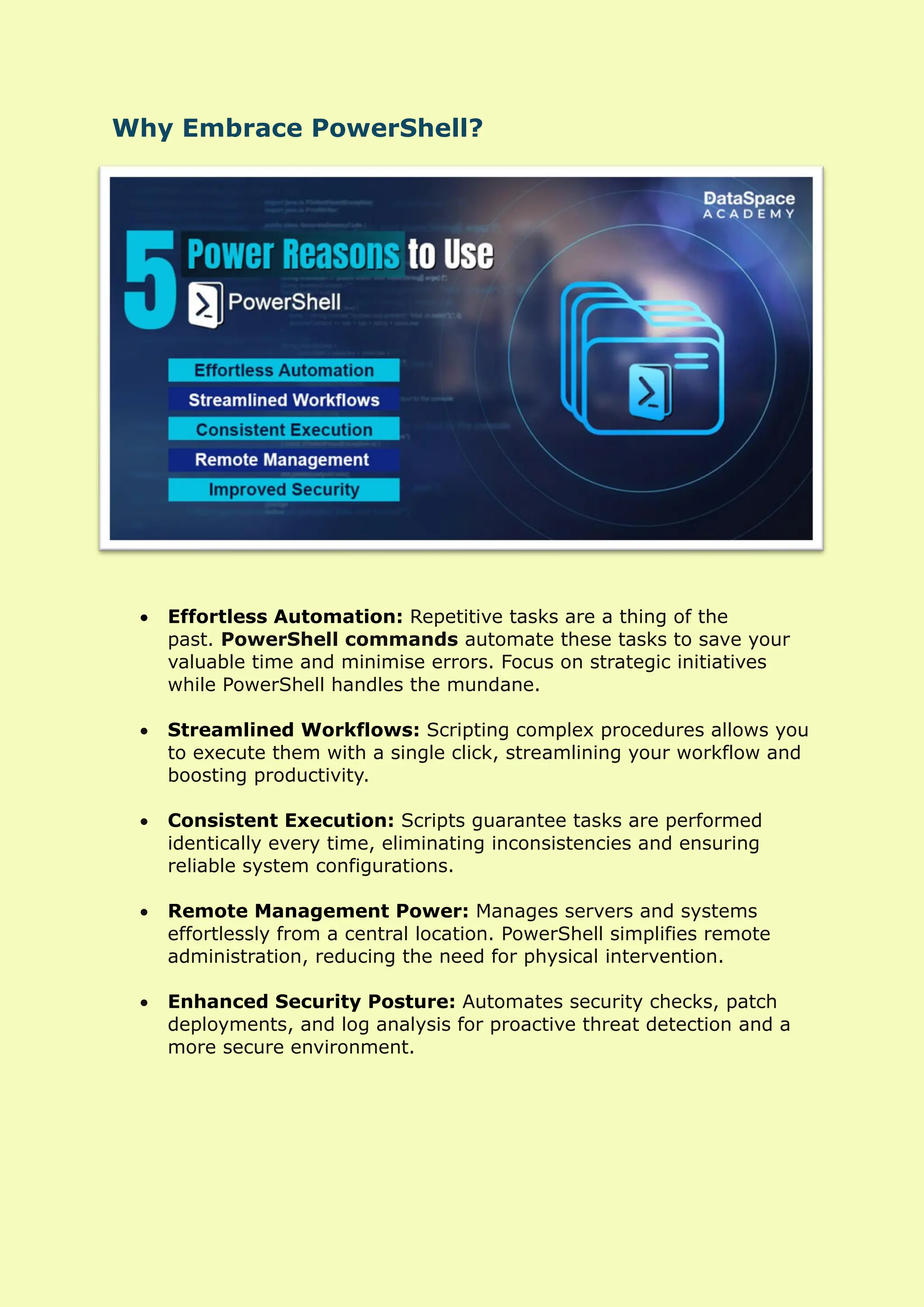
• Effortless Automation: Repetitive tasks are a thing of the
past. PowerShell commands automate these tasks to save your
valuable time and minimise errors. Focus on strategic initiatives
while PowerShell handles the mundane.
• Streamlined Workflows: Scripting complex procedures allows you
to execute them with a single click, streamlining your workflow and
boosting productivity.
• Consistent Execution: Scripts guarantee tasks are performed
identically every time, eliminating inconsistencies and ensuring
reliable system configurations.
• Remote Management Power: Manages servers and systems
effortlessly from a central location. PowerShell simplifies remote
administration, reducing the need for physical intervention.
• Enhanced Security Posture: Automates security checks, patch
deployments, and log analysis for proactive threat detection and a
more secure environment.
PowerShell In Action: Real-World Use Cases
PowerShell’s versatility extends across a wide range of IT administration
tasks:
o Server Management: Manages user accounts, configures settings,
and deploys software across multiple servers with ease.
o Active Directory Expertise: Automates Active Directory tasks like
user creation, group membership management, and permission
configuration, ensuring consistency and efficiency.
o Security Champion: Become a security champion by automating
security checks, patch deployments, and log analysis. Proactive threat
detection becomes a reality.
o Data Center Automation: Provision, configure, and manage data
center resources with PowerShell scripts, streamlining operations and
reducing manual effort.
o Customizable Reporting: Generate reports tailored to your needs.
Track system health, resource utilization, and application performance
with ease.
Key Features Unveiled
PowerShell offers a robust feature set that empowers scripting and
automation:
o Cmdlets:
The building blocks of PowerShell, cmdlets are small .NET classes that
appear as system commands, designed for specific tasks.
o Scripting Mastery:
Combine cmdlets with logic to create powerful scripts that automate
complex workflows and procedures.
o Executable Integration:
Integrate standalone tools (executables) into your scripts for even
greater flexibility and automation potential.
o Object Instantiation:
Leverage the power of standard .NET classes within your scripts for
advanced functionality.
o Pipeline Power:
Link commands together using the pipeline feature. The output from
one command seamlessly becomes the input for the next, enabling
efficient data processing.
o Desired State Configuration (DSC):
Configure and maintain a desired state for your servers using
PowerShell DSC. This ensures servers remain in the desired
configuration, promoting consistency and stability.
Learning PowerShell: A Roadmap to Success
You will receive a wealth of resources to equip you with PowerShell
expertise:
• Free Learning Content: Access free, self-paced introductions and
comprehensive documentation to learn powershell fundamentals.
• Books for Every Learner: Explore a vast library of books catering to
various learning styles and use cases. Find the perfect resource to
match your needs.
• Coursework Options: Enroll in our industry-leading instructor-
led cyber security courses online to delve deeper into specific aspects
of PowerShell and refine your skills.
Getting Started with PowerShell
The good news: PowerShell is likely already at your fingertips!
• Pre-installed on Windows 10 and Later: For Windows 10 and later
users, PowerShell is pre-installed, and ready to be unleashed.
• Launch with Ease: Simply search for “powershell” in the Start bar or
Run dialog to launch the PowerShell window.
• Script Creation Freedom: Craft your scripts using any text editor
you’re comfortable with. Popular options include the built-in Notepad,
the PowerShell Integrated Scripting Environment (ISE), or even
Microsoft Visual Studio Code.
• Execution Policy Adjustment: By default, script execution is blocked
for security reasons. To run scripts, you’ll need to change the execution
policy using an administrator account.
The Future of PowerShell: A Collaborative Effort
and Continued Innovation
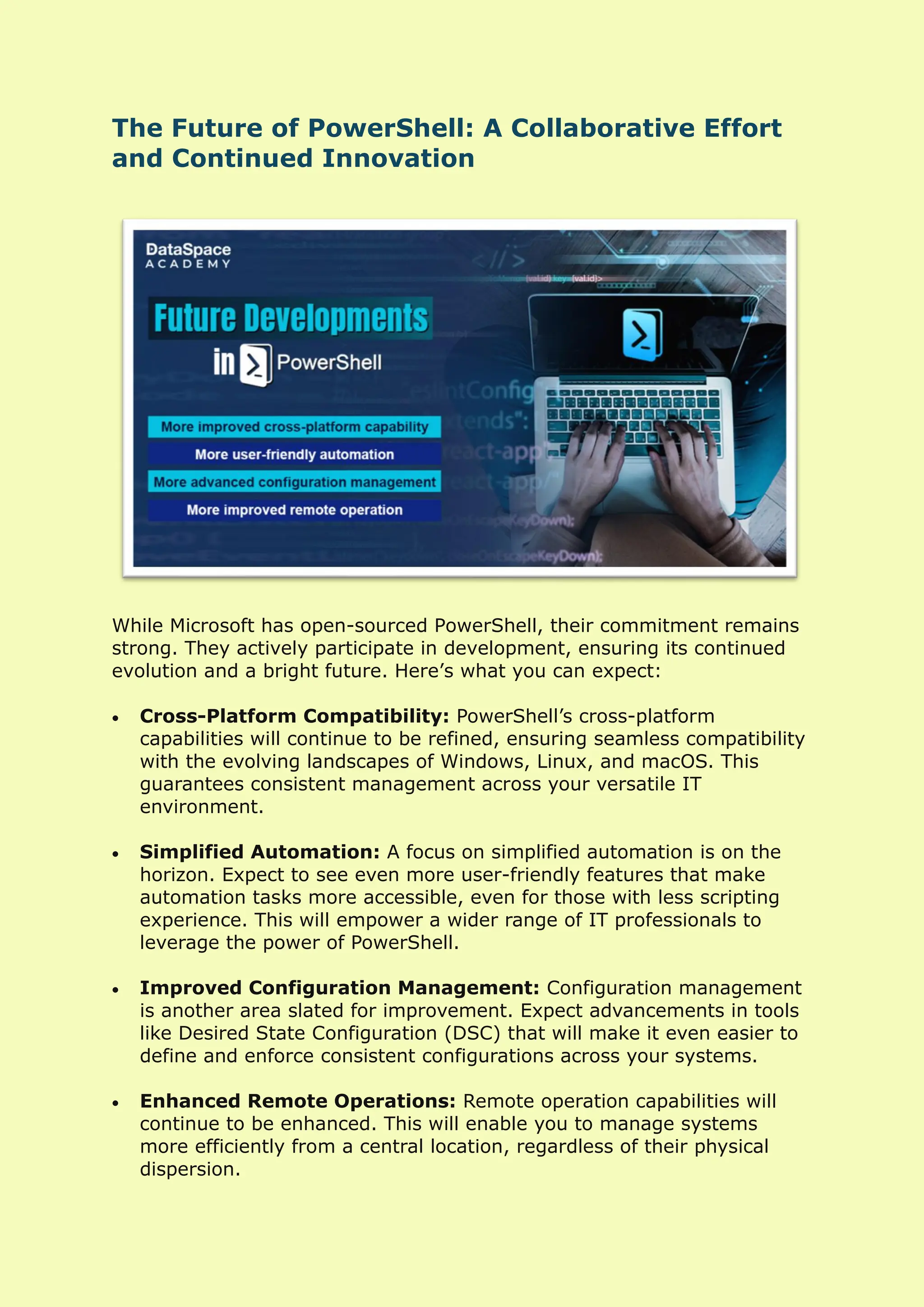
While Microsoft has open-sourced PowerShell, their commitment remains
strong. They actively participate in development, ensuring its continued
evolution and a bright future. Here’s what you can expect:
• Cross-Platform Compatibility: PowerShell’s cross-platform
capabilities will continue to be refined, ensuring seamless compatibility
with the evolving landscapes of Windows, Linux, and macOS. This
guarantees consistent management across your versatile IT
environment.
• Simplified Automation: A focus on simplified automation is on the
horizon. Expect to see even more user-friendly features that make
automation tasks more accessible, even for those with less scripting
experience. This will empower a wider range of IT professionals to
leverage the power of PowerShell.
• Improved Configuration Management: Configuration management
is another area slated for improvement. Expect advancements in tools
like Desired State Configuration (DSC) that will make it even easier to
define and enforce consistent configurations across your systems.
• Enhanced Remote Operations: Remote operation capabilities will
continue to be enhanced. This will enable you to manage systems
more efficiently from a central location, regardless of their physical
dispersion.
Beyond The Basics: Exploring Advanced
PowerShell Topics
This blog has provided a foundational understanding of PowerShell. As
you embark on your PowerShell journey, consider exploring these
advanced topics to further enhance your skillset:
• Windows Management Instrumentation (WMI): WMI is a
powerful technology that allows PowerShell to access and
manipulate data on Windows systems. By mastering WMI, you can
unlock a new level of control over your Windows environment.
• PowerShell Modules: PowerShell modules are reusable packages
that group cmdlets, functions, variables, and more. Learning to
create and use modules will help you organize your scripts and
make them more modular and reusable.
• PowerShell remoting: PowerShell remoting enables you to run
scripts and commands on remote systems. This is essential for
managing large server deployments or geographically dispersed
systems.
• PowerShell security: Security is paramount when dealing with
automation. Deepen your understanding of PowerShell security best
practices to ensure your scripts are secure and don’t introduce
vulnerabilities.
Conclusion: Empowering IT With the Might of
PowerShell
PowerShell is a transformative tool for IT professionals and system
administrators. Its automation capabilities, scripting power, and object-
oriented design empower efficient and consistent system management.
Embrace PowerShell’s potential to streamline your workflows, reduce
errors, and free up valuable time to focus on strategic initiatives. As
Microsoft continues to invest in PowerShell’s open-source development –
you can be confident that this powerful tool will continue to evolve and
meet the ever-changing demands of the IT landscape.
Whether you’re a seasoned IT pro or just starting out, PowerShell offers
immense value. Invest in learning PowerShell and unlock its potential to
transform your IT management capabilities.

PowerShell In 2024 And Beyond The Future Of Automation.pdf

  • 1.
    PowerShell In 2024and Beyond: The Future of Automation PowerShell is a game-changer for system administrators, offering an object-oriented automation engine and scripting language wrapped in a convenient command-line shell. Developed by Microsoft, it empowers you to manage systems and automate tasks with unmatched efficiency. Understanding PowerShell’s Core • Built for Automation: PowerShell transcends traditional text-based command-line interfaces by leveraging the .NET framework and working with objects. This object-oriented approach simplifies complex tasks and enables powerful scripting capabilities. • From Windows to Ubiquitous: Originally a Windows-only solution, powershell script+ has become a cross-platform powerhouse. Now, you can harness its potential on Linux and macOS alongside Windows, ensuring consistent management across your IT infrastructure.
  • 2.
    Why Embrace PowerShell? •Effortless Automation: Repetitive tasks are a thing of the past. PowerShell commands automate these tasks to save your valuable time and minimise errors. Focus on strategic initiatives while PowerShell handles the mundane. • Streamlined Workflows: Scripting complex procedures allows you to execute them with a single click, streamlining your workflow and boosting productivity. • Consistent Execution: Scripts guarantee tasks are performed identically every time, eliminating inconsistencies and ensuring reliable system configurations. • Remote Management Power: Manages servers and systems effortlessly from a central location. PowerShell simplifies remote administration, reducing the need for physical intervention. • Enhanced Security Posture: Automates security checks, patch deployments, and log analysis for proactive threat detection and a more secure environment.
  • 3.
    PowerShell In Action:Real-World Use Cases PowerShell’s versatility extends across a wide range of IT administration tasks: o Server Management: Manages user accounts, configures settings, and deploys software across multiple servers with ease. o Active Directory Expertise: Automates Active Directory tasks like user creation, group membership management, and permission configuration, ensuring consistency and efficiency. o Security Champion: Become a security champion by automating security checks, patch deployments, and log analysis. Proactive threat detection becomes a reality. o Data Center Automation: Provision, configure, and manage data center resources with PowerShell scripts, streamlining operations and reducing manual effort. o Customizable Reporting: Generate reports tailored to your needs. Track system health, resource utilization, and application performance with ease. Key Features Unveiled PowerShell offers a robust feature set that empowers scripting and automation: o Cmdlets: The building blocks of PowerShell, cmdlets are small .NET classes that appear as system commands, designed for specific tasks. o Scripting Mastery: Combine cmdlets with logic to create powerful scripts that automate complex workflows and procedures. o Executable Integration: Integrate standalone tools (executables) into your scripts for even greater flexibility and automation potential. o Object Instantiation: Leverage the power of standard .NET classes within your scripts for advanced functionality.
  • 4.
    o Pipeline Power: Linkcommands together using the pipeline feature. The output from one command seamlessly becomes the input for the next, enabling efficient data processing. o Desired State Configuration (DSC): Configure and maintain a desired state for your servers using PowerShell DSC. This ensures servers remain in the desired configuration, promoting consistency and stability. Learning PowerShell: A Roadmap to Success You will receive a wealth of resources to equip you with PowerShell expertise: • Free Learning Content: Access free, self-paced introductions and comprehensive documentation to learn powershell fundamentals. • Books for Every Learner: Explore a vast library of books catering to various learning styles and use cases. Find the perfect resource to match your needs. • Coursework Options: Enroll in our industry-leading instructor- led cyber security courses online to delve deeper into specific aspects of PowerShell and refine your skills. Getting Started with PowerShell The good news: PowerShell is likely already at your fingertips! • Pre-installed on Windows 10 and Later: For Windows 10 and later users, PowerShell is pre-installed, and ready to be unleashed. • Launch with Ease: Simply search for “powershell” in the Start bar or Run dialog to launch the PowerShell window. • Script Creation Freedom: Craft your scripts using any text editor you’re comfortable with. Popular options include the built-in Notepad, the PowerShell Integrated Scripting Environment (ISE), or even Microsoft Visual Studio Code. • Execution Policy Adjustment: By default, script execution is blocked for security reasons. To run scripts, you’ll need to change the execution policy using an administrator account.
  • 5.
    The Future ofPowerShell: A Collaborative Effort and Continued Innovation While Microsoft has open-sourced PowerShell, their commitment remains strong. They actively participate in development, ensuring its continued evolution and a bright future. Here’s what you can expect: • Cross-Platform Compatibility: PowerShell’s cross-platform capabilities will continue to be refined, ensuring seamless compatibility with the evolving landscapes of Windows, Linux, and macOS. This guarantees consistent management across your versatile IT environment. • Simplified Automation: A focus on simplified automation is on the horizon. Expect to see even more user-friendly features that make automation tasks more accessible, even for those with less scripting experience. This will empower a wider range of IT professionals to leverage the power of PowerShell. • Improved Configuration Management: Configuration management is another area slated for improvement. Expect advancements in tools like Desired State Configuration (DSC) that will make it even easier to define and enforce consistent configurations across your systems. • Enhanced Remote Operations: Remote operation capabilities will continue to be enhanced. This will enable you to manage systems more efficiently from a central location, regardless of their physical dispersion.
  • 6.
    Beyond The Basics:Exploring Advanced PowerShell Topics This blog has provided a foundational understanding of PowerShell. As you embark on your PowerShell journey, consider exploring these advanced topics to further enhance your skillset: • Windows Management Instrumentation (WMI): WMI is a powerful technology that allows PowerShell to access and manipulate data on Windows systems. By mastering WMI, you can unlock a new level of control over your Windows environment. • PowerShell Modules: PowerShell modules are reusable packages that group cmdlets, functions, variables, and more. Learning to create and use modules will help you organize your scripts and make them more modular and reusable. • PowerShell remoting: PowerShell remoting enables you to run scripts and commands on remote systems. This is essential for managing large server deployments or geographically dispersed systems. • PowerShell security: Security is paramount when dealing with automation. Deepen your understanding of PowerShell security best practices to ensure your scripts are secure and don’t introduce vulnerabilities. Conclusion: Empowering IT With the Might of PowerShell PowerShell is a transformative tool for IT professionals and system administrators. Its automation capabilities, scripting power, and object- oriented design empower efficient and consistent system management. Embrace PowerShell’s potential to streamline your workflows, reduce errors, and free up valuable time to focus on strategic initiatives. As Microsoft continues to invest in PowerShell’s open-source development – you can be confident that this powerful tool will continue to evolve and meet the ever-changing demands of the IT landscape. Whether you’re a seasoned IT pro or just starting out, PowerShell offers immense value. Invest in learning PowerShell and unlock its potential to transform your IT management capabilities.