PowerDNS-Admin/DNS-UI:
A direct comparison
Konstantinos Kouris (konkour@gunet.gr)
Konstantinos Mparmparousis (barbarousisk@gunet.gr)
Dimitris Papachristou (dimitrispa@gunet.gr)
August 2021
Introduction/Background
0.
We, a team composed of two Software Developers and a Dev-
Ops Engineer, in the past few months have been conducting
research upon the functionalities of the application “PowerDNS-
Admin”, and have integrated some new useful features for our
cause into the app, like pull requests #974, #980 and #1002.
As someone with experience in the field can tell, our team was
mostly concentrated on the identity management and identity
security aspect, while also having a basic understanding of the
DNS-Related functionalities the app has to offer.
Consequently, part of our research was also to directly contrast
PowerDNS-Admin with one of it’s biggest “rivaling” projects,
DNS-UI.
During the upcoming presentation we will attempt, as
objectively as possible, to convey the finer details of each
application and to depict where the 2 projects mainly
differentiate, using the knowledge we have acquired.
Sections
0.
Project Details User Interface DNS Related User Management Conclusion
Project Details
1.
• Project Engagement
• Project Structure
• Web Stacks
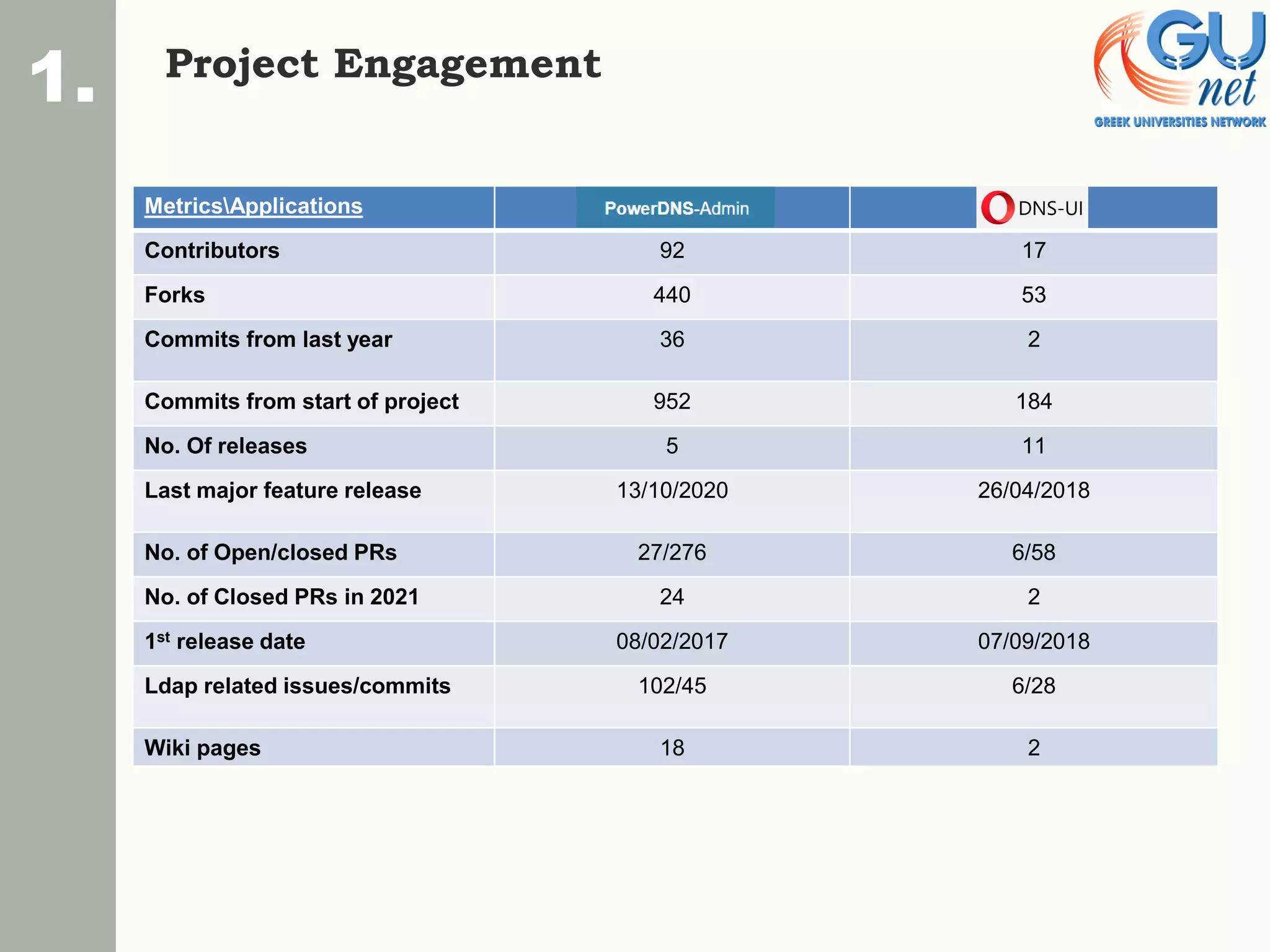
Project Engagement
1.
MetricsApplications
Contributors 92 17
Forks 440 53
Commits from last year 36 2
Commits from start of project 952 184
No. Of releases 5 11
Last major feature release 13/10/2020 26/04/2018
No. of Open/closed PRs 27/276 6/58
No. of Closed PRs in 2021 24 2
1st release date 08/02/2017 07/09/2018
Ldap related issues/commits 102/45 6/28
Wiki pages 18 2
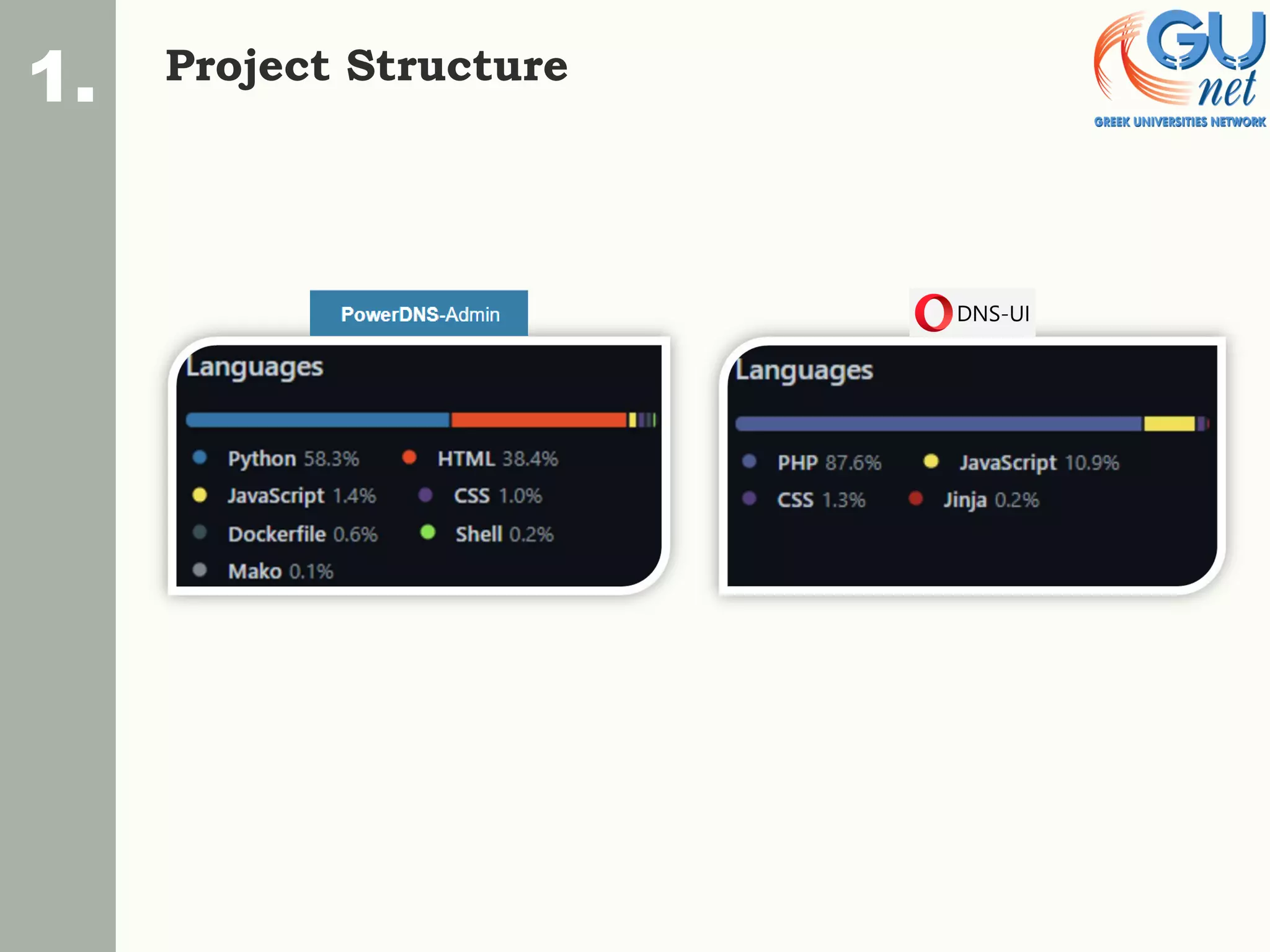
Project Structure
1.
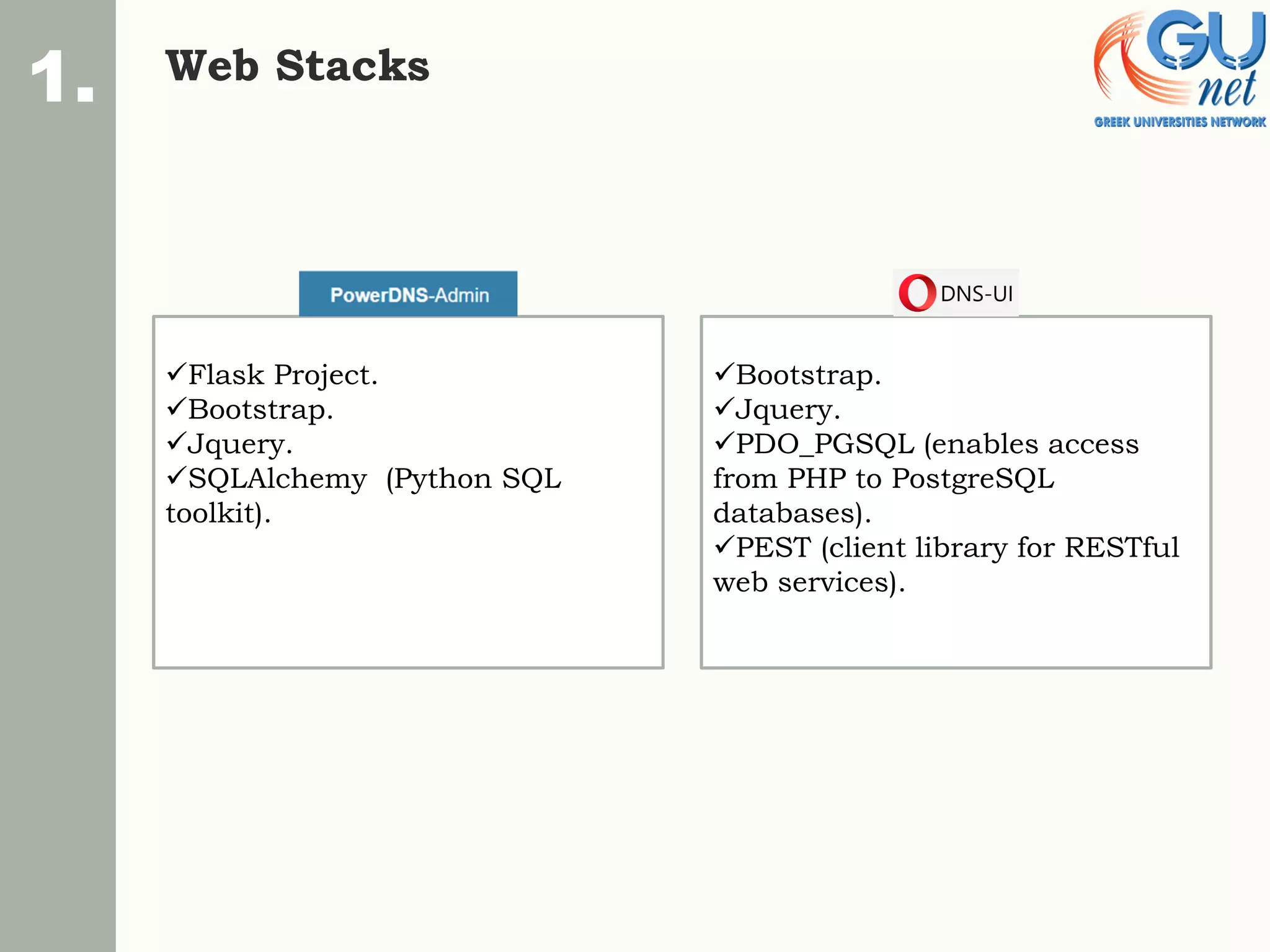
Web Stacks
1.
✓Flask Project.
✓Bootstrap.
✓Jquery.
✓SQLAlchemy (Python SQL
toolkit).
✓Bootstrap.
✓Jquery.
✓PDO_PGSQL (enables access
from PHP to PostgreSQL
databases).
✓PEST (client library for RESTful
web services).
User Interface
1.
• Differing features
2.
2.
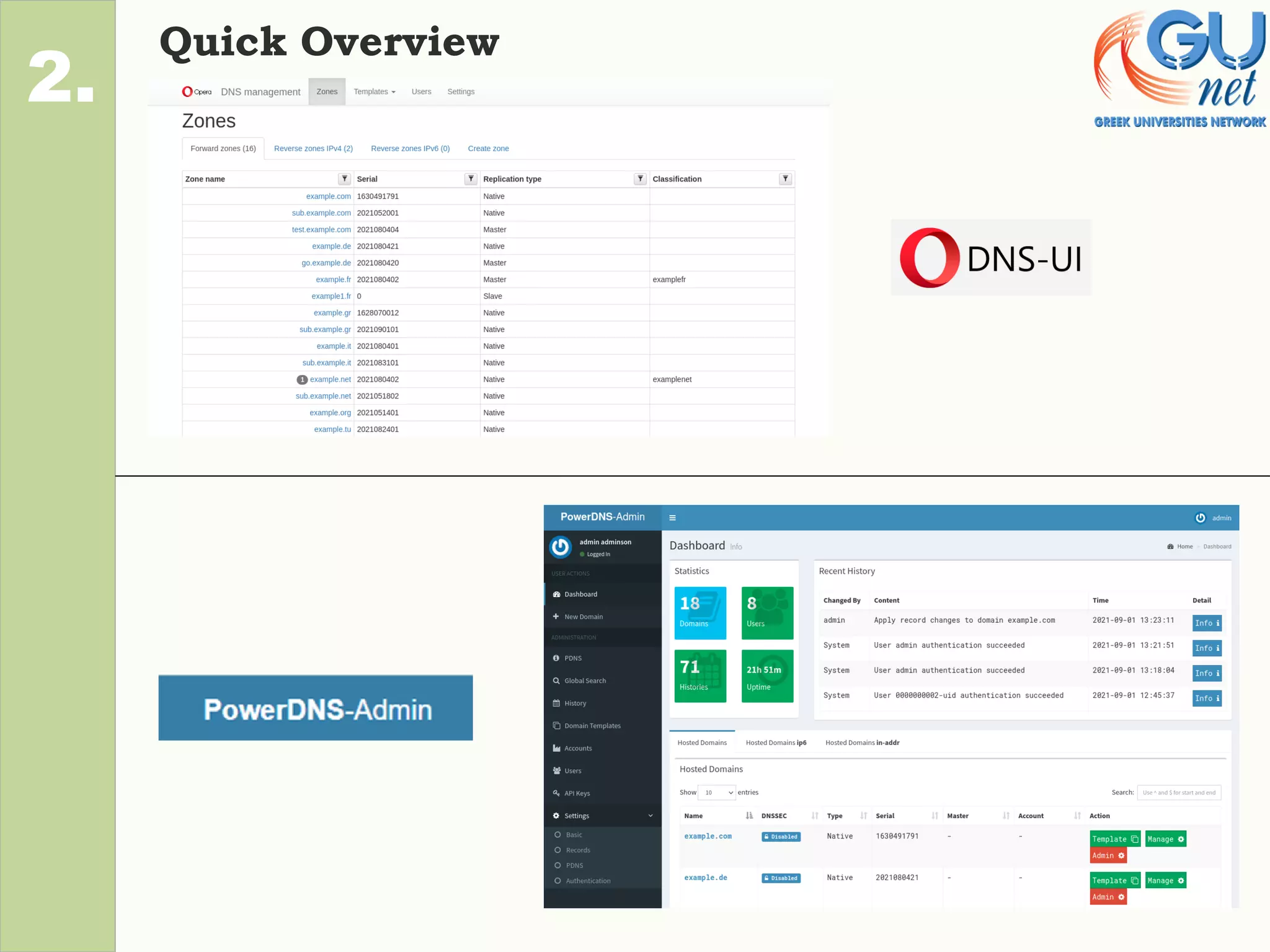
Quick Overview
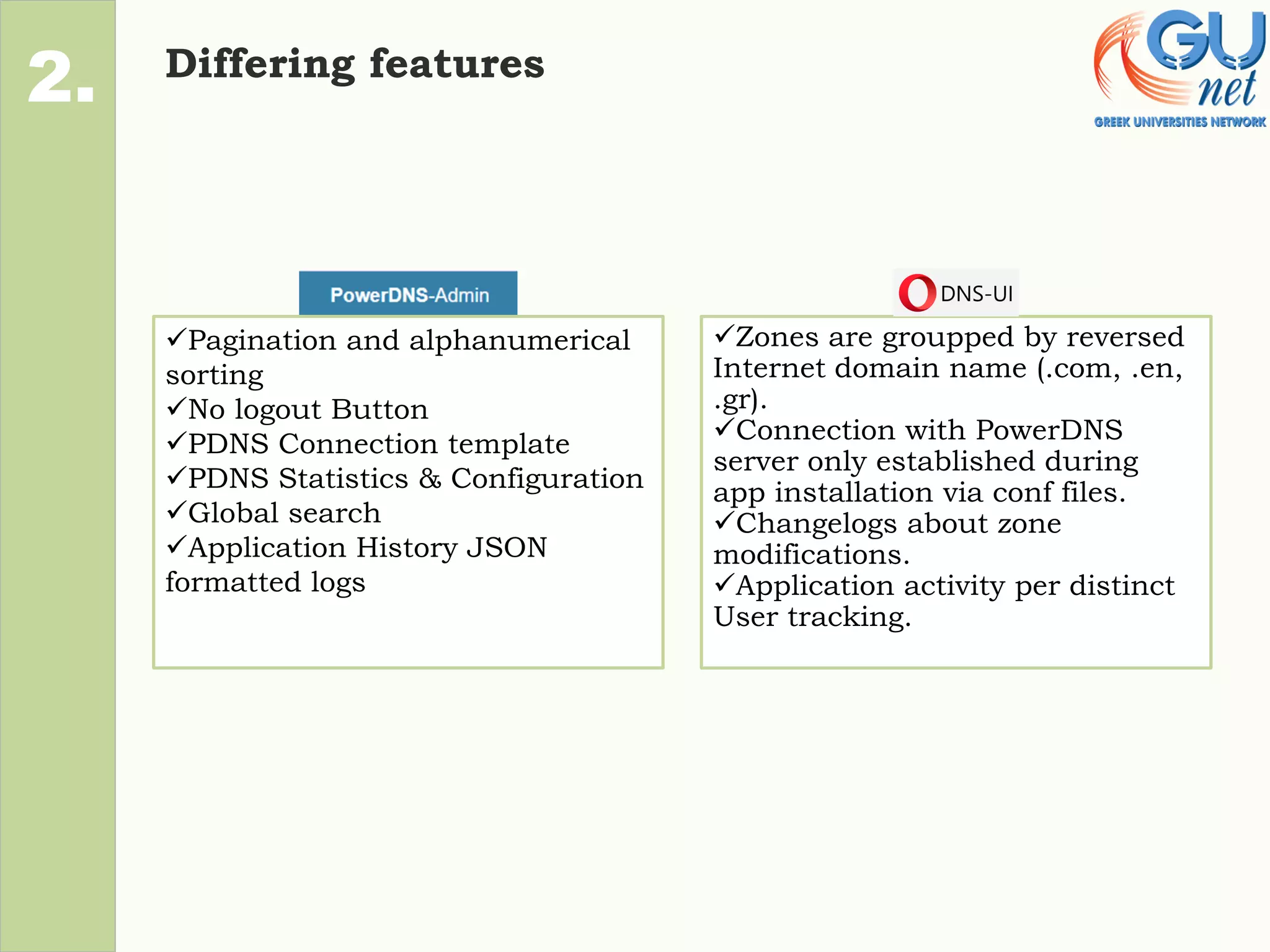
Differing features
2.
✓Zones are groupped by reversed
Internet domain name (.com, .en,
.gr).
✓Connection with PowerDNS
server only established during
app installation via conf files.
✓Changelogs about zone
modifications.
✓Application activity per distinct
User tracking.
✓Pagination and alphanumerical
sorting
✓No logout Button
✓PDNS Connection template
✓PDNS Statistics & Configuration
✓Global search
✓Application History JSON
formatted logs
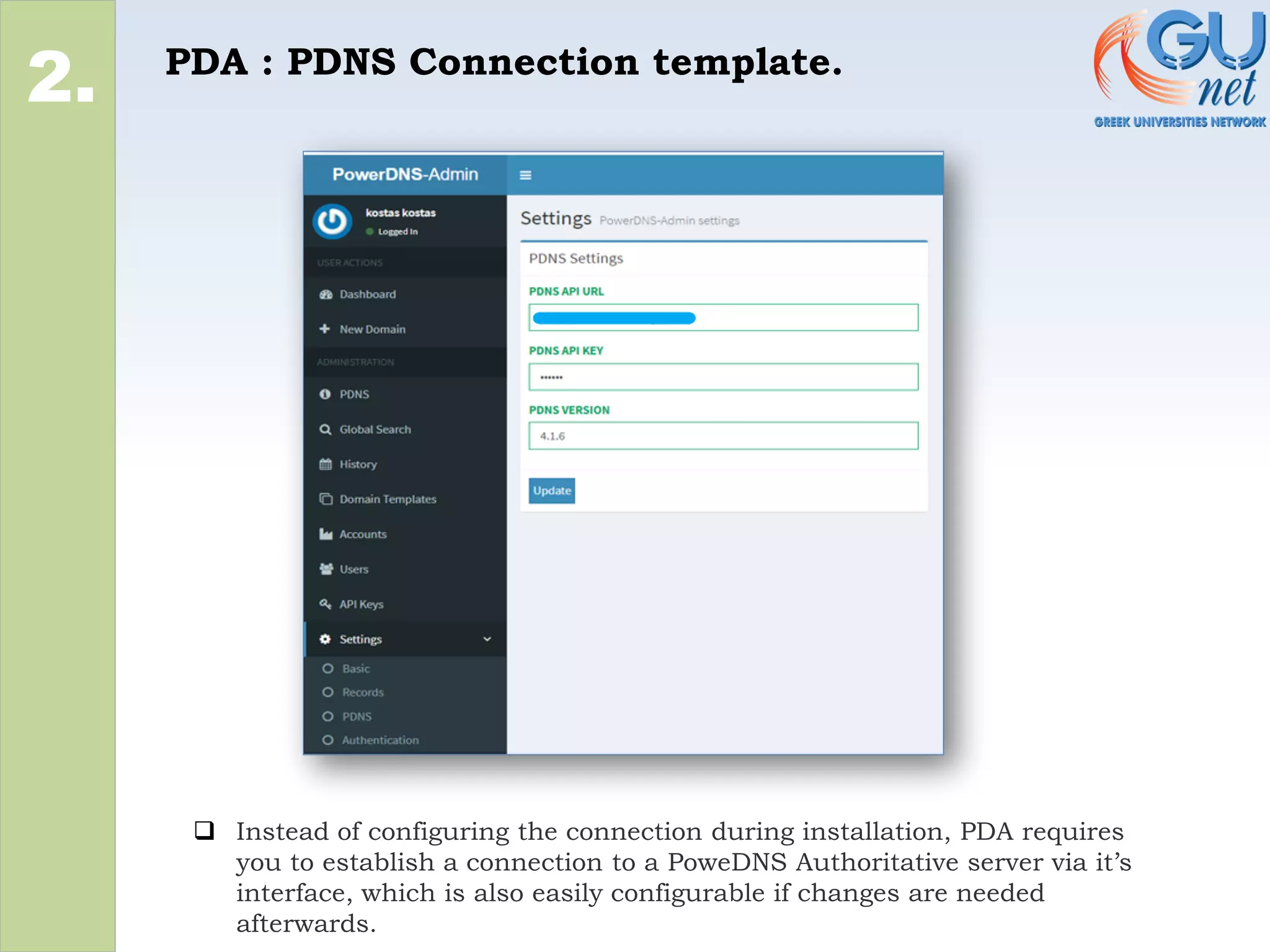
PDA : PDNS Connection template.
2.
❑ Instead of configuring the connection during installation, PDA requires
you to establish a connection to a PoweDNS Authoritative server via it’s
interface, which is also easily configurable if changes are needed
afterwards.
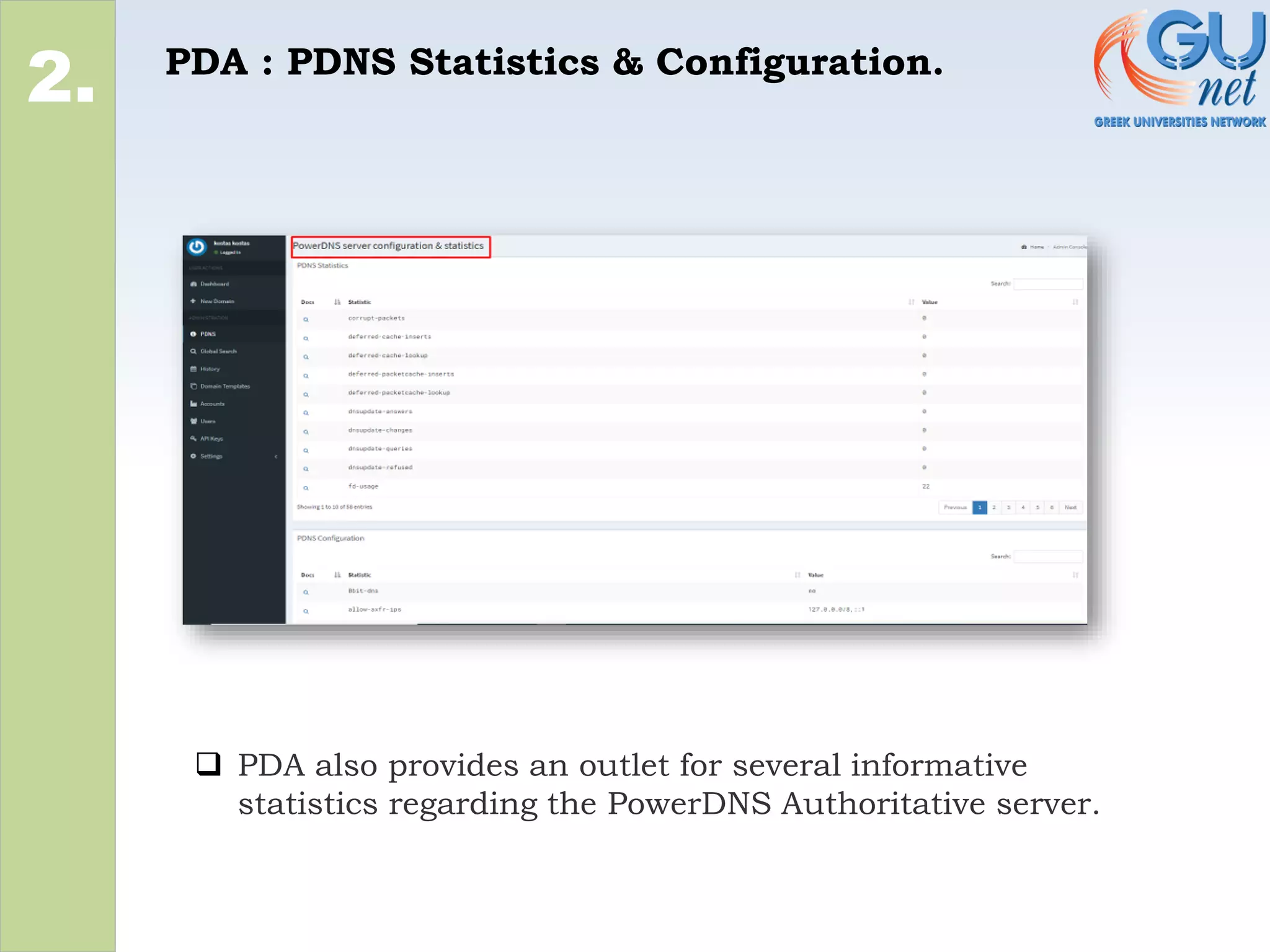
PDA : PDNS Statistics & Configuration.
2.
❑ PDA also provides an outlet for several informative
statistics regarding the PowerDNS Authoritative server.
PDA : Global Search
2.
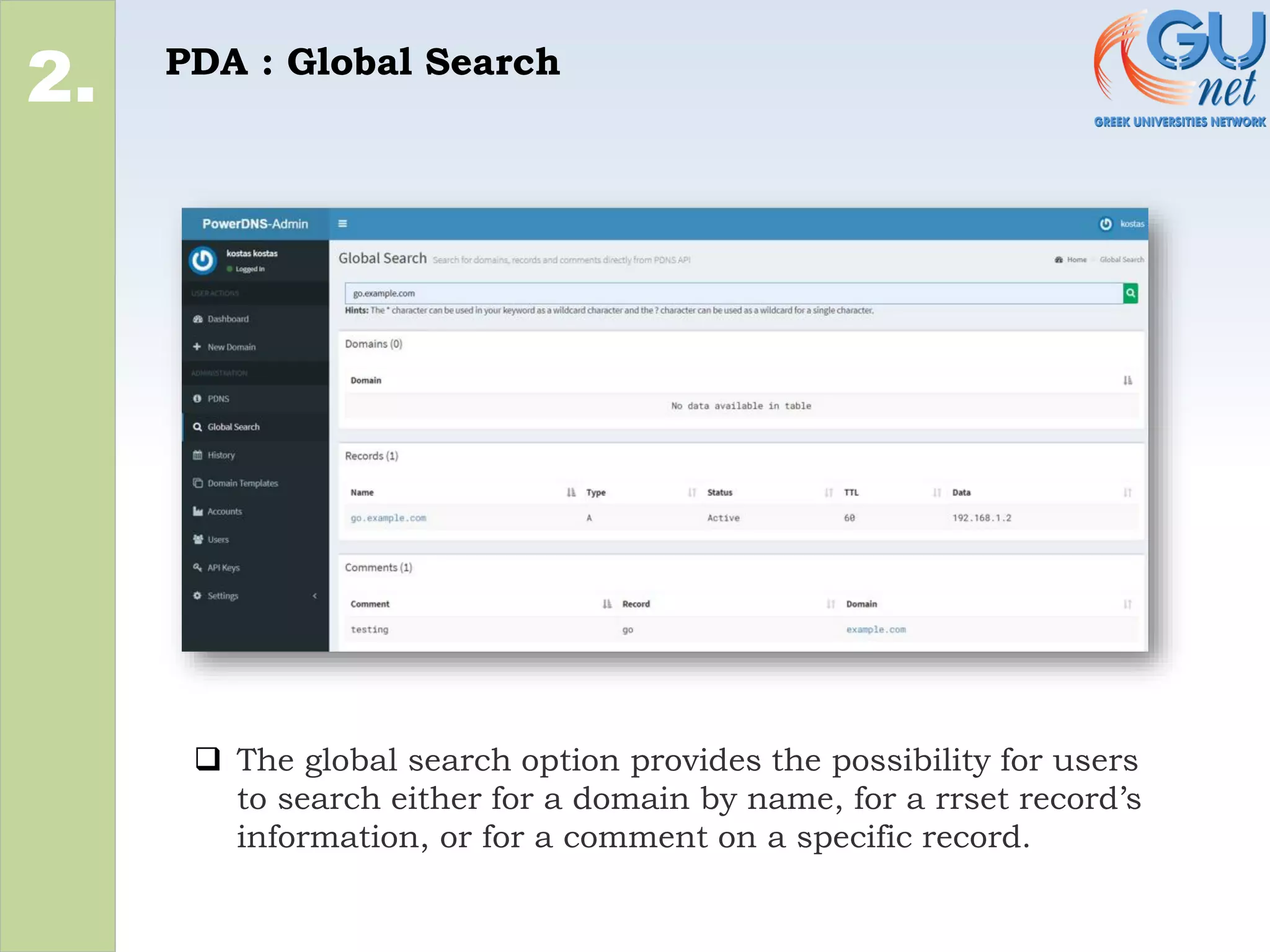
❑ The global search option provides the possibility for users
to search either for a domain by name, for a rrset record’s
information, or for a comment on a specific record.
PDA : Application History JSON formatted
logs (1)
2.
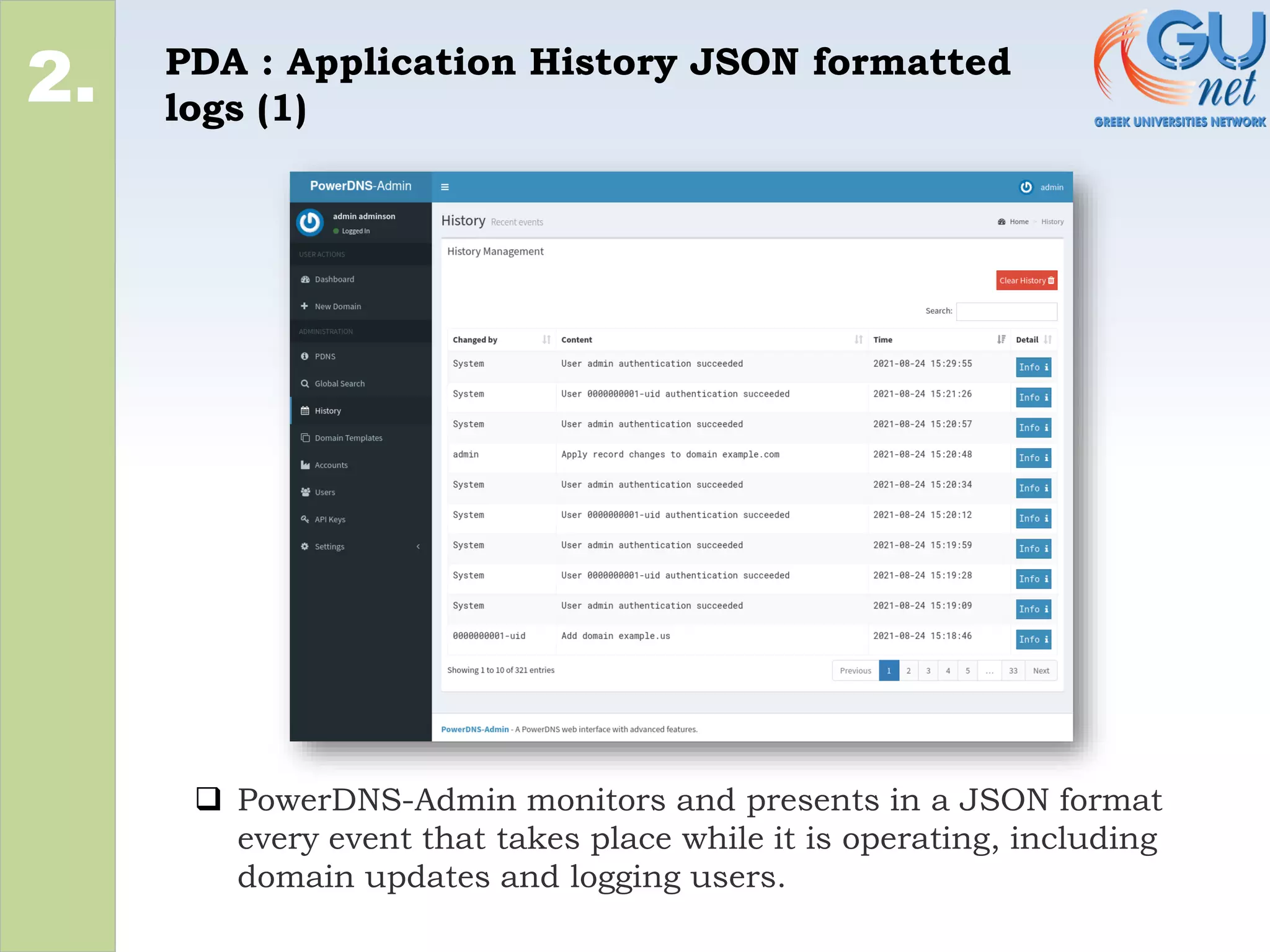
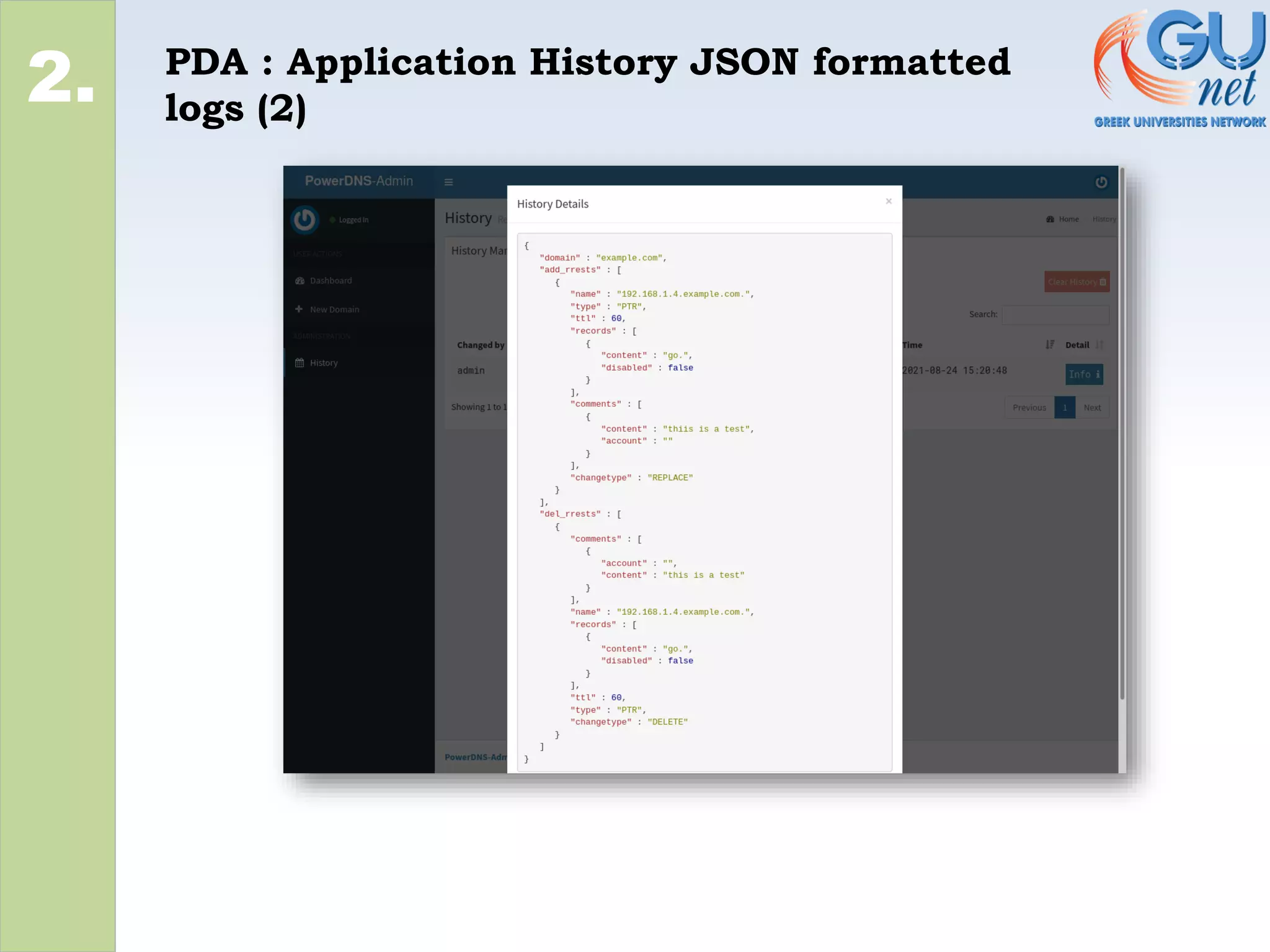
❑ PowerDNS-Admin monitors and presents in a JSON format
every event that takes place while it is operating, including
domain updates and logging users.
PDA : Application History JSON formatted
logs (2)
2.
DNS-UI : Changelogs about zone
modifications
2.
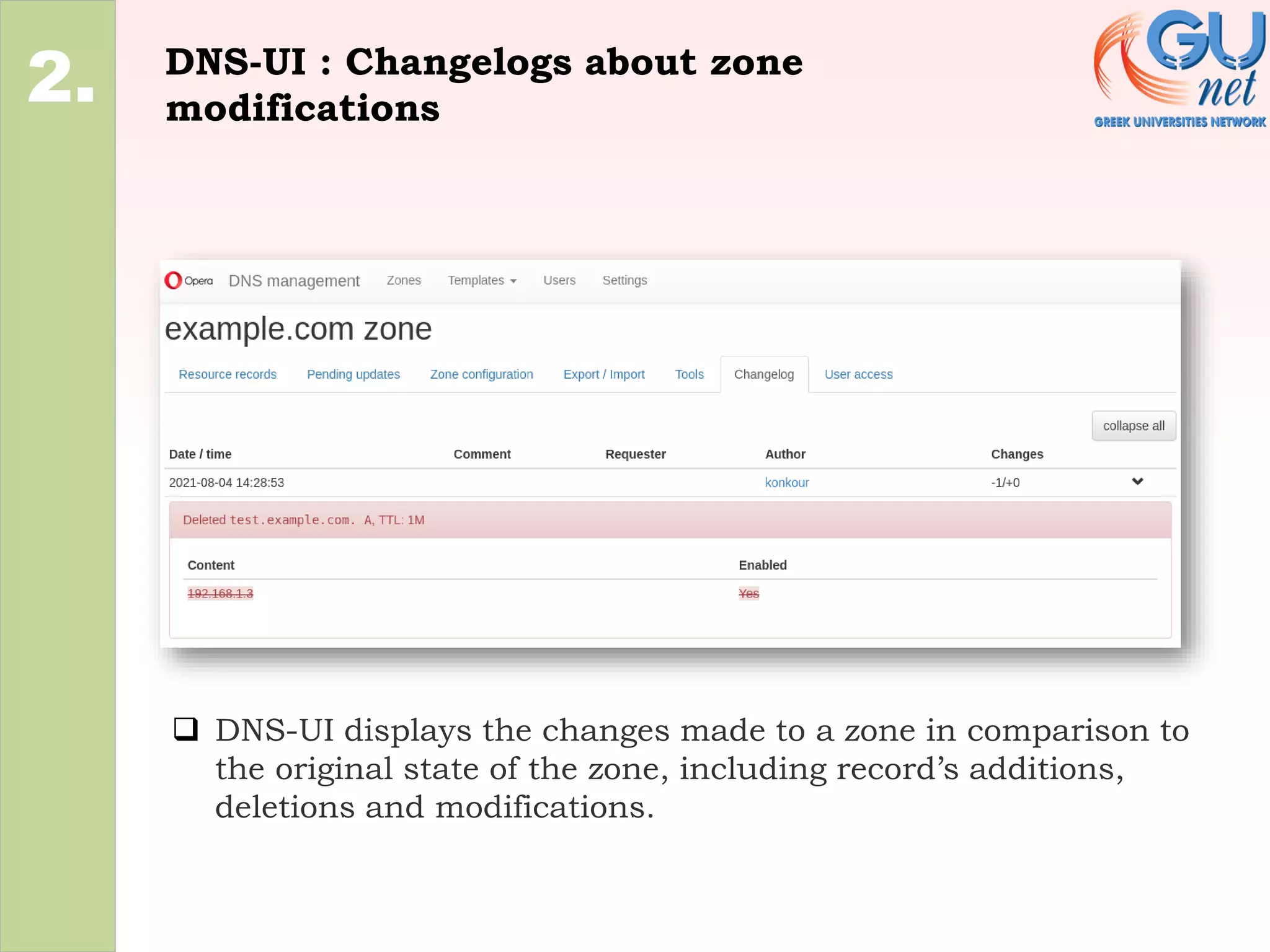
❑ DNS-UI displays the changes made to a zone in comparison to
the original state of the zone, including record’s additions,
deletions and modifications.
DNS-UI : Application activity per distinct
User tracking.
2.
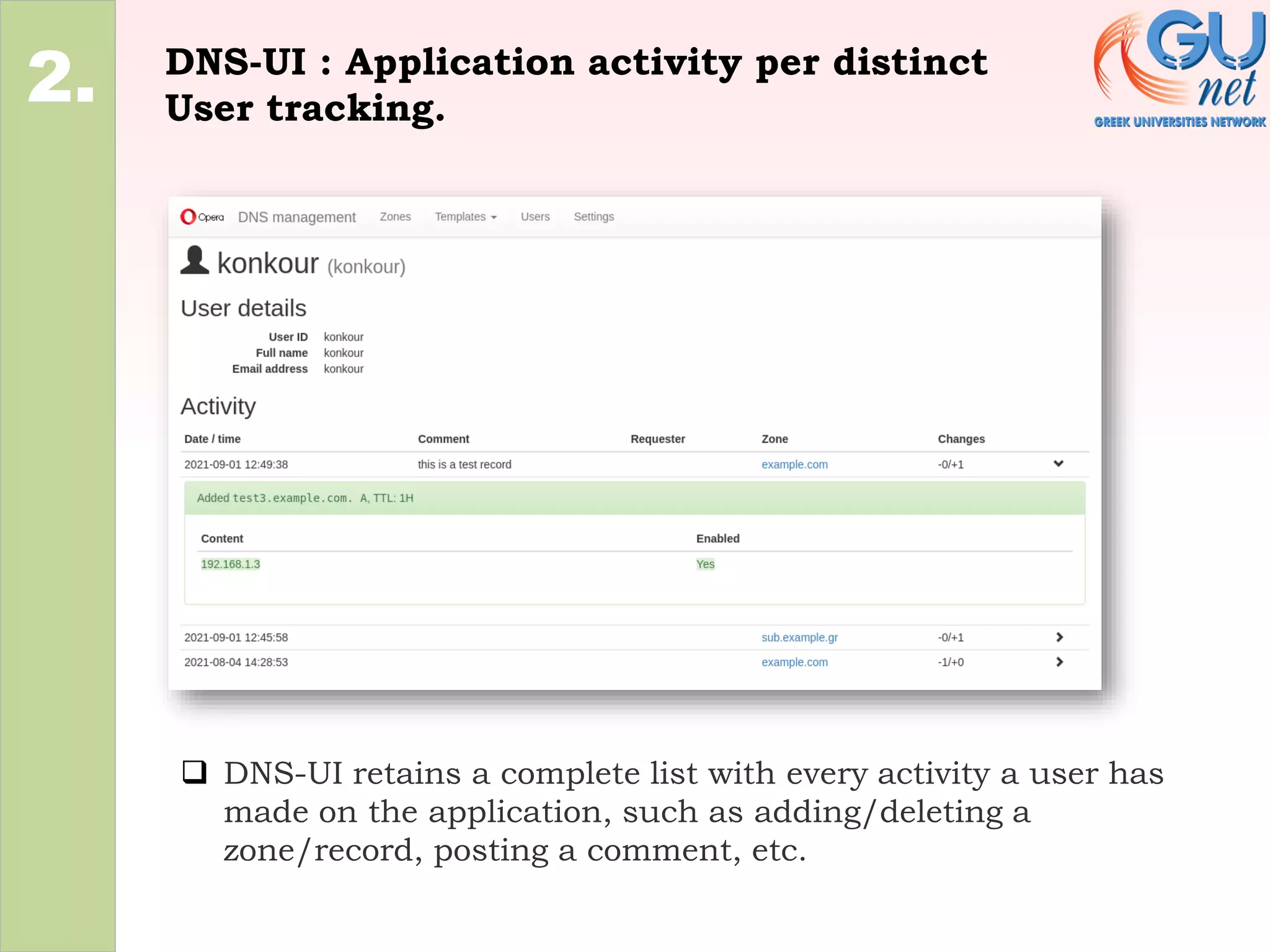
❑ DNS-UI retains a complete list with every activity a user has
made on the application, such as adding/deleting a
zone/record, posting a comment, etc.
DNS Related
1.
2.
3.
• Differing options/features
Differing options/features
2.
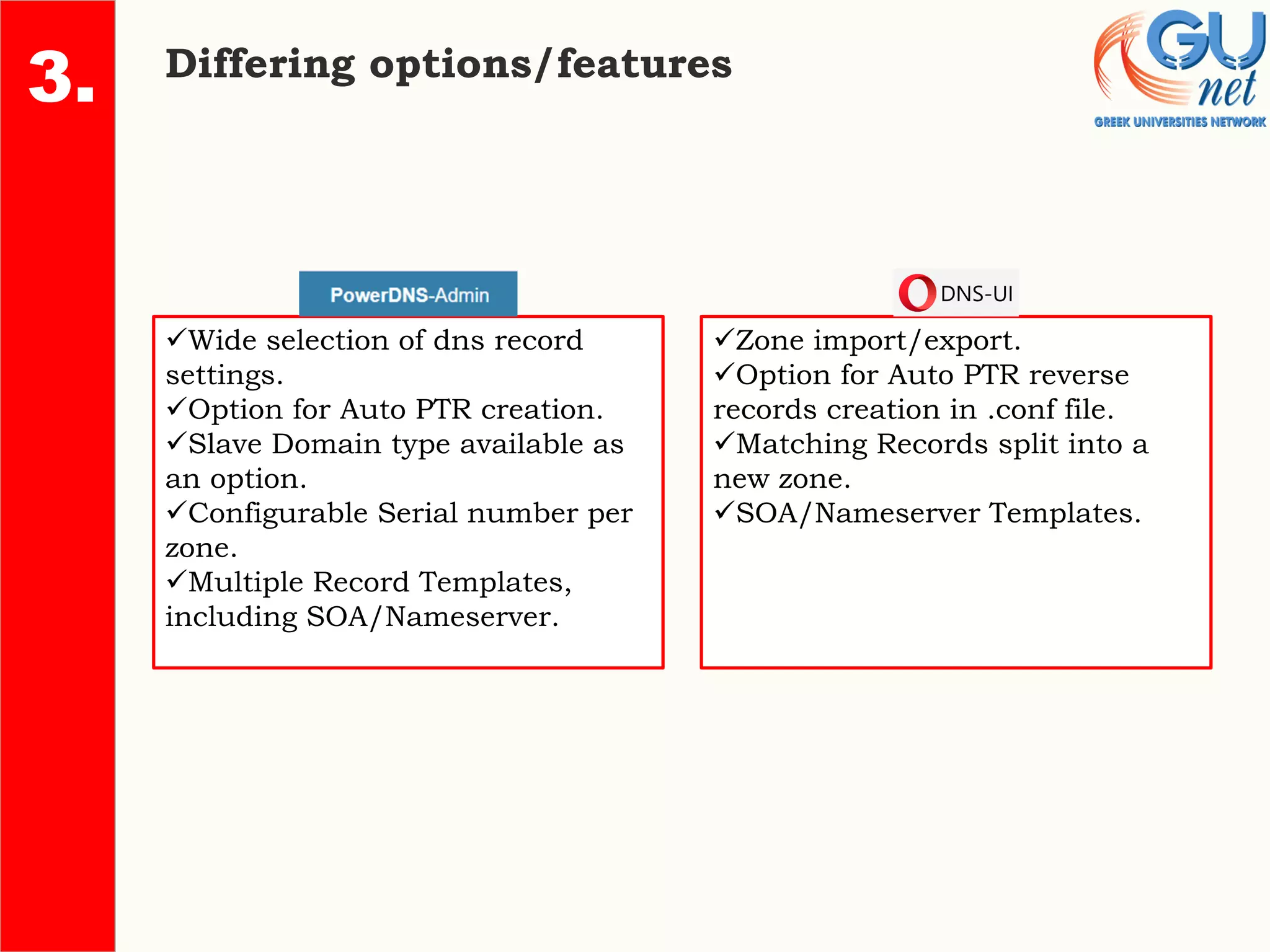
✓Wide selection of dns record
settings.
✓Option for Auto PTR creation.
✓Slave Domain type available as
an option.
✓Configurable Serial number per
zone.
✓Multiple Record Templates,
including SOA/Nameserver.
✓Zone import/export.
✓Option for Auto PTR reverse
records creation in .conf file.
✓Matching Records split into a
new zone.
✓SOA/Nameserver Templates.
3.
PDA : Wide selection of dns record
settings
2.
4.
3.
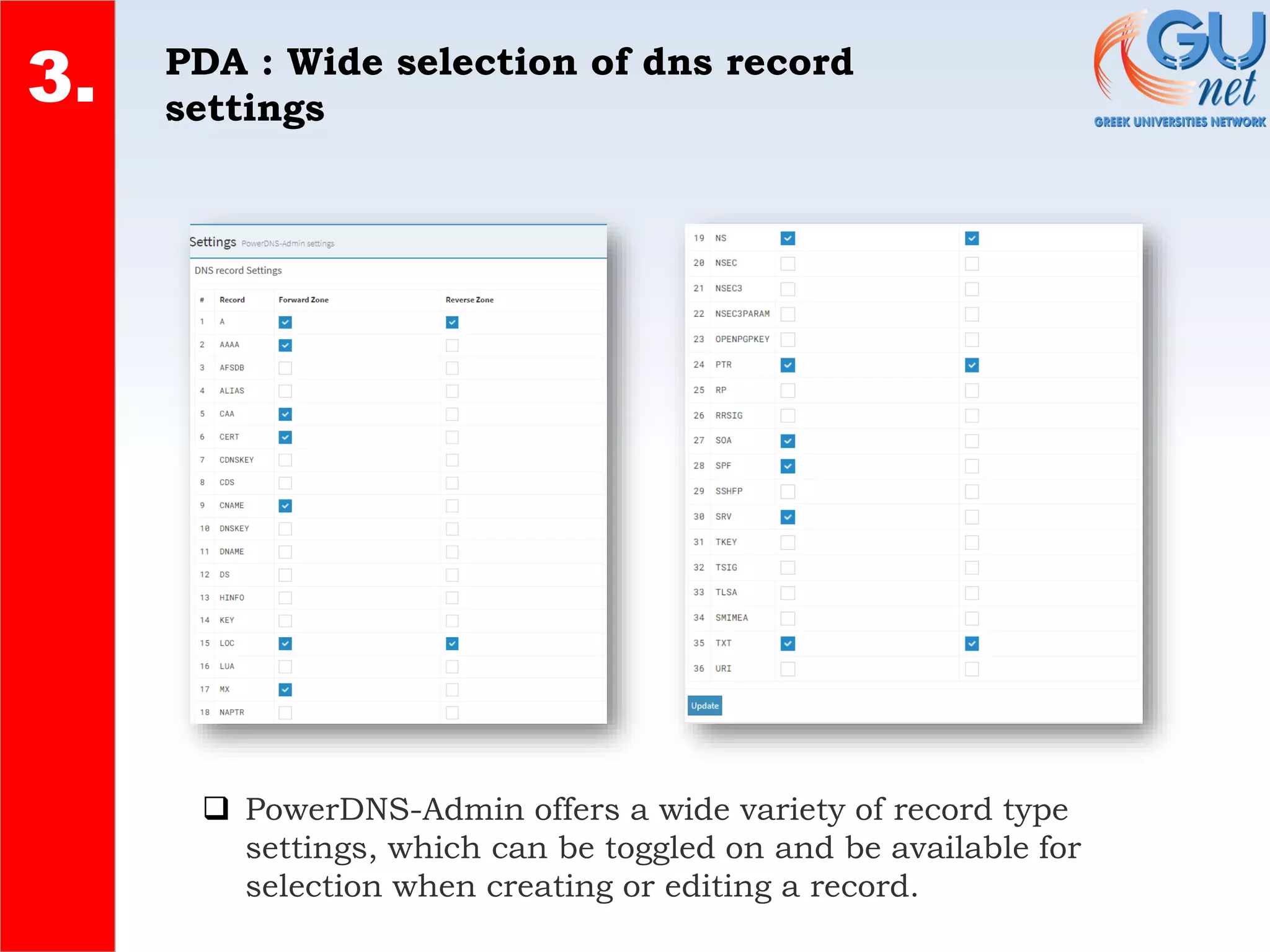
❑ PowerDNS-Admin offers a wide variety of record type
settings, which can be toggled on and be available for
selection when creating or editing a record.
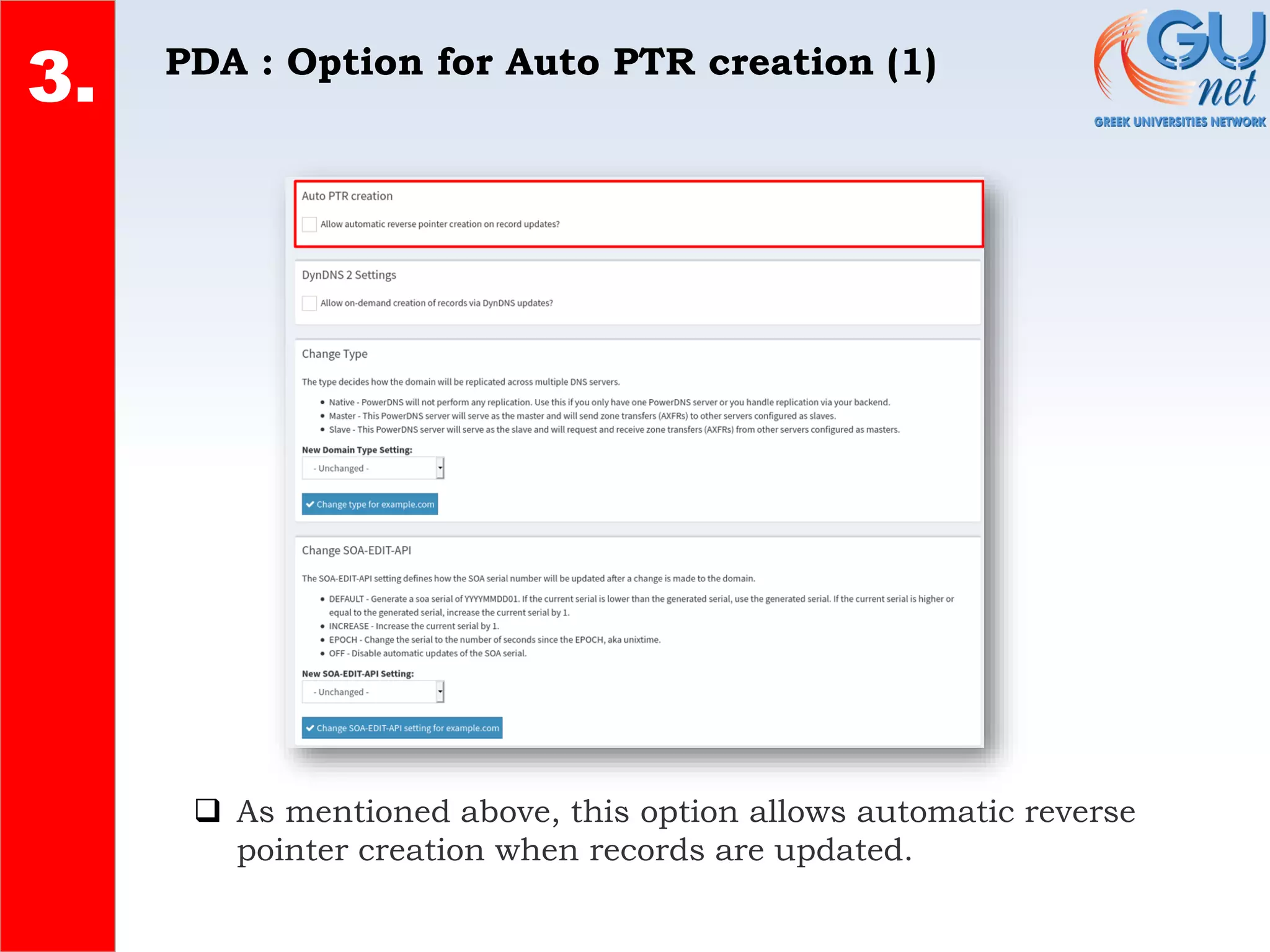
PDA : Option for Auto PTR creation (1)
2.
4.
3.
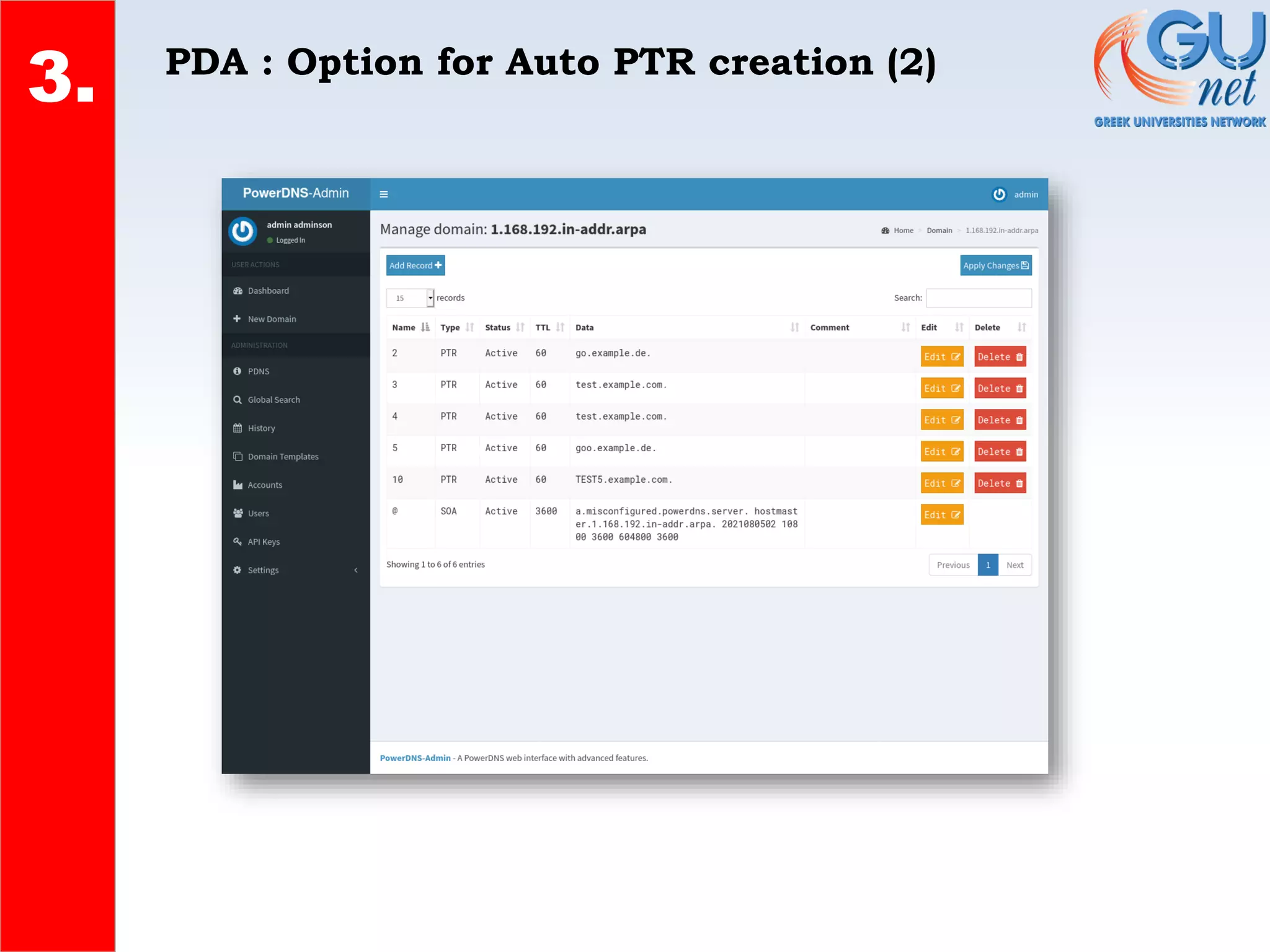
❑ As mentioned above, this option allows automatic reverse
pointer creation when records are updated.
PDA : Option for Auto PTR creation (2)
2.
4.
3.
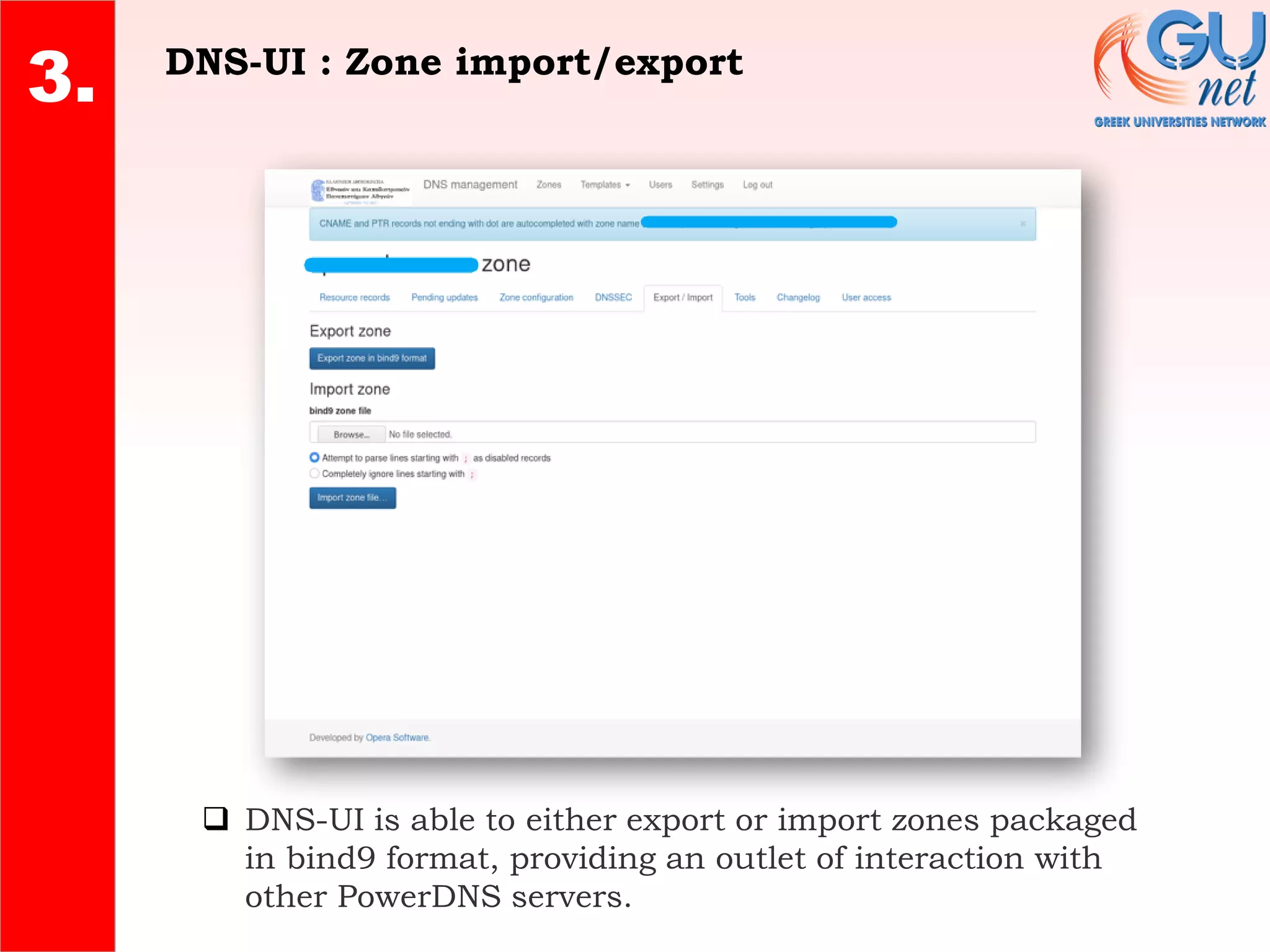
DNS-UI : Zone import/export
2.
4.
3.
❑ DNS-UI is able to either export or import zones packaged
in bind9 format, providing an outlet of interaction with
other PowerDNS servers.
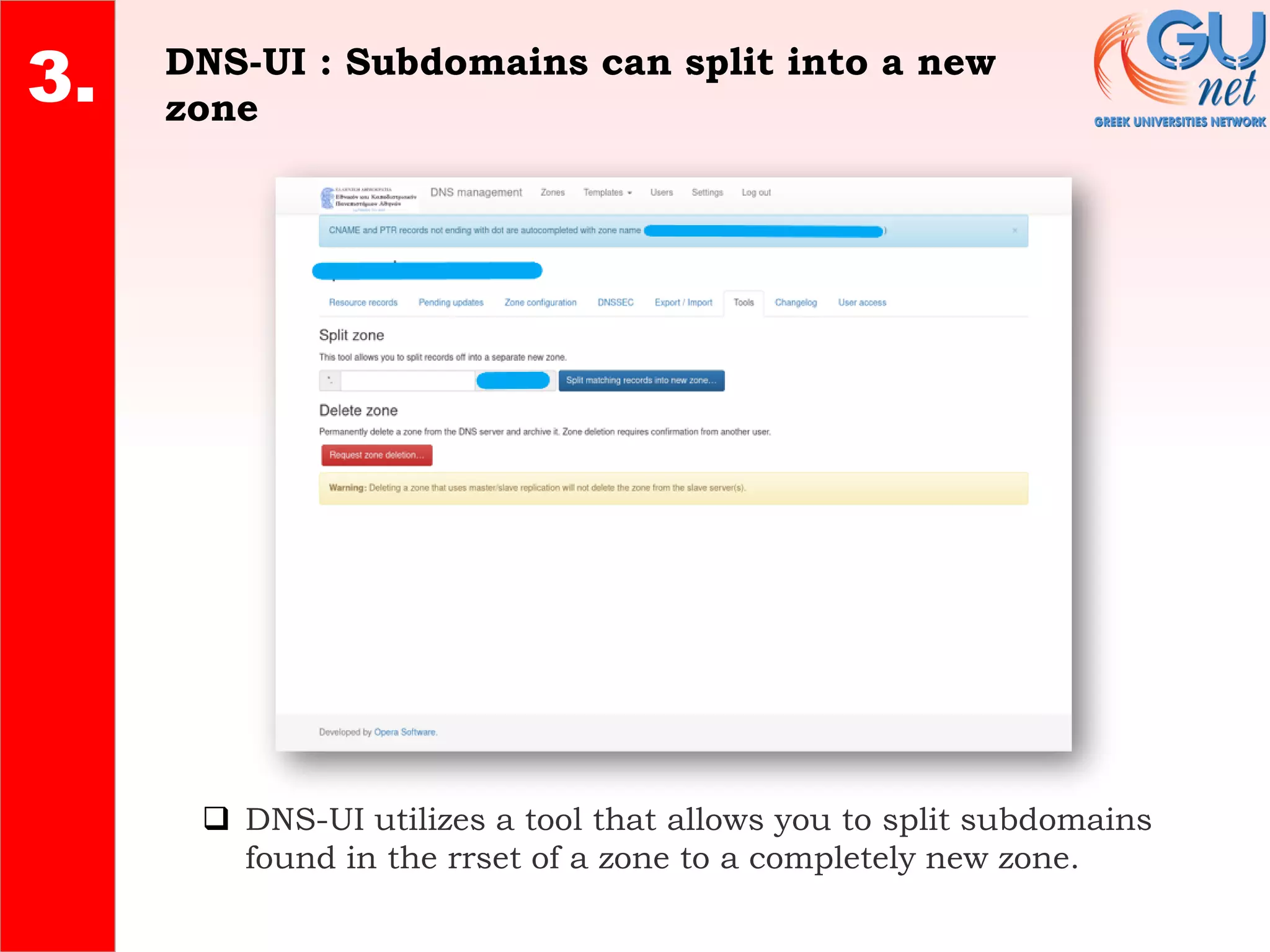
DNS-UI : Subdomains can split into a new
zone
2.
4.
3.
❑ DNS-UI utilizes a tool that allows you to split subdomains
found in the rrset of a zone to a completely new zone.
User Management
1.
2.
3.
4.
• Authentication Providers
• Roles
• Domain Associations
• LDAP Role Management
1.
2.
4. Authentication Providers
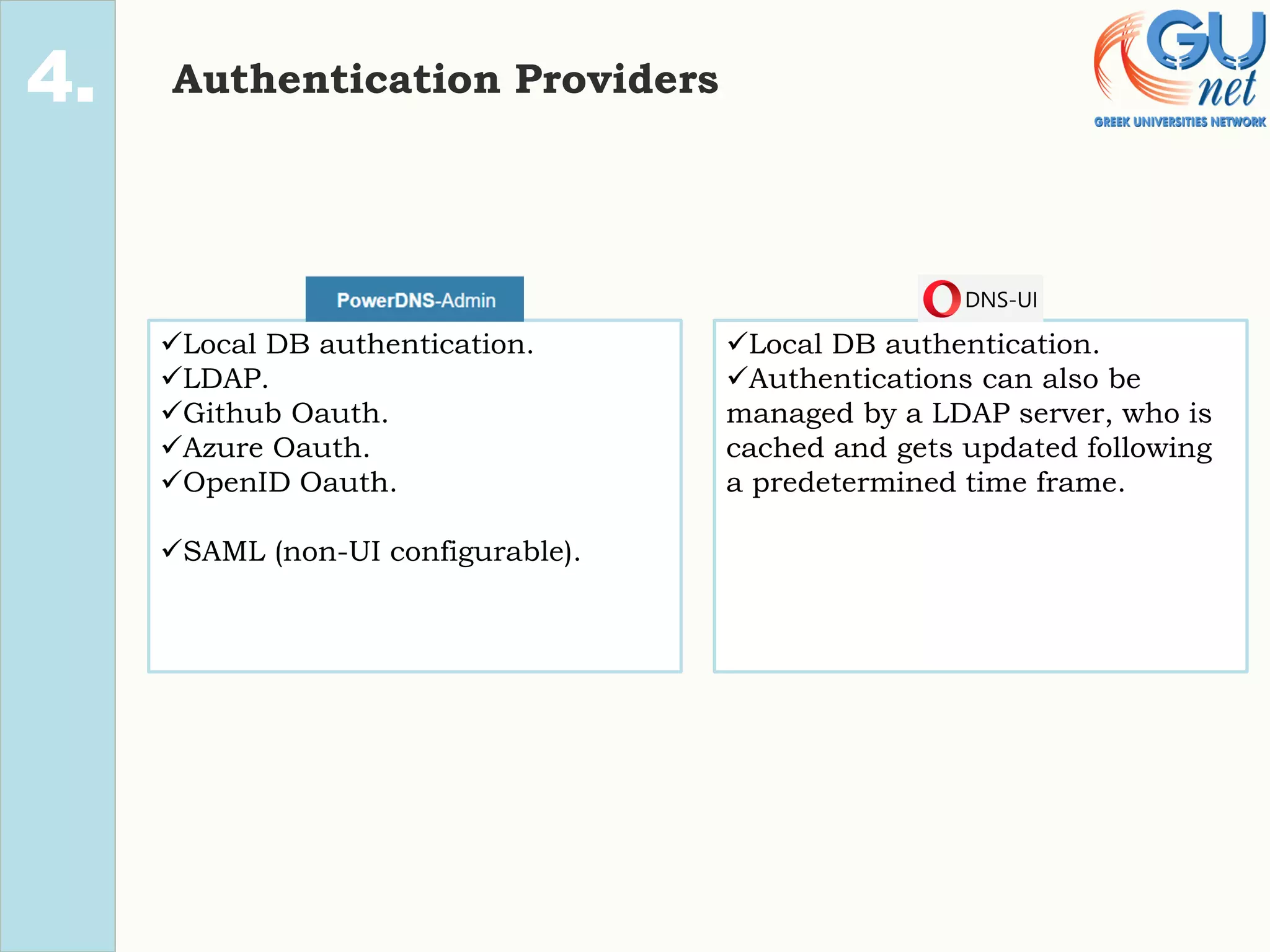
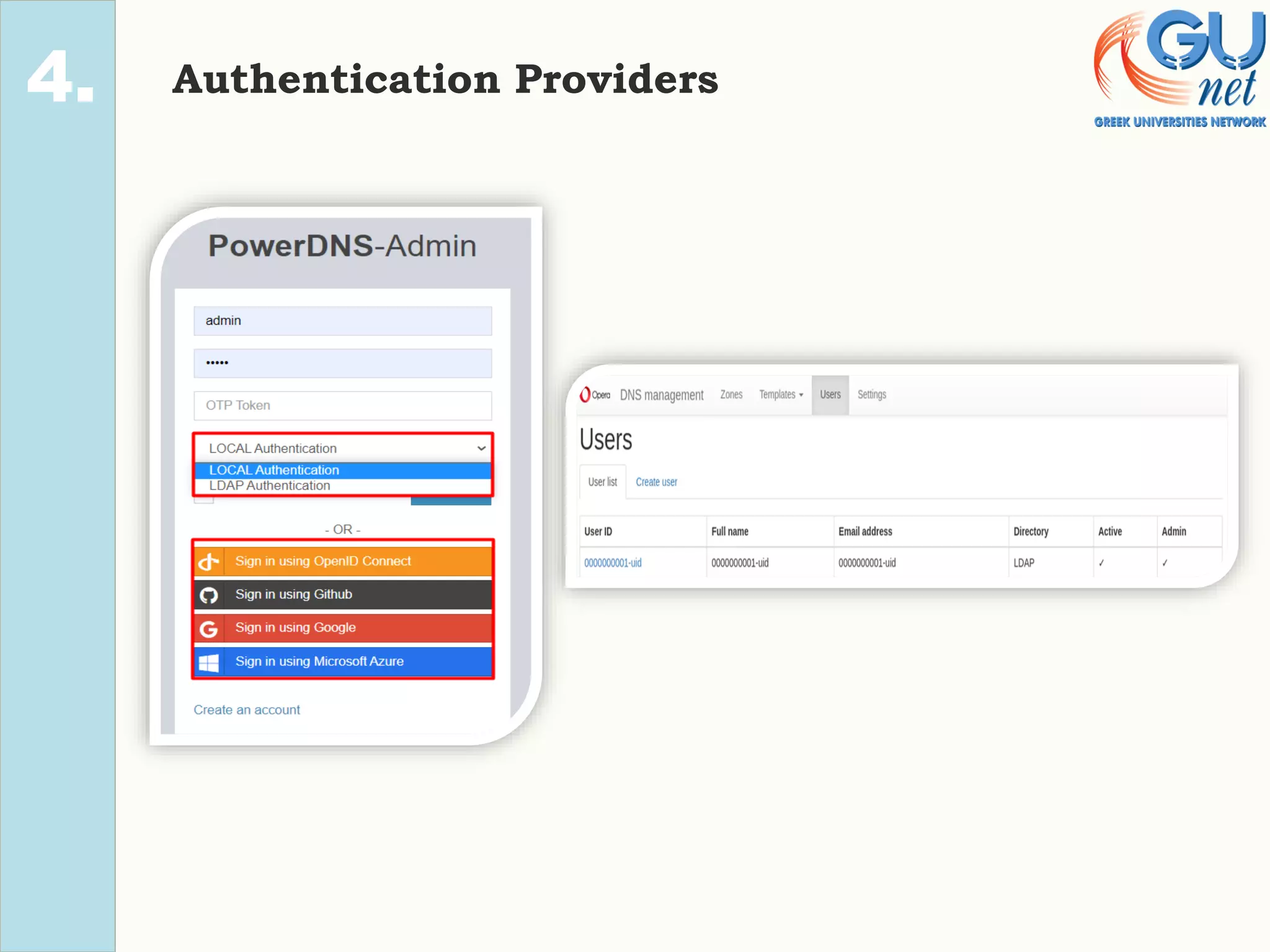
✓Local DB authentication.
✓LDAP.
✓Github Oauth.
✓Azure Oauth.
✓OpenID Oauth.
✓SAML (non-UI configurable).
✓Local DB authentication.
✓Authentications can also be
managed by a LDAP server, who is
cached and gets updated following
a predetermined time frame.
1.
2.
4. Authentication Providers
1.
2.
4. Roles
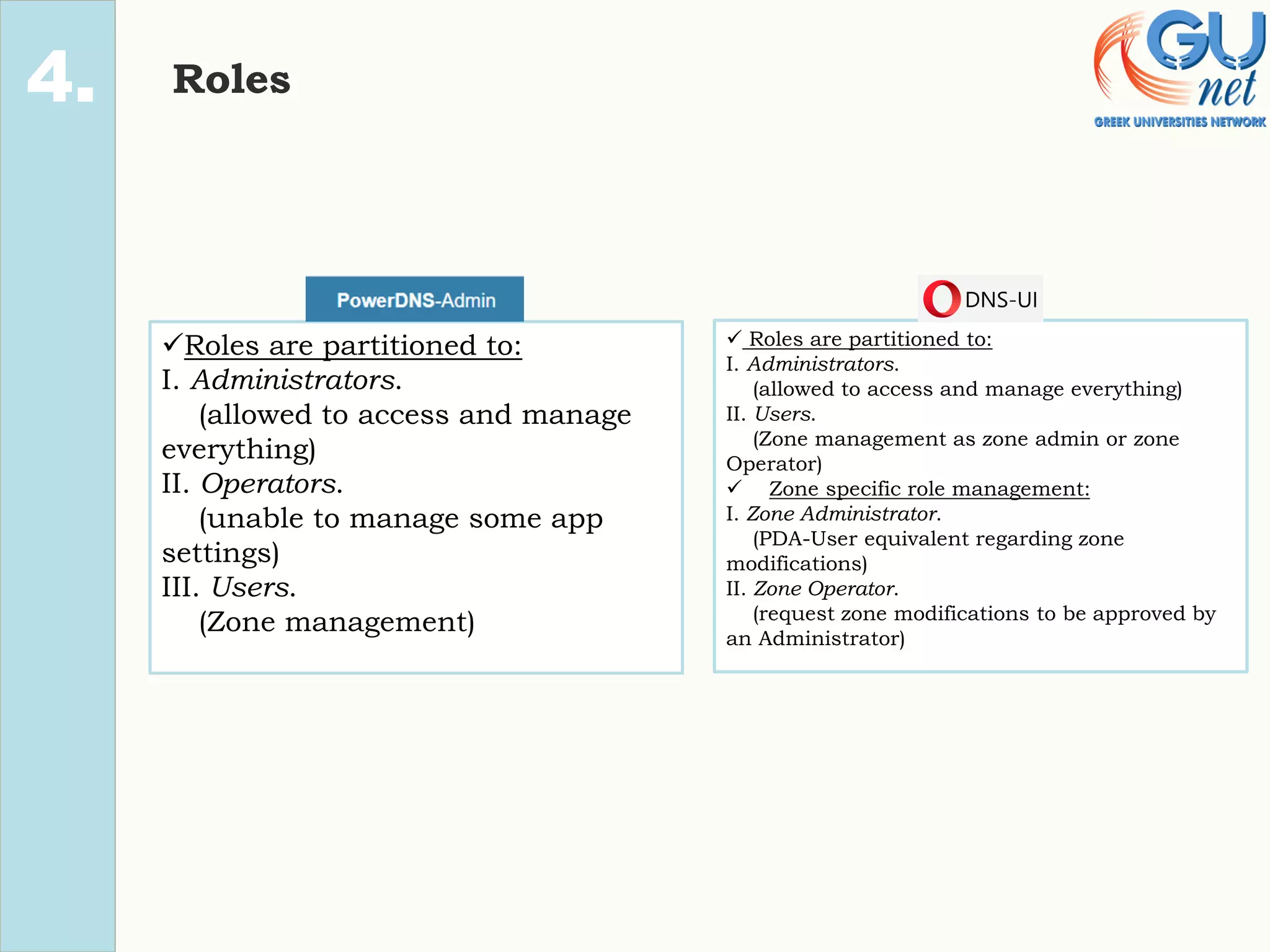
✓Roles are partitioned to:
I. Administrators.
(allowed to access and manage
everything)
II. Operators.
(unable to manage some app
settings)
III. Users.
(Zone management)
✓ Roles are partitioned to:
I. Administrators.
(allowed to access and manage everything)
II. Users.
(Zone management as zone admin or zone
Operator)
✓ Zone specific role management:
I. Zone Administrator.
(PDA-User equivalent regarding zone
modifications)
II. Zone Operator.
(request zone modifications to be approved by
an Administrator)
PDA : Administrators, Operators and Users
2.
4.
❑ Administrators: They are able to use every functionality on PDA, modify any
setting they wish, and also manage Users, Accounts and Domains.
❑ Operators: They have the same rights as an Administrator, except for the access
to PDA’s “PDNS” & “Authentication” settings.
❑ Users: They can modify a rrset of a domain they were given access to, and maybe
even create a new domain, if the corresponding setting allowing users to create
domains is toggled on.
DNS-UI : Administrators and Users
2.
4.
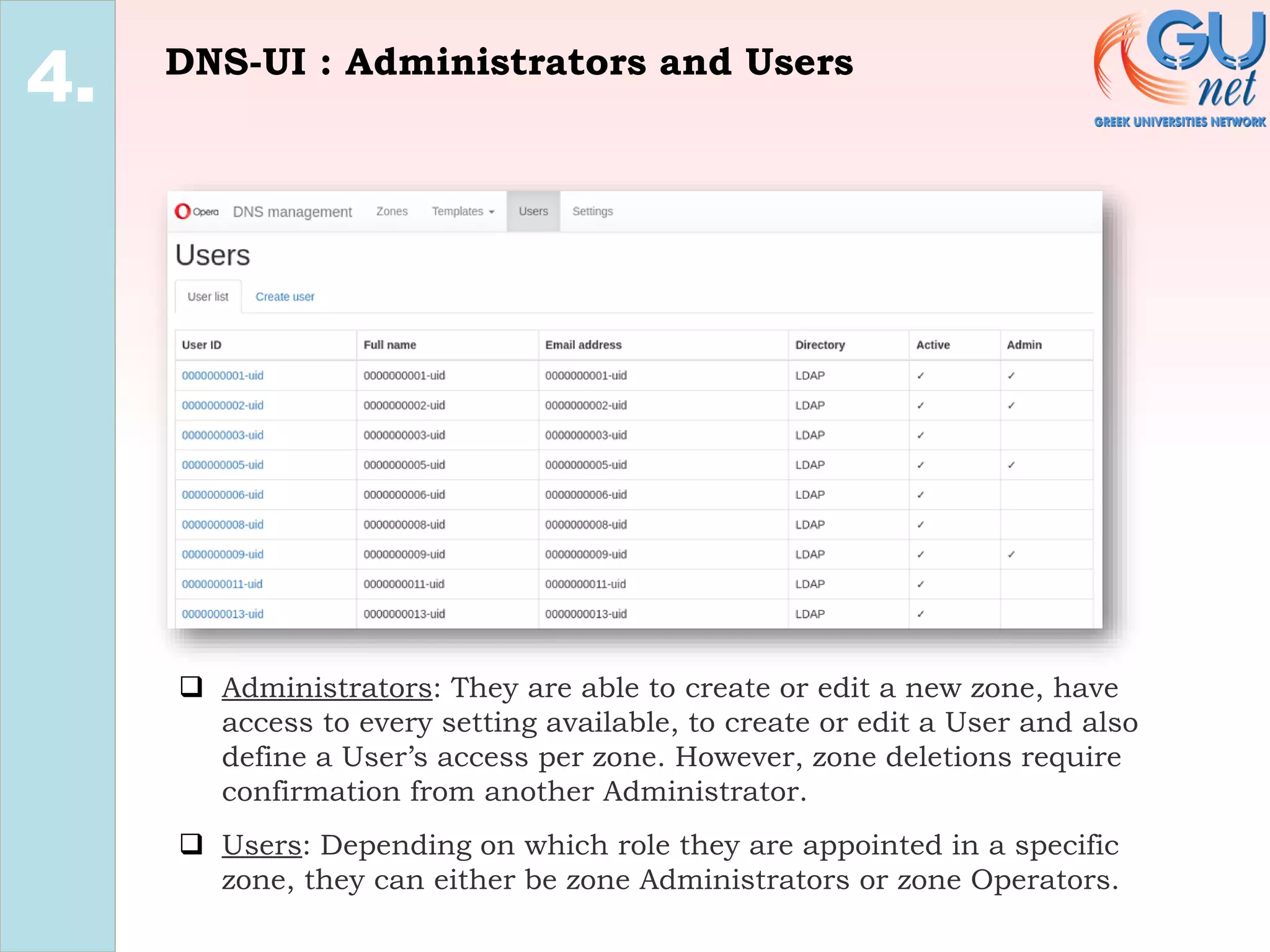
❑ Administrators: They are able to create or edit a new zone, have
access to every setting available, to create or edit a User and also
define a User’s access per zone. However, zone deletions require
confirmation from another Administrator.
❑ Users: Depending on which role they are appointed in a specific
zone, they can either be zone Administrators or zone Operators.
DNS-UI : Zone Administrators and Zone
Operators
2.
4.
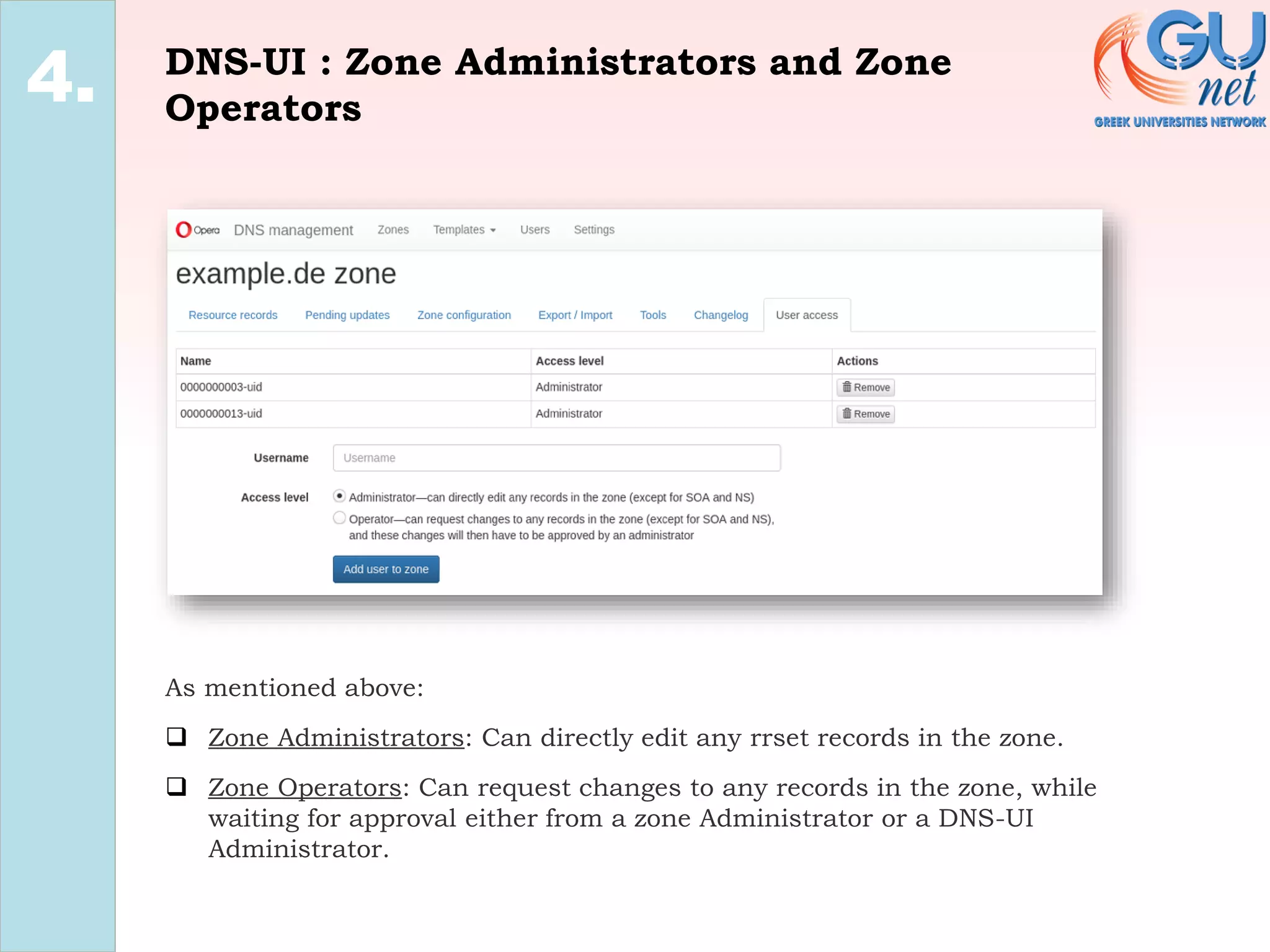
As mentioned above:
❑ Zone Administrators: Can directly edit any rrset records in the zone.
❑ Zone Operators: Can request changes to any records in the zone, while
waiting for approval either from a zone Administrator or a DNS-UI
Administrator.
1.
2.
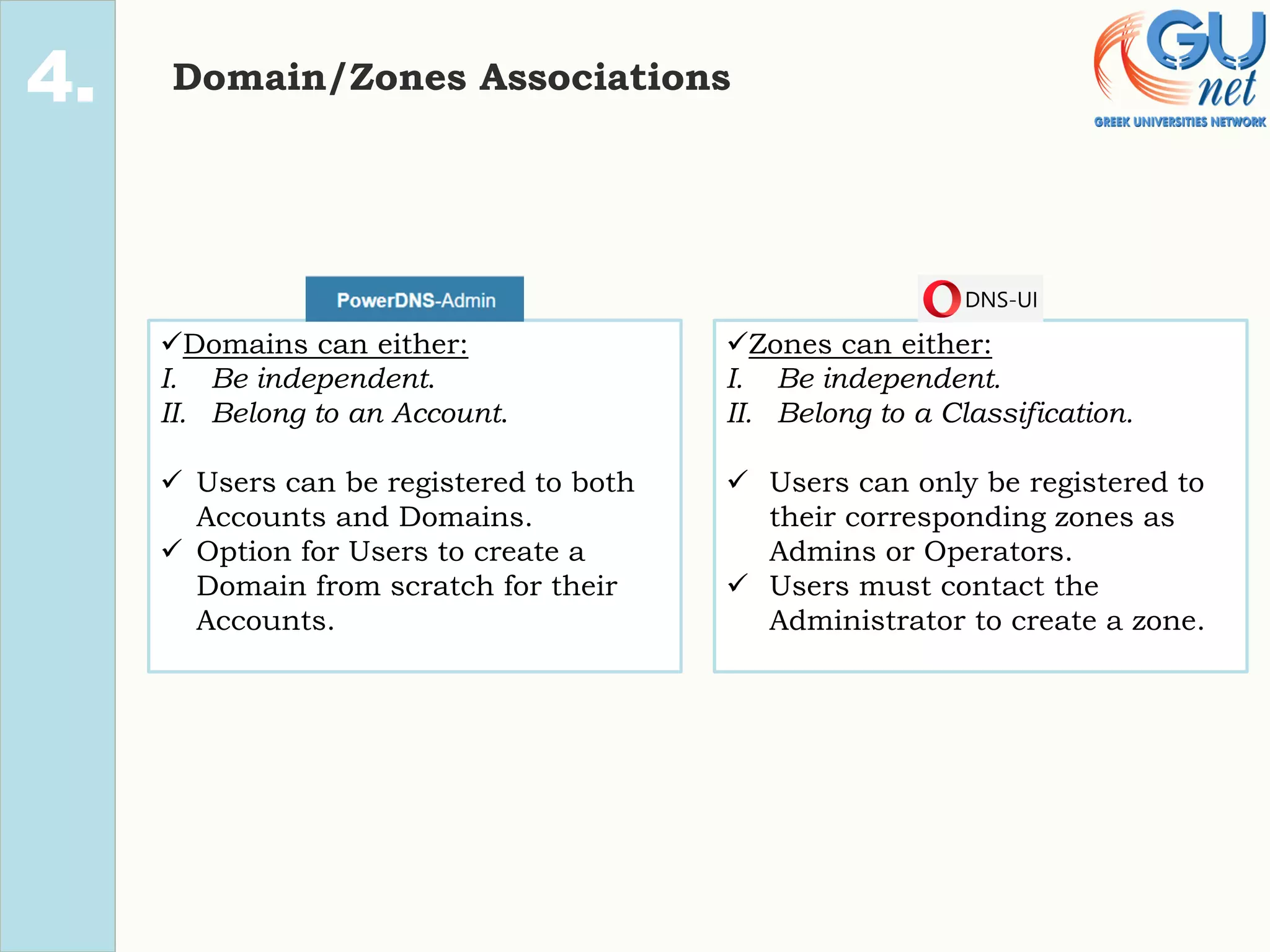
4. Domain/Zones Associations
✓Domains can either:
I. Be independent.
II. Belong to an Account.
✓ Users can be registered to both
Accounts and Domains.
✓ Option for Users to create a
Domain from scratch for their
Accounts.
✓Zones can either:
I. Be independent.
II. Belong to a Classification.
✓ Users can only be registered to
their corresponding zones as
Admins or Operators.
✓ Users must contact the
Administrator to create a zone.
PDA : Domains & Accounts
2.
4.
❑ Accounts associate several domains with one another. Users
registered to these accounts have full access to every
domain included.
DNS-UI : Zones & Classifications
2.
4.
❑ Classifications groupify zones together. Opera intended for
this to be a field that distinguishes internal zones (that
should only be synced out to the internal resolvers) and
public zones (that should be synced to all resolvers and the
public nameservers). In actuality it consists of data coming
from the “Account” model in PowerDNS.
1.
2.
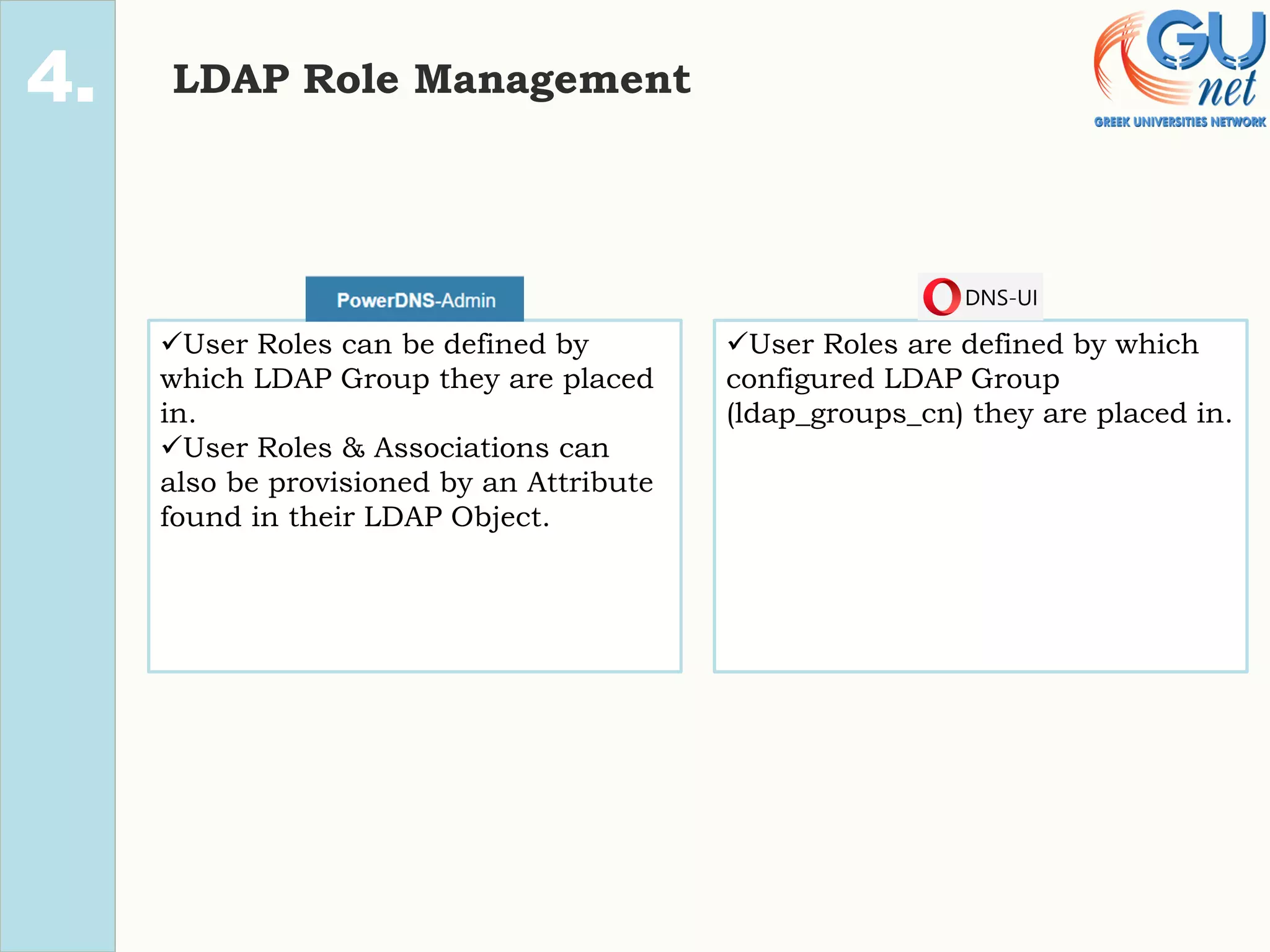
4. LDAP Role Management
✓User Roles can be defined by
which LDAP Group they are placed
in.
✓User Roles & Associations can
also be provisioned by an Attribute
found in their LDAP Object.
✓User Roles are defined by which
configured LDAP Group
(ldap_groups_cn) they are placed in.
DNS-UI/PDA : LDAP Groups
2.
4.
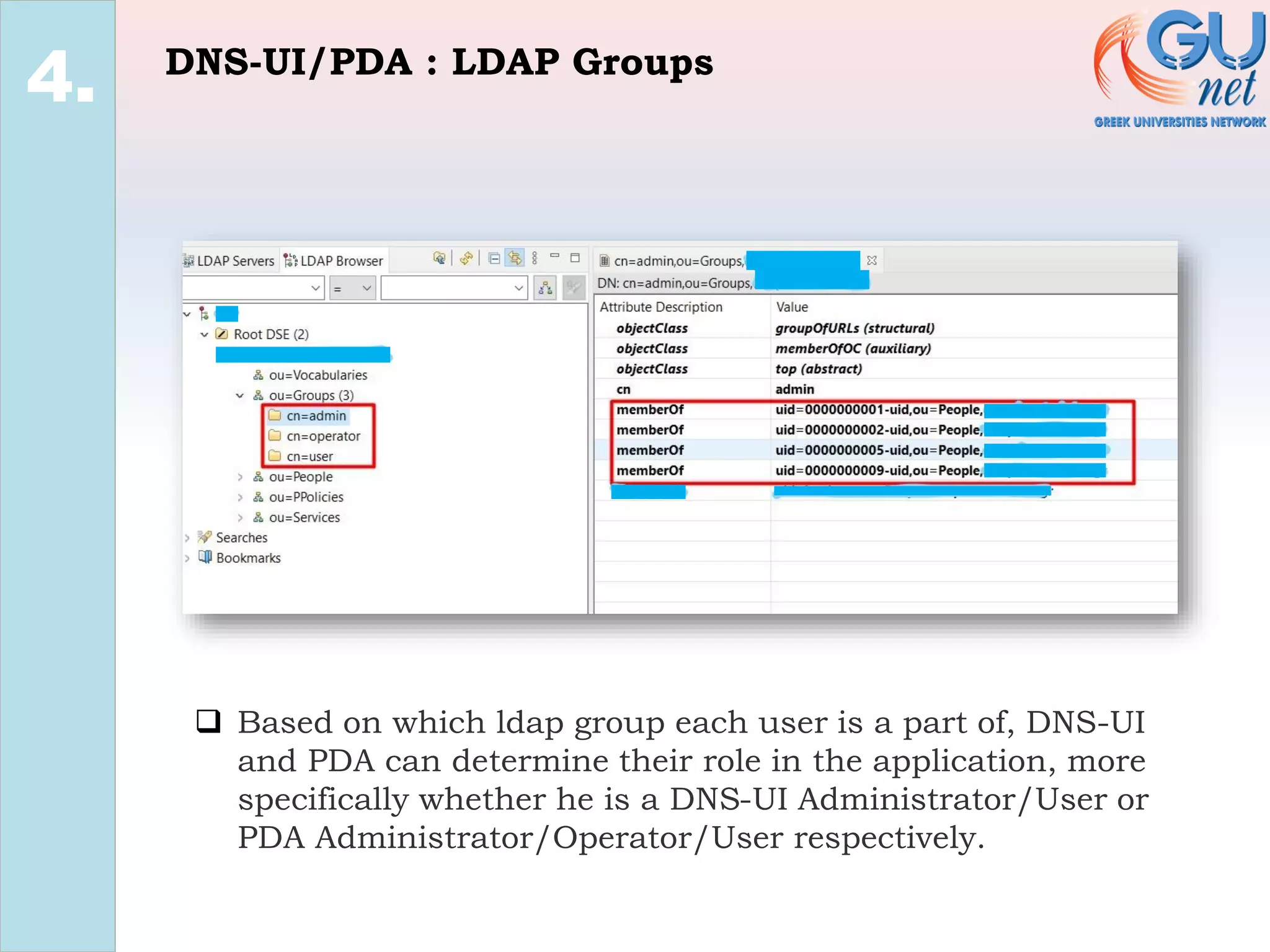
❑ Based on which ldap group each user is a part of, DNS-UI
and PDA can determine their role in the application, more
specifically whether he is a DNS-UI Administrator/User or
PDA Administrator/Operator/User respectively.
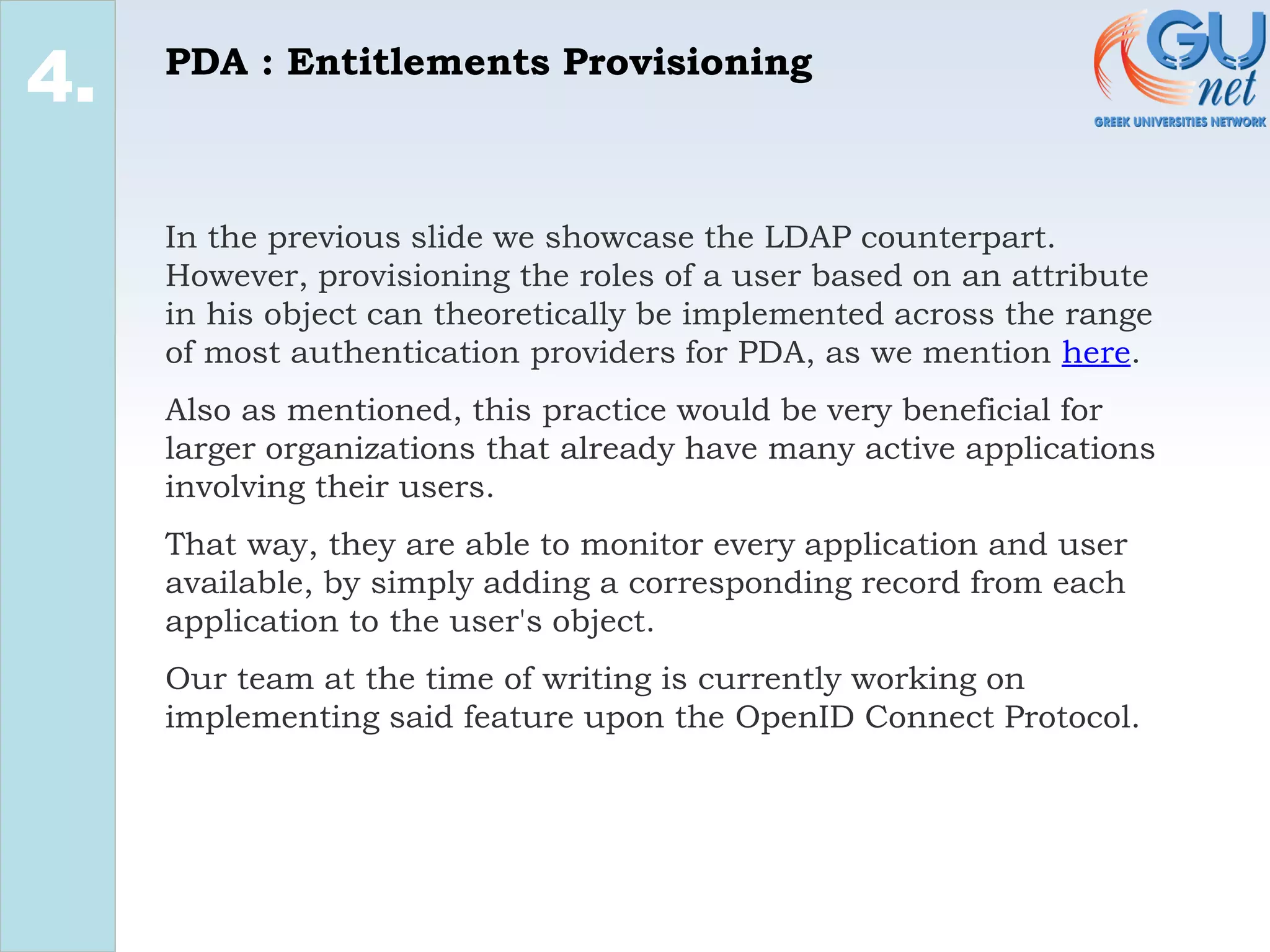
PDA : LDAP Entitlements Provisioning
2.
4.
❑ Based on a LDAP attribute on the user’s object, PDA can
provision a user’s roles and associations, giving them access
to Domains and Accounts, or even changing their PDA-Role.
PDA : Entitlements Provisioning
2.
4.
In the previous slide we showcase the LDAP counterpart.
However, provisioning the roles of a user based on an attribute
in his object can theoretically be implemented across the range
of most authentication providers for PDA, as we mention here.
Also as mentioned, this practice would be very beneficial for
larger organizations that already have many active applications
involving their users.
That way, they are able to monitor every application and user
available, by simply adding a corresponding record from each
application to the user's object.
Our team at the time of writing is currently working on
implementing said feature upon the OpenID Connect Protocol.
Conclusion
1.
2.
3.
4.
5.
PowerDNS-Admin/DNS-UI
1.
2.
3.
4.
5.
We strongly consider both applications to be noteworthy candidates for
a PowerDNS Authoritative Server Web GUI.
Furthermore, we feel like DNS-UI would be better suited for teams and
projects that wish to focus strictly on the DNS-Related side of things,
perhaps somewhat being indifferent to the User’s Role-Management
and the User Interface aspect, while PowerDNS-Admin can be
considered as more of an all-around package. To elaborate, a project
with a plethora of domains and distinct users would be better suited
and managed by PowerDNS-Admin.
Having said that, the key difference of the DNS-UI Zone Operator role
(requests for zone updates) not existing in PowerDNS-Admin ,would
certainly tip the scale towards DNS-UI’s way for projects that require
sensitive handling of operations to their domains/zones.
Last but not least, we have noticed a higher engagement and
interaction rate overall in the PowerDNS-Admin github repository,
comparing to the one of DNS-UI.

PowerDNS-Admin vs DNS-UI

  • 1.
    PowerDNS-Admin/DNS-UI: A direct comparison KonstantinosKouris (konkour@gunet.gr) Konstantinos Mparmparousis (barbarousisk@gunet.gr) Dimitris Papachristou (dimitrispa@gunet.gr) August 2021
  • 2.
    Introduction/Background 0. We, a teamcomposed of two Software Developers and a Dev- Ops Engineer, in the past few months have been conducting research upon the functionalities of the application “PowerDNS- Admin”, and have integrated some new useful features for our cause into the app, like pull requests #974, #980 and #1002. As someone with experience in the field can tell, our team was mostly concentrated on the identity management and identity security aspect, while also having a basic understanding of the DNS-Related functionalities the app has to offer. Consequently, part of our research was also to directly contrast PowerDNS-Admin with one of it’s biggest “rivaling” projects, DNS-UI. During the upcoming presentation we will attempt, as objectively as possible, to convey the finer details of each application and to depict where the 2 projects mainly differentiate, using the knowledge we have acquired.
  • 3.
    Sections 0. Project Details UserInterface DNS Related User Management Conclusion
  • 4.
    Project Details 1. • ProjectEngagement • Project Structure • Web Stacks
  • 5.
    Project Engagement 1. MetricsApplications Contributors 9217 Forks 440 53 Commits from last year 36 2 Commits from start of project 952 184 No. Of releases 5 11 Last major feature release 13/10/2020 26/04/2018 No. of Open/closed PRs 27/276 6/58 No. of Closed PRs in 2021 24 2 1st release date 08/02/2017 07/09/2018 Ldap related issues/commits 102/45 6/28 Wiki pages 18 2
  • 6.
  • 7.
    Web Stacks 1. ✓Flask Project. ✓Bootstrap. ✓Jquery. ✓SQLAlchemy(Python SQL toolkit). ✓Bootstrap. ✓Jquery. ✓PDO_PGSQL (enables access from PHP to PostgreSQL databases). ✓PEST (client library for RESTful web services).
  • 8.
  • 9.
  • 10.
    Differing features 2. ✓Zones aregroupped by reversed Internet domain name (.com, .en, .gr). ✓Connection with PowerDNS server only established during app installation via conf files. ✓Changelogs about zone modifications. ✓Application activity per distinct User tracking. ✓Pagination and alphanumerical sorting ✓No logout Button ✓PDNS Connection template ✓PDNS Statistics & Configuration ✓Global search ✓Application History JSON formatted logs
  • 11.
    PDA : PDNSConnection template. 2. ❑ Instead of configuring the connection during installation, PDA requires you to establish a connection to a PoweDNS Authoritative server via it’s interface, which is also easily configurable if changes are needed afterwards.
  • 12.
    PDA : PDNSStatistics & Configuration. 2. ❑ PDA also provides an outlet for several informative statistics regarding the PowerDNS Authoritative server.
  • 13.
    PDA : GlobalSearch 2. ❑ The global search option provides the possibility for users to search either for a domain by name, for a rrset record’s information, or for a comment on a specific record.
  • 14.
    PDA : ApplicationHistory JSON formatted logs (1) 2. ❑ PowerDNS-Admin monitors and presents in a JSON format every event that takes place while it is operating, including domain updates and logging users.
  • 15.
    PDA : ApplicationHistory JSON formatted logs (2) 2.
  • 16.
    DNS-UI : Changelogsabout zone modifications 2. ❑ DNS-UI displays the changes made to a zone in comparison to the original state of the zone, including record’s additions, deletions and modifications.
  • 17.
    DNS-UI : Applicationactivity per distinct User tracking. 2. ❑ DNS-UI retains a complete list with every activity a user has made on the application, such as adding/deleting a zone/record, posting a comment, etc.
  • 18.
  • 19.
    Differing options/features 2. ✓Wide selectionof dns record settings. ✓Option for Auto PTR creation. ✓Slave Domain type available as an option. ✓Configurable Serial number per zone. ✓Multiple Record Templates, including SOA/Nameserver. ✓Zone import/export. ✓Option for Auto PTR reverse records creation in .conf file. ✓Matching Records split into a new zone. ✓SOA/Nameserver Templates. 3.
  • 20.
    PDA : Wideselection of dns record settings 2. 4. 3. ❑ PowerDNS-Admin offers a wide variety of record type settings, which can be toggled on and be available for selection when creating or editing a record.
  • 21.
    PDA : Optionfor Auto PTR creation (1) 2. 4. 3. ❑ As mentioned above, this option allows automatic reverse pointer creation when records are updated.
  • 22.
    PDA : Optionfor Auto PTR creation (2) 2. 4. 3.
  • 23.
    DNS-UI : Zoneimport/export 2. 4. 3. ❑ DNS-UI is able to either export or import zones packaged in bind9 format, providing an outlet of interaction with other PowerDNS servers.
  • 24.
    DNS-UI : Subdomainscan split into a new zone 2. 4. 3. ❑ DNS-UI utilizes a tool that allows you to split subdomains found in the rrset of a zone to a completely new zone.
  • 25.
    User Management 1. 2. 3. 4. • AuthenticationProviders • Roles • Domain Associations • LDAP Role Management
  • 26.
    1. 2. 4. Authentication Providers ✓LocalDB authentication. ✓LDAP. ✓Github Oauth. ✓Azure Oauth. ✓OpenID Oauth. ✓SAML (non-UI configurable). ✓Local DB authentication. ✓Authentications can also be managed by a LDAP server, who is cached and gets updated following a predetermined time frame.
  • 27.
  • 28.
    1. 2. 4. Roles ✓Roles arepartitioned to: I. Administrators. (allowed to access and manage everything) II. Operators. (unable to manage some app settings) III. Users. (Zone management) ✓ Roles are partitioned to: I. Administrators. (allowed to access and manage everything) II. Users. (Zone management as zone admin or zone Operator) ✓ Zone specific role management: I. Zone Administrator. (PDA-User equivalent regarding zone modifications) II. Zone Operator. (request zone modifications to be approved by an Administrator)
  • 29.
    PDA : Administrators,Operators and Users 2. 4. ❑ Administrators: They are able to use every functionality on PDA, modify any setting they wish, and also manage Users, Accounts and Domains. ❑ Operators: They have the same rights as an Administrator, except for the access to PDA’s “PDNS” & “Authentication” settings. ❑ Users: They can modify a rrset of a domain they were given access to, and maybe even create a new domain, if the corresponding setting allowing users to create domains is toggled on.
  • 30.
    DNS-UI : Administratorsand Users 2. 4. ❑ Administrators: They are able to create or edit a new zone, have access to every setting available, to create or edit a User and also define a User’s access per zone. However, zone deletions require confirmation from another Administrator. ❑ Users: Depending on which role they are appointed in a specific zone, they can either be zone Administrators or zone Operators.
  • 31.
    DNS-UI : ZoneAdministrators and Zone Operators 2. 4. As mentioned above: ❑ Zone Administrators: Can directly edit any rrset records in the zone. ❑ Zone Operators: Can request changes to any records in the zone, while waiting for approval either from a zone Administrator or a DNS-UI Administrator.
  • 32.
    1. 2. 4. Domain/Zones Associations ✓Domainscan either: I. Be independent. II. Belong to an Account. ✓ Users can be registered to both Accounts and Domains. ✓ Option for Users to create a Domain from scratch for their Accounts. ✓Zones can either: I. Be independent. II. Belong to a Classification. ✓ Users can only be registered to their corresponding zones as Admins or Operators. ✓ Users must contact the Administrator to create a zone.
  • 33.
    PDA : Domains& Accounts 2. 4. ❑ Accounts associate several domains with one another. Users registered to these accounts have full access to every domain included.
  • 34.
    DNS-UI : Zones& Classifications 2. 4. ❑ Classifications groupify zones together. Opera intended for this to be a field that distinguishes internal zones (that should only be synced out to the internal resolvers) and public zones (that should be synced to all resolvers and the public nameservers). In actuality it consists of data coming from the “Account” model in PowerDNS.
  • 35.
    1. 2. 4. LDAP RoleManagement ✓User Roles can be defined by which LDAP Group they are placed in. ✓User Roles & Associations can also be provisioned by an Attribute found in their LDAP Object. ✓User Roles are defined by which configured LDAP Group (ldap_groups_cn) they are placed in.
  • 36.
    DNS-UI/PDA : LDAPGroups 2. 4. ❑ Based on which ldap group each user is a part of, DNS-UI and PDA can determine their role in the application, more specifically whether he is a DNS-UI Administrator/User or PDA Administrator/Operator/User respectively.
  • 37.
    PDA : LDAPEntitlements Provisioning 2. 4. ❑ Based on a LDAP attribute on the user’s object, PDA can provision a user’s roles and associations, giving them access to Domains and Accounts, or even changing their PDA-Role.
  • 38.
    PDA : EntitlementsProvisioning 2. 4. In the previous slide we showcase the LDAP counterpart. However, provisioning the roles of a user based on an attribute in his object can theoretically be implemented across the range of most authentication providers for PDA, as we mention here. Also as mentioned, this practice would be very beneficial for larger organizations that already have many active applications involving their users. That way, they are able to monitor every application and user available, by simply adding a corresponding record from each application to the user's object. Our team at the time of writing is currently working on implementing said feature upon the OpenID Connect Protocol.
  • 39.
  • 40.
    PowerDNS-Admin/DNS-UI 1. 2. 3. 4. 5. We strongly considerboth applications to be noteworthy candidates for a PowerDNS Authoritative Server Web GUI. Furthermore, we feel like DNS-UI would be better suited for teams and projects that wish to focus strictly on the DNS-Related side of things, perhaps somewhat being indifferent to the User’s Role-Management and the User Interface aspect, while PowerDNS-Admin can be considered as more of an all-around package. To elaborate, a project with a plethora of domains and distinct users would be better suited and managed by PowerDNS-Admin. Having said that, the key difference of the DNS-UI Zone Operator role (requests for zone updates) not existing in PowerDNS-Admin ,would certainly tip the scale towards DNS-UI’s way for projects that require sensitive handling of operations to their domains/zones. Last but not least, we have noticed a higher engagement and interaction rate overall in the PowerDNS-Admin github repository, comparing to the one of DNS-UI.