Our clients here at the Affle AppStudioz often ask us to
guide them through the available options to develop their
apps. Here’s a walkthrough of the two technologies that are
popular with clients and developers alike.
With the advent of web apps and hybrid apps, HTML5 based
app development has become a contender for the titles that
only native app frameworks and game engines held before.
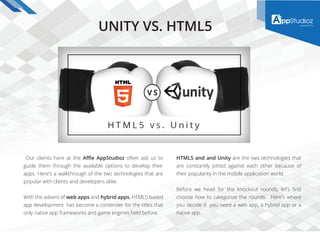
HTML5 and and Unity are the two technologies that
are constantly pitted against each other because of
their popularity in the mobile application world.
Before we head for the knockout rounds, let’s first
choose how to categorize the rounds. Here’s where
you decide if you need a web app, a hybrid app or a
native app.
UNITY VS. HTML5
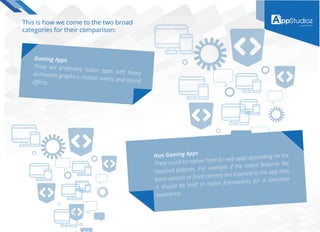
This is how we come to the two broad
categories for their comparison:
Gaming Apps
These are preferably native apps with heavyanimation graphics, motion events and soundeffects.
Non Gaming Apps
These could be native/ hybrid / web apps depending on the
required features. For example if the native features like
back camera or front camera are essential to the app then
it should be built in native frameworks for a smoother
experience.
Round #1: Gaming Apps
Once you have chosen the type of mobile app you need to build, this face off
should help you understand what platform would give you optimum results:
Unity markets itself essentially as a game engine. Which means that it is equipped to handle the physics, the anima-
tions, and three dimensional rendering-features crucial to deliver top notch gaming apps. A gaming app developer
jumps at the thought of all the imagination and animation he can put using Unity.
Here are some features of Unity :
Developers love the HTML5 as a browser script. The familiarity and no hassle coding makes HTML5 a preferred choice
for web apps and now- hybrid apps. A word of caution though-the mobile web browsers cannot support the heavy graph-
ic and code handling capabilities of a web browser which makes seamless mobile web gaming apps very rare. In case you
are going for a HTML5 based mobile gaming app, you are choosing to make a hybrid app which is essentially some HTML5
code wrapped in a native device’s Xcode for bypassing app stores.
2D and 3D graphics support: The quality of animation and graphics is relatively advanced.
Physics Support: Unity 3D takes care of the physics equations for real life like game dynamics using PhysiX 3.3.
Asset pipeline: Various assets are available with easy integration.
Seamless integration: 20 + different platforms supported using plugins.
Programming languages needed to code in unity are C#, Javascript and Boo. The developers familiarity with these
mid level languages determines the ease of coding.
Advanced features such as multiplayer gaming across multiplayer platforms is possible.
Extensive documentation is available for gaming related features in Unity.
HTML5 features
Round #1 Winner: From this viewpoint
Unity 3D emerges as the better solution
to build gaming apps.
Less preferred for complex mobile game due to less
advanced graphic features. You can not make a temple
run or angry birds with HTML5 alone. The WebGL plugin
helps in including better graphics but that’s tricky in
mobile browsers.
Features such as audio and sounds in HTML5 are
not supported as seamlessly on embedded mobile
app browsers or mobile browsers. Here’s an example
from the professional’s archives.
Physics: HTML5 for mobile phones can include physics
if used with supporting game engines such as kiwis.js
(the same applies to other browser languages like
javascript and CSS. Supporting game engines take care
of assets and features). Here’s a list of the various game
engines and physical world equations that can be
added using browser scripts.
Cross platform integration is pretty flexible and the
highlight of HTML5. A simple web game can be turned
into an iOS or Android app by adding a native wrapper
and disguising it. The catch is that it should not be too
complicated and heavy for mobile browsers.
Round # 2: Non Gaming Apps
Non gaming apps require less animation and graphic detailing. The functionality is less of an imitation of the physical
world. The UI needs be clean and intuitive of the user behaviour on mobile screens. You don’t need a bouncing and
hopping dropdown lists for navigation on a regular eCommerce app. Still many developers swear by using Unity 3D for
non gaming apps as well.
Here are the features that work for Unity in non gaming apps:
There are some other
advantageous features
that we will be discussing
here:
Ease of use: It is a lightweight engine that is very well documented. Developers and designers do not find it difficult to
adjust to using Unity for non gaming apps.
2D UI is also supported so it is easily possible to create menus, boxes and icons for the non gaming apps as well.
Additional features: Includes Google Analytics plugins which could be used for UAT (User Acceptance Testing ) of vari-
ous in-app features.
One can choose between Javascript or C# for making non gaming apps as well.
Unity 3D has native library plugins that can include 20+ platforms as mentioned before. So it has a decent cross
platform integration ability.
“ “HTML5 is already counted as the biggest game
changer in web apps and hybrid app technology.
In fact one can easily turn a web app into an
Android app or an iOS rendition of the same.
The familiarity of developers with HTML5 makes it
widely acceptable.
Cross Platform
Capabilities
Its cross platform capabilities
is its biggest advantage. Turning
a web HTML5 code into a web
app or a hybrid App is as easy
as anything.
Availability Of
Mobile UI
Availability of mobile UI
frameworks for elegant UI
design.
Easier Upgrades
Easier upgrades: Since HTML5
is a general development
language and their is a huge
open source community for it,
one can easily add additional
features into the app.
Cost Effectiveness
Cost effectiveness is a major
plus of HTML5. Some products
may need a desktop based
UI/UX and a mobile version.
The same desktop code can be
reused to make the mobile
based technology. Even on the
server side, many data struc-
tures and even algorithms can
be reused. This means shorter
development cycle.
Responsive
Web Apps
Responsive web apps can
be designed using HTML5 .
These can fit spontaneously
to any screen size.
Wrapping
Technologies
Wrapping technologies such
as Apache Cordova are easily
available to make native
hybrid apps that can thus run
with all major mobile OS
(Android, iOS, Windows).
HTML5 features
We have a tie! We know we compared apples to oranges in comparing a browser scripts to a game engine but the fact
remains! Some prefer apples and some prefer oranges. You cannot declare a clear winner between these two not just
because of the classification ( a browser script and a gaming engine) but also because they pertain to different user
requirements.
Tip : If your app is a simple design with simple, less complicated features, go for a web or hybrid app in which
HTML5 may offer you results comparable with Unity.
If it’s a complicated application with sizeable graphics and animations or multiple motion events or functions involving
native devices like camera and sound , then we advise you to go for a native app, or the javascript version as applied by
Unity .
Conclusion
Round #2 Winner : The cost effectiveness of HTML5 makes it a
better runner for non gaming apps but if you are looking for
features that are out of the ordinary, HTML5 may not be the answer.
Learn more about us
sales@appstudioz.com
http://www.appstudioz.com/,
http://www.affle.com

POV | Unity vs HTML5 | Affle Enterprise

  • 1.
    Our clients hereat the Affle AppStudioz often ask us to guide them through the available options to develop their apps. Here’s a walkthrough of the two technologies that are popular with clients and developers alike. With the advent of web apps and hybrid apps, HTML5 based app development has become a contender for the titles that only native app frameworks and game engines held before. HTML5 and and Unity are the two technologies that are constantly pitted against each other because of their popularity in the mobile application world. Before we head for the knockout rounds, let’s first choose how to categorize the rounds. Here’s where you decide if you need a web app, a hybrid app or a native app. UNITY VS. HTML5
  • 2.
    This is howwe come to the two broad categories for their comparison: Gaming Apps These are preferably native apps with heavyanimation graphics, motion events and soundeffects. Non Gaming Apps These could be native/ hybrid / web apps depending on the required features. For example if the native features like back camera or front camera are essential to the app then it should be built in native frameworks for a smoother experience.
  • 3.
    Round #1: GamingApps Once you have chosen the type of mobile app you need to build, this face off should help you understand what platform would give you optimum results: Unity markets itself essentially as a game engine. Which means that it is equipped to handle the physics, the anima- tions, and three dimensional rendering-features crucial to deliver top notch gaming apps. A gaming app developer jumps at the thought of all the imagination and animation he can put using Unity. Here are some features of Unity : Developers love the HTML5 as a browser script. The familiarity and no hassle coding makes HTML5 a preferred choice for web apps and now- hybrid apps. A word of caution though-the mobile web browsers cannot support the heavy graph- ic and code handling capabilities of a web browser which makes seamless mobile web gaming apps very rare. In case you are going for a HTML5 based mobile gaming app, you are choosing to make a hybrid app which is essentially some HTML5 code wrapped in a native device’s Xcode for bypassing app stores. 2D and 3D graphics support: The quality of animation and graphics is relatively advanced. Physics Support: Unity 3D takes care of the physics equations for real life like game dynamics using PhysiX 3.3. Asset pipeline: Various assets are available with easy integration. Seamless integration: 20 + different platforms supported using plugins. Programming languages needed to code in unity are C#, Javascript and Boo. The developers familiarity with these mid level languages determines the ease of coding. Advanced features such as multiplayer gaming across multiplayer platforms is possible. Extensive documentation is available for gaming related features in Unity.
  • 4.
    HTML5 features Round #1Winner: From this viewpoint Unity 3D emerges as the better solution to build gaming apps. Less preferred for complex mobile game due to less advanced graphic features. You can not make a temple run or angry birds with HTML5 alone. The WebGL plugin helps in including better graphics but that’s tricky in mobile browsers. Features such as audio and sounds in HTML5 are not supported as seamlessly on embedded mobile app browsers or mobile browsers. Here’s an example from the professional’s archives. Physics: HTML5 for mobile phones can include physics if used with supporting game engines such as kiwis.js (the same applies to other browser languages like javascript and CSS. Supporting game engines take care of assets and features). Here’s a list of the various game engines and physical world equations that can be added using browser scripts. Cross platform integration is pretty flexible and the highlight of HTML5. A simple web game can be turned into an iOS or Android app by adding a native wrapper and disguising it. The catch is that it should not be too complicated and heavy for mobile browsers.
  • 5.
    Round # 2:Non Gaming Apps Non gaming apps require less animation and graphic detailing. The functionality is less of an imitation of the physical world. The UI needs be clean and intuitive of the user behaviour on mobile screens. You don’t need a bouncing and hopping dropdown lists for navigation on a regular eCommerce app. Still many developers swear by using Unity 3D for non gaming apps as well. Here are the features that work for Unity in non gaming apps: There are some other advantageous features that we will be discussing here: Ease of use: It is a lightweight engine that is very well documented. Developers and designers do not find it difficult to adjust to using Unity for non gaming apps. 2D UI is also supported so it is easily possible to create menus, boxes and icons for the non gaming apps as well. Additional features: Includes Google Analytics plugins which could be used for UAT (User Acceptance Testing ) of vari- ous in-app features. One can choose between Javascript or C# for making non gaming apps as well. Unity 3D has native library plugins that can include 20+ platforms as mentioned before. So it has a decent cross platform integration ability. “ “HTML5 is already counted as the biggest game changer in web apps and hybrid app technology. In fact one can easily turn a web app into an Android app or an iOS rendition of the same. The familiarity of developers with HTML5 makes it widely acceptable.
  • 6.
    Cross Platform Capabilities Its crossplatform capabilities is its biggest advantage. Turning a web HTML5 code into a web app or a hybrid App is as easy as anything. Availability Of Mobile UI Availability of mobile UI frameworks for elegant UI design. Easier Upgrades Easier upgrades: Since HTML5 is a general development language and their is a huge open source community for it, one can easily add additional features into the app. Cost Effectiveness Cost effectiveness is a major plus of HTML5. Some products may need a desktop based UI/UX and a mobile version. The same desktop code can be reused to make the mobile based technology. Even on the server side, many data struc- tures and even algorithms can be reused. This means shorter development cycle. Responsive Web Apps Responsive web apps can be designed using HTML5 . These can fit spontaneously to any screen size. Wrapping Technologies Wrapping technologies such as Apache Cordova are easily available to make native hybrid apps that can thus run with all major mobile OS (Android, iOS, Windows). HTML5 features
  • 7.
    We have atie! We know we compared apples to oranges in comparing a browser scripts to a game engine but the fact remains! Some prefer apples and some prefer oranges. You cannot declare a clear winner between these two not just because of the classification ( a browser script and a gaming engine) but also because they pertain to different user requirements. Tip : If your app is a simple design with simple, less complicated features, go for a web or hybrid app in which HTML5 may offer you results comparable with Unity. If it’s a complicated application with sizeable graphics and animations or multiple motion events or functions involving native devices like camera and sound , then we advise you to go for a native app, or the javascript version as applied by Unity . Conclusion Round #2 Winner : The cost effectiveness of HTML5 makes it a better runner for non gaming apps but if you are looking for features that are out of the ordinary, HTML5 may not be the answer. Learn more about us sales@appstudioz.com http://www.appstudioz.com/, http://www.affle.com