

Keyword Research & Mapping
Keyword Research
• Keywords are the lifeblood of any search
  marketing program. It is essential that you
  understand the universe of keywords related
  to your products and services.

• From this understanding you can understand
  the needs, wants and intent of the searcher to
  more effectively map your content with their
  query.
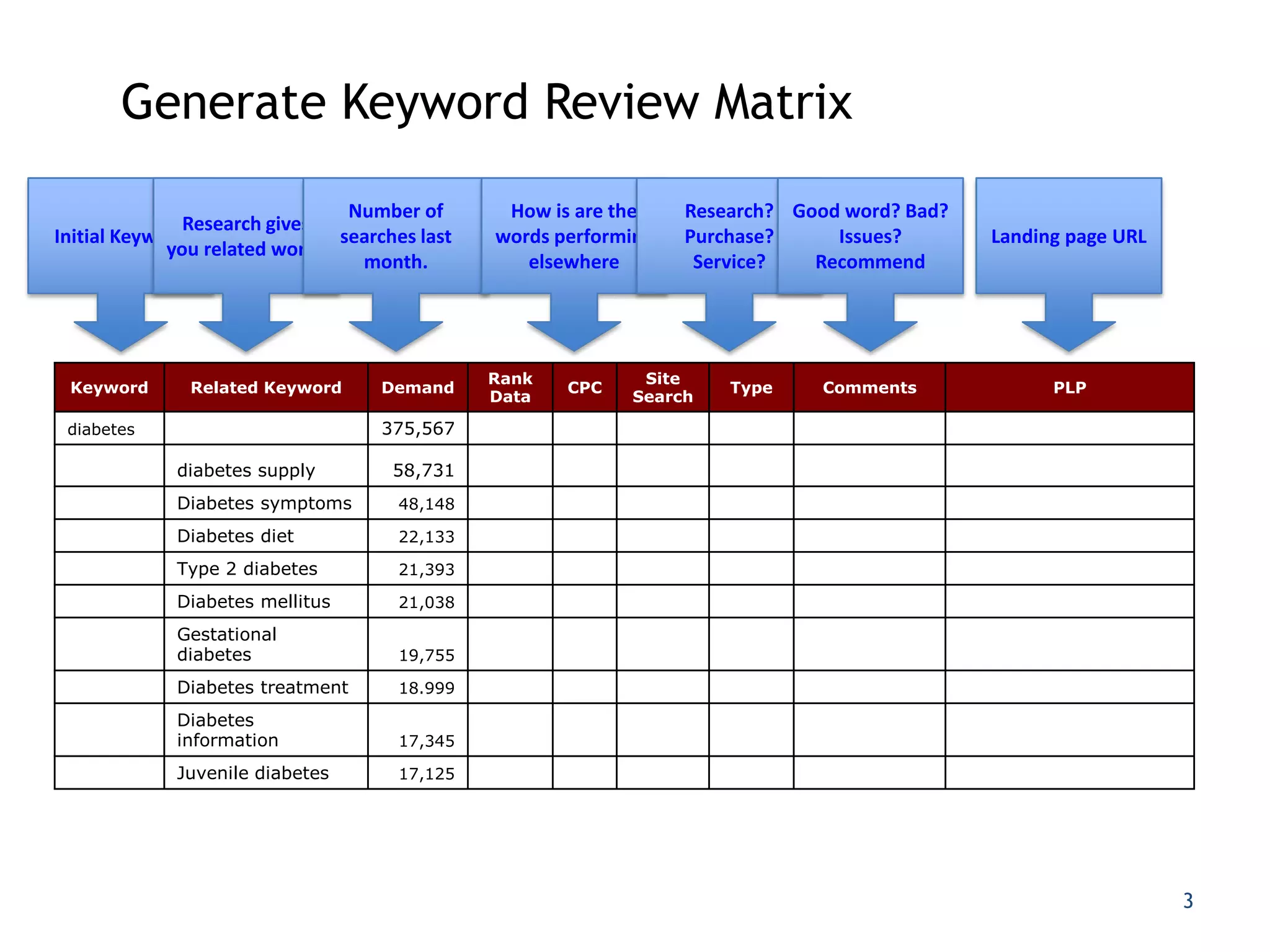
Generate Keyword Review Matrix

                                Number of       How is are the    Research? Good word? Bad?
               Research gives
Initial Keyword                searches last   words performing   Purchase?     Issues?       Landing page URL
             you related words
                                 month.           elsewhere        Service?   Recommend


                                               Rank          Site
 Keyword       Related Keyword      Demand            CPC             Type     Comments             PLP
                                               Data         Search

 diabetes                           375,567

             diabetes supply         58,731
             Diabetes symptoms        48,148

             Diabetes diet            22,133

             Type 2 diabetes          21,393

             Diabetes mellitus        21,038

             Gestational
             diabetes                 19,755

             Diabetes treatment       18.999

             Diabetes
             information              17,345

             Juvenile diabetes        17,125


                                                                                                                 3
Keyword Research Worksheet
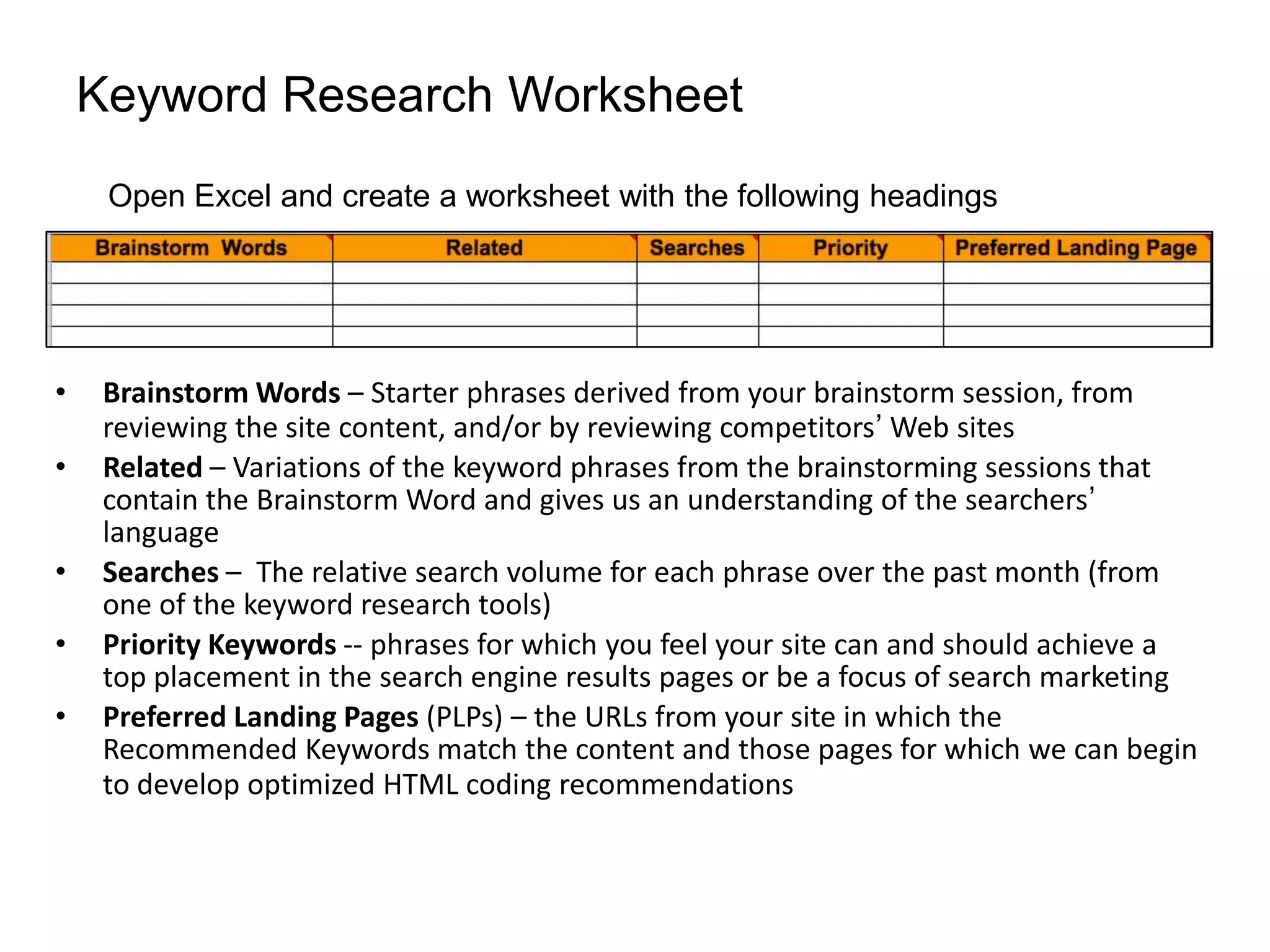
     Open Excel and create a worksheet with the following headings


•    Brainstorm Words – Starter phrases derived from your brainstorm session, from
     reviewing the site content, and/or by reviewing competitors’ Web sites
•    Related – Variations of the keyword phrases from the brainstorming sessions that
     contain the Brainstorm Word and gives us an understanding of the searchers’
     language
•    Searches – The relative search volume for each phrase over the past month (from
     one of the keyword research tools)
•    Priority Keywords -- phrases for which you feel your site can and should achieve a
     top placement in the search engine results pages or be a focus of search marketing
•    Preferred Landing Pages (PLPs) – the URLs from your site in which the
     Recommended Keywords match the content and those pages for which we can begin
     to develop optimized HTML coding recommendations
Brainstorming Keywords
 Brainstorming words are our starting point. We take these top-
  level, general keyword phrases and use them as the basis of the
  next set of actions.

 Start the process by answering the following questions:

   1.   Make a list of your products, services and categories of each
   2.   What do your potential visitors search for when trying to find your
        product/services/information?
   3.   When you search for your own site, what do you search for
   4.   What do you want to be #1 in the search results for?
   5.   What terms are currently driving visits to your site (analytics)
   6.   What are people searching for currently on your site? (site search)
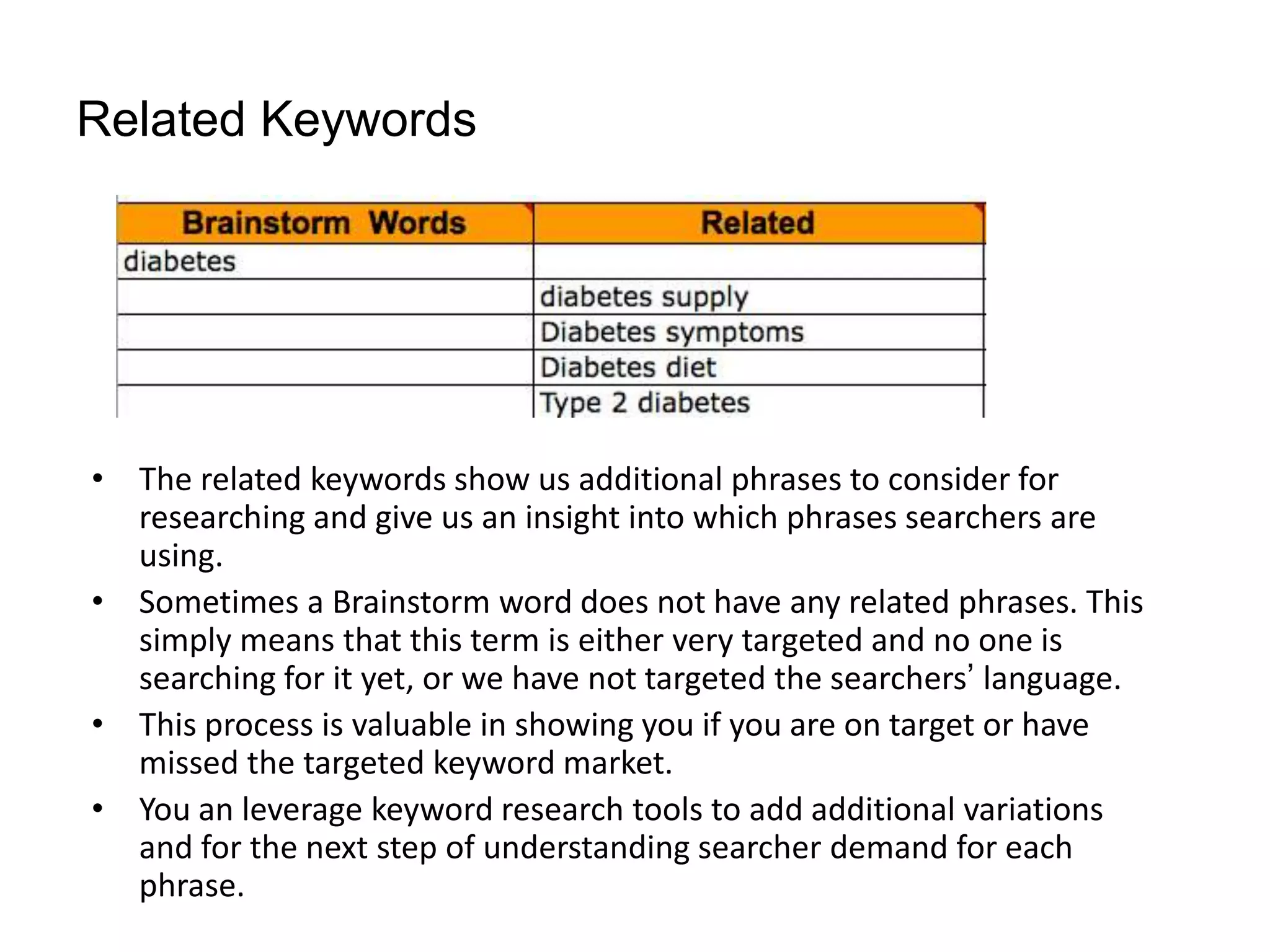
Related Keywords


• The related keywords show us additional phrases to consider for
  researching and give us an insight into which phrases searchers are
  using.
• Sometimes a Brainstorm word does not have any related phrases. This
  simply means that this term is either very targeted and no one is
  searching for it yet, or we have not targeted the searchers’ language.
• This process is valuable in showing you if you are on target or have
  missed the targeted keyword market.
• You an leverage keyword research tools to add additional variations
  and for the next step of understanding searcher demand for each
  phrase.
Research Demand & Opportunity

• Leverage one of the keyword research tools to
  understand variations of keywords and
  relative search volume for each phrase.

• Use “exact” or “phrase” match to get a closer
  representation to a natural search query

• Results are “averages” and not exact numbers
    https://adwords.google.com/select/KeywordToolExternal   7
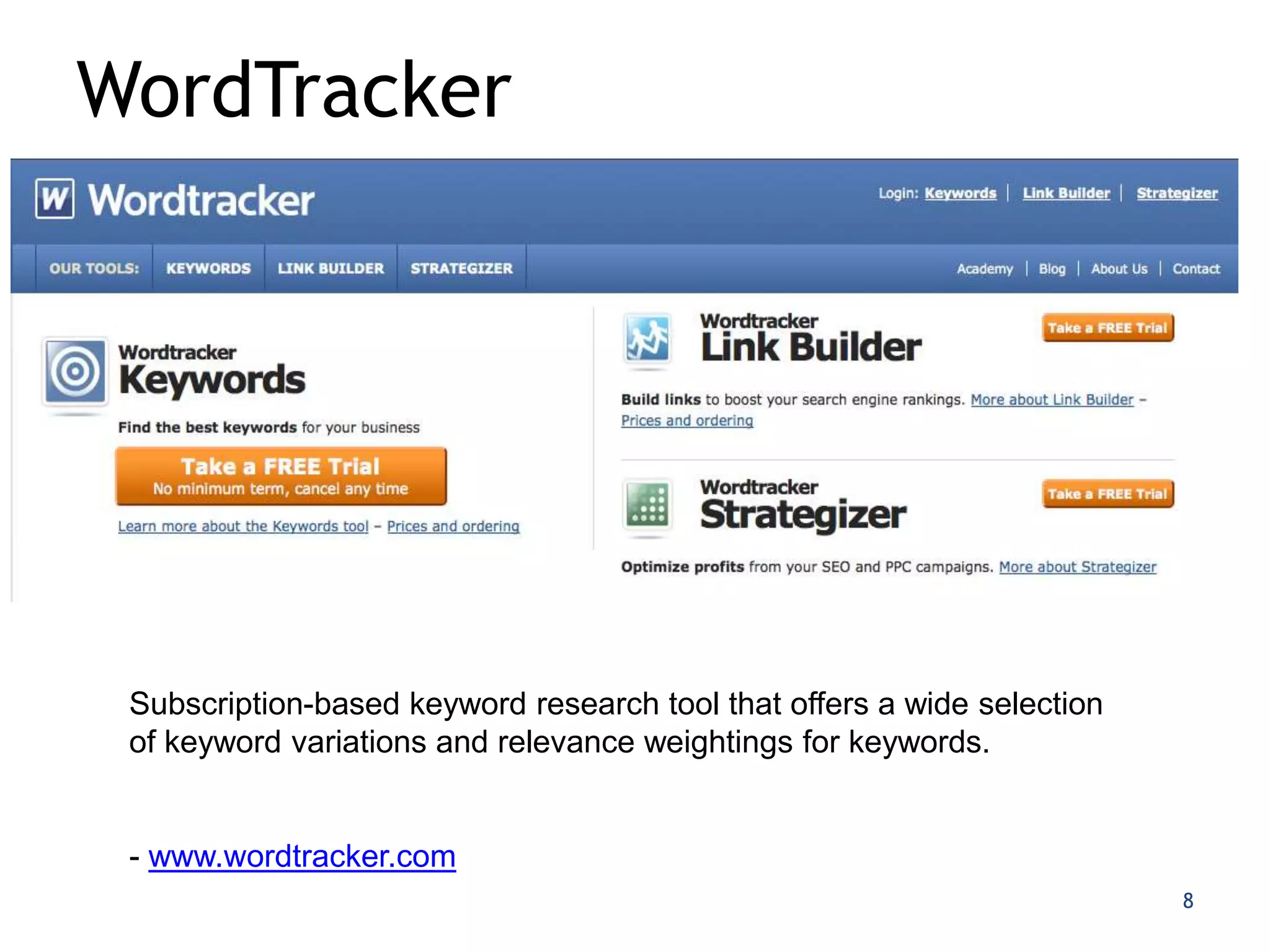
WordTracker


 Subscription-based keyword research tool that offers a wide selection
 of keyword variations and relevance weightings for keywords.


 - www.wordtracker.com
                                                                         8
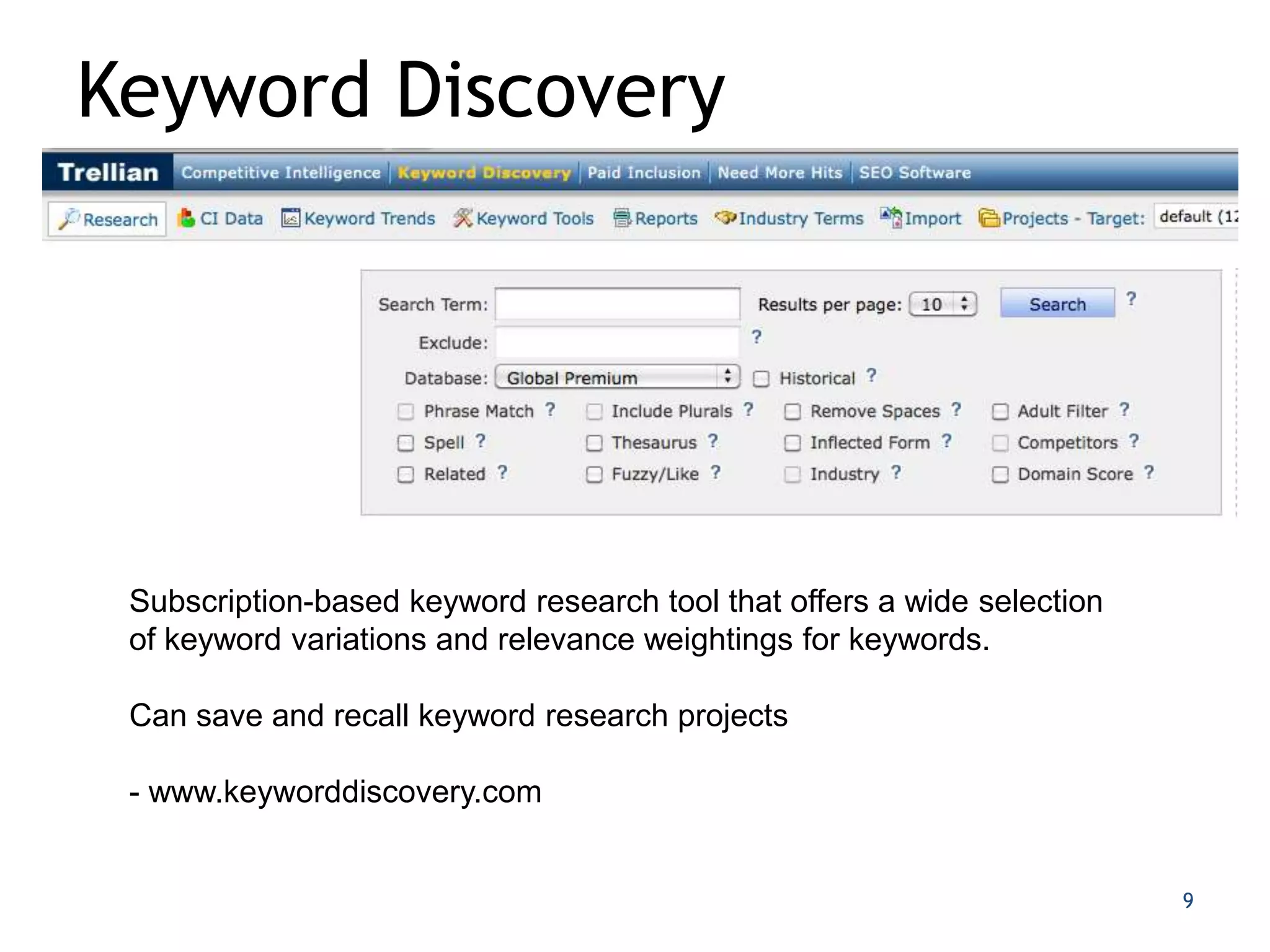
Keyword Discovery


 Subscription-based keyword research tool that offers a wide selection
 of keyword variations and relevance weightings for keywords.

 Can save and recall keyword research projects

 - www.keyworddiscovery.com


                                                                         9
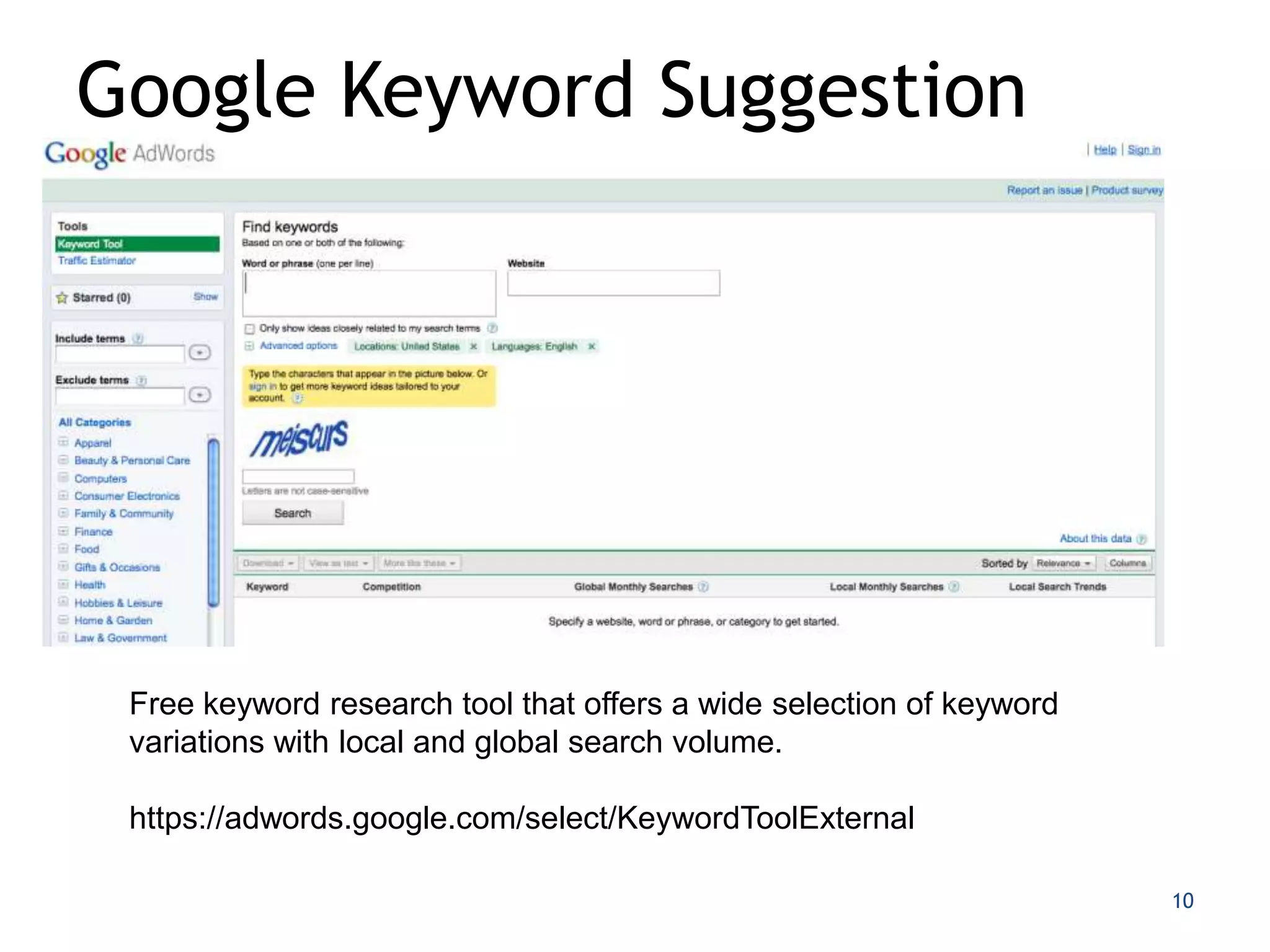
Google Keyword Suggestion


 Free keyword research tool that offers a wide selection of keyword
 variations with local and global search volume.

 https://adwords.google.com/select/KeywordToolExternal

                                                                      10
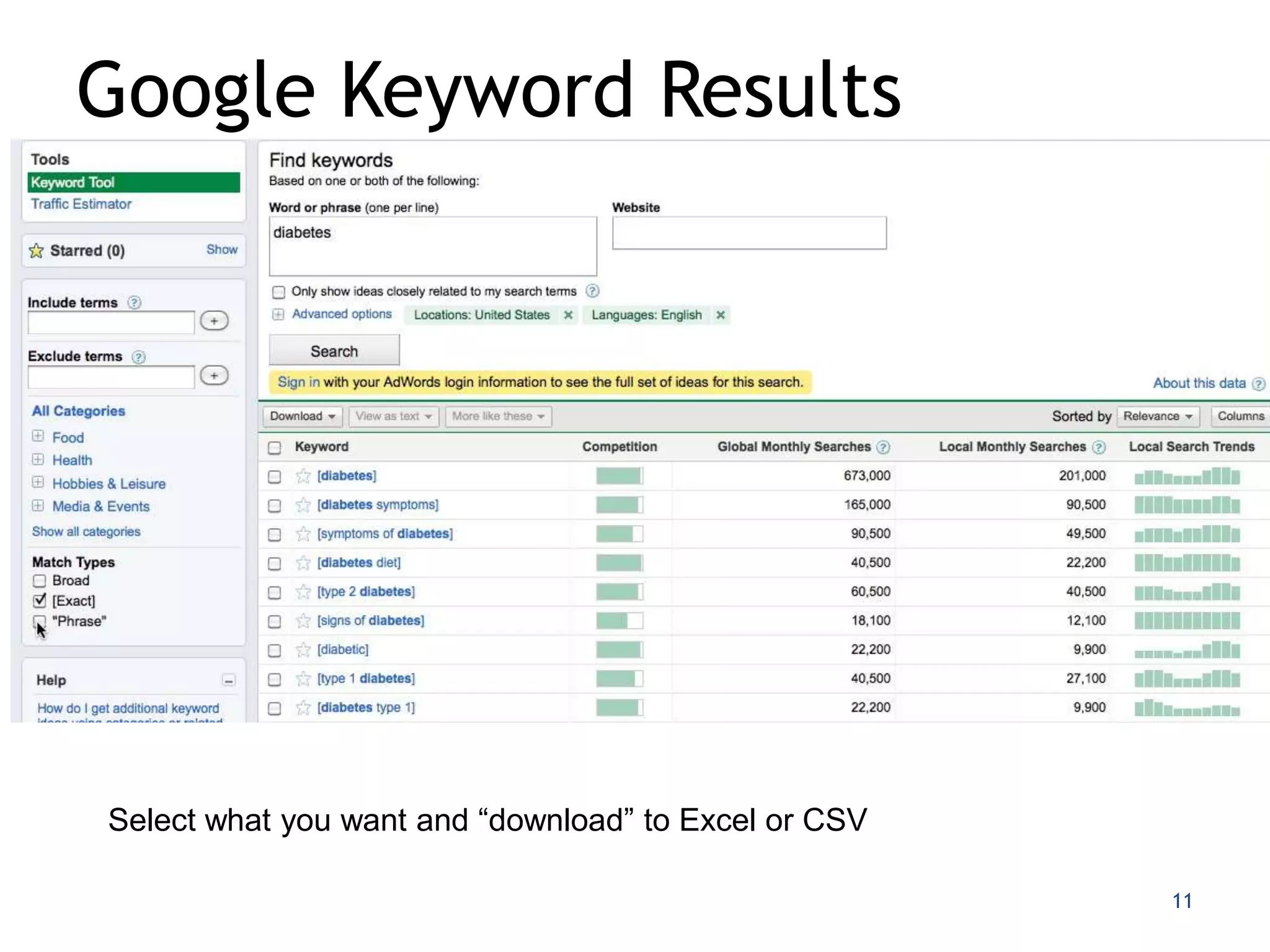
Google Keyword Results


Select what you want and “download” to Excel or CSV

                                                      11
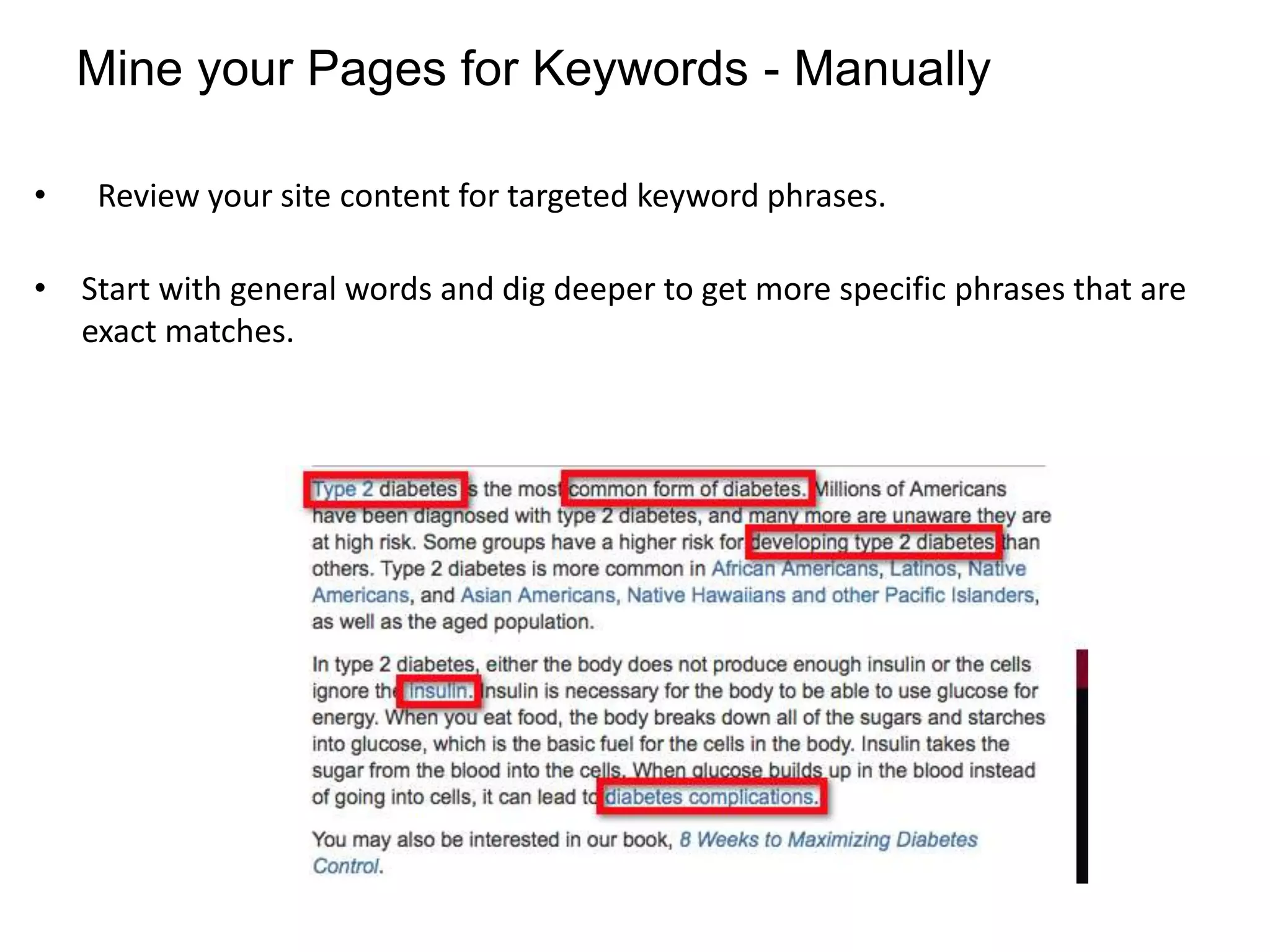
Mine your Pages for Keywords - Manually

•   Review your site content for targeted keyword phrases.

• Start with general words and dig deeper to get more specific phrases that are
  exact matches.
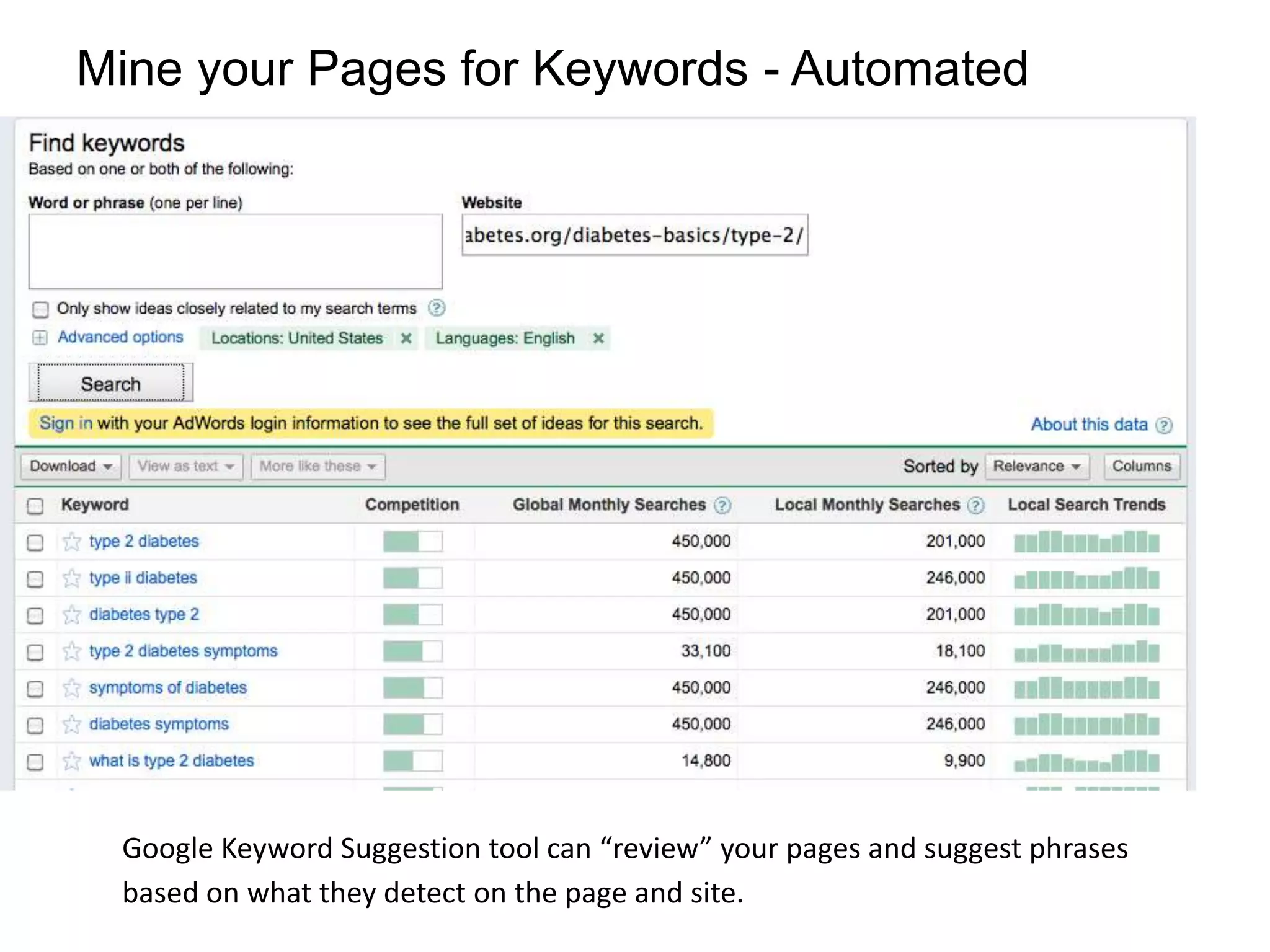
Mine your Pages for Keywords - Automated


 Google Keyword Suggestion tool can “review” your pages and suggest phrases
 based on what they detect on the page and site.
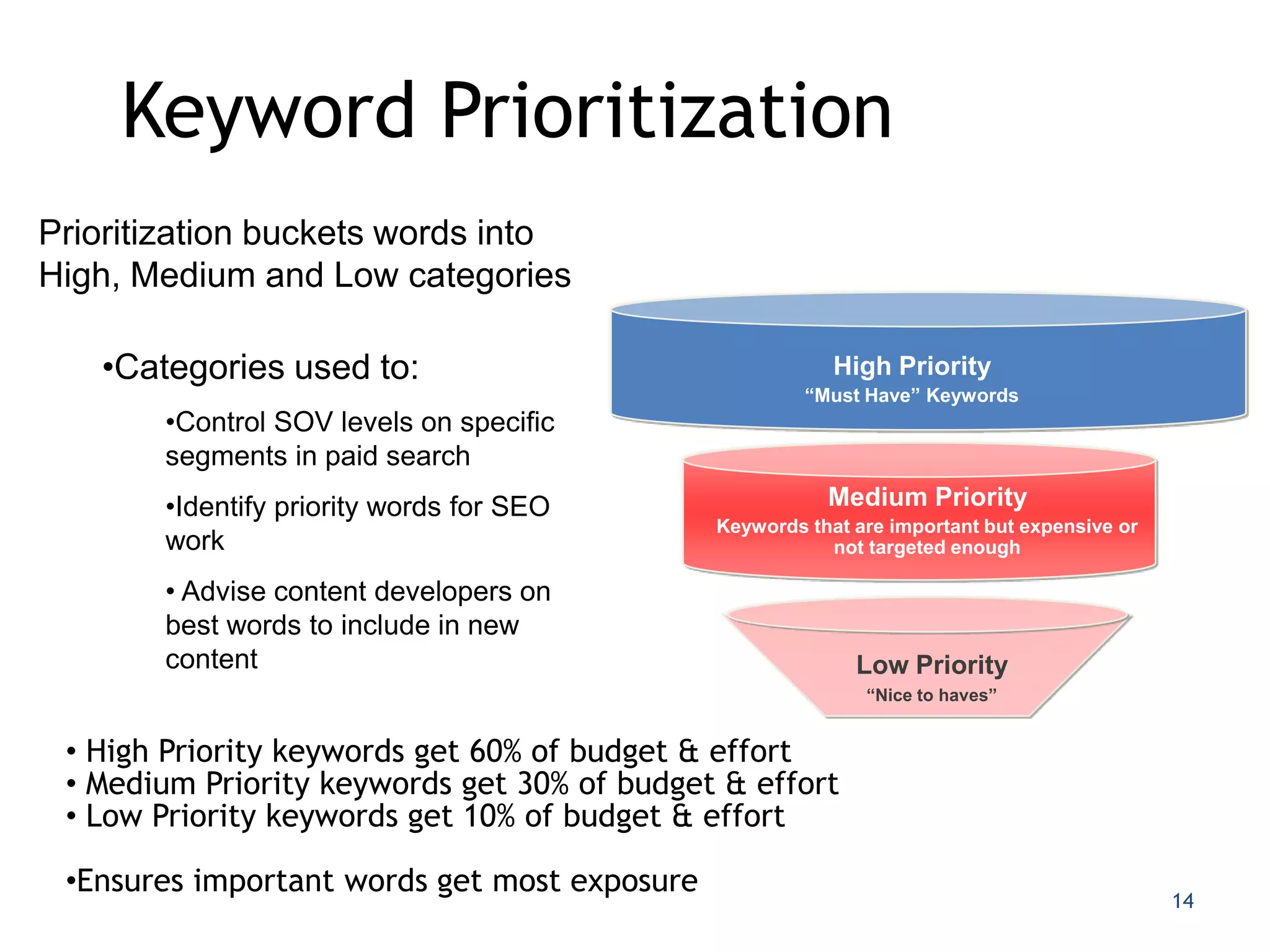
Keyword Prioritization
Prioritization buckets words into
High, Medium and Low categories
                                              Awareness
   •Categories used to:                                   High Priority
                                                       “Must Have” Keywords
       •Control SOV levels on specific
       segments in paid search
       •Identify priority words for SEO                  Medium Priority
                                              Keywords that are important but expensive or
       work                                              not targeted enough

       • Advise content developers on
       best words to include in new
       content                                              Low Priority
                                                             “Nice to haves”


 • High Priority keywords get 60% of budget & effort
 • Medium Priority keywords get 30% of budget & effort
 • Low Priority keywords get 10% of budget & effort

 •Ensures important words get most exposure
                                                                                             14
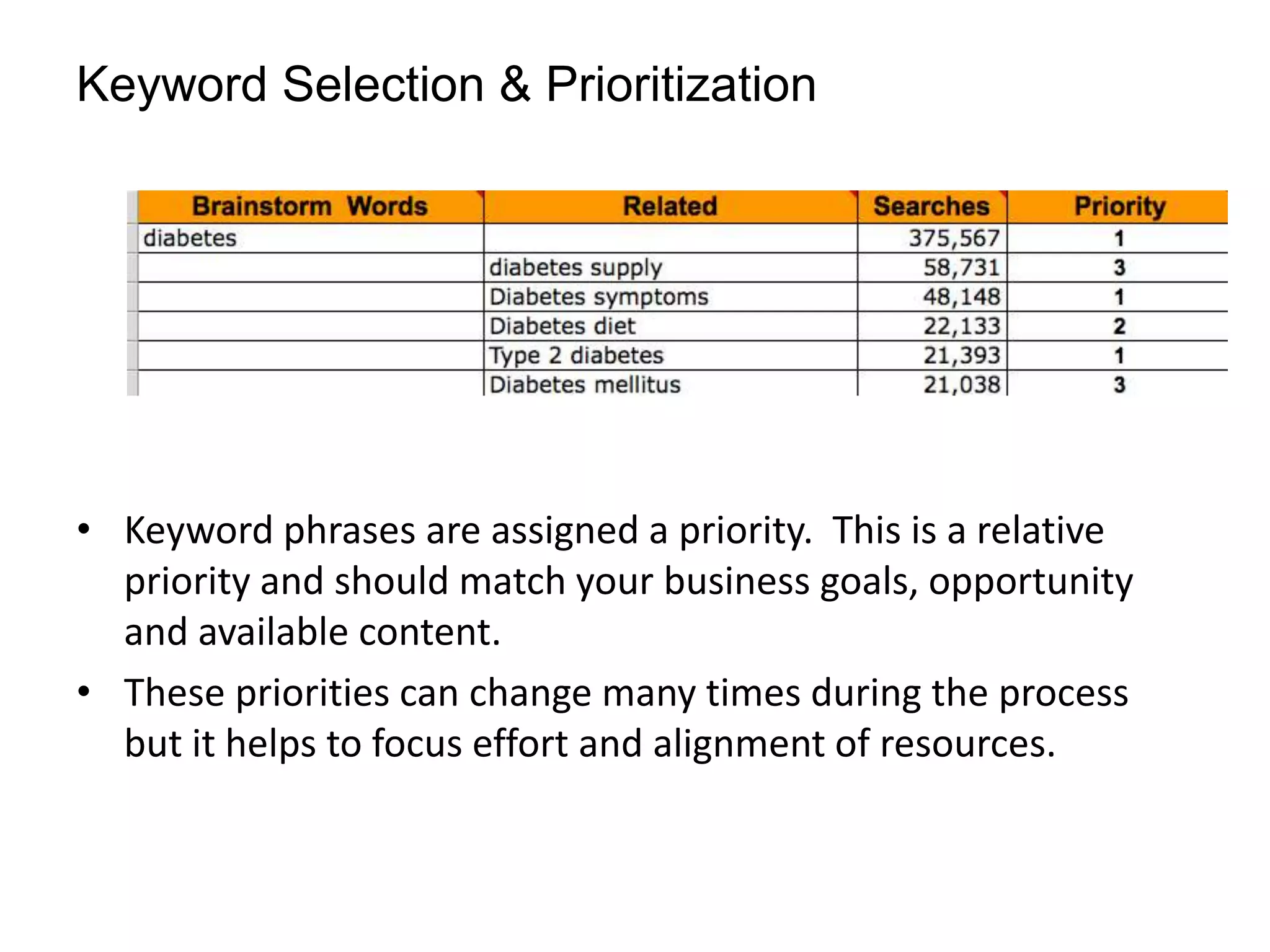
Keyword Selection & Prioritization


• Keyword phrases are assigned a priority. This is a relative
  priority and should match your business goals, opportunity
  and available content.
• These priorities can change many times during the process
  but it helps to focus effort and alignment of resources.
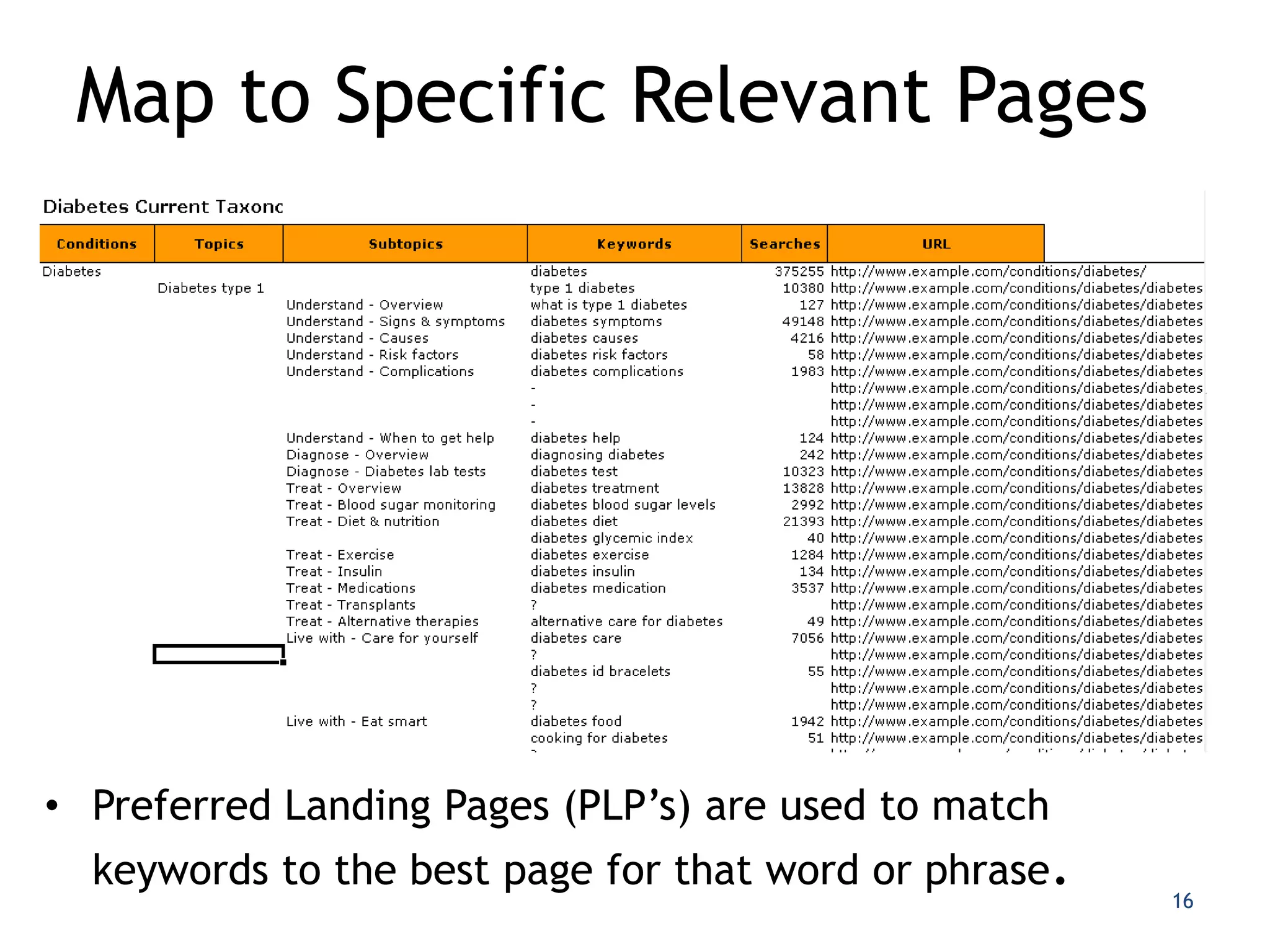
Map to Specific Relevant Pages


• Preferred Landing Pages (PLP’s) are used to match
  keywords to the best page for that word or phrase.
                                                       16
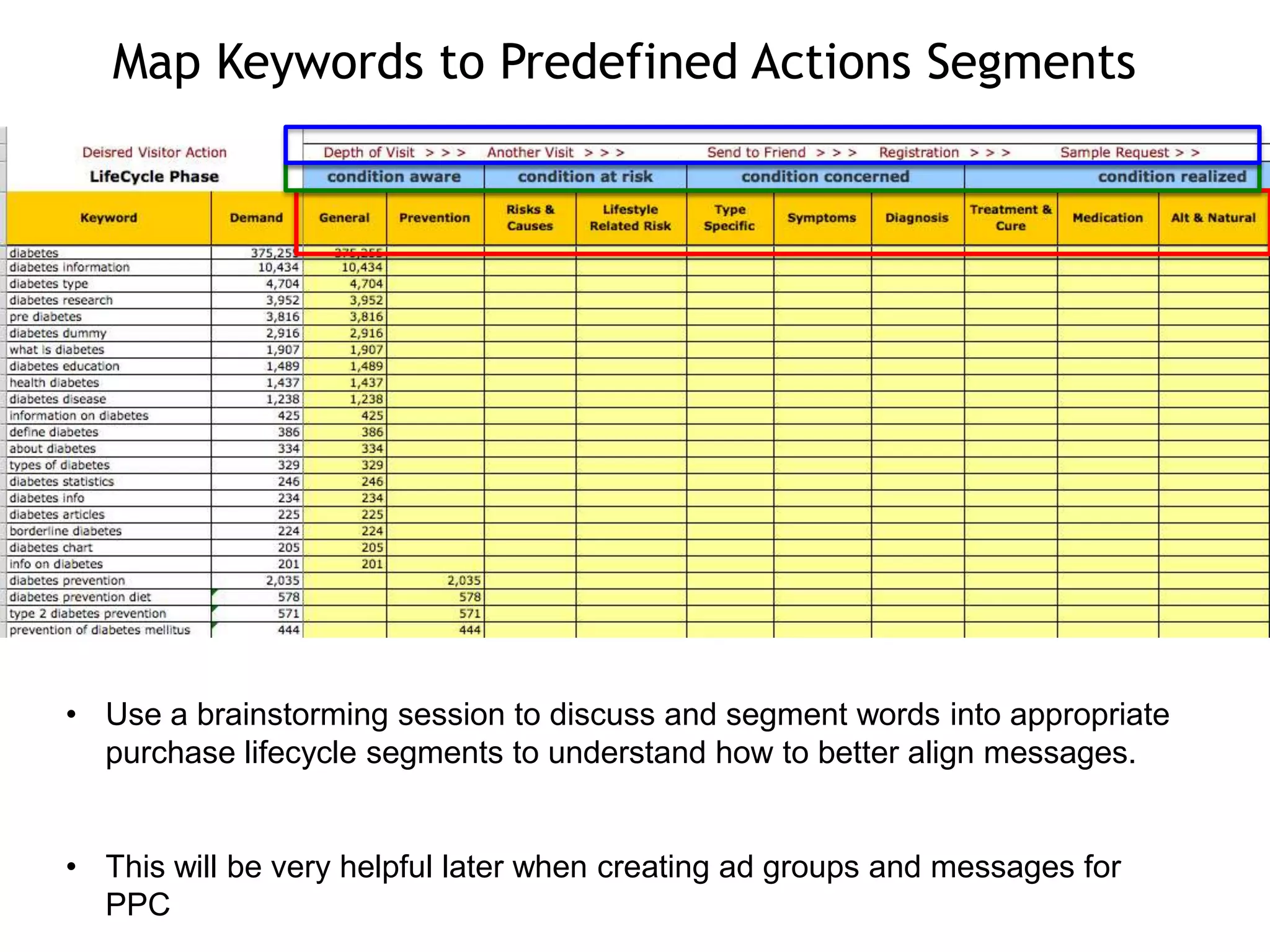
Map Keywords to Predefined Actions Segments


• Use a brainstorming session to discuss and segment words into appropriate
  purchase lifecycle segments to understand how to better align messages.


• This will be very helpful later when creating ad groups and messages for
  PPC
Current State Performance

• Once you have your list of keyword phrases, a
  Keyword Ranking Report can be run to
  benchmark a site’s current position in the
  search results for these phrases.

• Knowing how well Preferred Landing Pages are
  ranking for associated keyword phrases puts a
  priority on which pages need to be audited for
  optimization or added to your PPC campaign.
Additional Research Tools
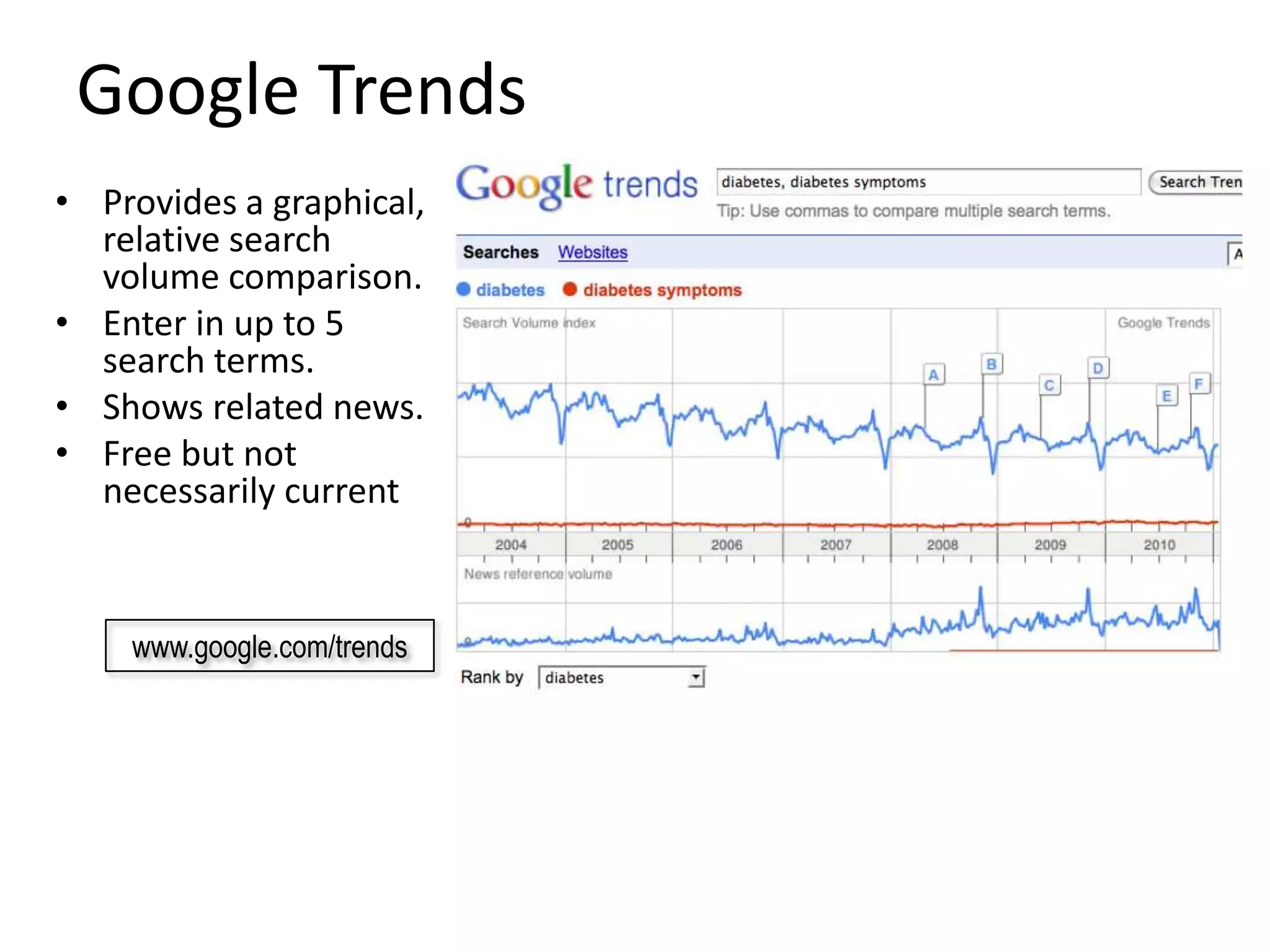
Google Trends
• Provides a graphical,
  relative search
  volume comparison.
• Enter in up to 5
  search terms.
• Shows related news.
• Free but not
  necessarily current


    www.google.com/trends
Google Insights for Search
• Similar to Google Trends
• Additional unique features
   – Compare against a category
   – Geographic search volume
     maps
   – Provides a relative index
     measure against all searches
     performed on Google over
     time.
   – Great for identifying local
     campaign opportunities


   www.google.com/insights/search/
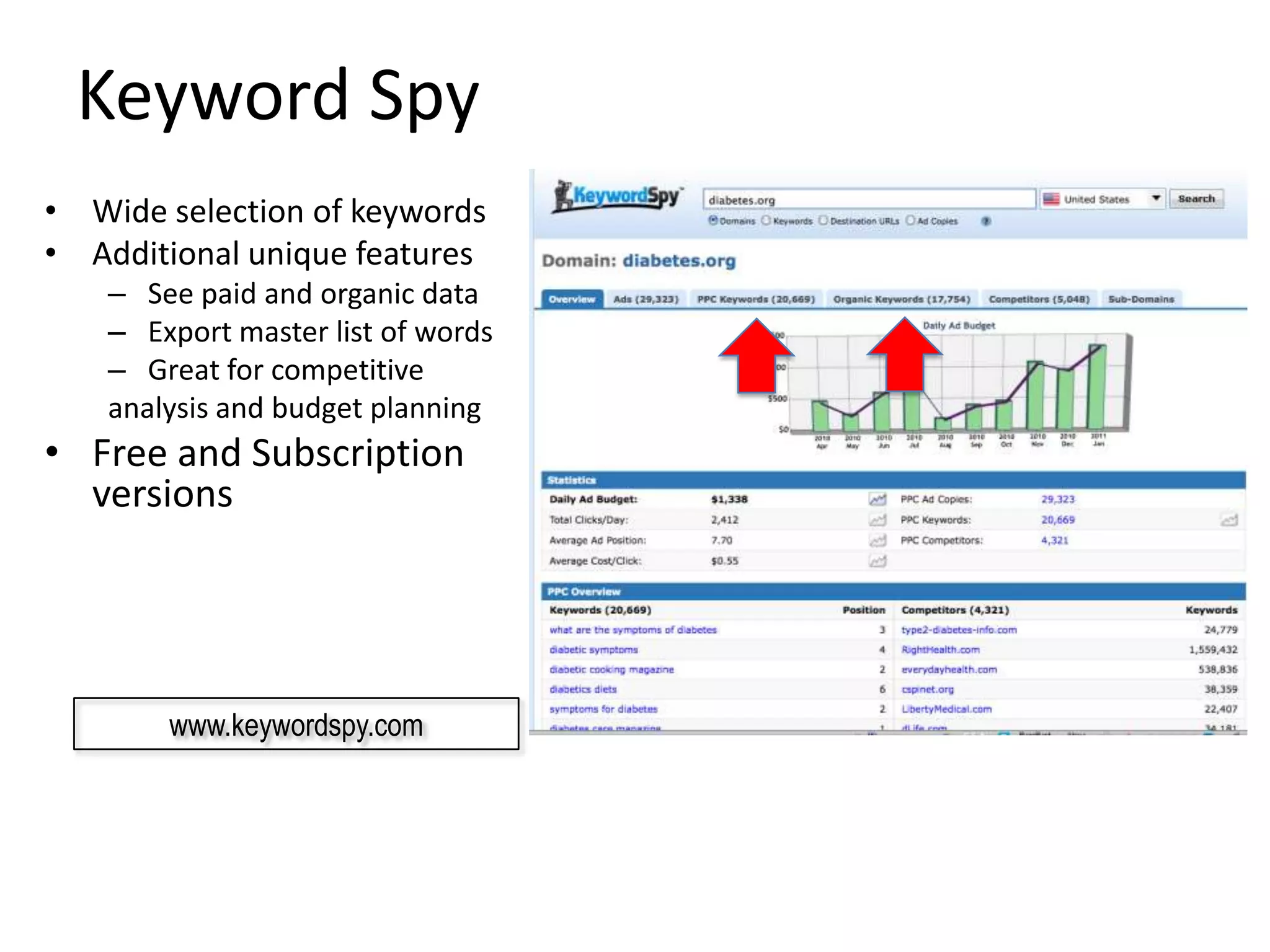
Keyword Spy
• Wide selection of keywords
• Additional unique features
    – See paid and organic data
    – Export master list of words
    – Great for competitive
    analysis and budget planning
• Free and Subscription
  versions


        www.keywordspy.com
Best Practices


• Brainstorm your keywords with a wide team to
  understand your base universe.
• Look at your content, site search data and
  external tools for variations
• Work to understand the intent of a searcher for
  each phrase and map to the appropriate page
  on your site.
• Repeat the process often to maximize your
  keyword universe.

SEO Keyword Research & Mapping

  • 1.
  • 2.
    Keyword Research • Keywordsare the lifeblood of any search marketing program. It is essential that you understand the universe of keywords related to your products and services. • From this understanding you can understand the needs, wants and intent of the searcher to more effectively map your content with their query.
  • 3.
    Generate Keyword ReviewMatrix Number of How is are the Research? Good word? Bad? Research gives Initial Keyword searches last words performing Purchase? Issues? Landing page URL you related words month. elsewhere Service? Recommend Rank Site Keyword Related Keyword Demand CPC Type Comments PLP Data Search diabetes 375,567 diabetes supply 58,731 Diabetes symptoms 48,148 Diabetes diet 22,133 Type 2 diabetes 21,393 Diabetes mellitus 21,038 Gestational diabetes 19,755 Diabetes treatment 18.999 Diabetes information 17,345 Juvenile diabetes 17,125 3
  • 4.
    Keyword Research Worksheet Open Excel and create a worksheet with the following headings • Brainstorm Words – Starter phrases derived from your brainstorm session, from reviewing the site content, and/or by reviewing competitors’ Web sites • Related – Variations of the keyword phrases from the brainstorming sessions that contain the Brainstorm Word and gives us an understanding of the searchers’ language • Searches – The relative search volume for each phrase over the past month (from one of the keyword research tools) • Priority Keywords -- phrases for which you feel your site can and should achieve a top placement in the search engine results pages or be a focus of search marketing • Preferred Landing Pages (PLPs) – the URLs from your site in which the Recommended Keywords match the content and those pages for which we can begin to develop optimized HTML coding recommendations
  • 5.
    Brainstorming Keywords  Brainstormingwords are our starting point. We take these top- level, general keyword phrases and use them as the basis of the next set of actions.  Start the process by answering the following questions: 1. Make a list of your products, services and categories of each 2. What do your potential visitors search for when trying to find your product/services/information? 3. When you search for your own site, what do you search for 4. What do you want to be #1 in the search results for? 5. What terms are currently driving visits to your site (analytics) 6. What are people searching for currently on your site? (site search)
  • 6.
    Related Keywords • Therelated keywords show us additional phrases to consider for researching and give us an insight into which phrases searchers are using. • Sometimes a Brainstorm word does not have any related phrases. This simply means that this term is either very targeted and no one is searching for it yet, or we have not targeted the searchers’ language. • This process is valuable in showing you if you are on target or have missed the targeted keyword market. • You an leverage keyword research tools to add additional variations and for the next step of understanding searcher demand for each phrase.
  • 7.
    Research Demand &Opportunity • Leverage one of the keyword research tools to understand variations of keywords and relative search volume for each phrase. • Use “exact” or “phrase” match to get a closer representation to a natural search query • Results are “averages” and not exact numbers https://adwords.google.com/select/KeywordToolExternal 7
  • 8.
    WordTracker Subscription-based keywordresearch tool that offers a wide selection of keyword variations and relevance weightings for keywords. - www.wordtracker.com 8
  • 9.
    Keyword Discovery Subscription-basedkeyword research tool that offers a wide selection of keyword variations and relevance weightings for keywords. Can save and recall keyword research projects - www.keyworddiscovery.com 9
  • 10.
    Google Keyword Suggestion Free keyword research tool that offers a wide selection of keyword variations with local and global search volume. https://adwords.google.com/select/KeywordToolExternal 10
  • 11.
    Google Keyword Results Selectwhat you want and “download” to Excel or CSV 11
  • 12.
    Mine your Pagesfor Keywords - Manually • Review your site content for targeted keyword phrases. • Start with general words and dig deeper to get more specific phrases that are exact matches.
  • 13.
    Mine your Pagesfor Keywords - Automated Google Keyword Suggestion tool can “review” your pages and suggest phrases based on what they detect on the page and site.
  • 14.
    Keyword Prioritization Prioritization bucketswords into High, Medium and Low categories Awareness •Categories used to: High Priority “Must Have” Keywords •Control SOV levels on specific segments in paid search •Identify priority words for SEO Medium Priority Keywords that are important but expensive or work not targeted enough • Advise content developers on best words to include in new content Low Priority “Nice to haves” • High Priority keywords get 60% of budget & effort • Medium Priority keywords get 30% of budget & effort • Low Priority keywords get 10% of budget & effort •Ensures important words get most exposure 14
  • 15.
    Keyword Selection &Prioritization • Keyword phrases are assigned a priority. This is a relative priority and should match your business goals, opportunity and available content. • These priorities can change many times during the process but it helps to focus effort and alignment of resources.
  • 16.
    Map to SpecificRelevant Pages • Preferred Landing Pages (PLP’s) are used to match keywords to the best page for that word or phrase. 16
  • 17.
    Map Keywords toPredefined Actions Segments • Use a brainstorming session to discuss and segment words into appropriate purchase lifecycle segments to understand how to better align messages. • This will be very helpful later when creating ad groups and messages for PPC
  • 18.
    Current State Performance •Once you have your list of keyword phrases, a Keyword Ranking Report can be run to benchmark a site’s current position in the search results for these phrases. • Knowing how well Preferred Landing Pages are ranking for associated keyword phrases puts a priority on which pages need to be audited for optimization or added to your PPC campaign.
  • 19.
  • 20.
    Google Trends • Providesa graphical, relative search volume comparison. • Enter in up to 5 search terms. • Shows related news. • Free but not necessarily current www.google.com/trends
  • 21.
    Google Insights forSearch • Similar to Google Trends • Additional unique features – Compare against a category – Geographic search volume maps – Provides a relative index measure against all searches performed on Google over time. – Great for identifying local campaign opportunities www.google.com/insights/search/
  • 22.
    Keyword Spy • Wideselection of keywords • Additional unique features – See paid and organic data – Export master list of words – Great for competitive analysis and budget planning • Free and Subscription versions www.keywordspy.com
  • 23.
    Best Practices • Brainstormyour keywords with a wide team to understand your base universe. • Look at your content, site search data and external tools for variations • Work to understand the intent of a searcher for each phrase and map to the appropriate page on your site. • Repeat the process often to maximize your keyword universe.