PROGRAMM
ING
C
UNIT
-5
POINTERS AND FILE
HANDLING
Pointers in C:
Understanding Pointers
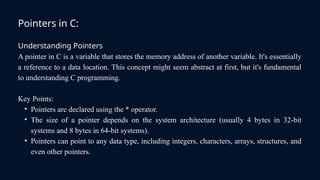
A pointer in C is a variable that stores the memory address of another variable. It's essentially
a reference to a data location. This concept might seem abstract at first, but it's fundamental
to understanding C programming.
Key Points:
• Pointers are declared using the * operator.
• The size of a pointer depends on the system architecture (usually 4 bytes in 32-bit
systems and 8 bytes in 64-bit systems).
• Pointers can point to any data type, including integers, characters, arrays, structures, and
even other pointers.
Accessing the Address of a Variable in C
The Address-of Operator (&)
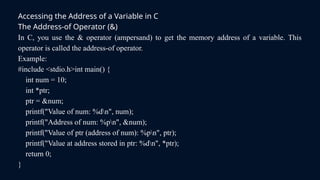
In C, you use the & operator (ampersand) to get the memory address of a variable. This
operator is called the address-of operator.
Example:
#include <stdio.h>int main() {
int num = 10;
int *ptr;
ptr = &num;
printf("Value of num: %dn", num);
printf("Address of num: %pn", &num);
printf("Value of ptr (address of num): %pn", ptr);
printf("Value at address stored in ptr: %dn", *ptr);
return 0;
}
Declaring and Initializing Pointers in C
Declaration
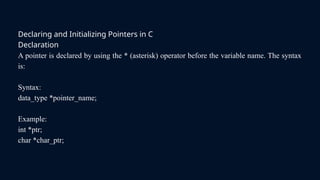
A pointer is declared by using the * (asterisk) operator before the variable name. The syntax
is:
Syntax:
data_type *pointer_name;
Example:
int *ptr;
char *char_ptr;
Initialization
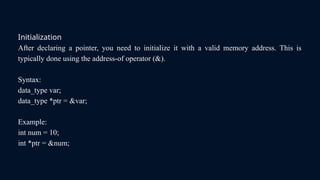
After declaring a pointer, you need to initialize it with a valid memory address. This is
typically done using the address-of operator (&).
Syntax:
data_type var;
data_type *ptr = &var;
Example:
int num = 10;
int *ptr = &num;
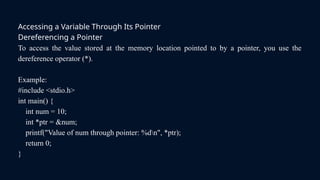
Accessing a Variable Through Its Pointer
Dereferencing a Pointer
To access the value stored at the memory location pointed to by a pointer, you use the
dereference operator (*).
Example:
#include <stdio.h>
int main() {
int num = 10;
int *ptr = &num;
printf("Value of num through pointer: %dn", *ptr);
return 0;
}
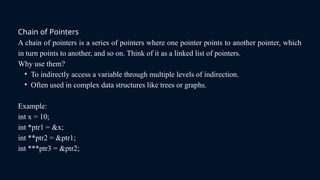
Chain of Pointers
A chain of pointers is a series of pointers where one pointer points to another pointer, which
in turn points to another, and so on. Think of it as a linked list of pointers.
Why use them?
• To indirectly access a variable through multiple levels of indirection.
• Often used in complex data structures like trees or graphs.
Example:
int x = 10;
int *ptr1 = &x;
int **ptr2 = &ptr1;
int ***ptr3 = &ptr2;
Pointers and Arrays:
Arrays and pointers are intimately connected in C.
Array Name as a Pointer
• An array name in C is essentially a constant pointer to the first element of the array.
• This means you can use pointer arithmetic to access array elements.
Example
int arr[5] = {1, 2, 3, 4, 5};
int *ptr = arr;
printf("%dn", *(ptr + 2));
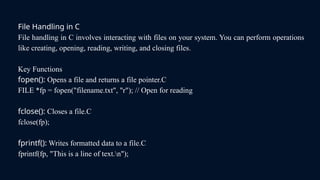
File Handling in C
File handling in C involves interacting with files on your system. You can perform operations
like creating, opening, reading, writing, and closing files.
Key Functions
fopen(): Opens a file and returns a file pointer.C
FILE *fp = fopen("filename.txt", "r"); // Open for reading
fclose(): Closes a file.C
fclose(fp);
fprintf(): Writes formatted data to a file.C
fprintf(fp, "This is a line of text.n");
fscanf(): Reads formatted data from a file.C
fscanf(fp, "%d", &number);
fgets(): Reads a line of text from a file.C
fgets(buffer, sizeof(buffer), fp);
fputs(): Writes a string to a file.C
fputs("This is a line of text.n", fp);
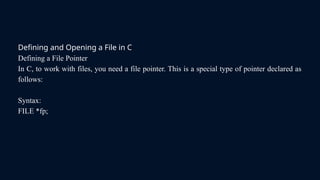
Defining and Opening a File in C
Defining a File Pointer
In C, to work with files, you need a file pointer. This is a special type of pointer declared as
follows:
Syntax:
FILE *fp;
Opening a File
The fopen() function is used to open a file. It takes two arguments:
• Filename: The name of the file to be opened.
• Mode: Specifies how the file will be opened (read, write, append, etc.).
The fopen() function returns a file pointer if successful, or NULL if an error occurs.
Example:
#include <stdio.h>int main() {
FILE *fp;
fp = fopen("my_file.txt", "w");
if (fp == NULL) {
printf("Error opening file!n");
return 1;
}
fclose(fp); // Close the filereturn 0;
}
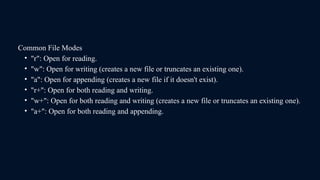
Common File Modes
• "r": Open for reading.
• "w": Open for writing (creates a new file or truncates an existing one).
• "a": Open for appending (creates a new file if it doesn't exist).
• "r+": Open for both reading and writing.
• "w+": Open for both reading and writing (creates a new file or truncates an existing one).
• "a+": Open for both reading and appending.
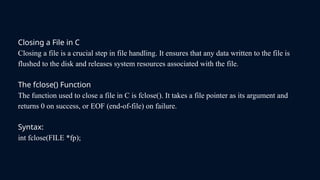
Closing a File in C
Closing a file is a crucial step in file handling. It ensures that any data written to the file is
flushed to the disk and releases system resources associated with the file.
The fclose() Function
The function used to close a file in C is fclose(). It takes a file pointer as its argument and
returns 0 on success, or EOF (end-of-file) on failure.
Syntax:
int fclose(FILE *fp);
Example:
#include <stdio.h>
int main() {
FILE *fp;
fp = fopen("my_file.txt", "w");
if (fp == NULL) {
printf("Error opening file!n");
return 1;
}
printf(fp, "This is some data.n");
fclose(fp);
return 0;
}
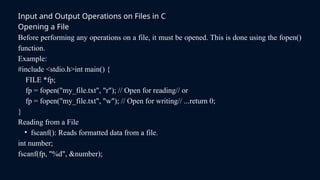
Input and Output Operations on Files in C
Opening a File
Before performing any operations on a file, it must be opened. This is done using the fopen()
function.
Example:
#include <stdio.h>int main() {
FILE *fp;
fp = fopen("my_file.txt", "r"); // Open for reading// or
fp = fopen("my_file.txt", "w"); // Open for writing// ...return 0;
}
Reading from a File
• fscanf(): Reads formatted data from a file.
int number;
fscanf(fp, "%d", &number);
• fgets(): Reads a line of text from a file.
char buffer[100];
fgets(buffer, sizeof(buffer), fp);
• fgetc(): Reads a single character from a file.
char ch = fgetc(fp);
Writing to a File
• fprintf(): Writes formatted data to a file.
fprintf(fp, "This is some text.n");
• fputs(): Writes a string to a file.
fputs("This is a string.", fp);
• fputc(): Writes a single character to a file.
fputc('A', fp);
Closing a File
After performing operations on a file, it's essential to close it using the fclose() function.
fclose(fp);
Example
#include <stdio.h>
int main() {
FILE *fp;
char buffer[100];
fp = fopen("my_file.txt", "w");
if (fp == NULL) {
printf("Error opening file!n");
return 1;
}
printf(fp, "Hello, world!n");
fclose(fp);
fp = fopen("my_file.txt", "r");
if (fp == NULL) {
printf("Error opening file!n");
return 1;
}
fgets(buffer, sizeof(buffer), fp);
printf("Contents of the file: %s", buffer);
fclose(fp);
return 0;
}
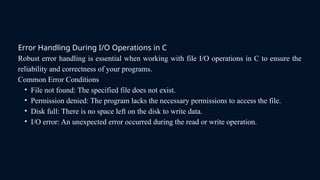
Error Handling During I/O Operations in C
Robust error handling is essential when working with file I/O operations in C to ensure the
reliability and correctness of your programs.
Common Error Conditions
• File not found: The specified file does not exist.
• Permission denied: The program lacks the necessary permissions to access the file.
• Disk full: There is no space left on the disk to write data.
• I/O error: An unexpected error occurred during the read or write operation.
Command Line Arguments in C
Command-line arguments are values passed to a program when it's executed from the
command line. They provide a way to customize program behavior without modifying the
source code.
The main Function
To handle command-line arguments, the main function in C is typically defined with two
parameters:
Example:
int main(int argc, char *argv[]) {
// ...
}

POINTERS AND FILE HANDLING - C Programming

  • 1.
  • 2.
    Pointers in C: UnderstandingPointers A pointer in C is a variable that stores the memory address of another variable. It's essentially a reference to a data location. This concept might seem abstract at first, but it's fundamental to understanding C programming. Key Points: • Pointers are declared using the * operator. • The size of a pointer depends on the system architecture (usually 4 bytes in 32-bit systems and 8 bytes in 64-bit systems). • Pointers can point to any data type, including integers, characters, arrays, structures, and even other pointers.
  • 3.
    Accessing the Addressof a Variable in C The Address-of Operator (&) In C, you use the & operator (ampersand) to get the memory address of a variable. This operator is called the address-of operator. Example: #include <stdio.h>int main() { int num = 10; int *ptr; ptr = &num; printf("Value of num: %dn", num); printf("Address of num: %pn", &num); printf("Value of ptr (address of num): %pn", ptr); printf("Value at address stored in ptr: %dn", *ptr); return 0; }
  • 4.
    Declaring and InitializingPointers in C Declaration A pointer is declared by using the * (asterisk) operator before the variable name. The syntax is: Syntax: data_type *pointer_name; Example: int *ptr; char *char_ptr;
  • 5.
    Initialization After declaring apointer, you need to initialize it with a valid memory address. This is typically done using the address-of operator (&). Syntax: data_type var; data_type *ptr = &var; Example: int num = 10; int *ptr = &num;
  • 6.
    Accessing a VariableThrough Its Pointer Dereferencing a Pointer To access the value stored at the memory location pointed to by a pointer, you use the dereference operator (*). Example: #include <stdio.h> int main() { int num = 10; int *ptr = &num; printf("Value of num through pointer: %dn", *ptr); return 0; }
  • 7.
    Chain of Pointers Achain of pointers is a series of pointers where one pointer points to another pointer, which in turn points to another, and so on. Think of it as a linked list of pointers. Why use them? • To indirectly access a variable through multiple levels of indirection. • Often used in complex data structures like trees or graphs. Example: int x = 10; int *ptr1 = &x; int **ptr2 = &ptr1; int ***ptr3 = &ptr2;
  • 8.
    Pointers and Arrays: Arraysand pointers are intimately connected in C. Array Name as a Pointer • An array name in C is essentially a constant pointer to the first element of the array. • This means you can use pointer arithmetic to access array elements. Example int arr[5] = {1, 2, 3, 4, 5}; int *ptr = arr; printf("%dn", *(ptr + 2));
  • 9.
    File Handling inC File handling in C involves interacting with files on your system. You can perform operations like creating, opening, reading, writing, and closing files. Key Functions fopen(): Opens a file and returns a file pointer.C FILE *fp = fopen("filename.txt", "r"); // Open for reading fclose(): Closes a file.C fclose(fp); fprintf(): Writes formatted data to a file.C fprintf(fp, "This is a line of text.n");
  • 10.
    fscanf(): Reads formatteddata from a file.C fscanf(fp, "%d", &number); fgets(): Reads a line of text from a file.C fgets(buffer, sizeof(buffer), fp); fputs(): Writes a string to a file.C fputs("This is a line of text.n", fp);
  • 11.
    Defining and Openinga File in C Defining a File Pointer In C, to work with files, you need a file pointer. This is a special type of pointer declared as follows: Syntax: FILE *fp;
  • 12.
    Opening a File Thefopen() function is used to open a file. It takes two arguments: • Filename: The name of the file to be opened. • Mode: Specifies how the file will be opened (read, write, append, etc.). The fopen() function returns a file pointer if successful, or NULL if an error occurs. Example: #include <stdio.h>int main() { FILE *fp; fp = fopen("my_file.txt", "w"); if (fp == NULL) { printf("Error opening file!n"); return 1; } fclose(fp); // Close the filereturn 0; }
  • 13.
    Common File Modes •"r": Open for reading. • "w": Open for writing (creates a new file or truncates an existing one). • "a": Open for appending (creates a new file if it doesn't exist). • "r+": Open for both reading and writing. • "w+": Open for both reading and writing (creates a new file or truncates an existing one). • "a+": Open for both reading and appending.
  • 14.
    Closing a Filein C Closing a file is a crucial step in file handling. It ensures that any data written to the file is flushed to the disk and releases system resources associated with the file. The fclose() Function The function used to close a file in C is fclose(). It takes a file pointer as its argument and returns 0 on success, or EOF (end-of-file) on failure. Syntax: int fclose(FILE *fp);
  • 15.
    Example: #include <stdio.h> int main(){ FILE *fp; fp = fopen("my_file.txt", "w"); if (fp == NULL) { printf("Error opening file!n"); return 1; } printf(fp, "This is some data.n"); fclose(fp); return 0; }
  • 16.
    Input and OutputOperations on Files in C Opening a File Before performing any operations on a file, it must be opened. This is done using the fopen() function. Example: #include <stdio.h>int main() { FILE *fp; fp = fopen("my_file.txt", "r"); // Open for reading// or fp = fopen("my_file.txt", "w"); // Open for writing// ...return 0; } Reading from a File • fscanf(): Reads formatted data from a file. int number; fscanf(fp, "%d", &number);
  • 17.
    • fgets(): Readsa line of text from a file. char buffer[100]; fgets(buffer, sizeof(buffer), fp); • fgetc(): Reads a single character from a file. char ch = fgetc(fp); Writing to a File • fprintf(): Writes formatted data to a file. fprintf(fp, "This is some text.n"); • fputs(): Writes a string to a file. fputs("This is a string.", fp); • fputc(): Writes a single character to a file. fputc('A', fp);
  • 18.
    Closing a File Afterperforming operations on a file, it's essential to close it using the fclose() function. fclose(fp); Example #include <stdio.h> int main() { FILE *fp; char buffer[100]; fp = fopen("my_file.txt", "w"); if (fp == NULL) { printf("Error opening file!n"); return 1; } printf(fp, "Hello, world!n"); fclose(fp); fp = fopen("my_file.txt", "r"); if (fp == NULL) { printf("Error opening file!n"); return 1; } fgets(buffer, sizeof(buffer), fp); printf("Contents of the file: %s", buffer); fclose(fp); return 0; }
  • 19.
    Error Handling DuringI/O Operations in C Robust error handling is essential when working with file I/O operations in C to ensure the reliability and correctness of your programs. Common Error Conditions • File not found: The specified file does not exist. • Permission denied: The program lacks the necessary permissions to access the file. • Disk full: There is no space left on the disk to write data. • I/O error: An unexpected error occurred during the read or write operation.
  • 20.
    Command Line Argumentsin C Command-line arguments are values passed to a program when it's executed from the command line. They provide a way to customize program behavior without modifying the source code. The main Function To handle command-line arguments, the main function in C is typically defined with two parameters: Example: int main(int argc, char *argv[]) { // ... }