
how to use
              facebook
              social plugins?
                              www.kontestapp.com


                                                                                             08/ 2012
Proposé par Kontest, créez votre concours sur Facebook, web et mobile - www.kontestapp.com
Introduction
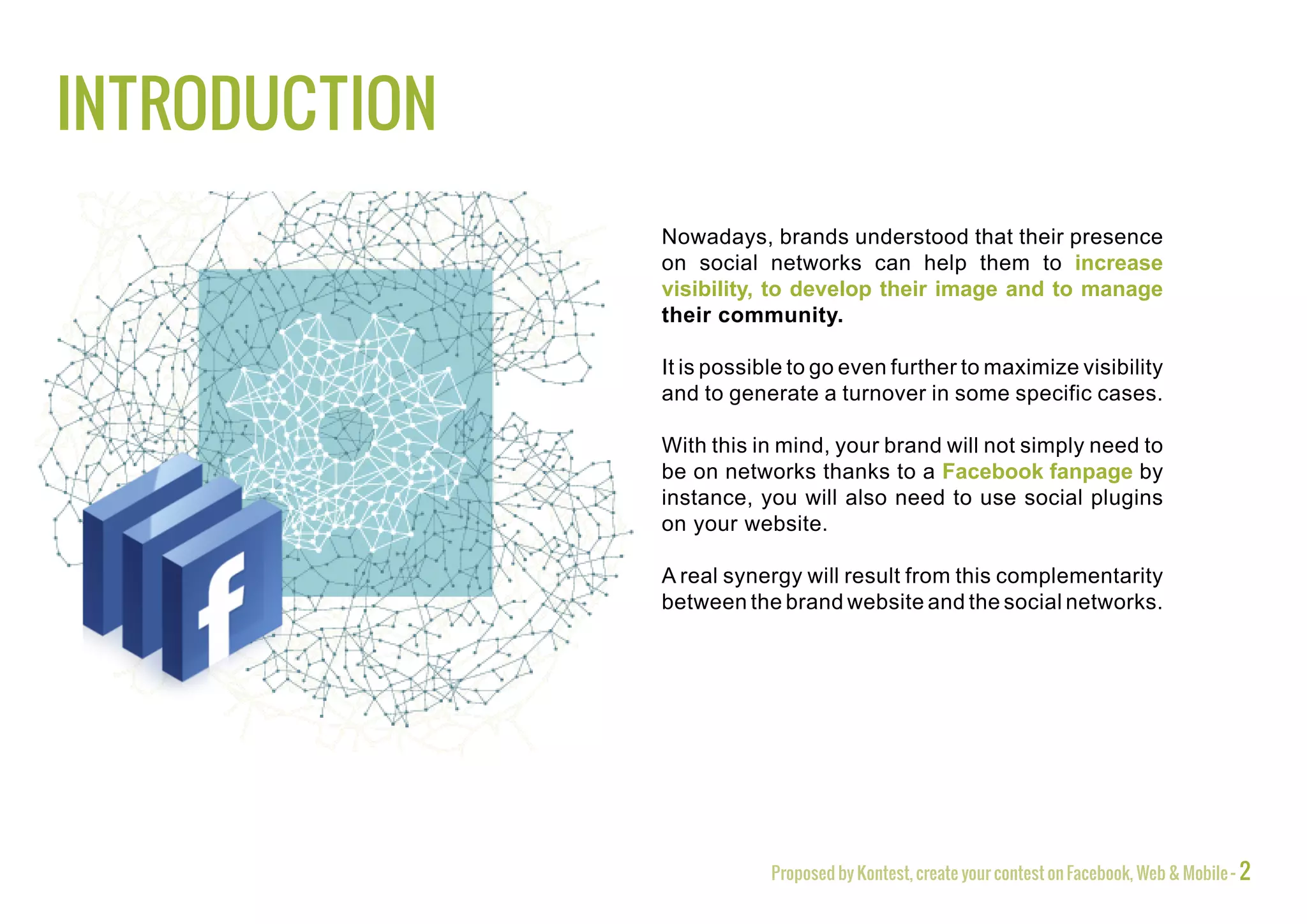
               Nowadays, brands understood that their presence
               on social networks can help them to increase
               visibility, to develop their image and to manage
               their community.

               It is possible to go even further to maximize visibility
               and to generate a turnover in some specific cases.

               With this in mind, your brand will not simply need to
               be on networks thanks to a Facebook fanpage by
               instance, you will also need to use social plugins
               on your website.

               A real synergy will result from this complementarity
               between the brand website and the social networks.


                           Proposed by Kontest, create your contest on Facebook, Web & Mobile - 2
Facebook and the Open Graph Tagging
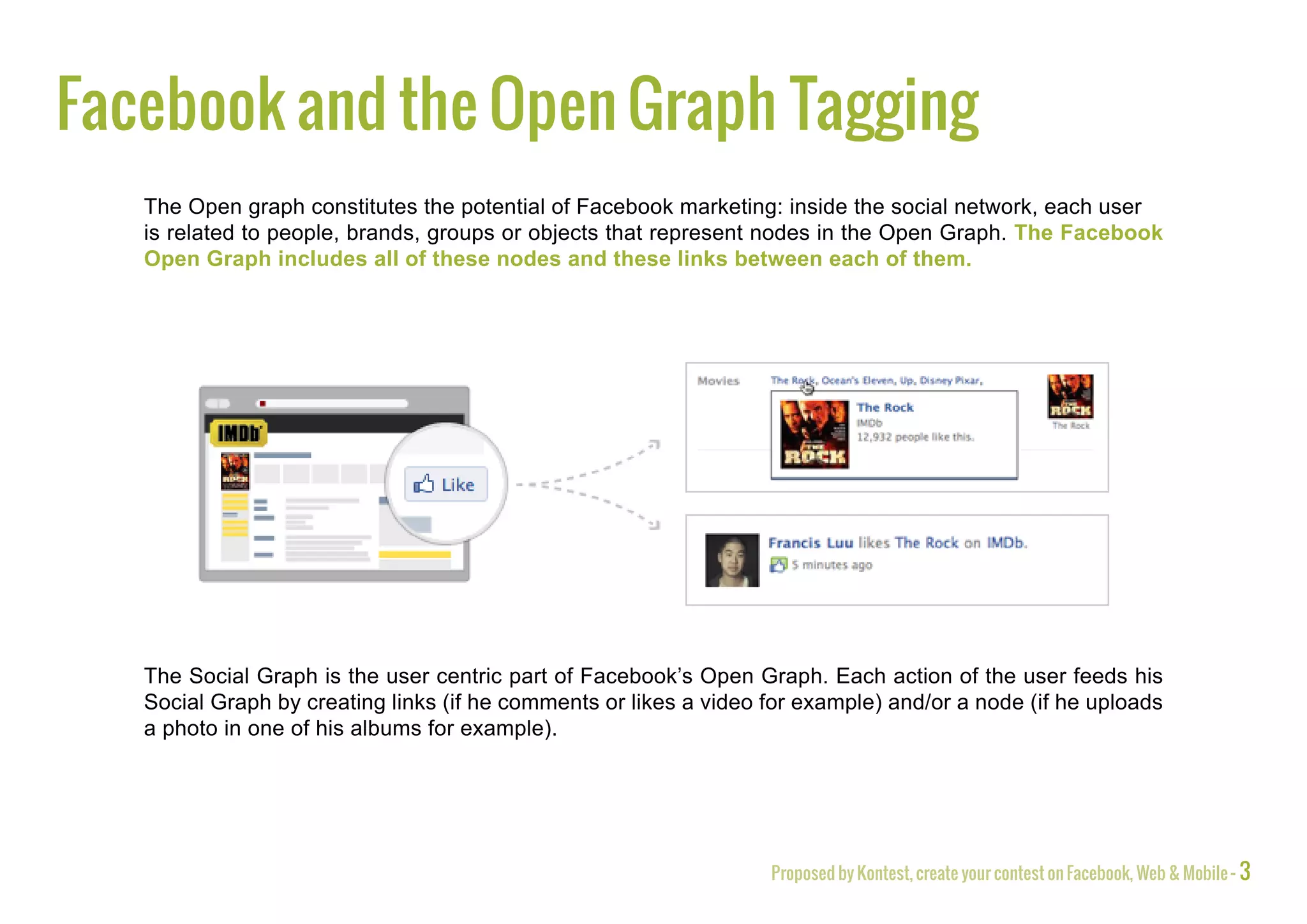
   The Open graph constitutes the potential of Facebook marketing: inside the social network, each user
   is related to people, brands, groups or objects that represent nodes in the Open Graph. The Facebook
   Open Graph includes all of these nodes and these links between each of them.


   The Social Graph is the user centric part of Facebook’s Open Graph. Each action of the user feeds his
   Social Graph by creating links (if he comments or likes a video for example) and/or a node (if he uploads
   a photo in one of his albums for example).


                                                                   Proposed by Kontest, create your contest on Facebook, Web & Mobile - 3
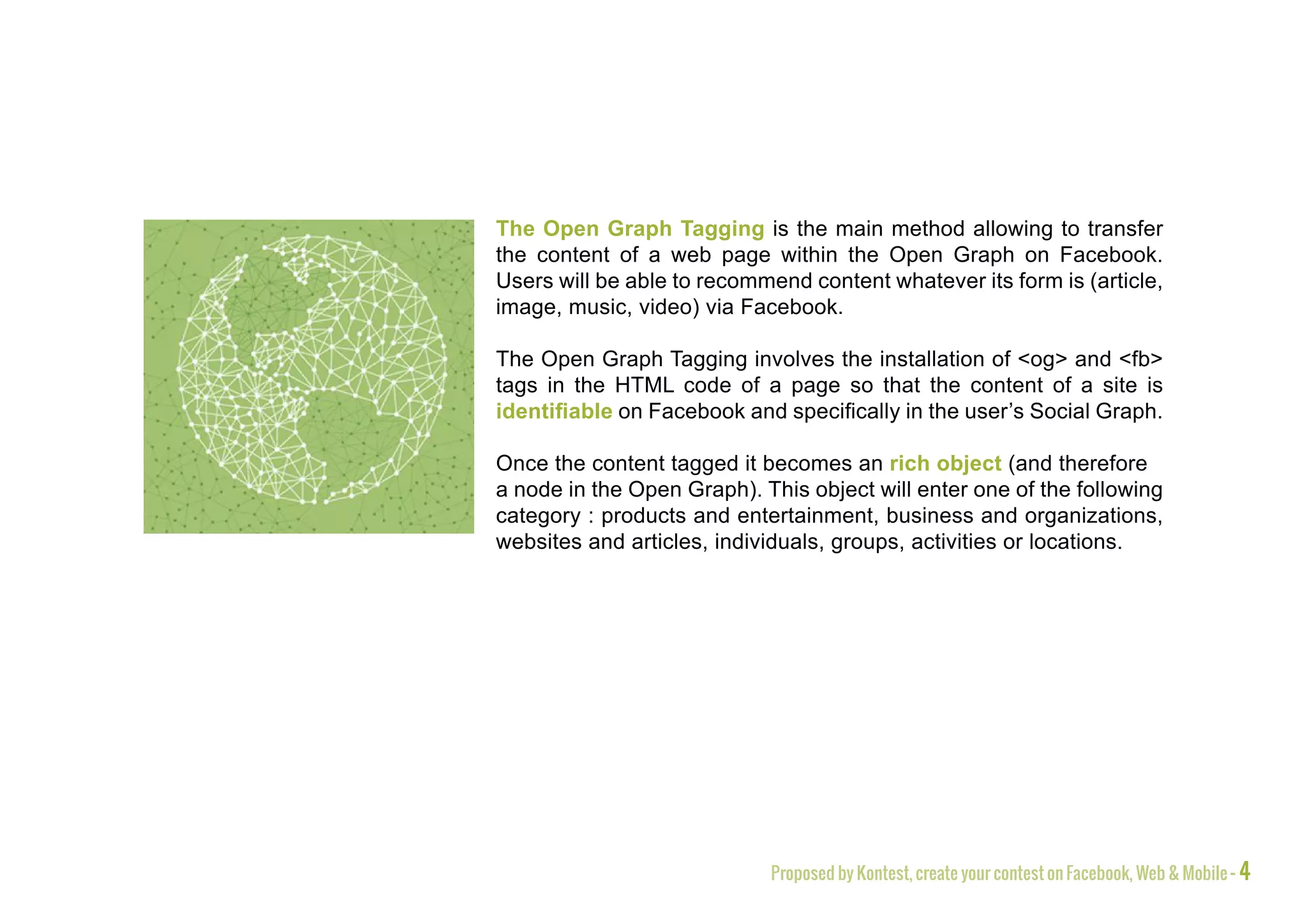
The Open Graph Tagging is the main method allowing to transfer
the content of a web page within the Open Graph on Facebook.
Users will be able to recommend content whatever its form is (article,
image, music, video) via Facebook.

The Open Graph Tagging involves the installation of <og> and <fb>
tags in the HTML code of a page so that the content of a site is
identifiable on Facebook and specifically in the user’s Social Graph.

Once the content tagged it becomes an rich object (and therefore
a node in the Open Graph). This object will enter one of the following
category : products and entertainment, business and organizations,
websites and articles, individuals, groups, activities or locations.


                            Proposed by Kontest, create your contest on Facebook, Web & Mobile - 4
Facebook plugins
        When a content is shared it contains a title, description, a default image and a URL. When
        a user clicks on this publication the consequence will be different regarding its type (e.g. if
        it’s a video, a player appears and the video plays).


        You will be able to send information on Facebook only to those who have a specific rich
        object in their Social Graph.


        Thanks to the Open Graph Tagging, Facebook centralizes information on its own platform
        and make them directly usable in order to create a value.


        Social plugins aim to create links between the rich objects into the Social Graph.


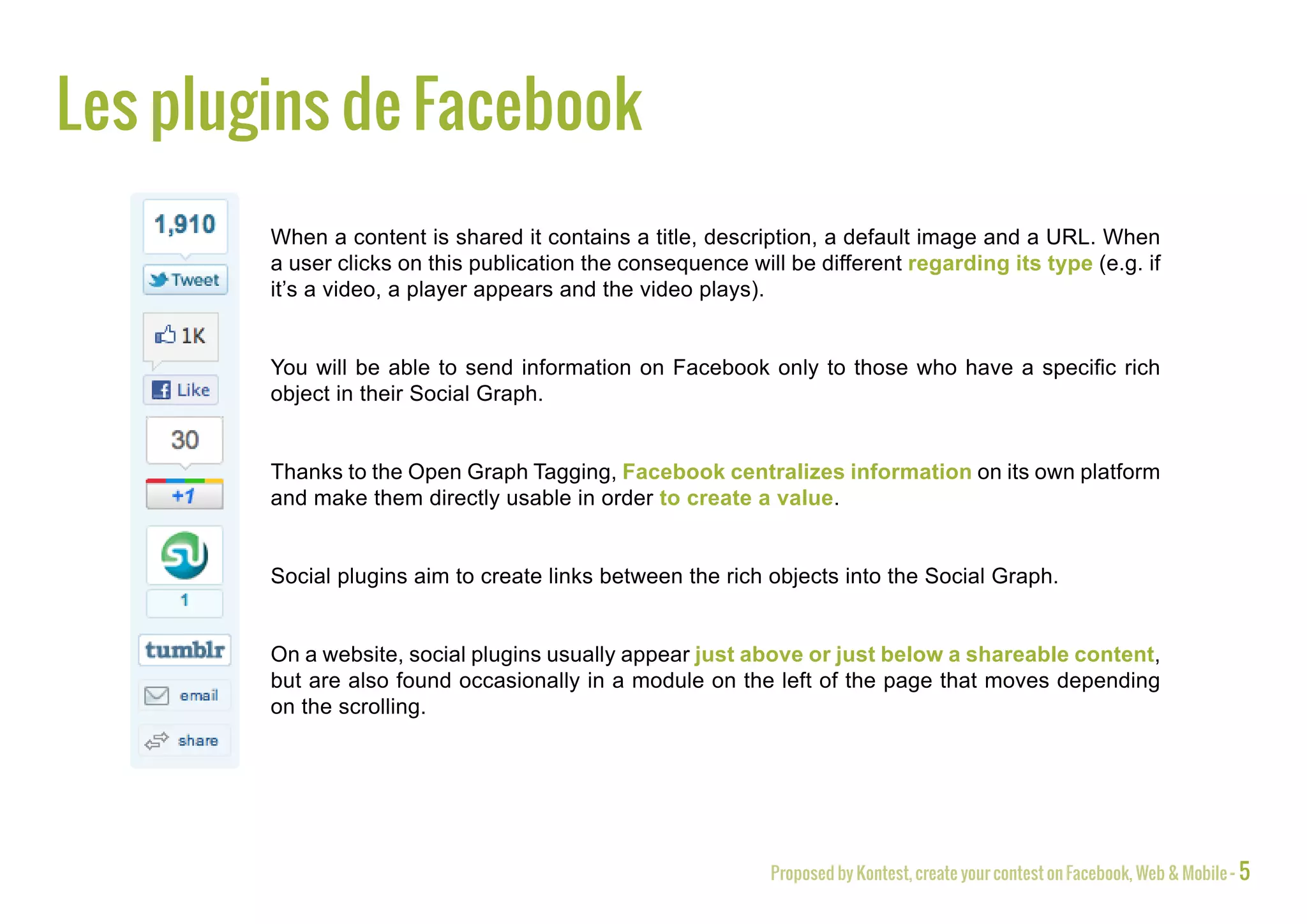
        On a website, social plugins usually appear just above or just below a shareable content,
        but are also found occasionally in a module on the left of the page that moves depending
        on the scrolling.


                                                             Proposed by Kontest, create your contest on Facebook, Web & Mobile - 5
The Like button
                            The Like button is the first Facebook plugin to use on your website.
                            Thanks to it, a user can display a content he appreciates and show that to all his
                            relations.


   The gain of visibility for your brand occurs not only through your Facebook fanpage but also outside of
   Facebook as the shared content necessarily lead users to visit the linked website.


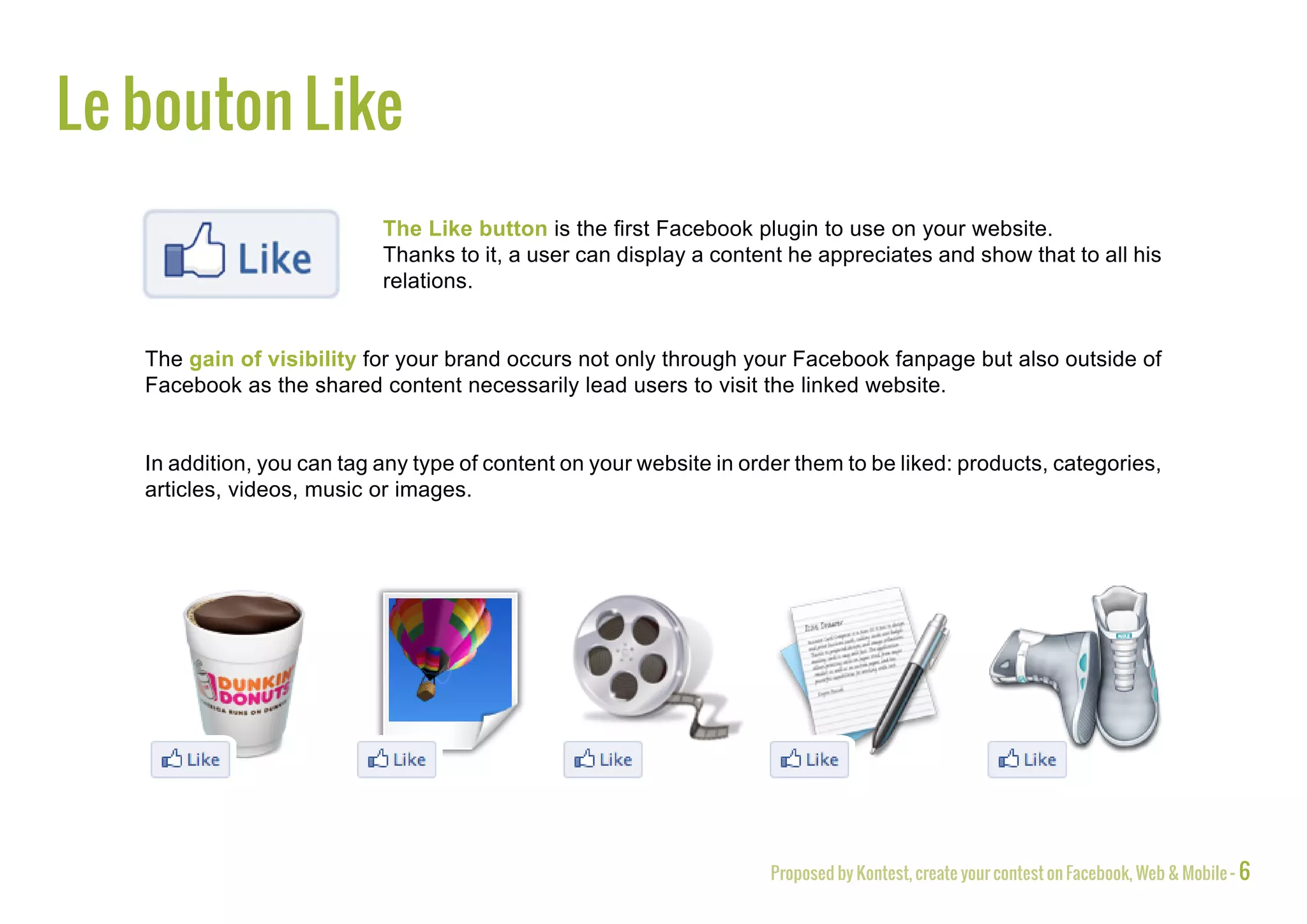
   In addition, you can tag any type of content on your website in order them to be liked: products, categories,
   articles, videos, music or images.


                                                                      Proposed by Kontest, create your contest on Facebook, Web & Mobile - 6
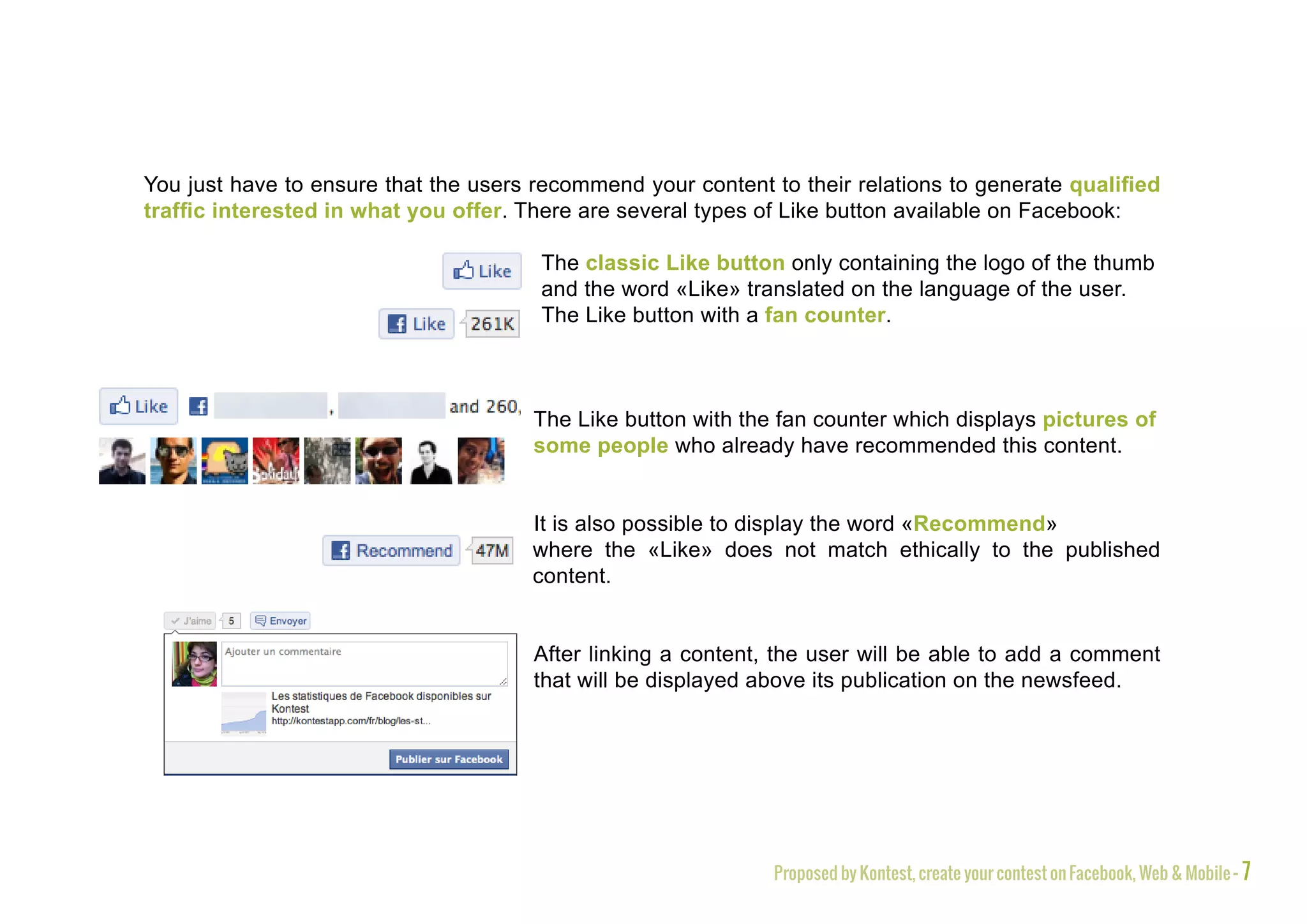
You just have to ensure that the users recommend your content to their relations to generate qualified
traffic interested in what you offer. There are several types of Like button available on Facebook:

                                       The classic Like button only containing the logo of the thumb
                                       and the word «Like» translated on the language of the user.
                                       The Like button with a fan counter.


                                       The Like button with the fan counter which displays pictures of
                                       some people who already have recommended this content.


                                       It is also possible to display the word «Recommend»
                                       where the «Like» does not match ethically to the published
                                       content.


                                       After linking a content, the user will be able to add a comment
                                       that will be displayed above its publication on the newsfeed.


                                                               Proposed by Kontest, create your contest on Facebook, Web & Mobile - 7
The Like button can really boost your traffic:


                          A content recommended by a user generates 20 visits from his
                          friends on Facebook*


                          The Like button leads to an increase by 50 to 300% the visits coming
                          from Facebook**


                          The Like button with the counter and the photos of users generates
                          25% more clicks compared to its classical form**


                          Facebook represents 38% of referring traffic making it the world’s
                          leading source of traffic***

* Source : http://weblogs.hitwise.com/robin-goad/2011/06/1_facebook_fan_20_additional_v.html
** Source : Facebook developer Garage 2
*** Source : http://www.emarketinglicious.fr/marketing-reseaux-sociaux/facebook-est-a-l-origine-de-38-pour-cent-du-trafic-referant-sur-internet


                                                                                            Proposed by Kontest, create your contest on Facebook, Web & Mobile - 8
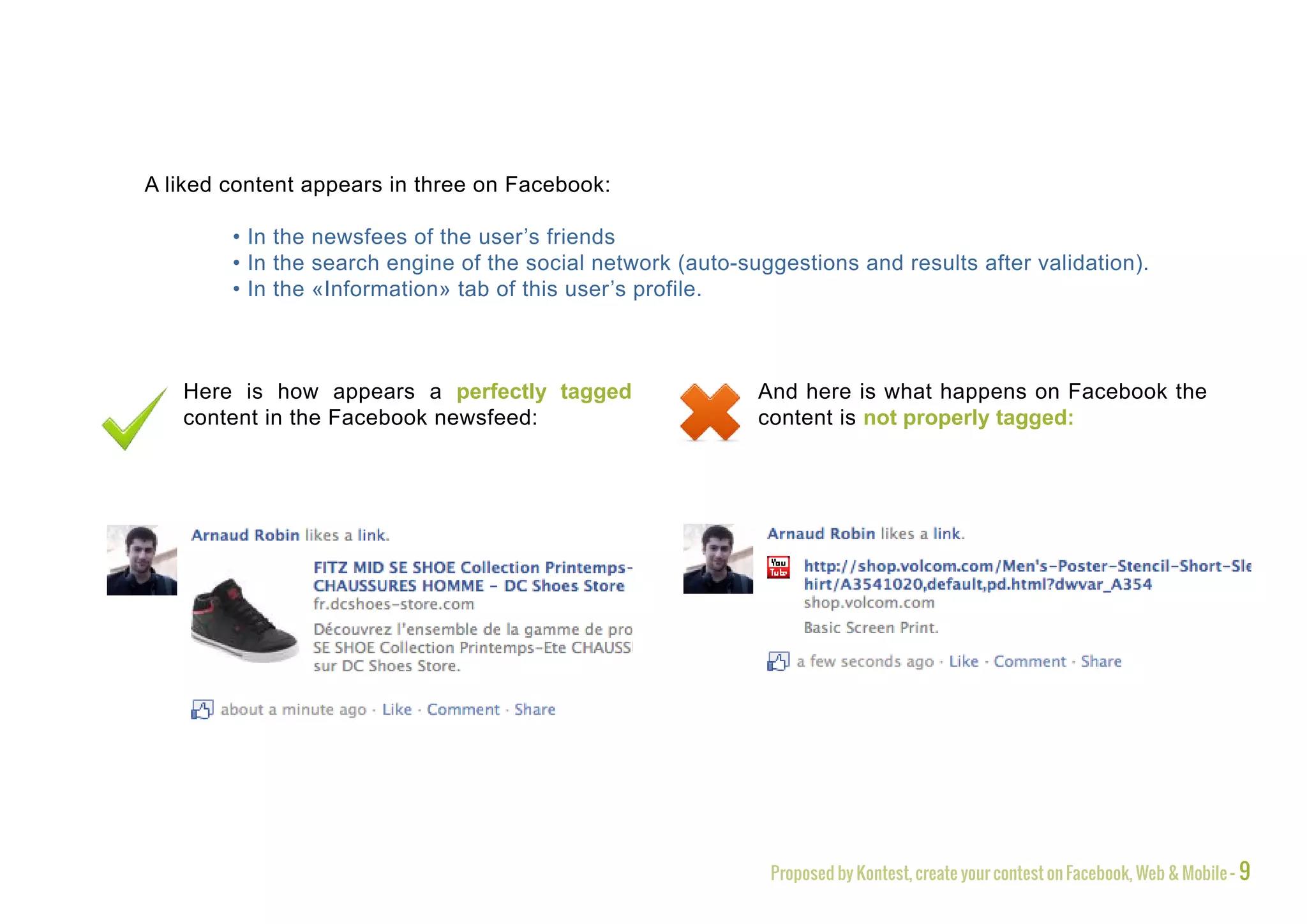
A liked content appears in three on Facebook:

        • In the newsfees of the user’s friends
        • In the search engine of the social network (auto-suggestions and results after validation).
        • In the «Information» tab of this user’s profile.


   Here is how appears a perfectly tagged                    And here is what happens on Facebook the
   content in the Facebook newsfeed:                         content is not properly tagged:


                                                              Proposed by Kontest, create your contest on Facebook, Web & Mobile - 9
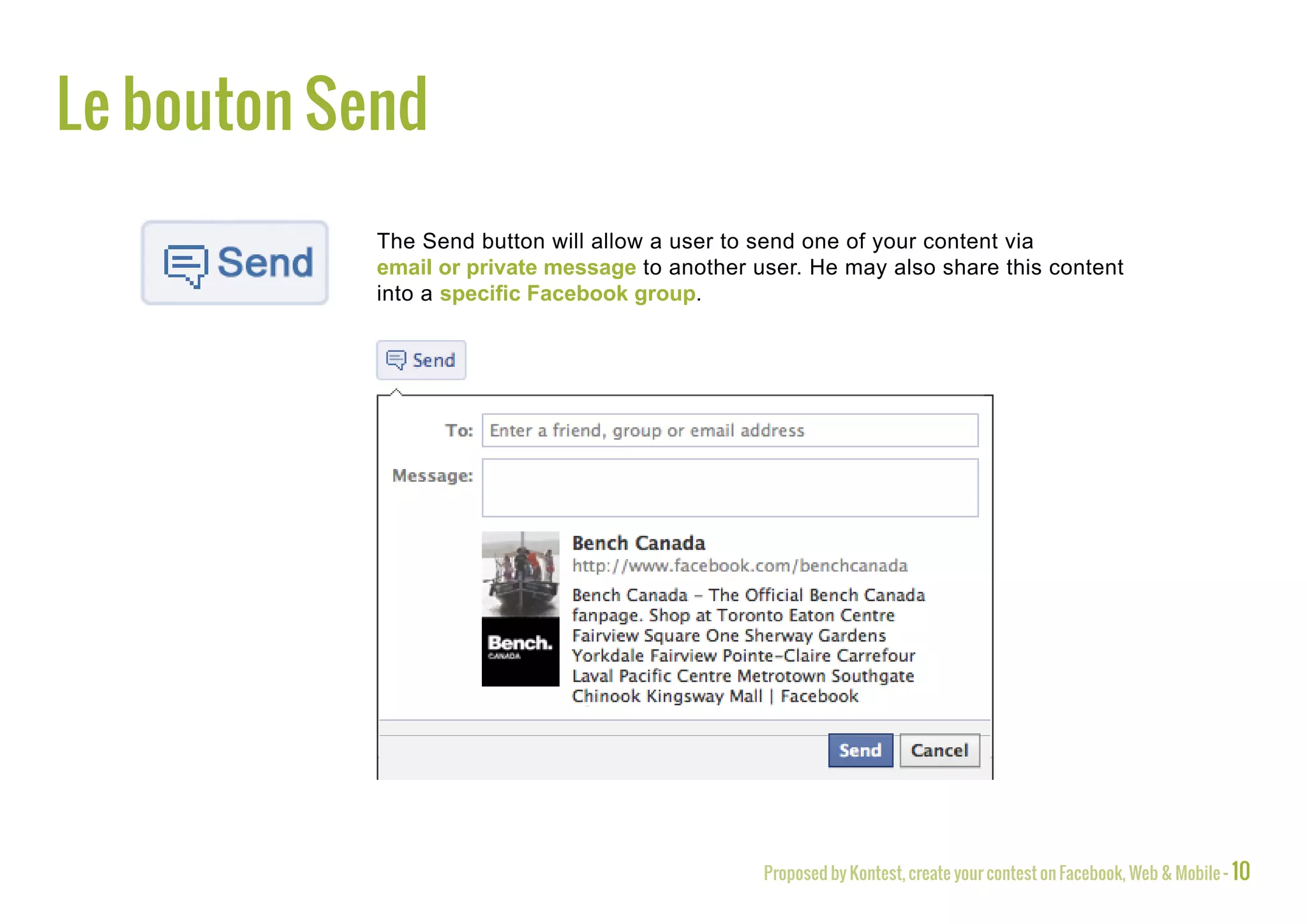
The Send button
            The Send button will allow a user to send one of your content via
            email or private message to another user. He may also share this content
            into a specific Facebook group.


                                                 Proposed by Kontest, create your contest on Facebook, Web & Mobile - 10
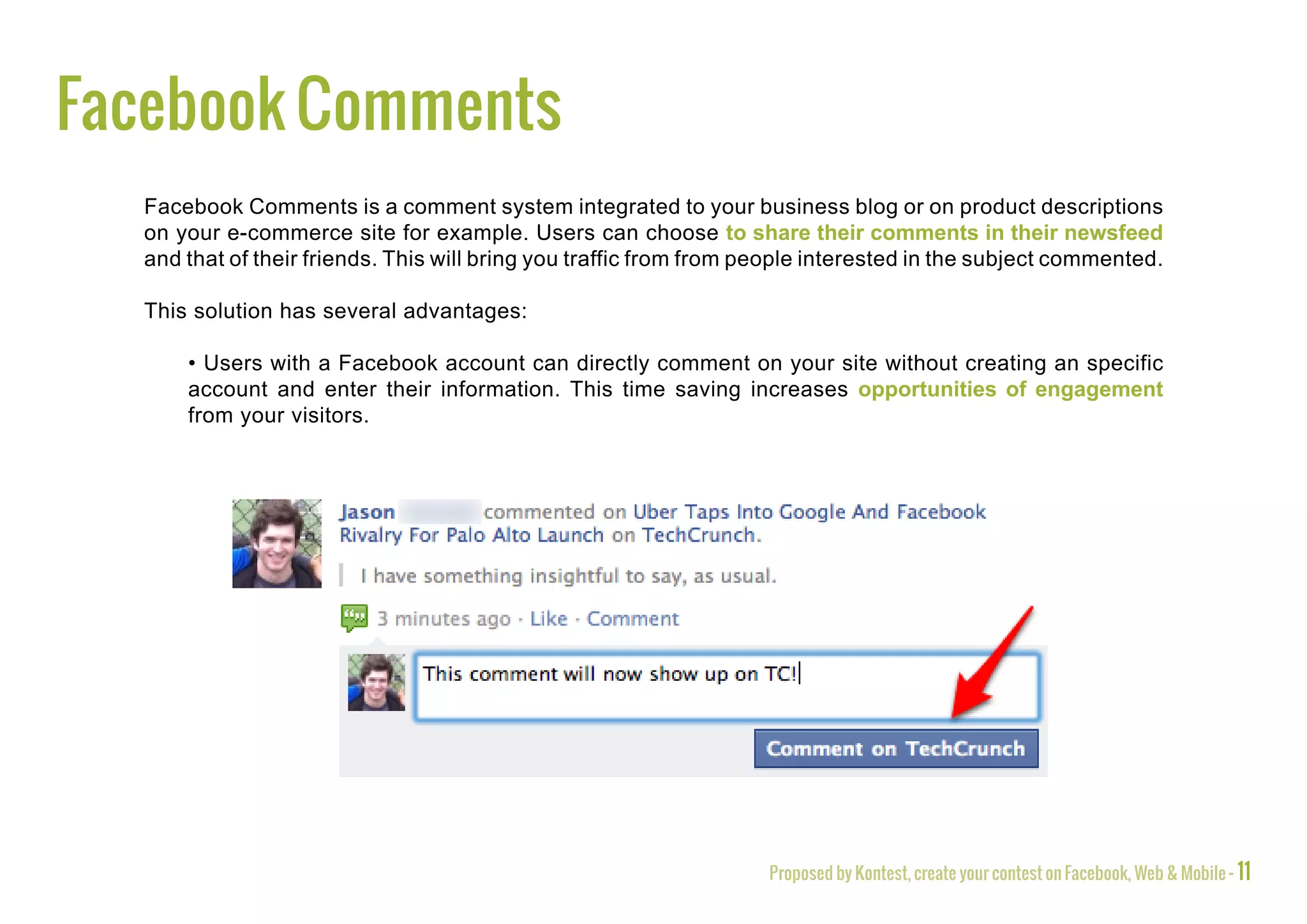
Facebook Comments
  Facebook Comments is a comment system integrated to your business blog or on product descriptions
  on your e-commerce site for example. Users can choose to share their comments in their newsfeed
  and that of their friends. This will bring you traffic from from people interested in the subject commented.

  This solution has several advantages:

      • Users with a Facebook account can directly comment on your site without creating an specific
      account and enter their information. This time saving increases opportunities of engagement
      from your visitors.


                                                                    Proposed by Kontest, create your contest on Facebook, Web & Mobile - 11
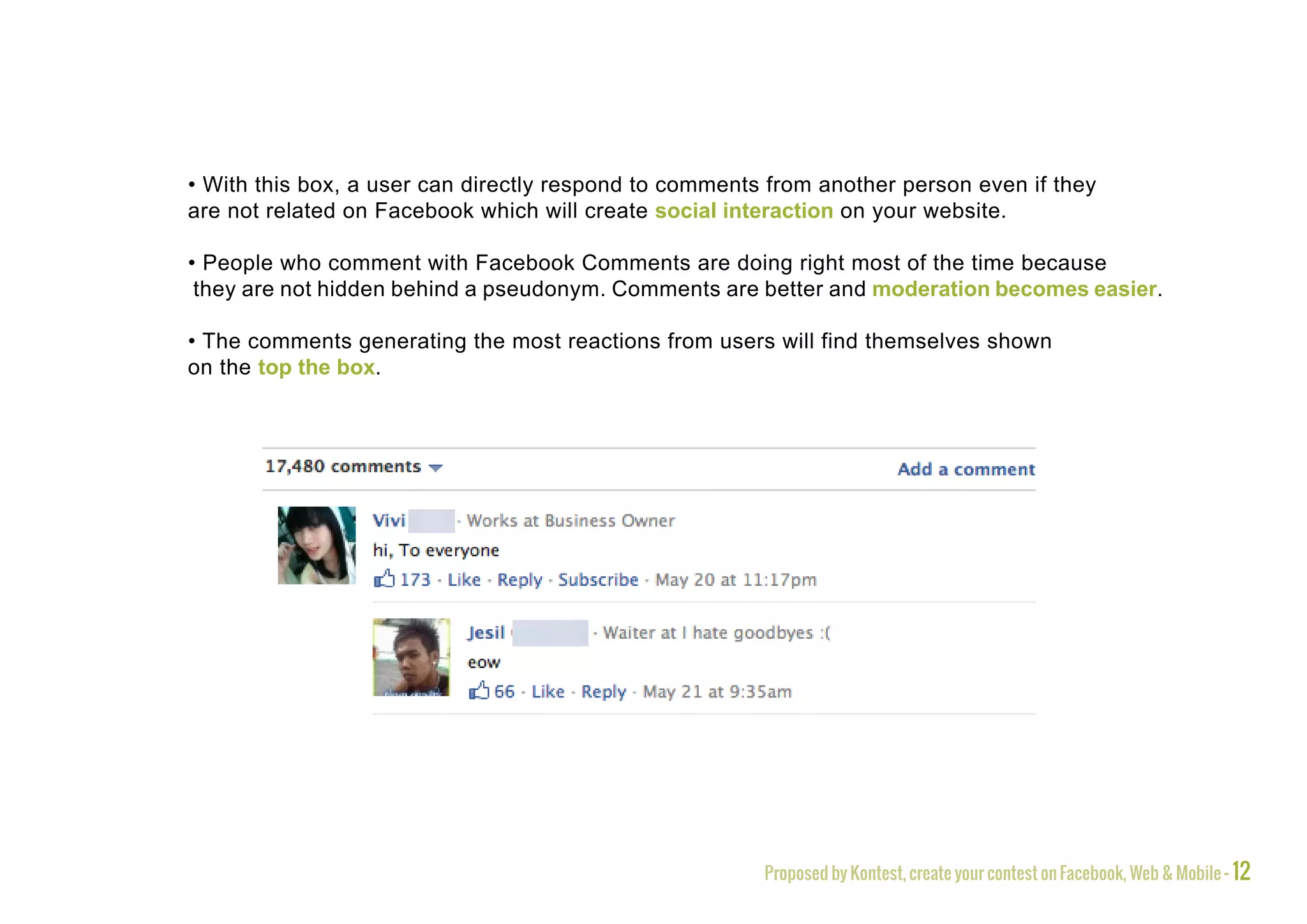
• With this box, a user can directly respond to comments from another person even if they
are not related on Facebook which will create social interaction on your website.

• People who comment with Facebook Comments are doing right most of the time because
 they are not hidden behind a pseudonym. Comments are better and moderation becomes easier.

• The comments generating the most reactions from users will find themselves shown
on the top the box.


                                                        Proposed by Kontest, create your contest on Facebook, Web & Mobile - 12
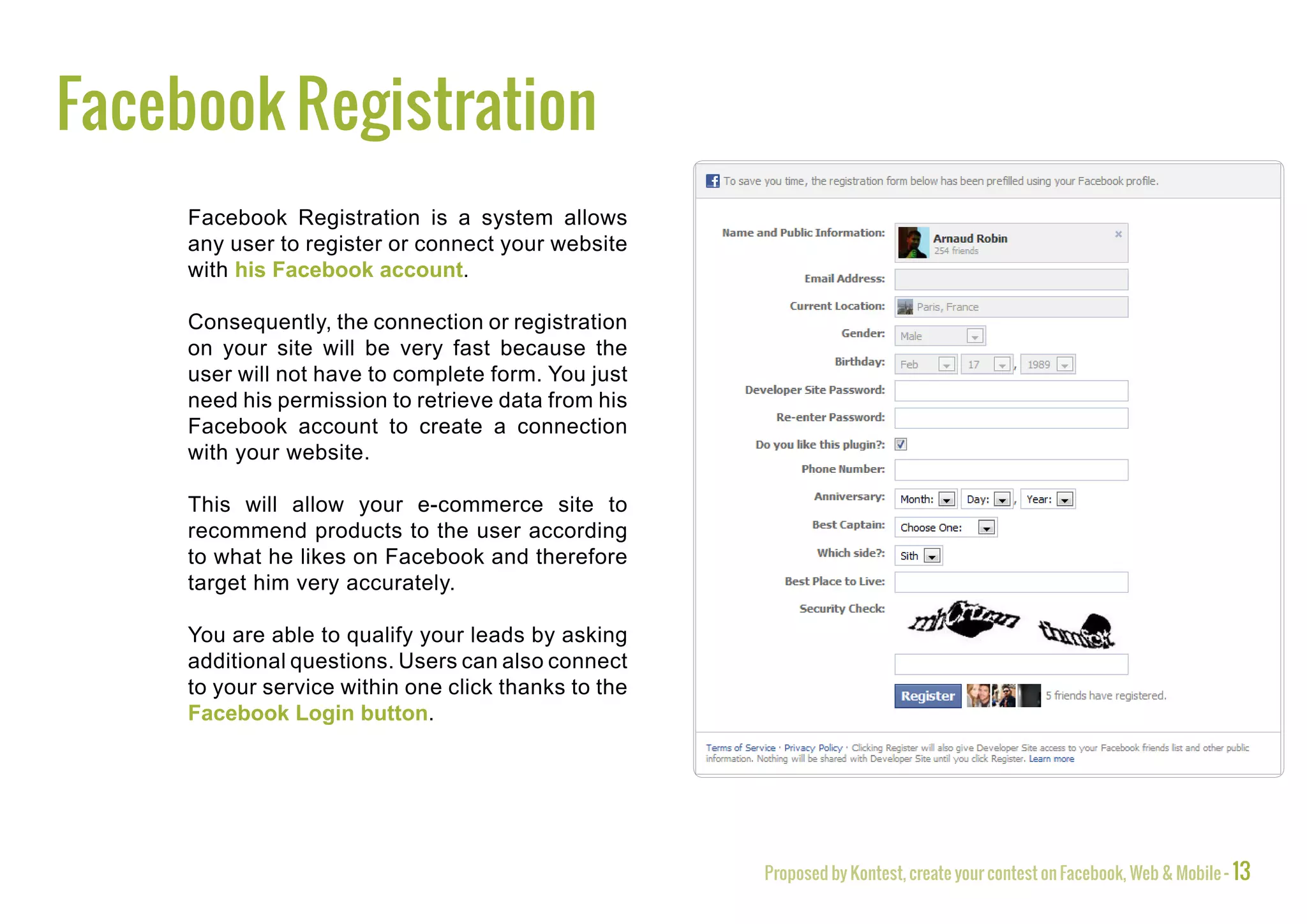
Facebook Registration
     Facebook Registration is a system allows
     any user to register or connect your website
     with his Facebook account.

     Consequently, the connection or registration
     on your site will be very fast because the
     user will not have to complete form. You just
     need his permission to retrieve data from his
     Facebook account to create a connection
     with your website.

     This will allow your e-commerce site to
     recommend products to the user according
     to what he likes on Facebook and therefore
     target him very accurately.

     You are able to qualify your leads by asking
     additional questions. Users can also connect
     to your service within one click thanks to the
     Facebook Login button.


                                                      Proposed by Kontest, create your contest on Facebook, Web & Mobile - 13
In fact, all you need to do is aspiring
it from his Facebook account with
his prior authorization.

You can use the data provided
by the user and include them into
an interactive advertising, for
example.

The viewer will feel that the ad is
directly talking him, so the impact
will be maximized.

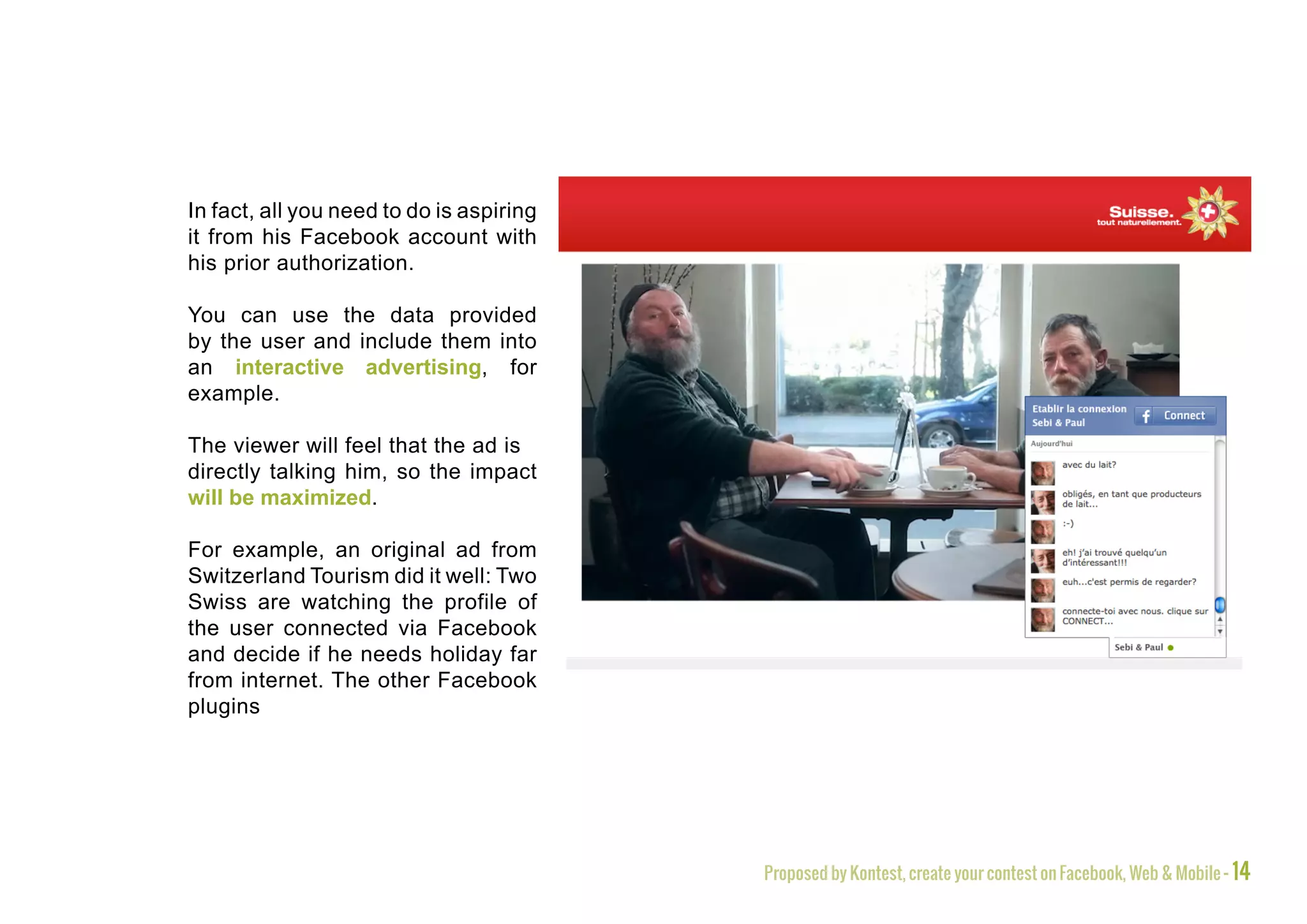
For example, an original ad from
Switzerland Tourism did it well: Two
Swiss are watching the profile of
the user connected via Facebook
and decide if he needs holiday far
from internet. The other Facebook
plugins


                                          Proposed by Kontest, create your contest on Facebook, Web & Mobile - 14
The other Facebook plugins
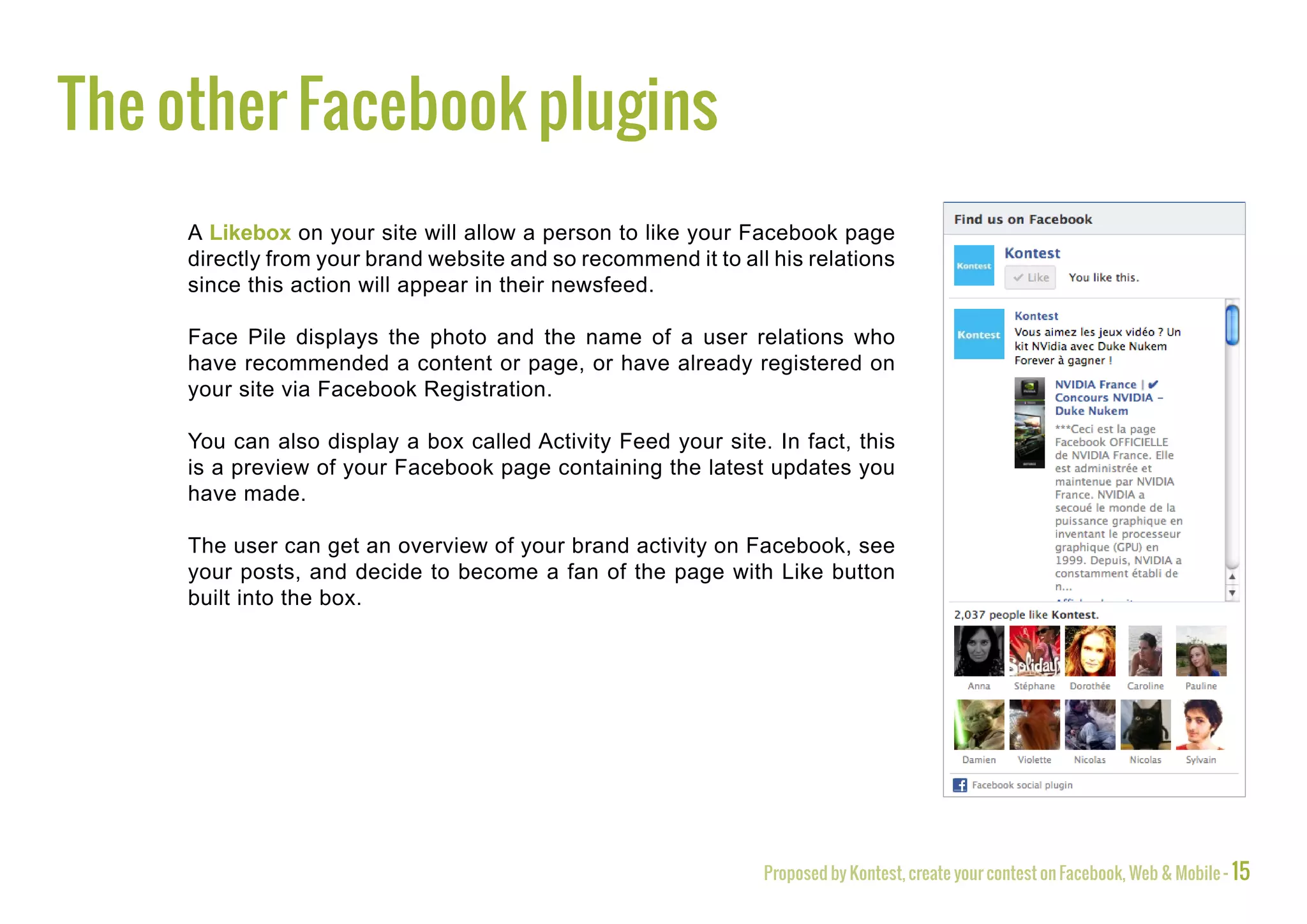
     A Likebox on your site will allow a person to like your Facebook page
     directly from your brand website and so recommend it to all his relations
     since this action will appear in their newsfeed.

     Face Pile displays the photo and the name of a user relations who
     have recommended a content or page, or have already registered on
     your site via Facebook Registration.

     You can also display a box called Activity Feed your site. In fact, this
     is a preview of your Facebook page containing the latest updates you
     have made.

     The user can get an overview of your brand activity on Facebook, see
     your posts, and decide to become a fan of the page with Like button
     built into the box.


                                                                Proposed by Kontest, create your contest on Facebook, Web & Mobile - 15
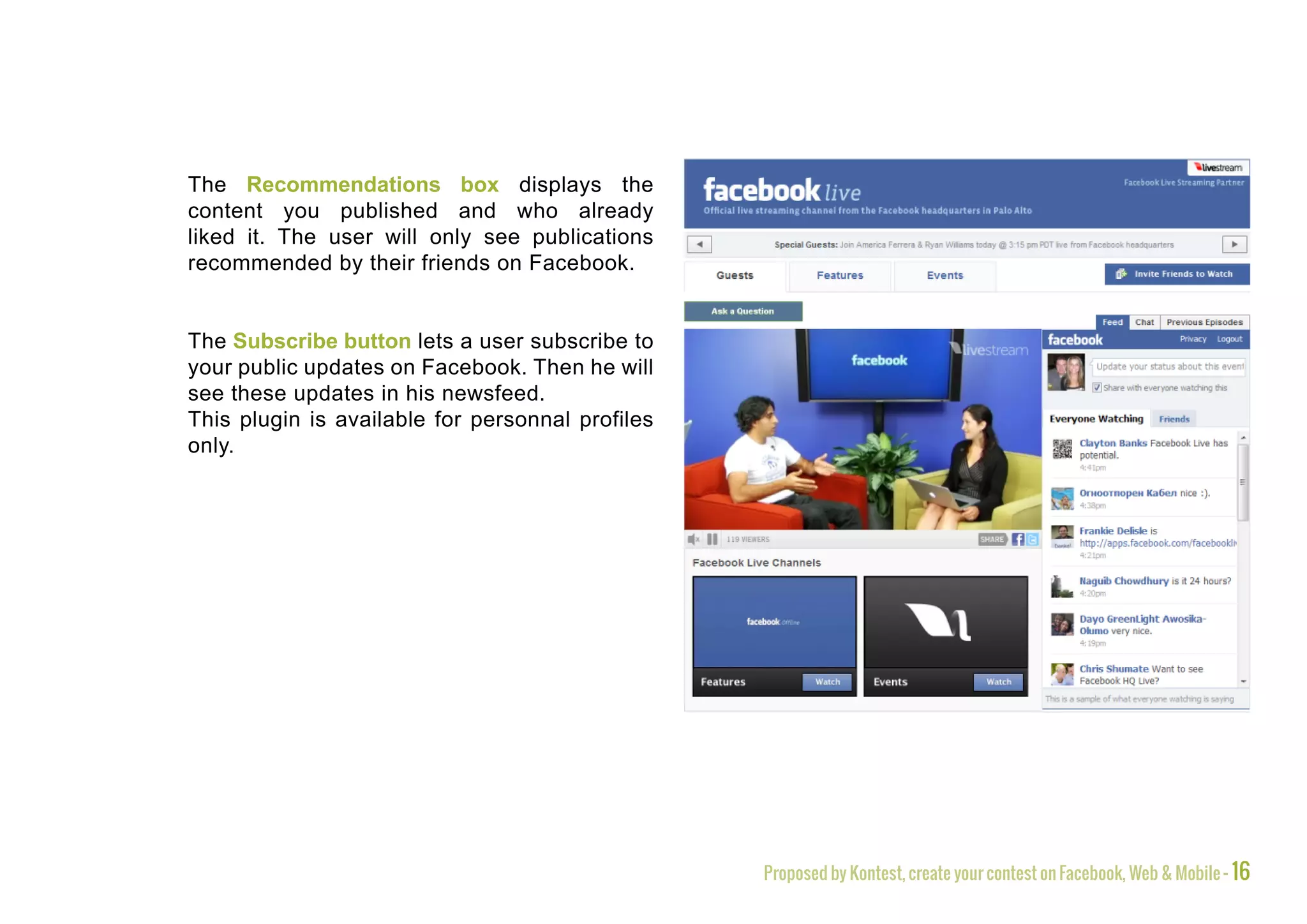
The Recommendations box displays the
content you published and who already
liked it. The user will only see publications
recommended by their friends on Facebook.


The Subscribe button lets a user subscribe to
your public updates on Facebook. Then he will
see these updates in his newsfeed.
This plugin is available for personnal profiles
only.


                                                  Proposed by Kontest, create your contest on Facebook, Web & Mobile - 16
To conclude
     The interest of a presence on social networks is now obvious to a large number of firms but the
     potential of the tools is not exploited to its maximum. The integration of social plugins is effective
     in driving traffic to your website, in facilitating the sharing of your content and recommendation
     by the users, in qualifying a database and in recruiting new members in your community.

     Given the diversity of available tools, it will be important for you to select the most useful and
     effective plugins not to lose the user by offering him too many possibilities.

     The other networks like Google+, Twitter, Linkedin and Viadeo also have plugins that you can
     add on your website.

     Your should also consider the release and the evolution of the different social plugins available.
     You will then assess their interest in your business and find an effective way to implement to your
     site.


                                                                 Proposed by Kontest, create your contest on Facebook, Web & Mobile - 17
Create and spread promotions
on Facebook, the web and mobile devices


     hello@kontestapp.com
           www.kontestapp.com
                          Proposed by Kontest, create your contest on Facebook, Web & Mobile - 18

How to use Facebook social plugins

  • 1.
    how to use facebook social plugins? www.kontestapp.com 08/ 2012 Proposé par Kontest, créez votre concours sur Facebook, web et mobile - www.kontestapp.com
  • 2.
    Introduction Nowadays, brands understood that their presence on social networks can help them to increase visibility, to develop their image and to manage their community. It is possible to go even further to maximize visibility and to generate a turnover in some specific cases. With this in mind, your brand will not simply need to be on networks thanks to a Facebook fanpage by instance, you will also need to use social plugins on your website. A real synergy will result from this complementarity between the brand website and the social networks. Proposed by Kontest, create your contest on Facebook, Web & Mobile - 2
  • 3.
    Facebook and theOpen Graph Tagging The Open graph constitutes the potential of Facebook marketing: inside the social network, each user is related to people, brands, groups or objects that represent nodes in the Open Graph. The Facebook Open Graph includes all of these nodes and these links between each of them. The Social Graph is the user centric part of Facebook’s Open Graph. Each action of the user feeds his Social Graph by creating links (if he comments or likes a video for example) and/or a node (if he uploads a photo in one of his albums for example). Proposed by Kontest, create your contest on Facebook, Web & Mobile - 3
  • 4.
    The Open GraphTagging is the main method allowing to transfer the content of a web page within the Open Graph on Facebook. Users will be able to recommend content whatever its form is (article, image, music, video) via Facebook. The Open Graph Tagging involves the installation of <og> and <fb> tags in the HTML code of a page so that the content of a site is identifiable on Facebook and specifically in the user’s Social Graph. Once the content tagged it becomes an rich object (and therefore a node in the Open Graph). This object will enter one of the following category : products and entertainment, business and organizations, websites and articles, individuals, groups, activities or locations. Proposed by Kontest, create your contest on Facebook, Web & Mobile - 4
  • 5.
    Facebook plugins When a content is shared it contains a title, description, a default image and a URL. When a user clicks on this publication the consequence will be different regarding its type (e.g. if it’s a video, a player appears and the video plays). You will be able to send information on Facebook only to those who have a specific rich object in their Social Graph. Thanks to the Open Graph Tagging, Facebook centralizes information on its own platform and make them directly usable in order to create a value. Social plugins aim to create links between the rich objects into the Social Graph. On a website, social plugins usually appear just above or just below a shareable content, but are also found occasionally in a module on the left of the page that moves depending on the scrolling. Proposed by Kontest, create your contest on Facebook, Web & Mobile - 5
  • 6.
    The Like button The Like button is the first Facebook plugin to use on your website. Thanks to it, a user can display a content he appreciates and show that to all his relations. The gain of visibility for your brand occurs not only through your Facebook fanpage but also outside of Facebook as the shared content necessarily lead users to visit the linked website. In addition, you can tag any type of content on your website in order them to be liked: products, categories, articles, videos, music or images. Proposed by Kontest, create your contest on Facebook, Web & Mobile - 6
  • 7.
    You just haveto ensure that the users recommend your content to their relations to generate qualified traffic interested in what you offer. There are several types of Like button available on Facebook: The classic Like button only containing the logo of the thumb and the word «Like» translated on the language of the user. The Like button with a fan counter. The Like button with the fan counter which displays pictures of some people who already have recommended this content. It is also possible to display the word «Recommend» where the «Like» does not match ethically to the published content. After linking a content, the user will be able to add a comment that will be displayed above its publication on the newsfeed. Proposed by Kontest, create your contest on Facebook, Web & Mobile - 7
  • 8.
    The Like buttoncan really boost your traffic: A content recommended by a user generates 20 visits from his friends on Facebook* The Like button leads to an increase by 50 to 300% the visits coming from Facebook** The Like button with the counter and the photos of users generates 25% more clicks compared to its classical form** Facebook represents 38% of referring traffic making it the world’s leading source of traffic*** * Source : http://weblogs.hitwise.com/robin-goad/2011/06/1_facebook_fan_20_additional_v.html ** Source : Facebook developer Garage 2 *** Source : http://www.emarketinglicious.fr/marketing-reseaux-sociaux/facebook-est-a-l-origine-de-38-pour-cent-du-trafic-referant-sur-internet Proposed by Kontest, create your contest on Facebook, Web & Mobile - 8
  • 9.
    A liked contentappears in three on Facebook: • In the newsfees of the user’s friends • In the search engine of the social network (auto-suggestions and results after validation). • In the «Information» tab of this user’s profile. Here is how appears a perfectly tagged And here is what happens on Facebook the content in the Facebook newsfeed: content is not properly tagged: Proposed by Kontest, create your contest on Facebook, Web & Mobile - 9
  • 10.
    The Send button The Send button will allow a user to send one of your content via email or private message to another user. He may also share this content into a specific Facebook group. Proposed by Kontest, create your contest on Facebook, Web & Mobile - 10
  • 11.
    Facebook Comments Facebook Comments is a comment system integrated to your business blog or on product descriptions on your e-commerce site for example. Users can choose to share their comments in their newsfeed and that of their friends. This will bring you traffic from from people interested in the subject commented. This solution has several advantages: • Users with a Facebook account can directly comment on your site without creating an specific account and enter their information. This time saving increases opportunities of engagement from your visitors. Proposed by Kontest, create your contest on Facebook, Web & Mobile - 11
  • 12.
    • With thisbox, a user can directly respond to comments from another person even if they are not related on Facebook which will create social interaction on your website. • People who comment with Facebook Comments are doing right most of the time because they are not hidden behind a pseudonym. Comments are better and moderation becomes easier. • The comments generating the most reactions from users will find themselves shown on the top the box. Proposed by Kontest, create your contest on Facebook, Web & Mobile - 12
  • 13.
    Facebook Registration Facebook Registration is a system allows any user to register or connect your website with his Facebook account. Consequently, the connection or registration on your site will be very fast because the user will not have to complete form. You just need his permission to retrieve data from his Facebook account to create a connection with your website. This will allow your e-commerce site to recommend products to the user according to what he likes on Facebook and therefore target him very accurately. You are able to qualify your leads by asking additional questions. Users can also connect to your service within one click thanks to the Facebook Login button. Proposed by Kontest, create your contest on Facebook, Web & Mobile - 13
  • 14.
    In fact, allyou need to do is aspiring it from his Facebook account with his prior authorization. You can use the data provided by the user and include them into an interactive advertising, for example. The viewer will feel that the ad is directly talking him, so the impact will be maximized. For example, an original ad from Switzerland Tourism did it well: Two Swiss are watching the profile of the user connected via Facebook and decide if he needs holiday far from internet. The other Facebook plugins Proposed by Kontest, create your contest on Facebook, Web & Mobile - 14
  • 15.
    The other Facebookplugins A Likebox on your site will allow a person to like your Facebook page directly from your brand website and so recommend it to all his relations since this action will appear in their newsfeed. Face Pile displays the photo and the name of a user relations who have recommended a content or page, or have already registered on your site via Facebook Registration. You can also display a box called Activity Feed your site. In fact, this is a preview of your Facebook page containing the latest updates you have made. The user can get an overview of your brand activity on Facebook, see your posts, and decide to become a fan of the page with Like button built into the box. Proposed by Kontest, create your contest on Facebook, Web & Mobile - 15
  • 16.
    The Recommendations boxdisplays the content you published and who already liked it. The user will only see publications recommended by their friends on Facebook. The Subscribe button lets a user subscribe to your public updates on Facebook. Then he will see these updates in his newsfeed. This plugin is available for personnal profiles only. Proposed by Kontest, create your contest on Facebook, Web & Mobile - 16
  • 17.
    To conclude The interest of a presence on social networks is now obvious to a large number of firms but the potential of the tools is not exploited to its maximum. The integration of social plugins is effective in driving traffic to your website, in facilitating the sharing of your content and recommendation by the users, in qualifying a database and in recruiting new members in your community. Given the diversity of available tools, it will be important for you to select the most useful and effective plugins not to lose the user by offering him too many possibilities. The other networks like Google+, Twitter, Linkedin and Viadeo also have plugins that you can add on your website. Your should also consider the release and the evolution of the different social plugins available. You will then assess their interest in your business and find an effective way to implement to your site. Proposed by Kontest, create your contest on Facebook, Web & Mobile - 17
  • 18.
    Create and spreadpromotions on Facebook, the web and mobile devices hello@kontestapp.com www.kontestapp.com Proposed by Kontest, create your contest on Facebook, Web & Mobile - 18