PID & PPID
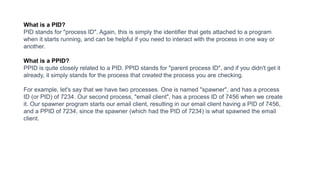
What is a PID?
PID stands for "process ID". Again, this is simply the identifier that gets attached to a program
when it starts running, and can be helpful if you need to interact with the process in one way or
another.
What is a PPID?
PPID is quite closely related to a PID. PPID stands for "parent process ID", and if you didn't get it
already, it simply stands for the process that created the process you are checking.
For example, let's say that we have two processes. One is named "spawner", and has a process
ID (or PID) of 7234. Our second process, "email client", has a process ID of 7456 when we create
it. Our spawner program starts our email client, resulting in our email client having a PID of 7456,
and a PPID of 7234, since the spawner (which had the PID of 7234) is what spawned the email
client.
Files and Directories Management
https://princeabhishek410.medium.com/understanding-file-management-system-in-
operating-system-4c7fbfc306f2
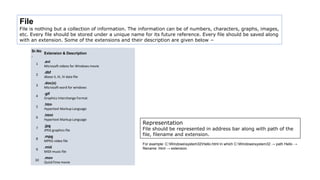
File
File is nothing but a collection of information. The information can be of numbers, characters, graphs, images,
etc. Every file should be stored under a unique name for its future reference. Every file should be saved along
with an extension. Some of the extensions and their description are given below −
Sr.No
.
Extension & Description
1
.avi
Microsoft videos for Windows movie
2
.dbf
dbase II, III, IV data file
3
.doc(x)
Microsoft word for windows
4
.gif
Graphics Interchange Format
5
.htm
Hypertext Markup Language
6
.html
Hypertext Markup Language
7
.jpg
JPEG graphics file
8
.mpg
MPEG video file
9
.mid
MIDI music file
10
.mov
QuickTime movie
Representation
File should be represented in address bar along with path of the
file, filename and extension.
For example: C:Windowssystem32Hello.html In which C:Windowssystem32 → path Hello →
filename .html → extension.
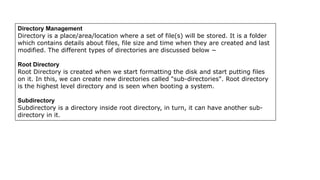
Directory Management
Directory is a place/area/location where a set of file(s) will be stored. It is a folder
which contains details about files, file size and time when they are created and last
modified. The different types of directories are discussed below −
Root Directory
Root Directory is created when we start formatting the disk and start putting files
on it. In this, we can create new directories called "sub-directories". Root directory
is the highest level directory and is seen when booting a system.
Subdirectory
Subdirectory is a directory inside root directory, in turn, it can have another sub-
directory in it.

PID-PPID.pptx

  • 2.
  • 4.
    What is aPID? PID stands for "process ID". Again, this is simply the identifier that gets attached to a program when it starts running, and can be helpful if you need to interact with the process in one way or another. What is a PPID? PPID is quite closely related to a PID. PPID stands for "parent process ID", and if you didn't get it already, it simply stands for the process that created the process you are checking. For example, let's say that we have two processes. One is named "spawner", and has a process ID (or PID) of 7234. Our second process, "email client", has a process ID of 7456 when we create it. Our spawner program starts our email client, resulting in our email client having a PID of 7456, and a PPID of 7234, since the spawner (which had the PID of 7234) is what spawned the email client.
  • 5.
    Files and DirectoriesManagement https://princeabhishek410.medium.com/understanding-file-management-system-in- operating-system-4c7fbfc306f2
  • 6.
    File File is nothingbut a collection of information. The information can be of numbers, characters, graphs, images, etc. Every file should be stored under a unique name for its future reference. Every file should be saved along with an extension. Some of the extensions and their description are given below − Sr.No . Extension & Description 1 .avi Microsoft videos for Windows movie 2 .dbf dbase II, III, IV data file 3 .doc(x) Microsoft word for windows 4 .gif Graphics Interchange Format 5 .htm Hypertext Markup Language 6 .html Hypertext Markup Language 7 .jpg JPEG graphics file 8 .mpg MPEG video file 9 .mid MIDI music file 10 .mov QuickTime movie Representation File should be represented in address bar along with path of the file, filename and extension. For example: C:Windowssystem32Hello.html In which C:Windowssystem32 → path Hello → filename .html → extension.
  • 7.
    Directory Management Directory isa place/area/location where a set of file(s) will be stored. It is a folder which contains details about files, file size and time when they are created and last modified. The different types of directories are discussed below − Root Directory Root Directory is created when we start formatting the disk and start putting files on it. In this, we can create new directories called "sub-directories". Root directory is the highest level directory and is seen when booting a system. Subdirectory Subdirectory is a directory inside root directory, in turn, it can have another sub- directory in it.