MasterBestPractices&SkillsinFinancialModelling
“ I have never experienced such a valuable financial modeling training as yours. It is a pleasure to contribute to a testimonial. I will recommend
you to whomever I encounter looking for top-notch quality ! ”
“Dr. Rees brings original and most valuable insight … I have been most fortunate to have consulted with such a unique individual … It has
assisted me in getting more value out of my models than I would ever have imagined.”
“Mike has both excellent theoretical and practical background in risk analysis. The course went far beyond the use of the software itself and
really provided crucial insight into model building and risk analysis. This provides a full set of perspective in a very limited time: a very motivat-
ing session and a truly high value-for-money investment”
“Thank you for a very good introduction to @Risk and for many other enlightening insights into the world of simulation and risk analysis. We
hope to see you again in connection and would thoroughly recommend your course to any of our colleagues who are even remotely
considering using Palisade’s software.”
Advanced Financial ModellingAdvanced Financial Modelling
for Oil and Gasfor Oil and Gas
Testimonials
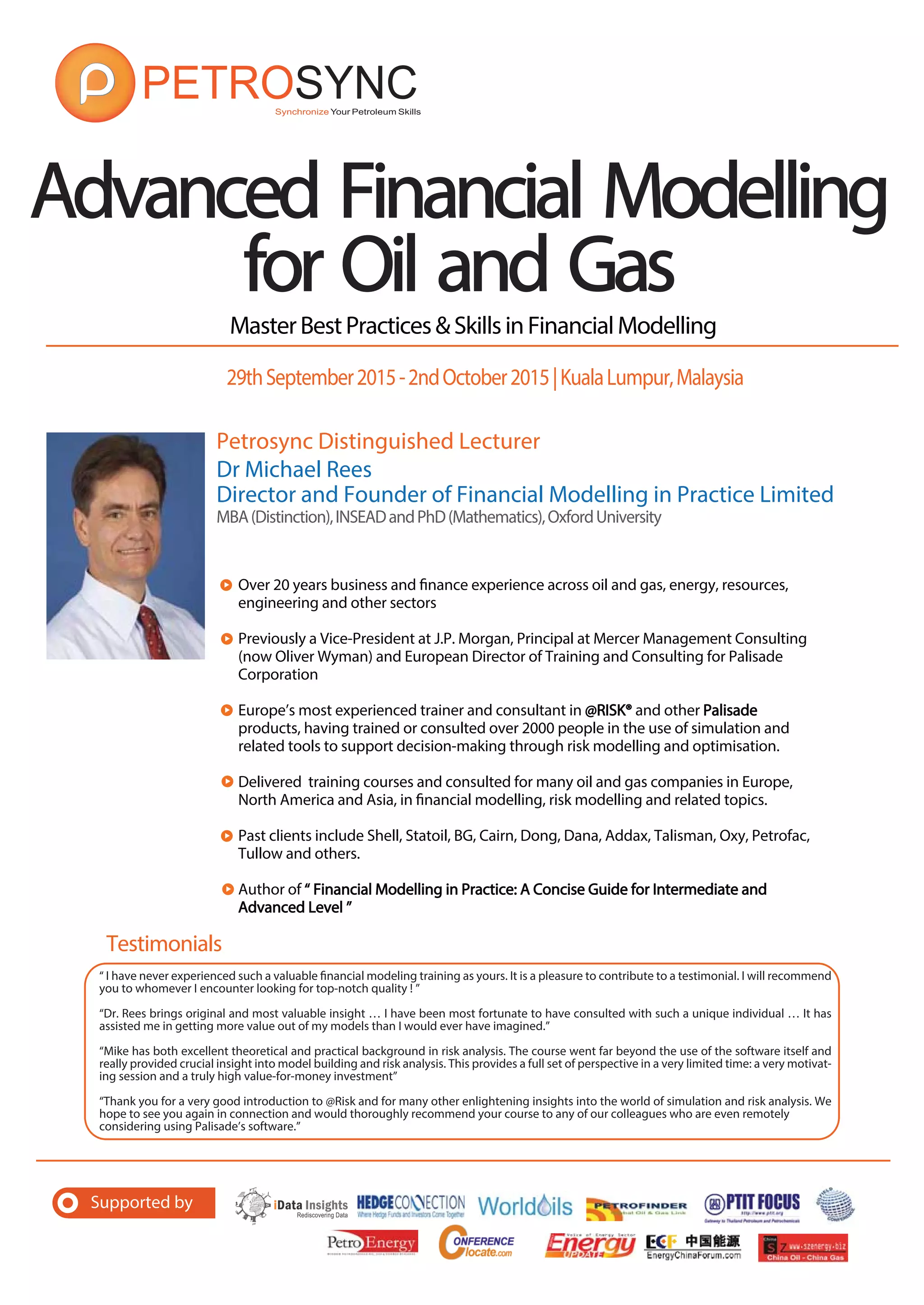
Petrosync Distinguished Lecturer
Dr Michael Rees
Director and Founder of Financial Modelling in Practice Limited
MBA(Distinction),INSEADandPhD(Mathematics),OxfordUniversity
Over 20 years business and finance experience across oil and gas, energy, resources,
engineering and other sectors
Previously a Vice-President at J.P. Morgan, Principal at Mercer Management Consulting
(now Oliver Wyman) and European Director of Training and Consulting for Palisade
Corporation
Europe’s most experienced trainer and consultant in @RISK®@RISK® and other PalisadePalisade
products, having trained or consulted over 2000 people in the use of simulation and
related tools to support decision-making through risk modelling and optimisation.
Delivered training courses and consulted for many oil and gas companies in Europe,
North America and Asia, in financial modelling, risk modelling and related topics.
Past clients include Shell, Statoil, BG, Cairn, Dong, Dana, Addax, Talisman, Oxy, Petrofac,
Tullow and others.
Author of “ Financial Modelling in Practice: A Concise Guide for Intermediate and“ Financial Modelling in Practice: A Concise Guide for Intermediate and
Advanced Level ”Advanced Level ”
29thSeptember2015-2ndOctober2015|KualaLumpur,Malaysia
Supported by
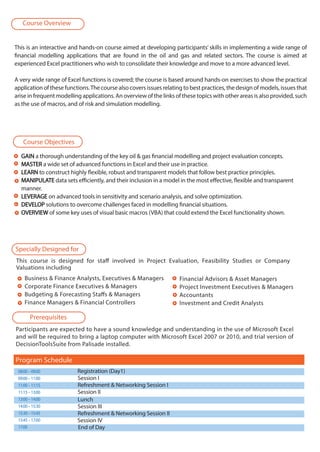
This is an interactive and hands-on course aimed at developing participants’ skills in implementing a wide range of
financial modelling applications that are found in the oil and gas and related sectors. The course is aimed at
experienced Excel practitioners who wish to consolidate their knowledge and move to a more advanced level.
A very wide range of Excel functions is covered; the course is based around hands-on exercises to show the practical
application of these functions.The course also covers issues relating to best practices, the design of models, issues that
arise in frequent modelling applications. An overview of the links of these topics with other areas is also provided, such
as the use of macros, and of risk and simulation modelling.
This course is designed for staff involved in Project Evaluation, Feasibility Studies or Company
Valuations including
Business & Finance Analysts, Executives & Managers
Corporate Finance Executives & Managers
Budgeting & Forecasting Staffs & Managers
Finance Managers & Financial Controllers
GAINGAIN a thorough understanding of the key oil & gas financial modelling and project evaluation concepts.
MASTERMASTER a wide set of advanced functions in Excel and their use in practice.
LEARNLEARN to construct highly flexible, robust and transparent models that follow best practice principles.
MANIPULATEMANIPULATE data sets efficiently, and their inclusion in a model in the most effective, flexible and transparent
manner.
LEVERAGELEVERAGE on advanced tools in sensitivity and scenario analysis, and solve optimization.
DEVELOPDEVELOP solutions to overcome challenges faced in modelling financial situations.
OVERVIEWOVERVIEW of some key uses of visual basic macros (VBA) that could extend the Excel functionality shown.
Financial Advisors & Asset Managers
Project Investment Executives & Managers
Accountants
Investment and Credit Analysts
Participants are expected to have a sound knowledge and understanding in the use of Microsoft Excel
and will be required to bring a laptop computer with Microsoft Excel 2007 or 2010, and trial version of
DecisionToolsSuite from Palisade installed.
08:00–09:00 Registration (Day1)
09:00–11:00 Session I
11:00–11:15 Refreshment & Networking Session I
11:15–13:00 Session II
13:00–14:00
14:00–15:30 Session III
15:30–15:45 Refreshment & Networking Session II
15:45–17:00 Session IV
17:00 End of Day
Program Schedule
Lunch
Course Objectives
Specially Designed for
Prerequisites
Course Overview
AdvancedFinancialModellingforOil&Gas
29thSeptember2015–2ndOctober2015inKualaLumpur,Malaysia
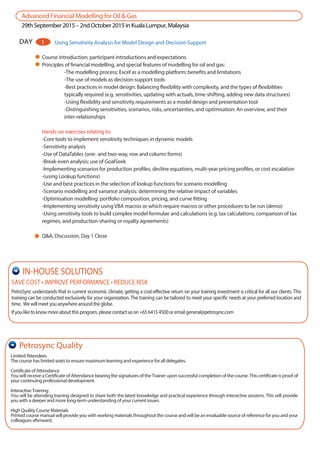
Course introduction; participant introductions and expectations
Principles of financial modelling, and special features of modelling for oil and gas:
-The modelling process; Excel as a modelling platform; benefits and limitations
-The use of models as decision-support tools
-Best practices in model design: Balancing flexibility with complexity, and the types of flexibilities
typically required (e.g. sensitivities, updating with actuals, time-shifting, adding new data structures)
-Using flexibility and sensitivity requirements as a model design and presentation tool
-Distinguishing sensitivities, scenarios, risks, uncertainties, and optimisation: An overview, and their
inter-relationships
Hands-on exercises relating to:
-Core tools to implement sensitivity techniques in dynamic models
-Sensitivity analysis
-Use of DataTables (one- and two-way, row and column forms)
-Break-even analysis; use of GoalSeek
-Implementing scenarios for production profiles, decline equations, multi-year pricing profiles, or cost escalation
-(using Lookup functions)
-Use and best practices in the selection of lookup functions for scenario modelling
-Scenario modelling and variance analysis: determining the relative impact of variables
-Optimisation modelling: portfolio composition, pricing, and curve fitting
-Implementing sensitivity using VBA macros or which require macros or other procedures to be run (demo)
-Using sensitivity tools to build complex model formulae and calculations (e.g. tax calculations; comparison of tax
regimes, and production-sharing or royalty agreements)
Q&A, Discussion, Day 1 Close
DAY 1 Using Sensitivity Analysis for Model Design and Decision-Support
Limited Attendees
The course has limited seats to ensure maximum learning and experience for all delegates.
Certificate of Attendance
You will receive a Certificate of Attendance bearing the signatures of the Trainer upon successful completion of the course. This certificate is proof of
your continuing professional development.
Interactive Training
You will be attending training designed to share both the latest knowledge and practical experience through interactive sessions. This will provide
you with a deeper and more long-term understanding of your current issues.
High Quality Course Materials
Printed course manual will provide you with working materials throughout the course and will be an invaluable source of reference for you and your
colleagues afterward.
Petrosync Quality
SAVE COST • IMPROVE PERFORMANCE • REDUCE RISK
PetroSync understands that in current economic climate, getting a cost-effective return on your training investment is critical for all our clients. This
training can be conducted exclusively for your organization. The training can be tailored to meet your specific needs at your preferred location and
time. Wewillmeetyouanywherearoundtheglobe.
Ifyouliketoknowmoreaboutthisprogram,pleasecontactuson+6564154500oremailgeneral@petrosync.com
IN-HOUSE SOLUTIONS
AdvancedFinancialModellingforOil&Gas
29thSeptember2015–2ndOctober2015inKualaLumpur,Malaysia
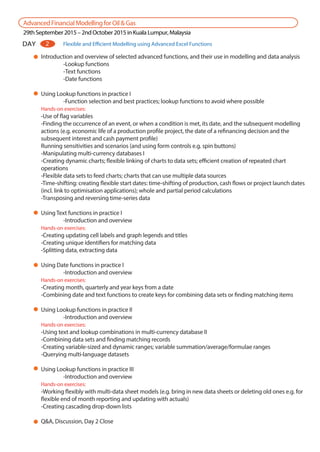
Introduction and overview of selected advanced functions, and their use in modelling and data analysis
-Lookup functions
-Text functions
-Date functions
Using Lookup functions in practice I
-Function selection and best practices; lookup functions to avoid where possible
Hands-on exercises:
-Use of flag variables
-Finding the occurrence of an event, or when a condition is met, its date, and the subsequent modelling
actions (e.g. economic life of a production profile project, the date of a refinancing decision and the
subsequent interest and cash payment profile)
Running sensitivities and scenarios (and using form controls e.g. spin buttons)
-Manipulating multi-currency databases I
-Creating dynamic charts; flexible linking of charts to data sets; efficient creation of repeated chart
operations
-Flexible data sets to feed charts; charts that can use multiple data sources
-Time-shifting: creating flexible start dates: time-shifting of production, cash flows or project launch dates
(incl. link to optimisation applications); whole and partial period calculations
-Transposing and reversing time-series data
Using Text functions in practice I
-Introduction and overview
Hands-on exercises:
-Creating updating cell labels and graph legends and titles
-Creating unique identifiers for matching data
-Splitting data, extracting data
Using Date functions in practice I
-Introduction and overview
Hands-on exercises:
-Creating month, quarterly and year keys from a date
-Combining date and text functions to create keys for combining data sets or finding matching items
Using Lookup functions in practice II
-Introduction and overview
Hands-on exercises:
-Using text and lookup combinations in multi-currency database II
-Combining data sets and finding matching records
-Creating variable-sized and dynamic ranges; variable summation/average/formulae ranges
-Querying multi-language datasets
Using Lookup functions in practice III
-Introduction and overview
Hands-on exercises:
-Working flexibly with multi-data sheet models (e.g. bring in new data sheets or deleting old ones e.g. for
flexible end of month reporting and updating with actuals)
-Creating cascading drop-down lists
Q&A, Discussion, Day 2 Close
DAY 2 Flexible and Efficient Modelling using Advanced Excel Functions
AdvancedFinancialModellingforOil&Gas
29thSeptember2015–2ndOctober2015inKualaLumpur,Malaysia
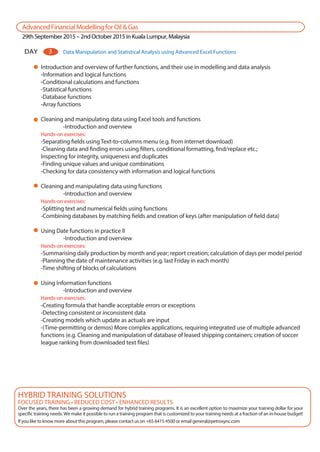
DAY Data Manipulation and Statistical Analysis using Advanced Excel Functions3
Introduction and overview of further functions, and their use in modelling and data analysis
-Information and logical functions
-Conditional calculations and functions
-Statistical functions
-Database functions
-Array functions
Cleaning and manipulating data using Excel tools and functions
-Introduction and overview
Hands-on exercises:
-Separating fields using Text-to-columns menu (e.g. from internet download)
-Cleaning data and finding errors using filters, conditional formatting, find/replace etc.;
Inspecting for integrity, uniqueness and duplicates
-Finding unique values and unique combinations
-Checking for data consistency with information and logical functions
Cleaning and manipulating data using functions
-Introduction and overview
Hands-on exercises:
-Splitting text and numerical fields using functions
-Combining databases by matching fields and creation of keys (after manipulation of field data)
Using Date functions in practice II
-Introduction and overview
Hands-on exercises:
-Summarising daily production by month and year; report creation; calculation of days per model period
-Planning the date of maintenance activities (e.g. last Friday in each month)
-Time shifting of blocks of calculations
Using Information functions
-Introduction and overview
Hands-on exercises:
-Creating formula that handle acceptable errors or exceptions
-Detecting consistent or inconsistent data
-Creating models which update as actuals are input
-(Time-permitting or demos) More complex applications, requiring integrated use of multiple advanced
functions (e.g. Cleaning and manipulation of database of leased shipping containers; creation of soccer
league ranking from downloaded text files)
FOCUSED TRAINING • REDUCED COST • ENHANCED RESULTS
Over the years, there has been a growing demand for hybrid training programs. It is an excellent option to maximize your training dollar for your
specific training needs. We make it possible to run a training program that is customized to your training needs at a fraction of an in-house budget!
If you like to know more about this program, please contact us on +65 6415 4500 or email general@petrosync.com
HYBRID TRAINING SOLUTIONS
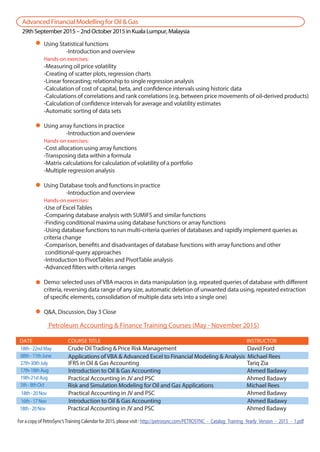
Using Statistical functions
-Introduction and overview
Hands-on exercises:
-Measuring oil price volatility
-Creating of scatter plots, regression charts
-Linear forecasting; relationship to single regression analysis
-Calculation of cost of capital, beta, and confidence intervals using historic data
-Calculations of correlations and rank correlations (e.g. between price movements of oil-derived products)
-Calculation of confidence intervals for average and volatility estimates
-Automatic sorting of data sets
Using array functions in practice
-Introduction and overview
Hands-on exercises:
-Cost allocation using array functions
-Transposing data within a formula
-Matrix calculations for calculation of volatility of a portfolio
-Multiple regression analysis
Using Database tools and functions in practice
-Introduction and overview
Hands-on exercises:
-Use of Excel Tables
-Comparing database analysis with SUMIFS and similar functions
-Finding conditional maxima using database functions or array functions
-Using database functions to run multi-criteria queries of databases and rapidly implement queries as
criteria change
-Comparison, benefits and disadvantages of database functions with array functions and other
conditional-query approaches
-Introduction to PivotTables and PivotTable analysis
-Advanced filters with criteria ranges
Demo: selected uses of VBA macros in data manipulation (e.g. repeated queries of database with different
criteria, reversing data range of any size, automatic deletion of unwanted data using, repeated extraction
of specific elements, consolidation of multiple data sets into a single one)
Q&A, Discussion, Day 3 Close
AdvancedFinancialModellingforOil&Gas
29thSeptember2015–2ndOctober2015inKualaLumpur,Malaysia
Petroleum Accounting & Finance Training Courses (May - November 2015)
18th-22ndMay Crude Oil Trading & Price Risk Management David Ford
08th-11thJune
27th-30thJuly
17th-18thAug
19th-21stAug
5th-8thOct
DATE COURSE TITLE INSTRUCTOR
Applications of VBA & Advanced Excel to Financial Modeling & Analysis Michael Rees
IFRS in Oil & Gas Accounting Tariq Zia
Introduction to Oil & Gas Accounting Ahmed Badawy
Practical Accounting in JV and PSC Ahmed Badawy
Risk and Simulation Modeling for Oil and Gas Applications Michael Rees
18th-20Nov Practical Accounting in JV and PSC Ahmed Badawy
18th-20Nov Practical Accounting in JV and PSC Ahmed Badawy16th-17Nov Introduction to Oil & Gas Accounting Ahmed Badawy
18th-20Nov Practical Accounting in JV and PSC Ahmed Badawy
For a copy of PetroSync’sTraining Calendar for 2015, please visit : http://petrosync.com/PETROSYNC_-_Catalog_Training_Yearly_Version_-_2015_-_1.pdf
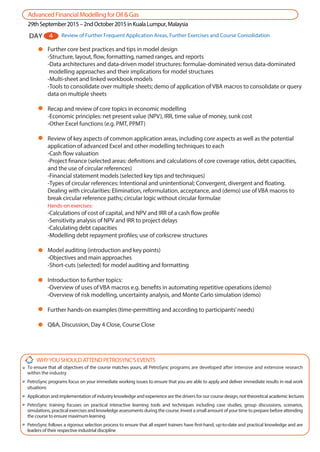
Further core best practices and tips in model design
-Structure, layout, flow, formatting, named ranges, and reports
-Data architectures and data-driven model structures: formulae-dominated versus data-dominated
modelling approaches and their implications for model structures
-Multi-sheet and linked workbook models
-Tools to consolidate over multiple sheets; demo of application of VBA macros to consolidate or query
data on multiple sheets
Recap and review of core topics in economic modelling
-Economic principles: net present value (NPV), IRR, time value of money, sunk cost
-Other Excel functions (e.g. PMT, PPMT)
Review of key aspects of common application areas, including core aspects as well as the potential
application of advanced Excel and other modelling techniques to each
-Cash flow valuation
-Project finance (selected areas: definitions and calculations of core coverage ratios, debt capacities,
and the use of circular references)
-Financial statement models (selected key tips and techniques)
-Types of circular references: Intentional and unintentional; Convergent, divergent and floating.
Dealing with circularities: Elimination, reformulation, acceptance, and (demo) use of VBA macros to
break circular reference paths; circular logic without circular formulae
Hands-on exercises:
-Calculations of cost of capital, and NPV and IRR of a cash flow profile
-Sensitivity analysis of NPV and IRR to project delays
-Calculating debt capacities
-Modelling debt repayment profiles; use of corkscrew structures
Model auditing (introduction and key points)
-Objectives and main approaches
-Short-cuts (selected) for model auditing and formatting
Introduction to further topics:
-Overview of uses of VBA macros e.g. benefits in automating repetitive operations (demo)
-Overview of risk modelling, uncertainty analysis, and Monte Carlo simulation (demo)
Further hands-on examples (time-permitting and according to participants’needs)
Q&A, Discussion, Day 4 Close, Course Close
AdvancedFinancialModellingforOil&Gas
29thSeptember2015–2ndOctober2015inKualaLumpur,Malaysia
DAY 4 Review of Further Frequent Application Areas, Further Exercises and Course Consolidation
WHYYOUSHOULDATTENDPETROSYNC’SEVENTS
To ensure that all objectives of the course matches yours, all PetroSync programs are developed after intensive and extensive research
within the industry
PetroSync programs focus on your immediate working issues to ensure that you are able to apply and deliver immediate results in real work
situations
Application and implementation of industry knowledge and experience are the drivers for our course design, not theoretical academic lectures
PetroSync training focuses on practical interactive learning tools and techniques including case studies, group discussions, scenarios,
simulations, practical exercises and knowledge assessments during the course. Invest a small amount of your time to prepare before attending
the course to ensure maximum learning
PetroSync follows a rigorous selection process to ensure that all expert trainers have first-hand, up-to-date and practical knowledge and are
leaders of their respective industrial discipline
He is the author of“Financial Modelling in Practice: A Concise Guide for Intermediate and
Advanced Level ” (John Wiley & Sons, 2008), which is a practical, comprehensive and
in-depth guide designed to cover Excel modelling, financial statement modelling, valua-
tion, risk analysis, real options, and VBA coding for practical applications in business,
economic analysis and finance that are relevant to facilitate the construction of robust
and readily understandable models.
SAVE COST • IMPROVE PERFORMANCE • REDUCE RISK
PetroSync understands that in current economic climate, getting an excellent return on your training investment is critical for all our clients. This
excellent training can be conducted exclusively for your organization. The training can be tailored to meet your specific needs at your preferred
location and time. We will meet you anywhere around the globe.
If you like to know more about this excellent program, please contact Jerry Tay (Conference Director) on +65 6415 4502 or email jerry.t@petrosync.com
IN-HOUSE SOLUTIONS
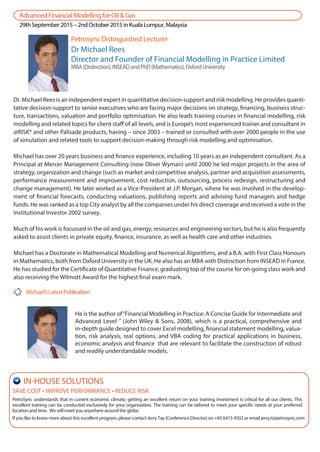
Dr Michael Rees
Director and Founder of Financial Modelling in Practice Limited
MBA(Distinction),INSEADandPhD(Mathematics),OxfordUniversity
Dr. Michael Rees is an independent expert in quantitative decision-support and risk modelling. He provides quanti-
tative decision-support to senior executives who are facing major decisions on strategy, financing, business struc-
ture, transactions, valuation and portfolio optimisation. He also leads training courses in financial modelling, risk
modelling and related topics for client staff of all levels, and is Europe’s most experienced trainer and consultant in
@RISK® and other Palisade products, having – since 2003 – trained or consulted with over 2000 people in the use
of simulation and related tools to support decision-making through risk modelling and optimisation.
Michael has over 20 years business and finance experience, including 10 years as an independent consultant. As a
Principal at Mercer Management Consulting (now Oliver Wyman) until 2000 he led major projects in the area of
strategy, organization and change (such as market and competitive analysis, partner and acquisition assessments,
performance measurement and improvement, cost reduction, outsourcing, process redesign, restructuring and
change management). He later worked as a Vice-President at J.P. Morgan, where he was involved in the develop-
ment of financial forecasts, conducting valuations, publishing reports and advising fund managers and hedge
funds. He was ranked as a top City analyst by all the companies under his direct coverage and received a vote in the
Institutional Investor 2002 survey.
Much of his work is focussed in the oil and gas, energy, resources and engineering sectors, but he is also frequently
asked to assist clients in private equity, finance, insurance, as well as health care and other industries.
Michael has a Doctorate in Mathematical Modelling and Numerical Algorithms, and a B.A. with First Class Honours
in Mathematics, both from Oxford University in the UK. He also has an MBA with Distinction from INSEAD in France.
He has studied for the Certificate of Quantitative Finance, graduating top of the course for on-going class work and
also receiving the Wilmott Award for the highest final exam mark.
Petrosync Distinguished Lecturer
Michael’sLatestPublication
AdvancedFinancialModellingforOil&Gas
29thSeptember2015–2ndOctober2015inKualaLumpur,Malaysia
* For 7 or more delegates, please inquire for more attractive package.
* Important: Please note that registration without payment will incur a SGD 200 administration fee.
1st Delegate Name
Direct Line Number: Email:
Job Title: Department:
Head of Department:
Company:____________________________________________ Industry : __________________________________
Address: _______________________________________________________Postcode: _________________________
Country: ________________________Email: __________________________________________________________
Attention Invoice to: ______________________________________________________________________________
Direct Line Number: ______________________________ Fax: _____________________________________________
PAYMENTMETHODS
DELEGATESDETAILS
Please note:
- Indicate if you have already registered by Phone Fax Email Web
I agree to PetroSync’s terms & conditions,payment terms and cancellation policy.
By Credit Card :
Please debit my credit card: Visa MasterCard
Card Number:
Name printed on card: _____________________________________________________________________
Expiry Date:
Security Code:
INVOICEDETAILS
Authorized Signature : ____________________________________________________________________________
Mrs Ms Dr OthersMr
PAYMENT TERMS : Payment is due in full at the time of registration. Full payment is mandatory for event attendance.
2nd Delegate Name
Direct Line Number: Email:
Job Title: Department:
Head of Department:
Mrs Ms Dr OthersMr
3rd Delegate Name
Direct Line Number: Email:
Job Title: Department:
Head of Department:
Mrs Ms Dr OthersMr
Please circle the package that you are attending!
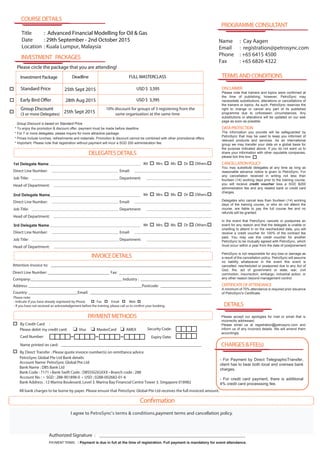
INVESTMENT PACKAGES
Investment Package FULL MASTERCLASS
Standard Price 25th Sept 2015
28th Aug 2015
USD $ 3,595
Group Discount
(3 or more Delegates)
10% discount for groups of 3 registering from the
same organization at the same time
COURSEDETAILS
Title : Advanced Financial Modelling for Oil & Gas
Date : 29th September - 2nd October 2015
Location : Kuala Lumpur, Malaysia
AMEX
* To enjoy the promotion & discount offer, payment must be made before deadline
* Prices include lunches, refreshments and materials. Promotion & discount cannot be combined with other promotional offers.
Early Bird Offer
- If you have not received an acknowledgement before the training, please call us to confirm your booking.
Deadline
USD $ 3,395
25th Sept 2015
Confirmation
Group Discount is based on Standard Price
DETAILS
PROGRAMMECONSULTANT
Name : Cay Aagen
Email : registration@petrosync.com
Phone : +65 6415 4500
Fax : +65 6826 4322
TERMSANDCONDITIONS
CHARGES&FEE(s)
- For Payment by Direct TelegraphicTransfer,
client has to bear both local and oversea bank
charges.
- For credit card payment, there is additional
4% credit card processsing fee.
DISCLAIMER
Please note that trainers and topics were confirmed at
the time of publishing; however, PetroSync may
necessitate substitutions, alterations or cancellations of
the trainers or topics. As such, PetroSync reserves the
right to change or cancel any part of its published
programme due to unforeseen circumstances. Any
substitutions or alterations will be updated on our web
page as soon as possible.
DATAPROTECTION
The information you provide will be safeguarded by
PetroSync that may be used to keep you informed of
relevant products and services. As an international
group we may transfer your data on a global basis for
the purpose indicated above. If you do not want us to
share your information with other reputable companies,
please tick this box
CANCELLATIONPOLICY
You may substitute delegates at any time as long as
reasonable advance notice is given to PetroSync. For
any cancellation received in writing not less than
fourteen (14) working days prior to the training course,
you will receive credit voucher less a SGD $200
administration fee and any related bank or credit card
charges.
Delegates who cancel less than fourteen (14) working
days of the training course, or who do not attend the
course, are liable to pay the full course fee and no
refunds will be granted.
In the event that PetroSync cancels or postpones an
event for any reason and that the delegate is unable or
unwilling to attend in on the rescheduled date, you will
receive a credit voucher for 100% of the contract fee
paid. You may use this credit voucher for another
PetroSync to be mutually agreed with PetroSync, which
must occur within a year from the date of postponement.
PetroSync is not responsible for any loss or damage as
a result of the cancellation policy. PetroSync will assume
no liability whatsoever in the event this event is
cancelled, rescheduled or postponed due to any Act of
God, fire, act of government or state, war, civil
commotion, insurrection, embargo, industrial action, or
any other reason beyond management control.
CERTIFICATEOFATTENDANCE
A minimum of 70% attendance is required prior issuance
of PetroSync's Certificate.
Please accept our apologies for mail or email that is
incorrectly addressed.
Please email us at registration@petrosync.com and
inform us of any incorrect details. We will amend them
accordingly.
By Direct Transfer : Please quote invoice number(s) on remittance advice
PetroSync Global Pte Ltd Bank details:
All bank charges to be borne by payer. Please ensure that PetroSync Global Pte Ltd receives the full invoiced amount.
Account Name: PetroSync Global Pte Ltd
Bank Name : DBS Bank Ltd
Bank Code : 7171 • Bank Swift Code : DBSSSGSGXXX • Branch code : 288
Account No : • SGD : 288-901898-0 • USD : 0288-002682-01-6
Bank Address : 12 Marina Boulevard, Level 3. Marina Bay Financial Centre Tower 3. Singapore 018982

PetroSync - Advanced Financial Modelling for Oil and Gas

  • 1.
    MasterBestPractices&SkillsinFinancialModelling “ I havenever experienced such a valuable financial modeling training as yours. It is a pleasure to contribute to a testimonial. I will recommend you to whomever I encounter looking for top-notch quality ! ” “Dr. Rees brings original and most valuable insight … I have been most fortunate to have consulted with such a unique individual … It has assisted me in getting more value out of my models than I would ever have imagined.” “Mike has both excellent theoretical and practical background in risk analysis. The course went far beyond the use of the software itself and really provided crucial insight into model building and risk analysis. This provides a full set of perspective in a very limited time: a very motivat- ing session and a truly high value-for-money investment” “Thank you for a very good introduction to @Risk and for many other enlightening insights into the world of simulation and risk analysis. We hope to see you again in connection and would thoroughly recommend your course to any of our colleagues who are even remotely considering using Palisade’s software.” Advanced Financial ModellingAdvanced Financial Modelling for Oil and Gasfor Oil and Gas Testimonials Petrosync Distinguished Lecturer Dr Michael Rees Director and Founder of Financial Modelling in Practice Limited MBA(Distinction),INSEADandPhD(Mathematics),OxfordUniversity Over 20 years business and finance experience across oil and gas, energy, resources, engineering and other sectors Previously a Vice-President at J.P. Morgan, Principal at Mercer Management Consulting (now Oliver Wyman) and European Director of Training and Consulting for Palisade Corporation Europe’s most experienced trainer and consultant in @RISK®@RISK® and other PalisadePalisade products, having trained or consulted over 2000 people in the use of simulation and related tools to support decision-making through risk modelling and optimisation. Delivered training courses and consulted for many oil and gas companies in Europe, North America and Asia, in financial modelling, risk modelling and related topics. Past clients include Shell, Statoil, BG, Cairn, Dong, Dana, Addax, Talisman, Oxy, Petrofac, Tullow and others. Author of “ Financial Modelling in Practice: A Concise Guide for Intermediate and“ Financial Modelling in Practice: A Concise Guide for Intermediate and Advanced Level ”Advanced Level ” 29thSeptember2015-2ndOctober2015|KualaLumpur,Malaysia Supported by
  • 2.
    This is aninteractive and hands-on course aimed at developing participants’ skills in implementing a wide range of financial modelling applications that are found in the oil and gas and related sectors. The course is aimed at experienced Excel practitioners who wish to consolidate their knowledge and move to a more advanced level. A very wide range of Excel functions is covered; the course is based around hands-on exercises to show the practical application of these functions.The course also covers issues relating to best practices, the design of models, issues that arise in frequent modelling applications. An overview of the links of these topics with other areas is also provided, such as the use of macros, and of risk and simulation modelling. This course is designed for staff involved in Project Evaluation, Feasibility Studies or Company Valuations including Business & Finance Analysts, Executives & Managers Corporate Finance Executives & Managers Budgeting & Forecasting Staffs & Managers Finance Managers & Financial Controllers GAINGAIN a thorough understanding of the key oil & gas financial modelling and project evaluation concepts. MASTERMASTER a wide set of advanced functions in Excel and their use in practice. LEARNLEARN to construct highly flexible, robust and transparent models that follow best practice principles. MANIPULATEMANIPULATE data sets efficiently, and their inclusion in a model in the most effective, flexible and transparent manner. LEVERAGELEVERAGE on advanced tools in sensitivity and scenario analysis, and solve optimization. DEVELOPDEVELOP solutions to overcome challenges faced in modelling financial situations. OVERVIEWOVERVIEW of some key uses of visual basic macros (VBA) that could extend the Excel functionality shown. Financial Advisors & Asset Managers Project Investment Executives & Managers Accountants Investment and Credit Analysts Participants are expected to have a sound knowledge and understanding in the use of Microsoft Excel and will be required to bring a laptop computer with Microsoft Excel 2007 or 2010, and trial version of DecisionToolsSuite from Palisade installed. 08:00–09:00 Registration (Day1) 09:00–11:00 Session I 11:00–11:15 Refreshment & Networking Session I 11:15–13:00 Session II 13:00–14:00 14:00–15:30 Session III 15:30–15:45 Refreshment & Networking Session II 15:45–17:00 Session IV 17:00 End of Day Program Schedule Lunch Course Objectives Specially Designed for Prerequisites Course Overview
  • 3.
    AdvancedFinancialModellingforOil&Gas 29thSeptember2015–2ndOctober2015inKualaLumpur,Malaysia Course introduction; participantintroductions and expectations Principles of financial modelling, and special features of modelling for oil and gas: -The modelling process; Excel as a modelling platform; benefits and limitations -The use of models as decision-support tools -Best practices in model design: Balancing flexibility with complexity, and the types of flexibilities typically required (e.g. sensitivities, updating with actuals, time-shifting, adding new data structures) -Using flexibility and sensitivity requirements as a model design and presentation tool -Distinguishing sensitivities, scenarios, risks, uncertainties, and optimisation: An overview, and their inter-relationships Hands-on exercises relating to: -Core tools to implement sensitivity techniques in dynamic models -Sensitivity analysis -Use of DataTables (one- and two-way, row and column forms) -Break-even analysis; use of GoalSeek -Implementing scenarios for production profiles, decline equations, multi-year pricing profiles, or cost escalation -(using Lookup functions) -Use and best practices in the selection of lookup functions for scenario modelling -Scenario modelling and variance analysis: determining the relative impact of variables -Optimisation modelling: portfolio composition, pricing, and curve fitting -Implementing sensitivity using VBA macros or which require macros or other procedures to be run (demo) -Using sensitivity tools to build complex model formulae and calculations (e.g. tax calculations; comparison of tax regimes, and production-sharing or royalty agreements) Q&A, Discussion, Day 1 Close DAY 1 Using Sensitivity Analysis for Model Design and Decision-Support Limited Attendees The course has limited seats to ensure maximum learning and experience for all delegates. Certificate of Attendance You will receive a Certificate of Attendance bearing the signatures of the Trainer upon successful completion of the course. This certificate is proof of your continuing professional development. Interactive Training You will be attending training designed to share both the latest knowledge and practical experience through interactive sessions. This will provide you with a deeper and more long-term understanding of your current issues. High Quality Course Materials Printed course manual will provide you with working materials throughout the course and will be an invaluable source of reference for you and your colleagues afterward. Petrosync Quality SAVE COST • IMPROVE PERFORMANCE • REDUCE RISK PetroSync understands that in current economic climate, getting a cost-effective return on your training investment is critical for all our clients. This training can be conducted exclusively for your organization. The training can be tailored to meet your specific needs at your preferred location and time. Wewillmeetyouanywherearoundtheglobe. Ifyouliketoknowmoreaboutthisprogram,pleasecontactuson+6564154500oremailgeneral@petrosync.com IN-HOUSE SOLUTIONS
  • 4.
    AdvancedFinancialModellingforOil&Gas 29thSeptember2015–2ndOctober2015inKualaLumpur,Malaysia Introduction and overviewof selected advanced functions, and their use in modelling and data analysis -Lookup functions -Text functions -Date functions Using Lookup functions in practice I -Function selection and best practices; lookup functions to avoid where possible Hands-on exercises: -Use of flag variables -Finding the occurrence of an event, or when a condition is met, its date, and the subsequent modelling actions (e.g. economic life of a production profile project, the date of a refinancing decision and the subsequent interest and cash payment profile) Running sensitivities and scenarios (and using form controls e.g. spin buttons) -Manipulating multi-currency databases I -Creating dynamic charts; flexible linking of charts to data sets; efficient creation of repeated chart operations -Flexible data sets to feed charts; charts that can use multiple data sources -Time-shifting: creating flexible start dates: time-shifting of production, cash flows or project launch dates (incl. link to optimisation applications); whole and partial period calculations -Transposing and reversing time-series data Using Text functions in practice I -Introduction and overview Hands-on exercises: -Creating updating cell labels and graph legends and titles -Creating unique identifiers for matching data -Splitting data, extracting data Using Date functions in practice I -Introduction and overview Hands-on exercises: -Creating month, quarterly and year keys from a date -Combining date and text functions to create keys for combining data sets or finding matching items Using Lookup functions in practice II -Introduction and overview Hands-on exercises: -Using text and lookup combinations in multi-currency database II -Combining data sets and finding matching records -Creating variable-sized and dynamic ranges; variable summation/average/formulae ranges -Querying multi-language datasets Using Lookup functions in practice III -Introduction and overview Hands-on exercises: -Working flexibly with multi-data sheet models (e.g. bring in new data sheets or deleting old ones e.g. for flexible end of month reporting and updating with actuals) -Creating cascading drop-down lists Q&A, Discussion, Day 2 Close DAY 2 Flexible and Efficient Modelling using Advanced Excel Functions
  • 5.
    AdvancedFinancialModellingforOil&Gas 29thSeptember2015–2ndOctober2015inKualaLumpur,Malaysia DAY Data Manipulationand Statistical Analysis using Advanced Excel Functions3 Introduction and overview of further functions, and their use in modelling and data analysis -Information and logical functions -Conditional calculations and functions -Statistical functions -Database functions -Array functions Cleaning and manipulating data using Excel tools and functions -Introduction and overview Hands-on exercises: -Separating fields using Text-to-columns menu (e.g. from internet download) -Cleaning data and finding errors using filters, conditional formatting, find/replace etc.; Inspecting for integrity, uniqueness and duplicates -Finding unique values and unique combinations -Checking for data consistency with information and logical functions Cleaning and manipulating data using functions -Introduction and overview Hands-on exercises: -Splitting text and numerical fields using functions -Combining databases by matching fields and creation of keys (after manipulation of field data) Using Date functions in practice II -Introduction and overview Hands-on exercises: -Summarising daily production by month and year; report creation; calculation of days per model period -Planning the date of maintenance activities (e.g. last Friday in each month) -Time shifting of blocks of calculations Using Information functions -Introduction and overview Hands-on exercises: -Creating formula that handle acceptable errors or exceptions -Detecting consistent or inconsistent data -Creating models which update as actuals are input -(Time-permitting or demos) More complex applications, requiring integrated use of multiple advanced functions (e.g. Cleaning and manipulation of database of leased shipping containers; creation of soccer league ranking from downloaded text files) FOCUSED TRAINING • REDUCED COST • ENHANCED RESULTS Over the years, there has been a growing demand for hybrid training programs. It is an excellent option to maximize your training dollar for your specific training needs. We make it possible to run a training program that is customized to your training needs at a fraction of an in-house budget! If you like to know more about this program, please contact us on +65 6415 4500 or email general@petrosync.com HYBRID TRAINING SOLUTIONS
  • 6.
    Using Statistical functions -Introductionand overview Hands-on exercises: -Measuring oil price volatility -Creating of scatter plots, regression charts -Linear forecasting; relationship to single regression analysis -Calculation of cost of capital, beta, and confidence intervals using historic data -Calculations of correlations and rank correlations (e.g. between price movements of oil-derived products) -Calculation of confidence intervals for average and volatility estimates -Automatic sorting of data sets Using array functions in practice -Introduction and overview Hands-on exercises: -Cost allocation using array functions -Transposing data within a formula -Matrix calculations for calculation of volatility of a portfolio -Multiple regression analysis Using Database tools and functions in practice -Introduction and overview Hands-on exercises: -Use of Excel Tables -Comparing database analysis with SUMIFS and similar functions -Finding conditional maxima using database functions or array functions -Using database functions to run multi-criteria queries of databases and rapidly implement queries as criteria change -Comparison, benefits and disadvantages of database functions with array functions and other conditional-query approaches -Introduction to PivotTables and PivotTable analysis -Advanced filters with criteria ranges Demo: selected uses of VBA macros in data manipulation (e.g. repeated queries of database with different criteria, reversing data range of any size, automatic deletion of unwanted data using, repeated extraction of specific elements, consolidation of multiple data sets into a single one) Q&A, Discussion, Day 3 Close AdvancedFinancialModellingforOil&Gas 29thSeptember2015–2ndOctober2015inKualaLumpur,Malaysia Petroleum Accounting & Finance Training Courses (May - November 2015) 18th-22ndMay Crude Oil Trading & Price Risk Management David Ford 08th-11thJune 27th-30thJuly 17th-18thAug 19th-21stAug 5th-8thOct DATE COURSE TITLE INSTRUCTOR Applications of VBA & Advanced Excel to Financial Modeling & Analysis Michael Rees IFRS in Oil & Gas Accounting Tariq Zia Introduction to Oil & Gas Accounting Ahmed Badawy Practical Accounting in JV and PSC Ahmed Badawy Risk and Simulation Modeling for Oil and Gas Applications Michael Rees 18th-20Nov Practical Accounting in JV and PSC Ahmed Badawy 18th-20Nov Practical Accounting in JV and PSC Ahmed Badawy16th-17Nov Introduction to Oil & Gas Accounting Ahmed Badawy 18th-20Nov Practical Accounting in JV and PSC Ahmed Badawy For a copy of PetroSync’sTraining Calendar for 2015, please visit : http://petrosync.com/PETROSYNC_-_Catalog_Training_Yearly_Version_-_2015_-_1.pdf
  • 7.
    Further core bestpractices and tips in model design -Structure, layout, flow, formatting, named ranges, and reports -Data architectures and data-driven model structures: formulae-dominated versus data-dominated modelling approaches and their implications for model structures -Multi-sheet and linked workbook models -Tools to consolidate over multiple sheets; demo of application of VBA macros to consolidate or query data on multiple sheets Recap and review of core topics in economic modelling -Economic principles: net present value (NPV), IRR, time value of money, sunk cost -Other Excel functions (e.g. PMT, PPMT) Review of key aspects of common application areas, including core aspects as well as the potential application of advanced Excel and other modelling techniques to each -Cash flow valuation -Project finance (selected areas: definitions and calculations of core coverage ratios, debt capacities, and the use of circular references) -Financial statement models (selected key tips and techniques) -Types of circular references: Intentional and unintentional; Convergent, divergent and floating. Dealing with circularities: Elimination, reformulation, acceptance, and (demo) use of VBA macros to break circular reference paths; circular logic without circular formulae Hands-on exercises: -Calculations of cost of capital, and NPV and IRR of a cash flow profile -Sensitivity analysis of NPV and IRR to project delays -Calculating debt capacities -Modelling debt repayment profiles; use of corkscrew structures Model auditing (introduction and key points) -Objectives and main approaches -Short-cuts (selected) for model auditing and formatting Introduction to further topics: -Overview of uses of VBA macros e.g. benefits in automating repetitive operations (demo) -Overview of risk modelling, uncertainty analysis, and Monte Carlo simulation (demo) Further hands-on examples (time-permitting and according to participants’needs) Q&A, Discussion, Day 4 Close, Course Close AdvancedFinancialModellingforOil&Gas 29thSeptember2015–2ndOctober2015inKualaLumpur,Malaysia DAY 4 Review of Further Frequent Application Areas, Further Exercises and Course Consolidation WHYYOUSHOULDATTENDPETROSYNC’SEVENTS To ensure that all objectives of the course matches yours, all PetroSync programs are developed after intensive and extensive research within the industry PetroSync programs focus on your immediate working issues to ensure that you are able to apply and deliver immediate results in real work situations Application and implementation of industry knowledge and experience are the drivers for our course design, not theoretical academic lectures PetroSync training focuses on practical interactive learning tools and techniques including case studies, group discussions, scenarios, simulations, practical exercises and knowledge assessments during the course. Invest a small amount of your time to prepare before attending the course to ensure maximum learning PetroSync follows a rigorous selection process to ensure that all expert trainers have first-hand, up-to-date and practical knowledge and are leaders of their respective industrial discipline
  • 8.
    He is theauthor of“Financial Modelling in Practice: A Concise Guide for Intermediate and Advanced Level ” (John Wiley & Sons, 2008), which is a practical, comprehensive and in-depth guide designed to cover Excel modelling, financial statement modelling, valua- tion, risk analysis, real options, and VBA coding for practical applications in business, economic analysis and finance that are relevant to facilitate the construction of robust and readily understandable models. SAVE COST • IMPROVE PERFORMANCE • REDUCE RISK PetroSync understands that in current economic climate, getting an excellent return on your training investment is critical for all our clients. This excellent training can be conducted exclusively for your organization. The training can be tailored to meet your specific needs at your preferred location and time. We will meet you anywhere around the globe. If you like to know more about this excellent program, please contact Jerry Tay (Conference Director) on +65 6415 4502 or email jerry.t@petrosync.com IN-HOUSE SOLUTIONS Dr Michael Rees Director and Founder of Financial Modelling in Practice Limited MBA(Distinction),INSEADandPhD(Mathematics),OxfordUniversity Dr. Michael Rees is an independent expert in quantitative decision-support and risk modelling. He provides quanti- tative decision-support to senior executives who are facing major decisions on strategy, financing, business struc- ture, transactions, valuation and portfolio optimisation. He also leads training courses in financial modelling, risk modelling and related topics for client staff of all levels, and is Europe’s most experienced trainer and consultant in @RISK® and other Palisade products, having – since 2003 – trained or consulted with over 2000 people in the use of simulation and related tools to support decision-making through risk modelling and optimisation. Michael has over 20 years business and finance experience, including 10 years as an independent consultant. As a Principal at Mercer Management Consulting (now Oliver Wyman) until 2000 he led major projects in the area of strategy, organization and change (such as market and competitive analysis, partner and acquisition assessments, performance measurement and improvement, cost reduction, outsourcing, process redesign, restructuring and change management). He later worked as a Vice-President at J.P. Morgan, where he was involved in the develop- ment of financial forecasts, conducting valuations, publishing reports and advising fund managers and hedge funds. He was ranked as a top City analyst by all the companies under his direct coverage and received a vote in the Institutional Investor 2002 survey. Much of his work is focussed in the oil and gas, energy, resources and engineering sectors, but he is also frequently asked to assist clients in private equity, finance, insurance, as well as health care and other industries. Michael has a Doctorate in Mathematical Modelling and Numerical Algorithms, and a B.A. with First Class Honours in Mathematics, both from Oxford University in the UK. He also has an MBA with Distinction from INSEAD in France. He has studied for the Certificate of Quantitative Finance, graduating top of the course for on-going class work and also receiving the Wilmott Award for the highest final exam mark. Petrosync Distinguished Lecturer Michael’sLatestPublication AdvancedFinancialModellingforOil&Gas 29thSeptember2015–2ndOctober2015inKualaLumpur,Malaysia
  • 9.
    * For 7or more delegates, please inquire for more attractive package. * Important: Please note that registration without payment will incur a SGD 200 administration fee. 1st Delegate Name Direct Line Number: Email: Job Title: Department: Head of Department: Company:____________________________________________ Industry : __________________________________ Address: _______________________________________________________Postcode: _________________________ Country: ________________________Email: __________________________________________________________ Attention Invoice to: ______________________________________________________________________________ Direct Line Number: ______________________________ Fax: _____________________________________________ PAYMENTMETHODS DELEGATESDETAILS Please note: - Indicate if you have already registered by Phone Fax Email Web I agree to PetroSync’s terms & conditions,payment terms and cancellation policy. By Credit Card : Please debit my credit card: Visa MasterCard Card Number: Name printed on card: _____________________________________________________________________ Expiry Date: Security Code: INVOICEDETAILS Authorized Signature : ____________________________________________________________________________ Mrs Ms Dr OthersMr PAYMENT TERMS : Payment is due in full at the time of registration. Full payment is mandatory for event attendance. 2nd Delegate Name Direct Line Number: Email: Job Title: Department: Head of Department: Mrs Ms Dr OthersMr 3rd Delegate Name Direct Line Number: Email: Job Title: Department: Head of Department: Mrs Ms Dr OthersMr Please circle the package that you are attending! INVESTMENT PACKAGES Investment Package FULL MASTERCLASS Standard Price 25th Sept 2015 28th Aug 2015 USD $ 3,595 Group Discount (3 or more Delegates) 10% discount for groups of 3 registering from the same organization at the same time COURSEDETAILS Title : Advanced Financial Modelling for Oil & Gas Date : 29th September - 2nd October 2015 Location : Kuala Lumpur, Malaysia AMEX * To enjoy the promotion & discount offer, payment must be made before deadline * Prices include lunches, refreshments and materials. Promotion & discount cannot be combined with other promotional offers. Early Bird Offer - If you have not received an acknowledgement before the training, please call us to confirm your booking. Deadline USD $ 3,395 25th Sept 2015 Confirmation Group Discount is based on Standard Price DETAILS PROGRAMMECONSULTANT Name : Cay Aagen Email : registration@petrosync.com Phone : +65 6415 4500 Fax : +65 6826 4322 TERMSANDCONDITIONS CHARGES&FEE(s) - For Payment by Direct TelegraphicTransfer, client has to bear both local and oversea bank charges. - For credit card payment, there is additional 4% credit card processsing fee. DISCLAIMER Please note that trainers and topics were confirmed at the time of publishing; however, PetroSync may necessitate substitutions, alterations or cancellations of the trainers or topics. As such, PetroSync reserves the right to change or cancel any part of its published programme due to unforeseen circumstances. Any substitutions or alterations will be updated on our web page as soon as possible. DATAPROTECTION The information you provide will be safeguarded by PetroSync that may be used to keep you informed of relevant products and services. As an international group we may transfer your data on a global basis for the purpose indicated above. If you do not want us to share your information with other reputable companies, please tick this box CANCELLATIONPOLICY You may substitute delegates at any time as long as reasonable advance notice is given to PetroSync. For any cancellation received in writing not less than fourteen (14) working days prior to the training course, you will receive credit voucher less a SGD $200 administration fee and any related bank or credit card charges. Delegates who cancel less than fourteen (14) working days of the training course, or who do not attend the course, are liable to pay the full course fee and no refunds will be granted. In the event that PetroSync cancels or postpones an event for any reason and that the delegate is unable or unwilling to attend in on the rescheduled date, you will receive a credit voucher for 100% of the contract fee paid. You may use this credit voucher for another PetroSync to be mutually agreed with PetroSync, which must occur within a year from the date of postponement. PetroSync is not responsible for any loss or damage as a result of the cancellation policy. PetroSync will assume no liability whatsoever in the event this event is cancelled, rescheduled or postponed due to any Act of God, fire, act of government or state, war, civil commotion, insurrection, embargo, industrial action, or any other reason beyond management control. CERTIFICATEOFATTENDANCE A minimum of 70% attendance is required prior issuance of PetroSync's Certificate. Please accept our apologies for mail or email that is incorrectly addressed. Please email us at registration@petrosync.com and inform us of any incorrect details. We will amend them accordingly. By Direct Transfer : Please quote invoice number(s) on remittance advice PetroSync Global Pte Ltd Bank details: All bank charges to be borne by payer. Please ensure that PetroSync Global Pte Ltd receives the full invoiced amount. Account Name: PetroSync Global Pte Ltd Bank Name : DBS Bank Ltd Bank Code : 7171 • Bank Swift Code : DBSSSGSGXXX • Branch code : 288 Account No : • SGD : 288-901898-0 • USD : 0288-002682-01-6 Bank Address : 12 Marina Boulevard, Level 3. Marina Bay Financial Centre Tower 3. Singapore 018982