Thank you to our Sponsors 
Media Sponsor:
Performance Tuning 
in the trenches
First the request… 
It needs to be fast 
It needs to be faster than the old system 
We’ll let you know if it’s fast enough
Then the timeline… 
By the end of the week 
Before production 
Yesterday
Why is this a problem?
Specific Requirements are Needed 
“Testing” implies pass/fail 
Without a specific metric pass/fail cannot be determined 
Most Performance “Testing” is Performance Profiling
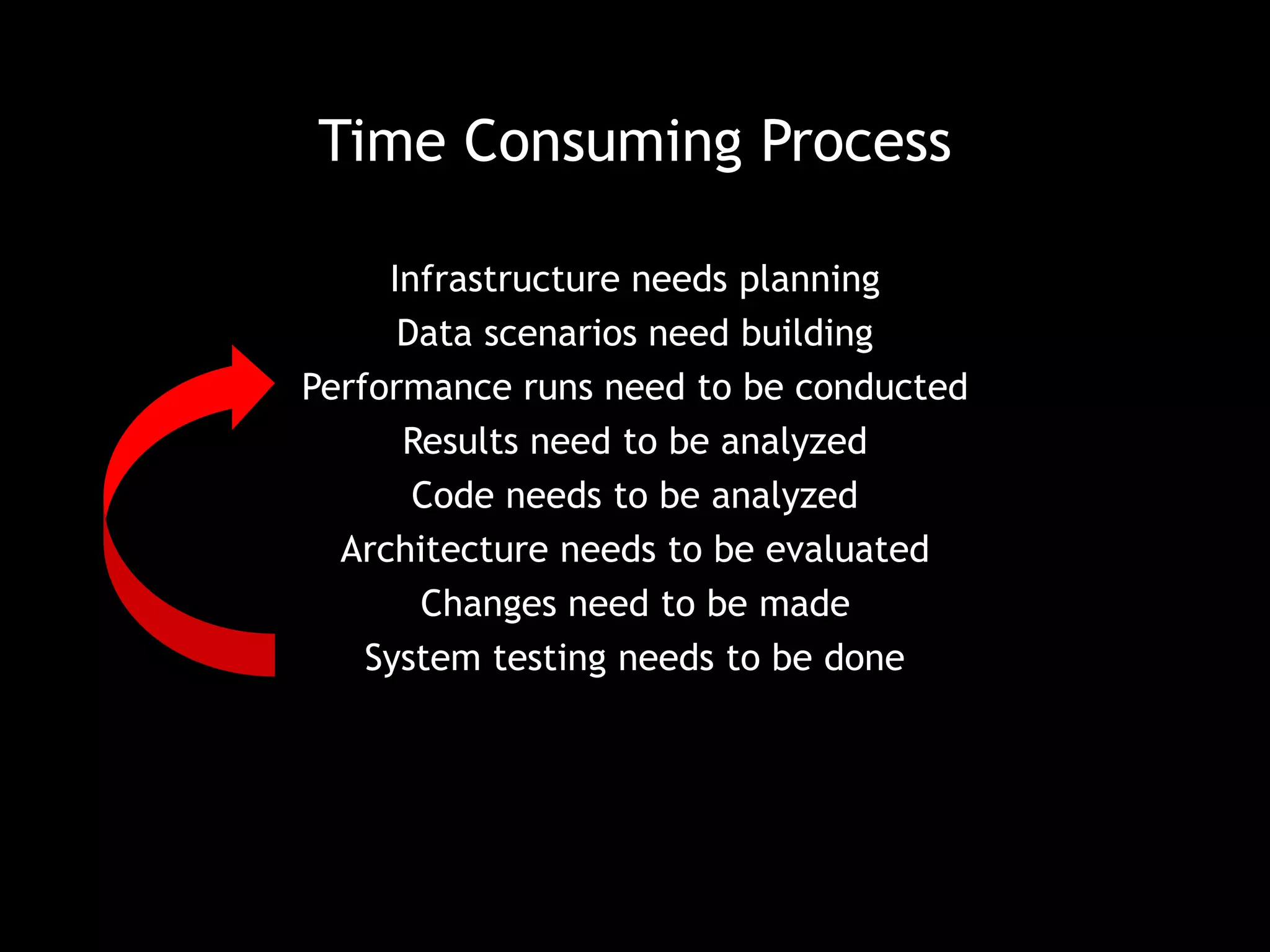
Time Consuming Process 
Infrastructure needs planning 
Data scenarios need building 
Performance runs need to be conducted 
Results need to be analyzed 
Code needs to be analyzed 
Architecture needs to be evaluated 
Changes need to be made 
System testing needs to be done
I was lucky 
• Performance was a primary concern from the start of the 
coding process 
• Dedicated time was provided well in advance of delivery 
• We had a *very* rough metric to shoot for, but it was 
quantified
First we need infrastructure 
• What does your system use? 
• What other software will be installed on those systems? 
• What network infrastructure may be involved?
What I had… 
• VM with production OS 
• Visual Studio 
• 4-6 other developers using this VM for day-to-day coding 
• CI software 
• Shared SQL Server database 
• Location of all developer testing
What that meant 
• No server load consistency between test runs 
• Usage spikes on those servers 
• Data changed between test runs 
• SQL Server load changed between, and during, test runs 
• Installation of ‘unknown’ software versions 
• Test-to-Test comparisons were hard to evaluate 
• Instead of just one run, I’d have to do many runs to get an 
‘average’
What would have been nice 
• Complete server isolation 
• VM configured exactly as the production VM 
• VM configuration 
• Software configuration 
• Software installed 
• Production scale data
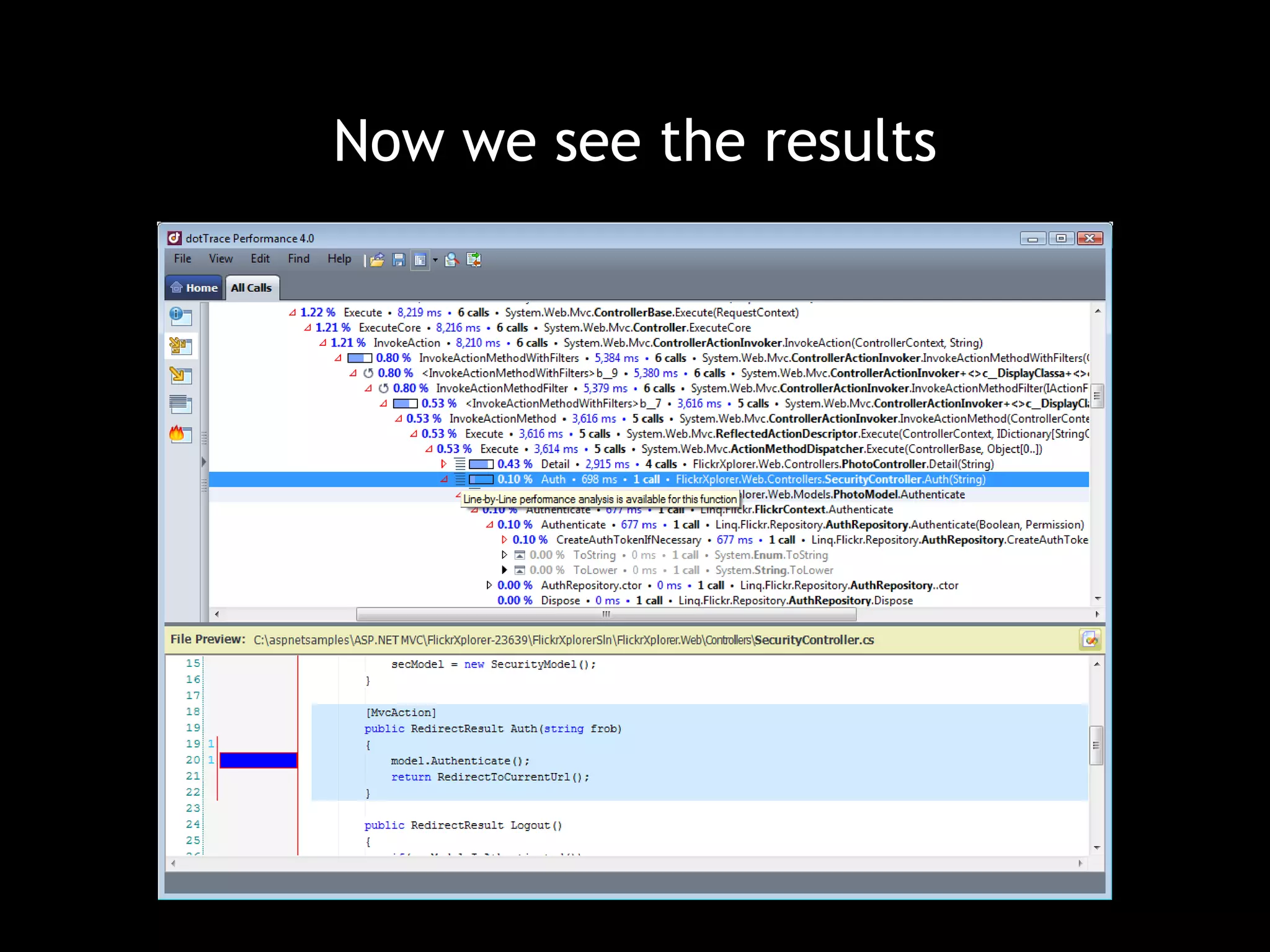
Now we need software
Now we see the results
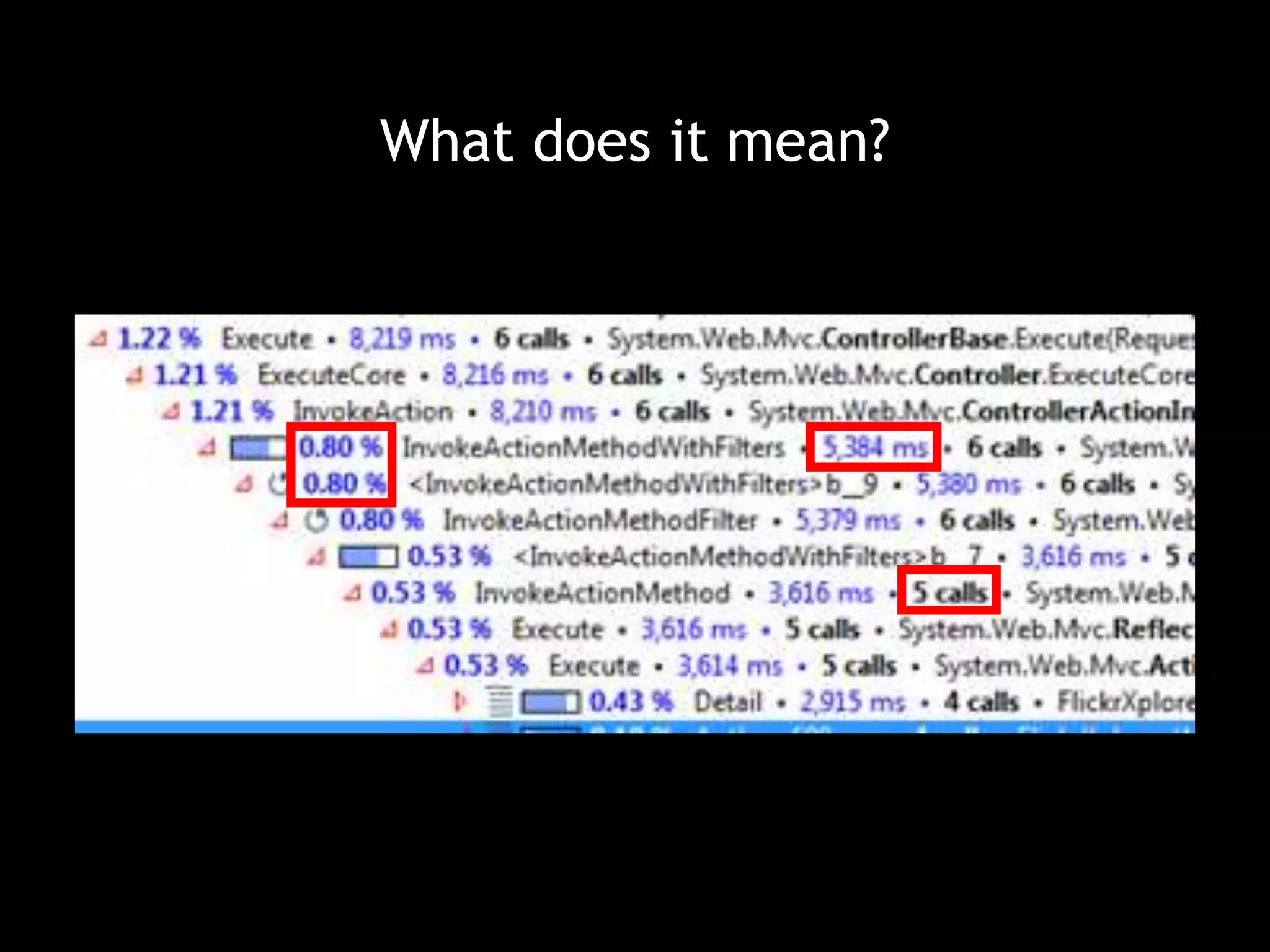
What does it mean? 
I guarantee you that your problems are not where you thought 
they were. 
Problems will blend into the rest of your code.
Not where you think it is 
loadedPerBatch.Where(x=>x.Name == someLoopValue) 
Up to 10% of our execution time 
dictLoadedPerBatch.ContainKey(someLoopValue)
What does it mean?
What did we find? 
It took longer to load a zip file into memory than to unzip it. 
Copying multi-gigabyte files multiple times takes a long time. 
Opening and reading these files was amazingly fast. 
We hadn’t fully conceptualized the scale of the nested looping. 
SQL INSERT statements were very slow.
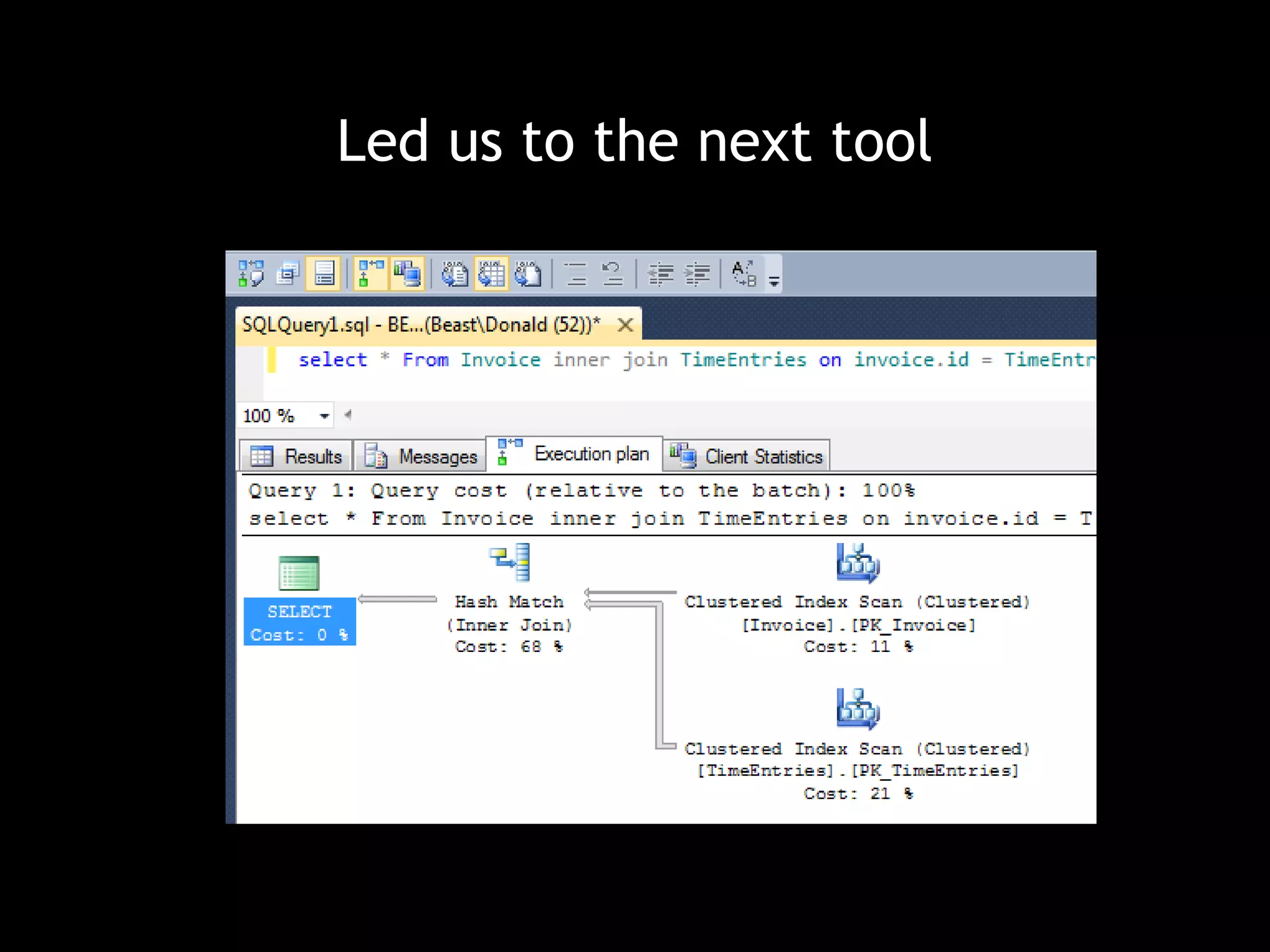
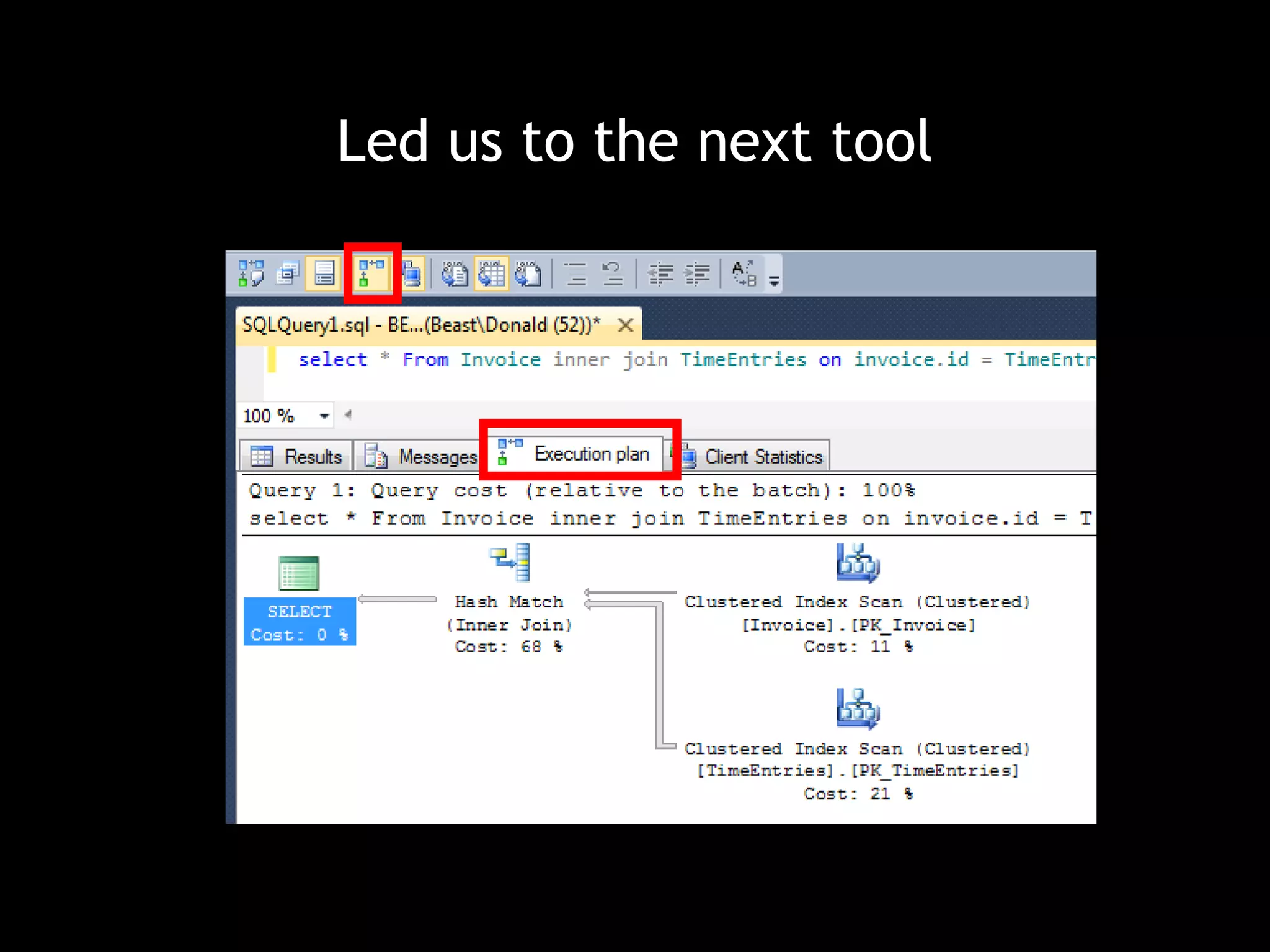
Led us to the next tool
Profiling Data Access 
1. Log SQL being executed 
2. Copy statements into Management Studio 
3. View the Execution Plan 
4. Review indexes used, indexes missed, indexes updated 
5. Note the index suggestions
Led us to the next tool
Benefits 
• Only changing indexes limited retesting of logic 
• One change == re-run of tests
What I learned 
• INSERT statements are fast, but updating indexes can kill 
performance when 100k operations take place 
• The simplest SELECT may not be picking up an index
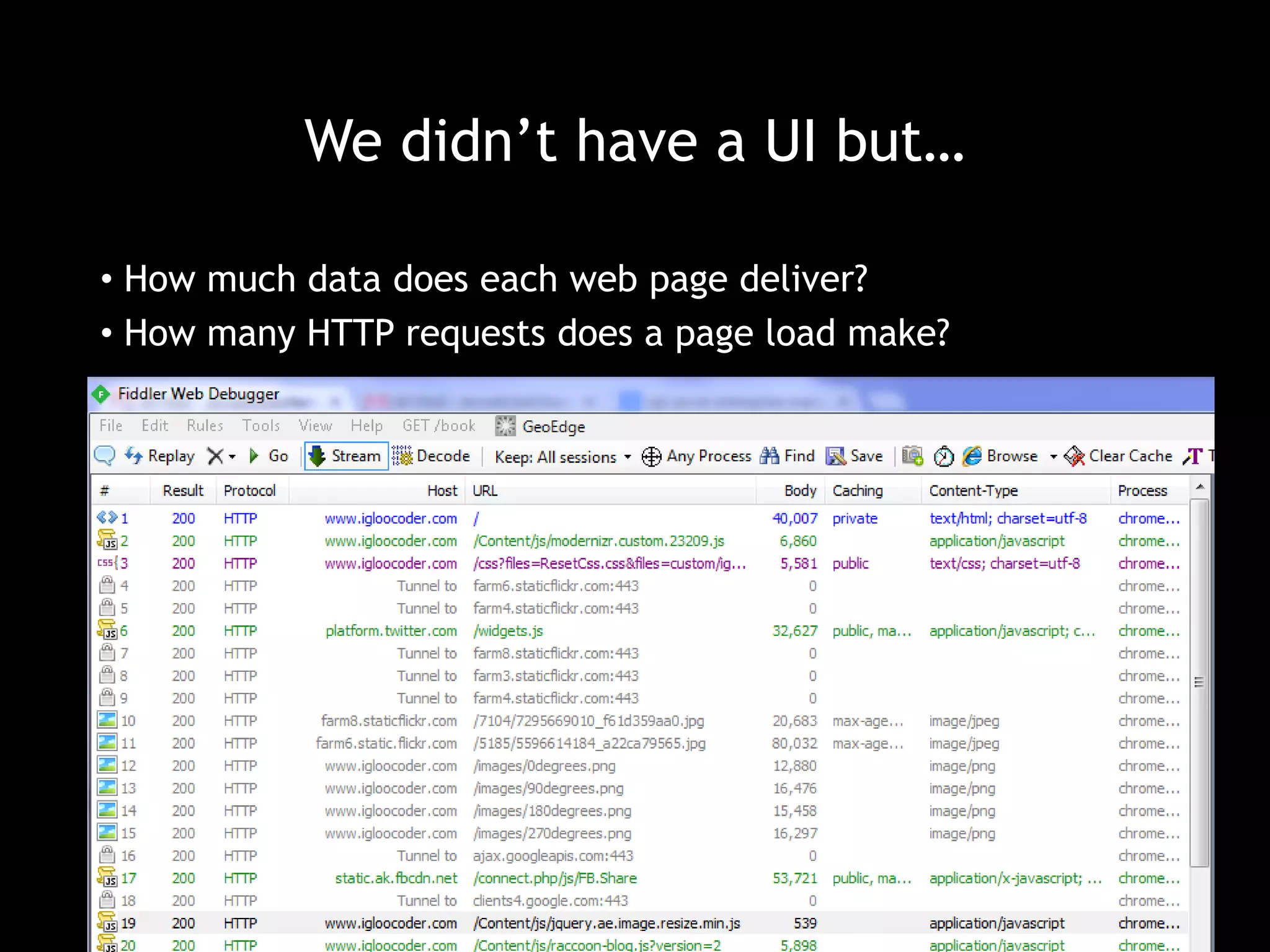
We didn’t have a UI but… 
• How much data does each web page deliver? 
• How many HTTP requests does a page load make?
What about… 
• Off loading some of those calls to CDNs? 
• Are you using compression? 
• What about caching? 
Now hold on just a minute
Caching 
You’ve got performance problems 
You add caching 
Now you have two problems 
How do you invalidate your caches?
What did we learn? 
• Infrastructure plays a huge role in performance testing 
• Code problems are usually in the last place you look 
• SQL problems often go overlooked 
• Commonly found solutions don’t always work 
• Hundreds of man hours were put into performance testing 
• Starting earlier is better
Thank you 
Donald Belcham 
@dbelcham 
donald.Belcham@igloocoder.com

Performance Tuning in the Trenches

  • 1.
    Thank you toour Sponsors Media Sponsor:
  • 2.
  • 3.
    First the request… It needs to be fast It needs to be faster than the old system We’ll let you know if it’s fast enough
  • 4.
    Then the timeline… By the end of the week Before production Yesterday
  • 5.
    Why is thisa problem?
  • 6.
    Specific Requirements areNeeded “Testing” implies pass/fail Without a specific metric pass/fail cannot be determined Most Performance “Testing” is Performance Profiling
  • 7.
    Time Consuming Process Infrastructure needs planning Data scenarios need building Performance runs need to be conducted Results need to be analyzed Code needs to be analyzed Architecture needs to be evaluated Changes need to be made System testing needs to be done
  • 8.
    I was lucky • Performance was a primary concern from the start of the coding process • Dedicated time was provided well in advance of delivery • We had a *very* rough metric to shoot for, but it was quantified
  • 9.
    First we needinfrastructure • What does your system use? • What other software will be installed on those systems? • What network infrastructure may be involved?
  • 10.
    What I had… • VM with production OS • Visual Studio • 4-6 other developers using this VM for day-to-day coding • CI software • Shared SQL Server database • Location of all developer testing
  • 11.
    What that meant • No server load consistency between test runs • Usage spikes on those servers • Data changed between test runs • SQL Server load changed between, and during, test runs • Installation of ‘unknown’ software versions • Test-to-Test comparisons were hard to evaluate • Instead of just one run, I’d have to do many runs to get an ‘average’
  • 12.
    What would havebeen nice • Complete server isolation • VM configured exactly as the production VM • VM configuration • Software configuration • Software installed • Production scale data
  • 13.
    Now we needsoftware
  • 14.
    Now we seethe results
  • 15.
    What does itmean? I guarantee you that your problems are not where you thought they were. Problems will blend into the rest of your code.
  • 16.
    Not where youthink it is loadedPerBatch.Where(x=>x.Name == someLoopValue) Up to 10% of our execution time dictLoadedPerBatch.ContainKey(someLoopValue)
  • 17.
  • 18.
    What did wefind? It took longer to load a zip file into memory than to unzip it. Copying multi-gigabyte files multiple times takes a long time. Opening and reading these files was amazingly fast. We hadn’t fully conceptualized the scale of the nested looping. SQL INSERT statements were very slow.
  • 19.
    Led us tothe next tool
  • 20.
    Profiling Data Access 1. Log SQL being executed 2. Copy statements into Management Studio 3. View the Execution Plan 4. Review indexes used, indexes missed, indexes updated 5. Note the index suggestions
  • 21.
    Led us tothe next tool
  • 22.
    Benefits • Onlychanging indexes limited retesting of logic • One change == re-run of tests
  • 23.
    What I learned • INSERT statements are fast, but updating indexes can kill performance when 100k operations take place • The simplest SELECT may not be picking up an index
  • 24.
    We didn’t havea UI but… • How much data does each web page deliver? • How many HTTP requests does a page load make?
  • 25.
    What about… •Off loading some of those calls to CDNs? • Are you using compression? • What about caching? Now hold on just a minute
  • 26.
    Caching You’ve gotperformance problems You add caching Now you have two problems How do you invalidate your caches?
  • 27.
    What did welearn? • Infrastructure plays a huge role in performance testing • Code problems are usually in the last place you look • SQL problems often go overlooked • Commonly found solutions don’t always work • Hundreds of man hours were put into performance testing • Starting earlier is better
  • 28.
    Thank you DonaldBelcham @dbelcham donald.Belcham@igloocoder.com

Editor's Notes

  • #7 Not all bad as an initial profile can be used as a baseline for future test runs
  • #19 The profiling tools allow snap shot comparison. This can be invaluable. It also might not work depending on the size of the run you perform.