Intel Confidential1
Perceptual Computing
– Pour l’instant destiné aux développeurs
– Camera Creative Senz3D disponible au prochain
trimestre
– Intégration dans des machines Intel prévue
pour le second semestre 2014 !
• Perceptual Computing SDK
– C++
– Passerelles C#, Unity, Processing, open
frameworks…
Intel Confidential2
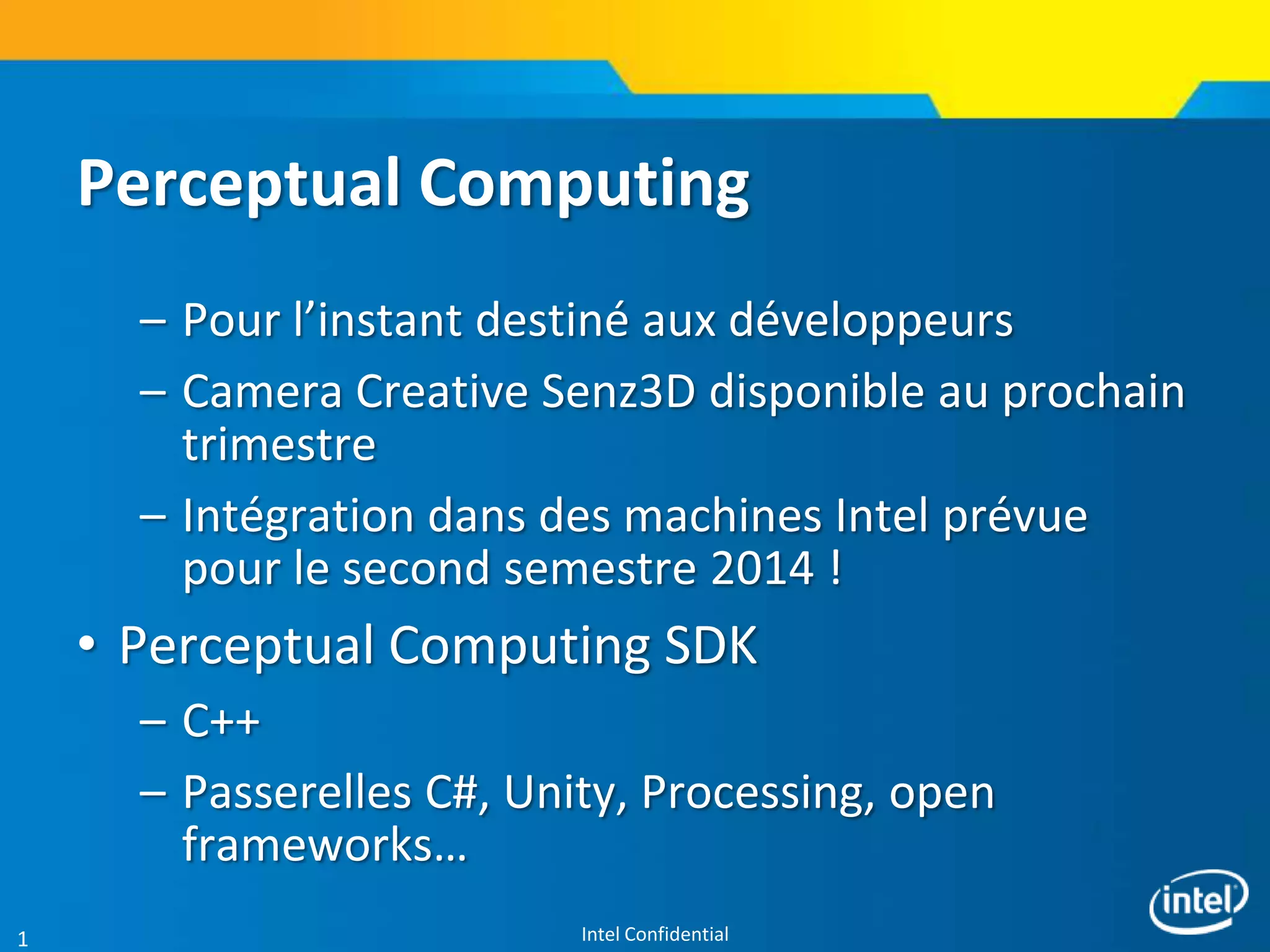
Speech Recognition:
Voice command and control, short sentence
dictation, and text to speech synthesis
SDK Usage Modes Today
1
1 New usage modes may be added in the future
Close-range Depth Tracking (6 in. to 3 ft.):
Recognize the positions of each of the user’s
hands, fingers, static hand poses and moving hand
gestures.
Facial Analysis:
Face detection and recognition (six and seven point landmark and
attribution detection, including smiles, blinks, and age groups)
Augmented Reality:
Combine real-time images from the camera and close-range
tracking from the depth sensor with 2D or 3D graphical images.
Intel Confidential3
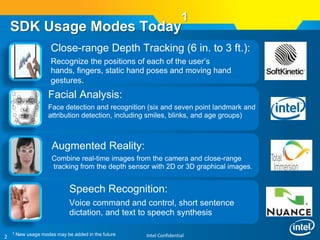
Close-Range Finger Tracking
• Geometric Node Tracking
– 7-point tracking: fingertips, palm center and elbow.
– Special usability points: fingertip and grabbing
points.
– Estimate positions, volumes, openness and
handedness.
• Standardized Poses/Gestures
– Poses: thumb up/down and peace
– Gestures: swipe left/right/up/down, circle, and
wave
• Label map
– Hand image and its parameters.
Intel Confidential4
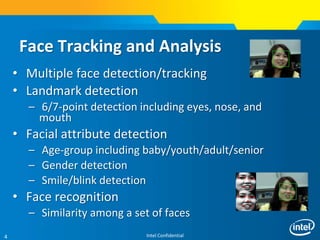
Face Tracking and Analysis
• Multiple face detection/tracking
• Landmark detection
– 6/7-point detection including eyes, nose, and
mouth
• Facial attribute detection
– Age-group including baby/youth/adult/senior
– Gender detection
– Smile/blink detection
• Face recognition
– Similarity among a set of faces
Intel Confidential5
• Nuance* Voice Command and Control
– Recognize within a list of predefined
commands.
• Nuance Voice Dictation
– Recognize short sentences (<30 seconds).
• Nuance Voice Synthesis
– Text to speech for short sentences
Voice Recognition and Synthesis
Intel Confidential6
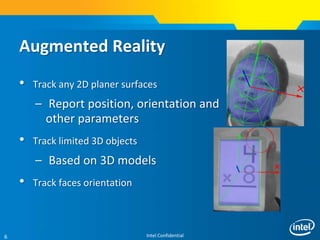
• Track any 2D planer surfaces
– Report position, orientation and
other parameters
• Track limited 3D objects
– Based on 3D models
• Track faces orientation
Augmented Reality
Intel Confidential7
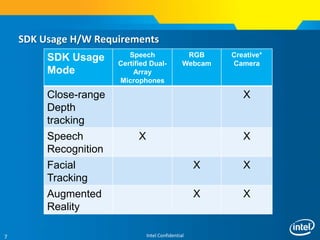
SDK Usage H/W Requirements
SDK Usage
Mode
Speech
Certified Dual-
Array
Microphones
RGB
Webcam
Creative*
Camera
Close-range
Depth
tracking
X
Speech
Recognition
X X
Facial
Tracking
X X
Augmented
Reality
X X
Intel Confidential8
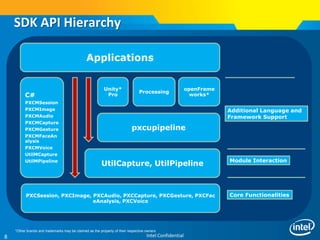
PXCSession, PXCImage, PXCAudio, PXCCapture, PXCGesture, PXCFac
eAnalysis, PXCVoice
UtilCapture, UtilPipeline
C#
PXCMSession
PXCMImage
PXCMAudio
PXCMCapture
PXCMGesture
PXCMFaceAn
alysis
PXCMVoice
UtilMCapture
UtilMPipeline
pxcupipeline
Unity*
Pro
Processing
openFrame
works*
Applications
Core Functionalities
Module Interaction
Additional Language and
Framework Support
SDK API Hierarchy
*Other brands and trademarks may be claimed as the property of their respective owners
Intel Confidential9
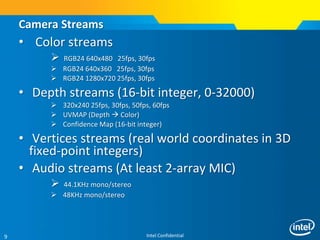
• Color streams
 RGB24 640x480 25fps, 30fps
 RGB24 640x360 25fps, 30fps
 RGB24 1280x720 25fps, 30fps
• Depth streams (16-bit integer, 0-32000)
 320x240 25fps, 30fps, 50fps, 60fps
 UVMAP (Depth  Color)
 Confidence Map (16-bit integer)
• Vertices streams (real world coordinates in 3D
fixed-point integers)
• Audio streams (At least 2-array MIC)
 44.1KHz mono/stereo
 48KHz mono/stereo
Camera Streams
Intel Confidential10
PXCImage: Depth & Color
IMAGE_TYPE_COLOR
(of any color format)
• planes[0]: color
data
• Planes[1]: empty
• planes[2]: empty
• planes[3]: empty
IMAGE_FORMAT_DEPTH
•planes[0]: depthmap
•Planes[1]: confidencemap
•planes[2]: uvmap
•planes[3]: empty
2-byte per
pixel
8-byte per
pixel
IMAGE_FORMAT_VERTICES
•planes[0]: vertex (x,y,z)
•Planes[1]: confidencemap
•planes[2]: uvmap
•planes[3]: empty
12-byte
per pixel
One real depth stream, two virtual
Intel Confidential11
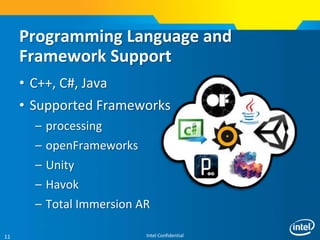
Programming Language and
Framework Support
• C++, C#, Java
• Supported Frameworks
– processing
– openFrameworks
– Unity
– Havok
– Total Immersion AR
Intel Confidential12
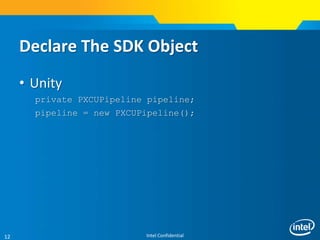
Declare The SDK Object
• Unity
private PXCUPipeline pipeline;
pipeline = new PXCUPipeline();
Intel Confidential13
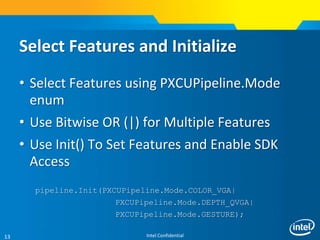
Select Features and Initialize
• Select Features using PXCUPipeline.Mode
enum
• Use Bitwise OR (|) for Multiple Features
• Use Init() To Set Features and Enable SDK
Access
pipeline.Init(PXCUPipeline.Mode.COLOR_VGA|
PXCUPipeline.Mode.DEPTH_QVGA|
PXCUPipeline.Mode.GESTURE);
Intel Confidential14
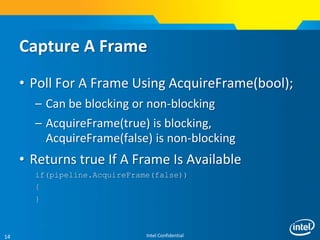
Capture A Frame
• Poll For A Frame Using AcquireFrame(bool);
– Can be blocking or non-blocking
– AcquireFrame(true) is blocking,
AcquireFrame(false) is non-blocking
• Returns true If A Frame Is Available
if(pipeline.AcquireFrame(false))
{
}
Intel Confidential15
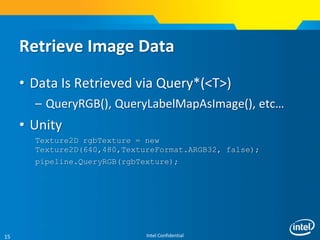
Retrieve Image Data
• Data Is Retrieved via Query*(<T>)
– QueryRGB(), QueryLabelMapAsImage(), etc…
• Unity
Texture2D rgbTexture = new
Texture2D(640,480,TextureFormat.ARGB32, false);
pipeline.QueryRGB(rgbTexture);
Intel Confidential16
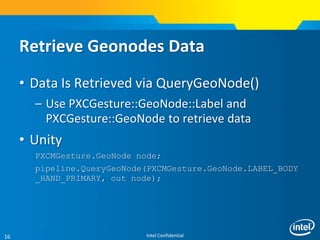
Retrieve Geonodes Data
• Data Is Retrieved via QueryGeoNode()
– Use PXCGesture::GeoNode::Label and
PXCGesture::GeoNode to retrieve data
• Unity
PXCMGesture.GeoNode node;
pipeline.QueryGeoNode(PXCMGesture.GeoNode.LABEL_BODY
_HAND_PRIMARY, out node);
Intel Confidential17
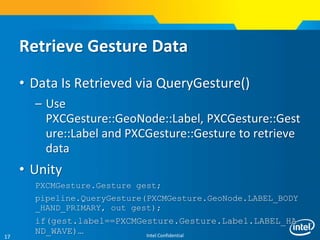
Retrieve Gesture Data
• Data Is Retrieved via QueryGesture()
– Use
PXCGesture::GeoNode::Label, PXCGesture::Gest
ure::Label and PXCGesture::Gesture to retrieve
data
• Unity
PXCMGesture.Gesture gest;
pipeline.QueryGesture(PXCMGesture.GeoNode.LABEL_BODY
_HAND_PRIMARY, out gest);
if(gest.label==PXCMGesture.Gesture.Label.LABEL_HA
ND_WAVE)…
Intel Confidential18
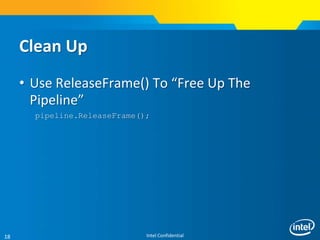
Clean Up
• Use ReleaseFrame() To “Free Up The
Pipeline”
pipeline.ReleaseFrame();
Intel Confidential19
What next ?
http://perchackparis.eventbrite.fr/
https://perceptualchallenge.intel.com/

Per c for unity devs

  • 1.
    Intel Confidential1 Perceptual Computing –Pour l’instant destiné aux développeurs – Camera Creative Senz3D disponible au prochain trimestre – Intégration dans des machines Intel prévue pour le second semestre 2014 ! • Perceptual Computing SDK – C++ – Passerelles C#, Unity, Processing, open frameworks…
  • 2.
    Intel Confidential2 Speech Recognition: Voicecommand and control, short sentence dictation, and text to speech synthesis SDK Usage Modes Today 1 1 New usage modes may be added in the future Close-range Depth Tracking (6 in. to 3 ft.): Recognize the positions of each of the user’s hands, fingers, static hand poses and moving hand gestures. Facial Analysis: Face detection and recognition (six and seven point landmark and attribution detection, including smiles, blinks, and age groups) Augmented Reality: Combine real-time images from the camera and close-range tracking from the depth sensor with 2D or 3D graphical images.
  • 3.
    Intel Confidential3 Close-Range FingerTracking • Geometric Node Tracking – 7-point tracking: fingertips, palm center and elbow. – Special usability points: fingertip and grabbing points. – Estimate positions, volumes, openness and handedness. • Standardized Poses/Gestures – Poses: thumb up/down and peace – Gestures: swipe left/right/up/down, circle, and wave • Label map – Hand image and its parameters.
  • 4.
    Intel Confidential4 Face Trackingand Analysis • Multiple face detection/tracking • Landmark detection – 6/7-point detection including eyes, nose, and mouth • Facial attribute detection – Age-group including baby/youth/adult/senior – Gender detection – Smile/blink detection • Face recognition – Similarity among a set of faces
  • 5.
    Intel Confidential5 • Nuance*Voice Command and Control – Recognize within a list of predefined commands. • Nuance Voice Dictation – Recognize short sentences (<30 seconds). • Nuance Voice Synthesis – Text to speech for short sentences Voice Recognition and Synthesis
  • 6.
    Intel Confidential6 • Trackany 2D planer surfaces – Report position, orientation and other parameters • Track limited 3D objects – Based on 3D models • Track faces orientation Augmented Reality
  • 7.
    Intel Confidential7 SDK UsageH/W Requirements SDK Usage Mode Speech Certified Dual- Array Microphones RGB Webcam Creative* Camera Close-range Depth tracking X Speech Recognition X X Facial Tracking X X Augmented Reality X X
  • 8.
    Intel Confidential8 PXCSession, PXCImage,PXCAudio, PXCCapture, PXCGesture, PXCFac eAnalysis, PXCVoice UtilCapture, UtilPipeline C# PXCMSession PXCMImage PXCMAudio PXCMCapture PXCMGesture PXCMFaceAn alysis PXCMVoice UtilMCapture UtilMPipeline pxcupipeline Unity* Pro Processing openFrame works* Applications Core Functionalities Module Interaction Additional Language and Framework Support SDK API Hierarchy *Other brands and trademarks may be claimed as the property of their respective owners
  • 9.
    Intel Confidential9 • Colorstreams  RGB24 640x480 25fps, 30fps  RGB24 640x360 25fps, 30fps  RGB24 1280x720 25fps, 30fps • Depth streams (16-bit integer, 0-32000)  320x240 25fps, 30fps, 50fps, 60fps  UVMAP (Depth  Color)  Confidence Map (16-bit integer) • Vertices streams (real world coordinates in 3D fixed-point integers) • Audio streams (At least 2-array MIC)  44.1KHz mono/stereo  48KHz mono/stereo Camera Streams
  • 10.
    Intel Confidential10 PXCImage: Depth& Color IMAGE_TYPE_COLOR (of any color format) • planes[0]: color data • Planes[1]: empty • planes[2]: empty • planes[3]: empty IMAGE_FORMAT_DEPTH •planes[0]: depthmap •Planes[1]: confidencemap •planes[2]: uvmap •planes[3]: empty 2-byte per pixel 8-byte per pixel IMAGE_FORMAT_VERTICES •planes[0]: vertex (x,y,z) •Planes[1]: confidencemap •planes[2]: uvmap •planes[3]: empty 12-byte per pixel One real depth stream, two virtual
  • 11.
    Intel Confidential11 Programming Languageand Framework Support • C++, C#, Java • Supported Frameworks – processing – openFrameworks – Unity – Havok – Total Immersion AR
  • 12.
    Intel Confidential12 Declare TheSDK Object • Unity private PXCUPipeline pipeline; pipeline = new PXCUPipeline();
  • 13.
    Intel Confidential13 Select Featuresand Initialize • Select Features using PXCUPipeline.Mode enum • Use Bitwise OR (|) for Multiple Features • Use Init() To Set Features and Enable SDK Access pipeline.Init(PXCUPipeline.Mode.COLOR_VGA| PXCUPipeline.Mode.DEPTH_QVGA| PXCUPipeline.Mode.GESTURE);
  • 14.
    Intel Confidential14 Capture AFrame • Poll For A Frame Using AcquireFrame(bool); – Can be blocking or non-blocking – AcquireFrame(true) is blocking, AcquireFrame(false) is non-blocking • Returns true If A Frame Is Available if(pipeline.AcquireFrame(false)) { }
  • 15.
    Intel Confidential15 Retrieve ImageData • Data Is Retrieved via Query*(<T>) – QueryRGB(), QueryLabelMapAsImage(), etc… • Unity Texture2D rgbTexture = new Texture2D(640,480,TextureFormat.ARGB32, false); pipeline.QueryRGB(rgbTexture);
  • 16.
    Intel Confidential16 Retrieve GeonodesData • Data Is Retrieved via QueryGeoNode() – Use PXCGesture::GeoNode::Label and PXCGesture::GeoNode to retrieve data • Unity PXCMGesture.GeoNode node; pipeline.QueryGeoNode(PXCMGesture.GeoNode.LABEL_BODY _HAND_PRIMARY, out node);
  • 17.
    Intel Confidential17 Retrieve GestureData • Data Is Retrieved via QueryGesture() – Use PXCGesture::GeoNode::Label, PXCGesture::Gest ure::Label and PXCGesture::Gesture to retrieve data • Unity PXCMGesture.Gesture gest; pipeline.QueryGesture(PXCMGesture.GeoNode.LABEL_BODY _HAND_PRIMARY, out gest); if(gest.label==PXCMGesture.Gesture.Label.LABEL_HA ND_WAVE)…
  • 18.
    Intel Confidential18 Clean Up •Use ReleaseFrame() To “Free Up The Pipeline” pipeline.ReleaseFrame();
  • 19.
    Intel Confidential19 What next? http://perchackparis.eventbrite.fr/ https://perceptualchallenge.intel.com/