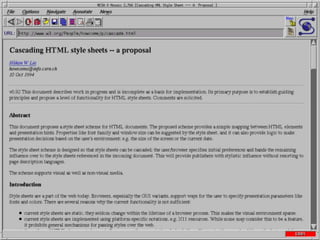
FROM: Marc Andreessen (marca@eit.com)
TO: www-talk@w3.org
Thu, 17 Feb 1994 13:11:31 --100
RE: Indented <MENU>s
************************
***********
In fact, it has been a constant
source of delight for me over the
past year to get to continually tell
hordes (literally) of people who

want to -- strap yourselves in, here
it comes -- control what their
documents look like in ways that
would be trivial in TeX, Microsoft
Word, and every other common text
processing environment: "Sorry,
you're screwed."
<center>
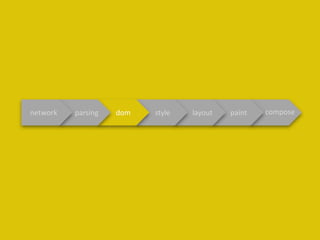
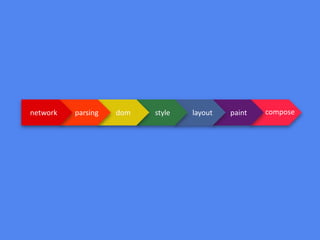
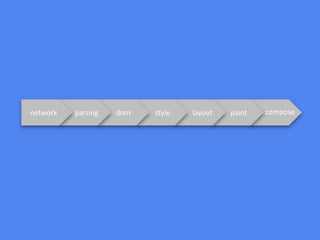
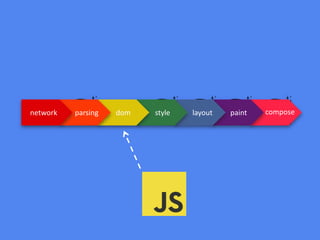
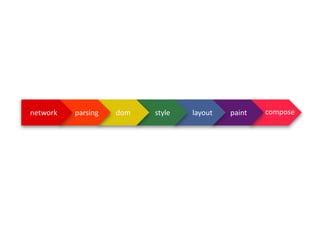
paintlayoutstyledomparsingnetwork compose
Why on earth are
you looking this
closely at my files?
You win a prize :]
Seriously, just tell
me you noticed
this ridiculiously
small text and I
paintlayoutstyledomparsingnetwork compose
var sum=1+2
keyword identifier assignment int addition int
“hey, that’s a keyword!”“and that’s an identifier!”“thats an integer!”“another integer!”“oh cool! an addition operator”“looks like an assignment operator”
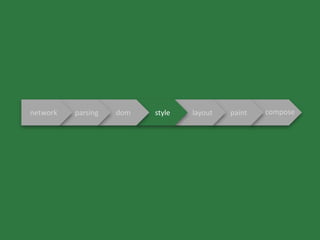
paintlayoutstyledomparsingnetwork compose
#document
body
header div
p p
<!DOCTYPE html>
<body>
<header>hello</header>
<div>
<p>world</p>
<p>:]</p>
</div>
</body>
<!DOCTYPE html>
<body>
<header>hello</header>
<div>
<p>world</p>
<p>:]</p>
</div>
</body>
paintlayoutstyledomparsingnetwork compose
#document
body
header div
p p
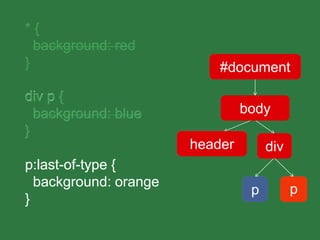
#document
body
header div
* {
background: red
}
div p {
background: blue
}
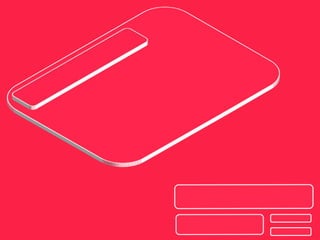
p:last-of-type {
background: orange
}
* {
background: red
}
div p
p:last-of-type
div p {
background: blue
}
* {
background: red
}
p:last-of-type {
background: orange
}
div p {
background: blue
}
#document
body
header div
p pp p
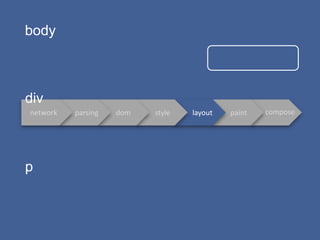
paintlayoutstyledomparsingnetwork compose
body
div
p
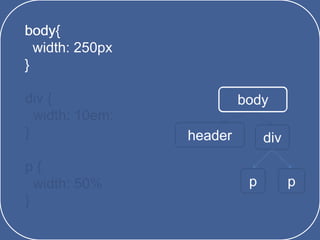
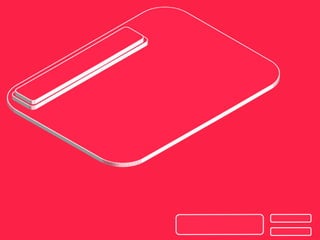
body{
width: 250px
}
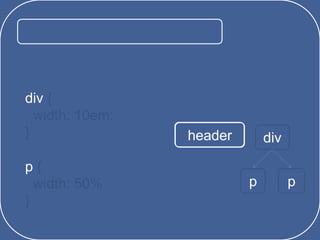
div {
width: 10em;
}
p {
width: 50%
}
body
header div
p p
bodybody{
width: 250px
}
body{
width: 250px
}
div {
width: 10em;
}
p {
width: 50%
}
header div
p p
div
p
body{
width: 250px
}
div {
width: 10em;
}
p {
width: 50%
}
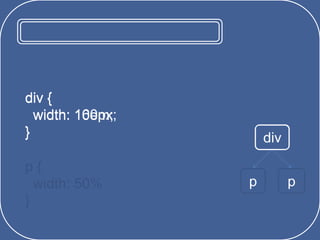
div
p p
divdiv {
width: 10em;
}
div {
width: 160px;
}
body{
width: 250px
}
p {
width: 50%
}
p p
pp {
width: 50%
}
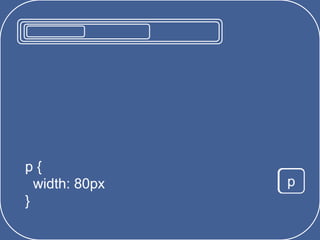
p {
width: 80px
}
body{
width: 250px
}
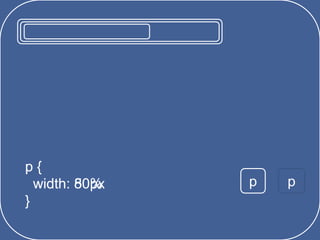
p {
width: 50px
}
p
pp {
width: 80px
}
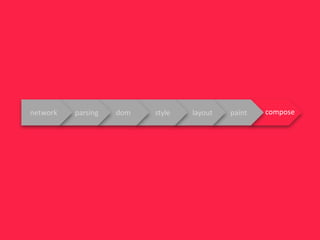
paintlayoutstyledomparsingnetwork compose
0101
011111011
0101101111010
1110101010010
101001010010111010
10100101001010110101001101010
paintlayoutstyledomparsingnetwork compose
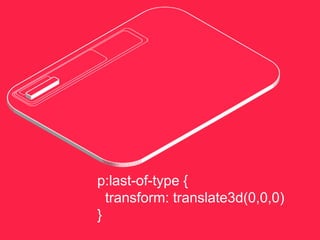
p:last-of-type {
transform: translate3d(0,0,0)
}
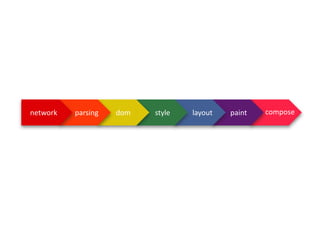
paintlayoutstyledomparsingnetwork compose
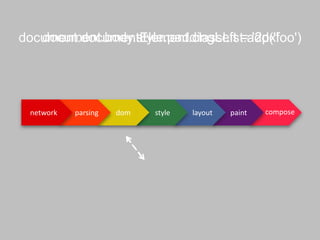
document.documentElement.classList.add('foo')document.body.style.paddingLeft = '2px'
paintlayoutstyledomparsingnetwork compose
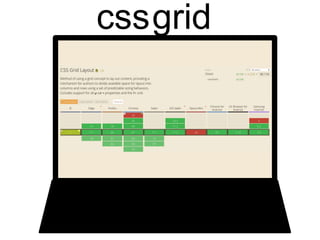
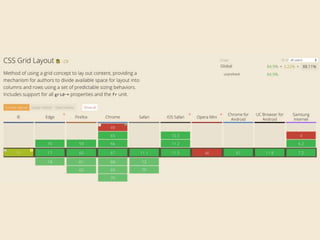
cssgrid
cssgrid
years
paintlayoutstyledomparsingnetwork compose
CSS Properties and Values API
CSSOM
PaintWorklet
LayoutWorklet
AnimationWorklet
CSS Parser
Font Metrics
Properties and Values API
CSS Custom Properties(aka CSS variables)
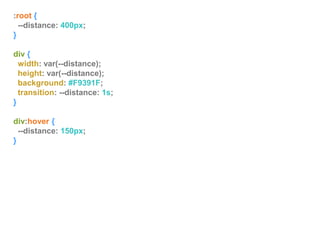
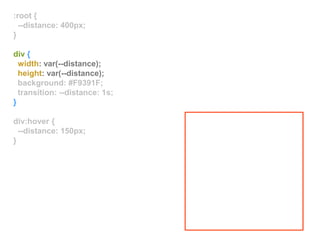
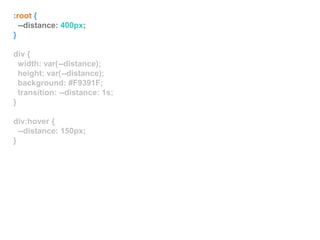
:root {
--distance: 400px;
}
div {
width: var(--distance);
height: var(--distance);
background: #F9391F;
transition: --distance: 1s;
}
div:hover {
--distance: 150px;
}
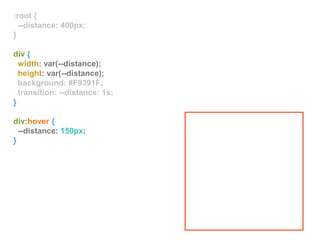
:root {
--distance: 400px;
}
div {
width: var(--distance);
height: var(--distance);
background: #F9391F;
transition: --distance: 1s;
}
div:hover {
--distance: 150px;
}
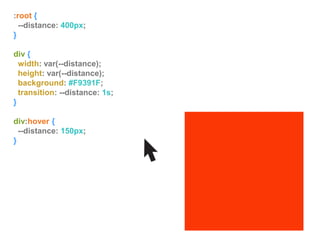
:root {
--distance: 400px;
}
div {
width: var(--distance);
height: var(--distance);
background: #F9391F;
transition: --distance: 1s;
}
div:hover {
--distance: 150px;
}
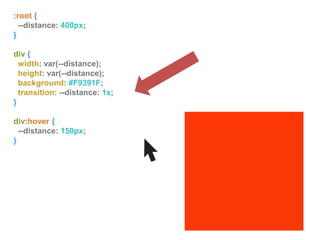
:root {
--distance: 400px;
}
div {
width: var(--distance);
height: var(--distance);
background: #F9391F;
transition: --distance: 1s;
}
div:hover {
--distance: 150px;
}
:root {
--distance: 400px;
}
div {
width: var(--distance);
height: var(--distance);
background: #F9391F;
transition: --distance: 1s;
}
div:hover {
--distance: 150px;
}
:root {
--distance: 400px;
}
div {
width: var(--distance);
height: var(--distance);
background: #F9391F;
transition: --distance: 1s;
}
div:hover {
--distance: 150px;
}
You Can’t Animate Strings
Properties and Values API
:root {
--distance: 400px;
}
div {
width: var(--distance);
height: var(--distance);
background: #F9391F;
transition: --distance: 1s;
}
div:hover {
--distance: 150px;
}
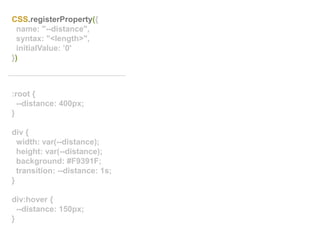
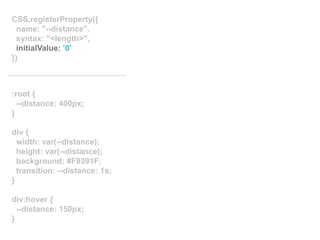
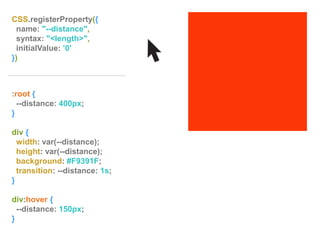
CSS.registerProperty({
name: "--distance",
syntax: "<length>",
initialValue: ’0'
})
:root {
--distance: 400px;
}
div {
width: var(--distance);
height: var(--distance);
background: #F9391F;
transition: --distance: 1s;
}
div:hover {
--distance: 150px;
}
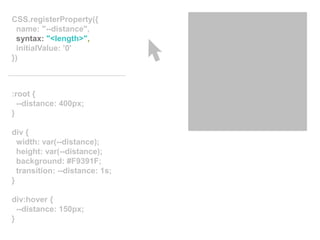
CSS.registerProperty({
name: "--distance",
syntax: "<length>",
initialValue: ’0'
})
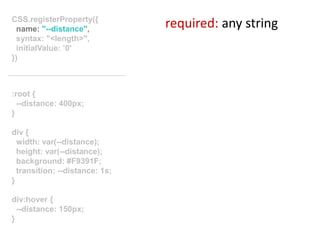
required: any string
:root {
--distance: 400px;
}
div {
width: var(--distance);
height: var(--distance);
background: #F9391F;
transition: --distance: 1s;
}
div:hover {
--distance: 150px;
}
CSS.registerProperty({
name: "--distance",
syntax: "<length>",
initialValue: ’0'
})
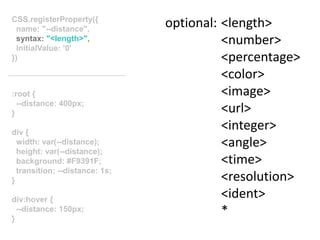
optional: <length>
<number>
<percentage>
<color>
<image>
<url>
<integer>
<angle>
<time>
<resolution>
<ident>
*
:root {
--distance: 400px;
}
div {
width: var(--distance);
height: var(--distance);
background: #F9391F;
transition: --distance: 1s;
}
div:hover {
--distance: 150px;
}
CSS.registerProperty({
name: "--distance",
syntax: "<length>",
initialValue: ’0'
})
:root {
--distance: 400px;
}
div {
width: var(--distance);
height: var(--distance);
background: #F9391F;
transition: --distance: 1s;
}
div:hover {
--distance: 150px;
}
CSS.registerProperty({
name: "--distance",
syntax: "<length>",
initialValue: ’0'
})
:root {
--distance: 400px;
}
div {
width: var(--distance);
height: var(--distance);
background: #F9391F;
transition: --distance: 1s;
}
div:hover {
--distance: 150px;
}
CSS.registerProperty({
name: "--distance",
syntax: "<length>",
initialValue: ’0'
})
CSSOMCSS Object ModelCSS Typed Object Model
^
^
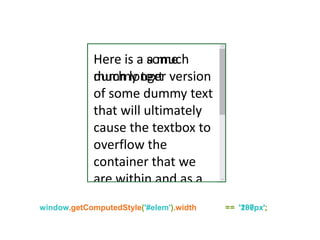
Here is a some
dummy text
Here is a a much
much longer version
of some dummy text
that will ultimately
cause the textbox to
overflow the
container that we
are within and as a
window.getComputedStyle('#elem').width == '200px';window.getComputedStyle('#elem').width == ’187px';
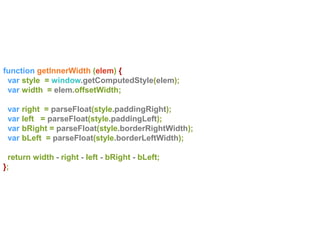
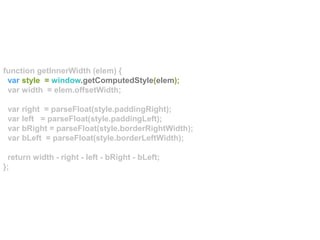
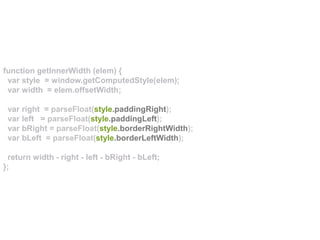
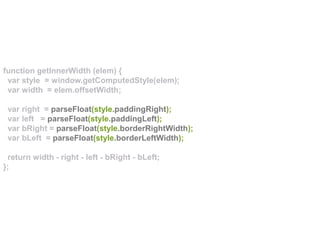
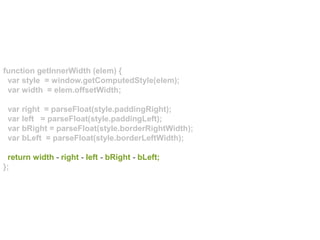
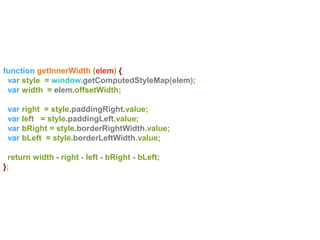
function getInnerWidth (elem) {
var style = window.getComputedStyle(elem);
var width = elem.offsetWidth;
var right = parseFloat(style.paddingRight);
var left = parseFloat(style.paddingLeft);
var bRight = parseFloat(style.borderRightWidth);
var bLeft = parseFloat(style.borderLeftWidth);
return width - right - left - bRight - bLeft;
};
function getInnerWidth (elem) {
var style = window.getComputedStyle(elem);
var width = elem.offsetWidth;
var right = parseFloat(style.paddingRight);
var left = parseFloat(style.paddingLeft);
var bRight = parseFloat(style.borderRightWidth);
var bLeft = parseFloat(style.borderLeftWidth);
return width - right - left - bRight - bLeft;
};
function getInnerWidth (elem) {
var style = window.getComputedStyle(elem);
var width = elem.offsetWidth;
var right = parseFloat(style.paddingRight);
var left = parseFloat(style.paddingLeft);
var bRight = parseFloat(style.borderRightWidth);
var bLeft = parseFloat(style.borderLeftWidth);
return width - right - left - bRight - bLeft;
};
function getInnerWidth (elem) {
var style = window.getComputedStyle(elem);
var width = elem.offsetWidth;
var right = parseFloat(style.paddingRight);
var left = parseFloat(style.paddingLeft);
var bRight = parseFloat(style.borderRightWidth);
var bLeft = parseFloat(style.borderLeftWidth);
return width - right - left - bRight - bLeft;
};
function getInnerWidth (elem) {
var style = window.getComputedStyle(elem);
var width = elem.offsetWidth;
var right = parseFloat(style.paddingRight);
var left = parseFloat(style.paddingLeft);
var bRight = parseFloat(style.borderRightWidth);
var bLeft = parseFloat(style.borderLeftWidth);
return width - right - left - bRight - bLeft;
};
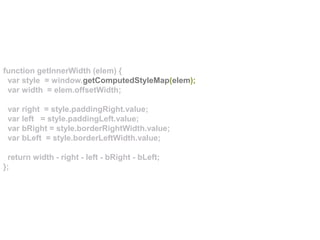
function getInnerWidth (elem) {
var style = window.getComputedStyleMap(elem);
var width = elem.offsetWidth;
var right = style.paddingRight.value;
var left = style.paddingLeft.value;
var bRight = style.borderRightWidth.value;
var bLeft = style.borderLeftWidth.value;
return width - right - left - bRight - bLeft;
};
function getInnerWidth (elem) {
var style = window.getComputedStyleMap(elem);
var width = elem.offsetWidth;
var right = style.paddingRight.value;
var left = style.paddingLeft.value;
var bRight = style.borderRightWidth.value;
var bLeft = style.borderLeftWidth.value;
return width - right - left - bRight - bLeft;
};
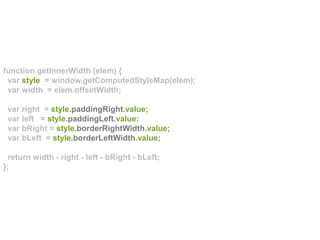
function getInnerWidth (elem) {
var style = window.getComputedStyleMap(elem);
var width = elem.offsetWidth;
var right = style.paddingRight.value;
var left = style.paddingLeft.value;
var bRight = style.borderRightWidth.value;
var bLeft = style.borderLeftWidth.value;
return width - right - left - bRight - bLeft;
};
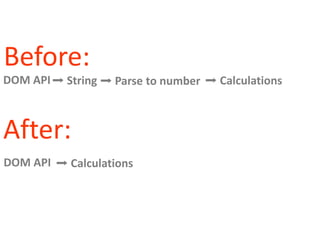
Before:
After:
DOM API
DOM API
➡ String ➡ Parse to number ➡ Calculations
➡ Calculations
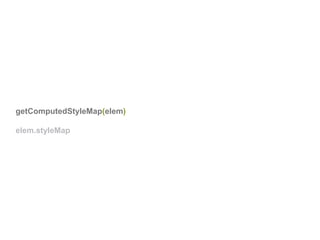
getComputedStyleMap(elem)
elem.styleMap
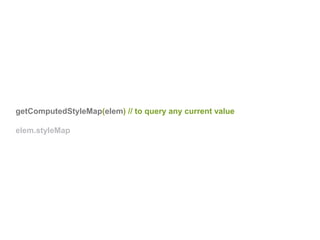
getComputedStyleMap(elem) // to query any current value
elem.styleMap
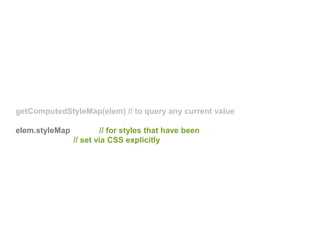
getComputedStyleMap(elem) // to query any current value
elem.styleMap // for styles that have been
// set via CSS explicitly
style.get('width').unit == ’em'style.get('width').unit == ’vmax'
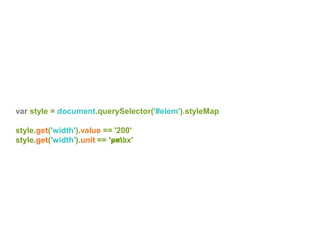
var style = document.querySelector('#elem').styleMap
style.get('width').value == '200'
style.get('width').unit == 'px'
var style = document.querySelector('#elem').styleMap
style.set('width', new CSSUnitValue(50, 'em'))
var style = document.querySelector('#elem').styleMap
style.set('width', new CSSUnitValue(50, 'em'))
var style = document.querySelector('#elem').styleMap
var x = style.get(’background-position').x
x.value == 50
x.unit == ’percent'
// CSSUnitValue(50, "percent")
var y = style.get(’background-position').y
x.px == -10
x.percent == 100
x.unit == undefined
// CSSCalcValue({percent: 100, px: -10})
#elem {
background-position: center bottom 10px;
}
#elem {
background-position: center bottom 10px;
}
#elem {
background-position: center bottom 10px;
}
it’s about efficiency,
not ease of use
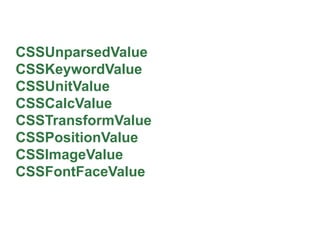
CSSUnparsedValue
CSSKeywordValue
CSSUnitValue
CSSCalcValue
CSSTransformValue
CSSPositionValue
CSSImageValue
CSSFontFaceValue
Worklets
Worklets
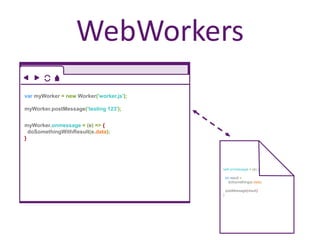
WebWorkers
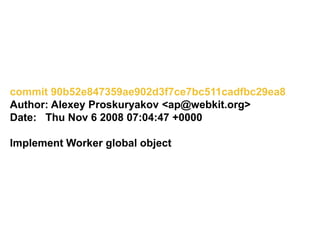
commit 90b52e847359ae902d3f7ce7bc511cadfbc29ea8
Author: Alexey Proskuryakov <ap@webkit.org>
Date: Thu Nov 6 2008 07:04:47 +0000
Implement Worker global object
self.onmessage = (e) {
let result =
doSomething(e.data)
postMessage(result)
}
var myWorker = new Worker('worker.js');
myWorker.postMessage(’testing 123');
myWorker.onmessage = (e) => {
doSomethingWithResult(e.data);
}
WebWorkers
WebWorkers
individual threads
event based
Worklets
API based
thread agnostic
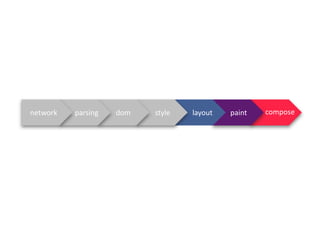
paintlayoutstyledomparsingnetwork compose
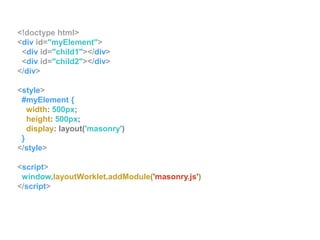
CSS Layout API
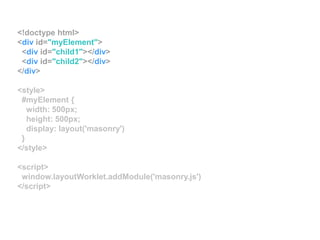
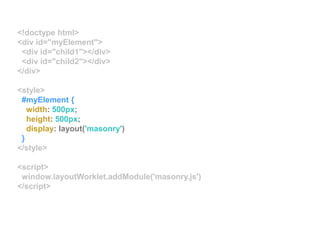
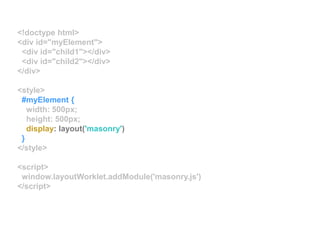
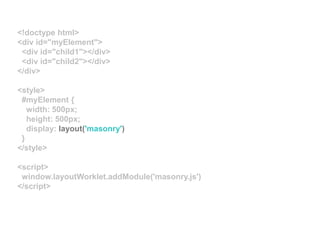
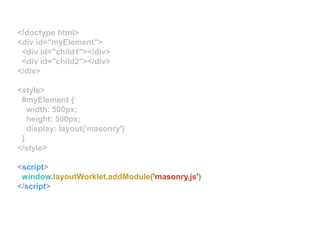
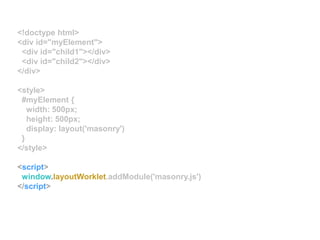
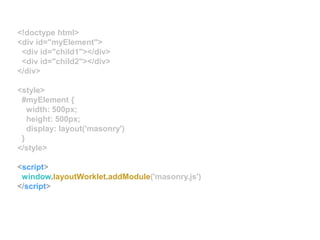
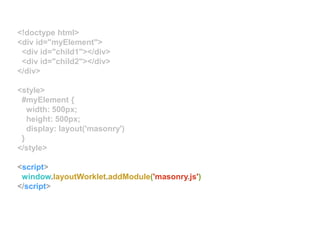
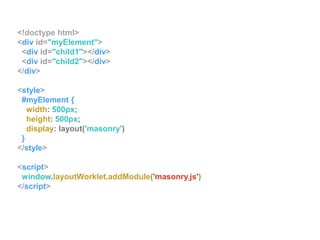
<!doctype html>
<div id="myElement">
<div id="child1"></div>
<div id="child2"></div>
</div>
<style>
#myElement {
width: 500px;
height: 500px;
display: layout('masonry')
}
</style>
<script>
window.layoutWorklet.addModule('masonry.js')
</script>
<!doctype html>
<div id="myElement">
<div id="child1"></div>
<div id="child2"></div>
</div>
<style>
#myElement {
width: 500px;
height: 500px;
display: layout('masonry')
}
</style>
<script>
window.layoutWorklet.addModule('masonry.js')
</script>
<!doctype html>
<div id="myElement">
<div id="child1"></div>
<div id="child2"></div>
</div>
<style>
#myElement {
width: 500px;
height: 500px;
display: layout('masonry')
}
</style>
<script>
window.layoutWorklet.addModule('masonry.js')
</script>
<!doctype html>
<div id="myElement">
<div id="child1"></div>
<div id="child2"></div>
</div>
<style>
#myElement {
width: 500px;
height: 500px;
display: layout('masonry')
}
</style>
<script>
window.layoutWorklet.addModule('masonry.js')
</script>
<!doctype html>
<div id="myElement">
<div id="child1"></div>
<div id="child2"></div>
</div>
<style>
#myElement {
width: 500px;
height: 500px;
display: layout('masonry')
}
</style>
<script>
window.layoutWorklet.addModule('masonry.js')
</script>
<!doctype html>
<div id="myElement">
<div id="child1"></div>
<div id="child2"></div>
</div>
<style>
#myElement {
width: 500px;
height: 500px;
display: layout('masonry')
}
</style>
<script>
window.layoutWorklet.addModule('masonry.js')
</script>
<!doctype html>
<div id="myElement">
<div id="child1"></div>
<div id="child2"></div>
</div>
<style>
#myElement {
width: 500px;
height: 500px;
display: layout('masonry')
}
</style>
<script>
window.layoutWorklet.addModule('masonry.js')
</script>
<!doctype html>
<div id="myElement">
<div id="child1"></div>
<div id="child2"></div>
</div>
<style>
#myElement {
width: 500px;
height: 500px;
display: layout('masonry')
}
</style>
<script>
window.layoutWorklet.addModule('masonry.js')
</script>
<!doctype html>
<div id="myElement">
<div id="child1"></div>
<div id="child2"></div>
</div>
<style>
#myElement {
width: 500px;
height: 500px;
display: layout('masonry')
}
</style>
<script>
window.layoutWorklet.addModule('masonry.js')
</script>
<!doctype html>
<div id="myElement">
<div id="child1"></div>
<div id="child2"></div>
</div>
<style>
#myElement {
width: 500px;
height: 500px;
display: layout('masonry')
}
</style>
<script>
window.layoutWorklet.addModule('masonry.js')
</script>
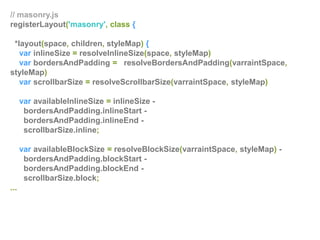
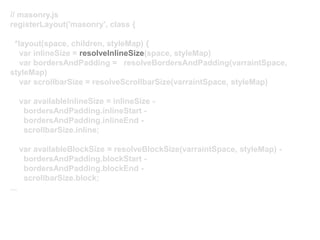
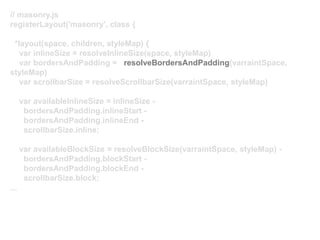
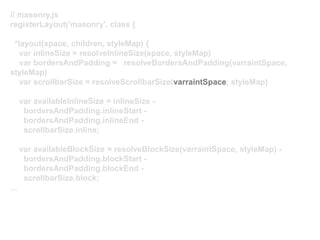
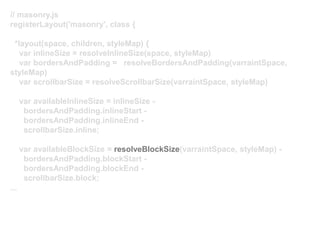
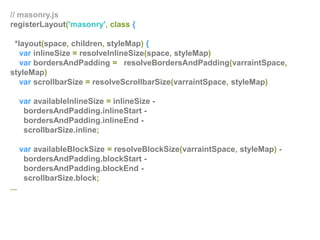
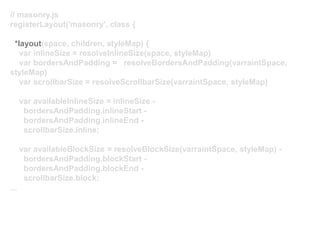
// masonry.js
registerLayout('masonry', class {
*layout(space, children, styleMap) {
var inlineSize = resolveInlineSize(space, styleMap)
var bordersAndPadding = resolveBordersAndPadding(varraintSpace,
styleMap)
var scrollbarSize = resolveScrollbarSize(varraintSpace, styleMap)
var availableInlineSize = inlineSize -
bordersAndPadding.inlineStart -
bordersAndPadding.inlineEnd -
scrollbarSize.inline;
var availableBlockSize = resolveBlockSize(varraintSpace, styleMap) -
bordersAndPadding.blockStart -
bordersAndPadding.blockEnd -
scrollbarSize.block;
...
// masonry.js
registerLayout('masonry', class {
*layout(space, children, styleMap) {
var inlineSize = resolveInlineSize(space, styleMap)
var bordersAndPadding = resolveBordersAndPadding(varraintSpace,
styleMap)
var scrollbarSize = resolveScrollbarSize(varraintSpace, styleMap)
var availableInlineSize = inlineSize -
bordersAndPadding.inlineStart -
bordersAndPadding.inlineEnd -
scrollbarSize.inline;
var availableBlockSize = resolveBlockSize(varraintSpace, styleMap) -
bordersAndPadding.blockStart -
bordersAndPadding.blockEnd -
scrollbarSize.block;
...
// masonry.js
registerLayout('masonry', class {
*layout(space, children, styleMap) {
var inlineSize = resolveInlineSize(space, styleMap)
var bordersAndPadding = resolveBordersAndPadding(varraintSpace,
styleMap)
var scrollbarSize = resolveScrollbarSize(varraintSpace, styleMap)
var availableInlineSize = inlineSize -
bordersAndPadding.inlineStart -
bordersAndPadding.inlineEnd -
scrollbarSize.inline;
var availableBlockSize = resolveBlockSize(varraintSpace, styleMap) -
bordersAndPadding.blockStart -
bordersAndPadding.blockEnd -
scrollbarSize.block;
...
// masonry.js
registerLayout('masonry', class {
*layout(space, children, styleMap) {
var inlineSize = resolveInlineSize(space, styleMap)
var bordersAndPadding = resolveBordersAndPadding(varraintSpace,
styleMap)
var scrollbarSize = resolveScrollbarSize(varraintSpace, styleMap)
var availableInlineSize = inlineSize -
bordersAndPadding.inlineStart -
bordersAndPadding.inlineEnd -
scrollbarSize.inline;
var availableBlockSize = resolveBlockSize(varraintSpace, styleMap) -
bordersAndPadding.blockStart -
bordersAndPadding.blockEnd -
scrollbarSize.block;
...
// masonry.js
registerLayout('masonry', class {
*layout(space, children, styleMap) {
var inlineSize = resolveInlineSize(space, styleMap)
var bordersAndPadding = resolveBordersAndPadding(varraintSpace,
styleMap)
var scrollbarSize = resolveScrollbarSize(varraintSpace, styleMap)
var availableInlineSize = inlineSize -
bordersAndPadding.inlineStart -
bordersAndPadding.inlineEnd -
scrollbarSize.inline;
var availableBlockSize = resolveBlockSize(varraintSpace, styleMap) -
bordersAndPadding.blockStart -
bordersAndPadding.blockEnd -
scrollbarSize.block;
...
yuck
it’s about efficiency,
not ease of use
bit.ly/css-layout-api
// masonry.js
registerLayout('masonry', class {
*layout(space, children, styleMap) {
var inlineSize = resolveInlineSize(space, styleMap)
var bordersAndPadding = resolveBordersAndPadding(varraintSpace,
styleMap)
var scrollbarSize = resolveScrollbarSize(varraintSpace, styleMap)
var availableInlineSize = inlineSize -
bordersAndPadding.inlineStart -
bordersAndPadding.inlineEnd -
scrollbarSize.inline;
var availableBlockSize = resolveBlockSize(varraintSpace, styleMap) -
bordersAndPadding.blockStart -
bordersAndPadding.blockEnd -
scrollbarSize.block;
...
// masonry.js
registerLayout('masonry', class {
*layout(space, children, styleMap) {
var inlineSize = resolveInlineSize(space, styleMap)
var bordersAndPadding = resolveBordersAndPadding(varraintSpace,
styleMap)
var scrollbarSize = resolveScrollbarSize(varraintSpace, styleMap)
var availableInlineSize = inlineSize -
bordersAndPadding.inlineStart -
bordersAndPadding.inlineEnd -
scrollbarSize.inline;
var availableBlockSize = resolveBlockSize(varraintSpace, styleMap) -
bordersAndPadding.blockStart -
bordersAndPadding.blockEnd -
scrollbarSize.block;
...
paintWorklet
CSS Paint API
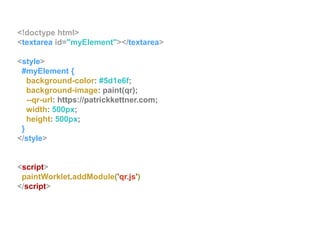
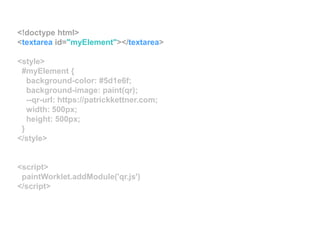
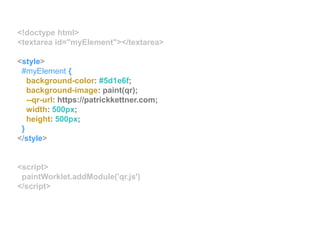
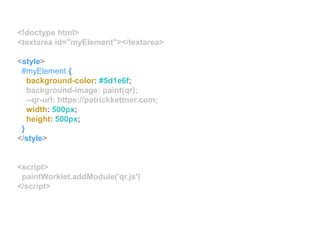
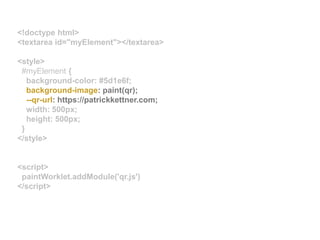
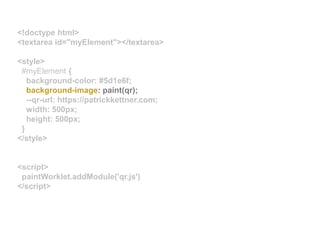
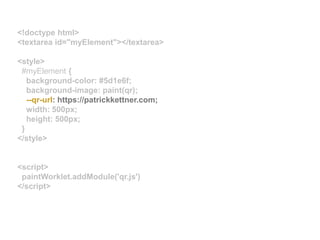
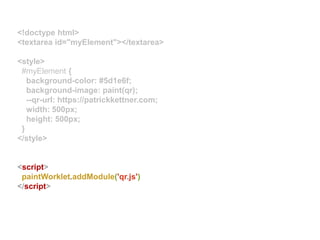
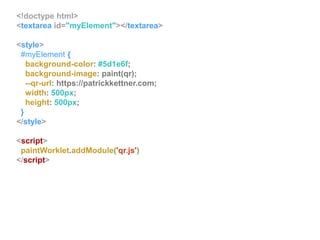
<!doctype html>
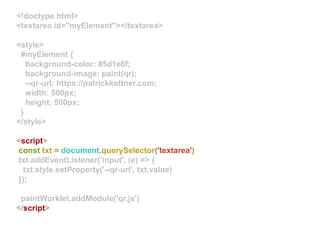
<textarea id="myElement"></textarea>
<style>
#myElement {
background-color: #5d1e6f;
background-image: paint(qr);
--qr-url: https://patrickkettner.com;
width: 500px;
height: 500px;
}
</style>
<script>
paintWorklet.addModule('qr.js')
</script>
<!doctype html>
<textarea id="myElement"></textarea>
<style>
#myElement {
background-color: #5d1e6f;
background-image: paint(qr);
--qr-url: https://patrickkettner.com;
width: 500px;
height: 500px;
}
</style>
<script>
paintWorklet.addModule('qr.js')
</script>
<!doctype html>
<textarea id="myElement"></textarea>
<style>
#myElement {
background-color: #5d1e6f;
background-image: paint(qr);
--qr-url: https://patrickkettner.com;
width: 500px;
height: 500px;
}
</style>
<script>
paintWorklet.addModule('qr.js')
</script>
<!doctype html>
<textarea id="myElement"></textarea>
<style>
#myElement {
background-color: #5d1e6f;
background-image: paint(qr);
--qr-url: https://patrickkettner.com;
width: 500px;
height: 500px;
}
</style>
<script>
paintWorklet.addModule('qr.js')
</script>
<!doctype html>
<textarea id="myElement"></textarea>
<style>
#myElement {
background-color: #5d1e6f;
background-image: paint(qr);
--qr-url: https://patrickkettner.com;
width: 500px;
height: 500px;
}
</style>
<script>
paintWorklet.addModule('qr.js')
</script>
<!doctype html>
<textarea id="myElement"></textarea>
<style>
#myElement {
background-color: #5d1e6f;
background-image: paint(qr);
--qr-url: https://patrickkettner.com;
width: 500px;
height: 500px;
}
</style>
<script>
paintWorklet.addModule('qr.js')
</script>
<!doctype html>
<textarea id="myElement"></textarea>
<style>
#myElement {
background-color: #5d1e6f;
background-image: paint(qr);
--qr-url: https://patrickkettner.com;
width: 500px;
height: 500px;
}
</style>
<script>
paintWorklet.addModule('qr.js')
</script>
<!doctype html>
<textarea id="myElement"></textarea>
<style>
#myElement {
background-color: #5d1e6f;
background-image: paint(qr);
--qr-url: https://patrickkettner.com;
width: 500px;
height: 500px;
}
</style>
<script>
paintWorklet.addModule('qr.js')
</script>
// qr.js
// slightly modified version of
// https://github.com/yyx990803/QR.js
import QR from 'QR'
registerPaint('qr', class {
static get inputProperties() { return [ '--qr-url' ]; }
paint(ctx, geom, properties) {
let url = properties.get('--qr-url').value
const minSize = Math.min(geom.width, geom.height);
if (url) {
QR.draw(url, ctx, minSize, 2)
}
}
});
// qr.js
// slightly modified version of
// https://github.com/yyx990803/QR.js
import QR from 'QR'
registerPaint('qr', class {
static get inputProperties() { return [ '--qr-url' ]; }
paint(ctx, geom, properties) {
let url = properties.get('--qr-url').value
const minSize = Math.min(geom.width, geom.height);
if (url) {
QR.draw(url, ctx, minSize, 2)
}
}
});
// qr.js
// slightly modified version of
// https://github.com/yyx990803/QR.js
import QR from 'QR'
registerPaint('qr', class {
static get inputProperties() { return [ '--qr-url' ]; }
paint(ctx, geom, properties) {
let url = properties.get('--qr-url').value
const minSize = Math.min(geom.width, geom.height);
if (url) {
QR.draw(url, ctx, minSize, 2)
}
}
});
// qr.js
// slightly modified version of
// https://github.com/yyx990803/QR.js
import QR from 'QR'
registerPaint('qr', class {
static get inputProperties() { return [ '--qr-url' ]; }
paint(ctx, geom, properties) {
let url = properties.get('--qr-url').value
const minSize = Math.min(geom.width, geom.height);
if (url) {
QR.draw(url, ctx, minSize, 2)
}
}
});
// qr.js
// slightly modified version of
// https://github.com/yyx990803/QR.js
import QR from 'QR'
registerPaint('qr', class {
static get inputProperties() { return [ '--qr-url' ]; }
paint(ctx, geom, properties) {
let url = properties.get('--qr-url').value
const minSize = Math.min(geom.width, geom.height);
if (url) {
QR.draw(url, ctx, minSize, 2)
}
}
});
// qr.js
// slightly modified version of
// https://github.com/yyx990803/QR.js
import QR from 'QR'
registerPaint('qr', class {
static get inputProperties() { return [ '--qr-url' ]; }
paint(ctx, geom, properties) {
let url = properties.get('--qr-url').value
const minSize = Math.min(geom.width, geom.height);
if (url) {
QR.draw(url, ctx, minSize, 2)
}
}
});
// qr.js
// slightly modified version of
// https://github.com/yyx990803/QR.js
import QR from 'QR'
registerPaint('qr', class {
static get inputProperties() { return [ '--qr-url' ]; }
paint(ctx, geom, properties) {
let url = properties.get('--qr-url').value
const minSize = Math.min(geom.width, geom.height);
if (url) {
QR.draw(url, ctx, minSize, 2)
}
}
});
// qr.js
// slightly modified version of
// https://github.com/yyx990803/QR.js
import QR from 'QR'
registerPaint('qr', class {
static get inputProperties() { return [ '--qr-url' ]; }
paint(ctx, geom, properties) {
let url = properties.get('--qr-url').value
const minSize = Math.min(geom.width, geom.height);
if (url) {
QR.draw(url, ctx, minSize, 2)
}
}
});
// qr.js
// slightly modified version of
// https://github.com/yyx990803/QR.js
import QR from 'QR'
registerPaint('qr', class {
static get inputProperties() { return [ '--qr-url' ]; }
paint(ctx, geom, properties) {
let url = properties.get('--qr-url').value
const minSize = Math.min(geom.width, geom.height);
if (url) {
QR.draw(url, ctx, minSize, 2)
}
}
});
// qr.js
// slightly modified version of
// https://github.com/yyx990803/QR.js
import QR from 'QR'
registerPaint('qr', class {
static get inputProperties() { return [ '--qr-url' ]; }
paint(ctx, geom, properties) {
let url = properties.get('--qr-url').value
const minSize = Math.min(geom.width, geom.height);
if (url) {
QR.draw(url, ctx, minSize, 2)
}
}
});
// qr.js
// slightly modified version of
// https://github.com/yyx990803/QR.js
import QR from 'QR'
registerPaint('qr', class {
static get inputProperties() { return [ '--qr-url' ]; }
paint(ctx, geom, properties) {
let url = properties.get('--qr-url').value
const minSize = Math.min(geom.width, geom.height);
if (url) {
QR.draw(url, ctx, minSize, 2)
}
}
});
// qr.js
// slightly modified version of
// https://github.com/yyx990803/QR.js
import QR from 'QR'
registerPaint('qr', class {
static get inputProperties() { return [ '--qr-url' ]; }
paint(ctx, geom, properties) {
let url = properties.get('--qr-url').value
const minSize = Math.min(geom.width, geom.height);
if (url) {
QR.draw(url, ctx, minSize, 2)
}
}
});
<!doctype html>
<textarea id="myElement"></textarea>
<style>
#myElement {
background-color: #5d1e6f;
background-image: paint(qr);
--qr-url: https://patrickkettner.com;
width: 500px;
height: 500px;
}
</style>
<script>
paintWorklet.addModule('qr.js')
</script>
<!doctype html>
<textarea id="myElement"></textarea>
<style>
#myElement {
background-color: #5d1e6f;
background-image: paint(qr);
--qr-url: https://patrickkettner.com;
width: 500px;
height: 500px;
}
</style>
<script>
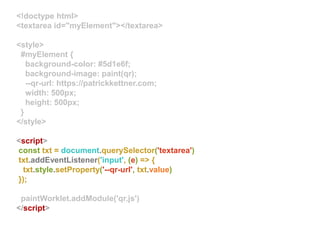
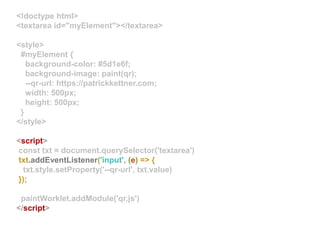
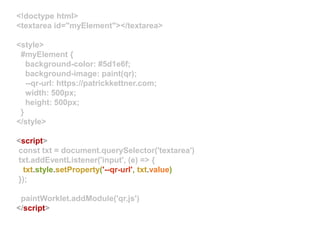
const txt = document.querySelector('textarea')
txt.addEventListener('input', (e) => {
txt.style.setProperty('--qr-url', txt.value)
});
paintWorklet.addModule('qr.js')
</script>
<!doctype html>
<textarea id="myElement"></textarea>
<style>
#myElement {
background-color: #5d1e6f;
background-image: paint(qr);
--qr-url: https://patrickkettner.com;
width: 500px;
height: 500px;
}
</style>
<script>
const txt = document.querySelector('textarea')
txt.addEventListener('input', (e) => {
txt.style.setProperty('--qr-url', txt.value)
});
paintWorklet.addModule('qr.js')
</script>
<!doctype html>
<textarea id="myElement"></textarea>
<style>
#myElement {
background-color: #5d1e6f;
background-image: paint(qr);
--qr-url: https://patrickkettner.com;
width: 500px;
height: 500px;
}
</style>
<script>
const txt = document.querySelector('textarea')
txt.addEventListener('input', (e) => {
txt.style.setProperty('--qr-url', txt.value)
});
paintWorklet.addModule('qr.js')
</script>
<!doctype html>
<textarea id="myElement"></textarea>
<style>
#myElement {
background-color: #5d1e6f;
background-image: paint(qr);
--qr-url: https://patrickkettner.com;
width: 500px;
height: 500px;
}
</style>
<script>
const txt = document.querySelector('textarea')
txt.addEventListener('input', (e) => {
txt.style.setProperty('--qr-url', txt.value)
});
paintWorklet.addModule('qr.js')
</script>
it’s about efficiency,
not ease of use
start playing
with nightlies
give feedback!
https://aka.ms/EdgeUserVoice
thanks!
patrickkettner
patrickkettner
patrickkettner
patrickkettner
patrickkettner@microsoft.com

Patrick Kettner - Creating magic with houdini

  • 5.
    FROM: Marc Andreessen(marca@eit.com) TO: www-talk@w3.org Thu, 17 Feb 1994 13:11:31 --100 RE: Indented <MENU>s ************************ *********** In fact, it has been a constant source of delight for me over the past year to get to continually tell hordes (literally) of people who want to -- strap yourselves in, here it comes -- control what their documents look like in ways that would be trivial in TeX, Microsoft Word, and every other common text processing environment: "Sorry, you're screwed."
  • 7.
  • 14.
  • 15.
    paintlayoutstyledomparsingnetwork compose Why onearth are you looking this closely at my files? You win a prize :] Seriously, just tell me you noticed this ridiculiously small text and I
  • 16.
  • 17.
    var sum=1+2 keyword identifierassignment int addition int “hey, that’s a keyword!”“and that’s an identifier!”“thats an integer!”“another integer!”“oh cool! an addition operator”“looks like an assignment operator”
  • 18.
  • 19.
    #document body header div p p <!DOCTYPEhtml> <body> <header>hello</header> <div> <p>world</p> <p>:]</p> </div> </body> <!DOCTYPE html> <body> <header>hello</header> <div> <p>world</p> <p>:]</p> </div> </body>
  • 20.
  • 21.
    #document body header div p p #document body headerdiv * { background: red } div p { background: blue } p:last-of-type { background: orange } * { background: red } div p p:last-of-type div p { background: blue } * { background: red } p:last-of-type { background: orange } div p { background: blue } #document body header div p pp p
  • 22.
  • 23.
    body{ width: 250px } div { width:10em; } p { width: 50% } body header div p p bodybody{ width: 250px }
  • 24.
    body{ width: 250px } div { width:10em; } p { width: 50% } header div p p div p
  • 25.
    body{ width: 250px } div { width:10em; } p { width: 50% } div p p divdiv { width: 10em; } div { width: 160px; }
  • 26.
    body{ width: 250px } p { width:50% } p p pp { width: 50% } p { width: 80px }
  • 27.
    body{ width: 250px } p { width:50px } p pp { width: 80px }
  • 29.
  • 30.
  • 39.
  • 42.
  • 43.
  • 44.
  • 45.
  • 47.
  • 48.
  • 50.
  • 52.
  • 53.
    CSS Properties andValues API CSSOM PaintWorklet LayoutWorklet AnimationWorklet CSS Parser Font Metrics
  • 54.
  • 55.
  • 57.
    :root { --distance: 400px; } div{ width: var(--distance); height: var(--distance); background: #F9391F; transition: --distance: 1s; } div:hover { --distance: 150px; }
  • 58.
    :root { --distance: 400px; } div{ width: var(--distance); height: var(--distance); background: #F9391F; transition: --distance: 1s; } div:hover { --distance: 150px; }
  • 59.
    :root { --distance: 400px; } div{ width: var(--distance); height: var(--distance); background: #F9391F; transition: --distance: 1s; } div:hover { --distance: 150px; }
  • 60.
    :root { --distance: 400px; } div{ width: var(--distance); height: var(--distance); background: #F9391F; transition: --distance: 1s; } div:hover { --distance: 150px; }
  • 61.
    :root { --distance: 400px; } div{ width: var(--distance); height: var(--distance); background: #F9391F; transition: --distance: 1s; } div:hover { --distance: 150px; }
  • 62.
    :root { --distance: 400px; } div{ width: var(--distance); height: var(--distance); background: #F9391F; transition: --distance: 1s; } div:hover { --distance: 150px; }
  • 63.
  • 64.
  • 65.
    :root { --distance: 400px; } div{ width: var(--distance); height: var(--distance); background: #F9391F; transition: --distance: 1s; } div:hover { --distance: 150px; } CSS.registerProperty({ name: "--distance", syntax: "<length>", initialValue: ’0' })
  • 66.
    :root { --distance: 400px; } div{ width: var(--distance); height: var(--distance); background: #F9391F; transition: --distance: 1s; } div:hover { --distance: 150px; } CSS.registerProperty({ name: "--distance", syntax: "<length>", initialValue: ’0' }) required: any string
  • 67.
    :root { --distance: 400px; } div{ width: var(--distance); height: var(--distance); background: #F9391F; transition: --distance: 1s; } div:hover { --distance: 150px; } CSS.registerProperty({ name: "--distance", syntax: "<length>", initialValue: ’0' }) optional: <length> <number> <percentage> <color> <image> <url> <integer> <angle> <time> <resolution> <ident> *
  • 68.
    :root { --distance: 400px; } div{ width: var(--distance); height: var(--distance); background: #F9391F; transition: --distance: 1s; } div:hover { --distance: 150px; } CSS.registerProperty({ name: "--distance", syntax: "<length>", initialValue: ’0' })
  • 69.
    :root { --distance: 400px; } div{ width: var(--distance); height: var(--distance); background: #F9391F; transition: --distance: 1s; } div:hover { --distance: 150px; } CSS.registerProperty({ name: "--distance", syntax: "<length>", initialValue: ’0' })
  • 70.
    :root { --distance: 400px; } div{ width: var(--distance); height: var(--distance); background: #F9391F; transition: --distance: 1s; } div:hover { --distance: 150px; } CSS.registerProperty({ name: "--distance", syntax: "<length>", initialValue: ’0' })
  • 71.
    CSSOMCSS Object ModelCSSTyped Object Model
  • 72.
    ^ ^ Here is asome dummy text Here is a a much much longer version of some dummy text that will ultimately cause the textbox to overflow the container that we are within and as a window.getComputedStyle('#elem').width == '200px';window.getComputedStyle('#elem').width == ’187px';
  • 73.
    function getInnerWidth (elem){ var style = window.getComputedStyle(elem); var width = elem.offsetWidth; var right = parseFloat(style.paddingRight); var left = parseFloat(style.paddingLeft); var bRight = parseFloat(style.borderRightWidth); var bLeft = parseFloat(style.borderLeftWidth); return width - right - left - bRight - bLeft; };
  • 74.
    function getInnerWidth (elem){ var style = window.getComputedStyle(elem); var width = elem.offsetWidth; var right = parseFloat(style.paddingRight); var left = parseFloat(style.paddingLeft); var bRight = parseFloat(style.borderRightWidth); var bLeft = parseFloat(style.borderLeftWidth); return width - right - left - bRight - bLeft; };
  • 75.
    function getInnerWidth (elem){ var style = window.getComputedStyle(elem); var width = elem.offsetWidth; var right = parseFloat(style.paddingRight); var left = parseFloat(style.paddingLeft); var bRight = parseFloat(style.borderRightWidth); var bLeft = parseFloat(style.borderLeftWidth); return width - right - left - bRight - bLeft; };
  • 76.
    function getInnerWidth (elem){ var style = window.getComputedStyle(elem); var width = elem.offsetWidth; var right = parseFloat(style.paddingRight); var left = parseFloat(style.paddingLeft); var bRight = parseFloat(style.borderRightWidth); var bLeft = parseFloat(style.borderLeftWidth); return width - right - left - bRight - bLeft; };
  • 77.
    function getInnerWidth (elem){ var style = window.getComputedStyle(elem); var width = elem.offsetWidth; var right = parseFloat(style.paddingRight); var left = parseFloat(style.paddingLeft); var bRight = parseFloat(style.borderRightWidth); var bLeft = parseFloat(style.borderLeftWidth); return width - right - left - bRight - bLeft; };
  • 78.
    function getInnerWidth (elem){ var style = window.getComputedStyleMap(elem); var width = elem.offsetWidth; var right = style.paddingRight.value; var left = style.paddingLeft.value; var bRight = style.borderRightWidth.value; var bLeft = style.borderLeftWidth.value; return width - right - left - bRight - bLeft; };
  • 79.
    function getInnerWidth (elem){ var style = window.getComputedStyleMap(elem); var width = elem.offsetWidth; var right = style.paddingRight.value; var left = style.paddingLeft.value; var bRight = style.borderRightWidth.value; var bLeft = style.borderLeftWidth.value; return width - right - left - bRight - bLeft; };
  • 80.
    function getInnerWidth (elem){ var style = window.getComputedStyleMap(elem); var width = elem.offsetWidth; var right = style.paddingRight.value; var left = style.paddingLeft.value; var bRight = style.borderRightWidth.value; var bLeft = style.borderLeftWidth.value; return width - right - left - bRight - bLeft; };
  • 81.
    Before: After: DOM API DOM API ➡String ➡ Parse to number ➡ Calculations ➡ Calculations
  • 82.
  • 83.
    getComputedStyleMap(elem) // toquery any current value elem.styleMap
  • 84.
    getComputedStyleMap(elem) // toquery any current value elem.styleMap // for styles that have been // set via CSS explicitly
  • 85.
    style.get('width').unit == ’em'style.get('width').unit== ’vmax' var style = document.querySelector('#elem').styleMap style.get('width').value == '200' style.get('width').unit == 'px'
  • 86.
    var style =document.querySelector('#elem').styleMap style.set('width', new CSSUnitValue(50, 'em')) var style = document.querySelector('#elem').styleMap style.set('width', new CSSUnitValue(50, 'em'))
  • 87.
    var style =document.querySelector('#elem').styleMap var x = style.get(’background-position').x x.value == 50 x.unit == ’percent' // CSSUnitValue(50, "percent") var y = style.get(’background-position').y x.px == -10 x.percent == 100 x.unit == undefined // CSSCalcValue({percent: 100, px: -10}) #elem { background-position: center bottom 10px; } #elem { background-position: center bottom 10px; } #elem { background-position: center bottom 10px; }
  • 88.
  • 89.
  • 91.
  • 92.
  • 93.
  • 94.
    commit 90b52e847359ae902d3f7ce7bc511cadfbc29ea8 Author: AlexeyProskuryakov <ap@webkit.org> Date: Thu Nov 6 2008 07:04:47 +0000 Implement Worker global object
  • 95.
    self.onmessage = (e){ let result = doSomething(e.data) postMessage(result) } var myWorker = new Worker('worker.js'); myWorker.postMessage(’testing 123'); myWorker.onmessage = (e) => { doSomethingWithResult(e.data); } WebWorkers
  • 96.
  • 97.
  • 98.
  • 99.
  • 101.
  • 102.
    <!doctype html> <div id="myElement"> <divid="child1"></div> <div id="child2"></div> </div> <style> #myElement { width: 500px; height: 500px; display: layout('masonry') } </style> <script> window.layoutWorklet.addModule('masonry.js') </script>
  • 103.
    <!doctype html> <div id="myElement"> <divid="child1"></div> <div id="child2"></div> </div> <style> #myElement { width: 500px; height: 500px; display: layout('masonry') } </style> <script> window.layoutWorklet.addModule('masonry.js') </script>
  • 104.
    <!doctype html> <div id="myElement"> <divid="child1"></div> <div id="child2"></div> </div> <style> #myElement { width: 500px; height: 500px; display: layout('masonry') } </style> <script> window.layoutWorklet.addModule('masonry.js') </script>
  • 105.
    <!doctype html> <div id="myElement"> <divid="child1"></div> <div id="child2"></div> </div> <style> #myElement { width: 500px; height: 500px; display: layout('masonry') } </style> <script> window.layoutWorklet.addModule('masonry.js') </script>
  • 106.
    <!doctype html> <div id="myElement"> <divid="child1"></div> <div id="child2"></div> </div> <style> #myElement { width: 500px; height: 500px; display: layout('masonry') } </style> <script> window.layoutWorklet.addModule('masonry.js') </script>
  • 107.
    <!doctype html> <div id="myElement"> <divid="child1"></div> <div id="child2"></div> </div> <style> #myElement { width: 500px; height: 500px; display: layout('masonry') } </style> <script> window.layoutWorklet.addModule('masonry.js') </script>
  • 108.
    <!doctype html> <div id="myElement"> <divid="child1"></div> <div id="child2"></div> </div> <style> #myElement { width: 500px; height: 500px; display: layout('masonry') } </style> <script> window.layoutWorklet.addModule('masonry.js') </script>
  • 109.
    <!doctype html> <div id="myElement"> <divid="child1"></div> <div id="child2"></div> </div> <style> #myElement { width: 500px; height: 500px; display: layout('masonry') } </style> <script> window.layoutWorklet.addModule('masonry.js') </script>
  • 110.
    <!doctype html> <div id="myElement"> <divid="child1"></div> <div id="child2"></div> </div> <style> #myElement { width: 500px; height: 500px; display: layout('masonry') } </style> <script> window.layoutWorklet.addModule('masonry.js') </script>
  • 111.
    <!doctype html> <div id="myElement"> <divid="child1"></div> <div id="child2"></div> </div> <style> #myElement { width: 500px; height: 500px; display: layout('masonry') } </style> <script> window.layoutWorklet.addModule('masonry.js') </script>
  • 112.
    // masonry.js registerLayout('masonry', class{ *layout(space, children, styleMap) { var inlineSize = resolveInlineSize(space, styleMap) var bordersAndPadding = resolveBordersAndPadding(varraintSpace, styleMap) var scrollbarSize = resolveScrollbarSize(varraintSpace, styleMap) var availableInlineSize = inlineSize - bordersAndPadding.inlineStart - bordersAndPadding.inlineEnd - scrollbarSize.inline; var availableBlockSize = resolveBlockSize(varraintSpace, styleMap) - bordersAndPadding.blockStart - bordersAndPadding.blockEnd - scrollbarSize.block; ...
  • 113.
    // masonry.js registerLayout('masonry', class{ *layout(space, children, styleMap) { var inlineSize = resolveInlineSize(space, styleMap) var bordersAndPadding = resolveBordersAndPadding(varraintSpace, styleMap) var scrollbarSize = resolveScrollbarSize(varraintSpace, styleMap) var availableInlineSize = inlineSize - bordersAndPadding.inlineStart - bordersAndPadding.inlineEnd - scrollbarSize.inline; var availableBlockSize = resolveBlockSize(varraintSpace, styleMap) - bordersAndPadding.blockStart - bordersAndPadding.blockEnd - scrollbarSize.block; ...
  • 114.
    // masonry.js registerLayout('masonry', class{ *layout(space, children, styleMap) { var inlineSize = resolveInlineSize(space, styleMap) var bordersAndPadding = resolveBordersAndPadding(varraintSpace, styleMap) var scrollbarSize = resolveScrollbarSize(varraintSpace, styleMap) var availableInlineSize = inlineSize - bordersAndPadding.inlineStart - bordersAndPadding.inlineEnd - scrollbarSize.inline; var availableBlockSize = resolveBlockSize(varraintSpace, styleMap) - bordersAndPadding.blockStart - bordersAndPadding.blockEnd - scrollbarSize.block; ...
  • 115.
    // masonry.js registerLayout('masonry', class{ *layout(space, children, styleMap) { var inlineSize = resolveInlineSize(space, styleMap) var bordersAndPadding = resolveBordersAndPadding(varraintSpace, styleMap) var scrollbarSize = resolveScrollbarSize(varraintSpace, styleMap) var availableInlineSize = inlineSize - bordersAndPadding.inlineStart - bordersAndPadding.inlineEnd - scrollbarSize.inline; var availableBlockSize = resolveBlockSize(varraintSpace, styleMap) - bordersAndPadding.blockStart - bordersAndPadding.blockEnd - scrollbarSize.block; ...
  • 116.
    // masonry.js registerLayout('masonry', class{ *layout(space, children, styleMap) { var inlineSize = resolveInlineSize(space, styleMap) var bordersAndPadding = resolveBordersAndPadding(varraintSpace, styleMap) var scrollbarSize = resolveScrollbarSize(varraintSpace, styleMap) var availableInlineSize = inlineSize - bordersAndPadding.inlineStart - bordersAndPadding.inlineEnd - scrollbarSize.inline; var availableBlockSize = resolveBlockSize(varraintSpace, styleMap) - bordersAndPadding.blockStart - bordersAndPadding.blockEnd - scrollbarSize.block; ...
  • 117.
  • 118.
  • 119.
  • 120.
    // masonry.js registerLayout('masonry', class{ *layout(space, children, styleMap) { var inlineSize = resolveInlineSize(space, styleMap) var bordersAndPadding = resolveBordersAndPadding(varraintSpace, styleMap) var scrollbarSize = resolveScrollbarSize(varraintSpace, styleMap) var availableInlineSize = inlineSize - bordersAndPadding.inlineStart - bordersAndPadding.inlineEnd - scrollbarSize.inline; var availableBlockSize = resolveBlockSize(varraintSpace, styleMap) - bordersAndPadding.blockStart - bordersAndPadding.blockEnd - scrollbarSize.block; ...
  • 121.
    // masonry.js registerLayout('masonry', class{ *layout(space, children, styleMap) { var inlineSize = resolveInlineSize(space, styleMap) var bordersAndPadding = resolveBordersAndPadding(varraintSpace, styleMap) var scrollbarSize = resolveScrollbarSize(varraintSpace, styleMap) var availableInlineSize = inlineSize - bordersAndPadding.inlineStart - bordersAndPadding.inlineEnd - scrollbarSize.inline; var availableBlockSize = resolveBlockSize(varraintSpace, styleMap) - bordersAndPadding.blockStart - bordersAndPadding.blockEnd - scrollbarSize.block; ...
  • 124.
  • 125.
  • 126.
    <!doctype html> <textarea id="myElement"></textarea> <style> #myElement{ background-color: #5d1e6f; background-image: paint(qr); --qr-url: https://patrickkettner.com; width: 500px; height: 500px; } </style> <script> paintWorklet.addModule('qr.js') </script>
  • 127.
    <!doctype html> <textarea id="myElement"></textarea> <style> #myElement{ background-color: #5d1e6f; background-image: paint(qr); --qr-url: https://patrickkettner.com; width: 500px; height: 500px; } </style> <script> paintWorklet.addModule('qr.js') </script>
  • 128.
    <!doctype html> <textarea id="myElement"></textarea> <style> #myElement{ background-color: #5d1e6f; background-image: paint(qr); --qr-url: https://patrickkettner.com; width: 500px; height: 500px; } </style> <script> paintWorklet.addModule('qr.js') </script>
  • 129.
    <!doctype html> <textarea id="myElement"></textarea> <style> #myElement{ background-color: #5d1e6f; background-image: paint(qr); --qr-url: https://patrickkettner.com; width: 500px; height: 500px; } </style> <script> paintWorklet.addModule('qr.js') </script>
  • 130.
    <!doctype html> <textarea id="myElement"></textarea> <style> #myElement{ background-color: #5d1e6f; background-image: paint(qr); --qr-url: https://patrickkettner.com; width: 500px; height: 500px; } </style> <script> paintWorklet.addModule('qr.js') </script>
  • 131.
    <!doctype html> <textarea id="myElement"></textarea> <style> #myElement{ background-color: #5d1e6f; background-image: paint(qr); --qr-url: https://patrickkettner.com; width: 500px; height: 500px; } </style> <script> paintWorklet.addModule('qr.js') </script>
  • 132.
    <!doctype html> <textarea id="myElement"></textarea> <style> #myElement{ background-color: #5d1e6f; background-image: paint(qr); --qr-url: https://patrickkettner.com; width: 500px; height: 500px; } </style> <script> paintWorklet.addModule('qr.js') </script>
  • 133.
    <!doctype html> <textarea id="myElement"></textarea> <style> #myElement{ background-color: #5d1e6f; background-image: paint(qr); --qr-url: https://patrickkettner.com; width: 500px; height: 500px; } </style> <script> paintWorklet.addModule('qr.js') </script>
  • 134.
    // qr.js // slightlymodified version of // https://github.com/yyx990803/QR.js import QR from 'QR' registerPaint('qr', class { static get inputProperties() { return [ '--qr-url' ]; } paint(ctx, geom, properties) { let url = properties.get('--qr-url').value const minSize = Math.min(geom.width, geom.height); if (url) { QR.draw(url, ctx, minSize, 2) } } });
  • 135.
    // qr.js // slightlymodified version of // https://github.com/yyx990803/QR.js import QR from 'QR' registerPaint('qr', class { static get inputProperties() { return [ '--qr-url' ]; } paint(ctx, geom, properties) { let url = properties.get('--qr-url').value const minSize = Math.min(geom.width, geom.height); if (url) { QR.draw(url, ctx, minSize, 2) } } });
  • 136.
    // qr.js // slightlymodified version of // https://github.com/yyx990803/QR.js import QR from 'QR' registerPaint('qr', class { static get inputProperties() { return [ '--qr-url' ]; } paint(ctx, geom, properties) { let url = properties.get('--qr-url').value const minSize = Math.min(geom.width, geom.height); if (url) { QR.draw(url, ctx, minSize, 2) } } });
  • 137.
    // qr.js // slightlymodified version of // https://github.com/yyx990803/QR.js import QR from 'QR' registerPaint('qr', class { static get inputProperties() { return [ '--qr-url' ]; } paint(ctx, geom, properties) { let url = properties.get('--qr-url').value const minSize = Math.min(geom.width, geom.height); if (url) { QR.draw(url, ctx, minSize, 2) } } });
  • 138.
    // qr.js // slightlymodified version of // https://github.com/yyx990803/QR.js import QR from 'QR' registerPaint('qr', class { static get inputProperties() { return [ '--qr-url' ]; } paint(ctx, geom, properties) { let url = properties.get('--qr-url').value const minSize = Math.min(geom.width, geom.height); if (url) { QR.draw(url, ctx, minSize, 2) } } });
  • 139.
    // qr.js // slightlymodified version of // https://github.com/yyx990803/QR.js import QR from 'QR' registerPaint('qr', class { static get inputProperties() { return [ '--qr-url' ]; } paint(ctx, geom, properties) { let url = properties.get('--qr-url').value const minSize = Math.min(geom.width, geom.height); if (url) { QR.draw(url, ctx, minSize, 2) } } });
  • 140.
    // qr.js // slightlymodified version of // https://github.com/yyx990803/QR.js import QR from 'QR' registerPaint('qr', class { static get inputProperties() { return [ '--qr-url' ]; } paint(ctx, geom, properties) { let url = properties.get('--qr-url').value const minSize = Math.min(geom.width, geom.height); if (url) { QR.draw(url, ctx, minSize, 2) } } });
  • 141.
    // qr.js // slightlymodified version of // https://github.com/yyx990803/QR.js import QR from 'QR' registerPaint('qr', class { static get inputProperties() { return [ '--qr-url' ]; } paint(ctx, geom, properties) { let url = properties.get('--qr-url').value const minSize = Math.min(geom.width, geom.height); if (url) { QR.draw(url, ctx, minSize, 2) } } });
  • 142.
    // qr.js // slightlymodified version of // https://github.com/yyx990803/QR.js import QR from 'QR' registerPaint('qr', class { static get inputProperties() { return [ '--qr-url' ]; } paint(ctx, geom, properties) { let url = properties.get('--qr-url').value const minSize = Math.min(geom.width, geom.height); if (url) { QR.draw(url, ctx, minSize, 2) } } });
  • 143.
    // qr.js // slightlymodified version of // https://github.com/yyx990803/QR.js import QR from 'QR' registerPaint('qr', class { static get inputProperties() { return [ '--qr-url' ]; } paint(ctx, geom, properties) { let url = properties.get('--qr-url').value const minSize = Math.min(geom.width, geom.height); if (url) { QR.draw(url, ctx, minSize, 2) } } });
  • 144.
    // qr.js // slightlymodified version of // https://github.com/yyx990803/QR.js import QR from 'QR' registerPaint('qr', class { static get inputProperties() { return [ '--qr-url' ]; } paint(ctx, geom, properties) { let url = properties.get('--qr-url').value const minSize = Math.min(geom.width, geom.height); if (url) { QR.draw(url, ctx, minSize, 2) } } });
  • 145.
    // qr.js // slightlymodified version of // https://github.com/yyx990803/QR.js import QR from 'QR' registerPaint('qr', class { static get inputProperties() { return [ '--qr-url' ]; } paint(ctx, geom, properties) { let url = properties.get('--qr-url').value const minSize = Math.min(geom.width, geom.height); if (url) { QR.draw(url, ctx, minSize, 2) } } });
  • 147.
    <!doctype html> <textarea id="myElement"></textarea> <style> #myElement{ background-color: #5d1e6f; background-image: paint(qr); --qr-url: https://patrickkettner.com; width: 500px; height: 500px; } </style> <script> paintWorklet.addModule('qr.js') </script>
  • 148.
    <!doctype html> <textarea id="myElement"></textarea> <style> #myElement{ background-color: #5d1e6f; background-image: paint(qr); --qr-url: https://patrickkettner.com; width: 500px; height: 500px; } </style> <script> const txt = document.querySelector('textarea') txt.addEventListener('input', (e) => { txt.style.setProperty('--qr-url', txt.value) }); paintWorklet.addModule('qr.js') </script>
  • 149.
    <!doctype html> <textarea id="myElement"></textarea> <style> #myElement{ background-color: #5d1e6f; background-image: paint(qr); --qr-url: https://patrickkettner.com; width: 500px; height: 500px; } </style> <script> const txt = document.querySelector('textarea') txt.addEventListener('input', (e) => { txt.style.setProperty('--qr-url', txt.value) }); paintWorklet.addModule('qr.js') </script>
  • 150.
    <!doctype html> <textarea id="myElement"></textarea> <style> #myElement{ background-color: #5d1e6f; background-image: paint(qr); --qr-url: https://patrickkettner.com; width: 500px; height: 500px; } </style> <script> const txt = document.querySelector('textarea') txt.addEventListener('input', (e) => { txt.style.setProperty('--qr-url', txt.value) }); paintWorklet.addModule('qr.js') </script>
  • 151.
    <!doctype html> <textarea id="myElement"></textarea> <style> #myElement{ background-color: #5d1e6f; background-image: paint(qr); --qr-url: https://patrickkettner.com; width: 500px; height: 500px; } </style> <script> const txt = document.querySelector('textarea') txt.addEventListener('input', (e) => { txt.style.setProperty('--qr-url', txt.value) }); paintWorklet.addModule('qr.js') </script>
  • 153.
  • 154.
  • 155.
  • 156.
  • 157.

Editor's Notes

  • #56 body { height: 100vh; width: 100vw; background: transparent radial-gradient(at calc(var(--mouse-x, 0) * 100%) calc(var(--mouse-y, 0) * 100%), cornflowerblue, white) no-repeat 0 0; } var root = document.documentElement; document.addEventListener('mousemove', function (evt) { var x = evt.clientX / innerWidth; var y = evt.clientY / innerHeight; root.style.setProperty('--mouse-x', x); root.style.setProperty('--mouse-y', y); })
  • #57 :root { --distance: 400px; } div { width: var(--distance); height: var(--distance); background: cornflowerblue; transition: --distance: 1s; } div:hover { background: green; --distance: 150px; }
  • #58 :root { --distance: 400px; } div { width: var(--distance); height: var(--distance); background: cornflowerblue; transition: --distance: 1s; } div:hover { background: green; --distance: 150px; }
  • #59 :root { --distance: 400px; } div { width: var(--distance); height: var(--distance); background: cornflowerblue; transition: --distance: 1s; } div:hover { background: green; --distance: 150px; }
  • #60 :root { --distance: 400px; } div { width: var(--distance); height: var(--distance); background: cornflowerblue; transition: --distance: 1s; } div:hover { background: green; --distance: 150px; }
  • #61 :root { --distance: 400px; } div { width: var(--distance); height: var(--distance); background: cornflowerblue; transition: --distance: 1s; } div:hover { background: green; --distance: 150px; }
  • #62 :root { --distance: 400px; } div { width: var(--distance); height: var(--distance); background: cornflowerblue; transition: --distance: 1s; } div:hover { background: green; --distance: 150px; }
  • #63 :root { --distance: 400px; } div { width: var(--distance); height: var(--distance); background: cornflowerblue; transition: --distance: 1s; } div:hover { background: green; --distance: 150px; }
  • #66 :root { --distance: 400px; } div { width: var(--distance); height: var(--distance); background: cornflowerblue; transition: --distance: 1s; } div:hover { background: green; --distance: 150px; }
  • #67 :root { --distance: 400px; } div { width: var(--distance); height: var(--distance); background: cornflowerblue; transition: --distance: 1s; } div:hover { background: green; --distance: 150px; }
  • #68 :root { --distance: 400px; } div { width: var(--distance); height: var(--distance); background: cornflowerblue; transition: --distance: 1s; } div:hover { background: green; --distance: 150px; }
  • #69 :root { --distance: 400px; } div { width: var(--distance); height: var(--distance); background: cornflowerblue; transition: --distance: 1s; } div:hover { background: green; --distance: 150px; }
  • #70 :root { --distance: 400px; } div { width: var(--distance); height: var(--distance); background: cornflowerblue; transition: --distance: 1s; } div:hover { background: green; --distance: 150px; }
  • #71 :root { --distance: 400px; } div { width: var(--distance); height: var(--distance); background: cornflowerblue; transition: --distance: 1s; } div:hover { background: green; --distance: 150px; }
  • #74 :root { --distance: 400px; } div { width: var(--distance); height: var(--distance); background: cornflowerblue; transition: --distance: 1s; } div:hover { background: green; --distance: 150px; }
  • #75 :root { --distance: 400px; } div { width: var(--distance); height: var(--distance); background: cornflowerblue; transition: --distance: 1s; } div:hover { background: green; --distance: 150px; }
  • #76 :root { --distance: 400px; } div { width: var(--distance); height: var(--distance); background: cornflowerblue; transition: --distance: 1s; } div:hover { background: green; --distance: 150px; }
  • #77 :root { --distance: 400px; } div { width: var(--distance); height: var(--distance); background: cornflowerblue; transition: --distance: 1s; } div:hover { background: green; --distance: 150px; }
  • #78 :root { --distance: 400px; } div { width: var(--distance); height: var(--distance); background: cornflowerblue; transition: --distance: 1s; } div:hover { background: green; --distance: 150px; }
  • #79 :root { --distance: 400px; } div { width: var(--distance); height: var(--distance); background: cornflowerblue; transition: --distance: 1s; } div:hover { background: green; --distance: 150px; }
  • #80 :root { --distance: 400px; } div { width: var(--distance); height: var(--distance); background: cornflowerblue; transition: --distance: 1s; } div:hover { background: green; --distance: 150px; }
  • #81 :root { --distance: 400px; } div { width: var(--distance); height: var(--distance); background: cornflowerblue; transition: --distance: 1s; } div:hover { background: green; --distance: 150px; }
  • #82 :root { --distance: 400px; } div { width: var(--distance); height: var(--distance); background: cornflowerblue; transition: --distance: 1s; } div:hover { background: green; --distance: 150px; }
  • #83 :root { --distance: 400px; } div { width: var(--distance); height: var(--distance); background: cornflowerblue; transition: --distance: 1s; } div:hover { background: green; --distance: 150px; }
  • #84 :root { --distance: 400px; } div { width: var(--distance); height: var(--distance); background: cornflowerblue; transition: --distance: 1s; } div:hover { background: green; --distance: 150px; }
  • #85 :root { --distance: 400px; } div { width: var(--distance); height: var(--distance); background: cornflowerblue; transition: --distance: 1s; } div:hover { background: green; --distance: 150px; }
  • #86 :root { --distance: 400px; } div { width: var(--distance); height: var(--distance); background: cornflowerblue; transition: --distance: 1s; } div:hover { background: green; --distance: 150px; }
  • #87 :root { --distance: 400px; } div { width: var(--distance); height: var(--distance); background: cornflowerblue; transition: --distance: 1s; } div:hover { background: green; --distance: 150px; }
  • #88 :root { --distance: 400px; } div { width: var(--distance); height: var(--distance); background: cornflowerblue; transition: --distance: 1s; } div:hover { background: green; --distance: 150px; }
  • #90 :root { --distance: 400px; } div { width: var(--distance); height: var(--distance); background: cornflowerblue; transition: --distance: 1s; } div:hover { background: green; --distance: 150px; }
  • #95  Added to webkit ri in 2008