Pageflakes ®   for Educators An informal chat session led by Gladys Baya http://www.pageflakes.com/gladysbaya For  Multiliteracies for Social Networking and Collaborative Learning Environments An  EVO-2009  workshop Jan 22, 2009 Hosted at:  http://tinyurl.com/y3eh
Overview of the  session What is  Pageflakes ® ? How can it help me, an educator: Browse the Web more effectively? (startpages) Help others follow me on the Web more effectively? (lifestreaming) Help my classes browse the Web more effectively? Other similar tools ( Netvibes ,  Protopage , etc.)
How much do you know about…?
RSS, feeds and syndication  RSS (Rich Site Summary, or Really Simple Syndication) is  a format for delivering regularly changing web content . Many news-related sites, weblogs and other online publishers syndicate their content as an  RSS Feed  to whoever wants it.  Why RSS?  It allows you to  easily stay informed  by retrieving the latest content from the sites you are interested in. You  save time  by not needing to visit each site individually. You  ensure your privacy , by not needing to join each site's email newsletter. Source:  http://www.whatisrss.com/ Recommended:  RSS in Plain English  (3-minute video)
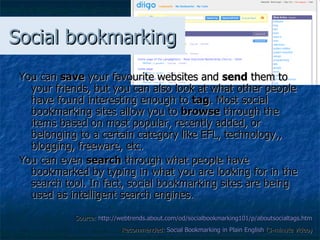
Social bookmarking You can  save  your favourite websites and  send  them to your friends, but you can also look at what other people have found interesting enough to  tag . Most social bookmarking sites allow you to  browse  through the items based on most popular, recently added, or belonging to a certain category like EFL, technology,, blogging, freeware, etc. You can even  search  through what people have bookmarked by typing in what you are looking for in the search tool. In fact, social bookmarking sites are being used as   intelligent search engines. Source:  http://webtrends.about.com/od/socialbookmarking101/p/aboutsocialtags.htm   Recommended:  Social  Bookmarking  in Plain English  (3-minute video)
HTML code HTML is a computer language devised to allow website creation, and it has code-words and syntax like any other language.  HTML ( HyperText Markup Language ) stands for: HyperText   -the method by which you move around on the web — by clicking on special text called  hyperlinks .  Markup   - what HTML tags (e.g. <i> or </i>) do to the text inside them. They mark it as a certain type of text (e.g. <i>hello</i> will read as “ hello”   - italicised  text).  Source:  http://www.yourhtmlsource.com/starthere/whatishtml.html#WHATISHTML   Recommended:  Webmonkey:HTML   Cheatsheet
Widgets A web widget is a mini-web application you can put in your web page, blog or social profile that can quickly and easily provide your visitors with, user specific information , extra functionality, and even a bit of fun and games. A widget is available in a ready-to-use formats and are visually attractive and customizable by the user. It takes the form of pictures, graphs, statistics, summary, or just numbers. It’s a snippet of HTML code which is available from the the website which hosts the widget. you can &quot;copy&quot; that code and &quot;embed&quot; in your web page.   Source:  http://www.widgets-gadgets.com/2007/08/what-is-web-widget.html   Recommended:  Social  Bookmarking  in Plain English  (3-minute video)
So… what is  Pageflakes ® ? With  Pageflakes ®  and similar online tools, you'll be able to create your own free personal home webpage, bringing everything that you are interested in to one place. This makes it easy to see when your favourite blogs and sites have been updated, what your friends are saying on Twitter, or even what the weather is like!   Source:  http://www.widgets-gadgets.com/2007/08/what-is-web-widget.html   Recommended:  What is  Pageflakes ?   (6-minute video)
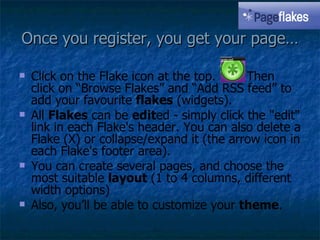
Once you register, you get your page… Click on the Flake icon at the top.  Then click on “Browse Flakes” and “Add RSS feed” to add your favourite  flakes  (widgets). All  Flakes  can be  edit ed - simply click the &quot;edit&quot; link in each Flake's header. You can also delete a Flake (X) or collapse/expand it (the arrow icon in each Flake's footer area).  You can create several pages, and choose the most suitable  layout  (1 to 4 columns, different width options) Also, you’ll be able to customize your  theme .
Once you’re ready… Share and publish  your page (with those you choose, or with the world!). To do this, please click on &quot;Make Pagecast&quot;. You can have as many pages (tabs) as you want, and each of them can have a different setting for privacy. Browse the  Pagecast Gallery  for pagecasts you may want to follow. Add them to your tabs with just one click!
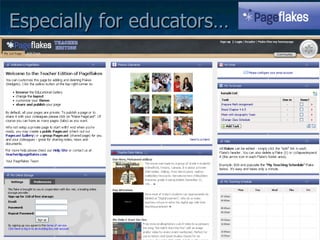
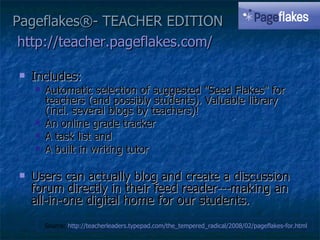
Especially for educators… You may want to start at:  http://teacher.pageflakes.com/
Pageflakes®- TEACHER EDITION http://teacher.pageflakes.com/   Includes: Automatic selection of suggested &quot;Seed Flakes&quot; for teachers (and possibly students). Valuable library (incl. several blogs by teachers)!  An online grade tracker A task list and  A built in writing tutor Users can actually blog and create a discussion forum directly in their feed reader---making an all-in-one digital home for our students. Source:  http://teacherleaders.typepad.com/the_tempered_radical/2008/02/pageflakes-for.html
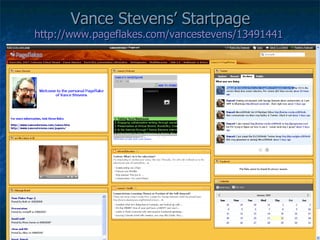
Vance Stevens’ Startpage http://www.pageflakes.com/vancestevens/13491441
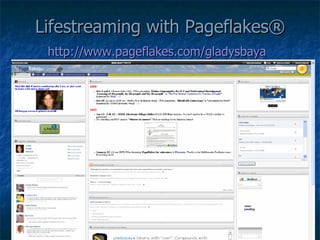
Lifestreaming with Pageflakes® http://www.pageflakes.com/gladysbaya
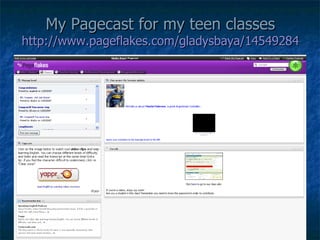
My Pagecast for my teen classes http://www.pageflakes.com/gladysbaya/14549284
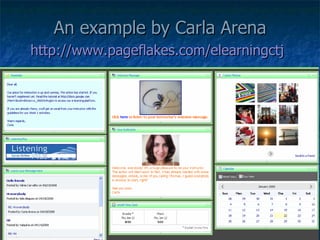
An example by Carla Arena http://www.pageflakes.com/elearningctj
More worth-visiting examples Ambassador to China  - a webquest on China and its culture, created for a 3rd grade class in the USA by John Calvert: http://www.pageflakes.com/ambassadortochina/22509356/   The Road is Calling  – a webquest on US geography, created for a 2nd grade class in the USA by Christine Calvert http://www.pageflakes.com/theroadiscalling
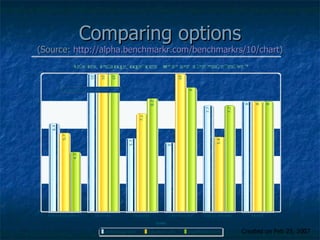
Comparing options (Source:  http://alpha.benchmarkr.com/benchmarkrs/10/chart ) Created on Feb 23, 2007
Looking for tutorials? How to change your theme (under 2-min video): http://www.youtube.com/watch?v=DAyfNLngfBs   How to share your page (46-second video): http://www.youtube.com/watch?v=14Nz_UlFHH4   How to add a Pagecast (1-minute video): http://www.youtube.com/watch?v=DAyfNLngfBs
Other recommended links http://www.technogogy.org.uk/rss_pres/rss_pres.html  - Video introduction to RSS and personal start pages – 6:06) http://learningwithcomputers07.pbwiki.com/Personal+Start+Pages  – “Learning-with-Computers” discusses Pageflakes and other similar tools, led by Mary Hillis and Nina Lyulkun http://nikpeachey.blogspot.com/2008/07/creating-personal-homepage.html  - Nik Peachey blogs on how and why teachers should create a personal startpage Gladys Baya’s Pageflakes playlist on YouTube:  http://www.youtube.com/my_playlists?pi=0&ps=20&sf=&sa=0&sq=&dm=0&p=47D98E88AB788594# Pageflakes bookmarks on Diigo:  http://www.diigo.com/search?what=pageflakes

Pageflakes4 Educators

  • 1.
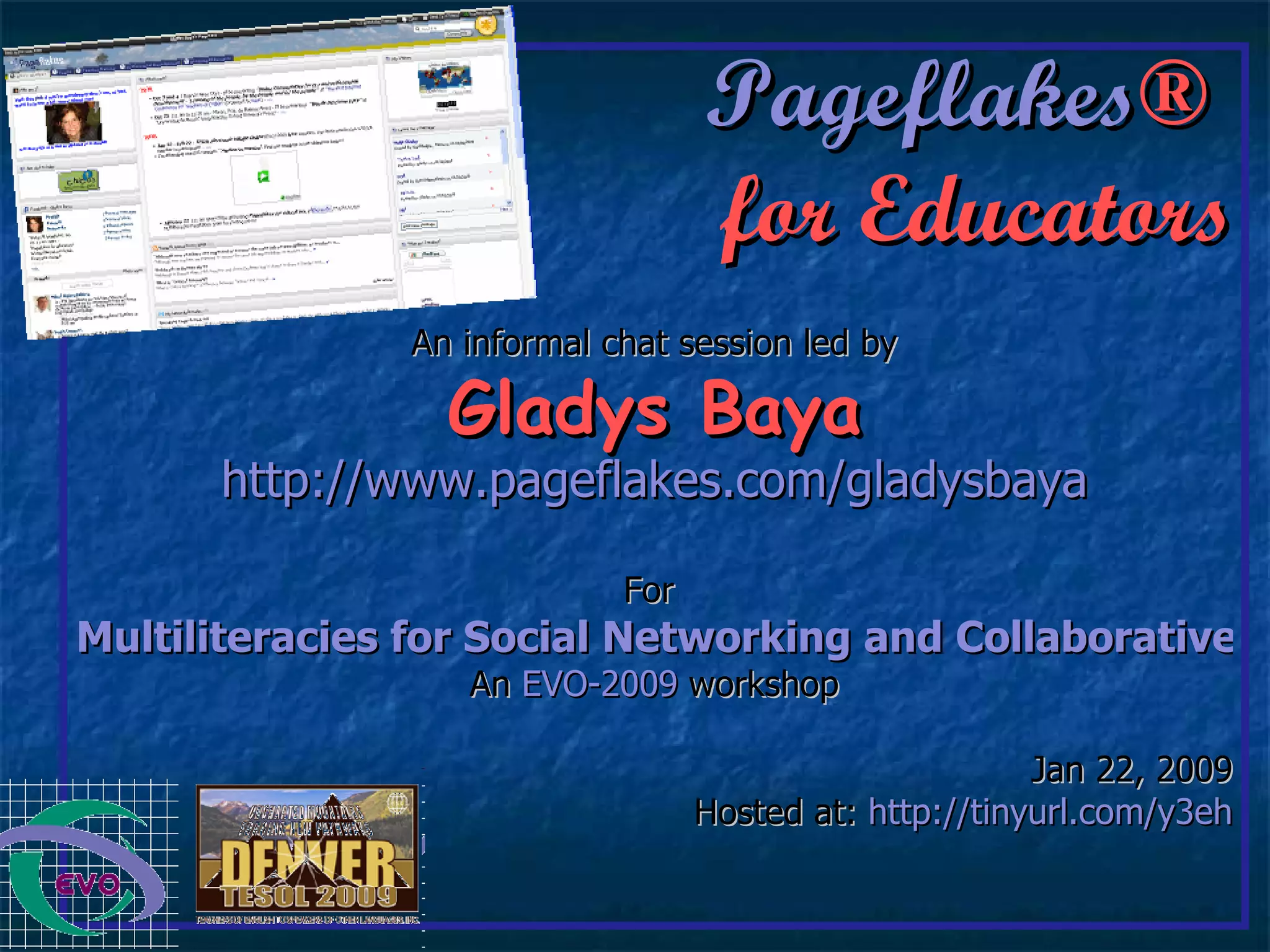
    Pageflakes ® for Educators An informal chat session led by Gladys Baya http://www.pageflakes.com/gladysbaya For Multiliteracies for Social Networking and Collaborative Learning Environments An EVO-2009 workshop Jan 22, 2009 Hosted at: http://tinyurl.com/y3eh
  • 2.
    Overview of the session What is Pageflakes ® ? How can it help me, an educator: Browse the Web more effectively? (startpages) Help others follow me on the Web more effectively? (lifestreaming) Help my classes browse the Web more effectively? Other similar tools ( Netvibes , Protopage , etc.)
  • 3.
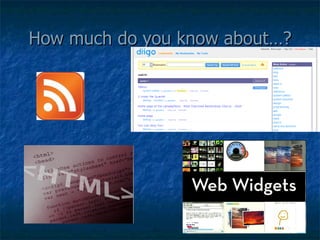
    How much doyou know about…?
  • 4.
    RSS, feeds andsyndication RSS (Rich Site Summary, or Really Simple Syndication) is a format for delivering regularly changing web content . Many news-related sites, weblogs and other online publishers syndicate their content as an RSS Feed to whoever wants it. Why RSS? It allows you to easily stay informed by retrieving the latest content from the sites you are interested in. You save time by not needing to visit each site individually. You ensure your privacy , by not needing to join each site's email newsletter. Source: http://www.whatisrss.com/ Recommended: RSS in Plain English (3-minute video)
  • 5.
    Social bookmarking Youcan save your favourite websites and send them to your friends, but you can also look at what other people have found interesting enough to tag . Most social bookmarking sites allow you to browse through the items based on most popular, recently added, or belonging to a certain category like EFL, technology,, blogging, freeware, etc. You can even search through what people have bookmarked by typing in what you are looking for in the search tool. In fact, social bookmarking sites are being used as intelligent search engines. Source: http://webtrends.about.com/od/socialbookmarking101/p/aboutsocialtags.htm Recommended: Social Bookmarking in Plain English (3-minute video)
  • 6.
    HTML code HTMLis a computer language devised to allow website creation, and it has code-words and syntax like any other language. HTML ( HyperText Markup Language ) stands for: HyperText -the method by which you move around on the web — by clicking on special text called hyperlinks . Markup - what HTML tags (e.g. <i> or </i>) do to the text inside them. They mark it as a certain type of text (e.g. <i>hello</i> will read as “ hello” - italicised text). Source: http://www.yourhtmlsource.com/starthere/whatishtml.html#WHATISHTML Recommended: Webmonkey:HTML Cheatsheet
  • 7.
    Widgets A webwidget is a mini-web application you can put in your web page, blog or social profile that can quickly and easily provide your visitors with, user specific information , extra functionality, and even a bit of fun and games. A widget is available in a ready-to-use formats and are visually attractive and customizable by the user. It takes the form of pictures, graphs, statistics, summary, or just numbers. It’s a snippet of HTML code which is available from the the website which hosts the widget. you can &quot;copy&quot; that code and &quot;embed&quot; in your web page. Source: http://www.widgets-gadgets.com/2007/08/what-is-web-widget.html Recommended: Social Bookmarking in Plain English (3-minute video)
  • 8.
    So… what is Pageflakes ® ? With Pageflakes ® and similar online tools, you'll be able to create your own free personal home webpage, bringing everything that you are interested in to one place. This makes it easy to see when your favourite blogs and sites have been updated, what your friends are saying on Twitter, or even what the weather is like! Source: http://www.widgets-gadgets.com/2007/08/what-is-web-widget.html Recommended: What is Pageflakes ? (6-minute video)
  • 9.
    Once you register,you get your page… Click on the Flake icon at the top. Then click on “Browse Flakes” and “Add RSS feed” to add your favourite flakes (widgets). All Flakes can be edit ed - simply click the &quot;edit&quot; link in each Flake's header. You can also delete a Flake (X) or collapse/expand it (the arrow icon in each Flake's footer area). You can create several pages, and choose the most suitable layout (1 to 4 columns, different width options) Also, you’ll be able to customize your theme .
  • 10.
    Once you’re ready…Share and publish your page (with those you choose, or with the world!). To do this, please click on &quot;Make Pagecast&quot;. You can have as many pages (tabs) as you want, and each of them can have a different setting for privacy. Browse the Pagecast Gallery for pagecasts you may want to follow. Add them to your tabs with just one click!
  • 11.
    Especially for educators…You may want to start at: http://teacher.pageflakes.com/
  • 12.
    Pageflakes®- TEACHER EDITIONhttp://teacher.pageflakes.com/ Includes: Automatic selection of suggested &quot;Seed Flakes&quot; for teachers (and possibly students). Valuable library (incl. several blogs by teachers)! An online grade tracker A task list and A built in writing tutor Users can actually blog and create a discussion forum directly in their feed reader---making an all-in-one digital home for our students. Source: http://teacherleaders.typepad.com/the_tempered_radical/2008/02/pageflakes-for.html
  • 13.
    Vance Stevens’ Startpagehttp://www.pageflakes.com/vancestevens/13491441
  • 14.
    Lifestreaming with Pageflakes®http://www.pageflakes.com/gladysbaya
  • 15.
    My Pagecast formy teen classes http://www.pageflakes.com/gladysbaya/14549284
  • 16.
    An example byCarla Arena http://www.pageflakes.com/elearningctj
  • 17.
    More worth-visiting examplesAmbassador to China - a webquest on China and its culture, created for a 3rd grade class in the USA by John Calvert: http://www.pageflakes.com/ambassadortochina/22509356/ The Road is Calling – a webquest on US geography, created for a 2nd grade class in the USA by Christine Calvert http://www.pageflakes.com/theroadiscalling
  • 18.
    Comparing options (Source: http://alpha.benchmarkr.com/benchmarkrs/10/chart ) Created on Feb 23, 2007
  • 19.
    Looking for tutorials?How to change your theme (under 2-min video): http://www.youtube.com/watch?v=DAyfNLngfBs How to share your page (46-second video): http://www.youtube.com/watch?v=14Nz_UlFHH4 How to add a Pagecast (1-minute video): http://www.youtube.com/watch?v=DAyfNLngfBs
  • 20.
    Other recommended linkshttp://www.technogogy.org.uk/rss_pres/rss_pres.html - Video introduction to RSS and personal start pages – 6:06) http://learningwithcomputers07.pbwiki.com/Personal+Start+Pages – “Learning-with-Computers” discusses Pageflakes and other similar tools, led by Mary Hillis and Nina Lyulkun http://nikpeachey.blogspot.com/2008/07/creating-personal-homepage.html - Nik Peachey blogs on how and why teachers should create a personal startpage Gladys Baya’s Pageflakes playlist on YouTube: http://www.youtube.com/my_playlists?pi=0&ps=20&sf=&sa=0&sq=&dm=0&p=47D98E88AB788594# Pageflakes bookmarks on Diigo: http://www.diigo.com/search?what=pageflakes