

Random access
memory (RAM).
Page 2
Instructor, PACE-IT Program – Edmonds Community College
Areas of Expertise Industry Certifications
 PC Hardware
 Network Administration
 IT Project Management
 Network Design
 User Training
 IT Troubleshooting
Qualifications Summary
Education
 M.B.A., IT Management, Western Governor’s University
 B.S., IT Security, Western Governor’s University
Entrepreneur, executive leader, and proven manger
with 10+ years of experience turning complex issues
into efficient and effective solutions.
Strengths include developing and mentoring diverse
workforces, improving processes, analyzing
business needs and creating the solutions
required— with a focus on technology.
Page 3
PACE-IT.
– Introducing RAM.
– Types of dynamic RAM.
– Special consideration of RAM.
Page 4
Random access memory.
Page 5
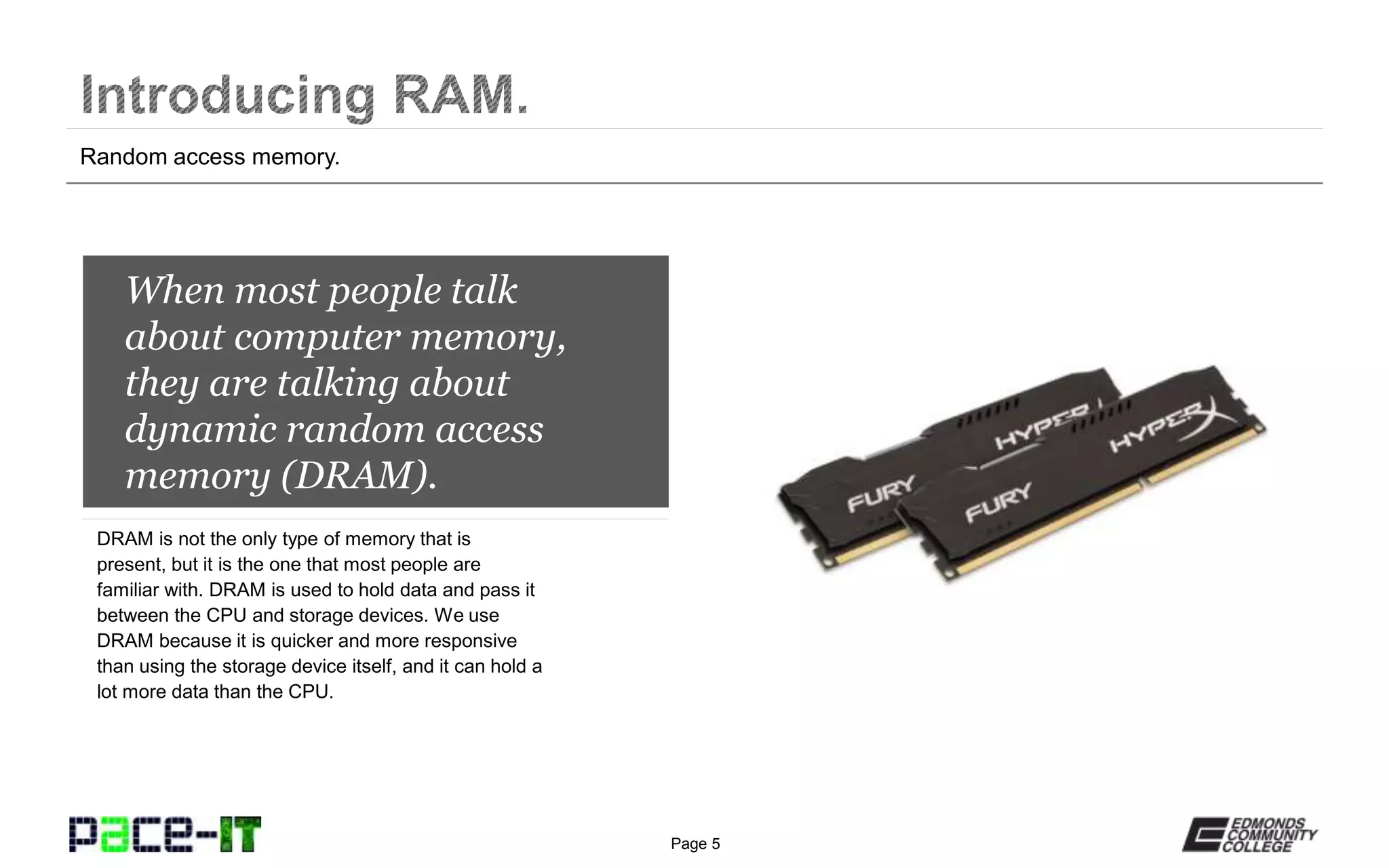
When most people talk
about computer memory,
they are talking about
dynamic random access
memory (DRAM).
DRAM is not the only type of memory that is
present, but it is the one that most people are
familiar with. DRAM is used to hold data and pass it
between the CPU and storage devices. We use
DRAM because it is quicker and more responsive
than using the storage device itself, and it can hold a
lot more data than the CPU.
Random access memory.
Page 6
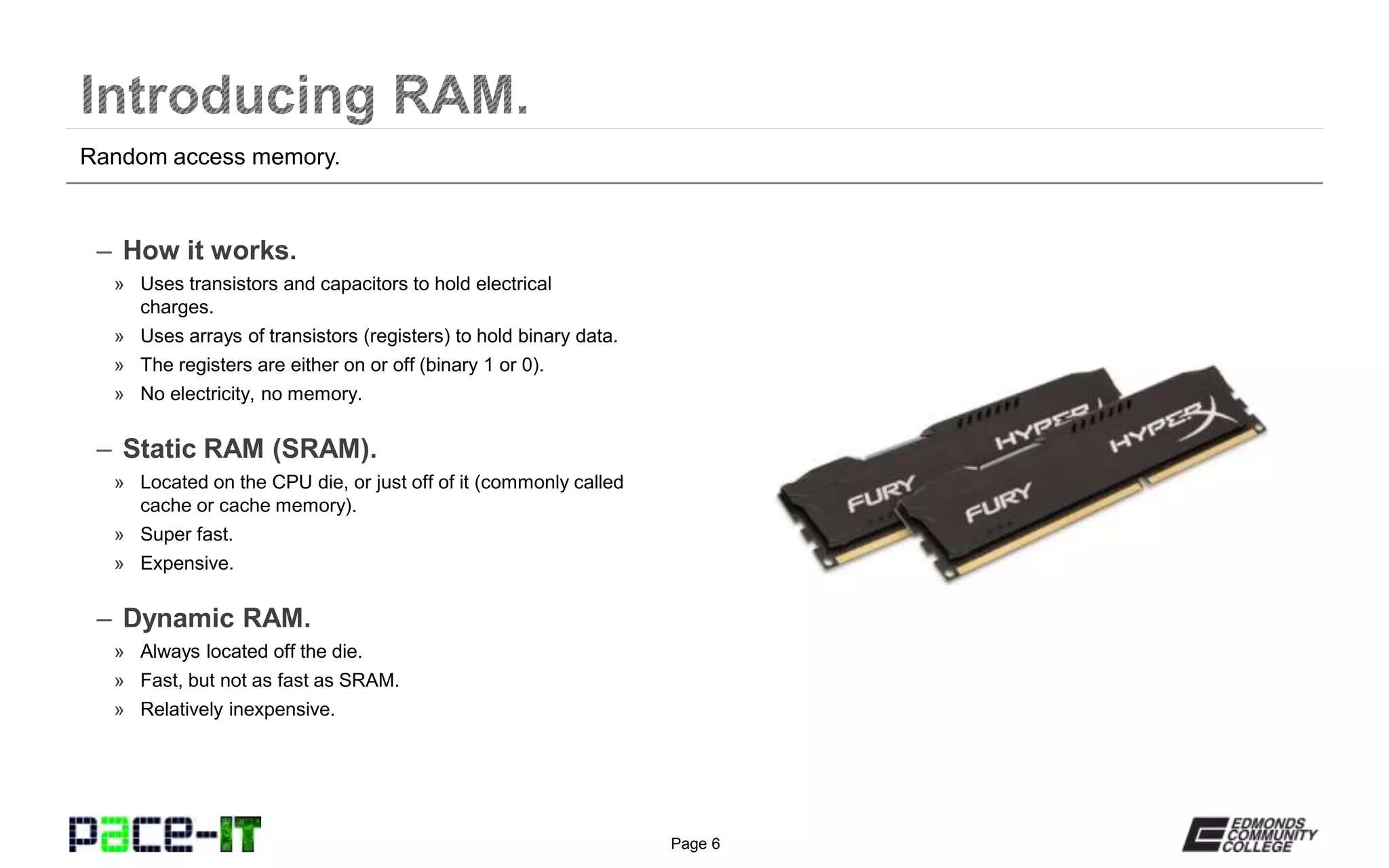
– How it works.
» Uses transistors and capacitors to hold electrical
charges.
» Uses arrays of transistors (registers) to hold binary data.
» The registers are either on or off (binary 1 or 0).
» No electricity, no memory.
– Static RAM (SRAM).
» Located on the CPU die, or just off of it (commonly called
cache or cache memory).
» Super fast.
» Expensive.
– Dynamic RAM.
» Always located off the die.
» Fast, but not as fast as SRAM.
» Relatively inexpensive.
Random access memory.
Page 7
Random access memory.
Page 8
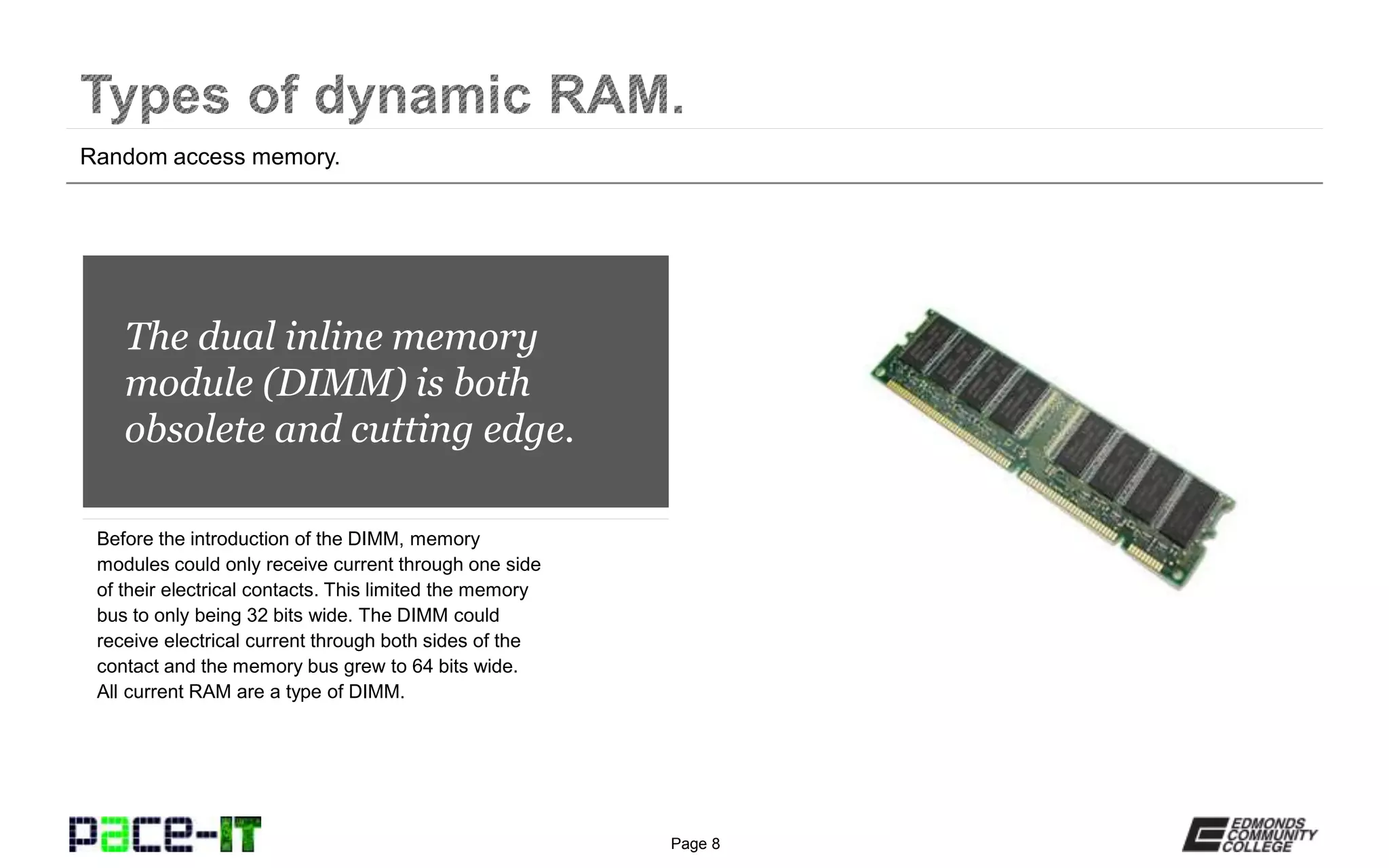
The dual inline memory
module (DIMM) is both
obsolete and cutting edge.
Before the introduction of the DIMM, memory
modules could only receive current through one side
of their electrical contacts. This limited the memory
bus to only being 32 bits wide. The DIMM could
receive electrical current through both sides of the
contact and the memory bus grew to 64 bits wide.
All current RAM are a type of DIMM.
Random access memory.
Page 9
– Synchronous dynamic RAM (SDRAM).
» True beginning of modern RAM (industry standard
beginning in 1993).
» Synchronized with the system clock and could perform
an operation with every cycle of the clock.
» Currently considered obsolete.
– Double data rate (DDR) RAM.
» Introduced in 1996.
» Effectively doubled the possible rate of data transfer by
taking advantage of the rising and falling edges of the
clock cycle (two operations per cycle).
» Speed of the RAM is determined by a specific formula:
clock rate X 2 X 64 /8 = MB transfer rate.
Random access memory.
Page 10
– Rambus DRAM (RDRAM).
» A proprietary standard developed by Rambus, Inc. that
was initially supported by Intel.
» Had to either be installed in pairs, or it had to use a
special device called a continuity module (also called a
RIMM) in order to function.
» Not as cost effective as DDR.
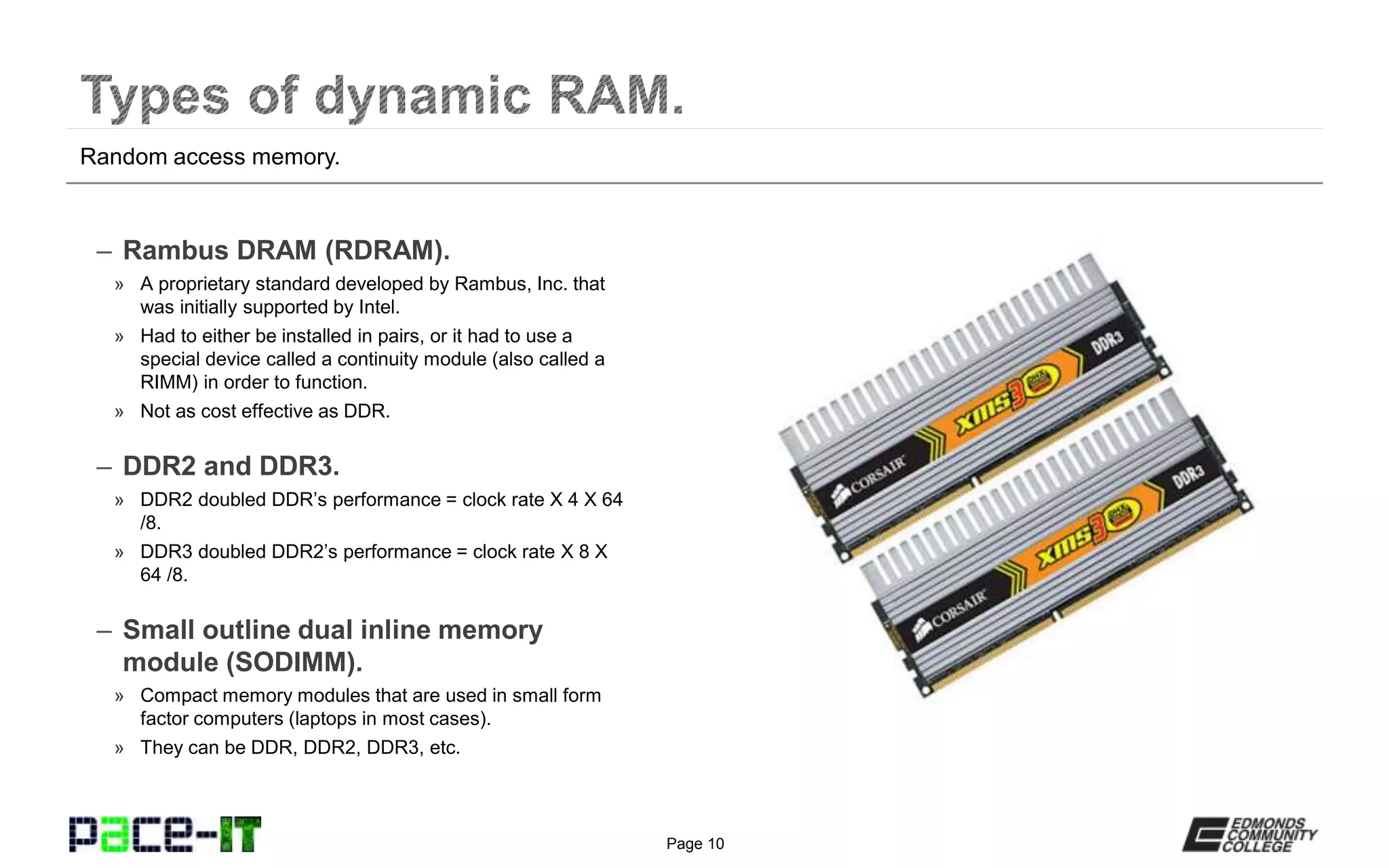
– DDR2 and DDR3.
» DDR2 doubled DDR’s performance = clock rate X 4 X 64
/8.
» DDR3 doubled DDR2’s performance = clock rate X 8 X
64 /8.
– Small outline dual inline memory
module (SODIMM).
» Compact memory modules that are used in small form
factor computers (laptops in most cases).
» They can be DDR, DDR2, DDR3, etc.
Random access memory.
Page 11
– Parity vs. non-parity RAM.
» Parity RAM modules have an extra bit (a parity bit) that is
used to check for errors in RAM. They can’t fix the error.
» More expensive than non-parity RAM and not really
needed anymore.
– Error-correcting code (ECC) vs.
non-ECC RAM.
» ECC RAM can detect and recover from (correct) errors in
memory.
» Much more expensive, but should be used in situations
where an error can’t be tolerated.
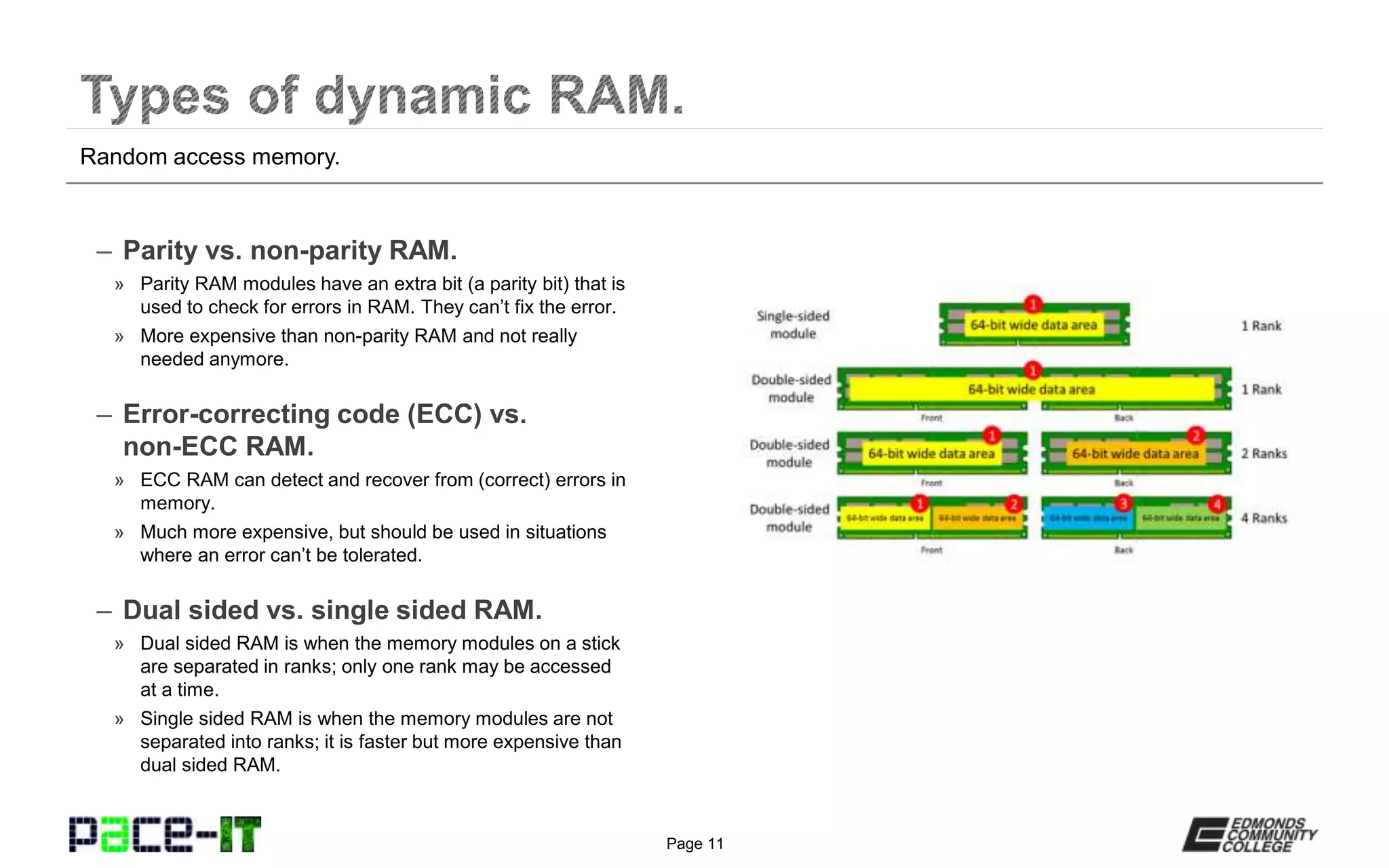
– Dual sided vs. single sided RAM.
» Dual sided RAM is when the memory modules on a stick
are separated in ranks; only one rank may be accessed
at a time.
» Single sided RAM is when the memory modules are not
separated into ranks; it is faster but more expensive than
dual sided RAM.
Random access memory.
Page 12
Random access memory.
Page 13
– Single channel vs. multi-channel RAM.
» Single channel: all banks (slots) of RAM share a single
64 bit bus to the CPU.
» Multi-channel RAM: the banks of RAM may be grouped
together to form a wider bus to the CPU (128 bit or 192
bit).
» To take advantage of the multi-channel capabilities, the
RAM must be installed in matched sets.
» Follow the motherboard documentation when installing
multi-channel RAM.
– Know what type of RAM your MB
supports.
» A motherboard will only support one type of RAM (DDR,
DDR2, DDRs); you can’t mix them together.
» The RAM modules are keyed on the bottom so that they
can’t be placed in the wrong type of RAM slots.
» You can install different speeds of RAM together, but the
RAM will only function at the speed of the slowest
module.
Random access memory.
Page 14
Random access memory.
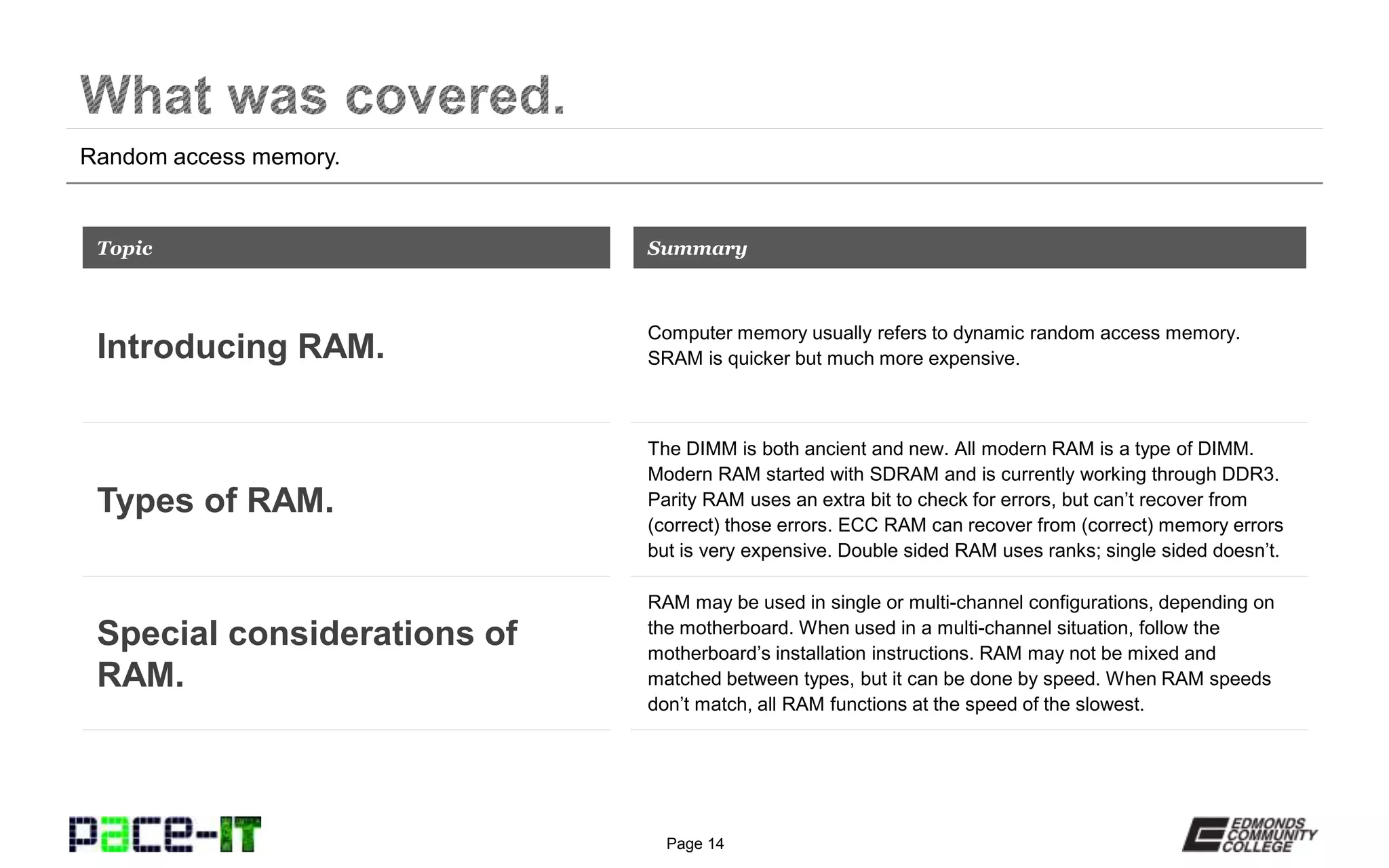
Computer memory usually refers to dynamic random access memory.
SRAM is quicker but much more expensive.
Topic
Introducing RAM.
Summary
The DIMM is both ancient and new. All modern RAM is a type of DIMM.
Modern RAM started with SDRAM and is currently working through DDR3.
Parity RAM uses an extra bit to check for errors, but can’t recover from
(correct) those errors. ECC RAM can recover from (correct) memory errors
but is very expensive. Double sided RAM uses ranks; single sided doesn’t.
Types of RAM.
RAM may be used in single or multi-channel configurations, depending on
the motherboard. When used in a multi-channel situation, follow the
motherboard’s installation instructions. RAM may not be mixed and
matched between types, but it can be done by speed. When RAM speeds
don’t match, all RAM functions at the speed of the slowest.
Special considerations of
RAM.
Page 15
THANK YOU!
This workforce solution was 100 percent funded by a $3 million grant awarded by the
U.S. Department of Labor's Employment and Training Administration. The solution was
created by the grantee and does not necessarily reflect the official position of the U.S.
Department of Labor. The Department of Labor makes no guarantees, warranties, or
assurances of any kind, express or implied, with respect to such information, including
any information on linked sites and including, but not limited to, accuracy of the
information or its completeness, timeliness, usefulness, adequacy, continued availability
or ownership. Funded by the Department of Labor, Employment and Training
Administration, Grant #TC-23745-12-60-A-53.
PACE-IT is an equal opportunity employer/program and auxiliary aids and services are
available upon request to individuals with disabilities. For those that are hearing
impaired, a video phone is available at the Services for Students with Disabilities (SSD)
office in Mountlake Terrace Hall 159. Check www.edcc.edu/ssd for office hours. Call
425.354.3113 on a video phone for more information about the PACE-IT program. For
any additional special accommodations needed, call the SSD office at 425.640.1814.
Edmonds Community College does not discriminate on the basis of race; color; religion;
national origin; sex; disability; sexual orientation; age; citizenship, marital, or veteran
status; or genetic information in its programs and activities.

Pace IT - Introduction to Ram

  • 1.
  • 2.
    Page 2 Instructor, PACE-ITProgram – Edmonds Community College Areas of Expertise Industry Certifications  PC Hardware  Network Administration  IT Project Management  Network Design  User Training  IT Troubleshooting Qualifications Summary Education  M.B.A., IT Management, Western Governor’s University  B.S., IT Security, Western Governor’s University Entrepreneur, executive leader, and proven manger with 10+ years of experience turning complex issues into efficient and effective solutions. Strengths include developing and mentoring diverse workforces, improving processes, analyzing business needs and creating the solutions required— with a focus on technology.
  • 3.
    Page 3 PACE-IT. – IntroducingRAM. – Types of dynamic RAM. – Special consideration of RAM.
  • 4.
  • 5.
    Page 5 When mostpeople talk about computer memory, they are talking about dynamic random access memory (DRAM). DRAM is not the only type of memory that is present, but it is the one that most people are familiar with. DRAM is used to hold data and pass it between the CPU and storage devices. We use DRAM because it is quicker and more responsive than using the storage device itself, and it can hold a lot more data than the CPU. Random access memory.
  • 6.
    Page 6 – Howit works. » Uses transistors and capacitors to hold electrical charges. » Uses arrays of transistors (registers) to hold binary data. » The registers are either on or off (binary 1 or 0). » No electricity, no memory. – Static RAM (SRAM). » Located on the CPU die, or just off of it (commonly called cache or cache memory). » Super fast. » Expensive. – Dynamic RAM. » Always located off the die. » Fast, but not as fast as SRAM. » Relatively inexpensive. Random access memory.
  • 7.
  • 8.
    Page 8 The dualinline memory module (DIMM) is both obsolete and cutting edge. Before the introduction of the DIMM, memory modules could only receive current through one side of their electrical contacts. This limited the memory bus to only being 32 bits wide. The DIMM could receive electrical current through both sides of the contact and the memory bus grew to 64 bits wide. All current RAM are a type of DIMM. Random access memory.
  • 9.
    Page 9 – Synchronousdynamic RAM (SDRAM). » True beginning of modern RAM (industry standard beginning in 1993). » Synchronized with the system clock and could perform an operation with every cycle of the clock. » Currently considered obsolete. – Double data rate (DDR) RAM. » Introduced in 1996. » Effectively doubled the possible rate of data transfer by taking advantage of the rising and falling edges of the clock cycle (two operations per cycle). » Speed of the RAM is determined by a specific formula: clock rate X 2 X 64 /8 = MB transfer rate. Random access memory.
  • 10.
    Page 10 – RambusDRAM (RDRAM). » A proprietary standard developed by Rambus, Inc. that was initially supported by Intel. » Had to either be installed in pairs, or it had to use a special device called a continuity module (also called a RIMM) in order to function. » Not as cost effective as DDR. – DDR2 and DDR3. » DDR2 doubled DDR’s performance = clock rate X 4 X 64 /8. » DDR3 doubled DDR2’s performance = clock rate X 8 X 64 /8. – Small outline dual inline memory module (SODIMM). » Compact memory modules that are used in small form factor computers (laptops in most cases). » They can be DDR, DDR2, DDR3, etc. Random access memory.
  • 11.
    Page 11 – Parityvs. non-parity RAM. » Parity RAM modules have an extra bit (a parity bit) that is used to check for errors in RAM. They can’t fix the error. » More expensive than non-parity RAM and not really needed anymore. – Error-correcting code (ECC) vs. non-ECC RAM. » ECC RAM can detect and recover from (correct) errors in memory. » Much more expensive, but should be used in situations where an error can’t be tolerated. – Dual sided vs. single sided RAM. » Dual sided RAM is when the memory modules on a stick are separated in ranks; only one rank may be accessed at a time. » Single sided RAM is when the memory modules are not separated into ranks; it is faster but more expensive than dual sided RAM. Random access memory.
  • 12.
  • 13.
    Page 13 – Singlechannel vs. multi-channel RAM. » Single channel: all banks (slots) of RAM share a single 64 bit bus to the CPU. » Multi-channel RAM: the banks of RAM may be grouped together to form a wider bus to the CPU (128 bit or 192 bit). » To take advantage of the multi-channel capabilities, the RAM must be installed in matched sets. » Follow the motherboard documentation when installing multi-channel RAM. – Know what type of RAM your MB supports. » A motherboard will only support one type of RAM (DDR, DDR2, DDRs); you can’t mix them together. » The RAM modules are keyed on the bottom so that they can’t be placed in the wrong type of RAM slots. » You can install different speeds of RAM together, but the RAM will only function at the speed of the slowest module. Random access memory.
  • 14.
    Page 14 Random accessmemory. Computer memory usually refers to dynamic random access memory. SRAM is quicker but much more expensive. Topic Introducing RAM. Summary The DIMM is both ancient and new. All modern RAM is a type of DIMM. Modern RAM started with SDRAM and is currently working through DDR3. Parity RAM uses an extra bit to check for errors, but can’t recover from (correct) those errors. ECC RAM can recover from (correct) memory errors but is very expensive. Double sided RAM uses ranks; single sided doesn’t. Types of RAM. RAM may be used in single or multi-channel configurations, depending on the motherboard. When used in a multi-channel situation, follow the motherboard’s installation instructions. RAM may not be mixed and matched between types, but it can be done by speed. When RAM speeds don’t match, all RAM functions at the speed of the slowest. Special considerations of RAM.
  • 15.
  • 16.
    This workforce solutionwas 100 percent funded by a $3 million grant awarded by the U.S. Department of Labor's Employment and Training Administration. The solution was created by the grantee and does not necessarily reflect the official position of the U.S. Department of Labor. The Department of Labor makes no guarantees, warranties, or assurances of any kind, express or implied, with respect to such information, including any information on linked sites and including, but not limited to, accuracy of the information or its completeness, timeliness, usefulness, adequacy, continued availability or ownership. Funded by the Department of Labor, Employment and Training Administration, Grant #TC-23745-12-60-A-53. PACE-IT is an equal opportunity employer/program and auxiliary aids and services are available upon request to individuals with disabilities. For those that are hearing impaired, a video phone is available at the Services for Students with Disabilities (SSD) office in Mountlake Terrace Hall 159. Check www.edcc.edu/ssd for office hours. Call 425.354.3113 on a video phone for more information about the PACE-IT program. For any additional special accommodations needed, call the SSD office at 425.640.1814. Edmonds Community College does not discriminate on the basis of race; color; religion; national origin; sex; disability; sexual orientation; age; citizenship, marital, or veteran status; or genetic information in its programs and activities.