Looking Back…A Year in BIM

         BY: MAS OWEN
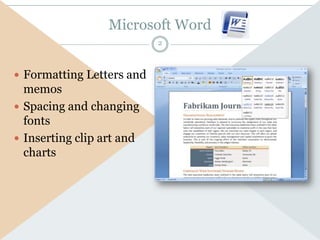
Microsoft Word
                           2


 Formatting Letters and
  memos
 Spacing and changing
  fonts
 Inserting clip art and
  charts
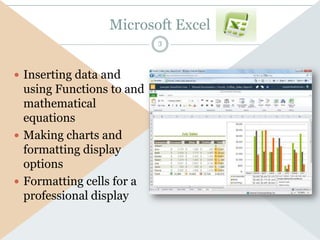
Microsoft Excel
                           3


 Inserting data and
  using Functions to and
  mathematical
  equations
 Making charts and
  formatting display
  options
 Formatting cells for a
  professional display
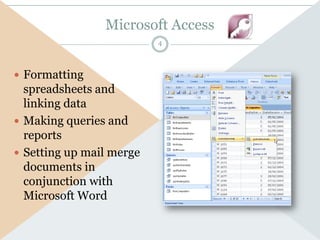
Microsoft Access
                          4


 Formatting
  spreadsheets and
  linking data
 Making queries and
  reports
 Setting up mail merge
  documents in
  conjunction with
  Microsoft Word
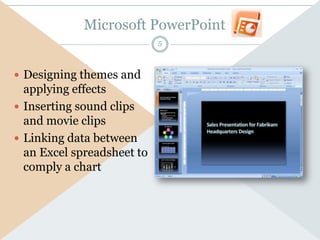
Microsoft PowerPoint
                            5


 Designing themes and
  applying effects
 Inserting sound clips
  and movie clips
 Linking data between
  an Excel spreadsheet to
  comply a chart
Prezi
                             6


 Inserting movie clips
 Formatting of slides
  and how to design a
  professional
  presentation
 Creating my own
  theme and design
Slide Share
                        7


 Share presentations
  from PowerPoint and
  other files
 Share documents
 Share videos
Conclusion
                                     8

I have learned much     I know how to
in this short year. I   format word
am ready to             documents, make
accomplish great        and design themes
things in college and   for
be able to format       PowerPoint, design
professional            reports and queries
presentations. BIM      for access and make
has showed me ways      spreadsheets on
of using Microsoft      excel. I also know
Office in ways I did    how to make a Prezi
not know before. I      and design a
am now ready to         impressive
explore presentation    presentation. I also
methods of others       learned that if you
and other programs      need to share a
that will be            PowerPoint, slide
invented.               share is a web
                        program used for
                        specifically that.

Owen.looking back

  • 1.
    Looking Back…A Yearin BIM BY: MAS OWEN
  • 2.
    Microsoft Word 2  Formatting Letters and memos  Spacing and changing fonts  Inserting clip art and charts
  • 3.
    Microsoft Excel 3  Inserting data and using Functions to and mathematical equations  Making charts and formatting display options  Formatting cells for a professional display
  • 4.
    Microsoft Access 4  Formatting spreadsheets and linking data  Making queries and reports  Setting up mail merge documents in conjunction with Microsoft Word
  • 5.
    Microsoft PowerPoint 5  Designing themes and applying effects  Inserting sound clips and movie clips  Linking data between an Excel spreadsheet to comply a chart
  • 6.
    Prezi 6  Inserting movie clips  Formatting of slides and how to design a professional presentation  Creating my own theme and design
  • 7.
    Slide Share 7  Share presentations from PowerPoint and other files  Share documents  Share videos
  • 8.
    Conclusion 8 I have learned much I know how to in this short year. I format word am ready to documents, make accomplish great and design themes things in college and for be able to format PowerPoint, design professional reports and queries presentations. BIM for access and make has showed me ways spreadsheets on of using Microsoft excel. I also know Office in ways I did how to make a Prezi not know before. I and design a am now ready to impressive explore presentation presentation. I also methods of others learned that if you and other programs need to share a that will be PowerPoint, slide invented. share is a web program used for specifically that.