12/11/2015 OSB 12c ­ Database Polling using DB adapter ­ Oracle Fusion Middleware Blog
http://www.soawork.com/2015/10/osb­12c­database­polling­using­db­adapter.html 1/3
ORACLEFUSIONMIDDLEWAREBLOG
SOA, OSB, BAM, B2B, SOA Suite 12c Blog
Home » OSB 12c » OSB 12c ­ Database Polling using DB adapter
VIVEK GARG
Follow 408
VIEW MY COMPLETE PROFILE
This blog is solely owned by me and it does not
represent any company or customer work. This
blog is result of the POC's which I keep on
doing during my spare time. Please feel free to
reach out to me in case you have any concern
regarding material in this blog.
▼  2015 ( 9 )
▼  October ( 1 )
OSB 12c ­ Database Polling using DB
adapter
►  September ( 1 )
►  July ( 2 )
►  June ( 1 )
►  May ( 2 )
►  April ( 1 )
►  January ( 1 )
►  2014 ( 101 )
►  2013 ( 32 )
►  2012 ( 26 )
Powered by Blogger.
DB adapter in OSB 12c #soacommunity
@soaworkblog @soacum
soawork.com/2015/10/osb‐12…
Vivek Garg
@soaworkblog
Expand
Usage of XSLT file in OSB 11g
soawork.com/2015/04/use‐xs…
Vivek Garg
@soaworkblog
Pipeline Templates in #OSB12c #SOA12c
#soaworkblog @soaworkblog
Vivek Garg
@soaworkblog
8 Oct
6 Apr
2 Jan
Tweets
OSB12c-DatabasePollingusingDBadapter
Oracle introduced couple of new features in 12c version which is recently launched. For OSB, the major shift
that we saw in 12c is that now we can use Jdeveloper to do the development which we use to do through
OEPE (Eclipse). With that change, we can leverage the existing technology adapter in OSB as well which we
use to have in SOA. In OSB 11g version, in case of Database interaction, we use to create DB adapter in
Jdeveloper and later import all required files to OEPE and generate required services from that, but in this
new version­12c as we development in Jdeveloper itself so we need not to follow same steps again, we can
add the DB adapter directly in OSB project and do required operations.
In this post, we show you how to use DB adapter in OSB project. For that we have created a table in
database, we poll the data from that table and write that information to one file.
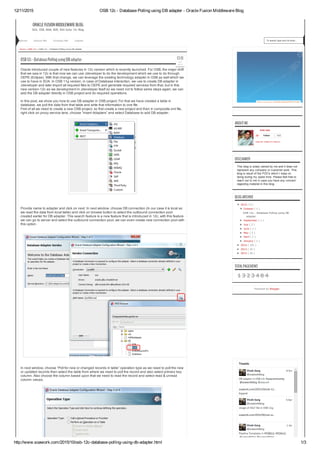
First of all we need to create a new OSB project, so first create a new project and then in composite.xml file,
right click on proxy service lane, choose “Insert Adapters” and select Database to add DB adapter.
Provide name to adapter and click on next. In next window, choose DB connection (In our case it is local as
we read the data from local table) and click on browse button to select the outbound connection pool
created earlier for DB adapter. This search feature is a new feature that is introduced in 12c, with this feature
we can go to server and select the outbound connection pool; we can even create new connection pool with
this option.
In next window, choose “Poll for new or changed records in table” operation type as we need to poll the new
or updated records then select the table from where we need to poll the record and also select primary key
column. Also choose the column based upon that we need to read the record and select read & unread
column values.
ABOUTME
DISCLAIMER
BLOGARCHIVE
TOTALPAGEVIEWS
1 3 2 3 4 8 4
To search type and hit enter...Home About Me Contact Me Labels
08
Oct
2015
12/11/2015 OSB 12c ­ Database Polling using DB adapter ­ Oracle Fusion Middleware Blog
http://www.soawork.com/2015/10/osb­12c­database­polling­using­db­adapter.html 2/3
#soaworkblog @soaworkblog
@soacommunity
soawork.com/2015/01/osb‐12…
Expand
#SOA 12c ‐ Encryption and Decryption of
Sensitive Data ‐ See more at:
soawork.com/2014/10/soa‐12… #Oracle
Expertezed
@Expertezed
Expand
OPITZ CONSULTING
7 Dec 14
1 Dec 14
Compose new Tweet…
14
There was an error in this gadget
Join this site
with Google Friend Connect
Members (38)  More »
Already a member? Sign in
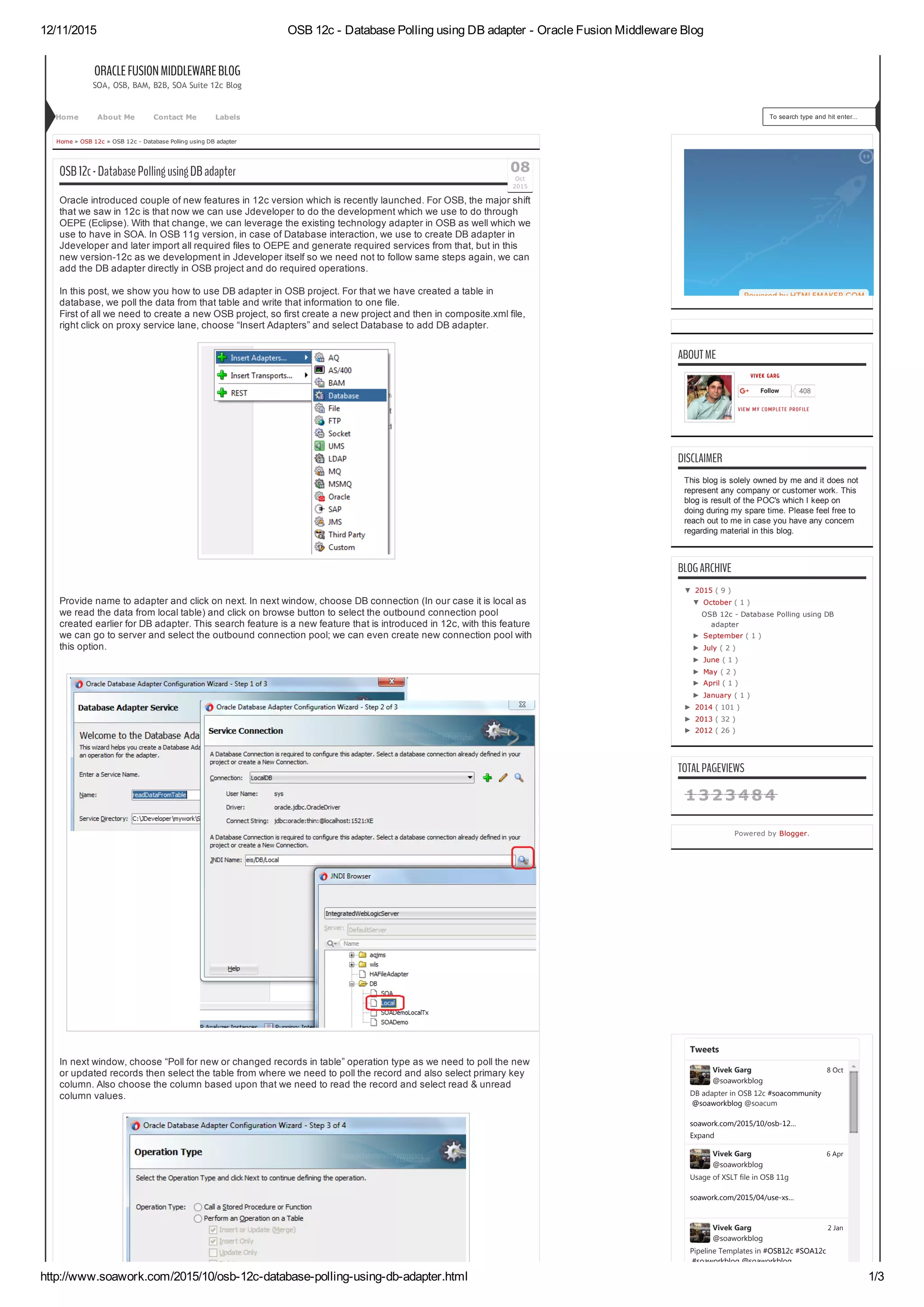
Once you complete all above steps, then you see DB adapter gets added to the composite but you see one
issue in that adapter as we haven’t added the pipeline yet. To add pipeline, right click on middle pane
choose Insert  Pipeline.
Provide pipeline name and in service type choose “Any SOAP” as we will get the data in soap format from
DB adapter. Ensure that “Expose as a proxy service” checkbox is unchecked as we already have proxy
service created using DB adapter, if you keep that checked then you will notice that it will add one more
proxy in the same composite.
FOLLOWBYEMAIL
Email address... Submit
FOLLOWERS
12/11/2015 OSB 12c ­ Database Polling using DB adapter ­ Oracle Fusion Middleware Blog
http://www.soawork.com/2015/10/osb­12c­database­polling­using­db­adapter.html 3/3
Next
Thisisthemostrecentpost.
OSB 12c ­ Pipeline Template
As we know Oracle SOA 12c comes with lot of
new features, one of that is service bus is
merged w...Read more
RELATEDPOSTS
1COMMENTS:
  Notify me
Sign out
Enter your comment...
Comment as:  TUSHAR VARSHNEY (Google)
Publish
  Preview
Linkstothispost
Create a Link
Copyright © 2015 All Right Reserved
Blogger Designed by IVYthemes | MKR Site
Posts RSS • Comments RSS
 
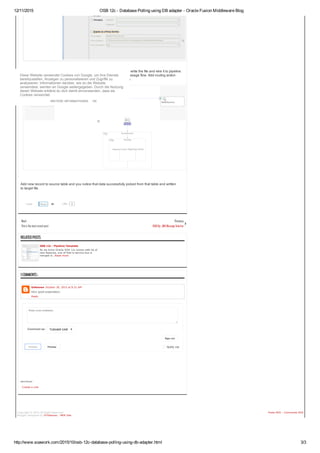
Now you can add wire DB adapter with pipeline. Then add file adapter to write the file and wire it to pipeline.
Now go inside the pipeline and add route node after the start node in message flow. Add routing action
inside route node, in routing select the write file adapter business service .
Add new record to source table and you notice that data successfully picked from that table and written
to target file.
Tweet
   
0LikeShare 26
Previous
OSB11g-JMSMessageSelector
Unknown October 30, 2015 at 9:21 AM
Very good explanation..
Reply
Diese Website verwendet Cookies von Google, um ihre Dienste
bereitzustellen, Anzeigen zu personalisieren und Zugriffe zu
analysieren. Informationen darüber, wie du die Website
verwendest, werden an Google weitergegeben. Durch die Nutzung
dieser Website erklärst du dich damit einverstanden, dass sie
Cookies verwendet.
WEITERE INFORMATIONEN OK

OSB 12c - Database Polling using DB adapter - Oracle Fusion Middleware Blog

  • 1.
    12/11/2015 OSB 12c ­ Database Polling using DB adapter ­ Oracle Fusion Middleware Blog http://www.soawork.com/2015/10/osb­12c­database­polling­using­db­adapter.html 1/3 ORACLEFUSIONMIDDLEWAREBLOG SOA,OSB, BAM, B2B, SOA Suite 12c Blog Home » OSB 12c » OSB 12c ­ Database Polling using DB adapter VIVEK GARG Follow 408 VIEW MY COMPLETE PROFILE This blog is solely owned by me and it does not represent any company or customer work. This blog is result of the POC's which I keep on doing during my spare time. Please feel free to reach out to me in case you have any concern regarding material in this blog. ▼  2015 ( 9 ) ▼  October ( 1 ) OSB 12c ­ Database Polling using DB adapter ►  September ( 1 ) ►  July ( 2 ) ►  June ( 1 ) ►  May ( 2 ) ►  April ( 1 ) ►  January ( 1 ) ►  2014 ( 101 ) ►  2013 ( 32 ) ►  2012 ( 26 ) Powered by Blogger. DB adapter in OSB 12c #soacommunity @soaworkblog @soacum soawork.com/2015/10/osb‐12… Vivek Garg @soaworkblog Expand Usage of XSLT file in OSB 11g soawork.com/2015/04/use‐xs… Vivek Garg @soaworkblog Pipeline Templates in #OSB12c #SOA12c #soaworkblog @soaworkblog Vivek Garg @soaworkblog 8 Oct 6 Apr 2 Jan Tweets OSB12c-DatabasePollingusingDBadapter Oracle introduced couple of new features in 12c version which is recently launched. For OSB, the major shift that we saw in 12c is that now we can use Jdeveloper to do the development which we use to do through OEPE (Eclipse). With that change, we can leverage the existing technology adapter in OSB as well which we use to have in SOA. In OSB 11g version, in case of Database interaction, we use to create DB adapter in Jdeveloper and later import all required files to OEPE and generate required services from that, but in this new version­12c as we development in Jdeveloper itself so we need not to follow same steps again, we can add the DB adapter directly in OSB project and do required operations. In this post, we show you how to use DB adapter in OSB project. For that we have created a table in database, we poll the data from that table and write that information to one file. First of all we need to create a new OSB project, so first create a new project and then in composite.xml file, right click on proxy service lane, choose “Insert Adapters” and select Database to add DB adapter. Provide name to adapter and click on next. In next window, choose DB connection (In our case it is local as we read the data from local table) and click on browse button to select the outbound connection pool created earlier for DB adapter. This search feature is a new feature that is introduced in 12c, with this feature we can go to server and select the outbound connection pool; we can even create new connection pool with this option. In next window, choose “Poll for new or changed records in table” operation type as we need to poll the new or updated records then select the table from where we need to poll the record and also select primary key column. Also choose the column based upon that we need to read the record and select read & unread column values. ABOUTME DISCLAIMER BLOGARCHIVE TOTALPAGEVIEWS 1 3 2 3 4 8 4 To search type and hit enter...Home About Me Contact Me Labels 08 Oct 2015
  • 2.
    12/11/2015 OSB 12c ­ Database Polling using DB adapter ­ Oracle Fusion Middleware Blog http://www.soawork.com/2015/10/osb­12c­database­polling­using­db­adapter.html 2/3 #soaworkblog@soaworkblog @soacommunity soawork.com/2015/01/osb‐12… Expand #SOA 12c ‐ Encryption and Decryption of Sensitive Data ‐ See more at: soawork.com/2014/10/soa‐12… #Oracle Expertezed @Expertezed Expand OPITZ CONSULTING 7 Dec 14 1 Dec 14 Compose new Tweet… 14 There was an error in this gadget Join this site with Google Friend Connect Members (38)  More » Already a member? Sign in Once you complete all above steps, then you see DB adapter gets added to the composite but you see one issue in that adapter as we haven’t added the pipeline yet. To add pipeline, right click on middle pane choose Insert  Pipeline. Provide pipeline name and in service type choose “Any SOAP” as we will get the data in soap format from DB adapter. Ensure that “Expose as a proxy service” checkbox is unchecked as we already have proxy service created using DB adapter, if you keep that checked then you will notice that it will add one more proxy in the same composite. FOLLOWBYEMAIL Email address... Submit FOLLOWERS
  • 3.
    12/11/2015 OSB 12c ­ Database Polling using DB adapter ­ Oracle Fusion Middleware Blog http://www.soawork.com/2015/10/osb­12c­database­polling­using­db­adapter.html 3/3 Next Thisisthemostrecentpost. OSB 12c ­ Pipeline Template As we know Oracle SOA 12c comes with lot of new features, one of that is service bus is merged w...Read more RELATEDPOSTS 1COMMENTS:  Notify me Sign out Enter your comment... Comment as:  TUSHAR VARSHNEY (Google) Publish   Preview Linkstothispost Create a Link Copyright © 2015 All Right Reserved Blogger Designed by IVYthemes | MKR Site Posts RSS • Comments RSS   Now you can add wire DB adapter with pipeline. Then add file adapter to write the file and wire it to pipeline. Now go inside the pipeline and add route node after the start node in message flow. Add routing action inside route node, in routing select the write file adapter business service . Add new record to source table and you notice that data successfully picked from that table and written to target file. Tweet     0LikeShare 26 Previous OSB11g-JMSMessageSelector Unknown October 30, 2015 at 9:21 AM Very good explanation.. Reply Diese Website verwendet Cookies von Google, um ihre Dienste bereitzustellen, Anzeigen zu personalisieren und Zugriffe zu analysieren. Informationen darüber, wie du die Website verwendest, werden an Google weitergegeben. Durch die Nutzung dieser Website erklärst du dich damit einverstanden, dass sie Cookies verwendet. WEITERE INFORMATIONEN OK