ORMS NewsFlash
                                       V o l u m e   2   ,   I s s u e   9           S e p t e m b e r   1 9 ,   2 0 1 2


Highlights
                                 Message from the State Archivist
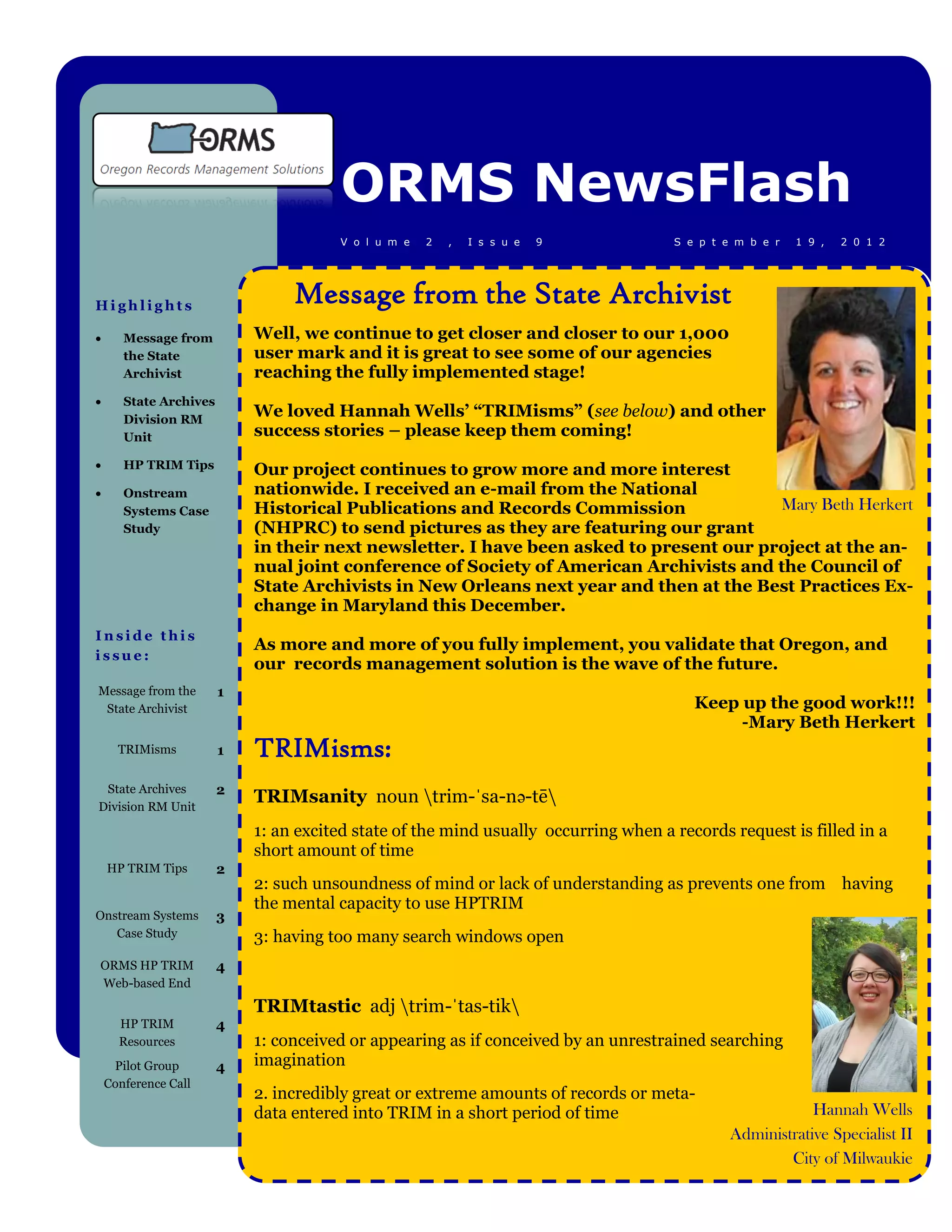
      Message from         Well, we continue to get closer and closer to our 1,000
       the State            user mark and it is great to see some of our agencies
       Archivist            reaching the fully implemented stage!
      State Archives
       Division RM
                            We loved Hannah Wells’ “TRIMisms” (see below) and other
       Unit                 success stories – please keep them coming!
      HP TRIM Tips         Our project continues to grow more and more interest
      Onstream             nationwide. I received an e-mail from the National
       Systems Case         Historical Publications and Records Commission               Mary Beth Herkert
       Study                (NHPRC) to send pictures as they are featuring our grant
                            in their next newsletter. I have been asked to present our project at the an-
                            nual joint conference of Society of American Archivists and the Council of
                            State Archivists in New Orleans next year and then at the Best Practices Ex-
                            change in Maryland this December.
Inside this
                            As more and more of you fully implement, you validate that Oregon, and
issue:
                            our records management solution is the wave of the future.
Message from the        1
 State Archivist                                                                        Keep up the good work!!!
                                                                                             -Mary Beth Herkert
      TRIMisms          1   TRIMisms:
 State Archives         2
Division RM Unit
                            TRIMsanity noun trim-ˈsa-nə-tē
                            1: an excited state of the mind usually occurring when a records request is filled in a
                            short amount of time
    HP TRIM Tips        2
                            2: such unsoundness of mind or lack of understanding as prevents one from having
                            the mental capacity to use HPTRIM
Onstream Systems        3
   Case Study               3: having too many search windows open
ORMS HP TRIM            4
Web-based End
                            TRIMtastic adj trim-ˈtas-tik
      HP TRIM           4
      Resources             1: conceived or appearing as if conceived by an unrestrained searching
     Pilot Group        4   imagination
    Conference Call
                            2. incredibly great or extreme amounts of records or meta-
                            data entered into TRIM in a short period of time                              Hannah Wells
                                                                                              Administrative Specialist II
                                                                                                      City of Milwaukie
Page 4Page 2
                                                              HP TRIM TIPS
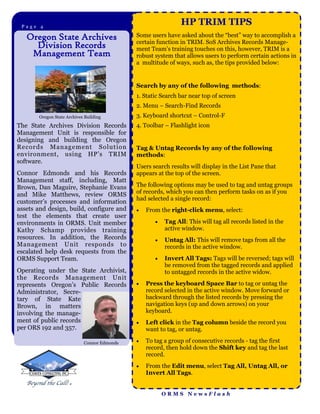
   Oregon State Archives                     Some users have asked about the “best” way to accomplish a
                                             certain function in TRIM. SoS Archives Records Manage-
     Division Records                        ment Team’s training touches on this, however, TRIM is a
    Management Team                          robust system that allows users to perform certain actions in
                                             a multitude of ways, such as, the tips provided below:


                                             Search by any of the following methods:
                                             1. Static Search bar near top of screen
                                             2. Menu – Search-Find Records
       Oregon State Archives Building        3. Keyboard shortcut – Control-F
The State Archives Division Records          4. Toolbar – Flashlight icon
Management Unit is responsible for
designing and building the Oregon
Records M anagement Solut ion                Tag & Untag Records by any of the following
environment, using HP’s TRIM                 methods:
software.
                                             Users search results will display in the List Pane that
Connor Edmonds and his Records               appears at the top of the screen.
Management staff, including, Matt
Brown, Dan Maguire, Stephanie Evans          The following options may be used to tag and untag groups
and Mike Matthews, review ORMS               of records, which you can then perform tasks on as if you
                                             had selected a single record:
customer’s processes and information
assets and design, build, configure and         From the right-click menu, select:
test the elements that create user
environments in ORMS. Unit member                      Tag All: This will tag all records listed in the
Kathy Schamp provides training                          active window.
resources. In addition, the Records                    Untag All: This will remove tags from all the
Management Unit responds to                             records in the active window.
escalated help desk requests from the
ORMS Support Team.                                     Invert All Tags: Tags will be reversed; tags will
                                                        be removed from the tagged records and applied
Operating under the State Archivist,                    to untagged records in the active widow.
the Records Management Unit
represents Oregon’s Public Records              Press the keyboard Space Bar to tag or untag the
Administrator, Secre-                            record selected in the active window. Move forward or
tary of State Kate                               backward through the listed records by pressing the
Brown, in matters                                navigation keys (up and down arrows) on your
involving the manage-                            keyboard.
ment of public records                          Left click in the Tag column beside the record you
per ORS 192 and 357.                             want to tag, or untag.

                            Connor Edmonds      To tag a group of consecutive records - tag the first
                                                 record, then hold down the Shift key and tag the last
                                                 record.
                                                From the Edit menu, select Tag All, Untag All, or
                                                 Invert All Tags.


                                                        ORMS NewsFlash
Page 3Page 3


         The City of Beaverton scanning records to the Cloud
Business Issue:
The city of Beaverton has a large quantity of paper records that they require
to be scanned into electronic format and then saved in the HP TRIM system.
The city also has a series of Databases that contain existing information that
they need to access during the indexing of the scanned images into
HPTrim.
The Solution:
The city of Beaverton, Oregon, an early pilot participant of the Oregon Re-
cords Management Solution has implemented a complete scanning solu-
tion that will allow documents to be catalogued into the HP TRIM solution
used by ORMS.
Onstream Systems is a software development company at the forefront of
document capture, viewing, storage, and redaction technology.
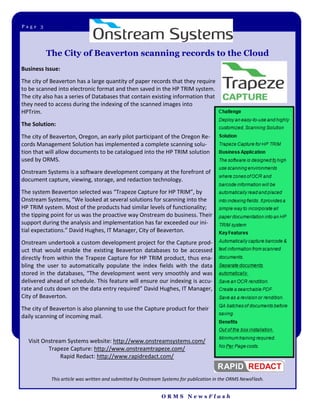
The system Beaverton selected was “Trapeze Capture for HP TRIM”, by
Onstream Systems, “We looked at several solutions for scanning into the
HP TRIM system. Most of the products had similar levels of functionality;
the tipping point for us was the proactive way Onstream do business. Their
support during the analysis and implementation has far exceeded our ini-
tial expectations.” David Hughes, IT Manager, City of Beaverton.
Onstream undertook a custom development project for the Capture prod-
uct that would enable the existing Beaverton databases to be accessed
directly from within the Trapeze Capture for HP TRIM product, thus ena-
bling the user to automatically populate the index fields with the data
stored in the databases, “The development went very smoothly and was
delivered ahead of schedule. This feature will ensure our indexing is accu-
rate and cuts down on the data entry required” David Hughes, IT Manager,
City of Beaverton.
The city of Beaverton is also planning to use the Capture product for their
daily scanning of incoming mail.


  Visit Onstream Systems website: http://www.onstreamsystems.com/
          Trapeze Capture: http://www.onstreamtrapeze.com/
               Rapid Redact: http://www.rapidredact.com/


            This article was written and submitted by Onstream Systems for publication in the ORMS NewsFlash.


                                                              ORMS NewsFlash
Page 2Page 4
                              ORMS HP TRIM End User Training
                          CCI/SoS is now providing this EUT for unlimited users
                                        hosted by Synergy, Inc.!
                       The ORMS Implementation Team has purchased and imple-
                      mented HP’s web-based end user training (EUT) to provide an
                     additional, flexible training method to ORMS agency end users!
                     ORMS Support has e-mailed each ORMS participating agency’s
                     Power User(s) to provide instructions on how each ORMS user
                                       can access the online EUT.
                               Questions? Contact the ORMS Support Team
                            via e-mail @ ormssupport@chavesconsulting.com
                                        or call us: 1-888-354-2006


                              HP TRIM Resources
               The ORMS Team encourages all participating ORMS TRIM users
                 to reference TRIM information with the following resources:
   HP TRIM Help File is a great resource for all users and is available to all HP TRIM
    users! Click the Help button to display the Help File. The Help File system is context
    sensitive and by selecting the help button on any screen will take you to the help infor-
    mation for that screen.

   ORMS HP TRIM User Guides— ORMS Support has provided ORMS Power Users
    with current Power, End and Web Client User Guides. Please contact the ORMS Sup-
    port Team for a guide to be sent to you!

   RESOLV— Power Users have access to the ORMS online issue tracking system.
    ORMS Support tracks all issues reported through to resolution. RESOLV serves as a
    reference for reported ORMS HP TRIM issues. With the knowledge base in RESOLV
    growing, we encourage Power Users to search RESOLV to see if their issue has already
    been reported.


                                          17th ORMS Pilot Group Conference Call
                                     Monday, October 8th, 2012 @ 10:00—10:30 a.m.
                                  The ORMS Implementation Team encourages Pilot Agency Power Users to
                                  share their success stories and HP TRIM Tips with one another during this


                                                   ORMS NewsFlash

Orms news flash volume 2 issue 9

  • 1.
    ORMS NewsFlash V o l u m e 2 , I s s u e 9 S e p t e m b e r 1 9 , 2 0 1 2 Highlights Message from the State Archivist  Message from Well, we continue to get closer and closer to our 1,000 the State user mark and it is great to see some of our agencies Archivist reaching the fully implemented stage!  State Archives Division RM We loved Hannah Wells’ “TRIMisms” (see below) and other Unit success stories – please keep them coming!  HP TRIM Tips Our project continues to grow more and more interest  Onstream nationwide. I received an e-mail from the National Systems Case Historical Publications and Records Commission Mary Beth Herkert Study (NHPRC) to send pictures as they are featuring our grant in their next newsletter. I have been asked to present our project at the an- nual joint conference of Society of American Archivists and the Council of State Archivists in New Orleans next year and then at the Best Practices Ex- change in Maryland this December. Inside this As more and more of you fully implement, you validate that Oregon, and issue: our records management solution is the wave of the future. Message from the 1 State Archivist Keep up the good work!!! -Mary Beth Herkert TRIMisms 1 TRIMisms: State Archives 2 Division RM Unit TRIMsanity noun trim-ˈsa-nə-tē 1: an excited state of the mind usually occurring when a records request is filled in a short amount of time HP TRIM Tips 2 2: such unsoundness of mind or lack of understanding as prevents one from having the mental capacity to use HPTRIM Onstream Systems 3 Case Study 3: having too many search windows open ORMS HP TRIM 4 Web-based End TRIMtastic adj trim-ˈtas-tik HP TRIM 4 Resources 1: conceived or appearing as if conceived by an unrestrained searching Pilot Group 4 imagination Conference Call 2. incredibly great or extreme amounts of records or meta- data entered into TRIM in a short period of time Hannah Wells Administrative Specialist II City of Milwaukie
  • 2.
    Page 4Page 2 HP TRIM TIPS Oregon State Archives Some users have asked about the “best” way to accomplish a certain function in TRIM. SoS Archives Records Manage- Division Records ment Team’s training touches on this, however, TRIM is a Management Team robust system that allows users to perform certain actions in a multitude of ways, such as, the tips provided below: Search by any of the following methods: 1. Static Search bar near top of screen 2. Menu – Search-Find Records Oregon State Archives Building 3. Keyboard shortcut – Control-F The State Archives Division Records 4. Toolbar – Flashlight icon Management Unit is responsible for designing and building the Oregon Records M anagement Solut ion Tag & Untag Records by any of the following environment, using HP’s TRIM methods: software. Users search results will display in the List Pane that Connor Edmonds and his Records appears at the top of the screen. Management staff, including, Matt Brown, Dan Maguire, Stephanie Evans The following options may be used to tag and untag groups and Mike Matthews, review ORMS of records, which you can then perform tasks on as if you had selected a single record: customer’s processes and information assets and design, build, configure and  From the right-click menu, select: test the elements that create user environments in ORMS. Unit member  Tag All: This will tag all records listed in the Kathy Schamp provides training active window. resources. In addition, the Records  Untag All: This will remove tags from all the Management Unit responds to records in the active window. escalated help desk requests from the ORMS Support Team.  Invert All Tags: Tags will be reversed; tags will be removed from the tagged records and applied Operating under the State Archivist, to untagged records in the active widow. the Records Management Unit represents Oregon’s Public Records  Press the keyboard Space Bar to tag or untag the Administrator, Secre- record selected in the active window. Move forward or tary of State Kate backward through the listed records by pressing the Brown, in matters navigation keys (up and down arrows) on your involving the manage- keyboard. ment of public records  Left click in the Tag column beside the record you per ORS 192 and 357. want to tag, or untag. Connor Edmonds  To tag a group of consecutive records - tag the first record, then hold down the Shift key and tag the last record.  From the Edit menu, select Tag All, Untag All, or Invert All Tags. ORMS NewsFlash
  • 3.
    Page 3Page 3 The City of Beaverton scanning records to the Cloud Business Issue: The city of Beaverton has a large quantity of paper records that they require to be scanned into electronic format and then saved in the HP TRIM system. The city also has a series of Databases that contain existing information that they need to access during the indexing of the scanned images into HPTrim. The Solution: The city of Beaverton, Oregon, an early pilot participant of the Oregon Re- cords Management Solution has implemented a complete scanning solu- tion that will allow documents to be catalogued into the HP TRIM solution used by ORMS. Onstream Systems is a software development company at the forefront of document capture, viewing, storage, and redaction technology. The system Beaverton selected was “Trapeze Capture for HP TRIM”, by Onstream Systems, “We looked at several solutions for scanning into the HP TRIM system. Most of the products had similar levels of functionality; the tipping point for us was the proactive way Onstream do business. Their support during the analysis and implementation has far exceeded our ini- tial expectations.” David Hughes, IT Manager, City of Beaverton. Onstream undertook a custom development project for the Capture prod- uct that would enable the existing Beaverton databases to be accessed directly from within the Trapeze Capture for HP TRIM product, thus ena- bling the user to automatically populate the index fields with the data stored in the databases, “The development went very smoothly and was delivered ahead of schedule. This feature will ensure our indexing is accu- rate and cuts down on the data entry required” David Hughes, IT Manager, City of Beaverton. The city of Beaverton is also planning to use the Capture product for their daily scanning of incoming mail. Visit Onstream Systems website: http://www.onstreamsystems.com/ Trapeze Capture: http://www.onstreamtrapeze.com/ Rapid Redact: http://www.rapidredact.com/ This article was written and submitted by Onstream Systems for publication in the ORMS NewsFlash. ORMS NewsFlash
  • 4.
    Page 2Page 4 ORMS HP TRIM End User Training CCI/SoS is now providing this EUT for unlimited users hosted by Synergy, Inc.! The ORMS Implementation Team has purchased and imple- mented HP’s web-based end user training (EUT) to provide an additional, flexible training method to ORMS agency end users! ORMS Support has e-mailed each ORMS participating agency’s Power User(s) to provide instructions on how each ORMS user can access the online EUT. Questions? Contact the ORMS Support Team via e-mail @ ormssupport@chavesconsulting.com or call us: 1-888-354-2006 HP TRIM Resources The ORMS Team encourages all participating ORMS TRIM users to reference TRIM information with the following resources:  HP TRIM Help File is a great resource for all users and is available to all HP TRIM users! Click the Help button to display the Help File. The Help File system is context sensitive and by selecting the help button on any screen will take you to the help infor- mation for that screen.  ORMS HP TRIM User Guides— ORMS Support has provided ORMS Power Users with current Power, End and Web Client User Guides. Please contact the ORMS Sup- port Team for a guide to be sent to you!  RESOLV— Power Users have access to the ORMS online issue tracking system. ORMS Support tracks all issues reported through to resolution. RESOLV serves as a reference for reported ORMS HP TRIM issues. With the knowledge base in RESOLV growing, we encourage Power Users to search RESOLV to see if their issue has already been reported. 17th ORMS Pilot Group Conference Call Monday, October 8th, 2012 @ 10:00—10:30 a.m. The ORMS Implementation Team encourages Pilot Agency Power Users to share their success stories and HP TRIM Tips with one another during this ORMS NewsFlash