Developing against SharePoint ListsOnne ZuurOnne.Zuur@ordina.be
SharePoint ConsultantCompetence Center LeaderBlog:MySharepointDevelopment.Blogspot.comEmail:Onne.Zuur@Ordina.be
AgendaIntroductionSharePoint List APIs/ServicesWhen to use?Demo’sSummary3
IntroductionMore / additional information of interacting listsReading and writing itemsExplanation of the different API’sWays to develop against list4
SharePoint List APIs/ServicesServer-side object modelClient object modelWCF Data ServicesList Web ServicesCustom WCF Service / ASP.NET service
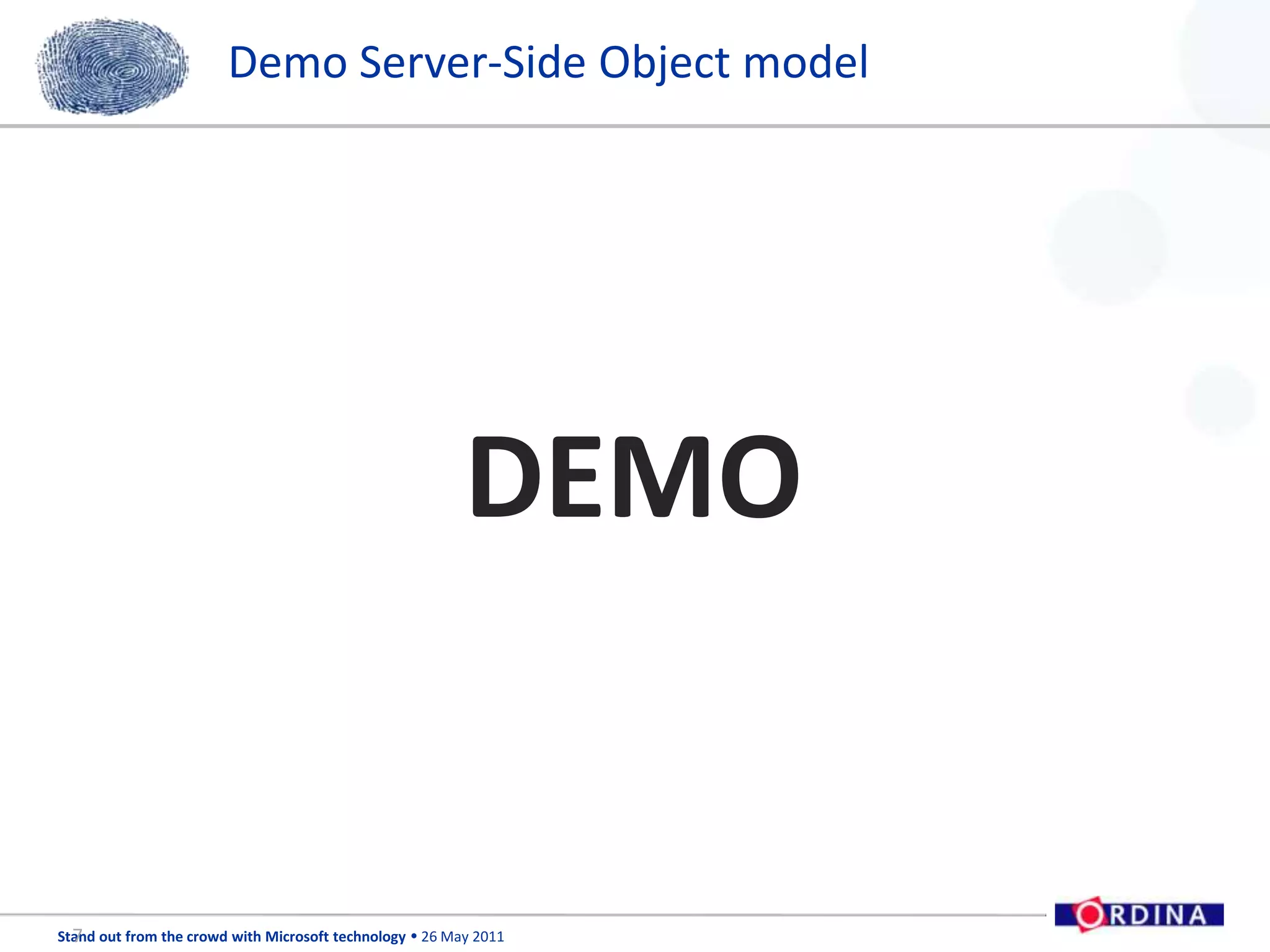
Server-Side Object ModelEasy to useUsing Microsoft.SharePoint.dllCore SharePoint DLLApplication deployed to or reside on the server6
Demo Server-Side Object modelDEMO7
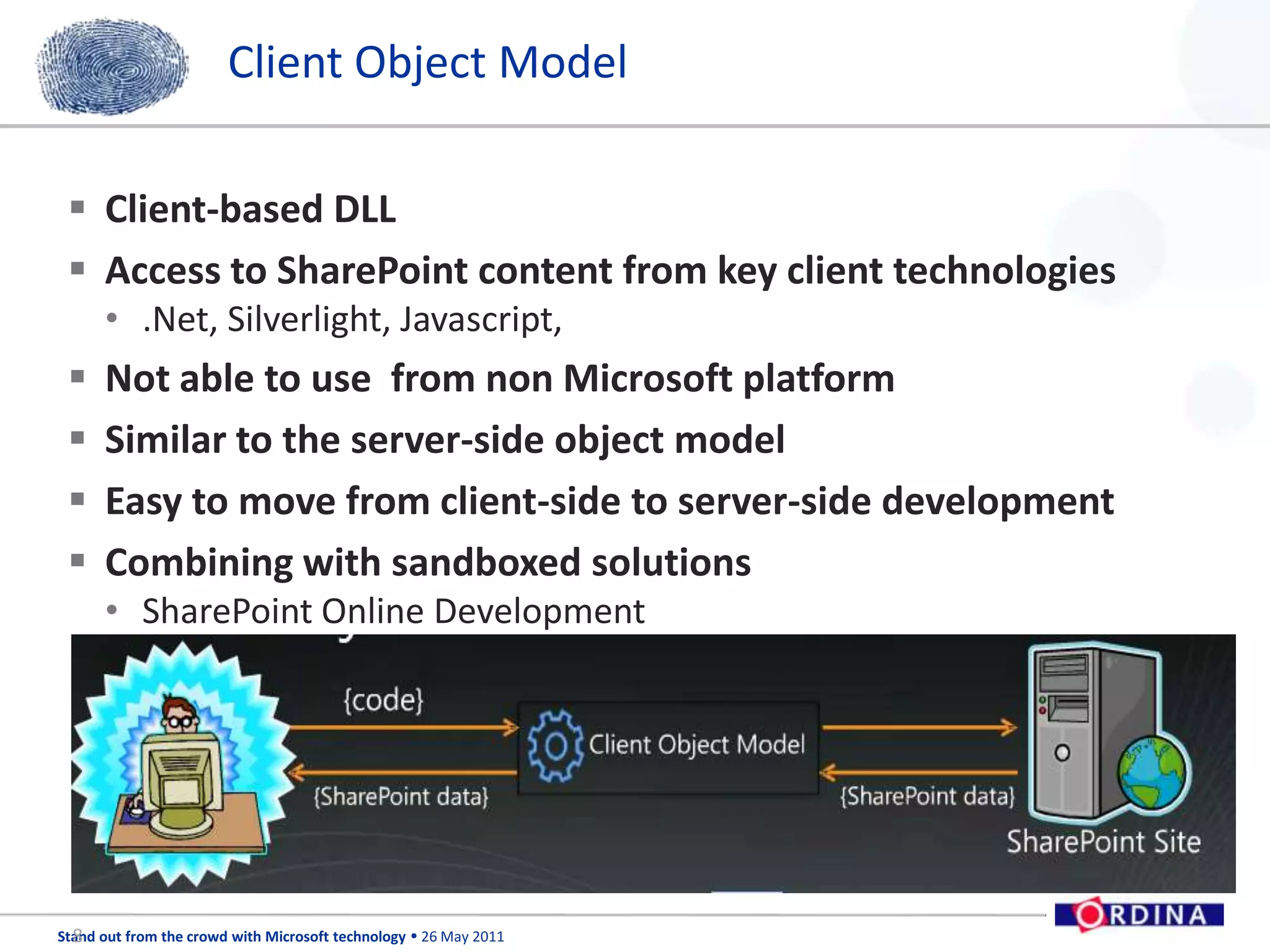
Client Object ModelClient-based DLLAccess to SharePoint content from key client technologies.Net, Silverlight, Javascript,Not able to use  from non Microsoft platformSimilar to the server-side object modelEasy to move from client-side to server-side developmentCombining with sandboxed solutionsSharePoint Online Development8
Demo Client Object ModelDEMO9
WCF Data ServicesREST (Representational State Transfer)-based serviceLightweight get and post functionalityInteracting with Excel spreadsheetsManipulate SharePoint data from different platforms10
Demo WCF Data ServicesDEMO11
List Web ServicesASP.NET Web ServiceFor rapid development and deploymentService based applicationFor backward compatibility When possible, avoid this serviceMigrating from pre-SharePoint 2010 to SharePoint 2010Ex. /vtI_bin/Lists.asmx     /vti_bin/Copy.asmx12
Demo List Web ServicesDEMO13
Custom WCF service / ASP.NET ServiceCustom requirementsEasy to realise instead of 200714
SummaryBest practicesAvoid use of list web servicesMigrationClient Object Model is the best choice in most of the casesSharePoint Online DevelopmentEasy to implement Custom WCF Services in SharePoint 201015
Follow Ordina….16Share your thoughts via #SOFTC Follow us on twitter: @OrdinaBEFind the presentationsonwww.slideshare.net/ordinaBeBe informed atwww.linkedin.com/company/ordina-belgium

Ordina SOFTC Presentation - Developing against SharePoint 2010 Lists

Editor's Notes

  • #8 When you’re developing applications that running on the server, you can leverage the server-side OM that is exposed using the microsfot.Sharepoint.dll. For example A simple WPF based application.Tooks a number of string inputs from the WPF UI and used the serverside OM. The code leverages the using statements to set the context for the sharepoint site and then sets the Web to allow updates? Creates an SPList object and SPListitem object, and the proceeds to set the specific column fields with the data that was entered . By the users Finally, the update methode is called to add the data tot the list.
  • #9 Client Object Mode (OM)I think Client Object Model is the best choice in most of the cases. If you want to access SharePoint data from SharePoint webpart, then you can use Client OM (EcmaScript) to access data in SharePoint. If you are trying to access SharePoint data from Silverlight then you can use Client OM for Silverlight. And most of all you can use Managed Client OM, in supported .net language to access SharePoint data. So Client OM is surely your first choice. But in many cases you can’t use Client OM, especially in cases where you are trying to access SharePoint data from non-Microsoft platform, like Java. Also if your migrating your application from SharePoint 2003/2007 and you are already using asp.net web service, then you don’t have much choice but to use the legacy web services.
  • #10 How it worksFor both of the previous exercises, You used the client side object model to read data from sharepoint list and write back to the sme list. In many ways, the undelaying calls for sharepoint don’t necessarily change. For example, the client object model leverage the services that are native to sharePoint beneath the covers to make the call into sharepopint . However, this is abstracted away from you.
  • #11 SharePoint WCF Services (REST-based)The new addition of extensibility point in SharePoint 20l10 is WCF services. If you are planning to manipulate SharePoint data from different platforms, like Java, then these WCF services are the excellent option to go with. If you install WCF data service updates, then these WCF services enable REST-based request processing. For more information on REST-based interface of SharePoint WCF services, please follow the MSDN link. You can also use these WCF services from .net applications. You can get the help from MSDN on how to use these WCF services in .net applications. Few new WCF services available in SharePoint 2010, are listed below:/_vti_bin/ListData.svc/_vti_bin/Client.svc
  • #12 How it works.The RESTfull services work in a slightly different way than the other ways you’ve seen in this chapter.Specifically , they leverage the listdata svc service and Data services to treat SharePoint lists as data constructors.The querying against the list works similarly to other ways in which you querying entities. You use linq as the standard way to query and filter the data, and then manipulate the data into your application.
  • #13 Asp.Net Web ServicesSharePoint 2007 comes with built-in web services. These legacy web services are still in SharePoint to support backward-compatibility but whenever you have the option to avoid them, please do so. The only reason I see to use these legacy web services is for applications migrating from pre-SharePoint 2010 to SharePoint 2010. Maybe this is the last version of SharePoint with the support of the legacy web services (at least I hope so). Few legacy asp.net services are listed below:/_vit_bin/Lists.asmx/_vit_bin/Copy.asmxCalls the lists from Various ways of client - applications
  • #15 Custom WCF ServiceIn real world, we rarely happy with out of the box functionalities. We need to customize a lot to happy our clients. Similarly we may need to develop our own WCF services. Writing a custom asp.net web service in SharePoint 2007 was a very difficult task. But in SharePoint 2010, writing a custom WCF service is much easier now. If you install Community Kit for SharePoint (CKS) Visual Studio extension from CodePlex, you can develop a custom SharePoint Service easily. There’s also manual process of developing custom WCF Server in SharePoint described in MSDN: WCF Services in SharePoint and Creating Custom WCF Service. I’ll try to post more details on how to use CKS add-in to develop custom WCF service in another post.