Dynamic Actions
2
Anthony Rayner
• 2004: Graduated Plymouth University, Computing
• 2005: Joined Oracle in Technical Consulting
• 2008: Transferred to APEX Development Team
• Now: Principal Member of Technical Staff
• Work includes: Dynamic Actions, Page Designer,
Interactive Grid, Accessibility Lead
• Twitter: @anthonyrayner
Safe Harbor
The following is intended to outline Oracle’s general
product direction. It is intended for information
purposes only, and may not be incorporated into any
contract. It is not a commitment to deliver any
material, code, or functionality, and should not be
relied upon in making purchasing decisions.
The development, release, and timing of any features
or functionality described for Oracle’s products
remains at the sole discretion of Oracle.
1
2
3
Demo
Bad Practice
Overview
Overview
6
…without needing to know JavaScript
*although, to be honest a little can help
Declarative client-side development…
*
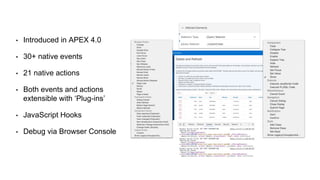
• Introduced in APEX 4.0
• 30+ native events
• 21 native actions
• Both events and actions
extensible with ‘Plug-ins’
• JavaScript Hooks
• Debug via Browser Console
…in 3 simple parts.
THE ANATOMY OF A
DYNAMIC ACTION…
When Affected ElementsAction
14
Demo
Bad Practice
15
1 Overuse
2 Page load Ajax calls
3 Too much custom JS code
4 Neglecting security
1
2
Overuse
Page load Ajax calls
3 Too much custom JS code
4 Neglecting security
Dynamic Actions
Application Express
@anthonyrayner #orclapex
Questions?

Oracle APEX Dynamic Actions

Editor's Notes

  • #8 Demo: Show simple example: DA Sample app: disable / enable. Just runtime to start.
  • #9 Plug-ins Fully extensible, via the APEX plug-in architecture JavaScript hooks ‘Execute JavaScript Code’ action ‘JavaScript Expression’ condition type ‘Set Value’ action has a ‘Set Type’ of ‘JavaScript Expression’ Powerful jQuery selector attributes exposed, allowing for flexible definition of the when and then what of dynamic actions Debugging - Client-side logging available - Still requires application level ‘Debug’ to be enabled and switched on - Requires a browser to have a JavaScript console, standard these days - Outputs dynamic action name, specific action, and a context object containing the following information: var lContext = { triggeringElement : pTriggeringElement, affectedElements : $( pSelector, apex.gPageContext$ ), action : pAction, browserEvent : pBrowserEvent, data : pData, resumeCallback : pResumeCallback };
  • #10 So first of all, let’s take a minute to understand the anatomy of a Dynamic Action, and it’s comprised of 3 simple parts.
  • #11 The ‘When’, the ‘Action’ and the ‘Affected Elements’.
  • #12 The when describes when the Dynamic Action will fire; for example when an item’s value changes, when a button is clicked.
  • #13 The action describes what happens, for example disable, hide or refresh.
  • #14 The affected elements are what the action influences; so the item that’s disabled, the report that’s hidden or the chart that’s refreshed.
  • #15 Plan: 3.15
  • #16 Plan: 3.35
  • #17 Adds to maintenance overhead Adds to page size Complicates debugging
  • #18 Use APEX standard server side page processing, don’t overuse page load DAs Open network tab and observe during development
  • #19 Anywhere you use custom JavaScript, always think is there an easier way? For example a DA plug-in.
  • #23 Plan: 3.50