OPERATING SYSTEM
P R E S E N T A T I O N
 Viaat Munir.
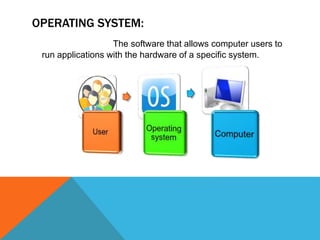
OPERATING SYSTEM:
The software that allows computer users to
run applications with the hardware of a specific system.
TYPES:
There are few main types of operating system
given below:
 Real-Time OS.
 Single user/single tasking OS.
 Single user/Multi tasking OS.
 Multi user/ multi tasking OS.
EXAMPLES OF OPERATING SYSTEM:
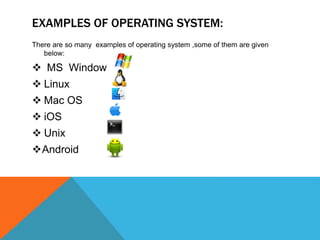
There are so many examples of operating system ,some of them are given
below:
 MS Window
 Linux
 Mac OS
 iOS
 Unix
Android
MICROSOFT WINDOW:
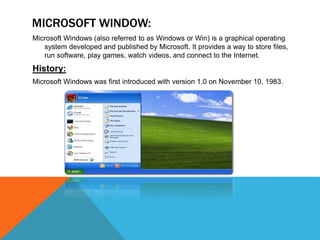
Microsoft Windows (also referred to as Windows or Win) is a graphical operating
system developed and published by Microsoft. It provides a way to store files,
run software, play games, watch videos, and connect to the Internet.
History:
Microsoft Windows was first introduced with version 1.0 on November 10, 1983.
you can use Windows:
 To browse the Internet
 Check your email
 Edit digital photos
 Listen to music
 Play games
 Windows is also used in many
offices because it gives you access
to productivity tools such as
calendars, word processors, and
spreadsheets.
LINUX:
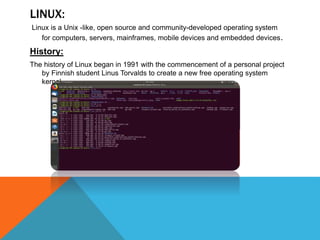
Linux is a Unix -like, open source and community-developed operating system
for computers, servers, mainframes, mobile devices and embedded devices.
History:
The history of Linux began in 1991 with the commencement of a personal project
by Finnish student Linus Torvalds to create a new free operating system
kernel.
 Troubleshoot Other Computers
 Make a Chrome book More Useful
 Host a Web Site or Web app
 Work with Hard Drives and
Partitions
 Automate Everything In Your Home
 Run a Home Server for Backup,
Streaming and More
 Create a Dedicated Media Center or
Video Game Machine
 Brush Up on Your Hacking and
Security
 Revive an Old or Slow PC
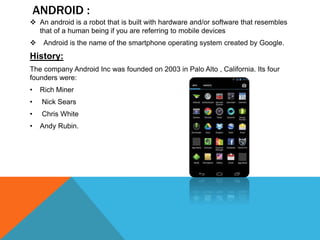
ANDROID :
 An android is a robot that is built with hardware and/or software that resembles
that of a human being if you are referring to mobile devices
 Android is the name of the smartphone operating system created by Google.
History:
The company Android Inc was founded on 2003 in Palo Alto , California. Its four
founders were:
• Rich Miner
• Nick Sears
• Chris White
• Andy Rubin.
 We can use it as a wireless track
pad and controller for your
computer.
 Turn it into a remote computer
terminal
 Transform it into a free-standing
security camera
 We can communicate with each
other at any time or any place.
 It provides us facilities of video
calls, playing games, listening music
etc.
 we can save are data in it.
 It provides us internet facility.
 We can edit our pictures, videos,
audios.
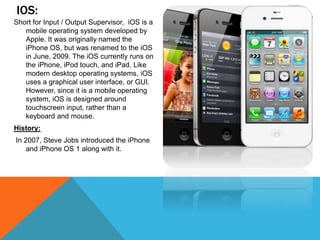
IOS:
Short for Input / Output Supervisor, iOS is a
mobile operating system developed by
Apple. It was originally named the
iPhone OS, but was renamed to the iOS
in June, 2009. The iOS currently runs on
the iPhone, iPod touch, and iPad. Like
modern desktop operating systems, iOS
uses a graphical user interface, or GUI.
However, since it is a mobile operating
system, iOS is designed around
touchscreen input, rather than a
keyboard and mouse.
History:
In 2007, Steve Jobs introduced the iPhone
and iPhone OS 1 along with it.
 iOS set a pattern when it reached the
market with a system that did not need
more physical keys than the volume,
power, lock, and a single button called
“Home.”
 that would allow the user to return to
the beginning on their screen. And
almost the entire system was and still
the use of it was with the touch screen
that incorporates their devices.
 IOS has an elegant smooth interface,
simple and without much ability to
customize but gives the user one of the
most comfortable experiences of the
market.
Operating system.pptx

Operating system.pptx

  • 1.
    OPERATING SYSTEM P RE S E N T A T I O N  Viaat Munir.
  • 2.
    OPERATING SYSTEM: The softwarethat allows computer users to run applications with the hardware of a specific system.
  • 3.
    TYPES: There are fewmain types of operating system given below:  Real-Time OS.  Single user/single tasking OS.  Single user/Multi tasking OS.  Multi user/ multi tasking OS.
  • 4.
    EXAMPLES OF OPERATINGSYSTEM: There are so many examples of operating system ,some of them are given below:  MS Window  Linux  Mac OS  iOS  Unix Android
  • 5.
    MICROSOFT WINDOW: Microsoft Windows(also referred to as Windows or Win) is a graphical operating system developed and published by Microsoft. It provides a way to store files, run software, play games, watch videos, and connect to the Internet. History: Microsoft Windows was first introduced with version 1.0 on November 10, 1983.
  • 6.
    you can useWindows:  To browse the Internet  Check your email  Edit digital photos  Listen to music  Play games  Windows is also used in many offices because it gives you access to productivity tools such as calendars, word processors, and spreadsheets.
  • 7.
    LINUX: Linux is aUnix -like, open source and community-developed operating system for computers, servers, mainframes, mobile devices and embedded devices. History: The history of Linux began in 1991 with the commencement of a personal project by Finnish student Linus Torvalds to create a new free operating system kernel.
  • 8.
     Troubleshoot OtherComputers  Make a Chrome book More Useful  Host a Web Site or Web app  Work with Hard Drives and Partitions  Automate Everything In Your Home  Run a Home Server for Backup, Streaming and More  Create a Dedicated Media Center or Video Game Machine  Brush Up on Your Hacking and Security  Revive an Old or Slow PC
  • 9.
    ANDROID :  Anandroid is a robot that is built with hardware and/or software that resembles that of a human being if you are referring to mobile devices  Android is the name of the smartphone operating system created by Google. History: The company Android Inc was founded on 2003 in Palo Alto , California. Its four founders were: • Rich Miner • Nick Sears • Chris White • Andy Rubin.
  • 10.
     We canuse it as a wireless track pad and controller for your computer.  Turn it into a remote computer terminal  Transform it into a free-standing security camera  We can communicate with each other at any time or any place.  It provides us facilities of video calls, playing games, listening music etc.  we can save are data in it.  It provides us internet facility.  We can edit our pictures, videos, audios.
  • 11.
    IOS: Short for Input/ Output Supervisor, iOS is a mobile operating system developed by Apple. It was originally named the iPhone OS, but was renamed to the iOS in June, 2009. The iOS currently runs on the iPhone, iPod touch, and iPad. Like modern desktop operating systems, iOS uses a graphical user interface, or GUI. However, since it is a mobile operating system, iOS is designed around touchscreen input, rather than a keyboard and mouse. History: In 2007, Steve Jobs introduced the iPhone and iPhone OS 1 along with it.
  • 12.
     iOS seta pattern when it reached the market with a system that did not need more physical keys than the volume, power, lock, and a single button called “Home.”  that would allow the user to return to the beginning on their screen. And almost the entire system was and still the use of it was with the touch screen that incorporates their devices.  IOS has an elegant smooth interface, simple and without much ability to customize but gives the user one of the most comfortable experiences of the market.