Openstack Lab
Presented by Abderrahmane TEKFI
Technical Engineer
Email : tekfi.Abderrahmane@gmail.com
Agenda
Download Link
Lab Environment
Introduction
Openstack LAB preparation
Introduction
* https://www.openstack.org/
Introduction
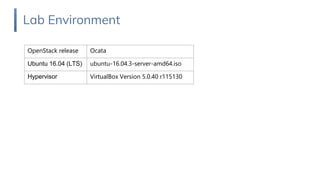
Lab Environment
Lab Environment
OpenStack release Ocata
Ubuntu 16.04 (LTS) ubuntu-16.04.3-server-amd64.iso
Hypervisor VirtualBox Version 5.0.40 r115130
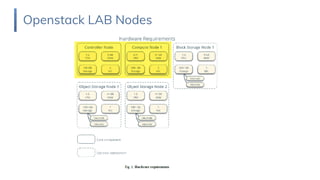
Openstack LAB Nodes
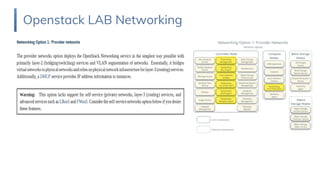
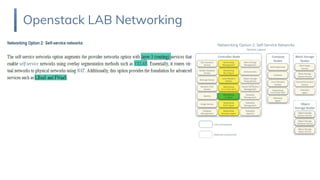
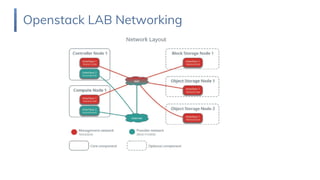
Openstack LAB Networking
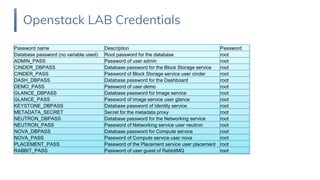
Openstack LAB Credentials
Devise User Password
Controller VM atekfi root
compute1 atekfi root
Openstack LAB Credentials
Password name Description Password
Database password (no variable used) Root password for the database root
ADMIN_PASS Password of user admin root
CINDER_DBPASS Database password for the Block Storage service root
CINDER_PASS Password of Block Storage service user cinder root
DASH_DBPASS Database password for the Dashboard root
DEMO_PASS Password of user demo root
GLANCE_DBPASS Database password for Image service root
GLANCE_PASS Password of Image service user glance root
KEYSTONE_DBPASS Database password of Identity service root
METADATA_SECRET Secret for the metadata proxy root
NEUTRON_DBPASS Database password for the Networking service root
NEUTRON_PASS Password of Networking service user neutron root
NOVA_DBPASS Database password for Compute service root
NOVA_PASS Password of Compute service user nova root
PLACEMENT_PASS Password of the Placement service user placement root
RABBIT_PASS Password of user guest of RabbitMQ root
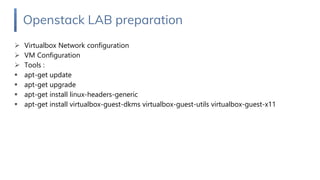
Openstack LAB preparation
➢ Virtualbox Network configuration
➢ VM Configuration
➢ Tools :
▪ apt-get update
▪ apt-get upgrade
▪ apt-get install linux-headers-generic
▪ apt-get install virtualbox-guest-dkms virtualbox-guest-utils virtualbox-guest-x11
Openstack LAB preparation
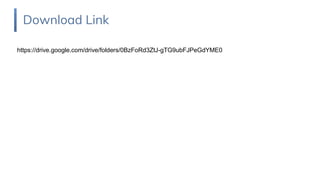
Download Link
Download Link
https://drive.google.com/drive/folders/0BzFoRd3ZtJ-gTG9ubFJPeGdYME0

Openstack lab environment Virtualbox (English)